

Zero Sievert
Our Lowest Price EVER!!! ZERO Sievert's in the Steam Summer Sale
NEW UPDATE IS LIVE - The Prologue Update (1.4.2)
THE PROLOGUE UPDATE IS LIVE - (Update 1.2.4)
Buckle up Hunters, because The Prologue Update is here!
[p]This update is packed with game-changing upgrades that will level up your entire experience. From smoother menus to smarter systems, we’ve supercharged everything to make your journey more intuitive immersive and downright fun. Let’s jump into the highlights.[/p][p][/p]New Game Flow and Difficulty Presets
- [p]Added new Difficulty Setting flow with a redesigned selection process[/p]
- [p]Difficulty Preset selection updated so that selecting any difficulty other than "Custom” now proceeds directly to the next page. And selecting “Custom” opens the existing Difficulty Modifier screen with new preset buttons[/p]
- [p]Preset buttons now highlight in golden yellow to indicate selection, replacing the previous pip system[/p]
- [p]Current menu selection for difficulty is visually emphasized with a highlight[/p]
- [p]Improved visual clarity and interactivity for UI value sliders (e.g. volume mix)[/p]
- [p]Equipment loadouts can now be named for better customization and reference[/p]
- [p]Removed news feed elements when full-screen menus are open to reduce clutter[/p]
- [p]Sprint toggle is now ON by default for all players [/p]
Sleep Menu Enhancements
- [p]Bar is selected by default when opening the Sleep Menu[/p]
- [p]Players can now drag the sleep duration bar and press the (A) button to sleep for the chosen amount (If only getting your 8 hours was this easy in real life!)[/p]
- [p]Controller users now see a clear button badge labelled “(A) Sleep” [/p]
Trading and Inventory Updates
- [p]Trade category buttons now feature a golden yellow icon to indicate the active selection[/p]
- [p]“Tooltip” renamed to “Item Info” for clarity[/p]
- [p]Item Info behaviour for right-hand side items in the trade menu now matches the left side—hold the Item Info button to display details (gamepad-friendly)[/p]
Healing and Repairing with NPCs
- [p]Removed all decimal points when displaying values for buying or selling services[/p]
PDA Improvements
- [p]Quest button now opens by default when accessing the PDA (swapped position with the Map button for easier navigation)[/p]
- [p]Quest label formatting updated from “Quest Giver: NAMEHERE” to “Giver: NAMEHERE”[/p]
- [p]Introduced a grid system for the map to reflect explored areas more clearly (development note: "Luca problem")[/p]
Map Selection and UI Changes
- [p]Selecting a map now instantly loads that map, removing the need for a separate “Go” button[/p]
- [p]Map buttons now display the name of the location directly on or near the button[/p]
- [p]Flavour text is displayed for the currently highlighted map to give more context and immersion[/p]
[/p][p]Stay sharp, watch your corners and don’t let your guard down.[/p]
Zero Sievert | Community Speedrun Challenge: #OrelRun
🏃♂️ Zero Sievert Community Speedrun Challenge: #OrelRun Rules 🏃♂️
It’s time to load your mags, trust your instincts, and move fast—because this challenge isn’t for the faint of heart. In the radioactive ruins of Zero Sievert, only the quickest and sharpest survive. Your mission: kill Orel as fast as possible from a fresh save. You’ve got until June 13th to prove your skill, earn exclusive merch, and claim your place at the top of the leaderboard. But before you dive in guns blazing, read the rules below carefully—one mistake could disqualify your run.
🏁Orel Run Speedrun Rules
- Start Fresh - Begin from a brand-new save. Any difficulty is allowed.
- Timing the Run - Start your timer when you spawn into the bunker and end it when you land the final blow on Orel.
- Timer overlays are allowed but must not obscure gameplay.
🎥Recording Guidelines
- Your run must be unedited and recorded in one continuous session.
- No mods, no cheats, no altered files—keep it clean.
- Deaths are allowed, but your submitted run must be complete and clean.
🖥️Upload Instructions
- Upload your full run to YouTube as public (not unlisted/private).
- The video must be raw—no edits or cuts.
🖱️How to Submit
- Drop your YouTube link in the #events channel on the official Discord server (You can join here: https://discord.gg/MqvqfhGc3a).
- Include the hashtag #OrelRun in your message along with the duration of your run.
👫Community Conduct
- Be respectful. No flaming, no gatekeeping.
- Sharing strategies and asking questions is encouraged—we’re all here to improve.
- Toxic behaviour or spamming will lead to disqualification.
🙋♂️Eligibility
- This competition is open only to individuals 18 years or older.
- You must be a legal resident of the EU, United Kingdom, or United States to qualify for prizes.
📅Deadline
- All runs must be submitted by Friday, June 13th at 11:59 PM (your local time).
- Late entries will not be accepted—no exceptions.
🏆Victory & Glory
- The top 3 fastest valid runs will win exclusive Zero Sievert merch.
- Winners announced in the June 19th dev update.
You’ve got the knowledge. You’ve got the gear. Now it’s up to your reflexes and your route. Clock’s ticking, Hunters. Make it count.
MORE MOD TOOLS UPDATES! - Patch 1.1.15 | Patch Notes
🛠️ ZERO Sievert – Patch 1.1.15 | Patch Notes

🐛 Bug Fixes & Quality of Life
- Inventory sorting now works as expected when sorted by type – thanks to those who reported the bug!
- Fixed an animation bug with consumables.
- Cleaned up the news feed: no more raw Steam image URLs.
- Fixed Quick move stash prompt overlapping with item tooltips.
- Mods that create lots of quests won’t crash the game anymore (hopefully...).
- UI improvements to the mods menu.
- A couple of crashes related to modded quests and sprites have been fixed
- Security fixes for Catspeak, the modding API: we fixed some possible exploits (Thanks "I'm An Issue" and "Katsaii"!)
With more stable mods there's no better time to start tasting what the community is cooking if you haven't modded the game already.

🛠️ Modding Tools Updates
- Time of day functions now available (see doc!)
- Added functions to get the current second, minute, hour, day, month, and year
- Loadouts are now modifiable – customize what gear players start with. (did we say to check the doc already?)
- FactionExists() function added for modding
- Ownership support for Workshop items ("author_id" tag to the meta.ini file)
- Modded backpack items now show up on your character!
- Added missing NPC functions for modding, NpcSetFootstep() and NpcSetHp()
📖 New Game Events for Modding
Trigger your own stories and systems with these new mod-accessible events:
- "enter_hub" ➡️ Called once when the hub room is entered. This means when you start a new game/load a save, or return from a raid.
- "enter_raid" ➡️ Called once when the raid is started. Specifically this runs right after you continue past the loading screen.
- "exit_train" ➡️ Called once when the player gets off the train during a raid. This is performed immediately after the player position near the train.
- "player_spawn" ➡️ Called once when the player spawns into the world. This will occur when you first enter any (Game Maker) room/level.
- "player_death" ➡️ Called once when the player dies during raids.
- "trade_completed" ➡️ Called whenever the player successfully completes a trade with a trader.
Show us what you can do with them.
We also lovingly updated the documentation with all of this and more, don't forget to check it out!
🔚 ZERO Sievert Out
We really wanted to push this update out as soon as possible as many of you are hard at work on mods at the moment.
The team has also started working on the next major update, so stay tuned!
Hotfix 1.1.13 | Patch Notes
🛠️ ZERO Sievert – Hotfix 1.1.13 | Patch Notes
💬 Here We Go Again
You know how it goes… New update drops, some bugs sneak through the cracks, and everything's a little... crunchy. So we’ve kicked down the bunker door and patched up a bunch of stuff in 1.1.13. This one’s a hotfix to clean up after the last update (yeah, we saw the reports…), but we’ve also thrown in some quality-of-life tweaks and tasty new modding features because why not? Read on for all the good (and weird) stuff we fixed.
🧰 New Features
- Additional modding tool features added
- Ability to add Workbench recipes to modded items (found in the documentation under: Functions > Crafting > CraftingRecipeCreate)
- Steam Workshop mods you've created can now be updated by pressing the upload button on the mods menu
📖 Modding Tools Documentation
- Consumable documentation has been filled (found in the documentation under: Functions > Items > Consumables)
- Other minor updates/changes (notably with the 'SpriteGet' function)
🔧 Other Notable Improvements
- A crash when launching the game has been reported in connection with installing Steam Workshop mods. A failsafe has been added to prevent crashing the game and highlight to you via the Main Menu when a mod has caused an issue.
- Re-fix: Monitors larger than a 16:9 aspect ratio display black bars (as they used to).
- Both the Carret N82 and Pistol .50 BMG can both be repaired using the blue weapons repair kit(s).
🌍 Localisation
- Localisation has been provided for the Additional Options page in the Settings menu.
- Updated The Guide’s dialogue to fix a grammatical error.
🎮 Gameplay Fixes
- Assigning the “Teleport” key binding to num keys 1–6 will not teleport the Hunter to the stash, it will only open the teleport menu allowing you to enter another number to teleport.
- Controller support has been re-added following engine updates to select languages.
- Further controller navigation has been added for navigating through the Mods menu.
🐞 Other Fixes
- Targets to be eliminated for the “Soldier Work” daily quest no longer spawn outside of map bounds.
- The “Difficulty” selection button on the Main Menu has been hidden to avoid any confusion on its lack of functionality.
- Any grass around where the Unknown Bag spawns towards the end of The Crystal has been mowed to make the bag more obvious.
- The glow from lasers and torches are hidden while using an item (e.g. healing or eating).
- NPCs no longer spawn outside the map in small handfuls.
- Hunter dialogue system after completing First Steps has been adjusted to prompt players to speak to the Barman again.
- The “Handyman” Achievement exploit has been addressed.
- The “Handyman” Achievement now tracks the use of repair kits, not just repairing via the workbench.
🔚 ZERO Sievert Out
That’s the cleanup report for 1.1.13. Appreciate all the bug reports and the chaos you bring to the zone, keep it coming! We’ll be back soon with more updates, more fixes, and probably more ways to accidentally break the game 🙄. Until then, take what you can, give nothing back!
MODDING & STEAM WORKSHOP - Patch 1.1.12
Hello, Hunters!
Today we’re excited to announce the official launch of Modding Tools for ZERO Sievert with patch 1.1.12.
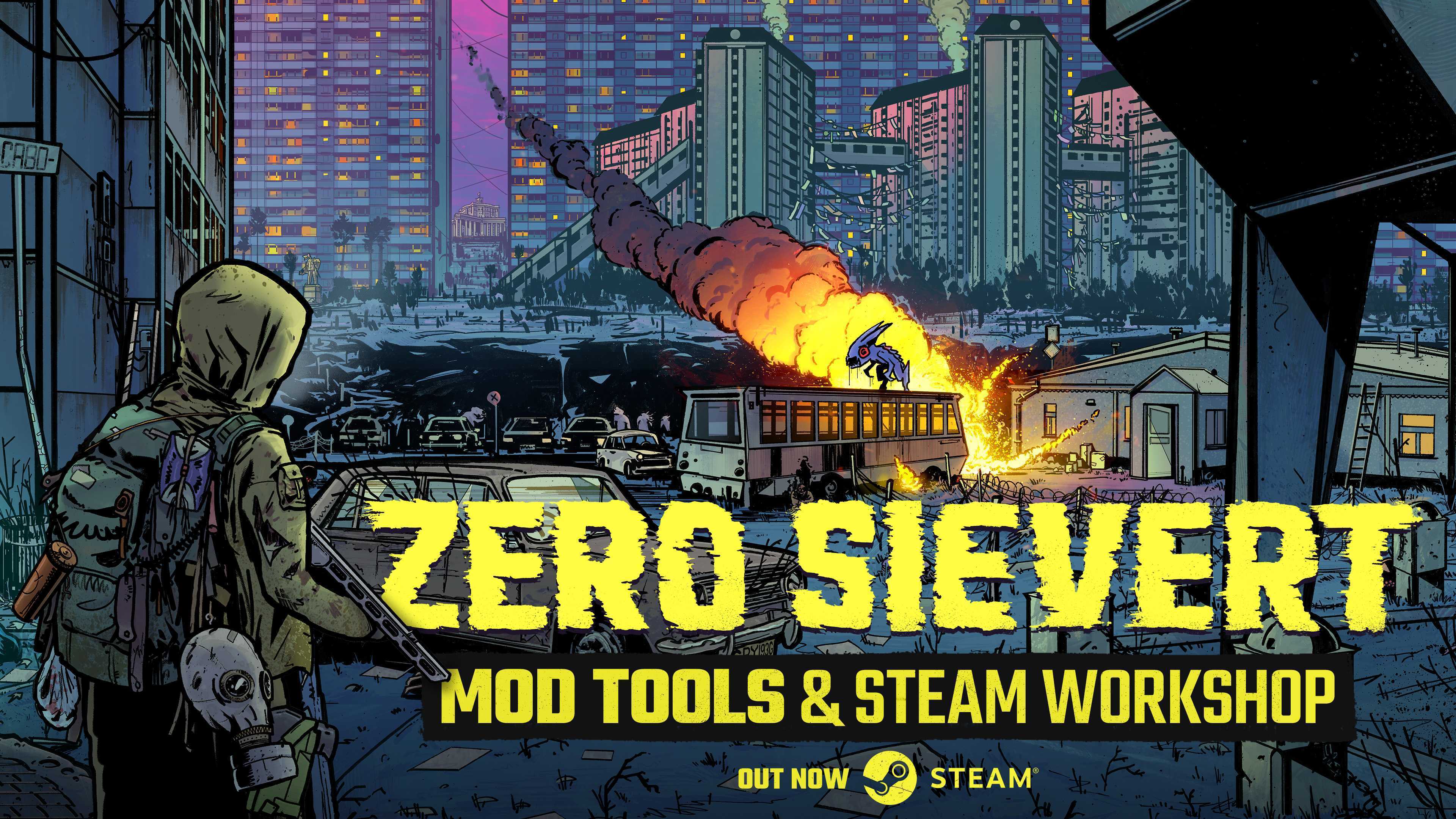
🛠️ MODDING TOOLS
The Steam Workshop is officially open in Zakov, bringing a new post-apocalyptic world of possibilities for modding!
What does this mean for hunters? Modders can now create and share thrilling new mods that introduce new items, quests, weapons, NPCs, objects, scripts, sounds, languages, traders, particles, events, factions, and much more.
The Steam Workshop Train has left the station and will continue to grow and expand with thrilling new mods, so keep an eye out for any favourites! To find out more about what this means for the game, check out Oscar Mikey's video below!
- Added in tools to support modding in ZERO Sievert and compatibility with Steam Workshop
- Documentation for this (including various functions and examples) is included in the local game files and will be updated accordingly when relevant for the foreseeable
- Updated GameMaker Engine from v2022.0.2.49 to v2024.11.0.226
- This engine upgrade allowed us to fix some legacy issues that we previously couldn’t
- Since we’re now on a newer version of GameMaker, some users may experience better performance on laptop GPUs
- New quest added after "The bridge to Zakov" named "Clear the way, again"
- New quest added after "Clear the way, again" named "The Devil"
- New boss added (Available ONLY after completing the "Clear the way, again" quest)
- 2 new weapons added:
- Pistol .50 BMG
- Carret N82
- .50BMG rounds can be bought by the barman after completing the "Clear the way, again" quest. (Must wait for the next traders restock.)
- New armor added:
- WA Devil suit (unique boss drop)
- 1 new foregrip added (with 3 color variants)
- 2 color variants added for already existing foregrip
Other Notable Improvements
- Further collision adjustments have been made to stop Hunters from being teleported into the blue void
- Throwing bolts when the Hunter is backed up against a wall won’t cause the bolt to get stuck on the wall
- Drop Armor setting is functional and a new difficulty page for “Loot - Armor” has been added. In this page, armor tiers (0-3, 4, 5, and 6) are given player-defined difficulty sliders for drop chance and the minimum and maximum durability for armor found on enemies
- Hunters purchasing items from traders when the item cannot fit in their inventory will find the item on the ground next to them after the purchase
- Flashbangs detonated as the Hunter is dying no longer flashbang the player (yes, you!) on death
- If the Hunter gets flashbanged before entering a building, the flash effect will not stay on permanently until death
- Areas around the ghoul tunnels have been redesigned to make the entrances more obvious
- The area around the Mall underground passage during “The Bridge to Zakov” has also been changed slightly to make the entrance more obvious
- Several grammatical issues fixed in the Tutorial for multiple categories
- Added missing localisation text options for the Anomaly
- Yakim and Vadim will no longer repeat their dialogue text until the player exits the save game
- Quest rewards can no longer be replaced for rewards from other quests
- Audio will play to the original output device if it is disconnected from the PC after it is reconnected
- Temporary freezes in the bunker when opening full inventories or mass-trading have been reduced
- News feed on the Main Menu shows date and text without an overlap
- Player can interact with news feed after accessing any fullscreen menu
- Fixed some improper kerning present in the Tutorial
- Loading screen hints have been rechecked to remove any text relating to the pre-1.0 skill system
- Kibba’s weapon can be fixed using the appropriate repair kit immediately after collecting
- When shooting while moving, the trajectory of the last bullet in the magazine will no longer vary wildly from the previous bullets shot
- All keyboard keys can be used for remapping with the exception of: Backspace; Clear; Fn; and Mouse inputs (these are being worked on)
- The Swamp village is displayed at the same brightness as the rest of the Swamp, no matter the time of day
- Achievement “Man about town” cannot be unlocked by using alternative means outside the unlock description
- Rainy weather will not persist into other weather events in the Bunker if Hunters sleep through the transition
- Scientist Work daily quest: chemical anomalies will not be generated inside the power grid in the Mall
- Scientist Work daily quest: dead scientists have been moved around in the Industrial Area so they are accessible, but note that they may still be partly buried or hard to find
- An additional note we wanted to expand on for our next hotfix was the Modding documentation. We’ll be iterating on this and adding more information as needed in future hotfixes so if there is anything you’d like to see, let us know!
We can't wait to see what modding brings to Zakov and as always, thank you to everyone who has been helping report issues so we can improve ZERO Sievert!
P.S - If you previously used unofficial mods in ZERO Sievert you may encounter file conflicts when booting the game after 1.1.12. If this happens we recommend uninstalling and reinstalling the game to fix it.
ZERO Sievert | Something BIG is coming!
Hello, Hunters!
Episode 16 of the Bunker Report is now live!
In today's video we're giving you the latest info on our modding launch coming next week, some developer tips and tricks, and lastly a quick recap on some of the top reported issues!
Check out the video!
We're excited to see what mods come to the Steam Workshop and can't wait for you to get your hands on the next update!
ZERO Sievert | Boars, Bugs & Beta Mod Tools
Hello, Hunters!
Episode 15 of the Bunker Report is now live!
Today's video: covers the latest on the mod beta testing, some upcoming fixes we have in the pipeline, and going through some of the latest reported issues in the game.
Check out the video!
As always, thank you for helping us prioritise issues you've been flagging! Keep the reports coming, and happy hunting!
ZERO Sievert | Bunker Report - Episode 14
Hello Hunters!
Shoe is back in this week's Bunker Report!
Topics covered in this week's video: an update on the beta testing, controller support, and talking through a couple of the most reported issues in the game.
Check out the video!
Thank you to all the hunters for being so patient with us while the team works hard to fix the issues you've been flagging. As always, keep the reports coming, and happy hunting!
📢CALLING ALL BETA TESTERS
Hello Hunters!
Exciting things are coming soon to ZERO Sievert but we need your help! We know this community has played a pivotal role in the development of ZERO sievert over the years so we are now actively recruiting for beta testers.
Who we are looking for?
do you enjoy making mods or have an interested in making them? 👀 then this is the project for you!
How to join:
Please reach out to Lydiah the Community Manager on ZERO Sievert via direct message on Discord and they will send you all the details! Please note that spaces are limited and applying does not guarantee a space.
Testing period will start around the end of March to early April, further details will be provided to those participating.
We eagerly await to hear from you!