Hey, engineers! I wasn’t planning to release any more updates dedicated to version 20, but a player reported a critical bug that required an urgent fix. Since I was already working on update 21 at the time of the bug report, some features had already been implemented in the game. This change concerns gathering sand and soil. Now, you only need to dig sand or soil in any location as long as these resources are simply beneath the player’s feet. Sand piles have been completely removed from the game. Soil is currently necessary for creating farmer’s boxes.
CHANGELOG
Improvements
The sand gathering system has been changed. Now sand can be dug anywhere on the map where sand is present.
The ability to gather soil has been added. Soil can also be gathered anywhere where there is soil beneath the player’s feet.
Soil is now required for creating farming boxes.
Fixed Bugs
Fixed a bug where the bridge could not be lowered with the controller in the swamp location.
Fixed a bug where the screen resolution was duplicated three times in the graphics settings. This caused the impression that changing the resolution did not work.
Frame rate limit in graphics settings now works again, provided vertical sync is disabled.
The activation of vertical sync was mixed up, this has also been fixed.
Fixed a bug where the interface did not appear if the player canceled exiting the game in the main menu.
Fixed a bug where the mouse cursor could move the item list in the inventory beyond the window boundaries.
Update 20.4 Alpha
CHANGELOG
Improvements
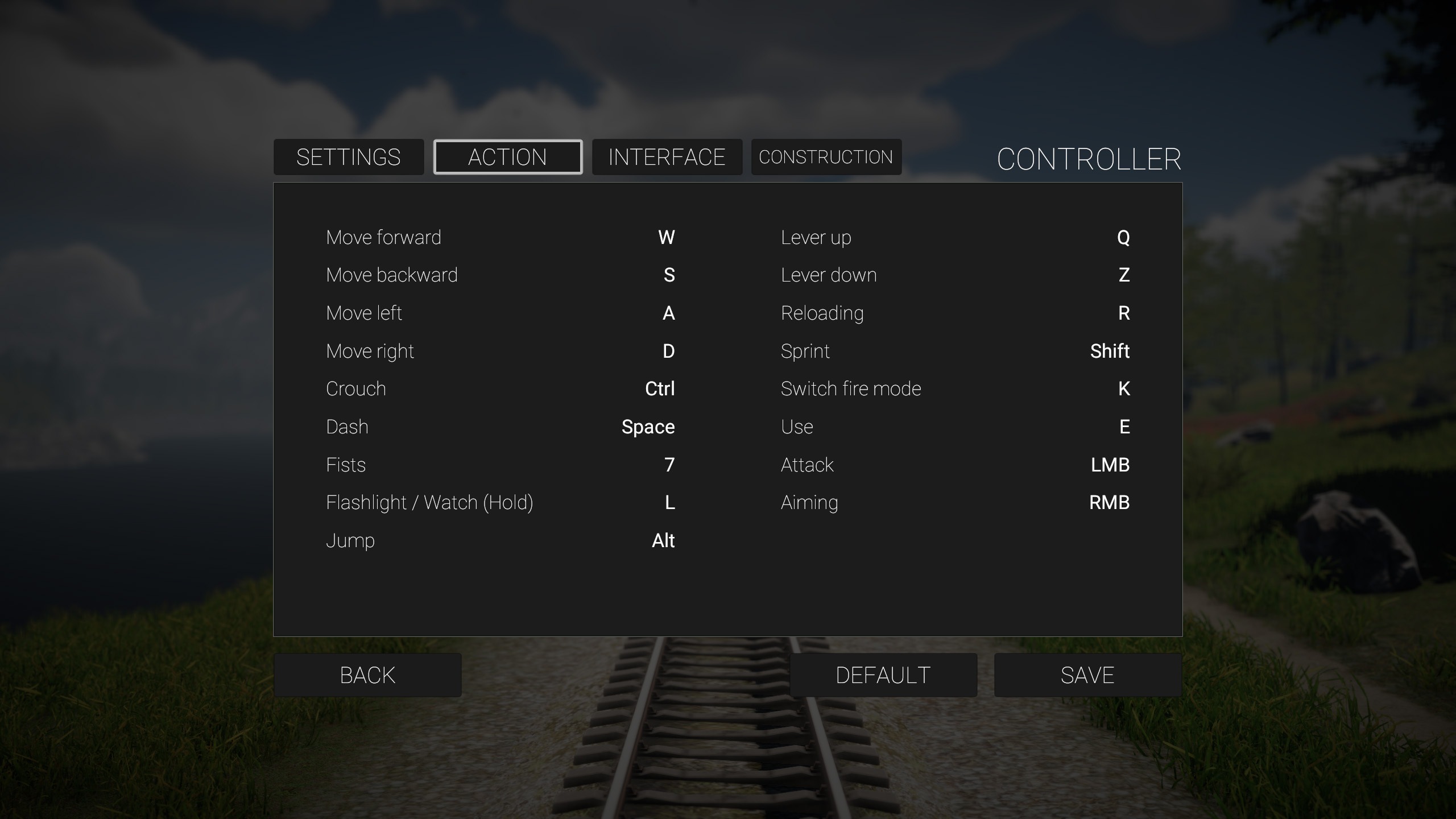
Added the ability to change the clock activation button in the keyboard and mouse settings menu.
Implemented a special sound when installing electrical wiring.
Numerous minor interface improvements.
Fixed Bugs
Fixed a bug where individual control settings were not saved.
Fixed a bug where the robot could be placed not only on surfaces but also when looking at the sky, causing the robot to be lost.
Fixed another cause of infinite loading cursor rotation.
Update 20.3 Alpha
CHANGELOG
Improvements
Improved controller button settings in the construction section.
Fixed Bugs
Fixed a bug where double-clicking robot control elements caused the game to crash.
Fixed the name of the keyboard and mouse settings menu.
Fixed a bug where the attack button was blocked after opening external inventories.
Disabled closing the inventory if the robot menu is open and its behavior is being changed.
Fixed a bug where item repair did not work on the keyboard.
Moved the repair button from the D-pad left to RT, as it previously closed the inventory instead of repairing the item.
Fixed a bug where freely placeable wall elements could not be placed with the controller.
Update 20.2 Alpha
CHANGELOG
Improvements
Mouse and keyboard settings menu implemented in the same style as the controller settings menu.
Key settings divided into categories, allowing more freedom to customize controls.
Controller settings changed to a more classic version, familiar to players.
Optional auto-reload implemented for weapons when ammo runs out. Can be disabled in difficulty settings.
On starting a new game, the start menu is completely disabled to fix the bug where the difficulty selection menu was inactive for controllers.
For controllers, auto-highlighting of buttons in menus or items in any crafting list upon opening (previously, highlighting only triggered by the first controller click).
Fully adapted controller support for the gramophone player.
Gramophone interface now opens on the right side of the screen so players can see the records change, clarifying the long pause between melodies.
On first entry to crafting benches, the top item is highlighted; on subsequent entries, the last selected item is highlighted.
Death menu adapted for controllers.
Narrowed the auto-aim angle to zombie heads when using melee weapons to minimize unintended aiming.
Improved quest handling in the journal, including for the journal itself.
When splitting items, the default amount is now 1 instead of 0.
Improved navigation between buttons in controller settings.
Fixed probable cause of mouse cursor visually disappearing on Linux.
Numerous minor improvements related to interface, menu names, and functions.
Fixed bugs
Fixed one of the causes for resetting the previously set game resolution, including the removal of the monitor refresh rate selection, which is now taken from system settings.
Fixed one of the causes for the robot shifting in the player's hands when picked up.
Fixed a localization bug in the item splitting menu.
Fixed a bug in item splitting that allowed creating an infinite number of items.
Fixed a bug that allowed picking up the robot with the R key while attempting to reload a weapon.
Fixed a bug where controller menu controls were blocked if changes were saved using the "save" button instead of the start button.
Fixed a bug where controller operation was blocked in the construction menu after selecting any category.
Fixed one of the causes of cursor rotation in loading mode under certain conditions.
Fixed NPC dialogue behavior when controlled by a controller.
Fixed a bug where controller input was lost in the workbench after starting to craft any item.
Fixed one of the causes for object detection offset from the screen center and item placement offset on surfaces.
Fixed a bug where placing items from inventory onto surfaces left empty slots in the inventory.
Disabled interaction with boxes when the inventory is open.
Fixed a bug where picking up all items from boxes using a controller shortcut caused the weapon in the active slot to fire.
Fixed a bug where the player picked up the robot when reloading a weapon while looking at the robot.
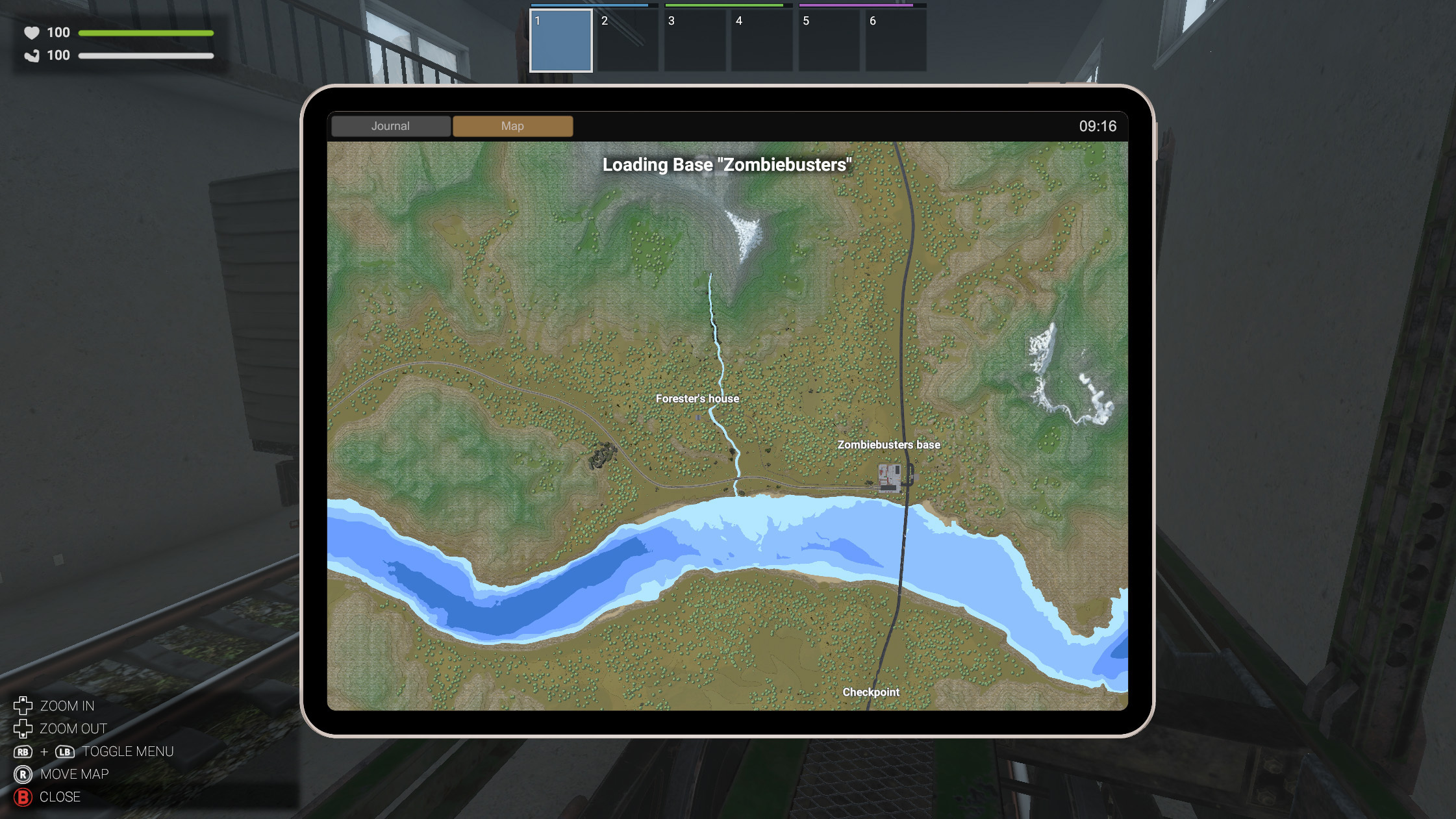
Fixed a bug where the player did not appear on the map regardless of difficulty settings.
Restored colliders on public restroom wall elements.
Update 20.1 Alpha
CHANGELOG
Improvements
Improved interaction with the virtual keyboard. Now holding keys such as Caps Lock or Tab is indicated by a green dot.
Fixed Bugs
Fixed a bug where selecting low graphics settings would activate high settings.
Update 20.0 Alpha
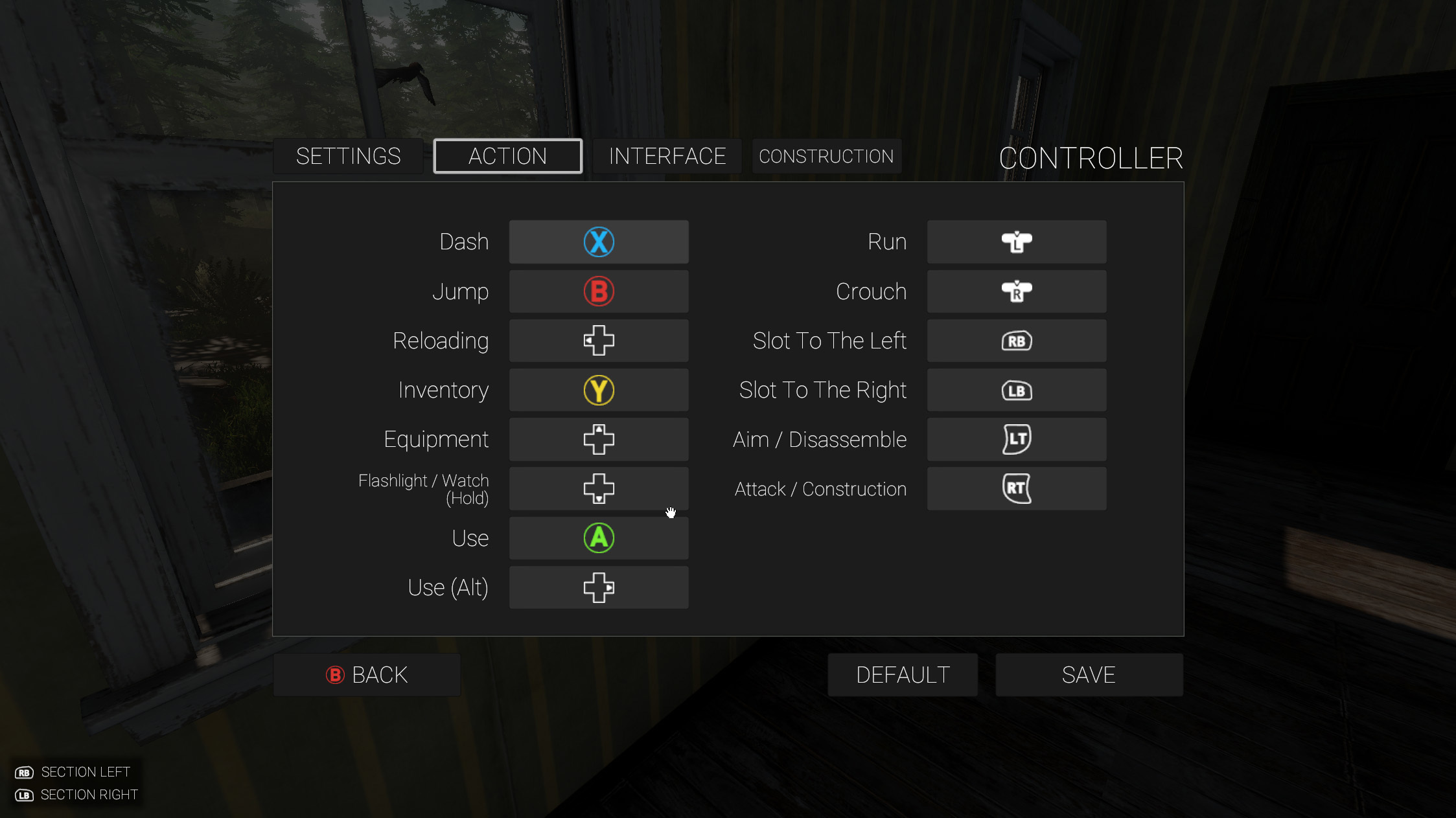
Hey, engineers! I’m excited to present update 20 dedicated to controller support. Initially, I thought it would be simple — just plug in and play, a 20-minute adventure. But the old control system turned out to be completely unsuitable for adaptation, so I had to redo it entirely. Since I had no experience playing 3D action and survival games with a controller, I started studying the configs of the most popular games in this genre — and how wrong I was about the simplicity of the setup. But I won’t bore you with details. In the end, a lot of work was done, and the controls were carefully refined to provide players with the best possible experience playing with controllers. Still, I’m sure we’ll improve some aspects after the official release when many players share their experiences and suggest better solutions for various control issues.
Here are more details about this update. Currently, the game supports only Xbox and classic PS controllers. Full support for Steam Deck and PS DualSense is planned immediately after this update’s release. The reason is that the game was originally developed on a rather outdated version of Unity, and supporting Steam Deck and DualSense requires upgrading to the latest Unity version. Besides supporting new technologies, the new version should significantly optimize the game and provide more opportunities in the future. Nevertheless, I have already tested the game on Steam Deck, and with standard controller support selected, the game controls very well even now.
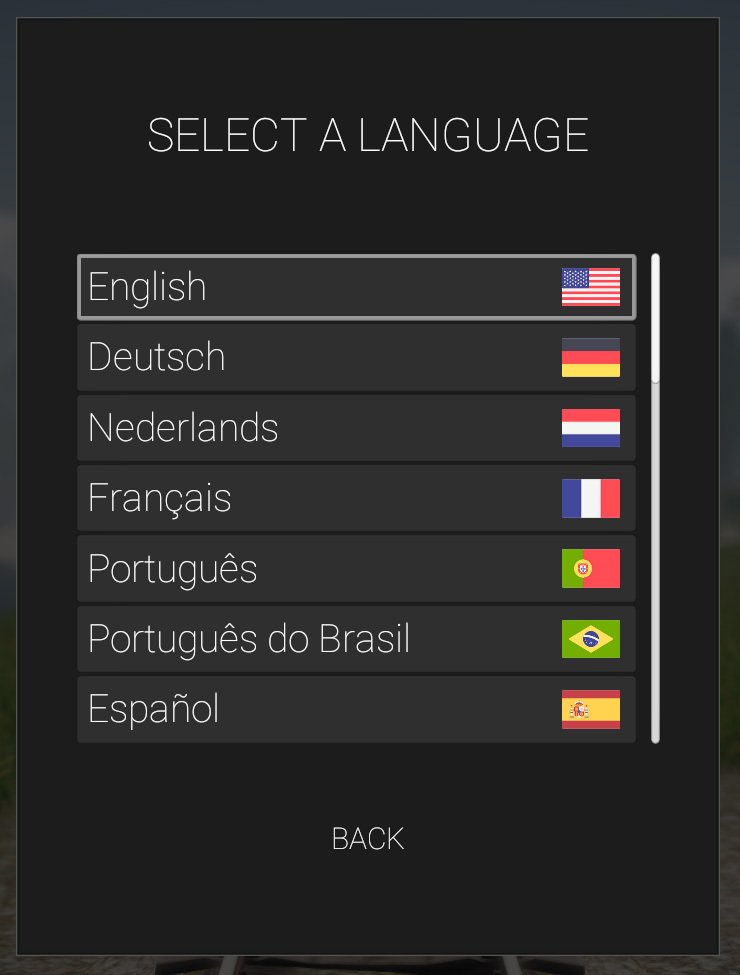
Improved language selection menu, flags added next to the text.
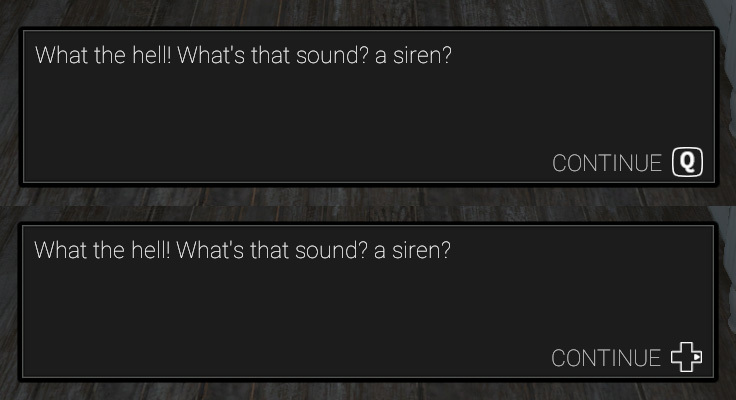
Adaptive key prompts change depending on the controller used.
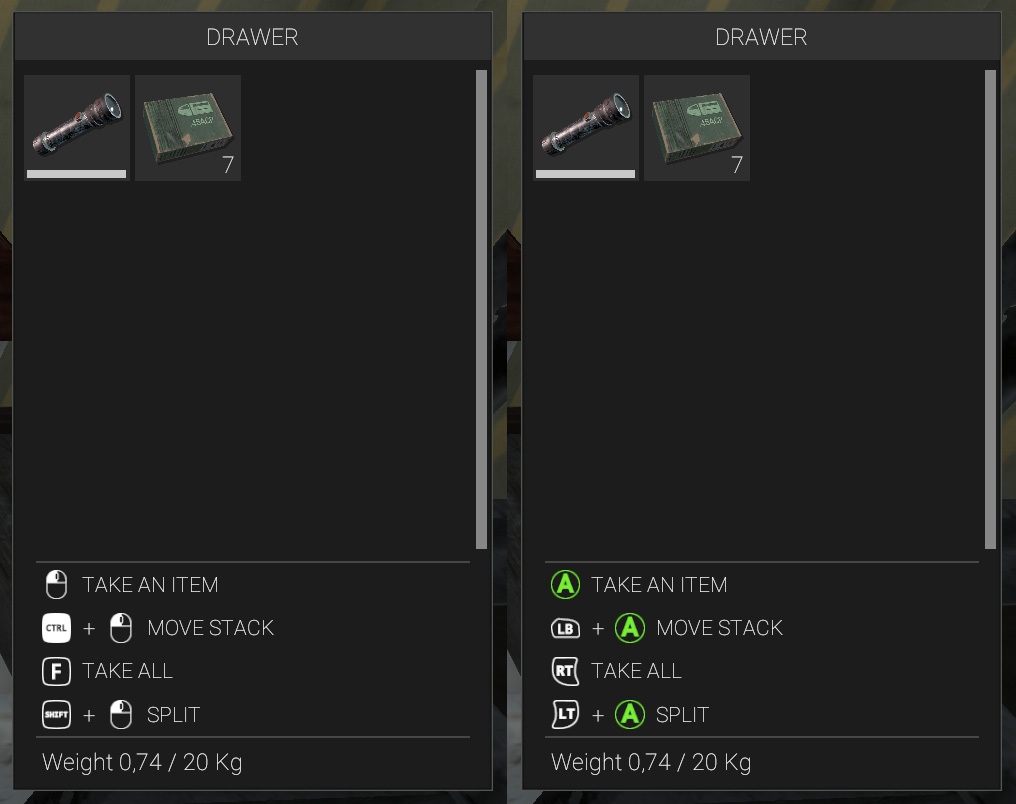
Quick key prompts for inventories have been restored.
A new convenient controller settings menu has been implemented.
Numerous prompts in the lower-left corner have been added for all types of player activities.
CHANGELOG
Improvements
Added support for Xbox and PS controllers.
Implemented a convenient controller settings menu.
Added the maximum number of key/button prompts.
Key/button prompts are interactive and display the current active controller.
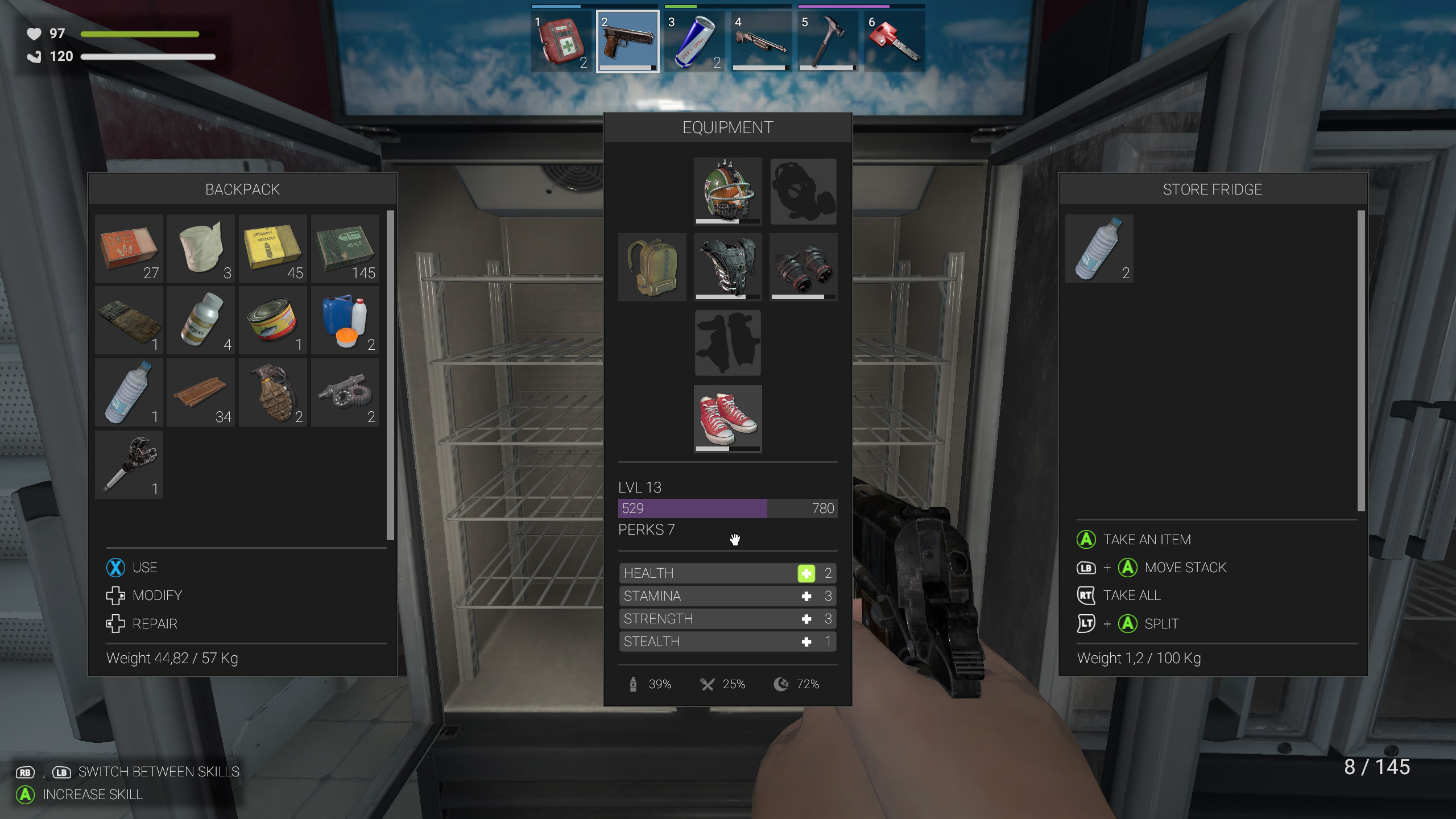
Adaptive control button prompts added to inventory windows.
Expanded information panel in the crafting window.
Added full localization for Traditional Chinese.
For convenience, the localization menu is now part of the main menu and flags have been added next to language names.
Game language is automatically set based on the operating system at first launch.
Optimal screen resolution is automatically set at first launch.
Reduced audible range of NPC tool usage.
Implemented LOD support for some interior objects.
Fixed Bugs
Music is now inaudible at 0% volume.
Fixed a bug with the turbine fan rotation axis offset.
Plans for Future Updates
The next update 21 will focus on a comprehensive farming and cooking system. The food spawn system will also be changed. The further the player progresses, the fewer food and water items will be found, forcing the player to spend more time farming and cooking to survive.
Update 22 will focus on hunting. Players will be able to obtain meat and hides, expanding the food list and adding the ability to process hides. Most animals will be predators and pose a danger to the player.
Open Test of Game Version 20
CHANGELOG
Zombie Wiki has been adapted for controller controls.
Fixed a bug with weapon tilt when the player is crouched.
Fixed the system for saving new button settings.
Added the ability to press important buttons via the start button on the controller for quick activation of frequently used buttons. For example, the crafting button, save and load the game, and start a new game from the difficulty settings menu. These buttons are marked with the corresponding icon.
Added a hint that many menus and inventories can be closed with the B button on the controller.
Added a start button to the controller settings menu.
Open Test of Game Version 20
Delete the following files from your game's saves folder: Bindings.hotkeys SettingsController.json
CHANGELOG
Fixed the button binding sequence in the controller setup menu.
Fixed a bug where after firing a bow, the camera would slow down as if aiming.
Fixed an arrow offset when the player crouched.
Removed duplicate control button prompts in the character's inventory.
When swinging a grenade, a prompt now appears in the lower left corner indicating two options for throwing the grenade.
Fixed a bug where workbenches would not immediately be placed after the workbench plan was canceled before construction.
Added more prompts when placing workbenches.
Fixed exiting the game difficulty selection menu when starting a new game.
Fixed the Y button icon color from black and white to yellow.
Fixed grid snapping when placing furniture and workbenches on the train.
Added prompts for switching between sections of the controller setup menu.
Fixed a bug where player movement was blocked when placing workbenches and furniture. The installation controls were also changed.
Updated the design of farm crates, as new content for Update 21 is already being added to the game.
Fixed a bug where individual controller button settings were not saved.
Implemented a protection system against duplicate button settings.
Open Test of Game Version 20
CHANGELOG
Added support for Xbox and PS controllers.
Implemented a convenient controller settings menu.
Added the maximum number of key/button prompts.
Key/button prompts are interactive and display the current active controller.
Adaptive control button prompts added to the inventory window.
Expanded information panel in the crafting window.
Added full localization for Traditional Chinese.
For convenience, the localization menu is now part of the main menu, and flags have been added next to language names.
The game language is automatically set based on the operating system at first launch.
The optimal screen resolution is automatically set at first launch.
Open Test of Game Version 20
Hey, train engineers! I’m excited to announce the start of the open testing phase for version 20 of the game. Since this update focuses primarily on controller support, the testing will be especially interesting for players who, for one reason or another, prefer to play using controllers. During the closed testing period, most bugs and issues were fixed, so I welcome player suggestions on how to further improve the player’s interaction with controllers. Players may still encounter rare bugs that have not yet been discovered, so please report them. However, players who prefer to play with mouse and keyboard should not overlook this update. Since the entire control system has been completely redesigned, errors and issues may also occur with these input devices, so please report those as well.
You can report bugs in the comments of this post or by emailing the game at: zompiercer@gmail.com
Be sure to back up your current saves before switching to the test version! Test access code: RQNElNUMmCP0Bm.
CHANGELOG
Added support for Xbox and PS controllers.
Implemented a convenient controller settings menu.
Added the maximum number of key/button prompts.
Key/button prompts are interactive and display the current active controller.
Adaptive control button prompts added to the inventory window.
Expanded information panel in the crafting window.
Added full localization for Traditional Chinese.
For convenience, the localization menu is now part of the main menu, and flags have been added next to language names.
The game language is automatically set based on the operating system at first launch.
The optimal screen resolution is automatically set at first launch.