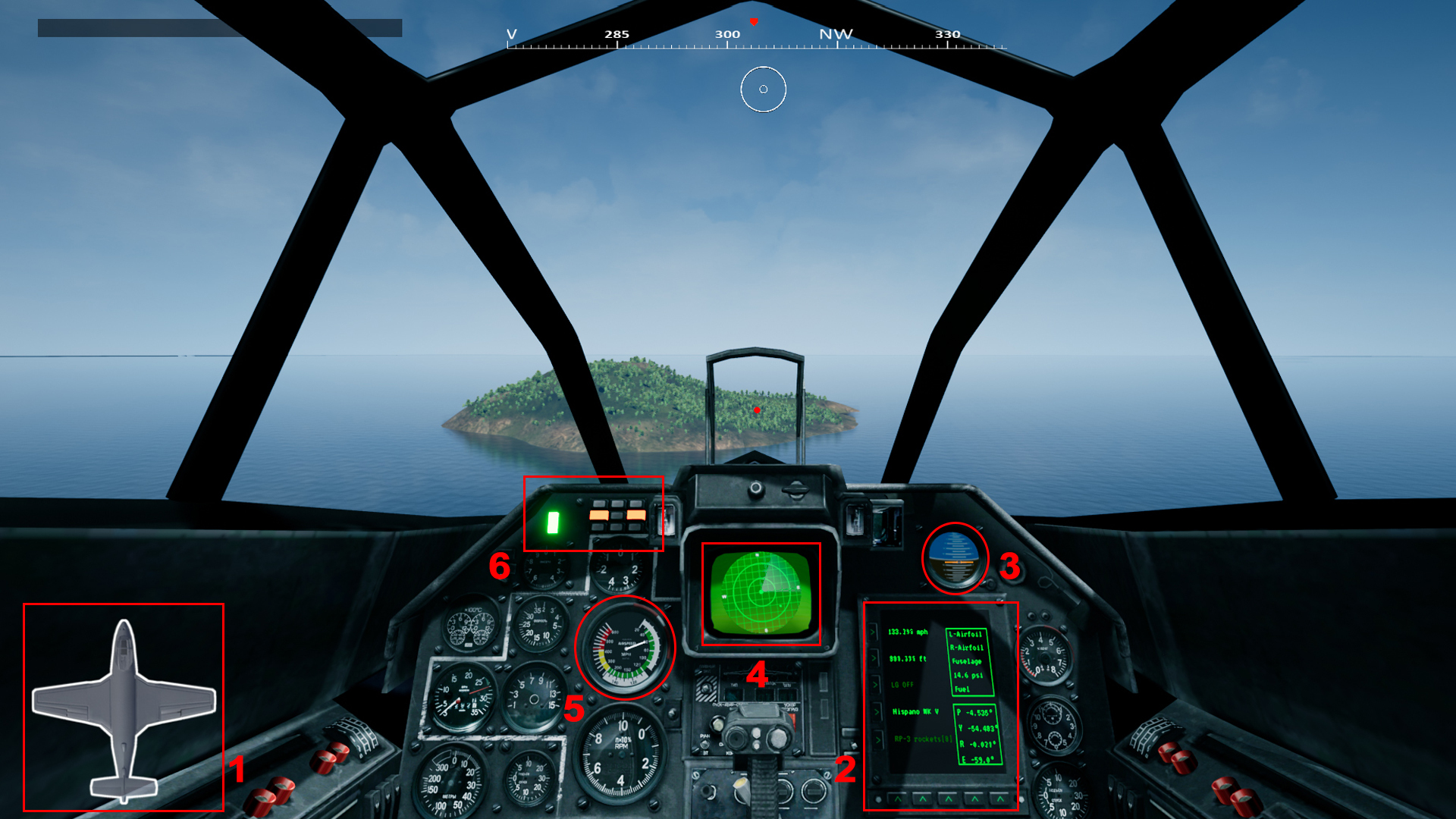
We have added a detailed cockpit view to give you an immersive feeling!
Let's understand the features of our new cockpit step by step: See image for detail.
A traditional Health Bar. (As it is in the third-person view)
Digital Screen, giving you information of: A. Speed. B. Altitude. C. Landing Gear On/Off. D. Weapon Selected - Primary or Secondary. E. Damage status of different parts of aircraft, Air Pressure and Fuel status. F. Information regarding aircraft's pitch, yaw and roll.
Gyro Altitude Indicator - Giving you sense of the horizon.
Fully functionable cockpit Radar, lets you know the position of enemies and allies within 5KMs
ASI - Air Speed Indicator.
Light Indicators.
We would like to mention, the cockpit model has been downloaded from Sketchfab and we would like to give credit to the creator of this model, ogonek.
Dev Diary 23rd June 2021
[previewyoutube="Vkv8NYOx3lg;full"]
We got 2 naval jets and 1 chopper used in the game.
Hawker Seahawk (in video)
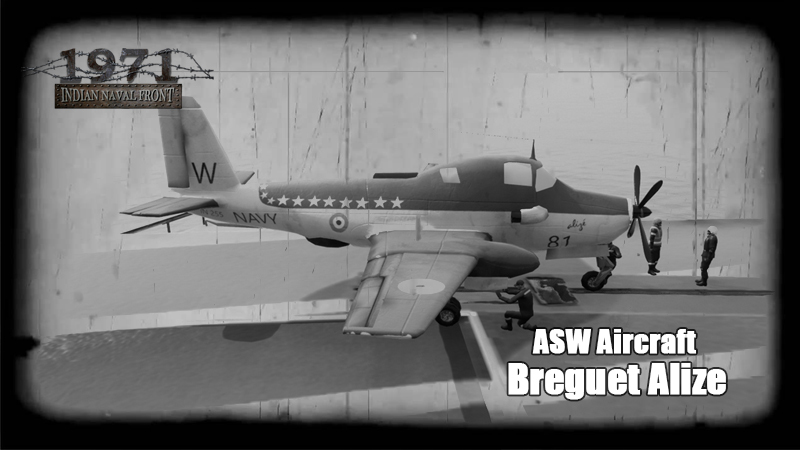
Breguet Alize
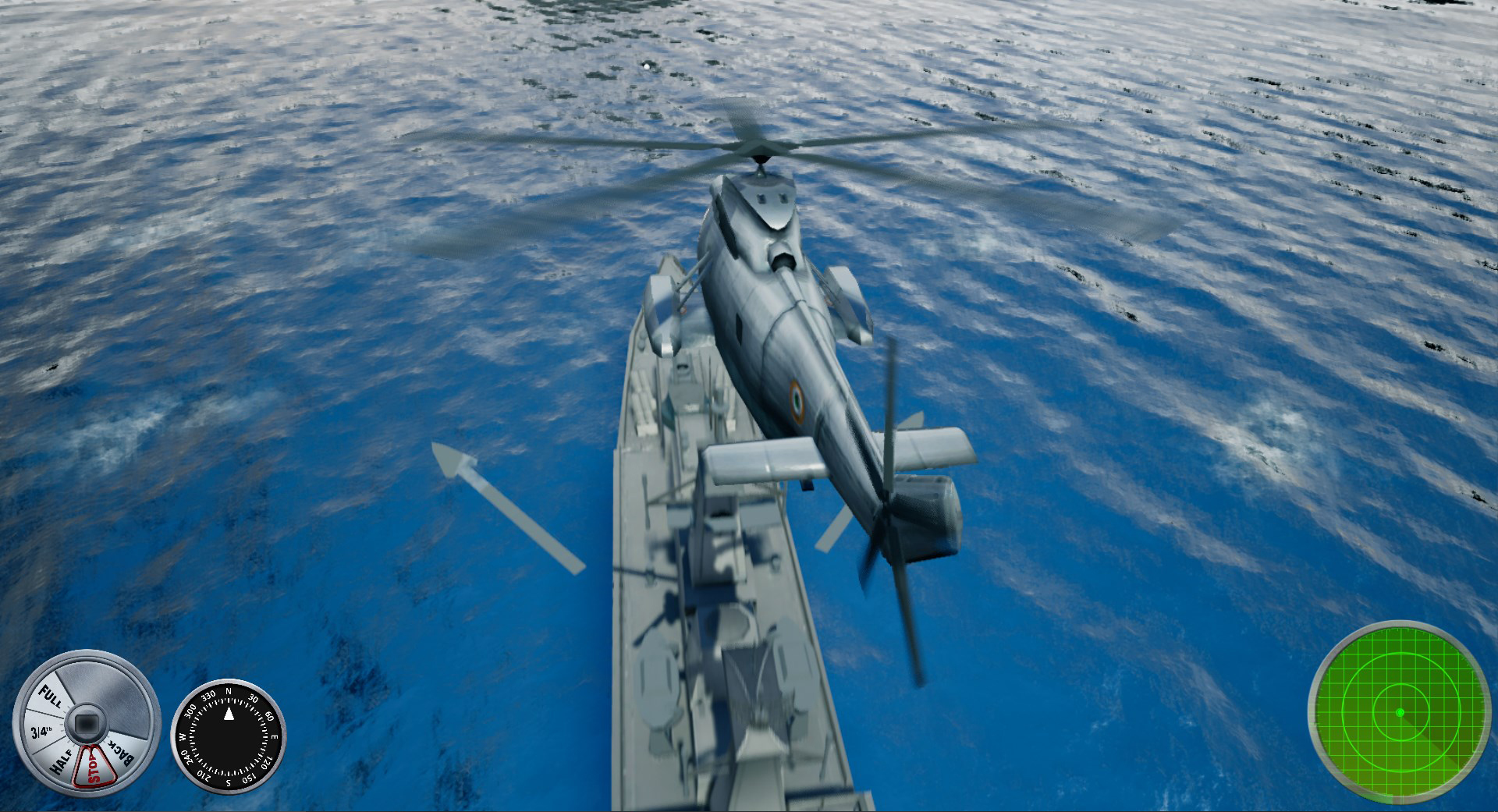
Seaking Chopper
Check out the flying mechanics in the above video. Functionalities yet to be completed:
Jet Damage
Cockpit functional dashboard
Rocket particle effects
Dev Diary June 2021
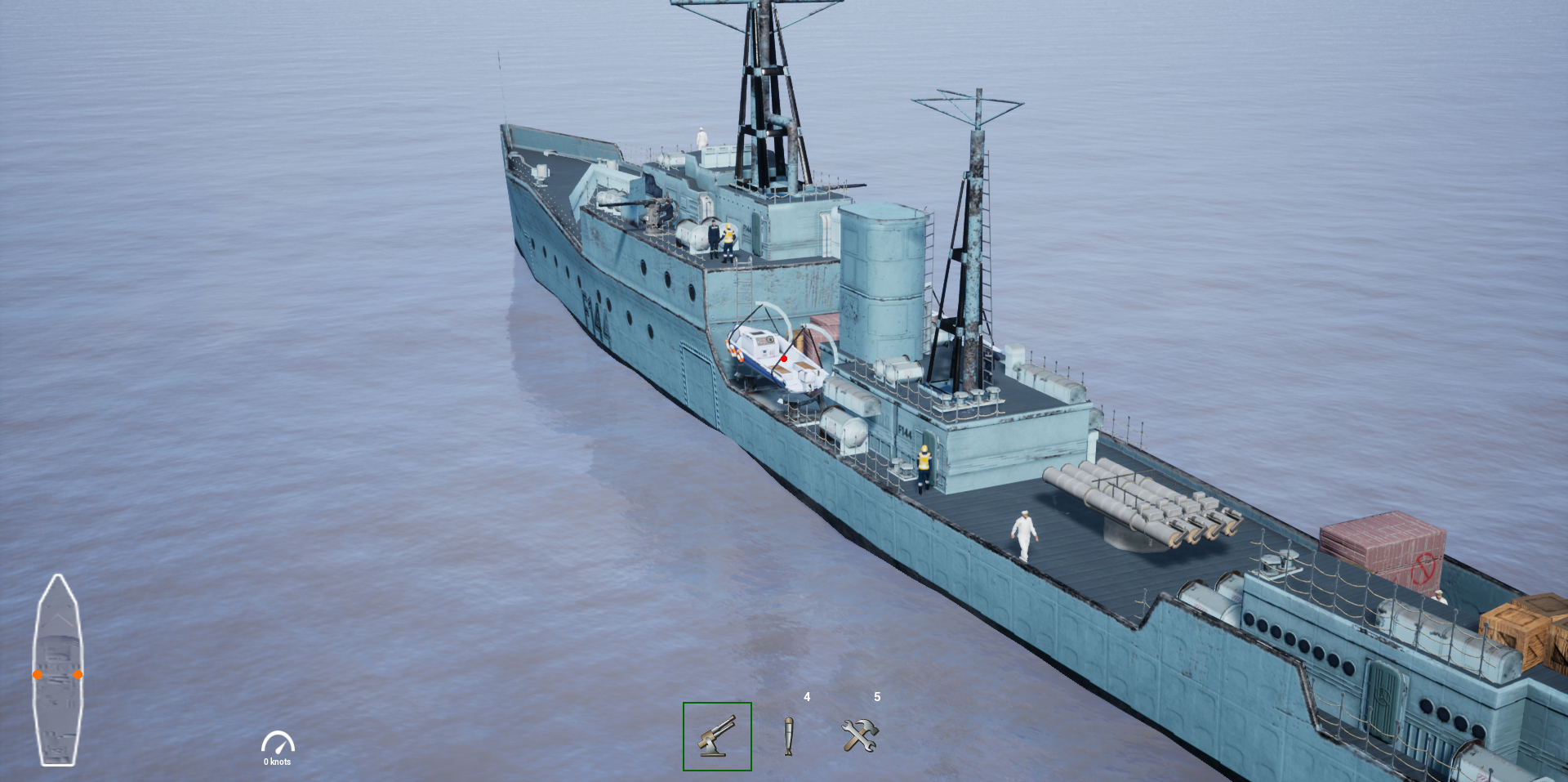
We will be having 16 different type of ships, each ship will be installed with different set of weapons. For ships, weapons is been divided into 4 main categories, which are:
INS Kirpan from the main view installed with two sets of AA Gun and 1x4 Torpedo tube. In which, AA Gun is selected by default. The ship blueprint (image on the left bottom corner) indicates the placement of the AA Guns.
By pressing 4 on your keyboard, Torpedo Tube gets activated, and the similar change reflects in the ship blueprint.
Move mouse to place your cursor towards the weapon (in this case right side AA Gun). On mouse hover, the weapon gets highlighted and you get a notification "Scroll up to select the weapon"
BOOM! Now you are on the First person view of the selected weapon, pick your targets and go for the kill. Left Mouse to Fire. The right dot on the ship blueprint turns green, indicating the weapon which you are controlling.
Get familiar with different weapon icons. Oh yes! We do have ship repair as well (limited count) which comes handy in intense levels.
Also check out our earlier posts for Steps to fire missiles. Missile firing is been designed in sync with the Radar functionality.
Thank You! Cheers.
Anti-Sub Warfare Aircraft Added
Player Controllable - Yes
Cockpit View - Yes
In-Game Armaments - 1. 20 MM guns 2. Torpedo carried in internal bay
Firing Torpedo
Major update!
Near-realistic Torpedo firing mechanism, the ship it is being fired from is the legendary INS Rajput. Watch the video here:[previewyoutube="_jq682-Cy2o;full"]
New Missile Mechanics
The mechanics of firing missiles from the ships in our game has received a major overhaul in a bid make them operate closer to how they used to for real in the missile boats during the '70's era. Unlike earlier when the missiles would be fired straight from the pods without any information about the target, they can now be programmed to zero-in on targets within a given range. Watch the video to know the steps involved to fire missiles.
[previewyoutube="C-6SjHirZ8Q;full"]
Missile Mechanism
We are currently changing our Missile system to make it play closer to reality. Our earlier missile system had missiles simply shooting out from the pods without knowing about its targets.
In the newer one, the player will need to keep his radar on and every single missile needs to be programmed for the selected target(within a fixed range) from the radar to make the missile home-in towards the target.
The missiles can also be de-programmed. Watch this space for a video coming out soon on the new Missile system.
Jai Hind!
Skirmish Gameplay
One of the Levels in the Skirmish Mode where the Player who is deep inside the Enemy Lines has to cross the International Border amidst roaring B-57 Canberra Bombers chasing to take him down.
[previewyoutube="fuvtaukJcjQ;full"]
Chopper Controls
How to fly the INAS-Seaking Chopper.
[previewyoutube="KmglMv70B3A;full"]
SpaceBar - Start the Engine.
W - Move Up.
Mouse Forward - Pitch the bird forward to increase momentum.
Mouse Backward - Pitch the bird backward to decrease momentum.
A - Yaw bird left.
D - Yaw bird right.
Mouse Left - Roll bird left.
Mouse Right - Roll bird right.
C - Toggle Cockpit View.
S - Move Down.
Westland Seaking Chopper work-in-progress
Take a look at the screenshot of the Westland Seaking Chopper which is work--in-progress at the moment.
Seaking is a minimally weaponized chopper of the Indian Navy. She only comes equipped with an anti-submarine torpedo.
She was mainly used in search-and-rescue and logistical missions.