A bundle of new skins, Supporter status, and bug fixes. Welcome to the Supporter Update.
The Elite Supporter Pack
The best of the best for the best.
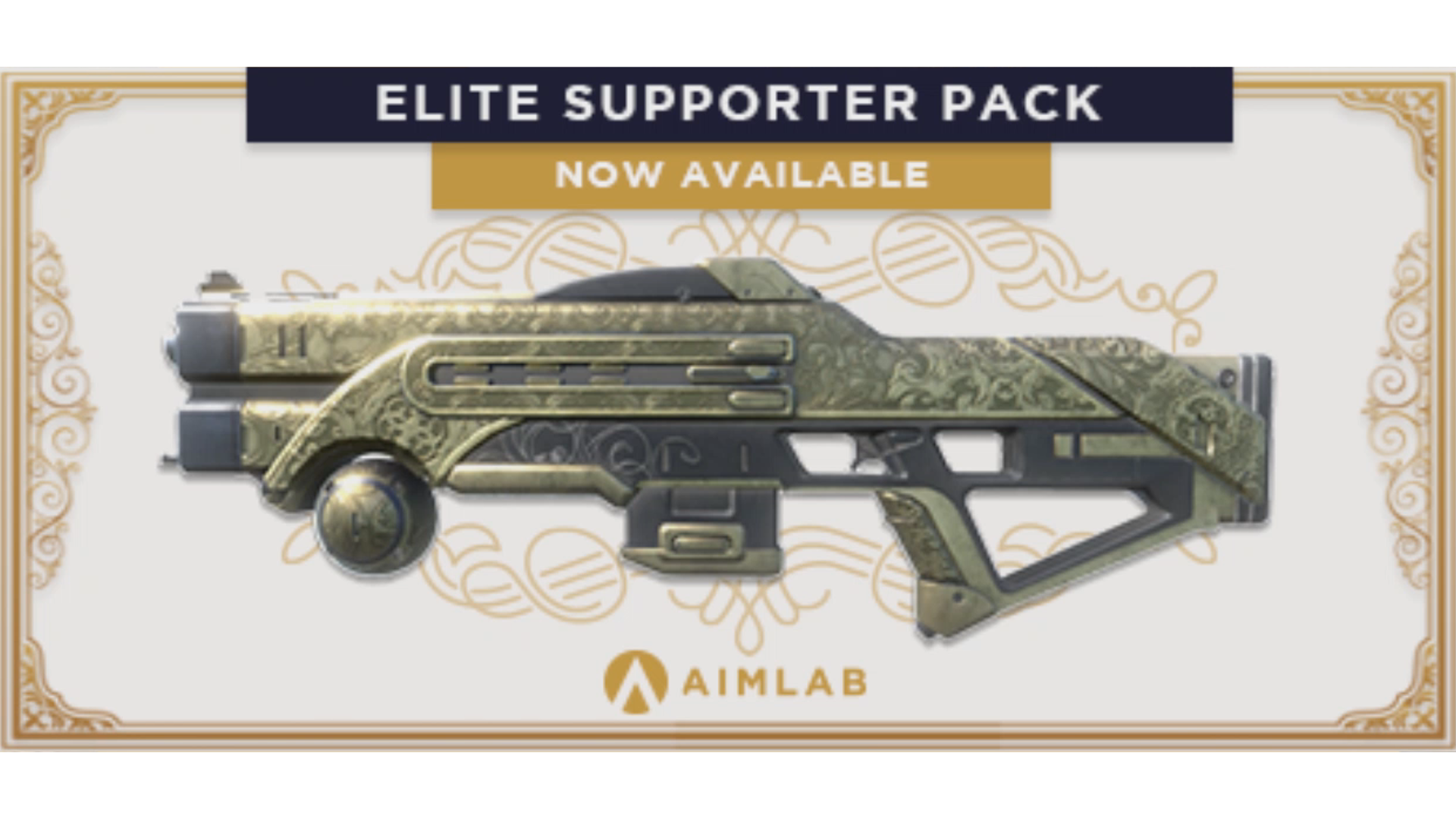
The Supporter pack is now live! And with it, a handful of new skins, a special "Supporter" tag and a gilded avatar frame for all those that choose to support!
The Supporter Pack contains seven unique weapon skins for the following weapons -
Desert Eagle
Pulse Rifle
Venom/BioDart Sniper Rifle
High Noon Revolver
Pulse Blaster
Tactical Shotgun
Justice/Lightning Gun Rocket Launcher
These skins wrap the weapon in Champions Gold, and feature defined engravings worthy of any true champion.
Bug Fixes/Changes
Added thumbnails for Line/Multilinetrack when added to the favourites tab
Updated Rocketshot preview video to reflect recent changes
Fixed bug that caused controller sensitivity curves to not work properly
Fixed bug that caused Decisionshot data to not show in task data
Fixed bug that caused Decisionshot to show ? instead of actual thumbnail in favorites
Fixed bug that caused Predictionshot to show ? instead of actual thumbnail in favorites
Fixed bug that caused Audiospatial data to not show in task data
Fixed bug that caused Linetrace to make horrible noises
Fixed bug that caused Strafeshot to be added to favorites when adding Linetrace
Fixed bug that caused Predictionshot to be added to favorites when adding Strafebot
Fixed bug that caused Microflex to be added to favorites when adding Multilinetrace
Update EB 0.57 - The Control Update
Support for over 500 games. Automatic sensitivity conversions. Support for direct CM/360 input and Focal Distance scaling. And a whole host of other changes.
Welcome to the Control Update.
The Control Update
The control update is a fundamental rewrite of the way the "Control" section of Aim Lab works.
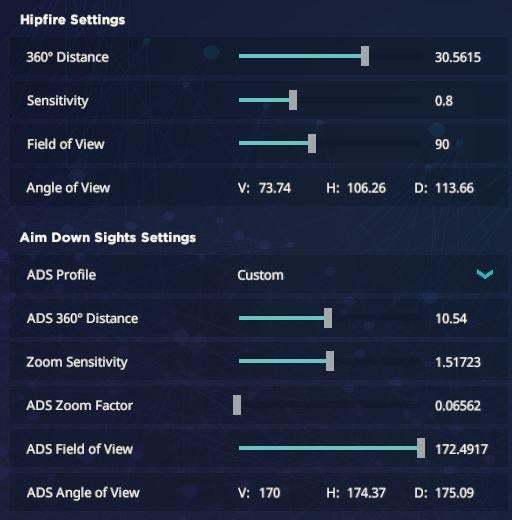
This update brings a myriad of new features such as fully automatic sensitivity conversions, scaling by focal distance (See our most recent blog post for more information on this) and the ability to input your raw CM/360 instead of playing around with sensitivity.
This means that you can now change from one game to another without having to reset all of your sensitivities - Instead, they will now match automatically.
We have put together a short blog post to help newer users to understand how to use the Control Update more effectively - So if you need a little help to wrap your head around some of the myriad of new features the Control Update brings, check out the Control Update Guide!
Bug Fixes
Fixed elements of task data in Profile and Results screens
Fixed dropdowns in tasks going up instead of down
Fixed pressing "ESC" causing open dropdowns to remain on screen
Fixed HUD showing on screen after saving in ESC menu
Fixed lean resetting to hold after setting to toggle
Fixed Crosshairs dissapearing when setting thickness to lower than 3.0
New Features/Tweaks
Changed Controller minimum value on Controller deadzone slider
Changed Control system fundamentally
Added new target colours (Teal, Orange, Yellow, Pink)Added automatic sensitivity conversions when changing between Game Profiles
Added support for over 500 new titles
Patch Notes EB 0.56
New Features/Tweaks
Added "Practice Only" toggle to allow for playlists to now count towards stats and send scores to leaderboard
Added restart task hotkey(F6)
Added new task explanation videos for a handful of tasks feat, Launders
Clicking rank icon in main menu will now display a list of all ranks and the SR needed to achieve them
Changed "Reaction Time" to "time to Kill" for all tasks where this measurement was incorrectly titled
New Task LINETRACE - This task helps you with taking the shortest smoothest path to your next target
New Task MULTILINETRACE - Same as above but there are multiple lines and multiple tragets that form a path
Audiodetection is now 20 targets instead of timed
Added new user tutorial that runs through a task from each category and gives a starting rank at the end
New 5 sec coundown at start of tasks
Bug Fixes
Fixed bug that showed incorrect video when loading into weapon editor
Fixed bug that allowed you to move in PENTAKILL in certain situations
Fixed bug that caused HUD to show in results screen in some places
Fixed bug that showed Ruby 4 icon for Ruby 1
Fixed bug that caused Home screen and Skills over time stats for precision to not match
Fixed bug that caused playlist loading screen to auto start task after the first one in a playlist
Fixed bug that caused exporting of data to not work
Patch Notes: EB 0.53
Update 0.53EB
Bug Fixes
Fixed bug that caused some graph metrics in percentage rank graph from results screens to always be 1%
Fixed bug that had Overwatch minimum sensitivity set to 1 instead of .01
Fixed bug where tasks other than the 1st in a playlist ignore the "press any button to start" and start the task automatically
Potentially fixed bugs that caused people to get errors in results screens
Fixed bug that caused referral codes to be case sensitive
Patch Notes: EB 0.52
Update 0.52EB
had to roll back last weeks 0.52 update due to an issue with stats, but this week we bring a much more robust and feature filled 0.52
New Features
New redesigned HUD
Task Changes
Decisionshot - Now you will shoot the center orb and remember its color, 2 orbs of different colors will show up in different locations, shoot the one that matches the center orb you just shot.
Disclaimer* Due to changes in Decisionshot, Cognition stat scores may change.
Rocketshot - Now spawns 4 enemies and will always keep 4 on screen, scoring balance changes, score penalty for getting hit by enemies(only bots in view shoot rockets), rockets now travel slower, new explosions and rocket effects, new AI behaviour tweaks
Bug Fixes
Fixed bug that caused 3rd person tracking to be off center
Fixed Spidershot AI is always being set to highest speed
Removed Spherebox from Snipershot
Spidershot 180 was labeled as Spidershot in its task card
Spheretrack and Motion track were mislabeled in playlists and had improper videos
Spidershot like task descriptions mentioned losing health which hasn't been a mechanic in these modes for a long time
Fixed text error in Audiospatial description
Fixed Audiodetection task to work correctly
Fixed starting volume to be lower to preserve your ears
Fixed bug in Capacity that caused targets to spawn behind/inside each other
Fixed bug with leaning that caused you to get stuck leaning to one side
Fixed bug that caused recoil patterns to not show up when sorting in Workshop
EB 0.51 Hotfix 1
Bug Fixes
Fixed bug that caused some users to be unable to save after entering audio options
Fixed bug that caused hitsound to be applied continuously in tracking tasks
Fixed hitsounds volume so you can actually hear them
Tweaks
Default Audio Levels adjusted
Changed name of "Game Volume" to "Master Volume" to better depict its functionality
Updated Instagram link
0.51 EB: Custom Recoil Patterns, Default/Custom Hitsounds & New Tasks
Update 0.51EB is probably one of our largest updates to date - Bringing with it new tasks, custom hitsounds and, the thing you've all been waiting for - Custom Recoil Patterns!
Recoil Pattern Suite
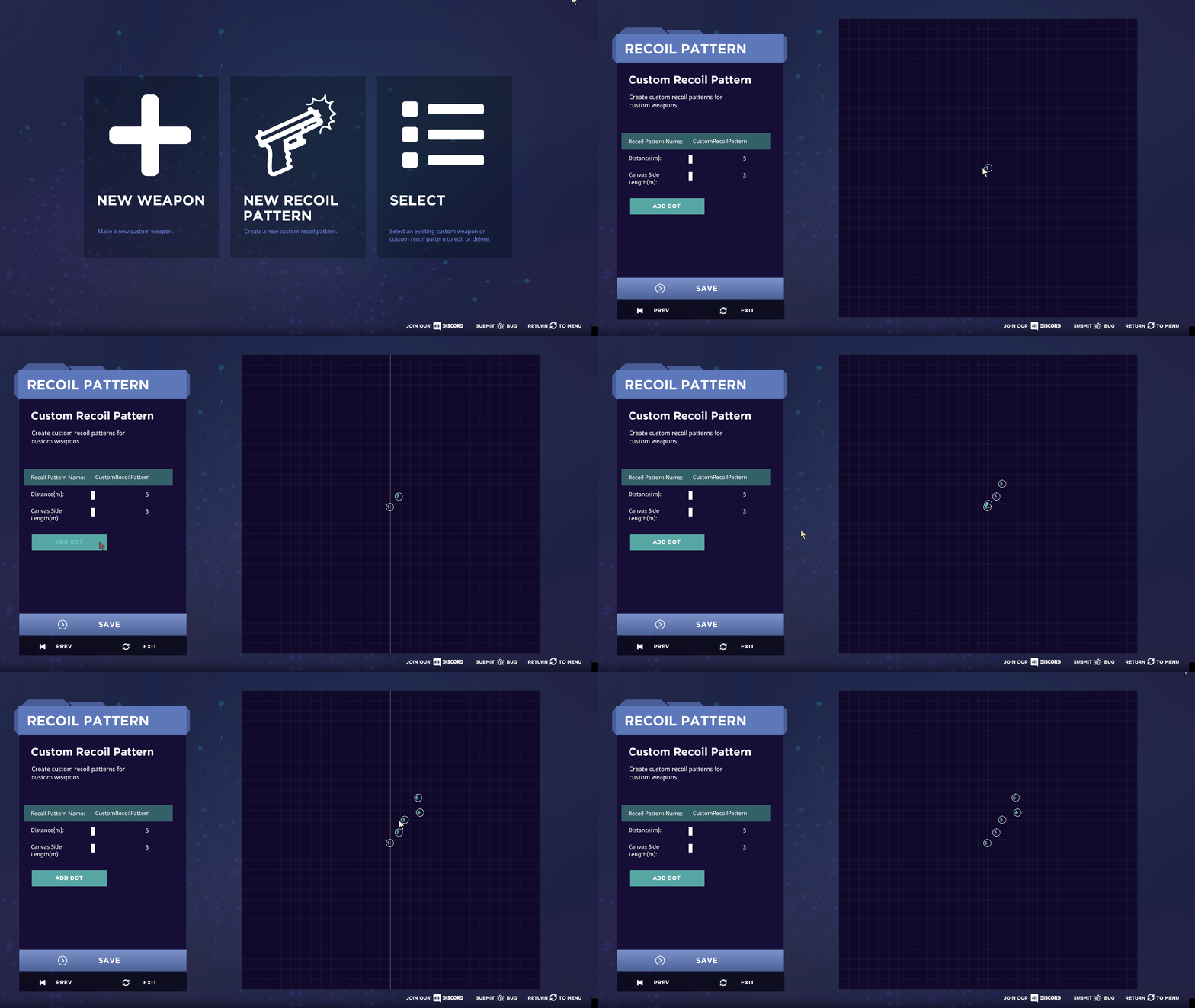
After many months of work, we hope it's worth the wait - Recoil Patterns are now in Aim Lab!
Recoil patterns are a part of the Custom Weapon suite right now, and is fairly easy to set up - Simply open the UI, plot out your intended recoil pattern, then put it into any Custom Weapon of your choosing!
This addition also comes with full Workshop integration, as such, any weapon you post to the workshop with a custom recoil pattern will maintain that same pattern for any user that downloads it - So be sure to share your creations with your friends!
New tasks - Spheretrack and Motiontrack
I'm sure you will all agree, Aim Lab has been lacking for tracking tasks for some time - Well fear not, these two new tasks should prove challenging for just about any skill level!
Motiontrack is a variant of Motionshot, with one major change - Once a moving target is spawned, you will have to track it to destroy it, as opposed to shooting it. These targets behave fairly similarly to the base mode, but have a fair bit more health. You should find this mode a good entry-level difficulty mode when it comes to tracking.
Spheretrack, inversely, is an entirely new mode featuring full 360 degree tracking, both horizontally and vertically.
Spheretrack is, by my own personal admission, one of the hardest tracking modes available. An invulnerable target moves around you in all directions, at varying speeds and distances, requiring frequent mouse resets while tracking at the same time - This is a mode for truly experienced trackers.
New feature - Custom hitsounds
Those of you that have been playing with hitsounds on have probably noticed that it can, occasionally, be a little harsh on the ears. The cacophony of generic metal sounds you would hear in modes like Gridshot and Spheretrack were never the most pleasant thing in the world - And we hope to change that.
Update 0.51EB introduces Custom hitsounds - We have included a small sample of sounds included in Aim Lab by default, however, you can upload any .wav or .ogg file for your own personalized hitsound experience!
Changes and tweaks
Changed Detection task from 60 seconds to 30 targets, ensuring that all rounds played on it receive a fair number of targets.
Removed insight referencing a mode that is not currently implemented
Fixed bug with leaning that would cause you to get stuck leaning in one direction
Patch Notes 0.50 Hotfix 12(Thats a lot of Hotfixes)
Bug Fixes
Fixed a bug that caused Workshop tasks to reappear after being deleted from the saved task menu
Fixed multiple exceptions that could potentially have caused other bugs
Update 0.50 EB is here! And along with it comes a total ranking overhaul, new ranks, Valorant Operator Scope Variants and a slew of bug fixes!
Ranking overhaul
You've probably noticed that your rank in Aim Lab has changed since the last major update - For some of you it will be lower, and for others it will be higher. This is because the fundamental calculations behind how rank points are given has changed.
Prior to Update 0.50EB, rank points for things like Flicking or Tracking were assigned based on Accuracy, rather than real performance. This meant that players with insanely high performance that suffered a few misses would have less rank points than a player that shot a target once in a round. This system, as many pointed out, was fundamentally flawed.
After Update 0.50EB, rank points are given based on your score and performance in a round. This ties back into the scoring overhaul that we pushed live just the other day - As scoring is now far more indicative of performance, ranking has been changed to use your score far more than an individual metric.
As a general rule, every rank point you get is equivalent to 1000 score, averaged across the category. Rank points of 100 in a category would mean that your average score in said category is 100,000, whereas rank points of 50 in a category mean that your average score in said category is 50,000.
This system will be receiving constant, and consistent balancing tweaks to ensure that normalisation and score assignment feel appropriate, so expect more changes to follow.
New Ranks!
Previously, the ranks you could earn in Aimlab progressed as follows - Bronze, Silver, Gold, Platinum, Diamond, Master, with each subsection going from 1-4. 1 being lowest and 4 being highest.
Update 0.50 EB brings three new ranks to the table - Ruby, Emerald and Grandmaster.
You can now expect ranking to progress as follows - Bronze, Silver, Gold, Platinum, Ruby, Emerald, Diamond, Master, and finally, Grandmaster. A final, prestigious rank will be implemented at a later time, so expect to hear more about it down the line.
Furthermore - The way ranks progress has been changed a little. Before, a rank of Diamond 1 meant you were at the lowest portion of the Diamond rank. Now, inversely, a rank of Diamond 4 would mean you are at the lowest portion of the Diamond rank, whereas a rank of Diamond 1 would put you at the border of Master.
And lastly - You will now notice a rank emblem beside your scorecard, you can view every rank emblem in the game (As of Update 0.50 EB) here!
Valorant weapon scope variants added
Stinger
Spectre
Ares
Bulldog
Odin
Phantom
Vandal
Guardian
Marshal
Operator
Operator Double Zoom
Changes and fixes
General stability and performance improvements
Hotfix 0.50.1EB
Fixed sliders - Arrow keys now resume from last mouse drag position
Changed default preferences - Muzzle Flash and Recoil are now disabled by default
Added more descriptions for options in the "Graphics" tab
Fixed missing descriptions, overlapping descriptions and dropdown notifications
Removed raw input option temporarily
EB 0.49 Hotfix
Hotfix EB 0.49.1
New Features
Fixed issues with Spidershot Warmup
Fixed issues with Spidershot 180 when added into a custom playlist
Fixed persistent mouse drift problem.
Fixed bug that allowed players to shoot in tasks where they were not intended to
Fixed controller deadzone issue - Please get in touch if issues persist.