

Alien Marauder
Early Access Update v.1.0.2.24372
Early Access Update v.1.0.2.24308
New Content:
-Due to the game's save-encouraging nature, we've developed a savefile merging feature to merge different savefiles created for every single game, to check every save, click on the merged save to unfold all of them.
-As above, the savefiles are sorted according to the game type.
-A new button for the end-game statics panel, click to settle the reward, or not to save it for later optimized tries.(Attention: You can obtain rewards for only ONE time per finished game.)
Workshop:
-5 New tags available for selection for workshop uploading.
-Label "local" will be displayed for players'homemade mods.
-Local homemade mods can now be accessed and deleted directly from the workshop console.
Balance:
Baldur's Scouts' Max HP 100 → 125
Miscellaneous:
-Randomized aoe for projectile types' ballistic attacks.
-Lessers spawn by incubator types in Blazing Gobi theater will now have randamized spawn points.
-New VFX applied for Beam soldiers' attacks.
-New VFX applied for kills made by Layton's Explosive Grenades (Q) and Orbital Strike (R), the units
killed will now be blown away.
-Space Coordination Platforms will play the attack VFX regardless the condition.
-Standby Action of Boss: Bug queen is now applied with a corrected loop.
Early Access Update v.1.0.2.23939
- Fixed a issue that causes camera misbehaviors (constant zoom in/outs) in Last stand mode games.
- Mysterious Chip Aquirments will now no longer cause misbehaviors.
Early Access Update v.1.0.2.23867
Map Editor:
In-game map editor v0.1 is now online. Check out for "Alien Marauder-Map Editor Help Document" and test maps.
Fixes/Adjustments:
Free Market:
Gold consumption reduced for command "Energy Overload."
Gold consumption reduced for command "Defenses."
Factory:
Omnitanks' ground-scorching attacks now will inflict lower damage in its DoT area.
Theatres:
Crystal veins will appear in larger numbers for all maps.
Enhancement "Elite Colony" will now cause colonies to summon stronger enemies.
Enemies will now be more aggressive in "Emerald Swamp" and "Golden Desert."
Enemy AI:
Boss-type enemies now have a larger alert range, making them harder to be kited or escape from.
Updates/optimization:
Map "Paradise Training Ground" now has new voice lines.
Bugfixes and miscellaneous:
Structures can now be correctly placed next to obstacles in map"Paradise Training Ground."
There will be no enemies left when turning to the end-game statics interface in "Frozen Snowfield" And"Golden Desert."
BGMs will be correctly played during vexan attack waves in "Frozen Snowfield" And"Golden Desert."
Passive "Quick Reload" will now correctly come into effect for Commander Rayton's Scouts, providing an additional 100% ATK speed.
Enhancement"Death Embrace" will no longer cause lurking types' attacks to turn their targets into a status that makes them unable to be selected as targets of attacks.
Water bodies' will be correctly revealed when terrain projection(f4) is activated.
Enemies will now correctly move through narrow terrains when attacking.
Baldur's Aura of Defense now has a re-adjusted arrangement for its special FX layers.
New Screen-shaking triggered by certain enemy attacks.
Special FX Rework:
Gatling Soilder's Lighting Orbs
Omni Tank's attacks in main gun and incendiary mode.
Ion Cannon's Attacks
Destroyer Mecha's Attacks
Legion Banner
Alien Marauder-Map Editor Help Document
Here's how:
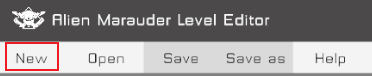
1. Click【New】to create a empty map
2. The "Map info" interface will appear once the map is created, here you have to arrange the basic values in it, including:
2.1.Map Name: Name your map for further exhibition.
2.2. Theatre type: choose a theatre type for your map.
2.3. Game Mode: Enable/Disable heroes for your map.
2.4. Map description: Describe your map to inform everyone about its unique mechanism and features.
3. Now it’s all yours, paint your own landscapes with brushes, or implement a random landscape generation.


3.1:"Paint" landscapes, click "paint landscapes" to call the interface.
3.1.1 Brush type: choose between landscape and vexan brushes, with brushes you can create your own landscapes or place enemies for your map.
3.1.2.Brush Size :Square brushes are provided with the editor, switch between different sizes to meet your requirements.
3.1.3:Select Brushes: Choose a brush to paint in your map.(Click mouse right to release your current selection)
3.1.4. Brushes edit layer priority: Vexans>Landscapes, which means that, the vexans generated by the brushes will be placed over the landscapes rather than replacing them. However, brushes of the same type will still replace each other when applied.
3.2.Generate Landscapes: Click "Generate Landscapes" to call the interface.


3.2.1: Landscape type: Choose the landscape type you prefer to generate.
3.2.2. Start Point Radius: Set the start point of landscape generation and the distance between the point and the center point of your current theatre. (the value must be an integer between 0-200)
3.2.3 End Point Radius: Set the end point of landscape generation and the distance between the point and the center point of your current theatre.(the value must be an integer between 0-200)
3.2.4.Generation Quantity: Numbers of landscape grids generated in a single generation the value determines the percentage of grids generated in the process.(Float: 0-1)
3.2.5.Dispersion tendency :Dispersion of generated grids, the grids would be more likely to assemble with a higher value or vice versa.(Float: 0-1)
3.2.6.Evolution correction value:This value determines the ratio of grids during the evolution progress. The value accumulates whenever a blank area is generated, and be referred to prevent dispersed landscapes from being evolved, causing the overall landscape percentage to decrease. (Float:-1 to 1)
3.2.7.Landscape evolution counter:Times of evolution applied to random-generated landscapes, higher the value, more likely you’ll get a smooth terrain.
3.2.8. “Generate landscapes” Button: click to implement a randomization by the current setup and generate a set of landscapes.
3.2.9 “Landscape evolution” Button: click to implement a correction process in landscape dispersion, making them to be more assembled.
3.2.10 “Reset”Button: Click to reset all changes applied to the map (landscape and vexans)
4. Save your map
Click "Save" or use Ctrl+S to save the changes applied to the map.
5. Test your map
Start the game and look for your map saved earlier in "custom maps” to give test runs. Should any problem occur, look for an "Output.txt"(Route: C:\Users\Administrator\AppData\LocalLow\YCGAME\T15), a list of issues would be found in it.
6. Upload your maps
If you think your map has undergone enough tests, then click "Steam Workshop" to call the interface.


6.1.Steam Workshop ID:Unique auto-generated ID, with which your mod uploaded to the workshop can be found by it.
6.2、Steam Workshop Visibility: You can switch between "hidden”, “not public”, “only visible to friends”, “public"
6.3、Changelogs :Leave the contents of your updates/upload here as a record.
6.4、Upload button:Upload your edited contents to Steam workshop; make sure to have a stable connection when doing so.
With all steps above, your map is now steam-workshop-worthy and ready for subscriptions.
There are more features on the way for the editor, so stay tuned!