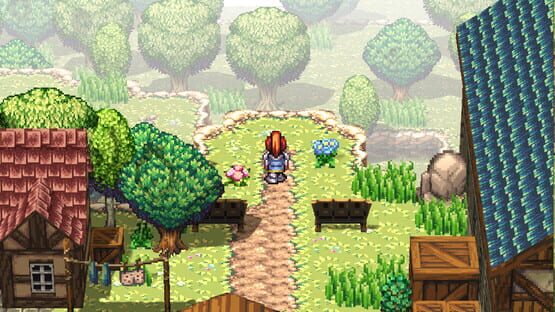
Added dialog to Lowerton shop (attempt to address a reported game lock when talking to the shopkeeper)
Adjusted time delay when opening the main menu to .5 seconds (map loads, and reopening)
Fixed: Typo in the book “Dark Elf Invasion” near the end the word “power” was duplicated
Bug Fixes
Fixed: Using all items in inventory causes a hard lock in the view
Fixed: Typo in the book “Dark Elf Invasion” near the end the word “power” was duplicated
Known Issues
Reported issue when talking to the shopkeeper in Lowerton that causes a game lock. We haven’t been able to reproduce this (see update above)
(possible) When spamming the menu button between map loads or after closing, the menu could get caught in an infinite menu loop. This should be corrected, but it could crop up with the shortened re-opened time - please report it if you see it!
Running away from some battles still shows the results screen for some reason
Opening the overworld map causes monsters to respawn - also sometimes causes a battle to trigger immediately.
Small Patch Update v1.4.0.5
Bug Fixes
Fixed: Game Over scenes still had issues with loading the most recent save
Fixed: Pyra’s first quest, when having Atlas do your letter deliveries, would result in a broken quest
Fixed: Pyra’s quest marker to talk with Clay was too low and hard to see
Small Patch Update v1.4.0.4
This covers all PC platforms.
Enhancements
Change: Adjusted autosave interval to every 1 minute
New: Created an autosave limit of 15 saves to reduce autosave files but still allow for a reasonable history of saves to reload
Change: The character select screen is zoomed out more at first to show all 3 characters.
Bug Fixes
Fixed: Oldskee Quest (Sage - northern plains) - if you left the gate open by the graveyard it is still open and makes the sequence odd
Fixed: Controller prompts were large images for certain controllers (now we have pixel controls for all gamepads)
Fixed: The character select screen was missing the floating entity above the character heads
Fixed: Bandit cave - missing Sage dialog and instead Sage talks as if they are a supporting character
Fixed: Summiton Classroom (test day) - when trying to go downstairs, Sage would just get stopped with no dialog from Crystal
Fixed: Summiton Plains North - The Dog & Boar on the east of the map would sometimes not trigger the battle sequence. This would break Sage’s Oldskee quest
Fixed: Loading a save from the Echo Nodes (Yellow, initially) would use the wrong save system and not properly load (game would restart)
Fixed: Dying would result in starting a new game instead of loading the last save - this was true whether you have access to the echo realm or not
Known Issues
Sometimes picking flowers causes a hard lock in the game requiring a restart. This is a challenging issue to reproduce and we’re still working on it
Small Patch Update v1.4.0.3
This patch is currently only for Windows due to build times and our available time to update each version. We will follow-up on all builds on Monday, 8/26/2024
Bug Fixes
Fixed: The continue option would not show properly even when there were known saves
Fixed: When selecting continue, Atlas would still be selected even when he had no saves
Fixed: Pyra’s “Errant Errands” quest: When Atlas sits on the bench in Summiton, you can’t talk to him and instead sit on him
Fixed: Selecting the 2nd accessory would show the wrong stat effects - they would all show negative as if the 1st accessory would be removed
Fixed: Summiton Bridge/Bandit sequence would end with a hard lock post-sequence
Fixed: Leaving a house as Pyra (usually the dojo) would stay on a black screen until you pressed the decide button a lot (would not properly fade in)
Fixed: Yellow Echo Node in Nottimus Forest would cause a hard lock after choosing an “Attune” option
Fixed: After the character select, the screen wouldn’t do a slow fade, resulting in visual oddities
Known Issues
Generic or older controllers cause visual issues in the input prompt display
Various visual oddities on maps or as part of cinematic sequences
Small Patch Update v1.4.0.2
Bug Fixes
Fixed: Cloud settings were not working properly to turn on/off
Fixed: Pyra's room red flower pot would cause a game crash
Fixed: Fighting the Dog & Boar in the east of Plains North would cause a permanent black screen after battle
Fixed: PS5 controllers would cause odd visual prompts over the screen (corrects prompts now show)
Fixed: Generic controllers would cause odd visual prompts - now defaults to XBOX buttons (temporary) if the controller is unknown
Known Issues
If you have saves for a non-Atlas character, and go to "continue" or "load game", the cursor starts in the wrong place (but you can move to other characters)
Small Patch Update v1.4.0.1
A small update to fix the following issues:
Fixed: Quest log was not showing quest information
Fixed: "Broken Bridge" cinematic sequence ended in a locked state (unable to move the character)
Alterium Shift Updated to Version 1.4.0
Hello Everyone!
Alterium Shift has been updated to version 1.4.0. Check out what's changed, new, and fixed!
Also, please see the "known issues" section. While we've tried to catch as many issues as we could, there are still some out there. Please let us know if you run into major issues so we can start looking at them right away. You can post on the community boards or stop into our discord: https://discord.com/invite/AYK8quBXDm
Version 1.4.0
Changes
Removed localization for non-English languages (see announcement regarding publisher termination)
Removed beta menu
This is due to multiple complaints about enhanced battles causing a game-breaking black screen on every 2nd battle
New Features
Add map edge detection to more clearly show when the player is near the edge
This will help in knowing where map transitions will occur
Performance improvements across all maps
Camera nudging
Keyboard: I, J, K, L - Zoom out with ; (semicolon) key
Gamepad: Right stick - Zoom out with the right stick button
Enhanced save system
Multiple autosaves
Autosaves happen every 5 minutes on map transition
Unlimited manual saves
New UI for better clarity on characters and saves
Added ability to explore after Early Access end credits
Moved Cloud Saves out of Beta and into the general settings
This includes an option to reload the saves from the current machine
Added ability to skip intro cutscene
Added initial key/gamepad prompts to some menus
Added generalized object interactions
This can be seen with all blue flowers being pickable
More generalized actions to come!
Added the ability for linear walking for characters during cinematic sequences
This can be seen in Pyra’s sequence after her monster “gauntlet” quest
Replaced +/- icons for arrow icons in the equipment stats menu to more clearly show the differences
Enhanced intro to have a consistent radial transition out and in
Note: there may still be some places where this doesn’t happen due to legacy methods we used to do battles in the past
Added engine ability to direct other party members during cinematic sequences
This can be seen in Atlas’ waterfall sequence
We are still working to replace other cinema sequences that used the “old” way of turning off the party train and animating separate objects
Added "Books" menu item to the in-game menu
Books get added to this list whenever you’ve read them
This is retained for any save!
(minor) Books can now only be closed using the “cancel” key or button
Pressing “right” or “decide” will take you to the end of the book but won’t close it
Fixes
Fixed: Affected stats were not showing properly for equipment in the shop
Fixed: New monsters added to the bestiary after battles would show as a white square initially
Note: 3d monsters still show as white squares (known issue)
Fixed: Every 2nd battle would stay on a black screen (due to people enabling enhanced battles in the beta menu)
We have fully removed the option to prevent users from accidentally making their game unstable
Fixed: Issues in the inventory menu when trying to exit and come back
Fixed: Sometimes in the equipment menu an extra character profile would show up
Fixed: Exiting a game and loading a new one would sometimes cause the cursor to get permanently “stuck” on the screen.
Fixed: Pyra would walk oddly after completing the monster gauntlet and walking to the camp area (cinematic)
Fixed: In the waterfall area (Atlas’ sequence) an extra Dolion would appear
Fixed: When loading a save, the cursor would “stay behind” while the screen faded
Fixed: Loading a save wasn’t properly retaining the volume settings from the main menu
Fixed: Title screen video would still have sound audio at full volume even when volume was reduced
Fixed: When music played there could be a visual “hitch” in the game due to a performance issue
Fixed: Players were unable to equip the 2nd accessory
Fixed: Issues in the Endless Dunes quest with Dark Elves not eating delivered meals
Fixed: Issues with shop UI and handling already equipped items
Fixed: Spells and items weren’t showing the correct stat effect values (such as how much a character would be healed) in the game menus
Fixed: Atlas Endless Dunes Rope Quest Bug
Fixed: Rock Golem battle icon is no longer a question mark
Fixed: Settings overlay no longer shows overlapped windows
Fixed: Save game menu title would stay “stuck” on screen from the in-game menu
Fixed: North Oasis wasn’t accessible
Fixed: There were some places where characters could “run in air” off of a cliff
Fixed: Jude would re-appear in his house after taking the rope and leaving (Sage’s quest)
Fixed: Various typos in dialogs
Fixed: Quest descriptions weren’t properly showing in the quest log
Fixed: Shop menu allowed toggling stats on equipment no party member can equip
Fixed: Continuum Potion could not be used (showed as a key item)
This was because it had no gold “value” - now it can also be sold if the player chooses
Fixed: Players could save in places of the game where they shouldn’t - this may have caused unexpected issues in cinematic sequences
Fixed: Issue with the “Family Heirloom” quest showing the object before the quest is accepted
Fixed: Notimmus Forest had a phantom “fluppy” appearing before a cinematic sequence
Fixed: Random crash from a Notimmus Forest battle
Fixed: On Pyra’s “menial task” quest, Atlas wasn’t properly walking out of the dojo after you talk with the Mayor
Fixed: During Sage’s Oldskee quest, a black screen occurred after Oldskee pays respects (random)
Fixed: Atlas’ arrows did not always render properly when using his on-map shooting ability
Fixed: After gaining Sage’s ability, the invisible monsters near the cemetery would still have targets that Sage’s ability would point to
Fixed: Sage’s ability wasn’t pointing to “Prickly Pears” bush in the Endless Dunes desert
Fixed: Sage’s sequence with the dark elf had visual issues with the amulet (and other things) not showing or animating properly
Fixed: Sage’s on-map ability was still showing in battles
Fixed: Sage’s well-bottom slime sequence only showed one slime when there were supposed to be two
Fixed: There was no quest marker on the overworld map for Sage’s Oldskee Quest
Fixed: The music at the end of Sage’s ACT 1 sequence would still play after Sage’s shift
Fixed: After Sage’s well quest to rescue Crystal, Dolion’s office door was locked when it shouldn’t have been
Fixed: Ensure a looping water sound was playing properly when water raises/lowers in the water temple
Fixed: Dolion’s Meteor effect would only animate one time during the ACT 1 boss battle
Fixed: If you closed a book and opened the game menu quickly, it would stay on the screen
Upcoming Features
These features are still being prepared for players, but will be coming soon!
New fishing system
Players will have a more dynamic fishing experience with a new casting, luring, and reeling system
Real-time on-map abilities
Pyra will be able to smash/swipe objects
Atlas will be able to “quick shoot”
Sage’s ability is TBD
On-map battles (long term)
Battles will be initiated on map
The general battle structure will be similar (left/right battle setup)
This will be coupled with an overall enhanced battle system
Enhanced battles (long term)
Show health bars for enemies you’ve fought before
Show strengths/weaknesses for enemies after you’ve used certain attacks against them
Provide additional action capabilities to affect attacks and skills
Balance characters’ systems to encourage a variety of actions to be used
Add visual improvements, including characters moving to the monster for melee attacks
Known Issues
(visual) 3d monsters show a white square for their image in the bestiary and/or show as a different monster
(visual) Some text and images that show on screen display on top of menus and windows
(visual) At game startup there is a brief flash before the intro starts playing
(visual) Some battles may not start with the appropriate transition and look “jerky” before the screen fades out
(visual) Some cinematic sequences that direct other party members have an odd “jolt” as the party members collapse to the player before moving out
This will be addressed with our engine feature to control those party members better
Quest descriptions are not properly showing in the quest log
The old save menu intermittently showed during testing
Restarting the game will resolve the issue
We are actively investigating the causes
**Please report any cases you may run into**
Game may occasionally lock up when transitioning maps or after cinematic sequences
Restarting the game will resolve the issue
We are actively investigating the causes
**Please report any cases you may run into**
Important Update: Alterium Shift’s Journey Continues!
Hello Everyone!
We recently made a big announcement regarding the termination of our publishing agreement and upcoming plans for Alterium Shift. We understand that some of you are concerned about the project's status. Please rest assured, we've been actively working on the project throughout this time, and were waiting to push updates until after finalizing the publisher termination.
We apologize for the delay and any inconvenience caused by the outstanding issues with the game. The termination process took much longer than expected and significantly impacted our timeline. That said, we’re getting back on track and will be releasing a substantial update to address long-standing issues and add new quality-of-life features to the game!
For those who have purchased the Early Access version and want to see these changes now, good news! We have updated our beta branch. Visit this link for information on how to opt-in to beta updates.
Below are the release notes we’re preparing for the push to the primary Early Access branch. We’re currently targeting the end of next week for this update, pending a few more QA runs.
Thank you all for your patience and the feedback you've provided along the way. We really appreciate it!
Best,
Mottzy & DrassRay
Version 1.4.0
Changes
Removed localization for non-English languages (see announcement regarding publisher termination)
Removed beta menu
This is due to multiple complaints about enhanced battles causing a game-breaking black screen on every 2nd battle
New Features
Add map edge detection to more clearly show when the player is near the edge
This will help in knowing where map transitions will occur
Performance improvements across all maps
Camera nudging
Keyboard: I, J, K, L - Zoom out with ; (semicolon) key
Gamepad: Right stick - Zoom out with the right stick button
Enhanced save system
Multiple autosaves
Autosaves happen every 5 minutes on map transition
Unlimited manual saves
New UI for better clarity on characters and saves
Added ability to explore after Early Access end credits
Moved Cloud Saves out of Beta and into the general settings
This includes an option to reload the saves from the current machine
Added ability to skip intro cutscene
Added initial key/gamepad prompts to some menus
Added generalized object interactions
This can be seen with all blue flowers being pickable
More generalized actions to come!
Added the ability for linear walking for characters during cinematic sequences
This can be seen in Pyra’s sequence after her monster “gauntlet” quest
Replaced +/- icons for arrow icons in the equipment stats menu to more clearly show the differences
Enhanced intro to have a consistent radial transition out and in
Note: there may still be some places where this doesn’t happen due to legacy methods we used to do battles in the past
Added engine ability to direct other party members during cinematic sequences
This can be seen in Atlas’ waterfall sequence
We are still working to replace other cinema sequences that used the “old” way of turning off the party train and animating separate objects
(minor) Books can now only be closed using the “cancel” key or button
Pressing “right” or “decide” will take you to the end of the book but won’t close it
Fixes
Fixed: Affected stats were not showing properly for equipment in the shop
Fixed: New monsters added to the bestiary after battles would show as a white square initially
Note: 3d monsters still show as white squares (known issue)
Fixed: Every 2nd battle would stay on a black screen (due to people enabling enhanced battles in the beta menu)
We have fully removed the option to prevent users from accidentally making their game unstable
Fixed: Issues in the inventory menu when trying to exit and come back
Fixed: Sometimes in the equipment menu an extra character profile would show up
Fixed: Exiting a game and loading a new one would sometimes cause the cursor to get permanently “stuck” on the screen.
Fixed: Pyra would walk oddly after completing the monster gauntlet and walking to the camp area (cinematic)
Fixed: In the waterfall area (Atlas’ sequence) an extra Dolion would appear
Fixed: When loading a save, the cursor would “stay behind” while the screen faded
Fixed: Loading a save wasn’t properly retaining the volume settings from the main menu
Fixed: Title screen video would still have sound audio at full volume even when volume was reduced
Fixed: When music played there could be a visual “hitch” in the game due to a performance issue
Fixed: Players were unable to equip the 2nd accessory
Fixed: Issues in the Endless Dunes quest with Dark Elves not eating delivered meals
Fixed: Issues with shop UI and handling already equipped items
Fixed: Spells and items weren’t showing the correct stat effect values (such as how much a character would be healed) in the game menus
Fixed: Atlas Endless Dunes Rope Quest Bug
Fixed: Rock Golem battle icon is no longer a question mark
Fixed: Settings overlay no longer shows overlapped windows
Fixed: Save game menu title would stay “stuck” on screen from the in-game menu
Fixed: North Oasis wasn’t accessible
Fixed: There were some places where characters could “run in air” off of a cliff
Fixed: Jude would re-appear in his house after taking the rope and leaving (Sage’s quest)
Fixed: Various typos in dialogs
Fixed: Quest descriptions weren’t properly showing in the quest log
Fixed: Shop menu allowed toggling stats on equipment no party member can equip
Fixed: Continuum Potion could not be used (showed as a key item)
This was because it had no gold “value” - now it can also be sold if the player chooses
Fixed: Players could save in places of the game where they shouldn’t - this may have caused unexpected issues in cinematic sequences
Fixed: Issue with the “Family Heirloom” quest showing the object before the quest is accepted
Fixed: Notimmus Forest had a phantom “fluppy” appearing before a cinematic sequence
Fixed: Random crash from a Notimmus Forest battle
Fixed: On Pyra’s “menial task” quest, Atlas wasn’t properly walking out of the dojo after you talk with the Mayor
Fixed: During Sage’s Oldskee quest, a black screen occurred after Oldskee pays respects (random)
Fixed: Atlas’ arrows did not always render properly when using his on-map shooting ability
Fixed: After gaining Sage’s ability, the invisible monsters near the cemetery would still have targets that Sage’s ability would point to
Fixed: Sage’s ability wasn’t pointing to “Prickly Pears” bush in the Endless Dunes desert
Fixed: Sage’s sequence with the dark elf had visual issues with the amulet (and other things) not showing or animating properly
Fixed: Sage’s on-map ability was still showing in battles
Fixed: Sage’s well-bottom slime sequence only showed one slime when there were supposed to be two
Fixed: There was no quest marker on the overworld map for Sage’s Oldskee Quest
Fixed: The music at the end of Sage’s ACT 1 sequence would still play after Sage’s shift
Fixed: After Sage’s well quest to rescue Crystal, Dolion’s office door was locked when it shouldn’t have been
Fixed: Ensure a looping water sound was playing properly when water raises/lowers in the water temple
Fixed: Dolion’s Meteor effect would only animate one time during the ACT 1 boss battle
Fixed: If you closed a book and opened the game menu quickly, it would stay on the screen
Upcoming Features
These features are still being prepared for players, but will be coming soon!
New fishing system
Players will have a more dynamic fishing experience with a new casting, luring, and reeling system
Real-time on-map abilities
Pyra will be able to smash/swipe objects
Atlas will be able to “quick shoot”
Sage’s ability is TBD
On-map battles (long term)
Battles will be initiated on map
The general battle structure will be similar (left/right battle setup)
This will be coupled with an overall enhanced battle system
Enhanced battles (long term)
Show health bars for enemies you’ve fought before
Show strengths/weaknesses for enemies after you’ve used certain attacks against them
Provide additional action capabilities to affect attacks and skills
Balance characters’ systems to encourage a variety of actions to be used
Add visual improvements, including characters moving to the monster for melee attacks
Book “library” for in-game menu
When reading a book, it will be automatically added to a book library so you can access them later
Known Issues
(visual) The background music and sound effects “bar” does not move smoothly when changing the values
(visual) 3d monsters show a white square for their image in the bestiary
(visual) Some battles may not start with the appropriate transition and look “jerky” before the screen fades out
(visual) Some cinematic sequences that direct other party members have an odd “jolt” as the party members collapse to the player before moving out
This will be addressed with our engine feature to control those party members better
Alterium Shift is Update Ver.1.3.2!
Updated to Ver. 1.3.2!
The contents of the update are as follows
New Features:
Reduced install size by 80% (now 2gb)
New Beta features (available in Settings -> Beta)
Steam Cloud Sync
Enhanced Battle System
(Minor) Changed UI in the Equipment menu to have arrows indicating stat changes for equipping items (previously just used plus or minus symbols)
Fixes:
Fixed: Black screen on load when using a machine with Turkish locale on a base system
Fixed: Players would get stuck in the campsite if loading the overworld map while in camp
Fixed: The new in-game menu is now enabled by default. The beta option has been removed
Fixed: The inventory menu now properly displays usable effects for magic, and magic potions work
Fixed: The inventory menu now puts the cursor in the appropriate starting point on the second load (previously, it would load wrong the second time, making it unusable)
Fixed: The quest log now properly updates after a quest has been completed
Fixed: Equipment in the Shop UI now shows the proper equipable characters
Fixed: Shop UI equipment now shows the proper stats impact for the selected character
Fixed: Shop UI now shows the proper “Equip Now” character to equip immediately
Fixed: Buying equipment properly shows the positive/negative effects per character
Fixed: Various spelling and grammar errors (English)
Fixed: Water sound now stops properly when leaving the Barren Valley - South River map
Fixed: Markers for the Story Missions are now removed properly after finishing Act One
Fixed: The equipment menu sometimes showed a duplicate character
Fixed: Volume controls for in-game Menu settings (new menu) now properly adjust the sound level
Fixed: When exiting the game to the main menu (“Exit” from the in-game menu) the cursor would sometimes get stuck in the wrong place.
Known issues:
Minor menu bugs
The save menu title window stays slightly longer than intended after closing the save menu.
The image for newly added monsters in the bestiary will be white until the game is restarted.
Continue to enjoy your journey in Alterium Shift!
【Steam Award 2023】Nominate Alterium Shift!
The season for Steam Awards has finally come, be sure to cast your nomination for Alterium Shift!
Who can nominate?
All Steam users can cast their nomination, so let's make Alterium Shift a contender!
When can I nominate?
You can cast your nomination anytime during the Steam Autumn Sale. The deadline is when the sale ends on 11/28 10:00AM (PST).
What do I do after nominating?
The top five titles in each category will be announced before the Winter Sale in late December. By the time the Winter Sale begins, winners will be announced! The winning entries will be announced on January 2nd at 10AM (PST) and will be featured on the Steam Store front page for the final 2 days of the Winter Sale.
What says "Outstanding Visual Style" more than the meticulously crafted 2.5D Pixel Art JRPG world and scenes of Alterium Shift?