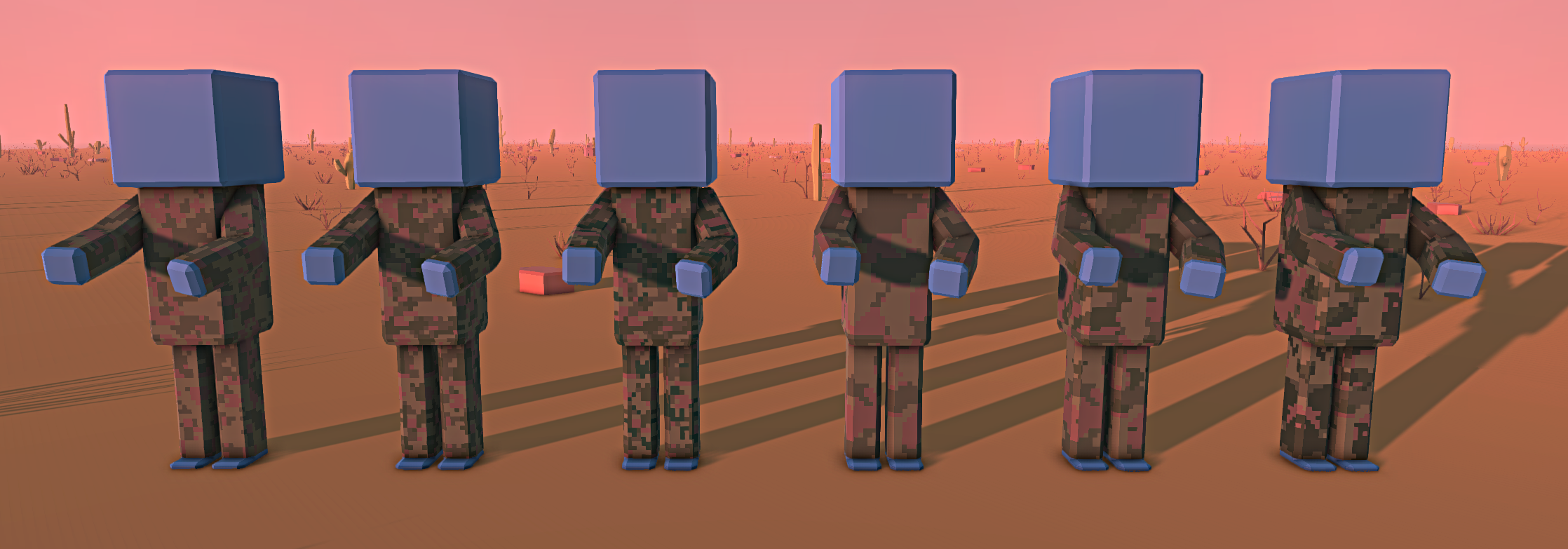
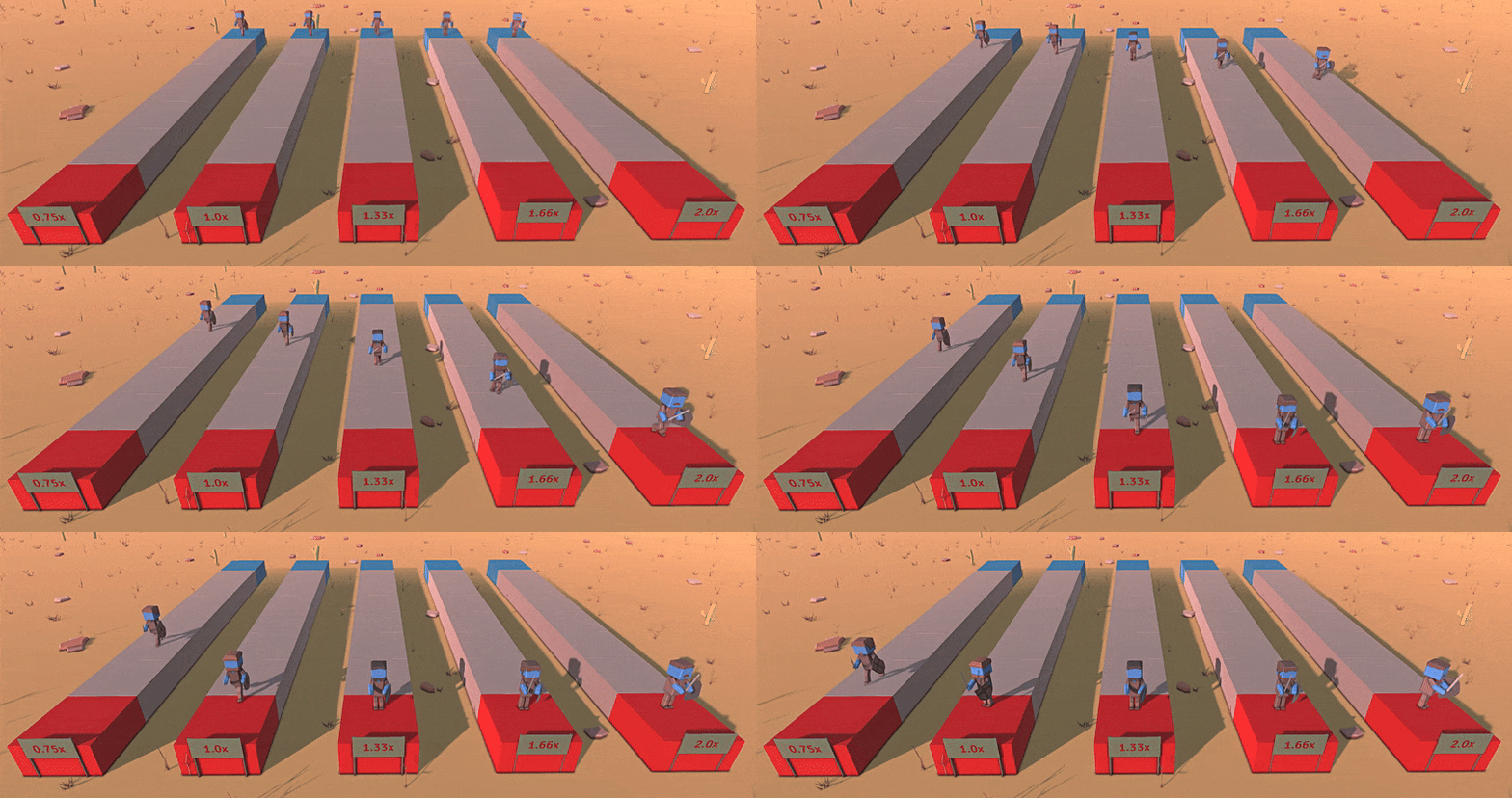
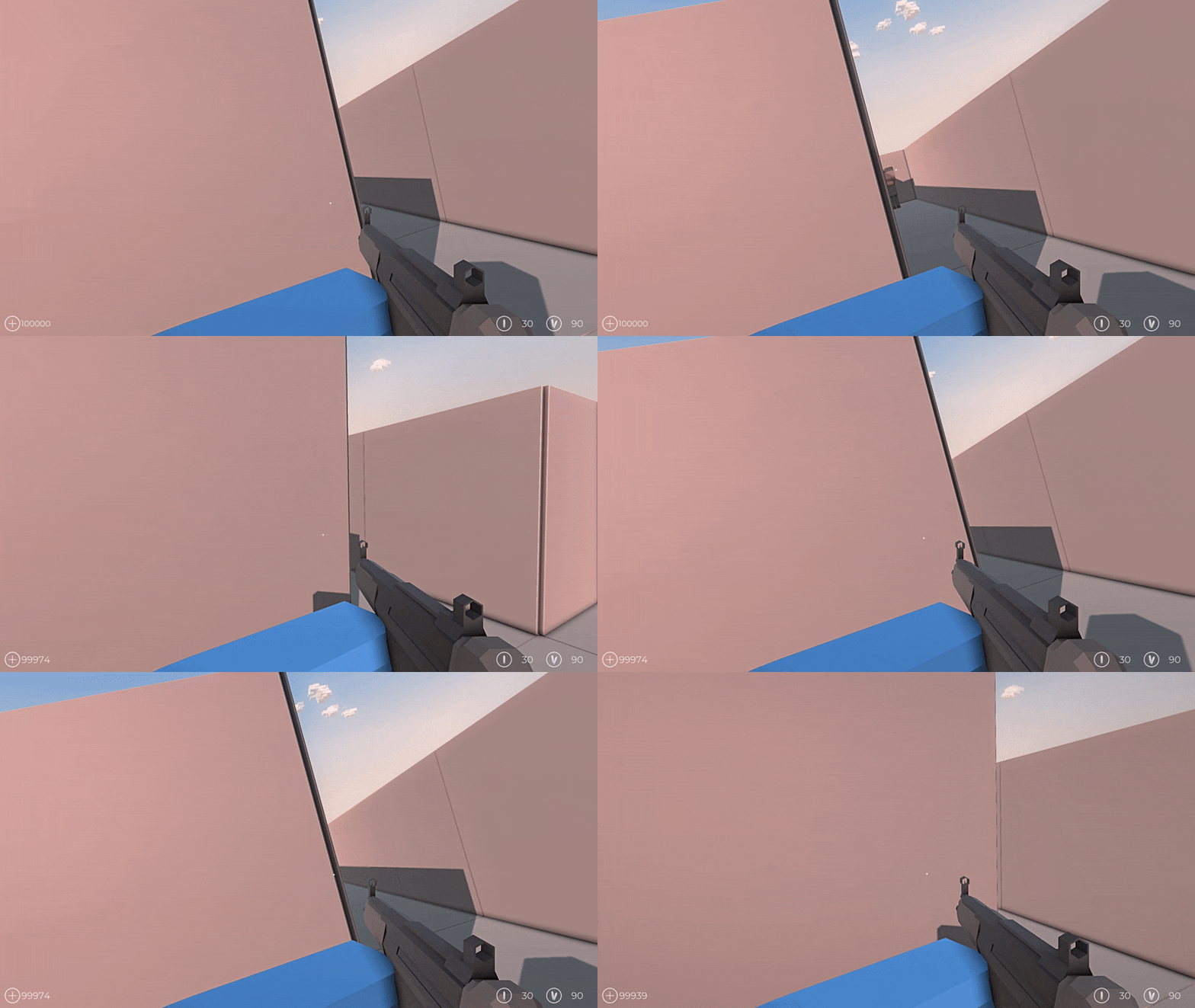
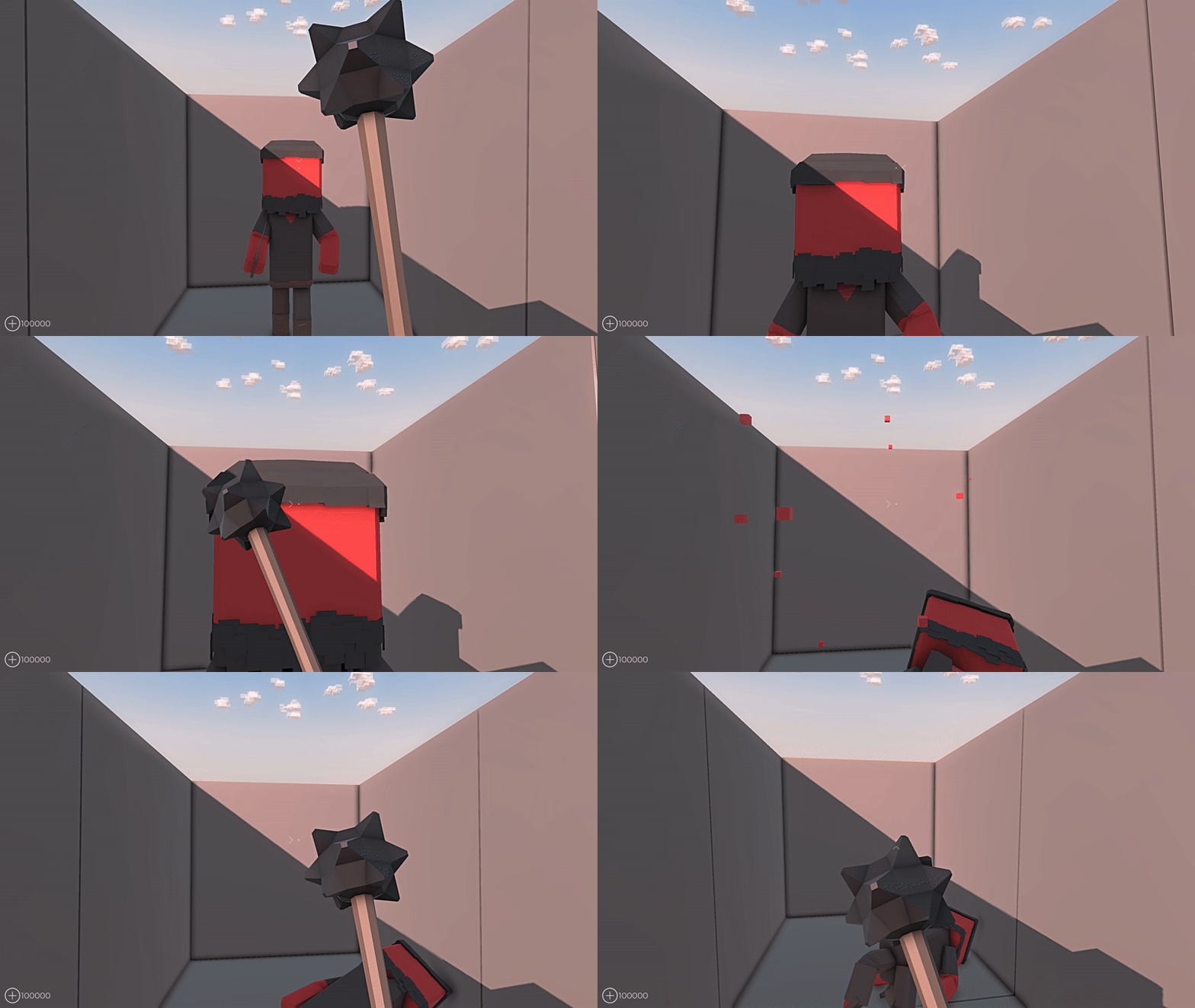
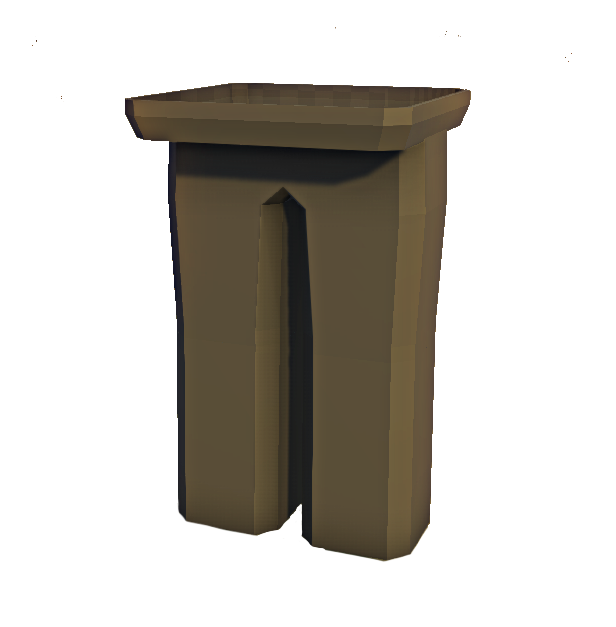
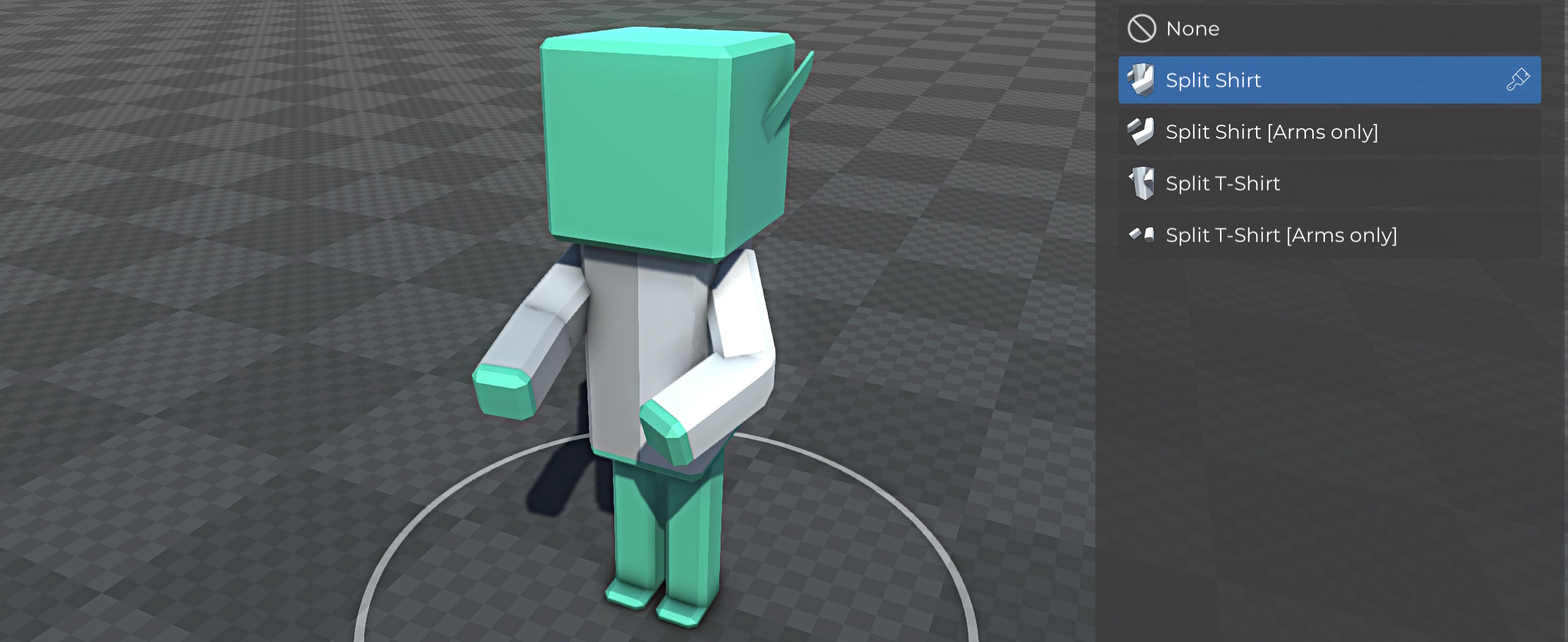
Added split pants that feature 2 colors similar to the split shirt
Scripting features
Added 50+ nodes to input and modify equipment settings of custom units to create modified custom units in scripts
Right clicking a quick input now displays a context menu to delete it
Increased the size of trigger size handles
Increased custom event input limit from 16 to 32
Added Create Cuboid and Create Spherical nodes to create triggers dynamically
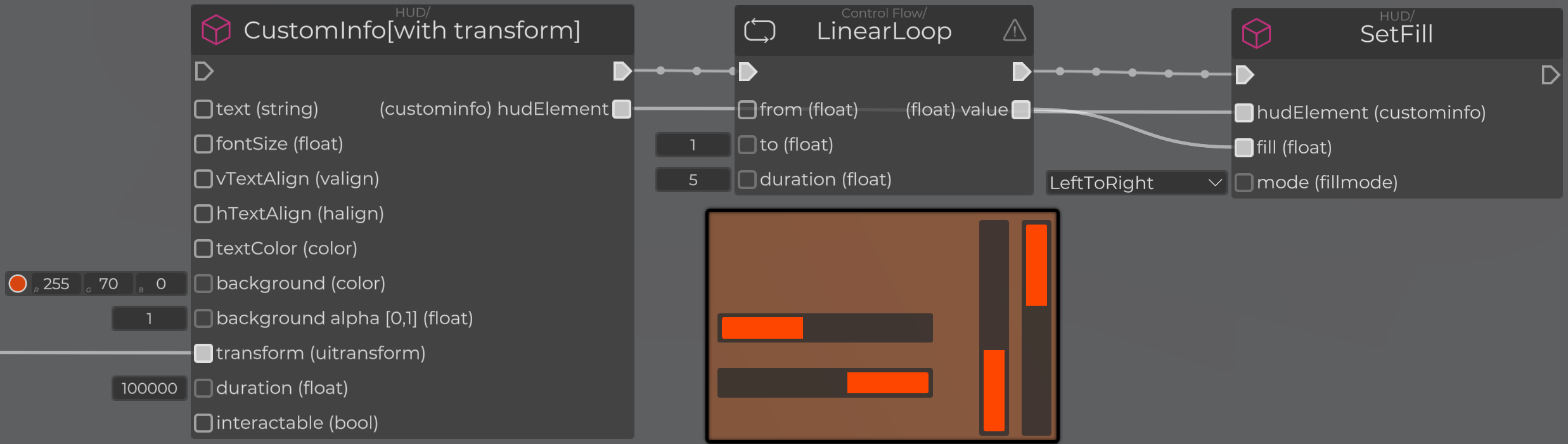
Added SetFill node to create progress bars from custom info UI elements
Added GetLeft/GetBackward/GetDown nodes for all GetRight/GetForward/GetUp nodes
Added GetBodyPartTransform to get information about the position and rotation of individual body parts in world space
Added EnableImpactAnimations node to disable unit impact animations
Added RestrictAim and RestrictWeaponSwap nodes to prevent aiming and weapon swapping
Other features and improvements
Players can now be put into spawn lists of ground transport vehicles
Improved flame thrower damage calculations to prevent their users from receiving damage from their own flames
Added a warning to save the keyframe when an animation frame has been modified
Fixed some rendering issues with snow coverage in first person
Added the height slider for custom corpses
Added overcast weather to some biomes. Overcast applies the same lighting changes like rain, but without the rain particles
Added rain without sound weather option to some biomes
Improved rain collisions
Improved placement of modular stairs
Added a warning when moving background options into out of bounds regions
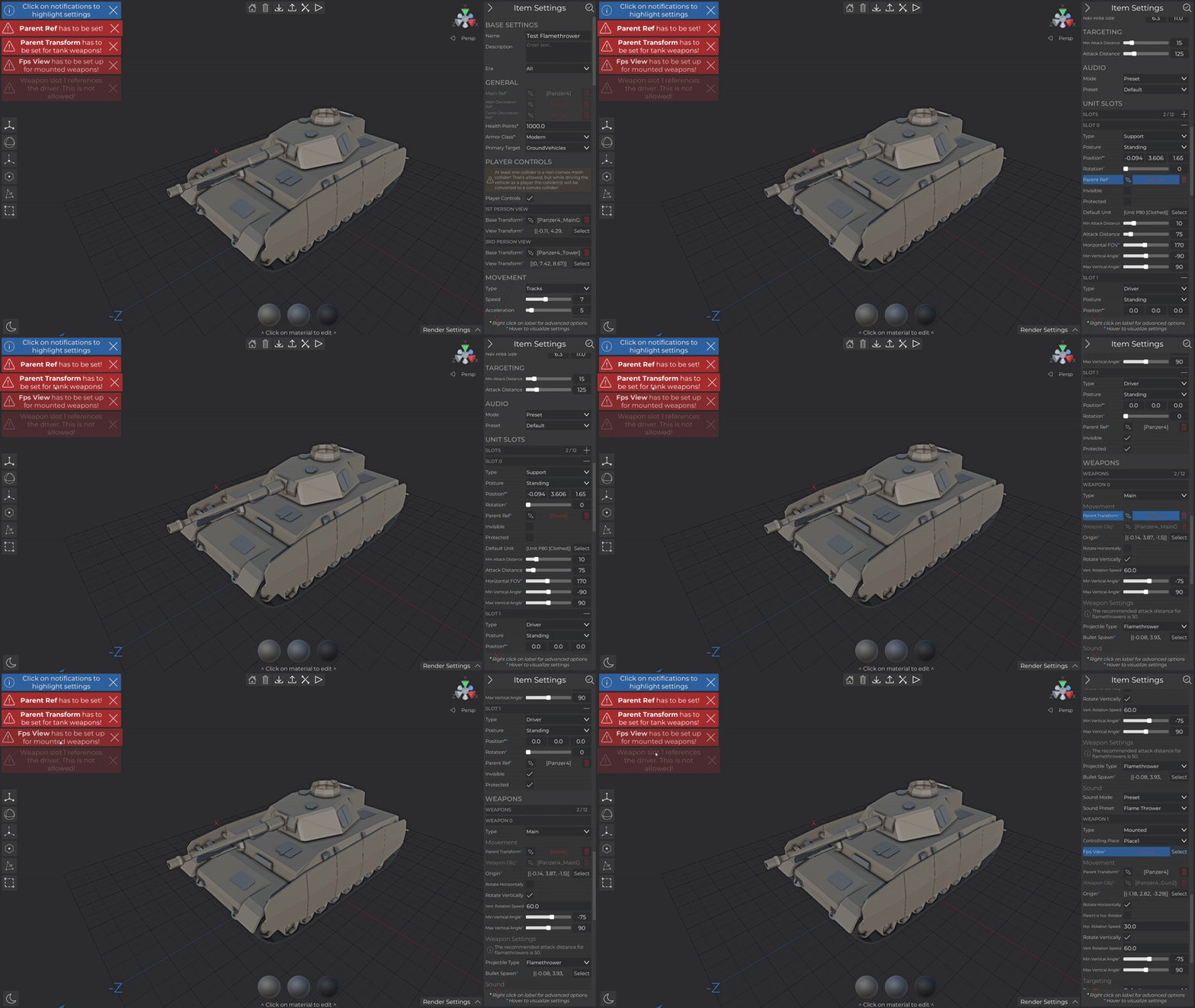
Added additional Weapon 5 - 8 keybinds, scripting nodes and vehicle support to allow the player to control more slots in custom vehicles
Added crouching and ground sitting animations for custom ground vehicle unit slots
Bug fixes
Fixed a bug that caused pathing problems on foundation stairs depending on their height
Fixed some positioning and scaling issues with attachments on certain weapons
Fixed some navigation problems related to horses
Fixed vehicle drive over option
GetUnitsInside node now reflects changes after a unit died
Fixed script compilation issues when using invalid quick input references
Fixed SetTransform node errors
Fixed cases where vehicle navigation was not generated
Fixed an issue that caused some mp3 files to not play correctly
Update 1.6 - Custom Ground Vehicles
New camo content
There are new clothing items with 4 and 5 color camo patterns. These patterns are available for all the existing camo clothing in normal and medium pattern size.
Custom Ground Vehicles
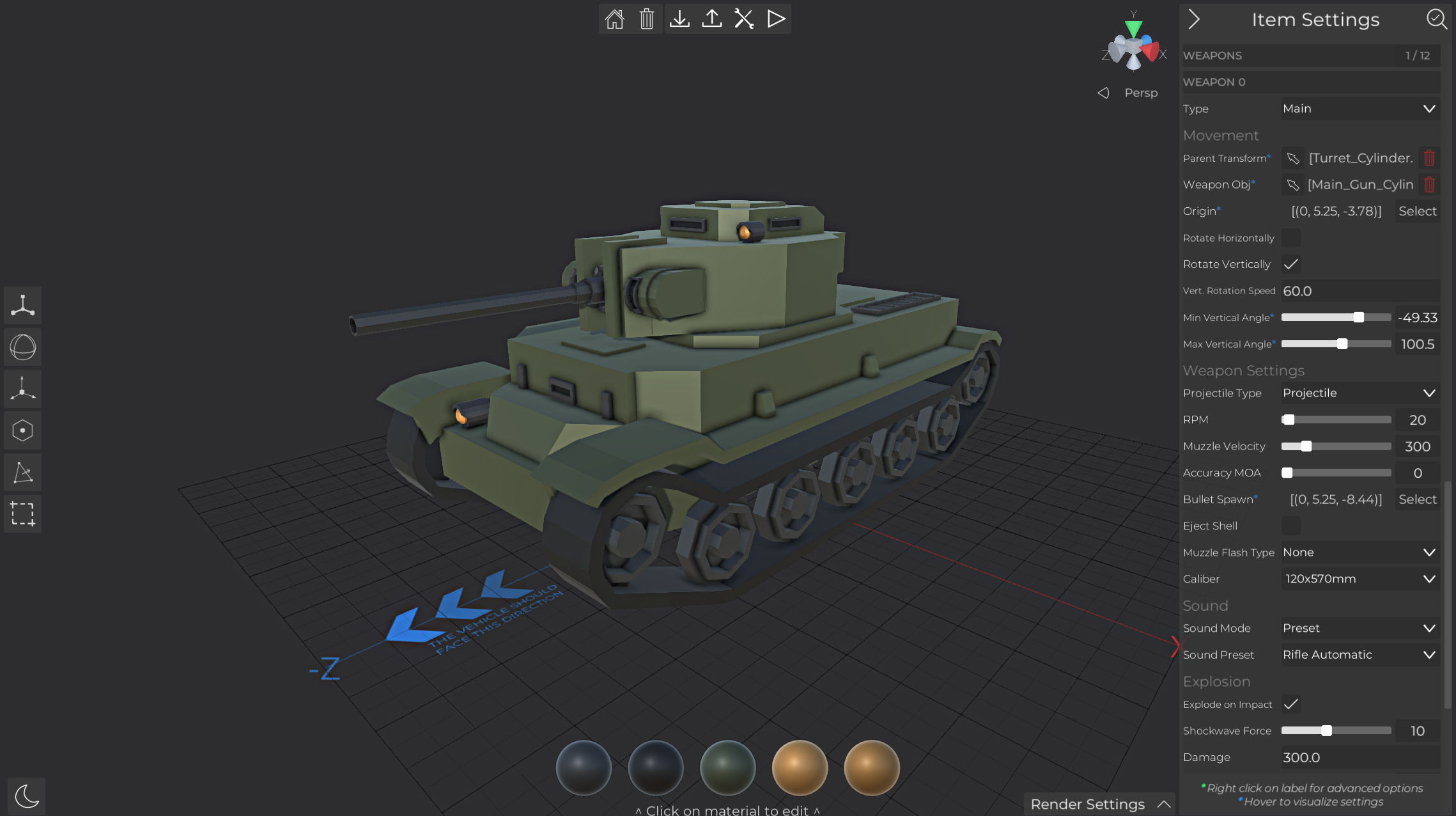
Custom ground vehicles are finally here! You can find the editor right next to the other creators in the main menu. The functionality is similar to vanilla vehicles, and —as usual— you can use your custom vehicles anywhere vanilla vehicles are supported.
The options available allow you to create a wide variety of vehicles —including transport vehicles, tracked, and wheel-based vehicles— each with a range of customization settings. The way vehicle damage is calculated has also been updated: Most vehicles are now immune to small arms fire, making them feel more realistic and durable on the battlefield.
Since there are far too many options to cover in these patch notes, I highly recommend checking out the guide on custom vehicles. It explains the most important settings and highlights key things to watch out for when creating your own vehicle: https://steamcommunity.com/sharedfiles/filedetails/?id=3447919439
Other improvements
Added an option to autosave the battle before playing
Added confirmation UI when returning to the menu without saving a prefab
The player can now look around while riding a horse
Clicking on a validation error in any custom item editor will now jump to and highlight the relevant option
Bug fixes
Fixed a bug that caused workshop item rendering to freeze
Fixed that loading a prefab would not reset the undo data
Fixed clothing clipping in the custom equipment editors
Fixed some scripting runtime problems on older maps
Fixed laser attachment dots being on while the device is off
Fixed damage calculation for modified shotgun projectiles
Fixed that vehicle UI appear when selecting other objects
Fixed that custom traps did not trigger for vehicles
Fixed plane spawn position
Fixed plane movement speed
Fixed invisible plane bombs
Fixed an issue that could cause overlapping custom animation icons
Fixed that using undo would not reset the rotation of objects that were rotated as a dependency
Update 1.5
New content
Added camo shorts (default and medium pattern) and open variants of the A6 and MSK1 helmets
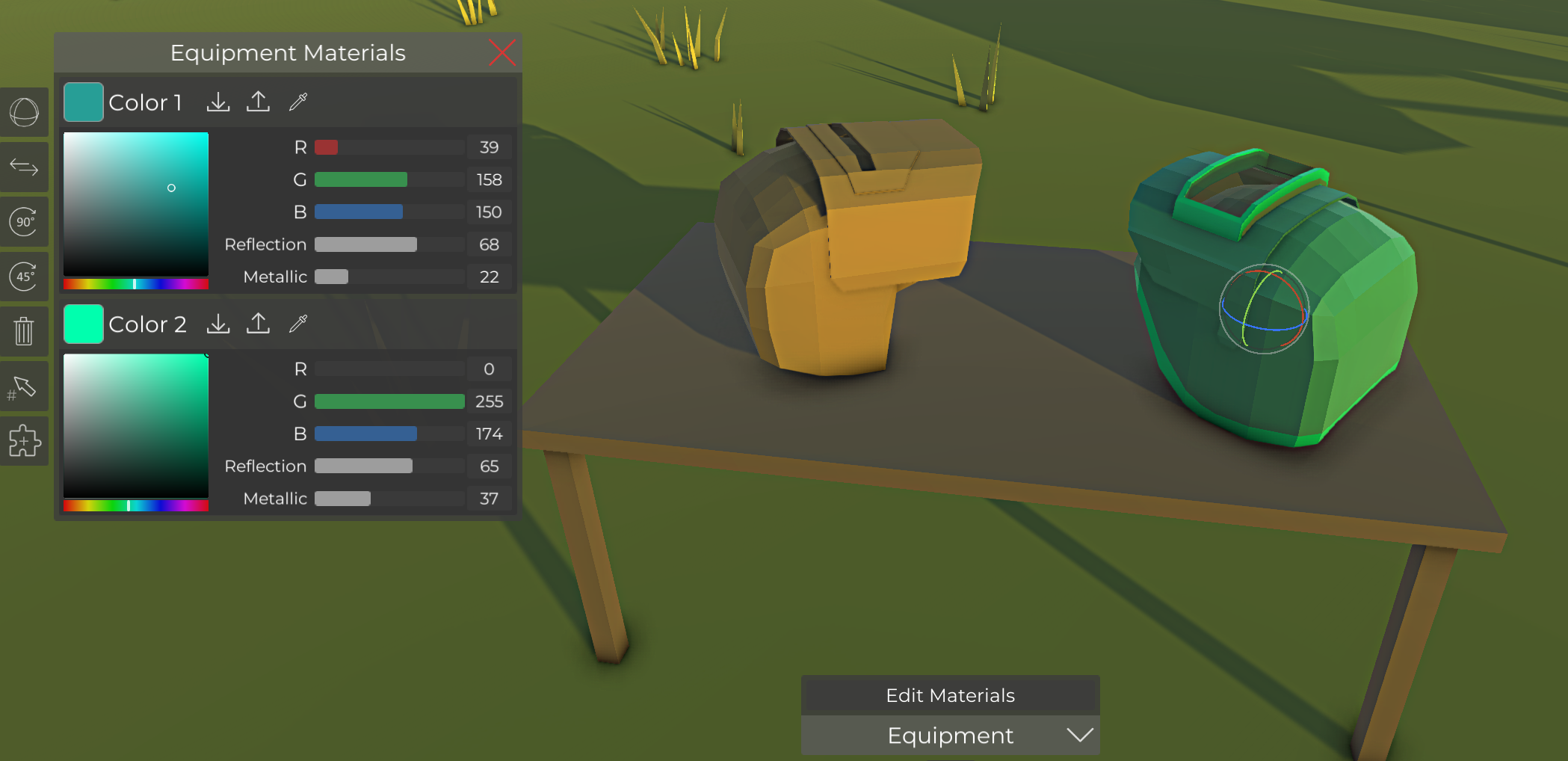
Material settings for equipment
The materials of placed equipment items can now be adjusted in the battle editor.
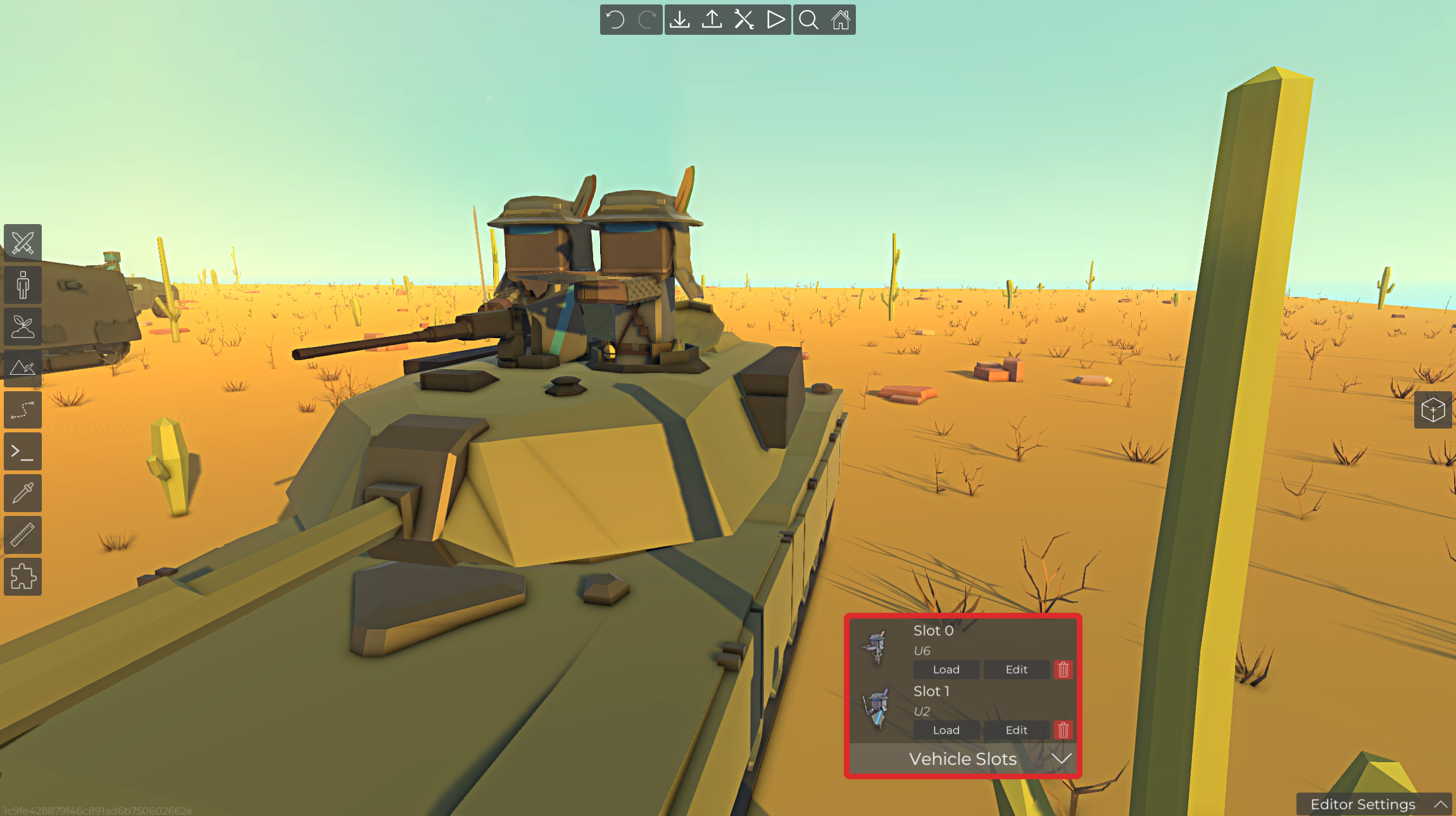
Custom units in ground vehicles
The units in ground vehicles can now be changed directly from within the battle editor. Units with mounted vehicle weapons will use them regardless of their own weapons. Other units will try to use the weapon that they were assigned to in the unit creator. Drivers cant be changed, but are usually not visible for most vehicles.
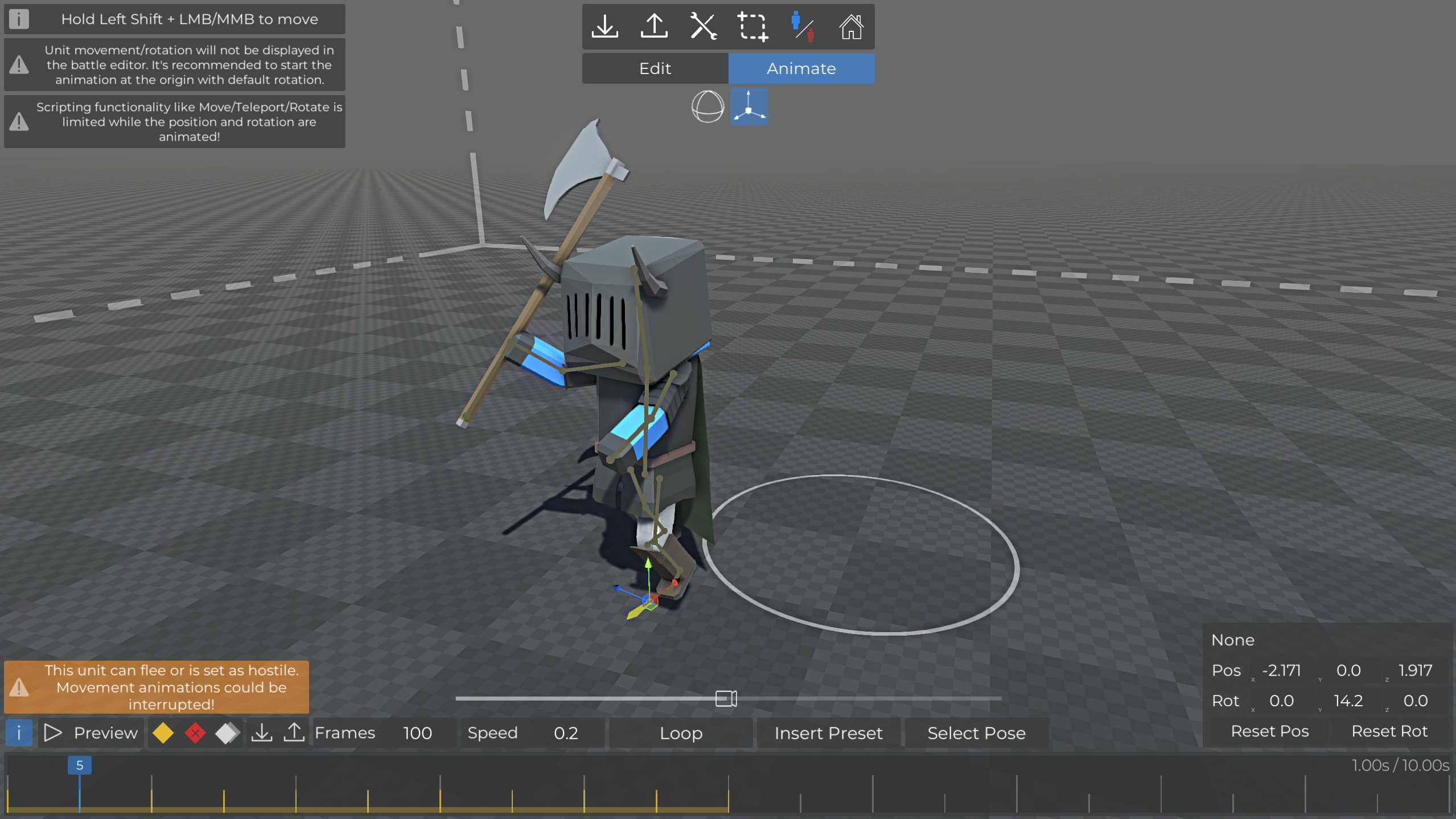
Animate position/rotation of passive units
The position and rotation of passive units can now be adjusted while creating passive animations.
The position and rotation always works as an offset based on the starting positiong and rotation of the unit, when the animation starts
Navigation areas are ignored, so units can fly and move anywhere within a 50x50x50 area from the starting position. At the same time, navigation to the passive unit is supported if it's moved on the navigation area.
Functionality of scripting nodes like teleport/move/rotate is limited while the animation is playing
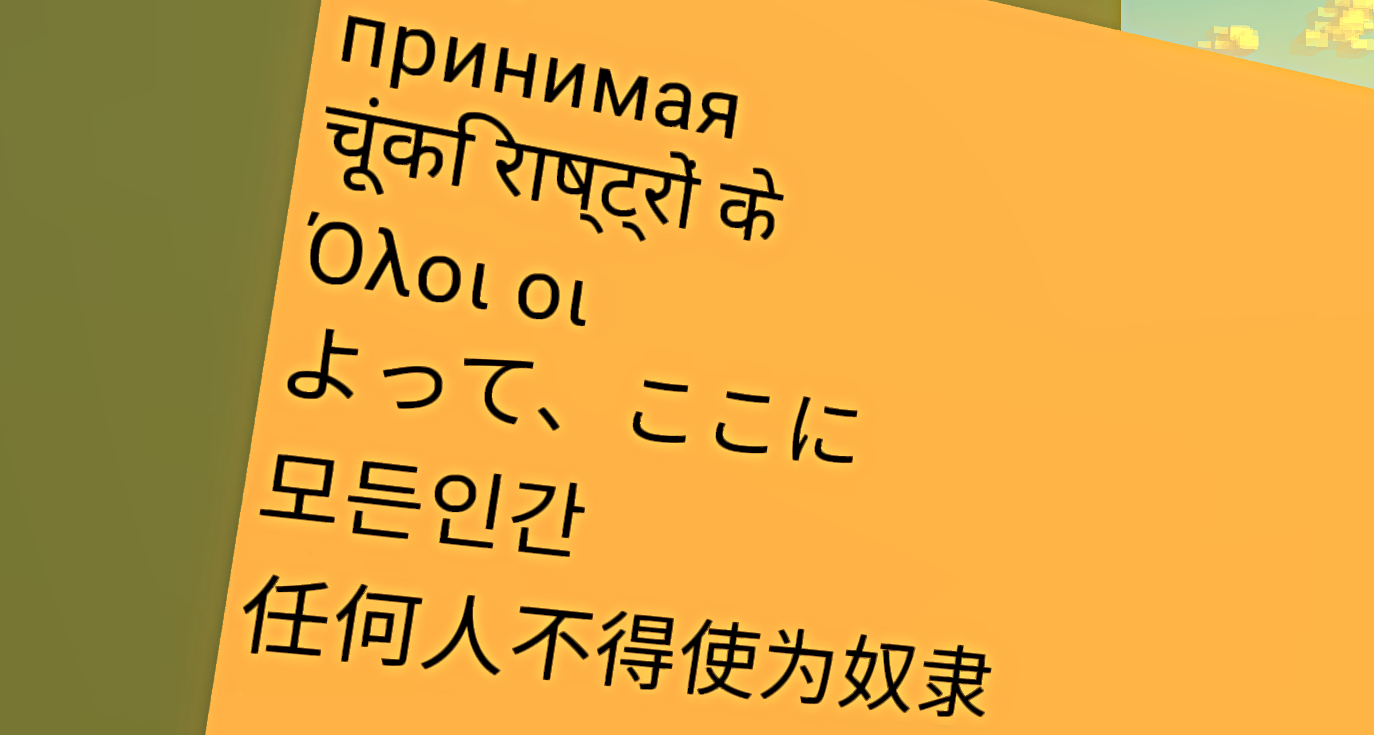
Extended character support for notes and signs
Different character sets can now be used on notes and signs. Please note that using non latin characters does have a small performance impact. The supported characters depend on the used font.
Other improvements
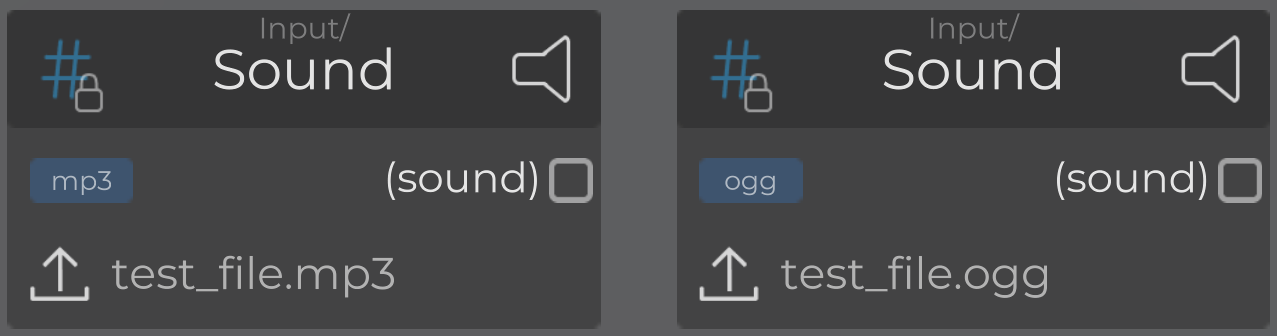
MP3-files can now be imported! It's still recommended to use ogg files for best performance and quality/size
Unarmed player attacks are now directional similar to other melee weapons
Corpses and passive units can now hold grenades and support equipment in their hands
Overwriting files will now show the name of the file to be overwritten
Engine update & system requirements
The engine has been updated. This update includes 3 major LTS versions, so a lot of stuff had to be adjusted, but has already been tested in preparation of this update. If you notice any new problems, please report them on steam or the discord server.
The MacOs builds are now finally discontinued (after dropping support and removing the platform from the store almost exactly 5 years ago).
Windows 10 21H1+ is now the minimum OS-requirement (was Windows 7, which is no longer supported by Microsoft)
Ubuntu 22.04+ is now the minimum OS-requirement (was Ubuntu 16.04+)
Bug fixes
Fixed that quick scripting inputs lost their references when copy/pasting/placing prefabs
Fixed a bug that caused unit icons to miss some custom equipment items
Fixed that shooting passive units could lead to frozen animations due to impact effects
Fixed functionality of the UseSupport node
Fixed attack problems when starting to control an unarmed unit
Fixed some cases where the editor UI could become broken when using certain actions (like Undo while editing dialogs)
Fixed cases where ranged AIs could become stuck without reloading
Fixed nested array access for direct underlying arrays
Fixed missing error checks when using materials mappings for arm/leg presets
Update 1.4
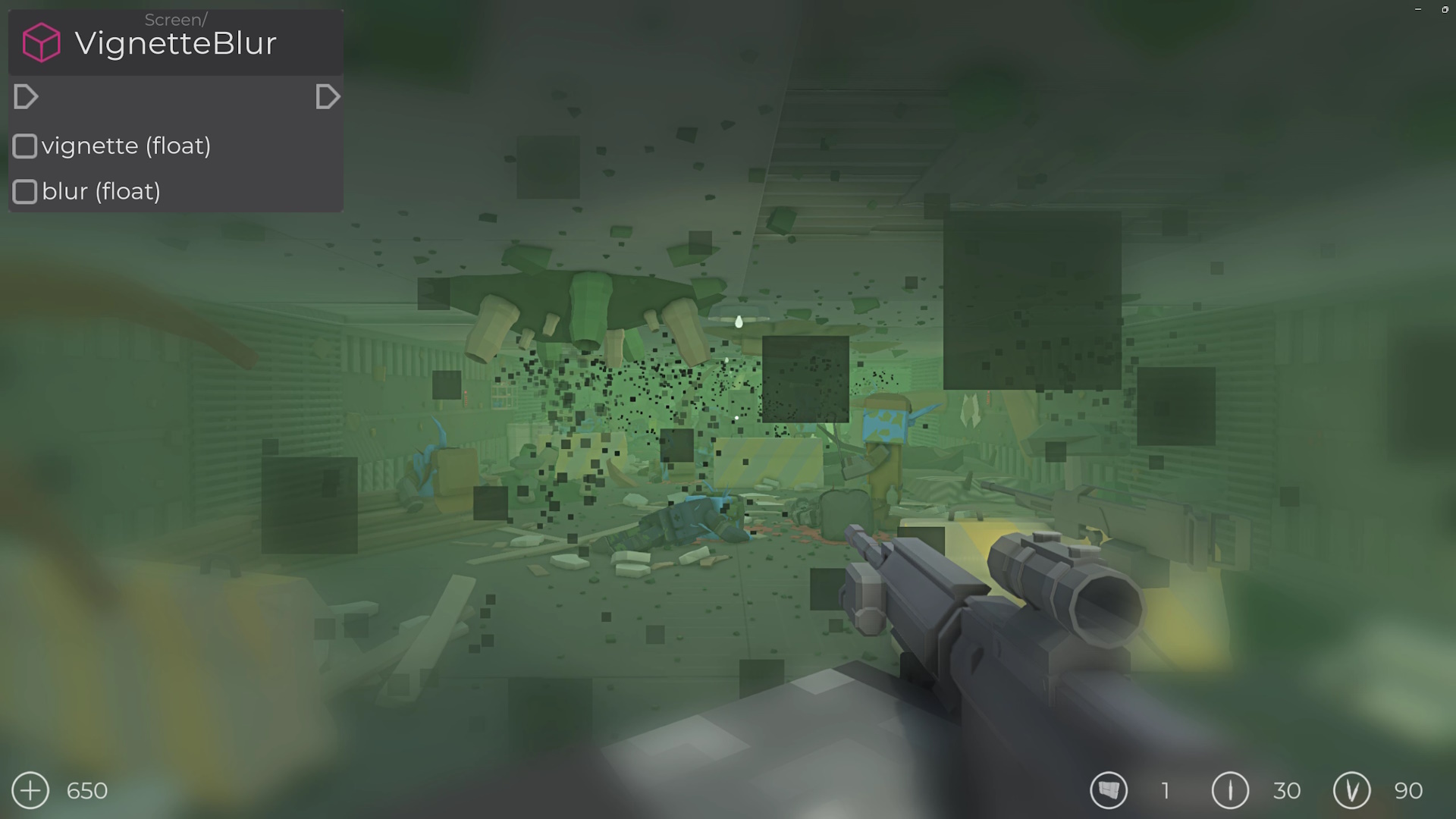
Blur vignette screen effect scripting node
The new scripting node combines blur and vignette to blur the screen from the corners to simulate various effects.
Arithmetic expressions in numberic inputs
Simple arithmetic expressions can now be entered in almost any numeric text input. Supported operations include addition, subtraction, multiplication, division and parenthesized ordering
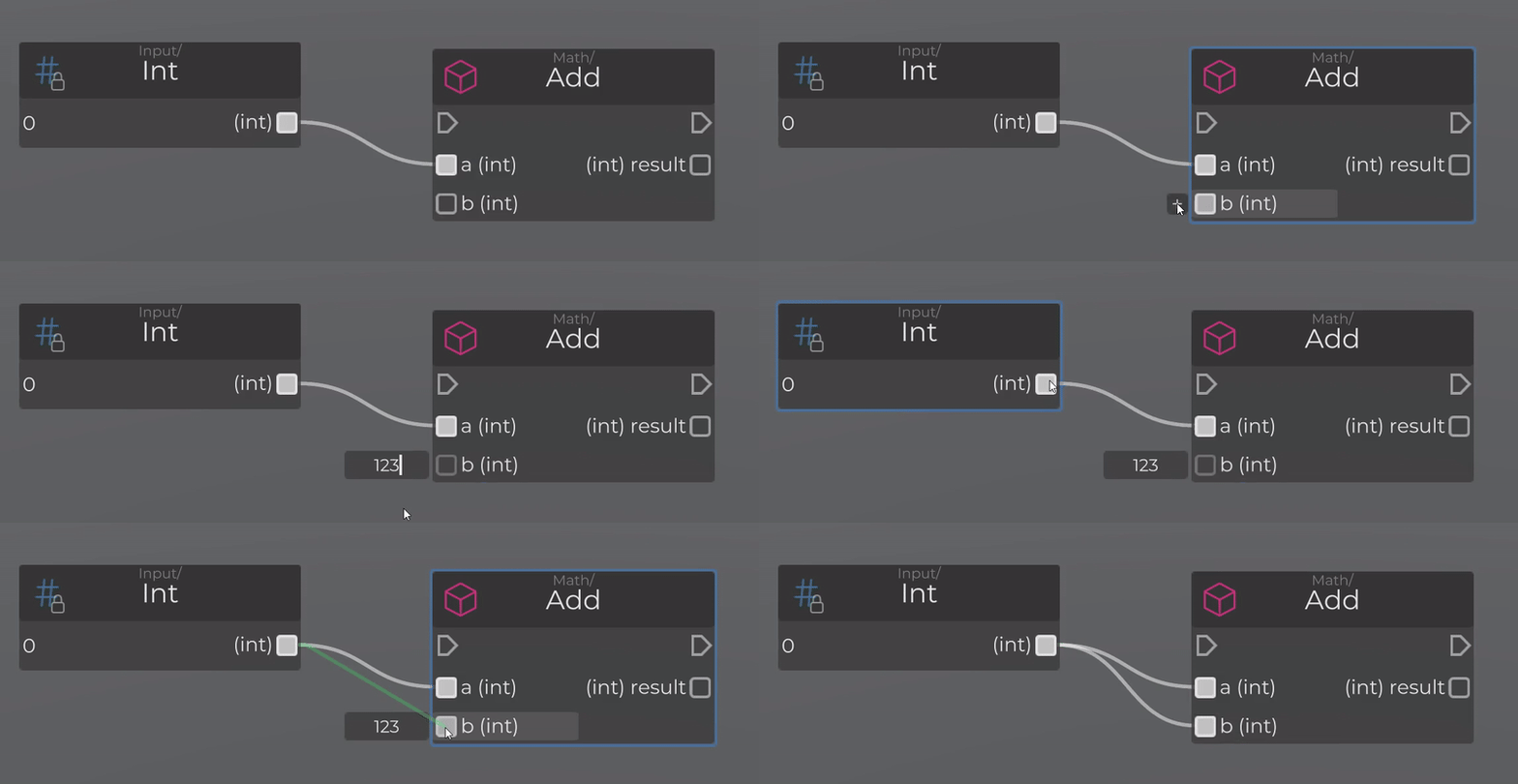
Quick scripting inputs
Instead of having to create an input node for each input value of a node, most types can now be input with a single click next to the input port. Node connections will clear existing quick inputs. Supported input types are types like bool, int, float, string, float3, color, references and enums.
Movement speed multiplier node for units
One of the most requested scripting features has finally been realized. You can now change the speed of units by using the SetMovementSpeedMult node.
Improved AI corner peeking detection
While peeking corners as the player, AI units would often not react or see the player. This has been improved and AI units will now attack the player as usual.
First person melee improvements
Ever since the 1st person viewmodel was changed to improve gunplay, there were some issues with how melee weapons felt. It looked like as if there was an offset between the rendered weapon and the actual hit detection and changing the fov would cause additional issues. This has now been resolved and melee combat in first person should look and feel more accurate.
Other features & Improvements
The order of scripting variables in the list can now be changed while their settings are expanded
Added GetPath node to get a copy of the calculated path of a unit
Added GetMouseDeltaX/Y nodes to get the mouse position offset between frames
The placement method of ceiling lamps has been improved. They can now be placed on most surfaces.
Improved the accuracy of unit movement to prevent situations where it seemed like they walked slightly into the terrain on hills.
Update 1.3
Blur screen effect scripting node
The new scripting node can be used to blur the screen to simulate various effects.
Unit impact animations
Units will now react to bullet/melee impacts. The strength of the effect depends on the bullet damage, hit armor and body part, melee weapon weight and randomness.
Block AI navigation areas
Instead of only adjusting how likely AIs will move in certain areas, you can now totally block them entirely. AIs will not navigate within that area and will behave as if an object is placed there.
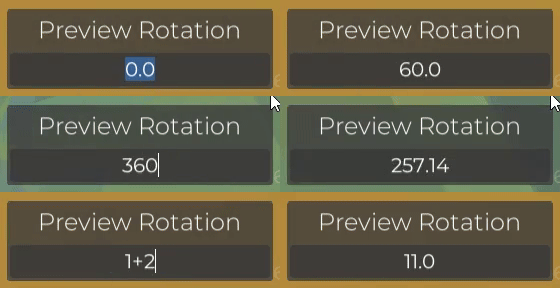
Choose preview rotation
While placing a preview, you can now input a rotation to place an object at a specific angle.
Laser wall blocking
Lasers from weapon attachments will now be blocked by walls. This effect can be deactivated in the game settings.
Other features & Improvements
Workshop items can now be uploaded as "unlisted" from within the game
Removed small gaps between the vanilla shirts and pants
Pillars can now be placed below other pillars and dragged down to place multiple at once
Scripting fog areas can now be rotated on each axis through their settings UI
Added GetMouseWheel scripting node
Added an option to rotate the editor snapping grid
Unit ragdolls now collapse faster
Bug fixes
Fixed that Melee scripting events did not trigger for units are punching with their gun
Fixed that creating custom units from the zombie tab would cause invalid faction setups
Fixed dropping/removing weapons within the OnPickUpEquipment scripting event
Fixed a bug that caused units to randomly forget their targets and stop due to missing view on the target
Fixed that deleting a navigation obstacle could lead to invalid AI navigation around that area
Fixed that support equipment uage didnt work in many cases for AI units
Fixed incorrect player health text display on the HUD for some values
Fixed incorrect weapon sizes when starting to control certain units
Fixed incorrect terrain culling while editing it in the battle editor
Update 1.2
Content
Added sweatpants item
Added a version of the shield backpack without shield
The red modular metal building set is now called "Rusted"
Custom clothing items
Custom gloves, shoes, body and leg clothing can now be created in the game and shared with others on the steam workshop! For now, only static clothing parts can be created, but you can choose one of the existing in-game preset to create long sleeved body/leg clothing. Custom clothing items can be used everywhere where vanilla clothing can be used.
Scripting improvements
Added RoundEx node to round floats to n decimals
Added PassiveUnitToUnit cast node
Added Player/MakeInvisible to turn the player invisible to allow more customization in terms of custom items with shapes that are smaller than the regular body of the player
Other improvements
Added a color picker mode to pick the color multiplier of modular buildings
The color picker mode is now saved while the game is running
Units are now longer snapped to the navigation grid when the battle starts, if they are close enough to it and the space is not shared with another unit
Filtering by "CustomUnit" in the unit creator will only display custom items now
Bug fixes
Update 1.1
Content
Added 4 variants of a two colored shirt
Elf ears will now share the color of the unit's body paint
Scripting improvements
Added a tool to search and jump to node instances in scripts in the scripting view
New nodes
Trigger/RandomPosInside to get a random position within a trigger
Unit/[Get/Set]BodyPartCollision to disable hitboxes for each individual body part
Player/EnableFallDamage to turn fall damage on/off
ControlFlow/Cooldown to block further node execution for a duration
ControlFlow/ObjCooldown is a variant of the Cooldown node, but has an internal cooldown for each object
Other improvements
The current and total time of a passive unit animation will now be displayed while animating it in the unit editor
Added buttons to reset limbs to their default position or rotation while animating
Melee direction indicators are much smaller now
Melee direction indicators can now be deactivated in the settings (or set to the old variant)
Added simulation space option to custom particle system to allow simulation in global space
Added rate over distance setting to custom particle systems to allow emission while the object is moving
Slightly improved SAM missle accuracy and movement
Bug fixes
Beyond the Horizon Map Competition Result
The map competition is over. Thanks to everyone who participated and Tomebinder for judging the maps! He also played some of the maps on stream while judging them, so make sure to check it out if you are interested: https://www.youtube.com/watch?v=0Oi6YXmmOvA
Some really nice maps have emerged from this competition and there is a new quick play bundle available in the main menu, which contains some maps from the competition. Just a discplaimer: If your map isn't listed in this post or the quick play bundle, that doesn't mean it is not worth playing. The winners will receive their digital steam gift cards soon and will be notified via steam dms or discord, so keep an eye out for that!
Here are the best maps with a short review from Tomebinder:
1st place
http://steamcommunity.com/sharedfiles/filedetails/?id=3162424983 This map is a great example of how AW3 is a distinct game engine in its own right. I really appreciate maps that feel like complete packages. You can tell that “Crusader” was extensively playtested, and despite its anomalously long playtime the whole experience was quite polished. It was hard for me to believe that a narrative of any length and complexity could be told in a single map… but then I played CRUSADER. Its connection to the contest feels like more of an afterthought, mostly being alluded to in text… until the last level, where the player bursts through a Space Gate to explore the cosmic realm beyond. Crusader puts a unique spin on the typical gameplay of Ancient Warfare 3 by using JNI’s scripting system to the fullest. It was incredibly satisfying to learn a whole new set of controls as if I had just installed a brand new game onto my PC. Customizing my loadout was fun, and I got the sense that I only scratched the surface of customization given the many options for buying new guns. It was also super fun to explore the levels while being locked to this point of view because it made them seem way bigger than they actually were. There’s a lot of potential for this format. This is the kind of map that I anticipate returning to on a rainy day, or when I’m bored. It’s just a full, complete, reliable and FUN experience. Of course, it is the first foray into this kind of quasi-isometric view, and many scripts are working together to bring the Crusader experience to life, which means that movement problems and bugs did occasionally bubble to the surface while playing. In particular, getting the Silencer (protagonist of CRUSADER) to follow my mouse was tricky, and that seems… like quite a critical part of the map. But setting aside these issues, Crusader is a huge effort worthy of the top spot for being a complete, self-contained experience that is well balanced and demonstrates technical mastery of AW3 on all levels.
2nd place
http://steamcommunity.com/sharedfiles/filedetails/?id=3166581101 As above, I appreciate maps that feel like complete packages, and this one certainly fit that description. It felt like playing a quick round of Space Crusade, the board game. You can tell that the map creator wanted to add lots of depth to this map’s scripted mechanics. Everything from the loadout of the space marines to the music is up to the player’s discretion. Numb’s customization options were almost overwhelming at first, but I think that they’re perfect for someone who wants to come back to this RTS again and again. They allow you to tweak your experience and make it slightly different each time. There are TONS of scripts in play here, and they work together almost perfectly, with a few bugs (not game breaking). The actual map is fairly well balanced but not very long. Perhaps if you added regeneration it would allow the space marines to live longer and increase the playtime of the map? This would encourage people to replay more, knowing that their customizable choices at the start of the map have more meaningful long term effects. These are minor requests though. Ultimately the Space Crusade RTS demonstrates great effort through its use of voice acting, custom infos, squad controls, and more. It deserves the second spot for how cohesive and complete it all feels.
3rd place
http://steamcommunity.com/sharedfiles/filedetails/?id=3165557466 With “The Cold Below,” we see someone making an ambitious drive to use AW3 as a FPS engine. Hordes of varied enemies fought in close-quarters, intense combat. Strong Doom and Darktide vibes here, but the tropes of these games are reinvented in a satisfying way. I felt like I was descending into a pit of evil at the start of the map. And, despite the constantly spawning hordes of enemies, I only had a single lag spike throughout the entire experience, which was very impressive. There are lots of great models and competent scripts in this map almost come together, but the gameplay is where it can leave players confused. Unit design is wonderful, with distinct looks for each type of opponent, but I found the map’s gray color palette made it hard to make out the difference between melee and ranged enemies. You have lots of time at the start of the map to relay critical info (about the power levels of different enemy types, directions about where to go, and sounds to look out for), so I recommend doing that as well as putting in the lore. Focus on telegraphing the non-horde encounters and you’ll keep the player feeling in charge -- dominant, even. You’ve clearly got the aesthetic talents and the eye for performance needed to create an accessible map. Looking forward to seeing what you do next!
4th place
http://steamcommunity.com/sharedfiles/filedetails/?id=3166970098 A solid outing, unlike other maps on this list it was a complete package that you can play start to finish and enjoy. Sound design was sparse but used effectively (to indicate when enemies come to life, etc). However, the winding catacombs look samey, so consider adding more detail to differentiate certain areas. There were also a few random teleportation bugs that you already know to fix. Overall, “Arizona Jim,” despite its clear Indiana Jones inspirations, is a very imaginative map! It also fit the theme of exploring new worlds quite well, since we were delving into a forgotten pyramid. A few more days of polish and this completed map would be even more complete. Keep doing stuff like this and you will be a renowned map maker in no time.
5th place
http://steamcommunity.com/sharedfiles/filedetails/?id=3157535518 Super strong concept behind this map. Great variety of units, interesting (immersive) sound scripts, and of course the tie-ins with Remedy Zero were great. But I wasn’t able to finish it. It seems almost impossible to get the desired amount of money in only 15 minutes. Strongly recommend upping the spawn frequency. Other than that, you’ve got the atmosphere down and a great future of AW3 maps if you keep evolving your formula like this.
6th place
http://steamcommunity.com/sharedfiles/filedetails/?id=3157516829 This map had a real interesting ARMA vibe to it. It was a unique take on the alien invasion trope, and it had some neat scripts. You did an infinite defense right: by adding random events and mutations in the battle. However, the blood script was too disruptive and there was a lot of shooting into a treeline where you couldn’t really see anything. So not a lot of face-to-face combat. You’ve got some neat mechanics down, now just focus on the gameplay and you’ll have something really special.
A Labor of Love Since 2017 I started AW3 as a solo project in early 2017. What was originally planned to be a spin-off with modern content for the game Ancient Warfare 2, quickly evolved into a full rewrite of the game with mixed content from different eras and more customization. The first test version made its debut on itch.io on July 22, 2017. This milestone was quickly followed by the launch into Steam Early Access on December 17, 2017.
Seven Years of Development After nearly seven years of dedicated development, countless updates and great community support, AW3 is finally transitioning from early access to full release.
Community Driven Development The success is measured not just in milestones but in the experiences we've shared together as a community and the great content on the workshop. With an overwhelming ~95% positive reviews, your feedback has always been very important for me and influenced the development a lot. Your ideas, insights, content, and engagement has shaped AW3 into what it is today.
The Future Although AW3 is leaving early access, our journey is not over yet. There are still many things that can be improved and added to the game and I really hope that I can implement some interesting ideas in the future. I also want to focus more on creating community events like map competitions and events to encourage good workshop content.
A Heartfelt Thank You None of this would have been possible without you - the players. Thank you to everyone who has supported me by purchasing the game, engaging with the community on Steam and Discord, contributing content to the workshop, or just following the development process. Your support has been the cornerstone of AW3's success, and I really enjoyed dedicating most of my time during these past 7 years to the game and its community!
And if you haven't already, I really recommend to join the Discord Server, where I'm usually around while developing and ready to answer questions from time to time.
Beyond the Horizon Map Competition
Starting today and running until February 25, there will be an official map competition! You can create a map based on a certain theme and the top 3 map creators receive cash prizes. You can find all you need to know below.
Start: Now End: February 25 2023, 23:59 UTC
Theme: Beyond the Horizon
Venture beyond the horizon, where unknown territories, structures, and futuristic worlds await. Embrace the unknown as you craft mystical lands, unexplored planets and continents, secret buildings, or hidden dimensions. Focus on discovery, from encountering new enemies, monsters or anomalies to unveiling groundbreaking technologies and wonders. Let your imagination lead the way in these uncharted realms, creating a thrilling experience of exploration and adventure. Your map can play in any era, and we cant wait what creative ideas you come up with!
Rules
Breaking the rules will result in an exclusion from the ratings
Each participant can only submit one map
The map is created by yourself (no collaborations in any way!)
The map has to feature a player controlled unit (static/spectate only maps are not allowed)
Old maps are not allowed, you have to start creating the map after the competition started (the game keeps track of when a map was created, so you have to start with a new map)
The map has to be submitted before the competition is over, updates to the map are not allowed after the competition is completed
The scripting system, custom equipment/items/objects, custom units/prefabs can be used in any way
This includes public workshop items of other players and content that you created in the past
However, if you use content created by other players, you should clearly state which parts of you map/content were not created by yourself
Reward
The $100 prize pool will be paid out via digital Steam Gift Cards and is split between the top 3 creators:
1st place: $60
2nd place: $30
3rd place: $10
In addition, the top 6-9 maps (depending on the quality of the entries) will be featured as a quickplay bundle which usually results in these workshop items getting a lot of subscriptions!
How to submit a map
Submitting a map is very easy, but make sure your map doesnt break any of the rules or it will not be considered for the competition! 1) Upload your map to the workshop 2) There is a banner on the right side in the main menu where you can select one of your workshop maps to submit it
Rating
The maps in this competition will be judged by Tomebinder, who has both played and created various maps and campaigns. If you have been around in the community for a while, you probably already know him for creating "The Good of the Company" campaigns. He also creates Youtube videos of AW3 and will proably stream the judging process, so make sure to check him out and follow if you are interested: https://www.youtube.com/@tomebinder4369
Each map will receive a score which depends on these categories:
Appearance (0-3) Appearance is how the map looks from an aesthetics point of view - that is to say, how easy it is on the eyes
Technical Design (0-5) Technical design covers how well a map is put together; that is to say, how well it runs, the efficiency of object and unit usage, and the complexity of the map in general.
Balance (0-2) How balanced is a map, when the theme is taken into account? Is it too easy or too hard? Is one team steam rolling the other when it shouldn't be? Is the player waltzing all over the competition without breaking a sweat? Or is the player dying the moment they leave the starting area?
Originality (0-3) Has it been done before? Has it been over done? Does it use original prefabs or does it borrow from the workshop? Is there something about the map that makes it stand out from the rest?
Units (0-3) Is your map using custom units? Are they a designer brand fit for the catwalk or are they as bland as shredded wheat? Are they balanced, and do they fit the map?
Gameplay (0-3) Is the map fun to play? Is there non-stop action, or is it scary/exciting/trilling
Thumbnail (0-1) Does the map have an appealing thumbnail?
Theme (0-3) How well is the theme represented in the map
Other relevant information about the rating:
If you use custom scripting, it can positively influence categories like balancing, gameplay or technical design, but it can also negatively impact the performance! That being said, there is no need to use scripting to score the maximum points in the technical design category
Custom equipment/items/objects are not required to score the maximum points in any of the categories, but it can help. In any case, using a variety of good looking custom units with vanilla equipment is sufficient