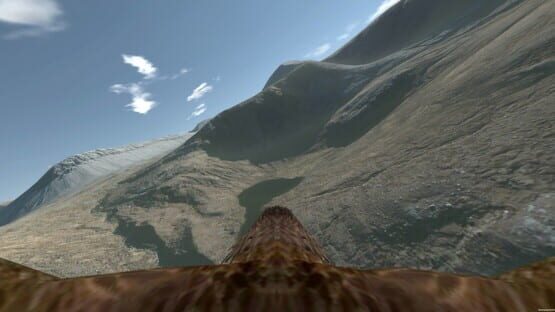
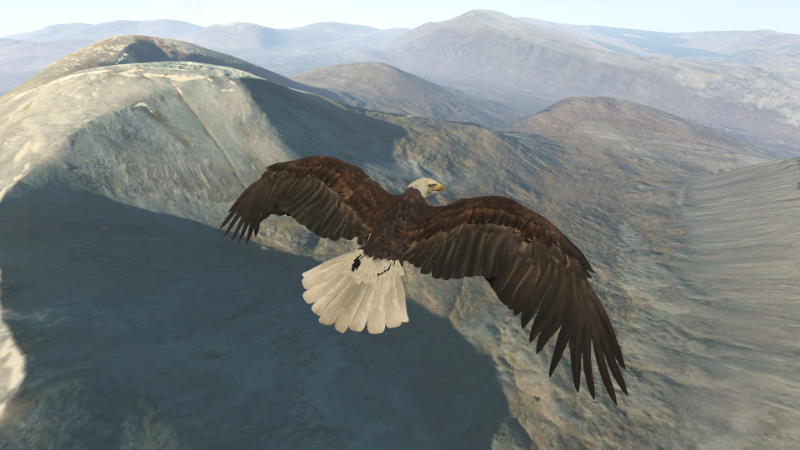
I have updated Aquila to version 0.981. This brings in numerous bug fixes and little changes.
trueSKY is one important change. For VR use trueSKY seems to require single-pass rendering, so I'd be very interested in hearing from anyone with a non-Nvidia card, or certainly a card that doesn't support it. I'd like to see what it does, and how I can resolve any issues. Additionally, if you run the Unity player with anything below "Beautiful" quality setting, the trueSKY sky may be flipped upside-down on the second observer screen. VR view will be fine whatever quality setting you use. If you need to change it, run the game while holding CTRL and the player options window will appear on your Windows desktop.
Bird flight physics has been brought 'in-house' for best flexibility. Motion controllers benefit most from this change, as you have more flexibility with your wings, although all control methods use the new physics.
Tutorials are available for all control methods, but all start airborne and do not cover take off and landing technique - this is covered on YouTube with tutorial videos available here and on the Aquila website here. These provide an introduction to Aquila, and your first flights with motion controllers. Other videos will follow covering more stuff, and the other control methods.
Playing without VR has some support, but the tutorial doesn't cover everything. Here are a few notes if you're playing with a gamepad without VR:
- the title screen menu is used with either the Dpad or arrow keys, and Enter or Green 'A' button to select. The in-game menu is opened and closed with Space or the Red 'B' button. The Dpad moves the highlighted option around, while Enter or Green 'A' selects again.
- Start in the air with the default options (Scotland, start in the air, wind 230 degrees, bald eagle, Easy mode). If you do end up on the ground, the quickest way to get airborne again is to hold Y on the keyboard or the yellow Y on your gamepad for a few seconds and you’ll zoom into the sky, where the autopilot will be engaged until you're ready to take over. If you want to take off yourself, the most reliable way is to run forwards with the left thumb stick in to wind (there’s seeds that blow in the air, and a wind arrow in the top middle of the screen), then let go of that while immediately pushing the right thumb stick to flap.
- If you don't have a gamepad, you can use WSAD to move on the ground and the Right Shift key to flap. Support for this is very basic and can be buggy. Again the easiest way to take off is move into wind, then release W immediately as you press Right Shift. Then once you're flying, WSAD steers you. I mainly added this to let me work on Aquila on the laptop while away with work.
- to change views it’s the gamepad top-left shoulder button, or V on the keyboard. To look around it’s either moving the mouse while holding the right button, or holding the gamepad top right shoulder button and using the right thumb stick. The left mouse button also works to flap.
In the air the birds seem to fly fine, with two non-VR issues I know of that I’ll address: - the roll/pitch rates need to be increased. It’s more like a Boeing than a bird at the moment. - the thrust is constant when you flap with the thumb stick. It will be in time with the flaps in a future release.
Here's a short list of things I'm continuing to work on: - adding water to where water exists on the satellite photography. - experimental landings in trees. - ways to increase detail on the ground without destroying VR performance. - two new eagle models.
A bit of a long description for a short update, but I hope you can get some relaxing enjoyment from Aquila. Please check out the Tutorial videos on YouTube; at the very least you can have a laugh at me flapping my arms like a loon...
Thanks for reading, and thank you for your support. :)
Graeme
Merry Christmas!
A quick update for you. I wanted to say a big Merry Christmas to you! Thank you for your support over the last year, whether you have purchased Aquila or helped me with testing new stuff.
Work is still ongoing on the SteamVR/OpenVR version. The good news is that visually it now matches the new Oculus version. The bad is that the way SteamVR now handles controllers has completely changed, and I'm finding it extremely awkward. Plus I use the seated environment, and it's very difficult to simply 'reset' the view. It's quite incredible, and very disheartening. However I'm still working on it, and making slow progress.
In the meantime, here is a video showing me giving myself a workout, and intercepting Santa's sleigh to find a present... this feature is in the current live version of Aquila in December and January of course, albeit without the fancy sky and the newer bird physics.
Thank you again, and Merry Christmas!
Graeme
[previewyoutube="0sjQAZsx8hw;full"]
New update on the way...
Firstly, apologies. I know it has been a very long time for any progress with Aquila. Both work and health conspired against me with regards to coding, and as Aquila is just me it has been difficult. However the new Oculus version is nearly there, and I'll then be able to bring these changes over to SteamVR.
The main thing is the flight physics. I could never get the flexibility out of the flight physics engine that I wanted, and I could never get it truly doing what I wanted. It was while working on a Raspberry Pi project that I reached a point where I realised I could start over with my own physics for the bird, and have ultimate control over how things work and move. The main area where this works is with motion controllers (i.e. Vive wands and Oculus Touch), and can do the following:
- Still the same control method in roll and pitch by twisting your arms, and autopilot aids if required. When you flap, the thrust is immediate and does not lag like before. - When you bring your hands towards your body, your profile drag, induced drag and stall speed are adjusted accordingly. This means you stoop in, either partially or fully, or dive with increased speed. You can, with practice as it is a challenge, land with precision on any spot even on a slope creating substantial lift. It doesn't allow for bringing just one wing in, but that can be done. If anyone has 3d modelling skills, I'm struggling with being able to animate this wing motion, i.e. full stretch to a stooping pose. - If you bring your hands all the way in, you'll fold your wings and fall.
These changes are not no dramatic with the other control methods, but hopefully in time I'll find ways to make them better. For now they do work at least.
Other changes:
- New bald eagle model... it has quite a high poly count, but it does look nice.
- All bird flapping animations are synced to your arm flapping frequency. The flapping technique is simplified now, you simply flap your arms up and down. A bit less realistic, but easier to grasp. Flap strength is calculated by how hard you flap, and how far apart your controllers are.
- TrueSky now being used for the sky system. There's a definite advantage with the general sky, but the night sky just looks amazing. The downside is the original thermals used don't match, so I've disabled their visual for now. If you bumble into one, it'll still work, but for now you can't see where it'll be.
- The motion controller tutorial has spoken instructions now. I'll do the same with the Xbox and Headset steering tutorials, once I can find a plan for recording narration when our budgies are not making an absolute racket! All the tutorials start airborne, and run through the absolute basics of control. Take off and landing techniques, along with the more advanced flying with motion controllers, I am hoping to cover in YouTube videos that I'll narrate with video showing in-game and what I do with my controllers.
Anyway that's what's done for now. Of course I'll update with an eta when I have a better idea.
For the future: - I have loads of assets for grasses, trees, rocks, etc, and a copy of World Creator Pro. Naturally I want to use these to improve the landscape quality. Satellite imagery isn't for everyone, and I want to move towards an optional survival simulation. If you have a scenery compatible with Unity that you would like to see in Aquila, please get in touch. I'm no artist, so I find these things very challenging! - Tree's, nests, etc... for a survival mode, having 'safe' zones to rest, recover, and overnight is an option. - Multiplayer. Of course I'd love to have this. I originally did lots of work to network this game for show purposes. As all of that is done through one PC and a second screen, I want to redirect that work to multiplayer.
There's so much I want to see in Aquila. If I could win the lottery, and not worry about work, it would be awesome!!
The IET were kind enough to host the motion platform version of Aquila at the Royal International Air Tattoo 2019, the third time Aquila has been there. The first time was simply my PC, an Oculus Rift DK2, a gamepad, and a monitor for other people to watch what was going on. This year, with the motion platform and completely overhauled motion feedback, the amazing feedback from people (including aviation professionals) saying how it felt like flying just blew me away. Anyone wishing to donate a Birdly motion platform? I'd love to integrate Aquila with that. *nudge* *nudge*
Anyway I've gone on far too long, again. Here is a video of the new physics in action with the bald eagle. This is from July, so more has happened since then of course:
[previewyoutube="iq1aOF6vSeE;full"]
Once again, if you have been awesome enough to purchase Aquila on either Steam or Oculus, I can offer you a key for the 'other' version so you don't have to buy both. Just contact me with your proof of purchase.
If you have an unusual SteamVR setup, or hardware I don't have, and want to test Aquila, please let me know. I can provide you a key! I merely have Oculus DK2 and Oculus CV1.
Thank you for reading this long scrawl. Feedback and suggestions are always welcomed... oh yes someone wanted to be able to attack waves of Drones! ;)
All the best;
Graeme
A Big Thank You!
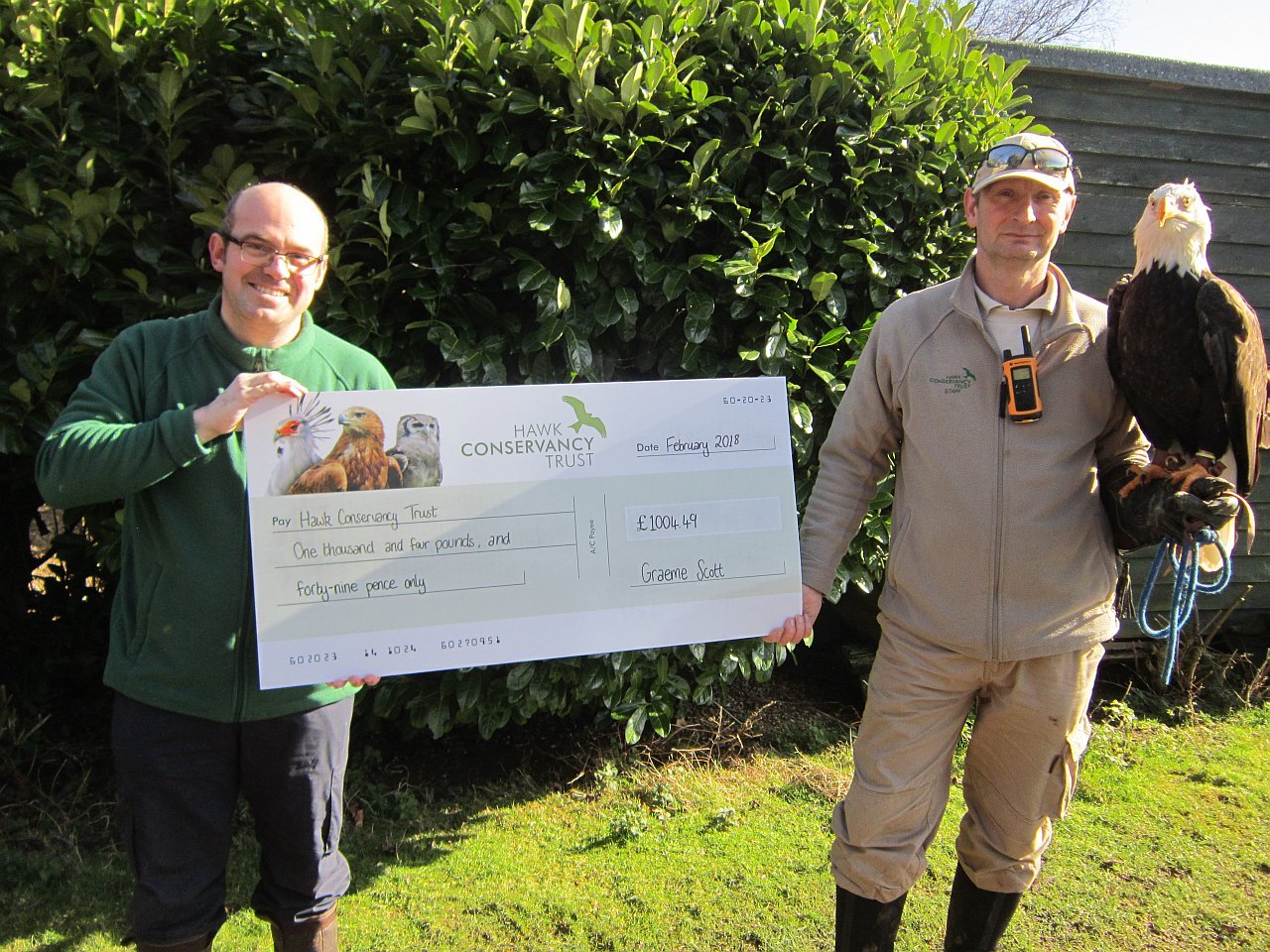
I wanted to take this opportunity to say a Massive Thank You to all of you who have supported Aquila Bird Flight Simulator. Supporting the game has allowed me to raise money for the Hawk Conservancy Trust near Andover, where I have volunteered for nearly ten years, and I was able to present them with a great donation. Thank you once again!
This does not mean the end of development... far from it... :)
Graeme
Patch Version 0.978
This is a relatively straightforward patch to fix a few bugs reported to me. I am working on new features of course, but they're not within this for now.
- Fixed an issue where the ridge lift code could produce a divide by zero with relatively flat ground. The result had been that you would unceremoniously be sent hurtling groundwards, as the error would upset the flight model. This should be fixed now.
- Fix to autopilot altitude hold function, where being close to the ground on activation would cause an argument over who has control of thrust. This has been fixed.
- Another fix I forgot to mention... the thermal assistance (on Easy mode) wasn't working in Columbia and Canada. This is fixed now and should work.
The rest of the changes are 'back-office' stuff building towards additional achievements and flight logging. It's been a busy time with work, so I hope you'll bare with me while I work on additional features.
Thank you for your support. :)
Graeme
Happy Valentines Day! - Patch 0.977
Here's a little bit of Valentines Day fun ... hidden on each map is a heart as shown below. Collect all three to unlock a Steam achievement! I hope to make this achievement the key to a few extra's down the way. Once you've collected the heart on a map, it won't appear again on successive games. This bit of fun runs throughout February.
This patch also brings all the changes from 0.975 to the current live version.
Have fun, and thank you for playing.
Graeme
Beta Patch to version 0.975
These notes are for 0.975 beta, for which you can opt-in on Steam by editing the game properties for Aquila. They will apply to the live version once I can test on motion controllers. Mine are 90 miles away! :( Also I’ve not yet tested non-vr play with this beta.
Notes are as follows:
- New music added, and credited on the title screen.
- New in-game wind sound effects, and neater transitions to the flying wind sound.
- Scotland terrain is now a bit bigger to add a couple of nice looking ridges that you couldn't reach before. The terrain mesh is still the same resolution, and I do plan to improve it, but I dropped the satellite photography one level on Bing. While flying at any decent height you can't really tell, with the added bonus that the memory footprint has dropped with a performance benefit. This is a stop-gap until I can work further on terrains and their detail level.
- All terrains have been adjusted so that thermals and their clouds are accessible from near ground level and reach above their highest peaks. Columbia, for example, has huge peaks that the old system couldn't cope with resulting in clouds entering the hills!
- On the subject of terrain, previously you could adjust your view distance betwen Very Near and Far. These options now adjust the fog distance, and terrain tiles beyond that distance are switched off to increase performance and reduce memory usage. Note when increasing the view distance, any tiles previously switched off take a few seconds to reload and may pop into view. Likewise they take a few seconds to unload when reducing view distance.
- Thermals now age rapidly and decay after dusk, and won't form again until the sun rises, as they should do with a normal average everyday thermal.
- The grid of points used to create ridge lift and sink (the downdrafts) has had its resolution trippled.
- There was a small band around the Canada landscape where you could potentially fall off the edge of the world before hitting where the world edge was set. This has been fixed.
- Unistorm weather system updated to latest version, and main camera adjusted to correctly produce God rays.
That’s it for now. Thank you for reading. :). Please let me know if I can help with any issues.
Graeme
New stuff on the way...
Just a quick update to let you know what I'm working on at the moment, but this is not uploaded yet. I'll do a proper patch notes when I upload a new update.
- Scotland terrain is now a bit bigger to add a couple of nice looking ridges that you couldn't reach before. The terrain mesh is still the same resolution, and I do plan to improve it, but I dropped the satellite photography one level on Bing. While flying at any decent height you can't really tell, with the added bonus that the memory footprint has dropped with a performance benefit. This is a stop-gap until I can work further on terrains and their detail level.
- All terrains have been adjusted so that thermals and their clouds are accessible from near ground level and reach above their highest peaks. Columbia, for example, has huge peaks that the old system couldn't cope with resulting in clouds entering the hills!
- On the subject of terrain, previously you could adjust your view distance betwen Very Near and Far. These options now adjust the fog distance, and terrain tiles beyond that distance are switched off to increase performance and reduce memory usage. Note when increasing the view distance, any tiles previously switched off take a few seconds to reload and may pop into view. Likewise they take a few seconds to unload when reducing view distance.
- Thermals now age rapidly and decay after dusk, and won't form again until the sun rises, as they should do with a normal average everyday thermal.
- The grid of points used to create ridge lift and sink (the downdrafts) has had its resolution trippled.
- There was a small band around the Canada landscape where you could potentially fall off the edge of the world before hitting where the world edge was set. This has been fixed.
- Unistorm weather system updated to latest version, and main camera adjusted to correctly produce god rays.
That's it so far. This, and hopefully a bit more, will be implemented in the next patch. Thank you for reading. :)
Graeme
A bit of Festive Cheer! (patch 0.96)
Santa's sleigh has been spotted in the skies! If you're flying at night you might be lucky enough to spot his sleigh! Catch up with him, stay close by, and he might just drop you a present. :)
Patch notes for 0.96:
- a little bit of a landmark, as collecting a present from Santa will earn you what is Aquila's first Steam Achievement. There will be more.
- The sleigh may appear in the skies right until the end of January. He can't be everywhere at once, so he won't appear every night. If he does, you will see a message and then you'll have to intercept him! I managed it with motion controllers in Scotland, and it gave me a right work out! Scotland is the best place to try and locate him, followed by the Canada map, while in Columbia he's simply so very high over the mountains it is very hard work getting to him. You have to get close and stay close for the best chance of a present.
- When changing map data for Scotland, I'd cunningly (or not) moved the course waypoints so that most were in a hill. Not very clever! This is fixed now. The waypoints also flash as light sources to make them more visible.
- When on the title screen, I'm now using a second camera to make the menu screen clearer on your pc monitor when using a VR headset.
Issues:
- I've noticed that since the latest SteamVR/Unity API update, my pc seems to drop a few frames when there is a lot of terrain on screen. It didn't do this before. It's still playable, and my laptop runs it unchanged, so I'm not sure where the issue is at the moment. Windows 10 had been installing a *huge* update in the background though, so who knows.
Have fun, and I wish you a Merry Christmas!
Graeme
Patch to Version 0.954
I've pushed the beta changes to the live version, as it tested ok on all the controllers I have on DK2 and CV1. Please note the text below regarding the first screen and setting your view. I made this to work from a seated motion platform position, and the game really needs you sat down... either on a stool or pc chair, and to set that position as your play centre area.
Changes are now on the demo and full versions, and are as follows:
- Fade transitions added between all scenes in your VR headset. They do not yet work on your pc screen as they are part of the OpenVR library, so with no vr headset they fail to function.
- Starting calibration screen wording refined. I cannot stress enough that this is designed as a seated experience that requires a center point to be set. Before clicking Start on the first screen, please ensure that the distance value is in green (this is the distance between your headset and the current center point of your play area), and sitting comfortably looking ahead you face towards the north billboard. If this is not the case, recenter the view or you will have a wrong perspective on the main menu and ingame. You can recenter at any time using the same buttons. All you need to do is sit comfortably, face forwards straight ahead, recenter, click start. :)