Genre: Real Time Strategy (RTS), Strategy, Turn-based strategy (TBS), Indie
Attack at Dawn: North Africa
Attack at Dawn: Stalingrad - New Game in Development
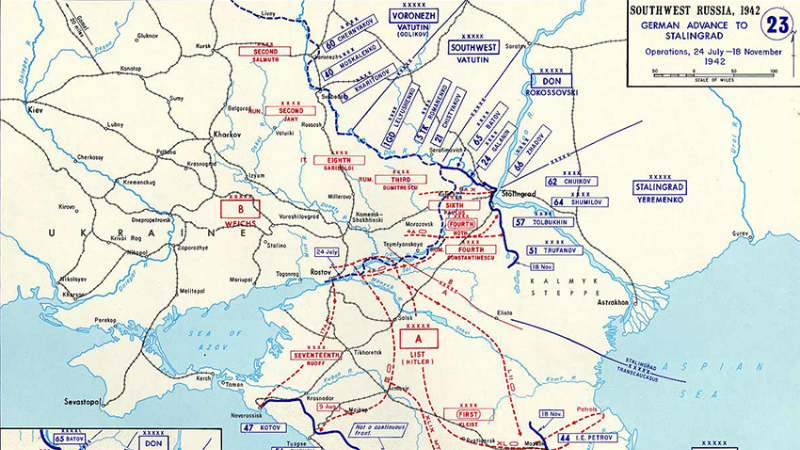
We have been working on a new addition to our Attack at Dawn series of games for a while now. What we initially thought would be a DLC update evolved into a concept for a full-blown game. We thought about it for months, making experiments and prototypes, and finally decided to make a brand new game and move to the EASTERN FRONT!
We are designing a game about the southern section of the WW2 Eastern Front. We are still deciding on the scope of operations, but we will probably have scenarios for Barbarossa, Case Blue, Uranus, Donets & Kursk operations.
The new game will be all we have planned for General Staff DLC and more. Here is a list of some of the features of the game:
the entirely new game engine, with full 3D terrain and units
complete UI rework, making it easier to use and understand
dynamic campaign
general staff functions: logistics, intelligence, operations, engineers, personnel
beautiful illustrations throughout the game
improved animations, and more of them
improved sounds, and more of them
full soundtrack
As you can see, it's quite an ambitious project and will take longer than we thought. But it will be worth it and turn this series into something fantastic!
In addition to this, we started a joint venture with Seleya Games to create a comic-book-styled board game about espionage, warfare, and nuclear exchange in Europe. We love to work on board game and video game projects in parallel, as it makes us more on the "designing edge".
If you wish to follow updates on all our projects more closely, please go to our website and subscribe to our newsletter: https://www.panzerdivisiongames.com/
We issue it on a monthly basis, and it is the best way for you to follow and support our work during these long periods of development.
That's it for now. Have fun playing the game, and see you on the desert sand!
Tom
New Webpage, Spring Sales, Newsletter, Discord, and more!
Cheers! It's been a long time since we had so much news. First of all, we have launched a new shiny webpage: WEBPAGE
The webpage has been upgraded to showcase our full range of games and to create a community for all our players. We have added a Games section showcasing our games. Currently, you can read about Attack at Dawn: North Africa and Brotherhood & Unity, but there will be more very soon 😀
We are planning on releasing a monthly newsletter. In it, we will keep you updated on the latest developments and news, production progress for our game projects, and more. Subscribe to the newsletter on our webpage if you wish to see what's coming next.
We have also created a Discord server. You can find it here: DISCORD There, you can discuss our games and updates. Feel free to join and talk to us.
Finally, the Steam Spring Sale is on! You can find Attack at Dawn: North Africa at a 30% discount. So if you haven't already - buy it now and have fun playing 😎
Update 1.231
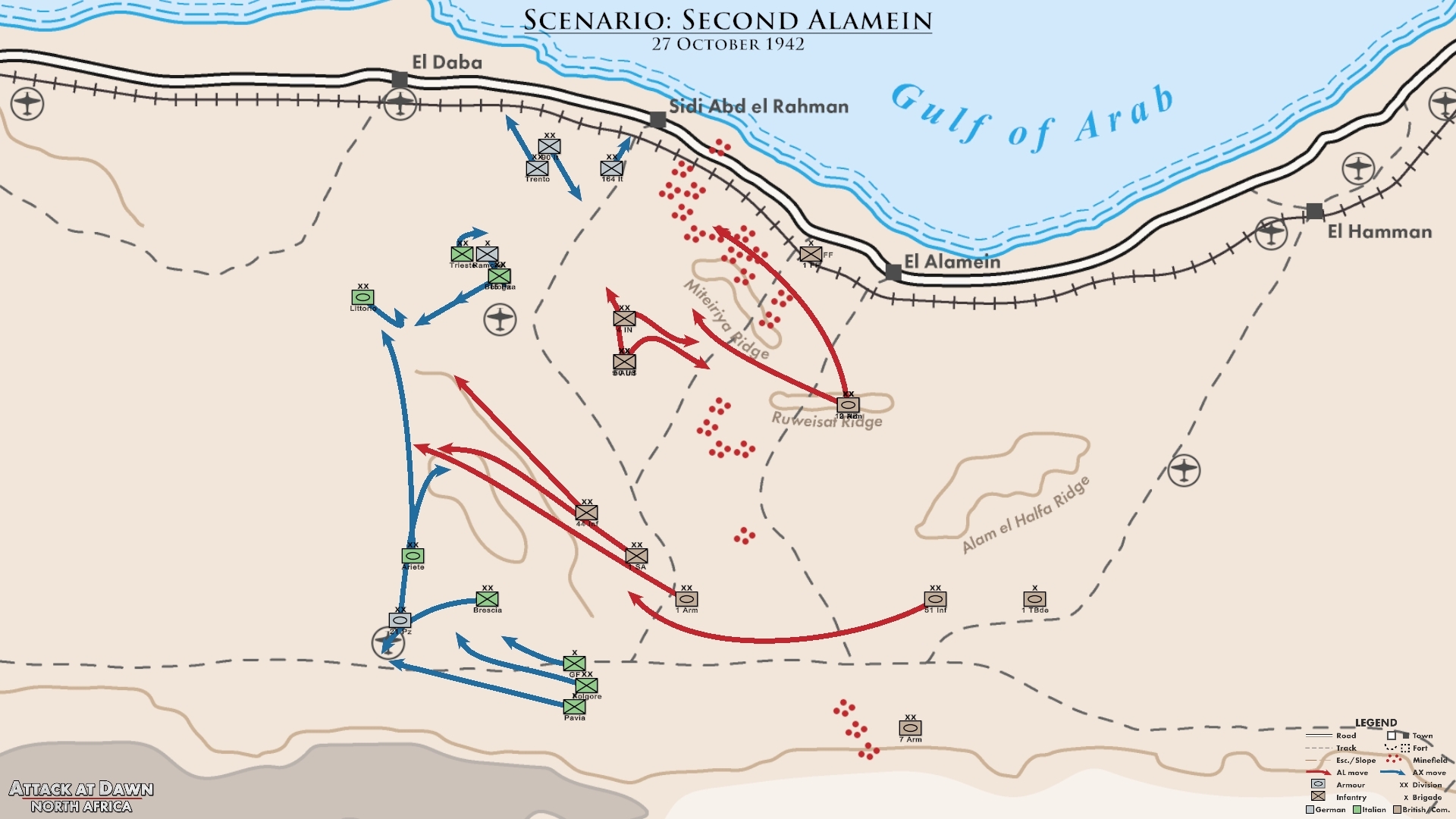
Cheers folks! We bring you another update, where we iron out those creases and add some new and interesting features. Our favourite is Battle Maps - a series of maps you get after each played scenario. You get to see what you and your opponent actually did, on a beautiful map belonging to one of those historical atlases!
And here is an update on what we are working on right now. With this update we have done all the planned major updates. From now on we will be focusing solely on upgrading the system with the Grand Campaign features we discussed before. We have already started the process, and our ambitions are getting bigger and bigger with each new iteration of the design. It is going to be really something, and it is going to be worth a wait 😉
Apart from that, we are also starting a new board game design project which will be announced and you will be able to follow its progress on our main game website. We are a game design company and we like to mix it up a bit - some computer games, some board games, maybe even both versions of the same system. We'll see how it goes!
That's that from the Panzer Division Team. We wish you happy holidays, lots of free time and enjoyment and many interesting gameplays! 🎅
Tom
Note: each new update is well tested before release, but if you happen to find any bugs or technical issues - please let us know. That way we can help you and others to have a great gaming experience.
You have played a scenario for hours, hitting that enemy where it hurts, sweating on the desert sands and finally winning the day. Wouldn't you love to have a good, clean map showing your exploits. The kind of map that belongs to the historical atlases, with units and arrows pointing in various directions. Well you have now! We bring you Battle Maps 2000 Extraordinaire!
How does it work? Each time you finish a scenario (either by winning or losing), and after you close the Battle Stats screen (by pressing Escape key) - a battle map will appear. Here you will see the situation for each day of fighting. You will be able to flip through these maps using buttons in the panel below (or your arrow keys), or maybe view it as a slideshow.
But that's not all! You will also have two options for saving those maps to your computer. You can save a single map, or even an entire map series as JPG images on your desktop. That way you can share those maps via socials with your friends, and store them for safekeeping and analysing. Isn't that something, your own historical maps!
We hope you'll like this feature. If it becomes a hit, we'll expand on it later on.
Combat Info Update
We expanded the combat info a bit, giving you that one more level of awareness that's always needed while fighting. First of all, we upgraded the Combat Panel - it now shows total Morale and Strength losses for each target unit. These totals are shown as headers, with bigger and bolder fonts and here you can see the total moral which one enemy unit is losing. Below those totals you have a detailed list of each of attacking units, showing how much each of these units damages the target, and how big are their individual Combat Differential and Efficiency factors. You can also hover over those numbers to read tooltips which explain this new panel in more detail.
We have added a new Combat Bar view option (the one you chose with a button in the Minimap Panel). This is "Hover/Select Full" option - it shows combat bar for hovered and selected units, and for all enemy units which are firing at them. If you have that option turned on and you hover over a unit in combat - you will see combat bars (arrows) pointing from that unit towards its target, and all combat bars which point at your hovered unit. Some of you will find this way of representation best suited to their needs.
Scenario Difficulty Level
We sometimes get questions how are some of our scenarios balanced (usually if some of the scenarios are found to be too difficulty to win). The thing is, this game tries to be close to the historical account. This is a game after all, but we cannot twist history so much that it becomes easy for Axis to win at El Alamein. Although we can do the most we can to make each scenario interesting and challenging, but some scenarios will still be very hard, and some others very easy to win.
In order to show you the difficulty of each scenario, we added a Scenario Difficulty label on each one of them. You can see this difficulty in the Scenario screen (where you choose your scenario) and in the Stats dialog. Difficulty has been approximated based on our playtesting, so it isn't perfect for each one of you. But it does give you a good information of what to expect. You can adjust your difficulty by setting the AI Level up and down (to Easier or Harder). We hope this will make you more aware of the challenges you are facing in each of our historically accurate scenarios.
Scenario and Gameplay Rebalancing
Tweaking and rebalancing - that's a day to day task it seems. We've revisited some of our scenarios and rebalanced them to make them more interesting (while keeping true to the historical account, of course). We have also revised the AI Levels to make their differences more pronounced. Harder AI level will be a bit more harder, and Easier level a bit more easier.
Here are the rebalanced scenarios:
rebalance Easter Battle - make it a wee bit more easier for Axis to win
rebalance Battleaxe - make it a wee bit more easier for Allies to win
rebalance First Alamein - make it a wee bit more easier for Axis to win
We have also reduced the Efectiveness of artillery units in close combat to just 25%. This was a must, as we have seen that artillery was used in close combat to devastating results for the opponents. This just wasn't so in this campaign (we know that British 25 pounders were sometimes used to fend of Italian armour, but these were rare occasions).
Minimap Zoom
Wouldn't you love to see the entire minimap zoomed out in your Minimap panel? Well you can now! We have added zoom in and out buttons to the minimap. You can now adjust the zoom level to your needs. But beware - zooming out too much will make your units and roads look very tiny.
Other Changes
Here are the other changes we did:
Supply FoW - show enemy unit No Ammo and No Fuel icons and info panel labels; if enemy unit is without ammo or fuel - that should be visible (but with no detailed info)
allow player to upload Scenario Maps and Intel Maps for custom scenarios (those files will have to be added by player in new subfolders within CustomScenarios folder)
change default HexGridVisibility for new players to 25%
Issue Fixes
fix issue - CombatBar must not be scaled based on the Unit Scaling Factor, but on the map scale - this is because it has to connect two adjacent hexes with combat arrows
fix issue - when changing UI Scale in Options dialog, the command panel and group buttons are repositioned only after closing the Game Menu dialog - they shoud be repositioned on closing the Options dialog
fix issue - in multiplayer game, client does not hear a sound when receiving notification for capturing/losing objective (or other good/bad notifications that produce sounds)
Hotfix version 1.215 - 220829
Formation Movement - if a unit in formation is blocked by friendly in its movement path, don't halt and create planned movement, but bypass the obstacle (friendly unit), or wait for it to move away
Hotfix version 1.212 - 220828
This is a quick update which corrects problems with campaign saving/loading.
check saved campaign files and folders when populating Load Campaign list with campaign saves
Update 1.211
Cheers folks! We bring you an update which will make the game smoother, easier to use and give you an overall better gaming experience. We will continue to work on making the game better, and we thank you for the suggestions and ideas you give us.
Each new update is well tested before release, but if you happen to find any bugs or technical issues - please let us know. That way we can help you and others to have a great gaming experience.
See you on the desert sands!
Tom
------------------------------------------
What's new in this version
Campaign Saving
We have implemented campaign saving. Now you can save campaign at the point of your choosing (with the Game Menu's SAVE command). You can then reload the desired save later on and continue playing from there. There is always one currently active campaign (opened via Continue Campaign button), but you can now overwrite it with Load Campaign button.
Just be careful with loading a saved campaign - it overwrites the currently active campaign, and if you want to save the old campaign for later, you should manually save it first.
Restart Scenario
We have added a RESTART button which you can activate in-game from the Game Menu, and restart your scenario from the beginning. It works both in Campaign and Scenario modes of play. You can also restart the scenario in the final Victory Dialog, after the scenario has ended.
Planned Movement
We have added a Planned Movement order, which enables you to give movement order for a unit to be executed later on. That will be very useful in commanding larger number of troops, when it is difficult to view and control the entire battlefield at a glance.
How does it work? We kept it simple, and yet effective: when a unit is blocked in its movement (by enemy unit, for instance), the unit halts but the movement order changes from active to planned. In other words - movement arrow changes from white (active) to gray (planned). When the enemy unit moves away and the path is open, our unit will automatically continue moving (and change the gray arrow back to white, active movement arrow).
You can also use this order on units which are standing next to an enemy unit, to order them where to move when the enemy is routed.
Fire Mode
We have added a Fire Mode - giving you options on how and when will your units attack the enemy. Each unit now has its own Fire Mode which you can change via Command Panel. You have following Fire Mode options:
Default - use Default Fire Mode
Fire Always - fire at adjacent enemy unit (active enemy units first)
Fire Active - fire at adjacent active enemy unit (only non-routed enemy units)
Hold Fire - do not fire
These unit fire modes are shown by tiny fire mode icons on unit counters. If a unit does not have a fire mode icon shown, that unit is using a Default Fire Mode.
You can individually set each unit (which is recommended only for special situations), or leave units on their Default mode in which case all of them use the Default Fire Mode. You can set that Default mode via new button on the Minimap Panel.
If you manually select a target for your unit (by right clicking on adjacent enemy unit) - the unit's Fire Mode is overridden and your unit fires at the manually selected enemy unit.
Hotkey Customisation
We have added a Hotkey Customisation tab in the Options screen. There you can choose your own hotkeys. If you wish to use WASD instead of cursor keys - this is the place to set that (along with other custom keys).
Routing and Easter Battle Rebalanced
We have revised the Routing Algorithm, to make it more realistic. Routed units will try to stay away from enemy units as much as possible, and they will try not to move back towards the enemy units.
We have also rebalanced Easter Battle scenario, making it bit easier for Axis to win. It still should not be easy to win, but it is much more winnable than before.
One point though - routed units will still sometimes move through enemy Zones of Control if they find this way to be the best way out, but this should happen much less frequent than before.
Notifications
We have added more Notifications, giving you more information on the progress of your fight. New notifications are:
Unit surrendered
Unit destroyed
Air unit destroyed
Air unit damaged
Bridge built
Bridge removed
Minefield cleared
Unit routed (turned off by default, turn it on in Options)
Unit no ammo (turned off by default, turn it on in Options)
Unit no fuel (turned off by default, turn it on in Options)
We have also added a Notification Log - a new panel which you can open via a new button on the Minimap panel. This panel shows a scrollable notification log with all notifications until now. If the panel is closed, you will have a standard Notification panel (as before) which only shows you the last 3 current notifications, and for a limited time.
We have added Notifications to the Options screen, allowing you to choose which notifications you want to be active. These notifications are turned off by default (and you can switch them on in the Options screen): "Unit routed", "Unit no ammo" and "Unit no fuel".
View Panel
We relocated the time-related commands to the top-right View panel. That way, we uncluttered the bottom-left Minimap panel and made the time commands stand out. We also upgraded those time commands to enable you to view and adjust time in a better fashion.
Combat Bar Options
We added a button for changing the Combat Bar view, to give you more options in how to present combat losses on the screen. Now you can cycle between following options:
show combat bars on hover/select only (old, default) - this optionc shows combat bar only for selected unit
show combat bars on Show All (SPACE) as well (new) - shows all combat bars for all units while the SPACE button is pressed
always show combat bars (new) - always show all combat bars for all units
Other Changes
There have been many other changes. They are listed below:
upgrade in-game UI panels and buttons - make them more streamlined, understandeable and user-friendly
add hotkey U - while pressed, show bottom unit in Stack as top unit
if a friendly Stack contains an HQ or artillery unit - show that Unit on top of stack (HQ first)
when F3 (Hide routed units) or F4 (Hide all units) is pressed - mouse hovering over hidden units will show data for terrain underneath those units
adapt game to ultrawide displays (3440 x 1440)
Manual Targeting - if a player selects target manually (by right clicking the designated target) during pause (in Real-Time) or in We-Go mode - recalculate combat bar immediately and show what would the combat bar losses be for this new target
allow player to click and select a single enemy unit
allow players to choose WeGo turn duration between following: one hour (default), two hours, half hour
save unit's movement path when saving the game
implement Debug logging for every exception (active when Options->Debug log option is checked)
Options - change link to debug log folder from opening folder in Windows Explorer to showing the full path; on some antivirus applications opening Windows Folder was recognized as a threat
Issue fixes
fix issue - Unit redeployment during Battle Preparation - if you change position of unit by dragging, the doubleclick on group icon will not center on the new group center hex, but will remain on the old one (before you dragged the unit to new position)
fix issue - Campaign screen doesn't show cummulative campaign losses, but only losses for the last battle
fix issue - you can build infinite number of bridges
fix issue - scenario Alam Halfa - revise starting area, it runs through some of the Axis divisions and it shouldn't
Hotfix version 1.105 - 220617
This is a quick update which corrects problems with some antivirus programs. Regular update is on the way.
Options - change link to debug log folder from opening folder in Windows Explorer to showing the full path of that folder; reason: on some antivirus applications showing the content of Windows Folder is recognized as a threat
Game is out!
Dear friends, game is released and available for you to buy and enjoy!
We will have a 15% discount for one week starting from now, so don't wait and grab the game while it's on a discount. The development team wishes to thank you all for your support and we hope you'll have fun playing the game 🕹️😃
Game Release Livestream!
For our release on 7th of June we have prepared a special celebration. We are presenting you a livestream with our designer Tom!
Join us on this special day for a round of live gamplay and chat. See you on 7th June at 7pm CEST 😀
Hotfix version 1.103 - 220528
fix: when Scenario is saved and one player has no Airfields, but has AirUnits (albeit destoyed) then this message appears: "[SIDE] has AirUnits, but no Airfields" - this message should appear only if there are non-destroyed AirUnits (destroyed AirUnits are not to be checked)
fix: minimap shows wrong position of units and is not scrolling to the actual map edges, while using topographic (new) map style