Barony cover
Barony screenshot
Linux PC Mac Steam Epic
Genre: Fighting, Role-playing (RPG), Adventure, Indie

Barony

4.2.1 Hotfix Patch Notes

V4.2.1 Hotfix Patch Notes - March 7th (PC - Windows/Linux/Mac)


General:

  • Enabled the 5 new leaderboard specific achievements to be progressed while playing the weekend Challenge Event (Standard achievements are still disabled in this mode):

    • “Bloom Where You’re Planted”
    • “Growth Mindset”
    • “Johnny Dungeonseed”
    • “Reap What You Sow”
    • “Sprouts”

  • Added prompt when selecting locked race/class combinations to notify which achievement needs to be unlocked

Modding/Translations:

  • Added higher resolution texture mod support:

    • Using new file /data/tiles.json
    • Include this file and modify the line ‘tile_texture_size’ when creating higher resolution texture mods.

  • Added translation mod support for introduction/story sequences:

    • Files are in /data/story/ folder

  • Improved translation mod support for books:

    • Using new file /lang/book_names.json
    • To translate book content, edit the .txt files in /books/ folder but do not change the filename
    • To translate book names, edit the new /lang/book_names.json with your translated names in the right hand side


Bugfixes:

  • Fixed crash on Conjurer Skeleton level up on Linux/Mac
  • Fixed One-Shot Challenge character selection defaulting to Barbarian when the class choice was predetermined
  • Fixed Wanted effect from Bandit Mask disappearing on entering Hamlet
  • Fixed “Bloom Where You’re Planted” achievement not triggering correctly for follower kills
  • Fixed “Comedian” achievement not triggering while wearing Funny Bones’ eyepatch
  • Fixed crash when unloading translation mods with edited books

v4.2 Update - Eat My Hat Is Live!

They said it couldn’t be done, but somehow, we managed to pull it off. Now you can have your hat and eat it too!

The Eat My Hat update for Barony is finally here. With this latest update to the game, players have Hats, Custom Seeds, Mimics, and more to discover. There's so much great stuff to go over, let's dive right in and see how the latest update has made Barony bigger than ever before.

Hats and Masks


The first feature that inspired the title of the latest update to Barony, hats and masks further expand your character’s loadout. The team has added over 30 items to the game which you can find during your quest or purchase from a hat shop.


Mix and match to find that perfect look


Every hat or mask you equip comes with special themed game effects, so these fashionable new accessories are much more than cosmetics. Full helmets have been broken up into two pieces to ensure that that impressive eye patch you found isn’t covered up by an iron mask. A musketeer tried it once. It didn't go well.

Mimics


The time has come. Mimics have long been in the works for Barony, and they’ve finally brought their voracious appetites to bear on the darkest parts of the dungeon. These vicious foes are impossible to distinguish from a regular chest until you open it. Once unleashed, they’ll pursue you relentlessly, causing serious damage to your adventurer while eating any armor you have equipped. Consider yourself warned!


Run for your life once a mimic sets its hungry sights on you.


Game Seeds


Custom Seeds


The addition of Custom Seeds in Barony fulfills another of our Kickstarter promises! Each seed ensures that you’ll get the same dungeon layout every time you play. Seeds are perfect for speedruns or practicing strategies on a familiar map.


Set Custom Seeds from the Lobby Settings Menu


Seed Events


One-Shot Challenges
One-Shot Challenges are what you'd expect from the name. You've got one shot to complete the challenge and get the highest score possible. Once you die or quit the game, your score is recorded for everyone to see. You won't be able to attempt the same One-Shot Challenge again, so make sure you're not throwing away your...yeah, you get it.

One-Shot Challenges can only be played in a local game.

Unlimited Challenges
You can attempt Unlimited Challenges as many times as you'd like. Each time you complete the challenge, either through victory or death, your score is recorded. Can you break the top ten when you have an unlimited number of attempts?

Unlimited Challenges can be played in single or multiplayer.

Event Challenges
Event Challenges are particularly exciting! These types of events might have you playing as a glass cannon armed with a super powered crossbow. Or maybe the game ends when you've destroyed enough furniture. The sky is the limit (or maybe we should say the dungeon is bottomless) when it comes to Event Challenges.

Event Challenges can be played in single or multiplayer.


How will you challenge Barony’s dungeons?


Leaderboards


Leaderboards have been fully implemented for the Steam and Epic Games Store versions of Barony!

There are several filters you can toggle between to see exactly how you stand up to other players:


You’re bound to be the best at something


Leaderboards are broken into two varieties: general, and Seed Event leaderboards. If you want to see how you stack up in a normal run-through of the dungeon, the regular boards are your destination, in the Adventure Archives. But if you have an incredible run playing as a skeleton in one of the Seed Events, use the “View” button next to that Seed Event menu.

Redesigned Icons


Starting with Eat My Hat, game icons have been completely redesigned! We now have wonderfully rendered, fully 2D, pixel art renditions of every item in Barony. Matthew Griebner has outdone himself once again with these subtle but highly effective icons.


Everything from your inventory to stores look gorgeous with the new icons


Swamp Trees


We're always striving to make Barony bigger, badder, and more beautiful, and just like our overhauls of the Labyrinths, Underworld, and Hell, the Swamps have gotten a little love.


A Swamp Tree in all of its swampy goodness


Starting with Eat My Hat, Swamp Trees will begin to spawn in the second realm you visit. These new trees stand apart from the rest of the obstacles on these floors of the dungeon and go a long way toward improving the look of one of Barony's existing biomes.


A lovely place to camp


But don’t get too comfortable


V4.2.0 Patch Notes


General:

  • New hats and masks added to the game, spawning in a range of locations throughout the world. New items will appear in Shopkeeper stock, chests, floor items and miniboss inventories
  • As part of this overhaul, some starting class hoods have been replaced with new effect variants for the Rogue, Wanderer, Arcanist, Ninja, Conjurer, and Mesmer
  • All full face headgear such as the Steel Helmet is now split into the helmet and mask portions for customizability
  • Custom Seeds are now supported in the lobby game settings - All map generation objects are now tied to the current map seed and will generate identically when reloading the same savefile:
  • This includes generation objects previously not tied to the map seed such as Shopkeeper stock, chest loot, Minotaur / Zap Brigade spawning, miniboss spawning, spell/arrow trap projectiles
  • Skills can now be modified by certain new items, check modifications to your skill levels in the Skill Sheet:
  • The colored sidebar numbers in the Skill Sheet will display your total of base + modified skill
  • The center area will show the breakdown of your base + modified values in the form of (X + 10) or (X - 10) when applicable
  • Modifying your skill levels grants all benefits displayed, including Legendary unlocks
  • The maximum total is still 100, exceeding this through modifications will not have any effect
  • Skills may still be levelled as normal while your base skill is below 100 but the total has been modified to 100
  • Mask slot items can now degrade on hit if they provide +AC
  • Destroy armor scroll now works on mask slot items
  • Khryselakatos attack speed improved from 0.9x to 0.75x (matching Compound Bow speed)
  • Crossbow and Arbalest now benefit from Swift ammunition and Draw Speed modifiers
  • Removed Alembic from the Tinkering Kit crafting menu and replaced with a new item
  • Chests now show health bars when hitting for 0 damage with projectiles
  • “Wanted” status effect is now also tied to your character sex in addition to race, providing another way to mask your identity
  • Slightly reduced frequency of follower idle noises
  • Added support for alternate sound setups, including surround 5.1/7.1.
  • Change the sound output type in the Audio Settings tab. Restart the game to apply
  • Added an HDR video setting. Toggle it on and off from the Video Settings tab

Bug Fixes:

  • Fixed multiplayer clients not receiving current enemy status effects on top of their health bars
  • Fixed Goblin melee skill increase notification playing after reaching max skill levels
  • Fixed polymorph not working correctly when playing as a monster with Disable Abilities checked
  • Fixed tinker trap placement on chests not positioning correctly
  • Fixed Parashu proc message incorrectly playing when shapeshifted
  • Fixed a bug where Steam Workshop item images were not displaying properly on some platforms
  • Fixed a bug with Surround Sound where front and rear orientation was flipped

Translation Notes:

  • Added character sheet attribute abbreviations to the lang/en.txt translation file (ATK/AC/PWR etc)
  • Fixed STR/DEX/CON/INT/PER/CHR in the character sheet class tooltip not using the translation already present in the game files
  • Individual files with updates that should be text diff’d from the previous version, as many lines have been added (Make copies from the previous V4.1.1 version before updating):
  • data/skillsheetentries.json
  • Important - Changed internal tag “MAGICSPELLPOWER” to “MAGICSPELLPOWER_INT”
  • Important - “STEALTH_BACKSTAB” added line "realtime_update": true
  • data/status_effects.json
  • lang/en.txt
  • lang/item_names.json
  • items/items.json
  • items/item_tooltips.json

V4.1.1 Hotfix Patch Notes Part 2

Bugfixes:

  • Fixed crossplay save games with Nintendo Switch not being able to continue.
    (Note: existing saves affected by the bug in the last week unfortunately couldn't be fixed, so new games will need to be created. Apologies to those that experienced this issue.)

Nominate Barony for the "Labor of Love" award!

Barony wasn't the kind of game that made a big splash when it first released. While other indies seemed to get a lot more attention at the time, Barony remained the shadows. But, like a lurking lich, it grows stronger over time.

Today, we're honored to be working on Barony, still making it as good as we can! We owe it to you for discovering the game, and spreading news about it with your friends. We couldn't do it without you. Thank you for sticking with us through all the updates.


...

And more to come. Thank you again for your enthusiasm and support!

The "Eat My Hat" 4.2 Update - Coming February 2024

We got another big update comin’! Our primary commitment continues to be delivering on our Kickstarter promises while we add stuff to the game that we just think makes it more rad, and we hope you’re as excited as we are.

Introducing…


We are working hard on the “Eat My Hat” 4.2 Update as you read this (if you read it before it comes out), slated to release in January 2024 [EDIT: Now delayed until February]. This is our second major update following the Nintendo Switch and Quality of Death releases for Barony!

I hear you in the back: “That’s the best name for an update I’ve ever heard. But what’s it mean?!?”

Let’s get right into that! The first two items we have to tease actually have nothing to do with our Kickstarter promises. While we are delivering great new features from our Kickstarter as well, we have the sneaking suspicion that nothing satisfies you like CONTENT. So here it comes.

Masks and Hats


This is something we had originally planned on saving for our big DLC update, but we figured “Why not sooner?” Currently in Barony our face slot has very little viable variety, and that didn’t sit right with us. So we decided to make a bunch of new items to fill that slot and give players more itemization choices!:


Some of the new face-slot items coming with the 4.2 “Eat My Hat” Update


But this causes a conundrum! Part of the fun of having a bunch of stylish, cool or wacky face-wear is showing it off, either to your friends in co-op or on the in-game leaderboard. Most of the game’s best helmets cover your whole face, and you won’t be able to see your cool face-slot item! What to do!?

Well we just took all the visors off the hats and made them a separate face-slot item.


Items which previously covered both the head and face shown separable into two pieces


Then we figured, while we’re in here, why not just make a ton of cool hats?


Some of the new head-slot items coming with the 4.2 “Eat My Hat” Update


Each new hat and face-slot item will have a thematic gameplay effect for you to consider as you select your gear. So you can expect a few new strategies to emerge as hats and masks compete for your equip slot!

With the ability to mix and match any headwear with any face-wear, we’re excited to see what your favorite combinations end up being. And maybe then the shopkeeper you’re most excited to see show up will be the one in the Hat Shop.


Mimics


Part 2 of this update’s namesake is obviously the hats, and here’s Part 1!

I’ll be honest, I was tempted to not announce this at all, and just let y’all discover it when it showed up in-game as it murdered you. But in the end, probably only like 5% of our players are reading this, so consider this a special warning just for those of you who are paying attention!

In 2021, (yeah it’s been two years already!) you all voted for the Mimics from our Barony Scarony Halloween mod to become a functional part of the base game. In the Halloween holiday theme, it’s just a cosmetic change to chests, but now the surprise at seeing teeth in the box will have consequences, all year round!


Animation previsualization of a Mimic in action


FUN FACT: Mimics were intended to be part of the base game prior to its launch in 2015, but we just never got around to putting them in. We’re excited to finally be adding them your list of horrors to watch out for.

There are other such monsters which may be making their way into the game…


As you’ve come to expect from Mimics in other RPGs, they’ll look just like a chest, waiting for incautious adventurers to stumble face-first into their jaws. They’ll have a few fun quirks as well, like their ability to EAT your equipped items... such as your brand-new HAT.

We’re looking forward to seeing what kinds of strategies you employ in discovering and defeating Mimics!

Seeded Games


This one is from our Kickstarter bonus goals!

    What’s a Seeded Game?
    Randomized aspects of procedurally-generated content in Barony are selected by using a seed value. The seed is different every game, so the randomized result is also different every game. This means, if you use the same seed you’ll get the same result, eliminating a lot of the game’s randomness! So, seeded games in Barony are ones where the players can select games that have a predictable outcome in terms of the content and challenges presented to the player.


Custom seeds, accessible in Lobby Settings by the game’s host


Some great applications for seeded games:


  1. Speedrunning
    Many games with procedurally generated content have categories for seeded runs. Knowing the content that’s going to be in the game allows players to find and select the best seeds for completing the game the fastest! With infinite seeds to explore, and reliable pathing finally at their fingertips, speedrunners will be able to optimize Barony speedruns far, far more than ever before.
    We’re fans of speedrunning here at Turning Wheel, and we hope this enriches our already awesome Barony speedrunner community!

  2. Periodical Challenges
    With seeded runs supported, we’ll be able to host periodical challenges which allow players to participate in daily or weekly challenge runs, where every player is running the same seeded dungeon. This allows us to have more competitive leaderboards, knowing that each player faced the same challenges!

  3. Practice
    Try new strategies in a predictable environment, maybe to get your first victory or even farm achievements!
    Be Tom Cruise from Edge of Tomorrow and deftly avoid every threat by memorizing exactly what to do!


Compete in daily runs with one attempt!


We have some other ideas of what we’ll do with seeded runs that we may share on more later!

Online Leaderboards


Online leaderboards are making a return!

You may’ve noticed that since the Quality of Death Update there haven’t been online leaderboards to see how your runs measure up against the rest of the world, since none of our solutions allowed players to compete across all online platforms.

We now have a new solution, just in time for the seeded run competitions to take place!


Online leaderboards menu with new leaderboard filter options (WIP)


Combined with Seeded Runs, we’re hopeful that checking your performance on the Leaderboards will be something that more of you are interested in doing! Barony is a co-op game, but that’s no reason not to flex on your friends! Show off your sweet new hat & mask combo in your end-of-game character portrait, too.

Inventory Item Icon Improvements


Another bonus addition that’s coming with this update is that we’re replacing all of our inventory item icons!

Previously we took simple images of the in-game model. Due to the scale limitations of voxels, some models look better than others, and we knew we could do better. So we’ve commissioned the talented Matthew Griebner to overhaul all of our item icons with great, hand-crafted pixel art!

Each icon is directly inspired by the in-game voxel model, so finding the items in your inventory is still a breeze!


Matthew created the vast majority of our UI pixel art for the Quality of Death update, and his pixel art for these items fits right in and look fantastic!

Thanks for Reading!


We hope that this preview of The 4.2 “Eat My Hat” Update has given you a lot to look forward to! Now get back into the dungeon and slay some undead.

The content of this announcement was copied from the Turning Wheel Blog. Check it out!
The "Eat My Hat" 4.2 Update - Coming January 2024

We got another big update comin’! Our primary commitment continues to be delivering on our Kickstarter promises while we add stuff to the game that we just think makes it more rad, and we hope you’re as excited as we are.

Introducing…


We are working hard on the “Eat My Hat” 4.2 Update as you read this (if you read it before it comes out), slated to release in January 2024. This is our second major update following the Nintendo Switch and Quality of Death releases for Barony!

I hear you in the back: “That’s the best name for an update I’ve ever heard. But what’s it mean?!?”

Let’s get right into that! The first two items we have to tease actually have nothing to do with our Kickstarter promises. While we are delivering great new features from our Kickstarter as well, we have the sneaking suspicion that nothing satisfies you like CONTENT. So here it comes.

Masks and Hats


This is something we had originally planned on saving for our big DLC update, but we figured “Why not sooner?” Currently in Barony our face slot has very little viable variety, and that didn’t sit right with us. So we decided to make a bunch of new items to fill that slot and give players more itemization choices!:


Some of the new face-slot items coming with the 4.2 “Eat My Hat” Update


But this causes a conundrum! Part of the fun of having a bunch of stylish, cool or wacky face-wear is showing it off, either to your friends in co-op or on the in-game leaderboard. Most of the game’s best helmets cover your whole face, and you won’t be able to see your cool face-slot item! What to do!?

Well we just took all the visors off the hats and made them a separate face-slot item.


Items which previously covered both the head and face shown separable into two pieces


Then we figured, while we’re in here, why not just make a ton of cool hats?


Some of the new head-slot items coming with the 4.2 “Eat My Hat” Update


Each new hat and face-slot item will have a thematic gameplay effect for you to consider as you select your gear. So you can expect a few new strategies to emerge as hats and masks compete for your equip slot!

With the ability to mix and match any headwear with any face-wear, we’re excited to see what your favorite combinations end up being. And maybe then the shopkeeper you’re most excited to see show up will be the one in the Hat Shop.


Mimics


Part 2 of this update’s namesake is obviously the hats, and here’s Part 1!

I’ll be honest, I was tempted to not announce this at all, and just let y’all discover it when it showed up in-game as it murdered you. But in the end, probably only like 5% of our players are reading this, so consider this a special warning just for those of you who are paying attention!

In 2021, (yeah it’s been two years already!) you all voted for the Mimics from our Barony Scarony Halloween mod to become a functional part of the base game. In the Halloween holiday theme, it’s just a cosmetic change to chests, but now the surprise at seeing teeth in the box will have consequences, all year round!


Animation previsualization of a Mimic in action


FUN FACT: Mimics were intended to be part of the base game prior to its launch in 2015, but we just never got around to putting them in. We’re excited to finally be adding them your list of horrors to watch out for.

There are other such monsters which may be making their way into the game…


As you’ve come to expect from Mimics in other RPGs, they’ll look just like a chest, waiting for incautious adventurers to stumble face-first into their jaws. They’ll have a few fun quirks as well, like their ability to EAT your equipped items... such as your brand-new HAT.

We’re looking forward to seeing what kinds of strategies you employ in discovering and defeating Mimics!

Seeded Games


This one is from our Kickstarter bonus goals!

    What’s a Seeded Game?
    Randomized aspects of procedurally-generated content in Barony are selected by using a seed value. The seed is different every game, so the randomized result is also different every game. This means, if you use the same seed you’ll get the same result, eliminating a lot of the game’s randomness! So, seeded games in Barony are ones where the players can select games that have a predictable outcome in terms of the content and challenges presented to the player.


Custom seeds, accessible in Lobby Settings by the game’s host


Some great applications for seeded games:


  1. Speedrunning
    Many games with procedurally generated content have categories for seeded runs. Knowing the content that’s going to be in the game allows players to find and select the best seeds for completing the game the fastest! With infinite seeds to explore, and reliable pathing finally at their fingertips, speedrunners will be able to optimize Barony speedruns far, far more than ever before.
    We’re fans of speedrunning here at Turning Wheel, and we hope this enriches our already awesome Barony speedrunner community!

  2. Periodical Challenges
    With seeded runs supported, we’ll be able to host periodical challenges which allow players to participate in daily or weekly challenge runs, where every player is running the same seeded dungeon. This allows us to have more competitive leaderboards, knowing that each player faced the same challenges!

  3. Practice
    Try new strategies in a predictable environment, maybe to get your first victory or even farm achievements!
    Be Tom Cruise from Edge of Tomorrow and deftly avoid every threat by memorizing exactly what to do!


Compete in daily runs with one attempt!


We have some other ideas of what we’ll do with seeded runs that we may share on more later!

Online Leaderboards


Online leaderboards are making a return!

You may’ve noticed that since the Quality of Death Update there haven’t been online leaderboards to see how your runs measure up against the rest of the world, since none of our solutions allowed players to compete across all online platforms.

We now have a new solution, just in time for the seeded run competitions to take place!


Online leaderboards menu with new leaderboard filter options (WIP)


Combined with Seeded Runs, we’re hopeful that checking your performance on the Leaderboards will be something that more of you are interested in doing! Barony is a co-op game, but that’s no reason not to flex on your friends! Show off your sweet new hat & mask combo in your end-of-game character portrait, too.

Inventory Item Icon Improvements


Another bonus addition that’s coming with this update is that we’re replacing all of our inventory item icons!

Previously we took simple images of the in-game model. Due to the scale limitations of voxels, some models look better than others, and we knew we could do better. So we’ve commissioned the talented Matthew Griebner to overhaul all of our item icons with great, hand-crafted pixel art!

Each icon is directly inspired by the in-game voxel model, so finding the items in your inventory is still a breeze!


Matthew created the vast majority of our UI pixel art for the Quality of Death update, and his pixel art for these items fits right in and look fantastic!

Thanks for Reading!


We hope that this preview of The 4.2 “Eat My Hat” Update has given you a lot to look forward to! Now get back into the dungeon and slay some undead.

The content of this announcement was copied from the Turning Wheel Blog. Check it out!

4.1.1 Hotfix Patch Notes

V4.1.1 Hotfix Patch Notes - November 18th (PC - Windows/Linux/Mac)


General:
  • Updated to V4.1.1 for compatibility with Switch version
  • Added /pennilessmode command to prevent gold pickup when aiming for the achievement
  • Automaton players now take take up to 5% of max HP damage per tick while in lava to offset the mana regeneration benefits

Bugfixes:
  • Fixed rare crash when using teleporter tinkered traps
  • Fixed automaton players gaining infinite boiler amounts by standing in lava
  • Fixed “WELCOME TO YOUR DOOM” message not playing correctly
  • Fixed signal timer sprite in editor drawing incorrectly
  • Fixed unobtainable spells “Ghost Bolt/Weakness” displaying in the Magic skill sheet at max Magic
  • Fixed “Bottlenosed” achievement incorrectly triggering when polymorphed as a goatman rather than a true goatman
  • Fixed player ghosts remaining in-world after a player has disconnected
  • Fixed blindfold of telepathy effect in splitscreen to not affect other player viewports

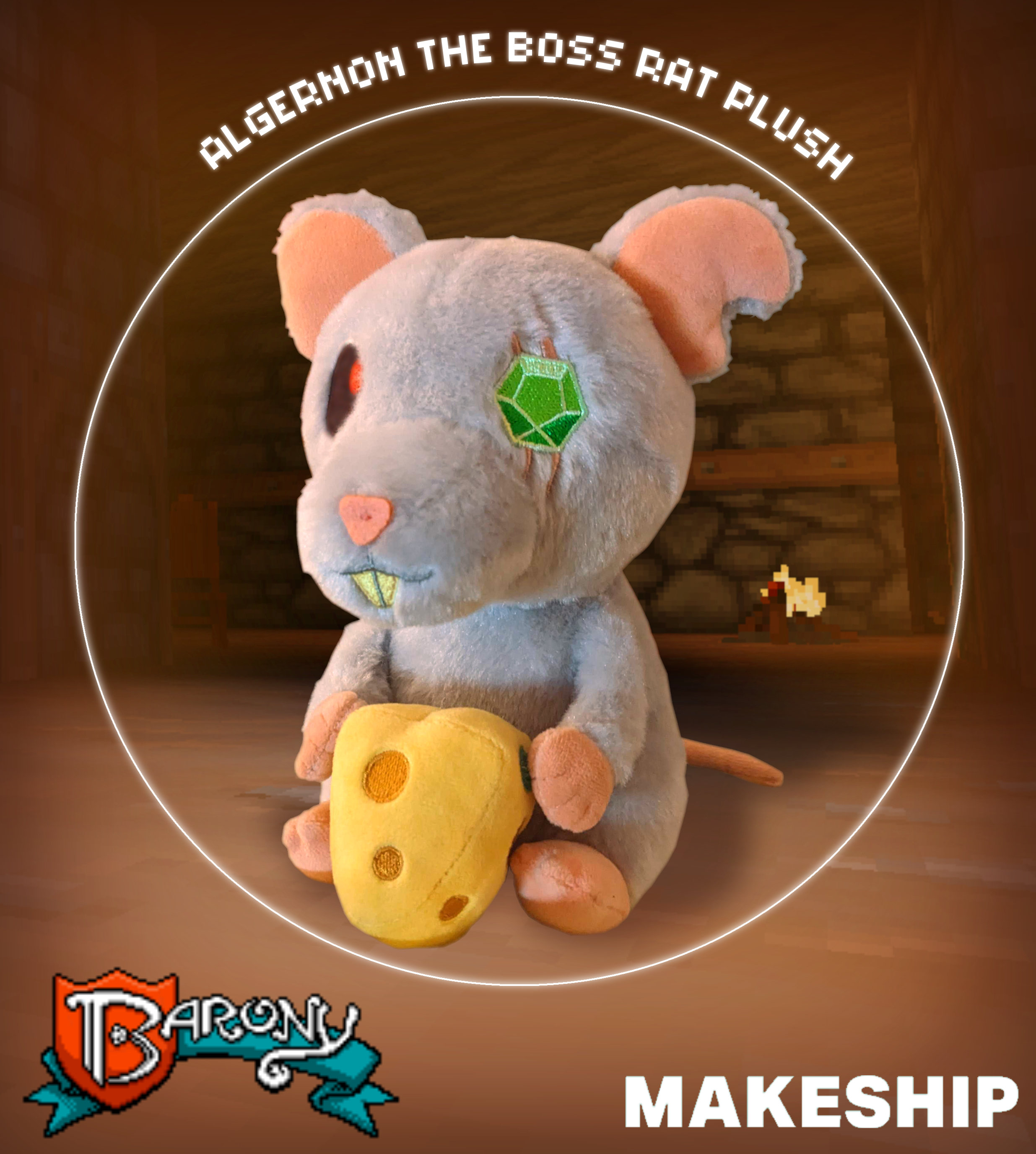
Algernon the Boss Rat Plushie NOW AVAILABLE! [Video]


Algernon the Boss Rat Plush is now available to purchase at Makeship!

We know some of you were eagerly looking forward to a Barony rat plush! We've been working with Makeship to put together a plush since we had our new in-game design for Algernon locked in. After making sure he's everything we hoped and dreamed of, we're very happy to finally be delivering the final product to you.

If you've never participated in a Makeship campaign before, it works like this:

  • For a month, Makeship takes orders for Algernon plushies
  • Once the purchase period has ended, production begins!
  • Makeship creates as many plushies as you ordered
  • Once they're all done, they are delivered directly to you!

And that's IT! No more Algernon Plushies after that. So get yours while the gettin's good! Our share of the profits go straight to our development fund, so if you like what we do here and you want a plush, maybe this is a fun way to offer us a little extra support.


Follow the link to buy your very own!:

Buy Your ALGERNON THE BOSS RAT PLUSH at Makeship


https://www.makeship.com/products/algernon-the-boss-rat-plush

The "Life After Death" Update is live!


We’re excited for you to enjoy Barony’s first major update following our huge “Quality of Death” overhaul. The “Life After Death” 4.1 Update features more quality-of-life improvements, especially for multiplayer games of Barony.

In this post, we’ll go into detail about everything we’ve added, and how to take advantage of it! Not to oversell it, but we have some really cool stuff to share.

V4.1.0 Patchnotes:


Holiday Themes:


Our Halloween and Christmas remix mods are now part of the base game! These automatically apply at launch in the months of October and December, respectively. They've also been improved and fully compatible with all the Quality of Death updates!

Clicking the holiday banner at the main menu will take you to the settings “Online” panel. Here you can toggle on/off the seasonal content as desired


With the Barony Halloween Celebration theme enabled, you’ll notice things are much spookier! Some armor now looks like costume pieces to mix-and-match, food is replaced with candy, and even monsters are dressed up! Though the look and names of things may be different, the game rules are all the same as vanilla Barony.

Player Callouts:


Quick, context sensitive communication for online or splitscreen multiplayer.


Quick Callout and Callout Wheel

How it works:


  • The default Callout binding is [X] on keyboard or [Left Stick] on gamepad (rebindable)
    Just press the bound button to bring up the Quick Callout prompt
  • When the Quick Callout prompt is active, press the Use key to select a target at a distance to call out, or issue a call out without a target
  • Press the Callout binding a second time to open a radial menu with more options that change depending on what your cursor last targeted
  • Issuing a Callout will spawn an icon in the world, play a sound effect, and ping a minimap location with an accompanying message from the originating player
  • Callout sound effect volume is adjusted using the Notification audio slider in Audio Settings

Callouts are enabled only in multiplayer!
On PC / Mac / Linux, use the following console command to play with them in single-player:

/callout_debug true


Quick Callout Prompt


Quick Callout on an enemy skeleton


Opened Callout Wheel while hovered over a boulder

Callout Types:


    (North) “Look” - This is the default command when using a Quick Callout
  • No target: Notify a location in the world without a message
  • Targeted examples: “Enemy X here!”, “There’s an X item here!”, “I found a chest!”


    (East) “Thumbs Up” - Affirmative/Proceed
  • No target: Spawn a thumbs up over your player
  • Targeted examples: “Attack the X!”, “This X item is good”, “I’ll check the chest”, “Turn that switch on”, “I’ll use the fountain”, “I think that boulder trap is safe”, “Thank you, player X”


    (West) “Thumbs Down” - Negative/Avoid
  • No target: Spawn a thumbs down over your player
  • Targeting examples: “Flee from the X!”, “I’m not ready to use the exit”, “This item X is no good for me”, “Watch out for that boulder!”, “Nothing useful in that chest”


    (North West) “Help” - Assist/Aid me
  • No target: Spawn an exclamation help icon over your player. If low on health, hungry, or affected by negative status conditions, they will be relayed in the message. “You call for help! (Starving/Confused/Needs Healing)”
  • Targeting examples: “I need help with this monster X!”, “I need assistance with this item X”, “I need help by this object X”


    (North East) “Move To”
  • No target: “Let’s move here!”
  • Targeted: Same as above, but will follow moving objects


    (South/South West/South East) “Wave” - Get a player’s attention
  • Does not use targeting, will always spawn a wave icon over your player with the selected players color and message “X waves to Y!”


Player Ghosts


Dying in multiplayer now respawns you as a ghost! Help your allies from the other side with your illuminated self by using callouts, pushing items, chilling enemies, throwing switches and opening doors.


  • Upon death, clicking “Dismiss” from your gravestone will spawn your player ghost.
  • Swap between ghost and the previous player spectate mode using the pause menu.
  • Ghosts phase through ally and enemy NPCs without disturbing them
  • Ghosts have floating movement and bounce off walls and other solid objects
  • The ghostly afterlife is also steeped with an eerie fog

    If every member of your party has died, it’s Game Over as usual!

Ghosts are enabled only in multiplayer!
To play around in singleplayer on PC / Mac / Linux, enable cheats and use the console command:

/respawnasghost


Ghost Abilities


Ghosts have abilities, shown by a few icons replacing your hotbar in ghost form:
  • Push - Interacting with items will slightly push them in your facing direction. Pushing items too frequently will incur a short cooldown to recharge.
  • Sneak - Ghosts are self-illuminating and will light up the world for others to see. Sneaking turns off your emitted light to help hide your allies.
  • Haunt - Teleport to several waypoints in a cycle with a short cooldown
    First, teleport to alive or ghostly players in player order
    Then, teleport to where you died
    Then, teleport back to your starting location in the map
  • Chill - A short range magical bolt with a short cooldown.
    Inflicts knockback and slows monsters for a short duration

    In addition, ghosts can make full use of the Callout Wheel, can open doors and throw switches to traverse the world and help allies.


Minimap Progress Sharing:


All players now reveal the map for other players in multiplayer:
  • Traversed areas by other players are revealed in gray
  • Other players update the map in a minimum radius of 3 tiles, more if there are light sources along their vision cone
  • Due to how ambient light is artificially added for the local player perspective, the revealed minimap may not exactly match between player perspectives beyond the minimum 3 tile radius
  • Player ghosts also share minimap updates

Online Ping Display


Multiplayer lobbies will now show an indicative ping bar when joining a lobby, as well as warnings when a players connection is failing in the in-game player list.


Ping values are configured as:
  • Green <100ms
  • Yellow <150ms
  • Orange <250ms
  • Red >250ms

    If the ping is green/yellow, then it will only show briefly on game start and hide itself until reaching a greater orange/red latency.

Damage Numbers:


Added new color and animation variations for different attack effectiveness:
  • If an enemy is weaker to a weapon type by 15% or more:
    Damage number will be pale orange and float up
  • If using a charged melee strike:
    Damage number will be pale orange and float up
  • If an enemy is weaker and using a charged melee strike:
    Damage number will be deep orange and float up
  • If an enemy is resistant to a weapon type by 15% or more:
    Damage number will decay in size as it falls

Translations & Modding:


Large amounts of unused text in lang/en.txt have been deleted and marked as DEPRECATED#, if you are working on a translation you can skip over these lines.
  • Mods using data/lights.json, lang/item_names.json, lang/en.txt now combine with the base game data entries, so when new content is added to Barony your mod will still work and fill in blanks with the base game data.

    For more information on creating Barony translations, refer to our Community Guide.


General:


  • Improved chances of Automaton NPCs recycling items
  • Re-enabled and added a new sound effect when Polymorph effect is about to end

Bugfixes:


  • Fixed player nametags not being visible behind walls
  • Fixed models.cache file crashing on startup instead of regenerating if there is a mismatch between .vox files and cached files
  • Fixed both Magic/Casting allowing levelling beyond 40 with the light spell if either of the values were below 40
  • Fixed Character Sheet ATK value/tooltip not calculating correctly and using the old damage/skill formula prior to Quality of Death
  • Fixed achievements “Fluttershy”, “Wonderful Toys” triggering incorrectly
  • Fixed incorrect deathbox item sprite coloring in multiplayer
  • Fixed Unarmed skill glove degrade chance displayed on skill sheet not scaling with Unarmed skill level
  • Fixed final boss sound effects playing for each player rather than 1 global instance in split-screen
  • Fixed messages in split-screen taking slightly more vertical space than needed
  • Fixed being unable to select an ally/follower list after losing an ally to the Charm Monster spell
  • Fixed some instances of % signs in chat not formatting correctly
  • Fixed ground items not removing burning particles after moving outside of lava
  • Fixed editor not copying all map properties consistently when creating a new map after opening an existing map
  • Fixed possible crash when changing level and drawing the minimap


Thanks for Reading!


We have more great stuff for you on the horizon. We’ll be announcing our next big update soon. Until then, we hope you enjoy Barony with the “Life After Death” update!

V4.0.2 - Performance, Full Translation Support and Hotfixes

24th September PC (Build V4.0.2.2023.09.25):


Performance:


  • Added new settings option to preload music files in Settings -> Audio -> Preload Music Files. If you have stuttering issues during later dungeon floors this will improve performance. After enabling, restart the game client for changes to take effect. Note this will increase initial load times and will increase RAM usage to approx 2GB.

Gameplay:


  • Fixed sustained spells consuming less MP than intended when casting skill was below 40.
  • Completing the game in splitscreen now awards end-game race achievements for all players participating, instead of only player 1

General fixes:


  • GOG/DRM-free version - fixed DLC classes not unlocking for all races when you have the requisite complete game as X race achievement
  • Fixed mouse clicks in splitscreen interfering with gamepad player inventory controls
  • Fixed multiplayer client victory screens/scores being incorrect in Classic mode
  • Fixed "In Greater Numbers" achievement not awarding in multiplayer if host had skipped credits
  • Fixed stat tracked achievements not counting correctly in multiplayer
  • Fixed torches degrading while shapeshifted
  • Fixed Stealth skillsheet tooltip displaying incorrect light values
  • Fixed crash when pressing follower commands while reading a sign
  • Fixed camera lighting issues occuring at certain video resolutions

Modding:


  • Added all main menu/settings text to lang/en.txt, now can be localized into other languages
  • Added support for "Fonts" folder to add missing text characters to the font files
  • Fixed "Limbs" folder not working correctly
  • Scripting: Fixed @class= tag not working correctly in multiplayer
  • Added /achievements_warning false command to remove achievement disabled popups when testing maps