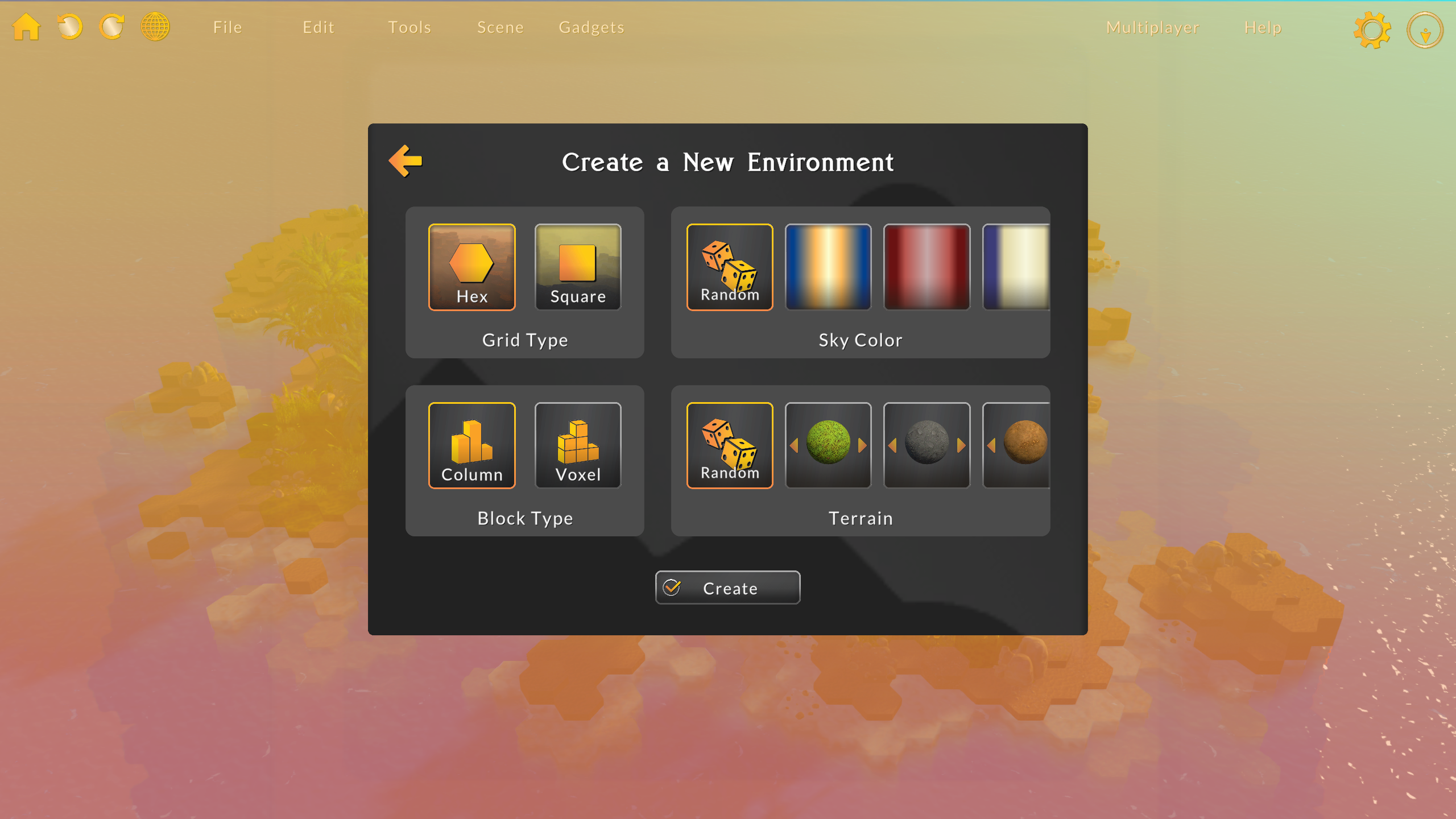
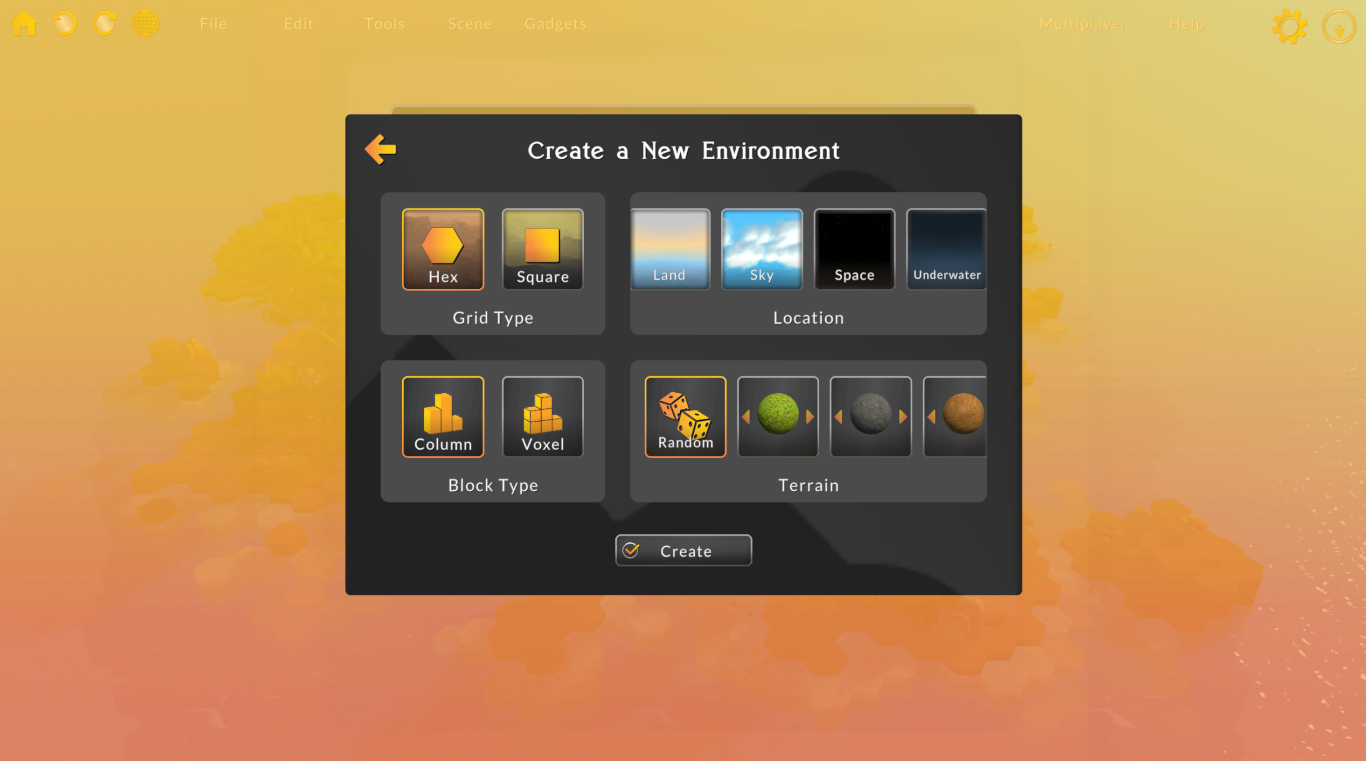
In this update I added the ability to create worlds in different locations, including land, sky, outer space, and underwater. These simple changes surprisingly add a very different feel to environments. Now, instead of selecting a sky color when creating a new world, you select a location. Each location has certain sky settings, which you can of course change later.
I also added some basic metal and metal tile materials for to help build sci-fi environments! I added 8 new metal materials and 6 new metal tiles. I also added a new Gloss material for almost invisible blocks, which I hope help with in-air areas.
Sci-fi props and building materials have been on lots of users' wishlists for a while now, and I'm eager to learn more about how I can make building sci-fi environments easier to build in Battle Map Studio.
Let me know if you have any 3D models, materials, or features in mind!
I haven't forgot about fantasy worldbuilding, either. I'm currently preparing a set of assets that I hope to include in a new build soon!
Enjoy!
-Bradley
Fixes to Noise Generator
Hey all, I have been super busy with other projects as of late (Hewn Core, BitCraft, NSF grant writing), but I have fixed a few bugs related to the noise generator and have been collecting assets for a content update.
Updates
Fixed a bug with the noise generator and image wizard gizmo where it was no longer draggable.
Fixed a bug with the noise generation where block components could not be placed on top of blocks that were created by noise.
Added voxel mode support to noise generation and image wizard.
Hope you are all doing well, and if there is anything I can do to make Battle Map Studio better, let me know on Discord!
~Bradley
Fix to Missing Paint Elements in Column Mode
Hey everyone, A player kindly brought it to my attention that all of the paint elements were missing when painting in Column mode. Sorry about that! It should be fixed now.
-Bradley
Voxel Mode!
Hi, I hope your 2024 is going well. I finished the first version of voxel mode, and I’m super excited for you to try it out!
Voxel Mode
When you create a new map, you now have the option to choose between column (original mode) and voxel modes.
Voxel Mode Tools
Painting tools unlock extra capabilities when in voxel mode.
Voxel Brush
When using the brush, hold X to start painting on the vertical plane. Additionally, blocks and units still intercept pointer rays in voxel mode, so as to make it easier to paint vertically without holding X.
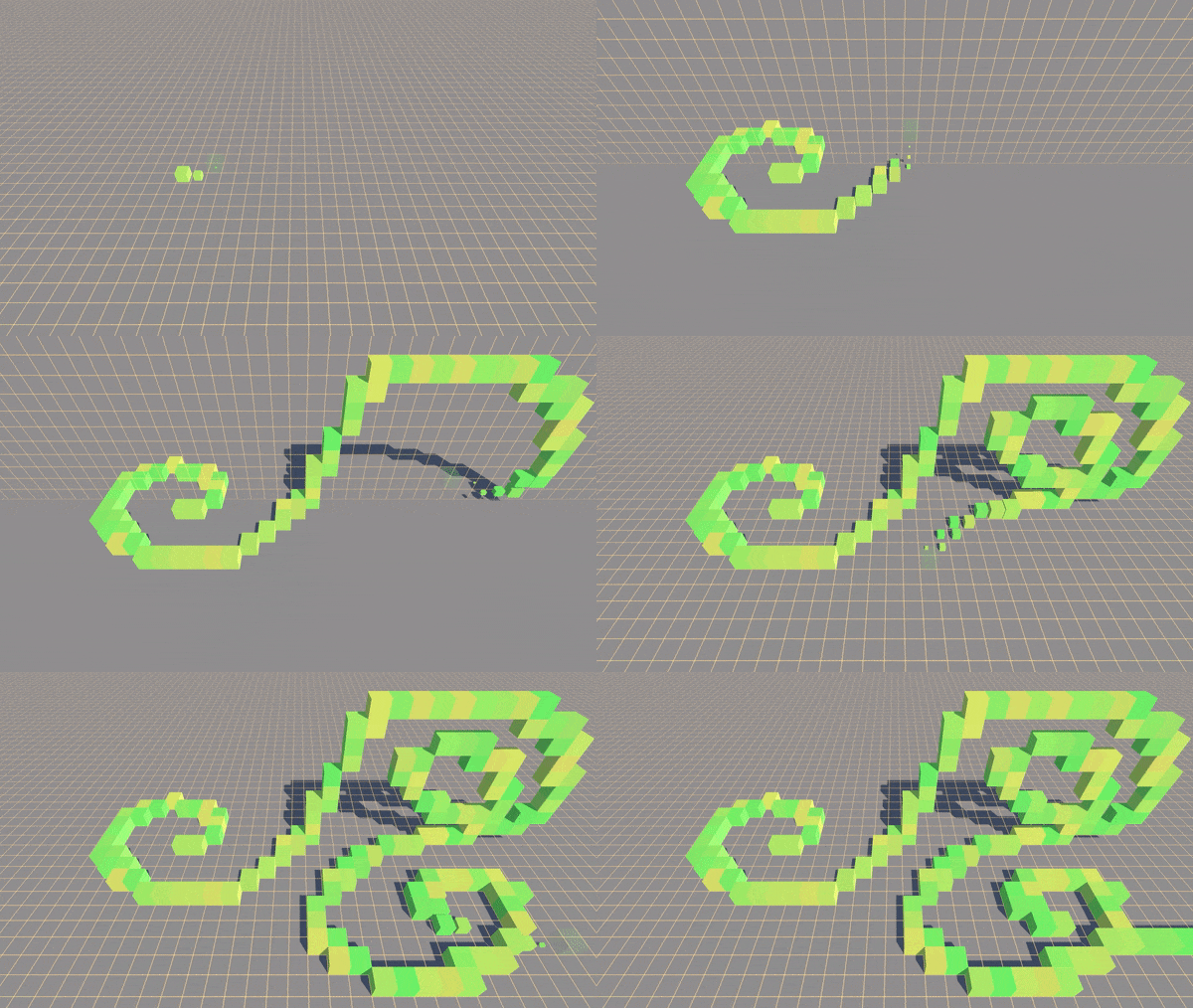
In voxel mode, you can drag-draw horizontally and vertically, which makes it easier to make steps, or gradual gradients. With the brush active, try holding Shift and moving horizontally. Then, hold X and move vertically. See that a diagonal line is created on the horizontal and vertical axes.
Voxel Dragger
The dragger can now create 3D areas! When using the dragger, hold X to add the vertical dimension to your drag-shape.
The quick-wall feature also supports vertical dimensions. Click the house icon and drag a 3D area to create a building with multiple floors. To make walls perfectly align with vertical blocks, set the block step to 2.75 on the active layer.
Voxel Bucket
The bucket gets new functionality when in voxel mode too. Now when filling an area, the horizontal and vertical neighbors are changed as well.
Voxel in Tilt Five
When using Tilt Five, the wand tip becomes a 3D cursor. In column mode, the wand tip still shoots a ray from the tip to the terrain.
The voxel brush is like the regular brush but allows you to paint in 3D. Instead of painting just on the XZ plane, you can switch to the XY plane to paint vertically.
Elevation in Voxel Mode
To avoid adding too much complexity too fast, I’ve disabled elevation modifications in voxel mode. I’m still thinking about if I want to include elevation and/or how elevation should function in voxel mode. My current thought is to rather create X blocks above the selected block to simulate an elevation increase, and remove blocks under a block to simulate elevation decrease.
Other Updates
Brush Targets
In this update, I’ve made the brush target objects 3D and normalized the target colors to better inform what the brush is actually doing. When creating or adding, the targets are green. When removing or destroying, the targets are red.
Reversible Actions
Holding Ctrl with certain palette selectors now reverses their functionality. For example, holding Ctrl when Create Block is loaded will now delete blocks. Holding Ctrl when Delete Block is loaded will now create blocks.
Refinements
Updated pathfinding for voxel mode. It's a little janky, but it works. Better than implementing some restrictive and confusing pathfinding algorithm, in my opinion.
Added a new tab to the quick-wall window to set block soil. This will be helpful for when you want to either change the tile type when creating a building, or make the blocks invisible for when you (useful for multi-story buildings).
Increased the lighting intensity scale so the maps are a little brighter by default.
Fixed a visual bug where Hero Forge models would import without textures.
Fixed a visual bug where Hero Forge model files would display their id as their name.
Fixed a bug where non-custom-asset units would not be initialized, causing issues with displaying healthbars and team tiles.
Fixed a UI issue where the hover panels in the character panel would pop up too quickly and cause issues with interacting with the panel the hover panels were displayed on top of.
Fixed a bug where custom asset object positions would change erratically up and down when placing them.
Fixed an input bug where clicking a block required a certain amount of hold-time before actually selecting the block.
Fixed a visual bug where soil blending was not working properly.
Fixed a Tilt Five bug where the inverse scale was not used, causing various interface and camera control issues.
Fixed a Tilt Five bug where it was nearly impossible to open the radial menu.
Fixed a Tilt Five bug where drag movement was too slow.
Fixed a Tilt Five bug where many of the buttons on the big menu were not working.
Removed the option to switch grid types. This was annoying to maintain and not that useful/used.
What’s coming . . .
Mesh brush, which voxelizes a mesh – like a sphere – to make 3D painting faster and more fun.
Voxel options, to make voxel editing smarter and more manageable when quickly placing trees and units. Currently, block components cannot be added to blocks that have a neighbor block directly above it.
Elevation, or to decide how to handle elevation modifications.
Quality of life improvements to better work with voxel coordinates.
Mesh to terrain, which turns a 3D object into a world in a click.
New building content, like props and plants!
Enjoy!
Bradley
Hewn Core
Hey, I've got big news! Over the past couple years, I've slowly generalized the block-based grid system that powers Battle Map Studio. I call it Hewn Core. Since many games use a block-based grid, I thought a generalized 3D hex/square grid system might be useful for a lot of devs.
Today I'm releasing Hewn Core on the Unity Asset Store! Check it out here.
About Hewn Core
Hewn Core is a grid system and worldbuilding framework that functions as the foundation for any block-based game.
Hewn Core provides easy-to-use methods for creating and manipulating world entities, like blocks and block decorations. Simply use the add, update, and remove methods, and the system will take care of the rest.
Hewn Core lets you build big without sacrificing performance. Powered by Unity's Data-Oriented Tech Stack (DOTS), Hewn Core is blazing fast when spawning, updating, and rendering world entities.
Hewn Core is super adaptable to many game types. Choose between hex and square coordinates, toggle voxel mode, and add grid layers to get the look and feel you need.
Whether you’re building a small puzzle game, a giant sandbox RPG, or anything in between, use Hewn Core and worry less about building your own grid system.
Hewn Core Features
High-Performance Framework: Powered by Unity DOTS, Hewn Core is optimized for speed and efficiency, ensuring smooth gameplay even in vast block worlds.
Block Components: Blocks can be decorated with props, plants, rocks for infinite visual combinations.
Real-Time Grid Manipulation: Blocks and block components are entities that can be added, interacted with, modified, and removed on the fly.
Grid Mathematics & Management:Hewn Core is equipped with intuitive tools and methods to handle grid calculations for features like fog of war and pathfinding.
Flexible Coordinate Systems: Whether it’s hexagonal charm or the classic square grid, Hewn Core has you covered.
Layers: Hewn Core layers can help organize your world, display or hide regions, and quickly move large groups of blocks.
Voxel Mode: Hewn Core’s voxel mode unlocks 3D coordinates to more easily create overhangs and caves.
Extensibility: Visuals, grid properties, and other aspects of Hewn Core can be extended, modified, and toggled on and off to better adapt to your project.
Lots of Samples: Hewn Core comes packed with a dozen sample projects to guide and inspire.
Full Source Code Access: With full access to the source code, you have the freedom to tweak, modify, and truly make the framework your own. New to DOTS? Hewn Core is a great way to introduce yourself to ECS and DOD concepts.
Thanks! Voxel update coming soon ~
Bradley
Voxel Mode Preview
Hi everyone,
Merry Christmas and Happy Holidays! I’ve made progress on voxel mode and wanted to share what I’ve been working on. I’ve found time here and there between work, holidays, and other projects, and set up a testing environment to test voxel-related tools. Here are a few tools I’ve been developing:
Voxel Brush
The voxel brush is like the regular brush but allows you to paint in 3D. Instead of painting just on the XZ plane, you can switch to the XY plane to paint vertically.
Voxel Dragger
The voxel dragger is the voxel mode equivalent to the standard drag shape tool, except (and you can probably guess) you can drag in 3D. You can drag on the XZ plane, the XY plane, and combine drags to create a 3D drag.
Mesh Brush
The mesh brush essentially takes a 3D object and “voxelizes” it to create blocks that fill the volume of the mesh.
It’s a lot of fun to try out different models as the brush shape, and it’s really useful for quickly stamping big landforms and carving into landforms more organically. I can already tell that the voxel mode is going to work great with the Tilt Five wand and/or hand tracking.
There’s still a bit of work that I need to do to get these implemented into Battle Map Studio, but I’m happy with the progress, all things considered.
Thanks!
Bradley
Cleanup & Upgrades
Hi,
I hope you’re all enjoying autumn! In this update I mainly cleaned up project files, updated old 3D models, and brought in updates to several packages.
Updates:
Brought in updates from my proprietary grid system package, which should increase performance a bit.
Updated Tilt Five SDK to 1.4.0.
Updated MixCast SDK to 2.5.2.
Spent a lot of time cleaning up the assets in the project, reducing the size around 60%. This probably won't affect the game size, just a win for me as a developer!
I removed a lot of old asset packs I had, some of which contained models I was currently using. Those models have been updated.
Changed the D20 layout to align with the standard D&D D20 layout.
Fixed dice roll number inconsistency with visible dice value.
Added a light to the campfire.
Updated two pot models.
Updated the watchtower model.
Updated two brazier models.
Updated the stone tower model.
Updated a cobblestone tile material.
Updated the wood pile models.
I had to work around a couple obstacles while completing this update, including my new laptop having to be replaced. The unfortunate thing about building Battle Map Studio on a new machine, is that it takes around 2 hours to build the asset library, and another hour to build the executable. Since I support Windows and macOS, it took over 6 hours to prepare a build . . . Thankfully subsequent builds don't take too long. 😩
Finding and replacing the now deprecated models also took longer than I expected, but I’m happy with the new models. Thankfully, after removing all of those unused assets I had in the project, working in the Battle Map Studio felt a lot faster.
For the next update, I want to add in voxel mode so you can work in 3D block coordinates! I’ll probably continue development with Ultraleap, too.
Enjoy!
Bradley
Back at it
Hey everyone,
I hope you are all doing well! As I mentioned in the previous post, I’ve been on a little bit of a break while I got married, went on my honeymoon, and moved a couple thousand miles from my original home in Maine. I’m finally back into the swing of things and have my development setup ready to go.
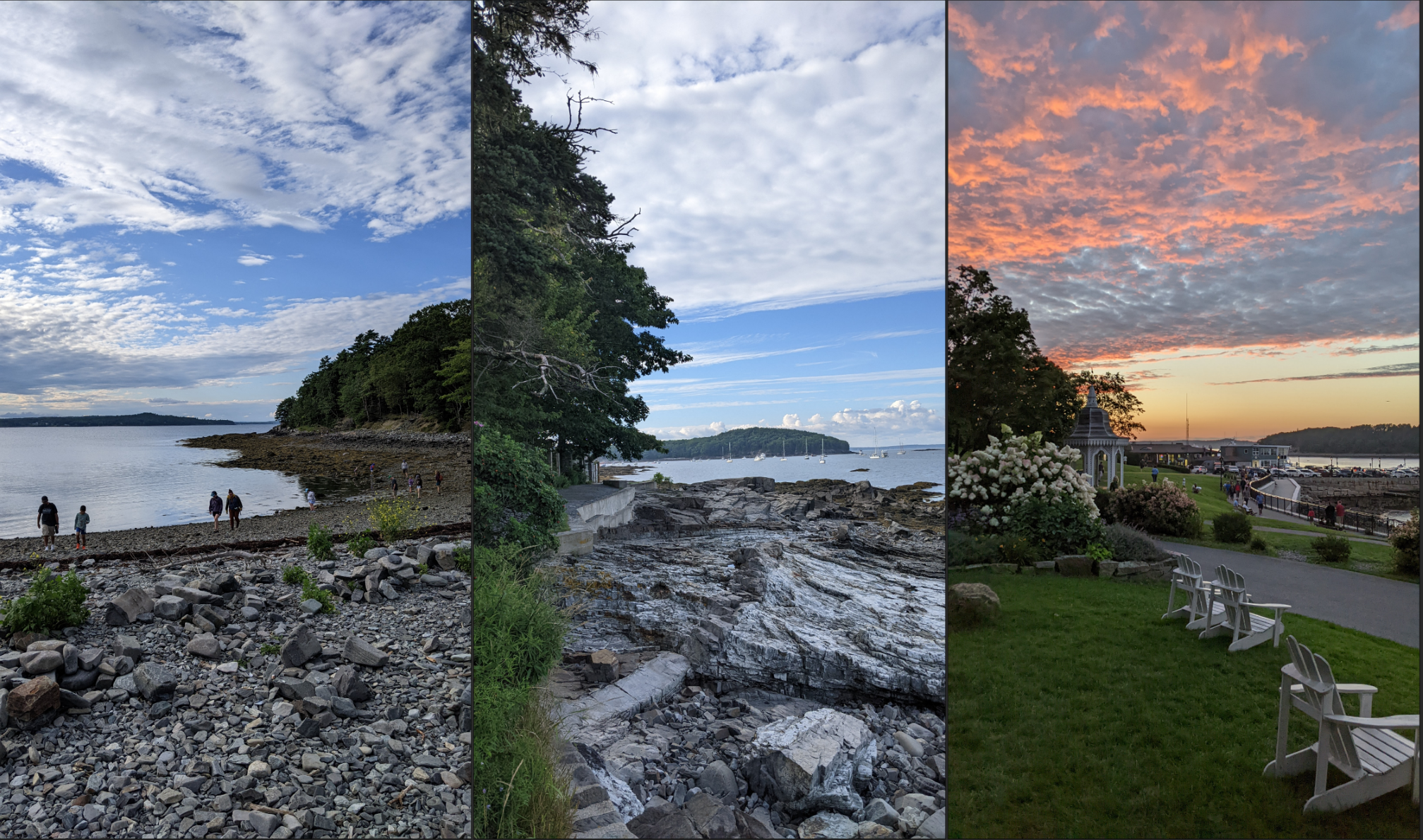
Before I jump into the main subject of this post, here are a few photos of the beautiful views of my honeymoon on the Maine coast and in Acadia National Park:
Okay, back to Battle Map Studio. In this post I wanted to talk about the current state of this project and my plans for its future.
Past & Present Situation
Since its inception, Battle Map Studio has always been a side-project of mine that I’ve self-funded through my work as a contract software developer building in-space construction software. As much as I wish I could spend 100% of my time on this project, it has not been financially successful enough to allow me to work on it full time. While I intend to continue development just as before, the new projects I’ve taken on for funding may take more of my time. Okay, that being said, let’s talk about my plans for the future.
Future
My general goal for Battle Map Studio has been for it to be a fun and simple map editor and RPG facilitator. That is still my goal. In the past, I’ve spent most of my time building tools and features, which is good. But, I haven’t focused much time displaying how to leverage those tools and features to build and play a full encounter, for example. While I have put together a wiki, maps, and video tutorials, there still appears to be considerable friction between players and building a fun map or playing a campaign.
Now that you have a general understanding of the past, present, and future of Battle Map Studio, I’ll briefly touch on some areas I plan to focus on:
Editing tools: better in-app instructions & tips, voxel editing, and fully-integrated Ultraleap hand tracking.
RPG play: easier multiplayer setup, improved RPG tools and features for players and DM’s,
Content: scenario setup and map building videos, more example maps, and new props and characters.
So . . . what’s next?
In the near future, I will be taking a little time to explore pain points, clean up the Battle Map Studio project files, and prepare my implementation plan for the future. I may also push a small patch pretty soon fixing a few bugs and updating a few backend packages.
In the meantime, if you have any questions, thoughts, or feedback about the future of Battle Map Studio, I would love to chat! Your participation in discussions is immensely helpful. I encourage you to send me a DM or chat on the Battle Map Studio Discord server if you’d like to share anything.
Okay, back to work!
Bradley
Development Update
Hi everyone,
I hope you are all well and enjoying life. If we haven't met yet, I'm Bradley, the creator and sole developer of Battle Map Studio. In this update, I wanted to let you in on some exciting behind-the-scenes stuff that's happening with Battle Map Studio, my other projects, and my life.
Battle Map Studio
A few months back, I added multi-headset support for Tilt Five, and the folks at Tilt Five demoed Battle Map Studio at GDC. This month I had another opportunity to demo Battle Map Studio at AWE with Ultraleap. So for the last couple months or so, I’ve been working on a Battle Map Studio demo that showcases Ultraleap's new hand tracking device.
I'm currently working towards comprehensive hand tracking support for the full version of Battle Map Studio, so keep an eye out for that!
While I'm very happy that I'm getting opportunities to showcase Battle Map Studio, it is affecting the regular update schedule. I hope to continue updates in the summer months, but it's unclear how much of my time will be available in the short term due to the next few updates.
Tenure Track
Around the start of the pandemic, a couple colleagues and I started working on a silly professor simulator called Tenure Track that uses ChatGPT to add to the amusement. We just released a WebGL demo that you can play on tenuretrack.org, so go check it out!
Framework
For a while now, I’ve been separating the systems that power Battle Map Studio’s grid, and I’ve been considering how I could use the grid framework for other projects. I thought I might offer the framework as a developer tool, or maybe develop some micro games with it, or maybe use the framework as a foundation for something bigger. Anyway, for the past few months I’ve been working really hard on a proposal for something that, if accepted, should bring good news for Battle Map Studio.
Life
I don’t share much about my personal life in these updates because I imagine that’s not what you’re here for. In this case, since it has been impacting my work productivity (not complaining!), I thought I should mention that I’m getting married in August! While it has been super exciting to plan everything, it’s been a challenge to juggle my work and organize the wedding setup, flowers, food, music, and everything else. Not only am I getting married, I’m also in the process of moving a couple thousand miles away to be with my wife. Again, very exciting, but also time and energy consuming.
I think that once things settle down I’ll be back to my regular update schedule, but I apologize for any delay in updates!
Okay, back to work.
Bradley
Battle Map Studio is at AWE (May 31 - June 2)
If you're at AWE this week, be sure to check out Battle Map Studio at the Ultraleap booth!
The demo combines Tilt Five and hand tracking so you can build virtual worlds with your hands in AR. 👋🧙


 I also added some basic metal and metal tile materials for to help build sci-fi environments! I added 8 new metal materials and 6 new metal tiles. I also added a new Gloss material for almost invisible blocks, which I hope help with in-air areas.