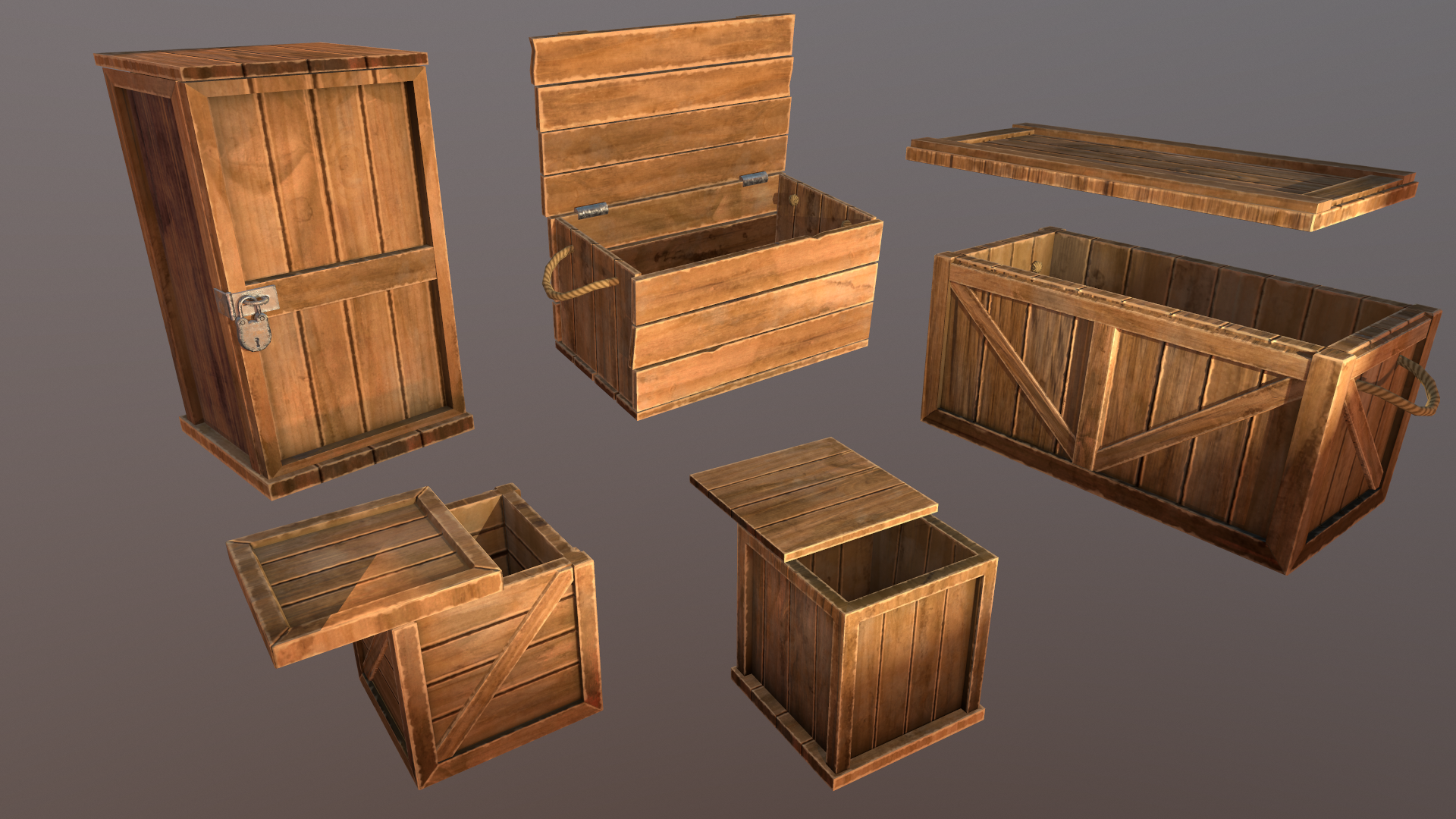
Heyo, hope you’re all doing well. I’ve been focusing on improving performance, fixing bugs, and polishing the Tilt Five experience. I also added in dozens of new barrels, crates, and casks!
Here are the updates:
New Props
Added new barrels with 3 color variations each with 7 decal variations.
Added new casks with 3 color variations each with 7 decal variations.
Added new small crates with 3 color variations each with 7 decal variations.
Added new medium crates with 3 color variations each with 7 decal variations.
Added new tall crates with 3 color variations each with 7 decal variations.
Added new wide crates with 3 color variations each with 7 decal variations.
Updated the Supplies props with new models (now called Cargo).
Updates
Significantly improved performance on procedurally generated mesh jobs.
Improved idle performance for blocks, block components, and other grid-related systems.
Reworked how canvases are rendered for Tilt Five™ so that dropdowns and other overlay canvases render correctly.
Reduced Tilt Five™ wand delta scaling and position offset.
Updated the Tilt Five™ control scheme to reflect recent changes to Tilt Five™ inputs.
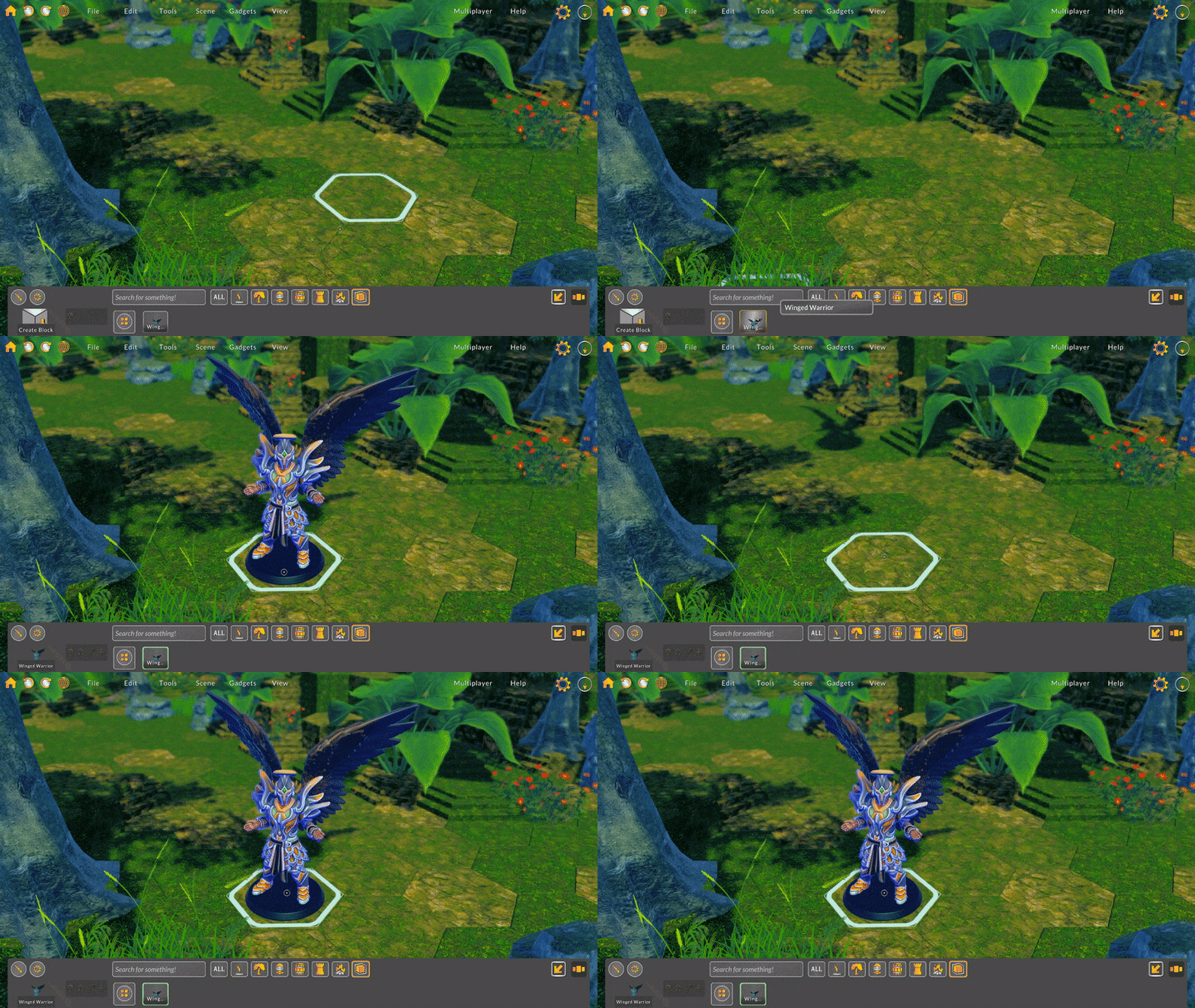
Now when transforming units using the Tilt Five™ wand, a label appears next to the pointer displaying what's being transformed (e.g. position, rotation, scale).
Updated the Tilt Five™ unit interaction tutorial video to include a demonstration of offsetting position.
Added a new Tilt Five™ tutorial video about camera controls.
Fixes
Fixed a bug where custom sliders would not set their handle positions correctly on rotated canvases.
Fixed a visual bug where the Tilt Five™ mouse target would not render over certain overlay canvases.
Fixed a bug where the axis of the Tilt Five™ wand delta and stick tilt would respect neither the physical nor the virtual board rotation.
Fixed a visual bug where transform gizmos and other post-processing renderings would not be visible when using Tilt Five™.
Fixed a bug where the four primary buttons on the landing window would not be clickable until a map was saved.
Fixed a visual bug where UI elements would be included when snapping a thumbnail image of an environment when using Tilt Five™.
Enjoy! Bradley
Update Notes 221303
Hey everyone! Since the last update, I’ve been working on fixing bugs, refining existing features, and reworking the Tilt Five™ experience.
In addition to working on this update, I’ve also been working behind the scenes on custom model importing for more general file types like FBX and STL. I’m still in the midst of creating the framework for importing, but it’s going well!
Important Note for Windows Users! Battle Map Studio now supports Tilt Five™ by default. If you need to disable Tilt Five™ support, you can opt-in to the newly created justPC beta. Since Tilt Five™ only supports Windows, this change only affects Windows users.
Here are the patchnotes for this update:
Updates
Added a home button to the Tilt Five™ main menu window.
Map capture window now supports zooming via the scroll wheel and Tilt Five™ wand trigger + tilt.
Map capture now displays the overlay grid regardless of if the main camera is looking at the area of the map that's being captured.
Updated the brush and marker colors to be more visible.
Added a maximum Tilt Five™ board scale and increased the minimum board scale from 0.01 to 0.05.
Reduced the Tilt Five™ wand movement scale modifier.
Holding the Tilt Five™ wand trigger and moving the wand forward will now activate position offset translation for objects. Once the position offset is activated, moving the wand left, right, forward, and back will translate all selected objects within the block they are a resident of.
Modified pointer gizmo position offset so that it's closer to wand tip.
Added a second screen to the controls scheme that plays a short video about selecting, rotating, and scaling objects. Will look to replace images with short videos in future updates.
Reduced object scale delta multiplier when scaling from Tilt Five™ trigger + wand movement.
Players that cannot edit user permissions can no longer edit other users' permissions
Fixes
Fixed a bug where if a player had a paint tool selected while joining a multiplayer session, the player could then paint even if they did not have permission to edit.
Fixed a Unity bug that caused the application to crash when using the blaster tool. Thanks Unity!
Fixed a bug where the middle orange area of the terrain magic gizmo was not constrained to the outer blue area.
Fixed a bug with the Tilt Five™ wand delta scaling method where the delta was normalized to -1 or 1, which resulted in large jumps even when the wand delta was very small.
Fixed a bug where the camera could be rotated when interacting with an input field or window.
Fixed a bug where the system would not transition automatically to the PC configuration when the Tilt Five™ glasses weren't looking at the board.
Fixed a bug with the calculated mouse delta where the previous position was set too early in the update, causing the delta to be zero in some situations.
Fixed organizational issues with Unity addressables that produced duplicates of assets.
Fixed a visual bug where the music player in the settings panel was not visible.
Fixed a bug with centering and scaling the Tilt Five™ board to the extents of a loaded environment.
Fixed a visual bug where the alpha slider on color picker inputs would not initialize with the settings color alpha.
Fixed a bug with the elevation slider where changing the value via dragging the slider handle would cause erratic jumps in the value when using the Tilt Five™ wand.
I'm excited that the folks at Tilt Five are beginning to ship more and more of their Kickstarter units, and hope that if you're playing Battle Map Studio on Tilt Five™ you let me know how you're enjoying the experience! I'm always around on Discord, so if you have any questions or feedback, just tag me in a message!
Thanks for being awesome! -Bradley
Custom Asset Importing
It’s been a little while since my last update, but it’s mostly because I’ve been taking my time with the new feature … custom asset importing!
In this first iteration, I added support for .unity3d asset bundles. You can either create your own asset bundles or purchase asset bundles from online marketplaces, such as Hero Forge. An asset bundle is essentially an archive file of textures, models, animations, and other non-code assets that can be easily imported into Unity at runtime. If you’re interested in building your own asset bundles, there are plenty of online tutorials available (like this or this).
To import a custom asset bundle in Battle Map Studio, first, select a tool that activates the palette view (e.g. the brush or blaster). In the upper-right corner of the palette view, there is a new button you can select to import a local asset bundle.
Imported assets can be used just like any other prop or character built into Battle Map Studio. Load your imported assets into the brush, or blast assets using the blaster. Assets can be resized, rotated, scaled, and positionally offset.
The system is currently configured to treat custom assets as character minis, meaning they can have character sheets and animate to attack, react, and die. In future updates, I plan to add different configurations for asset imports, mainly for props and other non-character assets.
One big hurdle I’ve had to overcome was how custom assets are shared in multiplayer mode. I thought briefly that the host player could transfer the asset files to all other players in the multiplayer session, but quickly determined that an online storage solution was a better option.
So I set up online storage where in-session files are stored temporarily and then deleted later after a multiplayer session has ended. Integrating the various UI, storage, and networking code meant I needed to do a bit of testing, which took a little while to complete.
I am really hopeful that this custom asset importing is useful for you all! Let me know how you’re liking it and if you have any suggestions on how it could be improved!
Other bug fixes and refinements…
Updated the terrain shader to use stochastic texturing, which helps mitigate tiling repetition.
Fixed a visual bug where the brush target material would be initialized as orange.
Fixed a bug with the Classic interface where the undo and redo buttons would trigger twice.
Fixed a multiplayer bug where creating a block on one client would not transfer the correct tile blend when the two clients had different default block tile blend values selected in settings.
Fixed a multiplayer bug where updating the fog display from toggle would not send the correct network event.
Have fun! Bradley
Update Notes 220119
Hey everyone,
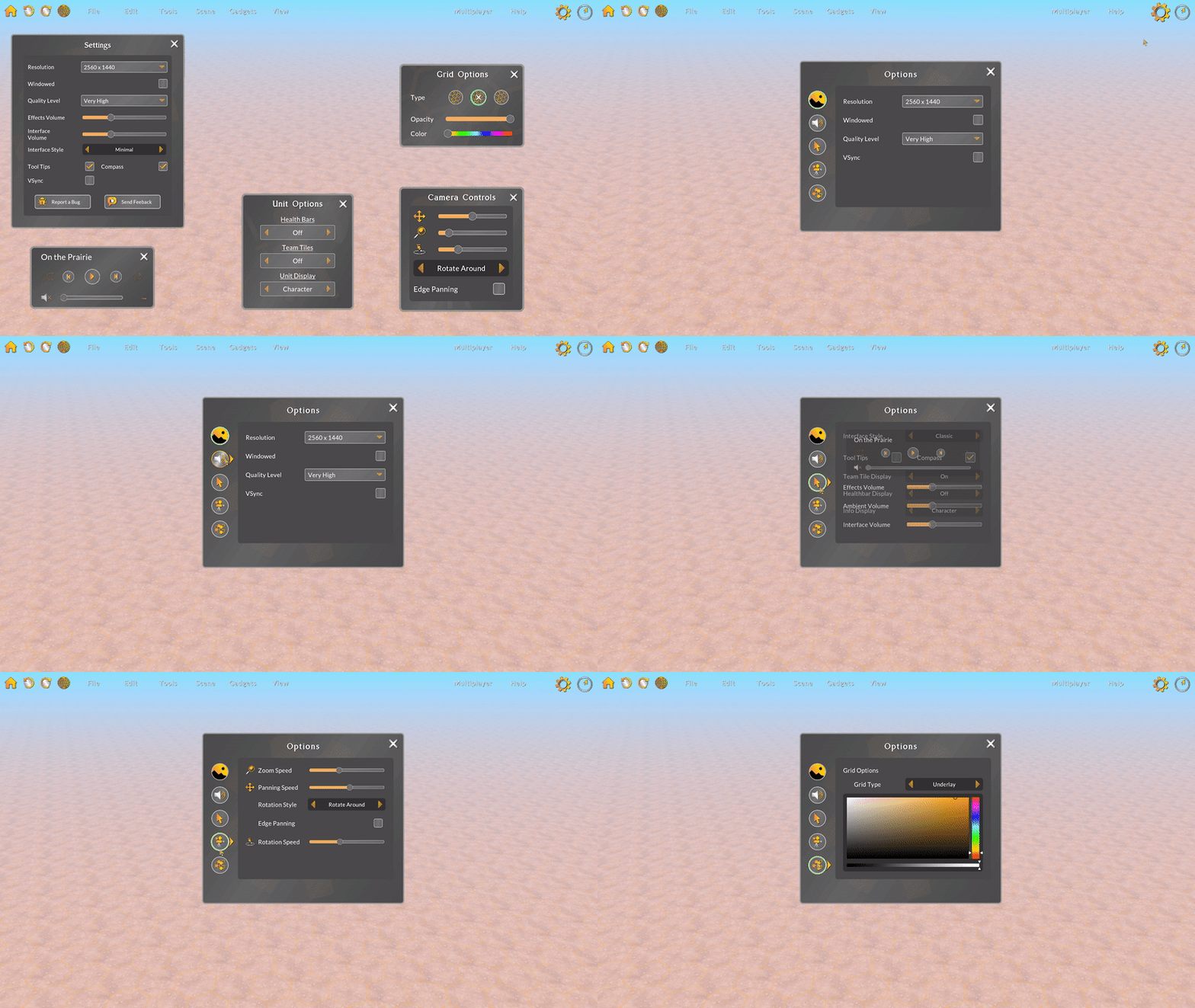
I hope your 2022 is going well! In this update I combined many of the individual options panels with a single, multi-tabbed options panel and continued to fix various usability bugs.
Combined Options Window
At the beginning of development, I had just one settings panel that could change a few settings -- like resolution and graphics quality. Over time, more and more options have been added to Battle Map Studio and instead of expanding the one settings panel, I thought it would be interesting to add separate panels for each new options panel. This wasn't really a good approach, and I'm not sure why I thought it would be. 🤷♂️
When I open a setting panel in a game, I may not know exactly what I'm looking for. Having to open five different panels, and then closing the ones I didn't need once I found the setting, is cumbersome and annoying. With each options panel consolidated into a single window, I only need to open one window and tab through the different options. Plus, one panel allowed me to simplify the top-level UI. A win-win!
Potions
In addition to expanding the prop library, I've been looking to update existing prop models so they're more in line with the style and quality I'm hoping to achieve with Battle Map Studio. In this update I replaced the four existing potion bottles and also added 16 additional potion props. There are 4 sets of 5 potion styles, with each set having a different color fluid (red, blue, green, and purple).
Refinements
I have been reading your feedback, monitoring logs, and hunting for bugs. Before I add another big and complicated feature, I want to be confident that the existing features are working properly. Here are a bunch of things I refined or fixed:
Added command logging for isolate, deisolate, lock, and unlock.
Added a missing Sazi Carpet style.
Improved addressable asset library organization. I expect that build sizes trend downward as I improve the library organization. Thanks for being patient with this.🙏
Fixed an issue with dice where Unity disconnected a script, resulting in the dice not working properly. Thanks Unity!
Fixed a couple issues where colliders on objects would be blocking selection.
Fixed a bug where switching grid types would not properly move characters and props.
Fixed a bug where setting the team code of a character would not update correctly.
Fixed an interface bug that prevented changing the style group on quick-wall customization selectors.
Fixed a bug where undoing a quick wall would not destroy walls.
Fixed a bug where logging character/prop creation actions would not always consider that assets load asynchronously, resulting in null units being logged and objects not being deleted when undoing the action.
Fixed a bug where deprecated/non-existent plants could be chosen by the system when randomizing styles.
Fixed an interaction bug where selecting a character/prop collider would not select the correct position to select in some situations.
Fixed various minor issues related to isolating blocks where deleting and undoing blocks would not work properly.
Fixed a bug with updating the camera rotation type input where the rotation type could not be changed to Rotate Around.
Fixed a bug with the overlay grid cell object where the texture was not properly set.
Fixed a visual bug where the dice arena camera would not render the dice arena.
Fixed a bug where held dice would not follow the mouse position.
Fixed a bug where the randomize styles toggle would not initialize correctly with the correct setting.
As always, let me know if you run into any issues or need help using Battle Map Studio. Thanks for your support! 🙂
Bradley
Patch Notes 220107
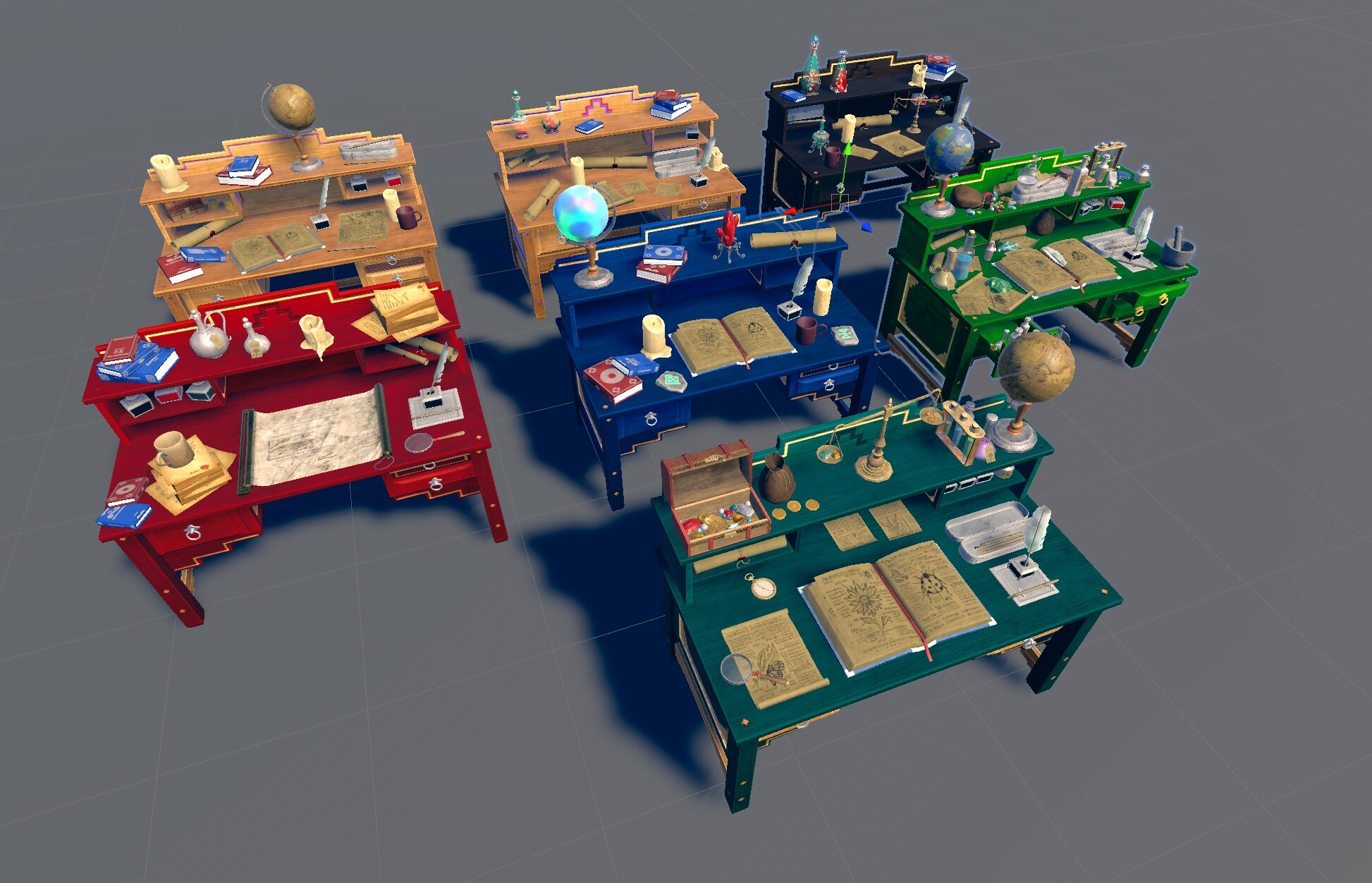
Hey everyone, I fixed a bunch of annoying bugs and added/updated the desk props.
Here are the changes:
Updated the models that sit on top of the Sazi Desks so that they're all using the latest custom models intended for their model set.
Added two missing Sazi Desk variants.
Updated asset addressable groups to allow for more modular editing of assets without requiring big downloads on updates. Sorry for the big download sizes! The way I had configured the asset library was such that there were smaller groups of a large number of assets. Changing an asset in one of those groups would change the group, resulting in needing to upload (and you download) the entire group again in a patch. I have reorganized the asset library to have more groups of fewer assets. This increases the disk footprint of the game somewhat, but should reduce the download size of future patches that include asset changes.
Fixed a bug with walls and other props that have different configurations for hex and square coordinates. Unity sometimes just decides to corrupt addressable prefabs, which resulted in odd and unpredictable problems. Thanks Unity.
Fixed a bug where moving a unit would not always update the underlying position index, causing problems with moving, undoing, and redoing movement.
Fixed a bug where deleted isolated/locked blocks would remain isolated/locked after deleted.
Fixed a bug where when the randomized styles toggle was on, dragging to create a room would create tiles using the wrong style group.
Fixed a bug with calculating the height of a block where the method didn't always account for tiles on top of blocks.
Fixed various material issues affecting a couple furniture objects.
Fixed a minor visual bug where selecting any of the carpet objects would also outline invisible sphere colliders.
Fixed a bug where an object's position offset was not correct after undoing deletion.
Fixed a bug where tile objects would display position offsets on brush targets.
Fixed a visual bug where attack effects would not be created.
Fixed a visual bug where the character/object rendered when hovering over an element in the palette would always display the same style.
Thanks! 🙂 Bradley
Patch Notes 211231
Hey everyone,
Got some bug fixes for you and new Tilt Five setup info.
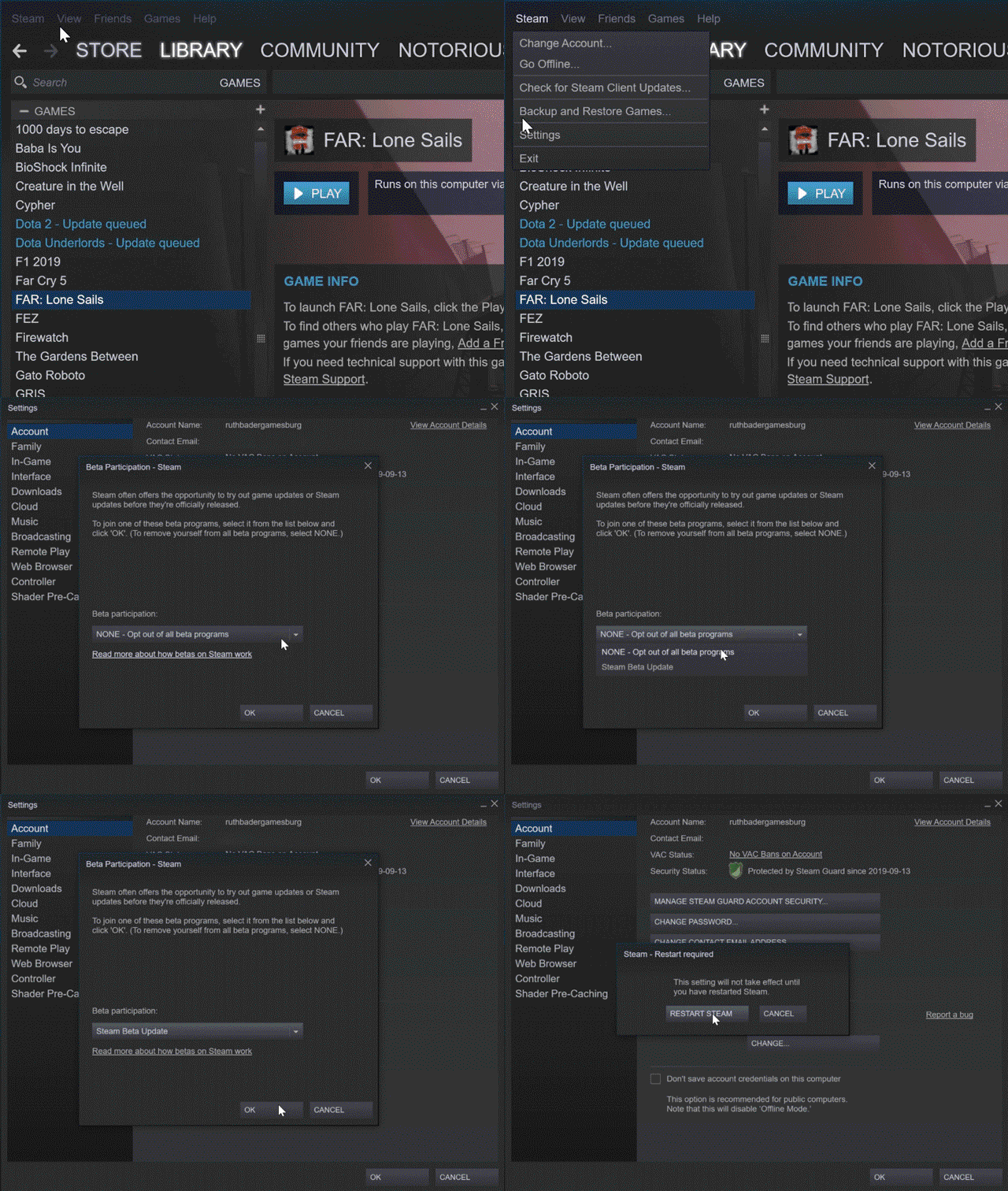
It appears that there are files associated with Tilt Five support that are causing crashes on some Windows computers. So If you are using Tilt Five with Battle Map Studio, I created a separate beta build that enables Tilt Five support. The beta is called tiltfive. This gif shows how you enable a beta, and here is the associated Steam article.
Apologies to anyone that has crashed due to this issue! I've been in contact with the folks at Tilt Five about this and as far as I know they are investigating possible causes.
As always, please let me know if you are experiencing any crashes, especially when using Tilt Five.
Here are some other updates:
Moved the home page links to the bottom of the panel and added "Send Feedback" and "Report Bug" buttons so feedback buttons are more accessible.
Fixed a bug where placing plants or props when the randomization toggle was on could select invalid styles, resulting in plants/props not being placed.
Fixed a bug where deleting a local file would not immediately refresh the files displayed in Battle Map Studio.
Fixed a bug where clicking on a local file would not deselect that file so if the same file was loaded again from the home panel, it would need to be first deselected.
Fixed a few placement animations where the rotations were not correct.
Fixed a bug where switching from fog to main light in the light settings panel would not allow editing the main light thereafter.