This update turned out to be quite a bit larger than I had initially planned. So here I'll sum up some of the features this new update brings. Note that the normal change notes can be found at the bottom of this announcement.
The Star of the Show - The Blub-o-pedia!
A primary driving force for this update to come out was to introduce the Blub-o-pedia, which is essentially an encyclopedia built into the game from scratch. I had to make an in-game browser that could handle a myriad of pages I wrote, outlining nearly everything I know about the game. This definitely took a bulk of my time, but in the end is something I'm very happy with and will hopefully serve everyone well.
The Blub-o-pedia features a page about every single functional item, every resource, and every mechanic the game features. Each page has clickable hyperlinks that will redirect you to other pages, and even includes pictures and captions to help with explanations.
The advantages of an in-game guide are numerous; You can access it without opening another window and without internet, the pages can pull data live from the game for the most accurate information, the look and feel of it can be consistent with the rest of the game, and importantly you can access pages directly from a multitude of places from within the game itself.
Accessing Blub-o-pedia pages: Blub-o-pedia pages can be accessed conveniently from many places in the UI of the game. Any time an item is selected in any way (including focusing on them, selecting them in build mode, selecting them in the inventory, or viewing their Catalogue pages) the Blub-o-pedia button (or shortcut, [F2] by default) can be pressed to instantly bring up its respective Blub-o-pedia page. This makes it extremely easy to find out information about what an item does, and any relevant other tips or items that pair well with it.
Resource icons in the resources tab can also be pressed to bring up their respective B-O-P page, which makes it trivial to find out what you can do with a particular resource or how to get more if it.
The Artefact Table and Artefacts!
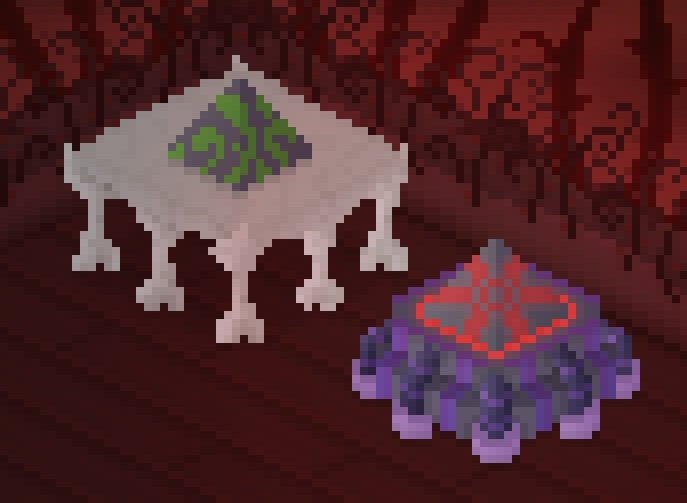
After level 25 you will now get the Artefact Table. This item permits various Artefacts to be placed above it to reap different benefits, and consequently some side effects. Many of these last forever, but some are limited.
An example is the Artefact of Greed, which increases money earnings by 25%, but halves all experience income. There's also the Artefact of Destruction which causes debris on the Farm to be demolished extremely quickly at the cost of losing half of their potential yields. There's 8 other Artefacts in the game, each with a side effect and/or limits.
New Stock Types (and a Terrain!)
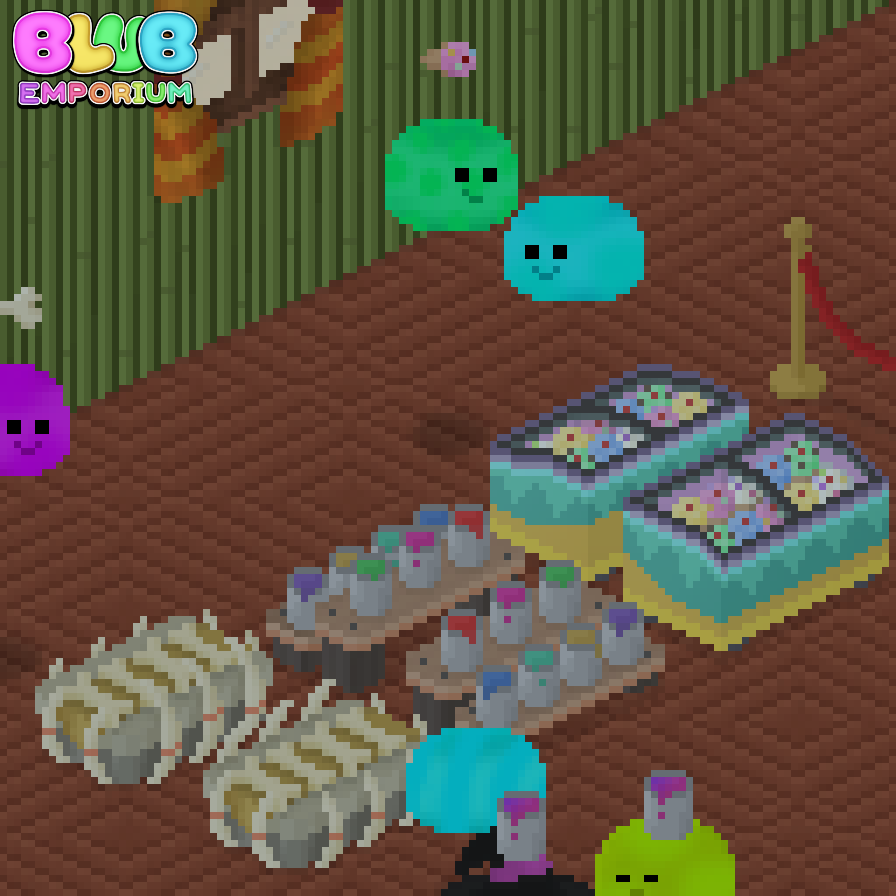
This update brings Bones and Paint! Bones are a simple resource type obtained by harvesting Bone Piles that spawn on the new Cracked Dirt terrain. Paint is a later-game manufactured Resource made of an Iron Bar, Water, Latex Sap, and Pigment. It comes with its own auto-stocker (the Paint Roller).
Puzzle box Four!
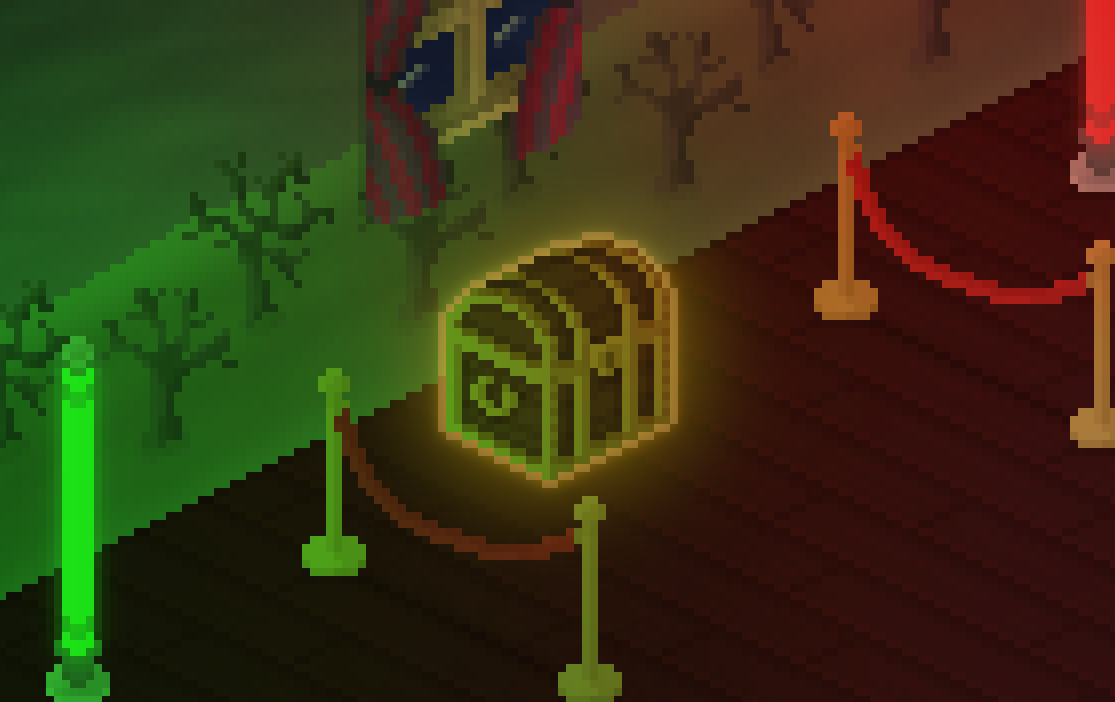
At last, the fourth Puzzle Box (well, fifth!) has been introduced. It's quite predictably, a little harder than Puzzle Box Three, and like all Puzzle Boxes, it comes with its own unique unlock (the Treasure Chest!).
New boost items
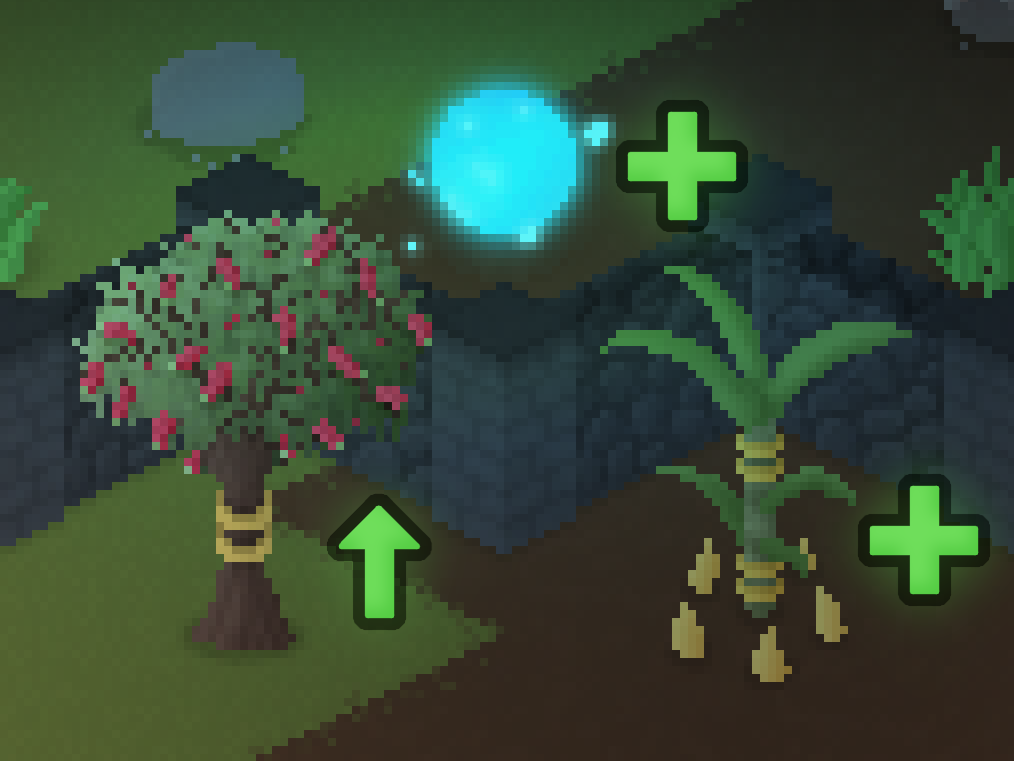
The Lucky Sugarcane is introduced in this update, helping with Sugarcane yields. Along with that is the Mystical Orb to make Mystic Shards significantly less of an issue. And a buff to the Bottlebrush Tree making it go from doubling to tripling Mulch production.
New Checkouts, Tables, Chairs, and Decorations
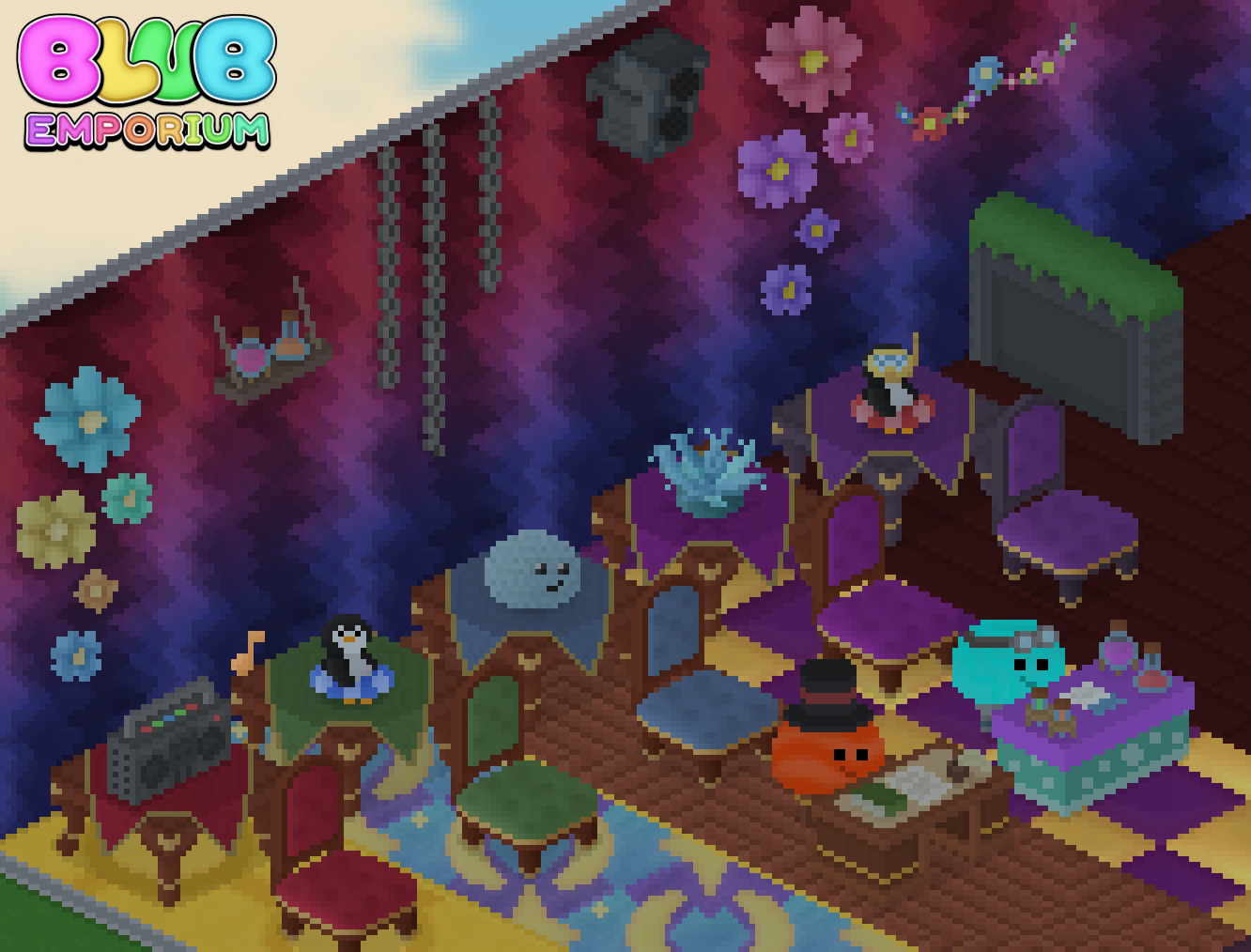
Two new unique checkouts come in this update: the Antique Checkout and the Alchemy Checkout! Many other new decorations appear in this update, like the Floaty Penguin, Boombox, and Flower Clusters. As well as a range of awesome Fancy Tables and Chairs!
New event
The Blub Tea Party is here!!! For those advanced enough you can try and score high in an event focused on selling loads of Mugs of Tea.
UI Improvements
By default, levelling up will now show you a list of all noteworthy items you unlock. If you have previously played, this will be left on "show acquisitions", which can be changed in the settings. Mantled items will no longer show at all in the game unless they have been explicitly discovered, making it feasible to 100% the catalogue without them.
Extra tasks, fixes, tweaks, and so much more
This is by no means an exhaustive list of changes, there is so much more. Be sure to check out the Blub-o-pedia and everything else the game has to offer! :)
Normal change log below
Blub Emporium Version 1.3.0 - Change Log
This update introduces a couple of major things: The Blub-o-pedia and Artefacts! Along with that is another Mega Shelf variant, two new stock types (paint and bones), a new puzzle box, and a handful of decorations, tasks, and tweaks!
ITEMS AND RESOURCES:
Added "Bones" (Resource Type).
Added "Cracked Dirt" (Farm Terrain).
Added "Bone Exhibit" (Shelf).
Added "Galactic Panel" (Farm Special).
Added "Regal Tile" (Emporium Tile).
Added "Gold Weave" (Factory Tile).
Added "Paint Shelves" (Shelf).
Added "Paint" (Resource).
Added "Paint Mixer" (Processor).
Added "Paint Roller" (Emporium Special).
Added "Handcrafted Blub" (Emporium Deco).
Added "Floaty Penguin" (Emporium Deco).
Added "Scuba Penguin" (Emporium Deco).
Added "Garden Gnome" (Farm Deco).
Added "Artefact Table" (Emporium Special).
Added "Artefact of Greed" (Artefact).
Added "Artefact of Wisdom" (Artefact).
Added "Artefact of Destruction" (Artefact).
Added "Artefact of Fortune" (Artefact).
Added "Artefact of Simplicity" (Artefact).
Added "Artefact of Complexity" (Artefact).
Added "Artefact of Royalty" (Artefact).
Added "Artefact of Nature" (Artefact).
Added "Artefact of Harvest" (Artefact).
Added "Artefact of Fame" (Artefact).
Added "Mega Ice Cream Freezer" (Shelf).
Added "Mystical Orb" (Farm Special).
Added "Stone Wall" (Fence).
Added "Dark Stone Wall" (Fence).
Added "Puzzle Box Four" (Factory Other).
Added "Puzzle Present Four" (Debris).
Added "Treasure Chest" (Emporium Special).
Added "Green Fancy Chair" (Chair).
Added "Green Fancy Table" (Table).
Added "Blue Fancy Chair" (Chair).
Added "Blue Fancy Table" (Table).
Added "Burgundy Fancy Chair" (Chair).
Added "Burgundy Fancy Table" (Table).
Added "Purple Fancy Chair" (Chair).
Added "Purple Fancy Table" (Table).
Added "Regal Fancy Chair" (Chair).
Added "Regal Fancy Table" (Table).
Added "Stylish Ceramic" (Emporium Tile).
Added "Deep Crimson Boards" (Emporium Tile).
Added "Floral Curtained Window" (Window).
Added "Cute Curtained Window" (Window).
Added "Funky Curtained Window" (Window).
Added "Rainbow Curtained Window" (Window).
Added "Glitch Curtained Window" (Window).
Added "Sunny Curtained Window" (Window).
Added "Mystic Succulent" (Emporium Deco).
Added "Antique Checkout" (Checkout).
Added "Alchemy Checkout" (Checkout).
Added "Contemporary Barrier" (Divider).
Added "Contemporary Corner" (Divider).
Added "Sunny Patterned Floor" (Emporium Tile).
Added "Magic Patterned Floor" (Emporium Tile).
Added "Universal Shift" (Emporium Wall).
Added "Battered Ceramic" (Factory Tile).
Added "Variegated Ceramic" (Factory Tile).
Added "Lucky Sugarcane" (Farm Special).
Added "Hanging Chains" (Emporium Wall Deco).
Added "Flower String" (Emporium Wall Deco).
Added "Wall Speaker" (Emporium Wall Deco).
Added "Warm Flower Cluster" (Emporium Wall Deco).
Added "Cool Flower Cluster" (Emporium Wall Deco).
Added "Potion Shelf" (Emporium Wall Deco).
Added "Boombox" (Emporium Deco).
Added ???????????? (Emporium Deco).
Added ??????? ???? ?????? ???? (Emporium Deco)
Added ???? ?????? ???? (Emporium Wall Deco)
VISUAL:
Updated resource icon for Iron Bars.
Quitting to the main-menu no longer shoes the overlay colours behind the black fade-out.
Minorly updated icon for Bright Dome Light to not include the occlusion.
Fixed minor error on the tick UI element (near tick's inner angle didn't darken properly).
Slightly updated icon for Water Jug to be less transparent to look better against certain UI environments.
Tweaked the 5x and 4x smooth fonts' comma glyph to be longer to be less confused with the full stop glyph.
Fixed small error in the down-left 4/5 ice cream stand sprite.
Updated designs of normal and tan stone paths.
Updated designs of both volcano variants.
Updated the Small Potted Tree's visuals minorly.
Doubled up the Ice Sculpture Display, Ice Sculpture Carver, Ice Cube Hopper, and Ice Cube Freezer's icons to be prevent their lower opacity from appearing weirdly in the Blub-o-pedia.
Slightly softened the contrast on the Mosaic tile range.
Updated Claw Machine to have darker rear vents, a barely visible rear hatch, and two yellow arrows on the back making it less bare.
Updated the Spanner Tree's visuals to be more up-to-date.
Changed icons for all arcades to feature their gameplay screens.
Overhauled the visuals for Sugarcane (crops), and its icon.
Updated the Bird Bath to feature Australian native birds perching, which can be changed by rotating it.
UI:
Introduced the Blub-o-pedia!
Mantled items are now more hidden; not showing up in the catalogue AT ALL unless discovered, and not being shown how many haven't been found in the completion book.
Added new category for the Emporium: Artefacts.
Sales that go towards Events now visually show a Resource icon moving from that checkout to the Event Altar (if Resources Flux setting is on)
Added loading hint about opening the Blub-o-pedia with its bind at any time.
Added secondary text indicator when hovering the accept button on Blub Trade Offers showing if that item is already owned.
Re-ordered the fences to be in ascending order of level (for basic ones) like all other tabs.
Added new (now default) setting for "Level-up Alerts" called "Show Noteworthy", which will show items unlocked in the catalogue that are important enough to prompt looking at (like shelves, trees, upgrade items, etc.).
Levelling up no longer shows a vague "Check the Catalogue", and instead informs you of exactly how many things were unlocked to be bought immediately.
Made Puzzle Boxes' focus menus truncate their resource names if they can't fit.
Added an explanation to Recognition III.
Added hints system that will gently suggest things you can do if certain things haven't been done at certain points. For example if you have many flowers but still don't own a Flower stand, then a small light bulb will appear in the top-right corner directing you to a Blub-o-pedia page with the hint.
Made detection region of interact button extend to the bottom of the screen to prevent unintentionally clicking off of the focus menu.
Added accessibility setting to show a copy of the Interact Bar (and boost zones) in a spot that may be more comfortable to see for some.
GAMEPLAY/BALANCE:
Added "Creative Expression" Task Track.
Added "Specific Modulation" Task Track.
Added "Nature's Bounty" Task Track.
Added "Ice Cream Mastery" Task Track.
Added "Mystically Inclined" Task Track.
Mine Shafts now cause Gold Clusters to spawn on Radiant Dust at a 15% rate (the 85% remaining mimics sand's behaviour).
Increased iron node spawn rate from Mine Shafts upon Sand: 10% -> 15%
Increased iron node spawn rate from Mine Shafts upon Red Sand/Dirt: 10% -> 25%
Increased Moonstone drop rate from Lunar Sprouts: 2-3 (~2.5) -> 60% for 3, 40% for 4 (~3.4)
Added terrain drying paths for: Red dirt to Cracked, and Coniferous to Dry.
Changed Lava to provide 100% rocks when a Mine Shaft draws from it (instead of mirroring gravel).
Cosmic Soil, Cosmic Sand, and Blue Sand no longer provide rocks when a Mine Shaft draws from them.
Blue Sand now provides Mystic Shards slightly more often: 25% -> 30%.
Solar Panels now consider "Cosmic Time" to be 20% less effective than normal.
Decreased boost of Lunar Panels on Lunar Dust: 0.3% -> 0.1%.
Decreased aggression of goal scaling for Prickles Please!: 2 -> 1.8.
Removed Bubble Duck reward from Precision Timing III, and moved the free wheel spin reward from II to III.
Increased how aggressive the price scaling for Lunar Bars: 8 + 1 per 30 levels over 60 -> 8 + 1 per 11 levels over 50.
Decreased quantity scaling for Ice Sculptures in Missions by 20%.
Decreased base expected quantity of Ice Sculptures in Missions: 70-130 -> 50-90.
Decreased value of Orange Schematic Saver: 500 -> 400.
Decreased value of Orange Schematic Loader: 800 -> 600.
Increased value of Purple Schematic Saver: 500 -> 750.
Increased value of Purple Schematic Loader: 800 -> 1000.
Increased money reward of the task No Friction: 500 -> 1250.
Added Time for Tea event.
Decreased XP weight of Strawberries on missions by 50%, and decreased their scale power by 1.
The Debris Bomb now gradually doubles in price between levels 60 and 120.
BUGS/TECHNICAL:
Retro-actively introduced the developer console.
Fixed crash that occured when a keybind was ill-defined in the file.
Updated Steam SDK version (1.55).
Fixed tripled up click sound when inventory items were quick-viewed (CTRL clicked) in the catalogue.
Corrected Lunar Panels showing as Rare in the inventory when they are actually Basic.
Fixed Precision Timing II and III having incorrect task complete feedback ("Track complete" not displayed on the final task)
Updated Farm to elapse ticks more accurately, like the Factory already did.
Updated both the Farm and Factory to loop ticks until all queued ones are executed, to stop lower framerate limits adversely affecting the game's speed (this really only affects tick warping).
Corrected Spectacular Butterfly being marked as Eminent internally in places instead of Mythical.
Fixed extremely rare crash regarding inventory IDs and placing/moving items.
Fixed odd visual bug where focusing on a Mystic Accumulator when it initially became active would prevent its lighting from causing a rebake.
Fixed Slide-lock matches using the pitch modifier for the 'bop' sound that occurs when hitting the boost zone.
Added hints to other tasks involving simply "demolishing debris".
Excluded Lunar Plating from being considered as retroactively buying tiles (because they're gotten from a task).
The setting "Switch Upon Load" now defaults to Enabled, so the Electronics switch will start in the "on" state when loading files.
Caused fullscreen switch to occur on a slight delay as the game opens to prevent some quirks with the window not appearing in the task bar correctly.
Virtual key codes of "0" no longer trigger as a RMB input.
Any detected "Null" inputs saved will now be restored to their defaults (Prevents older versions of the game destroying keybinds from this one).
Added input support for the mouse side buttons (mouse 4/5) and the middle mouse button.
The fullscreen bind no longer works while in the keybinds menu, preventing it from triggering why tweaking its bind.
MISC:
Removed stray comma in the Corrugated Copper wall description.
Added four additional colours to all UI themes (bopprimary, bopkey, bopheader, boplink) for the Blub-o-pedia.
Corrected incorrect "effect" on the description for the Amethyst Pyramid.
Added splash: "The Art of the Factory!".
Added "Artefactor" achievement.
Added missing descriptions for the Tiny and Cosmic Volcanoes.
Added missing descriptions to the remainder of the items in the Plants category.
Added setting to disable the newly-added hints system.
Added description to Potted Fern.
Specified exact quantity of Debris to demolish in Starting Somewhere V's task objective.
Changed Wooden Lattice, corner and the Flowering variant to use the 'wood' placement sound.
As always, any feedback or issues you come across, be sure to let me know!
Coming soon: The Blub-o-pedia!
G'day everyone! I've been working hard on an update for Blub Emporium (1.3.0), and I wanted to share one of the things that will be coming in the update: The Blub-o-pedia After much deliberation, I've decided to implement a fully fledged and 100% in-game wiki/guide mechanic into the game. It will be available at any point of progression in the game as it will not be an item, and rather be accessed from many areas of the game through buttons and shortcuts.
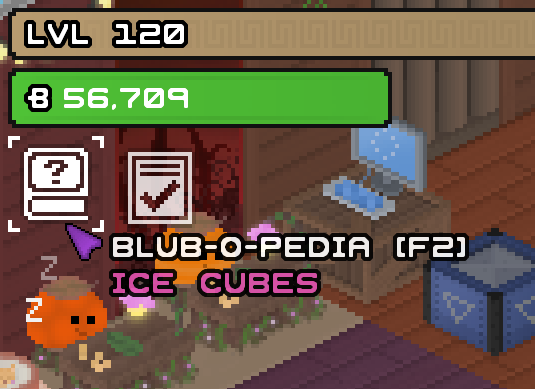
The main Blub-o-pedia button will reside below the money and experience bars, beside the quick task menu button if it's active: Pressing this will take you to the home page of the Blub-o-pedia, or re-open a recently closed Blub-o-pedia page (in the above image's case, that will open straight up to the Ice cubes page).
Here's a view of a page in the Blub-o-pedia: Each page will include all basic information on the subject like, in the example of resources; how to get them, what they're used for, and tips on farming them. Pages will often include images to easily illustrate points, and that can be hovered to show a caption about what is shown. Just like your average web-page or Wikipedia article, key mentions will be able to be clicked to bring you to their respective information pages.
While (game) Wiki pages often get into the nitty gritty about mechanics and interactions, I decided to keep the Blub-o-pedia fairly surface level, and only include information that is important to the average player. This means the Blub-o-pedia will omit details like exact spawn-rates or event reward formulae for instance. An up-side to the Blub-o-pedia being in-game is that some values that are shown, can be updated and reflected accounting for the player's current rates (e.g. stock sell values from buff items, or Amethyst liquidation rates from a Cosmic Vase).
Here's an image of the resource info for Flowers, showing their sell and xp gain values, accounting for placed Mega Flowers (buff items):
The whole interface will also of course support UI themes, so an added bonus to having it in-game, is that its look and feel will match that of the theme you've set for your game.
The Blub-o-pedia isn't the only thing coming to the next update, but it's certainly a large improvement that should reach every aspect of the game, from explaining what can be done with certain items to giving useful pointers about automation and everything in-between!
Keep a lookout for potentially more early looks at what's to come in the next update! I hope you're doing fantastic! :)
What have I been up to? - Introducing Huecube!
G'day all! You may have noticed Blub Emporium has been enjoying a comfortable rest as far as updates go, why is this? Well as you may know I am one man, so I can only do so much at once. I have been hard at work on fleshing out another project which started its life around the same time as Blub Emporium did originally.
- What's happening with Blub Emporium? Blub Emporium is in a great state, but I'm still not officially done with it. I absolutely plan to do more updates for it, adding more items and quality of life features! I have to balance my attention between BE and my other projects, so I can't release updates as fast, but I will always strive to keep them to my standard of quality.
- New game? Tell us more! The new game in question is "Huecube", it's a puzzle platformer with super smooth and satisfying movement featuring the abilities to manipulate time (having a recording of your past self help you solve fantastic puzzles, or vice versa) and colour shift (adding and subtracting colours to your cube to help clear gaps or phase through walls). The game has a fully integrated and extensive level editor tool to allow players to create their own Huecube levels of any style, be it a parkour/obstacle course, a head-scratching puzzle, or a creative contraption using the in-depth wiring system and the many ways players can interact with them. Levels can be submitted to the Steam workshop to be played by other players!
To sum up, Blub Emporium will see more updates, and a brand new game solo developed by myself once again is up on Steam, and I implore you to go give the page a look, and maybe even add it to your Steam wishlist (this helps me out a tonne!).
Click here to view the store page for Huecube, or alternatively search for "Huecube" in your Steam client's store.
Blub Emporium's 1 Year Anniversary!
Already?! This year has absolutely flown, and I only know that because apparently it was this time last year that Blub Emporium was officially released here on Steam!
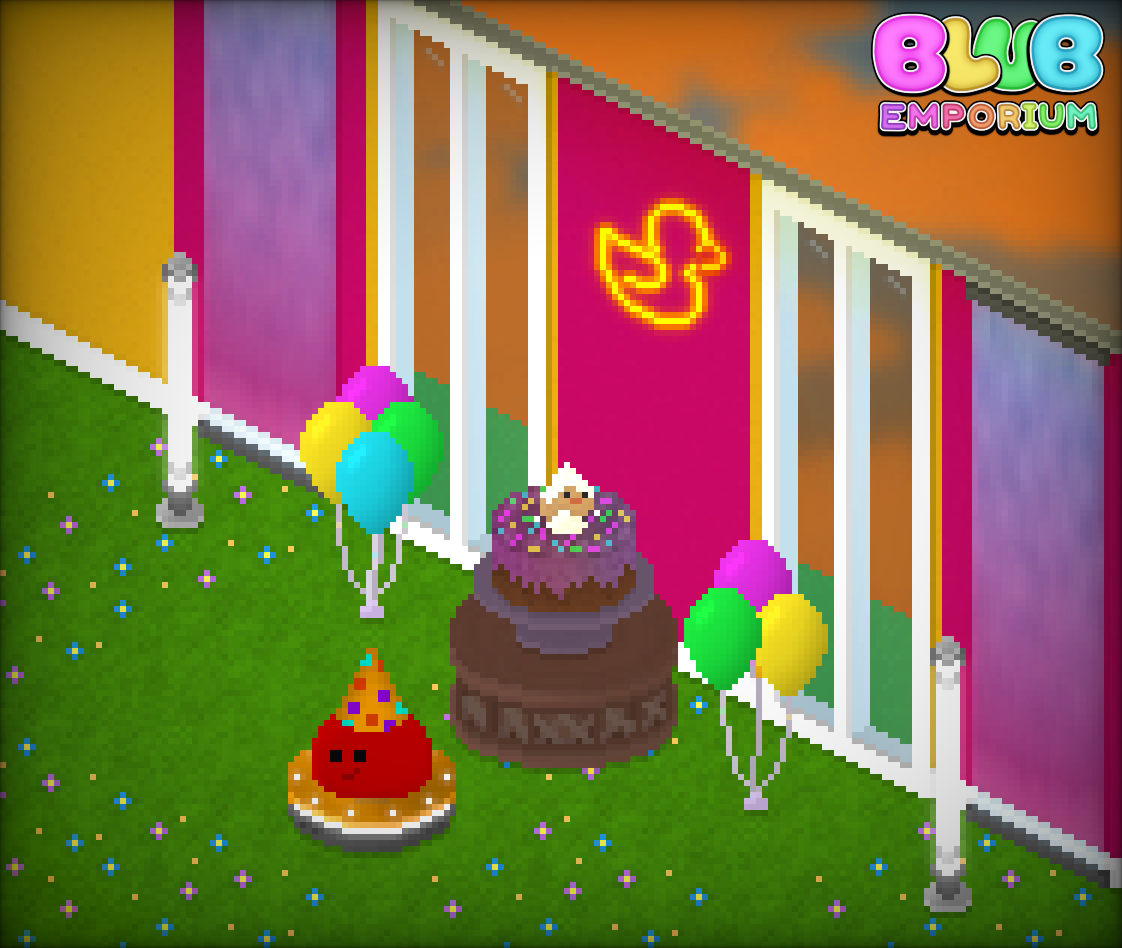
In-game you'll be able to get yourself the "Release Cake" (Seasonal Item) from the Catalogue to put in your Emporium and celebrate with the Blubs!
I just wanted to give a huge thank you for everyone who has bought, played and supported Blub Emporium since its release! It's by no means a huge hit of a game, but for every single person who's given it a go and maybe even loved it, makes it a hit in my eyes! :) I'm working hard on other things behind the scenes, and I do plan to still deliver updates for Blub Emporium here and there.
May your days be as merry as a Blub and its 83 rubber ducks at home.
- Riley
Blub Emporium V.1.2.4
Blub Emporium Version 1.2.4 - Change Log
This update brings much needed improvements to the Factory, including an extremely easy way of loading different Factory layouts, conveyor belts that allow power to pass through, the ability to at last buy Laterators at will, and a way to quickly copy placed items to the cursor for convenience! Overall the game sees some further QoL improvements + balance, and another mega shelf variant!
ITEMS AND RESOURCES:
Added "Wired Conveyor" (Factory Other).
Added "Lunar Balloons" (Emporium Deco).
Added "Stock Box" (Emporium Special).
Added "Bottlebrush Tree" (Farm Special).
Added "Jumbo Calculator" (Emporium Special).
Added "Mega Boomerang Rack" (Shelves).
UI:
The task menu will now automatically re-open after a task reward has been collected (can be disabled).
Pressing the interact button (default: E) when cursor is over a placed (factory) ground item (and isn't placing anything) will quickly jump to it in your inventory (effectively a pipette tool).
Pressing the interact button when an item IS selected will cause the cursor to be cleared (effectively emulating escape to cancel placing items).
Some sub-menus in the Main Menu now remember the page you were on, this means you don't need to navigate back when changing settings found on latter pages.
Added ability to quick load and quick design schematics in the Factory. Four buttons will appear on the left above the build hammer as you unlock the schematic slots, selecting these will attempt to load previously saved schematics immediately if possible, at the spot they were saved.
Holding function (LCTRL by default) and selecting these buttons will immediately save the current Factory design as that schematic, saving the hassle of locating your Schematic Savers and placing them in order to save a design. Note that the corresponding Schematic Saver and/or Loader must be owned to use their respective quick save/load features.
If a schematic file has its "title" tag set, it will show up in parentheses besides the "Ready!" text (otherwise will default to the colour of the loader). Using the new "E" Pick-item feature on these buttons will select their respective schematic device from your inventory.
GAMEPLAY/BALANCE:
Added "Sustainable Farming" Task Track.
Added "Boomerang Mastery" Task Track.
Hugely decreased value of both the teleporter entrance, and teleporter exit: 425000 -> 275000.
Laterators are no longer wheel items, and instead are buyable from the catalogue at level 40 and onward.
Added Left Laterator as a reward for completing Assembly Monotony II.
Added Right Laterator as a reward for completing Booked In V.
Increased money gain of sold books: 11 -> 14.
BUGS/TECHNICAL:
Fixed possible crash if getting a certain hint on start-up.
Compost bins no longer briefly appear empty when moved.
Shifting the entire Factory now correctly updates the wire connection notices.
Corrected Micro-Factories not showing up as rare in the inventory.
MISC:
Added descriptions to all factory walls (excluding Dark Steel, which already had one).
Added Laterators to the hint mentioning Divaricators and their helpfulness.
Added hint providing information on creating red and moon boulders.
Added hint regarding the new Factory 'pipette' feature.
Added hint about how to use the quick-saving feature.
Schematic confirm prompts now ignore trailing/leading spaces in their title/author tags if defined.
Schematics saved now come pre-filled with empty author and title tags (and quick-save tile co-ordinates).
Unhyphenated the "Build-Mode" in the task description for "No Regrets", to improve the consistency across other mentions.
Added "Confirm Quick-load" setting which can disable the requirement of selecting the quick-load buttons twice to confirm.
Added "Moonlit Trades" Achievement.
As always, any questions, issues, or feedback, let me know!
Blub Spooky Season!
It's the spooky part of the year, that means that you'll be able to obtain a handful of exclusive seasonal rarity items from the Catalogue, if you have the Emporium funds spare!
From the beginning of the 15th of October until the end of the 2nd of November(your local time), the Catalogue will offer the ability to buy several decorations for the Emporium, as well as a couple for the Farm.
The Spooky Seasonal items are currently as follows:
Emporium Wall Decorations:
Redback (value: 2,120) "Deadly as it looks..."
Bat (value: 1,075) "How's it hanging?"
Cobwebs (value: 195) "There's no way that anyone would ACTUALLY put these pure 100% organic Cobwebs up VOLUNTARILY..."
Emporium Decorations:
Spooky Balloons (value: 665) "The real fright is these suddenly going 'POP!' when Blubs are too reckless with their Prickle Pets!"
Carved Pumpkins (value: 310) "If you think about it; Blubs are a lot like pumpkins..."
Emporium Tables:
Bone Table (value: 206) "This is why a diet rich in calcium is a good thing!"
Emporium Wallpaper:
Ominous Field (value: 150) "Listen to the howls of the wind and whispers of beyond."
Emporium Tiles:
Spooky Timber (value: 125)
Farm Decorations:
Spooky Gravestone (value: 390) "Seems a lot cooler than spooky. What could be buried here?"
Jack-O'-Lantern (value: 625)
Any items gathered while they're available will be able to be kept permanently, though no further ones can be bought until this time next year. Also, there's a Mantled item that uses one of the spooky seasonal items. Play with other non-seasonal spooky items too and make some awesome designs!
Along with those, there's also a permanently-available UI theme introduced that you can use to set the mood!
Spooky scary Blubs! (not really, Blubs are adorable if we're honest) This update brings a handful more spooky seasonal items, helpful loading hints/tips, and a new spooky UI theme along with the ability to have multiple custom-made UI themes loaded.
Seasonal items are available from the beginning of the 15th of October, until the end of the 2nd of November.
ITEMS AND RESOURCES:
Added "Spooky Timber" (Emporium Tile).
Added "Cobwebs" (Emporium Wall Deco).
Added "Redback" (Emporium Wall Deco).
Added "Bat" (Emporium Wall Deco).
Added "Spooky Balloons" (Emporium Deco).
Added "Bone Table" (Table).
Added "Carved Pumpkins" (Emporium Deco).
Added "Ominous Field" (Emporium Wall).
Added "Compost Bin" (Farm Special).
VISUAL:
Added Pumpkin Stem Blub hat-type.
UI:
Added "Spooky" UI Theme.
Added 67 helpful gameplay facts that will be randomly displayed when loading files.
GAMEPLAY/BALANCE:
Blub Balloons offers now cap when 4 are owned, and the frequency decreases up until then.
Blubs now offer a larger quantity of bouncy balls at a time: 20-55 (~37.5) -> 55-120 (~87.5).
Increased the event duration of the spooky event: 336 hours (14 days) -> 432 hours (18 days)
Increased the event duration of the festive event: 336 hours (14 days) -> 384 hours (16 days)
Changed the date that the spooky event is centred around: 28th October -> 24th October.
The Easy-interact accessibility setting now will automatically re-engage boulders after every bit of damage is dealt.
Solar Panel now have a 50% chance of giving 2 mystic shards upon harvest.
Lunar Sprouts harvested manually now net an additional moonstone.
Loading files during the Release, Spooky or Festive seasonal events and having a file that is level 5 or above and below 120 will prompt mail to arrive in your letterbox from "Bluey the Collector" telling you to check the catalogue.
BUGS/TECHNICAL:
Increased default dead-zone setting for controllers: 7 -> 12.
Set maximum controller dead-zone to 50.
Fixed bug where hovering over a button in photo-mode and then closing it without moving the cursor would cause that button to be pressed immediately when opening photo-mode manually later.
Photo-mode feedback alerts no longer persist between photo-mode sessions.
Fixed bug where demolish bombs that blew up at the top of the farm and didn't break any debris would leave behind a lighting artefact.
Corrected catalogue naming discrepancy for Army Green Linoleum (Catalogue called it Army Green Lino).
Fixed rare possible crash when opening the letterbox in the farm.
MISC:
Changed auto-collapse resources setting to default to enabled.
Overhauled the custom UI theme modding system. Up to 20 custom UI themes may be loaded at a time. There is now a dedicated folder "UI Themes" in the Blub Emporium files directory. UI theme templates can now be generated with labels describing what each colour changes. To create a custom UI theme, simply create a text file with the file extension ".bet", type in there /generate, save and close it, go into Blub Emporium -> Settings -> Preferences -> User Interface -> UI Themes, and press [function (ctrl)]+[menu (f5)]. Now open up the file and it should be pre-filled with the UI theme you had on. Tweak these values using RGB hex codes, save, and use the custom theme refresh combo to preview them instantly in-game. Share and look at other people's custom UI themes in the Blub Emporium Discord server!
As always, any feedback or issues you come across, be sure to let me know!
Spooky Scary Blubs!
Blub Emporium Version 1.2.3 - Change Log
Spooky scary Blubs! (not really, Blubs are adorable if we're honest) This update brings a handful more spooky seasonal items, helpful loading hints/tips, and a new spooky UI theme along with the ability to have multiple custom-made UI themes loaded. Seasonal items are available from the beginning of the 15th of October, until the end of the 2nd of November.
ITEMS AND RESOURCES:
Added "Spooky Timber" (Emporium Tile).
Added "Cobwebs" (Emporium Wall Deco).
Added "Redback" (Emporium Wall Deco).
Added "Bat" (Emporium Wall Deco).
Added "Spooky Balloons" (Emporium Deco).
Added "Bone Table" (Table).
Added "Carved Pumpkins" (Emporium Deco).
Added "Ominous Field" (Emporium Wall).
Added "Compost Bin" (Farm Special).
VISUAL:
Added Pumpkin Stem Blub hat-type.
UI:
Added "Spooky" UI Theme.
Added 67 helpful gameplay facts that will be randomly displayed when loading files.
GAMEPLAY/BALANCE:
Blub Balloons offers now cap when 4 are owned, and the frequency decreases up until then.
Blubs now offer a larger quantity of bouncy balls at a time: 20-55 (~37.5) -> 55-120 (~87.5).
Increased the event duration of the spooky event: 336 hours (14 days) -> 432 hours (18 days)
Increased the event duration of the festive event: 336 hours (14 days) -> 384 hours (16 days)
Changed the date that the spooky event is centred around: 28th October -> 24th October.
The Easy-interact accessibility setting now will automatically re-engage boulders after every bit of damage is dealt.
Solar Panel now have a 50% chance of giving 2 mystic shards upon harvest.
Lunar Sprouts harvested manually now net an additional moonstone.
Loading files during the Release, Spooky or Festive seasonal events and having a file that is level 5 or above and below 120 will prompt mail to arrive in your letterbox from "Bluey the Collector" telling you to check the catalogue.
BUGS/TECHNICAL:
Increased default dead-zone setting for controllers: 7 -> 12.
Set maximum controller dead-zone to 50.
Fixed bug where hovering over a button in photo-mode and then closing it without moving the cursor would cause that button to be pressed immediately when opening photo-mode manually later.
Photo-mode feedback alerts no longer persist between photo-mode sessions.
Fixed bug where demolish bombs that blew up at the top of the farm and didn't break any debris would leave behind a lighting artefact.
Corrected catalogue naming discrepancy for Army Green Linoleum (Catalogue called it Army Green Lino).
Fixed rare possible crash when opening the letterbox in the farm.
MISC:
Changed auto-collapse resources setting to default to enabled.
Overhauled the custom UI theme modding system. Up to 20 custom UI themes may be loaded at a time. There is now a dedicated folder "UI Themes" in the Blub Emporium files directory. UI theme templates can now be generated with labels describing what each colour changes. To create a custom UI theme, simply create a text file with the file extension ".bet", type in there /generate, save and close it, go into Blub Emporium -> Settings -> Preferences -> User Interface -> UI Themes, and press [function]+[menu] (CTRL+F5 by default). Now open up the file and it should be pre-filled with the UI theme you had on. Tweak these values using RGB hex codes, save, and use the custom theme refresh combo to preview them instantly in-game. Share and look at other people's custom UI themes in the Blub Emporium Discord server!
As always, any feedback or issues you come across, be sure to let me know!
Blub Emporium V.1.2.2
Blub Emporium Version 1.2.2 - Change Log
This small update addresses some bugs & balance, adds a second mine shaft, a crate full of resources, and some bundles of balloons!
ITEMS AND RESOURCES:
Added "Frozen Mine Shaft" (Farm Special).
Added "Resource Crate" (Farm Special).
Added "Blub Balloons" (Emporium Deco).
Added "Lucky Balloons" (Emporium Deco).
VISUAL:
Raised model rockets by a single pixel when on Blubs' heads.
Changed Lunar Siphon placement guide to use the "store" colour rather than the "demolish" colour to better reflect its intent.
Changed Cultivator placement guides to use the "place" colour rather than the "demolish" colour.
UI:
Hovering over the quick-task button while the FPS counter is on will now keep it in the same spot.
Added moonstone resource outline to the placement guide tiles seen when placing Lunar Siphons (to better illustrate their purpose).
Added alternating scythe/bomb icon outlines to the placement guide tiles for all Harvesters.
Added plant icon outline to the placement guide tiles for all Cultivators.
Cultivators are now more verbose when they are not usable. i.e. if they are blocked or not facing the correct terrain.
Slot Machines and the Night Market now show Lunar Token balance when hovering over the interact button.
GAMEPLAY/BALANCE:
Doubled capacity* of ice cube hoppers to better line up with their demand: 40 -> 80.
Increased capacity* of flower hoppers to better line up with their demand: 45 -> 60.
Slashed liquidation requirement for Cosmic Correspondence VI: 14250 -> 9250.
Increased value of the Infinite Gumball Machine: 6255 -> 12255.
Increased value of Mini-golf: 1400 -> 4410.
Increased value of the Orange Arcade: 500 -> 1200.
Increased value of the Retro Arcade: 3750 -> 6750.
Increased value of the Nature fountain: 4440 -> 8440.
Doubled capacity* of Lunar Siphons to accentuate their role: 10 -> 20.
Decreased interact delay of Lunar Siphons: .15s -> .05s.
Changed slot machine to now have a negative house edge, instead of a static 50 LT prize, it's based on the statistically average price to hit plus one, rounded UP to the nearest 50.
Drastically decreased value of slot machine: 1000000 -> 777777.
Moved boost zone position on unprocessors from 75% of the bar to 35% so that they can be filled quicker.
Increased capacity* of cone unprocessors: 20 -> 150.
Increased capacity* of iron bar unprocessors: 25 -> 200.
Increased capacity* of pigment unprocessors: 25 -> 120.
Increased capacity* of cream unprocessors: 25 -> 180.
Increased capacity* of flour unprocessors: 25 -> 200.
Increased capacity* of sugar unprocessors: 25 -> 200.
Increased capacity* of paper unprocessors: 30 -> 250.
20 more Cosmic Lava is now obtained upon destruction of the meteorite. Pre-1.2.2 files with destroyed meteorites will still be given the additional 20.
If the gum tree is some-how not obtained by half-way to max level, it will have a 25% chance of dropping in the wheel.
If a strawberry milk mixer is obtained but not the fridge, then the fridge is significantly more likely to drop past level 30 and vice versa.
BUGS/TECHNICAL:
Removed residual debug wheel spin viewer bound to J.
Converted game to run as a 64-bit executable. 32-bit operating system support has been retired. According to Steam's hardware survey, only a small fraction of a percent of users are running on 32-bit.
Dropped "STICKS" from the sugarcane importer's name to match its hopper counterpart. Technical name will remain the same for compatibility reasons.
Increased Lunar Harvester/Reaper concurrent run limit further from 2 to 5.
Fixed game checking outside of the farm for water streams adjacent to flower sprouters.
Changed the way tags are read in schematics so that colons can be used in the actual content. e.g. "@title: Hello! :)" in .schematics file will work now.
MISC:
Corrected a/an error on "The Cherries On Top III" task.
*Capacity changes will take affect on items placed after the update. Moving previously placed items will apply the changes to them.
As always, any feedback or issues you come across, be sure to let me know!
Schematical!
Blub Emporium Version 1.2.1 - Change Log
This small update introduces schematics to Blub Emporium! Use them to save Factory configurations to be loaded up later, or even share with your friends your proudest Factory designs! As a bonus Mega Orange Juice Tables have made their arrival!
ITEMS AND RESOURCES:
Added Orange Schematic Saver (Factory Other).
Added Orange Schematic Loader (Factory Other).
Added Cyan Schematic Saver (Factory Other).
Added Cyan Schematic Loader (Factory Other).
Added Lime Schematic Saver (Factory Other).
Added Lime Schematic Loader (Factory Other).
Added Purple Schematic Saver (Factory Other).
Added Purple Schematic Loader (Factory Other).
Implemented Topaz Yellow Concrete (Factory Tile).
Added Mega Orange Juice Table (Shelf).
VISUAL:
Added border to Celestial Inferno wallpaper to line up with the standard one.
GAMEPLAY/BALANCE:
Added "Orange Juice Mastery" Task Track.
Increased money reward for "On A Roll II": 200 -> 1500.
Increased gold chunk reward for "On A Roll II": 4 -> 6.
Increased default harvest quantity and XP gain for lumber mills: 3 -> 5.
Increased lumber mill wood harvest quantity by 50%.
Added bulk fibre Blub sell offer.
Increased capacity of amethyst hopper: 15 -> 30.
Increased capacity of spines hopper: 24 -> 36.
Increased capacity of coconut hopper: 24 -> 36.
Remember, if there's an issue or any feedback you want to share, let me know! It'll be addressed as soon as possible!