This update includes major improvements and bug fixes to the game core as well as user experience. The full list is available below.
What's new
New:
Input Action support for all VR controllers (Valve Index, Vive, WMR, Oculus, etc.) supported by Steam VR.
Users can re-assign/override the VR controller actions for buttons/touchpads/joysticks using the built-in Steam client settings for this game.
Oculus users who installed the game via Steam, can launch the game directly via either Steam client or Oculus PC app, without depending on Steam VR, yet benefit from Steam and Steam Workshop content for the game.
Windows Mixed Reality (WMR) users (as well as other platforms supporting OpenXR) who installed the game via Steam, can play the game without depending on Steam VR, yet benefit from Steam and Steam Workshop content for the game.
Users using WMR controllers can use the built-in menu button to open/close the main menu.
Freshly written XR Interaction System to handle actions, haptic, interactions as well as upcoming (in future releases) hand models. No longer depending on the built-in systems provided by Unity.
By default, users can grab objects using either trigger or the grab button on the VR controller, instead of having to choose only one button in the main menu.
Physical mouse object is now visible in local multiplayer mode as well as Non-VR mode.
Command line support to select vr mode: `-xrmode`. Options: `none`, `oculus`, `openvr`, `openxr`. Example: "board-games-vr.exe -xrmode openxr" will force the app to use OpenXR.
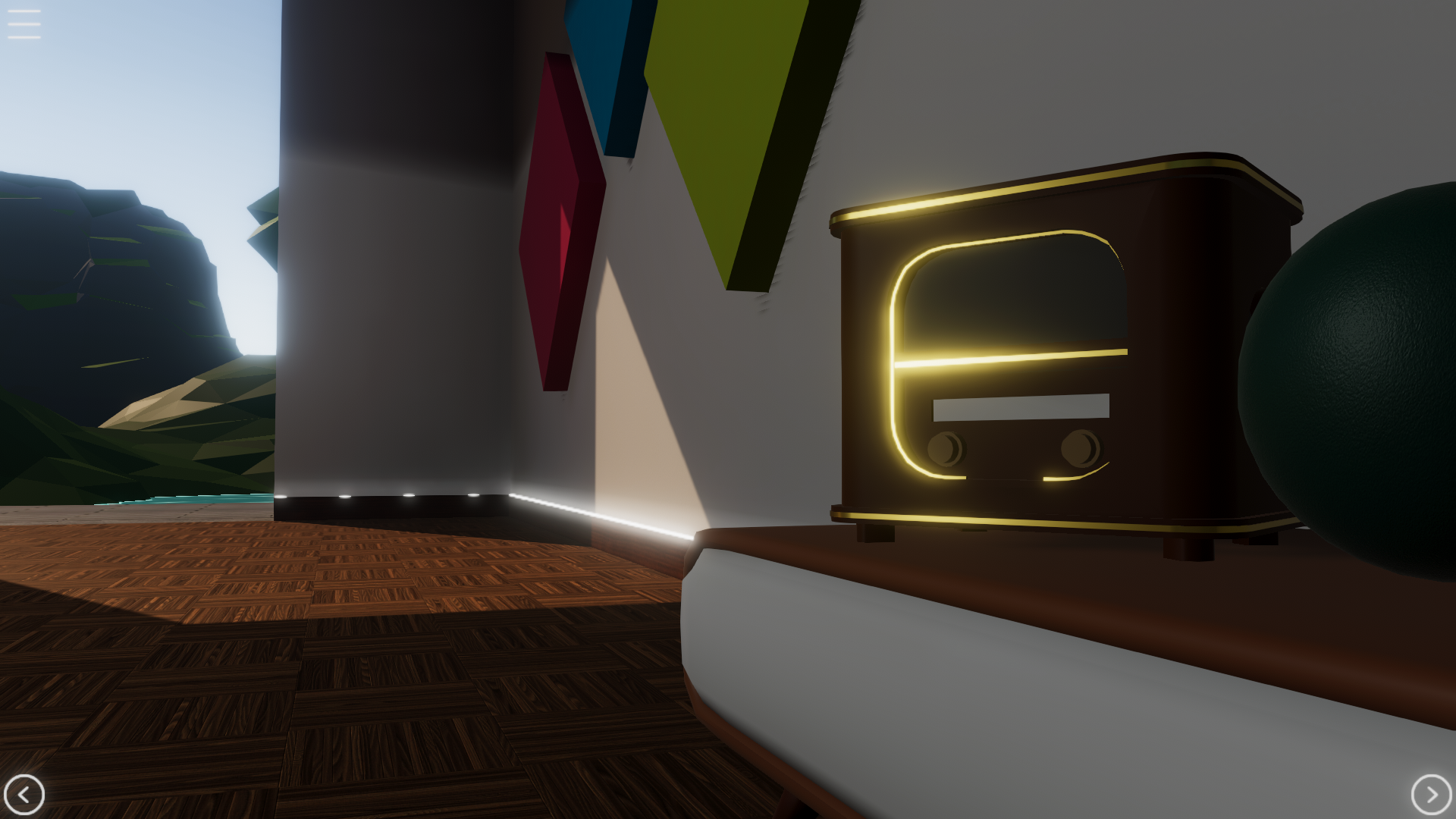
Radio and the small table with the radio on top in the default environemnt.
Waterfall SFX and lake water SFX in the default environment.
Update
Using the latest Universal Render Pipeline (URP version 12.1.4). As a result all previous 3rd-party environments (scenes, skymaps, shaders, materials, etc.) must be updated by their publishers to use the latest URP.
"The Void" environment is renamed to "Green Nebula" with id "green-nebula".
The dynamic day/night cylce in the default environment is replaced with fixed daylight.
Reduced game runtime memory usage.
Reduced game assets loading times.
Reduced overall game size to require less than 1GB of disk space (used to be almost 2GB).
Improved all textures in the default environment.
Improved responsiveness of the main menu.
Updated icons in the main menu.
Removed the menu option for grab, since the game is now supporting both trigger and grab buttons on VR controller.
User can drag objects using mouse in Non-VR mode against surfaces, instead of only in a straight line.
Reflection probes now use box projection to allow more realistic reflections based on object position within the probe.
Improved locomotion/teleportation using joysticks and touchpads (where controller supports it) to allow users to cancel the action by turning the stick around to the back.
Fix
Rendering issues in skymaps of the built-in environments.
Rendering issues when using WMR headsets.
Occasional post-processing issues when starting the game.
Light intensity, shadow, ambient occlusion, reflection and baked textures in the built-in environments.
Touching the Valve Index (Knucles) touchpad accidentally teleports the user.
Touching the Vive wand touchpad teleports the user (instead of clicking the touchpad).
Snap turn immediately (accidentally) turns the user, as soon as the controller stick is slightly moved to either left/right.
Menu button on Oculus and WMR controllers do not work as intended.
Haptic feedback only works correctly on Valve Index and Vive controllers, but no other devices.
Backgammon board triangles are not correctly positioned.
Sometimes the main menu disappears right after it becomes visible to the user.
Some texts in the scene flicker when being rendered, based on type of headset and VR video resolution.
In Non-VR and local multiplayer mode (where supported by user's machine and VR platform), mouse interactions might have an offset to the actual position on display.
Interacting with interactable objects do not work after a teleport, where the user hand ends up inside that object.
Grabbing an already grabbed object with another hand, causes the object to jump and incorrectly change position.
Grabbing an object containing multiple colliders is not easily possible.
Throwing objects using Oculus controllers has extremely reduced velocity, in compare with Valve Index controllers.
Throwing objects using WMR controllers has reduced velocity, in compare with Valve Index controllers.
Sometimes the game log file gets filled up with errors related to Unity XR Interaction.
Sometimes the user could not scroll the list in the main menu, using the laser pointer.
Sometimes the user teleportation blink does not work.
Teleport anchors are positioned incorrectly with a small vertical offset below the ground.
Sometimes audio/sfx does not play from the correct world position and instead plays back at the player's head position.
Known issues
Core: Chess AI takes between 3 to 10 seconds when making decisions. This is too long in compare to other chess games available on the market. Chess is only available in multiplayer, until the AI is fully improved.
Core: The score system is disabled. This will be published once it is decoupled from Steamworks.
Core: The hand models and interactions are disabled in this build (will enable them again once the new input system and custom interactions are fully implemented).
Multiplayer: Players cannot create private rooms. This feature is disabled in the current release due to bugs. It will be released once the bugs are fixed.
Multiplayer: In online multiplayer, the interactable room objects might disappear when the room host leaves the room.
SFX: When interacting with checker pieces and boards the SFX is not audiable!
VFX: Guide poster does not show the Tic-Tac-Toe rules (side note: this might change in the near future with the upcoming tutorial content).
If you have any questions or suggestions, feel free to drop a line in any of social platform of your choice. For urgent cases or if you just want to chat, visit the artArmin Discord server or livestreams.
Thank you for playing the game and your continuous support.
Armin
Board Games VR - Version 1.3.1 Available Now!
Hey everyone!
As some of you know I have been dividing my time between this game and my other project: Pimax VR Experience for the past two months.
There are more updates on the way for Board Game VR. In this version the main change includes the redesign of the Main Menu.
What's new
New: Visual redesign of the Main Menu.
New: Quick settings in menu: AI difficaulty, table height, grab button in VR (grip or trigger).
New: Library Items in menu: Games, scenes, environments.
New: Audio settings in menu: sound effects, music and master volumes.
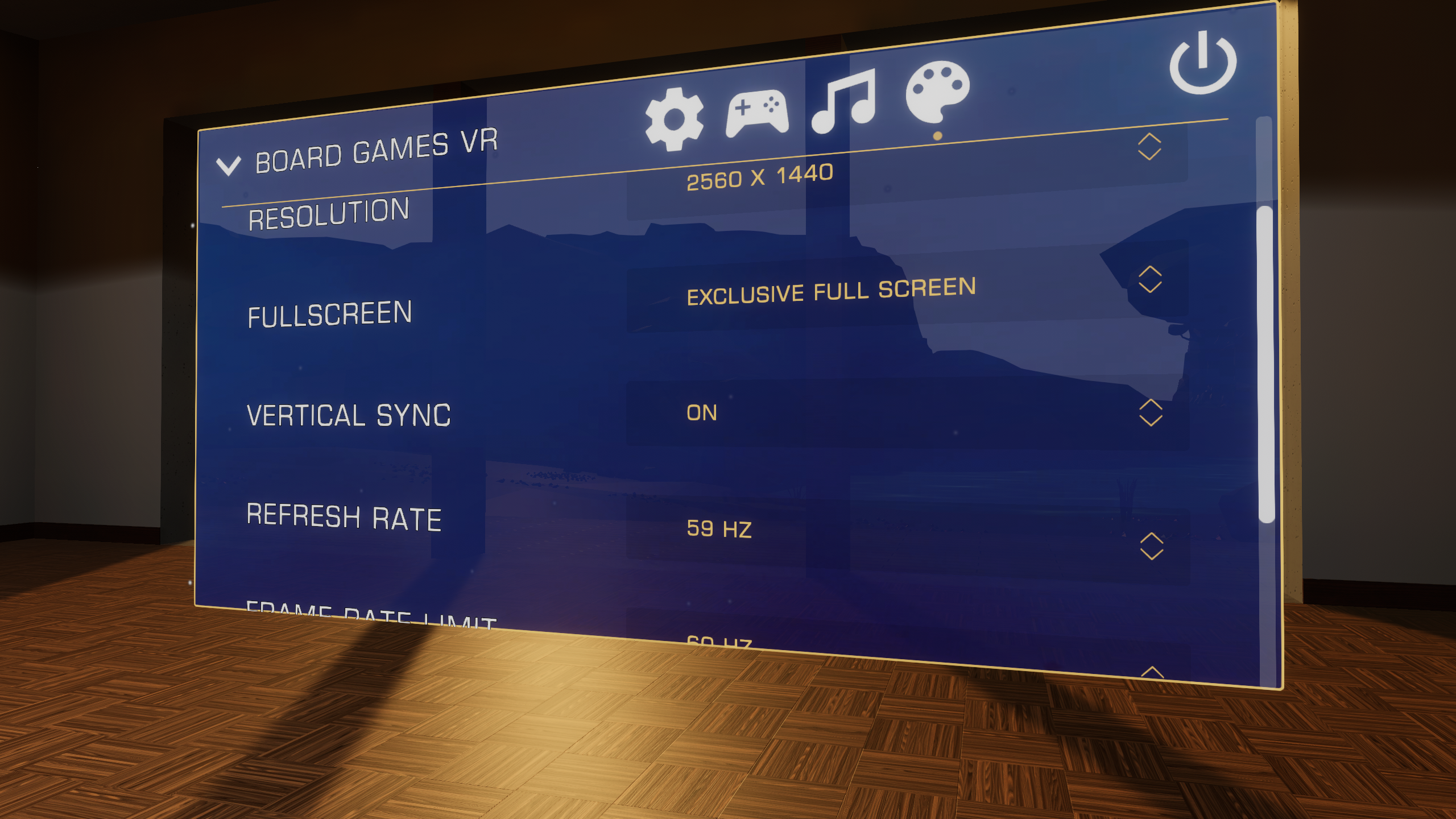
New: Display settings (monitor) in main menu: Resolution, Fullscreen mode, Vertical Sync, Refresh rate, Frame rate limit.
Update: Core: Teleportation and snap turn (still using the old input system) in VR mode.
Update: Core: Lighting and render quality.
Update: Core: Settings are now human readable (stored as json file)
Update: VFX: Main menu sound effects.
Fix: Core: Unable to pick up checker pieces with the pinch gesture.
Fix: SFX: Sometimes custom user music does not automatically start on game startup
Known issues
Core: Chess AI takes between 3 to 10 seconds when making decisions. This is too long in compare to other chess games available on the market. Chess is only available in multiplayer, until the AI is fully improved.
Core: The score system is disabled. This will be published once it is decoupled from Steamworks.
Core: The hand models and interactions are disabled in this build (will enable them again once the new input system and custom interactions are fully implemented).
Multiplayer: Players cannot create private rooms. This feature is disabled in the current release due to bugs. It will be released once the bugs are fixed.
Multiplayer: In online multiplayer, the interactable room objects might disappear when the room host leaves the room.
SFX: When interacting with checker pieces and boards the SFX is not audiable!
VFX: Backgammon board triangles are not correctly positioned.
VFX: Guide poster does not show the Tic-Tac-Toe rules (side note: this might change in the near future with the upcoming tutorial content).
If you have any questions or suggestions, feel free to drop a line in any of social platform of your choice. For urgent cases or if you just want to chat, visit the artArmin Discord server (or artArmin Twitch livestreams).
Thank you for playing the game and your continuous support.
Armin
Board Games VR - Version 1.3.0 Available Now!
Greetings everyone!
As you've probably noted in the last beta announcement, I have been working hard for the past couple of months, to make it possible for anyone to side-load almost any content into the game. After beta testing it for the past week, it is time to release this to the public!
New: Side-load custom maps, games and music into the game (local file-system).
New: Steam Workshop support (maps, games and music).
New: Steam Workshop Uploader Tool. Now users can create their mods and publish to Steam Workshop using the built-in uploader tool.
New: Extensive documentation and guide on how to create, test and publish custom maps, games and music loops.
New: Sample projects for custom content creation.
Update: Complete re-write of the Teleport locomotion system.
Update: Teleport rotation using left/right thumbsticks on the controllers.
Update: Touching and grabbing interactable objects uses haptic feedback on the controllers.
Update: Grabbed objects move smoother.
Update: Main menu uses pointers to interact with (instead of direct interactions).
Update: Improved game startup time.
Update: Improved online multiplayer system (under the hood, no visible changes)
Fixed: Core: Custom board, checker pieces and game content fail when uploading to Steam Workshop.
Fixed: Core: When changing environments, sometimes objects start re-spawning.
Fixed: Core: Multiple audio listeners are present when [re]loading environments.
Fixed: Core: Sometimes music playback gets corrupted when starting the game and remains corrupted until the game is fully restarted.
Fixed: Multiplayer: In online multiplayer, player names are not visible. This will be fixed once Steamworks issues are resolved.
Fixed: Multiplayer: Online: After the host got disconnected and connected again, neither players could continue playing the ongoing game (could not pick up checker pieces).
Fixed: Multiplayer: Online: The text meant for player 2, is visible to player 1 after player 1 was reconnected, instead of the correct text meant for player 1.
Fixed: Multiplayer: Online: In non-VR mode, player 1 and 2 look at the board from the angle of player 1. Player 2 should be able to look from the other side.
Fixed: SFX: Collisions do not always produce audio at the collision point.
Fixed: VFX: Banding issues are present on objects casued by light/shadow calculations.
Fixed: VFX: Game table model shows low quality in VR, but high quiality in non-vr.
Fixed: VFX: Textures of all items in the default room used to be high-quality, now they are not.
Fixed: VFX: Materials in the default room are too reflective.
Fixed: VFX: Texture normal maps are not being treated as normals (e.g. holes are flat without depth).
Known issues
Core: Chess AI takes between 3 to 10 seconds when making decisions. This is too long in compare to other chess games available on the market. Chess is only available in multiplayer, until the AI is fully improved.
Core: The score system is disabled. This will be published once it is decoupled from Steamworks.
Core: The hand models and interactions are disabled in this build (will enable them again once the new input system and custom interactions are fully implemented).
Core: Unable to pick up checker pieces with the pinch gesture.
Multiplayer: Players cannot create private rooms. This feature is disabled in the current release due to bugs. It will be released once the bugs are fixed.
Multiplayer: In online multiplayer, the interactable room objects might disappear when the room host leaves the room.
SFX: When interacting with checker pieces and boards the SFX is not audiable!
VFX: Backgammon board triangles are not correctly positioned.
VFX: Guide poster does not show the Tic-Tac-Toe rules (side note: this might change in the near future with the upcoming tutorial content).
If you have any questions or suggestions, feel free to drop a line in any of social platform of your choice. For urgent cases or if you just want to chat, visit the artArmin Discord server (or artArmin Twitch livestreams).
Thank you for playing the game and your continuous support.
Armin
Developer Livestream
On September 23, I'll be streaming live!
Topic: game play and the story behind Board Games VR!
You will see:
gameplay of the upcoming release
a little bit behind the scenes
questions and answers
Date: September 23, 2020 Time: 9:00 PM CEST Where: Twitch
⏰ Don't forget to set a reminder!
Custom Games, Maps, Mods, Guides, Workshop!
Greetings everyone!
In the past couple of months, I've been working hard on the functionality that allows anyone to side-load almost any content into the game. This way when anyone wishes to create a mod for the game, they can follow a structure supported by the game to make it happen.
create any environment along with your own objects (stationary or allow user to interact with), animations, interactions and basically customizing almost anything in the game (visual as well as behavioral).
add your own music loop files to be played during the games
create and add your own board games with their own elements.
What about Steam Workshop? Can the creations be uploaded and shared there?
Yes! You can use the Steam Workshop Uploader Tool built-into the game to upload your content.
Can we play a custom game, music or environment in multiplayer?
Yes! As long as both players have the same content via Steam Workshop, you can. Please note that this feature is still under development. If you find issues or something does not work, please report them so they can be fixed.
Are there any limits on what can be made and published?
Besides the legal limitations and a few internal functionalities, I have not put any limitations on what you can create and load into the game. If you make something and it doesn't work, you should let me know! Almost everything should just work!
Is there any guide or documentation for this very very big feature?
Yes! I worked very hard on making the guide on almost every aspect of creating custom content, available in two places:
An HTML file in the game installation folder named: `library_items_guide.html`
On Steam, under the Guides section of the game.
The HTML file in the game folder, is the most reliable and up-to-date documentation. This documentation gets updated periodically (where necessary) with every update of the game.
How frequent can we expect updates and fixes?
Since this very very big feature is still under development, make sure you are on the Beta channel of the game (on Steam: game properties -> 'Betas' tab -> select beta). This way you will receive the fixes within a few days and can continue creating your content.
I hope this announcement reaches you and I look forward to receiving enough constructive feedback to improve this feature as fast as possible.
Please let me know when something does or does not work for you!
If you have any questions or suggestions, feel free to drop a line in any of social platform of your choice. For urgent cases or if you just want to chat, visit the artArmin Discord server (or artArmin Twitch livestreams).
Thank you for playing the game and your continuous support.
Armin
Board Games VR - Version 1.2.3 Available Now!
What's new
New: Chess game without AI (online/offline multiplayer only).
Update: Enabled the Chess game only in multiplayer modes, instead of not being available at all.
Update: Chess AI has a significantly improved performance, but it is still disabled in single player mode, since it takes too long when making decisions (in compare with other chess games).
Fixed: BG: Position of checker pieces in Tic-Tac-Toe are a few millimeters lower than where they should be when placed in fields.
Fixed: BG: In backgammon, when multiple pieces are positioned on top of each other, at some point their arrangement goes wrong
Fixed: BG: When taking the other player's piece, the green marker goes on top of the piece instead of on the board.
Fixed: BG: Collisions with the TTT board and checker pieces causes extreme frame drops.
Fixed: Core: App crashes when loading some improperly created user custom environments.
Fixed: Multiplayer: Chess: In passing (En Passant) is not working in multiplayer.
Fixed: Multiplayer: Online: The room name/number is too far above the room box.
Fixed: Multiplayer: Online: When Jeno and I moved checker pieces, it took several seconds to transfer the data to the other player, at a speed of 5 Mbits per second!!!
Fixed: Multiplayer: Online: In idle mode, when players are just in the same room and not playing, the network usage might increase to more than 4 Mb/s (average: 7 Mb/s).
Fixed: Multiplayer: Confetti only shows once when the host won the game first.
Fixed: Multiplayer: When both players are in VR mode, there is an extra head loaded at player 1 sitting position.
Fixed: VFX: Dynamic time of day, sky, the Sun, moon, etc. is broken in all beta builds made after the 1.2.2 release.
Fixed: VFX: In non-vr, the spinning box for restarting the game, is blocking the click/view of the game shelf.
Fixed: VFX: Non-VR head is not supposed to have a shadow.
Known issues
Core: Custom board, checker pieces and game content fail when uploading to Steam Workshop. This should be fixed before the new tool is created, to allow players to modify the existing content.
Core: Chess AI takes between 3 to 10 seconds when making decisions. This is too long in compare to other chess games available on the market. Chess is only available in multiplayer, until the AI is fully improved.
Core: The score system is disabled. This will be published once it is decoupled from Steamworks.
Core: The hand models and interactions are disabled in this build (will enable them again once the new input system and custom interactions are fully implemented).
Core: Unable to pick up checker pieces with the pinch gesture.
Core: Sometimes music playback gets corrupted when starting the game and remains corrupted until the game is fully restarted.
Multiplayer: Players cannot create private rooms. This feature is disabled in the current release due to bugs. It will be released once the bugs are fixed.
Multiplayer: In online multiplayer, player names are not visible. This will be fixed once Steamworks issues are resolved.
Multiplayer: In online multiplayer, the interactable room objects might disappear when the room host leaves the room.
SFX: When interacting with checker pieces and boards the SFX is not audiable!
VFX: Backgammon board triangles are not correctly positioned.
VFX: Guide poster does not show the Tic-Tac-Toe rules (side note: this might change in the near future with the upcoming tutorial content).
Your feedback is most welcome.
Thank you for playing the game and your continuous support.
Update: VFX: Non-VR player movement is more refined.
Update: VFX: Default checker pieces models and textures.
Update: VFX: Default room decoration with picture frame.
Fixed: VFX: Checker piece destination reticle (small green cylinder) is not visible from certain angles.
Fixed: VFX: Checkers/Chess board material reflection is too high.
Known issues
Core: Chess game AI takes too long when making decisions. Chess is not available in the game yet until this issue is resolved.
Core: The score system is disabled. This will be published once it is decoupled from Steamworks.
Core: The hand models and interactions are disabled in this build (will enable them again once the new input system and custom interactions are fully implemented).
Core: Unable to pick up checker pieces with the pinch gesture.
Core: Sometimes music playback gets corrupted when starting the game and remains corrupted until the game is fully restarted.
Multiplayer: Players cannot create private rooms. This feature is disabled in the current release due to bugs. It will be released once the bugs are fixed.
Multiplayer: In online multiplayer, player names are not visible. This will be fixed once Steamworks issues are resolved.
Multiplayer: In online multiplayer, the interactable room objects disappear when the room host leaves the room.
SFX: When interacting with checker pieces and boards the SFX is not audiable!
VFX: Backgammon board triangles are not correctly positioned.
Your feedback is most welcome.
Thank you for playing the game and your continuous support.
Fixed: Core: Steamworks is not working! Due to issues between the current Steamworks API framework and IL2CPP, non of the Steamworks functionalities work properly. This includes player information (name, avatar, etc.), cloud storage, achievement system, scores.
Fixed: Core: Settings are not synced on the Steam cloud.
Fixed: Core: The achievement system is not public yet.
Fixed: VFX: Surrounding objects in the room are not affected during scene change
Known issues
Core: The score system is disabled. This will be published once it is decoupled from Steamworks.
Core: The hand models and interactions are disabled in this build (will enable them again once the new input system and custom interactions are fully implemented).
Core: Unable to pick up checker pieces with the pinch gesture.
Core: Sometimes music playback gets corrupted when starting the game and remains corrupted until the game is fully restarted.
Multiplayer: Players cannot create private rooms. This feature is disabled in the current release due to bugs. It will be released once the bugs are fixed.
Multiplayer: In online multiplayer, player names are not visible. This will be fixed once Steamworks issues are resolved.
Multiplayer: In online multiplayer, the interactable room objects disappear when the room host leaves the room.
SFX: When picking up and moving checker pieces the SFX is not audiable!
SFX: When picking up and moving checker pieces the SFX is not audiable!
VFX: Backgammon board triangles are not correctly positioned.
VFX: Checkers/Chess board material reflection is too high.
Your feedback is most welcome.
Thank you for playing the game and your continuous support.
Please use the menu button on your controller to show/hide the Main Menu.
What's new
New: Non-VR play mode. Players without a VR headset, can now play the game in Non-VR mode, using mouse (left and right clicks) and/or touch screen input
New: Online multiplayer is publicly available (no private rooms yet)
New: Offline multiplayer at the same computer
New: Teleport locations at both player sides of the table for players to easily play the games (in VR)
New: Auto-detect VR device and launch the game in Non-VR mode, when there is no VR device attached
Update: Core: reduced graphics computation by dynamically updating the surrounding object mesh level of detail
Update: Core: reduced processing cycles per frame for components out of player view (VR mode)
Update: Core: improved shader warmaup time on game startup
Update: Core: improved game performance by a large margin to be playable on machines without dedicated graphics card
Update: Environment: reduced overall memory usage
Update: SFX: Backgammon dice
Update: VFX: the water in the lake and the waterfall
Update: VFX: teleport system
Update: VFX: improved texture quality, size and memory usage
Update: VFX: loading screen now shows loading progress (useful on slow systems)
Update: VFX: improved skybox (Sun, the moon, clouds, stars, etc.)
Update: VFX: object animations
Update: VFX: atmospheric animations
Update: VFX: atmospheric light effects
Update: VFX: the Main Menu sliders
Update: VFX: library boxes now hover on top of the table for a faster/easier restart of a finished game
Fixed: Board game: sometimes game info is displayed without a game on the table
Fixed: Board game: issue where the board game would crash/hang when the player starts a new game while already playing an ongoing game
Fixed: Board game: sometimes the advanced checkers AI starts loosing deliberately!
Fixed: Board game: players are forced to wait almost one second before they can pick up their checker pieces and this is not good for professional players playing the game very fast
Fixed: Board game: sometimes the Checkers AI gets stuck mid-game and cannot play anymore
Fixed: Board game: sometimes the Backgammon game picks a winner before the game is fully finished
Fixed: Board game: sometimes when the Checkers game finished, it gets stuck and does not declair a winner
Fixed: Board game: sometimes the Checkers game AI plays twice when it should only play once
Fixed: Board game: in Backgammon sometimes checker pieces get dropped into the wrong fields (varies every time, not always the same fields)
Fixed: Core: GC runs too many times and slows down the game over time
Fixed: Core: user could activate game debug mode in release builds
Fixed: Core: teleport system and mechanics
Fixed: Core: non-vr player could interact with environment while in the Main Menu, instead of the Main Menu
Fixed: Core: when player is grabbing/dragging objects sometimes they do not follow and stay put instead
Fixed: Core: sometimes camera does not blink when teleporting the player to a location
Fixed: Environment: the Void could get loaded in multiplayer mode
Fixed: Environment: sometimes atmosphere lighting is incorrect when loading an environment
Fixed: Environment: direct light intensity in the Void
Fixed: Environment: ambient lighting system
Fixed: Multiplayer: sometimes the player avatar head jumps in-place
Fixed: Multiplayer: sometimes player hands movements are delayed several seconds
Fixed: Multiplayer: checker piece positions get out-of-sync after a player gets disconnected and comes back to the room
Fixed: Multiplayer: interactable objects are not dragged by the players when teleporting
Fixed: Multiplayer: sometimes incorrect information text is displayed on the wall (where the shelves are)
Fixed: SFX: table collisions
Fixed: VFX: the King checker piece indication glow is not always visible to the user
Fixed: VFX: sometimes the guide poster does not update its content to show the current on-going game information
Fixed: VFX: sometimes the table stays visible, even at table height zero
Fixed: VFX: there is a small gap between board games on top of the table and the table top itself
Fixed: VFX: Anti-Aliasing issue in VR
Fixed: VFX: sometimes HDR mode is not enabled when game is running and color blends look yucky in VR!
Fixed: VFX: sometimes when loading an environment, objects do not show correct reflections of their surrounding
Fixed: VFX: sometimes objects under shadows, show up as if they are under a direct light path
Fixed: VFX: sometimes the Main Menu does not pop up in front of the VR player.
Known issues
Core: Steamworks is not working! Due to issues between the current Steamworks API framework and IL2CPP, non of the Steamworks functionalities work properly. This includes player information (name, avatar, etc.), cloud storage, achievement system, scores. This issue will be resolved alltogether in one of the future releases. Until then the game will continue working with reduced functionality.
Core: The score system is disabled. This will be published once it is decoupled from Steamworks.
Core: Settings are not synced on the Steam cloud.
Core: The achievement system is not public yet. This will be public once Steamworks is fixed.
Core: The hand models and interactions are disabled in this build (will enable them again once the new input system and custom interactions are fully implemented).
Core: Unable to pick up checker pieces with the pinch gesture.
Core: Sometimes music playback gets corrupted when starting the game and remains corrupted until the game is fully restarted.
Multiplayer: Players cannot create private rooms. This feature is disabled in the current release due to bugs. It will be released once the bugs are fixed.
Multiplayer: In online multiplayer, player names are not visible. This will be fixed once Steamworks issues are resolved.
Multiplayer: In online multiplayer, the interactable room objects disappear when the room host leaves the room.
SFX: When picking up and moving checker pieces the SFX is not audiable!
SFX: When picking up and moving checker pieces the SFX is not audiable!
VFX: Backgammon board triangles are not correctly positioned.
VFX: Checkers/Chess board material reflection is too high.
Your feedback is most welcome in the Discussions page.
Thank you for playing the game and your continuous support.