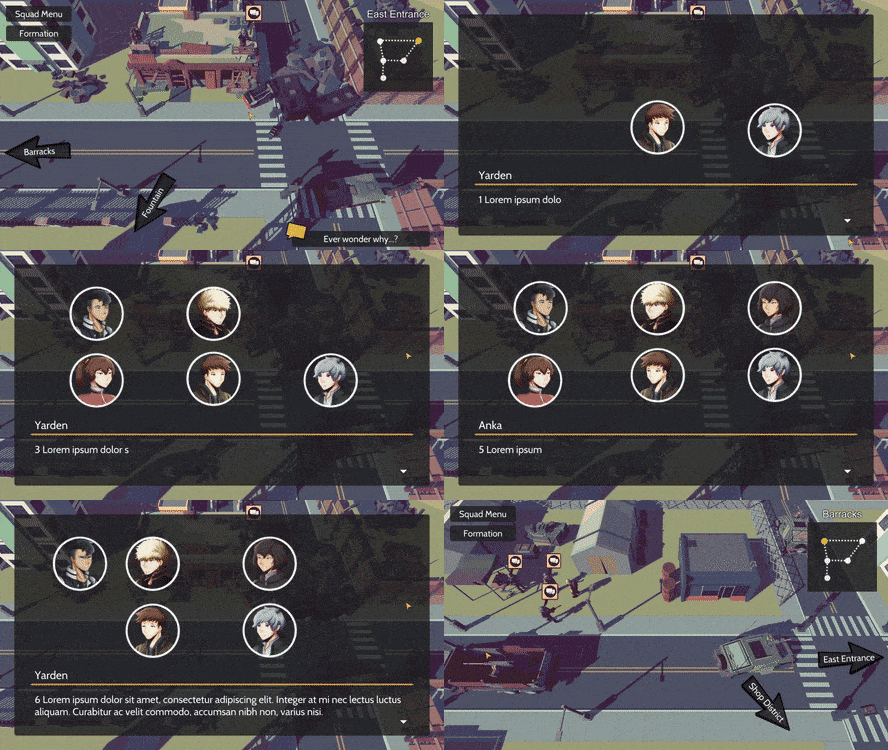
For April, a vast majority of the time I spent for development, was in getting a very early pre-alpha demo out. It's a super early build of the game, and it doesn't represent the quality I hope to bring in the final release, but I really wanted to get something out in the hands of players to get any level of feedback. There's still a long way to go but I'm optimistic about the future!
I do have to admit, the game in its current state, is very far from what I envision the final version of the game to be. Now that I have a demo build that combines all the scenes together, I hope to be able to iterate and iterate to add/remove features to improve the game. In my opinion the three major things that need improvement are the combat, world map, and story pacing/dialogue. I want to work within a maximum of the first hour of the game to make sure this segment is as high quality and feature complete as possible. Once that's done, it's matter of producing the content for the rest of the game.
The demo is available to play directly through Discord! You can pick up a key by joining the server:
Discord
Visual Update
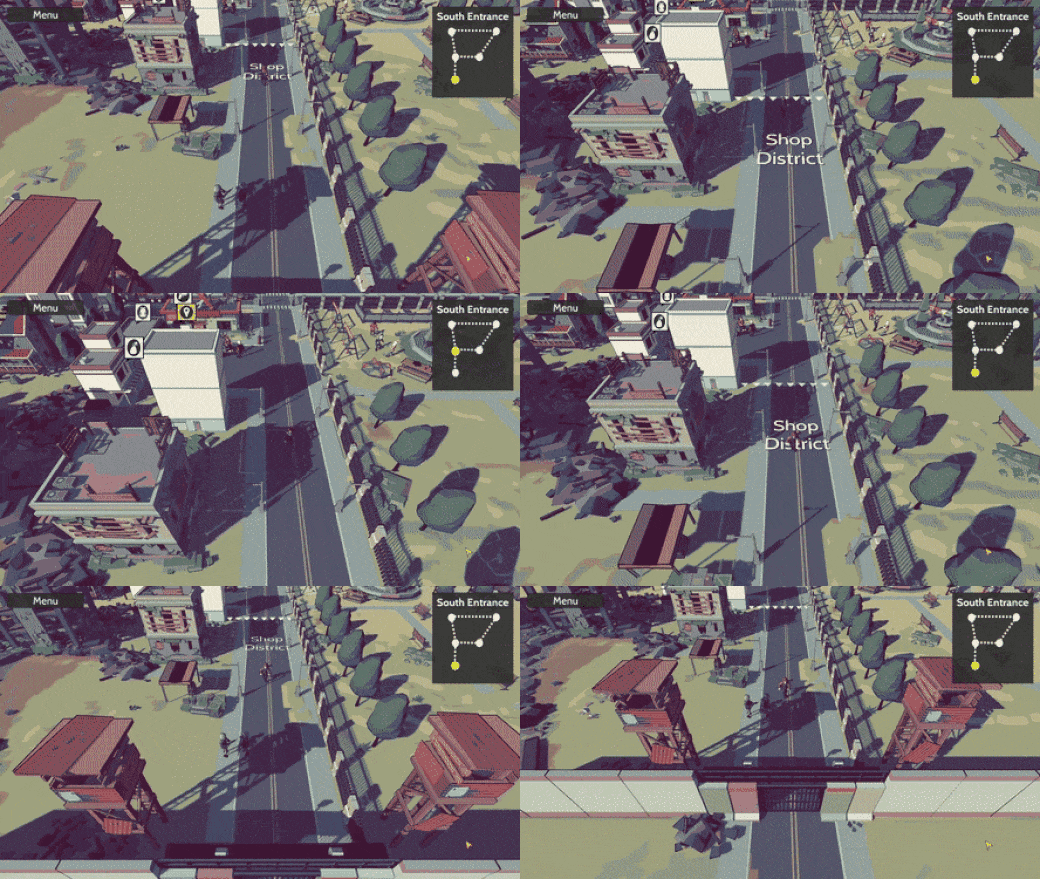
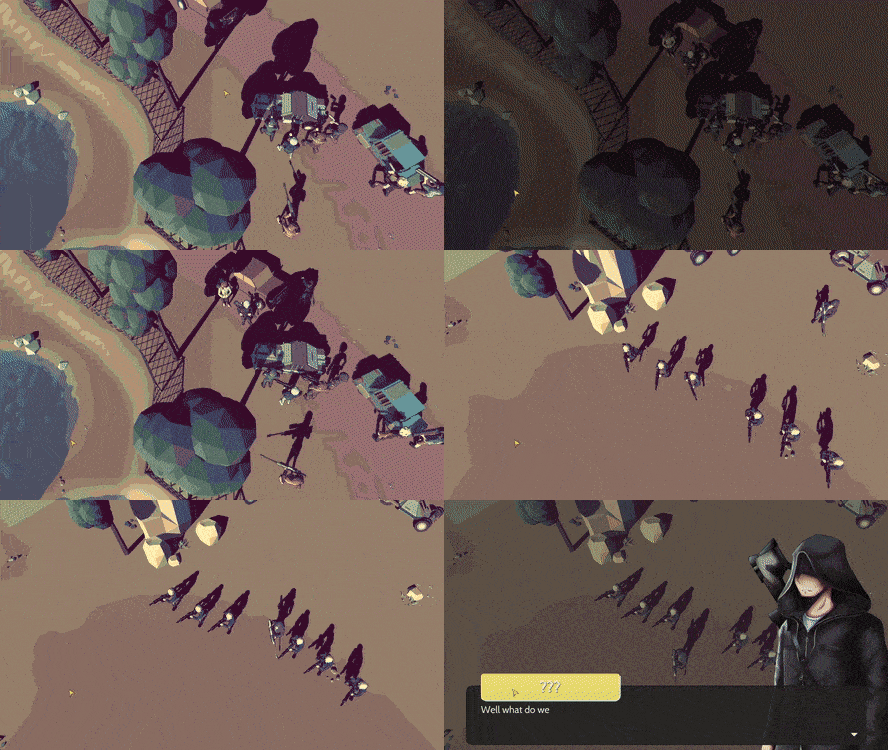
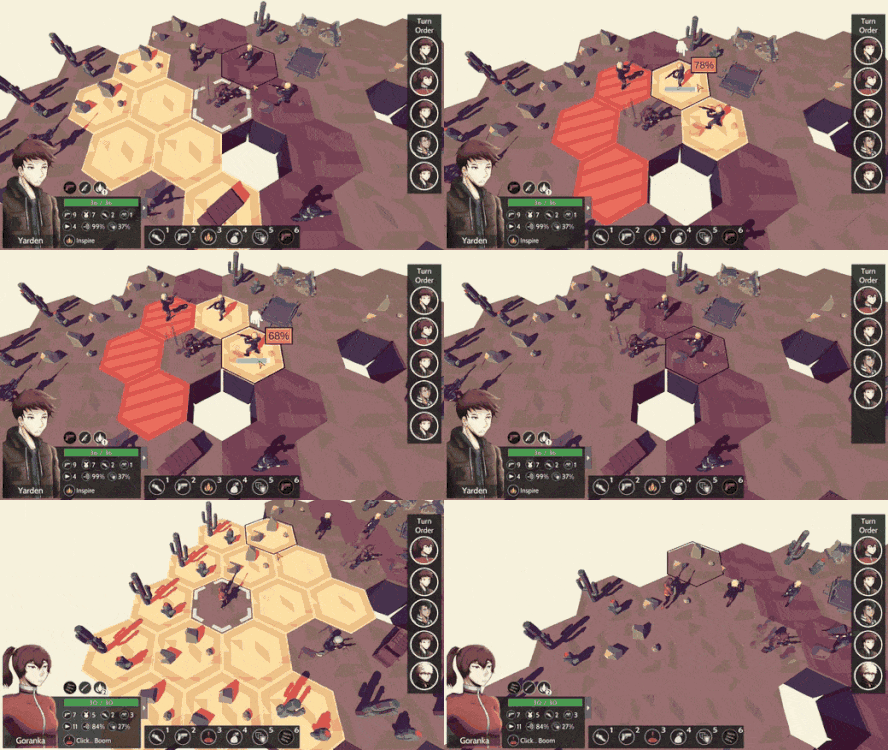
Something I added in April was a visual update to the 3d models in the game. It felt like the scenery and buildings weren't standing out that much and there were instances when the colors of two different models would blend closely together. To try and fix this, I'm using a new shader so that all of the 3d models will have a black outline. To me, it looks like it makes the props, such as the buildings and trees, pop more which is great. The following are portions of the game where this change is more pronounced.
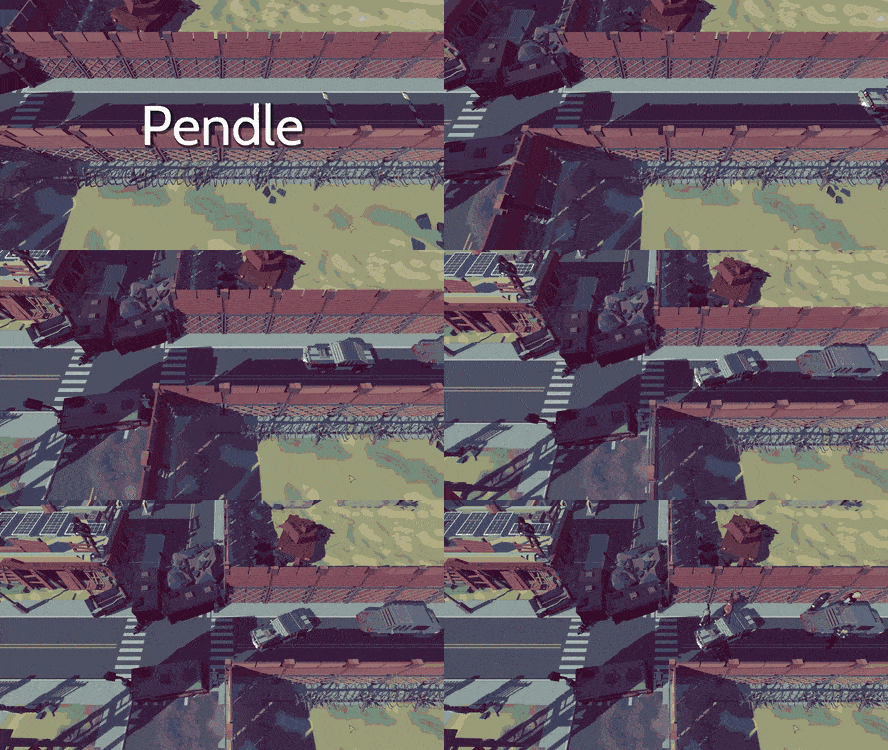
The buildings and trees in Pendle:
The scenery in this cutscene:
Don't keep Me Waiting
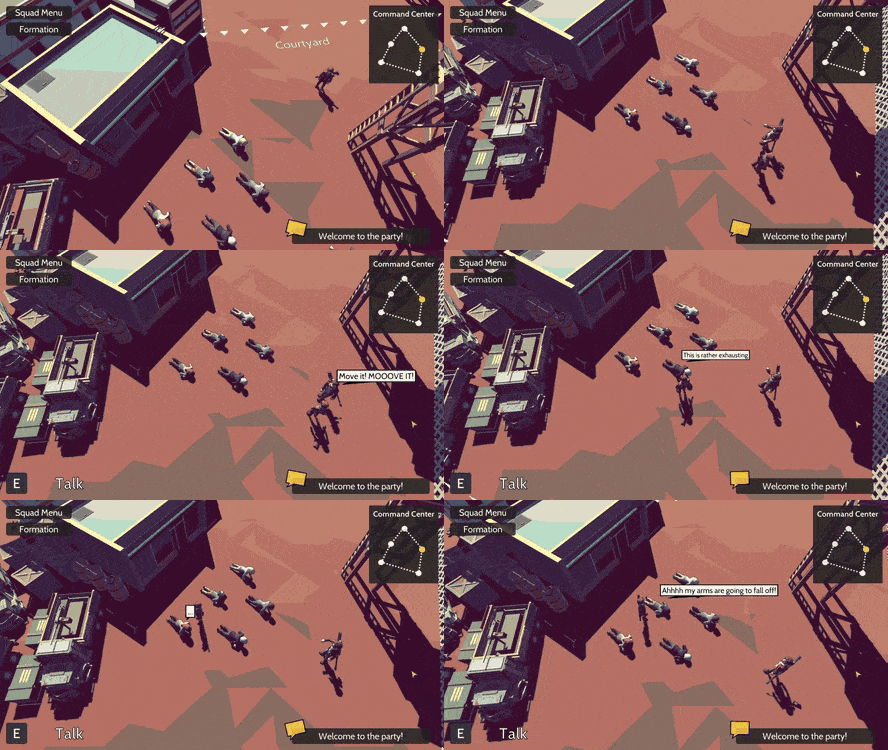
One of the things I wanted to improve for the demo was the loading times between scenes. Originally, loading a new scene happened when the trigger to change the scene occurred. This meant that when you click the final button to trigger a scene change, there would be a relatively long wait and then the new scene would load in. To improve the loading, the game determines when a new scene is guaranteed to load and pre-loads the scene while the previous scene is still in action. The biggest example of this is with the cutscenes. As the cutscene is running, the game determines what the next scene should be and pre-loads the scene as the cutscene is going on. Another example would be when having a conversation with an NPC that will eventually trigger a scene transition. When the dialogue path reaches a point where the scene change is guaranteed, then the next scene will begin to pre-load.
Example transition from a cutscene:
Audio!
Added an audio manager to the game and now there's something that can manage the background music and sound effects. When going between different scenes or locations, the background music will now smoothly transition. Also, all the sounds when interacting with the UI as well as environmental noises have been added.
Going Forward
Now that the demo is completed it's going to be about iterating multiple times and testing new things out, until I'm happy at the state of the game. The first thing I want to tackle is the world map. It's the one scene I feel is out of place in the game and I think having a traditional 3D traversable world map would improve the feel of the game. So for May, what I want to get completed are:
World map design
Traversable world map that goes from Dosero to Pendle
Start working on the interactable enemies (to prevent random encounters)
Follow me on social media, I listen and respond to any comment :D
For March, a majority of the focus was done on getting the UI polished and closer to a final state. Specifically, the UI for the player menu (inventory, squad selection, formation, equipment, logs, and codex), the starting main menu, and the escape popup are all completed now! Additionally, the AI for the enemies have been modified so that it's easier to define the different classes which will make development in the future much easier!
Enemy AI
To make the gameplay interesting, there needs to be a way for there to be different archetypes of enemy AI so that they will react to different situations in a specific way. For example, if a healer is low on health, they should prioritize either healing or running away since they are generally weak. Whereas a low health berserker class would go into full attack mode, in a final last stand. There was a system in place that was able to specify these archetypes but configuring them was not efficient in terms of development time. The new system allows me to be able to set states for certain enemy type based on their health percentage, aggressiveness stat, and the combat map state. This means there's now the flexibility to have an aggressive healer or a cautious berserker!
The Journey Begins
I felt like since the main menu is the first thing that you see, then it needed to be able to set the tone of the game right off the bat! First thing I did was look at other JRPGs and what their main menus looked like to get a reminder and some inspiration. It might be a trope at this point, but I really like the main menu concept where the main cast of characters are on some hill looking out into the distance. Bright Red Skies is a post-apocalyptic JRPG so I also made sure to show a barren wasteland, ruined buildings, and a geared up party.
Player Menu
The player menu contains the most amount of information all in one place. You can look at your inventory, change your squad setup, update the battle formation, modify the equipment being used, look at a log of the events that have occurred, and read through the codex containing game lore! There's a lot to display so a good amount of time was spend making sure that the interactions work as intended. Here's the result:
The equipment screen where you can edit the equipment used by each squad:
The squads menu for modifying the current squad lineup:
The inventory where you can check your items, categorized by type:
The formation menu where you can change initial position each squad will appear on during a battle:
The logs and codex screen, as well as the general overview:
Final UI Stuff
Nothing really special here, but there's now a generic escape menu popup that can let you change the settings or exit the game. Right now, there's only the basic settings that can be changed but in the future, I'd like to have advanced settings like faster battle animation speed and auto dialogue completion.
Behind the scenes
I always like to add this section to give some more insight on the smaller things that are being done, that don't necessarily need their own section. So, here's some of the little things that were done:
In combat scene, the action bar has clickable icons that are responsive.
When making a movement command, show a line for the path that the squad will take.
Fixed movement bug (which was found when showing the line haha)
When selecting a multi-targeting ability, the camera will zoom to fit all targets in the screen.
Going Forward
So now it's officially April and the goal is to release a very early closed pre-alpha demo at the end of the month! This is mainly to figure out how the game feels like for other people and if the performance is decent. The demo will be missing a fairly large chunk of what will be there in the final release version, but I feel like getting people other than me to play the game can only be a good thing.
The final things that need to be completed for April are:
Dialogue written
Putting the scenes together
Balancing the stats decently
Music (?)
Disclaimer when starting and completing the demo
If you want to check out the demo, you can contact me on any of the social media below (Discord is probably the best place to contact me) and I can send you a download link when it becomes available! All testers of the demo will have their name inserted in the final release version of the game. The names will probably be on a memorial statue that list all the testers, but I'm floating the idea of having the very active testers have an NPC named after them!
For February, most of the work was towards getting the cutscenes for the demo completed. Additionally, the player menu UI rework has begun, treasure chests have been added, and the way that the data is stored has been updated to make localization much easier.
Lights, Camera, Action!
There are a total of nine cutscenes for the demo and they have all been completed! The cutscenes range from 15 - 60 seconds if you're just talking about the animation portion, without the dialogue. Making the cutscenes took a decent amount of time to be honest. I tried my best to make the movement not seem super robotic so even if characters are sharing the same animation clip, I would ensure that the starts and ends of character movements wouldn't be exactly aligned. I also made sure that there would be an offset in the animation clips and put a speed modifier, unique for each character, so movement like walking in the same direction would look a little more natural.
Trying to avoid showing every cutscene, but I think these scenes are pretty cool looking without being massive spoilers :p
Looks like there's trouble:
Welcome to Pendle:
Let me know what you think! It's nice to have a fresh perspective on things and there might be things I just don't notice right away, so any advice is really great!
Player Menu
Speaking of getting advice to make improvements, I was able to get some great advice on the Squads menu by fellow Redditors and from Twitter. So, one of the things that I wanted to work on for February was the player menu and I wanted to tackle the hardest menu screen first; the Squads screen. There's a lot of info to display here since this is where you configure which party members are part of which squad, and who the leader of the squad will be. Info such as squad stats, active ability info, passive ability info, weapon specialization, and squad leader/members need to be shown on one screen. This was the first attempt at reworking the Squads screen:
One of the things that was mentioned multiple times was that the screen was too busy, especially with the popup that appears when trying to swap party members around. It covered a large portion of the screen and be positioned on either the left or right side of the screen which would be disorienting. Taking this feedback into consideration, a newer revision was created:
The most notable change would be in the stats change popup appearing under the changed squad. This makes it much cleared which squads are being affected with a swap and the stats that are being affected. The new stats change popup is also aligned with the full squad info to make it more predictable where on the screen to look, for information. Some more minor changes include:
Darkened background when swapping party members to give more focus on the stats change popups.
Hiding the full squad info, to also give more focus on the stats change popups.
Got rid of labels since info like the stats and abilities are intuitive
Large space to show the active ability info
Shows slots for the multiple passive abilities
Game Data
Early in the development of the game, it was convenient to use JSON as a way of storing data but as time went on it became clear that this was not something that should continue to be used. Making changes to data was tedious since it involved having to navigate through multiple folders, just to find a specific item file. Instead, CSV files are being used which makes a lot more sense since a lot of data can be stored in one file and it's a lot easier to see a comparison between the stats of different equipment or party members. But more importantly, having the text all in one file makes localization a much more manageable task!
So far item/equipment, unit, log entry, and codex entry data has been converted. The only kind of file that needs to still be updated are the dialogue entries. Converting these files was postponed because the cutscenes were being created, and bugs may occur when making the dialogue file type conversions. Getting the dialogue files put into a CSV file is the most important when it comes to localization, since it has the most text, so this will be completed early March.
Getting that Loot
I'm pretty sure the hard requirements of being considered a JRPG include:
Treasure chests
Dungeons
Sewer level
Cooking
Fishing
Mini-games
Now I can cross one of those off the list, since treasure chests are now implemented! These treasure chests work as you would assume they would, where they persist in the town as opened/closed when you reload the town. But I also decided to add an optional story state trigger when opening the chest. The idea is that maybe opening a chest can have consequences, such as opening a chest in someone's home might make them start looking for their items which could affect the story. Not too sure if this would be too confusing when the game is actually played, but the mechanic is there just in case.
Behind the Scenes
I usually add this part to show what updates/fixes were done for the month but aren't noteworthy enough to have their own section. For February though, there was nothing extra done in the background. A majority of the month was done on creating content (the cutscenes) so there was not much time to work on feature centric tasks.
Going Forward
Now that all the cutscenes for the demo are completed, I can breathe a sigh of relief since that was one of the heavier content related tasks to be done. And now I can focus on finishing up the game features. For March here are the tasks I'm aiming to complete:
Finish the enemy combat UI
Main menu UI
ESC button menu UI
Finish up the player menu
Create some scenes, for material to include in the trailer
Things are looking pretty good, but I think I might go with a closed demo release instead of a public one, to make sure that there's a good amount of polish before it's shown more publicly to the world. If you want to be part of the closed demo testing, you can send me a message on any of my social media (Discord | Twitter | Reddit) since my DMs are open and I usually check them all daily. There's no requirement if you would like to try the demo out, so everyone that messages me will get the download link when it comes out!
For January there was a lot of focus on creating content and trying to subtly improve the visuals of the game in general. More specifically, the character and camera controller have been updated, a completely new campsite and hill top scene have been created, workflow for the portrait animations has improved, and the New Game+ screen received a new facelift!
Character Controller
I have to say that the addition of a controllable avatar has really made moving through a town feel a lot better than just clicking a couple of arrow buttons. I feel like this must easily be one of the best revisions I've done so far for Bright Red Skies! In terms of the improvements, the character controller now has all the necessary functionality to interact with the world such as the ability to speak to NPCS/interactables and run.
The NPCs themselves have been updated as well. As you get closer and face towards an NPC, an interaction icon will pop above their head and when dialogue is initiated, the NPC might rotate towards your character if they're not busy doing something else. Finally, someone mentioned that the visibility of the character models wasn't great and on a second look I had to agree with them. Because of this, an outline was added to all character models while all other objects are non-outlined which I feel really makes the characters stand out, which can be seen in this combat event!
Camera Controller
The initial camera controller was designed with the old arrow navigation in mind, so it made sense to make quick movements from one section of a town to another section of a town. However, with a moveable player avatar, quick movements between one town section to another needed to be much smoother since you can choose to wildly move around, and the camera shouldn't be jolting around constantly. To solve this issue, colliders were added near the boundaries of two adjacent area sections.
As you move deeper through one of these boundary colliders (purple region) the camera will proportionally move closer towards a fixed transition camera position/rotation. Additionally, to prevent the camera from making extremely sharp jolts when moving between two close boundary colliders, the camera's acceleration is greatly decreased when moving to a new boundary collider to account for the shift in the new target fixed camera location. (That might've been confusing to follow, but it makes sense, trust me haha).
Here's the updated camera controller in action:
A Nice Change of Scenery
I've basically been working with the same two settlements for a couple months now, since they served as a base for testing out how I wanted to deal with navigating through a town, interacting with NPC, and how to buy items from shops. With a lot of that being close to finished, it was time to start making some new locations! I'm unsure about how much I'm willing to reveal, to prevent major spoilers but here are the two new locations added.
A campsite scene:
Paying their respects:
Bonus, look at the cutscene when entering Pendle for the first time:
Animated Portraits
Probably the most dauntingly tedious task I saw for this month was creating animator controllers and animation clips for every character for each expression they have (5-8 expressions), and for their gun and no gun variation. With 16 characters, that's A LOT of animation clips to create especially when you take into consideration that each character needed to have a unique blinking frame, so that you don't have a bunch of characters blinking simultaneously.
At this point I realized that there must be a way that I can somehow get around this problem programmatically. The solution I went with was to use DOTween to perform the portrait animations rather than the built-in Unity animations. This method of animating allows me to have the freedom to create much more varied character portrait animations since the implemented system can control the portrait's blinking frame and the speed of their mouth movement. This control all happens at runtime so the blinking frame is determined randomly and recalculated randomly again after each blink and the mouth movement speed can be specified in file containing the dialogue information. So right now, the dialogue system is in a great place!
New Game+
One of the main features of Bright Red Skies is that there will be opportunities in the game where you'll have to make a decision that will change the outcome of the story, sometimes extremely drastic changes. Below is the updated New Game+ screen:
When you complete a certain story path, all the associated story nodes you took to complete that path will be unlocked. If you select the node, you'll be able to start a new game from that point in the story, with some default starting equipment appropriate for that point in the game. Some items will persist throughout playthroughs though, such as any fishing rods obtained and special currency.
Furthermore, if you look closely you might notice that there are three different colored lines and nodes, these represent:
Red: Story 1
Orange: Story 2
Black: Unknown/Unexplored
The drastic change in the story mentioned previously would be the difference in Story 1 and Story 2. Each of these stories will have their own unique main antagonist and a set of supporting characters specific to that story, so it may feel like playing a completely different game in terms of the narrative. To make development realistic, the length of one playthrough will be relatively short for a typical JRPG, which also has the hidden benefit of encouraging you to explore the multiple stories & endings to learn more about the lore of the world. Bright Red Skies will release in Early Access with 2 complete start-to-end stories, with the goal of 5 total stories when the game fully releases!
Behind the Scenes
I like to add this section to the devlogs so you can some of the additional things that might've been added or modified in the game, since it would be too lengthy to try and explain everything done in detail:
Car controller along with physics-based drivetrain to simulate a semi-realistic look for moving vehicles.
Updated base canvas size to 1920x1080
Resized all images to their appropriate size to fit in the new canvas size.
Added class for interactables to prep for interactions with things like treasure chests and signs.
Sprite manager to reduce calls to constantly load sprite resources when needed
Going Forward
The release date of late April for the demo is coming closer and closer but things are currently going according to schedule. For February, the main goal would be to finish up on all of the cutscenes for the demo so that the vast majority of the demo content will be complete. So here are the tasks I'd like to have completed:
All demo cutscenes
Update the player menu screen (inventory/edit squad/equipment/logs/codex)
Add treasure chests
Update other UI elements I feel might be lacking
Overall, I think development in January was great especially considering this a project I do in my spare time. As April approaches, I'm getting really excited to finally be able to release a demo to the public (there might be a much rougher earlier build released on Discord beforehand though) and see what the reaction will be. Although I have a vision for the game, I'm very open to any criticism as it might help me to improve Bright Red Skies in a way I haven't thought of before. If you want to see the latest progress updates or contact me directly be sure to follow me!
For December all the abilities have been implemented, the status effects have been added, the map tutorial is complete, and the night-time Pendle scene is finished. Additionally, the UI and visual effects for combat has been greatly improved. Furthermore, when navigating through a town, you’ll now be able to control a character model, instead of the previous method of clicking arrows!
Combat Abilities
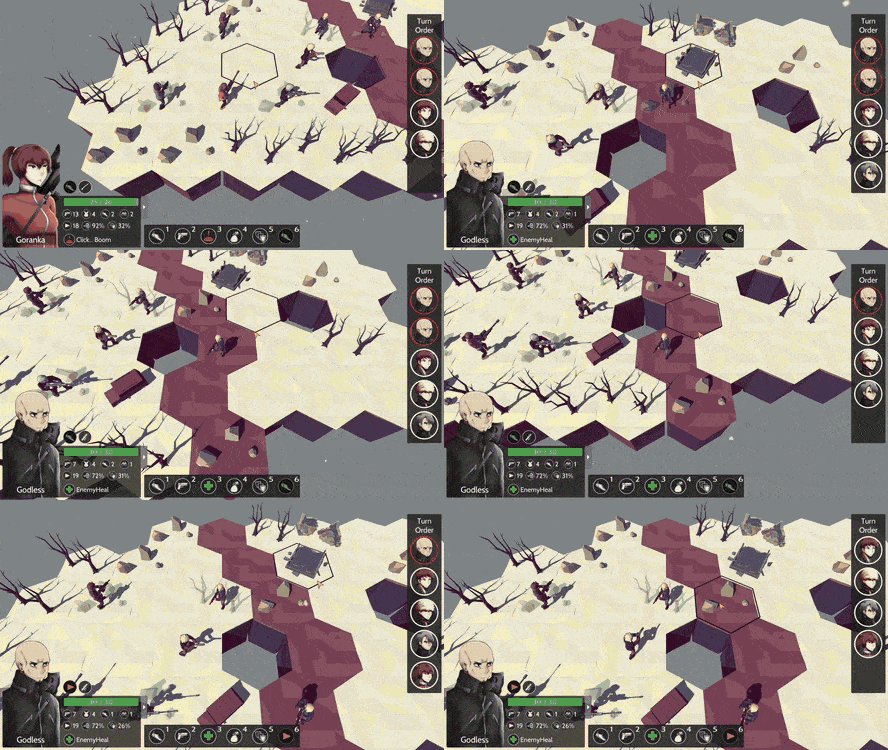
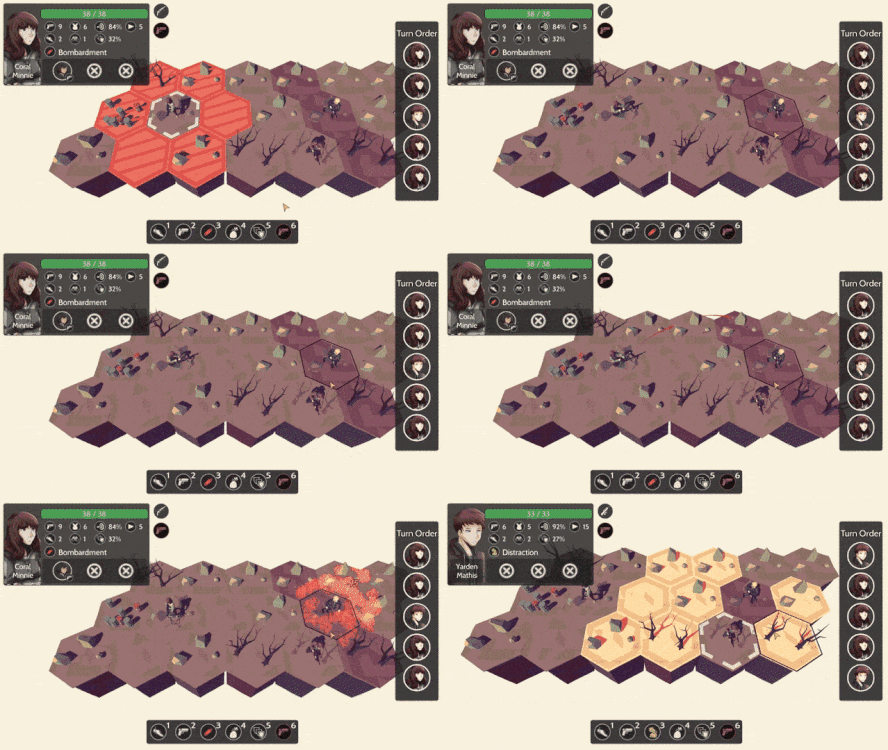
So, there are currently fifteen abilities in the game and they have all been implemented. Some of the more interesting implementations involved abilities having multiple chances to hit, like the “Bombardment” ability, and abilities that persist on the map and act as trap, such as the “Click…Boom” ability.
The “Bombardment” ability
The “Click… Boom” ability
Status Effects
All the status effects that have been imagined have also been implemented in effect and how it’s represented on the UI. Specifically, status effects can give passive buffs & debuffs to a squad’s stats. Additionally, status effects can have a trigger at the start and end of the squad’s turn, such as the status effects:
“Burned”: Inflict 1 Damage on this Squad at the start of activation
“Concussed”: Squad skips their activation. At the start of activation 70% chance to lose Concussed.
Updated UI with status effects indicators
Region Map Tutorial
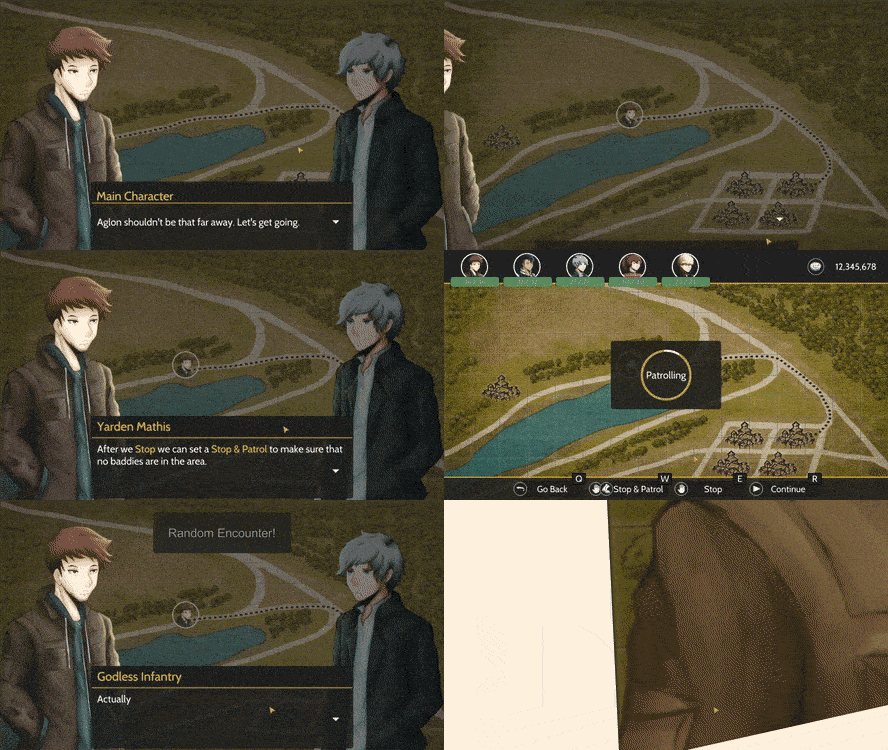
The following is a quick look at the beginning of the region map tutorial. It begins with explaining how to move towards a destination, how to stop and patrol an area to find an encounter, a quick battle, and finally an explanation of how to return to town.
Character Controller + Pendle Day/Night
So, the previous method of traversing a town would be to click named arrow buttons on the screen and move to the next location. After playing around with this for a while, it’s hard to explain, but it felt empty, like you were in god-mode teleporting through the town. So, to alleviate from this feeling, a controllable avatar of Yarden was employed so that you can traverse a town and directly control where you move. Here’s an example of this with Pendle in the day and night:
Day time
Night time
Combat UI & Visuals Update
The combat UI was updated to take inspiration from classic tactical JRPGs like Final Fantasy Tactics. Now the squad info can be found in the bottom left corner of the screen with a relatively large sized portrait image. Also, the sizing and spacing of the drop downs are better aligned as can be seen with the item and stance selection scroll views. And finally, the reference resolution was migrated to 1920x1080 to give better image resolution.
Furthermore, the general visual effects during combat have been improved. When a squad is selecting a target squad for an attack or ability, the camera will center so that the caster and target(s) are all within the screen’s view. There will also be additional info shown on the target squad’s hex such as the percent to hit, status effects that will be inflicted, and a health bar showing any change in health if the action is successful. The target squad(s) or hex(es) will have a selector pointer above them to make it clearer that they are being targeted. The last thing is the camera will now lock and follow any squad as it’s moving through the map.
Behind the Scenes
Not all changes are can be shown with a gif so here’s some of the other changes that have been done for December:
Using terrain instead of game objects for town floor to greatly improve frame rate
Fixed issue where the percent-to-hit box would stutter between on and off
Fixed how hexes highlight so that the color will stay consistent no matter the base color
Fixed the issue of hexes not being the correct target when using the cursor
Changed some simple Unity animator instances to DOTween animations
Testing some scenes with a controller
Some More Points
In the previous devlog, one of the tasks I wanted to get done, included storyboarding the intro image cutscene with the dialogue and images to show. Unfortunately, this is not fully complete since I got distracted with adding the extra gameplay features like the character controller and the updated combat UI and visuals.
Going Forward
I’m very excited for 2019 and look forward in getting a lot of work done on Bright Red Skies so that the demo can be released in April this year! So, for January, the to-do list is:
Smooth camera transitions between area when moving through the town
Storyboard the intro image cutscene
Ability to speak with NPCs when traversing a town, and using a controller
Pendle first visit cutscene
Update New Game+
The tedious work of updating the animations for all the character and all their character expressions
Everything is on track to meet the April 2019 goal for the demo release but there’s most likely going to be a rougher build that will be released on Discord first, before it’s more publicly released. So be sure to join the Discord! I listen and respond to all comments :D
For November, work was done on adding some of the smaller details to some of the scenes, implemented some of the combat abilities, started working on a festival scene, character models were being completed, and Bright Red Skies is now available to wishlist on Steam! Also, a lot of idea generation happened during this month and all of the story elements for the upcoming April demo have been completed and 15 unique active and 15 unique passive abilities have been noted and are being implemented in-game.
All About the Little Things
Some of the small details added include banter/skit cutscenes being able to be activated at any point in the game, such as towns or on the region map:
Added some bullet tracers for attacks:
The last notable small detail update is that in the map scene, there's more feedback when you reach a town/settlement:
Combat Abilities
Six of the fifteen abilities have been implemented but here's a look at my favorite skill so far: Trick Shot which deals a random amount of damage from 25% - 250% of the base damage. (I mainly just like the backflip that happens when you hit the 250% haha)
New Character Models
Additionally, all of the character models, for the demo, have been completed! This includes the generic town NPCs and all of the unique characters. Can't really fit all the models in one screen so here's 7 of the latest models.
Speaking of the new models, I'm updating all the scenes with the newer models, including the first cutscene. Please note, this is just a draft version of the cutscene since the portrait art is being updated and I feel like some of the animations can be changed.
New Character Portraits
The character portraits are being updated to include the guns that they're using. Here's a look at what it looks like when the max number of character portraits are on the screen at once.
Work in Progress
As mentioned before, the festival scene is being worked on. It's just a preview of how I generally want it look like, which is a nighttime scene with people dancing in the center of town and guards posted on the town borders. I feel like right now it's lacking some visual flair though, like bright colors or something interesting happening in the background.
Other Fixes & Updates
So not all fixes and updates are visual but letting you have some insight on some of the other things that have been worked on:
Squads rotate properly when targeting a squad more than 1 tile away.
Easier to specify the story state needed to trigger specific events (helps with scaling the story in the future, where there will be five storylines, each with their own branching endings).
Updated all four animators for the character portraits so that they can use any of the 25 possible expressions.
NPC characters will now stop moving when they talk with you
Map tutorial scene is almost completed
Into the Future
Luckily I'll have 2 weeks off from my day job from December 22 to January 7, so this means that there's an opportunity to get a lot of development work done! Looking at the current progress, it looks like I'm on track to have a completed demo by April 2019! Specifically for December, the plan is to get the following done:
All combat abilities implemented
All status effects implemented
Complete the map tutorial
Complete the festival scene
Story board the intro image cutscene, for when you initially boot the game
On a final note, I just want to say thanks to the people that are supporting this game, it really does mean a lot! The game was Steam store page was up for about 2 weeks now and there's just over 750 wishlists which is a lot more than I expected for a game without a trailer or demo released. I promise to keep working on this game and make it the best it can possibly be, and if you have any suggestions on what can be improved you can hit me up on any of these social media platforms. I reply to all the comments I get :D
Side note: IndieDB is having their annual Indie of the Year competition which has a Top 100 list. It's a huge long shot, but if you want to vote for Bright Red Skies to hit that Top 100 he's a link to the game page!