

Buccaneers!
Version 1.1.01 Released: Loading Fixes and more!
We’ve released a small patch addressing some high priority issues with loading save games as well as a handful of minor fixes.
Buccaneers! Version 1.1.01
Changes
- Increased the size of ship health UI elements to make ship names and crew numbers easier to read.
- Added an error message when a save fails to load. This should be less likely to happen now (see below).
Fixes
- Improved error checking when loading save files to fix some saves not loading at all.
- Fixed new autosaves not always overwriting the oldest autosave first.
- Fixed world map tutorial videos not playing on Steam Deck.
- Fixed controller navigation not working in the Mods menu.
- Fixed controller back button not working while changing a key binding.
Happy pirating! 🏴☠️
Buccaneers! Soundtrack DLC Available Now!
The Buccaneers! Original Soundtrack is now available as a DLC!
Now you can listen to 20 piratey themes directly through Steam, including bonus tracks not featured in the game. The soundtrack includes MP3 files and high-quality WAV files so you can use whichever you prefer on your own devices.
The DLC features over an hour of music composed by Christian Tornholm-Lehn, including cinematic ship battles, sailing ambience, shanties and more!
Check out the store page right here where you can get the soundtrack for a 20% discount for a limited time! If you already own the game, you can save even more with the Game + Soundtrack bundle.
Happy pirating, me hearteys! 🏴☠️
Version 1.1.0 Released: Modding Support in Beta, Fixes and More!
Modding support is finally here! After a long hiatus, we’re excited to give you new ways to customise your ships with cosmetic mods. This feature is currently in beta and may be updated and expanded based on your feedback, so please let us know what you think in the forums and our Discord!
Please note that Steam Workshop support is not included with this release, but we’re looking into adding this soon.
This release also brings several improvements and bug fixes, including a fix for some save files not loading properly. We apologise to those who were affected by this issue and hope this resolves it for you!
Check out the full patch notes below:
Buccaneers! Version 1.1.0
New Features
- Modding support [beta]: You can now create and install cosmetic mods to customise the appearance of your ships. A full modding guide can be found in the “BuccaneersData\Streaming Assets\Modding~” folder inside the game’s install directory. Mods can be installed in the “Documents\Buccaneers\Mods” folder and enabled or disabled via the in-game Mods menu.
Changes
- The “Sail Ho” pop-up now displays a success chance to indicate how difficult an encounter is before it begins.
- Removed the “Battle Plan” screen from the World Map UI. Selecting “Attack” in the “Sail Ho” pop-up now starts the encounter immediately, matching the behaviour in open-world sailing.
- You now have a 100% chance to evade certain quest encounters via the “Sail Ho” pop-up if they prevent you from fleeing once the battle starts. This allows you to prepare your fleet and return when you are ready.
- The ship customisation menu now uses a live preview of a model ship to show paint scheme and sail combinations instead of static images.
- Cabin paint schemes now also use a live preview of a small cabin mock-up instead of static images in the purchase and customisation menus.
- Added a field-of-view slider to Photo Mode to allow zooming in or out.
Fixes
- Fixed a bug that prevented some saves from loading if there were contested regions on the map.
- Fixed some areas in the large shipyard sometimes becoming inaccessible on foot.
- Fixed the fleet strength threshold for the optional fleet upgrade quest goal before the final boss fight in Act 3 (Retribution). This now only triggers when your fleet is slightly more powerful than the enemy (shown in the success chance in the “Sail Ho” pop-up).
- Fixed town music persisting when returning to the main menu.
- Fixed quest-specific battle music not playing when the encounter was triggered in open-world sailing mode.
- The following UI elements are no longer visible in Photo Mode: enemy captain health bars, AI boarding progress bars, encounter zone markers and interaction prompt text.
- Quest goals requiring you to own a ship of a specific tier will now be automatically completed if any ship in your fleet already meets the criteria, not just your flagship.
Happy pirating and modding! 🏴☠️
Patch 1.0.14 Released: New Music, Open World Improvements and more!
We’ve released a new update with many enhancements to make your life on the seas all the merrier! Open world sailing has been given major improvements including support for bounties and quest encounters, plus a new world map UI for quick reference. You’ll also notice some new music in a few places including battles, sailing and taverns, so we hope you’ll enjoy them! Check out the full patch notes below:
Buccaneers! Version 1.0.14
New Features
- You can now replace a captured ship’s faction upgrades with your faction’s upgrades in friendly shipyards. From the Fleet Management menu, select a ship and go to Upgrades > Refit to preview and confirm the changes.
- You can now view a condensed version of the World Map from your Captain’s Log while in open-world sailing. This allows you to see your current position, view information about each town (including imports and exports), and set a town as your destination.
- Bounties and other quest battles can now be encountered in open-world sailing without needing to use the World Map.
- You can now use the spyglass to mark a town as a destination or track a nearby quest encounter.
Changes
- Added some new music tracks and made improvements to several existing ones. Taverns now play some jaunty sailor’s tunes from time to time...
- Ship battle music is now split into two groups: one for smaller battles and one for larger battles (including forts).
- Encounters in open-world sailing now show the same “Sail Ho” pop-up as the World Map, giving you the same options to attack or evade. The outcome takes place after a fade-to-black which advances time slightly.
- Location and quest markers in open-world sailing now update when you change the tracked quest in your Quest Log.
- Quest encounters that happen in specific regions no longer randomise their position every time you enter your cabin. This now only happens after leaving a town or ending a battle.
- Treasure Fleet quests now include the name of the target ship in the title.
- You can no longer open the Captain’s Log while using the spyglass.
- Increased the minimum starting distance between friendly and enemy ships in ship battles.
- The accent colour on the ship’s wheel’s centre spoke no longer changes with your ship’s paint scheme, so it is now easy to see at all times. This is especially helpful for manually recentering the wheel in VR mode.
- Modified the design of ship health bars and VR boarding progress bars for better contrast and consistency with other UI elements.
- Added a bell to every fort which plays the ringing alarm sound during land battles.
- Added some new sketches to the World Map and moved some existing ones.
- Added an icon that displays when you manually save the game via the Pause Menu.
- [VR] The spyglass view is now slightly clearer and location marker text is larger and easier to read.
- [VR] Highlighted locations and quest markers now remain visible outside the spyglass view until you hold it near your face, instead of disappearing as soon as you grab it.
Performance
- Removed potential stutter when changing ships in a shipyard.
- Reduced framerate drops when boarding starts.
- Reduced occasional framerate drops while sailing in the open world.
- [VR] Improved performance while using the spyglass.
Fixes
- Location markers in open-world sailing no longer slide around unexpectedly.
- The delay between increases in fire severity on your ship now correctly scales with the Cannon Reload Speed setting (Options > Gameplay).
- Subtitles no longer get stuck on screen when the game is paused.
- Region buttons on the World Map now align more closely with the dotted boundary lines.
Happy pirating and have a spooktacular Halloween, me hearteys! 🏴☠️🎃
Patch 1.0.13 Released: Improved Quest Markers, VR Fixes and more!
We’ve released another small update with some much-needed quality-of-life improvements. Notably, the world map now presents more information about quest markers, allowing you to distinguish between different encounters at a glance, and we made multiple adjustments to VR mode for a better room-scale experience. Check out the full list of changes below.
Buccaneers! Version 1.0.13
New Features
- [VR] Added a manual recenter function which is triggered by holding down the Pause button for 2 seconds. Please note: This only changes your horizontal position and rotation, and does not persist between play sessions. If you want to apply persistent offsets to your height, ship’s wheel position or playspace rotation, you can use the settings under Options > Controls.
Changes
- Boarding approach requirements have been replaced with visible zones on each side of the target ship. To initiate boarding, you now just need to be inside an active zone on either side of the target ship. The angle of approach no longer matters.
- Hovering over quest markers on the World Map now shows you the name and objective of the active quest associated with the marker. If there is more than one objective at the same location, the marker shows the quantity instead of the default “!” icon.
- Encounter and dock buttons with associated quests on the World Map now share a consistent design with a quest marker that no longer obscures the button.
- Added a heart icon next to the player’s health bar, which is replaced by the Second Wind icon when that ability is unlocked and ready to use.
- Added visual and audio effects when the Second Wind ability is triggered.
- Added crew battle cries when starting boarding or a land battle.
- Added an alarm bell sound to land battles.
- [VR] The player’s health bar is now split into segments, making it consistent with the non-VR version.
- [VR] Player locomotion/teleports and collisions are now handled relative to your current position within your playspace, instead of from the centre of the playspace.
- [VR] Snap/smooth rotation now uses your current position within your playspace as its pivot, instead of the centre of the playspace.
Fixes
- Fixed ranged enemies failing their line-of-sight checks against the player on land when there are no obstacles in the way.
- Fixed a bug that allowed the player to damage allied crew with melee attacks.
- Fixed a rare issue where a ship would initiate boarding on one side and swing around to the other side of its target before the grappling manoeuvre had finished.
- Fixed a rounding error that would sometimes calculate a small repair cost when it should be zero after partially repairing a ship.
- Fixed the target ship in “The Hunt” starting with zero crew after stealing it from a harbour.
- Fixed incorrect detection of completed main quests when starting a new game after loading a different save. This sometimes caused Elite encounters to appear too early in the game.
- Fixed the “Acquire a Tier 2 ship” objective in “Trial by Fire” not completing if you steal one from an enemy harbour.
- Fixed custom key bindings for the Sprint action not being correctly applied after relaunching the game.
- Fixed controller aim assist ignoring line-of-sight checks when aiming a ranged weapon.
- Removed leftover colliders for cannons which are hidden when sneaking into enemy shipyards.
- [VR] The game should now close when trying to quit via a VR platform overlay (e.g. Oculus Dash or SteamVR menu).
- [VR] The game now pauses when the headset is removed or a VR platform overlay is opened.
- [VR] Fixed the spyglass moving further away from your hand while on a fast-moving ship.
Happy pirating! 🏴☠️
Patch 1.0.12 Released: Improved VR Steering and more!
Our latest update is now live, featuring several enhancements for both VR and non-VR modes. In VR, steering your ship should now be smoother and more reliable for most headsets, while non-VR mode now has directional indicators to give you more feedback when you get hit in combat.
Alongside this update, we’re pleased to announce that we now officially support the Quest 2 VR headset via Oculus Link! While this headset has already worked with the game since launch, we now have one in our office to test with, so we can provide better support as we continue to update and optimise the game.
Check out the full list of changes below:
Buccaneers! Version 1.0.12
Changes
- Flipped the Y-axis of the third-person ship camera and added an option to invert it independently from the first-person camera (Options > Controls > Invert Y Axis (third person)).
- Added a visual effect to indicate the direction of enemies that hit you in combat.
- Added new icons for player abilities.
- [VR] Added an option to prevent the ship’s wheel from recentering itself when it is not being held (Options > Controls > Ship’s Wheel Recentering).
- [VR] Increased the grab zone size of the ship’s wheel spokes to make it easier to grab them without looking or while it is recentering itself.
- [VR] When turning the wheel, your ship now gradually turns towards the desired steering angle instead of immediately snapping to it. This helps to smooth out any jitter caused by hand tracking issues while holding the wheel.
Fixes
- Fixed the walkable area in Cockburn Town excluding the wooden docks.
- Added a fallback to regenerate intrigues if a “Gather Intrigue” quest goal failed to initialise correctly.
- Fixed the “jolt” that occurred whenever your ship finished recentering the wheel in non-VR.
- Fixed the Captain’s Log not being locked off while in stealth mode on land.
- Fixed the doors to Nassau’s fort being closed during combat.
- Fixed shadows on the Three-Decker and Two-Decker appearing incorrectly from some angles when using third-person sailing view.
Happy pirating! 🏴☠️
BUCCANEERS! is 33% off during Steam VR Fest!
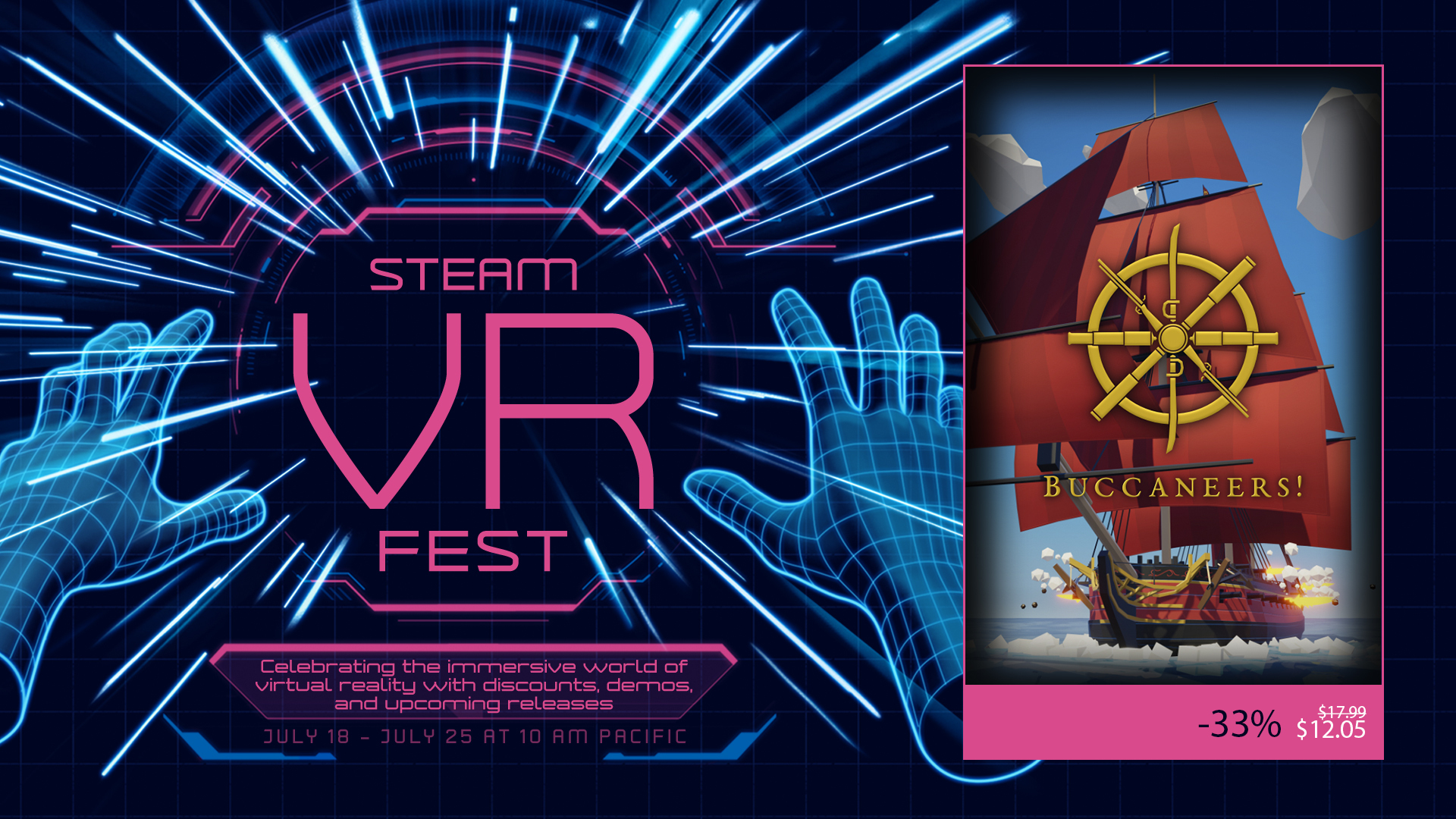
Buccaneers! is a part of Steam VR Fest! You can now get the game for 33% off!
Don't miss this chance!
The sale ends on July 25 at 10:00 AM PDT (GMT-7)
Also, you could try the demo if you wish.
The demo is playable in both VR and non-VR modes and supports the Oculus Rift/Rift S and HTC Vive series of headsets.
Or just try the Prologue:
https://store.steampowered.com/app/1631240/Buccaneers_The_New_Age_of_Piracy/
Happy pirating! 🏴☠️
Patch 1.0.11 Released: Third-Person Sailing Mode and more!
Another new update is now live, bringing with it a much-requested feature: third-person sailing mode! You can switch to this camera view at any time, giving you a new perspective of your ship and fleet both in and outside of combat (but please note you cannot use this view in VR mode). Check out the full details including other changes and fixes below:
Buccaneers! Version 1.0.11
New Features
- Added a third-person view for non-VR sailing mode. You can freely switch between first-person and third-person at any time while sailing by pressing Tab (keyboard) or D-pad Up (controller). (Note that you always return to first-person when boarding.)
- The game remembers which camera view you used last and will automatically switch to it whenever you enter sailing mode.
Changes
- The “Orders” hotkey used in stealth combat on land now shares the same binding as the Map hotkey (M on keyboard, Back/View on controller) to be consistent with its use in ship battles.
- Added more accurate map images and location markers for some towns.
- Repositioned most NPC dialogue panels and a few other UI elements to ensure text does not get cut off when playing in narrow aspect ratios (minimum of 5:4).
- Rearranged some buildings in Maracaibo and Puerto de España to give better lines-of-sight from rooftops during land battles.
- Made minor adjustments to lighting in most harbours.
Fixes
- Fixed missing or incorrect collisions in some harbours which enabled ranged attacks and AI line-of-sight through some walls and buildings.
- Fixed AI ship pathfinding errors in the Cumana region due to missing navigation meshes.
- Fixed missing customisation merchant in Bridgetown and Saint John’s.
- Fixed non-pirate ships appearing in random encounters during the prologue quest.
- Fixed UI bugginess when deleting saves.
- Fixed Quick Save and Quick Load hotkeys causing errors when pressed during a loading screen.
Happy pirating! 🏴☠️
Patch 1.0.10 Released: Elite Ships, Balance Improvements and more!
We just released our tenth update since launch, including challenging new encounters, balance changes, quality-of-life improvements and more. Check out the full list of changes below.
The game is also 30% off during the Steam Summer Sale, so if you’ve been waiting for the right moment to come aboard, now is a great time!
Buccaneers! Version 1.0.10
New Features
- Added “Elite” ship encounters which present a greater challenge for high-level players. These are denoted by a red skull icon and can start appearing once you reach Level 13 or complete Act 2 (The Hunt).
- Added Legendary Treasure Fleets which can start appearing once you have unlocked Elite encounters. The intrigue for these is more expensive to acquire, but capturing the target ships grants you a random Legendary item that you haven’t yet unlocked.
- The most difficult Bounties now feature Elite ships once you have unlocked Elite encounters, and offer higher payouts for completing them.
Balancing
- The encounter spawn rate is now lower while sailing through friendly regions.
- The factions used for random encounters now depend on who owns the region you are currently in: a random enemy in neutral or friendly territory; the owning faction in enemy regions; or a random enemy with partial ownership in contested regions.
- Your ship is no longer immobilised while repairing in battle. However, each repair cycle now takes 10 seconds (up from 7.5 seconds) at the default Cannon Reload Speed setting.
- The reward for selling prize ships is now reduced by the ship’s repair cost, so you will earn less money depending on how much damage the captured ship has taken.
- Increased the Prize Money ability bonus to 35% (was 30%).
- Increased the value of all cargo types by roughly 20%.
- Increased the reward from completing Bounties by roughly 20%.
- The XP reward for defeating ships now increases by 5% for each installed upgrade (excluding the default faction upgrades). The reward for normal encounters is the same as before, while Elite encounters and certain boss ships give more XP.
- Ships generated for random encounters and Bounties now have a randomised notoriety value depending on their difficulty (up to a maximum of 4 stars for Elite ships).
- The Influence (red ribbon) reward for defeating ships now scales with the notoriety of the target, increasing by 10% for each star.
- Increased the starting duration of normal Treasure Fleet intrigues to between 7 and 14 days. (This will still decrease over time, so will be lower if you acquire the intrigue several days after it was generated.)
- Moved some of the spawn points in Maracaibo and Puerto de España to make land battles less difficult.
- Increased the chance of armour-piercing rounds dealing critical hits against crew.
- Grapeshot and Bar Shot can no longer destroy armour.
- Mortar shots now ignore armour and have a higher chance of dealing critical hits.
- Medium forts now have a single mortar in their central gun battery.
- The turn speed of dismasted ships now scales with the global Ship Speed setting.
Changes
- Added a new Orders page to the Fleet Status tab which allows you to quickly change the orders for all ships in your fleet from a single menu. Orders assigned to “Fleet” will be automatically applied to ships you purchase or capture.
- Pressing the Map hotkey (M on keyboard or View/Back on controller) while in a ship battle now opens the Fleet Status tab instead, giving you quicker access to the new Orders page.
- Added an on-screen prompt for accessing the Orders page in ship battles, and moved the Disengage prompt to the opposite side of the screen.
- Crew members on Rogue ships now use the pirate models with a unique texture.
- Intrigue cards now display a rarity colour to indicate their importance. Quest intrigues always appear as Legendary (yellow).
- The green “Importing” icon is now shown next to the Sell buttons in the Merchant UI, while the red “Exporting” icon is shown next to the Buy buttons. This clarifies which actions are recommended to make a profit when trading.
- Your current XP and the threshold for the next level are now shown in the Abilities tab of the Captain’s Log.
- The owning faction’s name is now shown on the town map UI, and the town name banner is coloured blue for friendly and red for enemy factions.
- Added critical hit sounds and sinking/destruction sounds for ship battles.
- Your lieutenant now calls out critical hits against crew and forts in ship battles.
- Added interaction sounds to some buttons that were missing them in the World Map and Captain’s Log.
- Added red splash zone indicators and incoming explosion sounds for enemy mortar shots.
- Fort gun batteries now display a mortar icon if they have one as well as cannons, and both icons are greyed out when the battery is destroyed.
- Ships are now moved up or down to the default world height when boarding to prevent them sitting too high or low in the water.
- Increased the max display value of the Damage stat in the Choose Cannons menu to correctly represent the damage of Bronze Carronades. (The actual damage values are unchanged.)
- [VR] Fort battle progress bars now display in front of other objects and have been raised higher above the ground where needed.
Fixes
- Improved the obstacle avoidance logic for AI ships to make them less likely to clip through islands.
- Fixed a rare bug where AI ships could get stuck in a “fleeing” state in battles.
- Fort guns and mortars will no longer target ships which are being boarded.
- Adjusted the path mesh on the Brig to make boarding plank connections more reliable.
- Added a fallback to force quests to move on if they didn’t advance after completing an objective.
- Fixed colliders in some harbours to prevent NPCs from shooting through buildings during fort battles.
- Fixed a rendering issue with the ocean when using the “Low” quality water setting.
- Fixed smoke particles sometimes not fully stopping after putting out a fire on a ship.
- Fixed the ship not stopping if you exit the world map while sailing to a destination.
- Fixed an exploit for avoiding random encounters on the world map by starting and stopping sailing at regular intervals.
- Fixed the target ship in “The Hunt” not being removed from the town it was docked at if you capture it at the ambush point.
- Fixed an error with the Load Game menu if you deleted all saves in a campaign slot.
- Fixed the XP bar showing as empty in the Abilities tab once you reach max level.
- Fixed incorrect maps and location markers being shown in some towns.
- Fixed the custom captain model, name and stats not being used when boarding Fortune’s Favour in Act 3 (Retribution).
- Fixed skin tones being randomised on the Admiral and Lieutenant each time they appear in the main quest.
- [VR] Fixed the town map showing on top of other elements in the post-battle UI after a fort battle.
Happy pirating! 🏴☠️
Patch 1.0.09 Released: New Weapons, Combat Improvements and More!
Another big update is now live, featuring major improvements for melee and ranged combat! We’ve added several new weapons including the much-requested Musket, and we’ve made swords and guns more varied and satisfying to use. Read on for the full details!
Buccaneers! Version 1.0.09
New Features
- Added a parrying mechanic to melee combat which allows you to temporarily stun enemies, increasing melee damage against them. To trigger a parry, perform the following action after an enemy starts swinging their weapon, but before their attack hits you:
- > Non-VR mode: Press the “Block” button (holding the button before the attack starts results in a regular block).
- > VR mode: Move your weapon forwards to intercept the enemy’s blade (holding it steady results in a regular block).
- All melee weapons now have a “Parry” stat which indicates how easy it is to trigger a parry with it. A higher value allows you to trigger a parry earlier in the enemy’s attack animation.
- The weapon loadout chest has been added to all cabins, allowing you to change your equipped weapons without visiting a blacksmith.
Changes
- Blocking melee attacks now absorbs a percentage of the damage instead of negating it completely (but parrying blocks all damage). All melee weapons now have a “Block” stat which indicates the percentage of damage they absorb.
- You now need to hold down the Block button to block with a sword instead of pressing it, so you can block for as long as you want.
- Pistols and heavy weapons no longer auto-reload after firing; you can now trigger this manually by pressing the Fire button again.
- Added new weapons:
- > Musket (Common) - Long range, single-shot heavy weapon with a bayonet melee attack.
- > Cutlass (Common) - Sword with 4-foot reach, medium damage, slow swing speed, high block and medium parry.
- > Falchion (Rare) - Sword with 4-foot reach, high damage, very slow swing speed, medium block and low parry.
- > Double-Barrelled Pistol (Rare) - Ranged weapon with two barrels that functions like the Pepper-box, but with higher range, damage and accuracy.
- > Sabre (Exotic) - Sword with 4-foot reach, medium damage and swing speed, very high block and low parry.
- > Nock Gun (Exotic) - Seven-barrelled heavy weapon that fires all barrels at once, dealing very high damage at medium range, but has a long reload time.
- Rebalanced some existing weapons:
- > Rapier - Reduced damage, increased swing speed and increased reach to 5 feet (this was previously reported incorrectly as 4 feet, but was closer to 5). It also has low block and high parry stats, and is now Rare with a higher purchase cost.
- > Dagger - Increased swing speed and allowed blocking as the secondary action. It has very low block and high parry stats.
- > Flintlock Pistol - Increased damage so fewer shots are required to kill tougher enemies.
- > Pepper-box - Increased reload time to 5.5 seconds (was 4 seconds).
- > Blunderbuss - Increased purchase cost to 1,750 DB (was 1,000 DB).
- Changed the starting loadout in the prologue quest to give you a Rapier, Double-Barrelled Pistol and Musket.
- While playing the prologue quest, you can no longer purchase small or medium weapons above Rare or large weapons above Common quality.
- The sword you pick up during the prison escape is now a Cutlass instead of a Rapier.
- Added archery-style targets to the blacksmiths which show bullet holes on impact.
- Added new weapon textures and updated some existing ones, giving the Blunderbuss and Rapier different textures to make them more visually unique.
- Removed the “lunge” swing from melee attacks and made it easier to chain swings together for more fluid animations.
- Player ranged attacks now play hit sounds on impact, including a separate sound for headshots.
- Added new firing/melee sound effects for some weapons to make them more distinctive.
- Pistol and heavy weapon ranges have been rounded up/down to more sensible numbers where applicable (e.g. Flintlock Pistol’s range is now 50 feet instead of 49).
- Weapons in the loadout chest are now sorted by size and rarity.
- NPC health bars now reposition to match the camera height in close quarters for better visibility.
- Increased starting funds (after the prologue quest) to 2,000 DB.
- Added reward funds for some quest objectives in “Trial by Fire” and “The Hunt”.
- Merged the “Show ship” controller hotkey with “Set sail/stop” on the world map, as the two actions are never active at the same time. Both now use the “X” button.
- Added a controller hotkey for the “Set Destination” and “Dock” functions on the world map (both use the “Y” button).
- If a ship gets reduced to zero crew, it can now be boarded without being dismasted.
- Weapon pick-up sound effects no longer play when browsing the loadout chest.
- Improved ambient sound effects at sea, in the cabin and in blacksmiths.
- [VR] Adjusted the minimum time between melee attacks on all weapons to more closely match non-VR damage-per-second.
- [VR] Removed the “half damage” swing threshold for melee attacks, so you can now do full damage with slower swings.
- [VR] Weapons now have bespoke holster models, and holsters are now visible on your chest when you have the required ability.
- [VR] The post-battle UI now appears in front of objects and quest notifications to avoid being obscured.
- [VR] Subtitles now appear in front of objects for better readability.
- [Debugging] If the game experiences an error but doesn’t crash, it will now save a separate log file when you quit the game. This will help us debug some issues even if you don’t have a save file to send us.
Fixes
- Fixed a quest generation bug that sometimes prevented Act 2 (The Hunt) from starting.
- > IMPORTANT: If you experienced this bug, follow the instructions in the workaround below to restart Act 2 in an existing save.
- Fixed the world map UI becoming unresponsive when using a controller if the player keeps moving before the camera transition completes.
- Fixed the bribe amount slider not being selectable with a controller.
- Fixed the cannon reload indicators going down if the cannons are fully loaded while the ship takes crew losses.
- Fixed the player ship’s health bar not appearing at the start of a random encounter in sailing mode.
- Fixed the player remaining crouched when returning to the helm if they were crouched when boarding ended.
- Ships stolen from harbours should no longer auto-repair after battles.
- NPC melee attacks should no longer hit you if you move out of melee range before the animation completes.
- Fixed melee attacks sometimes not hitting the intended target when multiple targets are grouped together in close quarters.
- Fixed NPCs sometimes teleporting onto your ship when you join a boarding fight which is already in progress.
- Fixed the weapon pick-up sounds not playing when equipping weapons at the start of “A Way Out”.
- Fixed ship colliders not being positioned correctly during boarding; these should now prevent other ships from clipping through in mid-boarding.
- Fixed the target ship in a treasure fleet being duplicated for the ship battle.
- [VR] Fixed holsters not highlighting when trying to equip weapons at the start of “A Way Out”.
- [VR] Fixed heavy weapons sometimes not entering their holster when dropped into it.
- [VR] Fixed press-and-hold not working for boarding and disengage inputs with Vive wands.
- [VR] Fixed the remaining crew indicators appearing too low on Three-Deckers while boarding them.
Act 2 Bug Workaround
If you completed Act 1 (Trial by Fire) but do not have Act 2 (The Hunt) in your quest log, follow these steps to force it to start:
1. Load the Main Menu and make sure you are running version 1.0.09.
2. Load a save from after you completed Act 1.
3. Open your quest log and make sure it is empty. If you have any active quests such as bounties, either complete these or abandon them first.
4. While your quest log is open, press Ctrl+Shift+Z and “The Hunt” will be added to it. This will not work again after you successfully complete the quest.
DISCLAIMER: If you trigger this workaround in a save where you have completed the entire story, you may encounter some unexpected behaviour. You should only use this for saves where Act 2 failed to start.
Happy pirating! 🏴☠️