Originally posted on the Cantata forums here: https://forums.cantata-game.com/t/programming-big-maps/140
First, an obligatory line about how it has been a while since I’ve posted an update and how it’s because a lot of things are happening that we’re very excited about and can’t talk about yet, but rest assured the game is moving along nicely.
We’ve got a video coming out next week that is going to dive into some of the modding capabilities of Cantata, but before that I wanted to write up a little technical post on how we handle the maps from a programming perspective. This post is going to be geared towards people that understand some Computer Science topics, so feel free to get off the bus at this stop before we go on. Rest assured the next thing we post will be much more palatable.
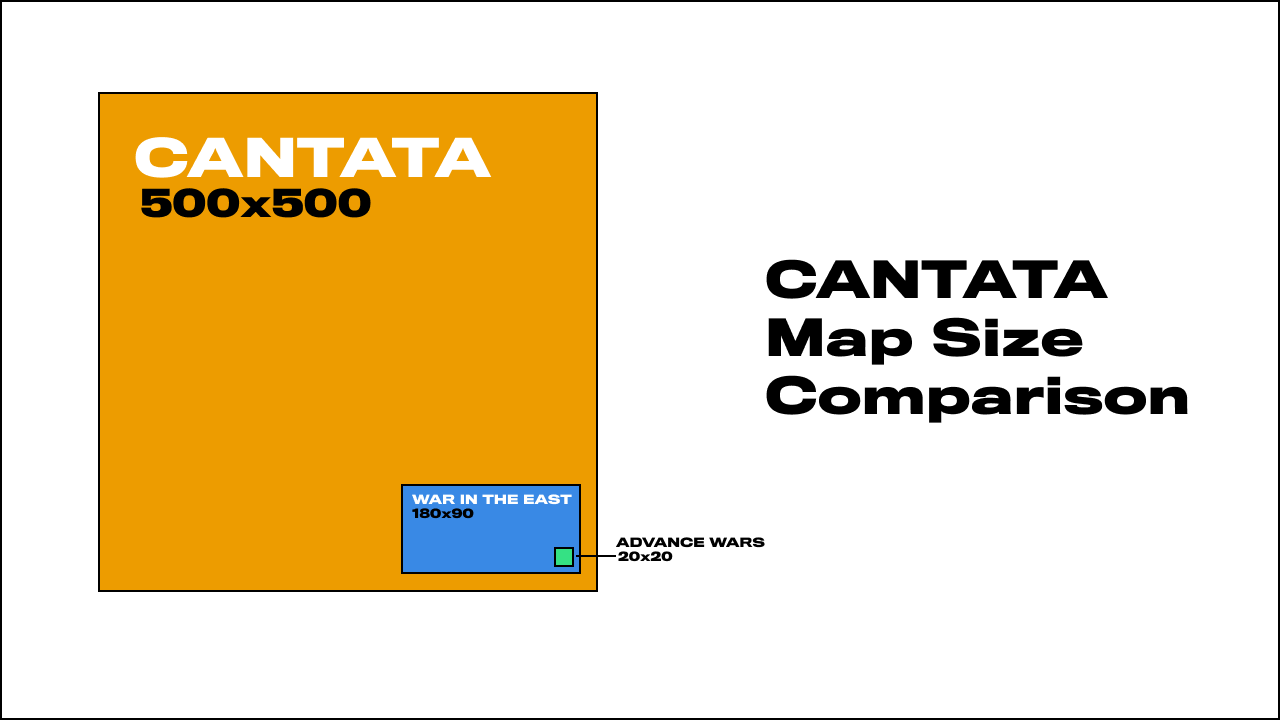
Cantata’s maps can be big. Really big. Like, 500x500 tiles big.“500”, typed out on a screen seems a bit small, but consider that a standard Advance Wars map is about 20x20 tiles. That’s 25 times bigger than a normal tactics game. We’re talking bigger-than-War in the East big — War in the East’s total hex count on the “Immense” size is 2,600 hexes. Cantata can get up to 250,000, nearly 100x that.
Cantata’s Max Map vs. Other Games
War in the East
BUT! Just because we have the power doesn’t mean we’ll use it. For the main campaigns in Cantata we’re targeting much more reasonably sized maps so players can get through a given campaign chapter in a few hours. But if you want to make a world-sized tactics game, Cantata is here for you. I’ve even got some wacky mod ideas post-Cantata that I want to try to use the huge map for. The idea is that it can be a canvas for anything you can think of and hopefully open up new opportunities in tactics games as of yet undiscovered.
But how? Unity, Cantata’s game engine, functions largely off of people placing GameObjects in a given scene. GameObjects can have functionality and behavior attached to them, so it’s pretty common in tactics games made in Unity to work off of a “one GameObject per tile” model. This means each individual tile is its own object and contains the relevant interaction data, sprite, mesh, etc. This is mostly fine if your maps are tactics-game small, like 8x8, but you can quickly get into territory where even a moderately sized map, like 20x20, means you’re spawning 400 GameObjects into Unity. This is generally bad as GameObjects are “heavy”, so you want to minimize how many you have. Cantata zoomed out, on any map size, has a camera view of about 65x35 (2,275) tiles view, so having a GameObject per-tile just wasn’t feasible, especially once you add in UI, Units, Buildings, Supply Lines, etc. A game’s no good if it’s just map, we need all the other parts of the game too!
What I opted to do instead was to use a technique that leverages the GPU to handle the map drawing, instead of using the CPU-intensive GameObject case. Starting off with a great tutorial by Quill18, the general idea is that, instead of having one GameObject per tile (which also means one mesh per tile), you create your tile mesh independently of any given tile. The “tiles” themselves are just textures anyways, and if you essentially copy their color data to the right location on a single mesh, your one mesh can represent a large number of tiles! Great!
Cantata goes a fair bit beyond Quill’s tutorial in a few places, especially because Cantata supports modded terrains. The key here is that, if I make a mod and you make a mod, and we want a map to be able to show terrains from both of our mods, we need to combine those tilemap tilesheets together somehow on the map itself. Just assigning a single mesh to a single texture doesn’t work, even if we tried to stitch all those disparatepngs together into a single texture (you quickly run into limits on individual texture sizes).
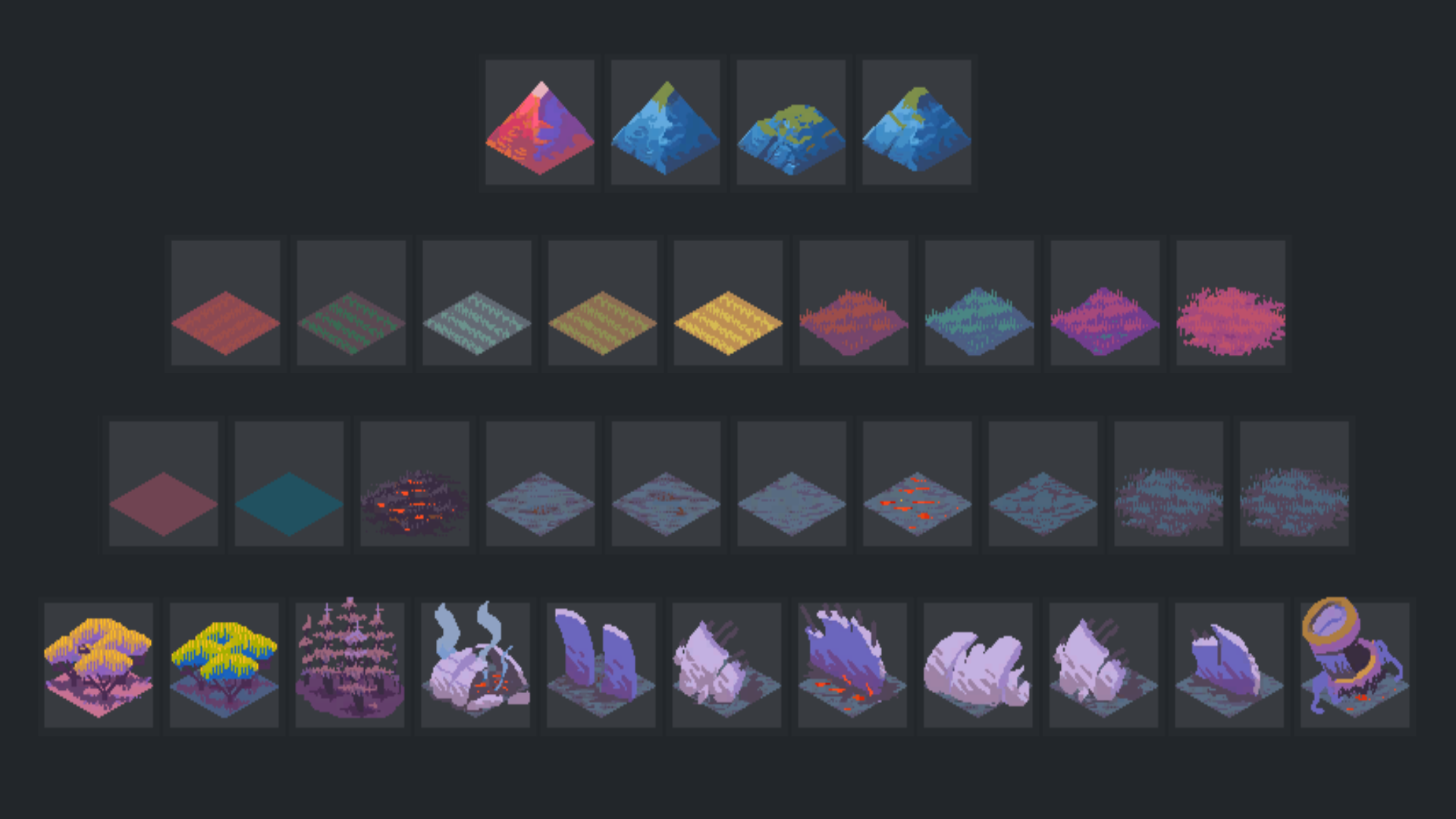
So instead we use Unity/HLSL’s ability to leverage texture arrays! Cantata basically grabs all the terrain spritesheets it has for a given map, and then puts them all into separate arrays based on their size — so 64x64 sheets get their own array, 256x256 sheets get their own, etc.
At this point we’ve got a mesh we’re making in code (Cantata’s maps are all generated at runtime), and a few arrays of textures to put on that mesh. Now is the final part where we’ve got to make the two come together! To do this in a high-performance way, we do some old school shader-trickery where we pass in a separate png to the map shader where the color of the pixels correspond to data about a tile. Here’s a snippet of actual code:
Without context on the whole file it may be hard to understand, but you can see at the top how I’m setting a value r to be a certain value based on the width of the spritesheet. Then later you can see I’m assigning a value in the TerrainIndexColors to be a Color, with that r value as the color’s Red.
I then look for that value in the shader, and use it to assign the right texture array:
The idea is that the color of a given pixel acts as instructions for the shader, telling it what array to pick from, what index of sprite in a given array, if the tile is in Fog or not, and so on. Add all this together and we’re properly setting the tiles! Cantata does other some other things here to allow for larger maps, like “chunking” tiles to be seperate meshes (with each “chunk” being 64x64 tiles), but what I presented above represents a a high level overview of the whole pipeline!
The best part this is that it’s also really fast. To the game, the giant map looks as computationally-intense as a few standard game models hanging around in a scene, but nowhere near as intense as the 250,000 GameObjects we would have been dealing with. In fact in Cantata, with the above system, a 500x500 (actually 512x512) map is only 64 total GameObjects! So it’s probably possible to do maps that are even bigger than 500x500 but I’ll have to save that for later.
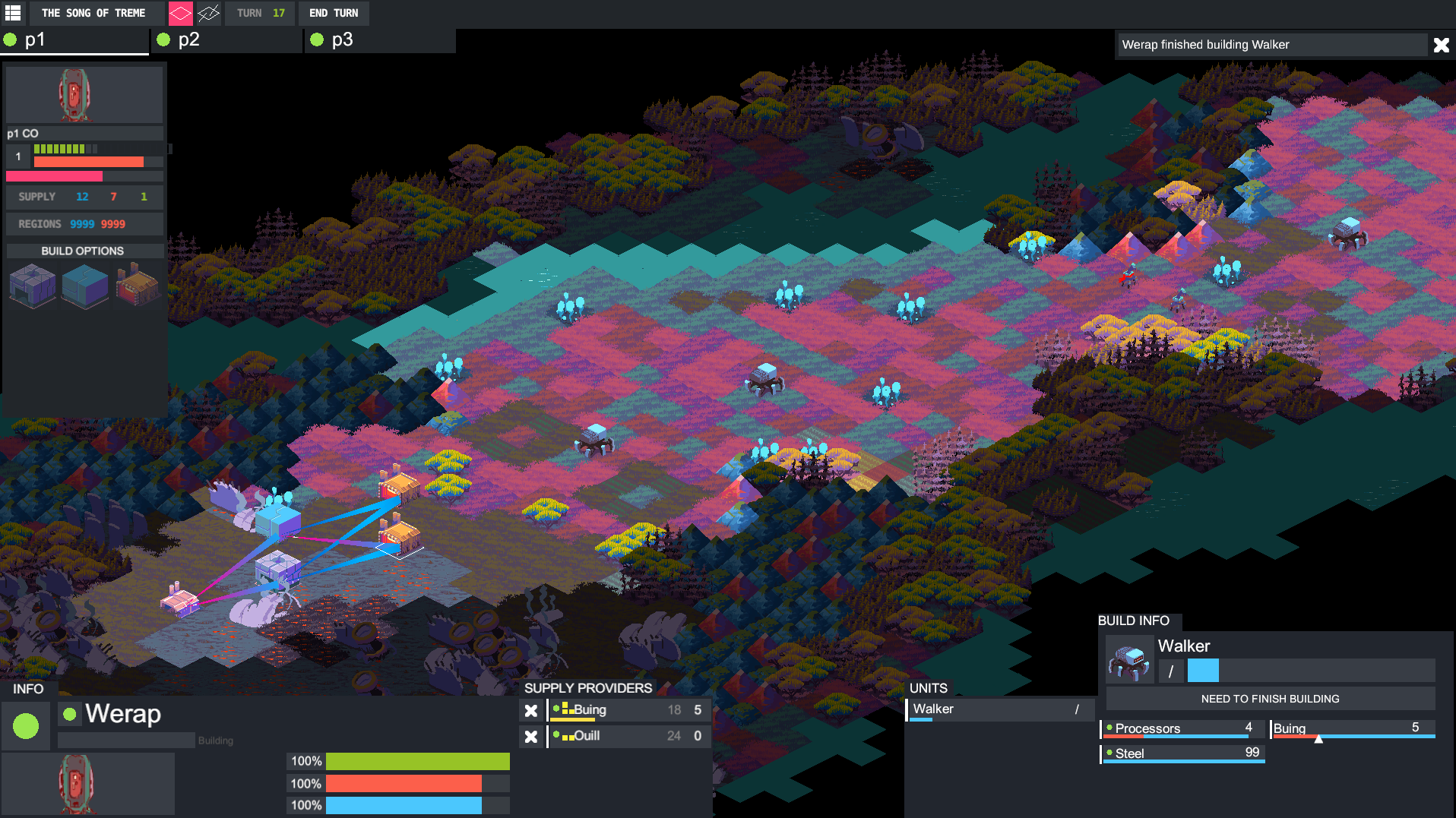
It’s hard to really show what a 500x500 map would look like in Cantata, but here’s a screenshot of a randomly generated one. You can get a sense a bit of the scale if you look in the left corner — that small, barely visible thick black line down there is the UI that frames the tiles in the screen!
Hope you all enjoyed this little technical deep dive on some of the technology behind Cantata! Feel free to ask any questions about how we do stuff or if you want me to go into more detail on something I outlined above!
Thanks for reading, and look forward to the new dev log coming something next week!
Originally posted to the Cantata forums here: https://forums.cantata-game.com/t/cantata-development-progress-report-video-3/138/2
The third development video is live! Watch the nearly hour-long epic for the the most extended look at the game yet where we dive into all the new stuff in the game! There's the ability for individual units to have build queues, big changes to supply ranges/falloff, the ability to build supply repeaters, and biggest of al, a brand new UI.
As always, leave a comment here or on the video or forums if you have any feedback, it's all appreciated!
[previewyoutube="iFJsynSzvTA;full"]
UI Mockups and Changes
Originally posted on the Cantata forums here: https://forums.cantata-game.com/t/working-on-ui-mockups-changes/131
Hey everyone!
Wanted to update some people on some work I’ve been doing in addition to some other stuff to just show you a bit of a look into the process of making a game. For a long time I’ve known that I wanted to change up the Cantata UI, and though it never really seemed like the right time to do this work, I took the last few days to put together a mock and some thoughts!
Here’s the current UI for the game. It’s functional, but doesn’t really provide great visibility into what “matters” on a given turn. Additionally, some of the functionality around how it allows you to interact with buildings/units represents an older model for the game. I needed to both make the UI more readable, as well as revisit the functionality of its interactions.
Here’s a first pass. Worth noting that this isn’t like what I want the UI to LOOK like exactly (it’s hella crowded), but just pulling in elements of games I liked and sort of stitching them together as a way to approach building out something new and seeing how those elements I wanted would potentially fit together.
This image is also a fun where’s waldo for strategy game UI. By my count this is using UI elements from 9 games. Can you figure out which ones?
Here’s my first pass at implementing some of the above into a design for the UI that’s actually approaching functional. Things worth noting: Commanding Officer portrait in the top left designates that portion of the screen to generally manage “Commanding Officer” stuff. That includes its level (“10” number), how much supply the player has remaining (steel symbol), and their progress to a region victory (gold symbol).
It also shows a green bar to designate experience progress, and an orange bar to designate progress for something else. The green tick marks are AP, with the greyed out amount representing AP Max/what you’ve already used.
On the right side, I now show a more prevalent next turn button in addition to commander portraits for other players in the game to show turn order.
Here’s a more “expanded” view. You can see in the top left the yellow/cyan buttons are used for global actions, like building a building on the map. To the right you can see a collapsible paradox-style outliner that I’d really want something like, as well as a collapsible minimap for quick navigation.
In the bottom left we have the newer selected unit UI, which shows you information about your currently selected unit. The portraits here are the same not because this unit is also the commander (though the Commander is on the map in Cantata!), but to just show the portrait location.
I go into it in more detail below
Here’s the selected unit UI up close. You can see the unit’s name and type, in addition to a small description. You can also see it’s health, and a bar for something else I’m not yet talking about.
Under it, you can see what resources it has as income. This says “how many resources/supply of what type does this unit have access to?”.
Note the tabs at the top as well. By clicking Build I can access the build settings for the unit, shown below.
Here I can click to build a supply line I have access to, or build a unit of some kind. When clicked, these go into the build queue on the right side. Queued build items have a priority, and also display the time until the option is done, as well as the ability to change priority (the arrows), cancel the build, or manage. The 2AP/30 section is meant to indicate the deploy cost once you build the item. Aka after I build “She Grows the Darkest Fruit”, it costs me 2 AP and 30 Supply.
By clicking manage I can manage the build manually instead of relying on the priority system. See below.
In the popout mange section, I can directly allocate supply types I have access to to change how quickly my option will be built. This is useful if you don’t need things to build as fast as possible, or, due to someone destroying a supply building, you need to reallocate supply to focus on more important projects. You click and drag in those tick marks to change your supply allocation.
The number under the supply type indicates how much supply of that type you have left you can use. The number to the right is "how many turns of supply at this amount will it take for this requirement to be met. The green is the total supply of this requirement type already spent (“progress”), the orange is the staged supply (to be used at the start of next turn), and the yellow is the amount of remaining supply of that type you have access to.
Here’s a more zoomed out view to show you probably the most common configuration you’ll be playing with.
Originally posted to the Cantata forums here: https://forums.cantata-game.com/t/cantata-development-progress-report-video-2/130
The second development video is live! Watch below to find out more about drawing grids in the game, outlining tiles, UX for infrastructure, and more! As always, leave a comment here or on the video or forums if you have any feedback, it's all appreciated!
[previewyoutube="voOUImYSnQA;full"]
New Development Progress Report Video
We've started a new series where we're posting development update videos to keep everyone interested in the game up to date with where the game is at! Check out the first one below here (and let us know what you think!)
[previewyoutube="YBdoxhUrkH8;full"]
Cantata 101: Terrains
Introduction
Sun Tzu, Hannibal, Saladin, Clausewitz: the list of major military leaders, thinkers and writers throughout history could stretch on indefinitely. While their resources, successes and legacies varied, they all shared at least one important quality – an appreciation of the relationship between terrain and strategy. With foresight, terrain can be both weapon and shield; with poor judgment, it’s a tool for self-destruction. Terrain has played a pivotal role in strategy and tactics games for centuries and Cantata is no exception.
Terrain Overview
Terrain shapes the action in Cantata in two main ways: by impacting unit and building’s vision as well as their movement possibilities. Vision plays out in Cantata in many of the ways you might be accustomed to. As units move, they reveal more tiles in an area around them. This area provides you with information about the world, regions to explore and of course your opponents’ movements. How much a unit or building can see is determined by their “Vision Strength”, a number which represents how penetrating a unit’s vision is. A Unit with a vision strength of 5 could theoretically see up to 5 tiles away.
In the above image, the number next to the eye represents the terrain's vision cost. The arrow is the move cost, and the numbers in the upper right are the terrain's current capacity and the terrains total capacity
However, different terrains affect whether or not this will be the case. For a unit to reveal a tile, it essentially needs to pay the “vision cost” of a terrain to see it. This cost is usually thematically linked, so “open” tiles like prairie or grassland have a low vision cost, while boggy mushroom glades or forests have a higher vision cost. Terrains like mountains may have incredibly high vision costs, meaning they obstruct vision entirely unless you’re directly adjacent to them.
In terms of movement, the system of Cantata’s weights and capacities system is something almost entirely new, and a core feature we’re excited to introduce! Everything you can place on the map in terms of units and buildings have a “weight”, and every terrain has a “capacity”. As with vision, capacity is based on the terrain type; “open” terrains like grasslands will trend towards fairly high capacity, while “closed” terrains like mountains or chasms have a low tile capacity. In order for a unit to either move to or through a given tile, that unit’s weight must be less than or equal to that tile’s capacity.
Above, I'm previewing the movement range of units (blue squares). Notice how the Walker weighs too much to go into the forest, but the drone units are easily able to move inside.
Strategic Affordances
This means that smaller units, like human Conscripts, have a relatively large freedom of movement due to a low weight, whereas bulkier units like robot Walkers might find themselves unable to traverse mountains, or even particularly dense forest, due to a higher weight. Additionally, when a unit enters a tile, the tile capacity decreases by the weight of the entering unit. So a 10 capacity tile that takes on an 8 weight unit now only has a capacity of 2 while that large unit is standing on it. It’s worth noting here as well that units cannot stack on a tile, thus, an enterprising and strategic player may find opportunities to restrict the movement of their enemies via control of difficult terrain by means of tile weight. A line of large units across a narrow pass could prevent opposing large units to move through, creating a crucial bottleneck to slow an advancing force.
Lastly, there is a more traditional system at play in terrains, which is the idea of “movement costs”. Units that can move will have a movement range, and, to move to a tile along any path, must pay that tile’s movement cost. Again, open terrains will have low movement costs, and more “closed” terrains will have higher costs. This helps balance general movement in the game in terms of the other two terrain systems. Without it, smaller units like the aforementioned conscripts could simply waltz across a whole mountain range in a turn, effectively flattening what makes the map interesting. Terrain movement costs make it such that moving across terrain can be as difficult or as easy as we want it to be.
Terrains are Dynamic
A final aspect of terrains in Cantata is that these numbers aren’t static. In fact, they’re heavily variable. Tile weight of course can be changed through the movement of units, but may also change depending on external conditions that alter areas of the map. Likewise, visibility may change according to similar happenings but also through proactive player actions. While exploring the map, the player might find strange objects like floating balls of spores called mistbulbs that provide opportunities to impede vision of an opponent. Attacking a mistbulb fills the air with vision-obscuring spores, rendering it difficult for players to see through or around the generated mist.
Notice how when the Mistbulb is destroyed, the Walker loses sight of the enemy MG nest. Tiles become more difficult to see due to the mist blocking vision.
Moreover, given the logistical, city-building scale of Cantata, terrain has far more enduring consequences than many other games. A mountain-range, a savannah, or a river are not just temporary sights, but long-term components of your coordination and planning. Securing durable and effective supply-lines through stretches of treacherous terrain will be a challenge, but one that might prove deeply rewarding when it comes time to reinforce distant flanks of your expedition. Do you expand and explore according to the path of least resistance, proceeding quickly along the open plains to your north, or do you take the slow ride to the south, through the unwelcoming marshlands, with the knowledge that your opponent will be as hindered as you are, unable to quickly strike against your centers of supply? Together, the terrain systems of Cantata can provoke and promote some great strategic decision-making.
Modding Considerations
Lastly, all of these parameters on terrains are open to modification via modding! We purposefully didn’t bake in any assumptions about terrains and what they allow via keywords — we didn’t want players to have to remember a complex movement matrix of what “treads” could or couldn’t move through versus the capabilities of “wheels” and so on. We wanted a system that was flexible and able to be extended or expanded for anyone’s needs or imaginations and thus be immediately intuitive if playing someone else’s mod. Want to make all open tiles have 0 capacity and mountains have 100? Do it! Or you want to simulate a really dark map, and want to give all tiles high vision cost and move cost — go ahead! The game will flex to what you want to do, and won’t require you to assume a certain type of unit or building. The choice, and its consequences, are yours!
We’ve already covered some of the basic ideas of the Supply system, and how they apply to Cantata’s gameplay and vision, so now it’s time to look at an equally important system – Action Points, or AP. At its core, the AP system is simple – every turn, the player receives a fixed number of Action Points, which they can then spend on everything from moving units, to attacking, performing CO actions, building structures, etc. If you’re working toward a goal in Cantata, in all likelihood, you’re using Action Points. While there are some circumstances wherein the player may generate additional AP, or bank some for a rainy day, Action Points, like supply, are a pacing resource, and the player will need to use them carefully to attain victory.
How is AP used?
Action Points are ultimately as central to strategy in Cantata as supply, units, or CO’s. After all, without using AP, you’ll have a hard time using your shiny new Walker, or securing a vital region! With so many actions rate-limited by AP, Cantata plays quite differently from an RTS, or even other turn-based tactics games. Rather than being dependent upon fast, repeated actions (as often measured by actions per second), as in Starcraft, or micromanagement of units across large fronts as in Civilization, in Cantata, every turn will be full of larger decisions. When you can only move so many times per turn, the decision to move a powerful attacker vs. a mobile scout takes on heightened strategic importance. Additionally, not all actions are created equally: powerful abilities or attacks from certain units may require more AP than others.
Balancing these variable costs and decisions will be key to any commander’s mastery of the battlefield. The player will often find themselves having to make difficult decisions. With only a few AP left at the end of your turn, do you advance a few scouting Conscripts ahead to try to uncover the lay of the land going into your next turn? Or do you instead unleash a single, powerful barrage from an Angel Clipper Cannon to deny your enemy valuable information heading into their next phase? The choice will be yours, and it may be your last. The sword cuts both ways of course, as you’ll know that your opponent will only have so many Action Points available to them as well. Perhaps you can afford to advance a little too far on one flank if you know that your opponent will have to spend even more AP to counter you, freeing your hand elsewhere.
Strategic Affordances
It’s precisely that sort of dynamic that we’re aiming to capture with the AP system. When you have functionally unlimited actions per turn, it simultaneously becomes easy and a slog to manage large numbers of units and structures every round. Advancing a front of dozens of units gets bogged down in the tedium of selecting and maneuvering them each individually. At the same time, systems which allow the player to control multiple individual units at once starts to strip away the individuality of those units, and always risks sacrificing strategic advantage for convenience. Likewise, we want to capture a dynamic that we feel has been inadequately represented in the strategy genre: informational/communicative logistics. We first saw how effective something like this could be in Martin Wallace’s boardgame A Few Acres of Snow and are happy to bring a similar idea to the strategy game space.
The ‘Supply 101’ guide went into some basics behind the motivation for the Supply system – attempting to represent the space between squad tactics and sprawling 4X games – and AP occupies a similar role. In Cantata, we’re working to represent the multivariegated fronts between our three factions, each of whom are colossal powers in their own right. As they fight to establish new infrastructure, secure new regions and dispatch their opposition, there are limits in the ability to relay orders, learn information from the front, and respond to new situations. Even with lightspeed communications, there are delays in processing and incorporating new information, real limits to organizational logistics that we hope the AP system will help to capture!
Modding 101: Interactables and Aspects
Introduction
If you’ve been following Cantata since I started the TIGSource devlog, you’ve probably seen mention of modding. Though it’s already come up on the forums, I haven’t done any sort of “big” post about the plans for modding and given that we’re starting to stare down the barrel of an alpha release, I think it’s time I start to shed some light on what’s planned!
To this end, I’m starting up a blog post series called “Modding 101”, which, like “Cantata 101”, will talk generally about the scope of modding in the game and what you can expect as someone who may want to mod the game (and inspire people who never thought of themselves as modders!).
Modding is a First Priority in Cantata
To start, it’s worth stating that, nearly from day one, modding has been planned for Cantata. This isn’t just a symbolic choice — games that choose to de-prioritize mod support (or defer thinking about their integration) can easily exclude themselves from the possibility of ever using mods in the future. Not all games need mods, but for Cantata, it’s been part of the core design of the game from the very beginning.
What this tangibly means is that nearly all parts of the game have been designed around the question “how can I make this moddable?”. Even if it takes an extra week or month, I’ve always been sure that what I’m doing in the game isn’t “special” — I’m always trying to give myself only the tools that modders would also have access to.
If people are interested, I can really go into what this means architecturally for the game (little use of Update loops, lots of events, “data-driven design”, etc.) in another post, but for the rest of this post I want to talk about one of the core parts of the game and how I’ve designed it to be moddable.
Interactables
To start, I want to talk about Units. Or Buildings. Or Weather... Or basically, anything you can “interact with” on the map. All of the above (and more) are what I call “Interactables”. Interactables can take many forms, but they all share a few common properties like having a name, a vision range, health, a spritesheet, and... that’s about it. What they have that makes them special and moddable is an associated block of data that defines their specific behavior in the game, or, what “Aspects” they have.
Aspects
Aspects are essentially small, isolateable (don’t need other Aspects) blocks of functionality that can be assigned to any given Interactable. A given Interactable can have any combination of Aspects, and the different permutations of these combination are what make Interactables look and feel more like proper things in the game.
Aspect Combinations
For example, a “Unit” is just an Interactable with a “CanMove” Aspect, which gives the Interactable the ability to move in game. If we want to give that “Unit” the ability to attack, we additionally give it the “CanAttack” Aspect. Maybe a reconassiance unit is just an Interactable with a “CanMove” Aspect (and high assigned movement range), not a lot of health, and a large vision range. A Tank could be an Interactable with with a “CanMove” Aspect (with low assigned movement range), low vision, but a “CanAttack” Aspect with high attack power and forward biased attack pattern (assigned in the CanAttack aspect).
A “building” is just an Interactable that can’t move! Stationary Artillery could be an Interactable with only a “CanAttack” Aspect and a large firing range.
Aspect Parameters
I’m alluding to it a bit in the examples, but each Aspect, in addition to defining base-level functionality, also has a set of parameters associated with it that help give that Aspect “shape” for a given Interactable. Like I said above, having a “CanAttack” Aspect gives you the ability to define a firing pattern — do you make a unit that can only attack forward? Or a building that only attacks out of its sides. For the “CanMove” Aspect, how far can this Interactable move? Can it move through water?
Each Aspect has its own set of parameters that you can define on a per-Interactable basis, giving you a ton of flexibility in designing your own Interactables. All this will be properly documented once the alpha is live, but for now I hope that this gives you a taste of what will be possible in combining Aspects and Aspect parameters. I can’t wait to see what crazy stuff people come up with.
What Aspects Can I Use?
For now, these are the current Aspects in the game, some of which are self-explanatory and some that will need further elaboration later on:
CanMove
CanAttack
CanBeSupplied
CanSupply
CanSpawn
CanBuild
TimedLife
CanLoadUnload
One current limitation to this system is players won’t be able to necessarily create their own Aspects, and will need to choose from the provided list that the game supports. That said, the Aspect system is robust and flexible, so new Aspects can be easily added to the game if something specific gets a lot of demand. This list will also grow as the game continues to develop, so over time I expect this list to grow past what’s listed above.
How Do I Make Interactables?
Creating new Interactables in this way will also be incredibly easy, and will use simple text/image files stored in Cantata’s game directory on your machine.
Said differently, you won’t need to know any coding to do this!
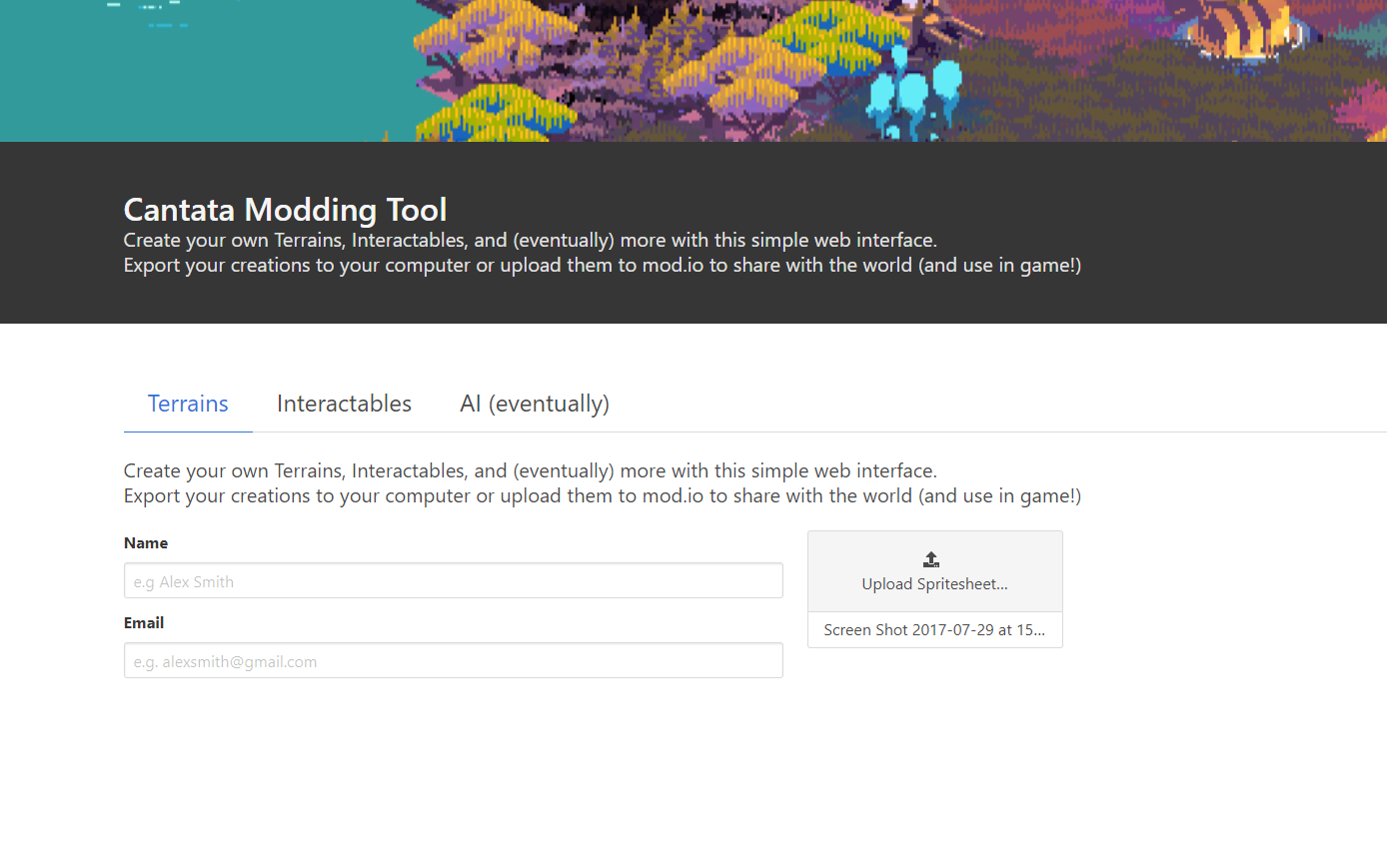
What I’d really like to do is make a hosted website dedicated to creating/sharing all things related to Cantata modding (beyond just Interactables), so that people can “mod” the game from only a web browser and not even need the game itself to make buildings/units/terrains/etc, but all things in time.
I’ll end this post here and hope it’s inspired some people to start thinking about what interesting Interactables they may want to make! For now though, thanks for reading!
Cantata 101: Supply
For the first entry in Cantata 101, I wanted to focus not on who or what leads a battle, but instead, what gives that battle structure, what provides the backbone of your army. For the first entry of Cantata 101, I want to talk about Supply.
Supply is a weird one because in most tactics game it's relatively non-existent. In larger 4X games it's often abstracted away so that you don't have to manage it as much as you just need to know that it's there. In Cantata however, the underlying design principle is that every system in the game should feel immediate and connected, and as such, Supply, and the management of it, is one of the core aspects of how the game is played. Effectively managing Supply will be a major factor in determining who wins any given match. So lets get into it.
What is Supply?
At the most basic level, Supply is a limited resource in the game that is used build buildings and units. Though I'm calling it "Supply" here, what "Supply" specifically represents for an individual faction varies (and is still being decided!). For the human faction, Supply may very well represent a traditional idea of supply — think boxes of goods and services transported along a route from location to location. For the Alien faction though, Supply may instead be "cosmic energy" — the Aliens pull "Supply" from Shoal and funnel it to their various buildings in order to produce units.
"Supply" then is a catch-all term that describes the in-fiction way that a faction produces and builds inside the game.
Supply Types
Similar to how the word "Supply" is an abstraction, a "Supply Type" is an abstraction used to describe the what of a faction's Supply. For humans, Supply Types might be things like "Metal", "Heavy Steel", "Oil", etc. You know, human-y things. For Aliens it may be something like "Cosmic Dust", "Crystal", "Essence", etc. — things that are more space-y and mysterious.
Supply Types are then used to describe the requirements for building any given unit in the game (as well as Supply Lines). For example, a simple Human solider may need 10x Metal Supply and 5x Clothes Supply.
However, all Supply Types are not available at the start of match, meaning you can't just build the best units right off the bat. Instead, access to more "advanced" Supply Types occurs through the building of buildings that produce these advanced types.
What this means is that, through the building of more advanced buildings, you unlock more advanced supply types for more advanced units. This is similar to a "tech tree" in other strategy games, but with the important distinction here that your tech tree has a physical manifestation on the map that itself must be defended.
Base Nodes
But how do you start? Each match, a player immediately has access to a "Base Node". A "Base node", like "Supply", is a generic term to describe the starting building a faction begins with that "holds" all the supply a player has in a given match. This starting Base Node is able to create Supply Lines that can connect to other buildings that "accept" Supply of the Supply Type the Base Node provides.
So, the human Base Node may give out a generic Supply Type like "Materials". As a player, you want to turn "Materials" into something useful, like Heavy Ammo, allowing you to build a large artillery weapon. The Base node can then build a Supply Line to connect to a building that accepts "Materials" and with "Materials" is able to make supply of type "Ammo". That building can then build a Supply Line to connect to a building that accepts "Ammo" and turns it into "Heavy Ammo", and so on. It's through these connections that, over the course of the match, you build Supply Lines that together form your Supply Network. Your Supply Network is the backbone of your military that enables you to produce units across the map.
If a player's Base Node is destroyed, the game is not necessarily over, but players will no longer be able to funnel supply along their Supply Network to build any new units. Said differently, if you let your Base Node fall, you better have a backup plan!
Supply Lines
As mentioned in the previous section, supply is transported along Supply Lines. Supply Lines are the mechanism by which you you transport supply from one building to another in order to use that supply at the connected building. Though Supply Lines are not physically on the map, they do have the ability to be intercepted by opponents by having buildings in your supply network be attacked or destroyed. More on that in a future post :).
Supply is Limited
Every match, players start out with a limited amount of supply. Anytime they build a unit or a building it will cost some number of supply, pulling from this global pool and slowly ticking down the total amount of supply they have left. Once the supply counter reaches 0, you won't have any more supply to use! There will be some things in a given match that may award you with additional supply, but the core idea here is that every match essentially has a timer that players can choose how fast it ticks down. Small, intimate matches may have low supply pools, encouraging quick thinking and action. Large, sprawling games may have large supply pools, giving players tons of flexibility in deciding how to go about the given match.
This means there's a lot of strategy in how you manipulate supply. Do you initially burn a lot of supply to create a mass of units in hopes of overrunning your opponent, but at the expense of knowing you put yourself at a disadvantage in the late game where your opponent will have more supply?
Do you instead hoard supply, holding back using it until key movements of a battle where you can deploy some of your strongest units instead of paying the cost of having an idle standing army?
Conclusion
It's on the team here to ensure that in a given match of Cantata you feel empowered to make these decisions, and have each one be interesting and leave you wondering what would have happened if you decided differently.
Conclusion
I've gone over a lot here, and if you have questions I encourage you comment on this post in the forums! I've also only talked about the high-level idea of supply here, and not really gone into the nitty-gritty of how supply is managed, so look out for more posts on supply in the future. Until then, hope you enjoyed the post and looking forward to saying more in the future!
Hello and welcome from the team!
From everyone on the Cantata team, hello!
We're super excited to see the positive response to Cantata and are really excited to reveal more about the game as development progresses. Thanks to everyone as well who has shared the game in any form on the internet - every little bit helps!
For updates on the game, we've been posting blog posts on the game's main site, but are also going to start mirroring those posts and updates here so you don't miss anything coming from us!
We're also interested to know what people want to hear about, so feel free to comment on this article or any of the other posts and we'll be sure to answer as best we can!
A small note as well, the big robot gracing the image at the top of this post and in the small icons around steam is a lovely machine names "Moses".