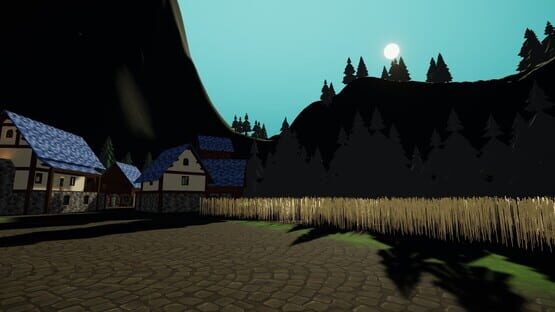
Added the ability to login with the Steam account linked to you ABI account (you can associate in the hub)
Adjusted Main Menu in VR to have a slight pitch to better center within view (15 degrees)
Adjusted Main Menu in VR size to not engulf the entirety of your view (75% of og size)
Adjusted mute sound to be deeper in pitch
Adjusted one handed VR controls to open Quick Menu with press and Main Menu with hold
Adjusted Quick Menu on Desktop to scale with aspect ratio like Main Menu
Adjusted Show Distance Avatar setting to Enabled by Default
Adjusted the default blinking interval to be between 3 and 8 seconds instead of 0.4 and 8 seconds (only affects the CCK 3.10+)
Changed the login screen to always present the 2D UI on the desktop display, even when starting the game in VR
Cleaned up slight hiss in mute/unmute audio clips
Completely replaced the VR Login room
Destroy duplicated animator controllers
Disabled rotateChestByHands for Halfbody VRIK
Disabled saved cal by default as Universal Calibration persists between restarts since last update
Enforced culling settings on all Magica Cloth 2 components on Avatars
Fixed a bug allowing a new blink being able to start while a previous blink was still progressing
Resulted in the current blink being cutoff
Fixed a Cohtml crash
Fixed a crash issue with Steam Audio on Props by rewriting the fix for Worlds
Fixed a potential race condition that would result in cohtml native crashes
Fixed an issue that could cause the avatar/world loading stuck
Fixed an issue where AAS was being needlessly applied to distance hidden avatars
Fixed an issue where a remote player camera indicator would not be updated if an avatar is hidden
Fixed an issue where an avatars head-hiding would still run on occluded mesh
Fixed an issue where an avatars Shadow Clone would not reflect the visibility state of an occluded mesh
Fixed an issue where Beautify and AzureFogScattering components persisted between world changes
Fixed an issue where CVRMovementParent would calculate fixed velocity when not in use & when not using Parent Velocity Inheritance Mode
Fixed an issue where menus could be interacted/opened during the initial load
Fixed an issue where remote avatars playing Emotes did not disable NetIK
Fixed an issue where some camera settings were not reset properly when going from a world with a reference camera specified to one without
Fixed an issue with Audio Processor disposal not working properly
Fixed an issue with BBC sometimes not retrying connection
Fixed an issue with CVRObjectLoader throwing errors and breaking Instantiation Queue
Fixed an issue with DarkRift sometimes failing to Finalize Connection
Fixed an issue with DarkRift's UnityClient.ConnectInBackground when Connection fails
Fixed an issue with Disconnect HUD Notification throwing an NRE
Fixed an issue with Distance and Loading Avatars not scaling to the user properly
Fixed an issue with GameInstanceController Erroring on World Load
Fixed an issue with GameServer and Host Resolve timeouts causing voice to not reconnect
Fixed an issue with HUD Communications Indicator becoming desynced
Fixed an issue with Interactables Erroring when using SetComponentActive
Fixed an issue with Loading Avatars not showing on first join
Fixed an issue with Magica Cloth 2 Gravity Interaction not working as expected in some cases
Fixed an issue with Menu Headlook breaking VR Input
Fixed an issue with Opus Bitrate calculations being incorrect
Fixed an issue with Opus causing a crash due to race condition
Fixed an issue with Opus Encoder not having the appropriate Default Values applied
Fixed an issue with Opus handling leaking memory
Fixed an issue with Player Voice AudioSources getting stuck Mute
Fixed an issue with Player Voice Volume Curve Generation not generating a new curve when Falloff Distance gets changed
Fixed an issue with PlayerPhysicsProxy running for players who were distance hidden
Fixed an issue with Props being Spawned & Deleted at the same time breaking CVRObjectLoader
Fixed an issue with Remote Player Visemes staying open when Muting
Fixed an issue with Rich Presence spamming logs
Fixed an issue with Scene Unloading happening too early
Fixed an issue with SkinnedShadowClone throwing an error
Fixed an issue with Steam Audio causing crashes from not unloading Scene Objects properly
Fixed an issue with Steam Audio not having it's used Camera set
Fixed an issue with SteamAudioSource throwing an NRE if it doesn't have an AudioSource
Fixed an issue with SteamAudioStaticMesh causing a Crash on World Unloadchanged
Fixed an issue with TTS Initialization causing crashes on some Windows installs
Fixed an issue with World Transitions not checking for Setting changes
Fixed an issue with Worker Thread MTJob Task Disposal stalling threads
Fixed an issue with Worker Thread MTJob Tasks causing abnormal CPU usage on certain systems
Fixed Avatars uploaded with disabled Animators causing issues
Fixed CVRDistanceLod measuring from playspace center instead of player position while in VR
Fixed CVRDistanceLod not measuring 2D distance correctly when player is rotated via Gravity
Fixed CVRParticleSound simulateSpeedOfSound option to use player camera position instead of playspace center for determining distance from sound
Fixed DistanceTo core parameter defaulting to 0 when remote player is created (now defaults to -1f)
Fixed Download Percentage Indicator not properly over-rendering UI
Fixed Error spam With FluidVolume Materials
Stream material properties will now apply to the entire renderer instead of the first material
Fixed hard limits for blink interval and blink duration being swapped
Fixed leaking materials
Fixed LocSwimmingBackward CCK animation clip
Swimming backwards no longer rotates legs sideways
Fixed not being able to disable CVRBlitter
Fixed not being connected properly to the API after logging out and then logging in
Fixed OnFailedVRModeSwitch disabling all input instead of returning it
Fixed OnVRModeSwitchRequest being invoked after force closing the UI
Fixed Post Processing not rendering properly
Fixed color banding on photos
Fixed remote clients incorrectly cancel emote when player is ungrounded
Fixed remote player collision being plump and round
Fixed remote player collision not being scaled correctly prior to first avatar load
Fixed SceneLoaded Job
Fixed Shadow Clone breaking in certain scenarios (thanks NotAKid)
Fixed SkinnedShadowCloneFallback not casting shadows in some setups
Fixed spawnable subsyncs not being interpolated properly
Fixed standing on Non-Convex Mesh Colliders that were read/write enabled nuking performance depending on how complex the mesh was
Fixed sub sync pickup locking on props when moved with physics
Implemented Global and Per-User Settings for Player Voice Normalization
Implemented noise suppression
Implemented normalization for player voices
Implemented optimization where SkinnedTransformHider will not constantly check for runtime bone changes if Magica Cloth is not used on the loaded avatar
Implemented StateMachineCallbackSender State Behaviour & CVRStateMachineCallbackManager to handle it
Implemented Steam Sign-Up
Improved BBC Client, Multi-Threading, and Connection Handling
Improved network IK latency
Improved the Avatar loading and Avatar hiding by distance
Improved the initialization process, resulting in slightly faster loads and smoother loading screens from starting the game to joining the your home world
Listen for DesktopVRSwitch binding manually instead of using CVRInputManager so Virtual Keyboards can use the binding
Matches local player collision scaling again
Potentially fixed legacy standard in VR (which caused some worlds to show up weird)
Prevent the initial load fade out and the vr switch transitions from being disabled by setting transition to none
Reduced the number of allocations we're doing in the update loop
Refactored WorldTransitionSystem to allow to add new cameras easily
Removed global textures on updater destroy
Replaced Opus SoftClip with Manual Clamping
Switched Player Voices to use a Generated Logarithmic Volume Curve instead of a Preset Volume Curve
The video player domain whitelist/blacklist system has been rewritten.
The json file structure has been changed. There is a migration process that will take your current configuration and update it properly. The native whitelisted domains will be removed from the user configured whitelist.
During the Migration, a backup of the old configuration will be created on the folder ConfigBackups next to the config.
Policies can now use regex when using urlHost that start with ^ and end with $ (The \ characters need to be escaped by adding a second one). Example: ^(www\\.)?example\\-regex\\-deny\\.com$
Policies can now use wildcards, if the wildcard is preceded by a ., the . becomes optional. Example: *.example-wildcard-deny.com
Policies will default to exact match if both those cases were not used. Example: example-exact-match-deny.com
Reworded bad URI error to be more informative
Note: The urls defined on the whitelist are just the host part of the url. Basically subdomain and domains. It doesn’t include the protocol (eg: https://), nor anything after the top level domain (eg: .com)
We have just released a Hotfix update to ChilloutVR that addresses crash-related issues primarily affecting systems that use AMD CPUs.
ChilloutVR 2024r175 Hotfix 4
We have just released a Hotfix update to ChilloutVR that addresses some voice chat related issues, in addition to the reintroduction of Text-To-Speech, and more.
Changes:
Added TTS
Added Voice Noise Suppression
Added Voice Normalization
Fixed Voice connection creation
Fixed VR Menu Headlock
Status Report June 2024
Hello there, and thank you so much for checking in!
Summer is finally upon us, and we’re certainly bringing the heat with it. This time around, we’re introducing a brand new landing page for new players to get acquainted with the game, an easier way to jump right in to the game with a Steam account, public testing builds for the much anticipated Lua Scripting feature in addition to a new way to interact with objects, and finally our plans to address those pesky voice chat issues.
New Landing Page
We now have a brand new landing page for ChilloutVR that includes all of the basic information anyone would need to know about the game before jumping in, including features, versions, system requirements, frequently asked questions, and a full archive of all past and latest blog posts.
Outside resources can also be easily found and accessed from here, such as the Content Creation Kit, feedback site, roadmap, and documentation.
If a friend or loved one is interested in checking out ChilloutVR, this would be the best place to direct them to learn about what we have to offer.
You can access ChilloutVR’s landing page here: https://abinteractive.net
Lua Experimental Builds
As a quick reminder for those who don’t keep up with our community Discord announcements…
Last month, we released the first iterations of our brand new Lua Scripting feature with two public Experimental builds of our next release. Since then, we’ve received a lot of useful feedback from the community and are working on ironing out any remaining issues and implementing suggestions.
For those interested in working with Lua in ChilloutVR, documentation is available here. We have also opened a new Scripting channel in our community Discord to discuss and ask questions about Lua development.
We would greatly appreciate any and all feedback leading up to the stable release of 2024r176.
Proximity Grabbing
In addition to Lua Scripting, another feature that may have been a bit overlooked is a new way to pick up and interact with objects.
Previously, the only way for a player to pick up objects in VR was by aiming a laser from your hand to the object, and gripping with the controller, which could be done from close or far away. As many have noted, this isn’t a very immersive way to interact with props and items in the world, and can even lead to unintentional pickups. With that said, it is now possible to grab objects in a more direct manner with your hand in close proximity, or inside, of it.
For those who still prefer the old method, picking up objects with the laser will still be possible, so users may choose whichever they wish to use.
The Proximity Visualizer is shown for demonstrative purposes, and can be disabled.
Steam Sign-up
In our previous May Status Report, we discussed the inclusion of a new way to log in to ChilloutVR via a Steam account. It was also mentioned that signing up with a Steam account would also be possible later, making it significantly easier for new users to quickly try out the game without having to create an ABI account through our Hub website, and we are happy to say that this feature will be available in the next release!
For those on the bleeding edge of our Experimental builds, Steam sign up will first be available with version 2024r176 Experimental 3 very soon, but everyone else will have access to this feature with the stable release of this upcoming update, along with Lua Scripting and many other improvements, as soon as it is ready.
Now, you may be wondering, “how does a Steam account differ from an ABI account”? Well, if all you’re wanting is a basic gameplay and social experience, then you’re not missing out on much. All basic features will be available to Steam users with essentially no restrictions. However, creating an ABI account will be important for users interested in uploading any worlds, avatars, or props to ChilloutVR, and managing such content. Doing so does require an ABI account to access our full Hub website and log-in to the Content Creation Kit. But this can be easily accomplished by migrating your Steam account to an ABI account via the Hub website along with the stable release of 2024r176.
We’re looking forward to welcoming any new users who make use of this new feature to stop by and visit our platform and community!
Further Voice Chat Improvements
We are aware of issues that have been impacting our new voice chat system these past couple of months, which include occasional stutters and reconnections and while we have already made significant improvements to resolve all past issues, some new ones have come up. To address these, we have been working on some major improvements of our voice server software that aims to provide more stability to player communications.
We expect to begin testing within the next two weeks, and hope to push these server changes to live soon after.
Thank you for your patience during this ongoing process, and to all of those who have provided feedback related to these issues thus far.
Community Feedback
For those of you who regularly keep up with ChilloutVRs development, or even for the occasional or first-time readers, thank you for tuning in to our monthly Status Reports. We try to keep the community up to date on our plans and activity as much as possible, and these reports allow us to provide a steady and consistent stream of information related to our progress on a month-to-month basis.
While we do our best to keep things here relatively interesting, we're always looking for ways to improve. Whether it be the information provided, the content included, or anything else related to these reports, we want to hear what you think, be it positive or negative. If there's a way we can do better, don't hesitate to let us know! Ultimately, these status reports are for the community, so your input is very important to us when putting these together.
Feel free to provide any and all feedback in the comments below on Steam, or email us at team@abinteractive.net . Thank you!
Final Notes
As always, thank you for your continued interest and support of ChilloutVR's development.
Like every company, we need financial support to be able to push updates and improve our product. We are grateful for every bit of support we get. If you want to support us you can do so here: https://www.patreon.com/AlphaBlendInteractive
We are more than thankful for your support!
Not in our Discord server yet?
Use the link above to join our discord server and get in touch with our wonderful community, get help with creation-related topics and find people to play with.
Status Report May 2024
Hello there, and thank you so much for checking in!
April was quite the busy month. We released a major Stable update, which included a brand new and much more reliable voice chat system along with many other great improvements and fixes, as well as a few hotfixes to follow-up on some lingering issues. Overall, feedback on the new voice chat system has been wonderful to hear, quite literally, and we’re very happy with the results. We’re continuing to work on adjustments as needed, but in the meantime, our development team has been working on some exciting new features.
Lua Scripting Progress
Brush off your “Lua for Dummies” books and get ready for the much anticipated new set of tools being introduced for creators in ChilloutVR!
We’ve been working on Lua scripting for some time now, first revealing the details of our implementation all the way back in June of last year, and are excited to say that it is finally closing in on a public test release very soon!
To briefly recap; ChilloutVR’s first client-side scripting language will be Lua. Scripting will be available for all forms of content creation, including Worlds, Avatars, and Props. We plan to add more scripting languages over time, but for now, Lua is what we have settled on beginning with.
Definitely give the Scripting section of our June 2023 Status Report a read if you would like more information on the topic.
Lua Scripting is planned to be available for public testing with the next Experimental release, so be sure to join and keep an eye on our community Discord server for future news and updates on new features like this. We’re thrilled to see the new creations that our community will build.
Example of our Lua implementation in use
Login with Steam
A popular feature request that we often receive is the ability to log in with a Steam account. It can really help new players quickly jump into the game without being required to go through the ABI account creation process first, as well as provide a simple way for existing users to sign-in with a linked ABI and Steam account.
All things considered, the convenience is a major benefit for both new and existing users. So, we are adding a button to log-in with a Steam account to the login screen!
At the moment this feature is exclusive to ABI accounts already created and linked to a Steam-ID, but we aim to provide a sign up with Steam option in the near future as well. Do keep in mind that only users with an ABI account will be able to upload content to ChilloutVR, and access the Hub.
Advanced Avatar Updates
Lately, we’ve been working on various smaller updates and improvements to the CCK alongside other major features, such as Swimming, Gravity, etc… in an effort to further streamline our creative tools with suggestions from the community.
One such improvement that will soon be available is a redesigned Advanced Settings customization UI, which features the following:
Separately named menu and parameter names
Better initial setting types
Automatic generation options moved to a dropdown
May be subject to change during development
Main Menu Updates
Finally, we’ve also been cooking up some helpful quality of life improvements for the Main Menu, particularly when it comes to visibility and positioning. The menu’s size has been reduced by 25% in order to increase visibility of the environment, and can now be grabbed and moved to any position as needed. Both can be seen in the preview below:
May be subject to change during development
Final Notes
As always, thank you for your continued interest and support of ChilloutVR's development.
Like every company, we need financial support to be able to push updates and improve our product. We are grateful for every bit of support we get. If you want to support us you can do so here: https://www.patreon.com/AlphaBlendInteractive
We are more than thankful for your support!
Not in our Discord server yet?
Use the link above to join our discord server and get in touch with our wonderful community, get help with creation-related topics and find people to play with.
ChilloutVR 2024r175 Hotfix 3
We have just released a Hotfix update to ChilloutVR that includes even further improvements to our new voice chat system, as well as other general improvements.
Voice Chat Changes:
Adjusted Player Voice Attenuations to apply later in the stack
Fixed an issue with Client not sending Ping Message
Fixed an issue with HUD Connection Indicator getting stuck shown
Fixed an issue with Threads throwing ThreadAbortException when being Destroyed
Fixed an issue with Distance Attenuation being applied twice
Fixed an issue with SteamAudioSource for Player Voices disabling Distance Attenuation of the AudioSource
General Changes and Fixes:
Added a reset offsets button for the Quick Menu
“Reset All Settings” in the Settings menu will also reset the Quick Menu offsets
If you are using JawBone or SingleBlendshape Viseme Modes, this will fallback to `0-14` based on `VisemeLoudness` weight
Adjusted ApplyOLSToBlendShapes to calculate VisemeIdx & VisemeLoudness even if avatar is missing target shapes
Adjusted Volume Sliders Max to 200
Fixed a NRE issue with Video Player Blit Materials
Fixed a regression with SkinnedTransformHider conflicting with Magica Cloth 1
Fixed an issue where SkinnedTransformHider would cause mesh to disappear in first person if Magica Cloth 1/2 was toggled at runtime
Fixed an issue with Net IK Controller not setting initial height until first Avatar loads
Fixed an issue with pickups being dropped when passing them between hands
Fixed an issue with the Sil blendshape not being set on viseme reset
Fixed an issue with the Sil viseme being the most weighted due to it being inverted before being applied
Fixed an issue with TransformHiderManager not handling Avatar Overrender UI pass
Fixed default offsets for QuickMenu when attached to the right hand. It should now properly mirror the Left Hand defaults
Fixed loading hexagons not showing for players remote players when they join the world
Fixed Local eye tracking in desktop not working
Fixed not being able to raycast the Quick Menu when on top of the MainMenu
Fixed parameter stream Local World Download Percentage
Fixed raycast on the QuickMenu hand being able to raycast on the QuickMenu
Fixed Tobii Eye tracking not working locally, but works for remotes
Refactored `CVRAvatarPickupMarker` and `SpawnablePickupMarker` internals
Fixed large amounts of markers initializing at once often failing
Fixed an issue where a bad API response would break initializing any other pickup markers in queue
Implemented caching for pickup marker API results for duration while in-world
Adjusted PickupMarkers to only initialize when World Filter initializes them
This means pickups instantiated after world load will not initialize
Adjusted PickupMarkerManager initialization to only request 200 Pedestal Info at a time
Rewrote Loading Avatar Controller
ChilloutVR 2024r175 Hotfix 2
We have just released a Hotfix update to ChilloutVR that includes further improvements to our new voice chat system, as well as other general improvements.
Voice Chat Changes:
Added Connection Debug Information to Quick Menu (Ping will work with future voice server version)
Fixed an issue with Audio Data Clamping not working properly
Implemented Audio Data Clamp to Max of 100db
Implemented HUD Customization setting for Connection Status Indicator
Preparation for server-side voice server selection
Instances created before April 17th at 1:00 pm (UTC) will not be compatible with these voice server changes. Should you be in such an instance, please create a new one.
General Changes and Fixes:
Added set_convex to allowed MeshCollider event list
Fixed an issue with Magica Cloth 1 Fast Write feature not falling back properly on unsupported hardware
Fixed Combat System particle detection
Fixed Holoport in VR causing the view to slightly shake while the avatar is moving around
Fixed Left Controller haptic failing to give feedback
Fixed hovering interactables always vibrating the right hand
Fixed controller vibration incorrectly occurring on the wrong hand when first interacting with the big menu while the quick menu is anchored to the right hand
Fixed new eye movement setups
Fixed eye movement blendshape setup not able to go down, and in/out being broken
Fixed blendshape setup getting stuck when losing target instead of resetting forward
Fixed blinking not working when the avatar doesn't have a functional eye movement setup
Fixed player not being able to be targeted when not having a valid eye movement setup
Fixed Violence filter being hidden from the filter settings when the Mature DLC is not present
Also added the message saying there might be missing options on the prop filter
ChilloutVR 2024r175 Hotfix 1
We have just released a Hotfix update to ChilloutVR that addresses some issues found with the latest stable release, in addition to some changes that were missed from the previous Stable release notes.
Fixed an issue where Velocity would persist after teleporting out of a movement parent
Fixed an issue with CancelEmote not being applied in some cases for remote users avatars
Implemented HUD Indicator for Voice Chat Connection Status
Temporarily removed the Visual Clone Experimental option
It will be revisited once it works with the new FPRExclusion component
Notice
The following changes were missing from yesterday’s 2024r175 release notes:
Fixed an issue where an existing login profile would be used, even if the login is rejected by the game server
Implement choosing an AutoLogin Profile using a launch argument
For example `--profile=kafe` will result into using the file `autologin-kafe.profile`
We have just released a Stable update to ChilloutVR that includes improvements to voice chat, cache management, core parameters, eye movement, and much more!
Major Changes:
Improved Voice Chat
Vivox has been replaced with our own custom voice chat solution. It is expected to be much more stable and reliable, and no longer relies on third-party hosting outside of our control.
Cache Management
Content cache size can now be changed, viewed, and cleared from the Experimental menu. You may also change the cache location using the following launch argument: --content-cache-path="F:\example\directory\"
Core Parameter Improvements
Core Parameters are no longer locked to float type and added the optional parameters IsLocal, DistanceTo, GestureLeftIdx, and GestureRightIdx.
Eye Movement Improvements
Expands avatar eye movement control for creators to include additional setups using transforms or blendshapes for more than two eyes.
Additions:
Added a user notification for when world preload has started, completed, and failed
Added launch argument to change the cache location: --content-cache-path="F:\example\directory\"
Added menu options under Experimental > Content Caching to:
Set the max cache size
View current cache size
Clear cache
Added movement parent enabled to method call whitelist
Added `OnBecameVisible` and `OnBecameInvisible` trigger types to CVRInteractable
Added parameter stream remap, clamp methods
Added the following Core Parameters:
IsLocal (bool)
DistanceTo (float)
GestureLeftIdx (int)
GestureRightIdx (int)
Added TMPUGUI and TMP to spawnable whitelist
Implemented Audio Filter support for Props and Avatars
Implemented Audio Filter removables filtering for Props and Avatars
Implemented Player detection in Worlds using player proxy colliders
Added the following CVRInteractable actions:
OnPlayerTriggerEnter
OnPlayerTriggerExit
OnPlayerColliderEnter
OnPlayerColliderExit
Implemented Player Voice World Mute checking
Just add an AudioSource to the World Reference Camera and Mute/Unmute it
Implemented preserve velocity option to `CVRInteractable.TeleportPlayer` action
Implemented Steam Audio support for Player Voices in Worlds
Attach a SteamAudioSource component onto the World Reference Camera
The settings will be copied over to Player Voices upon load
Implemented support for Unity Audio Filter components with Player Voices
AudioLowPassFilter
AudioHighPassFilter
AudioEchoFilter
AudioDistortionFilter
AudioReverbFilter
AudioChorusFilter
Place these components on the World Reference Camera
Adjustments:
Adjusted Emote & Toggle Core Parameters to set to the type used in the controller (this technically applies to all Core Parameters)
Adjusted MenuPositionHelpers to temporarily switch to Playspace Anchored if out of range
Halved max distance before being considered out of range from 20m scaled to 10m scaled
Adjusted Quick Menu Data update rate
Applied Collider Radius offset to Avatar Distance Disable check
Changed InitializationLocation of Magica Cloth 2 components back to `Awake` to fix conflict with our head-hiding solution
Disk Full Warning
Warn the user upon attempting to download content but the target disk is full (only triggers if the content is not cached)
Give the option to clear cache from within the warning
Give the option to ignore the warning and continue with the disk full (the user won't be able to download new content (avatars/worlds/props))
Parameter Streams now update every frame, other than when updating to variable buffers
Reduced Quick Menu Icon resolution
Rebuilt `CVRAnimatorManager` and separated AAS-specific logic into `AvatarAnimatorManager` as the original script is also used elsewhere for some CCK components
Refactor the eye movement serializable info
New features (requires the new CCK 3.9 Preview build 107 or higher):
Ability to set the interval range in seconds of how often the avatar switches eye look target (animatable)
Ability to set the interval range in seconds how often the avatar blinks (animatable)
Ability to set the duration range for blinking in seconds (animatable)
Added new eye look setup types.
Eye Movement Setup Types:
`Muscles` (default and legacy behavior) - Uses the eye transforms defined in the unity humanoid rig, and respects the muscle limits set.
`None` - Disables completely the eye movement on the avatar.
`Transforms` - Allows to multiple add eyes, requiring a transform and the limits configuration. This can be applied to any transform within the avatar.
`Blendshapes` - Allows to add multiple eyes, requiring to add a transform (for the eye position), and a skinned mesh renderer that has the blendshapes to be used. Then it requires the rotation limits, and the blendshapes to be used for up/down/right/left.
Renamed `OnGazeEnter` and `OnGazeExit` to `OnHover` to better reflect their actual implementations
Reworked parts of the InteractionSystem, (Interactables/Pickups), to allow for alternative implementations
Fixes:
Attempted to fix drone yaw on local model pivot being strange
Fixed an issue where Pickups were never removed from CVR_InteractableManager when destroyed
Fixed an issue where Core Parameters would not be synced if they were not found in the currently-worn avatar animator
Fixed an issue where the local player shadow clone would not respect live-changes to shadow casting mode
Fixed an issue where you could attempt to set Core Parameters via CCK components (Animator Driver, Parameter Stream, ect)
Example: `GestureLeftIdx` wouldn't be set if `GestureLeft` didn't exist for syncing purposes
Fixed an issue with Avatar Filter hiding Local Player's Avatar when "Show Avatars For" is set to "Nobody"
Fixed an issue with CVRParameterStream Eye Movement and Viseme values not working on Props
Fixed an issue with Microphone Capture breaking when using a Mono Output Device
Fixed an issue with Player Voice Playback breaking when using a Mono Output Device
Fixed AnimatorDrivers not rounding to int properly
Fixed getting stuck in free look mode when VR switching
VRSwitching while in Independent Head Look mode caused Quick Menu to be treated as world anchored
Fixed Gravity Custom interval starts at 0
Also fixed weird display of huge decimal numbers
Fixed CVRSetting float types from breaking depending on the culture
Fixed hidden/blocked avatar placeholder having incorrect rotation offsets
Fixed local player proxy colliders not having their position updated when teleporting
Fixed MenuPositionHelpers range check measuring distance from PlaySpace center instead of Player position
Fixed push notifications not playing alongside menu alerts
Fixed push notifications silencing menu alerts
Fixed Quick Menu position helper not checking if in Desktop when doing menu free look behavior
Fixed the issue: "AutoFocus Aperture is set by Focal Length slider"
Requires manual adjustment of related sliders in the Camera’s Settings
Fixed TransformHiderManager not handling TrailRenderers and ParticleRenderers
Prevented constraints from breaking when mods have unknown component types at compile time
Removed Physics Influencer from Gravity System on Delete
Removed Vivox ːCVRChanDerpː
Reverted some changes that broke the CoHTML debugger
Text-To-Speech Notice
Due to the change in communication systems, TTS has been temporarily disabled. The previous TTS implementation was supplied by Vivox, which has now been replaced with our own custom voice chat system, and does not currently support TTS. This feature will make a return in the future.
ChilloutVR 2024r174
We have just released a new update for ChilloutVR on the Stable branch.
Major Changes:
Gravity
A new way for players to create, move, and interact with Worlds and Props Accessibility Settings are available for a more comfortable and tailored experience The Gravity Zone component will be freely available for creators in the Content Creation Kit
Camera Indicator
A Camera lens has been added to indicate where a remote players camera is Nameplate Customization is available as a Graphics Settings
Better Cache Management
All content Cache has been moved to a unified directory Now limited to 20GB
New Character Controller
Physics based controller that allows for object collision where possible Adjusted automatic step height to take avatar height into account Improved Holoport to allow both the local and remote users to see smooth player movement
Desktop IK
Animated and realistic leg movement for Desktop players
First Person Render Exclusion Component
Show objects that would normally be hidden from your first person view, such as hair, hats, and accessories. Note: Currently incompatible with the experimental Visual Clone setting
BodyControl StateBehaviour
Allows for better tracking control over parts of the IK solver of an avatar in specific cases The following can be toggled: Head, Pelvis, Left/Right Arm, Left/Right Leg, and Locomotion
Refactored Avatar Eye Movement
Eye movement is now much more reliable, consistent, and adheres to set limits A new setting is available to force all subjects to look at the Portable Camera when held
New Shadow Clone Implementation
Reworked the local player Shadow Clone utilizing new tech afforded to us with the update to Unity 2021. It now respects Unity/Magica Cloth & material swaps, while also being more performant.
Experimental Visual Clone Alternative
Available under Experimental settings, this idea builds off of the same tech as the new Shadow Clones. Turns the local player into a "Visual Clone", which is basically a Shadow Clone, but visible in first person, and does head-hiding within the same pass.
Voice Audio and Attenuation Improvements
Improvements in voice stability and reconnection handling New Focus Attenuation settings including: Nearby, Speaker, Forward, Backward, and Angle adjustment
libVLC Implementation
Alternative experimental rendering method for videos Enable using the --enable-libvlc launch option
Experimental support for Virtual Desktop OpenXR
Allows native Quest hand tracking to be use with CVR on PCVR How to use:
Enable the OpenXR runtime for ChilloutVR using the launch option `--force-openxr` in Steam
Enable Forward tracking data to PC in the Streaming tab of Virtual Desktop
Set the OpenXR Runtime in the Virtual Desktop Streamer to VDXR
Launch ChilloutVR from Virtual Desktop’s Game tab
Note: This implementation is still a work in progress in both Virtual Desktop and ChilloutVR. Experiences may vary as this feature is further developed.
Technical Changelog:
Additions:
Added Automatic Role Assignment IK calibration option
With this enabled, there is no need to select which tracker roles to calibrate in IK Tracking Settings
Added BodyControl StateBehaviour
Added Camera Lenses to indicate where remote player cameras are
Camera nameplate behavior may be configured in the Graphics Settings
Added Camera setting to start Drone aligned with the Gravity (default)
Added Display FPR Exclusions option as expert Portable Camera setting
Added FBT toggle in Quick Menu
Added Drone Controls for controlling the roll
Control the Drone roll in VR by holding right trigger, then moving the left thumbstick to either side
Added experimental libVLC video player as a launch option: `--enable-libvlc`
This video player introduces a new decoding method that may currently be unstable
Added experimental support for Virtual Desktop OpenXR Runtime VDXR
Exposed First Person Render settings in new foldout on CVRAvatar component
Added fluid volume streams that affect players
When being affected by multiple streams, it will average them out (fluid volumes without stream strength are ignored)
The water drag is reduced when swimming in the same direction as the stream
Added Gravity Interaction setting to Dynamic Bone Interactions
Added General setting to change Main Menu anchor behavior in VR
If enabled, the main menu will maintain its position in the world when open
If disabled, the main menu will maintain its position in your VR playspace when open (default)
Existing users will be unaffected from this new default behavior
Added new FPRExclusion CCK component
Place on a transform to have control over if the chain is visible or not in first person
This affects any SkinnedMeshRenderers or MeshRenderers using affected transforms
An FPRExclusion is automatically added to the avatars head bone if it does not exist
This allows you to specify your own FPRExclusion to take control over this behavior
Added player Gravity Rotation Setting
Added size-related blending for box gravity corners
Added sliding footstep pass to IK to prevent huge steps when being pushed/pulled
Avatar Overrender UI experimental setting now has basic support for UDIM discard (Poiyomi & Liltoon Standard)
Changed the default of Left and Right Ear Focus to false
Configurable Gravity Zone alignment speed
Made camera Player Face Tracking respect the player orientation
Exposed WorldAnchorMenu option under General settings
You may uncheck it to have the Main Menu anchored to you
Implemented new Focus Mode Attenuation and Settings (Special Thanks to Nirvash :D)
Nearby Focus
Speaker Focus
Forward Focus
Backward Focus
Ear Focus Angle
Implemented a new Shadow Clone solution for the local player avatar
Shadow Clone is now more performant, especially while using the Avatar Overrender UI option
Shadow Clone now displays Magica Cloth & Unity Cloth properly
Shadow Clone now displays material-based toggles properly (ex: UDIM discard)
Implemented an experimental Visual Clone solution for the local player avatar
This solution can provide even more of a performance improvement depending on the avatar, and can be enabled under Experimental settings
Includes the improvements of the new Shadow Clone solution mixed into an alternative method of head-hiding
There is no more explicit shadow clone, but instead a “visual clone” that you now see in first person- i.e. you are now the clone, and your true-self is only visible in your reflection
Improved Zero Gravity Controls
Increased deceleration while swimming
New Formula for Calculating Attenuation
Orbit World Space on Orbit Mode is now false by default
Prevent toggling crouch when using the Drone Camera
Implemented AdditiveContentScene to house Players, Props, and Portals so they can be easily differentiated from world objects
Implemented Flight without No-Clip
Implemented Include Mature Content search option
Implemented login in VR (takes you to the login Room)
Logging out will take you into the Login Room instead of exiting the game
Implemented new HUD Customization option to Fade When Idle in Graphics Setting
Implemented new TransformHiderManager
Reworked legacy head-hiding to allow for runtime toggling
Implemented VRIK for Desktop avatars, configurable in IK Solver Settings Desktop subcategory
Animation position correction & diving pitch control will also now affect Desktop avatars
Made HUD shard pulse rate increase briefly when an update is received
This should help signify which shard received an update when stacked
Adjustments:
Added cooldown to search refresh of 3 seconds
Added distance limit to QM reposition mode (1m scaled)
Added isValidForVrIk check before attempting to initialize IK for an avatar
Added the default avatar/world as fallbacks when failing to load into an avatar/world
Added vehicle boost control to XR Input module (right thumbstick forward)
Adjusted “cannot spawn prop” notification to be different for Local & Network users
Added HUD config to disable network user prop blocked notification
Adjusted controller disconnect to disable IK for that hand
Behaviour can be disabled with the FreezeControllerOnDisconnect IK setting
Added CVRAudioDriver methods to AnimationEvent whitelist
Adjusted default smooth turn speed to 50
Adjusted “Disabled” Head Bobbing mode to change HeadIKTarget parent while on Desktop
Adjusted Head Ray to only enable if both controllers are not tracking
Adjusted intercollision logic, so collider on sub gameObjects from Humanybody bones should be counted as such (e.g. bone on a child gameObject of the Hand should now be considered for hand placement and not only in Everything)
Adjusted MaxTrackerDistance to 0.5f from 1f (meters)
Adjusted menus to not be considered as world anchored while sitting
Adjusted menus to not close when forcefully respawned (Combat System / Respawn Plane)
Adjusted Opacity of Center Hex Hub on HUD
Adjusted OpenXR hand tracking
Adjusted PassPlayer layer to interact with IgnoreRaycast
Adjusted physics update rate on Desktop & OpenXR to match OpenVR default settings
Adjusted Portal/Prop Drop to place in front of you instead of in front of your view
Adjusted search box to immediately open to a details page when fed a proper GUID
Valid prefixes are `w+`, `a+`, `p+`, `i+`, `u+` with GUID postfix
Adjust Seated Play offset to 97% of height
Adjusted ShadowCloneManager to fallback if mesh topology is not set to triangles
Adjusted the max images to load in cohtml per animation frame to 25
Adjusted TransformHiderForMainCamera to hide unneeded clones when Avatar Overrender UI is disabled
Adjusted TransformHiderManager to disable head-hiding if the players camera is too far away (This should be a measurable improvement in performance)
This replaces the explicit check for head-hiding to not run while in Holoport, as well as missing heads in VR while in chairs
Adjusted UI to be hidden in camera by default
Adjusted VR switching to recalibrate active avatar instead of reloading it
Adjusted world anchored menus to offset with the player when forcefully respawned or while on a movement parent
Adjusted world load to set respawn height below all spawns as a safety measure
Changed advanced tagging to be more accurate with the definition in the CCK
Added missing "Loud Audio", "Long Range Audio", "Horror" mechanic for advanced tagging
Changed finger tracking sync to allow for more intricate movement
Changed IKCalibrationMode to be set to Full by default
Changed IKEnableUniversalCalibration & IKEnableSaveCalibration to be enabled by default
Cleaned up redundant "Enable" text for setting names in IK menu
Disabled physical interaction with the menus. This will need to be revisited later
Enforced faster updating of QM buttons such as Mute, Flight, Seated Play, etc…
Experimental option for small player collider was removed, and now the collider of the players will scale down to a minimum height of 0.05 units by default.
Improved the default placement and scale of the default placed pointers for humanoid avatars
Made Universal Calibration persist through restarts
Reintroduces the previously unintended behavior present before when Saved & Universal calibration were enabled together
Moved Show HUD option to Graphics settings
Moved Smooth Mic Meter setting higher in the HUD Customizations section
Nameplate material and shader updates
Adjusted nameplate up vector to align with playspace up
Readded outline to nameplate username text to improve legibility
Fixed culling of nameplates in mirrors
Fixed nameplate behavior when camera forward aligned with player up vector
Crouch and Prone should no longer affect the player capsule radius
Fixed 4pt being considered FBT on calibration
Fixed a few issues with VRIKRootController not respecting avatar up vector
Fixed an error when calling PlaySound on a CVRAudioDriver when its gameobject is disabled
Fixed an issue allowing you to calibrate up to 3x in a frame
Fixed an issue where avatar root would still have velocity despite solver Reset
Fixed an issue where active offset didn't account for root up vector
Fixed an issue where TTS Messages would continue playback after Communication Services connection loss
Fixed an issue where VR Switching would not Calibrate the player into FBT if available
Fixed an issue with certain props (like piano fall lol) not able to be dropped using the raycast
Fixed an issue with CVRBlitter running for each camera in the scene
Fixed an issue with CVRGameEventSystem.Microphone not being called
Fixed an issue with Interactable SpawnObject not being ran through the World Filter
Fixed an issue with Microphone appearing Unmuted in Menus while using TTS
Fixed an issue with Microphone not resetting to the proper Mute state after Reloading CoHTML
Fixed an issue with remote avatar visibility changes applying AAS buffer when not valid
Fixed an issue with selecting QM AAS Profiles causing the MM to display the AAS Settings page when next opened
Fixed an issue with SteamVR_RenderModel throwing an error when starting in VR
Fixed an issue with Vivox SetPosition being called too fast (now adjusted to 200ms)
Fixed an issue with world spawnables being eligible for deletion by user using Delete All Props button
Fixed any possibility of enabling Seated Play prior to calibration
Fixed applyOriginalHipRotation not being reset when toggling from FBT to Halfbody
Fixed Avatar Upright not accounting for avatar up vector
Fixed Avatars without CVRAvatar breaking the object loader
Fixed being able to grab the camera while scaling it
Fixed being able to sit down in disabled CVRSeat
Fixed Box Fluid Volume not respecting the placeFromCenter for physics influencers
Fixed calibrating in FBT while player was rotated
Fixed calibration mirror not scaling with avatar while in calibration mode
Fixed CameraAttachment VisualMod not being disabled on new world load
Fixed clapping disabling the camera indicator in the menu
Fixed ControllerRay line renderer being delayed a frame when interacting with the UI
Fixed ControllerRay line renderer being wrongfully affected by other objects when using UI
Fixed ControllerRay not calling OnPointerExit when no longer highlighting any other UI elements of the same type
Fixed CVRAttachment TrackerType.LeftHand & TrackerType.RightHand not using Controller transform
Fixed CVRAudioDriver erroring when setting a negative value
Fixed CVRGlobalMaterialPropertyUpdater child materials not being populated in worlds
Fixed CVRInteractable method call not being filtered when disabled
Fixed CVRObjectLoader destroying PlayerAvatar container instead of avatar itself if no CVRAvatar component is found
Fixes avatars getting stuck at 0% Fixed CVRParticleSound for local and custom space particles
Parent the CVRParticleAudio audio sources to the correct transform depending on the simulation space
Fixed CVRPickupObject not forcing a drop on disable
Fixed CVRVisemeController JawBone mode can break IK when not actually mapped
Fixed CVRXRModule_SteamVR.trackingValid being false while in SteamVR overlay
Fixed DroneMode from receiving input when CVRInputManager.inputEnabled is false
Fixed emotes not playing in the direction of your view
Fixed entering a seat causes you to get stuck in a falling animation sometimes
Fixed error about Update_Emotes() that always showed up when starting the game in VR
Fixed event filtering and instance id on video players
Fixed FBT limbs reverting to t-pose when IK for a limb was disabled
Fixed feet freaking out while on a movement parent that can rotate on every axis (e.g. a boat in water)
Fixed feet in Halfbody always pointing in direction of view
Fixed feet sliding when moving in your playspace while on a movement parent in Halfbody
Fixed Friends, Vote, and Invite HUD events being triggered constantly & while disabled
Fixed game menus colliding with PassPlayer and BlockPlayer layers
Fixed hang on Exit issue
Fixed height adjustment -+1 -+5 buttons from applying twice the values (while displaying it once)
Fixed hold and drag the scroll view to scroll
Fixed HUD opacity being applied twice
Fixed IKSolverVRSpine applying rootHeadingOffset with world up
Fixed IKSolverVRSpine.ApplyOffsets sending you to space when upside-down
Fixed interactable OnTimer action creating a timer for every other timer action
Fixed Interactable OnTimer action not stopping when component was disabled
Fixed Locomotion IK being enabled without checking Upright
Fixed Main & Quick Menus opening upside down when a MinimumMenuTilt was specified, and player was rotated
Fixed MaxTrackerDistance check not taking play space scale into account
Fixed menu not exiting head turn mode when sitting in a chair on Desktop
Fixed MetaPort.OnPostVRModeSwitch being called twice
Fixed mirror shaders not writing to depth
Fixed mouse cursor getting stolen on launch while in background / in VR
Fixed “None” Head Bobbing mode not returning to standing height when playing an emote
Fixed not being able to calibrate just one foot
Fixed not being able to calibrate without hip tracking being enabled
Fixed not being able to swim down using crouch if on the surface
Fixed not being centered in the initial Login scene in VR
Fixed occluded controllers being considered invalid and defaulting to one-handed mode
Fixed opening camera via menu or gesture not aligning with playspace up
Fixed OpenXR with index not working (can't move or use menus)
Fixed parameter stream LocalPlayerNameplatesEnabled so it respects the settings to only show when menu is opened, and also respect the world setting whether nameplates are enabled or not
Fixed PlayerAvatarPoint.GetPointPosition returning incorrect value when avatar was hidden
Fixed PortableCamera AutoFocus being occluded by layers it could not see
Fixed PortableCamera AutoFocus failing to get correct distance when attempting to focus on the players eyes
Fixed PortableCamera not being able to see PlayerClone layer (local player shadows)
Fixed PortableCamera Take Photo from receiving input when CVRInputManager.inputEnabled is false
Fixed prop details page displaying "Avatar"
Fixed prop drop button not being greyed out when you do not have access to the prop
Fixed prop list sub-category bottom margin
Fixed Props without CVRSpawnable being impossible to destroy (wrapper & primitives never unloaded)
Fixed PuppetMaster _initialAvatarHeight being incorrect when remote user was at an angle
Fixed RawLookVector being clamped on Y axis
This fixes Look Y entry on CVRParameterStream
Fixed RCC AudioMixerGroup being set to worldSfx when component was not on same object as Spawnable component
Fixed running animations in FBT while swimming disabling leg IK when standing still
Fixed search cursor being forced to the beginning of the field
Fixed seated play breaking between Avatar switches
Fixed several Viseme issues
Fixed sitting in a chair from another chair to keep you in a falling state
Fixed some gestures not working when using quest controllers in OpenXR
Fixed spamming Enter on the game start breaking the game
Fixed search refresh button
Fixed Tracker line renderers getting stuck when tracker exited MaxTrackerDistance
Fixed tracking point visibility not being updated on tracking point connect/disconnect
Fixed TrackingModules, InputModules, and VR camera position not being updated prior to avatar - reinitialization
Fixed Unity UI Scroll views going beyond their max limit
Fixed universal calibration resaving calibration data every avatar switch
Fixed Video Player pausing with audio becoming desynced
Fixed VR Switching in a Legacy world incorrectly shader replacing ALL remote Avatars & Props
Fixed VRIKRootController incurring a slight drift along local Y axis when the player rotated
Fixed VRIKRootController when there were no hips/feet trackers
Fixed world anchored Quick Menu not respecting MinimumMenuTilt
Fixed world scrolling making worlds disappear
Fixed _initialAvatarHeight being incorrect when loading an avatar while upside down
Ignore alpha channel on lag-less screenshot method
Prevent being able to spawn invalid sync precision props
Removed period from "cannot spawn prop" notification
Removed the requirement of rigid bodies in movement parents
Rewrote Focus Attenuation
Use movement parent deltas from new player controller
Along with this update, CCK 3.8 will release tomorrow.