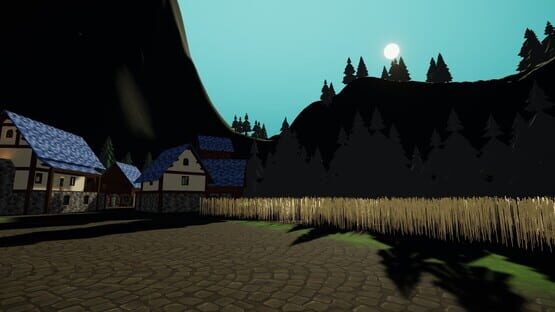
Hello there, and thank you so much for checking in!
During the month of February, we released two new public Experimental builds for members of the community to test out brand new features coming to ChilloutVR ahead of the official Stable release. We’re very happy with the reception we’ve received thus far, and have seen some amazing use of the new creator tools!
Here are some of the highlights currently available:
Camera Indicator Camera Lens to indicate where other users’ camera is located
Desktop IK Provides more animated leg movement for Desktop players
Gravity Zones A new way for players to create, move, and interact with Worlds and Props The Gravity Zone component is freely available in the CCK
Improved Content Cache Management Content Cache has been moved to a unified directory Now limited to 20GB
libVLC Implementation Alternative, experimental, rendering method for videos May be enabled via the launch option: --enable-libvlc
New Character Controller Physics based controller that allows for object collision where possible Adjusted automatic step height to take avatar height into account Improved Holoport to allow both the local and remote users to see smooth player movement
New Shadow Clone and alternative Visual Clone implementations Reworked local player Shadow Clone to be more robust and performant
Refactored Avatar Eye Movement Eye movement is now much more reliable, consistent, and adheres to set limits A new setting is available to force all subjects to look at the Portable Camera when held
… and much more! The full changelog, and beta access code, for ChilloutVR 2024r174 Ex1, Ex2, and future updates can be found in our community Discord using the invite link available at the end of this post.
Gravity Previews
Since the release of the new Gravity Component, creators have already been putting it to good use in both Props and Worlds. Gravity allows for new experiences and interactions never before seen in ChilloutVR, such as those shown below.
”Relativity” by Racush - Makes use of individual input for self-controlled Gravity
“Gravity Applicator” by Noachi is a prop that enables Gravity to be used just about anywhere
Voice Chat Updates
Since the introduction of the Vivox voice chat system, many issues were identified and reported to us by the community regarding inconsistent voice communication. In response, several hotfixes have been issued in an attempt to resolve these issues, but unfortunately they still persist.
As such, we are currently investigating other viable solutions. Ideally, unlike the current solution, we do not wish to continue relying on third-party hosting services, but rather one which we can take full control of to host and maintain ourselves.
We hope to share more information soon, when a final decision has been made. Thank you for being patient with us throughout this process, and we hope to deliver the reliable experience that the community deserves.
Game Server Updates
For the past 6 months, we have been monitoring and analyzing the game traffic and disconnects frequently in order to locate possible issues. We have since started to rework parts of our network protocol and incorporate those changes alongside many other improvements such as partial prop sync, better reconnection handling, etc… into a new version of our game server software.
We are nearly ready to begin internal testing and evaluation of the changes and will keep you informed about further changes and possible downtimes when the update goes live.
Final Notes
As always, thank you for your continued interest and support of ChilloutVR's development.
Like every company, we need financial support to be able to push updates and improve our product. We are grateful for every bit of support we get. If you want to support us you can do so here: https://www.patreon.com/AlphaBlendInteractive
We are more than thankful for your support!
Not in our Discord server yet?
Use the link above to join our discord server and get in touch with our wonderful community, get help with creation-related topics and find people to play with.
Status Report January 2024
Hello there, and Happy New Year!
Thank you to everyone who joined us in celebrating this New Years Eve in ChilloutVR. From community events, to group meetups, it was certainly a night to remember. We’ve had the pleasure of seeing photos that many of you posted in our community Discord server, and are incredibly happy that we could provide a place for everyone to enjoy this special time of the year.
For those who participated in any way for a short time, a badge has been added to your profile to show our appreciation and commemorate the event. Consider it a memento to look back on.
Speaking of looking back, we’ve made so many improvements throughout 2023. Starting with a game engine upgrade, introducing a new voice chat system, providing more tools for creators and modders, general improvements and optimizations, fully functional swimming and buoyancy system for water in worlds and props, and so much more in-between.
I highly recommend checking out our last few patch notes. There’s far too much to briefly mention here, but the development team has been doing an amazing job. Give them some love if you see them around!
Applications for Standalone Testing, which include Quest and Pico versions of ChilloutVR, are still open! If interested, please contact us using the address below:
Email: team@abinteractive.net
Your application should contain at least the following information:
Specify if you intend to test with the standalone hardware, content creation, or both.
If testing on standalone hardware, what devices are owned.
Why you should be accepted.
Don’t wait to apply, spots are limited!
Expected Downtime
Over the next week, as of posting, players may experience service interruptions as we work to improve and deploy changes to ChilloutVR’s network. These updates are intended to finally resolve some long-standing connectivity issues, which we hope will provide a significantly more stable experience for the community. It’ll be a huge step forward for us as well.
Lengthy delays are not expected, but the community will be notified of any relevant information during this ongoing process.
If you wish to receive such notifications now, and in the future, please join our community Discord server at the end of this post. A role may also be assigned to receive pings containing important information.
We apologize for any inconveniences that may occur.
Final Notes
As always, thank you for your continued interest and support of ChilloutVR's development.
Like every company, we need financial support to be able to push updates and improve our product. We are grateful for every bit of support we get. If you want to support us you can do so here: https://www.patreon.com/AlphaBlendInteractive
We are more than thankful for your support!
Not in our Discord server yet?
Use the link above to join our discord server and get in touch with our wonderful community, get help with creation-related topics and find people to play with.
Status Report December 2023
Hello there, and thank you so much for checking in!
This month’s Status Report includes information on the development of a new Gravity system, progress for standalone headsets, and further improvements.
Winter break
ABI will be on a company-wide Winter break between December 22nd and January 2nd. Support will be limited during this time, but urgent reports and requests will be handled as soon as possible.
We hope everyone is able to enjoy the holidays with friends, family, and loved ones, much as we intend to do as well.
Now, on to the fun stuff…
Gravity
Since its initial announcement back in October, in a series of 3 new major physics systems, Buoyancy and Swimming have been implemented. So naturally, next up was Gravity.
CCK 3.8 will introduce the new Gravity Zone component, which will allow for the following customization in worlds and on props:
Some Settings below are only available depending on the selected Zone Shape
Prop filter settings will be available for Gravity Zones to show for all, only show for friends, or hide for everyone.
We hope to provide creators with an Experimental version to play around with very soon, and can’t wait to see how the community makes use of it!
Standalone Progress
Standalone development for Pico and Quest headsets have been proceeding smoothly, and we’ve made quite a lot of progress in the past few months.
We’re happy to say that recent builds have been much more stable, and we’ve even been looking at potentially adding some new features that take advantage of the Standalone hardware.
There is still more work to be done before a public release will be possible, but our testing group has already assisted in identifying numerous issues that are currently being fixed.
Speaking of testing, we would like to once again open the door for additional applications to test the standalone version of ChilloutVR on Quest and Pico headsets. If interested, please contact us using the address below:
Email: team@abinteractive.net
Your application should contain at least the following information:
Specify if you intend to test with the standalone hardware, content creation, or both.
If testing on standalone hardware, what devices are owned.
Why you should be accepted.
Once the main issues are resolved, we plan to provide a public experimental build as soon as possible. Stay tuned for further news and information in the near future!
Desktop IK
Desktop IK has been updated to allow for realistic leg movement when the player rotates, just like 3-point tracking in VR. This will work with all humanoid avatars, and does not require any updates to the content itself.
BodyControl StateBehavior
A new StateBehavior will soon be available for creators that will allow for better tracking control over parts of the IK solver of an avatar in specific cases.
The following can be toggled:
Head
Pelvis
Left Arm
Right Arm
Left Leg
Right Leg
Locomotion
Final Notes
As always, thank you for your continued interest and support of ChilloutVR's development.
Like every company, we need financial support to be able to push updates and improve our product. We are grateful for every bit of support we get. If you want to support us you can do so here: https://www.patreon.com/AlphaBlendInteractive
We are more than thankful for your support!
Not on our Discord server yet?
Use the link above to join our discord server and get in touch with our wonderful community, get help with creation-related topics and find people to play with.
ChilloutVR 2023r173
We have just released a new update for ChilloutVR on the stable branch.
Major Changes
Complete rework of the Voice System:
With the recent changes Unity has done with Vivox, we have reworked our implementation to address and reduce the high delay in the current voice system, as well as ensure higher stability and fidelity, while also reducing load on the audio processing system. We also introduce a native Text-To-Speech System that lets you send TTS messages over voice chat.
Native Desktop/VR switch:
Desktop and VR modes can now be switched without requiring a game restart. A new setting for this is available in the Experimental Settings menu, and can be toggled by using the key combination Ctrl + F6, or by pressing the shortcut in the main menu.
Magica Cloth 2 support:
Magica Cloth 2 is now supported in-game. Intercollision for avatars and props is also implemented. An additional CCK module is not required to upload content with Magica Cloth 2. Requires purchasing Magica Cloth 2 from the Unity Asset Store.
Buoyancy System:
It is now possible to define FluidVolumes, as well as Objects that are influenced by buoyancy using the PhysicsInfluencer Component. The physics calculation uses Archimedes’ Principle, which can be expected to behave relatively realistically, given realistic values. The new Runtime Gizmo feature can be used to better understand how it works within the game. Players are also able to swim and dive in FluidVolumes. To display swimming animations, new animations are required in the Avatar’s Animator. An example is provided with the CCK 3.7 preview.
ForceApplicator Component:
The new ForceApplicator component will allow you to apply force to a Rigidbody from a given position and thereby induce torque forces. This component also has the option to only work while being submerged in a FluidVolume. This can be used together with the new CarInput ParameterStreams to make custom propulsion systems for boats.
Runtime Gizmo System:
The following components have received Runtime Gizmos, which can be enabled in the experimental settings:
PhysicsInfluencer
CVRPointer
CVRSpawnableTrigger
CVRAdvancedAvatarSettingsTrigger
CVRInteractable (with interact down actions)
CVRMovementParent
CVRPickupObject
ForceApplicator
This feature will assist with debugging content and will provide a better understanding of how these systems are working internally. More components will be supported in the future.
New ParameterStream Variables:
We added more Parameter Stream Variables with regard to:
The Transform of the GameObject
CarInput controls
The current avatar height
The new fluid mechanics
Rotating of pickup objects in Desktop
Objects can now be rotated when held in Desktop mode by holding down the middle mouse button if the pickup GripOrigin is set to Free.
Image Cache for the Main Menu
Avatar, World, Prop, and User images are now cached on the local machine to significantly reduce image load time. It is enabled by default, but may be toggled, configured, and cleared from the Experimental Settings menu.
Dual Controller Keyboard interaction
This allows the use of both controllers to interact with the main menu Keyboard.
And many smaller changes and adjustments
CCK 3.7 will be required to use new creation features, which will be available shortly. Please note that starting with this CCK, Unity projects using 2019 will no longer be supported.
Technical Changelog
Added independent head turn while in menus on Desktop
Desktop reticle is now disabled while in menus unless using head turn
Added ExperimentalAvatarOverrenderUI setting. This allows your avatar to render over the UI when in front of it in most cases.
Added Magica 2 support for props, avatars, and worlds
Added support for FluidVolumes
Added support for PhysicsInfluencers
Added new parameter stream inputs
TransformGlobalPositionX
TransformGlobalPositionY
TransformGlobalPositionZ
TransformGlobalRotationX
TransformGlobalRotationY
TransformGlobalRotationZ
TransformLocalPositionX
TransformLocalPositionY
TransformLocalPositionZ
TransformLocalRotationX
TransformLocalRotationY
TransformLocalRotationZ
InputCarSteering
InputCarAccelerate
InputCarBrake
InputCarHandbrake
InputCarBoost
InputMovementX
InputMovementY
InputLookX
InputLookY
InputJump
AvatarHeight
AvatarUpright
FluidVolumeSubmerged
FluidVolumeDepth
FluidVolumeTimeSinceEntered
FluidVolumeTimeSinceExit
Added min & max range support for CVRAdvancesAvatarSettingJoystick2D
Added min & max range support for CVRAdvancesAvatarSettingJoystick3D
Added double click to reset joystick
Added a basic Swimming System while the Player is in a fluid volume
Added support for Damage Falloff so you can modify the amount of damage received relative to your distance to the component
Added experimental Desktop VR switch (option must be enabled in the experimental settings, `ctrl + F6` to switch or the button in the main menu)
Added Runtime Gizmos for the following components
PhysicsInfluencer
CVRPointer
CVRSpawnableTrigger
CVRAdvancedAvatarSettingsTrigger
CVRInteractable (with interact down actions)
CVRMovementParent
CVRPickupObject
ForceApplicator
These can be enabled in the experimental settings
CVRPointer and CVRAdvancedAvatarSettingsTrigger on avatars should only be visible for self and friends
If a GameObject should not receive Gizmos, you can add "[NoGizmo]" to the GameObject name
Gizmos for other components will follow in the future
Added Component ForceApplicator: Adds the option to apply force from a specified point and also gives the option to only work while in a fluid volume. This component is Whitelisted for props
Added Desktop pickup rotation while holding the middle mouse.
This will only work if GripOrigin is set to Free
Added component filtering on world initialization. Please let us know if any complicated world setups have suffered
Added Show User Interface option to PortableCamera (nameplates, world UI, etc)
Added new shader global CVRRenderingCam
0 = Normal Camera, 1 = Portable Camera, 2 = CVRMirror Camera
Added Image cache for the main menu
Added microphone VR Mode aware settings
Added Button to access Instance Details from within User Details
Added new world options
Object gravity
Allow Extreme far clip plane
Added remembering of last instance type/region checked between restarts
Added active body offset while in Halfbody
Animations no longer need to be modified to pivot from the head/eyes
This should fix avatar animations appearing crushed in VR
Added dual-ray interaction for the main menu keyboard
Added Unity UI Slider to the prop component whitelist
Added placeFromCenter option to box FluidVolumes
Added Vivox TTS support
Added TTS buttons to Main Menu and Quick Menu
Added TTS Voice selection to Implementation settings
TTS messages are restricted to 200 characters
Added togglable Hud indicator for TTS
Added prop removable filter for fluid volumes
Added ControllerRay Smoothing (reduced jitter in VR)
Adjusted the main menu to be more responsive while moving
Adjusted nameplate facing behavior. In VR it faces you, on Desktop it is aligned with the view
Adjusted TransformHiderForMainCamera to always create a shadow clone for UI culling
Adjusted Interact bind to Gamepad Button West
Adjusted Grab bind to Gamepad Left Shoulder
Adjusted Crouch to Gamepad Button East
Adjusted Prone to Gamepad Hold Button East
Adjusted Grab with Gamepad Left Shoulder bind to be disabled when not in Seat
Adjusted Grab with Gamepad Left Trigger bind to be disabled when in Controlled Seat
Adjusted Interact with Gamepad Right Trigger bind to be disabled when in Controlled Seat
Adjusted prop blocked by content filter notification to display the block reason
Adjusted VR flight to use VR Fast Flight speed while holding Jump
Adjusted Bundle Verifier blocks to display "Avatar failed validation" on the block avatar
Adjusted order of GetClosestTracker to find the nearest tracker for Chest before Hips
This is to mitigate an issue where Hips would consistently bind to your preferred Chest tracker, as the tracking point can be closer with certain setups, leaving your Chest to bind to the remaining Hip tracker
Adjusted player controller tracking to use SteamVR_TrackedObject
This fixes controllers not tracking in overlay, and render models not displaying after switching to VR
Adjusted DroneMode not to accept input while in independent head turn
Adjusted CVRSeat to ignore initial movement input when checking for exit
Adjusted the rendering of the nameplate
Nameplates are now flipped and properly displayed in mirrors
Adjusted VR binding to use threshold for grab start, but have a lower threshold for grip release (don't need to keep pressing hard to continue holding an object)
Adjusted Kick to now have a confirm prompt instead of requiring holding the button for 3 seconds
Adjusted bHaptics, Tobii Eye Tracking, and Vive Face Tracking implementation setting subcategories to use a dropdown to separate Desktop/VR settings
Adjusted prop spawn to only target colliders except for fluid volumes
Adjusted prop delete to show the ray to easier target props
Adjusted prop delete to also show aura highlight now
Adjusted the VR login screen to show more helpful information instead of taking your headset to log in using the Desktop UI
Adjusted self-moderation to automatically block prop spawns from blocked players
Adjusted the rendering of nameplates to be more effecient
Adjusted the handling of disabled prop collision
Adjusted Main Menu's Home tab to allow for 6 additional buttons
Renamed Input Device Threshold to Input Device Sensitivity
Renamed and Reworked Muted Speech Detection Threshold into Muted Speech Detection Sensitivity
Fixed drop bind for auto-hold not working in VR
Fixed user image on nameplate fading to white when distance hidden
Fixed scaling while using Main Menu in VR causing weird menu offsets
Fixed remote player collider height not updating when they scale
Fixed mouse rotating player in VR when the cursor was unlocked
Fixed inherited velocity from movement parents persisting once exiting flight mode
Fixed scrolling with scroll wheel not canceling out velocity scroll for both menus
Fixed clicking in QM sometimes causing the menu to velocity scroll. Now requires 10px drag
Fixed QM clicking not resetting velocity scroll
Fixed QM drag scrolling being active while using an AAS option
Fixed QM custom offset not being saved properly
Fixed CVRSeat not restoring original avatar sitting animation on exit
Fixed Joystick3D height slider dragging being inverted in Quick Menu
Fixed player culling mask not being reset to default when copying reference camera values
Fixed chest tracking
Fixed locomotion animations in FBT
Fixed animations root rotation bleeding into IK in FBT
Fixed HalfbodyIK feet always pointing in the head direction
Fixed HalfbodyIK feet while on a Movement Parent
Fixed CVRParameterStream LocalPlayerMuted
Fixed CVRParameterStream GrippedObjectLeft and GrippedObjectRight
Fixed the SteamVR XR Module missing a validation check
Fixed CVRParameterStream HeadsetOnHead not outputting correctly in SteamVR
Fixed CVRParameterStream HeadsetOnHead not defaulting to true when on Desktop
Fixed CVRParameterStream LocalFPS, LocalPing, and LocalWorldDownloadPercentage not updating properly unless a menu is open
Fixed IK bend goal offsets not respecting playspace scale
Fixed Advanced Safety forcing audio source volume to max
Fixed calibration line renderers not scaling with playspace scale
Fixed Custom Audio Source output being placed incorrectly for the video player
Fixed path camera excluding player
Fixed not being able to scroll UnityUI ScrollViews in VR
Fixed RenderTextures being shared between instances of the same props and avatars
Fixed Toggling Portable Camera in QM no longer closes the menu
Fixed being unable to scroll in the settings of the camera in VR
Fixed Vote Kick prompt to be in front of user details page
Fixed keyboard not opening while instance details panel is opened
Fixed Vote Kick not appearing in the big menu
Fixed auto-generated mouth pointer not respecting avatar voice parent setting
Fixed DroneMode improperly resetting camera angle when being enabled
Fixed Keyboard not showing sometimes when pressing a text input in VR
Fixed the user tab displaying incorrect data when clicking on users in the world
Fixed the calculation for initial Seat offset in VR
Fixed Sub-Sync IDs breaking in some Interactable setups
Fixed menu not jumping to a newly created instance when finished creating
Fixed losing tracking should no longer reset/trigger inaccurate gestures
Fixed dynamic bone intercollision for default colliders and props
Fixed crashing issues with the video player caused by HDR videos
Fixed scroll elasticity from Portable Camera
Fixed the current instance details page not opening world details when clicking the world image
Fixed gamepad input module overwriting grip and interact inputs
Fixed some avatar materials being caught by Garbage Collection in some cases on world switch
Fixed prop filtering breaking in some cases
Fixed player collision being applied when exiting Flight Mode while inside collision
Fixed Auto Focus & Auto Exposure visual modifications for the Portable Camera
Fixed prop deletions occasionally not functioning correctly
Status Report October 2023
Hello there, and thank you so much for checking in!
This month’s Status Report will include a statement on Unity’s changes, information on new Physics Systems, a Contest announcement, and updates to our regional infrastructure.
Unity
Last month, Unity published some changes to their payment plan that left many developers concerned about the effects it would have on not only their ongoing projects, but existing ones as well. Because ChilloutVR is developed in the Unity game engine, these changes had the potential to affect us as well.
However, due to significant pushback from both individual Unity developers and large game studios, Unity has since reconsidered these changes and released a much more acceptable plan. More information on that can be read in Unity’s blog post here:
We want to reassure our users that these changes do not affect ChilloutVR in any way for the foreseeable future. Not only does ChilloutVR not meet the minimum requirements, projects that predate the next LTS version of Unity that is expected to ship in 2024 do not retroactively apply either.
With that said, Unity’s hasty decisions show a clear disregard and lack of understanding for their customers. Regardless of the reasons, it does not excuse the way in which it was initially handled. As such, it is difficult to trust that Unity will not make the same mistake again. So to ensure that we are not quite as restrained by the engine our game is built on, in the event that becomes a concern, we will be taking steps to not be entirely dependent on something out of our control. To be clear, this does not mean we are planning to migrate game engines at this time, but keeping that door open for the future in a way that would provide for a smooth transition could prove to be useful in the long run.
Thank you to everyone who gave us messages of support and encouragement during this situation, and to the many developers and passionate gamers who voiced their opinion that led to a much better outcome. Unity is what keeps us together, not tears us apart.
New Physics Systems
In a previous Status Report, we announced some new features being worked on that would open up many new possibilities regarding physics and movement for creators. We’re happy to say that at least some of these new systems will finally be coming to the experimental branch very soon, even as early as this month or the next! Here’s what you can expect:
Buoyancy and Swimming
Allows for the definition of fluid volumes with a specified density, stream direction, and speed. This will allow for objects to dynamically float and move along with a current. In addition, a swimming system with diving functionality for players will follow later in order to extend the system. This component will be available for Worlds and Props, with removable filter settings available to limit or disable functionality for the latter.
Gravity
Allows for the definition of localized gravity zones in various shapes that can influence a player or objects direction and rotation at different strengths. For example, it will be possible to create your own personal planet that can be seamlessly traveled around as if it appears to be one large plane, or even a space station to float around in, among many other possibilities. This component will be available for Worlds and Props, with removable filter settings available to limit or disable functionality for the latter.
Climbing
Allows for objects and surfaces to be marked as climbable, including Avatars and Props, which will allow both desktop and VR users to climb on them. This component will be available for Worlds, Props, and Avatars, with removable filter settings available to limit or disable functionality for the latter two.
Each component will be freely available and included in ChilloutVR’s CCK upon release, so no need for additional downloads or purchases other than updating your CCK. We’re looking forward to seeing how creators make use of these new tools!
Media Contest
We’re calling on the community to share photos and clips from their favorite moments in ChilloutVR!
This can include anything from fun hang-outs, big community events, and even clips from streams or videos! If you’ve had the opportunity to capture a precious memory or clip-worthy moment, we’d love to share that with the world.
Submitted content will be used for promotional material, such as updating the media included on our Steam Store page, other upcoming store pages like the Oculus/Meta Store, and general promotional material, to thoroughly represent the game and its community.
Rules for submissions are as follows:
Must be taken within ChilloutVR
No major visual game modifications
No mature content of any kind
All included content must be owned and allowed for sublicensing and promotional material by the creator’s license
Videos must be in the form of short unedited clips
Photos must be unedited in a 16:9 aspect ratio
No visible game UI
Video clips will be compiled into a longer video to showcase many different creators, so please be conscious of the length.
Please submit your content to the following email with the same email used for your ABI account: team@abinteractive.net
The submission period will last until November 1st, so don’t wait if you wish to participate!
Network Updates
We are currently working on some major upgrades to our regional infrastructure that will resolve a number of issues. Here’s what can be expected this week:
The AS region will be available again
The US region connectivity and instance creation issues will be resolved
The EU region will be Migrated to the new infrastructure system for increased reliability and performance
The game Server, and possibly game client, will be updated to combat the auto-reconnect issues
A brief downtime will be required to perform some of these upgrades. An accompanying announcement will be issued in the community Discord server, and @AbiStatus Twitter account, with more information at the appropriate times.
Final Notes
As always, thank you for your continued interest and support of ChilloutVR's development.
You’ll notice that a new social account on Twitter is listed below, and briefly mentioned above, which we will be using to announce any scheduled maintenance or network related issues that the community should be aware of. So please give that a follow to stay up to date on relevant news regarding those topics.
A separate account for game and community related posts will also be available soon, which will be used to announce game updates, events, and general information. More information on that to follow in an upcoming status report.
That’ll be all for today. Tune in next month for more updates like this, see you next time!
Like every company, we need financial support to be able to push updates and improve our product. We are grateful for every bit of support we get. If you want to support us you can do so here: https://www.patreon.com/AlphaBlendInteractive
We are more than thankful for your support!
Not on our Discord server yet?
Use the link above to join our discord server and get in touch with our wonderful community, get help with creation-related topics and find people to play with.
ChilloutVR 2023r172
We have just released a new update for ChilloutVR on the stable branch.
ChilloutVR 2023r172
This update contains the following major changes:
Voice chat System:
We have made further changes to the voice chat system in order to improve performance and stability.
These changes are not compatible with the previous version. So we urge everyone to update as soon as possible.
Menu Rendering System:
We improved the resource usage of the menus when they were not in use, leading to improved performance.
Improved Animator Driver behavior:
If the animator driver is not in the main Avatar animator, it is considered a misc animator and is local only, the same as putting it in a world. If a driver runs on a Spawnable, only the owner sets the spawnable value, remote users will still set an animator value. If the local-only bool is checked, the driver will only run for the wearer of the avatar, or for the owner of the spawnable- remotes will not set an animator value.
World Custom Collision:
With CCK 3.6 You can now capture your world collision matrix to be applied in-game.
New Layers:
The new CCK brings new Layers for prop makers. Layer 6: PassPlayer This Layer will Block Default but lets players through. Layer 7: BlockPlayer This Layer will Block Players but lets the Default Layer pass through. In general, props will now be able to use the following layers: 0: Default 1: TransparentFX 2: Ignore Raycasts 4: Water 5: UI 6: PassPlayer 7: BlockPlayer 12: Camera Only If a prop contains an object on a different layer, it will be moved to Default.
General fixes and changes:
- Added notification for when the user attempts to spawn a prop with props disabled in the content filter - Added notification for when the user attempts to spawn a prop in an offline instance - Added notification for when the user attempts to drop a portal in an offline instance - Added notification for when the local avatar is loading or switched - Added notification for when the CVRCameraHelper CCK component takes a screenshot - Added notification for when the user loses connection to the instance - Added notification for when all personal props are removed - Added notifications for when the user removes all props & avatars - Added toggles for the Disconnected, Flight Mode, Prop Spawned, and Portal Dropped HUD notifications - Added PlayerMaterialParser to Avatar Component Whitelist - Added set component active to interactable actions - Added custom collider support for advanced avatar trigger - Added set-by-distance support for advanced avatar trigger - Added custom collider support for spawnable trigger - Added set-by-distance support for spawnable trigger - Added held/attached/controlled checks to parameter stream for props and worlds - Added gun controller ray cast hit detection - Added non-physical pickup mode for pick-up objects that can be set in the CCK - Added pagination and dynamic loading for the world lists - Added custom skybox & color options to CVRMirror - Added isLocalInteractable setting to CVRAdvancedAvatarSettingsTrigger - Added Portable Camera fullscreen bind to Desktop (F11) - Added OnPointerExit to the interactable Component
- Adjusted Nameplate highlighting for Player Voices to not be delayed - Adjusted Spawnables to be able to set animator parameters other than floats - Adjusted Object Push Pull to use playspace scale as a modifier - Adjusted HUD notifications to prevent the same notification from appearing multiple times - Adjusted loading & distance-hidden avatars keep the scale of the previously loaded avatar - Adjusted distance avatar (*) to visually pivot from the center instead of below - Adjusted avatar switching to not reset viewpoint & playspace scale until a switch is completed - Adjusted the default volume of video players - Adjusted default pointers to no longer be limited to explicit filtered triggers - Adjusted the safety distance to 50km from 0,0,0 instead of 200km - Adjusted Portable Camera Take Photo bind from (E) to (F) to prevent accidental captures - Adjusted rendering logic of the Portable Camera, so it cannot be over-rendered - Adjusted the screenshot logic to reduce banding visible on taken pictures
- Fixed an issue related to audio problems on Mono output devices - Fixed an issue related to self-collision on avatars not working properly - Fixed an issue related to teleporting in VR. (Chairs, Interactables - Fixed an issue related to playspace scale value being incorrect in Desktop mode - Fixed an issue related to Video Player Audio Sources ignoring additional attenuation - Fixed an issue related to the camera scale gesture not scaling with the playspace scale - Fixed an issue related to the initial portable camera placement not being adjusted to the playspace scale - Fixed an issue related to the portable camera scale being reset to a fixed size when scaling the avatar - Fixed an issue related to changing the playspace scale not immediately adjusting the Camera, Menu, and Collider scales - Fixed an issue related to large AAS lists causing performance issues when changing values - Fixed an issue related to player position syncing incorrectly when no avatar was loaded - Fixed an issue related to the loading avatar being on the wrong rendering layer - Fixed an issue related to Lip Sync getting stuck in some cases - Fixed an issue related to teleporting not resetting velocity & applied gravity - Fixed an issue related to the player not entering a chair at the correct initial rotation - Fixed an issue related to the player not being correctly offset in a chair if the chair was rotated - Fixed an issue related to avatar root targeting below chairs. Sitting animations should match up better - Fixed an issue related to sitting from flight mode disabling collision too late - Fixed an issue related to intractable spawned synced objects being desynced in some cases - Fixed an issue related to Combat System sending player down events for objects that got destroyed - Fixed an issue related to AAS Triggers not working in some scenarios with parameter types other than floats - Fixed an issue related to CVRParameterStream not working properly in some setups with parameter types other than floats - Fixed an issue related to Video Player Dropdown Settings conflicting with other Toggles and Dropdowns - Fixed an issue related to World Loading sometimes not Transitioning out when entering an Offline Instance - Fixed an issue related to dynamic bone gravity when scaled - Fixed an issue related to the Camera only layer being visible to the main camera on some maps - Fixed an issue related to the tele grab target would sometimes block the actual pickup - Fixed an issue related to the shadow clone being on the wrong layer - Fixed an issue related to Advanced Avatar Components not being properly cleaned from props - Fixed an issue related to distance safety checks not being applied to movement parents - Fixed an issue related to triggers ignoring filter parameters on particle hit - Fixed an issue related to the Portable Camera not saving as the correct texture format - Fixed an issue related to crashes when unloading CVRTexturePropertyParser - Fixed an issue related to the world detail page displaying the original uploaded date as the last updated date - Fixed an issue related to CVRAdvancedAvatarSettingsTriggerHelper not being cleaned from props - Fixed an issue related to crashes when connecting a gamepad in some cases - Fixed an issue related to the reference for post-processing not being set to the camera in VR - Fixed an issue related to ViveAdvancedControls not working as intended - Fixed an issue related to mirrors getting additional skybox and flare layer components - Fixed an issue related to avatars sharing the same override controller leading to visual bugs - Fixed an issue related to the animator driver not retrieving the b parameter in some cases
- Fixed a spelling mistake when receiving an Invite Request - Fixed a spelling mistake when logging in
CCK 3.6 is needed to configure some of the newer features introduced in this update. It will be released shortly. Keep an eye open on our discord server where we will post an announcement as soon as it is available.
Status Report August 2023
Hello there, and thank you so much for checking in!
This month’s Status Report will include a brief recap of July’s game update and subsequent issues, information for creators, and a community showcase.
July Update Recap
Last month, ChilloutVR released a major update that had been a work in progress for quite some time. Much was worked on during this development period to make significant improvements to the game as a whole, far more than what could be briefly mentioned here, and we’ve been enamored by the positive feedback from the community.
While we’re very happy to take this next step forward in ChilloutVR’s development, a number of bugs were found by the community soon after release that are currently being investigated. This includes issues such as lip syncing and voice chat occasionally not functioning as expected, among various other minor issues that are actively being worked on. We hope to have them resolved as soon as possible, so stay tuned for further updates.
Shader Replacement
To recap some information we’ve shared in our July Status Report, an alternative and more optimized rendering method called Single Pass Instanced was introduced during the development of Unity 2019. It was available alongside Single Pass rendering, which had been commonly used for VR game development, and is what most content uploaded to ChilloutVR was intended for. However, as of Unity 2020, Single Pass rendering is no longer supported and any projects looking to upgrade their version of Unity must also take this into consideration. This doesn’t so much concern development of the game as it does creation of assets, which in our case would be Avatars, Worlds, and Props, because shaders used with uploaded content must have support for Single Pass Instanced. While some popular shaders created and used by the community have already adopted these changes to ensure future compatibility, those that haven’t may only render in one eye as a result.
To remedy this, an attempt is made to replace the shader if possible, or fallback to Standard. This may not be reliable in all cases, and could cause content to not look as originally intended.
We urge creators to update their incompatible content as soon as possible.
As a result of the Unity engine upgrade, there was a major problem when loading a comparatively small number of content built with Unity 2019. Anything bundled using Audio Mixers and loaded on the latest version of ChilloutVR would often cause the game to crash, creating an unstable and uncertain environment after the update was released. An investigation concluded that it was an issue that would need to be fixed by Unity themselves, which was done in Unity 2022, but requests to backport this fix have been rejected. Unfortunately due to a number of other problems with Unity 2022, it is not a viable upgrade for ChilloutVR at this time.
So while this may not be an issue that we can directly fix ourselves, another approach was taken. Over the course of a few days, all content uploaded to ChilloutVR with Unity 2019 was scanned and subsequently patched if this particular issue was found. For those interested, here are some stats on how much content was effected:
- Avatars: 11,711 - Props: 2,707 - Worlds: 96
New content will continue to be patched for a time, but uploading via Unity 2019 and CCK 3.4 will not be possible in the near future to prevent this and other issues from persisting.
Over the last few years, Reddit has hosted a collaborative event on the subreddit r/place where individuals all across the site can all contribute towards one large canvas by placing only a single pixel every few minutes. Naturally, this has led to many communities vying to claim and maintain a spot, in addition to some stunning art, to ultimately be immortalized in the final piece.
During the most recent event, several members of the community were able to secure a spot and spread some love for ChilloutVR. We love to see efforts like this from the community, and are really appreciative of those who take the time to show their support in various ways.
We hope to occasionally showcase more unique and interesting work from the community in the future, so we’ll be looking out for more!
Final Notes
As always, thank you for your continued interest and support of ChilloutVR's development.
Next month, expect to hear about our future plans for the next major update of ChilloutVR. Stability of the game is currently the primary focus for the Team, as outlined in July’s Recap, but we hope to be back on track working on new and exciting features after we’ve squashed a few pesky bugs.
Many members of Alpha Blend Interactive will also be attending Gamescom this year. As such, general activity may slow down a bit later this month, but you’ll still find several of us hanging around.
But that’ll be all for this month. Tune in next month for more updates like this, see you next time!
Like every company, we need financial support to be able to push updates and improve our product. We are grateful for every bit of support we get. If you want to support us you can do so here: https://www.patreon.com/AlphaBlendInteractive
We are more than thankful for your support!
Not on our Discord server yet?
Use the link above to join our discord server and get in touch with our wonderful community, get help with creation-related topics and find people to play with.
ChilloutVR 2023r171
We have just released a new update for ChilloutVR on the stable branch.
ChilloutVR 2023r171
This update contains the upgrade to Unity 2021. We decided to release this update earlier in order to get our update schedule back to a steady pace. Many other changes were held back by some issues that were introduced along with the Unity engine update. Most of those issues were the responsibility of third-party developers to resolve, which caused a setback in our schedule. The most prevalent of those issues cause random crashes when loading a portion of uploaded content. This bug was reported to Unity, and subsequently fixed in recent versions, but has yet to be fixed in 2021. We have a plan to work around this issue by iterating through uploaded content and patching the affected content accordingly. We are positive this will be resolved in the coming days.
By releasing the engine upgrade now, these issues are no longer preventing future releases from making it to the stable branch. As a result, updates frequency can be expected to persist now that this is no longer a problem.
This update contains the following major changes:
New Voice Chat System:
ChilloutVR’s voice chat system will be switching from Dissonance to Vivox. This fixes a number of issues experienced due to limitations of the former, such as crackling and cut-outs; whereas Vivox demonstrated much better voice quality and stability in both development and community testing, offering an improved experience for user-to-user communication
Shader Replacement System:
The shaders for content that were uploaded with cck 3.3 or earlier will have their shaders replaced in VR mode. An attempt is made to match the shader in question with available shaders in the game. If the shader is unknown, it will be replaced with the Standard shader. This ensures that legacy content will not render in only one eye. Content that is uploaded after this update with incompatible shaders may still exhibit this behavior. If present in a world where shaders are replaced, an appropriate icon will be displayed in the Quick Menu and World Details Page. Material swaps will most likely inhibit the Replacement System from working properly.
OpenXR and SteamVR:
The Game now supports SteamVR and OpenXR. The default will continue to be SteamVR since a lot of implementations, such as Device Management and Haptics, currently work much better in SteamVR. The following launch option can be used to launch the game in OpenXR Mode: --force-openxr
Graphic Presets:
The Graphic menu now contains a preset option in order to make the graphics customization more accessible.
Mod Network:
The Mod Network is a built-in networking layer that mod developers can utilize. It allows for Mods to communicate between Users in the same instance in a secure way without needing any third-party Networking library or services.
Animator Driver:
The Animator Driver is a new Component that can be added to animator states and can switch Animator Parameters on State Enter and Exit. The functionality is comparable to the Variable Buffer Arithmetic of the Interactable. If used on Avatars it will sync corresponding Advanced Avatar Values. On Props, it will set the Sync values as well if the Parameter matches.
Spawnable Pickup Markers:
Spawnable Pickup Markers can now be placed in Worlds. They work comparably to the Avatar Pickup Marker, and are similar in design.
PlayerMaterialParser:
This new component can parse the positions of players to a Vector4[255] on a specified material. This component gives you access to the following positions: - Root - Hip - Head - Left Hand - Right Hand - Chest - Left Foot - Right Foot The W component of Root will contain the Avatar Viewpoint height. This component can be used to have shaders react to Players without the need for cameras for example water or snow.
General fixes and changes:
- Fixed some issues regarding depth buffer on AMD GPUs - Fixed a bug that lead to velocity not being transferred to the player correctly - Fixed an issue that lead to Compatibility Issues with some RenderTexture creation on AMD GPUs - Fixed an issue that lead to Step Offset Error Spam - Fixed an issue with AvProPlayer causing Error Spam when Resyncing - Fixed an issue with "undefined" Microphone Device - Fixed an issue with Microphone Device Names being too long and overlapping the dropdown - Fixed an issue with SchedulerSystem using the wrong Time value - Fixed an issue with setting Home World and it not changing until restarting the game - Fixed an issue with the Current Instance button not showing World Details when in your Offline Home World - Fixed an issue with the Microphone Device dropdown flashing when open - Fixed an issue with Video Player Ui having hard-to-read text - Fixed an issue with auto-placed pointers and colliders - Fixed an issue with Microphone Device not finding the correct device at startup - Fixed an issue with Gamepad Sensitivity being incorrectly calculated resulting in lower-than-expected Turn Speed - Fixed an issue with Current Avatar not being set if the avatar is changed after login - Fixed an issue with AAS not being set properly while someone is still loading an Avatar on their side - Fixed an issue with Thumb Tracking on Index Controllers - Fixed an issue with mixing different VR Controllers - Fixed an issue with CVRDistanceLod not working when the player teleports - Fixed an issue with Video Player Volume not being set properly - Fixed an issue with FBT Calibration orbs not showing - Fixed an issue with FBT Knee Tracking not working properly - Fixed an issue with FBT Elbow Tracking not working properly - Fixed an issue related to IK for non-humanoid avatars - Fixed an issue related to rendering on headsets with more than 180° FoV - Fixed an issue where some Magica Cloth actions could lead to a crash - Fixed an issue related to the image download queue breaking in some cases - Fixed an issue where you would interact with things while in prop delete mode - Fixed an issue where crouch and prone states were not reset when entering a chair - Fixed an issue where Transitions colors would not properly reflect by the preview in the menu - Fixed an issue where Props could be placed on Player relevant layers - Fixed an issue related to props being needed to be picked up twice in order to sync/work properly - Fixed an issue where ParticleSound Components were not filtered by Audio filters - Fixed an issue where your avatar would be offset a huge distance when upside down in chairs - Fixed an issue where the fixed rotation offset of the Attachment Component was not respected properly - Fixed an issue where The Emote and Toggle list would show the wrong names - Fixed an issue related to malformed animator parameters breaking avatar initialization - Fixed an issue that led to Video Player Playlists on Props not generating properly - Fixed an issue where the menu would not be forced open when using the interactable show props details page action - Fixed an issue related to Lipsync not properly working in some configurations - Fixed an issue that lead to the Avatars snapping around when changing away from the playspace center - Fixed an issue with full head bobbing not pivoting with avatar head - Fixed an issue where CVRParameterStream EyeMovementY was returning the wrong value - Fixed an issue related to CVRSpawnable SpawnerPosition and SpawnerDistance entries returning playspace center position when in VR - Fixed an issue related to respawning/teleporting not working while affected by a movement parent component - Fixed an issue where the world far clipping plane setting was not copied to the portable camera - Fixed an issue related to the hud message queue not getting cleared on world change - Fixed an issue where the local avatar would hover above the ground in some cases - Fixed an issue related to the left controller dead zone setting - Fixed an issue where deleted or blocked props would count toward your prop limit - Fixed an issue related to the Loading Avatar not following the Player - Fixed an issue related to your feet kicking out on Avatar load - Fixed an issue related to the Quickmenu losing the Advanced Avatar Setting list when using F5 to reload the menus - Fixed an issue related to gravity not being reset properly when in flight mode - Fixed an issue related to ik locomotion affecting FBT calibration - Fixed an issue related to Index Required Grip Strength not working on lower values - Fixed an issue where changing Advanced Avatar Setting in the quick menu would not update the main menu - Fixed an issue with Desktop LookAtIk not being disabled while playing an emote - Fixed an issue with VRIK locomotion being scaled before it was initiated - Fixed an issue with VRIK locomotion not being disabled while not grounded - Fixed an issue with VRIK locomotion not being disabled while flying - Fixed an issue with exiting seats enabling VRIK locomotion while in FBT - Fixed an issue with Visemes would randomly break when switching Avatars when using Oculus Lip Sync - Fixed an issue where useVisemeLipsync as false on CVRAvatar would cause it to constantly force Visemes to 0 weight - Fixed an issue where worlds that use bakery could break lighting for following worlds - Fixed an issue preventing you from doing emotes while in Drone Mode - Fixed an issue regarding the player colliding with the menu in some cases - Fixed an issue related to CVRToggleStateTrigger initializing with wrong settings - Fixed spelling of Salute in Default Emote Names
- Added oculus lip sync as the main viseme controller. You can change this in your experimental settings. - Added Kinematic check for CVRPickupObject - Added Public Player Profiles in User Details - Added the ability to set Process Affinity using a launch option - "--affinity=" - Mask can be calculated using a tool like https://bitsum.com/tools/cpu-affinity-calculator/ - Added the option to disable haptic feedback - Added Threshold Customization for Muted Speech Notification - Added Smooth Mic Meter toggle to Hud Customization (Disabled by default) - Added Microphone Volume Customization - Added Double Jump for Flight as a toggle (Disabled by default) - Added Go Home Functionality - Added Gamepad Customization - Added VR Quick Menu Hand Customization - Added VR One-Handed Control - Added VR Movement & Turning hand customization - Added a Video Player Hardware Decoding toggle to Experimental Settings - Can be forced off using the launch option --disable-vphd - Added the option to customize sprint behavior on desktop and gamepad controls (Hold, Always) - Added an option for VR sprint behavior (Hold, Always) where Always is the default behavior - Added finger spread as networked Data. Some rudimentary spread will be detected for Index Controllers - Added a setting for independent HeadTurnMode (Hold, Toggle, Hybrid) Where Hybrid is the old implementation - Added DisplaySpawnableDetailPage Interactable action - Added Attachment can now attach to snapping points - Added an image loading indicator to the main menu - Added Object Push Pull functionality in VR (Enabled by default) - Added the ability to enter crouch and prone in VR without full body tracking - Added a menu framerate option in order to minimize resource usage of the UI system
- Implemented Game Event System for Modders - Implemented Mod Network support for Modders - Implemented Pretty-Printing of Configs to make external editing easier - Implemented single viseme lip sync - Implemented Jaw Bone lip sync - Implemented Smooth Amplitude for Nameplates to make them less flashy when Players are speaking - Implemented Viseme Loudness Smoothing - Implemented Viseme Smoothing for Muting
- Adjusted Cohtml Rendering to increase performance - Adjusted Video Player Audio Mixing - Adjusted Player Voice Audio Mixing - Adjusted Double Jump for Flight to feel more like that one block game - Adjusted Nameplate Margins to be more aligned - Adjusted Emoting with Vive Wands to be paralleled - Adjusted Instance Reconnect Timer - Adjusted Default VR Quick Menu Offsets - Adjusted the placement and size of Dynamic Bone default Colliders - Adjusted the default Audio options to be more friendly for new users (quieter Video Players etc.) - Adjusted the default Content filter settings to be more friendly for new users (more enabled by default) - Adjusted sync behavior of snapping attached props to reduce occurrences of it being synced by the wrong player - Adjusted the menus to be more useable while falling - Adjusted the Desktop Zoom behavior to feel less sluggish - Adjusted implementation enabled settings to be separated for Desktop and VR - Adjusted nameplate fade speed to better match menu open/close speed - Adjusted viseme calculation to be more smooth. This can be adjusted in the updated CVRAvatar component
Status Report July 2023
Hello there, and thank you so much for checking in!
This month’s Status Report includes a recap of some exciting new changes for the next update, a new web developer, updates to our infrastructure, and news on Cross-Instance Calls.
R171 Progress and Recap
With the next stable update for ChilloutVR soon approaching an official release; we wanted to quickly go over some of the important changes being introduced, as well as some of the process we’ve gone through to get here, once more while we continue to squash a few remaining bugs in the meantime.
Unity Update
The move from Unity 2019 to 2021 has been a big and complicated undertaking. While this was initially the plan from the start, due to some bugs with this version of Unity that were found during development, we considered switching to 2022 instead. However, even more problematic issues were found, so we ultimately decided to stick with Unity 2021 for now and work around the core problems. Thankfully in that time, Unity was able to fix some pressing issues that were impacting development, so we could proceed with less on our plate. We will continuously look for new releases and evaluate if further upgrades would benefit the game, but we can assure that future upgrades will be a smoother process.
Benefits of upgrading to Unity 2021 include better performance, fixing some long-standing bugs with the Unity game engine, easier handling of multi-platform support (such as Pico and Quest), as well as increased compatibility for future hardware, software, and features.
Rendering optimizations
Unity 2021 introduces a new rendering method called Single Pass Stereo Instanced. Simply put, this provides a more optimized method of rendering meshes by drawing it once for both eyes rather than once per-eye, essentially reducing both GPU and CPU usage while cutting down the amount of necessary draw calls by half in many situations. However, for uploaded content to utilize this new system and be displayed properly, the shader applied to the material(s) a mesh is using must support it. Otherwise, it will only display in one eye in VR. This may affect some legacy content, but systems are in place to mitigate this issue as much as possible by replacing the shader, or falling back to a standard shader. Not all content will be compatible with these replacement methods though. We urge creators to take this time to test and update their content with the current Experimental Beta before r171 launches.
Vivox
ChilloutVR’s voice chat system will be switching from Dissonance to Vivox. This fixes a number of issues experienced due to limitations of the former, such as crackling and cut-outs; whereas Vivox demonstrated much better voice quality and stability in both development and community testing, offering an improved experience for user-to-user communication.
OpenXR
ChilloutVR was planned to switch from OpenVR to OpenXR with this upcoming update due to the deprecation of the former, as well as to better unify development across all VR platforms. Unfortunately, limitations of OpenXR prevented a smooth transition, and introduced some problematic issues for some hardware setups. Because of that, the Steam release of ChilloutVR will continue to use OpenVR. However, OpenXR implementation is still planned for additional supported platforms, such as the Oculus/Meta store for PC, Quest, and Pico standalone headsets, upon release.
For those who still want to try out our OpenXR implementation with the Steam release of ChilloutVR, the following launch option can be used in Steam: --force-openxr
Content Creation Kit 3.5
Along with the upgrade to Unity 2021, an updated CCK will be provided for compatibility, in addition to a few extra new features for creators:
Spawnable Pickup Markers
Suggestive and Nudity advanced tagging
DisplaySpawnableDetailPage for intractable actions
AnimatorDriver StateMachineBehavior - Allows animator parameters to be changes on State Enter and Exit
Snapping points for attachment targets - Allows defining snapping behavior to predetermined points
PlayerMaterialParser Component - Component that allows parsing the following positions of players to a Vector4[255] on a specified material: Root, hip, head, left/right hand, chest, left/right foot
A preview of CCK 3.5 can be downloaded to use these new features from our Discord’s Experimental section now!
Accessibility Controls
New accessibility options have been added for VR input customization by allowing users to select which hand they would like to use for movement, turning, and opening the Quick Menu. Additionally, One-Handed Control now allows users to fall back to using a single controller for movement and Quick Menu controls if the other controller becomes unavailable.
We hope that this enables more people to comfortably play ChilloutVR the way they prefer, and want to continue adding more accessibility options in the future for that very reason. Try them out now in the current Experimental version.
New Web Developer
Last month, we announced that a Web Developer position was open for applications. We’re happy to mention that this new position has been filled!
As mentioned on our Hub, a major rework of our website has been planned for some time. They will be focusing on the rework of the hub alongside other - completely new - pages that will help users to find the information they are looking for. We aim to make it as easy as possible for those who are trying to dive into the worlds of ChilloutVR for the first time by providing necessary information on easily locatable sources outside of the game itself.. We hope to make this available in the near future.
Infrastructure and Backend Upgrades
Our backend developers have been working on upgrading ChilloutVR’s infrastructure to increase the reliability of our network. While we’ve already made great efforts towards this over the past year, now being able to handle many more connections and interactions, our goal is to support a much larger scale in the long term with minimal interference. To do this, we will be adding more hosts to our supported regions for better reliability and network redundancy, among further necessary optimizations. Additionally, we will bring the AS server region back.
Cross-Instance Calls
Members of our community that are familiar with the Main Menu have more than likely noticed an unoccupied “Call” section. This was a very early look at a planned feature intended to allow users to communicate across worlds and instances, but was never fully implemented. We’ve wanted to revisit it for some time, but limitations of our old voice chat system were not ideal for supporting such a feature. However, with the introduction of Vivox, this concept is much more conceivable and with convenient features built right in.
It’s too early to say when Calling will make an appearance, however the foundation has been built and we’re very excited to see how the community utilizes it to further expand player communication across ChilloutVR. We hope to have more information in the near future.
Final lines & social links
As always, thank you for your continued interest in and support of ChilloutVR's development.
Going forward, all Status Reports will be posted within the first week of each month, rather than a set date that may be delayed due to various circumstances.
Tune in next month for more updates like this, see you next time!
Like every company, we need financial support to be able to push updates and improve our product. We are grateful for every bit of support we get. If you want to support us you can do so here: https://www.patreon.com/AlphaBlendInteractive
We are more than thankful for your support!
Not on our Discord server yet?
Use the link above to join our discord server and get in touch with our wonderful community, get help with creation-related topics and find people to play with.
Status Report June 2023
Hello there, and thank you so much for checking in!
This month’s Status Report will cover further progress on the next major update, updates to our search system, detailed information on scripting, and new funding!
Funding
From the very beginning, ChilloutVR and its services have always been funded by ourselves, our wonderful Patreon supporters, and those who have purchased an unlocked account. Online games like this aren’t cheap to host, and can incur a fairly hefty cost.
We want ChilloutVR to thrive, and really build something great while making sure we can continue to support the hard-working people behind the project for all the time and effort they spend to make it what it is.
Well, we’re happy to announce that Alpha Blend Interactive has secured the funding that enables us to do just that! It will allow for some exciting new opportunities that seemed impossible before. This has been in the works for quite some time, so we’re very excited to finally share this information with you all!
One such opportunity, and foremost on our agenda for quite some time, is converting those who have put their passion into this game and community for many years into paid full-time staff. Their commitment to this project has made it what it is today, and while we know that many things still have to be done in order to make ChilloutVR the platform we want it to be, this is a significant step in the direction of achieving this goal.
Though, we do want to make something very important clear. While this news may raise some concerns, we want to assure our community that we are committed to the goals and direction that have driven us. As such, we have made sure to retain all creative control in the process of obtaining funding.
We hope you’re as excited as us about future prospects afforded to us by these new developments, we certainly don’t want to disappoint. Expect to see much faster development with the increased resources available to us going forward!
Now Hiring!
We are currently hiring for the position of web designer/web developer. This is a paid position, and those looking to work part-time or full-time are welcome to apply.
Requirements include:
2-3 years of experience in HTML, CSS, and JavaScript
Experience in designing websites from scratch
Ability to work as a team
Able to attend meetings and conferences during German work hours
Strong interest in the growth of ChilloutVR
Interested parties can submit their application to team@abinteractive.net
Please be sure to include as much information as possible, including a CV.
We will have additional open positions and job opportunities again in the future, so keep an eye out for those.
We look forward to welcoming new members into our Team!
r171 Progress Update
During the month of May, our development team has made significant progress on fixing many issues and polishing up the game in preparation for the release of ChilloutVR r171! While we generally take this time to highlight some of the more notable changes from recent Experimental versions, because a vast majority of changes introduced were a quantity of minor fixes, we instead recommend reading through the full changelog for ChilloutVR 2023r171 Ex6 in our community Discord if interested. An invite can be found at the bottom of this post.
Other than general fixes, an option to toggle the Video Player Hardware Decoding has been added for compatibility with some hardware and systems. If you are experiencing issues using an AMD GPU with ChilloutVR in worlds with video players, we highly recommend testing this to see if those issues are resolved. If so, please let us know!
Additional modding support for developers was also added by way of the Game Event System, which makes it easier for modders to add listeners for certain callbacks, and the Mod Network, which was discussed in detail in the May Status Report. More information and documentation will be available at a later date!
Back in December, we announced our intention to move ChilloutVR from OpenVR to OpenXR due to the deprecation of the former. Unfortunately, issues were found during development which were not be ideal for some VR setups. Such issues are why the SteamVR release of ChilloutVR will continue to use OpenVR for the foreseeable future. However, we still plan to implement OpenXR for hardware and platforms that have better support for it in the future.
We will continue to look into these issues over time; but currently OpenVR poses no issues for the game, and so the decision was made to postpone it’s replacement in favor of focusing our resources on more crucial tasks required for the release of r171.
Expanded Search Results
We heard you wanted some improvements to searching, so we put more search in your search!
Search results have now been expanded from 30 to 100!
Now, it’s much easier to find what you’re looking for; whether it be avatars, worlds, props, or even users with a larger variety when searching via the in-game Search menu. If you were experiencing difficulty looking for something in particular before due to the limited results, you may have better luck!
In the future, we plan to support paginated results and filtering by tags, author, and more! This means that results will be divided into pages instead of one singular long page, as well as more refined searching filters, so it will be much easier to find exactly what you’re looking for!
Legacy Content
With the move from Unity 2019 to Unity 2021 comes a new rendering method named Single-Pass Stereo Instanced, or SPSI for short. This significantly optimizes draw-calls by only rendering a mesh once for both eyes rather than once per-eye, essentially cutting the amount of draw-calls required to render an object in half in most situations. This results in reduced CPU and GPU load for better performance.
Read up on it here: https://docs.unity3d.com/2019.4/Documentation/Manual/SinglePassInstancing.html
While that was a very brief explanation on the topic, it should more or less give you an idea of the kind of performance improvements that can be expected with this upgrade. But what does it have to do with legacy content? Well, there are a couple of caveats. First, the old rendering method, Single-Pass, no longer exists in Unity 2021 and beyond. Second, shaders being used must support this new rendering method for it to be properly rendered in VR. If not, a mesh using an incompatible shader will only be visible in one eye. This means that any old content using outdated, incompatible, shaders will may display correctly if left alone.
Shader developers will likely be able to update their content by using the information contained in the documentation linked above, but considering a vast majority of users are using publicly released shaders, what can you do? Well, to start preparing ahead of time, we recommend that creators check all of their uploaded content using the current Experimental branch of ChilloutVR in VR mode. This can be accessed via information posted in the Experimental section of our community Discord. If everything looks good, then there’s no need to worry! Some public shaders already have support for SPSI, but others may not. In which case, you may need to update, modify, or change the shader being used.
Currently, we are working on ways to remedy this issue as much as possible by analyzing outdated shaders and replacing them automatically.
Any content uploaded using CCK 3.3 and below will have their shaders replaced
This is because SPSI shader variants were ignored before CCK 3.4, even if supported
Shader replacements will be matched as accurately as possible, otherwise Standard is used
Content with replaced shaders will display an icon on the content’s Details page
Please keep in mind that this is by no means a perfect solution. It is still recommended to update your content with CCK 3.5 (when available) if possible, even if there are no noticeable issues.
Scripting
For ChilloutVR, we’re working on Lua as our first client-side scripting language so that users can add new scripted behaviors to props, avatars, and worlds. We would like to add additional languages in the future and have written it to be modular enough to accomplish this. While we could have opted for a more complex, custom solution like some other games have chosen to do, we decided that it would have increased development time and introduced too many moving parts to a game of our scope and team size. Lua has been used for embedded scripting for a long time, meaning that it’s had time to mature, has a large support base, and - most importantly – can be customized later on if we feel the need to.
Users new to Lua, and software development in general, may find these first steps challenging; so we plan to offer more accessible methods via in-game scripting and editing. This will allow for a whole new level of creative freedom and expand upon what is currently possible to create new and enjoyable experiences.
ChilloutVR is using a Lua implementation called “MoonSharp”, which has a few minor differences from its ancestral C implementation. While we’d like to expand upon what these exact differences are, we’re still in development, and there may be updates to MoonSharp or CVR’s implementation that resolve or at least mitigate some of the more problematic ones in the future. We don’t want to tell users to prepare for something we aren’t certain of. The biggest reason behind using MoonSharp, though, is that its implemented in C#, and has Unity support, so integration with Unity is much more simple. That fact allowed us to automate much of the task of exposing CVR and Unity to Lua scripting.
Making use of CVR’s Lua scripting will be just like putting together MonoBehaviours in Unity: You tell the game what information your script needs in the game (in terms of standard Unity messages or CVR events and schedulers), and you can choose how to react to those events by interacting with standard Unity structures, or by calling some simplified APIs we provide for things such as requesting players in the instance, or which props are currently spawned. All scripting is done in the editor for now, but we have some ideas on how to provide in-game editing and debugging in the future. We will also be providing full wiki-based documentation and even LuaLS-compatible auto-complete libraries for your favorite IDEs.
To prevent any security issues, many methods and properties are blocked from being accessed by Lua by an allowlist. If a script attempts to access something that has not specifically been permitted, CVR will throw an exception explaining the problem and halt execution of the script. Access restrictions will vary based on whether your script is being run on a world, prop, or avatar. These restrictions are documented, including in auto-complete. We’ve also implemented additional checks for things like infinite loops and rendering calls that take too long.
For scripts that need to interact with other scripts, we’re working on a system similar to the Mod Network that we’re tentatively calling Script Network. It is still early in development, but will allow all client-side (and eventually server-side) scripting to be kept in constant communication, so things like HUD indicators and damage can be communicated to other scripts. Our current prototype can broadcast to scripts by the same script type and instance ID, all scripts with the same script ID, or even all scripts in the instance.
There’s much more we can show off here, like how scripts can be directly linked to avatar, prop, or world objects/components, but there’s still much to be done. Stay tuned for further updates, and we appreciate your feedback on the feedback site!
Final lines & social links
Social media
Find us on social media with the links below: Discord: https://discord.gg/abi
Like every company, we need financial support to be able to push updates and improve our product. We are grateful for every bit of support we get. If you want to support us you can do so here: https://www.patreon.com/AlphaBlendInteractive
We are more than thankful for your support!
Not on our Discord server yet?
Use the link above to join our discord server and get in touch with our wonderful community, get help with creation-related topics and find people to play with.