
- Changed how the main menu dock is positioned to make it easier to see
- World menu layout redesign
- World list is now sorted by last modified
- Rewritten Terrain Generator plugin
- New compressed world file format
- Can now duplicate worlds
- Can now rename worlds in-game
- Can now build up to any height
- Held explosives can now carve through the world as they move (works for explosives in coaster carts too)
- Can now load into a specific world with the "--world " command line option
- Support for the world to be generated around multiple points
- Unloaded areas of the world can now be modified, changes applied on load
- Plugins can now specify optional requirements, for plugins that should be loaded first if enabled
- Greatly improved world generation and editing performance
- Improved how ambient occlusion combines with fog
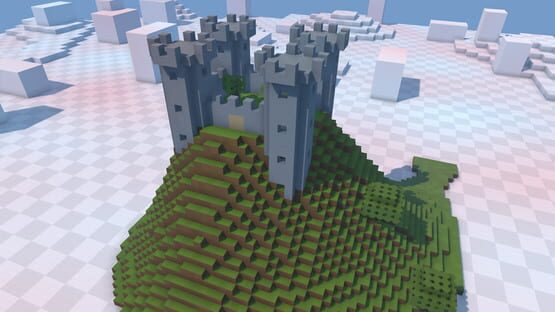
Chunks
November 2017 Update
Blog - September Update
Continue reading...
v0.3 Alpha 2
Features / Changes
- Merged the two block placement tools in Sandbox, using buttons on the track pad to switch between single and region placement modes.
- Added an eye-dropper button to the track pad of the block placement tool, to copy an already placed block.
- Blocks can now have arbitrary rotations or be flipped on any axis.
- Holding down on the trackpad when using the block placement tool and then rotating the wand will rotate the block about to be placed.
- Now using a more space efficient format for saved chunks.
Plugin Changes
- Can now use block clipboard items as resources in plugins.
- Changes made to unloaded chunks are now buffered and applied when those chunks load.
- Plugins can now override the chunk load origin, of particular use for gamemodes.
- Tooltips now use the menu panel system, and are now completely customizable.
- Controls can now override pointer raycasting, for controls of non-rectangular shapes.
- Can specify colours for individual layers in a LayeredMaterial.
- Added an API for showing interactive controls on the track pads of wands.
- Can now set a colour range for particles.
- Can now set a gravity value for particles.
- Added IWorld.PlaySound() method to make it easier to play one off sounds.
- Added an AABBPhysicsRenderer component to help debug collisions.
- Added a Plugin property to WandTool, Component and GameMode to get the plugin that defined subclasses of those types.
- Added a Storage API so that plugins can save and load values to a world or globally.
- Added a "base_color" json property for Button controls.
Bug Fixes
- Fixed wands being re-initialized when switching back from the steam overlay.
- Fixed a bug with raycasting both the world and entities simultaneously.
- Fixed unreliability of setting Wand.IsVisible to false.
- Fixed possible texture bleed in layered materials.
v0.2 Alpha 59
Plugin Changes
- Plugin script projects now automatically include a reference to Newtonsoft.Json.
- Implemented an obsolete symbol substitution system, to keep old scripts functioning as the API changes.
- Added the basics of a way to display custom controls on a wand's track pad.
- Added a "wrap" boolean json property to Text controls.
- Added Component.OnLateUpdate() virtual method.
- Added more customizability to ToolTip.
Bug Fixes
- Changes to the world are now displayed on the same frame as blocks are added / removed.
- Fixed odd behaviour with snapped menu panels.
- Fixed possible NullReferenceException when fetching block types in chunk generators.
- Fixed controllers not appearing if a custom model is used with invalid indices.
- Fixed some control types still being rendered when disabled.
- Raycasts against AABBPhysics will detect a hit if the ray starts inside the bounds of the object.
v0.2 Alpha 58
Features / Changes
- Added visual feedback to show when a wand tool is added / removed as a favourite to / from a wand.
- Now using an arc for the teleport tool rather than a straight line.
- Scroll wheel now toggles on the Vive controller when pointing at a menu panel.
- Performance increase when accessing components in entities.
- Huge improvement in performance when raycasting along long distances.
- Improved performance when raycasting against menu controls.
- Terrain generator tweaks.
Plugin Changes
- Custom gamemodes can now override GameMode.OnShouldGenerateChunk(x, z).
- Can now use null for Block parameters to refer to an empty block.
- Added a LineMaterial.IsAdditive bool, which defaults to true.
- Added a tag system for resources, now used in the example world generator plugin so that blocks from multiple tileset plugins can be accessed at once without them needing to override each other.
- Resource system internal redesign, support for custom resource types incoming.
- New overloads for ModelGenerator.AddBox to make it easier to texture each face separately.
- Renamed wand button state properties to avoid ambiguity.
- Added Wand.IsVisible boolean, can set to false to hide a wand.
- Added events for Holder.Held and Holder.Released.
Bug Fixes
- Fixed support for most forms of custom controller model.
- Fixed some false positives in the script assembly sandboxing preprocessor.
- Fixed a gamemode staying selected for a world when the related plugin is disabled.
- Fixed pointer line vertices not being cleared correctly.
- Fixed sun being invisible.
v0.2 Alpha 52
Features / Changes
- Fixed detection for when the controller is in range to ride a coaster car at small scales.
v0.2 Alpha 51
Features / Changes
- Coaster tools now show a pointer snapped to the nearest coaster car if one is within range of being ridden.
- Coaster car controller tool now shows a pointer snapped to the nearest piece of track if a coaster car can be spawned.
- Can now use the coaster track tool to ride coaster cars again.
- Added a crosshair for the spectator view.
Bug Fixes
- Fixed some cases where moving AABBs get stuck on block corners.
- Fixed not being able to unlock the mouse cursor properly.
- Fixed mouse position when interacting with menus in spectator mode not always being centred.
v0.2 Alpha 49
Features / Changes
- Added example first-person player plugin, to let a second player control a non-VR character walking around the world.
- Added a basic debug log viewer plugin, to assist with plugin development / diagnosing issues.
- Can now pin a menu in head-relative space by pressing the track pad in while holding a menu.
- Single block placement tool now fills in a line of blocks when the wand is moved quickly.
- Increased size of wand tool tips.
Plugin Changes
- Added World.Regenerate().
- Added World.RaycastWorld(), World.RaycastEntities() and World.RaycastAll().
- Added AABBPhysics.Simulate boolean.
- Added some helper methods to ModelGenerator so that basic model generation is less verbose.
- Added Debug.Warning().
- Added Debug.DrawLine().
- Added ParticleEmitter.InitialVelocity.
- Added "render_mode" json property for particle effects.
- Can now specify a texture for LineMaterial instances.
- Renamed FaceMaterial to LayeredMaterial.
- Added Vector2D, Vector4D, and IntVector2D structures.
- Added a static Mouse class to expose mouse input.
- Can now control the spectator camera entity with scripts.
Bug Fixes
- Fixed some bugs with world collision responses.
- Fixed Z-fighting with block placement previews.
- Fixed error message spam when a plugin gives an incorrect script assembly path.
- Fixed world not initializing properly if errors occurred while loading a plugin assembly.
v0.2 Alpha 47
Features / Changes
- Tool icons are now on the main body of the wand, so that the track pad can be used to display buttons etc.
- Display now fades to black when teleporting.
- Some world menu usability improvements.
- Disabled delete button for worlds downloaded from the workshop.
- Upload button for worlds downloaded from the workshop now opens that item's workshop page.
- Added some new track types:
- Brakes, which gradually reduce car speed to 2m/s.
- Booster, which gradually accelerate cars.
- Chain lift, which pulls cars up slopes at 2m/s.
- Brakes, which gradually reduce car speed to 2m/s.
- Pressing the track pad on the track tool while holding it near to a piece of track will toggle that track's type.
- You must now use the Coaster Car Tool to spawn and ride coaster cars.
- Cars will no longer automatically be lifted up hills, so you must place boosters or chain lifts as appropriate.
- Reduced hang time while taking screenshots with the camera tool.
Plugin Changes
- Added a World.Raycast overload to test for collisions with entities, using a new IRaycastable interface.
- Added Entity.Actve to test if an entity is currently updating (both it and its parents are enabled).
- Added "is_grabbable" and "is_interactable" flags for menu panels.
- Added a "Hand" property to wands to test if they are the left / right hand wand.
- Plugins can now reference UnityEngine.dll and UnityEngine.UI.dll.
- Some better error reporting when loading plugin resources.
Bug Fixes
- Fixed game mode selection menu.
- Fixed odd track pad dial behaviour at the bottom of the pad.
- Fixed teleport history bug.
- Fixed tool icons on wands being flipped.
- Fixed menu panels not being removed properly.
- Fixed menu panels popping up at an incorrect size for one frame when first created.
- Fixed a bug related to which directories are searched when a plugin defines resources.
- Fixed some issues with world metadata serialization.
v0.2 Alpha 41
- Menu dock now centres on whichever docked menu is open
- Can now adjust menu dock distance in the settings menu
- Can now quickly press and release the grip to grab an item without needing to keep the grip held
- Fixed worlds not uploading if the associated workshop item had been deleted
- Fixed selected world name sometimes not fitting in the header of the world menu