Hello there! It’s been a while since we last posted something here.
Last December, we happily said goodbye to 2021 after releasing the Roasting Update, a new feature that allows you all to create unique batches of coffee from over 1,000 bean varieties from all around the world. Of course, it also included a new selection of high-quality machines to delight your customers, more decoration items and some important changes in the reputation system, plus the usual bug fixes to smoothen the game experience. Now you’ve had enough time to enjoy this wonderful content, it's time to move on and tell us about our short-term plans.
We can confirm the next update of Coffee Shop Tycoon is on the way and, finally, reveal the most important revamps it will bring to the game. Some of these changes were long expected by the community so, without further ado, allow us to introduce them to you:
NEW UI DESIGN
1. We’ll refresh the look of all the game interfaces to match the new style of the Roasting Update.
ROASTING SPECIALIZATION
2. A new specialization in Roasting will be available for your employees when they reach level 5. This one allows them to automatically roast coffee and tweak different settings to prepare the ideal blend for your shop. We’ll be revealing more information about this feature when the update is live, stay tuned!
GENERATION OF BEAN VARIETIES
3. Those green beans required to complete roasting challenges will appear more frequently. 4. The random generation of green beans has been adjusted to make sure that there are always bean varieties that can be roasted without consuming roasting points, which is the currency you earn after completing certain challenges.
LANGUAGE SUPPORT
5. We’ll get the game ready for supporting new languages in the future. We’re currently working on a Spanish localization patch. One bean at a time!
BUG FIXES
6. Fixed a bug that could generate green beans from locked varieties or regions when switching between game saves.
This new update will see the light sometime in the first half of April. Soon, we’ll also make public our full roadmap for this year, which includes two major updates before the full launch of Coffee Shop Tycoon and several post-release additional features. In the meantime, we think you might like us to offer gaming tips, tell the story of Riff Studios and talk about our favorite drink (spoiler: coffee!) in this place. Of course, we will also announce activities for you to join actively such as Q&A sessions or live gaming sessions… but all in due time!
See you in the next entry, enjoy your coffee in the meantime! The Riff Studios team
Bug fixes and UI tweaks v0.8.1
Hello everyone! I hope you are enjoying the end of this week and drinking a cup of coffee as you read this. This minor update fixes a game-breaking bug and introduces tweaks to existing screens.
Bug Fix
We heard reports that a previously fixed bug was reintroduced with the roasting update. We are talking about the disappearing close button in the employee screen after the Du Latte awards. I am happy to announce that a new update is out, and you will no longer have this problem. Please let us know if you encounter any other issues through the forums or our Discord.
UI update
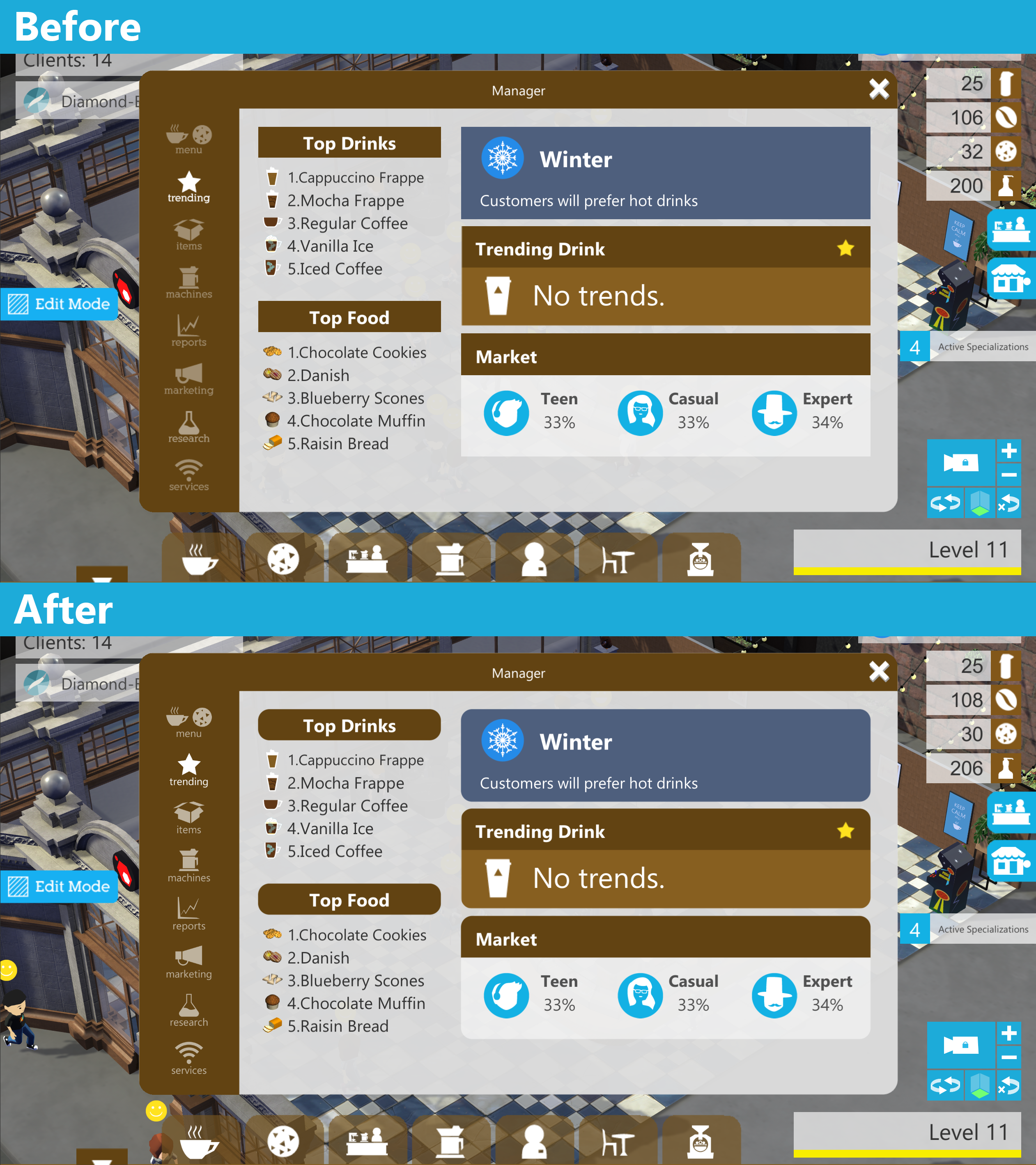
If you are familiar with our roadmap, we mentioned that we would be focusing on localizing the game for the first three months of 2022, and we have been hard at work getting the game ready to support more languages. While we make changes to each screen to support localization, we are also making some aesthetic changes to the UI to better match the new screens introduced with the roasting update. This means rounded corners and a cleaner look. We are also updating some UI textures to have a higher resolution. We want to have a consistent UI design across all the screens on the game, and we believe these changes will bring us closer to that vision.
Here are some screenshots of the updated Manager UI
Reporting localization bugs
Finally, since we are updating every screen and text in the game, there is a chance that you will encounter localization bugs. If you do, please post them in the forums.
Previously, you would see "???" instead of the correct text. Now, in order to have more information for fixing the broken text, we have decided to render the localization id instead. If the text is broken, it will look like this "[screen.somename]". Please let us know if you encounter this problem and post a screenshot or the text inside the brackets in the forums, and we will have a fix ready for the next update.
Thank you for reading this far, and enjoy your coffee.
You can follow us on Twitter @RiffStudios for more updates.
if you love Coffee Shop Tycoon, and want to get some cool new logos for your shop join our discord! 😊
Join Discord
Coffee Shop Tycoon is 40% off! Time to roast some fresh coffee beans!
Hello everyone! If you have been waiting to get Coffee Shop Tycoon on sale, now is the time :) Bring the joy of coffee to your home or gift caffeinated bliss to your friends.
With the release of the Roasting Update, you can expand your love for coffee, roast new beans, customize your coffee bag, and unlock new and powerful machines. So grab a copy and start your own journey.
And in case you want to see what the Roasting update is like, look no further. A new trailer is here!
[previewyoutube="lv6HPmNeq3c;full"]
We are incredibly proud of the work the team has been able to deliver this year, and we want to thank all of you for playing the game, making suggestions, and helping us find bugs. We couldn't do it without all your help.
We want to wish you happy holidays and a fantastic 2022. We will be back next year with more updates and news. For now, brew a cup, lay back, and enjoy your coffee.
You can follow us on Twitter @RiffStudios for more updates.
if you love Coffee Shop Tycoon, and want to get some cool new logos for your shop join our discord! 😊
Join Discord
The Roasting update is now live!
Hello everyone, after a year full of work, challenges, and fun times, we are officially releasing the Roasting update right now! For those that have been following along and playing the beta, some of these features are already known to you. For those who don't, we'll go into detail about each new addition to the game. We will also talk about the upcoming updates and share an updated development roadmap. Without further ado, let's talk about roasting!
Roasting
Roasting is the significant new feature we are adding to this update. Roasting allows you to create unique coffee from over 1000 different green coffee beans from all around the world. This coffee can then be roasted from your store and used to brew any drink you like.
Roasting is unlocked when you buy your first company as part of the mission objectives in Akihabara. Mr. Danger will contact you and tell you about the new roaster in your HQ.
You will see a new roasting section from your HQ where you can create roasting profiles, unlock new bean varieties, and complete roasting challenges.
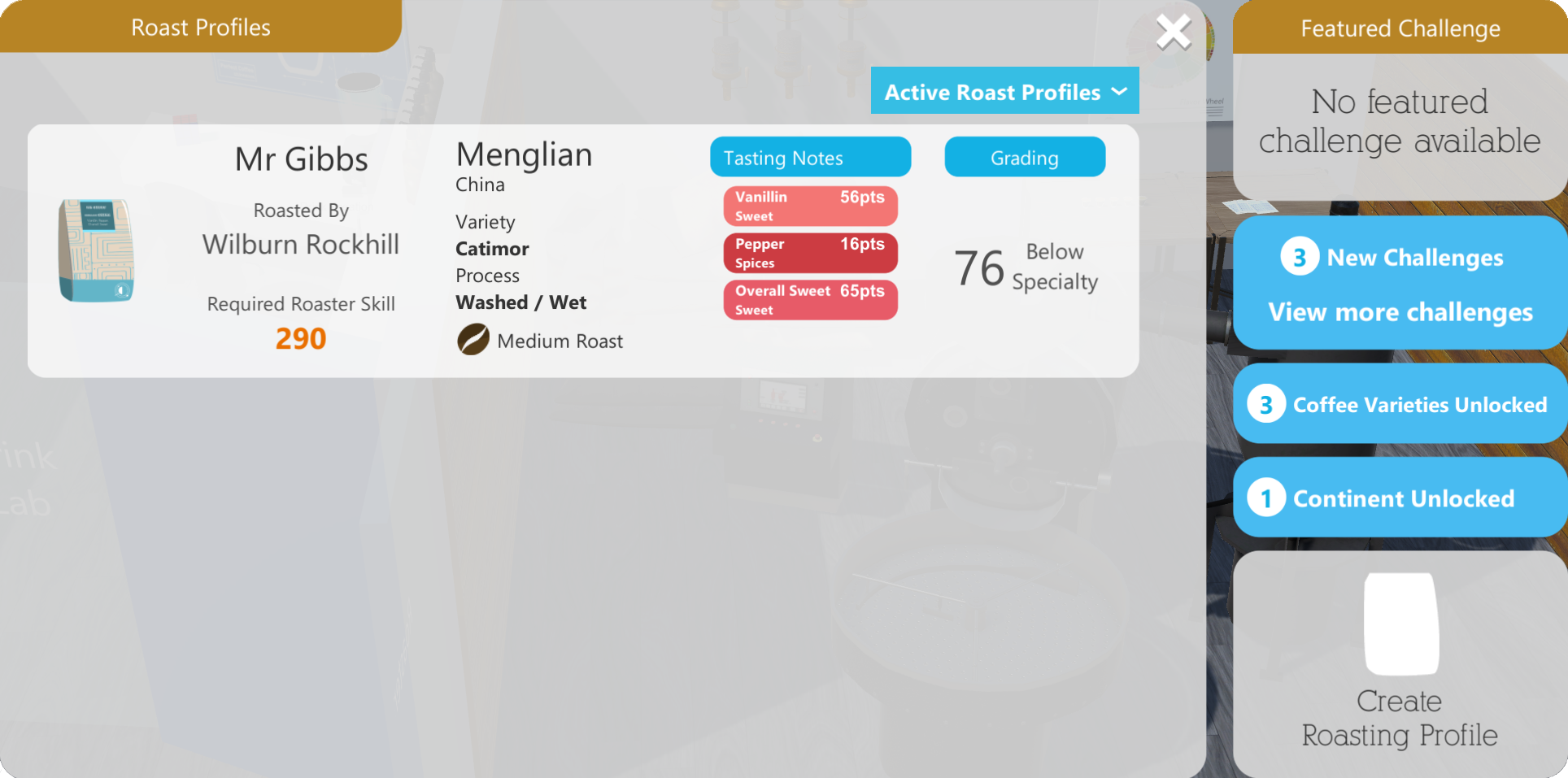
A roasting profile is like a recipe that will allow your employees to roast coffee back at the store. You are in charge of making this roast profile for every new coffee you want to sell. You make a roasting profile by controlling the roaster temperature to achieve different tasting notes. You can control time and restart any time you like to help you get the specific flavors you are looking for.
Your coffee will be graded based on the score of each tasting note, the bean variety, and your employee roasting skill. Unlocking new bean varieties and leveling up your employee will improve your grading considerably.
No coffee would be complete without great packaging, so after obtaining your coffee grading, you can continue to create a unique design for your bag. We'll go into more details of how this works further down.
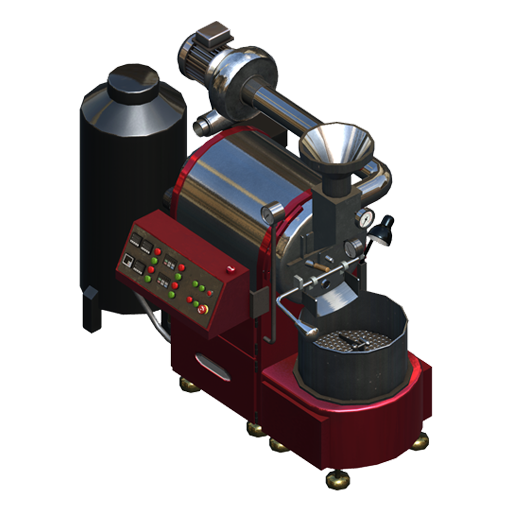
So, you have created your first coffee, now what? Well… now it is time to roast the coffee in your store and brew drinks with it. Back in your store, you will be able to buy a Roaster. Just like a working station, you can assign employees to it. Roasters can only be used by one employee at a time, so no need to hire a ton of new employees.
After you assign an employee to your roaster, click on the roaster. From here, you can roast the coffee that you just created. Ensure that the employee you assign to the roaster has the same roasting skill or higher than the one used to create the roasting profile. Otherwise, you won't be able to roast with that employee.
After the coffee is roasted, you will see it along with any other beans in the supply screen, and you will be able to use it as such.
If you look closely, quality stars are gone from coffee beans. Now, they all have a grading, starting with 70 for the regular beans and 80 for imported beans. You will only be able to go past 80 points with custom coffee, which will play a crucial part when increasing your store reputation.
Coffee Bag Creator
Now we'll go back and talk a little bit more about the new coffee bag creator. We are very excited about this addition to the game. Initially, we were worried about how we were going to pull this off, especially how to give you a lot of creative freedom and not make the process too tedious as you will likely be creating many roasting profiles. We think we have achieved this by giving you the option to save and load designs.
The bag creator works similarly to other image editing programs that you might have used in the past, we don't have a free draw option, but you can add different shapes and patterns to your bag and use any color you like. Additionally, you can add your company logo and several text labels to your bag.
Text labels are interesting, they will take directly the properties of the coffee you just created, so if you add a label for the name, another one for tasting notes, and maybe one for the origin, they will always match the properties of the coffee you just roasted. This saves time and is very useful when loading designs as they will have the information of the new coffee. We also have custom text labels, so you can also write anything you want. All these properties work like layers, so you can arrange what draws on top of what.
We are looking forward to seeing all the amazing designs you will create. If you do, please tag us on Twitter @RiffStudios, and we will retweet your design.
Roasting Challenges
Another important part of roasting is roasting challenges. There are two types of challenges: milestones and regular challenges. You can complete milestones to unlock all the new machines and roasters. They are also used to unlock the four coffee-producing continents in the world.
On the other hand, regular challenges reward you with a new valuable currency, roasting points. Roasting points are used to unlock bean varieties, to roast high-quality beans, and to refresh the available green coffee stock. You can have three challenges at a time, if you don't want to deal with a particular challenge, you can skip it, and a new one will take its place.
New machines
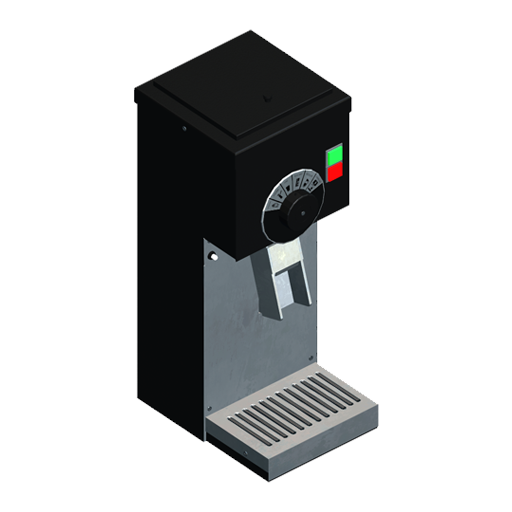
So, what exactly are the new machines? We are adding three new Brewers, three new Espresso machines, one new Grinder, and 3 Roasters with this update. With the changes to coffee beans and grading, it is now more important than ever to upgrade your machines along your journey to become a Coffee Shop Tycoon.
Machines now have a max brewing quality property that specifies the maximum quality that the machine can produce, so if a coffee has a grading of 90 points, but the machine's max brewing quality is 80, customers will perceive the coffee flavor as if it was worth 80 points.
Through the roasting milestone challenges, you will be able to unlock a Brewer and an Espresso that can produce coffee up to 100 points, so it is worth investing time on unlocking these new machines. Plus, they look super cool, to be honest. 😉
New reputation system
The reputation system also has some changes. Now, after reaching Bronze Bean, you will need to complete another requirement to level up. To achieve Silver Bean, you will need to sell 20 coffee drinks with at least 85 points, 90 for Golden Bean, and 95 for Diamond Bean.
Yeah, you heard it right, Diamond bean. Diamond bean is the last reputation level and is reserved for the best coffee managers. We also added a new achievement just for that. 😊
New location
No major update would be complete without a new location. For that reason, we are adding "Emerald City," this is the 5th location in the game and is the largest by far. In "Emerald City," you will meet again with Mr. Latteau and become the ultimate coffee roaster. We wish you good luck and good brews.
22 new Items
We are also adding twenty two new items! This includes a new working station with space for four coffee airpots, new sugar tables to match each working station, many new decoration items, and new tables and chairs. This is probably the most significant addition of decoration items since we launched in early access. Hopefully, you will enjoy all the new plants, lamps, and other items such as columns or a massive copper cask.
New floors and walls
You will also find three new floors and three new wall paints that are a great fit for the industrial look of "Emerald City."
23 new achievements
We are almost doubling the number of achievements on this update, now with a total of 55 achievements! Most of the new achievements are related to the new features, but you will find a couple of fun ones that you can achieve from the start of your coffee journey.
Bug fixes and other changes
Finally, but not least, we have fixed several top issues that you have posted on the forums and addressed some top crashes.
Added help topics for roasting
Trends no longer reset when going to the HQ.
Fixed an instance where the Reviewer score didn't match the comments.
Fixed pathfinding bugs in Akihabara, now the glass door from the balcony is an actual door.
Employees with supply specialization will now order lower quality beans, ingredients, and food if the higher quality tier has not been unlocked yet.
Fixed text typos.
Some changes to the calculation of idle income to accommodate the new bean ratings
Updated the third shop's final objective to Bronze Bean instead of Gold Bean as that can't be achieved until roasting.
Added more objectives to Akihabara that are related to roasting.
Fixed some crashes.
What's next
Now that roasting is finally out, we are ready to share with you more details about the upcoming updates.
Localization Update
-End of February-March
This update will focus on finishing the localization efforts for the game. This will help bring the game to new audiences and increase the community around the game. We are excited to reach more players and let them enjoy the game in their language.
Economy Update
-Q2
Adding option to set prices
Have prices affect expectations
Investigate how to fix the $1000 coffee problem.
Improve item rotation
Add search box to Help screen
Fan System + Customer Summary Screen + Customer Feedback improvements
-Q2-Q3
Add fan system
Customers require you to meet certain expectations to become fans, harder by level
Fixing bugs with employees' thoughts and turning them into "review tags" that can be aggregated for a summary screen.
Adding bubbles above employees for important notifications "Coffee is stale" "Not enough services"
Limit active marketing campaigns
Add staff rename option
Add AI behavior to use sugar tables
Other updates
-Future
Update Du Latte Awards
Add pedestrians and cars to relevant locations
Add more employee models
Gamepad Support
This list can change at any time, and may not represent the final features added to the game.
Final words
Thank you for reading this far. And thank you for supporting us while we built this update for you, we are very excited to see what you will roast next! If you have any problems, please reach us out on Discord, Twitter, or send us an email at support@riffstudios.com. We wish you happy holidays and good brews. As always, enjoy your coffee.
You can follow us on Twitter @RiffStudios for more updates.
if you love Coffee Shop Tycoon, and want to get some cool new logos for your shop join our discord! 😊
Join Discord
New update for the Roasting Beta, now you can unlock all the new machines!
Happy Friday everyone!
We have a new update for the Beta branch, this update includes a new tutorial that will guide you through the roasting mini-game and additional information for several roasting screens.
You can also find a total of 12 Roasting Milestone Challenges which can unlock all the new machines and continents when completed. This means that you can finally achieve Diamond Bean rating in your store and complete all the objectives of the new location.
We had to make some changes to support the milestone challenges. For that reason, some of your existing roasting challenges might not work anymore. We recommend using the "Skip" option for these challenges, newly generated challenges should work as expected.
This update marks a massive step towards releasing roasting for everyone, we still have some things to do, but we are getting closer every day. Here is a list of the remaining tasks:
Add story dialog for the new location
Sound treatment for Roast result screen
Add option to speedup/skip animations on Roast result screen
Add new help topics
Add notification when roasting challenge is completed
Burnt coffee should not give you points for the tasting notes
Bug fixes
Warning about Game Saves
Your game save will work with the Beta of the Roasting update, and your progress will not be lost once the full update is out. However, a save that has been upgraded to the roasting update v0.8.0 can't be used in the old version of Coffee Shop Tycoon, trying to do so will reset the save without warning. We know that this is not ideal, and unfortunately, the old version works like this, but we will improve this going forward and warn players about unsupported game saves.
For now, if you play the Beta, please stay on the beta branch until the update is fully released, otherwise, you can potentially lose your progress. If you want to keep a copy of your game save, you can follow these steps. That way, if you want to go back to the non-beta build, you can use that backup to restore your old save. That save will not include any of your progress while playing the Beta.
On Windows, go to this path, and copy all the folder contents to a safe location. C:/Users//AppData/LocalLow/Riff Studios/Coffee Shop Tycoon/
On Mac, go to this path, and copy the folder contents to a safe location. ~/Library/Application Support/Riff Studios/Coffee Shop Tycoon/
How to play the beta
Instructions about how to play the Beta and whats int the update can be found HERE
Known Issues
Some bean properties like long names and processes can overlap other UI elements.
Animations on roasting challenge screen replay after a challenge is created or completed.
Employee information screen does not refresh after training completes or employee levels up.
Some times the reviewer's comment does not align with the score given
Coffee bag design can crop in certain aspect ratios
Supply specialization to order beans is not working for 2 star beans
Trends can disappear when traveling to the HQ
Thank you for reading this far, we hope you are having fun with the beta, as always, enjoy your coffee.
You can follow us on Twitter @RiffStudios for more updates.
if you love Coffee Shop Tycoon, and want to get some cool new logos for your shop join our discord! 😊
Join Discord
Roasting Beta - Hotfix Nov 5
Hello, we hope you are having a great time playing the Roasting Beta! We have been looking at the crash data and bugs this past week, and we just released a patch that will address the top issues.
We are still working on the remaining content for the beta, but we believe it was essential to fix these problems first to give you a smoother experience while playing.
Here is a list of the bug fixes:
After unlocking roasting, going to any store before opening the HQ would crash the game.
On the Continent detail screen, clicking the continent icon crashed the game. This was never intended to be a button.
The Supply specialization didn't order 2 Star beans anymore. This now works as expected. We have remaining work that will update the specialization screen to reflect the new bean properties.
Fixed a bug where the Roasting challenge generator could freeze the game after playing for a long time on the same location or HQ.
We hope you are enjoying the Roasting beta. We'll be back next week with more content! Let us know any suggestions or bugs through the Steam community, our Discord, or social media, we usually reply very quickly, and it helps us build a better game together. Thank you, and enjoy your coffee.
You can follow us on Twitter @RiffStudios for more updates.
if you love Coffee Shop Tycoon, and want to get some cool new logos for your shop join our discord! 😊
Join Discord
Roasting Beta now available for Mac
Hello everyone, the Roasting Beta is now finally out for Mac! We have also updated the list of know issues and we'll be working on fixing some of those bugs, top crashes, and adding more content for the next build. Same as Windows, here is a warning about your game save that is important to consider when participating in the beta.
Warning about Game Saves
Your game save will work with the Beta of the Roasting update, and your progress will not be lost once the full update is out. However, a save that has been upgraded to the roasting update v0.8.0 can't be used in the old version of Coffee Shop Tycoon, trying to do so will reset the save without warning. We know that this is not ideal, and unfortunately, the old version works like this, but we will improve this going forward and warn players about unsupported game saves.
For now, if you play the Beta, please stay on the beta branch until the update is fully released, otherwise, you can potentially lose your progress. If you want to keep a copy of your game save, you can follow these steps. That way, if you want to go back to the non-beta build, you can use that backup to restore your old save. That save will not include any of your progress while playing the Beta.
On Mac, go to this path, and copy the folder contents to a safe location. ~/Library/Application Support/Riff Studios/Coffee Shop Tycoon/
How to play the beta
Instructions about how to play the Beta and whats int the update can be found HERE
If you missed our Livestream
If you want to know more about the development of Coffee Shop Tycoon and how the new mechanics work, check out this video!
[previewyoutube="xllFd9tT8MI;full"]
Known issues
Some bean properties like long names and processes can overlap other UI elements.
Animations on roasting challenge screen replay after a challenge is created or completed.
Employee information screen does not refresh after training completes or employee levels up.
Some times the reviewer's comment does not align with the score given
Coffee bag design can crop in certain aspect ratios
Supply specialization to order beans is not working for 2 star beans
Trends can disappear when traveling to the HQ
Thank you for reading this far, we hope you are having fun with the beta, as always, enjoy your coffee.
You can follow us on Twitter @RiffStudios for more updates.
if you love Coffee Shop Tycoon, and want to get some cool new logos for your shop join our discord! 😊
Join Discord
Halloween Livestream 12pm PDT! Come play the Roasting Update Beta with us
Hello everyone! We'll be playing the Roasting Update Beta this Halloween (October 31st) at 12 pm PDT.
Come join us directly from your steam library or our brand new twitch Riff Studios Twitch.
We'll be talking about the new mechanics in the latest update and answering any questions you may have. We hope to see you there and celebrate Halloween together. We'll be dressed as sleep-deprived developers. We hope you like our costumes ;)
The Roasting update Beta is now live for Windows!
The time has finally come, and the Beta for the roasting update is out now for Windows! The Mac version will be released next week as we still need to do more playtesting. Before I talk about any of the juicy details of the update and what you can expect from us over the following weeks, I want to go over an important topic, game saves.
Warning about Game Saves
Your game save will work with the Beta of the Roasting update, and your progress will not be lost once the full update is out. However, a save that has been upgraded to the roasting update v0.8.0 can't be used in the old version of Coffee Shop Tycoon, trying to do so will reset the save without warning. We know that this is not ideal, and unfortunately, the old version works like this, but we will improve this going forward and warn players about unsupported game saves.
For now, if you play the Beta, please stay on the beta branch until the update is fully released, otherwise, you can potentially lose your progress. If you want to keep a copy of your game save, you can follow these steps. That way, if you want to go back to the non-beta build, you can use that backup to restore your old save. That save will not include any of your progress while playing the Beta.
On Windows, go to this path, and copy all the folder contents to a safe location. C:/Users//AppData/LocalLow/Riff Studios/Coffee Shop Tycoon/
On Mac, go to this path, and copy the folder contents to a safe location. ~/Library/Application Support/Riff Studios/Coffee Shop Tycoon/
How to play the beta
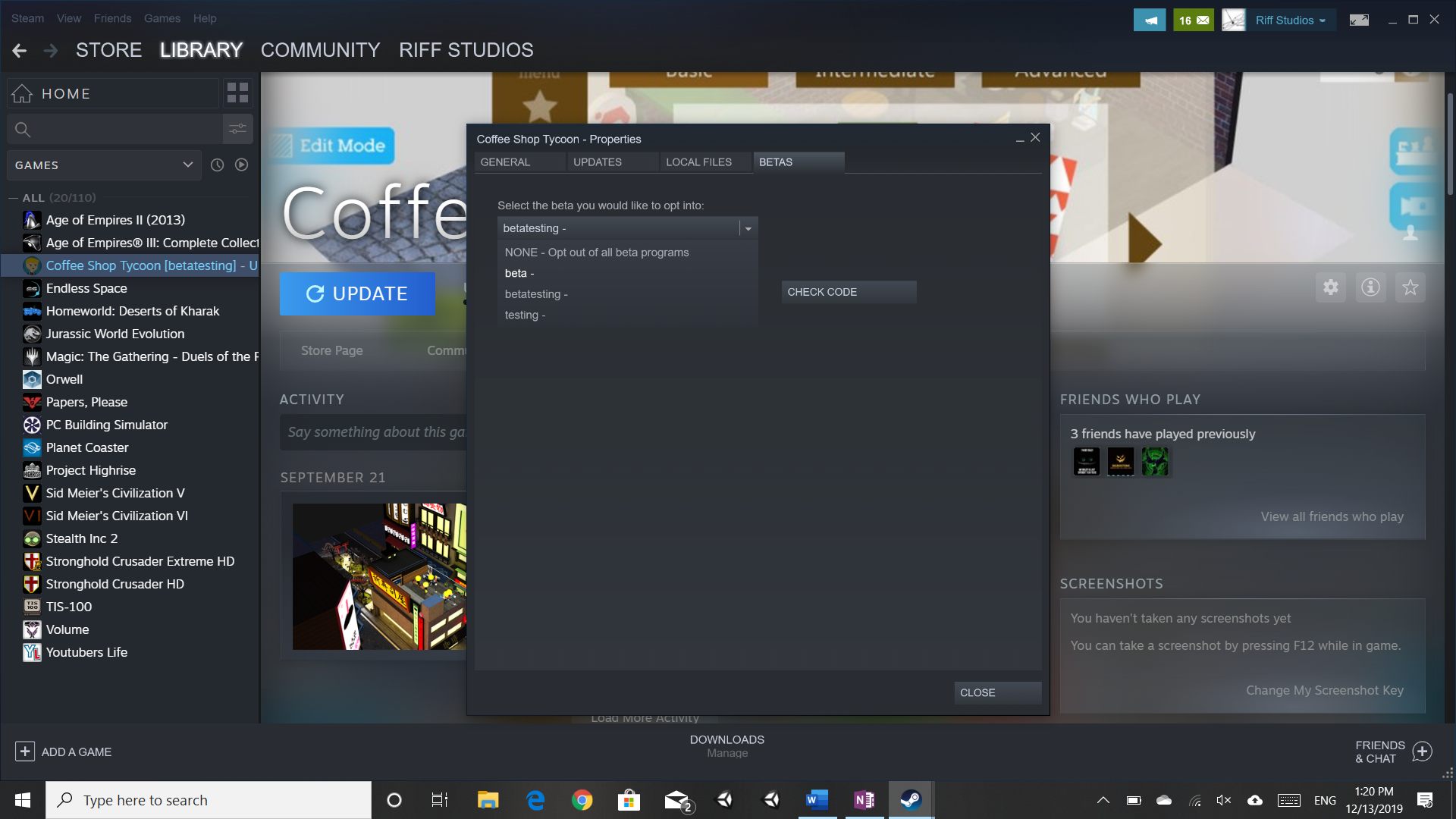
With that out of the way, let's go over some simple steps to enable the Beta. Go into your library, select Coffee Shop Tycoon, click on the settings icon, and select Properties.
From there, go to the beta tab and select Beta from the dropdown.
What can you do in the Beta?
The Beta is pretty much the Roasting Update minus a few things we are still working on and some extra bugs 😊. Once you install the latest version, your first question is probably going to be, how do I start roasting? Like many other features in the game, Roasting is unlocked by completing missions, precisely, the mission to own another company on Akihabara. If you have completed that mission before or if you complete it after getting the update, you will see a message notifying you about the new Roasting area in the HQ, here you will be able to start your roasting adventure.
Akihabara and mission updates
Akihabara has some graphical improvements for the cherry blossoms in the park and three additional objectives. If you have already completed this store or if you have already unlocked it before, you won't see these new objectives, but that won't prevent you from unlocking Roasting.
The three new objectives are: • Create a roasting profile • Buy a Roaster • Roast coffee in your store
As mentioned before, this store is where you will be able to unlock Roasting.
Roasting
Once Roasting is unlocked, you will see this new space in your HQ. From here, you can see all the available beans from all over the world that you can roast, along with the bean varieties, roasting challenges, and information about the different continents. There are no tutorials in the Beta about Roasting, but we are working on adding them to the update.
You will probably want to start by creating your first roasting profile. This is a sort of recipe that your employees can use in the store to roast the coffee that you want to sell. Select the employee with a high roasting skill and start roasting. Only employees with this skill or higher will be able to roast the coffee in your store.
On the next screen, you will be able to play with the roaster and try to achieve different flavor notes for your coffee.
Once you are happy with your roast, you can go over to the coffee bag creator, where you can set your imagination free and create an exciting design for your coffee.
Finishing this process will create a roasting profile that can be used from your store to delight your customers with your unique coffee.
Green coffee can expire and run out of stock, so be aware of this before creating a roasting profile for a coffee that will expire soon.
Depending on your new roasting profile, you will potentially complete roasting challenges that have different rewards. Milestone challenges unlock unique rewards like new machines and world regions, while other challenges can give you money or roasting points.
Currently, there is only one milestone challenge in the Beta, but we will be adding more challenges to unlock the complete set of machines in the following weeks.
Roasting points are a new currency that you can use to buy new bean varieties and roast high-quality coffee. Unlocking varieties and continents will give you more options to choose from when roasting coffee. Asia is the first continent that is unlocked by default. New continents will be unlocked with milestone challenges that we'll be adding during the Beta.
Now that you have a unique coffee, go back to any of your stores and buy a roaster. You can reassign any of your employees to the roaster or hire a new employee with better roasting skill. Click on the roaster, here you can roast your new coffee.
After roasting, your coffee will appear on your Supply screen like any other coffee, and you can use it from your Brewer or Espresso as always.
Coffee grading and customers’ expectations
Coffee quality is no longer defined by stars and is now using the real-world grading scale for quality. Depending on your store reputation, customers will have different expectations about your coffee quality.
Machines also have a new property, "Max brewing quality," that is replacing the old "Quality" property. If you are roasting amazing coffee, also remember to have amazing machines. Otherwise, your customers will not be able to enjoy your coffee fully.
New requirements to increase your store reputation
Roasting is now crucial to increase your store reputation. After reaching Bronze-Bean, you will need to sell coffee with good grading to level up. We are also adding a new reputation level called Diamond-Bean.
For the Beta, you will need to unlock the Siphon Brewer to brew coffee with 85 points and increase your reputation to Silver-Bean. For Golden-Bean and Diamond-Bean, we are still working on adding the milestone challenges that will unlock the machines necessary to reach these ratings.
New location
The new location with all its missions is now available after completing Akihabara. The mission objectives for this location focus on roasting coffee, completing roasting challenges, and unlocking bean varieties. Everything but the last objective can be completed at this point. The final objective is to unlock the four continents. This is going to be possible when we add the remaining milestone challenges.
New items
Last but not least, you can expect to see many new items to decorate your store, including plants, three new concrete floors, new tables, chairs, a new working station with four airpot slots, new sugar tables to match each working station, and many more things. All of which are available in the Beta. Check out some of the new items you can buy for your store.
What is missing
Now let's go over some of the things missing in the Beta that we will add over the following weeks.
More Milestone roasting challenges to unlock all the new content.
Tutorials for Roasting.
Story introduction to 5th store.
New help sections.
New achievements.
Balancing changes.
UI sounds.
Option to speed up roast results animations.
Improvements to employee roaster selection screen (grouping employees by store).
Notification when completing a roasting challenge.
Bug fixes.
Known issues
Some bean properties like long names and processes can overlap other UI elements.
Animations on roasting challenge screen replay after a challenge is created or completed.
Employee information screen does not refresh after training completes or employee levels up.
Playing with us
We will be streaming live on Sunday at 12pm PDT over Steam. You will be able to find the stream simply by going to the game store page or your library. We will be talking about the new features of the game and answering any questions. You can post questions on our Discord or over Twitter.
We hope that you enjoy playing the Beta, and please let us know any problem or feedback you have. As always, enjoy your coffee and happy roasting!
You can follow us on Twitter @RiffStudios for more updates.
if you love Coffee Shop Tycoon, and want to get some cool new logos for your shop join our discord! 😊
Join Discord
Dev Diaries October 22 - Beta Releases on October 29th
Hello everyone! Pumpkins are out, and ghosts are starting to haunt our office, but we have tried to ignore them, throw coffee at them and pretend that there is not a psycho killer behind us, everything we can to keep making steady progress! And we are back with another dev diaries. This is the last update before we release the beta next Friday! Yeah! You heard it. We have finally completed the features necessary for the beta! We are currently playing the update and fixing any lingering bugs while tweaking the challenges and rewards. The balance of these new mechanics will probably not be perfect for the beta, but we hope to hear your feedback and, together, get the full update out by November.
With the beta release announcement next week, we will also talk about what work is remaining for the full update and what you will be able to do in the beta.
Now let’s talk about what we have been doing since our last update.
All new items and machines are now in the game.
This month we finished configuring and adding all the new items and machines to the game. We are especially excited by the new decoration options and the new additions to espressos and brewers. We also finished configuring the three rosters, animating all the machines, and adding all the remaining descriptions. Check out some of the new items!
There are many more items, but you will have to discover them in-game; we are trying to keep some surprises for next week ;)
New unlock mechanic
Historically on Coffee Shop Tycoon, you can unlock items by leveling up, buying companies, or doing researches, now we are adding another way to unlock new items.
With the addition of roasting challenges, we decided to have the new higher-level machines and roasters locked behind what we call a Milestone Challenge. You will complete these challenges by creating new roasting profiles in your HQ. These milestones are also tied with the coffee varieties and coffee regions. Milestones will be increasingly more challenging and will help you become a professional roaster.
Roasting Challenges
Speaking of challenges, the system is now fully functional. We have been roasting and completing challenges all week long. We plan to keep doing this and tweaking the difficulty and rewards next week. We are also working on the first Milestone Challenge that will unlock a new machine when you start playing the beta. We will keep adding more milestone challenges through the beta period until they cover all the new machines and the four coffee regions.
World Coffee
We have talked about varieties before and even showcased the screen a couple of updates ago; with this latest push, we are also adding the world coffee screen. On this screen, you can get an overview of what coffee varieties are available in each continent and what coffee notes you can expect per continent. You will start with one continent unlocked, and as you progress through the world of roasting, you will get the chance to complete new Milestone missions to unlock the remaining regions.
Diamond bean and changes to reputation levels
Another change coming to the game is the addition of a final reputation level, Diamond Bean. This is the next tier after Golden Bean, and to unlock it, you will need to sell coffee in your store with an exceptional grading. This new mechanic is also required to achieve Silver Bean and Gold Bean.
Each rating has a different coffee grading requirement, starting with 85 to achieve Silver Bean, 90 for Golden Bean, and 95 for Diamond Bean. For each level, you will need to sell at least 20 coffees with this grading. Hopefully, you keep an exceptional service since you will need to sell the coffee again in case you lose your reputation level, but don’t worry, this is just a requirement for the top reputation levels.
Brewing quality and customers' expectations
You might have amazing baristas in your team, but to brew great coffee, you also need great equipment. For that reason, we are introducing a new stat for your brewers and espressos, Max Brewing Quality. You can brew any coffee in any machine, but it will not realize its full potential unless you have the right equipment. You will get a notification if it is time to upgrade your machines. The machine stats will reduce the coffee grading until you get a better machine, so better to be ready with adequate equipment when roasting amazing beans.
This grading is important because your customers now expect a different coffee grading depending on your reputation. This expectation is slightly different between customers, but overall higher reputation means higher demands.
As you can see, roasting is crucial to having a successful store and becoming the ultimate coffee connoisseur!
We are excited to finally start sharing this update with you and hear about all your thoughts and suggestions.
Playing with us
As a final surprise, we plan to stream a gameplay session and talk about some of the new mechanics and answer any questions you may have, we don’t have the exact date and time right now, but we will update you once we do.
Thank you for reading this far, and we hope to see you next week for all the instructions about how to download the beta and all the information about it, plus more details about the stream. As always, enjoy your coffee.
You can follow us on Twitter @RiffStudios for more updates.
if you love Coffee Shop Tycoon, and want to get some cool new logos for your shop join our discord! 😊