
- Removed Halloween theme
- Permanent Mute: Players you mute will remain muted even if they leave and re-join.
- Muted Players on Stage now visually show that they are muted
- Kicked players cannot re-join the room for 15 seconds, with re-kick time increases per instance for that room (e.g., 15, 30, 45 seconds).
- Increased size of room notifications.
- Added quick access buttons (Leaderboard, Profile, Invite) to the Quit Room menu.
- Fixed bug with "Down drinks" button spamming.

Comedy Night
ver 1.22.8
Halloween Update!
UPDATE 1.22.6 (9th October 2024)
NEW REGION
Added South America as a new region. On first launch, players will be prompted to select their region, which will be saved as the default for future sessions. Since it may take some time for all mobile players to receive the update, Brazilian players on the old version might continue using the USA server until they get the update or notice the new South American option.
HALLOWEEN
Halloween theme
IMPROVEMENTS
- Lighting optimizations for performance & visuals
- Improvements with positional audio from players in the crowd
BUG FIXES
- If a player on stage changed their profile it prevented the X button from being clicked and the timer would reset.
- Fixed the "toilet code" bug.
ver 1.22.2
- Android cross-play support
- Performance improvements with generating avatar icons (in rooms and Avatar Editor)
- Bug fixes - text chat button being enabled/disabled incorrectly when joining a room
You can view full change log in-game.
ver 1.22
- New visual effects - Vignette & Chromatic Aberration (also available in settings menu)
- If you upload a Stage Background lower than 1280x720 resolution it will now auto-resize for you instead of throwing an error.
- (Mobile) Game invite button now shows on the Player Invite popup if your friends.
- Room Language - If the Room Host changes it the Room language (which shows in the lobby) will change to what the new Room Admin is using.
- (Mobile) New players will now start with a random profile background image instead of the girl's eyes one.
[BUG FIXES]
- Clearing the Room Name whilst in a room would set the room name to empty. It now sets it back to what the room name was.
- Joining a room with players on stage sometimes their Profiles were not showing any information
- Clicking a URL link and then returning to the game would not update the mouse cursor to the default pointer
- Connection lost in lobby then trying to join your quick room would result in an endless loading screen
Comedy Night - Disco Ball + UI refresh
New Features
We have reworked a lot of the user interface (UI) to improve the overall experience of Comedy Night.
This update adds support for cross-play in the coming weeks (iOS & Android).
- New Main Menu where you can see your current Avatar
- New Disco room feature adds a disco ball to the room.
- Improved memory management reduces game load time by only loading the avatars content when needed.
- Higher quality textures for the Avatars
- Sending chat messages now supports clickable URL's as well, so for example if you talking about a YouTube video you can send that via chat and everyone can click it to open the video. Only certain URL's are supported to prevent bad links ie. YouTube, X, Twitch, Kick, TikTok, SoundCloud and a few others.
- Chat messages now display for 15 seconds instead of 5 seconds.
- For Face Masks you are no longer forced to upload an image that's exactly 500x500, it will auto resize the image to 500 x 500 for you.
- You can now leave a room without having to press ESC key on your keyboard.
- Your player badge in the bottom right corner now includes an icon to show it's clickable
Lobby
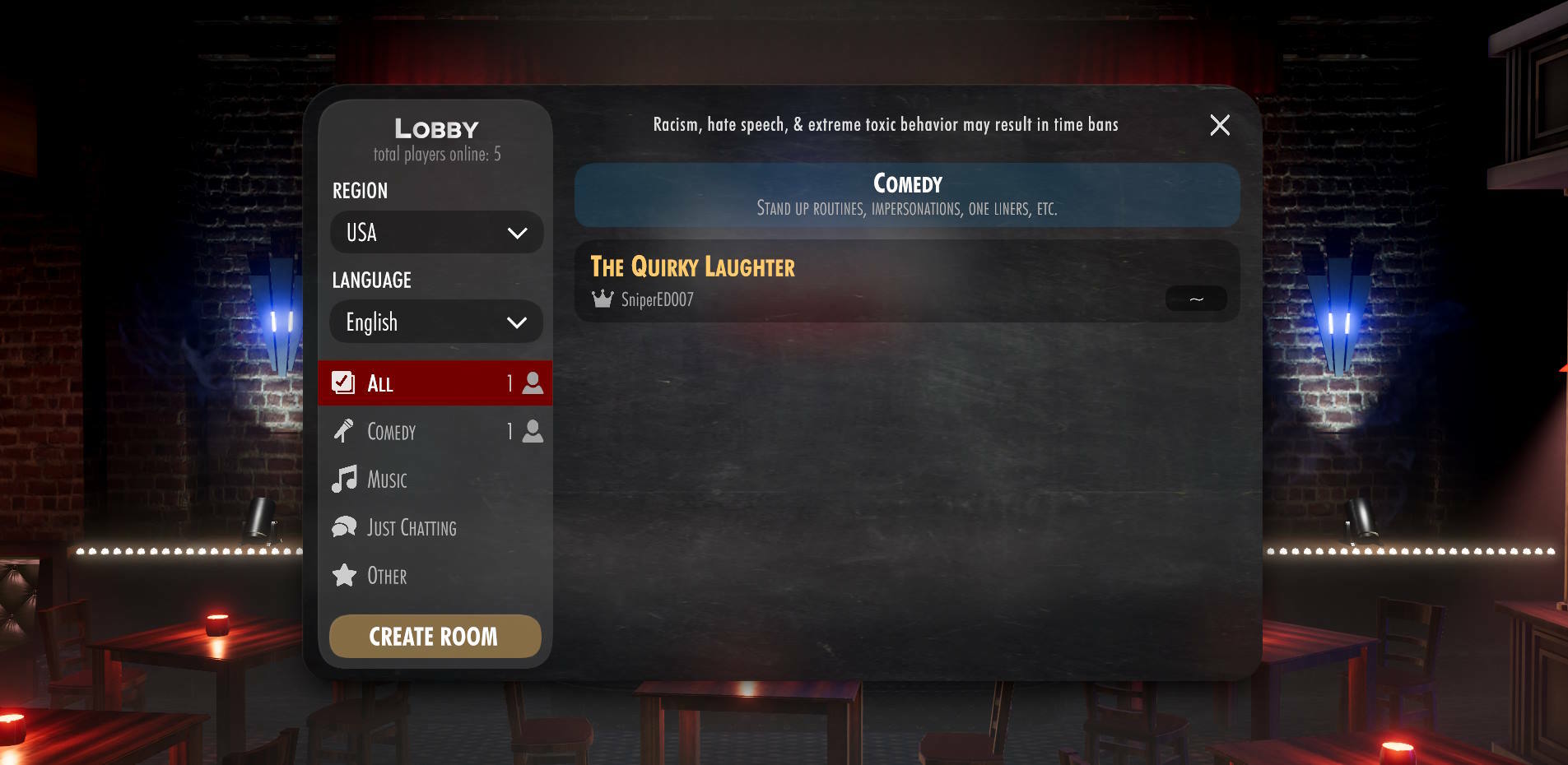
- You no longer have to choose a Region every time you enter the game, instead now it will remember what you last used. You can change it directly from the lobby.
- Added a "total players online" so you can see if there are players waiting in the lobby to join a room.
- You can now see which of your Steam friends are in a room without having to go into the room.
- The lobby will now auto-refresh without you having to click "refresh lobby" each time a change happens.
- For new players it will generate a room in the lobby with a random room name for you so you can easily start your own room.
Token Balance

- Added a new token balance widget to the top left of the room to always see your balance.
- It also shows you a countdown of how long to go until your next free token.
- Free tokens are now dropped every 45 min (instead of 60) with a maximum of 3 per day. (you need to be in a room for it to countdown)
- Tap to open Token store.
Room Info

- The room info panel has been simplified
- 4 quick buttons to set the room to Open/Private, Stage Timer, Crowd Chat on/off, and Announcer
on/off. - We also now automatically hide the Stage Line-Up when there are no players waiting to go up on stage.
- Add a menu icon when you are the Room Admin to make it easier for new players to know they can edit the settings by clicking the Room Info panel.
- The Room description now also support clickable links for certain websites (like YouTube, X, Twitch, Kick, TikTok, SoundCloud and a few others)
Player Profiles


- We've added new Player Profiles which you can view by left clicking on a player.
- You can follow players, this is to support friends across devices, so if you follow an iPhone player and they follow you back then you will be able to send them invites to rooms. Note! If you follow a Steam player and they follow you back but you are not friends on Steam then you will not be able to send them Steam invites to the room. (You have to be Steam friends as well in order to send Steam game invites. This is a Steam restriction)
- There is also an option to rate a player (bad, good, excellent)
Room Players

Pressing Tab or the Players icon next to the Microphone will now open a new Room Players panel as seen in this image. It gives you an overview of who is the room and the positions match where they are seated in the room making it easier to manage a room as an Admin. Left clicking a player will open their Player Profile and tapping the "+" buttons will open a new in-game room invite screen.
Leaderboards

- Redesigned Leaderboard screen
- Player steam profile images are now visible
- New Monthly Leaderboards (Overall Leaderboard still exists as well)
Stage Backdrops
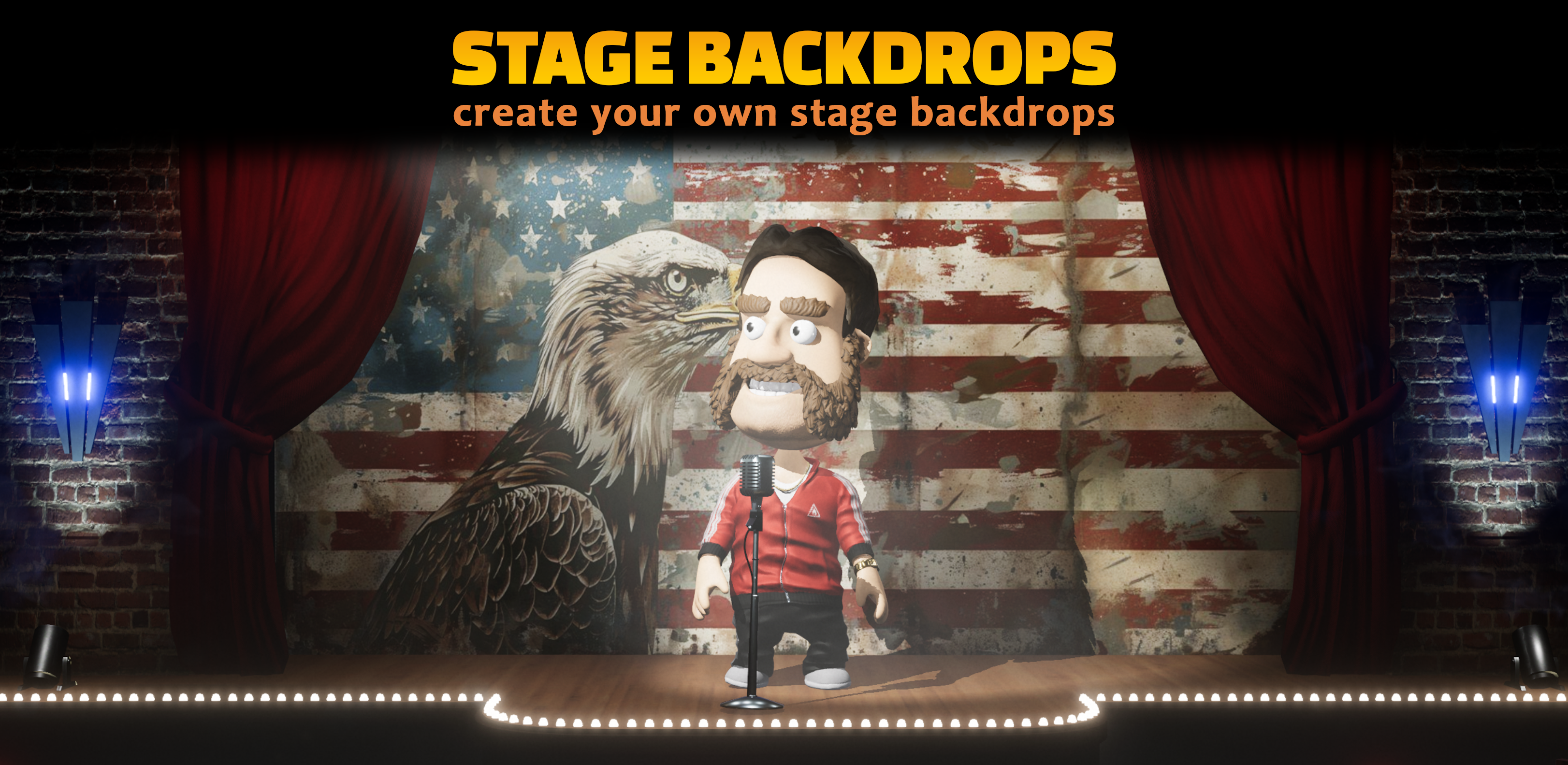


Click on your Profile in the bottom right corner and select Stage Backdrops) This can even be done whilst in a room.


Select backdrops you have already created or upload a new one. We do some checks at upload to ensure that it ties in with the comedy guidelines.

We hope you enjoy this update and look forward to your feedback and to see what you do with it.
ver 1.9.9
- If a player who is banned from a room tries to rejoin the players in the room will no longer see the Player Joined & Player Left messages.
- Face Mask UI updates
- Fixed an issue with Face Masks occasionally creating duplicate images
- Fixed an issue where your Avatar would sometimes change to someone else's in the room
- The Poster image on the main screen is now cached (so it doesn't download every time)
- Tweaked the AI Face Mask image screening to allow some content that was incorrectly getting flagged.
Custom Face Masks
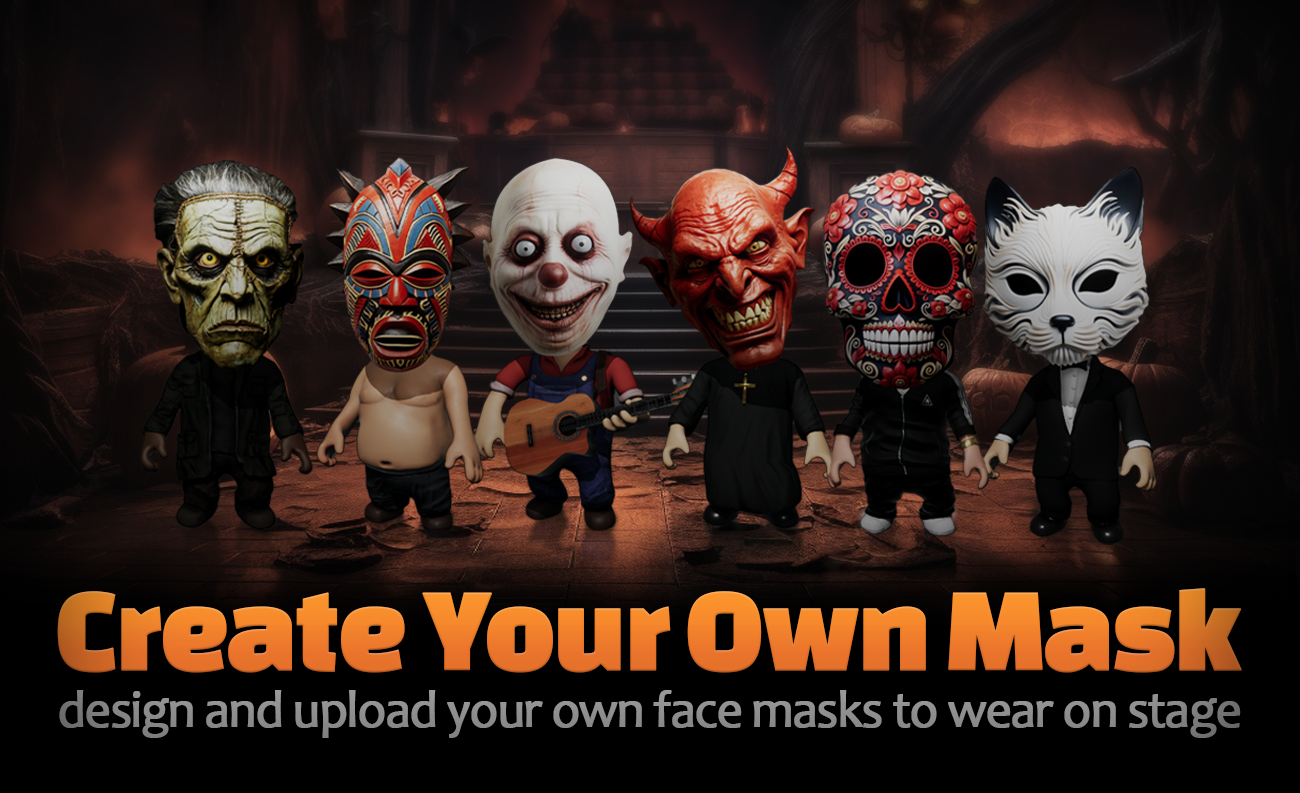
Custom Face masks
Now you can create your own face masks for your avatars and upload them straight into the game! Unleash your creativity, surprise the audience, and make your act truly one-of-a-kind.
Follow the step-by-step guide to edit your own images to create masks to use in-game from the Player Setup. It's quick and easy and will allow for incredible customization.


ver 1.9.3
- Added a red popup that shows when you lose connection to Steam & will auto hide once Steam reconnects
- Improved messaging when you are disconnected from the internet, and you try join a server. Prevent endless connections etc.
- Fixed the placeholder poster showing at start
ver 1.9.2
- The Language dropdown list will now default to the users selected game translation (so Brazil players will default to Portuguese) so you can visually see what language the room is in from the lobby.
- Added Kick to the Social network options
- Upgraded to Unity 2022.3
- Major server & client changes to players accounts to allow for Cross Play in the future
- Fixed a bunch of issues with the Steam game invites