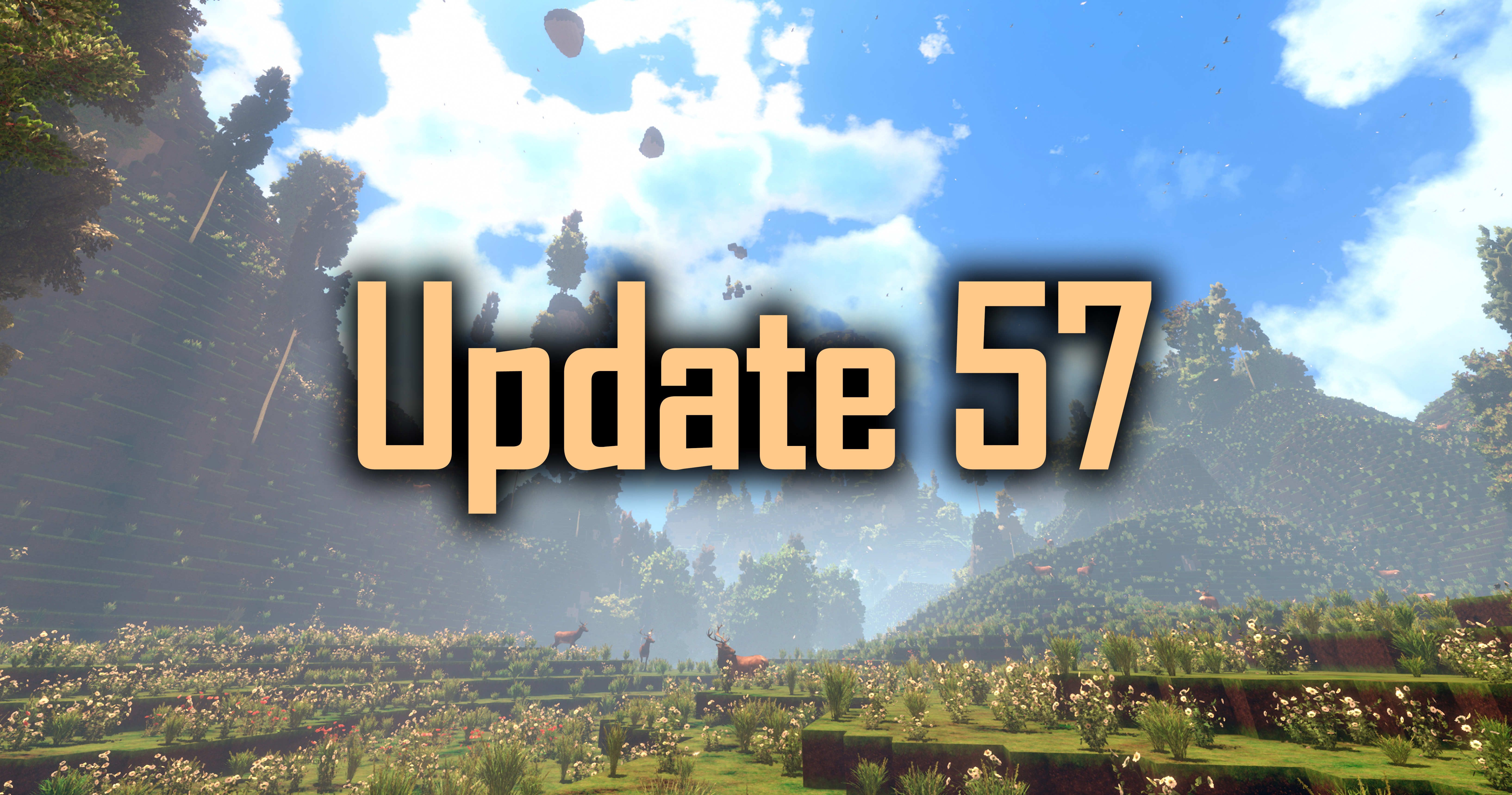
Update 57 for cyubeVR is live! Localization, Seated Mode, and more!
Hey everyone, Update 57 for cyubeVR is live!
This update adds localization support making cyubeVR now officially playable in German, Spanish, French, Italian, Portuguese, Ukrainian and Klingon language! Also, cyubeVR now officially supports seated gameplay through a "Seated Mode", and there are significant CPU performance, GPU performance and RAM usage optimizations, improvements to the graphics, and as always, many more improvements and bugfixes!
Let's first take a look at the long list of changes, and after that, let's get into more detail for the biggest changes! Btw, are you in the official cyubeVR Discord yet?
Added localization support to all text in the game!
Added German language support
Added Spanish language support
Added French language support
Added Italian language support
Added Portuguese language support
Added Ukrainian language support
Added Klingon language support
Added a "Seated Mode" that adjusts the height of the player by an adjustable offset and adds a crouch toggle button
Many significant CPU performance and RAM usage optimizations
Added new fancy shadows around the corners of blocks
On "Basic" and "Medium" Ground Foliage Quality, trees have new distant LODs now that look much better
Added a custom keyboard to the main menu for entering the world name and seed (instead of the SteamVR Keyboard)
Renamed the "Ground Foliage Quality" setting to "Foliage Quality" since it affects both grass and trees now
Added a "High" option to the "Terrain LOD Quality" setting. It's closer to "Ultra" than to "Normal" regarding the quality
Improved graphics of "Light Shaft Quality" on "Low" and "Mid" settings
Increased the default smooth turn speed, and also increased the maximum speed you can set smooth turning to
Reduced brightness of sun shadows
Reduced the nighttime cricket volume by 50%
Fixed the floating recipe paper sound not quite being as "positional/3D" as it should be
Reduced the default music volume (from 50% to 35% on the slider in the settings)
Slightly increased the footstep sounds volume
All block textures in the game are now loaded at runtime, in theory allowing for texture packs to easily be created
Improved the perceived texture resolution of the furnace, bucket, stone pickaxe, and light tree
Significantly optimized the performance of crafting large recipes like the furnace
Made transition between outside sounds on/off much smoother when entering/leaving an enclosed space
Optimized the performance of the button mapping view
Optimized the briefcase UI performance
Optimized CPU performance when having many objects placed in the level that can be dragged around with both hands
Major performance optimizations to quickly mining a lot of blocks, primarily when using area damage tools (sledgehammers and iron shovel)
Significant RAM usage reduction related to custom blocks, resulting in multiple GBs less RAM usage now if you have a lot of custom blocks installed
Optimized the size of the WorldMetadata.important files in the save data, they're less than half the size now for large worlds
Optimizations to chunk saving and unloading
Optimized RAM usage while quickly walking around in the world
Optimized the chunk LOD calculation, resulting in less vertices per LOD chunk
Added a mesh optimization pass that reorders the vertices/triangles of chunks for more efficient rendering on the GPU
Removed "Manual" tab in main menu since there is no reason any more to read the Manual in the main menu
Slightly improved the animation on the logo when starting the game
Improved the wording and positioning of the "You can't modify the world here yet" warning message
Increased the size of the copper and iron shovel, and adjusted the grab rotation
Added three new stats in the "Stats" tab of the settings: "Loaded Chunks", "Memory Used" and "Peak Memory Used"
The manual tab in the briefcase defaults to the "First Steps" page now instead of the "Welcome" page
Improved the loading screen % number, it jumps around less now while going up
Uncategorized custom blocks are now automatically put in one or multiple "Misc" categories
Custom block categories now display a number on them that show how many blocks are inside of that category
Increased accuracy of the VRAM memory calculation for custom blocks in the crafting recipes UI (it was missing 341 kB per block before)
Every custom block category in the crafting recipe list is now limited to at most 50 entries
Added "Briefcase Open" and "Briefcase Close" event dispatchers in the BriefcaseBP (Unreal Engine Modding related)
Fixed deleting or moving a tool out of a radial menu slot while it's active in the hand not removing it out of the hand
Fixed deleting a tool in the inventory while another of the same type is in a radial menu slot making the tool in the radial menu slot become greyed out
Fixed possible performance issue when collecting recipe paper
Fixed "Low" bloom setting looking flickery on shimmerstones
Fixed one grass side texture that looked slightly too dark
Fixed a typo in the "Craft and place a chair" objective text
Fixed "Pause" button for the recipe preview being visible even for custom block recipes
Fixed some chunks staying loaded when they should unload
Fixed deer moving in weird ways when it walks against a rabbit
Fixed the flint stones in front of the furnace being affected by bucket suction
Fixed the "Dual Wield Something" achievements and objectives not unlocking correctly
Fixed the tool in the left hand not visually teleporting immediately with the player when teleporting
Fixed there sometimes being one or two visible floating trees very far above the world
Fixed a possible crash
Localization! German, Spanish, French, Italian, Portuguese, Ukrainian and Klingon language!
cyubeVR can now finally not just be played in English language! This has been a popular request over the years from many people who are not super fluent in English language. But before the introduction of objectives, it was generally easy enough to understand everything in the game even without understanding much English - after all, you will likely understand what a dirt block is purely from its visuals even if you have no idea what "Dirt" means.
But with Update 54 introducing the objectives as an important feature into the game, that meant the introduction of a lot of text that really should be understood for properly playing through the game. So with that, localization has become way more important than before, and that's why Update 57 now makes it possible to play cyubeVR not just in English, but also in German, Spanish, French, Italian, Portuguese, Ukrainian and Klingon language! If your Windows installation is set to one of the supported languages, the game will automatically start in that language now. And if you want to manually set the language you play the game in, there is a new language selection in the bottom left corner of the main menu where you can pick any of the supported languages.
It was quite a lot of work to set up the whole game for localization support - it's not just a matter of translating some text, but actually a lot of work is simply making sure that all text is setup in a way that it can actually be translated. For example, the controller button mapping view in the lower half of the briefcase was an image before, an image containing text - images with text are a big pain for localization since they would require duplicating the image many times in every language, which would unnessesserily increase the size of the game (textures are what makes up most of the game size). So the button mapping view, and many other similarly implemented things in the game, had to be completely re-implemented with this Update as "real" text to be ready for efficient localization.
Since cyubeVR is "Made in Germany", a German localization was of course easy to add and German should be "just as perfect as English" already. For the other languages, it will probably take a bit of tweaking still to get all text in them fully perfect, and if you are a native speaker of French, Spanish, Italian, Portuguese, Ukrainian or Klingon, then please feel free to post in the Steam Forums or in the cyubeVR Discord about any issue you see with the translations (anything where you think it sounds not quite right in the specific context or could be translated better), and then it can quickly be fixed in the next update to make sure all translations are really perfect in every language :) And two important languages that are still missing are Chinese and Japanese - those are planned to be added with future updates.
I'll be most curious about the feedback from native Klingon speakers of course ;) All the languages the game supports are mentioned on the Steam Store Page now, except for Klingon, which is not mentioned there because the Steam UI does not actually support showing a game supporting Klingon language. I contacted Valve and asked if they could please add Klingon as a selectable language for games to show support for on the Steam Page, but unfortunately they said there are no plans for that. But still, the game supports Klingon! Qapla'!
Seated Mode
Until now, cyubeVR always mentioned on the Steam Page that it only supports "Roomscale" or "Standing" Gameplay, but not "Seated". In theory cyubeVR always worked quite well seated, but the one thing that was really always missing for being able to ideally play the game seated was a way to offset your ingame height by an adjustable amount to make it feel like you're standing in the game, even while you're sitting in the real world, so that it doesn't constantly feel like you're way too short in the game.
So Update 57 now adds exactly that!
You can now enable the "Seated Mode" in the "Gameplay" tab of the settings, and if that's enabled, there is a "Seated Mode Offset" slider you can freely adjust to set your virtual height in the game. Also, since reaching the ingame floor will no longer be possible while you have an offset applied, enabling the "Seated Mode" also enables a crouch toggle (right thumbstick south) that let's you toggle between "full height" (including the offset) and "real height" where you can reach the floor.
cyubeVR is certainly still the most immersive when playing it standing with full roomscale movement, but for people who have to or prefer to play seated, it's nice that the option exists now :)
Many CPU/GPU/RAM optimizations
This update adds a lot of optimizations, both for CPU and GPU performance, and for RAM usage! Doing intense sledgehammering of tens of thousands of stones will feel way smoother now for example, and the game uses multiple GBs less RAM if you have a lot of custom blocks installed. And you might remember that if you've crafted a large recipe like the furnace before, there might have been a bit of a negative effect on the framerate from attaching so many blocks together - that's also fixed now and no matter how large the recipe you're crafting, there should be 0 noticeable effect on the framerate!
These optimizations are basically everything that was required for making the game run perfectly on PS5 / PSVR2 without a single framedrop, and this newest version of cyubeVR (Update 57) is scheduled to be released on PSVR2 later this month! And the nice thing about optimizations is really that everyone benefits from optimizations, even if you have the most high-end PC with a 4090 and a 7950X3D.
Thanks very much to all the Patreon supporters!
A big thanks to everyone for supporting the development of cyubeVR on Patreon! I'm working full-time on cyubeVR, and it's often quite hard to make a living purely off the Steam sales of the game, so any Patreon Supporter is really worth a lot for the continued development of the game. Thanks so much to all the Patreon Supporters (list sorted by total lifetime donation, highest first):
ChibiArcher, Arados, Ethernoctis, @B4nH4mm3r on Discord, Quill, Lucanes, Lynx, SkgBlaze, Trevor Berninger, Bhima, Plantmaster, Altair, ErrorNull, Sceptrex, Albertbz, KroyVR, Tom Hörberg, David R., Al Raw, David O, Saltshine, Eti the Spirit, Shanya / Sabrina, MightyDuck, VenturePopTV, DiamondHunter_, HeyMika, WillyVR, gunair, Austin Flores, TallOnTwo, Tiddlez, Michael Ballard, Yasha, M1kk3l, wherr, Talsma, WarChi1d, Alphie, Jackerino, Dark Slaughter, Curzek, Lucas van Leiden, mazzawoollza, RelativelyQuantum, Volpe, Netshaman, __mt, Dave Pearson, Bucket Codes, Lordoldmanrets, Daniel Crawford, texhnobees, Saul2000, TinyMrMan (MB), Solid Hernando, AnubisXtreme, Adrian Sawn, joerkig, MurphChops, Connor A, Algiz, nqeron, SingingFluffyUK, TNMPlayer
Patreon rewards are being mentioned in the list of Patreon supporters in the main menu, getting a special colored name in the official cyubeVR discord, and physical items like a sticker, mug, or T-Shirt with cyubeVR designs.
More awesome new custom blocks
Recently, one new custom block was added to the cyubeVR Steam Workshop!
You can install it with a single button click. Make sure to regularly browse through the Steam Workshop and subscribe to anything you find useful for building in cyubeVR, or easily create your own custom blocks!
And it's also super easy to create your own custom blocks! Did you know there is a super easy to use GUI tool now for creating cyubeVR custom blocks? Everything you need to know about how to create custom blocks you can find here: https://steamcommunity.com/app/619500/discussions/3/1640917625019543783/
And if you want to create more sophisticated mods for the game, that's possible too! Check out this page that explains all the different types of modding possible with cyubeVR: https://github.com/cyubeVR-Modding
As usual, thanks very much to our great beta testers in the official cyubeVR discord who tested this update as part of 44 separate beta builds! If you want to test new features earlier when they come out in the beta branch, make sure to join the discord and take a look at the #beta-build-patch-notes and #beta-build-discussion channel!
That's all for today! If you like the game, don't forget to tell other people about it and write a review on Steam if you haven't done that already, even if it's simply "good game". Writing a positive review is the easiest way you can support the game because indie devs like me are very dependent on the Steam Algorithm recommending the game to new people to be able to afford to keep working on it!
Thanks for caring about the game and as usual, make sure to report all issues you see and give me as much feedback as possible in the official forums or the official discord server, join it before its full ;) We're over 3800 people there already, come and join us! If you don't like something about the game, please tell me there and I'll try to improve it! I'm available to chat with anyone in Discord :)
There's also the official cyubeVR subreddit on Reddit, if you're active on Reddit, make sure to subscribe to it and maybe post some great screenshots there!
Looking forward to hearing what you think about the new update :)
Cheers!
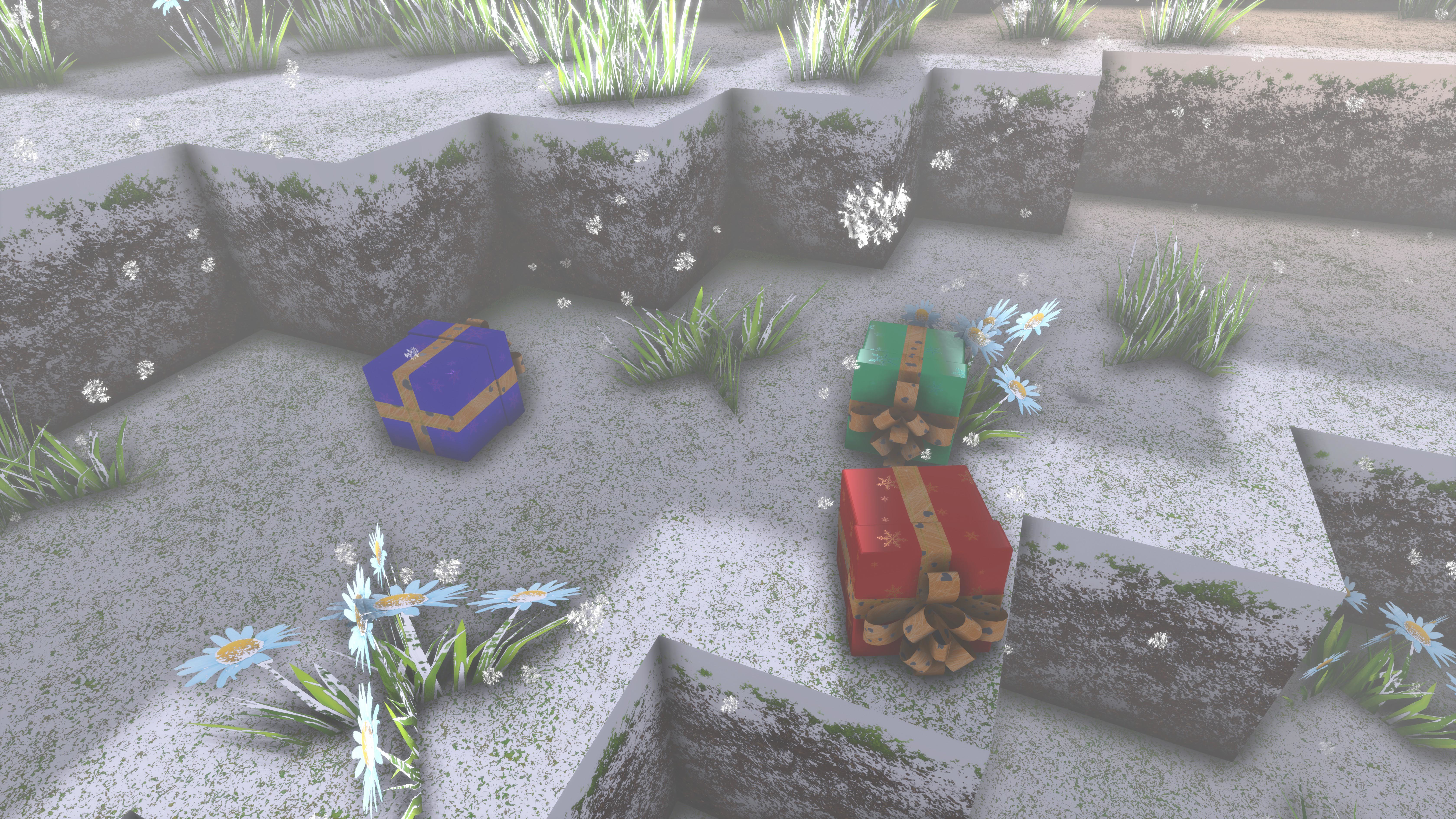
Until December 31, you can find Christmas presents in your cyubeVR world!
Merry Christmas everyone!
Santa flew over your world, and a bunch of Christmas presents fell off his sleigh! Now there's Christmas presents scattered all across your world, and no one will be there to pick them up, unless you find them!
Until December 31, you can find Christmas presents in your cyubeVR world!
Inside of the christmas presents you find items - could be gold, could be rainbow dye, but might also just be normal dye or some coal.
Someone also managed to hide some presents in some of your chests - you have no idea who would do that, but they are there, and you're happy about that!
Let me also use this opportunity to thank you all for being a great community! Thank you to everyone who supported development of cyubeVR in any way this year - that's everyone who bought and played it, or streamed it, or made videos of it, or gave feedback in the Discord, or tested beta builds, or did any modding like creating custom mod blocks, or told other people about it, or wrote a review on Steam, or supported it through Patreon!
Let's mention all the awesome Patreon supporters here too (list sorted by total lifetime donation, highest first):
ChibiArcher, Arados, Ethernoctis, @B4nH4mm3r on Discord, Quill, Lucanes, Lynx, SkgBlaze, ErrorNull, Trevor Berninger, Sceptrex, Bhima, Plantmaster, Altair, KroyVR, Tom Hörberg, Albertbz, David R., Al Raw, David O, Eti the Spirit, Shanya / Sabrina, Saltshine, MightyDuck, VenturePopTV, WillyVR, DiamondHunter_, HeyMika, Austin Flores, gunair, TallOnTwo, Tiddlez, Michael Ballard, M1kk3l, Yasha, WarChi1d, Alphie, Jackerino, Talsma, wherr, Dark Slaughter, Curzek, Lucas van Leiden, mazzawoollza, RelativelyQuantum, Netshaman, Volpe, Dave Pearson, __mt, Bucket Codes, Lordoldmanrets, Daniel Crawford, texhnobees, Saul2000, TinyMrMan (MB), AnubisXtreme, Adrian Sawn, joerkig, MurphChops, Connor A, Solid Hernando, Algiz, nqeron, SingingFluffyUK
Here are two cool screenshots of builds from the cyubeVR community that make sense to showcase here today:
Christmas Tree | Built by: ChibiArcher
A Winter Scene | Built by: Sceptrex
That's all for today, and probably also this year! If you like the game, don't forget to tell other people about it and write a review on Steam if you haven't done that already, even if its just a few words. That's one of the the best christmas presents you can give me :) Thanks for caring about the game and as usual, make sure to report all issues you see and give me as much feedback as possible in the official forums or the official discord server, join it before its full ;) We're over 3700 people there already, come and join us! If you don't like something about the game, tell me there and I'll try to improve it! I'm available to chat with anyone in discord :)
There's also a cyubeVR subreddit available on Reddit, if you're active on Reddit, make sure to subscribe to it and maybe post some great screenshots there!
Update 56 for cyubeVR is live! Much improved trees, huge optimizations and more!
Hey everyone, Update 56 for cyubeVR is live!
This update adds significant VRAM optimizations (over 2 GB less VRAM usage!), RAM optimizations, significant GPU performance optimizations, a much better looking dark tree, new fancy shadows for trees, improved sky colors and a generally much improved sky, plus many more improvements, optimizations and bugfixes!
Let's first take a look at the long list of changes, and after that, let's get into more detail for the biggest changes! Btw, are you in the official cyubeVR Discord yet?
Significantly optimized the VRAM usage of the game, it now needs over 2 GB less VRAM!
Replaced the dark tree model with a better looking one
Added "voxel shadows" below trees, making the area below trees darker, without any performance impact
Significantly changed the color of the sky, it's now way more blue during daytime
Changed the color of light shafts from the sun, they are now less blue and a bit less strong
Significantly optimized RAM usage of the near-infinite view distance system. On large view distances, the game needs many GBs less RAM now
When launching the game, there now is a "Stonebrick Studios" logo first before you enter the main menu
Added new SSAO setting in the "Visuals" tab of the settings
Improved visuals of the tree trunks near the ground, they fade to a dark green at the bottom now, so the transition from grass to tree looks much smoother
When using LIV mixed reality, the hands are now invisible in the LIV view
Significant GPU performance optimizations, especially during night
Optimized the speed of loading the existing view distance when loading a world, it's significantly faster now
Significantly optimized GPU performance of foliage
Improved visuals of the sky, clouds look more interesting and more detailed now.
Improved foliage LOD transitions, they are less noticeable now
VoxelAPI mods like cyubePainter can now correctly remove grass and flowers
The strength of the snow on grass/flowers now matches the strength of the snow on ground around them much better, making it look much more correct
CPU performance optimization for tree spawning
Modified the furnace recipe video, it now zooms into the center to make it easier to see that there is a gap there
Until the player has opened the briefcase at least once, there is now a floating hint text above the left hand that explains how to open the briefcase
Slightly improved the grip position of the hand on the stick
When selecting a torch in the hand, the preview on the hand is now translucent instead of opaque, to make it more clear that it's just a preview for placing it
Fixed rainbow flowers not being visible
Adjusted texture streaming settings, it should no longer happen now that the bucket texture often looks blurry for half a second after enabling the bucket
Added a voice saying "Objective Completed" when succeeding an objective
After the "green arrow" animation finished playing in the objective UI on the currently succeeded objective, it now automatically moves forward one page to display the new objective
When starting a new world, the first objective visible is now the first "real" objective (Radial Menu) and not the always-succeeded objective to open the briefcase
The "Objectives" button in the briefcase UI is now called "Interactive Tutorial" until the first 20 objectives are done, to make it more clear to a new player that it makes sense to pay attention to it at the beginning of the game
Added new screenshots to community screenshot showcase in the main menu
Adjusted the text for the "Recolor torch" objective to explain how a torch can be recolored
Crafting a copper axe and copper shovel will also unlock the objective for stone axe and stone shovel now
Crafting an iron shovel will also unlock the objective for the stone shovel now
Fixed that the chunk mesh optimization code was disabled
Optimized the general save file format, slightly reducing sizes
At the bottom of the crafting recipe list, the game now tells you how much VRAM in total all the custom blocks use
Fixed block items sometimes incorrectly teleporting up while mining something like coal
Fixed that it was possible that when dying, and then respawning far away, the "dead body inventory" was not being saved
Decreased maximum burn time for all non-fuel block items (e.g. copper) from 25 minutes to 2.5 minutes
When it snows, the ambient sounds during day (birds, wind) are now only 5% the regular volume
Updated C++ compiler to latest version
Small improvement of aurora visuals
Slightly reduced the brightness of the grass side texture
After dying, the red "Respawning..." screen now stays active until the chunk around the respawn location is fully loaded
Fixed that dropping a ghost item from a radial menu slot onto a tool in a regular inventory slot created a ghost tool in the radial menu slot
Fixed that trees would often disappear incorrectly after cutting down more than ~4 trees
Fixed that it's possible to walk into/through the furnace and trees, both with smooth locomotion and teleport
Fixed that trees would sometimes stay on the lowest LOD for way too long when using very high view distances
Fixed crash when teleporting far away while standing close to a cactus
Fixed there being an incorrectly rendered grass below every floating recipe paper
Fixed recipe paper instantly disappearing when releasing it immediately after grabbing it
Fixed a possible crash when unloading a tree before it has become visible
Fixed that it was possible to stick an axe backwards into a tree
Fixed typo in objective (if -> is)
Fixed the main menu background sometimes looking too low res
Fixed that the "Torch Flickering" setting did not have any effect on block items
Some other small CPU and GPU optimizations
Fixed a possible crash
Significantly optimized the VRAM usage of the game, it now needs over 2 GB less VRAM!
This is a big optimization!
This is especially impactful because most players use a GPU with 8 GB VRAM and play the game on a Quest 2. Actually, Windows itself often uses ~2 GB VRAM and the Quest 2 requires much more VRAM than using a native SteamVR headset, due to requiring two compositors running at the same time (Oculus + SteamVR) which combined also easily use ~2 GB VRAM for themselves. So that often just leaves ~4 GB that is left to be used by a game then, which means a 2 GB reduction in how much VRAM the game needs is a major improvement for many players!
The VRAM improvements are also almost independent of the ingame settings, even on the lowest possible settings the game will now use almost 2 GB less VRAM than before, without looking any worse.
Additionally, this update also significantly optimizes the RAM usage of the near-infinite view distance system. On large view distances (100 chunks or more), the game needs many GBs less RAM now!
Those VRAM and RAM improvements together look like this in the case of running the game at high settings (All settings mostly at Max, View Distance 100, Terrain Quality "Ultra"), in a large world, comparing the RAM and VRAM usage between Update 55 and Update 56:
VRAM: 8.6 GB -> 6.2 GB RAM: 14.2 GB -> 12.6 GB
Significant improvements to the sky
This update significantly improves the visuals of the sky in multiple different ways.
First, it significantly changes the color of the sky, making it way more blue during daytime. You might think "just a color change?", but it's actually a really major difference to the "average color" you see in the game, since the sky often fills half your view! This change makes the whole game generally feel a bit more happy and uplifting.
Here you can see a Before / After comparison of the sky color:
Before:
After:
The detail of the clouds has also been much improved with this update: Before, the sky often looked a bit boring and blurry, but now, the clouds look way more detailed (not visible on the screenshots above, they both already have the better details active).
New Dark Tree!
The dark tree in the game has been replaced with a completely new, much more detailed model - the previous dark tree didn't quite fulfill the "everything should be super 8K" requirements any more that cyubeVR puts on all it's visuals ;) I think the old dark tree, which has been added to the game in 2016, really would have won the award for the most ugly object in the whole game, so it absolutely was time to replace it with a tree that looks like a proper 2023 high-resolution tree!
Here is a Before / After comparison of the old and new tree:
Update 55 Dark Tree:
Update 56 Dark Tree:
And here's one more Before / After comparison, from a bit further away from the tree:
Update 55 Dark Tree:
Update 56 Dark Tree:
And even though this new tree is way more detailed than the old one, it's actually faster to render than the old one as well! So it's a win-win in every possible way :)
There also is a technical reason for this change: The old tree heavily relied on tessellation to look acceptable, and Unreal Engine 5 actually removes the support for tessellation. So relying on tessellation for visuals is no longer an option once cyubeVR will be updated to Unreal Engine 5, so it's good to start now already with making sure everything looks great with no tessellation.
New shadows below trees
This update adds "voxel shadows" below trees, making the area below trees darker. These shadows are "free" on the GPU since they are calculated on the CPU as part of the chunk update, so they significantly improve the visuals of the game without requiring any more GPU performance! And the CPU-side is so well optimized that the time it takes to calculate them is completely insignficant.
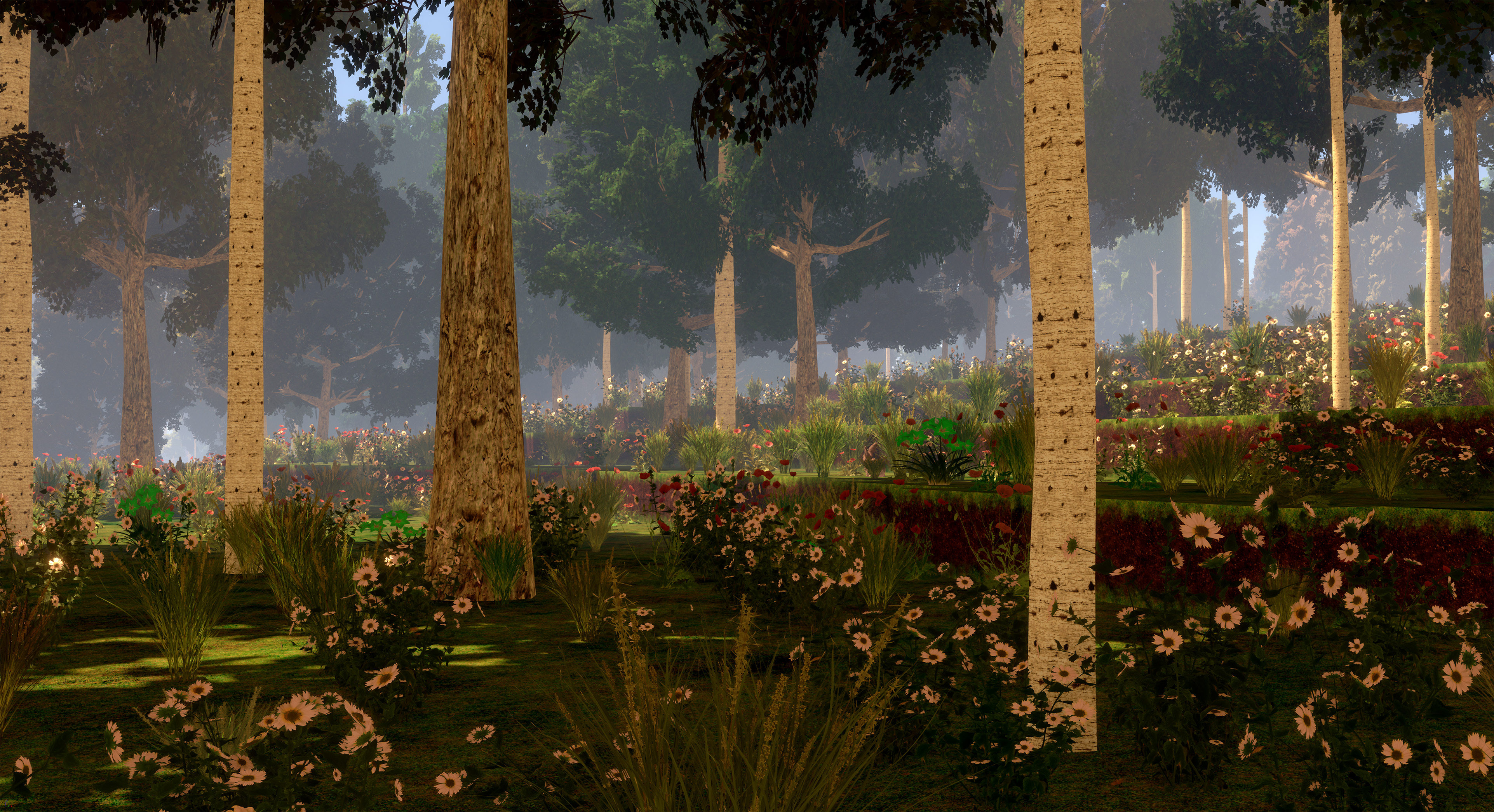
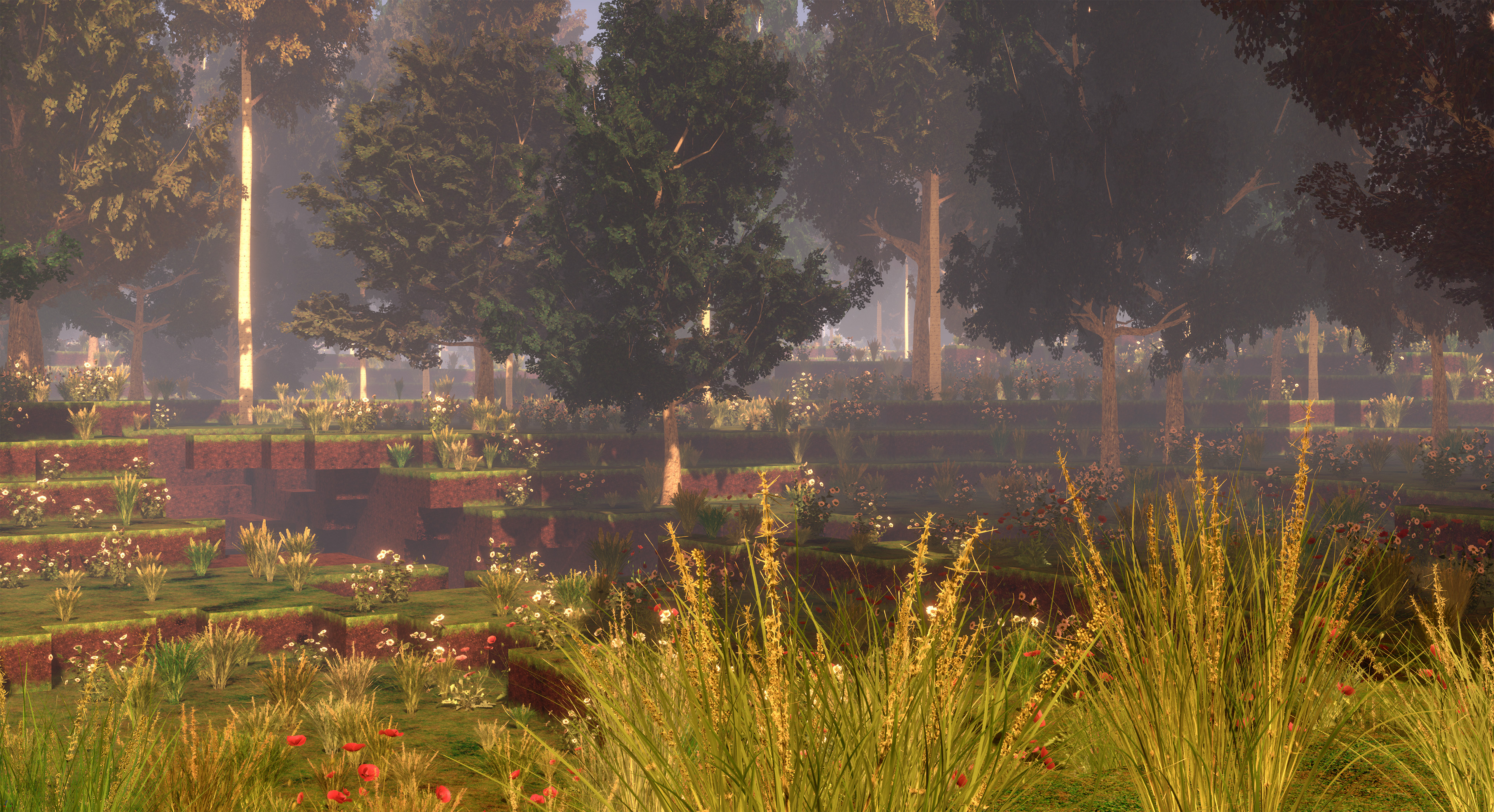
Here you can see a before/after comparison of how the game looked like before, and how it looks like now with the new shadows!
Before:
After:
Independently from the new shadows, the grounding of the trees has also been improved by fading them to the grass color near the ground, which is also visible on the screenshots above already, but here's a comparison where the new shadows are active in both cases and only the improved grounding is compared to better illustrate that (Thanks Mika for making this GIF):
Significant GPU performance optimizations
There generally are many GPU performance optimizations in this update, so you should see cyubeVR run as smoothly and nicely as never before, while also looking better than ever :)
Currently, there is a big focus on optimizations because optimizations are also very beneficial for cyubeVR to run ideally on PSVR2, which will be a great platform for the game: It's the first time that a non-PC platform exists that supports VR and can actually run a very beautiful game like cyubeVR. And cyubeVR should be one of the best looking VR games on PSVR2 as well, just like it is on PC, so it's important that it's as optimized as possible so that the graphics can be set as high as possible!
Of course, PC's with RTX 4090s are still far superior in the performance and visuals they can reach, but not everyone wants to buy such overpriced GPUs, so for many players, the PSVR2 will likely be an ideal platform to play cyubeVR on. A PSVR2 release is planned to happen in 2023! After the PSVR2 release is done, the focus of development will shift from optimizations to more gameplay-oriented features again then.
But here's an interesting statistic that shows that adding more optimizations will always remain important on PC as well: Even now, in the years 2023, over 5.5 years after cyubeVR originally was released on Steam, while the min specs for running the game never significantly increased in all those years, the most often picked reason why people refund cyubeVR on Steam, even if it's overall just a small percentage, is still... that their PC can't run the game with good enough performance. So, let's see how much this big optimization update helps to improve that statistic :)
New screenshots in the community screenshot showcase!
These new screenshots of very cool builds have been added to the community screenshot showcase in the main menu of the game:
Observation Tower | Built by: ChibiArcher
Church | Built by: ChibiArcher
Pixel Art | Built by: ChibiArcher
Village | Built by: Backofen
Castle Area | Built by: Talsma & Community World
New video!
Today is not just the release of Update 56, but also the release of a new video on the official Stonebrick Studios YouTube channel! A video showcasing the amazing reactions from streamers playing cyubeVR. Here's a separate announcement post about the video:
A big thanks to everyone for supporting the development of cyubeVR on Patreon! I'm working full-time on cyubeVR, and it's often quite hard to make a living purely off the Steam sales of the game, so any Patreon Supporter is really worth a lot for the continued development of the game. Thanks so much to all the Patreon Supporters (list sorted by total lifetime donation, highest first):
ChibiArcher, Arados, Ethernoctis, @B4nH4mm3r on Discord, Quill, SkgBlaze, Lucanes, ErrorNull, Lynx, Sceptrex, Trevor Berninger, Tom Hörberg, KroyVR, Bhima, Plantmaster, Altair, Al Raw, David R., David O, Albertbz, Eti the Spirit, Shanya / Sabrina, MightyDuck, Saltshine, WillyVR, VenturePopTV, Austin Flores, DiamondHunter_, HeyMika, TallOnTwo, Tiddlez, gunair, Michael Ballard, M1kk3l, WarChi1d, Alphie, Jackerino, Dark Slaughter, Yasha, Talsma, Curzek, Lucas van Leiden, mazzawoollza, wherr, RelativelyQuantum, Netshaman, Dave Pearson, Bucket Codes, Lordoldmanrets, Volpe, Daniel Crawford, texhnobees, TinyMrMan (MB), __mt, AnubisXtreme, Adrian Sawn, Saul2000, joerkig, MurphChops, Connor A, Algiz, nqeron, Solid Hernando, SingingFluffyUK
Patreon rewards are being mentioned in the list of Patreon supporters in the main menu, getting a special colored name in the official cyubeVR discord, and physical items like a sticker, mug, or T-Shirt with cyubeVR designs.
More awesome new custom blocks
Recently, new awesome custom blocks were added to the cyubeVR Steam Workshop! Let's mention some of them here:
Great new blocks! You can install every one of them with a single button click, and immediately use them for building in the game. Make sure to regularly browse through the Steam Workshop and subscribe to anything you find useful for building in cyubeVR, or easily create your own custom blocks!
And it's also super easy to create your own custom blocks! Did you know there is a super easy to use GUI tool now for creating cyubeVR custom blocks? Everything you need to know about how to create custom blocks you can find here: https://steamcommunity.com/app/619500/discussions/3/1640917625019543783/
And if you want to create more sophisticated mods for the game, that's possible too! Check out this page that explains all the different types of modding possible with cyubeVR: https://github.com/cyubeVR-Modding
As usual, thanks very much to our great beta testers in the official cyubeVR discord who tested this update as part of 25 separate beta builds! If you want to test new features earlier when they come out in the beta branch, make sure to join the discord and take a look at the #beta-build-patch-notes and #beta-build-discussion channel!
That's all for today! If you like the game, don't forget to tell other people about it and write a review on Steam if you haven't done that already, even if it's simply "good game". Writing a positive review is the easiest way you can support the game because indie devs like me are very dependent on the Steam Algorithm recommending the game to new people to be able to afford to keep working on it!
Thanks for caring about the game and as usual, make sure to report all issues you see and give me as much feedback as possible in the official forums or the official discord server, join it before its full ;) We're over 3800 people there already, come and join us! If you don't like something about the game, please tell me there and I'll try to improve it! I'm available to chat with anyone in Discord :)
There's also the official cyubeVR subreddit on Reddit, if you're active on Reddit, make sure to subscribe to it and maybe post some great screenshots there!
Looking forward to hearing what you think about the new update :)
Cheers!
Watch this video of amazing reactions from streamers playing cyubeVR!
Hey everyone!
Today is a great day! Update 56 for cyubeVR will be released in exactly 1 hour from now, but there's not just a new update coming out today, there are two cool things released today! First, there's a really cool new video that was just released on the official Stonebrick Studios YouTube channel.
It ever warms the heart to see streamers find solace and joy in the wondrous worlds of cyubeVR. So let us take a moment to marvel at some of their amazing sincere and awe-stirring first reactions to playing the game! Watch the new video here:
https://www.youtube.com/watch?v=dfjhzuPVWDI
Thank you very much everyone for enjoying the game so much!
And now see you in the next announcement post 1 hour from now that will be all about the awesome new Update 56 :)
Cheers!
Update 55 for cyubeVR is live! New graphics for grass and flowers, and more!
Hey everyone, Update 55 for cyubeVR is live!
This update adds completely new, realistic graphics for the grass and flowers with a whole new system for efficiently rendering them, significant reductions in save file size reducing the required disk space to 1/4 of what it was before, plus many many more improvements, optimizations and bugfixes!
Let's first take a look at the long list of changes, and after that, let's get into more detail for the biggest changes! Btw, are you in the official cyubeVR discord yet?
Completely new realistic graphics for the grass and flowers and completely new system for rendering them
Significantly optimized the save file format of the game, it's now only 1/4 the size as before
Added an optional, much stronger compression algorithm for the WorldData_InstaLoad files, reducing them to 1/4 of their regular size
When you launch the game, there's now a voice saying "Welcome to cyubeVR!". Finally everyone will know how to pronounce cyubeVR ;)
Improved the LOD distances and LOD visuals for trees. LOD transitions of the trees are now significantly less noticeable.
The floating recipe papers in the world now rotate, making them easier to see from different angles
Grabbing recipe papers now looks better. The hands now have a specific pose for grabbing them.
Added a day counter to the "Stats" tab of the settings, showing you how many in-game days have passed in this world since you started playing in it
Updated the Unreal Engine version from 4.27 to 4.27+
Updated the LIV plugin to the latest version
Added a "Gravity Gloves" objective. It's an early objective, before crafting the stone axe
When opening the briefcase for the first time, the default selected tab is now the "Objectives" tab
Free torches are now also affected by the suction of the vacuum bucket
Fixed that crystals, dye, or any other block items could sometimes fall through the world when dropping them with too much speed
Optimized CPU performance of picture frame custom image loading
Optimized CPU performance of chest spawning and despawning
Updated the "Greetings" text in the main menu to no longer recommend to "read through the tutorial", and instead recommend checking out the objectives
The DLSS setting now has the options "Disabled", "Performance" and "Quality"
The "Ultra" option on the "Shadow Quality" setting has been renamed from "Ultra" to "RTX 3090"
Renamed the old "Tutorial" everywhere to "Manual", since the objectives are now supposed to be the interactive tutorial into the game
Fixed Shimmerstone and Starstone not showing any "need better tool" message when trying to mine it with a Stone Pickaxe
Added a hint text when putting a crystal on the head as a mining light, explaining the feature
Fixed the "Cloak a torch" objective only unlocking when cloaking a regular torch and not a colored torch
Fixed that trying to cloak a cloaktorch turned it into bottom stone
Deer now dissolve a few seconds after their touchdown
Added a mention in the respawn torch objective text that respawn torches can also be crafted later
Added a hint text when adding more than 25 items into the upper chamber of the furnace, explaining that any amount over 20 is wasted
Made it so that crafting a copper pickaxe also unlocks the objective for crafting a stone pickaxe now
Crafting two copper pickaxes now also unlocks the objective for crafting two stone pickaxes
Slightly reduced the default music volume
Destroying a cactus now makes the cactus drop green dye
When you overwrite the stick slot or the bow slot for the first time in the inventory, there now appears a hint text explaining that the bow and stick are always available
Improved the moon circle cutout to be less noticeable
Fixed Razer Cortex warning "Continue" button not working
Added code for automatically calculating if it's currently easter. Previously, the easter date was hardcoded
Adjusted the date at which easter eggs spawn: Instead of only between Easter Sunday and Easter Tuesday, it's now between Maundy Thursday and Easter Tuesday
Added new "Dynamic Resolution" setting, allowing to completely disable the dynamic resolution. Only visible if the "Expert Settings" are enabled
Changed the text of the first objective to make it more clear that especially at the beginning the objectives are supposed to serve as an interactive tutorial
A handheld torch now also illuminates grass and flowers correctly
Updated the text on the "Welcome" manual page and replaced the three "First Steps in the Game" manual pages with a single page that just mentions doing the objectives
Being on an unloaded chunk now no longer counts as being "inside of a block" with the fade to green and teleport back to the last free location happening
Fixed the April 1st feature of the game even happening when the deer were dead already, and made it a bit quieter
Added a hint text that comes up when hitting the flint stones against each other with too little speed, explaining to use more speed
Made it possible to grab the flint stones from the furnace with gravity gloves. No more bending down, yay!
Added a "Hint Texts" setting that makes it possible to disable hint texts. VoxelAPI hint texts and the "No free space in inventory" hint are excluded. Only visible if the "Expert Settings" are enabled
Desert grass is now also affected by hand-held torch light
Slightly improved the texture quality of the desert grass
Fixed multiple crashes that could happen when using mods like cyubeGate to teleport very far
Fixed a possible crash
Multiple small CPU performance optimizations
Completely new realistic graphics for the grass and flowers, and new system for rendering them!
There is a new setting in the game now: "Ground Foliage Quality". It offers the options "Basic", "High" and "RTX 4090". If you choose the "Basic" option, the grass and flowers use the old graphics, and do not require any more performance than before - but if you use at least the "High" option, you get the much better looking new grass and flowers, featuring fully realistic looking high-poly photogrammetry meshes with every individual blade of grass being actual real geometry, and an overall higher density of grass in the world!
The better graphics do need slightly more performance, but it's actually only a relatively minor difference, anyone with at least a RTX 2060 or so should enable the much nicer foliage!
Here are some more screenshots of the new grass and flowers:
The new grass and flowers is not just a visual change, it also involves a lot of new code, to make grass and flowers in this quality possible the game needed a whole different foliage rendering system. Before this, grass and flowers were considered "Blocks", while now they are considered "Trees". So they use a totally different rendering system now, which has many advantages (and the disadvantage that it's a lot more complex, so it was a lot of work to implement).
One of the advantages of the new system is that grass and flowers should now work out of the box with Nanite once cyubeVR will be updated Unreal Engine 5 in a future update (yes, that's definitely planned!). With the old system, Nanite support would not have been possible, as Nanite does not support any procedural geometry, so "Blocks" cannot be Nanite. But "Trees" can be!
Significant reductions to save file size
This Update significantly optimizes the regular save file format (The "WorldData" folder). It's now only 1/4 the size as before! This has no downsides, it's simply always more efficient now due to optimizations in the way the data is stored. It's still using the same compression algorithm as always, so it's not in any way slower.
Additionally, there's now an optional, much stronger compression algorithm for the "WorldData_InstaLoad" files, which is where the game stores the data for the near-infinite view distance system, reducing them to 1/4 of their regular size at the cost of world generation taking twice as long. This is useful if you are low on disk space, want to have a very large cyubeVR world, and have a good CPU where world generation speed isn't an issue. Or when you have a world like the "Round Robin Community World" that cyubeVR players in the cyubeVR Discord are playing in (basically asynchronous turn-based multiplayer) where no new world generation is being done anyways and where size matters because it's something people regularly need to download. This new optional stronger compression algorithm is a a per-world option that is disabled by default and can be enabled in a Config.ini file in the world folder.
Easter Eggs!
It's this time of the year again! Every year at this time, there's a special seasonal event going on in your cyubeVR world: The easter bunnies visited your cyubeVR world and hid easter eggs everywhere outside in your world that you can search for now! Some of the easter bunnies even hid easter eggs in some of your chests. And some of the easter bunnies them kept their easter eggs for themselves and will only give them to you once you grab and lift them up in the game!
The easter eggs have been further improved this year, they can can now be collected very nicely with gravity gloves, collecting them is easier, and they contain a bigger variety of items, including the new Starstone, Shimmertiles and Cloaknuggets that were added with the recent Update 53! So make sure to go on a hunt for easter eggs in your cyubeVR world. This special event is active between Maundy Thurday and Easter Tuesday!
Oh, and you might also find some rare colored easter bunnies riding on the back of deer ;)
Thanks very much to all the Patreon supporters!
A big thanks to everyone for supporting the development of cyubeVR on Patreon! I'm working full-time on cyubeVR, and it's often quite hard to make a living purely off the Steam sales of the game, so any Patreon Supporter is really worth a lot for the continued development of the game. Thanks so much to all the Patreon Supporters (list sorted by total lifetime donation, highest first):
ChibiArcher, Arados, Ethernoctis, @B4nH4mm3r on Discord, Quill, SkgBlaze, ErrorNull, Sceptrex, Trevor Berninger, Lucanes, Tom Hörberg, Lynx, Al Raw, KroyVR, David O, Bhima, Plantmaster, Altair, Eti the Spirit, Shanya / Sabrina, MightyDuck, David R., WillyVR, Austin Flores, TallOnTwo, Tiddlez, Saltshine, DiamondHunter_, HeyMika, Albertbz, Michael Ballard, VenturePopTV, M1kk3l, gunair, WarChi1d, Alphie, Jackerino, Dark Slaughter, Curzek, Lucas van Leiden, mazzawoollza, RelativelyQuantum, Netshaman, Talsma, Dave Pearson, Bucket Codes, Lordoldmanrets, Yasha, Daniel Crawford, texhnobees, TinyMrMan (MB), AnubisXtreme, Adrian Sawn, joerkig, MurphChops, Connor A, wherr, Algiz, Volpe, nqeron, Saul2000, __mt, SingingFluffyUK, Solid Hernando
Patreon rewards are being mentioned in the list of Patreon supporters in the main menu, getting a special colored name in the official cyubeVR discord, and physical items like a sticker, mug, or T-Shirt with cyubeVR designs.
More awesome new mods
Recently, two new mods were added to the workshop! Let's mention them here:
If it looks interesting to you, just install it with one click from the Steam Workshop. cyubeVR is highly moddable. If you're interested in creating your own mods for cyubeVR, take a look at this high level modding overview: https://github.com/cyubeVR-Modding/.github/blob/main/profile/README.md#cyubevr-modding-overview
More awesome new custom blocks
New custom blocks were added to the workshop too! Let's mention some of them here:
Great new blocks! You can install every one of them with a single button click, and immediately use them for building in the game. Make sure to regularly browse through the Steam Workshop and subscribe to anything you find useful for building in cyubeVR, or easily create your own custom blocks!
As usual, thanks very much to our great beta testers in the official cyubeVR discord who tested this update as part of 24 separate beta builds! If you want to test new features earlier when they come out in the beta branch, make sure to join the discord and take a look at the #beta-build-patch-notes and #beta-build-discussion channel!
That's all for today! If you like the game, don't forget to tell other people about it and write a review on Steam if you haven't done that already, even if it's simply "good game". Writing a positive review is the easiest way you can support the game because indie devs like me are very dependent on the Steam Algorithm recommending the game to new people to be able to afford to keep working on it!
Thanks for caring about the game and as usual, make sure to report all issues you see and give me as much feedback as possible in the official forums or the official discord server, join it before its full ;) We're over 3800 people there already, come and join us! If you don't like something about the game, please tell me there and I'll try to improve it! I'm available to chat with anyone in Discord :)
There's also the official cyubeVR subreddit on Reddit, if you're active on Reddit, make sure to subscribe to it and maybe post some great screenshots there!
Looking forward to hearing what you think about the new update :)
Happy Easter! Cheers!
Update 54 for cyubeVR is live! Objectives, and more!
Hey everyone, Update 54 for cyubeVR is live!
This update adds 75 objectives to the game, improves the graphics of the night sky and grass, and adds many more improvements, optimizations and bugfixes!
And Merry Christmas! Santa was generous this year, until December 31 you can find christmas presents with valuable items in your cyubeVR world! More about that below.
Let's take a look at the long list of changes first, and after that, let's get into more detail for the biggest changes! Btw, are you in the official cyubeVR discord yet?
Added 75 Objectives to the game!
Added a new achievement for unlocking all objectives
Improved visuals of the stars in the sky, and added a new option on the "Sky Quality" setting
Improved the grass and dirt side texture
Further optimized the view distance fog code, making it ~25% faster
Christmas presents can now also contain Starstones, Shimmertiles and Cloaknuggets
Christmas presents and easter eggs now also support gravity gloves
Improved the visuals of the green "valid crafting recipe" particles.
Made the grass/dirt side texture, and starstone, look better during snow
Added 4 new stats in the "Stats" tab of the Briefcase
Rearranged the order of the stats in the "Stats" tab of the Briefcase
The items in christmas presents now depend on which objectives the player has already unlocked
Added "Razer Cortex" warning to the main menu
Added new INI setting in the Game.ini: WalkingSpeedOverdrive=0
Made bucket flying more smooth
Reduced speed of clouds and aurora in the sky
Added new screenshots to the community screenshot showcase in the main menu
The focus warning is now disabled by default
Moved the "Can't modify world here yet" warning a bit further down, so that it does not overlap
Added C drive space warning to the main menu
Fixed tiling of custom blocks with normal maps
Fixed UI pointer intersection being incorrect on mod widgets
Fixed a crash when DLSS is active
Fixed torch recipe showing the recipe for a cloaked torch, not a normal torch
Fixed torch recoloring not working correctly
Fixed christmas presents and easter eggs behaving a bit weirdly regarding when they can be collected
Fixed cloaked rainbow torch not looking correct
Objectives!
There is a new tab in the briefcase now: "Objectives". One small tab in the briefcase, one giant leap for the game!
So, in this new tab, the game now shows you objectives that you can choose to follow. cyubeVR is a sandbox game that gives you complete freedom to do whatever you want, but there is a certain progression in the game that makes sense to complete, like getting better tools, getting crystals and using them, etc. Sometimes you might feel like you don't quite know what is the next thing to do that would make sense regarding the progression of the game, so that's where these new objectives now come in! They'll give every player from now on a useful sense of direction whenever required.
These objectives are basically also an interactive tutorial, as the first few objectives cover all the basics you need to know about how the important mechanics of the game work.
There are a total of 75 objectives in the game now, starting with the very simple objective of "Open the Briefcase" and ending with much more difficult objectives ;) It will be interesting to see how many players will succeed all the objectives!
There also is a new achievement now that you get when succeeding all the objectives in the game.
Improved visuals of the night sky
Stars in the sky look much prettier now compared to before! Especially on high-resolution VR headsets, it's a massive difference :) Here's an before/after comparison:
Before:
After:
If you set the "Sky Quality" setting to "Low", you still see the old stars. On "Good" and "Best" you see the new stars. So you can compare it yourself in the game and see how much nicer the new stars look!
Christmas Presents!
It's this time of the year again! Every year at this time, there's a special seasonal event going on in your cyubeVR world: Santa flew over your world and gave you a ton of christmas presents that you can find now! Some of Santas helpers even hid christmas presents in some of your chests :)
The christmas presents have been further improved this year, they can can now be collected with gravity gloves, collecting them is easier, and they contain a bigger variety of items, including the new Starstone, Shimmertiles and Cloaknuggets that were added with the recent Update 53! So make sure to go on a hunt for christmas presents in your cyubeVR world between December 18 and December 31!
Oh, and deer also have red noses in cyubeVR during this time ;)
New screenshots in the community screenshot showcase!
These new screenshots of very cool builds have been added to the community screenshot showcase in the main menu of the game:
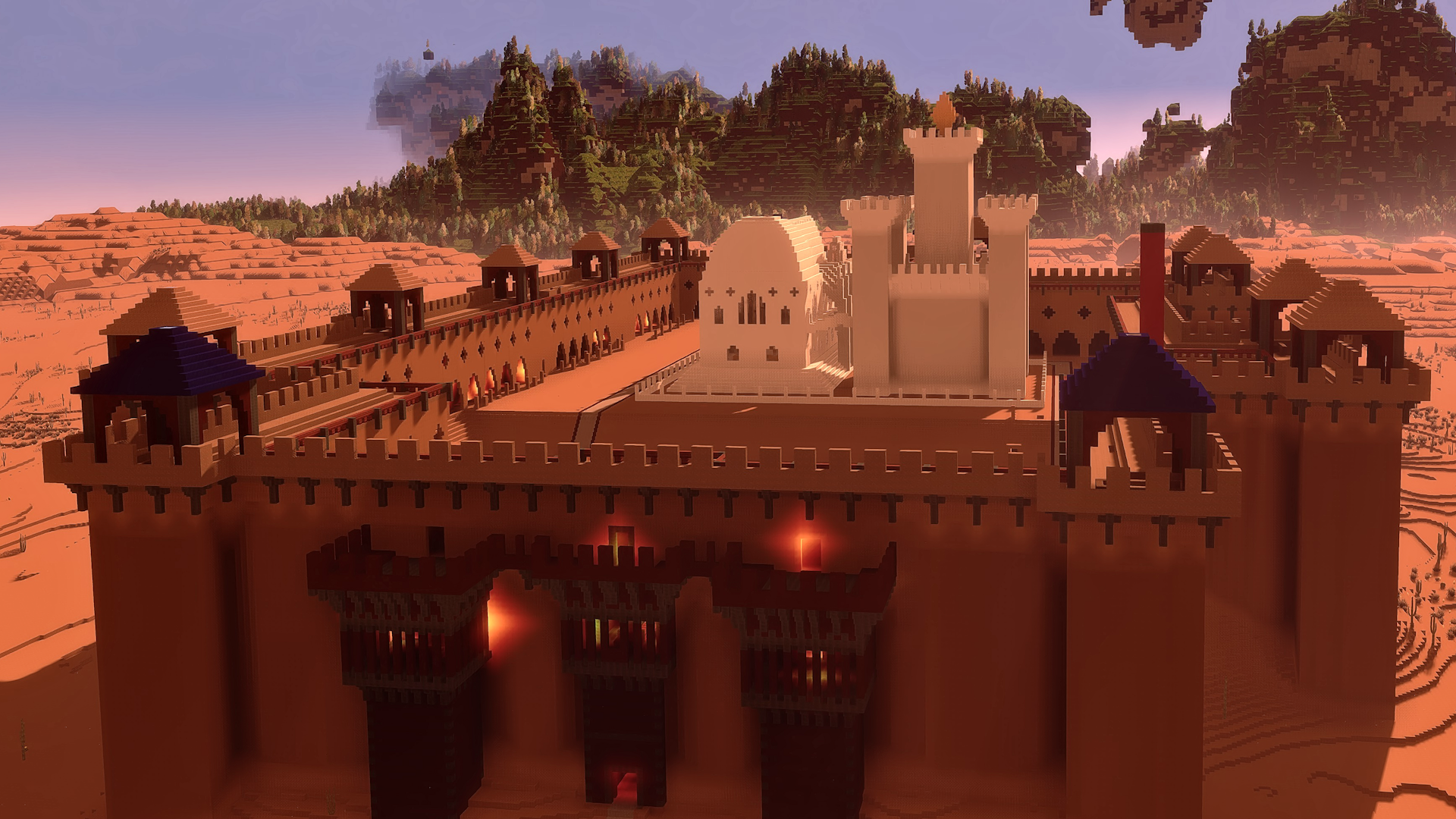
Castle Fort | Built by: Bhima
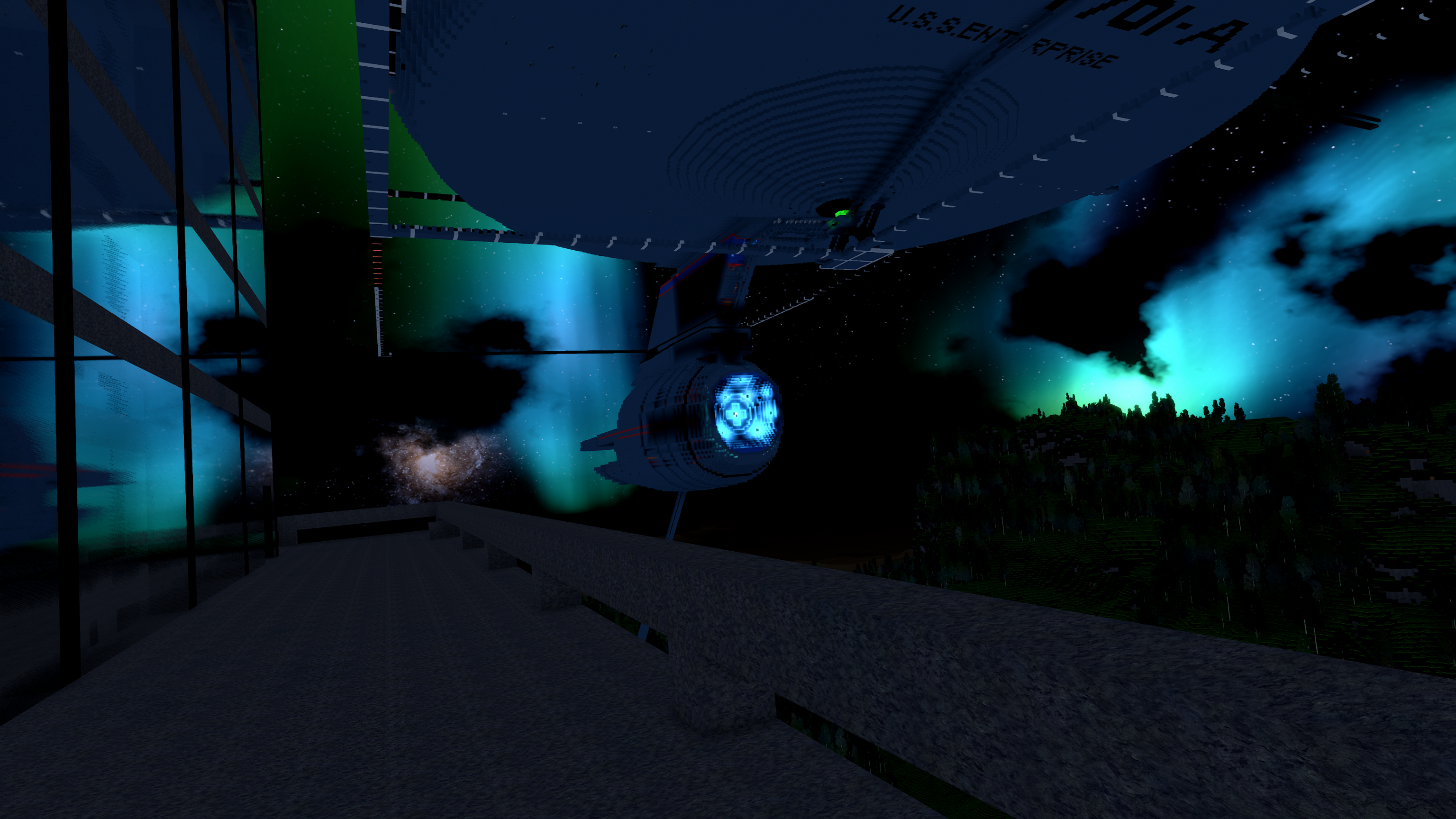
WIP USS Enterprise (1:1 Scale) | Built by: roehrensockel
Divine Tower | Built by: Plantmaster
Lighthouse | Built by: Talsma
Village for the castle | Built by: @Plantmaster
Thanks very much to all the Patreon supporters!
A big thanks to everyone for supporting the development of cyubeVR on Patreon! I'm working full-time on cyubeVR, and it's often quite hard to make a living purely off the Steam sales of the game, so any Patreon Supporter is really worth a lot for the continued development of the game. Thanks so much to all the Patreon Supporters (list sorted by total lifetime donation, highest first):
ChibiArcher, Arados, @B4nH4mm3r on Discord, Quill, SkgBlaze, ErrorNull, Ethernoctis, Trevor Berninger, Tom Hörberg, Sceptrex, Al Raw, Lucanes, David O, KroyVR, Lynx, Shanya / Sabrina, MightyDuck, Eti the Spirit, WillyVR, David R., Austin Flores, TallOnTwo, Bhima, Plantmaster, Altair, Tiddlez, Michael Ballard, DiamondHunter_, HeyMika, Saltshine, WarChi1d, gunair, Alphie, Jackerino, VenturePopTV, Dark Slaughter, M1kk3l, Curzek, Lucas van Leiden, mazzawoollza, RelativelyQuantum, Netshaman, Dave Pearson, Albertbz, Bucket Codes, Lordoldmanrets, Daniel Crawford, texhnobees, Talsma, TinyMrMan (MB), AnubisXtreme, Adrian Sawn, joerkig, MurphChops, Connor A, Algiz, Yasha, SingingFluffyUK, Volpe, wherr, nqeron, Saul2000, __mt
Patreon rewards are being mentioned in the list of Patreon supporters in the main menu, getting a special colored name in the official cyubeVR discord, and physical items like a sticker, mug, or T-Shirt with cyubeVR designs.
More awesome new mods
Recently, one new mod was added to the workshop! Let's mention it here:
If it looks interesting to you, just install it with one click from the Steam Workshop. cyubeVR is highly moddable. If you're interested in creating your own mods for cyubeVR, take a look at this high level modding overview: https://github.com/cyubeVR-Modding/.github/blob/main/profile/README.md#cyubevr-modding-overview
As usual, thanks very much to our great beta testers in the official cyubeVR discord who tested this update as part of 11 separate beta builds! If you want to test new features earlier when they come out in the beta branch, make sure to join the discord and take a look at the #beta-build-patch-notes and #beta-build-discussion channel!
That's all for today, and probably also this year! If you like the game, don't forget to tell other people about it and write a review on Steam if you haven't done that already, even if it's simply "good game". Writing a positive review is the easiest way you can support the game because indie devs like me are very dependent on the Steam Algorithm recommending the game to new people to be able to afford to keep working on it! That's one of the the best christmas presents you can give me :)
Thanks for caring about the game and as usual, make sure to report all issues you see and give me as much feedback as possible in the official forums or the official discord server, join it before its full ;) We're over 3800 people there already, come and join us! If you don't like something about the game, please tell me there and I'll try to improve it! I'm available to chat with anyone in discord :)
There's also the official cyubeVR subreddit on Reddit, if you're active on Reddit, make sure to subscribe to it and maybe post some great screenshots there!
Looking forward to hearing what you think about the new update :)
Merry Christmas and happy new year!
Cheers!
Update 53 for cyubeVR is live! New massive caves, glowing blocks and more!
Hey everyone, Update 53 for cyubeVR is live!
This update adds massive new caves, awesome new glowing blocks to be found in those new caves, cloaked torches for hidden lighting, footstep sounds for the player, native support for bHaptics, and many more improvements!
Let's take a look at the long list of changes first, and after that, let's get into more detail for the biggest changes! Btw, are you in the official cyubeVR discord yet?
Added new cave generation!
Added "Shimmerstone" blocks in the colors Blue, Green, Gold and White
Added "Shimmertile" blocks in the colors Blue, Green, Gold and White
Added "Starstone" blocks in the colors Blue, Green and Gold
Added "Cloakstone", "Cloaknuggets", and "Cloaked Torches" in all colors
Added footstep sounds for the player
Added native support for bHaptics
Added VRAM warning in the main menu, inspired by Half Life Alyx
Improved visuals of the floating recipe papers. Transparent items no longer look invisible on them now.
Made some recipe unlocks be grouped (e.g. finding one colored torch recipe now unlocks all colored torch recipes)
When grabbing a recipe paper and releasing it, it no longer falls to the ground now. Instead, it nicely floats.
Made the save format of the WorldMetadata.important files more robust
Improved UI visuals in the main menu
Fixed block items not correctly getting destroyed after crafting something
Fixed custom blocks icons not being guaranteed to finish loading before starting to load a world
Fixed moving a floating block causing the block to move to some incorrect location
Fixed moving a block on top of dirt away from it not turning the block below not into grass, if there's enough light
The "Save AA Performance" option on "Automatic" is now also automatically enabled by default for anyone playing the game on a Quest 2, saving around 6% GPU performance
Added new screenshots to the community screenshot showcase in the main menu
Fixed underground areas sometimes looking lit when it shouldn't receive any light
Fixed underground caves being full of fog
Improved visuals of the stone texture
Fixed there being dandelions floating around underground
Updated DLSS UE4 plugin to latest version
Added new function to the VoxelAPI: ConsumeBlockItems
Added new VoxelAPI function: SetPlayerViewDirection
Fixed calling VoxelAPI function SetBlock inside of Event_BlockDestroyed or Event_AnyBlockDestroyed not working when very quickly destroying a block multiple times in a row
Fixed repeatedly calling VoxelAPI function GetBlock causing issues with damaging that block
Fixed the Type parameter in the ConsumeBlockItems VoxelAPI function not working
"No free disk space" warning now shows up at 150 MB already instead of 100 MB
Fixed white one-pixel sparkling on blocks in dark areas, which was mostly just visible with DLSS enabled.
In the bottom right corner of the main menu, the game now displays the resolution it's rendering at
Fixed it being possible to click the "Continue last world" button in the main menu more than once, and stuff then looking incorrect
Fixed the "Walking Speed" and "Smooth Turn Speed" settings sometimes not being saved and loaded correctly
The "Crazy", "High" and "Off" bloom options are now only visible if the "Expert Settings" are enabled, as they all look quite ugly, especially with the new caves.
Fixed furnace ingot mold placing not working correctly
Added RTX 4090 to the list of high end GPUs that the game uses to determine default graphics settings
Fixed axe behaving a bit weird shortly after a tree is falling over
Fixed a possible crash
New massive caves with new blocks!
cyubeVR always had caves, but in the past, caves were mostly relatively small and narrow - great for finding resources, but not necesserily impressive on their own. That now significantly changed, cyubeVR is getting much bigger and much more impressive looking caves!
This update adds completely new cave generation to the game, creating giant caves for you to explore. All caves are procedurally generated and fully unique.
Here is a video showing you one of the new caves: https://www.youtube.com/watch?v=qwMOvyjp_aM
The new caves can be very big with complex structures, and also contain 8 completely new blocks: Blue Shimmerstone, Green Shimmerstone, Golden Shimmerstone, White Shimmerstone, Blue Starstone, Green Starstone, Golden Starstone, and Cloakstone.
Shimmerstone is a very pretty block that glows and emits actual light, like a torch, illuminating the area around it. It looks very cool in caves, and it's a great reason for why you want to look for these new caves: To mine some of that new Shimmerstone and use it in your builds! The new Starstone blocks can be found primarily at the ceiling of the new caves, and look really cool too.
There are 4 different overall types of the new caves, with different rarity: Caves with Blue Shimmerstone and Blue Starstone are the most common, caves with Green Shimmerstone and Green Starstone are less common, caves with Golden Shimmerstone and Golden Starstone are even less common, and fully dark caves without any glowing stones are the rarest. Sometimes, you can also find areas where these different types of caves meet, and might contain 2 or even 3 colors at once.
In the deepest of the new caves, no matter the main color of the cave itself, you can find White Shimmerstone close to the bottom of the cave. Also only very deep down you can find the new Cloakstone, an almost invisible block that you can only see when standing right next to it.
Having big caves in the world generation is a big difference compared to before, so there were also some other changes to make this possible in the best way: Before, there sometimes were small lighting issues that caused an underground area to appear lit when it clearly didn't receive any sun light. That's fixed now. You might also remember that looking into a deep cave before, you saw a lot of fog, seemingly lighting the cave up. That's also fixed now. Visuals of regular stone blocks have also been improved a bit. And there are also no dandelions flying around under ground any more, and you can't hear bird sounds underground any more either. So all in all, it's a much improved underground experience in cyubeVR now!
These new caves look amazing in VR, and it's impossible to show on a screenshot or video how cool it feels in VR to walk through one of these new caves. As you probably know, scale in VR always is something that is impossible to represent well on a flat screen, it feels so much more impressive in VR!
The already previously existing "small" caves still exist, those were not changed. The new caves are an addition, not a replacement. They are rarer than the "small" normal caves, but some of the small and narrow caves might now lead into the new big caves.
If you already have a cyubeVR world, then to find the new caves, you need to walk to still unexplored terrain. Any newly generated terrain will contain the new caves, you don't need to create a new world.
Shimmertiles
While the new Shimmerstone blocks already look great on their own, you can also use them to craft additional new blocks, called Shimmertiles!
There are Blue Shimmertiles, Golden Shimmertiles, Green Shimmertiles and White Shimmertiles. The difference between Shimmerstone and Shimmertiles is that Shimmertiles look less organic, they're a more fully glowing block, so potentially more fitting for building. They also cast stronger light than the equivalent Shimmerstone. The White Shimmertile block is especially useful, because it's the first time you can actually have fully white light in the game! A "white" torch never existed, and while you could mix multiple torch colors to get "White", it wasn't fully white on the edges of the light.
With White Shimmertiles, there is now a block that casts fully white light in a quite large radius.
Cloakstone and Cloaked Torches
As mentioned above, one of the new blocks you can find in the great new caves is Cloakstone. Cloakstone is almost completely invisible, unless you are very close to it. So you will pretty much only find it by walking into it while exploring one of the new caves.
When you mine a Cloakstone (needs an Iron Pickaxe), you get two Cloaknuggets. Those also are almost invisible. These Cloaknuggets you can use to craft 5 new torches, or convert existing torches into these: A regular Cloaked Torch, a Blue Cloaked Torch, a Red Cloaked Torch, a Green Cloaked Torch, and a Rainbow Cloaked Torch! To get a Cloaked Torch, you can simply put a Cloaknugget into an existing torch. It will then become cloaked. You can also directly craft Cloaked Torches with new recipes.
Cloaked Torches are very cool, because they are almost invisible: Only when standing directly next to them you can see them. They act exactly the same as regular torches, apart from the fact that they are pretty much invisible. So they are super useful for if you want to light up something in your build without any torches being visible!
A Cloaked Torch can also be converted back into a regular torch by putting colored or white dye into it.
Native bHaptics support
This update adds native support for bHaptics! If you have a bHaptics vest or arm or feet haptics, they should automatically work in cyubeVR now.
There are haptics for placing blocks, teleporting, shooting the bow, falling, being on low health, dying, and of course, most importantly, for mining. Now you can really feel the pickaxe in your arms and shoulders!
Footstep sounds
This update also adds footstep sounds for the player, depending on what type of ground you walk on. For some reason, the player never had footstep sounds in cyubeVR before - it's very surprising, but in the past few years, no one seemed to ever ask for footstep sounds, that's why it was never even considered that it might be a good idea to add them. It definitely improves immersion to have them, so now they exist!
VRAM Warning
This is a new feature that will help a lot of players to have better performance in the game, inspired by Half Life Alyx, which is doing the same thing: In the main menu, the game now shows you a well visible warning below the main UI if you have background software running that uses a significant amounts of VRAM (GPU Memory), and tells you that that will likely reduce performance in the game.
If there are any processes that use a lot of VRAM, the game even tells you exactly which processes that are. For example, if you have Firefox running in the background, which is one of the most problematic programs in that regard, you will now most likely see the game telling you about Firefox using significant GPU resources in the background, and suggest you to close that for best performance. A lot of VR players don't know how much having Firefox or Chrome open in the background can actually hurt performance, so this will help to prevent a lot of players from wondering why the performance in the game is a lot worse than it should be on their hardware!
New VoxelAPI functions
If you are a modder using the VoxelAPI to create mods for cyubeVR, then there are two new functions available for you now: ConsumeBlockItems and SetPlayerViewDirection. For more information about the VoxelAPI, check out the VoxelAPI GitHub repo: https://github.com/sbsce/cyubeVR-VoxelAPI-Modding
Thanks very much to all the Patreon supporters!
A big thanks to everyone for supporting the development of cyubeVR on Patreon! I'm working full-time on cyubeVR, and it's often quite hard to make a living purely off the Steam sales of the game, so any Patreon Supporter is really worth a lot for the continued development of the game. Thanks so much to all the Patreon Supporters (list sorted by total lifetime donation, highest first):
ChibiArcher, Arados, @B4nH4mm3r on Discord, Quill, ErrorNull, SkgBlaze, Trevor Berninger, Tom Hörberg, Ethernoctis, Sceptrex, Al Raw, Lucanes, David O, Shanya / Sabrina, KroyVR, MightyDuck, Lynx, Eti the Spirit, WillyVR, David R., Austin Flores, TallOnTwo, Tiddlez, Bhima, Plantmaster, Altair, Michael Ballard, DiamondHunter_, HeyMika, WarChi1d, Alphie, Saltshine, Jackerino, gunair, Dark Slaughter, VenturePopTV, Curzek, Lucas van Leiden, M1kk3l, mazzawoollza, RelativelyQuantum, Netshaman, Dave Pearson, Bucket Codes, Lordoldmanrets, Daniel Crawford, texhnobees, Talsma, TinyMrMan (MB), AnubisXtreme, Adrian Sawn, Albertbz, joerkig, MurphChops, Connor A, Algiz, Yasha, SingingFluffyUK, Volpe, Saul2000
Patreon rewards are being mentioned in the list of Patreon supporters in the main menu, getting a special colored name in the official cyubeVR discord, and physical items like a sticker, mug, or T-Shirt with cyubeVR designs.
More awesome new mods
Recently, more new mods were added to the workshop! Let's mention them here:
If any of them look interesting to you, just install them with one click from the Steam Workshop. cyubeVR is highly moddable. If you're interested in creating your own mods for cyubeVR, take a look at this high level modding overview: https://github.com/cyubeVR-Modding/.github/blob/main/profile/README.md#cyubevr-modding-overview
More awesome new custom blocks
Many new custom blocks were added to the workshop too! Let's mention some of them here:
So many awesome new blocks! You can install every one of them with a single button click, and immediately use them for building in the game. Make sure to regularly browse through the Steam Workshop and subscribe to anything you find useful for building in cyubeVR!
If you're interested now in creating your own custom blocks for cyubeVR, here you can find a tutorial about how to create custom blocks for cyubeVR - as long as you are familiar with using any image editing software, it's a really fun and easy process! https://steamcommunity.com/app/619500/discussions/3/1640917625019543783/
As usual, thanks very much to our great beta testers in the official cyubeVR discord who tested this update as part of 30 separate beta builds! If you want to test new features earlier when they come out in the beta branch, make sure to join the discord and take a look at the #beta-build-patch-notes and #beta-build-discussion channel!
That's all for today! If you like the game, don't forget to tell other people about it and write a review on Steam if you haven't done that already, even if you just write "good game". Writing a positive review is the easiest way you can support the game because indie devs like me are very dependent on the Steam Algorithm recommending the game to new people to be able to afford to keep working on it!
Thanks for caring about the game and as usual, make sure to report all issues you see and give me as much feedback as possible in the official forums or the official discord server, join it before its full ;) We're over 3700 people there already, come and join us! If you don't like something about the game, please tell me there and I'll try to improve it! I'm available to chat with anyone in discord :)
There's also the official cyubeVR subreddit on Reddit, if you're active on Reddit, make sure to subscribe to it and maybe post some great screenshots there!
Looking forward to hearing what you think about the new update :)
Cheers!
Update 52 for cyubeVR is live! Great new dynamic view distance fog, and more!
Hey everyone, Update 52 for cyubeVR is live!
This update adds a really cool new dynamic view distance fog system that also results in the default view distance being increased from 20 to 50, significantly improved world generation speed on slow CPUs, rendering fixes for Pimax headsets, plus many other significant improvements and bugfixes.
Let's take a look at the long list of changes first, and after that, let's get into more detail for the biggest changes!
Added a really cool dynamic/intelligent view distance fog
Increased the default view distance from 20 to 50. Thanks to the new view distance fog system, this is now possible!
Significantly improved the initial world generation speed on slower CPUs
The dark mode in the main menu is now the default!
Fixed rendering issues with running the game on a Pimax headset on "Normal" or "Large" FOV
Improved tree spawning, it was too noticeable before
Fixed it being possible to type in a world name including characters that aren't allowed by windows for folder names, causing a crash
Fixed the "time until first weather change after generating a new world" not working correctly
Increased the time until the first weather change after creating a new world from 16 minutes to 25 minutes
Updated list of high-end GPUs where the game automatically chooses higher default graphics settings
Fixed crafting recipe detection sometimes being a bit too generous (e.g. 4x1 copper being detected as a wall mount)
Fixed typo in welcome text
Made the crystal symbol on the smoothbrain statue a bit easier to see
Fixed it being possible to sometimes have duplicate flint stones on a furnace
Fixed a possible bug in the tree loading/saving code
Fixed custom blocks that are uploaded to the workshop not automatically getting the "All custom blocks", "Glowing" or "Animated" label if they should
Improved the text on the "can't modify world here yet" warning message
Improved rotation of hint texts
Fixed the music mute button in the main menu being almost invisible when the dark mode is enabled
Improved the colors of the buttons in the "Start new world" tab in the main menu in dark mode
Fixed a possible crash
Fixed a possible VoxelAPI crash while loading a world
Fixed a crash that could very rarely happen while just walking around
Some CPU optimizations
Added new VoxelAPI functions: SpawnHintTextAdvanced and DestroyHintText
Added new VoxelAPI function: GetWorldSeed
Added new VoxelAPI function: GetThisModGlobalSaveFolderPath
Fixed the bool CreatedNewWorld being incorrectly inverted in the VoxelAPI
Fixed the VoxelAPI function GetGameVersionNumber returning incorrect value when the version number did not include a minor version
Improved crash message when VoxelAPI mod tries to do something with a block at a Z coordinate outside of 0-799
New dynamic view distance fog system!
As you probably know, cyubeVR has a really cool near-infinite view distance system - you can see for miles, while still having great performance. But to be able to see an area of your world, you actually need to have explored that area first. When you start a new world, you start with having no parts of the world explored of course - so your view distance slowly grows bigger over time as you explore more of the world.
Previously, if you set your view distance to some high settings to make full use of the near-infinite view distance system (which you should!), without actually having explored much of the world yet, then you would see clearly visible chunk edges that were not really pretty. Leaving the view distance on a low setting like 20 would mean you don't see any chunk edges, because there's a view distance fog exactly at 20 chunks away from you, but it would also mean you don't benefit from a nice high view distance. Setting the view distance high meant you benefit from the nice view distance, but with clearly visible chunk edges, because the view distance fog would then be e.g. at 200 chunks away, far behind the actually generated chunks. So in practice, there wouldn't be any fog to nicely hide the chunk edges. The only way to have it look perfect before was to set the view distance high *and* also explore the whole area within the view distance, so that no chunk edges were visible any more. But exploring a whole view distance of 200 takes quite a long time, so in the meantime, it would not look best.
And that wasn't ideal of course!
Now, with Update 52, cyubeVR gets a way better dynamic view distance fog system that dynamically puts the view distance fog exactly at the place where you have explored the world so far - so no matter if you put the view distance at 20 or at 200, the transition at the end of the so-far explored world always looks great.
Here are two screenshots to make it clearer.
This is how it looked like with Update 51, if you set the view distance to 200, while only having explored a small part of that 200 view distance:
And this is the exact same view with Update 52, still having the view distance set to 200:
You see, it looks much nicer now! And that's just a static comparison - the new view distance fog system also looks much nicer regarding how new chunks are "uncovered" as you walk around and explore terrain - you usually never see chunk edges any more, and it all looks much more natural and realistic. A big improvement to the overall graphics of the game!
And thanks to this new dynamic view distance fog, the default view distance in cyubeVR was now increased from 20 to 50 - previously, 50 would look worse than 20 while only having actually explored 20, which is the case for every new player who just starts the game. So that was the only reason why the default view distance was at 20 - thanks to how optimized everything in cyubeVR is, there actually is no relevant performance difference at all between 20 and 50, so contrary to what a lot of people might expect, performance actually was not the reason why the default is just 20! But now, 50 looks just as good as 20 while having explored only 20, and 50 will automatically start looking much cooler than 20 once a new player has explored some more areas. So it's way nicer now :)
Much faster initial world generation speed on slow CPUs!
cyubeVR has some very pretty procedural terrain generation, everyone is always impressed what the generation in cyubeVR can come up with - but it comes at a cost, being that it's quite heavy to calculate. On modern CPUs that's not a problem, you never notice it being slow, it's all instant - But on older CPUs, CPUs from like 8 years ago or so, you can notice it being quite slow. The cyubeVR min spec reflects that you need a reasonably good CPU to run cyubeVR nicely ("AMD Ryzen or Intel CPU, from 2014 or later with at least 6 threads").
With this update, the initial world generation speed using slow CPUs has been much improved. This only affects the initial world generation speed, and only slow CPUs. On modern CPUs, it was already almost instant, so not much could be improved there. To see how much Update 52 improves the speed on old CPUs, I have emulated a very slow CPU, far below the min spec of the game, and the result was that with Update 51 it took 12 minutes to generate a new world, and with Update 52 it only takes 50 seconds. So that's a big improvement! Of course, I would still not recommend that you try to play cyubeVR on a CPU below the minimum spec. cyubeVR is much more enjoyable if you play it on the hardware it's supposed to be played on, always check the min spec of a game on the Steam page before buying a game!
The dark mode in the main menu is now the default!
For quite a while, cyubeVR had both a light mode and a dark mode in the main menu. The default has always been the light mode. Recently, I did a poll in the cyubeVR discord, asking people the question "Do you prefer the light mode or the dark mode of the cyubeVR main menu? Which looks better?". The result of that poll was 9 votes in favor of the light mode, and 148 votes in favor of the dark mode. That's a very clear result! So, with that poll result, I didn't have to think much - the dark mode has now been made the default option in the main menu of cyubeVR!
Another great cyubeVR video from Habie!
Let's also mention here that habie147 made another great cyubeVR video, showing the nice smoothbrain statue that has been added with Update 51. Thanks very much to him for showing cyubeVR again!
https://www.youtube.com/watch?v=Z-1jl1FrAOI
Thanks very much to all the Patreon supporters!
A big thanks to everyone for supporting the development of cyubeVR on Patreon! I'm working full-time on cyubeVR, and it's often quite hard to make a living purely off the Steam sales of the game, so any Patreon Supporter is really worth a lot for the continued development of the game. Thanks so much to all the Patreon Supporters (list sorted by total lifetime donation, highest first):
ChibiArcher, Arados, ErrorNull, @B4nH4mm3r on Discord, SkgBlaze, Tom Hörberg, Quill, Al Raw, Sceptrex, Shanya / Sabrina, Lucanes, David O, KroyVR, Trevor Berninger, Ethernoctis, WillyVR, MightyDuck, Austin Flores, Lynx, Tiddlez, David R., Eti the Spirit, WarChi1d, Alphie, Jackerino, DiamondHunter_, HeyMika, Dark Slaughter, gunair, Bhima, Plantmaster, Altair, Michael Ballard, Curzek, Lucas van Leiden, mazzawoollza, RelativelyQuantum, Saltshine, Netshaman, VenturePopTV, Dave Pearson, Bucket Codes, Lordoldmanrets, Daniel Crawford, texhnobees, TinyMrMan (MB), Adrian Sawn, joerkig, M1kk3l, MurphChops, Connor A, Talsma, Algiz, AnubisXtreme, Yasha, SingingFluffyUK, Albertbz, Volpe
Patreon rewards are being mentioned in the list of Patreon supporters in the main menu, getting a special colored name in the official cyubeVR Discord, and physical items like a sticker, mug, or t-shirt with cyubeVR designs.
More awesome new mods
Recently, more new mods were added to the workshop! Let's mention all of them here:
cyubeVR is highly moddable. If you're interested in creating your own mods for cyubeVR, take a look at this high level modding overview: https://github.com/cyubeVR-Modding/.github/blob/main/profile/README.md#cyubevr-modding-overview
More awesome new custom blocks
Recently, more new custom blocks were added to the workshop! Let's mention some of them here:
You can install every one of them with a single button click, and immediately use them for building in the game. Make sure to regularly browse through the Steam Workshop and subscribe to anything you find useful for building in cyubeVR!
If you're interested now in creating your own custom blocks for cyubeVR, here you can find a tutorial about how to create custom blocks for cyubeVR - as long as you are familiar with using any image editing software, it's a really fun and easy process! https://steamcommunity.com/app/619500/discussions/3/1640917625019543783/
As usual, thanks very much to our great beta testers in the official cyubeVR discord who tested this update as part of 13 separate beta builds! If you want to test new features earlier when they come out in the beta branch, make sure to join the discord and take a look at the #beta-build-patch-notes and #beta-build-discussion channel!
That's all for today! If you like the game, don't forget to tell other people about it and write a review on Steam if you haven't done that already, even if you just write "good game". Writing a positive review is the easiest way you can support the game because indie devs like me are very dependent on the Steam Algorithm recommending the game to new people to be able to afford to keep working on it!
Thanks for caring about the game and as usual, make sure to report all issues you see and give me as much feedback as possible in the official forums or the official discord server, join it before its full ;) We're over 3500 people there already, come and join us! If you don't like something about the game, please tell me there and I'll try to improve it! I'm available to chat with anyone in discord :)
There's also the official cyubeVR subreddit on Reddit, if you're active on Reddit, make sure to subscribe to it and maybe post some great screenshots there!
Looking forward to hearing what you think about the new update :)
Cheers!
Update 51 for cyubeVR is live! Super powerful modding support and more!
Hey everyone, Update 51 for cyubeVR is live!
This update adds super powerful new modding capabilities like a native modding API and native support for UE4 mods, including Steam Workshop support, categories for custom blocks, an update to the latest Unreal Engine 4 version, a really cool craftable smoothbrain statue in honor of habie147, much improved performance with LIV, and many other significant improvements, like being able to grab rabbits and geckos with gravity gloves!
Let's take a look at the long list of changes first, and after that, let's get into more detail for the biggest changes!
Awesome new modding feature: Added native UE4 blueprint modding support
Awesome new modding feature: Added a native modding API, the VoxelAPI
Awesome new modding feature: Added Steam Workshop support for both new types of mods
Awesome new modding feature: Added categories for custom blocks
Awesome new modding feature: Added ability for mods to show their own tutorials in the list of tutorials in the game
Added an awesome smoothbrain statue that can be crafted, in honor of habie147 (see below for more details!)
Updated Engine to the latest UE4 version (4.27)
Gravity gloves now work on rabbits and geckos. It's an amazing feature.
Updated the LIV plugin to the newest version, hugely improving performance of LIV
Improved gravity gloves, they now always prefer objects in line of sight over those out of sight
Some improvements to the "Manage Mods" menu
The crafting type indicator on the bucket now also works with custom blocks
Added some light haptic feedback that indicates when you can drop an item behind the shoulder
Updated DLSS plugin to latest version
Switched to using Clang instead of MSVC as the C++ compiler for the whole game
Updated SQLite library to latest version
Added a new graphics setting: "Placed Torch Brightness"
Tools now no longer pass through animals
Added three new possible options to the Properties.json for custom blocks
Added ability to make a custom block that can't be crafted
Added new SimilarTo value 4 for custom blocks
Adjusted the "Terrain LOD Quality" setting, the old "Ultra" is the new "Normal", and the old "Normal" is the new "Low".
Improved sharpness of block textures
Small GPU performance optimization
Added the ability to make the game crash by pressing Shift+Ctrl+Win+Alt+C
Made the sound effect when dropping an item into a chest audible from a bit further away
Added version number to the top left of the briefcase
Slightly improved the lighting on the dandelion seeds in the air
Improved wording on the "Crafting" tutorial page
Slightly increased outline size on font on the main 4 briefcase buttons
Fixed movement of animals not always working correctly
Fixed crash when dying before walking around enough in the world
Fixed the funny april fools feature in cyubeVR not working
Fixed main menu buttons not always being guaranteed to all be visible
Fixed a bug that could in theory have caused a crash
Fixed a small bug with custom block texture import code that usually wasn't noticeable
Fixed "You need better tool to mine this" message coming up when trying to destroy bottom stone
Fixed a possible crash when leaving the world within less than a second of mining a block
Fixed a possible crash when placing thousands of blocks at once (basically only happening when using the Voxel API)
Fixed game often crashing when closing it ungracefully
Fixed bug with weather saving/loading
Fixed chunks-not-updating bug that could be triggered by VoxelAPI mods
Fixed dragging out items or tools from radial menu slots or shoulder slots sometimes turning custom blocks in regular inventory slots into invalid blocks
Fixed it being possible to duplicate an item by dragging it out of a radial menu slot or shoulder slot
Fixed dirt blocks placed with crystal assisted block placement sometimes turning into grass blocks where they should logically be dirt and not grass
Fixed "Distance Tree Shadows" setting not always correctly being force-disabled when view distance is over 50
Fixed glass blocks sometimes staying visible after being destroyed
Fixed visible delay with spawning trees when generating terrain
Fixed it being possible to "get stuck" with smooth locomotion and having to teleport to be able to move again
Fixed multiple crashes
Some CPU optimizations
Super powerful new modding features!
It's probably fair to say, this is the most game-changing update ever for cyubeVR so far. cyubeVR now supports so much modding that it's possible to turn the game into basically anything, and a lot of modders have created awesome mods already!
As you probably know, before this Update, cyubeVR supported custom blocks, with custom recipes, that could easily be shared through the Steam Workshop. But that was quite limited "modding" - it did not allow for anything more complex than blocks to be made. And that's hugely changing now with Update 51!
Starting with this Update, cyubeVR now officially supports all the modding. There is a new native modding API, the VoxelAPI, for easily interacting with the voxel world through a simple easy-to-use API. Additionally, there is now full native support for Unreal Engine Blueprint mods that can add basically anything to the game. That's two completely new, separate ways of modding the game, depending on the type of mod you want to make, and your skills. And of course, there's also Steam Workshop support for these new types of mods, so you can easily install any mod with one single click!
Before we look in more detail at the new types of modding that are supported now, let's start with showing you a list of all the mods that have already been created by modders using the beta build of the game, and are ready to be used by everyone with Update 51 now. It's a really impressive list already!
Wow! Update 51 hasn't even been out yet, and so many awesome mods have been created already by modders using the beta build of the game! It's really amazing to see how well the reception of the new modding features has been.
Many of these mods are super powerful, and completely game-changing for players who are interested in those features.
To mention just three examples of how game-changing these mods are:
It was not possible before in cyubeVR to quickly remove or copy/paste a whole mountain for some giant build you want to do - but now, thanks to the super powerful world editing tools of cyubePainter, being able to do that is just one click on the Steam Workshop away
For a long time, one of the most requested features in cyubeVR has been adding enemies - that's still planned as a native feature of course, but now in the meantime, thanks to the Enemy Mod, having enemies to fight is also just one click on the Steam Workshop away
The world in cyubeVR is infinitely big, but if you wanted to have multiple builds 20 km apart from each other, it would take you like an hour of walking ingame to move between them, so few people built anything really far away - now with cyubeGate, you can simply put such a teleport gate between the two locations, and almost instantly move between them. What a difference!
And that's just three of the mods from the list above. Every one of those mods is definitely worth trying out.
Installing mods is super easy - the cyubeVR Steam Workshop now has a list of tags on the right, where you can easily choose between only seeing custom blocks, or only seeing mods that aren't just custom blocks. And of course, if you prefer to not use the Steam Workshop and instead want to manually download a mod from some random place in the internet, that works too, by simply downloading it from any source you want and it extracting it manually into the [GameInstallDirectory]/cyubeVR/Mods/ModFolders/ folder.
But how does the modding actually work?
Now that we talked about all the cool mods that have been made already, let's get a bit more technical and talk about what kind of modding features exactly have actually been added to the game now with Update 51?
If you want to make your own mods, it's important to understand that there are now three totally separate types of "mods" you can make for cyubeVR, each requiring different skills, and best suited for different types of mods:
Custom Blocks
Custom blocks are the simplest type of modding you can do in cyubeVR, and they existed before Update 51 already - creating blocks with custom textures and custom recipes, that can be used the same like any other block in the game. Update 51 added some additional features for custom blocks to give modders more control, but overall, this works the same as before.
Making a custom block is very easy, it requires no programming at all. If you know how to use any image editing software, you can create a custom block! If you are primarily an artist and not a programmer, this is exactly for you!
Starting with Update 51, cyubeVR now has a native modding API, called the VoxelAPI. It is an easy-to-use API for interacting with the voxel world in cyubeVR. Placing blocks, removing blocks, teleporting the player to some location, damaging/healing the player, any similar things. With the VoxelAPI, you can easily create any mod that is "block based". Want to generate custom ores in the ground? VoxelAPI! Want to procedurally generate a whole castle when the player places one block? VoxelAPI! Want to create a minigame with blocks that spawn around the player? VoxelAPI!
To create a VoxelAPI mod, knowing how to create custom blocks is very useful, most VoxelAPI mods will also contain one or multiple custom blocks. To create VoxelAPI mods, you should know at least some programming - which programming language you know isn't too important and importantly, you do not need to know how any game engine works. As long as you know the basic concepts of programming, you will be able to create a VoxelAPI mod, it's all designed to be very easy to understand.
The majority of the mods mentioned above in the list are VoxelAPI mods: cyubePainter, Cloud Walker, cyubeGate, or the Creative Menu are examples for VoxelAPI mods.
One of the super cool things about the VoxelAPI is that the API is specifically setup so that any existing VoxelAPI mod will stay compatible with the game forever, even if the mod is abandoned by the author and never gets updated for newer game versions. Also, due to how the API is setup, a VoxelAPI mod can't decrease the performance of the game, even if it accidentally calculates 10 trillion digits of PI every second in its code. The VoxelAPI is a fully stable and backwards-compatible API - API calls will never be removed or change, to ensure every mod always keeps working without any changes from the mod-authors required. It is a native API, so it's the job of the game itself to ensure that every VoxelAPI mod always keeps working.
Unreal Engine 4 Blueprint Modding
Starting with Update 51, cyubeVR now also natively supports Unreal Engine 4 Blueprint (UE4 BP) Modding. This is the most powerful type of modding supported in cyubeVR. With UE4 BP Modding, you can create basically anything that you can make in UE4 and make it work inside of cyubeVR! Want to spawn your own enemies into the game? UE4 BP Mod! Want to make the deer play a nuclear explosion instead of the normal fireworks when they explode? UE4 BP Mod! Want to add driveable tanks into cyubeVR? UE4 BP Mod!
UE4 BP Modding is extremely powerful, but requires you to need to know at least the basics of how to use Unreal Engine 4, the game engine that cyubeVR is made with. UE4 BP Modding can also be combined with VoxelAPI modding - for example, you can make a VoxelAPI Mod spawn a particle effect or a sound effect from a UE4 BP Mod.
Here you can find a YouTube playlist that explains how to get started with UE4 BP Modding in cyubeVR. Those videos have been created by Buckminsterfullerene, who has actually been the driving force behind adding this type of modding to cyubeVR. I did not even know such native UE4 modding support would be possible before Buckminsterfullerene pointed it out and explained what functionality exactly needs to be added to the game for modders to be able to nicely use this. UE4 BP modding is super powerful, but that also makes it quite complex, and the native support of the game to load mods alone does not do much if the things required for making such mods in a convenient way are not also setup, like a template project for easily interacting with existing game code and generated headers for figuring out how to call any functions from the game. All these required things for making UE4 BP Mods have been setup by Buckminsterfullerene for cyubeVR UE4 BP modding in this cyubeVR Modding Repo on GitHub, so thanks very much to him for that!
Of the currently existing mods, these three are Unreal Engine 4 Blueprint Mods: Enemy Mod, Big Animals, Timelapse Cameras
In contrast to VoxelAPI mods, UE4 BP Mods will usually have to be updated by their authors whenever the engine version the game uses is updated - so when cyubeVR will be updated to Unreal Engine 5 in the future, UE4 BP Mods will need to be updated by their authors to specifically support UE5, otherwise they will stop working. VoxelAPI mods on the other hand don't care about the engine the game uses - they just automatically keep working forever.
If you have any questions about any of the modding stuff, feel free to ask in the #modding or #voxel-api channel in the official cyubeVR Discord. It's normal that it might take a while to understand everything about the modding features, and I'm very happy to help anyone who wants to make mods for cyubeVR as much as I can!
Habie made an awesome video about cyubeVR there, and by now that video has over 1 million views on YouTube. Just to put that into perspective: Before Habies video, the cyubeVR video with the most views on YouTube was the (old) official trailer of the game, uploaded 4.5 years ago. That trailer managed to get 34,000 views in 4.5 years. Habies video got over 1 million views in less than 8 months!
Even without looking at any numbers, Habies video was the first time ever since cyubeVR was released 4.5 years ago, that any bigger YouTuber actually made a video about cyubeVR that explains in a nicely edited video what cyubeVR is about, with enough depth to understand what exactly makes cyubeVR special. While Habie didn't show many of the late-game features (the furnace mechanics, or the crystal mechanics, or the near-infinite view distance), what matters is, he explained most of the important aspects of what cyubeVR is about in better words, and in a more interesting way, than I could ever do myself.
Such a video simply did not exist before. That's likely because usually, YouTubers prefer to check out new fresh releases of games, which unfortunately excludes games that were released earlier, even if they are still in very active development and constantly getting new features, like cyubeVR.
So the important point is: Habies video is awesome. I am very grateful to Habie for making that video. His video will forever be the first cyubeVR video to have hit 1 million views on YouTube, and I have heard from multiple active cyubeVR players who have played hundreds of hours of the game by now, that they originally found the game through Habies video. So there is no doubt that his video brought many new players to the game, who are now active in the awesome cyubeVR community, thanks to Habie making that video.
So I thought it would be very nice and totally rightful to honor that in some way with a nice feature directly in the game - and that's exactly what Update 51 is doing now!
Update 51 adds an amazing craftable smoothbrain statue, in honor of habie147 and his whole community:
The statue is super detailed, as you are used to from everything in cyubeVR: It is sculpted from stone, with awesome 8K textures, and incredible detail of 200,000 triangles for the statue alone (there are of course LODs so that if you are further away, not all those 200k triangles need to be rendered). To build the statue, you will need to find the recipe for it, and then craft it, out of 54 stone items. It's a fun, cheap recipe to build. Everyone has 54 stone!
On the top of the statue, next to the very very smooth brain, there is a slightly hidden, but well readable text engraving that reads "In honor of habie147, creator of the first cyubeVR video to surpass 1 million views". At the bottom of the statue, on each of the 4 sides, there is an additional engraving of the words "Stop it | Get | Some | Help".
And that's not all yet - on the smoothbrain on top of the statue, you can see a (slightly hidden) crystal symbol. If you put a magic crystal into the brain, it starts to glow and play a very pretty animation, looking like what Habie calls an "atomic mirror brain":
It looks awesome! We really put a lot of effort into making this statue as perfect as possible :) As long as the crystal in inside of the smoothbrain, it will keep looking like that "atomic mirror brain". If you want to, you can also remove the crystal again, and then the smoothbrain turns into regular looking stone again.
Same like all other decorative objects in the game, the statue can of course be freely resized while placing, so you can place smoothbrain statues of any size in your world - from tiny to huge! And you can also still move a statue around after it is placed, by simply grabbing it with two hands.
I really hope Habie will like this great smoothbrain statue. This was not coordinated with him in any way, it is a surprise for everyone! Not even beta testers of cyubeVR have seen the statue so far - it's one of the only times that a feature was added to cyubeVR without having been in a beta build before. So build it and let me know what you think about it!
New custom block features
As mentioned above, the custom block feature also got significant improvements! Most importantly, custom blocks can now be displayed as part of categories in the crafting recipes UI.
There are so many custom blocks on the Steam Workshop by now (over 300!) that the crafting recipe overview UI has become quite inconvenient to scroll through for anyone who has all of them installed. Categories fix this! The creator of a custom block can now specify a category name. Any blocks sharing that category name will automatically be displayed grouped in the UI. The category can be folded in and out by clicking at it. Way less scrolling needed, and way easier to find the blocks you look for in the UI!
The category has to be specified by the creator of the custom block, so if you have made any blocks that would benefit from being grouped in a category, simply update your blocks by adding the additional field
"CategoryName": "Put Name Here"
in the Properties.json of your blocks.
But that's not the only new property you can add to your custom blocks!
You can now make indestructible custom blocks
You can now make custom blocks that do not have a crafting recipe and don't show up in the list of crafting recipes
You can now make custom blocks that can not be placed with crystal assisted block placement
You can now make custom blocks that can't be moved after they have been placed
You can now make custom blocks that drop a different type when destroyed, for example allowing for your own wood -> processed wood mechanic with your custom block.
These new properties are all explained in the guide about how to make custom blocks for cyubeVR. So if any of those sounds like something you want to use for your custom blocks, check out the guide here to learn more details! These new properties are most useful when making custom blocks specifically for use in a VoxelAPI mod.
Thanks very much to all the Patreon supporters!
A big thanks to everyone for supporting the development of cyubeVR on Patreon! I'm working full-time on cyubeVR, and it's quite hard to make a living purely off the Steam sales of the game, so any Patreon Supporter is really worth a lot for the continued development of the game. Thanks so much to all the Patreon Supporters (list sorted by total lifetime donation, highest first):
ChibiArcher, ErrorNull, @B4nH4mm3r on Discord, Tom Hörberg, Arados, SkgBlaze, Al Raw, Shanya / Sabrina, Sceptrex, Quill, WillyVR, David O, KroyVR, Lucanes, Austin Flores, Tiddlez, MightyDuck, David R., Lynx, WarChi1d, Alphie, Eti the Spirit, Jackerino, Dark Slaughter, DiamondHunter_, HeyMika, Trevor Berninger, Ethernoctis, Lucas van Leiden, gunair, mazzawoollza, Netshaman, Curzek, Saltshine, Bhima, Plantmaster, Altair, Bucket Codes, Lordoldmanrets, Dave Pearson, VenturePopTV, Daniel Crawford, texhnobees, TinyMrMan (MB), Adrian Sawn, joerkig, Connor A, Algiz, MurphChops, Talsma, Yasha, SingingFluffyUK
Patreon rewards are being mentioned in the list of Patreon supporters in the main menu, getting a special colored name in the official cyubeVR Discord, and physical items like a sticker, mug, or t-shirt with cyubeVR designs.
More awesome new custom blocks
Recently, more new custom blocks were added to the workshop! Let's mention some of them here:
You can install every one of them with a single button click, and immediately use them for building in the game. Make sure to regularly browse through the Steam Workshop and subscribe to anything you find useful for building in cyubeVR!
If you're interested now in creating your own custom blocks for cyubeVR, here you can find a tutorial about how to create custom blocks for cyubeVR - as long as you are familiar with using any image editing software, it's a really fun and easy process! https://steamcommunity.com/app/619500/discussions/3/1640917625019543783/
As usual, thanks very much to our great beta testers in the official cyubeVR discord who tested this update as part of 70 separate beta builds! 70 beta builds, that's a lot of beta builds! If you want to test new features earlier when they come out in the beta branch, make sure to join the discord and take a look at the #beta-build-patch-notes and #beta-build-discussion channel!
That's all for today! If you like the game, don't forget to tell other people about it and write a review on Steam if you haven't done that already, even if you just write "good game". Writing a positive review is the easiest way you can support the game because indie devs like me are very dependent on the Steam Algorithm recommending the game to new people to be able to afford to keep working on it!
Thanks for caring about the game and as usual, make sure to report all issues you see and give me as much feedback as possible in the official forums or the official discord server, join it before its full ;) We're over 3500 people there already, come and join us! If you don't like something about the game, please tell me there and I'll try to improve it! I'm available to chat with anyone in discord :)
There's also the official cyubeVR subreddit on Reddit, if you're active on Reddit, make sure to subscribe to it and maybe post some great screenshots there!
Looking forward to hearing what you think about the new update :)
Cheers!
Are you a programmer and interested in modding cyubeVR? Give feedback now!
Hey everyone!
This is not yet the Update 51 announcement, but Update 51 for cyubeVR is approaching quickly!
One of the major features that Update 51 will bring is the VoxelAPI, an easy to use, awesome native Modding API for the game for interacting with the voxel world of the game, allowing all kinds of fun mods to easily be created and shared through the Steam Workshop. Over the past 1.5 months, the VoxelAPI has been extensively tested and expended in the beta build of game already, and many awesome mods have been already been created and shared by beta testers in the cyubeVR Discord.
This post here is primarily aimed at programmers who might be interested in creating mods for cyubeVR using that VoxelAPI!
One important feature of a modding API is backwards compatibility - ideally, a mod that was created once should keep working forever. For that, it is important that function calls don't change! While the VoxelAPI is only available in the beta build of the game, with few beta testers using it, it is still acceptable to break backwards compatibility. But once it is released in the stable build of the game (Update 51) and the Steam Workshop is filled with many mods using it, all mods should ideally stay compatible forever without requiring constant updates. So what does this mean? It means that if you are a programmer wanting to use the VoxelAPI to create mods for cyubeVR, then it would be best to check it out now, while it's still in the beta build, before Update 51 comes out out! Now, while you can still give feedback that can result in big changes that would break backwards compatibility.
Most importantly, do you think any parameters of any of the functions should change in any way? Changing any of the parameters will not be possible without breaking backwards compatibility. So have a read through it now, and if you see anything that you would like to have changed or added, post your feedback in the #voxel-api channel in the official cyubeVR Discord, or create an issue on the VoxelAPI GitHub repository.
To give you a bit of an idea of what kind of VoxelAPI mods have been created so far, here is a list of all currently existing VoxelAPI mods for the game that were shared so far in the cyubeVR Discord:
Block Factory by Sceptrex
Cloud Walker by Quill Inkwell
cyubeGate by Sceptrex
cyubePainter by Quill Inkwell
Day Clock by Sceptrex
Digging Mod by Albertbz
Flying Platform by Sceptrex
Pixie Hunt by Phildo
Placeable Foliage by Quill Inkwell
Sleep Altar by Kingtut 101
Stone Generator by Kingtut 101
Tape Measure by Quill Inkwell
Time Control by Quill Inkwell
Torch Storage by Sceptrex
Upblock by Kingtut 101
If you are not a programmer, but interested in testing any of these mods already using the beta build, that's great too! The beta build is public to everyone in the cyubeVR Discord. So if any of these sound interesting to you, feel free to come into the cyubeVR Discord, join the beta tester role, and look at the #modding-wip-showcase channel for download links and threads where you can give the modders some nice feedback on their awesome mods :)
That's all for today! If you like the game, don't forget to tell other people about it and write a review on Steam if you haven't done that already, even if its just a few words. Thanks for caring about the game and as usual, make sure to report all issues you see and give me as much feedback as possible in the official forums or the official discord server, join it before its full ;) We're over 3500 people there already, come and join us! If you don't like something about the game, tell me there and I'll try to improve it! I'm available to chat with anyone in discord :)