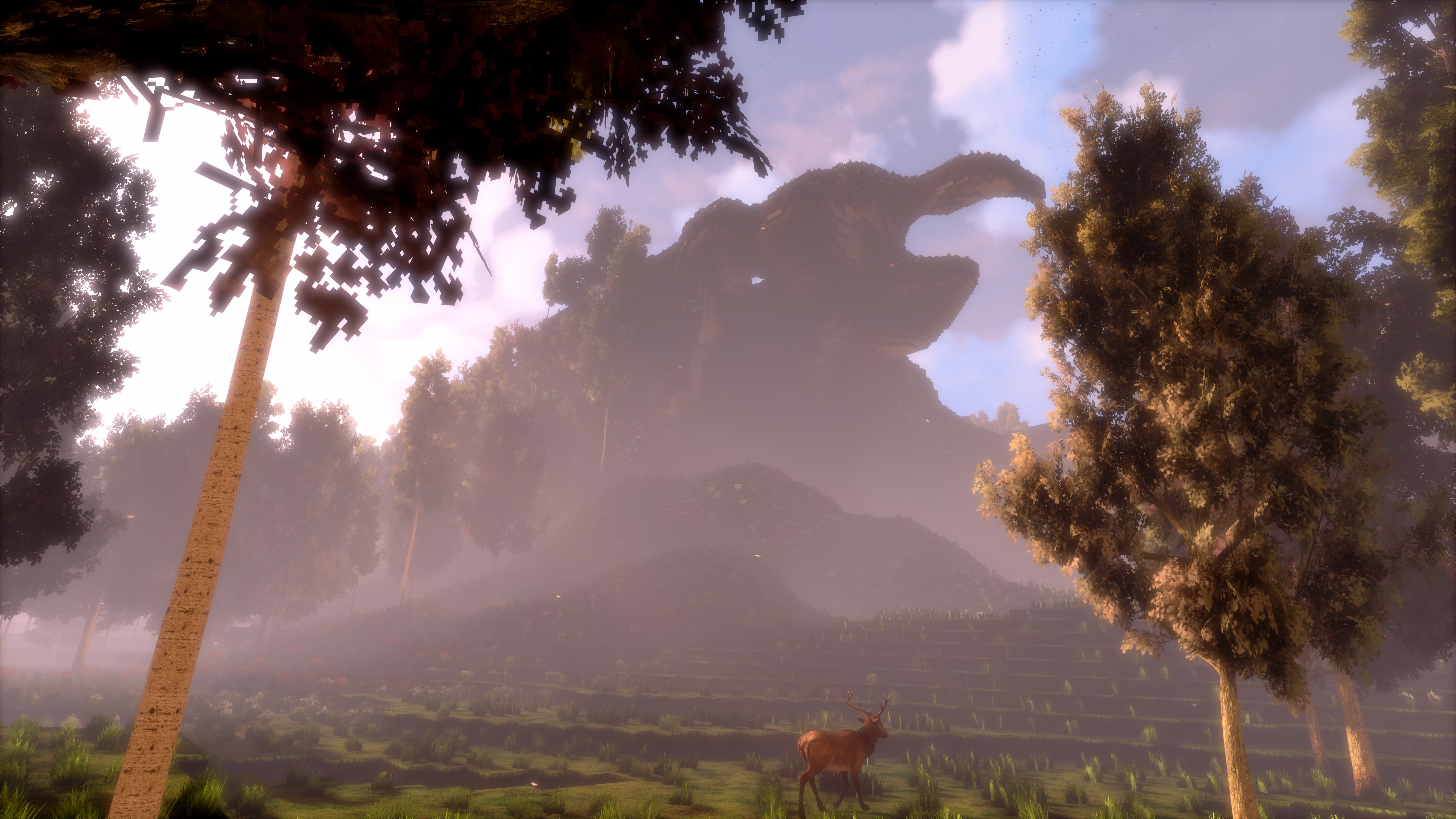
Update 21 is live! MAJOR engine update with huge performance improvements, visual improvements, falling and more!
Hey everyone!
Update 21 is live, finally updating the engine version from a 1.5-year-old Unreal Engine to a more recent one, resulting in significantly better performance, better visuals and also fixing the few remaining (very rare) crashes. Additionally, there are a few nice new features in the game!
This update took way longer than usual (multiple weeks) since it was a lot of work! cyubeVR is running on a custom, modified Unreal Engine 4 to allow for some nice custom features like voxel lighting and custom performance optimizations, so all the changes had to be made compatible with the new version.
As usual, here is a very quick overview of the things changed in this Update, with more details below:
- Very significant performance improvements
- New dynamic resolution algorithm with temporal upscaling, resulting in a way sharper image
- Falling! There's now a separate (optional) mode that allows you to fall down ledges
- Its now possible to adjust the block place distance, allowing you to place a block below the block you're standing on
- Added setting for light shaft quality, with significantly better-looking default
- Fixed bug that caused bucket being active sometimes while invisible
- Rewrote the saving/loading of animals, it works way better now
- Teleport beam will automatically be disabled now on 8K screenshots
- Fixed any crashing during the crafting of big items, like chairs
Engine Update, Performance improvements
Unreal Engine 4 is constantly getting improved by many programmers, so new features are added, and the performance of existing features are sometimes greatly improved. Such changes don't affect games using it "automatically", as a developer you have to update your game to use the new version. I had previously already ported back some recent improvements from UE4 into the game, but that was only a small part of the improvements that were done of course.
So this update introduces 1.5 years worth of improvements made to UE4, significantly improving performance. One specific feature where performance was improved a lot is the "Distance Shadows". While those were very expensive before, they are now twice as fast which makes them usable on a GTX 1070 and above. So if you kept those disabled before and you have a good GPU, enable them! They vastly improve the visual quality of trees in the distance.
New dynamic resolution
The biggest new feature that you'll notice is the completely new dynamic resolution and temporal upscaling.
The game now expects that you run the SteamVR supersampling at default settings - before, I advised anyone to make sure the SteamVR supersampling is manually set to 100%. Now, you should just keep that at default. It's significantly more user-friendly like this.
The new dynamic resolution is doing upsampling in a temporal way, so it looks at multiple recent frames and tries to preserve sharp edges as good as possible. All post-processing is only done on the upscaled image, so post-processing always keeps the same quality, independent from the resolution the scene was rendered with.
It's also significantly better at dealing with performance issues caused by the CPU. Previously, it was possible that the game would reduce it's resolution, making everything blurry, just due to the CPU being too busy. Now, its really mostly just dependent on the graphics card, so if you have a good GPU, you should always see a nice, sharp image.
Falling
Before, there were two different settings regarding head based smooth loco: Off and On. Now, there's a third setting: "With Falling".
If you enable that, you will be able to fall down anywhere in the game if you're leaning too far over a ledge or if you're walking over a ledge using smooth locomotion.
There is no damage yet, so you can fall as much as you want without getting any negative impact. That will be added later! For now, enjoy falling down some bridges you built :)
Block place distance adjustment
You can now adjust the "block place distance" by sliding your thumb on the left touchpad while you have the block place mode selected on the right controller. The max place distance is high enough to allow you to "build down", meaning to place a block below the block you're currently standing on - previously, it was impossible in the game to build something like a staircase starting at a mountain and going down. Now, that's possible!
-----------------
The engine update has been tested in a special engineupdate branch for quite a while already - the initial version of this was released 1.5 weeks ago. Since then, our great beta testers in the official cyubeVR discord have tested the update a lot through 25 individual beta versions, reported all issues they found and I made sure that everything was fixed before this gets released in the stable branch, which is now! If you also want to test new features earlier when they come out in the beta branch, make sure to join the discord and take a look at the #beta-build-patch-notes and #beta-build-discussion channel!
That's all for today! Thanks for caring about the game and as usual, make sure to report all issues you see and give me as much feedback as possible in the official forums or the official discord server. If you don't like something about the game, tell me there and I'll try to improve it! I'm available to chat with anyone in discord.
If you like the game, don't forget to tell other people about it and write a review on Steam if you haven't done that already, even if its just a few words. Writing a review and spreading the word is the easiest way you can support the game!
Looking forward to hearing what you think about the new update :)
Cheers!
Weekly Report #6
Hey everyone,
The last weekly report was released more than a "week" ago, so it's time for another one!
What have I been working on since then? If you're in the official cyubeVR Discord and follow development closely, you've seen there were 3 beta version since the last update.
Falling
The most major new feature in there, which took quite a while to implement, is Falling! If you've played the game a bit, you know that there are two different options for smooth loco, one "room based" and one "head based". Now theres a third option, "head based with falling". Regular "head based" doesn't allow you to fall down anywhere, but when you enable falling, you can actually fall down if you walk over a ledge. It's not just walking over a ledge - if you move your head too far over a ledge, you'll also fall down!
It wasn't easy to make that feel nice and perfect, but its very nice now I think, and falling was a very much requested feature! If you want to help test that, join our community on Discord!
Falling is also the first step towards Survival. There was no way to die before, but with the ability to fall down, theres now a reason to implement health, death, respawn and all those related things that you actually need for Survival gameplay.
Engine Update
If you follow development of the game for a while already, you know that for quite a while I planned to update the engine version of the game, and now I'm finally doing that!
cyubeVR is using Unreal Engine 4, and that engine is constantly updated with bugfixes, new features and performance improvements. They have hundreds of developers working on making that engine better. The last time I updated that engine version was January 2017, so long before the game was released. That means most improvements that were done to UE4 between then and now are not affecting the game at the moment. I have manually ported some changes back from newer engine versions, but only a few selected changes that were very relevant.
What makes an engine update a lot of work is that cyubeVR is not just using the "stock" UE4, its actually running on a significantly modified version of UE4 due to many improvements I did to the UE4 source code, mostly for improving performance or improving other aspects of the engine to better fit a game like cyubeVR. In general, no existing engine is actually build for open world games with an infinite world size where everything has to be fully dynamic, so using such a general purpose engine for a special game like this does require quite a lot of work to get it running with good performance!
Every time I update the engine version, I have to make sure that all my custom changes to the UE4 source code still work in the never version. Since the source changes a lot, I do have to basically redo many of the changes. The longer I wait between engine updates, the more work that is.
So that's what I started working on this week!
I'm actually making good progress with that. It's hard to guess how long that will take, probably at least 1 more week. So that means Update 21 will take a bit longer to be released than what you're used to.
You'll most likely see some significant performance improvements then though, and also significant improvements in visual clarity since there were some nice features added to UE4 recently (most notably, Temporal Upscaling). Also, it should finally add support for mixed reality gameplay recordings!
Also, it's a very big step towards switching from DirectX 11 to Vulkan and adding Linux support, so that's very nice!
That's all for today! Thanks for caring about the game! If you like the game, don't forget to tell other people about it and write a review on Steam if you haven't done that already, even if its just a few words. Writing a review and spreading the word is the easiest way you can support the game!
Also make sure to make me aware of any feedback you have in the official forums or the official discord server where we have over 240 members already!
Also, don't forget to follow and subscribe to the official Stonebrick Studios account on Twitter and YouTube so that you don't miss anything interesting about the game.
Cheers!
Beta build patch notes (from Discord)
Below, I'll paste the patch notes for the 3 beta versions that were released since the last update:
Beta 21.0 is live!
- Added great small feature: You can now adjust the "block place distance" by sliding your thumb on the left touchpad while you have the block place mode selected on the right controller. The max place distance is high enough to allow you to build down! :)
So, this should make a lot of people happy I think!
Beta 21.1 is live!
- Falling! Before, there were two different settings regarding head based smooth loco: Off and On. Now, there's a third setting: "With Falling".
If you enable that, you will be able to fall down anywhere in the game if you're leaning too far over a ledge or if you're walking over a ledge using smooth loco.
There is no damage yet, so you can fall as much as you want without getting any negative impact. That will be added later! This is mostly meant so that you can test it a lot and tell me how it feels. If you'd constantly die during testing, you couldn't test it very nicely :)
Beta 21.2 is live!
- Fixed main menu. Player was spawned at wrong height in main menu, so you couldn't actually use the menu at all.
Update 20 is live! Just a few bugfixes!
Hey everyone!
Update 20 is live, just quickly fixing some issues that were reported with Update 19 that was released 2 days ago.
I'm always aiming for having 0 known bugs in the game, so when there is a known bug, especially crashes, those will be fixed as soon as possible. Here's the full list of changes for this update:
- Fixed crash that could happen when collecting flowers
- Fixed 2 different crashes that could happen when walking around in the world
- Fixed bug that picked up flowers would sometimes be way too big
- When reaching behind your head to get a new arrow, you now get haptic feedback when you've drawn a new arrow
That's all for now! If you still see any other bugs, let me know :)
Cheers!
Update 19 is live! Significant performance improvements, persistent block items in the world and more!
Hey everyone!
Update 19 is live, adding significant optimizations that should improve framerate very noticeably, making block items in the world saved and loaded, and much more!
As usual, here is a very quick overview of the new things added in this Update, with more details below:
- Block items are saved and loaded now!
- Added a max amount of 500 active block items
- Significantly optimized performance of adding/removing block items
- For drawing a new arrow, you need to move your hand behind your head now
- The .ini file for changing settings like view distance changed and got some new settings
- Significantly optimized performance of deer and rabbits
- Significantly improved performance of torches
- Fixed bug that torch fire would sometimes disappear for a moment
- Other small optimizations
Block items
Block items are saved and loaded now! So when you leave the world and come back, all items will still exist. This also means, if the game ever crashes while there are items on the ground or while you are crafting something, you'll no longer lose any items.
Having the items saved and loaded means you could also just throw items into a chest now and not actually put them into the slots since they will still be saved/loaded correctly no matter where they are. Even if you build a tower of items, leave the game and come back, it will still be exactly where you left it!
The block items are also pooled with a max amount of 500 now. This means, when the 501st is spawned, the oldest disappears. The game constantly "reuses" the old items now, so this improves performance and the fact that its limited to 500 means that if you are mining a lot of blocks and don't care about actually collecting them, you will no longer end up with so many active items on the ground that the framerate gets hurt.
Performance improvements
The optimizations in the last Update were primarily about optimizing the speed of the world generation, so you ended up with way quicker world gen, but it didn't affect framerate much.
This update is very much about performance improvements that do affect the framerate! Deer and rabbits were significantly optimized so that their constant runtime cost is way less now. Every animal added in the future will also benefit from this of course.
Also, the performance of torches was optimized by a lot. The LOD system for torch particles was completely rewritten to be more effective. If you have a world with many torches, this is the most significant optimization of this update.
This was tested in a world with ~400 torches that someone sent me to investigate why the performance is bad, and after these optimizations were added, everything was perfect. You should be able to place thousands of torches with no problem now :)
There also was an issue before that if you walked closer to a torch, at some point the fire would disappear for ~0.5 seconds and then reappear. This is fixed now.
Bow and arrow change
Previously, if you shot an arrow, you immediately had a new arrow in your right hand again. That's no longer the case now. After you shoot an arrow, your right hand will be empty. To draw another arrow, you need to move your right hand behind your head and draw another arrow there. You don't need to press any buttons, this happens automatically. It makes the bow and arrow feel more realistic, and that's good!
The OverrideDefault option was newly added with this Update. While that option is 0, the .ini variables are not used by the game. Only if you set it to 1, the game will apply the options from the .ini. So the OverrideDefault option allows you to quickly test if your .ini settings do increase/decrease visual fidelity or performance.
-----------------
All the things mentioned above have been in the beta branch of the game for a while already and were tested by our great beta testers there! Thanks to those, you hopefully get fully stable updates in the stable branch of the game. If you also want to test new features earlier when they come out in the beta branch, make sure to join the official cyubeVR discord and take a look at the #beta-build-patch-notes and #beta-build-discussion channel!
That's all for today! Thanks for caring about the game and as usual, make sure to report all issues you see and give me as much feedback as possible in the official forums or the official discord server. If you don't like something about the game, tell me there and I'll try to improve it! I'm available to chat with anyone in discord.
If you like the game, don't forget to tell other people about it and write a review on Steam if you haven't done that already, even if its just a few words. Writing a review and spreading the word is the easiest way you can support the game!
Looking forward to hearing what you think about the new update :)
Cheers!
Update 18 is live! Desert biome, very significant optimizations and more!
Hey everyone!
Update 18 is live, adding a new desert biome, very nice optimizations for world generation speed, an extremely significant bugfix/optimization for CPUs with 8 or less threads, making it possible to hold tools without having to hold the trigger button and much more!
As usual, here is a very quick overview of the new things added in this Update, with more details below:
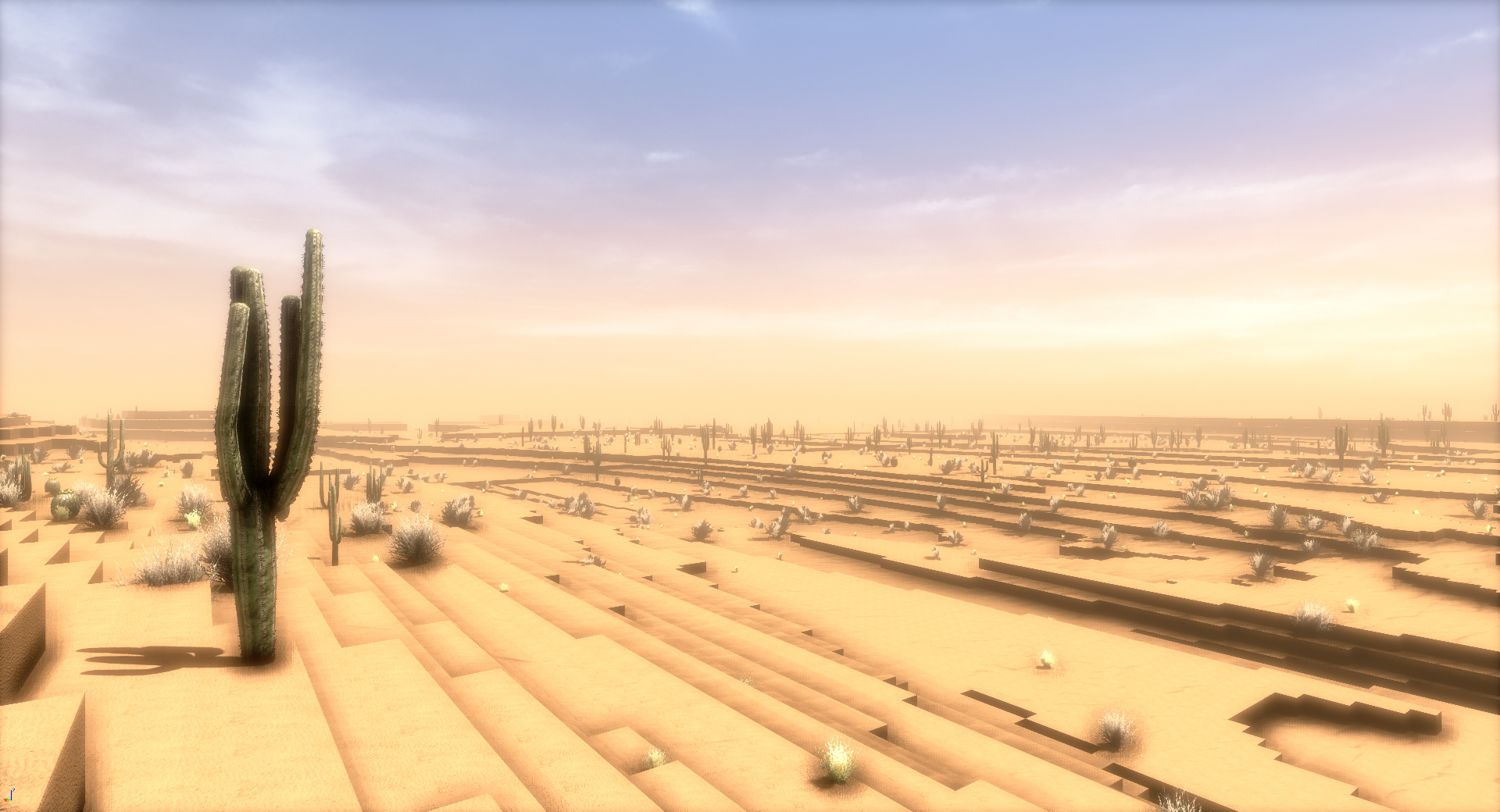
- Added desert biome! It's big, it's sandy, and it's sunny! It has its own special music, sounds, weather and lighting
- Significantly optimized world generation. It's way faster now, and lighter on the RAM, very noticeable
- Fixed very significant world loading bug that affected CPUs with 8 or less threads. This caused a lot of world loading issues on such CPUs, so this fix alone makes the game feel 5 times better on such CPUs.
- Grabbed tools stay attached to your hand now, without having to keep holding the trigger
- Fixed multiple bugs and possible crashes with tree saving/loading
- Improve spawning of environment sounds, it could happen before that sounds were spawned multiple times
- Double smooth loco speed by using both controllers at once
- Optimized ore spawning a lot (5 times faster), meaning ore distribution looks a bit different now than before
- 8K screenshots now always take 2 screenshots, one bright one and one less bright one
- Fixed crash that could happen when destroying many blocks at once
- Added "chunk reload" function that might help when there's any issues with chunk loading
- Reduce teleport distance during smooth loco movement
Desert biome!
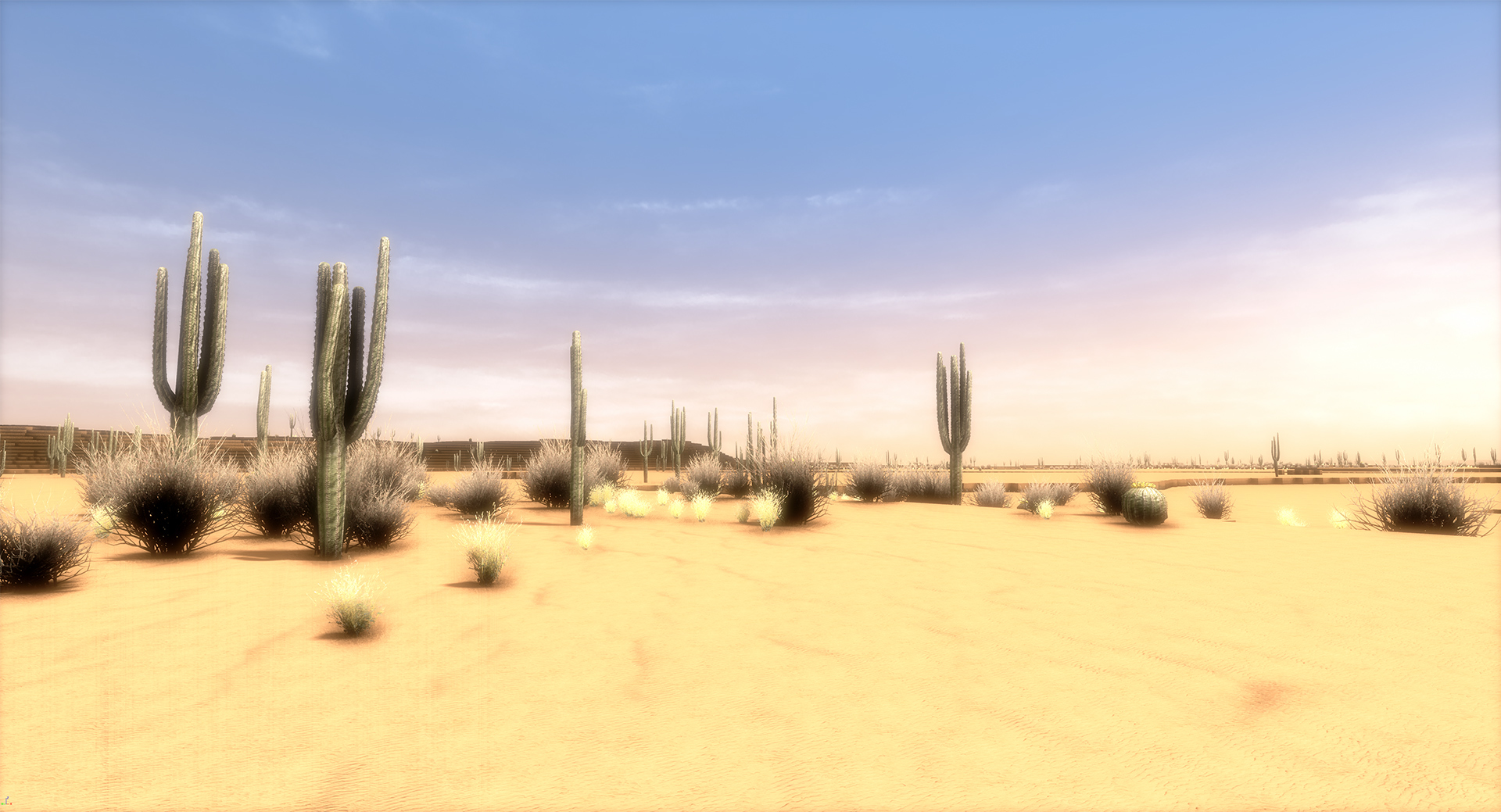
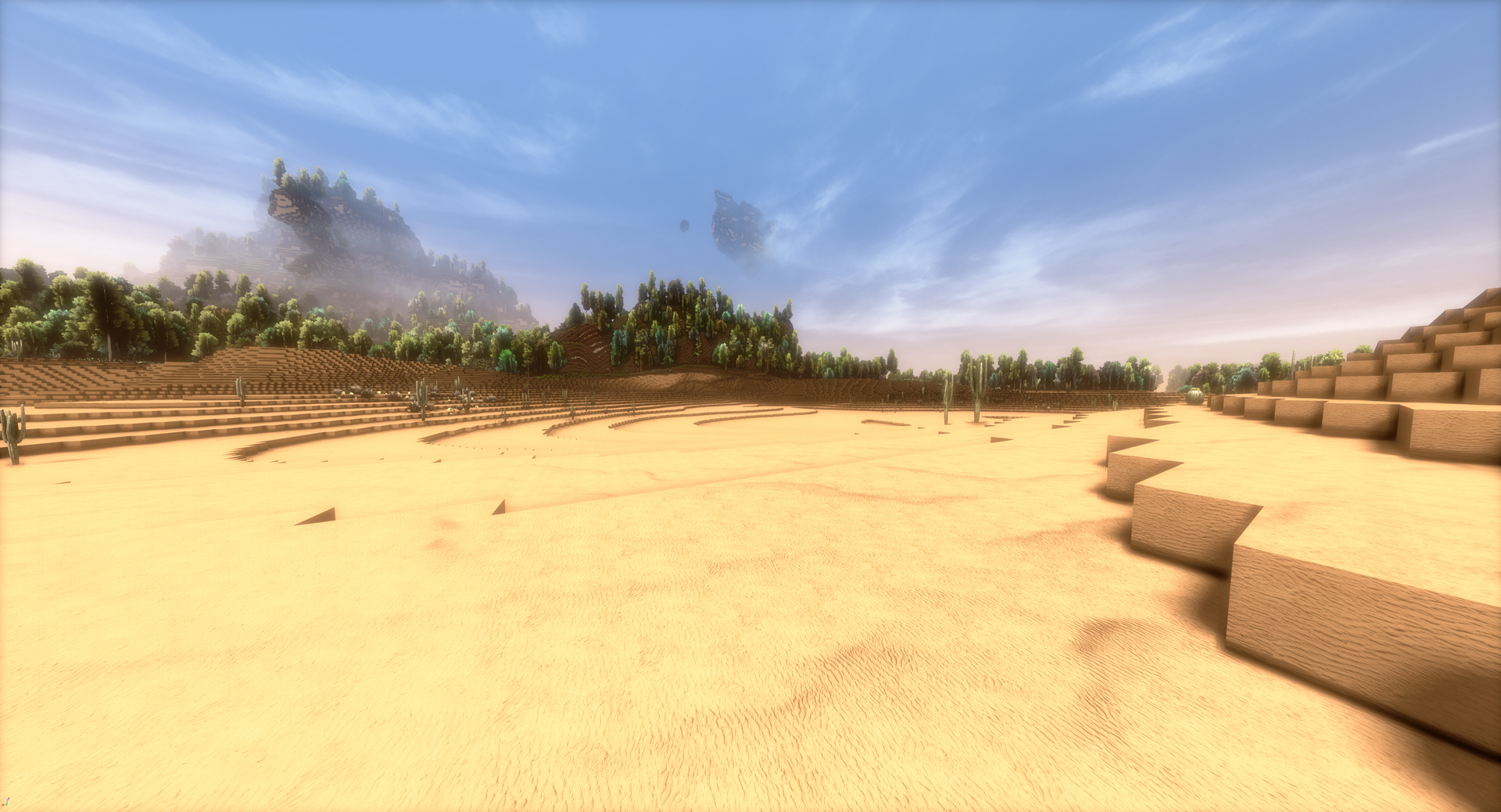
Finally, theres a desert biome in the game! The desert has it's own music, it's own windy sound effects, and special lighting adjusted for the desert. It's definitely not just "a bunch of different blocks".
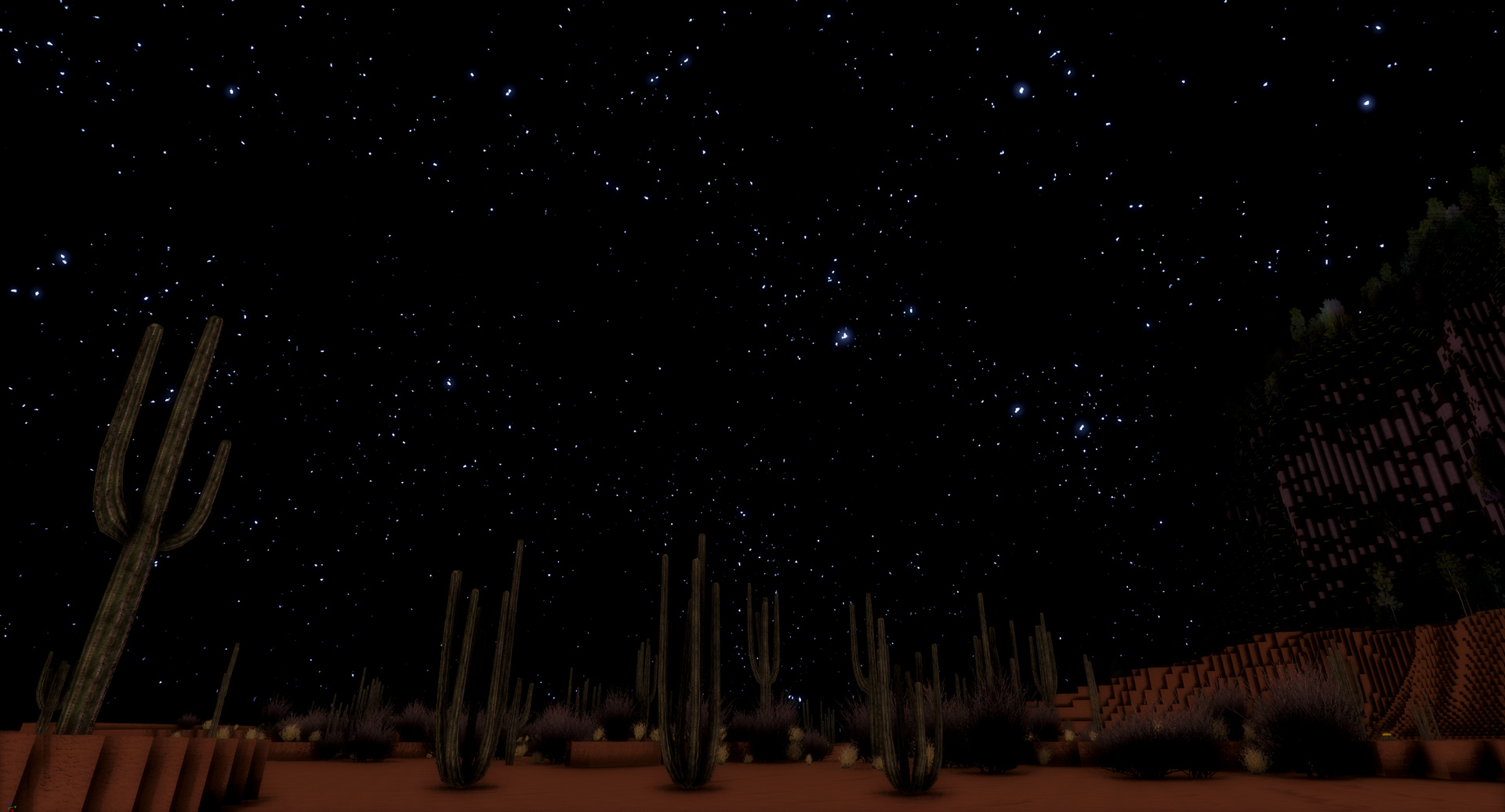
Also, as opposed to the regular biome, where you usually see beatiful aurora effects in the sky, the desert gives you a very clear sky where you can just focus on the stars:
The game actually had no real system for "biomes" before, since there were only two biomes, "hilly" and "flat", but with the same base generation. The addition of the desert means I had to add a real system for biomes, and transitioning the different biomes nicely into each other regarding the height of the terrain.
That's where most time was spent on, and of course this is work that only has to be done once. Now that the whole system for biomes is in place, adding new biomes is very easy in the future!
So, the desert has a lot of sand, which you can use for building of course! You can collect it same like dirt, best with a copper shovel.
World generation optimizations
I've spent a lot of time further optimizing the world generation algorithms. Even though the whole "biome transition" code that was added has made the world generation significantly more complex, with these optimizations the world gen is way faster than before.
As part of these optimizations, ore spawning was also completely redone and is now roughly 5 times faster and significantly more future-proof since new ore types can be added with no additional slowdown of world gen. Due to this change, ore distribution is slightly different than before, but you should probably not notice the difference at all. What you notice is just that new parts of the world generate way faster!
Fixed very significant world loading bug
There was a very significant world loading bug that affected CPUs with 8 or less threads, which is the majority of players. If you played the game for a while, that bug caused a lot of world loading issues, like the world loading completely stopping, wrong LODs being visible, chunks not being visible at all, teleport not working or other similar issues. This fix alone makes the world loading feel so much smoother that you will probably notice it immediately if you have a CPU with 8 or less threads.
Tools "stick" to your hand now
With Update 14, the great system for grabbing tools in the world at any time with any hand was added, that allowed you to use tools with both hands at the same time, resulting in twice the mining speed!
For grabbing a tool, it was nesessarry though to press and hold the trigger button, if you released it, you would drop the tool out of your hand, just like you drop block items if you release the trigger button. Now, that changed!
Starting with this Update, you only have to press the trigger button to grab a tool, and even after you release the trigger, the tool will stay attached to your hand. Only after you press and release the trigger a second time you will drop the tool. This makes it significantly easier on your fingers, it was quite a popular request!
Double the smooth loco speed by using both hands simultaniously
It's now possible to use both hands at the same time for smooth locomotion. Before, you could use smooth loco by holding the menu button on any hand and orienting the controller while you do that to adjust the direction you move in. It only worked with 1 controller at a time though.
Now, you can press the menu buttons on both controllers at the same time and get 2x the speed out of that! The smooth loco movement speed with one hand was 9 km/h before, it was reduced to 7.2 km/h now, but since it's now possible to use both hands that means you actually get a total speed of 14.4 km/h, which is significantly more than before!
Chunk reload function
This feature is not even really worth mentioning any more, since all the world loading issues got fixed with that major fix I mentioned above. This chunk reload function was added before I found and fixed that major loading bug that affected CPUs with 8 or less threads. But since I added it, I can also mention it!
If you hold both the hand buttons on both touchpads and the right grip button for 2 seconds, all chunks around you will first unload (disappear) and then load again. So, if you would ever encounter any missing chunks or similar things, you could use this to fix it instead of having to go back to the main menu and load the world again.
But since hopefully no world loading issues exist any more, this became quite an obsolete feature before it was even released in the stable branch of the game :)
-----------------
All the things mentioned above have been in the beta branch of the game for a while already and were tested by our great beta testers there! Thanks to those, you hopefully get fully stable updates in the stable branch of the game. If you also want to test new features earlier when they come out in the beta branch, make sure to join the official cyubeVR discord and take a look at the #beta-build-patch-notes and #beta-build-discussion channel!
This update taking significantly longer than usual, 1 update a week is what I considered "normal" for this game. There actually were 14 seperate beta versions that were released during the last few weeks!
If you want to know more about that, definitely take a look at the Weekly Report #5 that I just released a few minutes ago! I explain quite detailed why this update took longer than usually, and even list all the individual beta build patch notes!
That's all for today! Thanks for caring about the game and as usually, make sure to report all issues you see and give me as much feedback as possible in the official forums or the official discord server. If you don't like something about the game, tell me there and I'll try to improve it! I'm available to chat with anyone in discord.
If you like the game, don't forget to tell other people about it and write a review on Steam if you haven't done that already, even if its just a few words. Writing a review and spreading the word is the easiest way you can support the game!
Looking forward to hearing what you think about the new update :)
Cheers!
Weekly Report #5
Hey everyone,
The last weekly report was released more than a "week" ago, so it's time for another one! This weekly report and Update 18 will actually be released at the almost same time!
Update 18 took significantly longer to publish than you may be used to. I'm working fulltime on this game, so when something takes longer, it means it was more work than usual.
Adding a desert itself is quite simple, it's just a lot of sand! So why did it take multiple weeks?
There actually was no system for real "biomes" in the game before. There were two biomes, those being "hilly" and "flat". Both were sharing the same base world generation, the same blocks, the same lighting and music and sounds.
So for the desert, I actually had to add a nice system for real "biomes" that can be generated completely independently from each other, have different music, different environmental sounds (you don't want to hear birds in the desert), and also different lighting. They should really feel like different parts of a big world, not just like areas with different blocks.
The majority of the work was the whole code for "transitioning" the biomes smoothly while taking into consideration their height. The world in the game has a height of 800 blocks, which is a lot more than other voxel games, so if you have to transition between a very tall mountain in the regular biome and a quite flat desert, that's something that requires some good algorithms.
It's easy to do in a bad way, but it's hard to do in a good way that's efficient, works well, and is future-proof even if hundreds of new biomes are added. So getting it done like that took a while, but I consider it a great success now :)
Much of the time between the last weekly report and this one was actually spent on optimizing the biome related code, to make sure it's as great as it should be. It did already "work" 2 weeks ago, but it slowed the world gen down quite a bit, so I made sure to optimize it a lot these past 2 weeks.
It is very easy to add new biomes now, and it would even be quite easy to allow external plugins (written by anyone out there) to generate new biomes. If there's anyone interested in that, feel free to contact me!
Apart from just adding the biome system, I also optimized the world generation itself a lot recently, which also took some time to do right, but it too worked out great in the end. It's so much quicker now, that it was fully worth it! If you compare the world gen speed of Update 17 and Update 18, you will notice a very significant improvement, even though Update 18 added all the biome related code that made world gen way more complex.
Perhaps even more importantly, I finally found a very significant bug that caused a lot of issues on CPUs with 8 or fewer threads. This bug was in the game since (most likely) the beginning, and I was never able to actually reproduce it until I actually disabled a few of the cores of my CPU so that it performed like an 8 Core CPU. I then finally saw those issues myself and was able to fix them.
Fixing that bug makes the game feel so much better on such CPUs! No more wrong LODs, missing chunks, or other weird issues with the world. It works perfectly now! Let me know what you think!
There were 14 different beta versions of the game released in the last few weeks, available for the beta testers in the official cyubeVR discord. It's very nice to have the beta testers quickly give feedback and test all new features!
Just to show you how the development actually progressed, I'll actually paste all the beta patch notes for Update 18 on this post so that everyone who isn't in our discord can see how things were added and optimized. It might be an interesting read!
------------------------------------------------
Beta 18.0 is live!
- Added Desert Biome!
- There is a lot of sand in the desert!
The desert biome is not yet "done" in this beta, this beta is meant so that I can get feedback already on the major things while I get some more minor things finished. I'd say this is not yet meant to be shown publicly in streams/videos etc, this is for you being able to test it and give me feedback.
Most importantly, I want feedback on the biome transitions (does it work nicely? Does it look good?) and on the size of the biomes (should biomes be smaller/bigger?). And also on graphics in the desert.
What's still missing?
- Make sure that the player never spawns in the desert when starting a new world
- You can't yet destroy any Cactus or desert grass, and the desert grass actually disappears if you get close to it
- Currently there are still those very high up birds flying in the desert, I'll remove those so that they only exist in the normal biome
Do not use this beta with any of your real worlds yet!
If you find anything being wrong with world generation of biome transitions and I'd fix that, any world that already generated a desert before might get very ugly transitions from that, so only test this in new worlds for now
This means, if you have used the beta branch before for regular playing, move to the default branch now.
Beta 18.1 is live!
- The high up flying birds no longer spawn in deserts now
- It's impossible for the player to spawn in a desert now when starting a new world
- Fixed dynamic time of day, was accidentally disabled in 18.0
- Made desert grass more grouped and overall less grass, also less cacti
- Desert grass is a bit darker now
Beta 18.2 is live!
- Fixed wrong biome music playing in the loading screen sometimes (I hope)
- Fixed desert biome music not being affected by music volume slider in settings
Beta 18.3 is live!
- Fixed crash happening when trying to load old worlds
- There is stone below sand now in the desert (regular stone for now)
Beta 18.4 is live!
- Fixed wrong music playing when loading into desert biome
- 8K screenshot will now always take 2 screenshots with 2 different bloom settings, one high bloom one and one medium bloom one. You can easily pick the better looking one then. The medium bloom one is not overexposed in the desert.
- Desert grass is no longer disappearing when you get close to it
- Fixed small cactus mesh, was always floating above ground before
- Made cacti and desert grass be correctly affected by torch light
Beta 18.5 is live!
- Added sounds to desert. Primarily wind sounds.
Please test and give me feedback on the loudness of those sounds, is it good or too loud or too quiet?
Beta 18.6 is live!
- Significantly improved speed of world generation. The biome transition calculation made world generation slower, but I'm quite sure that its faster now with the biome stuff than before without any of the biome stuff. The world generation should also be significantly lighter on the RAM now, potentially causing less issues with slow RAM.
- As part of the improved speed of world generation, ore spawning was completely redone, so ore distribution is different now, hopefully not too different from before. It should look same, but the probabilities for ores are definitely not exactly same as before. If it feels same, that would be good! Take a look at #general to see stats about the current ore distribution
- Fixed bug that you could fall through world at bottom in regular biome (bug introduced with beta 18.0)
- Fixed desert being more likely than regular biome. Very evil bug. This fix causes deserts to be smaller now than before, so if they are too small now I will probably have to increase overall biome size in the next beta. Please tell me what you think about the size of deserts now! Obviously, test this with newly generated worlds, previous generated deserts will not be affected.
Beta 18.7 is live!
- Made part of the biome transition calculation 20 times faster (makes use of AVX now)! Really nice improvement, makes whole biome transition way faster to calculate
- Continued to improve performance of ore generation, made that ~5 times faster compared to the last beta where it already was improved. This means ore spawning looks again a bit differently, but the same % values as in the last beta still apply.
Beta 18.8 is live!
- Increased overall biome size by 25% and changed biome distribution to 33% desert and 66% regular biome
Beta 18.9 is live!
- Fixed crash reported by @Kroy related to destroying many blocks at once
- Added "chunk reload" function. If you hold both the "hand" buttons on both touchpads and the right grip button for 2 seconds, all chunks around you are unloaded and reloaded again. This should help whenever you see any issue with wrong LODs being loaded, missing chunks or similar things. You no longer need to go back to the main menu then and can use this function instead.
Beta 18.10 is live!
- Improve handling of environment sounds. Some sounds were spawned multiple times before, which isn't good. Tried to fix any potential causes for wrong sounds playing (desert sounds in regular biome, or other way). Desert sounds are in general a bit louder now.
Beta 18.11 is live!
- You no longer have to keep the trigger pressed for grabbing a tool! You can grab a tool as usual, but if you release the trigger now the tool will still stay attached to your hand. Only if you press and release the trigger button a second time, the tool will actually be released from your hand.
It seems most people prefer not having the fingers hurt after holding a tool for a while, so I guess everyone is happy with this and can enjoy dual wielding even more
Beta 18.12 is live!
- Fixed very evil bug that caused issues like wrong LODs being visible, chunks not being loaded at all, teleport not working and other similar issues. This was due to the unload of chunks not being completely run on CPUs with less than 10 threads. For more details, take a look at the discussion in #bug-reports and #beta-build-discussion.
This bug was in the game for probably forever, so its very nice to finally have fixed this! The game should run way better now if you have a CPU with <10 threads, you should not see any world loading issues any more.
Beta 18.13 is live!
- Fixed multiple bugs with tree saving/loading, it could still happen before that you cut a tree that would reappear again after you exit and load the world again. If you cut more than 25 trees at once, the game also would have probably crashed, no one ever tried that it seems :D
- Cacti are now destructible with an axe. You don't get anything from them, apart from more free place to build with, since the cactus no longer exists after its gone.
- Reduced smooth loco speed from 9 km/h to 7.2 km/h. It's possible now to press both menu buttons at the same time for getting twice the smooth loco speed, so both buttons at once with controllers pointed in the same direction will mean you walk with a speed of 14.4 km/h (9 mph). Average human jogging speed is 13.3 km/h for man and 10.5 km/h for woman, so you are faster than that with smooth loco now. I hope this makes everyone happy who wanted to see faster smooth loco speed!
Beta 18.14 is live!
- The desert grass is now destructible. Hit it a few times with any tool and it will disappear. Axe is the quickest tool for that.
- Made the teleport distance be reduced when smooth loco movement is active, since it should not be possible to double moving speed by using both teleport and smooth loco at the same time
With both cacti and desert grass now being destructible, the desert is complete I think and can be released in the stable version of the game, unless you find anything that isn't yet good in this and the last beta! Let me know!
So, in a few minutes, Update 18 will be released! I hope you're as excited as I am! :)
Cheers!
Weekly Report #4
Hey everyone,
the last weekly report was again released roughly a "week" ago, so it's time for another one!
There hasn't been an update for 2 weeks now, which is unusual! I like to release an update once a week. Making that new video took a while, and this new update takes a bit longer, because I'm currently working on a desert biome! The desert biome itself is not that much work to add, but since there were no very different biomes in the game before, the system for biome transitions and everything related to that has to be added first, and that was quite a bit of work.
Biomes have to smoothly transition into each other regarding their height, and the CPU should not have to calculate all biomes everywhere. Also, the lighting, sky and fog should be different depending on biome and smoothly transitioned.
It's coming along very nicely, all the hard parts are done, so let me show you a WIP preview of the desert biome!
You see there's quite a bit of sand in the desert.
The desert biome will most likely be available in the beta branch of the game in the next few days so that it can be tested by beta testers in the official cyubeVR discord, and then a few days later be released as Update 18!
That's all for now! Thanks for caring about the game! If you like the game, don't forget to tell other people about it and write a review on Steam if you haven't done that already. Writing a review and spreading the word is the easiest way you can support the game!
Also make sure to make me aware of any feedback you have in the official forums or the official discord server where we have over 240 members already!
Also, don't forget to follow and subscribe to the official Stonebrick Studios account on Twitter and YouTube so that you don't miss anything interesting about the game.
Cheers!
New video on the official YouTube Channel! Quick look at the most important features added with the recent Updates
Hey everyone!
I've recorded another small video, showing the most relevant features added to the game between Update 12 and Update 17!
https://www.youtube.com/watch?v=WHzgxEbciDg
It's mostly made to show those people that don't read the announcements on Steam here what actually happened regarding updates for the game. Since you read them, you're proabably not one of those, and that's great! :)
I hope you enjoy that new video! Don't forget to subscribe to the Stonebrick Studios channel on YouTube if you haven't yet, so that you don't miss any new cyubeVR videos.
Cheers!
Update 17 is live! Official Windows Mixed Reality support, wood scaffolding block, wall mount for tools and more!
Hey everyone!
Update 17 is live, adding official support for Windows Mixed Reality headsets, a wood scaffolding block which makes building big things significantly easier and archery more interesting (read below why!), and a wall mount for tools which allows for some great decorations in your house!
As usual, here is a very quick overview of the new things added in this Update, with more details below:
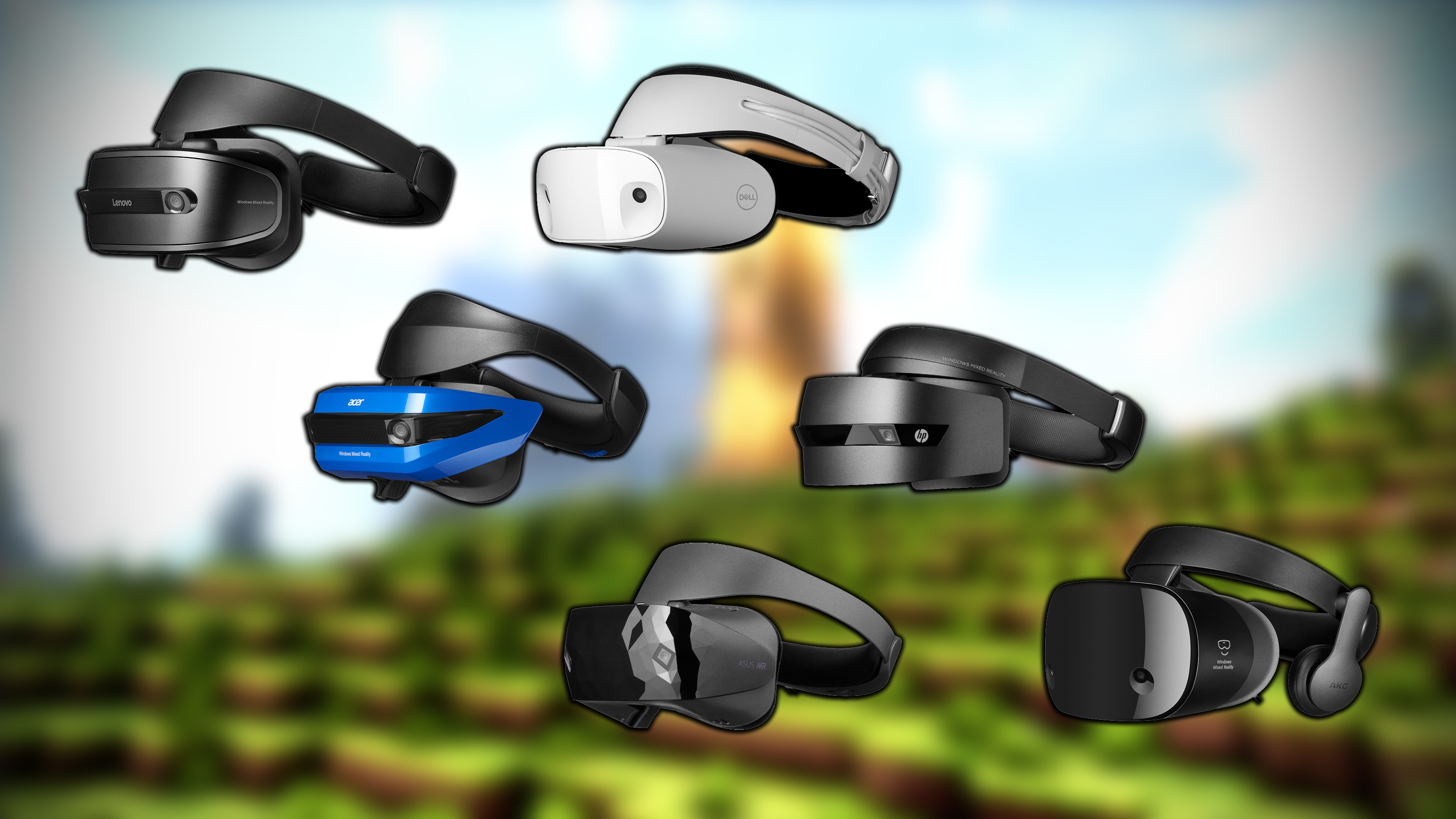
- Added official support for Windows Mixed Reality headsets!
- Added wood scaffolding block. Definitely watch the gif below!
- Added wall mount for tools, using fully free placement on wall
- Made regular torch recipe always unlocked by default, same like Stone Axe and Stone Pickaxe
- Fixed crash that would happen when having more than 500 torches active
- Improved performance of having many open chests in the world
- Very significantly improved performance of having many torches in the world
- Disabled dynamic resolution in the main menu
Official Windows Mixed Reality Support!
Starting with this Update, cyubeVR has official support for Windows Mixed Reality headsets. This means you will see the Windows Mixed Reality controller models in the game and I have tested the controls a lot and optimized them for usage with Windows Mixed Reality controllers (if they are used).
The game was previously only marked as compatible with HTC Vive and Oculus Rift, starting with this Update the game is finally also marked as compatible with WMR on Steam!
Controls should feel perfect now with Windows Mixed Reality controllers, and if there is anything that you feel should be improved, definitely tell me about it! :)
Controls for HTC Vive and Oculus Rift are not affected by this of course, the game automatically detects which headset you use.
Wood scaffolding block
There now is a wood scaffolding block in the game! It's crafted with 8 wood and you get 32 scaffolding blocks, so you very easily get a lot of blocks to build with. It can be destroyed with a single hit of a copper axe, so when you no longer need it you can also very quickly get rid if it.
And the best thing about it is, you can shoot it with the bow and arrow to destroy the block!
With scaffolding, it can easily happen while building that you no are no longer able to reach far enough to be able to hit the block with an axe, so being able to destroy it with the bow and arrow makes a lot of sense here, and it's also a lot of fun!
This also allows for building targets further away where it's very easy to practice shooting with, since the effect that happens when you destroy a scaffolding block with an arrow is very visible even from far away. So you immediately see if the arrow hit the target without having to go there and look.
Wall mount
With Update 14, the great feature that tools are objects that can exist in the world, be saved and loaded and be grabbed at any time was added.
Now, you get a wall mount for the tools! This means you can grab any tool in the world and release it while holding it parallel next to the wall mount, and it will "snap" its location to the wall mount. The tool will keep exactly the rotation you released it with, so you can put tools with any rotation on the wall mount. You can then grab the tool at any time again from the wall mount and directly use it, or drop it somewhere else again.
The wall mount is placed with 100% free placement on the wall, so it doesn't snap anywhere! You have complete freedom in where you place it. If you want to, you could place 5 wall mounts all on one side of a block. It's even possible to place wall mounts on the ceiling and then attach tools there :)
-----------------
The WMR support, wall mounts and wood scaffolding blocks have been in the beta branch of the game for a few days already and were tested by our great beta testers there! Thanks to those, you hopefully get fully stable updates in the stable branch of the game. If you also want to test new features earlier when they come out in the beta branch, make sure to join the official cyubeVR discord and take a look at the #beta-build-patch-notes and #beta-build-discussion channel!
That's all for today! Thanks for caring about the game and as usually, make sure to report all issues you see and give me as much feedback as possible in the official forums or the official discord server. If you don't like something about the game, tell me there and I'll try to improve it! I'm available to chat with anyone in discord.
If you like the game, don't forget to tell other people about it and write a review on Steam if you haven't done that already. Writing a review and spreading the word is the easiest way you can support the game!
Looking forward to hearing what you think about the new update :)
Cheers!
Update 16 is live! Chairs, view distance setting and general improvements!
Hey everyone!
Update 16 is live, adding two different chairs that you can craft and freely place using the system for 100% free placement, some general improvements to crafting and more!
As usual, here is a very quick overview of the new things added in this Update, with more details below:
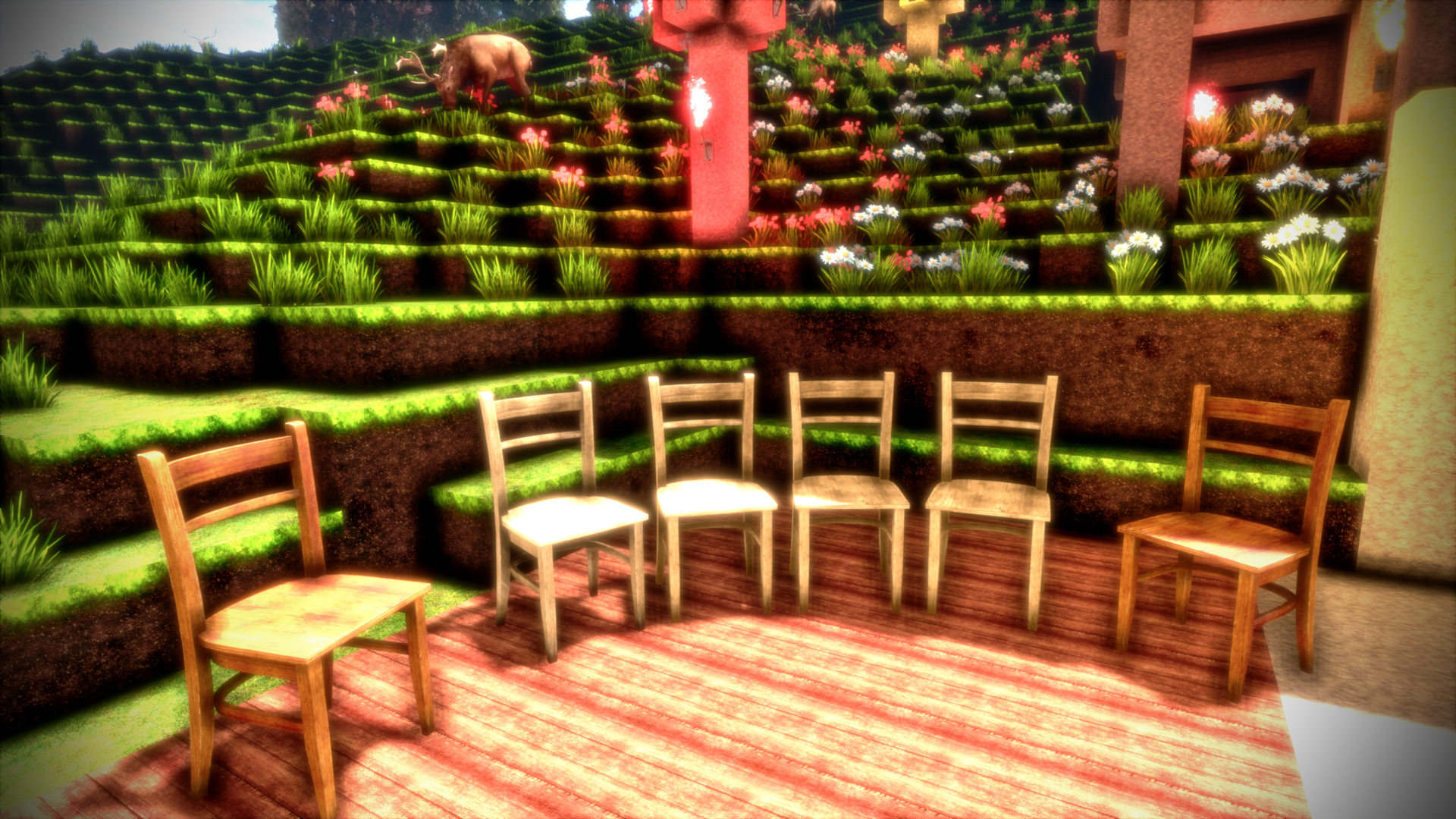
- Added two chairs, a light one and a dark one.
- Significantly improved the feel of crafting (attaching blocks together)
- Added experimental setting for view distance, can only be set through an INI file for now
- Fixed loading screen being displayed incorrectly on the monitor (cropped incorrectly)
- Added some random hint text to the loading screen (only 1 text for now)
- Chest recipe will now be detected correctly even with copper on the "other" side
Chairs
You can now craft two different Chairs! One light chair, and one dark chair. The light chair is crafted with light processed wood, and the dark chair is crafted with dark processed wood.
The chairs use the same system for free placement that's also used by the chest. So you can place them anywhere with completely free position and rotation, and you can also still grab them with both hands and move them around after they are placed.
The chairs use 8K textures, so like everything else in the game they look great and allow you to build a way more comfortable house!
Improved feel of crafting
It could sometimes happen that attachment of items was a bit fiddly to get to work, especially when trying to connect an item with multiple other items at the same time (filling a "gap" in the recipe). You mostly noticed it when crafting a big recipe, like the compass or the chest. This feels significantly better now.
The nuggest (coal and copper) were especially hard to connect to other items sometimes, and they didn't glow correctly. They will glow very brightly now when attachment is possible, and they should always correctly detect if attachment is possible now, so you no longer have to guess if attachment will actually work. It will just work now!
View Distance setting
The game did not have a setting for the view distance before. Now it has. It should be considered experimental for now. You can adjust the view distance by going to %LocalAppData%/cyubeVR/Saved/Config/Engine.ini and adjust the ViewDistance= value in there. You need to have run the game at least once for the variable to show up in that ini file.
The default value is 22. You can decrease or increase it as far as you like, and the RAM usage of the game will scale exponentially with the view distance. At the default view distance, the game uses a maximum of roughly 10 GB RAM. If you double the view distance (44), you would make the game use up to 4 times the amount of RAM, since twice the view distance means 4x the amount of world being visible. 22x22 is 484, while 44x44 is 1936.
So don't use too high values if you don't want the game to crash! You could enter 1000 in there, and the game would try to do that. If you have a system with 2 TB of RAM, feel free to show me a picture of how the game looks like with such a view distance :)
-----------------
The chairs have been in the beta branch of the game for a bit more than 3 days already and were tested by our great beta testers there! Thanks to those, you hopefully get fully stable updates in the stable branch of the game. If you also want to test new features earlier when they come out in the beta branch, make sure to join the discord and take a look at the #beta-build-patch-notes and #beta-build-discussion channel!
That's all for today! Thanks for caring about the game and as usually, make sure to report all issues you see and give me as much feedback as possible in the official forums or the official discord server. If you don't like something about the game, tell me there and I'll try to improve it! I'm available to chat with anyone in discord.
If you like the game, don't forget to write a review if you haven't done that already. Writing a review and spreading the word about the game is the easiest way you can support the game!
Earlier today I also wrote the Weekly Report #3, so don't forget to read that too!
Looking forward to hearing what you think about the new update :)