Dave the Diver cover
Dave the Diver screenshot
Genre: Role-playing (RPG), Adventure

Dave the Diver

DAVE THE DIVER 1ST ANNIVERSARY UPDATE

Hello Divers!
It’s been a year since DAVE THE DIVER officially launched, and you have dived with us through thick and thin.
We truly appreciate the love and support.

Thank you!



To celebrate Dave’s first birthday, we have prepared some special updates.
Please check the details below.

◈ Update Version:

  • Win: v1.0.2.1416
  • Mac OS: v1.0.2.449

◈ Update Content

  • New Content
  • Improved load speed
  • Bug fixes


[NEW CONTENT]


1) New Mini-Game

  • A demo of EVIL FACTORY was added as a smartphone app.
    • Unlock the mini-game with the promotion code: DAVEANNIVERSARY
    • Open Smartphone – Call – Operator – Claim Reward - Enter promotion code
  • A new “Leo Keychain” charm can be obtained after clearing the demo.


2) Phone Charm

  • A mini version of Dave can be attached to your in-game smartphone.


[System Improvements]


1) Optimization

  • Improved load speed of scene transitions


[Bug Fixes]


1) Sea Exploration

  • Fixed an issue where Dave would become unresponsive when hit while charging Mjolnir
  • Fixed an issue where Dave could not pass through sleeping rays
  • Fixed an issue where some objects were awkwardly floating in certain areas
  • Fixed an issue where the Shortfin Mako would get stuck in certain areas

2) Missions

  • [Chapter 6] Fixed an issue where Dave could not be controlled during the Ancient Stone Slab mission when encumbered
  • Fixed an issue where, in certain situations, the mission would be marked as failed even after successfully taking the Manta Ray’s picture

3) Bosses

  • Fixed an issue that could cause the Clione Queen to become immobilized when attacked with a Shock Harpoon Tip in certain situations

4) Sea People Village

  • Fixed a display issue with the Beluga Taxi cutscene that occurred in certain areas
  • Fixed an issue where certain characters were hidden behind background items

5) Sushi Restaurant

  • Fixed an issue where Dave was hidden behind the sushi bar in certain scenes
  • Fixed an issue where it was not possible to serve beer to Dr. Bacon when he visited during business hours

6) Mini-game

  • Fixed an issue where the floor blocked jumping in the mini-game ‘Leahs RUN’

7) Achievements

  • Fixed an issue where killing a FishMon instead of capturing it would still count towards the achievement

8) Controls

  • Fixed an issue where mouse scrolling would not work in certain windows such as Diver Box and Boat Skin

9) Other

  • Fixed an intermittent issue where the “Retake” button in the Picture Album App would not appear
  • Fixed an issue where the Mini-game app was available before the content was unlocked
  • Fixed an issue where certain texts were displayed unnaturally


DLC Related Fixes


1) GODZILLA DLC

  • Fixed an issue where the screen would flash intermittently while repairing the submarine
  • [Mac OS Only] Fixed an issue where the screen would flash awkwardly during the Godzilla cutscene
  • Fixed an issue where Godzilla interior items were hidden behind other items
  • Fixed an issue where Ebirah’s front claw would be displayed unnaturally in certain situations


2) ALL DLC

  • Fixed a display issue with the “Godzilla (1995) Head” boat skin in DREDGE EXPLORE mode

Additional Information

  • If you experience any issues after the patch, please compress the files from the path below and send them to our help center.
  • In case of crashes, freezing, or graphical issues, please refer to the [File Verification Guide] and follow the steps.

Windows:
%LocalAppData%\..\LocalLow\nexon\DAVE THE DIVER

Mac OS:
~/Library/Logs/nexon/DAVE THE DIVER/Player.log
~/Library/Application Support/nexon/DAVE THE DIVER/SData
or
~/Library/Application Support/com.nexon.dave/DAVE THE DIVER/SData

Steam Deck:
./.local/share/Steam/steamapps/compatdata/1868140/pfx/drive_c/users/steamuser/AppData/LocalLow/nexon/DAVE THE DIVER


◈ Notes
- If there are any changes to the details, we will update you through this notice.
- Please update Dave the Diver on Steam to the latest version for the changes to be applied.

A big thanks to everyone, including the individuals below who reported bugs. We appreciate your contributions!
Kalmstor, k_sze, Solid King, kocgum, YATORO, Hearthie, spiriniar, 佩佩, ハイドラント, ㅇㅇ

5/29 (Wed) Hotfix

Hello Divers!

We have conducted a hotfix to address some of the issues that occurred after the update.
Please find the details below:

◈ Update Version:

  • Win: v.1.0.2.1390
  • Mac OS: v.1.0.2.432

◈ Update Content
  • Bug fixes


GODZILLA DLC


[Bug Fixes]


  • Fixed an issue where cooldowns for certain functions were not resetting in specific situations
  • Fixed an issue that caused Ebirah to move erratically in certain situations


DAVE THE DIVER – Main Game


[Bug Fixes]


1) Fish Farm

  • Fixed an issue where the Fish Farm's breeding rates were not working as intended

2) Display

  • [Post Chapter 7] Fixed an issue that caused an error in the transition scene when travelling to a certain area after defeating Yawie
    • If this issue has occurred, please update the game to progress properly.


3) Sea Exploration

  • Fixed an issue where the game would become unresponsive when pausing and performing certain actions simultaneously

4) Missions

  • [Post Chapter 6] Fixed an issue where the "Lost Baby Manatee" mission could not be completed in certain situations

5) Sea People Village

  • Fixed an issue that warped the camera perspective when riding the beluga in a specific zone

6) Other

  • Fixed an issue where the game would not continue properly when opening the smartphone during specific situations
  • (Portuguese) Improved the description of the achievement 'Mestre Culinário'


Additional Information

  • If you experience any issues after the patch, please compress the files from the path below and send them to our help center.
  • In case of crashes, freezing, or graphical issues, please refer to the [File Verification Guide] and follow the steps.

Windows:
%LocalAppData%\..\LocalLow\nexon\DAVE THE DIVER

Mac OS:
~/Library/Logs/nexon/DAVE THE DIVER/Player.log
~/Library/Application Support/nexon/DAVE THE DIVER/SData
or
~/Library/Application Support/com.nexon.dave/DAVE THE DIVER/SData

Steam Deck:
./.local/share/Steam/steamapps/compatdata/1868140/pfx/drive_c/users/steamuser/AppData/LocalLow/nexon/DAVE THE DIVER


◈ Notes
- If there are any changes to the details, we will update you through this notice.
- Please update Dave the Diver on Steam to the latest version for the changes to be applied.

A big thanks to everyone, including the individuals below who reported bugs. We appreciate your contributions!
Raptor, Maurioccp, efs120, Hydromel90, Kebabthief The Lorehound, Esca, ㅇㅇ, BRUNOKAMIZA11, TimboSaki, Le Jaguar, Ruby, Darklimit, Frutiger Aero, Floobadooba, Hippiefireman, Special_Code4974 and more

5/24 (Friday) Hotfix

Hello Divers!

This hotfix is to address some of the issues that occurred after the update.
Please find the details below:

◈ Update Version:

  • Win: v1.0.2.1383
  • Mac OS: v1.0.2.430

◈ Update Content
  • Bug fixes


GODZILLA DLC


[Bug Fixes]


1) Missions
  • Fixed an issue that blocked progression during the Ebirah boss fight in certain situations
  • Resolved an intermittent issue where specific attack patterns of the Ebirah boss did not deal damage
  • Fixed an issue where the mission would fail even if the Mine still remains

2) Other
  • Improved audio of some sections


DAVE THE DIVER – Main Game


[Bug Fixes]


1) Other
  • Fixed an issue where the game could not be operated after ‘manual save’ in certain situations
  • Fixed an issue where the game would not progress correctly after attempting to travel to the boat


Additional Information

  • If you experience any issues after the patch, please compress the files from the path below and send them to our help center.
  • In case of crashes, freezing, or graphical issues, please refer to the [File Verification Guide] and follow the steps.

Windows:
%LocalAppData%\..\LocalLow\nexon\DAVE THE DIVER

Mac OS:
~/Library/Logs/nexon/DAVE THE DIVER/Player.log
~/Library/Application Support/nexon/DAVE THE DIVER/SData
or
~/Library/Application Support/com.nexon.dave/DAVE THE DIVER/SData

Steam Deck:
./.local/share/Steam/steamapps/compatdata/1868140/pfx/drive_c/users/steamuser/AppData/LocalLow/nexon/DAVE THE DIVER


◈ Notes
- If there are any changes to the details, we will update you through this notice.
- Please update Dave the Diver on Steam to the latest version for the changes to be applied.

A big thanks to everyone, including the individuals below who reported bugs. We appreciate your contributions!
joao luiz, Devilin, chanhub1 and more.

DAVE THE DIVER x Godzilla Free DLC & Updates

Hello Divers!

We finally bring to you the long-awaited news of the GODZILLA DLC release!
Please check below the details for our new updates.


Godzilla DLC Free Download Distribution Period

  • May 23, 2024 (00:00) (PDT) - November 23, 2024 (11:59PM) (PST)
    • Download will no longer be available after the distribution period.
    • If already downloaded, the DLC can be played even after the distribution period ends.
    • If downloaded during the distribution period, the DLC can still be deleted and reinstalled after the period ends.

https://store.steampowered.com/app/2841140/____Godzilla_Content_Pack/


◈ Updated Version:

  • Windows: v1.0.2.1373
  • Mac OS: v1.0.2.421

◈ Update Details

[GODZILLA DLC CONTENT]


1) New Missions


  • 3 new Godzilla DLC-exclusive missions have been added that will be available after the end of Chapter 5

2) New Dishes


  • Discover new dishes inspired by Godzilla and Ebirah

3) Sea Exploration


  • Collect Godzilla figures scattered through the ocean


[System Improvements]


1) Display


  • Updated the version number display to only be shown on the title and settings screen instead of being displayed constantly

2) Controls


  • Controller vibration was added to some cutscenes
  • Added function in “Keybind” to assign keys to mouse buttons 4 and 5


3) Sushi Restaurant


  • Improved the icon design for staff currently “Dispatching” to be more intuitive


4) Achievements


  • Improved system to update missing achievements according to the game's progress
    • ‘Ration Eater’, ‘Dev Killer’ achievements will be updated starting with this update

5) Other improvements


  • Corrected the display of stars showing up in the dark part of the crescent moon
  • Improved the design of some DLC icons displayed in the “Load” screen


[Bug Fixes]


1) Bosses


  • Fixed an issue where the game would not load properly after choosing "Give up and return" during the battle against the Wolf Eel
  • [Chapter 4] Fixed an issue with John Watson (2nd round) where Dave’s headlight would turn off during battle

2) Missions


  • Fixed an issue with progressing through some missions during chapter 7
  • Fixed an issue where progression was unavailable if the Tuna Tutorial and the task ‘Call Duff’ from the ‘Duff’s Pink Delivery’ mission were overlapped
  • Fixed an issue where, in specific situations, the task did not move on to 'Ask Bancho to Cook a Dish' during the “Treat Ramo” mission
  • [Chapter 4] Fixed an issue that occurred in certain circumstances during the puzzle mission in the Abandoned Cave

3) Sea Exploration


  • Fixed an issue where some weapons and items spawned on the map would disappear after visiting a different area
  • Fixed an issue where the quantity of roes obtained from a dive and the quantity of roes in the Fish Farm were displayed differently
  • Fixed the issue where the Moray Eel’s tail would be visible in unnatural situations
  • Fixed an issue where fish would sometimes spawn in awkward spots
  • Improved the animation of opened weapon/oxygen chests disappearing

4) Sushi Restaurant


  • Fixed an issue where Seahorse Skewers were unavailable at the Branch
  • Fixed an issue where Branch Managers weren’t working efficiently in certain situations
  • Fixed an issue that prevented interaction with Otto at the Sushi Restaurant if certain missions were overlapped
  • Fixed an issue where speech bubbles were displayed incorrectly after customers left in certain circumstances
  • Fixed an issue where the dispatch result popup would appear during tutorials

5) Smartphone Apps


  • Fixed an issue with the Management App where the ingredients stock was displayed incorrectly in certain circumstances

6) Other


  • Fixed an issue where some interaction options of NPC’s could not be clicked on with the mouse
  • Improved typos and awkward translations for some languages


Additional Information

  • Please note that if you’re experiencing issues after the patch, please compress the files from the path below and send them to our, [File Verification Guide] Please proceed according to the guide.
  • If issues persist, please compress all files in the path below and submit them to customer support help center.

Windows:
%LocalAppData%\..\LocalLow\nexon\DAVE THE DIVER

Mac OS:
~/Library/Logs/nexon/DAVE THE DIVER/Player.log
~/Library/Application Support/nexon/DAVE THE DIVER/SData
or
~/Library/Application Support/com.nexon.dave/DAVE THE DIVER/SData

Steam Deck:
./.local/share/Steam/steamapps/compatdata/1868140/pfx/drive_c/users/steamuser/AppData/LocalLow/nexon/DAVE THE DIVER


◈ Notes
- If there are any changes to the details, we will update you through this notice.
- Please update Dave the Diver on Steam to the latest version for the changes to be applied.

Your reports are essential to improving the game and we’re happy that you guys are with us along the way. Please remember that if you have anything to share, feel free to let us know.

A big thanks to everyone, including the individuals below who reported bugs. We appreciate your contributions!
DaRuhl, spiriniar, alxq, julesalf, Skull-OWar, fadedfairy333, Beekay, meesterfarenheit, Crusty, waldo41, kohane329, PS-3-P0, immutable93, bae, OxXHamdaNXxO and more.

Dave the Diver wins BAFTA for Game Design


Greetings Divers!

We won the BAFTA for Game Design!!!

It is through the community's support that we are here today.
Thank you for being with us through this entire journey, and helping us grow.

We will continue to be there with you, providing the most enjoyable experience for all our divers.

Thank you!

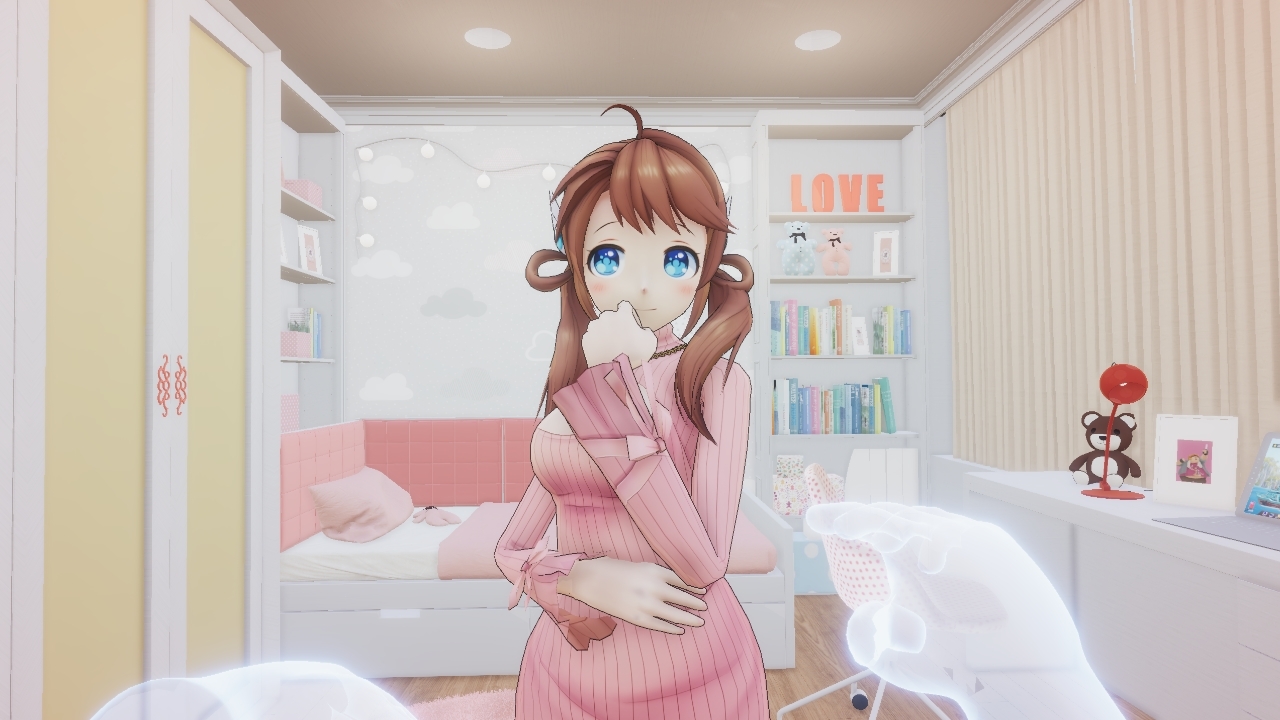
💕New VR game announcement trailer! Dokidoki Leahs!💕

Leahs-chan, who until now could only be seen in Duff's Dreams...

😍Now you can see her in real life through the new VR content!😍


DokiDoki Leahs VR Update!


😍 Update Version: v0.4.1.2024.VR


💕 New Content


  • If you own a VR device, you'll be able to access Leah's content when you launch the game.
  • Make some sweet memories with Leahs!


Leahs' many costumes!!


  • Have you been wondering what kind of costumes Leahs has?
  • Choose a vareity of outfits for Leahs by accessing the VR content!


Listen to the different voices of Leahs, localized especially for you!


  • We have recorded different voices for speakers of several languages.
  • Hear for yourself how Leahs' voice changes in each language!


Notice


  • Be sure to use in a safe environment.
  • Before you start using VR, be aware of your surroundings and make sure not to injure yourself while using it.
  • Before using VR, make sure your surroundings are clear of any hazards that you might bump into or trip over.
  • VR can sometimes throw you off balance, so take plenty of breaks.
  • Wear your VR device properly for the full immersive experience.


#Aprilfools

3/15 (Friday) Hotfix

Hi Everyone!

We will be proceeding with a hotfix to fix bugs that occurred in some missions and some bugs identified during the DLC.
Please check below for details.

◈ Update Version:

  • Win: v1.0.2.1322
  • Mac OS: v1.0.2.383

◈ Update Content
  • Fixed some bugs


[Bug Fixes]


  • Fixed an issue that prevented the 'Catch Clione' mission from progressing properly in certain situations.
    • If you have already experienced this issue, it should be resolved upon reconnecting after the update.
  • [DREDGE DLC Owners] Fixed a bug that occurred when loading a save after deleting DLC under certain conditions.


Additional Information

  • Please note that if you’re experiencing issues after the patch, please compress the files from the path below and send them to our, [File Verification Guide] Please proceed according to the guide.
  • If issues persist, please compress all files in the path below and submit them to customer support help center.

Windows:
%LocalAppData%\..\LocalLow\nexon\DAVE THE DIVER

Mac OS:
~/Library/Logs/nexon/DAVE THE DIVER/Player.log
~/Library/Application Support/nexon/DAVE THE DIVER/SData
or
~/Library/Application Support/com.nexon.dave/DAVE THE DIVER/SData

Steam Deck:
./.local/share/Steam/steamapps/compatdata/1868140/pfx/drive_c/users/steamuser/AppData/LocalLow/nexon/DAVE THE DIVER


◈ Notes
- If there are any changes to the details, we will update you through this notice.
- Please update Dave the Diver on Steam to the latest version for the changes to be applied.

Your reports are essential to improving the game and we’re happy that you guys are with us along the way. Please remember that if you have anything to share, feel free to let us know.

Dave the Diver Spring Sale! (25% OFF!)

01/29 Hotfix

Hi Divers!

We are implementing a hotfix to address some system improvements and fix certain errors reported by the community.
Please refer to the details below for more information.

◈ Update Version:

  • Windows: v1.0.2.1270
  • Mac OS: v1.0.2.353

◈ Update Content
  • System Improvements and some error fixes


[System Improvment Fixes]

    <*> The option to enable/disable the dedicated mouse cursor has been added.
    • The default setting is "disable game cursor," and you can change the status in the settings.


[Bug Fixes]

    <*> Fixed an issue where an error occurred under specific conditions when placing a landmine, preventing the game from progressing.<*> [After Chapter 7] Addressed the issue where players were unable to continue the game after completing the Space Diver mini-game.<*> Fixed the issue where an abnormal amount of damage was being dealt during specific patterns of the Giant Wolf Eel boss.<*> Fixed the issue where, when replacing the manager at the branch at a specific point, there was an abnormal number of customers that appeared.<*> Fixed the issue where specific patterns of the Clione Queen boss were intermittently not triggering.<*> Fixed the issue where players couldn't use the Fish Tracker while riding the Beluga Taxi.<*> Fixed an issue where certain fish were piercing through walls.


Additional Information

  • Please note that if you’re experiencing issues after the patch, please compress the files from the path below and send them to our,[File Verification Guide] Please proceed according to the guide.
    <*> If issues persist, please compress all files in the path below and submit them to customer support help center.

Windows:
%LocalAppData%\..\LocalLow\nexon\DAVE THE DIVER

Mac OS:
~/Library/Logs/nexon/DAVE THE DIVER/Player.log
~/Library/Application Support/nexon/DAVE THE DIVER/SData
or
~/Library/Application Support/com.nexon.dave/DAVE THE DIVER/SData

Steam Deck:
./.local/share/Steam/steamapps/compatdata/1868140/pfx/drive_c/users/steamuser/AppData/LocalLow/nexon/DAVE THE DIVER


◈ Notes
- If there are any changes to the details, we will update you through this notice.
- Please update Dave the Diver on Steam to the latest version for the changes to be applied.

Your reports are essential to improving the game and we’re happy that you guys are with us along the way. Please remember that if you have anything to share, feel free to let us know.

Released - 1/25(Tue) Additional Hotfix

Hello Divers!

We wanted to let you know that a hotfix is has been conducted to address several additional issues that have been identified. Please refer to the details below for more information.

◈ Updated Version:

  • Windows: v1.0.2.1264
  • Mac OS: v1.0.2.348.mac

◈ Update Details

  • Bug fix & Improvements - See below for details.


[System Improvements]

  • [After Chapter 7] Made a fix so that when you catch a young Anomalocaris with a crab trap it will always have three stars.
    • Made a fix so that it’s now possible to catch one with three stars even if you had already previously captured one.


[Bug Fixes]

  • [After Chapter 6] Fixed an issue in which even after clearing the Trapped in the Glacial Cave mission, the mission would progress again. The issue of being unable to enter the cave has also been fixed.
  • [After Chapter 7] Fixed the issue where, after installing a crab trap in the control room and despite not retrieving it, the crab trap spot would not be there when you returned.
  • Resolved an issue where, after the update, it was not possible to skip cut-scenes that had previously been viewed before the update.
  • Fixed the issue where some backgrounds in the sushi restaurant looked awkward during foggy weather.


Additional Information

  • Please note that if you’re experiencing issues after the patch, please compress the files from the path below and send them to our,[File Verification Guide] Please proceed according to the guide.
    <*> If issues persist, please compress all files in the path below and submit them to customer support help center.

Windows:
%LocalAppData%\..\LocalLow\nexon\DAVE THE DIVER

Mac OS:
~/Library/Logs/nexon/DAVE THE DIVER/Player.log
~/Library/Application Support/nexon/DAVE THE DIVER/SData
or
~/Library/Application Support/com.nexon.dave/DAVE THE DIVER/SData

Steam Deck:
./.local/share/Steam/steamapps/compatdata/1868140/pfx/drive_c/users/steamuser/AppData/LocalLow/nexon/DAVE THE DIVER


◈ Notes
- If there are any changes to the details, we will update you through this notice.
- Please update Dave the Diver on Steam to the latest version for the changes to be applied.

Your reports are essential to improving the game and we’re happy that you guys are with us along the way. Please remember that if you have anything to share, feel free to let us know.