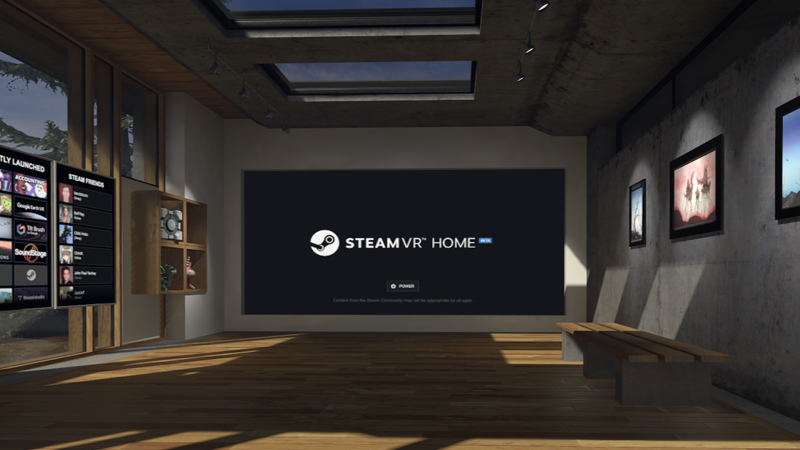
SteamVR Home Beta is now available for all users on SteamVR. We're excited to take this next step in the evolution of Destinations - from its humble beginnings as a photogrammetry viewer, to the interactive, customizable, and social home experience it is today.
As mentioned in the last post, we will no longer be updating the Destinations application. Any geocaching items you've found in Destinations will be added to your SteamVR inventory. The Destinations Community Hub and all of the workshop content will continue to exist, and if you already have the application installed you can continue to use it.
If you have any content on Destinations, please follow this guide to bring it to SteamVR Home so your fellow SteamVR users can have access. You have all created an incredible library of content together, and it would be a shame if everyone on SteamVR Home never had a chance to experience it.
Thank you all again for being an amazing community and helping to make SteamVR Home what it is today.
We'll see you in SteamVR!
Destinations is now SteamVR Home Beta
As you may have heard, we announced a large update to SteamVR Beta today. If not, you can see the announcement here. The short of it is that we are building the core functionality of Destinations into SteamVR as SteamVR Home (Beta). This means that richer environments, props, tools, multiplayer, and avatars will be available to all players by default.
We are excited to bring the functionality from Destinations to all of SteamVR, and hope you will come along with all of the experience and expertise you've gained over the last year. We also hope you will also bring the amazing content you've created in Destinations to the SteamVR Workshop, where it can be experienced by a much larger player base. The SteamVR Workshop Tools will be very familiar, and it is a simple matter to take your Destination and submit it to the SteamVR Workshop. Learn how to bring your Destination to SteamVR here.
As for all of your avatars and wearables you've found by completing quests, don't worry. Your inventory will be moved to SteamVR, where you will be able to continue searching for wearables every week. We'll move your inventories over once these updates have graduated from SteamVR Beta.
In addition, once this update is out of SteamVR Beta the Destinations application will no longer be updated. We've been amazed by the incredible work the community has done in Destinations, and appreciate all the feedback you've given us as Destinations has gone from a simple photogrammetry viewer to something more. You are all veterans of this creative space and we hope you'll pass your knowledge and experience along as the rest of the SteamVR community gets access to these worlds.
See you in SteamVR!
Destinations Update 2/21/2017
We've pushed out an update to Destinations (content buildid 1647301):
In our last update we introduced Tools, which allow players to interact with the world in a number of ways - from drawing, to blowing balloons, to controlling a drone.
We think these add a great amount of fun and engagement to the experience, and wanted to ensure that creators can create and add their own tools to their own Destinations.
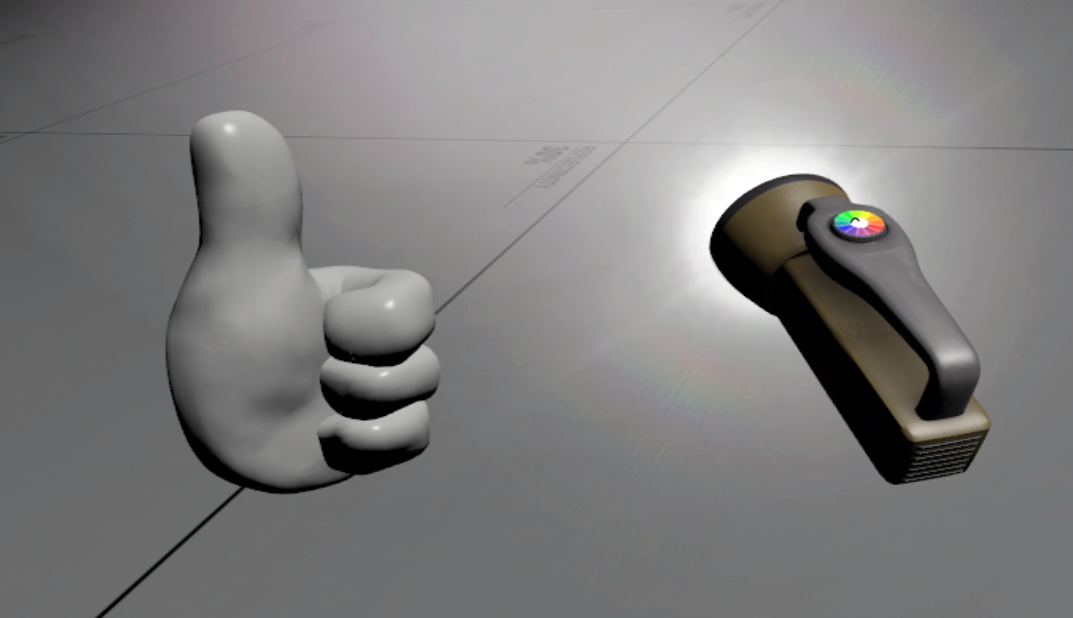
To this end, we recently added the prop_destinations_tool entity to Hammer. To learn how to use this new entity, check out the new Flashlight Tool Tutorial. This will walk you through the basics of creating a tool using provided pre-made assets.
We can't wait to see what you will create! Let us know what you think in the discussion boards.
Destinations Update 2/3/2017
We've pushed out an update to Destinations (content buildid 1609488):
Updated cache placement logic to avoid areas with collision
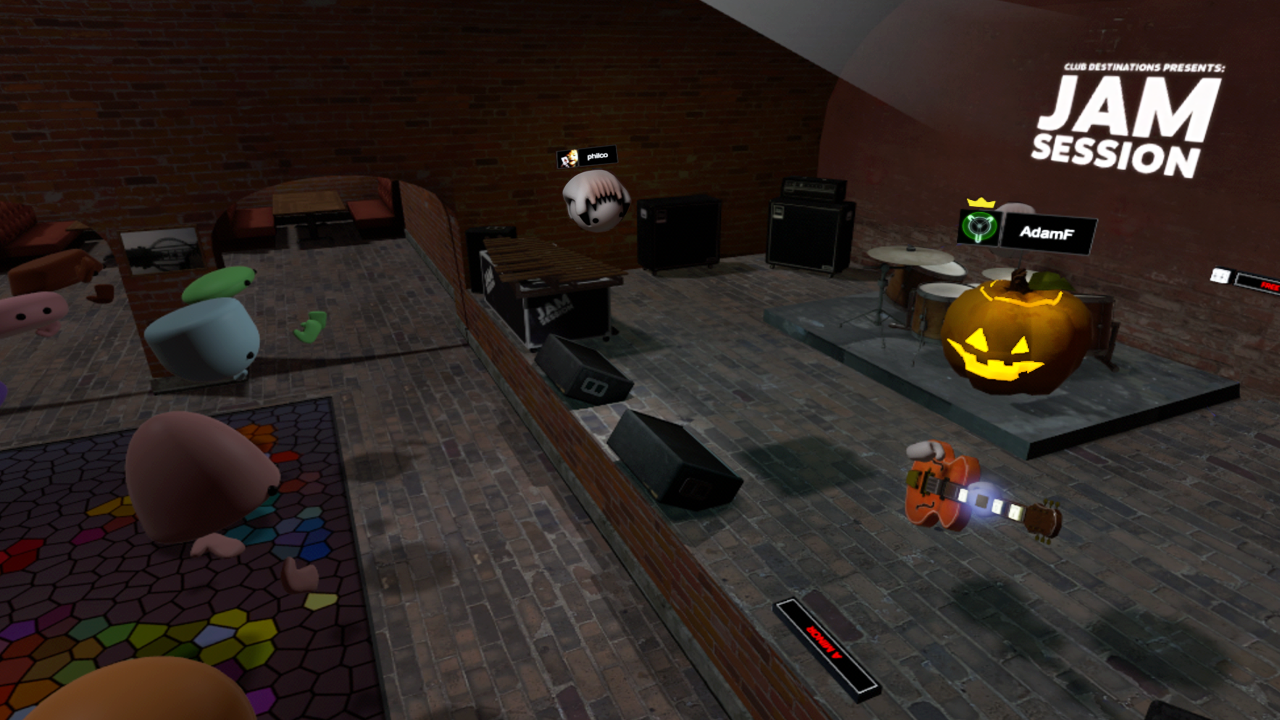
Jam Session - Made instrument sticks/hands into tools so they equip/unequip properly
Updated localization files
Removed peace sign gesture for mitten hands (no fingers, so no peace sign)
Fixed a bug where the auto-brightness in Destinations without any lights wouldn't work for anyone but the host
Fixed a bug where quest caches found in Destinations without any lights would come out without lighting
Fixed a bug where the cache finder would show overlapping animations while completing quests in multiplayer
Fixed a bug where Destinations would reappear in the cache quest list after completing a quest on them
Changed teleporting to teleport markers to no longer check collision
Changed trackpad hand pose UI to only show icons for poses that the current hand has
Fixed missing texture on guitar hands in Jam Session
Fixed not being able to interact with buttons when using mitten hands
Destinations Update: January 31, 2017
We've pushed out an update to Destinations (content buildid 1602534):
For more details, see this SteamVR blog post.
Geocaching Quests
Complete quests each week to unlock wearables and avatars
Travel to different Destinations and use the Cache Finder tool to find caches
Each player can find up to 5 caches a week. Geocaching quests reset every Wednesday night at midnight GMT.
Customizable Avatars
Accessorize your avatar with wearables and props
Every prop and wearable is colorizable with the trackpad
Save outfits for quick access
Interactive Tools
Cache Finder
Airbrush
Ballooninator (obtainable via quest)
Drone Controller (obtainable via quest)
Pop Zapper (obtainable via quest)
New Content
Destinations
Ilia's Retreat - New Destination - concept work created by Janice Chu, with asset contributions from Daniel Pedersen.
Clockwork Orrery - New Destination - assets and contributions from Warren Marshall
Home Map
Now displays a different background on every load
Floor animates in, and changes color to match background
Updated ambient soundscapes to match the background
Avatars
New default avatar heads to choose from
Team Fortress avatar heads (obtainable via quest)
New avatar hand models and gestures
Wearables
Introducing hats, hair, and other accessories (obtainable via quest)
Trade wearables and avatars with other players or find them on the Steam Market
UI
Refreshed Menu design
New Avatar Customization mode
New Quest UI
Now easier to find populated Destinations
Filter tools, props, and wearables by tag
New Tutorial content
Other Features
Props and Wearables can now be colored with the trackpad or joystick
Items now appear in your hand immediately when the trigger is pulled
Particle effect added when grabbing an item from the menu
Avatar brightness can now be set in the Avatar Dashboard
Improved teleport beam feedback
Vive controller models now have left and right hand icon indicators
When in a Destination created without lights, props and Avatars are set to full brightness
For Creators
We have updated the way Destinations handles cubemaps - if you are using cubemaps in any of your submissions, simply open your map in Hammer and you will be prompted to rebuild your cubemap.
Similarly, the behaviour of reflectivity and gloss values used in the VR Standard shader have changed slightly. If you are using these, you will have to increase values to get a similar look to before.
Vscript
The FireHapticPulse call from vscript no longer sends a user msg to all players to pulse their controller and instead only sends it to the intended player
When calling TakeDamage from script, you can now set the damage type inCreateDamageInfo
The flex_background entity class can now set a default animation via inputs
PropTool
Created a prop_destinations_tool class that allows the creation of items where controller input can be routed through vscript to the tool
Destinations is compatible with any HMD that is supported by OpenVR, including the HTC Vive and Oculus Rift. If you are using a gamepad, make sure the Destinations game window is selected on your PC while using Destinations.
Motion controllers are required for Quests, Tools, Props, and Wearables
Destinations Update 12/8/2016
We've pushed out an update to Destinations (content buildid 1504990):
Touch Support
Added Touch controller models to Avatar Hand choices for Touch users
Updated Welcome panel and Tutorial for Touch users
Use B and Y buttons to bring up the Destinations Menu
Use A and X buttons to turn in 90 degree increments (only available in SteamVR Beta at this time)
UI Updates
Menu icons, text, and layout updated for clarity
Updated UI focus state for gamepad users - it is now clearer which panel will get gamepad input
Destinations Update - November 8, 2016
We've pushed out an update to Destinations (content buildid 1446913):
Updated UI to make Public vs Private Rooms clearer
Fixed sounds playing twice in multiplayer for Jam Session
Refined button highlight volumes in Cannon Wars
Destinations Update - November 4, 2016
We've pushed out an update to Destinations (content buildid 1441063):
Fixed crash picking up scaled map props
Fixed client crash when server changed maps
Fixed steam avatar icon not showing up until after a map switch
Destinations Update: October 28, 2016
We've pushed out an update to Destinations (content buildid 1423583):
For more details, see this SteamVR blog post.
New Content
Added Jam Session Destination
Added Cannon Wars Destination
Added Tower Bridge Destination
Added new locked props
Added a new locked avatar
Updated prop materials and surface properties
Updated avatar materials
Updated UI
Simplified in-game tutorials for both Vive and Rift
New Dashboard in Destinations Menu with current status and quick access to common actions
Added a new Get More section, allowing players to browse and subscribe to popular Destinations from inside the menu
Quicker access to create, join, and leave Public Rooms
Moved Avatar color customization into the Avatar panel
Added color gradients to color sliders in the Avatar customization panel
Added indicators on player billboards and player info to indicate who is the host of the room
For Content Creators
Added new model override hand attachment to allow temporarily changing the hands to other models
Added script methods on hands: AddHandModelOverride, RemoveHandModelOverride, and RemoveAllHandModelOverrides
Triggers can now react to hands (set the trigger to react to all, and filter by classname=prop_vr_hand)
Added GetPlayer and GetHandID script methods to prop_vr_hand
New documentation for using Destinations Workshop Tools on the Destinations Wiki
Content creators: If avatars are unlit and props aren't properly colliding with geometry in your Destinations, make sure to go through this Destinations Checklist to ensure you have lighting and collision properly set up.
Destinations is compatible with any HMD that is supported by OpenVR, including the HTC Vive and Oculus Rift. If you are using a gamepad, make sure the Destinations game window is selected on your PC while using Destinations.