Scenery patch 13 is now live with the following changes:
Editors
Fixed occasional LOD generation crash when pressing F5 in editor
Fixed possible crash when tree min cluster size is greater or equal to max cluster size
Fixed possible crash when editing grids in route editor
Fixed chain "set first node as parent" option to work properly when some of the nodes already have parents
Fixed autogen turnout fastenings and sleepers to refresh automatically after making changes without having to press F5
Changed "clone and move node" option in route editor to also clone all scenery items like chains and zones associated with the node or its children
Made empty nodes visible in the route editor scenery mode
Added "copy to clipboard" option for entity IDs in editors
Changed sound file names in the train editor to be single-line fields because having a line break in the file name can cause a crash
Traffic
Fixed possible pathfinding related crash during simulation
Fixed pathfinding bug that might cause the found path to be too short for the train
Fixed bug that might cause a stop to register even if the train is not correctly within the stopping area
Fixed AI trains to not end their run before the departure time of the last stop. Otherwise they might disappear even if another train is meant to join them
Fixed driving AI to not be overly cautious when coupling onto another train in some cases
Improved signaller AI by making it return signals to danger more quickly after the train has passed
Improved signaller AI by making it clear enough signals to ensure clear distants where possible
Visuals
Fixed potential problem with custom materials not loading properly
Fixed broken rails at some locations like near Kempsford Lower Level on the Westfords route
Fixed broken fences around buildings between Haveford West and New Mimms on the Westfords route
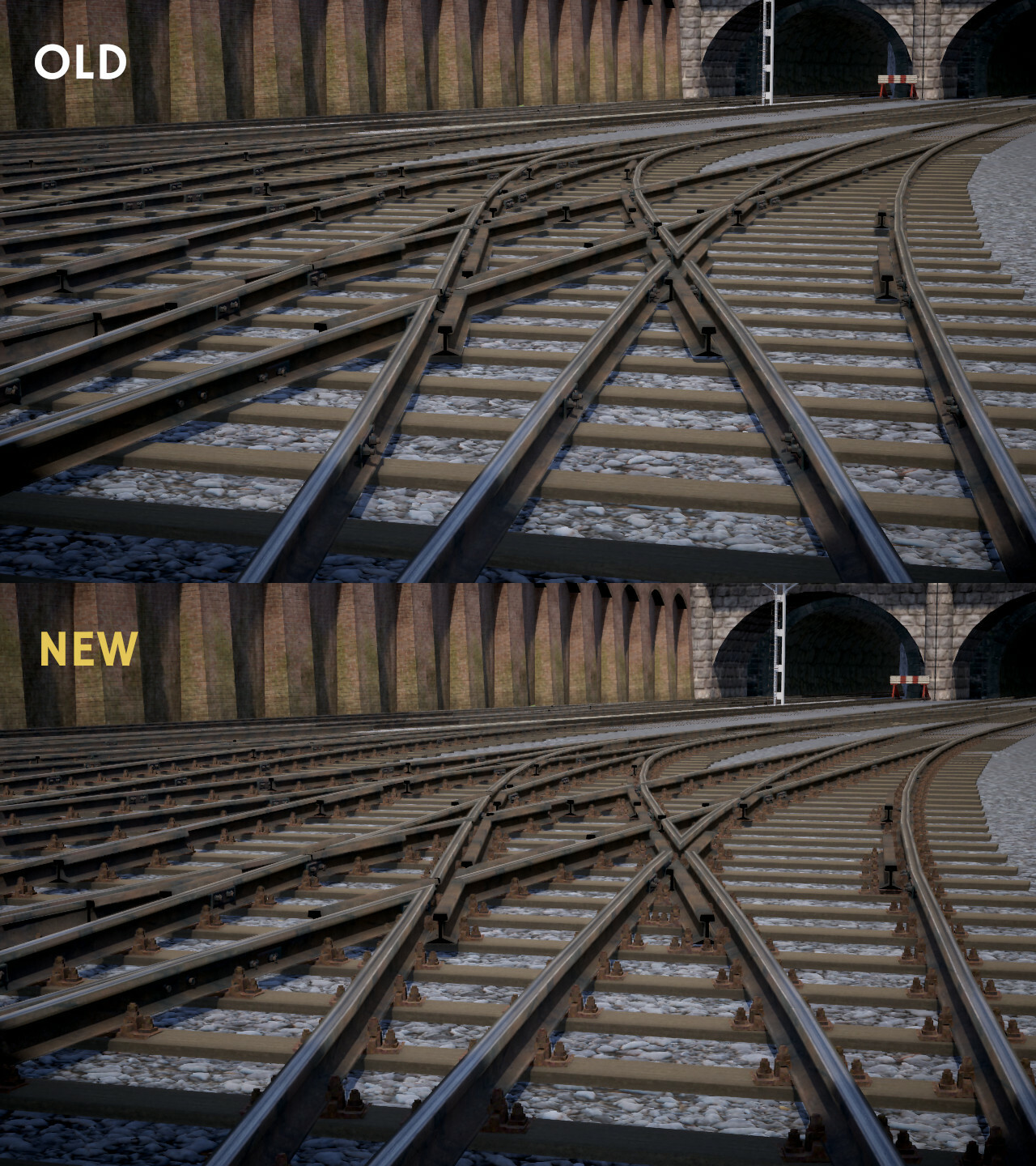
Fixed autogen turnout fastenings for custom track types to display properly
Fixed broken switch animations for track sections with turn greater than 90 degrees
Fixed problem with autogen turnout fastenings being off-centre
Fixed regular and autogen sleeper wooden material properties to match
Changed track irregularity parameters to fade out near nodes to ensure continuous rails
Disabled instanced shadow rendering for transparent materials because they were incorrectly appearing as solid objects
Fixed vertex normals for some models
Fixed GWR backing arm texture
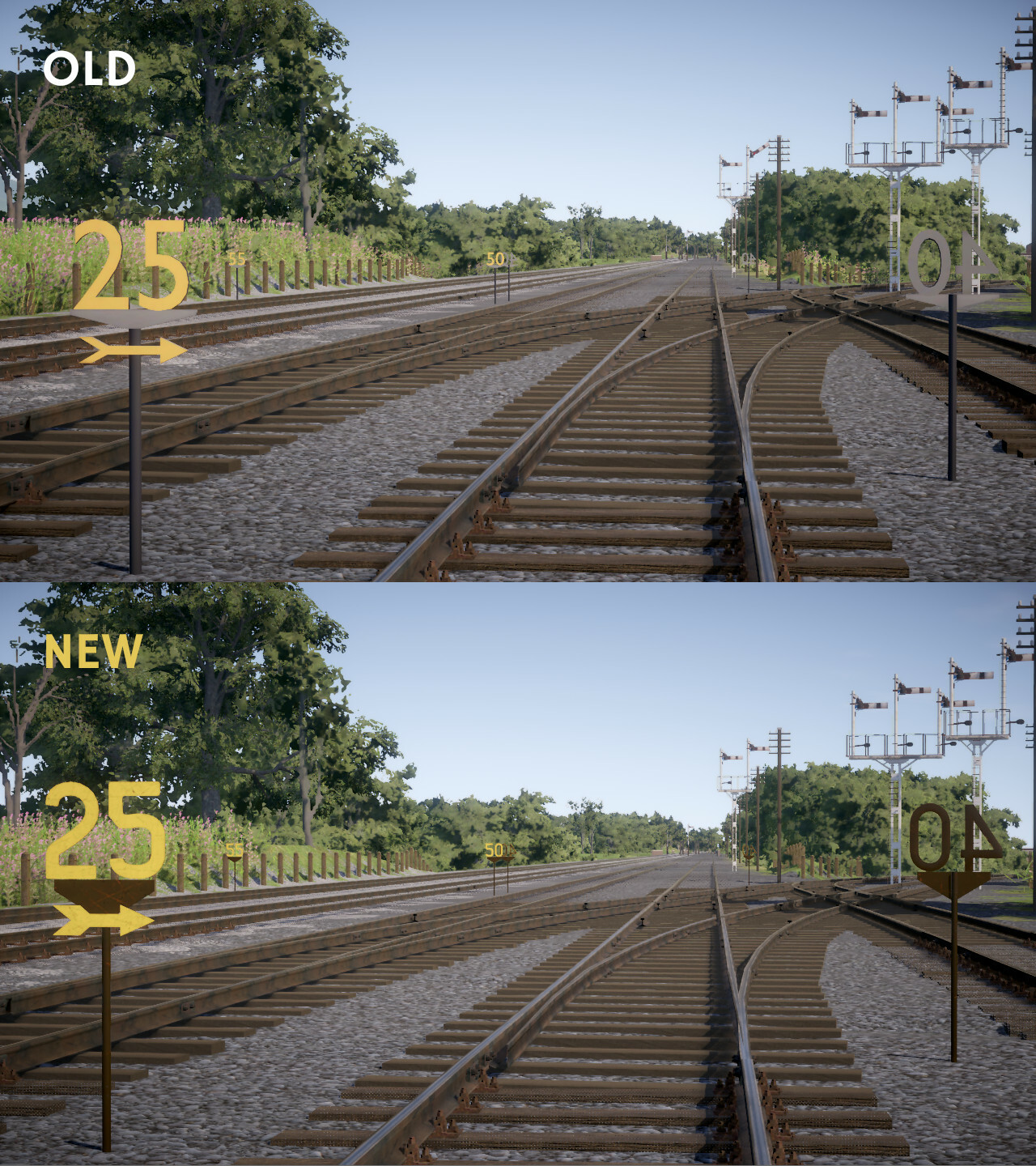
Fixed excessive shine on the backs of speed limit signs
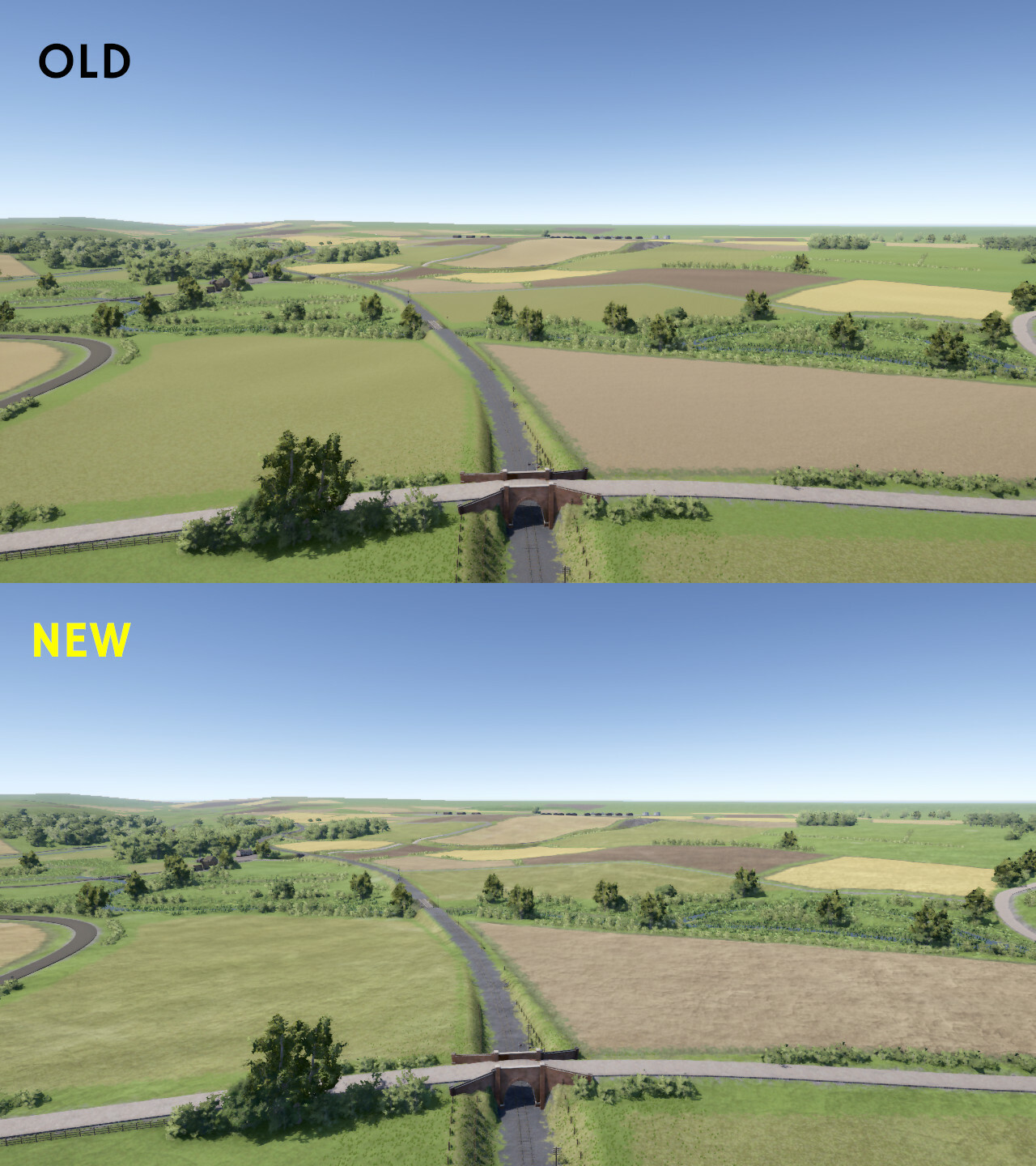
Updated loading screen background images
Miscellaneous
Fixed possible scenery rendering crash during simulation
Fixed performance issue with the rendering of some custom models
Fixed "seconds since midnight" animation variable for trains
What's next?
The next major update will be the gameplay update, to be released by the end of the year, along with smaller patches as required.
Screenshot contest
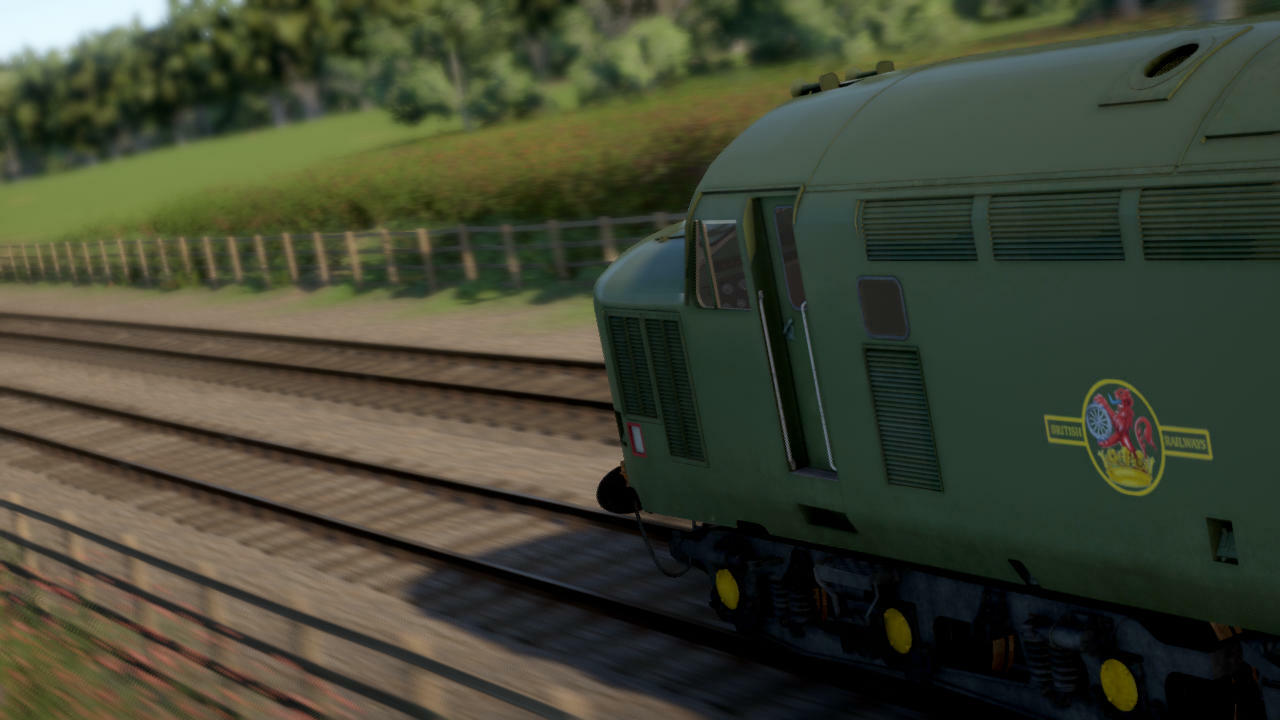
It's been a year since the last contest, so time for a new one! This contest has no specific theme. Feel free to use any routes and trains, even unpublished ones.
Post your screenshot here or on the Discord screenshot channel. Please label your picture as "contest entry" in the description. Some of the best shots (as chosen by Lapioware) will be used as background images for the loading screen with credit in the top-left corner.
Tips
The easiest way to post a screenshot is to use Steam's built-in functionality, usually the F12 key
Use the maximum resolution that your system supports
Hide the timetable by pressing F2 and other parts of the HUD with F3
Choose the highest graphics level from the top of the "Graphics settings" screen
Try enabling the optional "depth of field" graphics setting for a focus effect (works best while zooming in)
Use the free roaming camera mode to position the camera
Use the pause key to stop all trains while finding a good position for the camera. Alternatively, you can try using time acceleration for an exaggerated motion blur effect
Adjust cloudiness from the slider just before starting the run
Try taking screenshots at different times of the day: bright midday lighting is not always the best
Remember that the loading screen has a box that covers the centre of the picture
The contest will run for one week
Scenery patch 12
Scenery patch 12 is now live with the following changes:
Editors
Fixed possible crash in route editor
Fixed possible train and timetable editor undo/redo crash
Fixed LOD generation crash when switching quickly between train editor and simulation
Fixed manually placed custom objects sometimes not appearing properly in route editor until refreshing
Fixed direction selection to work correctly when editing a speed limit
Made editor right-click popup scrollbar stand out better
Simplified formation names in timetable editor when displayed as options
Changed route editor to not create a track/road section between nodes if they're over 10km apart horizontally or 1km vertically, to prevent the editor from freezing
Added ID number to model node choices in editors to distinguish between nodes with the same name
Editor side panel
Added "industrial" object category to the route editor side panel. Moved some old models there and added new ones: chimney, cooling tower, mine headframe 1, mine headframe 2
Added gradient auto-adjustment option to track/road properties in side panel
Added route editor side panel option to automatically adjust node gradient when moving it
Moved rarely used curve speed limit generation and cleanup options from right-click popup to the side panel in route editor
Made AWS electromagnet link field editable in route editor side panel
Signalling
Fixed vanishing custom signal posts
Fixed disc signals sometimes appearing without disc or counterweight
Fixed (LMS) semaphore signal appearing empty in some cases when max number of arms is set to zero on one side and non-zero on the other side
Fixed possible wrong arm order in auto-updated semaphore signals
Fixed incorrect main arm for some signals
Fixed disc signal animation entity id when creating an editable model
Added "disc signal post only" model (disc signal post without concrete foundation)
Added "GWR backing arm" model
Custom models
Fixed normal maps for custom models to work properly
Fixed normal vector calculation for custom models to reduce discontinuities along UV seams
Fixed problem with asset packing sometimes not updating all files in an already existing pack
Fixed train asset packing to not turn models by 180 degrees
Changed texture packing to always downscale non-power-of-two textures in order to save memory
Changed importing of custom textures to treat them as having linear colour space (except albedo and emission textures which are assumed sRGB)
Optimised automatic LOD generation for custom models
Optimised rendering of packed models
Miscellaneous
Fixed possible crashes at start or during simulation
Fixed "path is empty" crashes
Fixed problem with AI trains sometimes spawning late
Fixed speed limit signs to load properly when the game is started with non-default working directory
Fixed trains to spawn at the correct (shorter) starting positions where possible
Visuals
Fixed problem with lights sometimes missing from state animations
Fixed problem with state animations sometimes not working correctly
Fixed normals and texture coordinates of built cross sections in some cases
Fixed possible problem with speed limit sign normal vectors
Fixed rendering of some scenery objects with negative scale
Fixed problem with sleepers and fishplates bunching up in the wrong places
Fixed alignment of auto-generated turnout sleeper texture
Fixed wrong material being selected for autogenerated turnout sleepers
Added rail fastenings to auto-generated turnouts. This requires the fastening model to be set up for each rail in the path type for custom track types
Added "rnd" and "vehiclernd" animation variables
Sounds
Fixed problem with custom sounds sometimes needing program restart before they start working
Fixed mixing options to work correctly for non-looping sounds
Adjusted audio mixing to get rid of panning effect
Changed custom sounds to be automatically converted to mono when loaded
Added support for packing .wav sound files to train assets
Added sound proto cloning option in the editor sidebar
Fixed sound behaviour cloning to clone protos too
Added "fix unused sound protos" option to sound behaviour in train editor side panel
Added "enable broken sound workaround" option to vehicle definitions in train editor
Fixed missing or incorrectly positioned sounds in Classes 112, 117, 126 and 127
Some modded trains based on old Classes 112, 117, 126 or 127 may still have broken sounds (missing or incorrectly positioned). These are sound protos marked as UNUSED in the train editor sound list. They're "unused" because they don't have any bindings to actual sound sources (=physics components).
Some of the sounds have played correctly regardless, although in the wrong location, usually at the centre of the vehicle. This is because of another bug which causes the sounds meant for the other vehicle to also play for the broken vehicle. Without this bug (or workaround) some of the vehicles would be silent.
If you've made train mods based on the core DMU classes, you can fix the sounds by right-clicking on each sound behaviour in the train editor's sound list and choosing "fix unused sound protos". This will attempt to add the missing sound sources based on the existing, working protos. You'll also need to uncheck the "enable broken sound workaround" checkbox for each vehicle definition. Otherwise sounds for all vehicles using the same physics device will be played for every vehicle, creating a strange echo effect.
What's next?
The next major update will be the gameplay update along with smaller patches as required.
Roadmap for Gameplay update
The next major update for Diesel Railcar Simulator will be the gameplay update, to be released in the second half of 2024.
Gameplay features are not the sole theme of the update: quality-of-life improvements and a smoother onboarding process for newcomers are also planned.
Single runs with a personal scoreboard are currently the only form of gameplay, but many people find this classic sandbox style of simulation unsatisfactory. The next update addresses the problem by adding more goal-oriented gameplay:
Career mode for progression and coherent gameplay experience
More detailed and transparent scoring, including an option to display the score during the run
Player profiles with detailed statistics
Steam achievements and leaderboard
Other gameplay features to add more depth and variety:
Derailments
Accurate collisions between trains and track ends
Free roam or one-off services
Continuing with another service when the run has ended (in the opposite direction for example)
Guard mode for goods trains: play as the guard in the brake van
Tandem drivers: an AI (or playable) driver in every drivable unit or locomotive in the train that cannot be controlled from the leading unit. This can be used for mixing different locomotives or having a banking locomotive at the rear
New players often find it difficult to learn how railway traffic works by using the HUD helpers alone. For seasoned players, another stumbling block is the setup of Workshop train mods. Therefore, one of the key priorities is making it easier to...
Learn signals and traffic rules for those who are not already familiar with how railways work
Download and manage Workshop mods
Change trains and liveries without having to create a new timetable
Many people find the current user interface difficult and unintuitive. Menus look crowded and can't be navigated with a gamepad. The default control scheme is also unlike in any other train sim. This is why the next update will include a new, improved user interface:
New, simplified menus that can be used with a gamepad
New HUD that looks better and is easier to read
Revised control schemes
Map view during the run
Due to time concerns, some of the planned features may have to be postponed and released in patches after the update proper.
What about shunting, weather effects and train breakdowns, aren't these also gameplay features? Yes, but these require major changes to the AI and physics, so it's best to leave them for a separate update. The next update focuses on gameplay features that can be implemented with minimal changes to the AI and physics.
Current status of development
At the time of publishing this post, the following features are half done or waiting for testing and polishing: derailments, accurate collisions, new scoring system, new control scheme and tandem drivers.
Post-gameplay roadmap
There will be at least three major updates afterwards (not necessarily in this order):
Train update
Improved train physics: wheel slip and slide, shutting down engines, draining oil from torque converters
New physics components: support for diesel-electric power train, automatic gearboxes, air brakes and driver/guard operated doors
Head and tail lights, interior lights, animated headcode boxes
Handbrakes on all vehicles
Improved train graphics: more details and better texturing
Improved train sounds: more authentic sounds, better mixing, new sounds like flange hiss and rail whisper
New locomotives or railcars
Traffic update
Shunting
New goods wagons
Custom signal system logic like speed signalling
Request stops (passengers requesting to board and alight)
Improved pathfinding and signalling AI: making pathfinding more reliable and transparent for timetable creators
More detailed simulation of the British railway operating procedures, including improvements to the absolute block signalling and interaction between drivers and signallers
Environment update
Weather effects and working windscreen wipers
Seasonal effects
Moving road traffic
Moving passengers
Animated train staff
Improving and completing the scenery system
Further updates like new routes, trains and other countries to be announced later.
Questions, suggestions, feedback? Leave a comment below!
Scenery patch 11
The eleventh scenery patch is now released with the following changes:
Editors
Fixed problem with route editor map view becoming unresponsive after adding a new chain but cancelling immediately
Fixed possible crash in route editor when left-clicking on things in the map view
Fixed crash in route editor when changing a node's model source to cutout speed limits while model ID is blank
Fixed route editor to update map view after removing things like nodes
Fixed possible broken animations when manually placing multiple instances of the same animated model
Removed option to merge a looping track into itself in route editor because it would crash
Disabled compression when saving data to files in order to make the process more robust
Changed file writing to automatically save a .backup copy of the previous file
Editor side panel
Fixed possible crash when selecting an option from the editor side panel
Fixed problem with side panel tree not responding correctly to mouse button clicks until after clicking at least once on the map view
Fixed problem with random tree item being highlighted after selecting an option from a list in the side panel
Fixed editor side panel to scroll back to the correct position after selecting an option
Fixed bug where a new child node added via the side panel would not appear correctly
Renamed side panel bottom edge "Add" button to "OK" since "Add" doesn't make sense in some contexts
Signalling
Fixed possible crash in signaller AI
Fixed signaller AI to not clear a signal if the signal section overlaps an earlier cleared section (which might lead to conflicting route setting at junctions in looping tracks)
Added option to create a fixed distant (one that always shows "caution")
Added option to link a distant to the next signal only, effectively creating a repeater
Added "SigRoutes" to the route editor side panel when the properties of a signal are opened. These represent the possible paths from that signal onwards to other signals or track sections/ends that can be cleared
Added signal option to disable the automatic update of sigroutes
Custom signal models
Added option to hide the default models of signals and distants
Added function to create the equivalent default model of a signal or distant as plain editable nodes and animations
Added entity ID field to node animation data for linking the animation variables to a particular object like a signal or a distant
Changed distant and signal descriptions to include the entity ID in the editor side panel
Added GWR siding arm model to the built-in library
Miscellaneous
Fixed possible crash when loading a route
Fixed possible crash when generating LODs
Fixed crash when loading a packed model that has invalid file path characters in its ID
Fixed possible crash when loading a packed model with high number of vertices
Fixed cutout speed limit signs: reshaped '6', rescaled '7' and restored old thinner and more realistic arrows
Reduced memory consumption of the terrain system
Added low memory notification
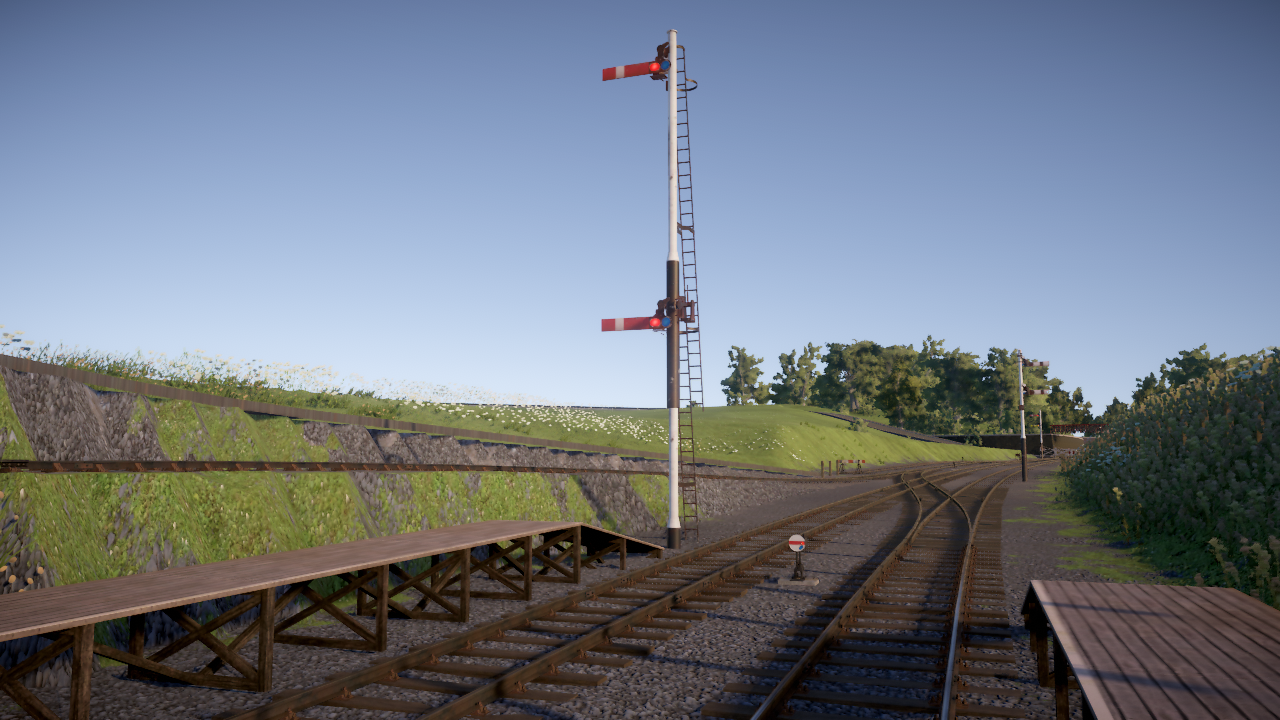
The picture shows a custom tall semaphore with co-acting arms for visibility. Screenshot from a work-in-progress route mod.
What's next?
The next major update will be the gameplay update (more on that later), and smaller patches as required.
Scenery patch 10
The tenth scenery patch is now released with the following changes:
Graphics
Added new speed limit and whistle signs by Radical Mesh
Added new building models (names with "uk" prefix): fire station, football stadium, hotel, medical practice, park football field, police station and public toilets
Added new scenery models: garden sheds (5 variants), goal posts, hay bales and palisade fences (models only, no chain types)
Fixed Class 03 body swaying in the wrong direction in turnouts and sharp corners
Model packing
Fixed problem with models loaded from pack briefly appearing in the wrong place
Fixed model packing for trains to use the correct scale
Fixed normal vectors and face winding for packed models when scale has negative components
Fixed node material overrides to work with packed models
Fixed model loading from legacy pack
Optimised LOD generation for packed models
Miscellaneous
Fixed possible crash when reloading scenery in route editor
Fixed incorrect signaller message about blocking train on Lambourn RAF Welford shunting run
Fixed possible crash when preloading scenery for a route while running out of hard drive space
Added new Class 37 horn sounds by Redcliffish
Added new DMU brake application sound by Bescot
What's next?
The next major update will be the gameplay update (more on that later), and smaller patches as required.
Scenery patch 9
The ninth scenery patch is now live with the following changes:
Graphics
Fixed two problems with packed models sometimes appearing incorrectly positioned, rotated, scaled or broken (please repack if you're using packed models in your route)
Fixed occasional incorrect animations for objects like disc signals that might cause them to display the wrong aspect
Adjusted post-processing, sky and lighting
Other
Fixed crash when loading the Lambourn workshop route on systems that use decimal comma instead of period
Fixed possible problem with train models getting reloaded unnecessarily
Fixed "path not found" problem in timetable editor when a track has two nodes at the same location
Fixed "path not found" in some cases when the path requires reversing direction
Fixed lost terrain node when changing position from the side panel in route editor
What's next?
The next update will be the gameplay update (more on that later), and smaller patches as required.
Scenery patch 8
The eighth scenery patch is now released with the following changes:
Graphics
Added automatic detail to distant terrain
Adjusted post-processing shadow colours
Fixed possible malformed turnouts
Fixed extra sleepers in the middle of some turnouts
Fixed broken switch rail animations in some turnouts
The comparison screenshot is from bricksathome's work-in-progress scenery update for the Newbury Branchlines route and shows the new terrain detail effect.
Editors
Fixed custom material colour hex values to work even if there's a line break at the end
Fixed occasional incorrect road/track shape when connecting to another road/track from the same end (low-low or high-high)
Fixed track fouling area updates for short track sections to not foul each other incorrectly in the route editor
Fixed problem with custom models no longer appearing after exiting simulation or route editor
Fixed sleepers near turnouts to update automatically in the route editor
Fixed crash in timetable editor when deleting a service while test running it
Set default normal map scale to 0.5 for new custom materials because the old default value of 1 produced ugly exaggerated results
Other
Reduced terrain loading CPU spikes for smoother frame rate
Fixed silent error when starting simulation before service selection screen has finished loading map
What's next?
The next update will be the gameplay update (more on that later), and smaller patches as required.
Scenery patch 7
The seventh scenery patch is now released with the following changes:
Graphics
Fixed shadow popping
Fixed problem with train parts appearing randomly in the scenery if pressing Watch or Drive button in the service screen before the train picture has fully loaded
Optimised rendering when shadows are disabled
Adjusted Class 37 cab brightness
Adjusted colour post-processing
Editors
Redesigned asset packing mechanism for route and train editors
Fixed material height maps to work
Fixed material emissive colour to work when used without an emission map
Fixed making a copy of a route/train to also copy subfolders
Fixed possible crash when exiting train editor without saving changes
Fixed possible crash when moving a node in route editor
Fixed possible terrain loading crash in route editor
Possibly fixed a crash in route editor related to very long tracks
Fixed editor side panel to clear options for already removed objects in some cases (clicking on one of the options would lead to a crash)
Fixed possible crash during route/train editor refresh
Fixed route/train editor refresh to reload packed assets
Fixed possible crash when refreshing scenery while it's already loading in route editor
Added auto-refresh after updating asset pack in route and train editors
Made track section level crossing data visible again in the route editor side panel (for manual removal of old leftover crossings that might cause the AI to sound horn for no reason)
Other
Fixed some memory leaks related to the loading of custom models
Various optimisations to reduce stuttering and lag spikes
The new asset packing mechanism has better performance when loading assets during the simulation. It's also more flexible, as nodes using packed models no longer need the "model source" field to be changed. Please see the Importing custom models guide for full details.
What's next?
The next update will be the gameplay update (more on that later), and smaller patches as required.
Scenery patch 6
The sixth patch after the scenery update is now available with the following changes:
Graphics
Adjusted sky and post-processing colour settings
Adjusted shininess of some hedge objects
Improved tree colours, leaf density, LODs and transitions
Fixed floating blobs on top of some trees
Fixed shadow pop-in during early morning/late evening (long shadows may cause reduced frame rate)
Optimised shadow rendering (mostly affects short midday shadows)
Editors
Fixed possible crash in route editor when moving a node
Fixed possible crash when moving a node on top of another road/track
Fixed some generative scenery like level crossing covers and track fences to update properly in route editor without having to press F5
Fixed problem with changes made to custom type materials not syncing properly to visible scenery in route editor
Fixed track end buffers to sync properly in route editor without having to press F5
Fixed changes to sign texts in route editor to sync without F5
Fixed zones without a texture and "apply vegetation" ticked to work more consistently
Added "copy to clipboard" button for some id fields in all editors
Changed initial HUD pause message to suggest pressing Pause key instead of PgDn
Pressing Esc during the initial pause now starts the sim instead of opening the menu
Fixed "run in background" setting to work after restarting
Fixed log file spam when quitting the game
Several optimisations to reduce stuttering and minor lag spikes
What's next?
The next update will be another patch, focusing on optimising the loading of custom 3D-models and adding some kind of digital elevation map support for the route editor.