The fifth patch after the scenery update is now available with the following important changes:
Graphics
Fixed thread pool deadlock when loading terrain. This makes scenery visible again on single and dual-core CPUs. The terrain also loads faster on 3+ core systems
Added number of active pool threads to the F1 info box (this was used for debugging the deadlock issue)
Editors
Fixed problem with grass occasionally remaining in wrong place when making changes to terrain in the route editor
Fixed train editor to not change axle positions when changing the total length of a vehicle
Removed "save as new" option from all editors because it wasn't working reliably. Routes, timetables and trains included in the core game and downloaded from the Workshop can only be opened in read-only mode from now on
Added "Make (editable) copy" button right below the "open in editor" button in the main menu. This way you can make an editable and save-able copy of any route, timetable or train. Unlike previously, making a copy copies all the files, so custom models will work automatically on the copied route or train. Copying a route will also copy timetable files in the route folder and rebind them to the copied route
Removed "Edit currently selected timetable" option from the service selection screen since it wouldn't work for non-editable timetables. Please open the timetable editor via the main menu's "timetables" tab instead
Made timetable id visible in the timetable properties of the timetable editor
What's next?
The next update will be another patch, focusing on editors and optimising the loading of custom 3D-models.
The fourth patch after the scenery update is now available with the following changes:
Graphics
Fixed Class 03 cab light again
Fixed grass distance setting to work again
Fixed level crossing gate animations for some workshop routes (Cumbria)
Changed automatic LOD generation algorithm to produce better results (especially for Pacer mod)
Fixed memory leaks caused by grass rendering system
Reduced lag spikes caused by grass rendering system
Editors
Fixed possible crash in train editor when a vehicle model has a truncated exhaust pipe
Fixed editor crash when clicking on "Save as new"
Fixed possible crash in editors when removing items from the side panel
Fixed possible crash in route editor when extending a road or a track
Optimised editors to open faster
Other
Fixed possible crash when restarting sim
Fixed camera movement to work properly when mouse pointer is over the "run complete" message
Changed fullscreen window to remain visible after alt-tabbing out of the window
Changed simulation to start in paused state
Removed scenery preloading because it was slow and unreliable. If you want the scenery to load fully before starting the simulation, you can simply choose not to unpause it at start until enough scenery has loaded
Adjusted thread priorities for single and dual core CPUs
Added number of CPU cores to HUD F1 info box
What's next?
The next update will be another small patch, focusing on editors and optimising the loading of custom 3D-models.
The second patch after the scenery update is now live with the following changes:
Optimisations
Made scenery preloading much faster (letting it load at least 75% through is highly recommended)
Changed scenery loading during simulation to prioritise scenery near the tracks
Reduced overall memory consumption
Fixed performance problem for some hedge objects. This raises frame rate on the section between the depot and Abbotsgrove on the North Landen route and on many workshop routes like Solaris and Wherry Lines
Optimised scenery object rendering
Graphics
Fixed case of missing scenery objects (for example a hole in the middle of a footbridge)
Fixed possible crash when changing graphics settings during simulation
Fixed support columns to not obstruct track on some viaducts
Fixed "is at booked stop" animation variable to work correctly for loaded freight trains
Fixed various LOD graphics glitches on some objects
Changed track sleeper fade out width to depend on LOD bias. Note: changing LOD bias affects some objects (like sleepers) only after restart
Adjusted lighting and post-processing settings
Editors
Fixed overlapping node info text when highlighting a road node in route editor
Hid level crossing entries from the side panel in the route editor because they were not supposed to be used (right-click on a piece of road in the 2D/3D view instead to add a level crossing)
Added separate colours for chains and zones in route editor
Added road/track reversing button to side panel and removed redundant road right-click reversal option
Fixed train editor to not clip camera to the invisible terrain of the previous route
Other
Fixed AI driver to handle looping tracks correctly
Fixed train collision checks to work more reliably when coupling onto a failed train
Added missing water and grass graphics setting translations
Renamed cinematic camera toggle to "nonstop camera movement"
Clarified "train not found" error message to suggest checking the workshop for missing add-ons
Reduced seat magnet radius and raised movement speed
Removed some default controller bindings for non-gamepad controllers since they were probably causing the view menu to pop up all the time
Please note that runs saved with an earlier version may be incompatible with this version, so you may get an error message when trying to continue a saved run.
What's next?
The next update will be another small patch, focusing on fixing more memory issues and editor crashes.
The game is still leaking memory? If you run the game for a very long time, it will consume more and more RAM and virtual memory until it runs out and crashes. The memory is freed when exiting the program, so the simple solution is to restart the game between runs. The leaks are caused by two third-party systems, one for the rendering of grass (disable grass to disable this system) and one for the loading of custom imported 3D-models.
Where's the cloud support? Postponed because it didn't work as expected.
It's time to streamline development by dropping support for the 32-bit version of Diesel Railcar Simulator and focus on the 64-bit version only:
Steam hardware report shows that nobody is using the 32-bit version of DRS anymore (of those players that share their hardware specs with Steam)
64-bit consumer CPUs were introduced some 20 years ago, so they should be commonplace
The 32-bit version has serious performance problems owing to the max 4GB of usable RAM limit for 32-bit programs, requiring constant paging to hard drive because the game often needs more than 4GB RAM
Some people get confused and try to use the 32-bit version even on a 64-bit system, leading to poor performance and crashes for no good reason
Dropping 32-bit support makes development easier and faster
The last 32-bit version (the current release version) has been saved onto a separate "beta" branch in case anyone still wants to keep using it. In order to download the last 32-bit version, right-click on the game in the Steam client, choose the "Betas" tab and select "last32bit" from the list.
If you're unable to launch the 32-bit version directly from Steam after subscribing to the beta branch, try starting the 32-bit exe manually, usually located at: C:\Program Files (x86)\Steam\steamapps\common\Diesel Railcar Simulator\Diesel Railcar Simulator.exe
In future versions there will still be two exe files (one with the "64-bit" suffix and one without), but the files will otherwise be identical 64-bit executables.
Scenery patch 1
The first patch after the scenery update is now live with the following changes:
Graphics
Fixed possible crash when changing graphics settings during simulation
Fixed wheelsets to follow lateral track inaccuracies correctly
Fixed auto-generated buildings to be at the correct road height in some cases
Fixed empty path type to not affect terrain
Fixed extra unsheared scenery objects appearing in place of sheared objects for things like bridges
Fixed hilly terrain texturing to work consistently in route editor and driving sim
Fixed walls to not appear across tracks on some level crossings
Raised max LOD bias to 300%
Route editor
Fixed possible crash when moving a node after undo
Fixed nonsense in side panel when showing grid properties
Fixed route editor to not set invalid height values to nodes when the terrain only has two terrain nodes
Fixed possible crash after entering chain adding mode but cancelling before placing any nodes
Fixed route editor unnecessarily reloading some scenery objects while other editing is being done
Fixed possible crash when undoing things
Fixed level crossings to be added correctly when placed on top of complex trackwork
Fixed auto-generated fences to update when a platform is added
Changed new platforms to not have a station building
Added tooltips for platform strafe fields
Other
Fixed possible crash when changing camera
Fixed problem with errant scenery objects appearing in random places
Renamed "vehicle" to "train" in some parts of the user interface
Made it possible to highlight and click on cab controls when simple controls are enabled. However, clicking will have no effect, causing the simple controls box to flash instead (drawing attention to the fact that it's not possible to use cab controls when simple controls are enabled)
Fixed program crash after driving inside another train when collision/coupling detection fails (For example the rescue scenario for Rural Up 101 service in Westfords route when the failed train is at Rickeridge)
What's next?
The next update will be another small patch, planned to include memory usage and scenery loading optimisations, Steam cloud (and cloud gaming) support, collision detection fix and pathfinding fix for circular tracks.
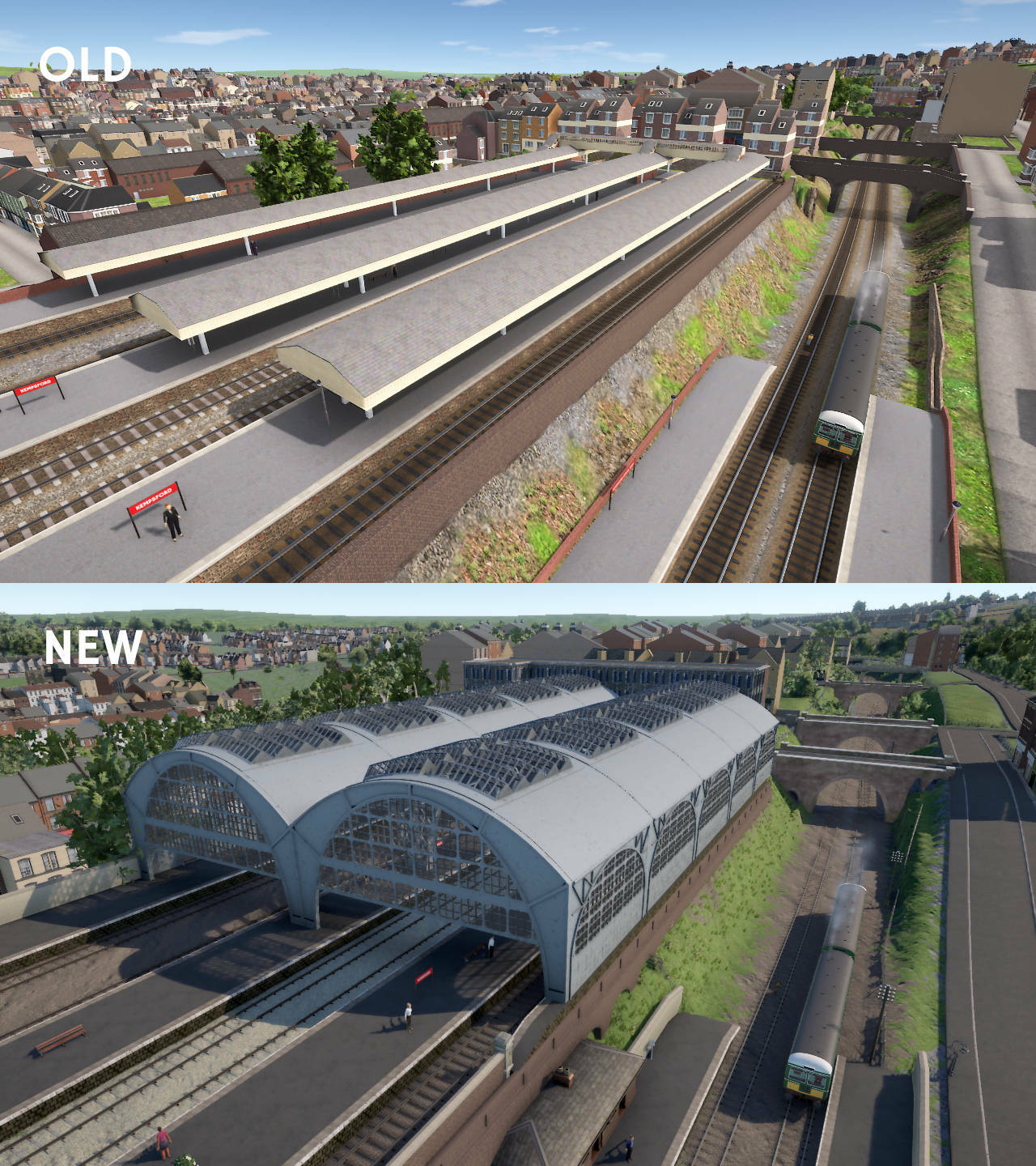
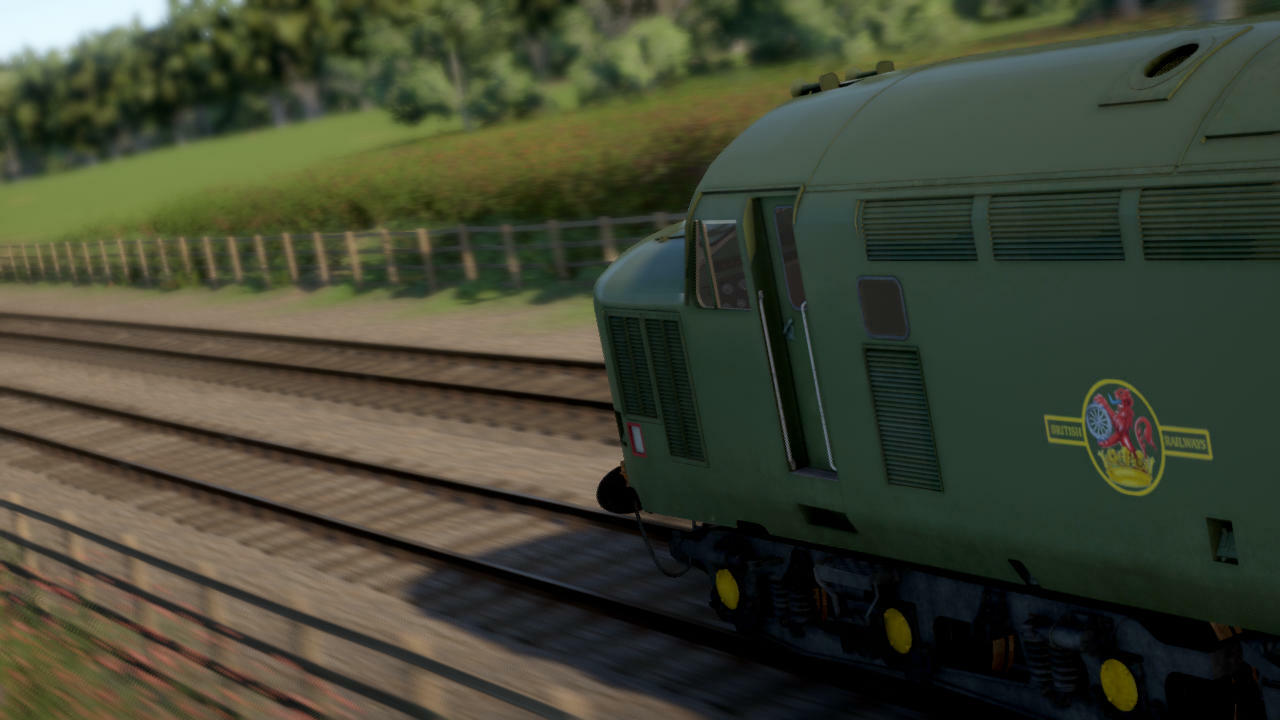
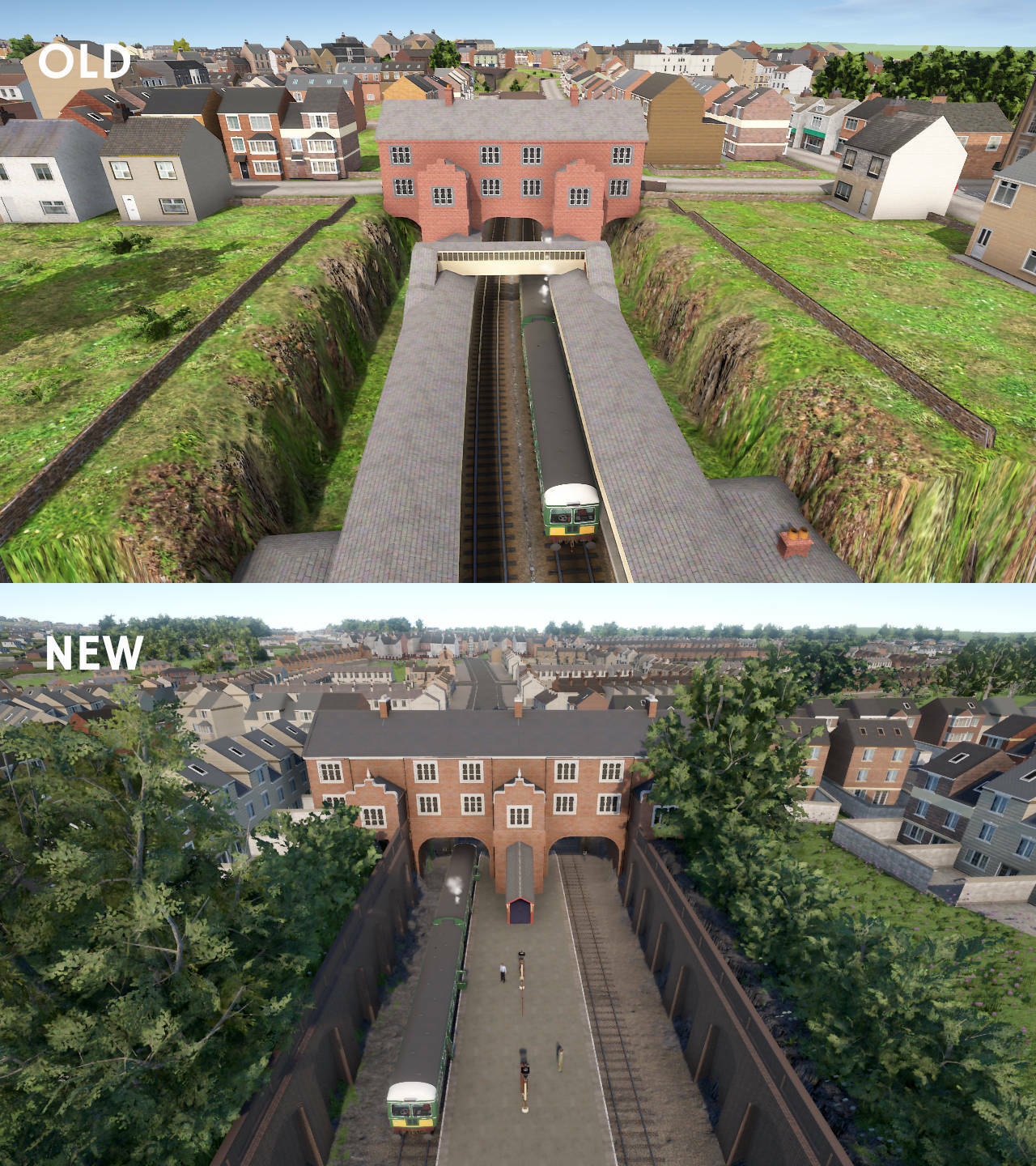
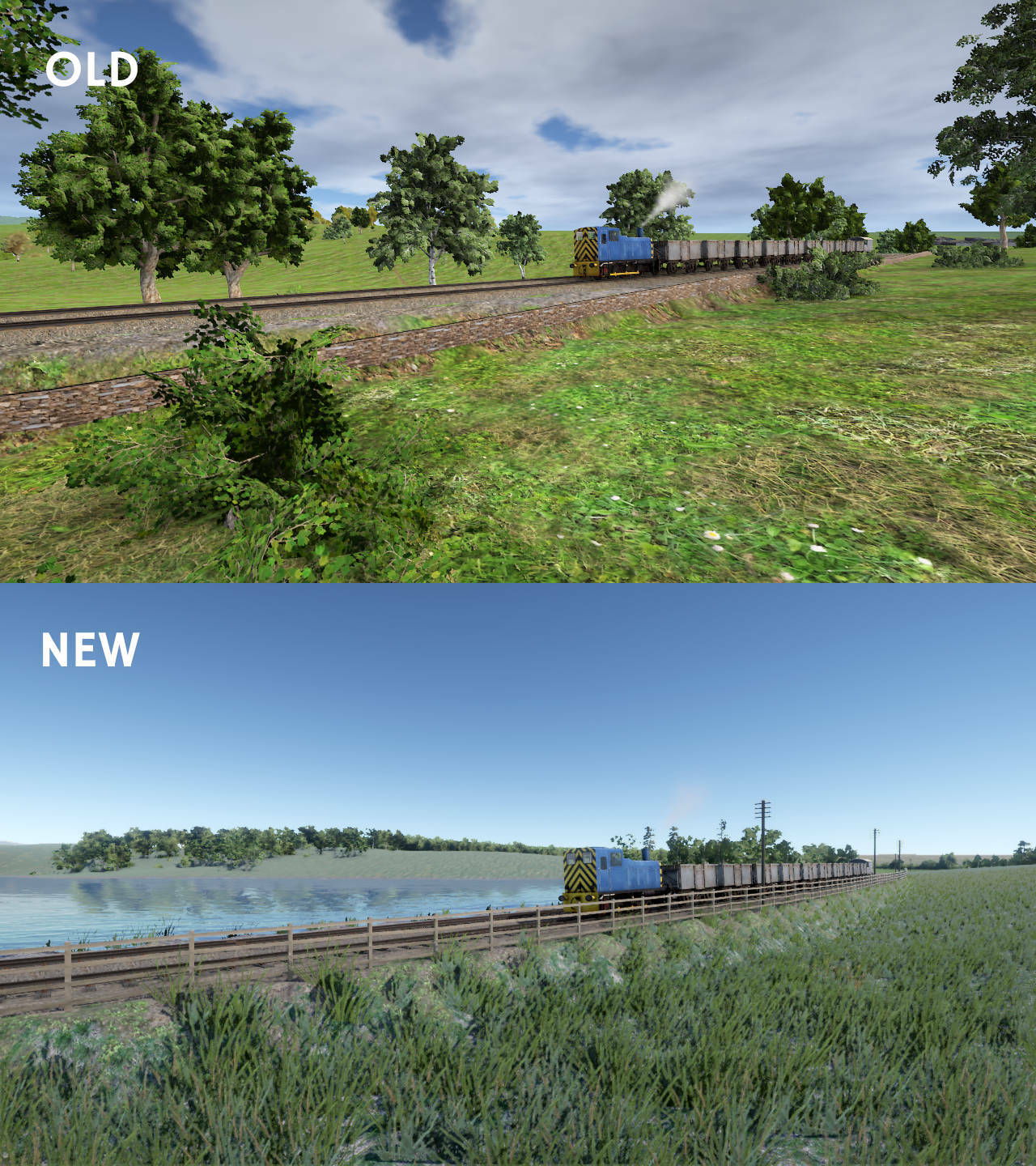
The new scenery update is finally here! After almost two years of hard work, the simplistic and often repetitive scenery of the previous version has been replaced with a more diverse, lush and realistic environment with rich customisation possibilities for modders.
The new scenery system has proper support for water, fences, forests, fields, grass, tunnels, custom tracks and more. The built-in library of 3D-models has also been expanded with new buildings, trees, fences, walls, rocks, bridges and station furniture.
This update also includes a number of small fixes, improvements and optimisations unrelated to scenery.
My frame rate is lower than before!
The new scenery has 2x-4x more detail compared to the old one so it's not reasonable to expect a frame rate identical to the previous version. However, thanks to optimisations, the frame rate is not down by 50-75% but 10-40% depending on your system and the complexity of the scene.
For reference, a 2017 quad-core CPU, 8GB RAM and GeForce 960M with 2GB VRAM should produce an average of 30fps at 1280x720px resolution with the highest default quality level, up to 40fps for low-detail scenes (mostly fields) and down to 25fps for densely populated urban scenes.
If you're not happy with the frame rate, please try changing the following graphics settings:
Select a lower quality level from the master switch at the top of the screen
Reduce drawing range
Reduce grass range
Disable water reflections
Disable accurate tunnel mouths
Make sure LOD bias is not over 100% (in the previous version this could be as high as 300% but such values are no longer needed thanks to an improved LOD system)
Reduce resolution from the general settings (use windowed mode to avoid blurred pixels)
If the game is stuttering, try the following changes:
Reduce drawing range
Disable grass
Disable water reflections
Disable accurate tunnel mouths
Are these the final scenery graphics?
These graphics are not final, but they will be in use for at least a couple of years. One of the final updates is planned to improve the environment by introducing animated passengers and animals, moving road vehicles etc. This is also a good opportunity to make final adjustments to the scenery and graphics systems.
What's next?
The next major update will be the gameplay update (more on that later) by the end of this year or early next year. Smaller patches will also be released as required to address various issues.
The official release of the scenery update is drawing closer so it's time for a new screenshot contest! The theme for this contest is the new scenery. You can take screenshots of any route, and the picture doesn't even need to have a train in it.
Post your screenshot here or on the Discord screenshot channel. Please mention in the description that the picture is meant to take part in the contest. Some of the best shots (as chosen by Lapioware) will be used as background images for the loading screen with credit in the top-left corner.
Tips
The easiest way to post a screenshot is to use Steam's built-in functionality, usually the F12 key
Use the maximum resolution that your system supports
Hide the timetable by pressing F2 and other parts of the HUD with F3
Choose the highest graphics level from the top of the "Graphics settings" screen
Try enabling the optional "depth of field" graphics setting for a focus effect (works best while zooming in)
Use the free roaming camera mode to position the camera
Use the pause key to stop all trains while finding a good position for the camera. Alternatively, you can try using time acceleration for an exaggerated motion blur effect
Adjust cloudiness from the unmarked slider to the left of the "simple controls" check box
Try taking screenshots at different times of the day: bright midday lighting is not always the best
The contest will run for two weeks
Upgraded Westfords route out now on beta branch!
Next steps in development of scenery update: 1. Preparing for screenshot contest: fixing remaining graphics issues, including the other two routes 2. Preparing for recording of new trailer: optimisations, fixing tree LOD popping 3. Preparing for official release: fixing some bugs and usability issues unrelated to scenery
Westfords route upgraded part 2
More screenshots of the upgraded Westfords route, to be released on the beta branch later this week