

Diesel Railcar Simulator
Train editor preview video
Stuff going on in the video:
0:00 Removing the other car
0:20 Repainting
0:30 More repainting
0:45 Removing and simplifying some passenger windows
1:30 Changing nose side geometry
2:00 Changing nose top geometry
2:30 Changing nose front shape
3:00 Removing headcode boxes and buffers
3:25 Changing side and roof cross sections
3:50 Changing rear shape
4:10 Editing windscreens into headlight holes
5:00 Adding headlights/marker lights
5:30 Editing headcode hole into windscreen
6:10 Adding and editing nose colours
6:30 Changing side shape and adding cab window
7:10 Adjusting body height from the wheels
7:15 Replacing wheelsets and bogies
7:50 Adjusting cab positioning
8:00 Removing unnecessary cab elements
8:20 Moving wiper, AWS and engine panel
8:40 Changing interior colour
8:55 Changing bulkhead windows and colour
9:05 Removing unnecessary interior elements
9:15 Adding new seats
9:30 Replacing solid luggage wall with meshed one
9:40 Adjusting final drive gear ratio
9:45 Changing engine torque curve
9:55 Adding turbocharger sound
10:15 Test drive
The built-in modeller is the feature most prominently demonstrated in the video, but the editor will also allow importing 3D-models made in external general-purpose programs like 3DSMax, Blender etc.
Corona weekend sale
Class 37 locomotive update released
The current version of the Class 37 uses hydraulic torque converter physics because diesel-electric traction is not properly supported yet. Physics, graphics and audio will be improved in future updates as new features are added to the sim.
Driving tips
- Enable the "Show which key to press" tutorial to quickly learn how to operate the locomotive
- Hold down the (B) key to raise the securing pin in order to release the train brake controller from the shutdown position
- Train brake release can be sped up by holding down the release key (E) (a spring automatically returns the controller to the "running" position)
You may also find this video interesting, although the start-up procedure in DRS is greatly simplified:
https://www.youtube.com/watch?v=faxC4Rqb0I8
To ride in the passenger coaches, choose watch mode when starting the simulation and move the camera to the rear end of the train (key [3]). Riding in the coaches is not possible when driving yourself.
This update also includes a number of other fixes and improvements. If you're a route creator, this is a good moment to make backups of any routes you might be working on.
Route editor
- Fixed "reverse already exists" crash when removing nodes from a self-intersecting track
- Fixed two other possible crashes
- Fixed platform buildings, canopies and furniture moving about when changing the track from the low end
- Fixed signals, speed limit signs and other infrastructure not reappearing after making changes
- Added placement of single trees and buildings
- Improved automatic distant signal placement to better take different line speeds into account
Timetable editor
- Fixed possible crash when trying to add new orders
- Fixed possible crash when using peak service pattern generator
- Fixed peak service generation tool to omit seconds from service starting times
Audio
- Adjusted all volume levels to prevent clipping and distortions
- Adjusted interior sound muffling properties to make high frequencies less audible
- Fixed outside sounds being too quiet in cab and other interior views
- Fixed door creaking sound
- Changed audio clips to be loaded on demand, which makes the program start faster (sounds may have a small delay before they play for the first time)
- Optimised CPU and memory consumption (especially when using time acceleration on a jointed track)
Graphics
- Optimised building, tree and railcar rendering
- Added more trees at varying heights to create impression of dense vegetation
- Fixed wheelsets veering off rails in superelevated curves
User interface
- Fixed line filter in run selection menu to prune duplicates
- Fixed possible crash in service screen
- Fixed right-click view popup menu appearing for no reason after rotating camera
- Fixed right-click view popup menu sometimes not opening
- Changed (1) key to always change to the driving cab view (if possible), and (6) to the opposite cab in Classes 37 and 122
- Widened text field caret to make sure it's always visible in all GUI scale settings
AI
- Fixed guard's van AI key presses to not count as computer key presses in run evaluation
- Fixed AI to set correct brake pressure while stopped
- Fixed railcar AI to properly change gears in some rare cases
- Added AI-train self-destruct if it gets stuck for 10 minutes (or longer when waiting for signal to clear)
Other
- Fixed possible crashes when starting simulation or changing terrain quality while the sim is running
- Fixed expected energy consumption to be independent of one's own driving style
- Fixed Class 03 physics bug that made its transmission 2-3x too powerful
- Fixed various service pathfinding problems
- Fixed signaller holding signals at danger for too long under some circumstances
- Raised mineral wagon max speed to 35mph
Screenshot competition for Class 37
1 - 5 of the best screenshots (as chosen by Lapioware) will become the new main menu background pictures and the authors get their name in the credits.
If you don't wish your posted image to take part in the competition, please state it in the description.
Tips
- The easiest way to post a screenshot is to use Steam's built-in functionality, usually the F12 key
- Use the maximum resolution that your system supports
- Hide the timetable by pressing F2 and other parts of the HUD with F3
- Choose the highest graphics level from the bottom of the "Graphics settings" screen (via the ESC menu)
- Use the free roaming camera mode to position the camera
- Use the pause key to stop all trains while finding a good position for the camera
- Remember that the list of routes will be in the bottom-right corner
- Sunlight is most pleasing between 6-10 in the morning and 15-19 in the afternoon
Class 37 beta test
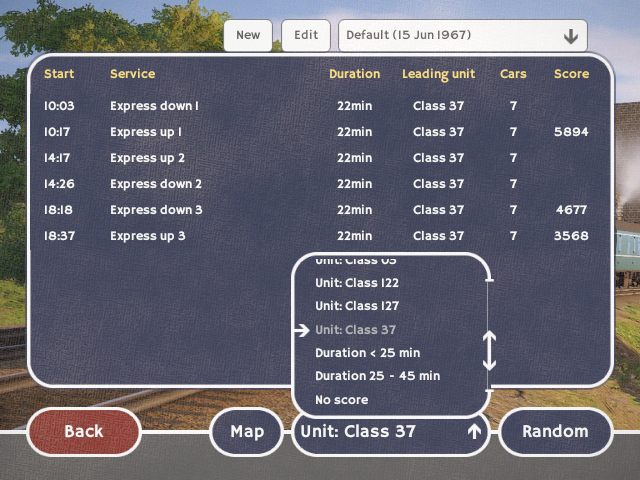
The existing timetables have been extended with some new express and semifast passenger runs for the 37, as well as a couple of early morning newspapers runs.
Remember to use the filter at the bottom of the service selection menu to find the new runs. Note how the "Class 37" is incorrectly sorted after the "1xx" railcar classes:
How to drive
- If you find yourself in the wrong cab at the start of the run, press (P) to switch to the other cab (but release the handbrake first)
- Use the (6) key to return to the number 2 cab from an external view
- Hold down the (B) key to raise the securing pin in order to release the train brake controller from the shutdown position
- Train brake release can be sped up by holding down the release key (E) (a spring automatically returns the controller to the "running" position)
- Enable the "show which key to press" tutorial if you're not sure how to operate the locomotive
Other fixes
- Fixed duplicated vertices and faces in railcar models for improved looks and faster rendering
- Fixed Class 03 physics bug that made its transmission and brakes 2-3x too powerful
- Fixed various service pathfinding problems
- Fixed signaller holding signals at danger for too long under some circumstances
- Improved distant signal placement in route editor to better adjust to different line speeds
- Fixed peak service generation tool in timetable editor to leave out seconds from service starting times
- Fixed door creaking sound
- Adjusted interior sound muffling properties to make high frequencies less audible
- Widened text field caret to make sure it's always visible in all GUI scale settings
- Fixed right-click view menu popup sometimes not opening
Known issues
- BSK guard's door doesn't open
- RMB buffet vending stand is missing
- Siphon G doors don't open
- Sometimes you spawn in the wrong cab
- Wheel and rail sounds start clipping at high speeds when they're loud (this is also a problem with the Class 03 since the previous update)
Known Class 37 issues
- The loco uses hydraulic torque converter physics because diesel-electric traction is not supported yet
- The ammeter is only for decoration
- The spring loaded release position of the train brake controller might not engage properly under low frame rate
- The loco can't be used in rescue yet
- Cooling fan doesn't work yet
- The model and livery are not quite correct for the 60s setting
- Missing sounds: engine priming pump, turbocharger, compressor, exhausters, traction motors, various rattles
There will be at least one more beta version before the official release
Mk1 RMB (buffet) work-in-progress
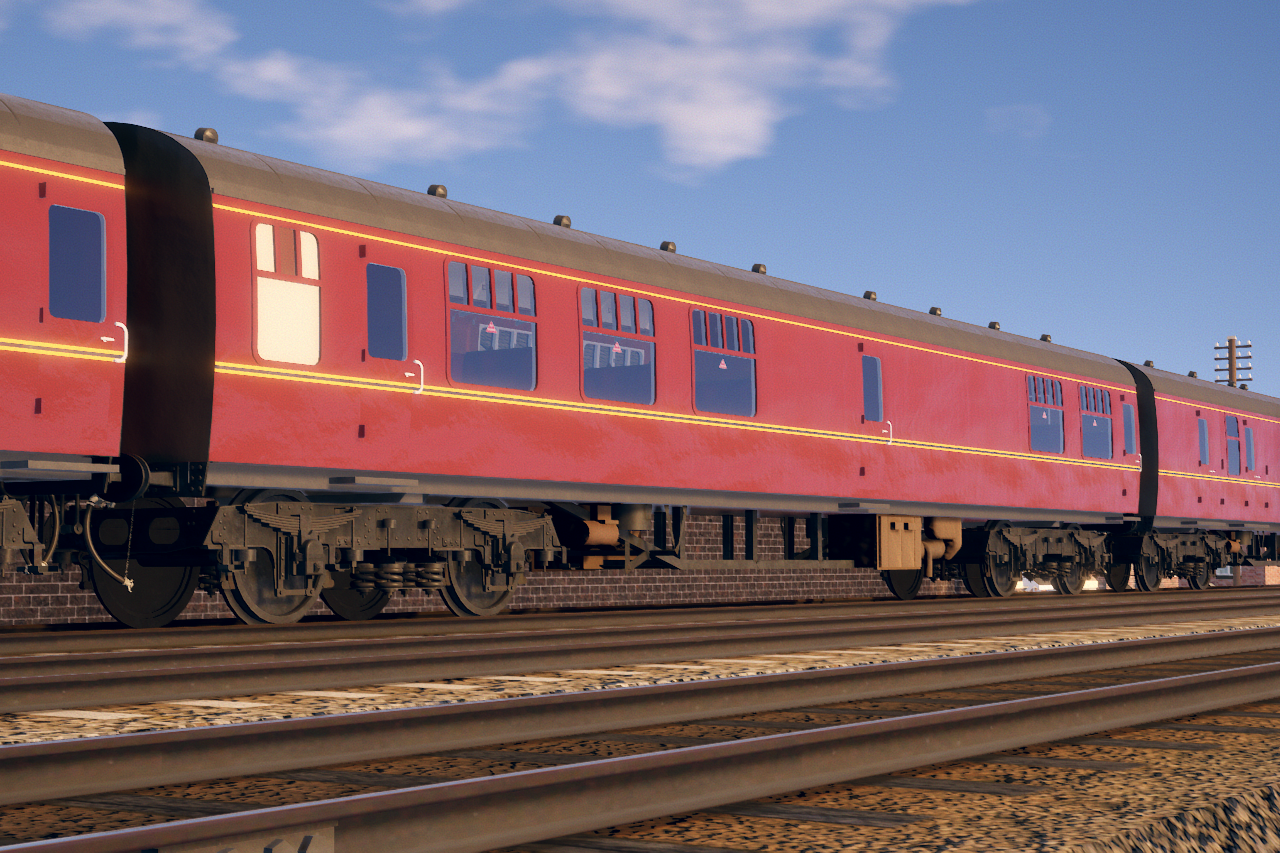


The model of the actual buffet is not ready yet
Mk1 BSK (luggage and 2nd class compartments) work-in-progress
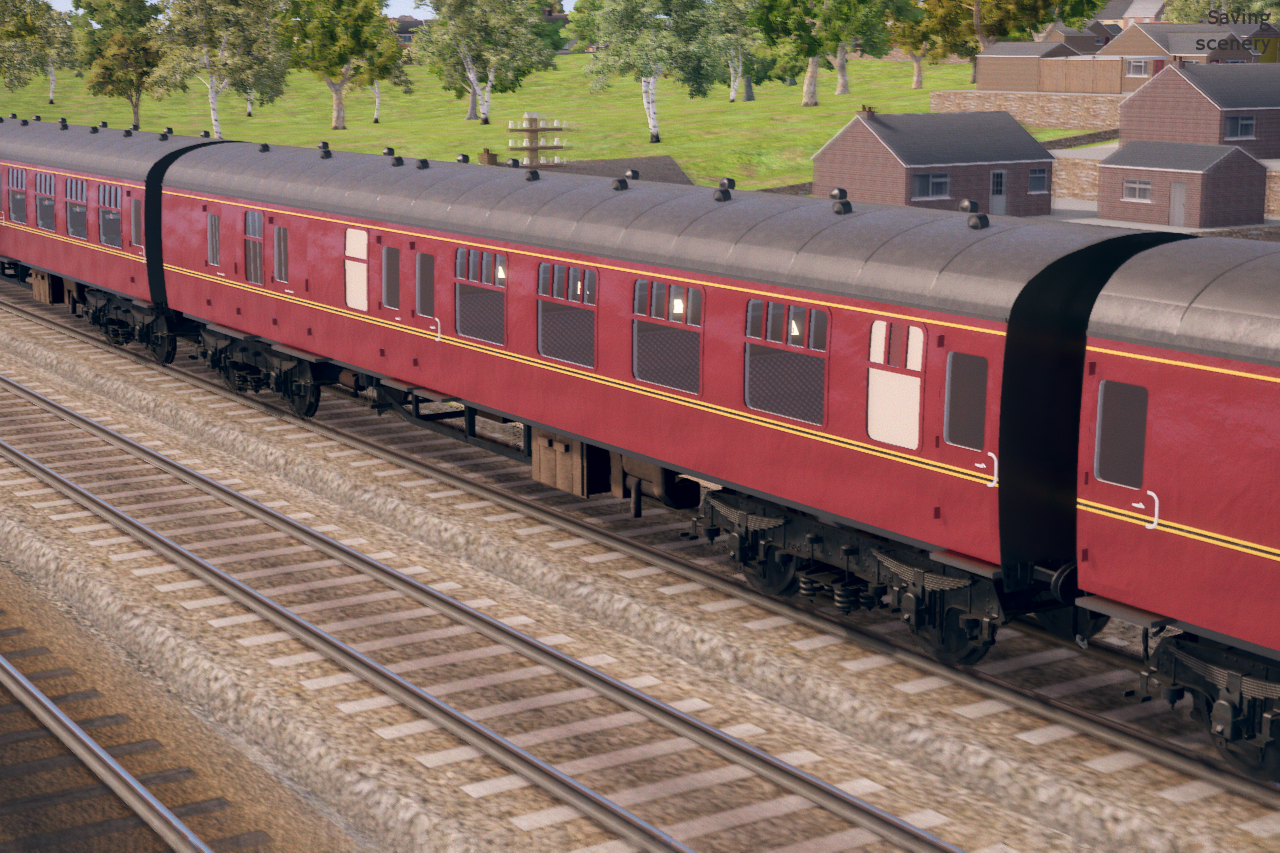


A coach with four 2nd class compartments, a luggage compartment with opening doors and guard's office. The last three pictures show an experimental night-time lighting which won't be included in the next update yet.
Mk1 TSO (2nd class open) coach coming soon
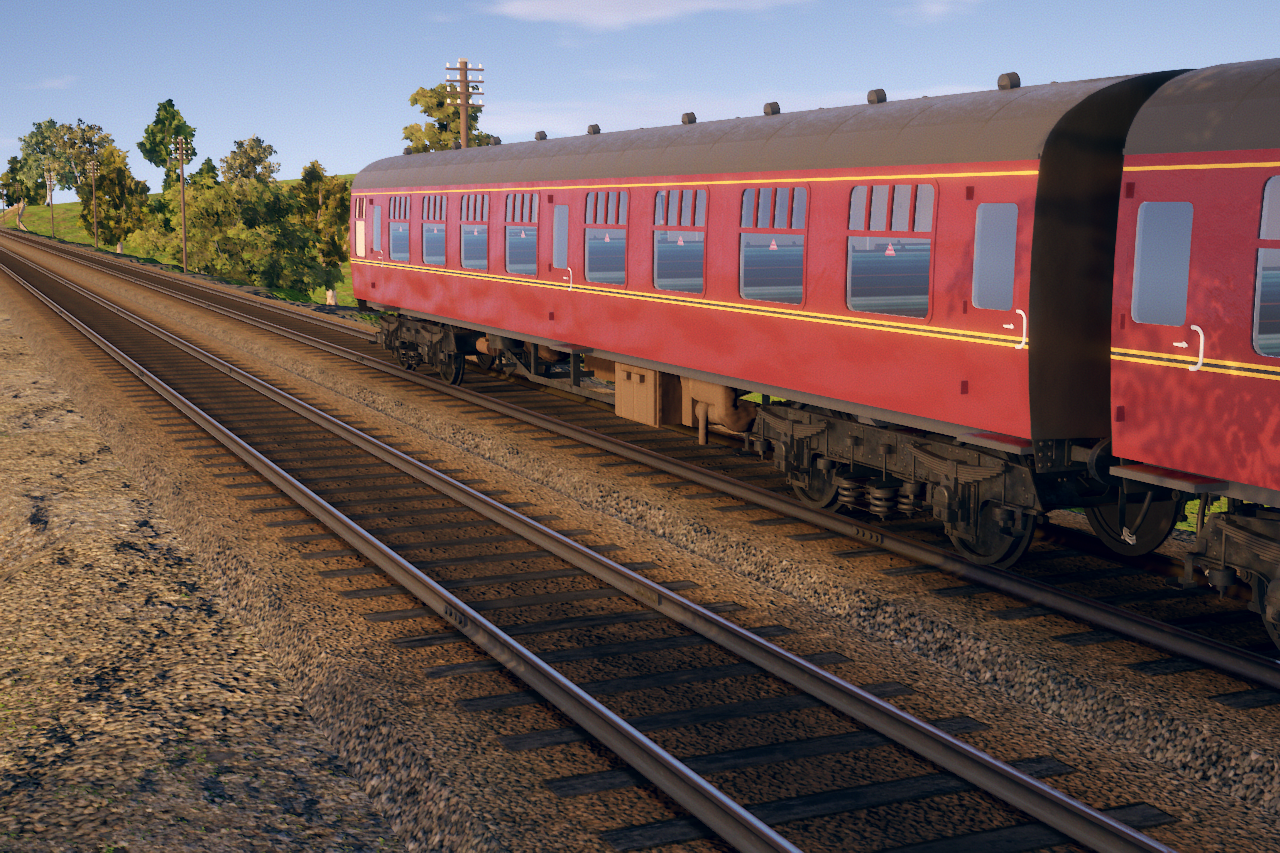


Mk1 FK (1st class corridor) coach coming soon
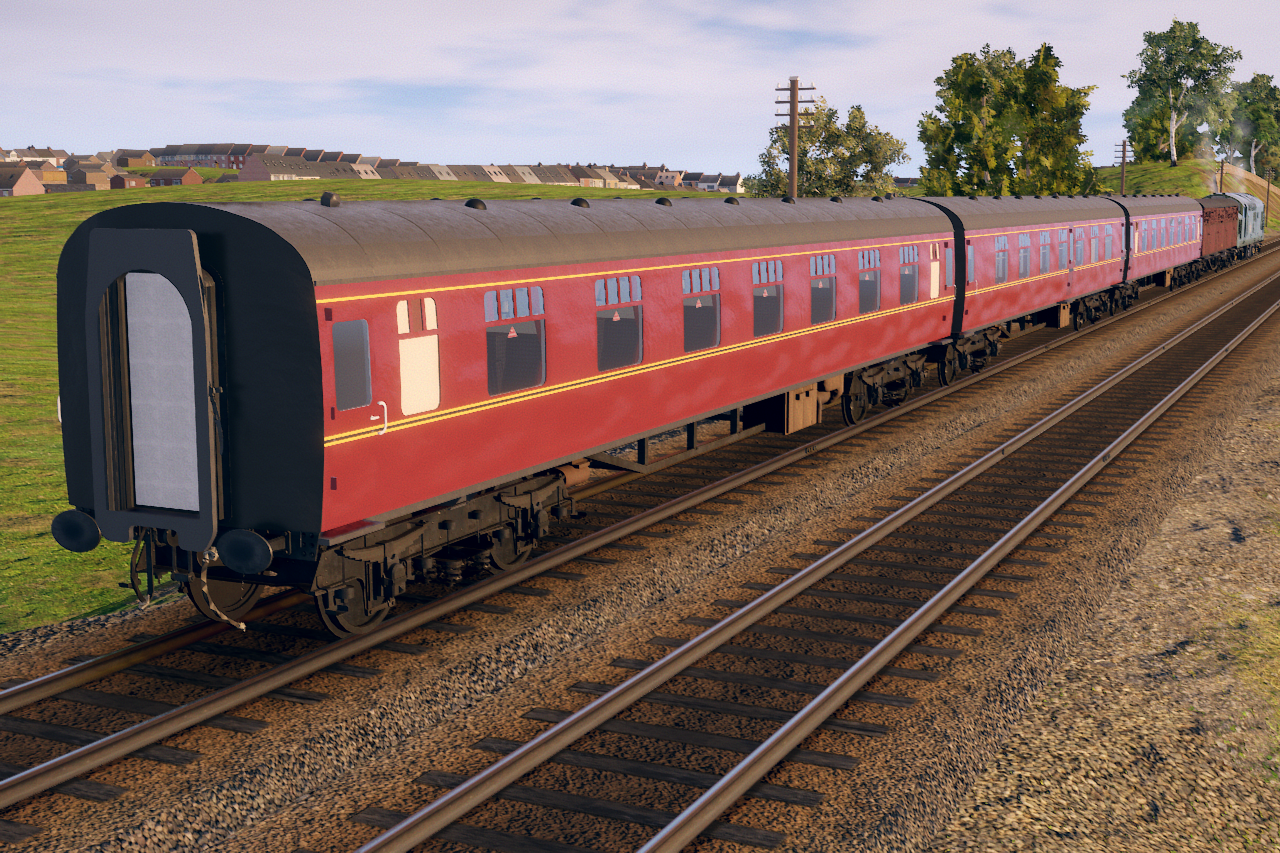


The body has been modelled with a techique similar to the existing railcars, so it's not as detailed as the Siphon G parcels van for instance. Parts of the Siphon are also reused for this coach to save time. The other Mk1s will be a TSO, something with a guard's compartment, a buffet car and possibly suburbans too (feel free to suggest types)!
Parcels van "Siphon G" work in progress
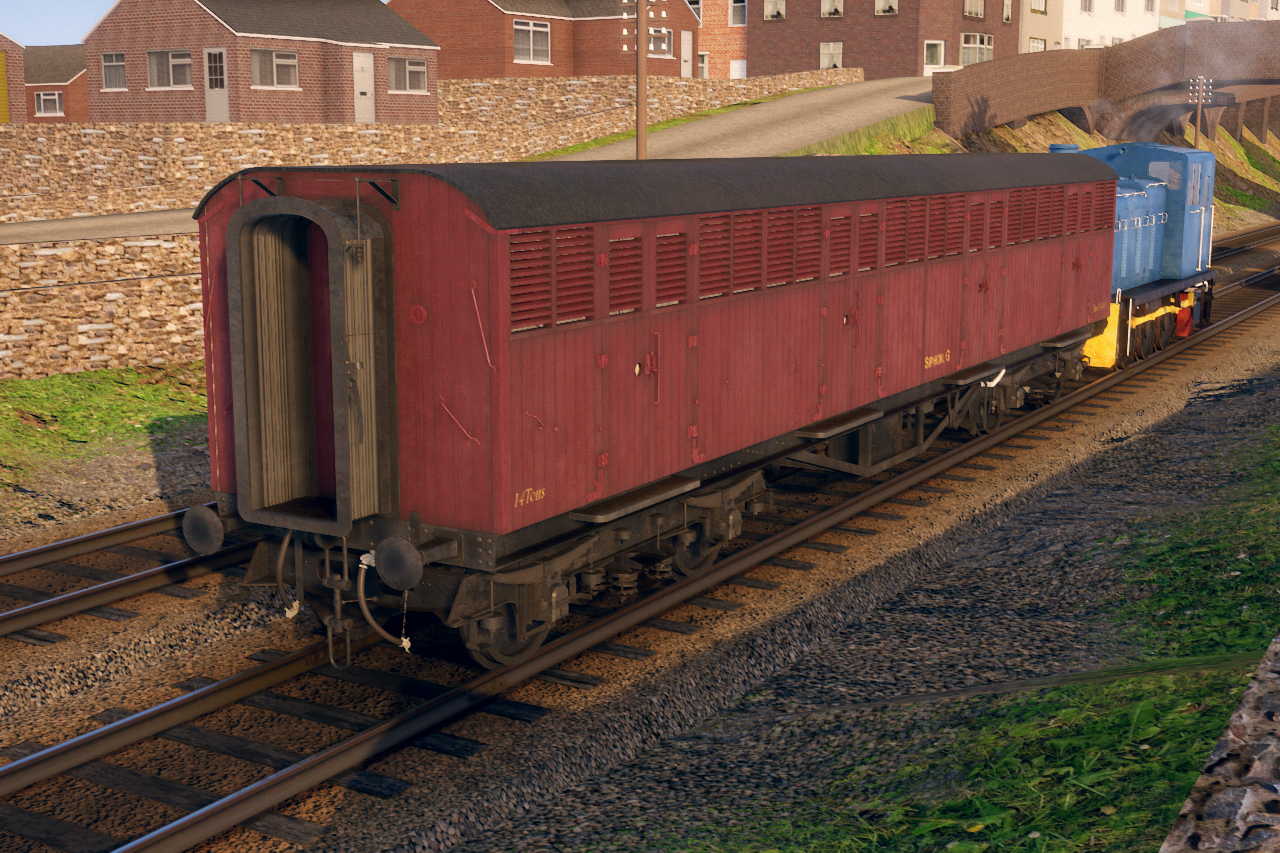


Another model by Paul Harper