Hey folks, apologies for this update taking a little longer to release than I'd hoped. I've been wiped out by illness this week and spent time with family last week. Maybe the two events are connected? 🤷♂️
Anyway, it's a slightly slimmer update this time as I double down on fixing bugs in preparation for VERSION 1.0! Stay tuned for more news there soon.
A special hello and welcome to the new players joining from the Steam Summer Sale! I hope you'll stick around and compete in the Daily Challenges going forward. 😁
Full Changelist
🔁 Changed
"Select Team" button now automatically closes the Teams menu and returns to previous screen.
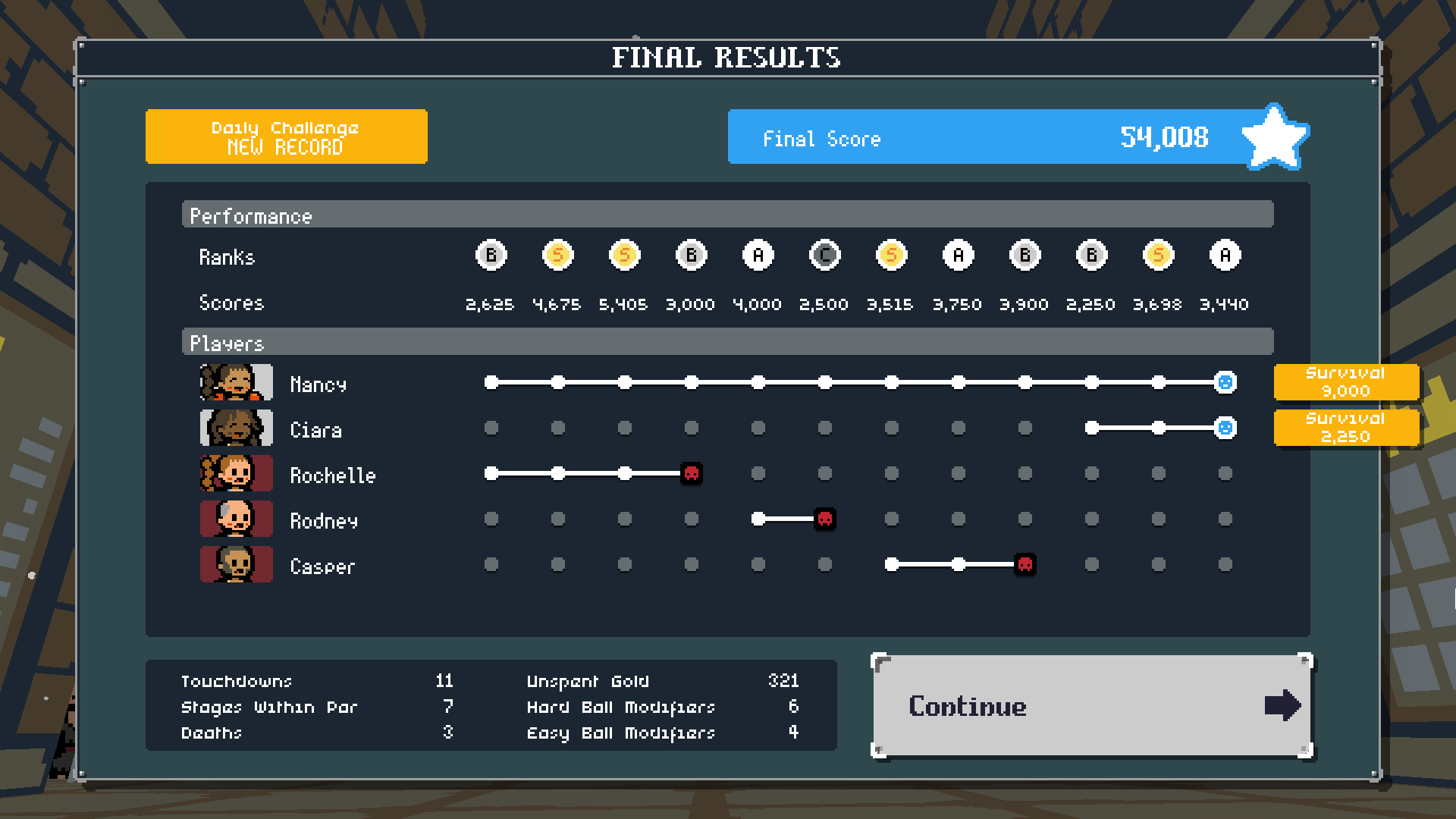
This is a smaller update but adds a significant change to the scoring system: any player who makes it to the end will now earn a "Survival Bonus". You will earn an additional 750 points for every stage your survivors played through. Meaning it's now even more beneficial to keep your players alive for the entire run.
Dungeon Deathball is also 25% off for the Steam Summer Sale! Now's a great time to share it with a friend!
Full Changelist
Here's the full rundown of what's new...
🆕 Added
Survival Bonus for any player who makes it to the end (750 points per stage survived).
Different icon for players who survive the final stage on the results screen.
🔁 Changed
You can now skip the end-game results sequence.
Added more pages to How To Play section (Teams, Final Score and Scores & Ranks).
Improved legibility and accuracy of additional How To Play information.
Leaderboards now show Global scores by default.
Added outline to Judgment sprite in the intro/ending.
Reduced number of dust modes in title screen.
Increased fog distance in intro.
🐛 Fixed
Tooltip for "Back" button on the end-game credits screen no longer says "Return to the previous page".
Apologies for this update taking longer than usual to get out. I took a week off to see family and rest after a long, intense period of work. I also took part in GMTK Game Jam last weekend which disrupted my schedule a little more. And then finally, much of the work I was doing on Dungeon Deathball was not directly related to adding stuff to the game itself, but for the Steam store page instead.
Overview
✨ Lots of quality-of-life improvements for menus and displays. ⏩ Optimisations to improve performance. 🔒 Changes to how Teams are unlocked/viewed. 🌍 Localisations for the Steam store page into a bunch of additional languages.
Please note: I have no plans to localise the actual game itself at this stage as it's a huge undertaking. If there is a high demand for languages other than English please let me know and I'll consider it for post-release.
Full Changelist
Here's the full rundown of what's new...
🆕 Added
Localised text for Steam store page (Chinese (Simplified and Traditional), French, German, Italian, Japanese, Polish, Portuguese (European and Brazilian), Russian, Spanish).
Jingle when one of your players dies.
🔁 Changed
Some Teams now require certain Achievements to be unlocked before you can unlock them.
Your current Team is automatically selected when you open the Teams menu.
'Change Team' menu is now locked until you earn your first Skull Key.
'Change Team' button now displays a small icon if there are new teams available to unlock.
Optimised many special effects for better performance.
Redesigned the 'New Game' screen layout.
New Game screen now displays your current team's high score and stage completion progress.
A warning is displayed if you accidentally close the Team Management screen (after completing a stage) if you are still able to purchase more upgrades or recruit new players.
You can now skip the short 'door opening' cutscene that plays when you start a new game.
Jingles now duck the music volume while playing.
Player Preset slots (in the Teams menu) now show tooltips specific to the Class and Perk that they are assigned, rather than more generic ones about how they work. The old information is now in its own popup for the preset background.
Reduced default volume levels.
🐛 Fixed
Fixed crash when opening Team menu.
Fixed crash when trying to push an enemy out of bounds with an upgraded Knockback perk.
Fixed title screen music not playing when you quickly skip the intro sequences.
Fixed Skull Keys unlocking for the wrong team in Daily Challenge mode.
Teaser scores no longer display an empty "Rank" text in non-Steam builds.
Fixed volume sliders showing incorrect value until you interact with them.
Fixed Full Screen Mode tick-box not returning to correct value after restoring defaults.
Fixed the Team name appearing too soon on the Stage Results screen.
First of all, a huge thank you to the talented illustrator Ben Tobitt for producing this awesome new key art! I think it's a fantastic new look for the game. I hope you like it too. 😁
New Title Scene
The main menu now takes place in this 3D dungeon scene, with some dramatic camera sweeps that whisk you through its dank halls.
View Leaderboards for previous Daily Challenges
This update makes some big efforts to bring Daily Challenge mode to the forefront. You can now access the leaderboard even after you've played today's challenge.
In addition to that, the winner of yesterday's Daily Challenge will be displayed prominently on the title screen, along with the current leader for today.
Stats Viewer
This new screen lets you view all the stats that are being tracked under the hood. There are some new stats added in this update too, so please be aware that they will start counting from 0 and won't show an lifetime statistic if you played the game before version 0.32.
Survivor Hall of Fame
Another new screen which shows the names and dates of prisoners you've lead to freedom! Again, this only just started being tracked, so older names won't be listed.
Full Changelist
🆕 Added
Daily Challenge Winners are now displayed on the title screen.
3D scene background on the title screen.
Added camera animation when starting a new game.
'Survivor Hall of Fame' viewer.
Stats viewer.
🔁 Changed
You can now view leaderboards for past Daily Challenges.
You can now access Daily Challenge leaderboards after you've played today's challenge.
Added more fog to intro/ending scene.
Added dust particles to prisoner scene.
Pressing Back/Cancel keyboard button on title screen no longer quits to "Thank you for playing" screen.
The game now shows you some noteworthy scores from the Steam leaderboard to give you something to aim for. It will try to pick scores from your friends, other players who are just above you and the player who has the #1 spot.
Menu Popups
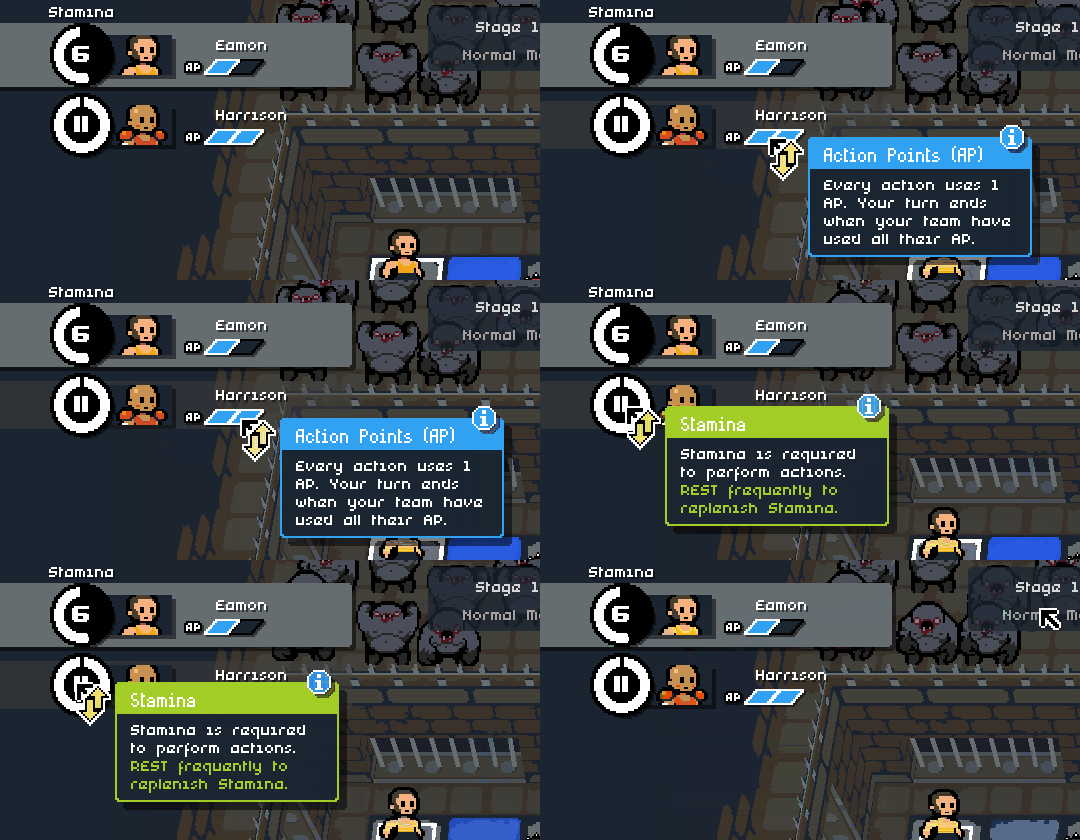
Lots more popups that appear next to your mouse cursor when you hover it over menu items. These aim to explain some of the more ambiguous or complex icons and options.
More Popup Options
Don't like the aforementioned popups? You can turn them off. In addition, you now have more control over which types of popups to want to see throughout the game, so experienced players can hide distractions explaining things they already know.
Improved Upgrade Info
When you're upgrading your players at the end of each stage, you can now see more helpful information about what each upgrade will do.
Full Changelist
🆕 Added
'Teaser scores' appear between stages.
'Menu popups' appear next to your mouse cursor when hovering over many different menu items, explaining what they do/mean.
More options for which popup types you want to see.
🔁 Changed
Improved player upgrade popup. It now displays more information (including the before and after values of the stat you're upgrading).
New Recruit popup uses icons and is generally easier to read at a glance.
Player upgrade buttons now display current stat and icon on the button itself.
Tweaked some Perk descriptions.
Tweaked some Ball Modifier descriptions
When hovering cursor over the tile that the Ball is on, the tile popup now displays information about the Ball Modifier you're using.
Current score is now displayed on Stage Start and Team Info screens.
Options menu is now a sub-menu of Pause menu.
Team name is now displayed on stage results screen.
Team name is now displayed in the preview text when choosing to continue a saved game.
Popups now have a coloured outline.
Renamed 'Wall' to 'Rock' in the popup.
🐛 Fixed
Hovering mouse over a fully-upgraded perk upgrade button no longer displays an empty popup.
Fixed Ball disappearing if a player who was holding it was killed by a Spike Trap.
Chargers now rebound on impact, instead of waiting for the character they attack to finish their 'take damage' animation.
Mawbreaker achievement no longer unlocks if the Maw can't be pushed because something's in the way.
Player sprites no longer pop behind the ropes in the victory ending.
The Timeline Update (v0.29)
⚠ Session Save Data Reset Your mid-run session save data will be reset in this update! Fortunately, I have now implemented a feature that allows updates to only reset your mid-run session data, rather than ALL of your save data. As always, I'll avoid this wherever possible, but sometimes it's necessary due to major data structure changes. At least now your achievements, settings and stats will remain intact, but any sessions you have unfinished will unfortunately be deleted when the game starts.
Now, on to the big new changes...
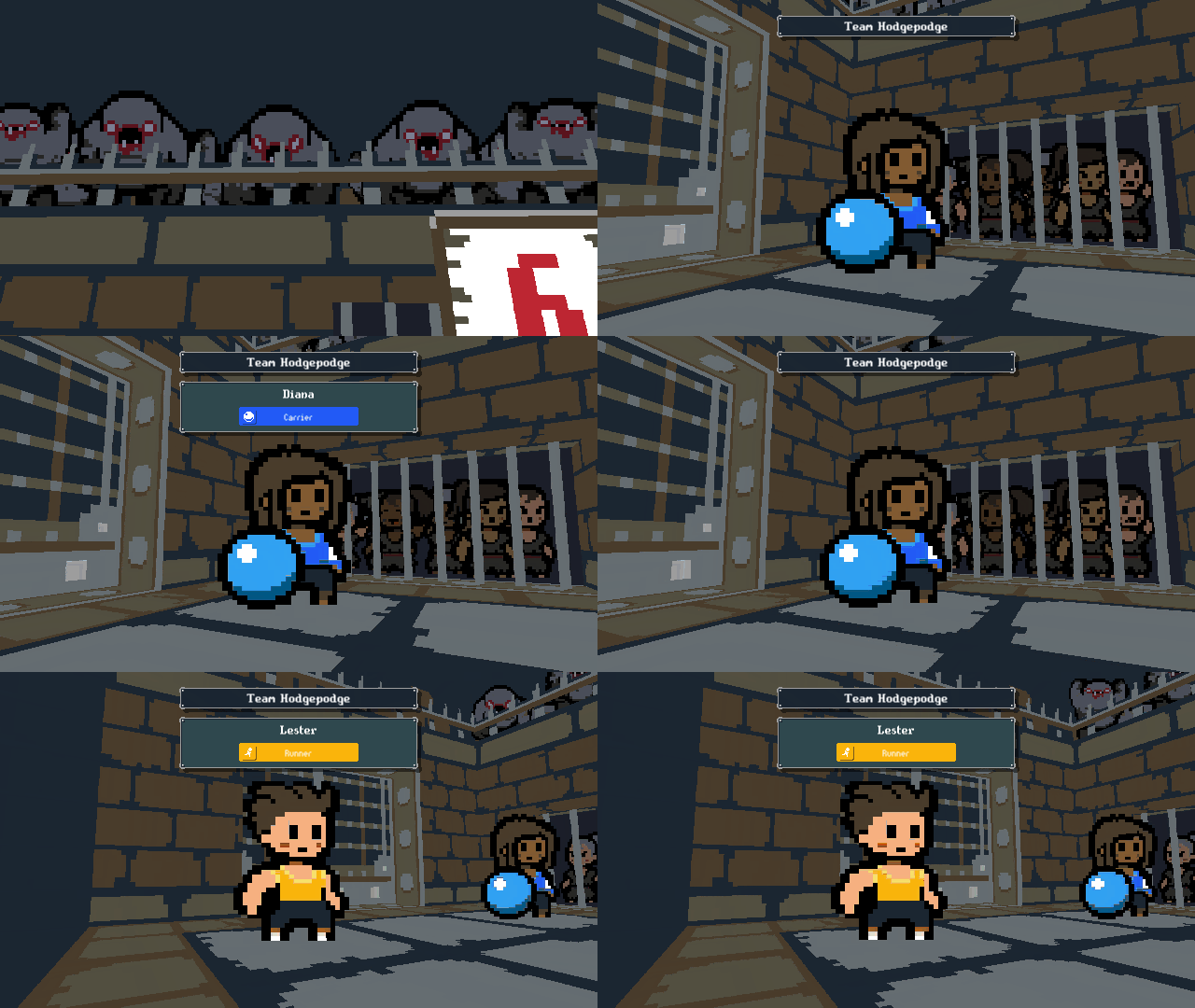
👋 Say hello to your Team in the new intro
📊 Revamped Timeline
📈 Little baby Timeline after each stage
😌 You can navigate the Options menu with a keyboard (WITHOUT tearing your hair out in frustration)
And here's the full run-down of changes in this update...
🆕 Added
Player introductions at the start of each run.
Stage progress with rank icons on the loading screen between stages.
🔁 Changed
Overhauled the Timeline seen at the end of each trial.
Daily Challenge mode can now only be played once per day.
Selected menu buttons now have an outline instead of being enlarged.
Updates can now delete mid-run session save data to avoid deleting ALL save data.
The Judgment now makes less noise while spectating.
"Normal Ball" renamed to "Standard Ball".
Updated the main title logo so it matches store page version.
Total score popups are now brighter blue and more visually prominent.
Total score popup now appears on the loading screen between stages.
🐛 Fixed
Fixed crash when skipping menu page transitions.
Fixed Options menu navigation moving to unexpected buttons (when using a keyboard or controller).
Trial intro jingle now correctly uses your music volume setting.
Trial intro jingle pitch no longer gets distorted if you skip the sequence.
Title text on loading screens now uses pixel-perfect scaling.
Enjoy!
Matt
The Sweaty Update (v0.28)
Here are some of the big new changes...
💦 Players get sweaty when they're tired
🕖 "Act Order" popups
💇♀️ More hairstyles
🏀 You can now push other players with the Ball
And here's the full run-down of changes in this update...
🆕 Added
Players show different animation, facial expression, audio and visual effects when their stamina drops to 4 or less.
More hairstyles for players.
2 additional voice variants for male and female players.
More voice events for all players (move, move with ball, rest, low stamina).
Slam Lad Goalie enemy.
🔁 Changed
Stamina gauges animate over time (instead of changing instantly).
"Enemy Info" now just shows "Act Order" popups for all enemies and hazards.
Aforementioned Act Order shortcut button now changes colour when used.
Characters are still pushed by Ball shots, even if they catch the ball (affects Sascatches and other human players).
Characters no longer drop the Ball when pushed by 'Wind' type attacks.
Randomly-generated players' hairstyle is now partially determined by their skin tone.
Judgment Mode now replaces all Mad Lads with Slam Lads (including goalies).
Reduced maximum number of Lil Lils per stage from 4 to 3.
When enemies are stunned, the duration is displayed in the "Stunned!" popup.
Enemy info sidebar now shows how long the enemy is Stunned for.
'Team Fortress' achievement now displays a progress bar.
Only currently-used player voices are loaded to reduce memory usage.
Added audio filter to all sound effects (previously only applied to crowd sounds).
All character voice audio ducks music volume more aggressively.
Player upgrade node icons now have a dotted outline when not purchased.
Moved health bars lower so they're not hidden by attack tooltips.
🐛 Fixed
Fixed Ball Modifiers not applying score multipliers.
Fixed crash on 'mode select' screen.
Fixed stage results text not appearing when skipping results sequence quickly.
Fixed loud audio mess when skipping stage results sequence.
If players are pushed over the finish line by Wind attacks or Ball shots the stage now instantly ends in victory (instead of nothing happening until you act on the next turn).
Sascatch no longer catches the Ball if shot when stunned.
"Touch down" text changed to "Touchdown" when you complete a stage.
Fixed 'dangerous tile' hazard stripe icon not disappearing from Spike Trap tiles after enemies have targetted that tile.
'Rokoban' achievement no longer counts pushes where the rock was unable to move.
Enjoy!
Matt
The Achievement Update (v0.27)
⚠ Save Data Reset
Your save data will be reset in this update! I try to avoid doing this wherever possible but this update brings more significant changes to the way data is structured. Apologies for any frustration this causes.
With that said, here are the major changes in version 0.27.
Achievements
There are now a grand total of 78 achievements to unlock! You can view your progress in the standard Steam interface, or by viewing the Achievements menu in-game.
Unlocking Modes
Until now, all game modes were unlocked from the beginning. This was because I was looking for feedback in the Early Access phase.
As Dungeon Deathball nears its full release I have decided to lock these modes off and implement the mechanics for unlocking them.
It works as follows:
New modes are unlocked by earning Achievements.
The criteria for each mode is displayed when you hover over its button when starting a new game.
A popups will now appear on the title screen when you've unlocked a new mode.
Here's the full run-down of changes in this update...
🆕 Added
Steam Achievements.
In-game Achievements menu to view your progress.
Unlock system for game mode.
🔁 Changed
"Boss Mode" renamed to "Judgment Mode".
You can now skip several of the sequences between screens (camera movement when a stage first starts, the reveal of your stage results, and the delay before results appear on Game Over).
It's now faster to get into gameplay after beginning a stage.
"How To Play" page list is divided into sections.
"How To Play" now contains information about Gems.
"How To Play" now contains information about Player Classes.
Pacists team now has a fixed Snatcher perk.
Updated credits with a new patron.
Changed the way stage results are saved under the hood.
Selecting a different game mode no longer shows a popup explaining how it works.
Selecting "Save & Quit" when you already have a saved game will now show a warning and various options for what to do next.
A trophy icon is now displayed next to each mode when you've completed it.
Currently-selected team now shows a 'tick' icon instead of a white border.
🐛 Fixed
It is now possible to skip cinematics using a controller.
Fixed crash when unlocking new teams.
Fixed "Done" button not being automatically highlighted after skipping the Game Over cinematic.
Team Hodgepodge's Skull Keys are now correctly awarded after beating each trial.
Fixed "Skull Keys acquired" popup not appearing.
Fixed Enemies section of "How To Play" missing data.
Fixed timeline icons not showing when you achieved S-Rank on a stage.
Fixed tick-box backgrounds sometimes being misaligned in the Options menu.
Please note that the price has now increased as mentioned earlier in this post. This now represents the final, full release price.