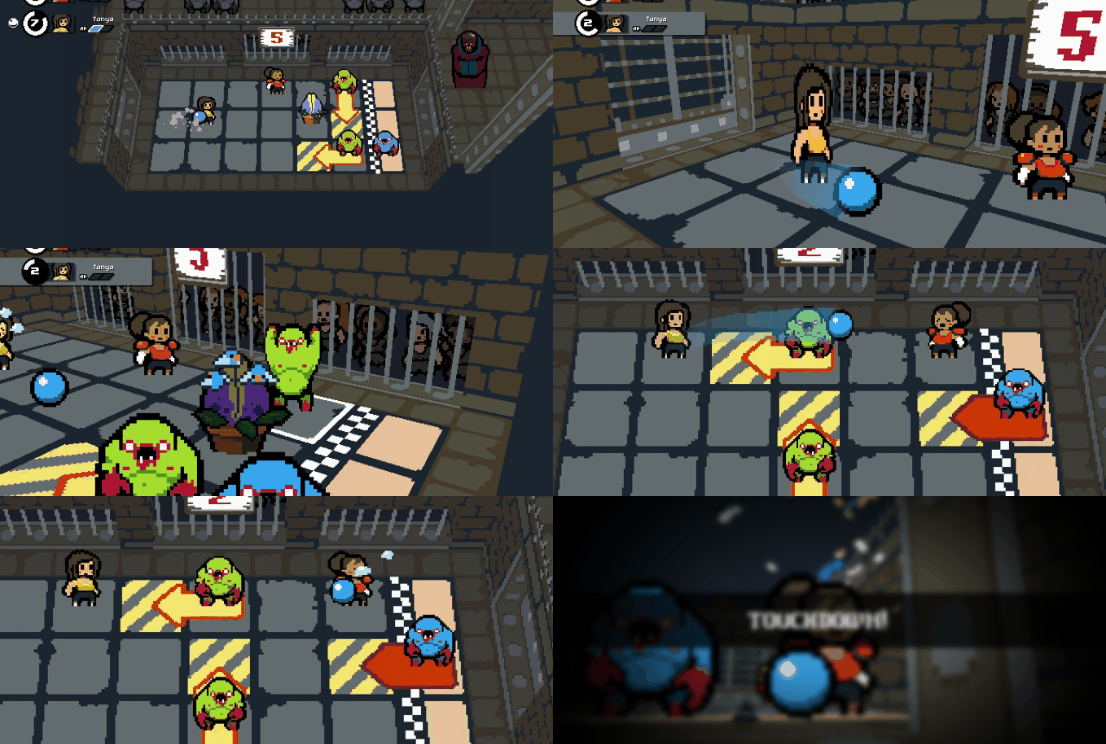
I'm thrilled to announce that Dungeon Deathball has graduated from Early Access to full release!
Version 1.0 includes many improvements and new features, so be sure to update the game on Steam before hitting the deathball pits. Read on below to find out what's new in v1.0...
If you've been playing recent Early Access versions of the game then your save data and leaderboard scores will carry over to v1.0 automatically.
If you last played before v0.27.0 (April 2021) then unfortunately your old save data will be incompatible with the latest version. The game will automatically delete your saves and start afresh. Regrettably, there was no way to preserve this old data as the structure of the game code changed too much during development.
Steam Cloud was enabled recently. If you were playing the game on multiple PCs before 9th October you may need to resolve cloud save conflicts. Steam will prompt you when you start the game.
❤ Thank you
A sincere and heartfelt THANK YOU to everyone who has supported development along the way, whether that was buying the game in Early Access, supporting me on Patreon, leaving reviews, sharing feedback, posting videos, or telling friends about it... It all means the world to me.
As a one-man development team, that is the stuff that keeps me going so.... thank you. 🥰
Did you catch Retromation's video of Dungeon Deathball? It's a great showcase of the game and well worth a watch if you want to see it in action!
[previewyoutube="34NRaZLGWnM;full"]
Leaving Early Access next week!!
Remember to add Dungeon Deathball to your Wishlist in preparation for full release next week! Adding it to your wishlist means you'll get an email notification as soon as it releases.
Hey folks! The past week or two has seen a lot of new players, following the announcement of v1.0 releasing soon, so a friendly welcome to you all!
Here's an update which fixes some major bugs and improves a bunch of other stuff. Excluding any critical bug fixes, this is probably the last update before v1.0.
Now you can report bugs
This update introduces a link to a new web form which you can use to report bugs (direct link here). If you find any nasty issues please log a bug and I'll do my best to squash it. 🥾
Full Changelist
🆕 Added
Volume controls for jingles.
Volume controls for crowd sounds (also affected by overall Sound FX slider).
Link to Bug Report web form. Use this to let me know if you find any bugs. 🐛
New app icon.
🔁 Changed
Clicking on the game window after switching focus to another app will no longer count as a button click. This prevents accidental command inputs during gameplay which can result in fatal mistakes. The screen is also darkened a little when it loses focus.
Speed Bonus Target is now displayed on the stage start screen and the results screen.
Improved explanation of the 'Speed Bonus' in How To Play section.
Improved explanation of S-rank in the rank badge tooltip.
Survivor Hall of Fame now tracks up to 70 names (almost double previous number).
Your current game mode and random seed are now displayed on the pause menu.
The Web Links are now displayed on the pause menu (as well as just on the title screen).
Gems are repositioned a little so they don't clash with character sprites.
Gems now animate a little bit.
The Ball arcs higher when you pass it further, and the shape of the arc has been improved.
🐛 Fixed
Enemies (especially Redhorns) can no longer attack the empty tile your player started on if you use 'Swap Positions' button when only 1 player is alive.
Daily Challenge seed is now identical across all regions (fixed a bug where the date was being represented differently depending on your region, then being used to generate different seeds).
Today's Daily Challenge leader now correctly displays on the title screen (rather than sometimes stating that no one had logged a score today when they had).
Survivor Hall of Fame list no longer spills off the bottom of the screen.
The Ball's trail is a little narrower to fit within the sprite size.
I hope you're enjoying Dungeon Deathball! Remember to follow me on Steam for more updates!
Enjoy!
Matt
Small cinematic update (v0.36.3)
Just a small update to the intro/ending cinematics.
Changes
Updated the Judgment's cinematic artwork.
Changed the jingle when the Judgment appears.
Animated the Judgment's mouth while talking.
The Judgment now holds a ball in cinematics. 🏀
Fixed
Fixed spelling of Judgment in intro.
P.S. Did you see yesterday's update? Dungeon Deathball has a release date and a new trailer!
Be sure to Wishlist/Follow if you haven't already!
Matt
📅💀 Dungeon Deathball has a release date!
🏁 Dungeon Deathball is touching down!
I've been developing the game in Early Access since July 2018. In those 3 years it has undergone countless changes and improvements based on feedback from players around the world. It's now the biggest, deepest and most complex game I've ever made.
And I'm happy to say it's... it's done!
Well, apart from a few finishing touches of course. 😏
Dungeon Deathball will transition out of Early Access on 13th October.
I've been busy preparing for release, which includes making a fancy new trailer that you can watch on the Steam page now! 👀
In the meantime, here are some quick things you can do to help the game's chances of success...
❤ Add it to your Wishlist
If you add Dungeon Deathball to your Wishlist then you will be receive an email notification the moment it is released on Steam.
👍 Leave a Review
Already bought Dungeon Deathball in Early Access? Then please remember to leave a review! It really helps to boost the game's visibility and let others know whether it's worth buying.
👉 Follow me on Steam
If you follow me then you'll be updated of all my new game releases and major news updates.
---
If you're a Curator here on Steam then please get in touch. I'm happy to send out review copies.
That's all for now. See you on launch day!
Matt
📅💀 Dungeon Deathball has a release date!
🏁 Dungeon Deathball is touching down!
I've been developing the game in Early Access since July 2018. In those 3 years it has undergone countless changes and improvements based on feedback from players around the world. It's now the biggest, deepest and most complex game I've ever made.
And I'm happy to say it's... it's done!
Well, apart from a few finishing touches of course. 😏
Dungeon Deathball will transition out of Early Access on 13th October.
I've been busy preparing for release, which includes making a fancy new trailer that you can watch on the Steam page now! 👀
In the meantime, here are some quick things you can do to help the game's chances of success...
❤ Add it to your Wishlist
If you add Dungeon Deathball to your Wishlist then you will be receive an email notification the moment it is released on Steam.
👍 Leave a Review
Already bought Dungeon Deathball in Early Access? Then please remember to leave a review! It really helps to boost the game's visibility and let others know whether it's worth buying.
👉 Follow me on Steam
If you follow me then you'll be updated of all my new game releases and major news updates.
---
If you're a Curator here on Steam then please get in touch. I'm happy to send out review copies.
That's all for now. See you on launch day!
Matt
Better Gamepad Support & Options (v0.36.2)
Hi folks!
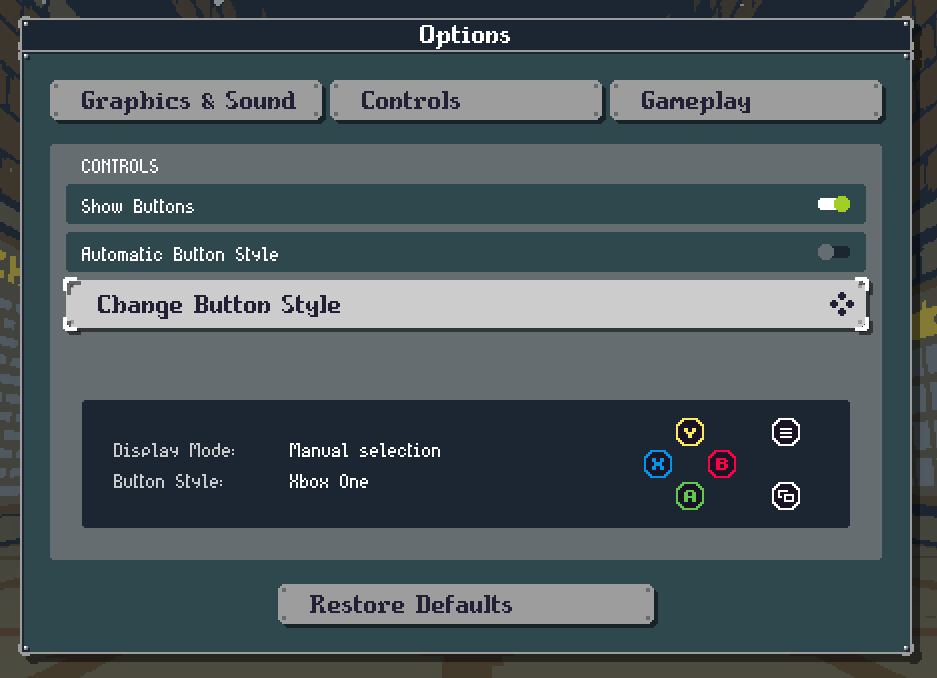
This update improves support for a range of gamepad / input devices. Dungeon Deathball will now do a better job of automatically displaying appropriate button icons for the gamepad you have connected.
If you're still not happy with what it uses, you can now manually override the setting.
Want to use an Xbox controller but the old X/Y/A/B layout from your youthful Super Nintendo days is forever seared into your brain? Just apply the SNES setting!
These settings can all be found in the new "Controls" tab in the Options menu.
🆕 Added
Controller icons for Xbox 360, DualSense, DualShock 3 and SNES/8BitDo gamepads.
Option to hide all controller icons.
Option to manually override which controller icons are displayed.
🔁 Changed
Options menu now uses a tabbed layout, and includes Controls tab for aforementioned controller settings.
Controller icons are automatically updated when a gamepad is connected or disconnected.
'Toggle' icons in Options menu now appear as sliding widgets instead of checkboxes.
🐛 Fixed
Fixed crash when a Hatchery is pushed into a position that would cause it to try to spawn a Tick outside the field bounds.
Fixed crash when using Xbox 360 controllers.
Fixed incorrect shoulder button labels for Nintendo Switch controllers.
Fixed 'Full Screen' toggle in Options menu not showing correct setting when the game starts.
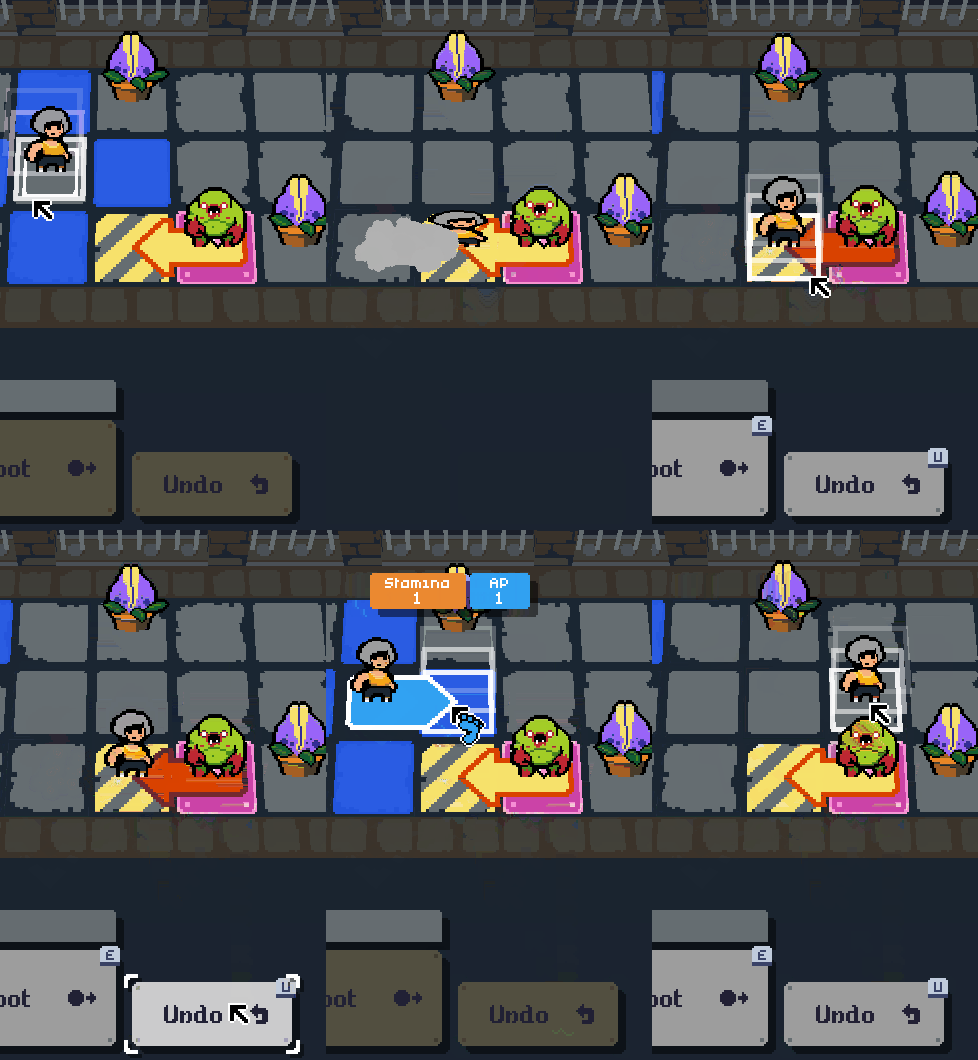
The biggest new change is the Undo button, which you'll find next to Shoot.
This lets you revert simple non-combat actions (e.g. Move, Rest, Pass). Once you commit to attacking enemies or shooting the ball, the undo button is greyed out.
If you find yourself frequently clicking the wrong tile, or finding unexpected outcomes once you move your players, I hope this new button alleviates some of your frustration.
Player Feedback
I've also addressed a number of player feedback points in this update. If you have feedback to submit, you can find the form here: https://forms.gle/y4XpagHp1mdRvUdB9
Thank you to everyone who has submitted feedback so far. Even if I can't react to it immediately, I do read it all.
Full Changelist
🆕 Added
Undo button (reverts non-combat actions).
Added How To Play info about how Gold is determined.
Added How To Play info explaining what Pierce, Charge, Spawn, Catcher and Push Resist do.
Added How To Play info about Ball Modifiers.
Added How To Play info about Enemy Intention Markers.
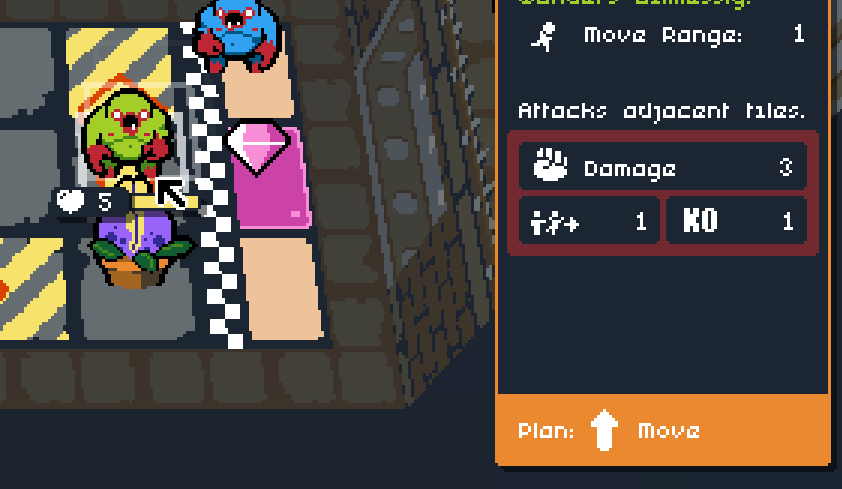
Added "Push Resist" icon when hovering cursor over an enemy that can't be pushed.
Current Ball Modifier's name is displayed above the Pass/Shoot buttons.
In addition to the point above, you can now view information about the current Ball Modifier when you hover your cursor over the Ball Modifier name.
Middle-clicking the mouse now switches control to the other player.
🔁 Changed
Improved several menu screen layouts for 16:10 aspect ratio displays (hello Steam Deck).
How To Play screen can now be accessed from the Team Info screen before starting a stage.
Enemy's attack range is no longer displayed when it's not applicable.
Split How To Play buttons into 2 columns.
🐛 Fixed
Enemy intention markers are now refreshed at the end of the player turn, just before the first enemy performs its action.
Right-click and middle-click no longer executes commands.
'Switch Player' shortcut icon no longer disappears after you move your mouse over it then away again.
Stamina warning for slot 1 player no longer displays behind slot 2 player's panel.
An auto-save is no longer performed when first loading the title screen.