

Dungeons of Chaos
2.2.200 is here !
- HASTE bug fixed (on auto attack behaviours, it could slow instead of hasten)
- the dragon arena now benefits zomok apprentices as well
- you can now turn off ALL ‘hmm’ sounds, covers the dialogue ones, “!” discoveries in walk mode etc. (options page 2)
- there is now an option to allow the game to be running in background on PC/Mac/Linux (page 5 of options), useful for split-screen setups where you do something else at the same time.
SOME TIPS FOR (NEW AND OLD) PLAYERS
1. You can duplicate your savegame into another slot by using the BACKUP button to create a slot-independent copy and then RESTORE onto a free slot. And making an in-game backup also helps you to reconsider an important class change choice or be sheltered from very rare file corruption catastrophes.
2. Once you complete the game, there is a 'fixed party challenges' mode unlocked (besides the DEFAULT and CUSTOM party choices on start).
3. There are PLENTY of options you can tinker with. Go to options from the main menu, or from the save/load/quit/options screen when in world exploration mode.
4. Health/Mana+ from birth feats not only impact HP/SP on birth but also a bit on each levelup.
5. Auto steam cloud sync has been activated a week ago, but generally you can manually make copies or transfer your files ('savegame' and 'Playerprefs') by locating the files in the directory that shows when you press DEBUG on page 7 of the options. You can transfer savegames between all platforms, and you can transfer Playerprefs (achievements) from mobile to PC/Mac, but not Playerprefs from PC/Mac to mobile.
6. there is no quest to retrieve the tools from the gnome burrows in the north. That is just a bit of narrative from the guy that lost them.
7. If you think you completed a quest and the NPC is not triggering the reward, try leaving the dialogue and talking to him again, using the quest related topics either from the quick left choices or in the QUEST sub-folder of topics on the right side. Sometimes if you do things in an odd order, the normal chain of conversation events is not clear and you need to bring the topic up.
8. there is no downside to losing an arena fight. no XP loss for 'dying' etc. Try them purely for fun and rewards. Some are intentionally tough though. The river city chapter 2 arena challenge disappears and is not there anymore in chapter 3 (replaced), so if you want to complete them all with one party don't do the chasm chapter-ending fight before you got that arena off your list.
9. You can leave notes in the MAP mode to mark your current location in a specific colour and leave a 50 char message. You can mark things like locked chests, cool monster spawners, trainers, quest givers etc. For busy maps like Tartessos this is HUGELY helpful. Once notes are in a map, you can click on the note for the map view to jump there (just the view window will jump, not the party). Each note also shows the relative coordinates compared to your current position.
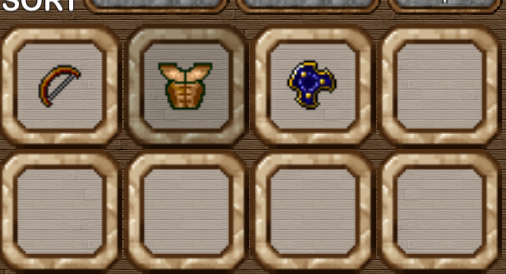
10. if you want to see your unidentified items quickly, sort them by value ('$'), they then land at the very end.
11. IDENTIFY skill works automatically when you find something. If an item shows as unidentified then you tried all your luck. Take it to a shop for ID'ing for a small fee (or Parnosz for free!).
12. shops have a SPECIAL button to sell/ID a lot of stuff in one go. Be careful with it though (refer: BACKUPS ...).
13. if you like an item but it is too expensive, pay 10% to HOLD it. You still need to pay 100% to buy later though. And only one per shop.
14. if you are already a very advanced player and are trying to tick of the tough TIGHT-ARSE or ZERO-DEATH achievements, then take note of the crazy walled-in prisoner in the outlaw camp, he can tell you how many times (if at all) you violated any of the two related counters.
15. 'vs. undead' bonus only impacts melee and ranged weapon/unarmed attacks, not spells. Weapon bonuses (magic damage on a staff) also only impacts hitting something with the staff, not spells you cast. Just the way I chose to design it, could have been done differently but then I would have needed to nerf/balance it down.
16. Spellcasters cast spells faster by having a higher spell level. Not by having a higher physical speed. The speed stat does not impact spellcasting time or recovery. Speed impact on physical actions in combat is relative straight forward, but if you want to know more read the ‘combat’ section of the steam guide referred to at the bottom of this article.
17. Increasing Dex will boost evasion and speed and accuracy, increasing Str will boost physical damage. Both to some extent boost resistances. They have many smaller effects. Also, Str/Dex in excess of the required Str/Dex of an item lowers the malus (negative impact) to speed/evasion it quotes (for example heavy armor), up to fully negating it if you have double the required Str/Dex respectively. Equipping something with LESS than the required Str/Dex (through some tricks) yields progressively drastic speed / evasion penalties.
18. Higher weapon type proficiency unlocks new attack styles. Don't forget to select one or upgrade once you trained your skill (also over time). Proficiency also increases accuracy 1 point per point. And to make things more interesting, each item has its own combination and proficiency threshold for attack styles. So once you are highly proficient you may want to check out some cheap versions of different items to see what you can do with a staff at proficiency 90 ... (hint).
19. auto-save on map change is activated by default. Because on mobile devices in particular accidental app closing can occur if the operating system goes to sleep. But you can deactivate it in the options menu.
20. If you ever receive a ‘defeat monster X’ type of quest and you defeated it already, just talk to the person again (sometimes twice) and it will trigger the completion and reward for that quest. No harm done.
21. Almost anything gets harder or easier if you change the difficulty setting in the options menu. This is mainly meant to be used half-way during your first playthrough to calibrate the game to your liking. It should be challenging in my opinion, so I recommend ‘hard’ for RPG fans, ‘normal’ as default, ‘easy’ if you are having trouble, and ‘suicidal’ only for hardcore nuts that want to test if they know enough exploits and tricks to survive. Unlike many other games nowadays, very high difficulty does NOT give you a whole offsetting array of rewards. EVERYTHING is more difficult. Only exception is you have a better chance to get maximum allowed number of loot items from mobs and chests, and a notch higher max loot value. But that is not nearly offsetting the uphill battle that is created for you overall.
22. There are many long time players that have their own way of playing. This can involve grinding, farming, exploits, minmax strategies etc. This game is meant to work without any of these. Finding exploits is fun. Being told about them very early on is NOT. So don’t look for a complete set of game-winning moves. You don't need them. Explore for yourself. If stuck, ask for help in the forums or the facebook group (search for 'Dungeons of Chaos - Gameplay Discussion (Closed) Group' in facebook). But please don’t stop finding your own cool ways to beat the game. This is not a multiplayer game so it purposefully contains many ways to beat it, overpowered things you can get your hands on, exploits you can find, and paths to beat the bosses.
23. Once you complete the game and look through the tougher achievements, you may come across the ‘tight arse’ one. The way it works in details is, you can use gold to train skills or identify items or enhance items, and you can of course sell them. But you cannot BUY an item or spellbook.
24. Read signs and signposts, and tombstones and graffiti!
25. Don’t think morals have no impact at some point in your life. Be warned! In general, chapter 3 is less lenient in some RPG-kind of ways…
26. Have fun and don’t overthink it. If in doubt, drop a question in the forums or FB group.
For many (more) in-game tips and mechanics, from character creation to stats to combat mechanics to damage and armor, this guide is pretty useful: http://steamcommunity.com/sharedfiles/filedetails/?id=1159282013
Auto-cloud save/sync is active now!
2.2.101 is here!
Also, LAST reminder that steam auto cloud save will be switched on in about 2 hours from now as well, so if you are playing on multiple computers please click the DEBUG button on page 7 of the options and manually make a backup just in case something goes wrong. I have tested it and it seemed fine (with sync sometimes taking a few approaches to kick in), but I have no influence over the auto sync other than providing the correct file paths to the steam configuration. Fingers crossed!
Button tinting is coming!
Also, just a reminder that steam auto cloud save will be switched on in about 12 hours from now as well, so if you are playing on multiple computers please click the DEBUG button on page 7 of the options and manually make a backup just in case something goes wrong. I have tested it and it seemed fine (with sync sometimes taking a few approaches to kick in), but I have no influence over the auto sync other than providing the correct file paths to the steam configuration. Fingers crossed!
ADVANCE WARNING! Auto-cloud saves are coming...
I am going to spare you the details of the early results, but they were ... weird.
Now, I have set it up in a way that it seems to work. If I install steam on a new machine and log in to my account and download DoC, it takes a minute to sync then starts with my achievements and savegames from my original machine.
HOWEVER, since this is all auto-handled on steam's end, and since the default is for it to be active for anyone, I have to caution you folks that cloud syncing has the potential to cause harm, as by default it will overwrite things it deems superseded.
So, here is my advice:
- Before Feb 2nd, click the DEBUG button on page 7 of the options, open a file browser to that location and backup all files there ('savegame', 'playerprefs', 'backup'). Just to be safe.
- If you only use one machine: that is it, nothing bad should happen anyway but with the above manual backup you are absolutely fine.
- If you are already playing on two machines, and moving files manually each time: well you essentially have a backup going back and forth anyway so that is good. I am not sure how steam cloud will react when it notices two active and conflicting file sets, but most likely a popup will come up that will ask you whether you want to overwrite your local files with the cloud files (I had that once). Should be one-time and then all is in sync.
- If you are already playing on two machines but have never manually synchronised the files ... meaning for example you are playing a party n slot #1 on one machine, and a completely different party in slot #1 on the other ... then you need to do some work. First: follow the 'DEBUG' file locations and backup both machine's files manually. Then, if you want to get them in sync, you could rename the savegames so that they don't conflict. You will not the savegame files use numbers #0 to #14 in their filename. So as long as you can stay within that range, you could technically combine two machine's savegames into one set. Then, once you have done that, load that file set onto both machines. When sync kicks in, it should find already matching files. May or may not still give you a popup if steam deems one to be the 'master' but letting it sync to master should cause no harm.
Hope that helps! Any issues please let me know, although this is all happening at steam's end so I have no control over it apart from setting the right directory paths. Which I think I have.
I am planning to switch it on this February 3rd (1am, EU time).
EDIT: typo, more precise time.
A very special V2.2.050 is here...
Found in the chapter 3 (corrupted) version of the 'valley north' map. If you don't know where exactly then you haven't studied the map in enough detail. ;-)
They drop on you, creating an instant encounter. And they are thirsty for blood...

v2.2.010 is here!

- SPIDERS CHOKER (chapter 1 spider boss drop; adds poison dam, poison resist and some evasion, DEX -2),
- RING OF THE SNOW OWL (ch 2 icy valley hidden treasure; magic damage, +1 speed per kill),
- HELM OF ROSTAM (ch3 Chris the cryptkeeper drop; lightning damage, high armor, high STR requirement and wearing threshold)
Also,
- fixed issues with symbiant restoration-only auto tactics setup
- typos
2.1.440 is here!
- added SHRAZKIL and CHAAZ combo-bosses. and spectral wolves as supporting summon. This boss-combo is a rare ch3 spawn somewhere. The creator opted not to disclose where (they are NOT where the lizards are).
- redesigned demonic warriors (if you are flanked by three, their attacks are now devastatingly coordinated)
- fixed a nasty bug that made non-boss monsters be treated like bosses and make others flee when they die. which can cause chaos lord fight to end without a kill for example.

2.1.400 is here, with a nasty ... CAT !
- added HAVOC, the boss cat. With a suitable unique loot drop ('HAVOC'S CLAW'. don’t miss the high threshold attack styles). He is rather nasty if you are not prepared for being crit-hit with cutting edge claws. So be warned and don’t open that door in the warlock’s main hall that he is sitting behind…
- made the chromatic lindworm a notch nastier
- fixed some spelling errors

