Dyson Sphere Program
A Concert for Everyone Who Loves Dyson Sphere Program
“What if we held a concert?”
“Let’s make it happen.”[/p][p]And so, an ordinary day turned into the beginning of something entirely new.[/p][p][/p][p]To all our engineers who have supported us over the years — thank you. Your continued enthusiasm and love have brought us this far. We are committed to going even further, to creating more meaningful, joyful experiences that resonate not only across the stars and galaxies, but also in our shared imagination and memories.[/p][p][/p][p]We sincerely hope this new endeavor will be a smooth and successful one. The Dyson Sphere Program symphony concert “Cosmic Harmony of Light and Strings” will take place on August 1st at the Jaguar Shanghai Symphony Hall. We warmly invite you to join us in person as we celebrate this journey together through music.[/p][p]And before we forget — here’s how to get your tickets![/p][p][/p][p]Ticket Information:
Tickets are available via the Shanghai Symphony Orchestra official website.
(Special thanks to Republic of Gamers for their generous sponsorship.)[/p][p][img src="https://clan.akamai.steamstatic.com/images/38718364/e8e7dbca579cd4db7b887dfaed5f9879b9ef6638.jpg"][TAG-40][/p][p][/p]
Dev Log - The New Multithreading Framework
Bad News: CPU is maxing out
[p] [/p][p]During development and ongoing maintenance, we've increasingly recognized our performance ceilings. Implementing vehicle systems would introduce thousands of physics-enabled components—something the current architecture simply can't sustain.[/p][p] [/p][p]Back in pre-blueprint days, we assumed "1k Universe Matrix/minute" factories would push hardware limits. Yet your creativity shattered expectations—for some, 10k Universe Matrix was just the entry-level challenge. Though we quickly rolled out a multithreading system and spent years optimizing, players kept pushing their PCs to the absolute limit. With pioneers achieving 100k and even 1M Universe Matrix! Clearly, it was time for a serious performance boost. After a thorough review of the existing code structure, we found that the multithreading system still had massive optimization potential. So, our recent focus has been on a complete overhaul of Dyson Sphere Program's multithreading framework—paving the way for the vehicle system's future development.[/p][p] [/p][p][img src="https://clan.akamai.steamstatic.com/images/38718364/2b049ad89f228d670e04d1485c05d74b3314c458.png"][TAG-30](A performance snapshot from a 100 K Matrix save. Logic frame time for the entire production line hits 80 ms.)[/p][p] [/p]Multithreading in DSP
[p] [/p][p]Let's briefly cover some multithreading basics, why DSP uses it, and why we're rebuilding the system.[/p][p] [/p][p]Take the production cycle of an Assembler as an example. Ignoring logistics, its logic can be broken into three phases:[/p][p]1. Power Demand Calculation: The Assembler's power needs vary based on whether it's lacking materials, blocked by output, or mid-production.[/p][p]2. Grid Load Analysis: The power system sums all power supply capabilities from generators and compares it to total consumption, then determines the grid's power supply ratio.[/p][p]3. Production Progress: Based on the Power grid load and factors like resource availability and Proliferator coating, the production increment for that frame is calculated.[/p][p] [/p][p]Individually, these calculations are trivial—each Assembler might only take a few hundred to a few thousand nanoseconds. But scale this up to tens or hundreds of thousands of Assemblers in late-game saves, and suddenly the processor could be stuck processing them sequentially for milliseconds, tanking your frame rate.[/p][p] [/p][p][img src="https://clan.akamai.steamstatic.com/images/38718364/3b76b15fca302573791f5d824b6f49e9427ea6ad.jpg"](This sea of Assemblers runs smoothly thanks to relentless optimization.)[/p][p] [/p][p]Luckily, most modern CPUs have multiple cores, allowing them to perform calculations in parallel. If your CPU has eight cores and you split the workload evenly, each core does less, reducing the overall time needed.[/p][p] [/p][p]But here's the catch: not every Assembler takes the same time to process. Differences in core performance, background tasks, and OS scheduling mean threads rarely finish together—you're always waiting on the slowest one. So, even with 8 cores, you won't get an 8x speedup.[/p][p] [/p][p]So, next stop: wizard mode.[/p][p][img src="https://clan.akamai.steamstatic.com/images/38718364/502ad41370b89a9fec8ee3c20fd00af0d6b5b7fb.png"][/p][p]Okay, jokes aside. Let's get real about multithreading's challenges. When multiple CPU cores work in parallel, you inevitably run into issues like memory constraints, shared data access, false sharing, and context switching. For instance, when multiple threads need to read or modify the same data, a communication mechanism must be introduced to ensure data integrity. This mechanism not only adds overhead but also forces one thread to wait for another to finish.[/p][p] [/p][p]There are also timing dependencies to deal with. Let's go back to the three-stage Assembler example. Before Stage 2 (grid load calculation) can run, all Assemblers must have completed Stage 1 (power demand update)—otherwise, the grid could be working with outdated data from the previous frame.[/p][p] [/p][p]To address this, DSP's multithreading system breaks each game frame's logic into multiple stages, separating out the heavy workloads. We then identify which stages are order-independent. For example, when Assemblers calculate their own power demand for the current frame, the result doesn't depend on the power demand of other buildings. That means we can safely run these calculations in parallel across multiple threads.[/p][p] [/p][p][img src="https://clan.akamai.steamstatic.com/images/38718364/dbe76f1edff6134b6bebf17819c73cb16878eea7.jpg"] [/p]What Went Wrong with the Old System
[p] [/p][p]Our old multithreading system was, frankly, showing its age. Its execution efficiency was mediocre at best, and its design made it difficult to schedule a variety of multithreaded tasks. Every multithreaded stage came with a heavy synchronization cost. As the game evolved and added more complex content, the logic workload per frame steadily increased. Converting any single logic block to multithreaded processing often brought marginal performance gains—and greatly increased code maintenance difficulty.[/p][p] [/p][p]To better understand which parts of the logic were eating up CPU time—and exactly where the old system was falling short—we built a custom performance profiler. Below is an example taken from the old framework:[/p][p][img src="https://clan.akamai.steamstatic.com/images/38718364/0ec43c592086fa729e4662bd95e89540721f6bef.png"][/p][p](Thread performance breakdown in the old system)[/p][p][/p][p]In this chart, each row represents a thread, and the X-axis shows time. Different logic tasks or entities are represented in different colors. The white bars show the runtime of each sorter logic block in its assigned thread. The red bar above them represents the total time spent on sorter tasks in that frame—around 3.6 ms. Meanwhile, the entire logic frame took about 22 ms.[/p][p] [/p][p][img src="https://clan.akamai.steamstatic.com/images/38718364/16a24ac0c03cf1d53ae9619bb0c4d41e95eecfcd.png"][TAG-130][/p][p](The red box marks the total time from sorter start to sorter completion.)[/p][p][/p][p]Zooming in, we can spot some clear issues. Most noticeably, threads don't start or end their work at the same time. It's a staggered, uncoordinated execution.[/p][p][img src="https://clan.akamai.steamstatic.com/images/38718364/67e3ebd5e90bf9da0340b3fd3abeaf4d0dbdd61c.png"][TAG-140][/p][p](Here, threads 1, 2, and 5 finish first—only then do threads 3, 4, and 6 begin their work)[/p][p] [/p][p]There are many possible reasons for this behavior. Sometimes, the system needs to run other programs, and some of those processes might be high-priority, consuming CPU resources and preventing the game's logic from fully utilizing all available cores.[/p][p] [/p][p]Or it could be that a particular thread is running a long, time-consuming segment of logic. In such cases, the operating system might detect a low number of active threads and, seeing that some cores are idle, choose to shut down a few for power-saving reasons—further reducing multithreading efficiency.[/p][p] [/p][p]In short, OS-level automatic scheduling of threads and cores is a black box, and often it results in available cores going unused. The issue isn't as simple as "16 cores being used as 15, so performance drops by 1/16." In reality, if even one thread falls behind due to reasons like those above, every other thread has to wait for it to finish, dragging down the overall performance.Take the chart below, for example. The actual CPU task execution time (shown in white) may account for less than two-thirds of the total available processing window.[/p][p][img src="https://clan.akamai.steamstatic.com/images/38718364/98b59e123ace4e797be49534641974c5de1887a0.png"][/p][p](The yellow areas highlight significant zones of CPU underutilization.)[/p][p][/p][p]Even when scheduling isn't the issue, we can clearly see from the chart that different threads take vastly different amounts of time to complete the same type of task. In fact, even if none of the threads started late, the fastest thread might still finish in half the time of the slowest one.[/p][p][img src="https://clan.akamai.steamstatic.com/images/38718364/978c2958e74bb4746e7689912b64fc97f9a25ba5.png"][/p][p][/p][p]Now look at the transition between processing stages. There's a visible gap between the end of one stage and the start of the next. This happens because the system simply uses blocking locks to coordinate stage transitions. These locks can introduce as much as 50 microseconds of overhead, which is quite significant at this level of performance optimization.[/p][p] [/p]The New Multithreading System Has Arrived!
[p] [/p][p]To maximize CPU utilization, we scrapped the old framework and built a new multithreading system and logic pipeline from scratch.[/p][p] [/p][p]In the brand new Multithreading System, every core is pushed to its full potential. Here's a performance snapshot from the new system as of the time of writing:[/p][p][img src="https://clan.akamai.steamstatic.com/images/38718364/e37cd4f9d7b7eae8918758664bd25086852e2261.png"][TAG-190][/p][p][/p][p]The white sorter bars are now tightly packed. Start and end times are nearly identical—beautiful! Time cost dropped to ~2.4 ms (this is the same save). Total logic time fell from 22 ms to 11.7 ms—an 88% improvement(Logical frame efficiency only). That's better than upgrading from a 14400F to a 14900K CPU! Here's a breakdown of why performance improved so dramatically:[/p][p] [/p][p]1. Custom Core Binding: In the old multithreading framework, threads weren't bound to specific CPU cores. The OS automatically assigned cores through opaque scheduling mechanisms, often leading to inefficient core utilization. Now players can manually bind threads to specific cores, preventing these "unexpected operations" by the system scheduler.[/p][p][img src="https://clan.akamai.steamstatic.com/images/38718364/3e532097296e46991dccbea2cf37ed72b1502e15.png"][TAG-210][/p][p](Zoomed-in comparison shows new framework no longer has threads queuing while cores sit idle like old version )[/p][p] [/p][p]2. Dynamic Task Allocation: Even with core binding, uneven task distribution or core performance differences could still cause bottlenecks. Some cores might be handling other processes, delaying thread starts. To address this, we introduced dynamic task allocation.[/p][p]Here's how it works: Tasks are initially distributed evenly. Then, any thread that finishes early will "steal" half of the remaining workload from the busiest thread. This loop continues until no thread's workload exceeds a defined threshold. This minimizes reallocation overhead while preventing "one core struggling while seven watch" scenarios. As shown below, even when a thread starts late, all threads now finish nearly simultaneously.[/p][p][img src="https://clan.akamai.steamstatic.com/images/38718364/3a5e98f450a961b8b192aa4c1524ad63bbd5e5da.png"][/p][p](Despite occasional delayed starts, all threads now complete computations together)[/p][p] [/p][p]3. More Flexible Framework Design: Instead of the old "one-task-per-phase" design, we now categorize all logic into task types and freely combine them within a phase. This allows a single core to work on multiple types of logic simultaneously during the same stage. The yellow highlighted section below shows Traffic Monitors, Spray Coaters, and Logistics Station outputs running in parallel:[/p][p][img src="https://clan.akamai.steamstatic.com/images/38718364/ee699159d6e0fdbbbaabaae0606b56694aea6aa4.png"][/p][p](Parallel execution of Traffic Monitor/Spray Coater/Logistics Station cargo output logic now takes <0.1 ms)[/p][p] [/p][p][img src="https://clan.akamai.steamstatic.com/images/38718364/a58f61f2f2843c40447ca270ee5c6b4e8f2587a9.png"][/p][p](Previously single-threaded, this logic consumed ~0.6 ms)[/p][p] [/p][p]Thanks to this flexibility, even logic that used to be stuck in the main thread can now be interleaved. For example, the blue section (red arrow) shows Matrix Lab (Research) logic - while still on the main thread, it now runs concurrently with Assemblers and other facilities, fully utilizing CPU cores without conflicts.[/p][p][img src="https://clan.akamai.steamstatic.com/images/38718364/cfe6f7063efbd921ce4cacd59f6d9b27e1e80ef3.png"][/p][p](More flexible than waiting for other tasks to complete)[/p][p] [/p][p]The diagram above also demonstrates that mixing dynamically and statically allocated tasks enables all threads to finish together. We strategically place dynamically allocatable tasks after static ones to fill CPU idle time.[/p][p][img src="https://clan.akamai.steamstatic.com/images/38718364/5380f4033c3b56a2e03db622c95e6f1ae6a14c0b.png"][/p][p](Updating enemy turrets/Dark Fog units alongside power grids utilizes previously idle CPU cycles)[/p][p] [/p][p]4. Enhanced Thread Synchronization: The old system required 0.02-0.03 ms for the main thread to react between phases, plus additional startup time for new phases. As shown, sorter-to-conveyor phase transitions took ~0.065 ms. The new system reduces this to 6.5 μs - 10x faster.[/p][p][img src="https://clan.akamai.steamstatic.com/images/38718364/0139864062ebb0cf1f62d9bf78790594cce64367.png"][/p][p](New framework's wait times are dramatically faster than old )[/p][p] [/p][p]We implemented faster spinlocks (~10 ns) with hybrid spin-block modes: spinlocks for ultra-fast operations, and blocking locks for CPU-intensive tasks. This balanced approach effectively eliminates the visible "gaps" between phases. As the snapshot shows, the final transition now appears seamless.[/p][p] [/p][p]Of course, the new multithreading system still has room for improvement. Our current thread assignment strategy will continue to evolve through testing, in order to better adapt to different CPU configurations. Additionally, many parts of the game logic are still waiting to be moved into the new multithreaded framework. To help us move forward, we'll be launching a public testing branch soon. In this version, we're providing a variety of customizable options for players to manually configure thread allocation and synchronization strategies. This will allow us to collect valuable data on how the system performs across a wide range of real-world hardware and software environments—crucial feedback that will guide future optimizations.[/p][p][img src="https://clan.akamai.steamstatic.com/images/38718364/c0b5844eef9192ef92b137f668cf0f44af2a57f3.png"][TAG-290][/p][p](Advanced multithreading configuration interface)[/p][p] [/p][p]Since we've completely rebuilt the game's core logic pipeline, many different types of tasks can now run in parallel—for example, updating the power grid and executing Logistics Station cargo output can now happen simultaneously. Because of this architectural overhaul, the CPU performance data shown in the old in-game stats panel is no longer accurate or meaningful. Before we roll out the updated multithreading system officially, we need to fully revamp this part of the game as well. We're also working on an entirely new performance analysis tool, which will allow players to clearly visualize how the new logic pipeline functions and performs in real time.[/p][p][img src="https://clan.akamai.steamstatic.com/images/38718364/3da66204d261bd9873622ae84bdb8f26fea3130c.png"][TAG-300][/p][p](We know you will love those cool-looking charts—don't worry, we'll be bringing them to you right away!)[/p][p] [/p][p]That wraps up today's devlog. Thanks so much for reading! We're aiming to open the public test branch in the next few weeks, and all current players will be able to join directly. We hope you'll give it a try and help us validate the new system's performance and stability under different hardware conditions. Your participation will play a crucial role in preparing the multithreading system for a smooth and successful official release. See you then, and thanks again for being part of this journey![/p][p] [/p][p]Ends[/p] Patch Notes V0.10.32.25779
Don’t forget to grab the latest update when you get a chance!
Here is today's full update log:
[Feature]
- A new dashboard chart, [Entire Cluster Resources], calculates the amount of resources in all planetary systems (within the scope of cosmic exploration tech). (To add it: Starmap → Planet Info Panel → Popup Menu → Add Entire Cluster Resources to Dashboard)
- Add a tool to set the target Logical Frame Rate in outer space. When Icarus is in outer space, press [SHIFT+F12] to open this tool. The target Logical Frame Rate that can be set ranges from 6 UPS to 240 UPS.
- Five new combat SFX (sound effects) are added: the SFX of the Mecha Energy Shield being hit, the attack SFX of the Dark Fog Raiders and Rangers, and the explosion SFX of the Dark Fog ground units.
[Change]
- Optimized the layouts of 1x1 and 2x1 of Production Chart in Dashboard.
- Optimized the layouts of 2x2 Planet (Planetary System / Entire Cluster) Resources Chart in Dashboard.
- Now, the Construction Function and the Repair Function of the Icarus' drones can be disabled separately.
- When Logistics Bots unload for Icarus, there will be a more intelligent item stacking logic: Try to neatly fill the unfilled inventory slots first. Then, attempt to fill the remaining items into the delivery package. Finally, try to place the items that cannot fit elsewhere into the inventory.
- Now, you can click on the version number in the upper right corner to view the changelog during gameplay.
- In Sandbox Mode, the storage space of the Logistics Station can now be locked as empty.
[Balance]
- The Logistics Station now adjusts the dispatch frequency of Logistics Drones dynamically based on the busyness of intra-planet transportation tasks, up to one per frame.
- The mechanism for consuming veins (Upgraded by [Vein Utilization]) has been changed from the previous random consumption (where the "Ore Loss Per Mining Operation" serves as the probability) to a fixed frequency (where the "Ore Loss Per Mining Operation" serves as a fixed increment).
- Significantly increase the item stacking quantity of the exclusive dropping items of Dark Fog.
[Bugfix]
- Fixed the bug where the power statistics details are not refreshed when open Statistics Panel or change the planet filter after turning off the real-time testing in Power Tab.
- Fixed the bug that vfx and sfx would be spawned incorrectly when Dark Fog is destroying vegetation on other planets.
- Fixed the bug that in some cases, the conveyor belt connection data was incorrect.
- Fix the bug where the percentage of the Constructible Area on exoplanets might show 0%, and on the Maroonfrost planet does not display as 100%.
- Fix the bug where, in certain situations, the drone only repairs the building that is being attacked and does not repair the buildings that are not under attack.
- Fix the bug where, sometimes, the turret will keep aiming at and attacking the enemies on the back side of the planet.
- Fix the bug where the system alert and the Dark Fog assaulting alert UI overlap due to a hierarchy conflict.
-
PS:
- The priority of filling the inventory and delivery package when the Logistics Bot unloads items has been adjusted to a more intelligent logic.
First, the system calculates the maximum number of items that can be added to the inventory by counting suitable slots. Suitable slots include those already containing the same item or those marked with a filter for the item but not yet full.
Example: The player needs 4,500 Conveyors, while the maximum storage capacity of the delivery package is 10 stacks (3,000 Conveyors), resulting in an overflow of 1,500 Conveyors (5 stacks). If the inventory already contains 42 Conveyors and has 3 empty slots marked with a Conveyor filter, the initial calculation determines that 258 + 300 × 3 = 1,158 Conveyors should be prioritized for the inventory. However, since the demand exceeds the delivery package limit by 5 stacks, an additional 300 × 5 = 1,500 Conveyors are added, making the final priority allocation 1,458 Conveyors to the inventory. (If the overflow is less than 5 stacks, this additional calculation will not be performed.)
Item distribution order: The system first prioritizes adding the calculated amount to the inventory. If there are remaining items, they will be placed into the delivery package. If the delivery package is full and there are still excess items, the system will attempt to add them to the inventory again. If the inventory is also full, any remaining items will be sent back. - Now clicking on the version number on the top-right corner allows you not only check the major update logs but also grants access to our dev team's "Maintenance Log" — where emergency patches and stealth bug fixes not listed in official updates would be all documented in the in-game update logs in real time!
Patch Notes V0.10.32.25682
It's time for the first update in the new year. This time we are bring some bugfixes and optimizations for Dashboard.
But before we continue to further updates for Dyson Sphere Program, we will host a GameJam in our team, which will last for 2 months.
We want to explore some innovative ideas and improve our abilities. And we believe this event will help our team in the future development for Dyson Sphere Program. (During this event we will pause the feature updates for Dyson Sphere Program, bugfixes and optimizations will update as usual. See you all two months later!)
Here is today's full update log:
Version 0.10.32.25682
[Features]
- In Dashboard, the 2x1 layout of Production Stats now includes optional layouts for viewing production and storage, as well as consumption and storage.
- In Dashboard, the Resource Stats now includes "Collection Planned" and "Not Yet Unplanned" filtering modes to help players better understand their resource planning status.
- It can add a Facility Storage Stats to the Dashboard from Logistics Distributors to track the warehouse status of all connected buildings. For Depots, Tanks, and Battlefield Analysis Bases, the Facility Storage Stats can optionally include the storage information of buildings above them.
- When building the [Tesla Tower], [Wireless Power Tower], [Satellite Substation], and [Wind Turbine], holding Shift will automatically snap them to the grids.
[Changes]
- Optimized the logic of the message box prompt when dismantling [Advanced Mining Machines] and [Logistics Stations].
- [Tesla Towers] and [Wind Turbines] can now be built by dragging at a grid distance of 8-16 grids (10 grids by default).
- Now adding a Dyson Sphere Stats through the Dyson Sphere editor panel would generate a 4x5 chart by default.
[Bugfix]
- Fixed a bug where the Interstellar Logistics Vessels' behavior was incorrect when unpaired during takeoff.
- Fixed a bug where [Dashboard] is closed after adding Stats at certain situations.
Happy New Year's Eve!
We are official on our New Year's holiday when you see this post,
✨Only a few hours to go until the Year of the Snake🐍
It's the time to thank you all for your support and warm words for the past year.
Wish everything goes well and your galactic factories run smoothly in the new year.

「Chongqing Local Spicy Games」 Bundle Now Available !
寒冬时节,年关将近,对于重庆人来说此时围炉享受麻辣火锅那才叫安逸哟!我们来自重庆的三支团队,携手为五湖四海的朋友们献上寒冬里的火辣热情~
https://store.steampowered.com/bundle/48243/Chongqing_Local_Spicy_Games_Bundle/
From the city that went viral on internet, we’re bringing you this “Chongqing Local Spicy Games” Bundle. Hotpot, countless stairs going up, 8D city? Now take a look at the games we’ve made here:
Amazing Cultivation Simulator
Rise up in a search for immortality in this strategy sim and management game based on Chinese mythology. Research magic and gather mystical artifacts, face ancient dangers and other sects in your path to spiritual ascension.
My Time at Sandrock
Travel to the desert community of Sandrock and take on the role of a fledgling Builder. Use your trusty toolset to turn your run-down workshop into a well-oiled production facility to save the town from the jaws of economic ruin!
Dyson Sphere Program
Build the most efficient intergalactic factory in space simulation strategy game! Harness the power of stars, design production lines and develop your interstellar factory to an industrial empire.
Are you ready for some authentic Chonging Spicy 'food'? Get the [Chongqing Local Spicy Games] bundle at 10% OFF NOW!!
Patch Notes V0.10.32.25496
The Chinese New Year is coming, and we will be on holiday for the next two weeks. But before we take this yearly break, we are bringing you this update with some new features.
Dashboard
To help our professional engineers manage their factory from the very details. We are introducing "Dashboard". Now you can add the "Stats" from the production and power and some other facilities, research queue or Statistics Panel to Dashboard.
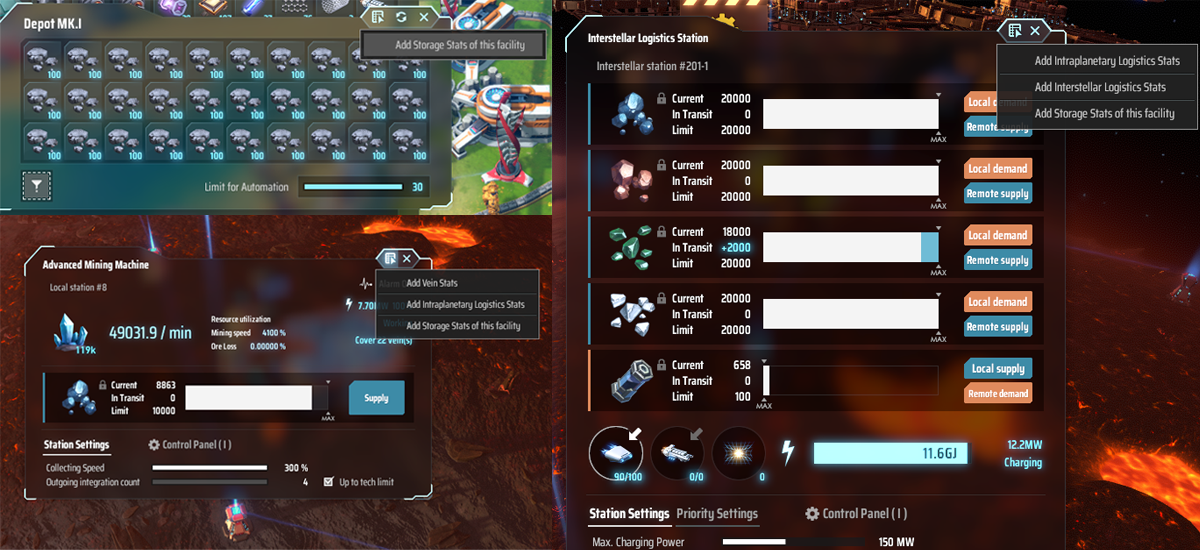
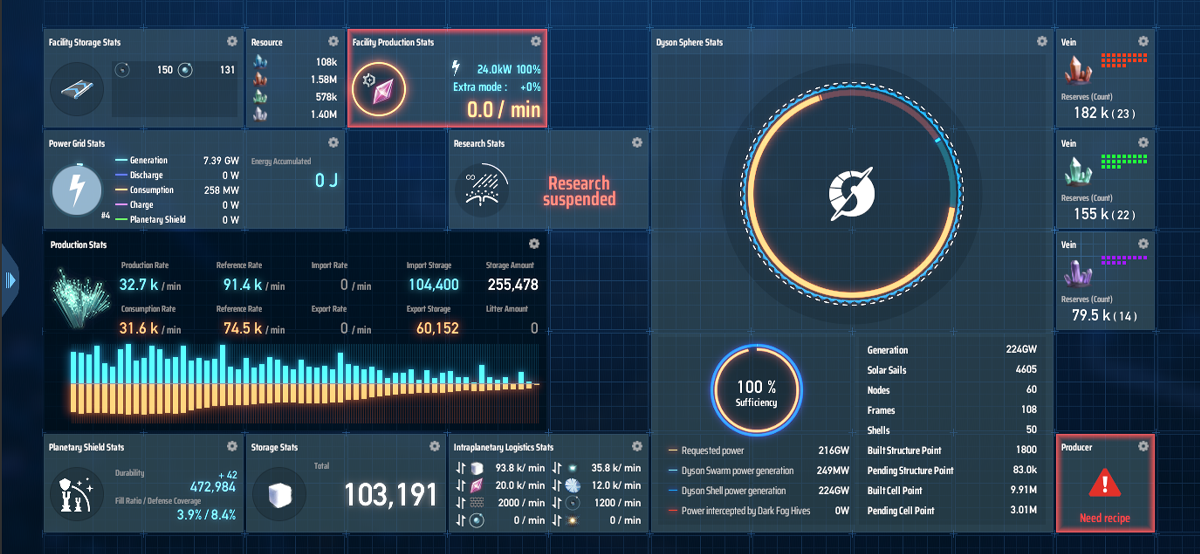
Then you can create charts from the Stats you added in Dashboard to help you view certain aspects of your factory. You can add a specific item or a facility Stats to Dashboard and create a chart for it. You can modify its layout or style and view it at real-time.
[Auto Orbit] Mode Added for EM-Rail Ejectors
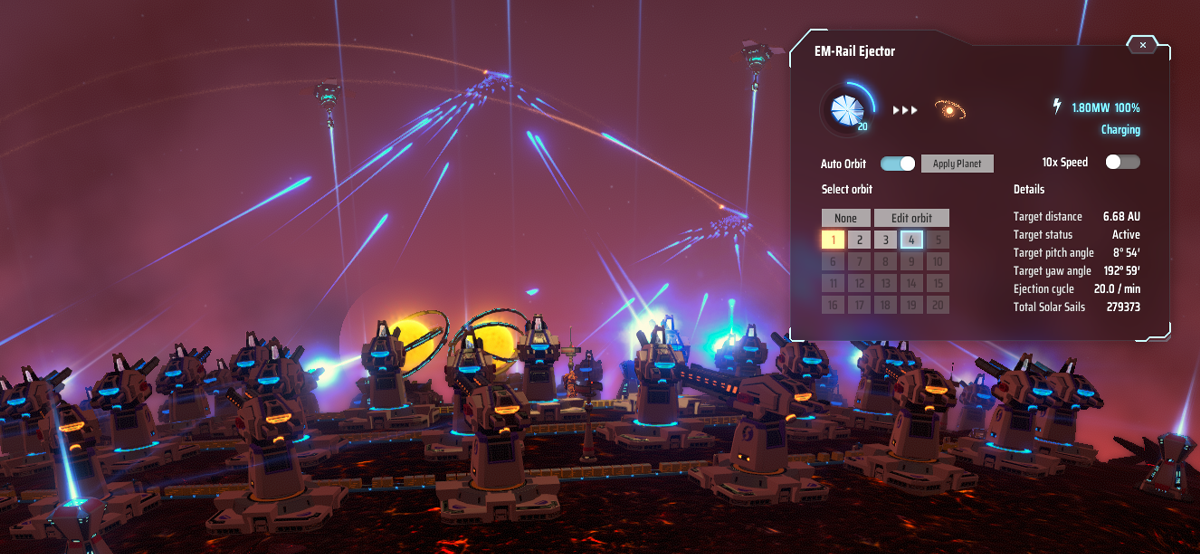
You must have had a hard time changing the orbit settings for the EM-Rail Ejectors. When [Auto Orbit] mode is enabled, if the ejector can't eject to the designated orbit, it will automatically look for ejectable orbits.
HD Screenshot Mode
To allow players to capture the beautiful moments, we've added a screenshot mode. Press [Shift + F11] to enter screenshot mode, and you can tweak resolution and camera transforms. The max resolution is up to 4x of the in game resolution.
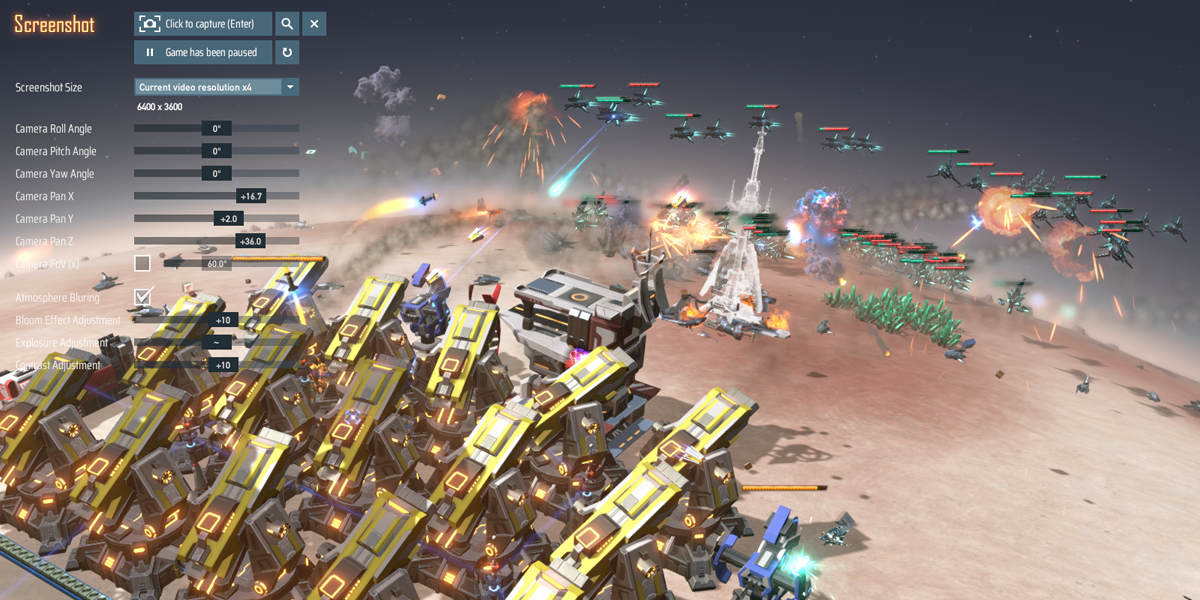
Some screenshots:


Laying Foundations in Blueprint Mode
Many engineers are complaining about the terrain when pasting a blueprint. So we decided to get rid of the issue by adding a function to lay foundation in Blueprint Mode. Pasting a Blueprint will display the calculated Foundation and Soil Pile cost and automatically level the terrain before completing the paste action.
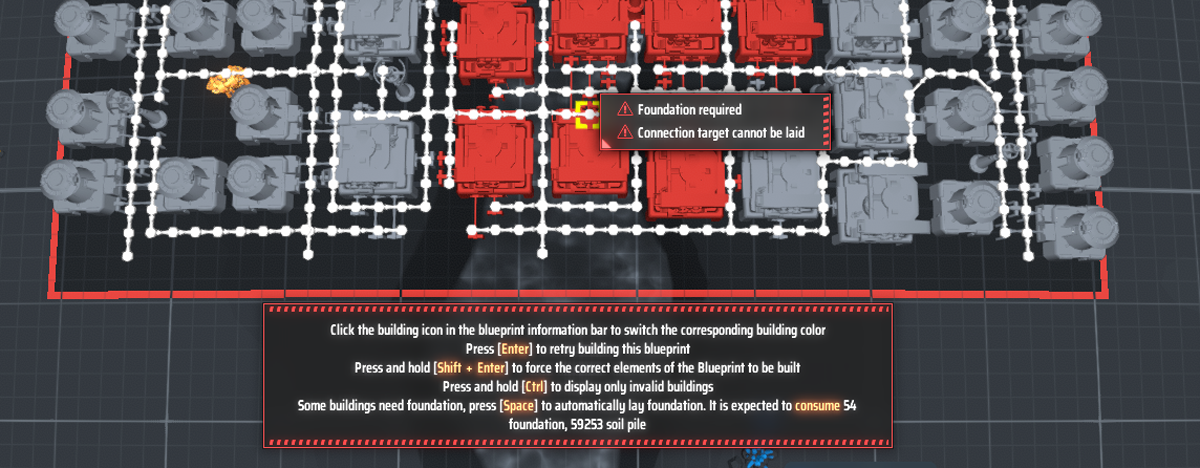
Just a second.. There's one little gadget that won't join this update. It's a research project we are still working on --- A beacon that could display messages, and it must have a fancy visual effect.
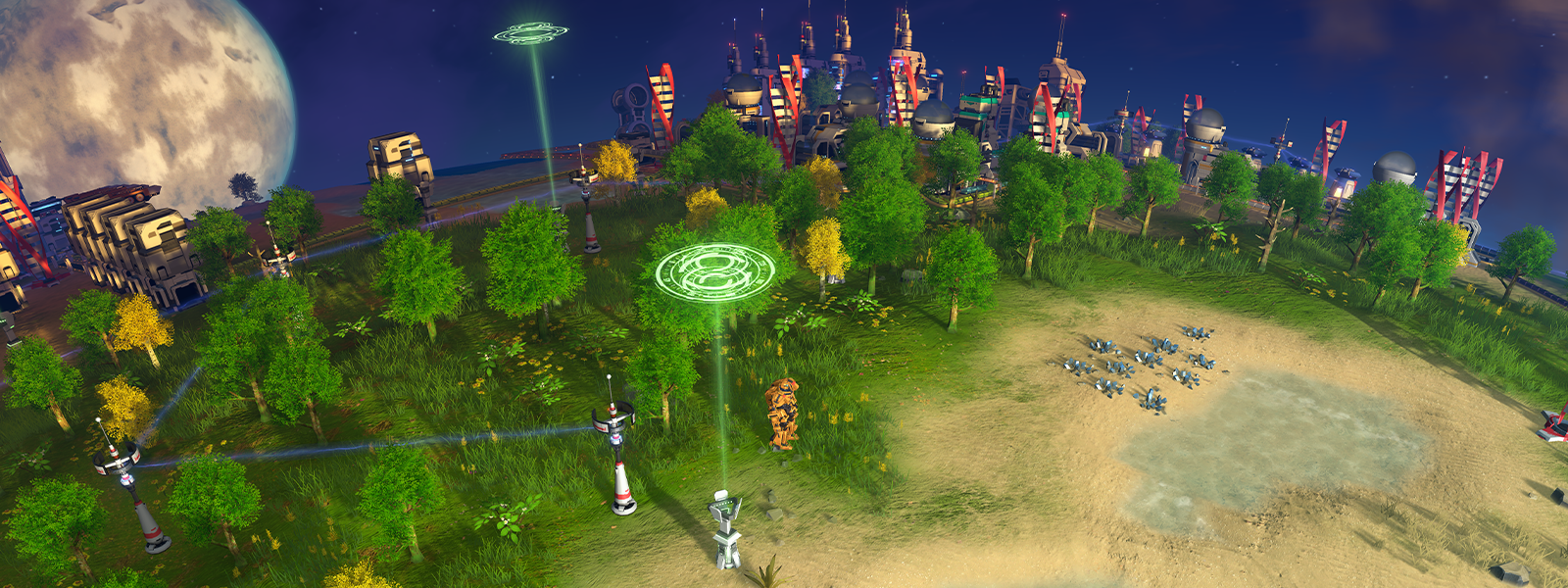
And you can leave your own message here, or write a todo list inside its interface.
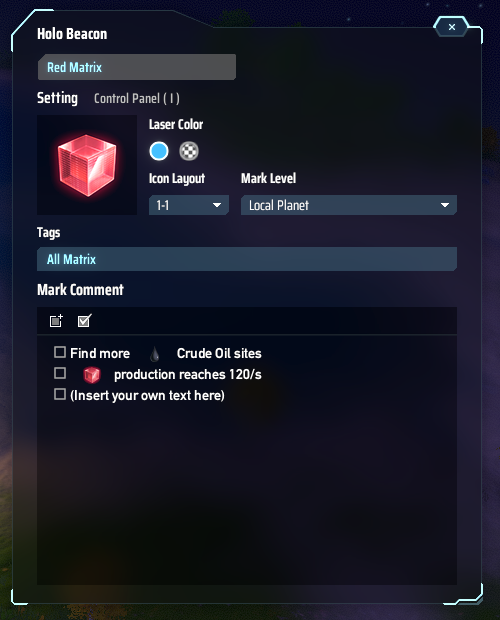
And it can be seen at different views, to help you locate the destination.
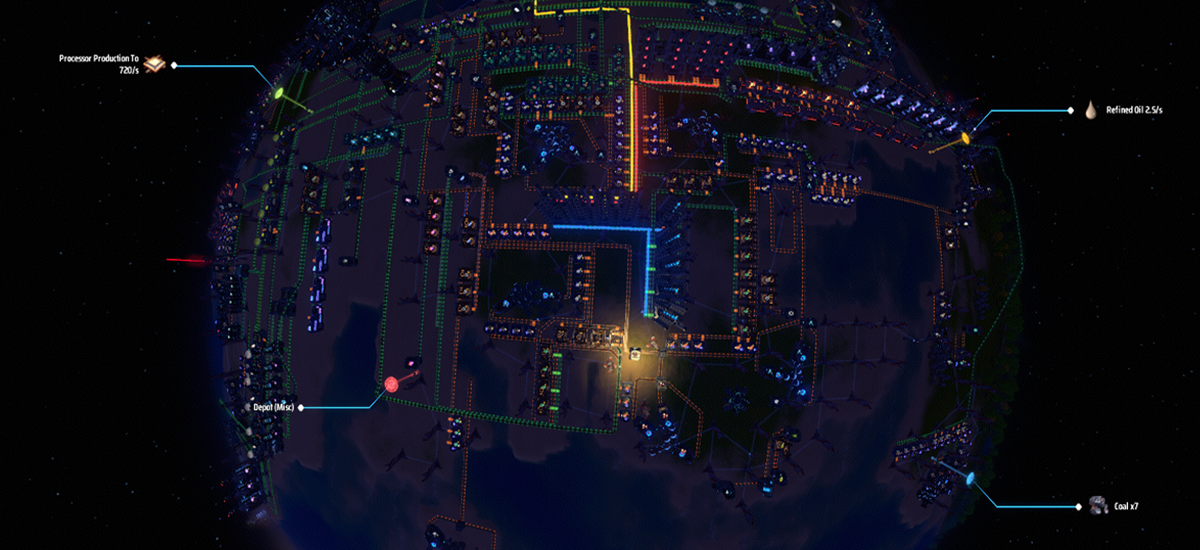
Hope this research progress can carry on without a problem.
Here is the full log of today's update:
Version 0.10.32.25496
[Features]
- Added [Dashboard]. Inside Dashboard, the stats added can create a chart to help monitor factory status at real time.
- Added [Production Stats]. It can be used to create a chart of an item's production statistics.
- Added [Power Stats]. It can be used to create a chart of a power grid status, or power statistics of a planet or a planetary system.
- Added [Storage Stats]. It can be used to create a chart of an item's storage statistics.
- Added [Logistics Stats]. It can be used to create a chart of logistics statistics of a planet or a planetary system.
- Added [Resource Stats]. It can be used to create a chart of resource statistics of a planet or a planetary system.
- Added [Research Stats]. It can be used to create a chart of reach statistics.
- Added [Dyson Sphere Stats]. It can be used to create a chart of Dyson Sphere statistics.
- Added [Planetary Shield Stats]. It can be used to create a chart of Planetary Shield statistics.
- Added [Vein Stats]. It can be used to create a chart of veins' statistics.
- Added [Facility Production Stats], [Facility Storage Stats], [Monitor Stats]. They can be used to create a chart of a specific facility's statistics and its working status.
- Added [Auto Orbit] mode for EM-Rail Ejector. When [Auto Orbit] mode is activated, it will automatically look for ejectable orbits if the designated orbit can't be reached.
- Added [Screenshot Mode]. Press "Shift + F11" or click the button at the bottom right corner to enter Screenshot Mode. The adjustable parameters are there to help capture astonishing moments.
- When [Reclamation] tech is unlocked, pasting a Blueprint will display the calculated Foundation and Soil Pile cost and automatically level the terrain before completing the paste action.
[Balance]
- Adjusted Sandpile cost calculation when leveling terrain with proliferated Foundations. Now the calculation of proliferated Soil Pile gain and cost is calculated respectively and then summed.
[Bugfix]
- Fixed a bug where power generation stats is wrongly calculated when opening the Dyson Sphere tab for entire star cluster in Statistics Panel.
- Fixed a bug where Wind Turbine and Geothermal Power Station can be built closely.
- Fixed a bug when Dark Fog Planetary Base has a threat level over 70%, its UI is not always displayed.
- Fixed a bug where some hover information display for some facilities is wrongly displayed.
- Fixed some in game text.
Patch Note V0.10.31.24632
So, it's been a while since the Update Preview, and it's about the time to give this update and thank all our engineers for your continuous support.
This update includes the newly added [Game Goals] system, along with the optimizations in [Blueprint], [Statistics Panel] and [Voice Broadcast]. Probably you'd like to read this log while waiting for the game to be loaded?
And here is the full list:
[Feature]
- Added [Game Goals]. The new Game Goals UI will give hints on controls, constructions and technology unlocks to help players start and know their feasible next-steps.
- Added [Item Searching] function in Statistics Panel.
- [Statistics Panel] Production: Added look-up function for item's upper and lower stream production (An item's materials and it as a material).
- [Statistics Panel] Production: Added "Reference Rate"attributes. (The ideal production and consumption rate are calculated assuming every running facility is at maximum efficiency).
- [Statistics Panel] Production: Added Import/Export Rates for items in a star system or on a planet.
- [Statistics Panel] Production: Added tooltip for the histograms. It displays the item production and consumption for the interval.
- [Statistics Panel] Power: Added a radial chart for power statistics to more intuitively display the ratio of power supply and consumption.
- [Statistics Panel] Dyson Sphere: Added statistics for Solar Sails, Structure Points, Cell Points for every Dyson Shell.
- Added Upgrades [Solar Sail Attaching Speed]. This upgrade increases Solar Sail attaching speed.
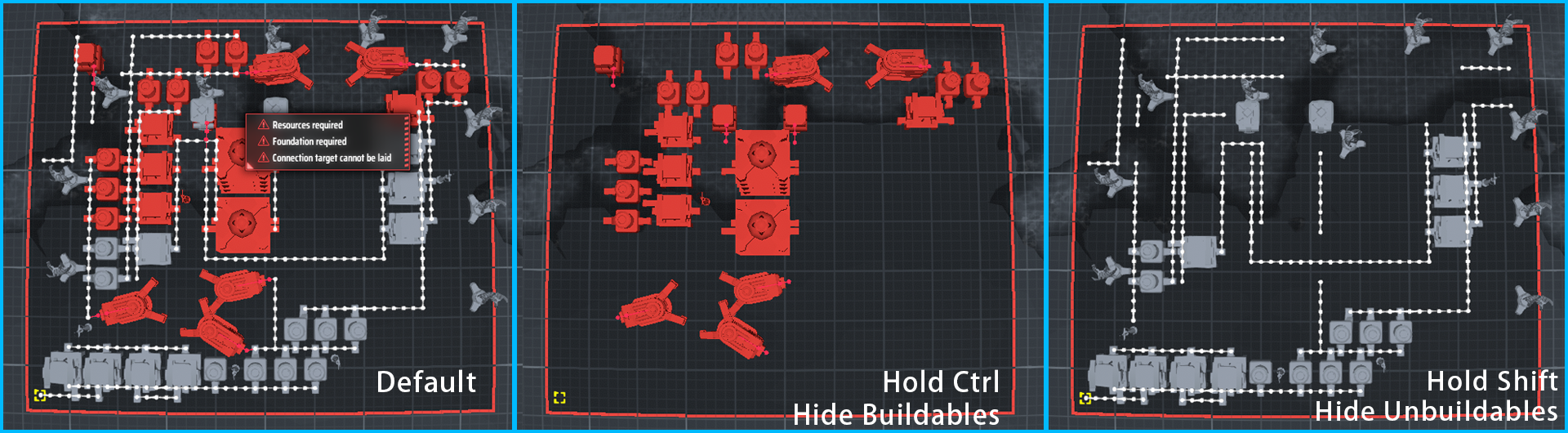
- When failing to paste a Blueprint, hold Ctrl will hide buildable facilities, and hold Shift will only display buildable facilities.
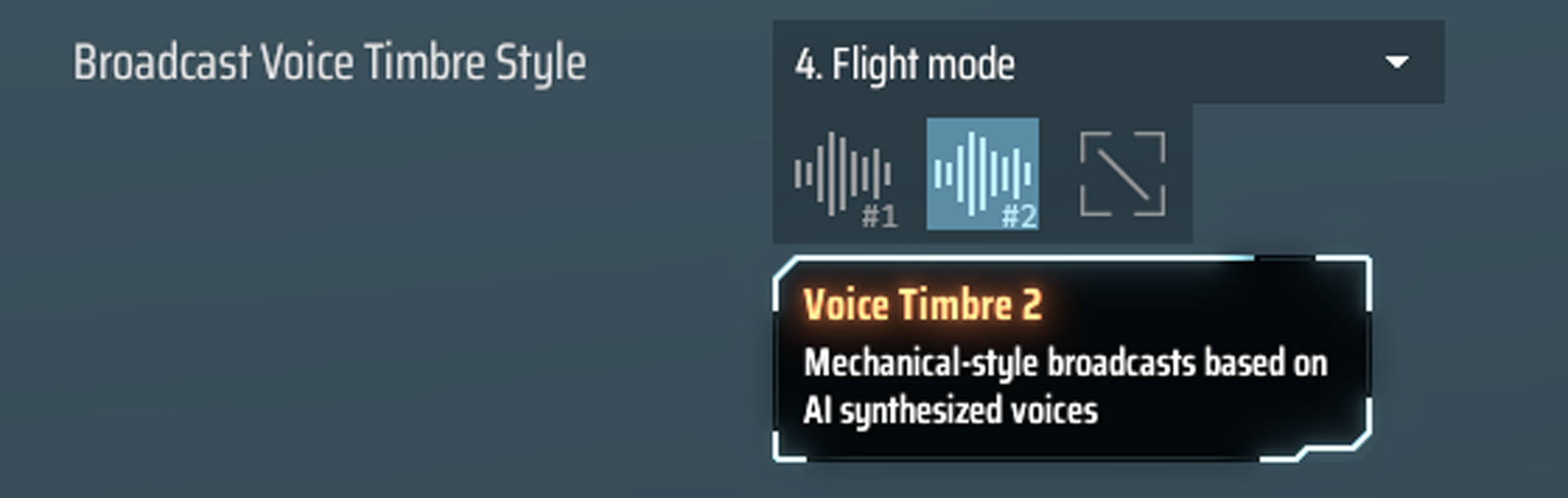
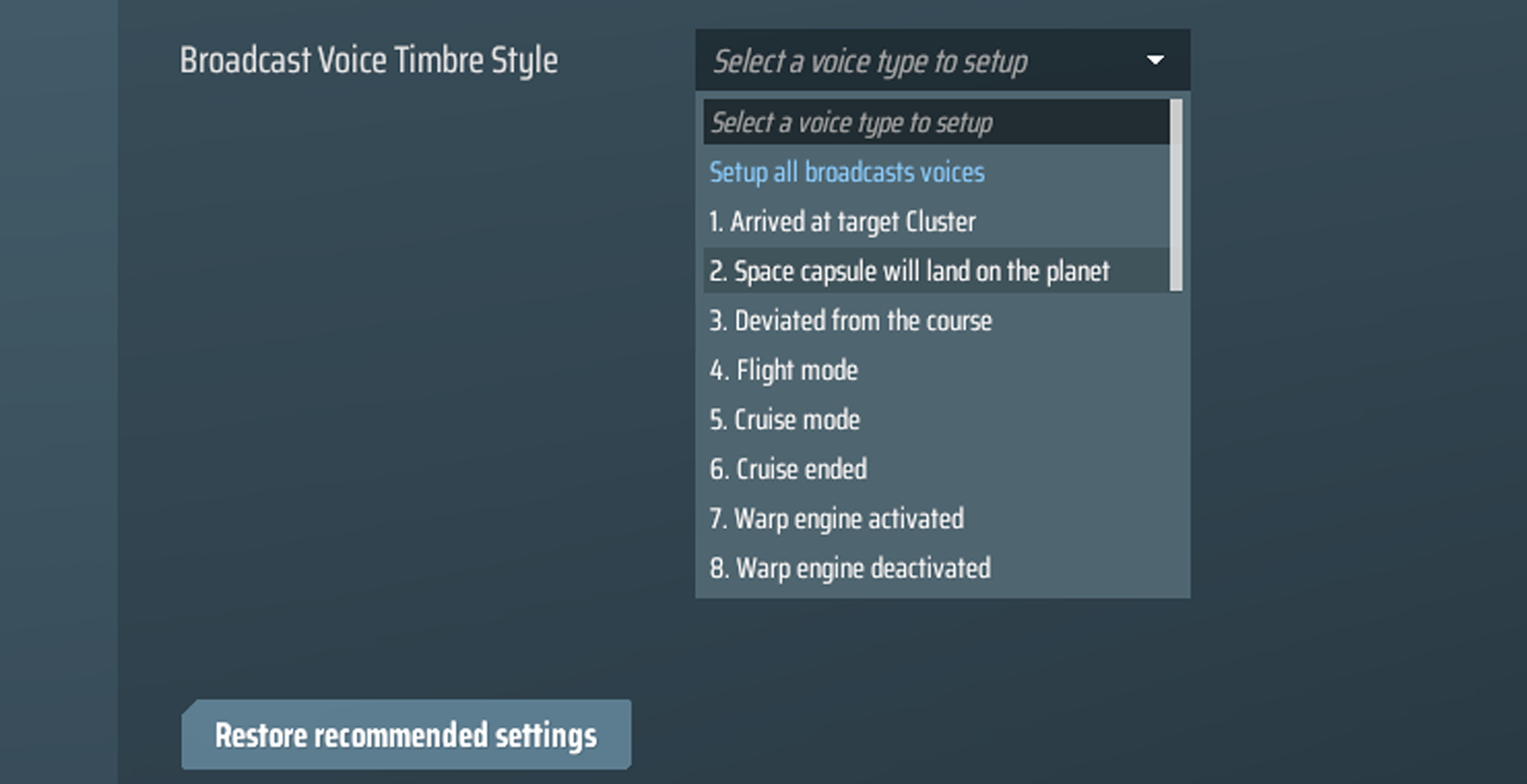
- Added [Voice Timbre Style] options in [Audio] settings. Voices can be changed by preference. Every broadcast can be changed or silenced.
- Added Sound Effects for the following facilities: Quantum Chemical Plant, Negentropy Smelter, Advanced Mining Machine, Statellite Substation, Geothermal Power Station, Signal Tower.
- Added warning toggling options for specific Dark Fog swarm assault. (Applies to HUD message, sound warning and voice warning).
[Change]
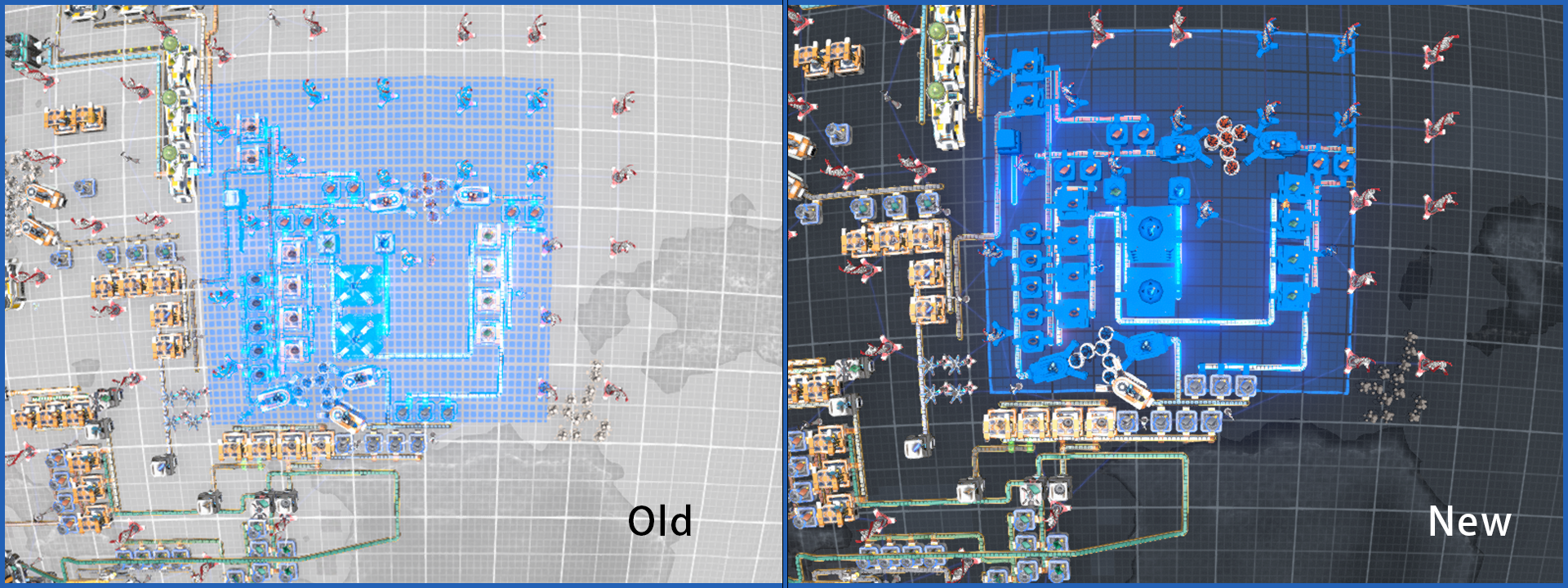
- Changed the visual style in [Blueprint Mode]. Planet surface, water, foundations, and models of Conveyor Belts, Sorters will have different colors and visuals.
- Added border effect for the rectangle selection area in [Blueprint Mode].
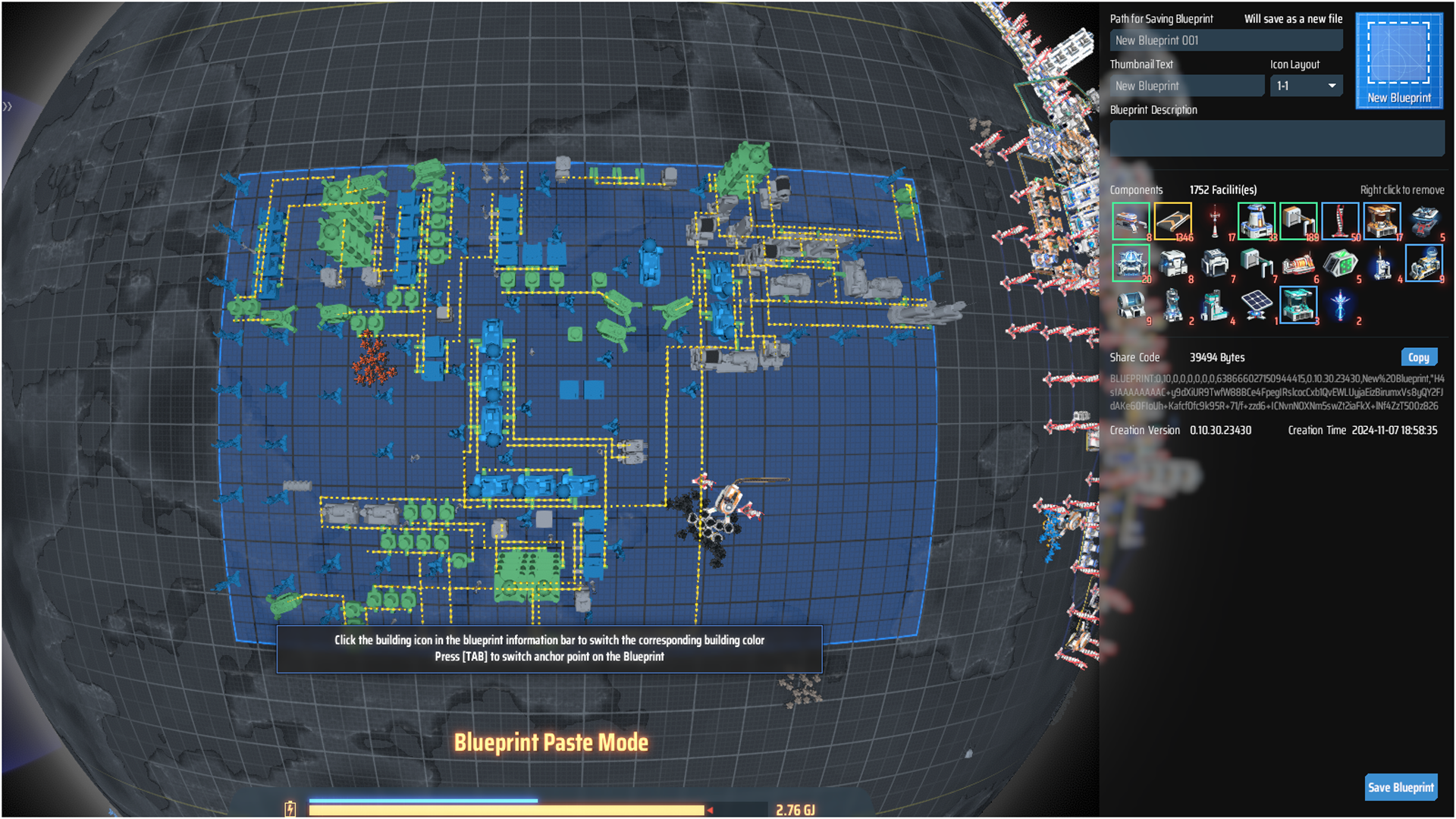
- Now in [Blueprint Mode], click on the facility icon will change its hologram color.
- Now when failing to paste a Blueprint, the paste area will turn dark instead of red. The pasting area will have a better visual for finding out the erroring facility.
- Now when failing to paste a Blueprint, an error message will show up by the erroring facility.
- Changed the layout of information in [Statistics Panel].
- In [Technology] panel, if a description for a prerequisite tech is too long, it will be displayed by scrolling.
- Power supply range model is changed from sphere to cylinder to supply high facilities better. (Old saves need to reconstruct facilities to apply the new range model).
- Now when building [Conveyor Belts] in air, holding Ctrl will force snapping the construction position to the relative ground grid position instead of the mouse point position.
- Now in Replicator (Icarus), if an item is not satiable for every material requiring it, the materials will be displayed in orange background.
- Reduced the frequency of item transition across levels in stacked Labs. Increased the max transition number and item cache.
- Added "Defense Coverage", it can be viewed in [Planetary Shield] UI and [Shield Contour]. It refers to the ratio of the area on the planet that with a shield altitude higher than 5m.
- Changed the Planetary Shield hit effect.
- Adjusted the barrage attack logic and projectile visual effect of [Lancer].
- Added afterburner visual effect for [Construction Drones].
- Now more localized text strings take effect after changing language (full localization requires restart).
[Balance]
- Adjusted [Solar Sail Attaching Speed] to 10/min, speed is upgradable. In saves prior to this update, if [Dyson Sphere Stress System] is researched, the speed is unlocked to 30/min.
[Bugfix]
- Fixed an error in [Blueprint Mode] causing “Icon Layout” drop down menu falsely overlapped.
- Fixed a bug where Dyson Sphere and celestial bodies can be blocked by shadows when in [Blueprint Mode].
- Fixed a bug where [Cell Point] number is wrongly displayed in [Dyson Sphere Panel] if the number is too big.
- Fixed a bug where "Add Essential Items" falsely consumes [Logistics Drones] when it should add [Logistics Bot] in [Control Panel].
- Fixed a bug where after setting up factories on over 64 planets, Dyson Sphere statistics are wrongly calculated.
- Fixed a bug when constructing too many [Battlefield Analysis Base]s in one tick may result in the Bases not working properly.
- Fixed a bug where in very rare cases, after the [Dark Fog Planetary Base] is destroyed, the [Core Driller] can't be removed and hint says units remaining.
- Fixed a bug where in Sandbox Mode, "Generate/Consume Cargo" is still in effect after untick in [Traffic Monitor].
- Fixed a bug where loading a sandbox save multiple times may result in [EM Ejector]’s 10x Speed not working.
- Fixed a bug where opening item selection panel in "New Planet Route", information of planets beyond the [Universe Exploration] level can be viewed.
- Fixed a bug where tick “Show Shield Contour” while on a different planet would cause an error.
- Fixed a bug where defense facilities and Blueprint can't rotate counterclockwise by ← (left) key.
- Fixed a bug where default [Build Menu key (B)] is changed, but can't be opened by the new key bind.
- Fixed a bug where after pressing F11, the arrow line to Dark Fog is not hidden.
- Fixed a bug where under certain circumstance, cargos can't join an empty enclosed circuit belt.
- Fixed a bug where in Blueprint Mode, [Geothermal Power Station] can't be built on a removable [Core Drill] and error says "require lava" or "collide with other object".
- Fixed a bug where switching views between planets or stars in Starmap, "Route" information is not updating.
- Fixed a bug when pasting a Blueprint for Logistics Station, if a belt is reversed before the Station is built, the belt will output item from the other end.
「Automation Pipeline Master」 Bundle Now Available
https://store.steampowered.com/bundle/46765/Automation_Pipeline_Master/
Shapez 2 is a game tailor-made for enthusiasts who crave the thrill of optimizing production lines and perfecting automation. Construct sprawling multi-level factories and min-max your layouts without limits.
At the meantime, we’re working hard on updates for the Statistics Panel, Blueprint UI and Game Goals. If you missed our previous update preview, you can check it out here: https://store.steampowered.com/news/app/1366540/view/4487367832217059599
Update Preview: Statistics Panel, Blueprint UI and Game Goals
How's it going, engineers?
Winter is coming, and so is our update. This time we're not only bringing some bugfixes. Statistics Panel and Blueprint UI will receive some optimizations, and a new Hints System will be introduced. Broadcast Voices has its own settings now.
Here is the preview of the new contents:
Statistics Panel

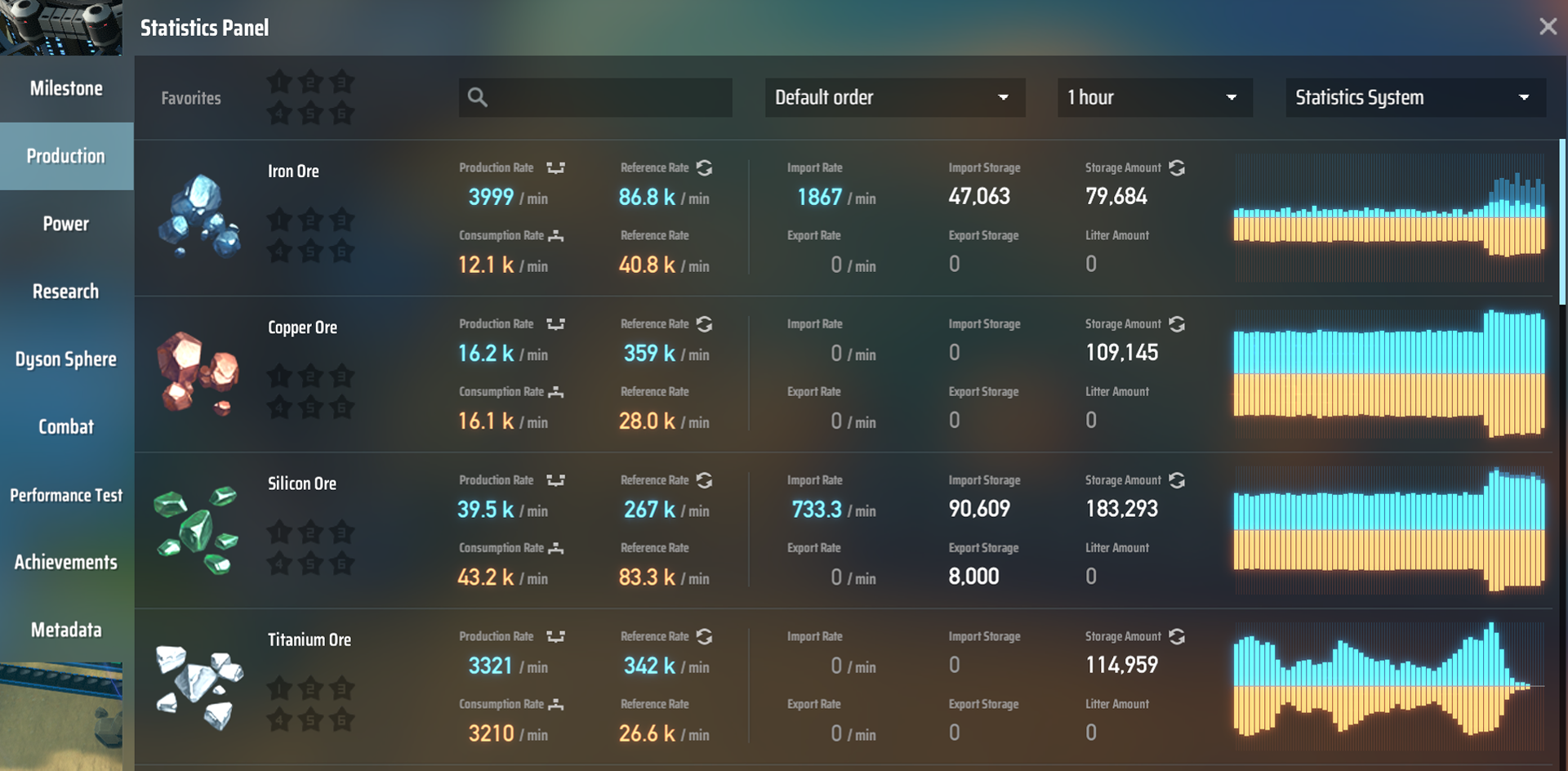
Statistics Panel will have some more practical changes. In this update, more information will show for each item. Now you can view the Import/Export Rate of an item on a planet or in a star system.
The Search Box allows searching item by name. And Storage Amount is the total amount of an item on a planet or in a star system.
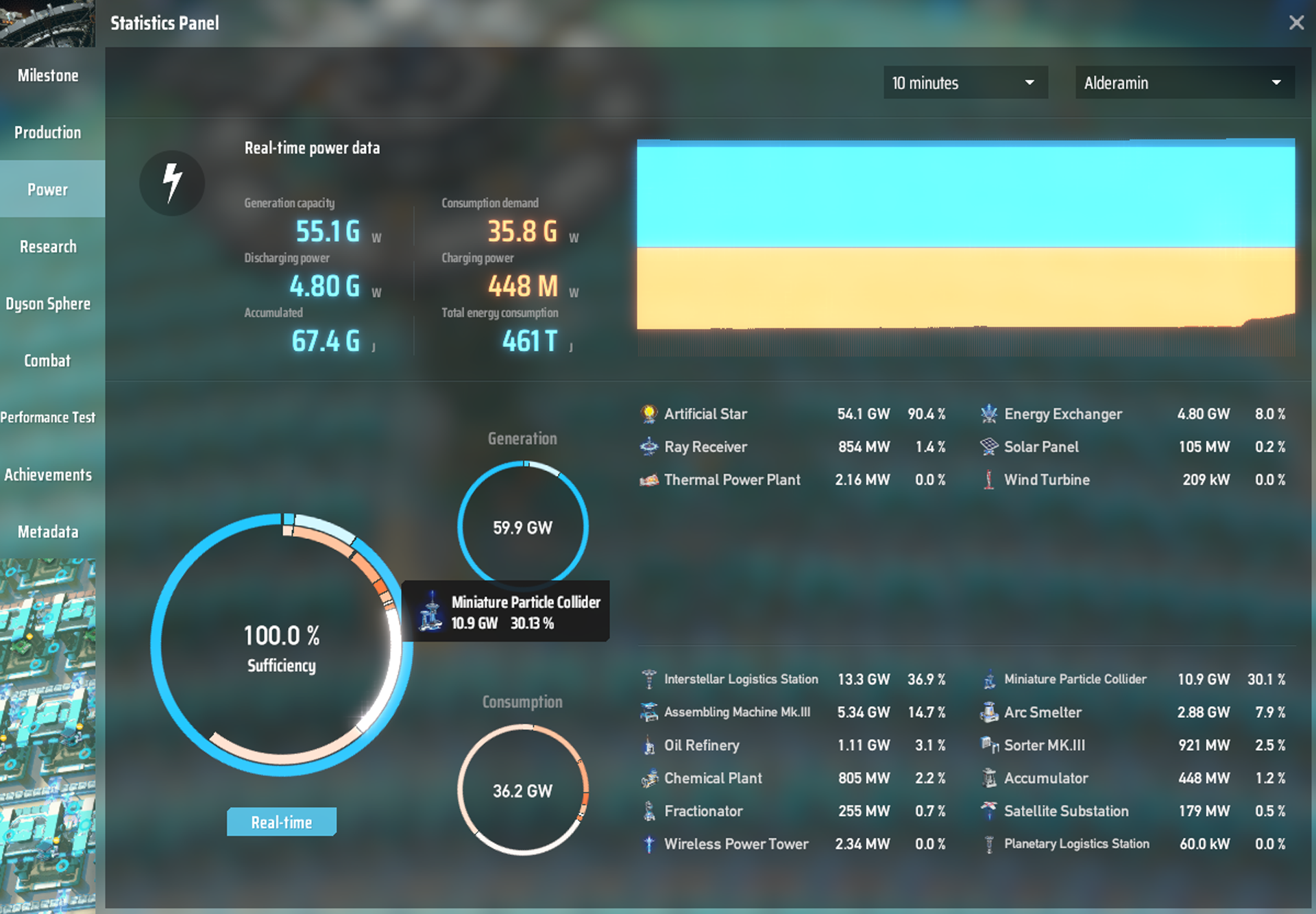
In the Power tab, a radial chart is added. This chart will easily demonstrate the supply and consumption ratio and power status. And the power generation, consumption, charging status will be shown for all the facilities.
Game Goals

Just started the game, don't know what to do? Always get lost and have no goals? Collecting stones and trees around and forget your next-step?
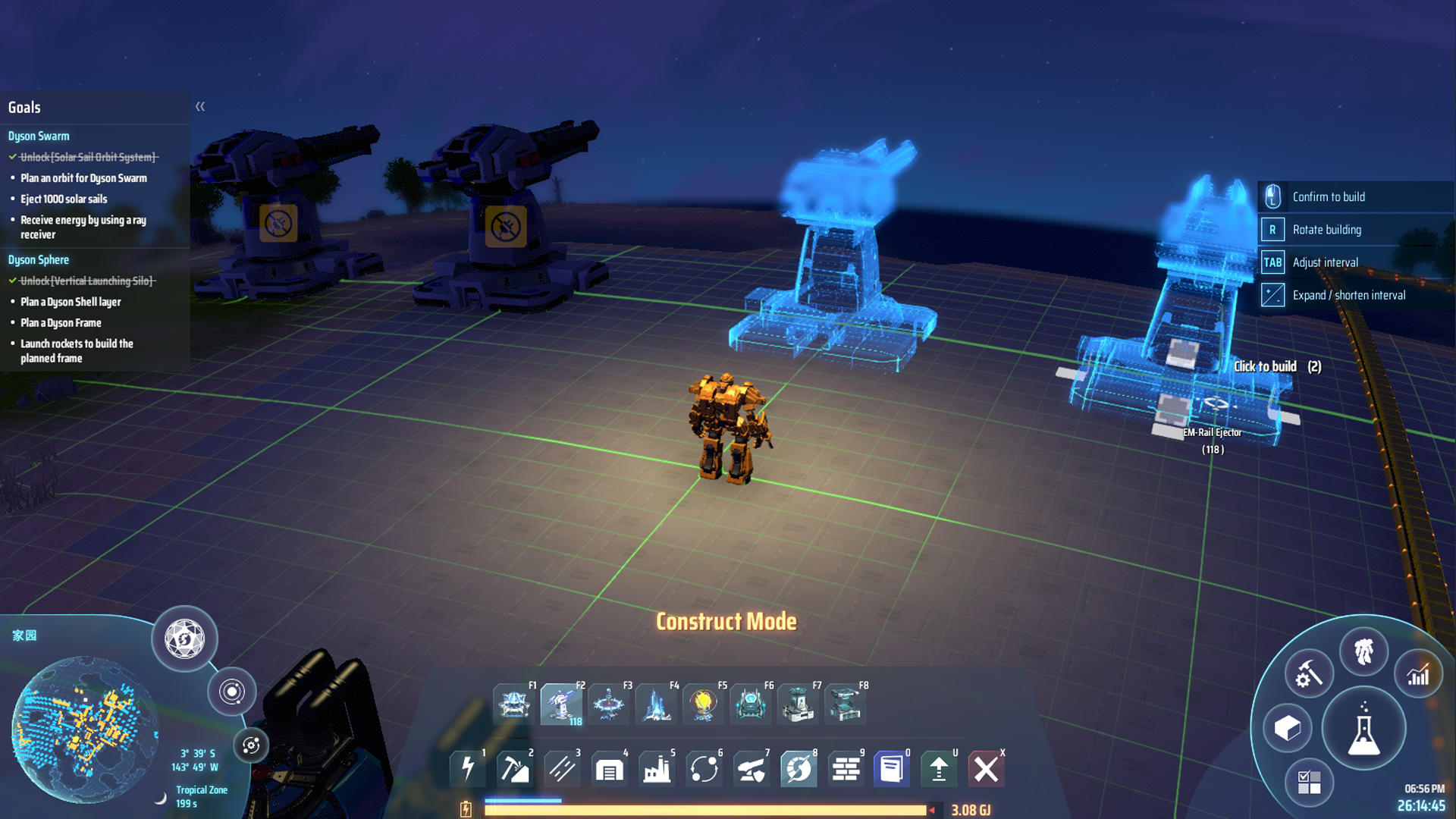
Now the new Game Goals will aid you and help you get acquainted with the game.
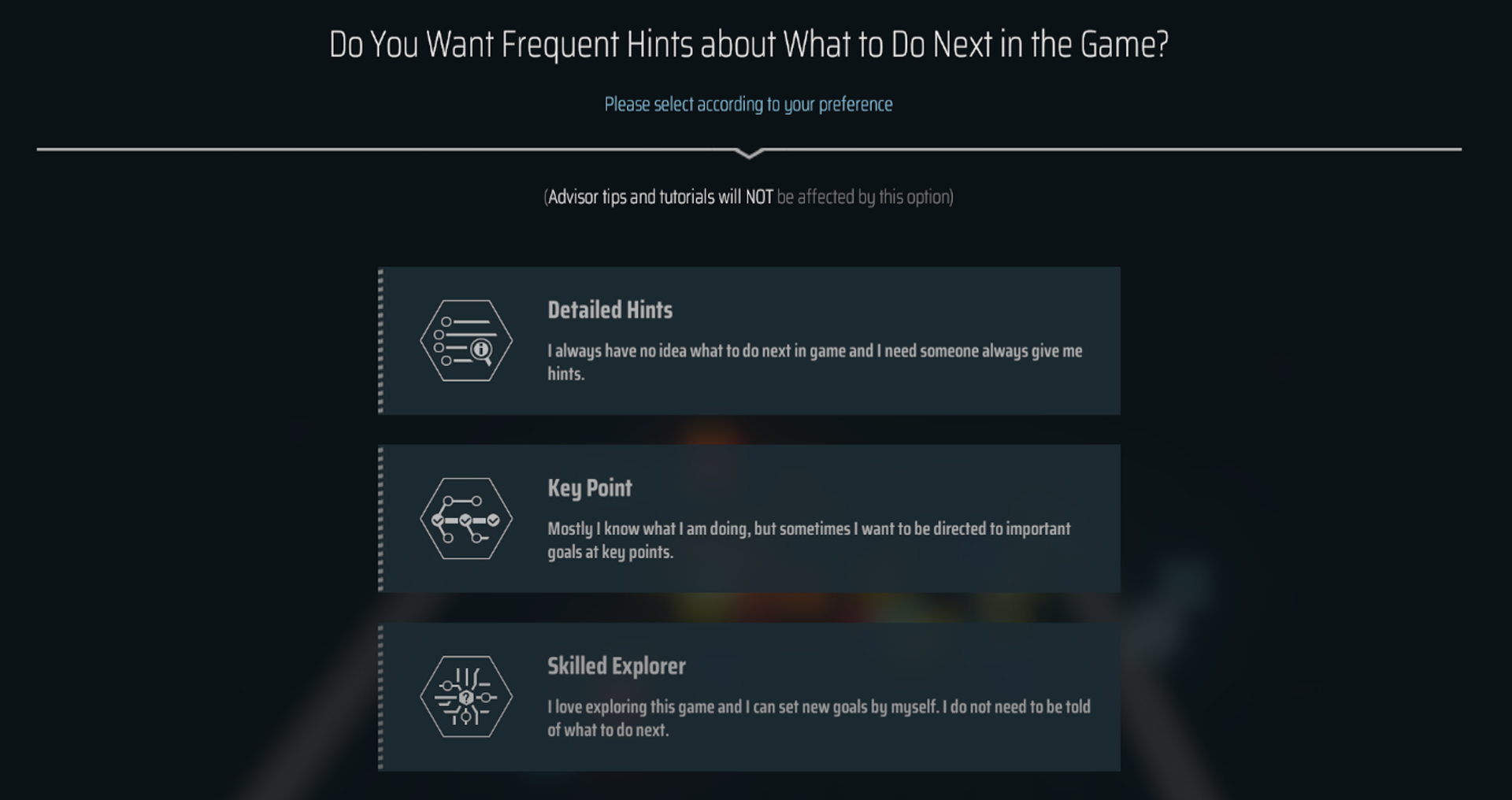
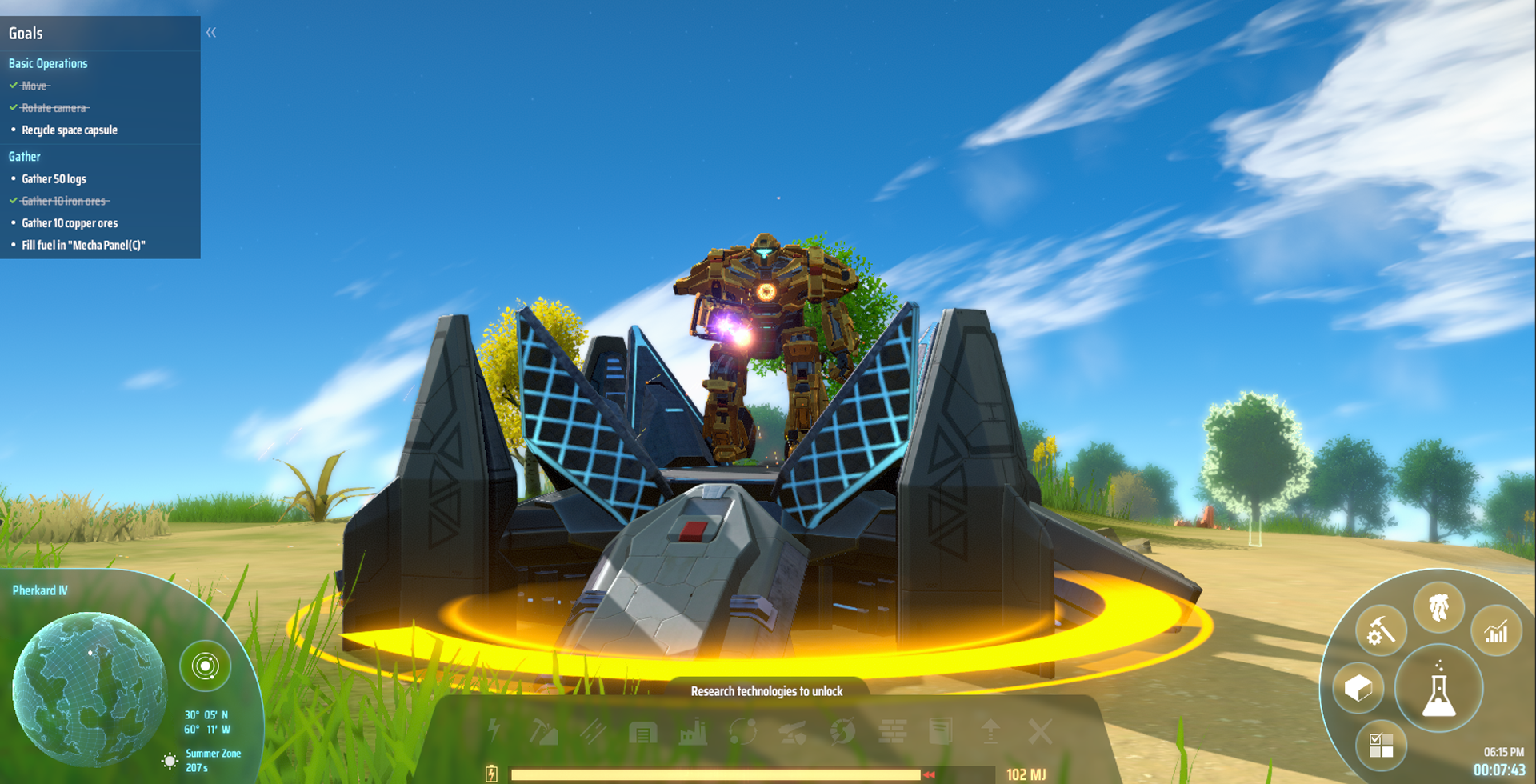
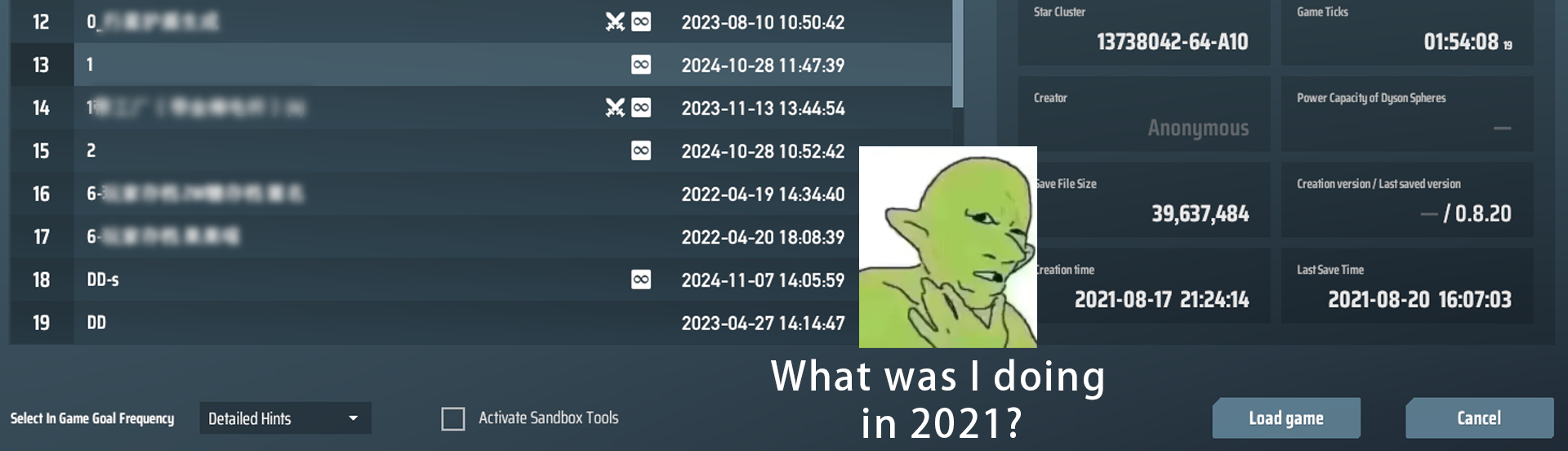
Or you might be just returning from a long break, needing some hints for your goals? To help you with this, when loading a save file, you can select the Level of Game Goals you may want.
Blueprint UI Optimizations
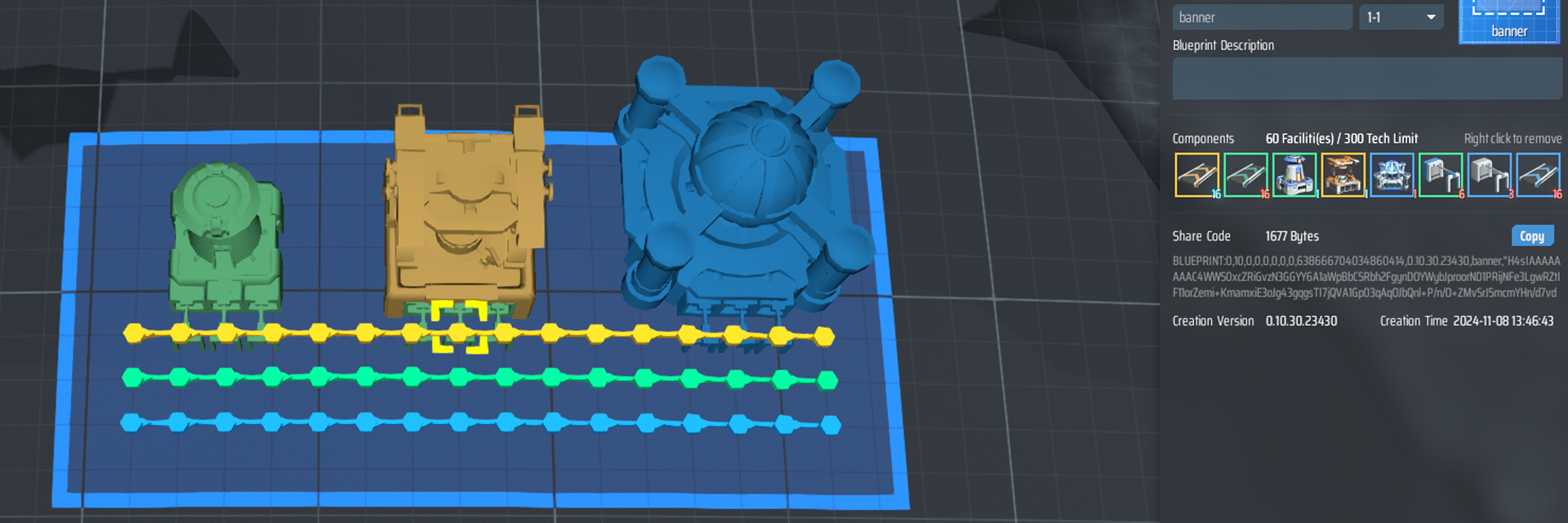
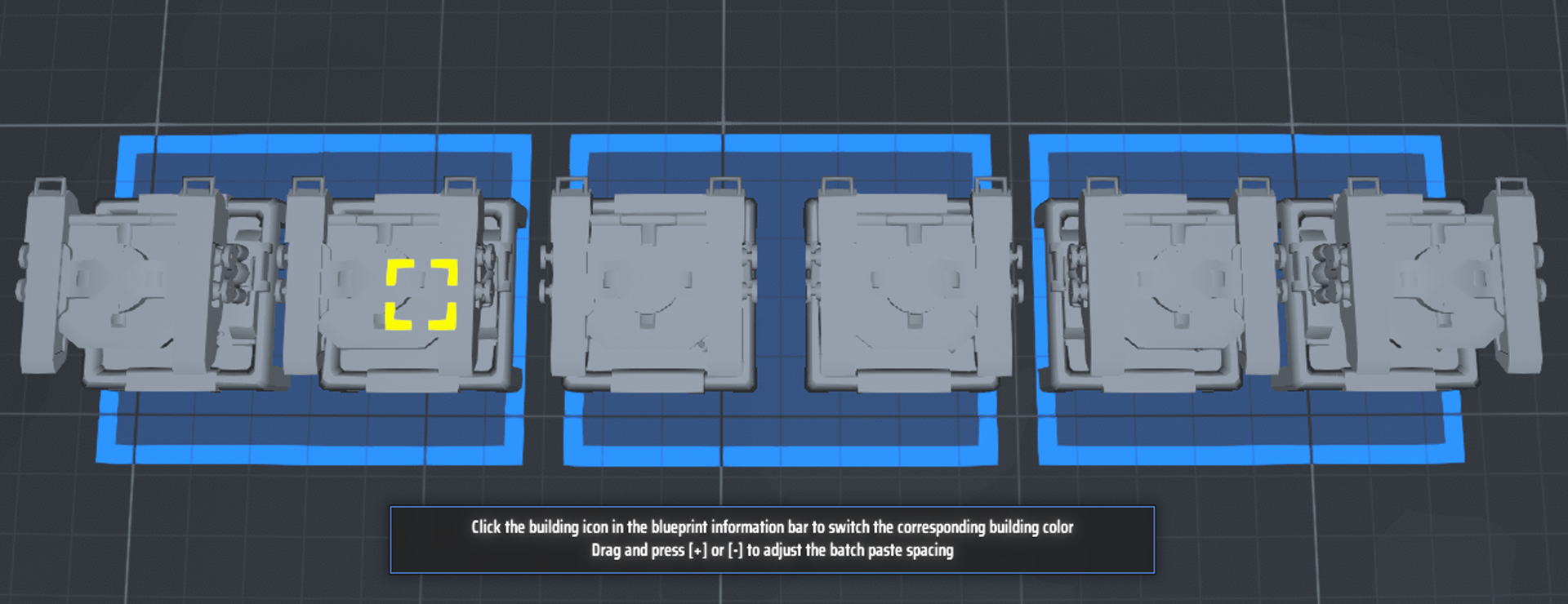
Blueprint UI will have some optimizations. Now in Blueprint Mode, the planet surface, water, foundations, and the models of facilities, belts and sorters will be displayed in a different color and style.
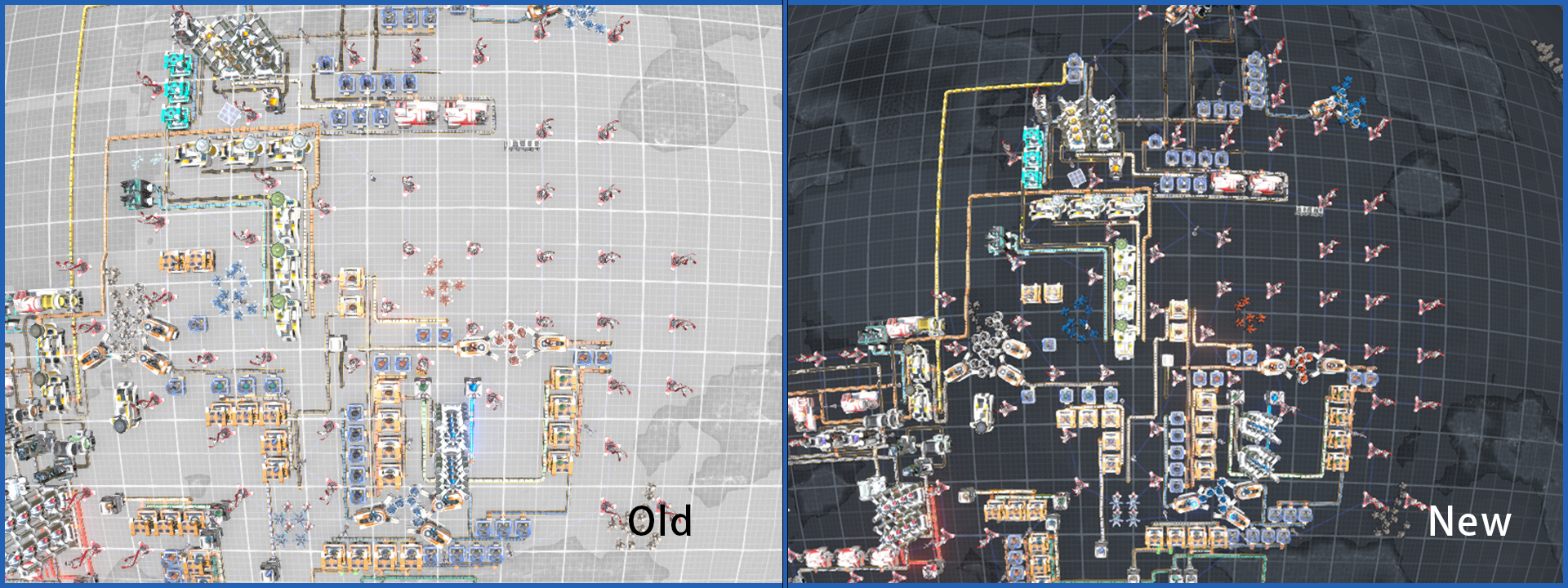
Now the rectangle area of selection will have a border effect.
Now when using a Blueprint, click on the facility icon will change its hologram color.
When bulk pasting, a hint will be displayed for +/- distance.
When failing to paste a Blueprint, detailed information will be displayed for locating the error. The pasting area will have a better visual for finding out the erroring facility.
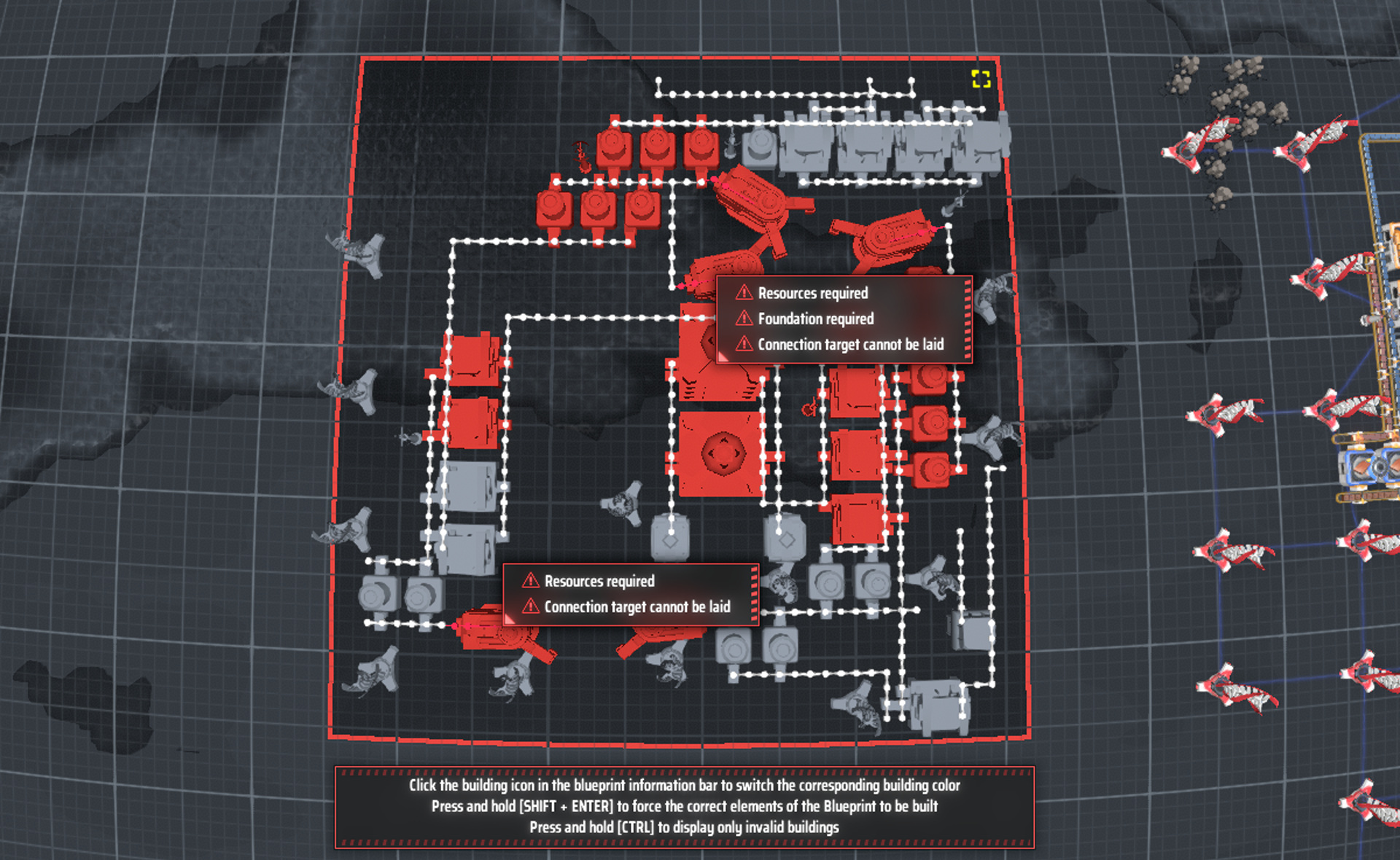
When failing to copy a Blueprint, hold Ctrl to hide buildable facilities, only display the red facilities. And hold Shift will hide the unbuildable facilities.
Broadcast Voice Settings
Early this year, we added the VO for our broadcasts. Since then, we've been receiving requests for having the old AI VO back. So, we made a decision to let the players choose by their preference.
Now you can change the Broadcast Voice Timbre for each broadcast, or turn some of them off.
You can't hear an image, but...