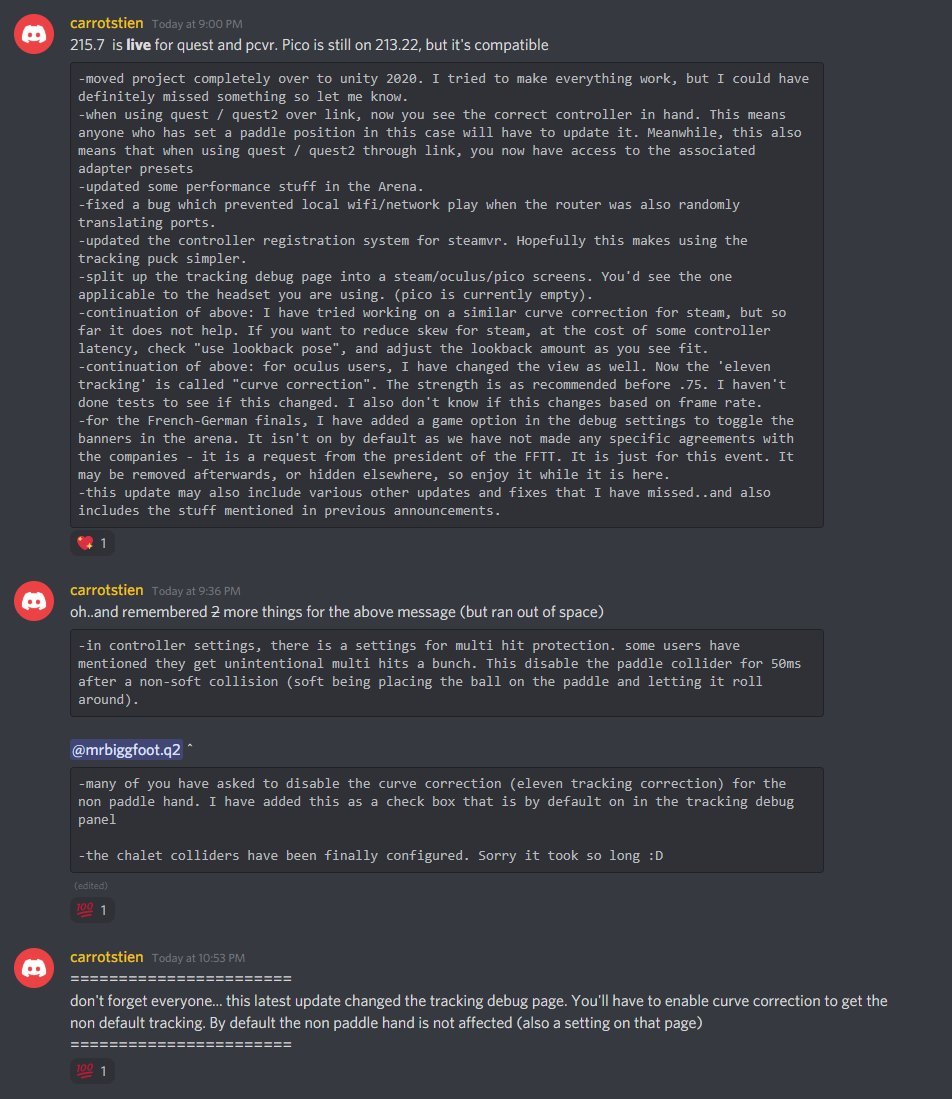
Hi All. We've been really busy working on the game and yesterday (and more today) pushed a bunch of patches that changes a bunch of stuff behind the scenes, and then various hot fixes to fix some unexpected issues that arose.
Some of you have shown frustration that the notes aren't easy to find here. Our apologies - it's mostly just a prioritization concern: do we spend time writing notes, or do we spend time fixing issues. I'll try once again to keep you all up to date.
Here is a screenshot of the notes related to this release. All of the little patches today have to do with fixing various input issues across various headsets. There are a handful of new bugs that will be fixed as soon as possible.
Settings override quick patch
previous patch accidentally had a settings folder deployed. This would have made you lose your settings. If you have had some valuable settings lost you can find them in the logs folder from the session right before the update. The settings, in json form, are right in the logs at the top.
If you have any questions, please contact me on discord so I can walk you through the steps.
I'm "carrotstien" on the discord - link found within contact info: https://linktr.ee/elevenvr
Lobby Usability Update, and Quest2 Controllers
Version: 0.183.9 / 0.183.8
This update is improves lobby usability, and quest 2 (via steam) controller changes. The lobby portion brings 2 features:
1. column sorting for the lobby. a. name and proximity columns sorting as expected b. ELO column can sort either increasing/decreasing, or a third option of closeness. This will show you players based on how near their ELO is to yours
2. While your cursor is anywhere on the lobby panel, the only update you should see is challenge buttons vanishing when people are no longer able to be challenged. Once your cursor (laser) is moved away from the lobby panel, it continue to refresh as usual. This should help avoid the circumstance where you try to challenge one person but instead end up challenging someone else that has moved into that place.
-------------------
This update also fixes the controller issues users who are using Quest2 through Steam have been having. Now you should see the quest2 controller. I lined up up as best as I could. Steam's quest2 models are very wrongly positioning compared to the actual controllers. This means that if steam pushes an update that fixes that, it will break the positioning and will need recalibration again from my side. If this happens, please notify me asap.
Also note for anyone unaware: playing the game on quest/quest2 through pc (regardless of which mode of connection you use), will add latency to your render. To offset this, the positions of the controllers and headset have to be predicted further into the future - for this game, this ends up appearing as bad tracking. If you are one of those users, you should play it natively on quest/quest2 to see the game properly.
-----
meanwhile many server side fixes have been pushed to improve stability. Sorry about restarting the server during your match. I try to do it very late EST time which has the least number of online users. I hope pretty soon I can make it so that server restarts, that don't contain critical code changes, would be done without users even noticing (so that they may continue to play their games)
0.176.0 - some fixes, more logging
0.176.0 -Added more logging -adding functionality that when logs are sent, they are sent all together. Hypothetically this may cause frame skips in some cases, but it should also help me find the cause of issues and fix them faster since it will be the full picture since launch -added sanity check+fix against loose tracked objects -re-enebled oculus button to reset -removes a bit of code that kept reacting to setting connections closed over and over. -added a bunch of extra one-time-fire room position logging, as there are STILL people with issues :(
0.175.2 - Various fixes, more logging
0.175.2 -fixed UDP initialization issue with server reconnect -added a lot of various logging -apparently fixed the RiftS through Steam, using Oculus SDK issue a user was having -updated recentering logic to put 750ms delay between various headset events and auto recentering (quest bug) -room positioning bug fixes, re-enabled limit range, and added code to force vertically aligned rotations only (though one user said it still acted weird, but i'm troubleshooting that) -added a send log step through process to help collect information -added fix that caused frame skips for non english languages -added ability for me (the developer) to inject a ball machine into a multiplayer session. This could would end up being used later by users, but i’ve added this to troubleshoot a particular user’s tracking/forehand issues. -while i figure out why the server isn't sending a proper leave-room message, when you press "exit room" it will (should) now severe all user connections..so no more users being visible to you after you leave the room.
Update:
aaand more loggin
Another patch (probably not last)
Every day I'm gathering bugs and fixing them, so there will likely continue to be nightly patches until the bugs found significantly decreases.
As before, I have added the send log button into the game.
Thank you so much for everyone who has sent logs and followed up with an explanation via email /discord <3 <3 . This help is extremely valuable!
v 0.172.1
-chalet table color -removed disable logging button for now -fixed match round info display -disconnected table functionalities from table visuals -wall mini game table is now correctly colored -fixed issue with ai target not working in chalet (and perhaps in arena) -added a bunch of log entries to capture more detail to solve the issues that people have been sending me logs for. -removed inter point delays as they were causing issues when people were rushing -don't show elo if not showing name -disabled spot lights in arena for quest 1 users due to performance issues
Various small fixes
version 0.171.0 -fixed post match ui issue that might have been causing problems -ball machine preset text color -ELO rating on the table near the names -fixed frame rate label on quest -fixed some log sending details -server side relay fail metric fix -added log code that posts settings to help me debug room position issues -set a fall back room position reference to see if that helps with some users getting spawned in weird places
4:34pm -just added more logging. some users aren't able to start the match, but I don't see why yet..but I'll keep adding logging until I do - then fix it :D
Big Logging update
-fixed ui post match issue (not sure if it was causing any problems) -fixed issue that prevented logging once logging was sent to the server -fixed steam startup free issue -added a giant send logs button.
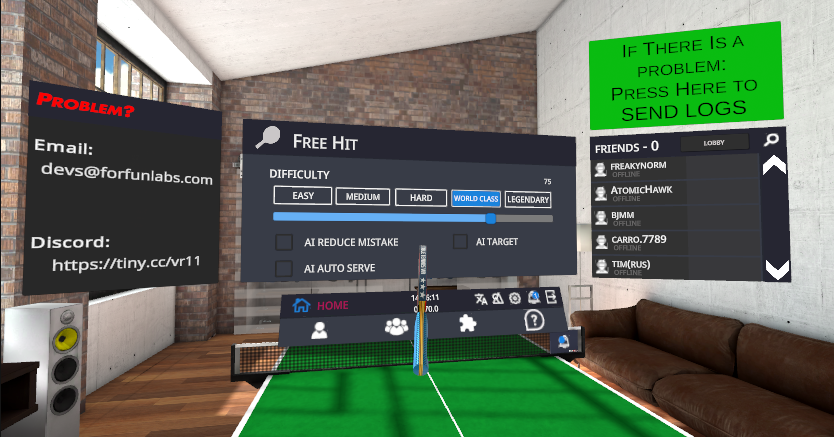
WHENEVER YOU ENCOUNTER AN ISSUE IN THE GAME. ESPECIALLY MULTIPLAYER. Please press this button, and then send the email to devs@forfunlabs.com
This will trigger not only your own system to send the logs, but also for anyone you are connected to to also send logs.
I need this to be able to track down the bugs and solve them, and many of the bugs people are reporting aren’t perfectly reproducible so far.
-update avatar system, hopefully no more grey avatars...but i still think sometimes it could completely mess up loading the oculus avatar..still looking into this
Small patch to fix G2 Controller issues
this patch fixes G2 controller issues: -button mappings -controller model -ball toss/paddle position defaults -laser default
Video shows not only G2 working, but the old WMR controller working beside it
[previewyoutube="z4SrBgWdoe8;full"]
Game Freeze/Hang on Start Fix
Recently many users have had issues with the game hanging on startup. Some methods were found to help, but for some users it didn't work. This update attempted to patch it for all. Please let us know if now the game starts in more reasonable timing.