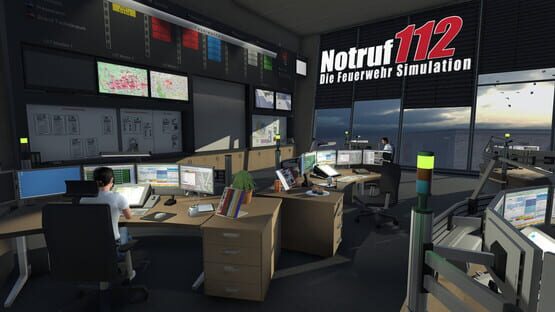
New: Unlocking the Head of operations gives the option to chose the units to be sent on a mission, including alerting further units during an assignment
New: Missions on motorways lead to traffic jam near the scene
Fixed: Wrong order while moving out of vehicles (some of them got no 'Go' )
Fixed: Fire attack in buildings: Attack squad now moves in groups of two and tries to stay together
Fixed: Wrong positionings on chairs in the recreation room
Fixed: AI controlled crew members no longer stand in front of vehicles in the hangar, which led to various bugs
Fixed: Side door of the command vehicle can be closed again and leads no longer to the deactivation of the unit and massive bugs during a mission
Fixed: Securing an accident scene could interfere with placing the hose reel
Fixed: Corrected texts in the Commander Menu of the Head of operations
Hello,
we implemented a new, experimental feature in 'Emergency call 112 – The Fire-fighting Simulation'. There is a new option that gives you the possibility to chose, which units are sent on an assignment. We will apply the experiences we gain with this feature in the second part of 'Emergency call 112 – The Fire-fighting Simulation'.
We would like you to use this new option and have fun with it. If something does not work as expected, we would appreciate if you send the game_log.txt you find in folder \Documents\Notruf 112 to notruf@crenetic.de .
Thank you very much,
Your Crenetic Team
The feature:
First you have to unlock the possibility to play as Head of operations (achievement). Afterwards you get the option to select which units are sent to an assignment, when you start a mission in the control room. You can deselect vehicles using the check boxes.
If all designated units are sent on a mission nothing changes.
If you deselected units and/ or added others, you have to actively change into the role of Head of operations to assign tasks or alert further units. E.g. a fire attack has to be ordered using the Commander Menu of the Head of operations. Afterwards you can switch to the attack squad and complete their tasks.
Patchnotes 1.1.7933b
Fixed: Error when resetting the game
Fixed: Wrong AI planning at pump controls
Fixed: Simplified collision system in missions with persons behind doors
Fixed: Improved AI behavior during inside attacks
Fixed: Optimized and repaired navigation calculation
Fixed: Adjusted commander menu layout
Fixed: Water tanks of vehicles are refilled when starting a new mission
Fixed: Refined collision and navigation geometry on streets
Fixed: Some missions were not offered due to a bug in setting the internal status of AI squads
Fixed: Waste receptacle will not be removed, as long as AI crew member has to dispose anything
Fixed: Adjusted parking positions at scenes
Fixed: Bug when setting down the turntable ladder
Fixed: Performance break down / Crash during fire fighting
Fixed: Physics error when resetting cars to parking positions
Known Issue (32bit only):
If you encounter a freeze/CTD when the level is loading, please set all graphic settings to minimum and try again.
How do I activate the 'Beta' branch?
http://steamcommunity.com/app/491530/discussions/0/1291817208507293391/
Hotfix 1.1.7910b
Bug fixed: Pathfinding error on mission start
Bug fixed: Swap body vehicle mission updated
Bug fixed: Crash when using extinguisher
Bug fixed: Replaced missing fire configurations
Bug fixed: Localization errors
Known issue:
Game can sometimes CTD on 32bit systems. We are working on a solution.
Update Fixed AI navigation problems on stairs (thanks to all who sent us detailed repro steps)
Update 26.02 Fixed: Mission won't start properly
Reminder: If you find a problem, please write an email to notruf112(at)crenetic.de and attach the file "game_log.txt", which can be found in your Documents/Notruf 112 folder (e.g. C:\Users\MyUserName\Documents\Notruf 112). Thank you very much.
Patchnotes 1.1.7893b
New: Swap body vehicle mission
New: First radio messages during missions (modable)
New: Pump operations at vehicles
New: Water tanks of vehicles get empty
New: AI characters use chairs in the recreation room
Bug fixed: Adjusted entry/exit position of the KEF vehicle. It can't be knocked over any longer.
Bug fixed: Extinguishing fire on "flat" objects like carpets was too difficult, so the hitboxes were optimized
Bug fixed: Localization errors
Bug fixed: Optimized terrain
Bug fixed: Move out of vehicles is now mission specific, normally the TL before the WT
Bug fixed: Corrected HUD options for the head of operations
Bug fixed: Tooltip for the helmet lights
Bug fixed: Lighting issues of buildings
Bug fixed: Reduced amount of water for inside attacks
Bug fixed: Adjusted blue lights
Patchnotes 1.1.7775
Bug fixed: Ingame menus were displayed without texts, because of wrong UI scalings
Bug fixed: While using a vehicle, depth of field will now be deactivated
Bug fixed: Wrong visualization while customizing (missing effects)
Bug fixed: Head of operations/section leader playable again
Bug fixed: Optimized sensors for AI vehicles in road traffic (performance)
Bug fixed: Wrong call sign for KEF
Bug fixed: Wrong mission report for KEF
Patch Notes 1.1.7526b
Reworked terrain
Added chat window in multiplayer mode (Ctrl+T)
Added helmet lamp (Default: ;), can be used with equipped helmet
E-Horn added (Default: 0)
Updated to the latest Steam API
Added pedestrians, number adjustable in settings
Patchnotes 1.1.7449b (BETA)
DLC KEF
Adjusted blue lights frequency
Remodelled size of the blue lights (model)
Optimized transparency of the windows in cockpit view
Skins
Implemented KEF
Added and optimized PSD Texture for KEF
Included an additional layer "UV net" in all PSD textures
Patchnotes (compiled)
Added fog and rain to the new weather system and adjusted reflectivity
NPC texture bugs fixed
Newer version of PostFX implemented
Reworked physic settings for better performance
Merged building elements to reduce DrawCalls / Batching
Vehicle lights turn on at low ambient light level now
Optimized TL controls (AI and player) and fixed a bug when switching to /
from TL crane operator
Multiplayer: Synchronized lights and signals of vehicles (work in
progress)
Multiplayer: Player name displayed above the controlled character
Dynamic weather and rain are now disabled by default, because there seem to be a problems on certain systems. You can change the settings in the main menu now. If the dynamic weather is disabled, you can toggle between different settings in the game by pressing Ctrl+End.
fixed the bug where characters became invisible when switching roles and/or camera perspective while riding a vehicle.
fixed enviroment light calculation for vehicles
Game can be paused now (Pause) and will be automatically paused, when a menu opens
Screenshots (F12) are saved in "documents/Notruf112/Screenshots", F10/F11 changes screenshot resolution
Missions won't be generated during joy rides
Missions will only be generated, when status is set to "Ready to respond in station" or "Ready to respond via radio"
Ingame time display now matches the day/night cycle
Optimization: Activated GPU Instancing for dynamic level objects
Optimization: Setting for texture quality now also effects the size of loaded textures
Optimization: Added rain effects and quality settings for the weather system
Optimization: Removed unnecessary RigidBodies and collider
Optimization: Occlusion Culling & LOD of light sources
Optimization: Reworked Occlusion Culling of buildings
Game will now pause, if the application lost it's focus
Looking/Aiming has been reworked without the use of IK
Added missing mission texts
Changed task list display
Optimized navigation area during missions
Adjusted range of vision
New graphical terrain settings
Added UI scaling to game settings, still configurable ingame with
LeftCTRL+PageUp/PageDown/Home
Added automatic game pause, when changing tasks, as choice to game
settings
Added customizer to swap vehicle textures
Reworked fire extinguishing: Some sources of fire need more time for the
fire to be put out
Alarm lights at the station will be activated correctly when starting a
mission
Roads are cordoned off nearer to the scene
Added first Steam achievements
Optimized settings of fires in supermarket
Changed sounds of smoke alarm
Replaced static trees to optimize performance
Added parameter to gameconfig which sets mission frequency
Reworked indoor fire extinguishing
Bug fixed: Invisible persons in vehicles
Bug fixed: Disappearing target marker at deployment journey
Bug fixed: Wrong path calculation if a character was not correctly placed in the navigation area
Bug fixed: Hose of the TL disconnects not until the crane is back in basic position
Bug fixed: Wrong orientation calculation of characters in the TL basket
Bug fixed: Improper starting of new games after loading a savegame
Bug fixed: Incorrect graphics in and around the fire station
Bug fixed: Using some resolutions resulted in missing Ok/Cancel Buttons of the fire configuration, "Escape" can also be used to quit now
Bug fixed: You were able to store items from the "wrong" side of the vehicle
Bug fixed: Starting position CV
Bug fixed: TL basket didn't always connect to ground
Bug fixed: Wrong placement of the position marker
Bug fixed: Rotating AI traffic
Bug fixed: Invalid path calculation created paths leading through
geometry
Bug fixed: Hose reels couldn't be moved farther after leaving the ingame
menu
Bug fixed: Missing items at the hose reel
Bug fixed: Defective navigation range at the rear of the station
Bug fixed: Blocked path finding at gate with integrated door
Bug fixed: Static steering wheel WT
Bug fixed: UI scaling wasn't saved, when set via keyboard
Bug fixed: Blocked path finding at doors during missions
Bug fixed: Water connection was not completed when TL secured
Bug fixed: Resetting items and hose at TL works properly now
Bug fixed: Buildings were reintegrated
Bug fixed: Crane display shows the correct angles
Bug fixed: CV driver window uses right texture
Bug fixed: Vehicles won't change the roadsides anymore
Bug fixed: Crash while pathfinding
Bug fixed: Hose cage could be opened while carried
Bug fixed: Items could be placed where AI could not reach them
Bug fixed: AI could sometimes not enter flats
Bug fixed: Cockpit GPS was not active in some vehicles