
- Fixed missing handoff readbacks from departures at custom airports.
- Fixed game crash when switching airports caused by old savegames.

Endless ATC
Update v5.5.2
Update v5.5.2 & v5.5.3
- Fixed missing handoff readbacks from departures at custom airports.
- Fixed game crash when switching airports caused by old savegames.
Hotfix v5.5.3 (21 Feb):
- Fixed wind change at YSSY scenario causing storms over the departure runway.
- Fixed stuck alt key after alt+tabbing.
Update v5.5
This version adds extra options that allow you to play in a more realistic way, and the gameplay controls can now be customized to your liking.
Changelog for version 5.5:
- Added 3 new options to the 'Realism' menu: Air pressure, Random weather, and Frequencies. By default all 3 options are off, but if you want the gameplay to be more challenging and realistic, switch them on if you like.
- The Pressure option adds air pressure simulation (QNH/altimeter). By default it's set to off (like in earlier versions; the pressure is fixed at standard pressure), to keep things simple. But when enabled, you can set the actual air pressure (at sea level) in the Weather menu. The air pressure mainly affects the height of the flight levels and the lowest usable flight level. It does not affect altitudes. To distinguish between altitudes and flight levels, an A or F is added to the label of the airplanes, depending on the transition altitude (the 'highest altitude') at the airport you are controlling.
- The Random weather option automatically sets the weather (wind, pressure, and a small chance of clouds) when starting a new game. The weather can still be adjusted in the Weather menu at any time.
- The Frequency option can be enabled if you like more realistic handoff readbacks: the H/O button is replaced by a 'radio frequency' button. Players that use custom airports may already have seen (or heard) this feature before, but now it's a toggleable feature.
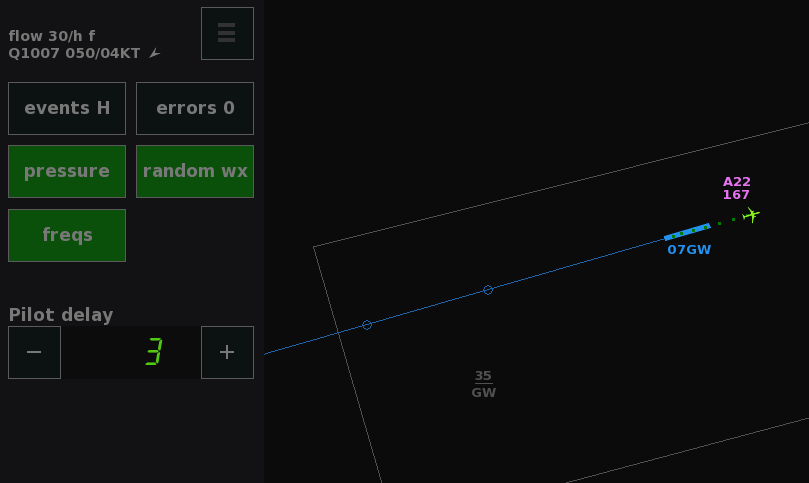
- The Pressure option adds air pressure simulation (QNH/altimeter). By default it's set to off (like in earlier versions; the pressure is fixed at standard pressure), to keep things simple. But when enabled, you can set the actual air pressure (at sea level) in the Weather menu. The air pressure mainly affects the height of the flight levels and the lowest usable flight level. It does not affect altitudes. To distinguish between altitudes and flight levels, an A or F is added to the label of the airplanes, depending on the transition altitude (the 'highest altitude') at the airport you are controlling.
- Added customizable keyboard bindings, and mouse control customization. Press F7 to open the Controls menu (also accessible via the About menu), and click on a function to change its binding. You can setup keys to your liking; you can even bind functions to the A-Z and 0-9 keys, which are by default used for Text Input (like 'A30' for altitude 3000). If you don't use Text Input to control planes, press F6 to disable Text Input, so you can use any key without conflicts. Some mouse controls can also be adjusted, for example the functionality of the scroll wheel in combination with mouse clicks. You can experiment with different control settings and if things go wrong, just press the Defaults button to restore all controls back to the default settings.

- Added 'speech rate' setting to the Sound menu. By default, the speech rate changes automatically based on the time multiplier and the number of planes, but now it can be set at a fixed rate.
- Simplified the Custom Traffic menu; it now has 4 buttons for all of the 4 custom traffic modes, so there's no need to toggle the 'skill' and 'flow' buttons.
- Updated runway names at Luton and Orly due to magnetic variation.
- Text Input 'II' can be used as an alternative to longpressing the ILS or SID button.
- For Custom airports: option to set the maximum climb rate per planetype.
- Various minor adjustments.
Known issue: Caps Lock or Num Lock interfere with the default keyboard shortcuts. For now, make sure these are switched off.
Update v5.4.2
- Fixed achievements not triggering since previous update.
- Fixed typos.
Update v5.4.1
Changelog for version 5.4.1, a small update:
- Added a hidden option to clear the plane tracks from the pause menu, by longpressing the 'text' button in the Display menu. Clearing tracks still happens automatically when resetting a game.
- A couple of adjustments and bug fixes to the new 'pilot error' function: fixed occasional 'say again' message when deselecting a plane, and pilots now always notify you in case of a possible miscommunication; this is to avoid confusion when values change.
- OK button text is now blue when a plane made a call.
- Added option to add QNH (altimeter) to the readbacks of planes that descend from a flight level to an altitude. It can be enabled by longpressing the 'readback' button in the Sound menu. In this sim, the QNH is a fixed value so this option affects readbacks only. It's off by default.
- For custom airports: small adjustment to the positioning of entry points outside of the boundary, and other minor tweaks.
Update V5.4
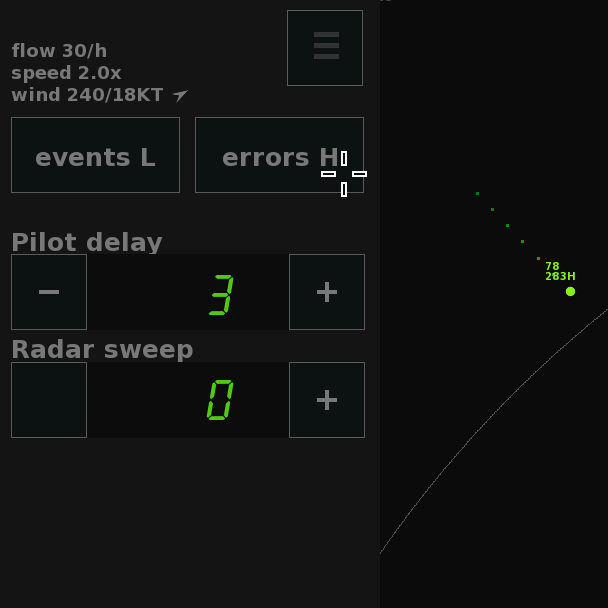
- Added 'errors' button to the Delay menu. The errors setting simulates miscommunications and small pilot errors (including readback errors, planes not following the instruction correctly, and more). When enabled, these errors happen randomly which requires you to monitor the planes more closely, to be able to correct any mistakes before incidents happen. By default, these errors are set to 'off' (like in earlier versions). Click the errors button to toggle it to Low or High chance of errors, for more realistic pilot behavior. Works best if readbacks (sound menu) are enabled as well.

- A history of all plane tracks since starting a game is now shown when pausing the game (ESC).

- Added 'closest distance' information after a separation incident has happened. A message is displayed at the bottom of the screen, containing the horizontal and vertical distance between two planes.
- Improvements to the hints for beginning players.
- Some minor bug fixes.
- For custom airports:
- Departures following a route now continue on their heading at the end of the route, instead of flying outwards from the center of the airspace.
- Entry points are located a bit closer to the airspace when using a polygon-shaped boundary (more similar to how it is for round airspaces).
- Added 'strictspawn=false' property, which can be set to true if planes should be spawned precisely at the entry points (instead of a slightly random deviation left/right of the entry points).
- Departures following a route now continue on their heading at the end of the route, instead of flying outwards from the center of the airspace.

Update V5.3.1
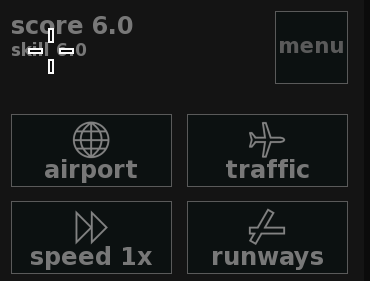
- Added icons on the buttons in the 'main' menu.
- Clicking on the skill/wind/speed text at top of the screen now opens the corresponding menu, for quicker access to these settings.
- L and R heading buttons are highlighted in case a turn is bigger than 150 degrees (was 180 degrees), to make it more clear in which direction the plane willl turn. The plus/minus icons are also bigger for better visibility.
- Yellow turn curve is less glitchy when turning towards a beacon.
- Blue subtext can wrap up to 4 lines to avoid text getting cut off.
- Fix for possible incorrect number of active runways when reloading the game if the 'end game' button was used before.
- Fix for possible incorrect game window position on startup in case dpi scaling is used in Windows. If the game still happens to open out of view, you can maximize it via the taskbar, and then drag the window to your preferred position.
- For custom airports: the tower is able to release departures at a higher rate in case SID routes are used, or in case there are intersecting landing runways.
Update V5.3: New features, UI improvements and more realistic turns
Changelog for version 5.3 of Endless ATC:
New features:
- New Speed menu, where you can increase the simulation speed in steps of 0.5x all the way up to 10x. In this menu, press the Smooth button to switch to a higher 'physics rate' for smoother plane movements. This is mainly intended to reduce choppiness when playing at speeds higher than 1x, but it can also be used at 1x. The default setting 'smooth off' is good enough regardless of the speed setting, but 'smooth on' makes it simply look nicer.
And to try something different, you can press the Auto button to make the game automatically switch between 1x speed (when interacting with planes) and a higher speed (when idle). This auto-speed mode can be convenient to speed up the gameplay when there's not much traffic to handle, for example at the beginning of a new game or at the end of a scenario.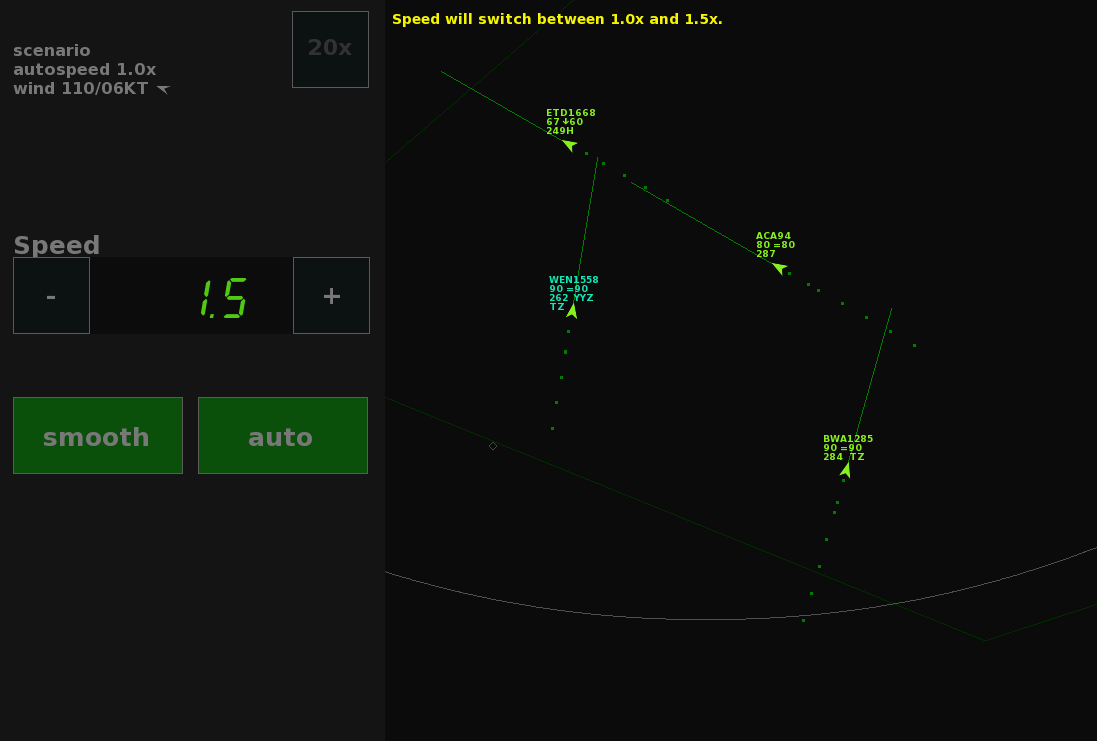
- A new Runways menu allows you to more easily set the runway configuration. And when custom traffic is enabled, you can also increase (or decrease) the number of active runways, by changing the new 'Custom score' setting. In Normal traffic mode, the number of runways is still determined by the 'score', as in earlier versions).

- When pressing the Delay or Sweep buttons, a new menu opens where you can more easily change the radar sweep and pilot delay settings. In this menu you'll also find an Events toggle button. This Events setting determines the likelihood of random events (like incidents, returning planes, go-arounds). It can be set to low, high or off. In earlier versions, it was always set to 'low' under the hood. Now, you can increase it (for if you like more variety, or want to test your problem-solving ability) by setting Events to 'high'. Or set it to 'off', for example if you're trying to improve your high score and can't use any additional chaos.

- The control bar now automatically switches its position to the bottom of the screen when the window is resized to portrait dimensions. This keeps the radar screen as 'square' as possible, which is especially useful for small window sizes. To manually lock the control bar to the bottom of the screen (regardless of the window size), long-press the Bar button in the Display menu. In earlier versions, the control bar could only be set at the side (either left or right) of the screen.

- Planes now turn more realistically. Expect the radius of a turn of a fast-flying plane to be larger than in earlier versions. This is because planes now bank left/right no more than 30 degrees, which in turn limits the maximum turn rate in comparison to earlier versions. Before, the turn rate was constant (about 3 degrees per second), meaning turns at 200+ knots would require bank angles of over 30 degrees (and high g-forces), which is uncomfortable for the people onboard. So to improve realism, planes now roll to a maximum of 25 to 30 degrees, and therefore speed has a bigger impact on the turn radius.

Small adjustments and improvements:
- Pan/zoom stays the same when resizing/going fullscreen/pausing.
- Lock setting in the Display menu saves the pan/zoom setting for the current airport.
- When holding down the menu button (for 20x speed) the menu doesn't open anymore; the menu opens only when short-pressing the menu button.
- Clicking on the yellow text at the top of the screen hides any notification message, and clicking the blue text hides all non-aircraft related messages.
- Starting a new game in the Traffic menu now requires a doubleclick; this is to avoid accidental resets when browsing the menus.
- Scrollwheel zooming is more smooth.
- Added a small chance of random clouds appearing if the wind option is enabled.
- Curved heading line is now the default option. Long-press the Line button in the Display menu to toggle this setting.
Changes regarding custom airports:
- Earlier speed reduction by the pilot for planes on the localizer, to avoid go-arounds due to overspeed in case the final approach speed of the planetype is set very low.
- Added 'rollangle' and 'rollrate' properties to planetypes, which determines the plane's turn radius when flying at high speeds (200+ KT), as described above.
You can add custom airports to the game by putting txt files into the locations folder. More info here. More than a hundred custom airports (many of which even include SID/STAR routes!), have been shared by the community.
Thanks for the suggestions. ːsteamthumbsupː Enjoy the update! ːsteamhappyː
Update V5.2.3: Added sound menu, and some small adjustments
- Added a sound menu with adjustable volumes.
- Minor adjustments:
- Game saves after completing a scenario, to avoid losing progression in case the autosave on exit fails.
- Planes won't backtrack anymore after landing at London City, because planes can use a taxiway in real life.
- For custom airports, the wake turbulence minima can be adjusted. See the 'wake' property in the [airspace] section of example.txt.
- Game saves after completing a scenario, to avoid losing progression in case the autosave on exit fails.
- Bug fix for departures that did not request further climb even when they were flying at a too low altitude.
Hotfix V5.2.2
- Fix issue where the gameplay timer was dependent on the time multiplier (speed) setting, in some cases. For example, a 30 minute timer should always finish after 30 minutes, even when playing at 10x speed.
- Fixed glitchy altitude arc when the curved line is used while heading for a beacon.