Update V5.2: Curved heading line, and many more small improvements
What's new in version 5.2:
New features
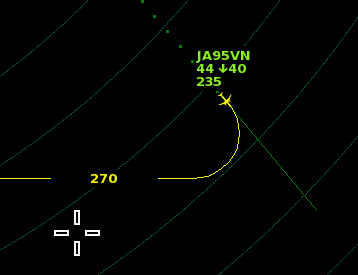
Added curved heading lines as a display option, which draws a prediction of the turn radius of the selected plane. This can be helpful with timing a turn instruction, as it indicates the future position of the plane after a turn more precisely. Long-press the 'line' button in the 'display' menu to enable this feature.
In custom traffic mode, the skill level is now fixed at a certain value, by default. In earlier versions, the skill value could still change during a game while the skill was limited by the 'cap' value. Now, the skill level remains fixed by default. Press the 'skill' button to toggle between this new 'skill f' mode (for a fixed skill level), and the old 'skill c' mode (for a capped skill level).
Holding the Shift key while dragging the mouse from a plane changes the label position.
Minor adjustments
The 'custom traffic' menu is now moved one level deeper into the traffic menu; this keeps the buttons of the 3 traffic modes (normal/custom/scenario), as well as the newgame and endgame buttons, easily accessible even when already in custom traffic mode.
Heading line length can be set to as low as 30 seconds, by clicking the 'line' button in the display menu. Tip: to further fine-tune the line length you can type HLINE00, replacing the zeros with the length in minutes times 10.
Departures are less likely to request further climb in case nearby arrivals may cause conflicts.
Added more variation to readbacks when using sound mode 3.
Beacons can be selected as near as 2 miles distance from a plane.
When the gameplay timer is used, then the next time the game is started, the timer menu will be opened automatically, as a reminder to reset the timer for next play session.
Combined the 'go arounds' and 'missed approaches' counter into a single 'go arounds' statistic in the side bar, as they're basically the same thing.
When pressing and holding the right mouse button, the subtext shows the time to touchdown for planes on the localizer or on an app route.
Added a 'controls' menu to the 'about' menu, just to inform users about the available mouse and keyboard inputs.
Re-arranged some hotkeys; F1-F2 changes simulation speed, F3-F4 changes heading line length, F5 toggles rings, F8 changes runway configuration. Unchanged is F9-F10 to change the skill level.
Tab key (to select a plane) now cycles through all planes in control, with priority to blinking planes.
Cleaned up the local files folder structure.
The button to open the (pdf) manual is now placed inside of the in-game help menu; the (now redundant) Steam launcher popup is removed.
In case of duplicate airport codes in different files, the game now ignores older airport file(s) when indexing the files, by comparing date of modification. This is to make sure that the newest version is loaded.
Long-pressing the airport select button shows filename of the currently loaded airport.
When typing an airport code while in the airport menu, pressing enter will load that airport.
More detailed file loading failure messages.
No more random arrival spawn positions.
Further adjustment to avoid delayed planes in huge airspaces.
Improved takeoff timing when there are nearby planes on final approach.
Ignoring the initial takeoff heading in case departure routes are in use, to avoid issues with route selection.
Fixed incorrect drawing of circular areas due to a rounding error of the radius.
Update V5.1: Added plane symbol customization, and more.
What's new in version 5.1:
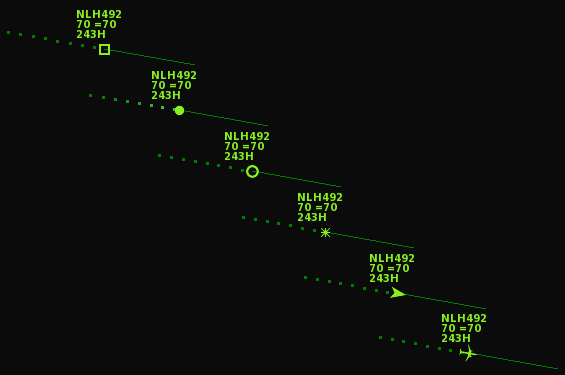
Added aircraft target symbol customization, see the target button in the display menu. You can choose between 6 different styles:
Added wind direction arrow to the side bar.
SID mode of departures can be enabled by dragging from the plane onto the SID waypoint, similar to how arrivals can be dragged ('direct') to a beacon.
The contrast toggle button is now hidden behind the light/dark toggle button (to make place for the new target button). Longpress the light/dark button to toggle the background contrast.
Inbound planes deviating due clouds fly on a heading instead direct to the initial beacon, for improved cloud avoidance.
Reduced chance of arrivals entering 'on top' of another arrival when entering the airspace, especially when using high flow rates.
Added a basic time lapse recording mode, which saves images of the radar display at a set interval. It can be enabled by typing TIMELAPSE00 where the two digits represent the time in seconds. To make an actual video of the images, you need to use a video editor that allows loading an image sequence.
Specific for custom airports: planes are classified as 'delayed' a bit later when they have to travel through huge (40+ NM) airspaces.
Thanks for playing Endless ATC!
Update v5.0.3
A small update with a couple of improvements and adjustments. Changelog:
Improvements to scenario mode, mainly extending some of the time limits to make it less hard to complete them:
Added NAV mode for planes on an approach route. NAV mode cancels any altitude/speed restrictions on a route. Similarly to the LLZ mode (which can be used to avoid glideslope capture), NAV mode is enabled by longpressing on the altitude digits (so between the plus and minus altitude buttons), or by typing NAV. Later on, press the NAV button to resume on the approach route normally. This feature can be used to avoid conflicts when two planes are separated vertically only.
Planes on an approach route temporarily ignore altitude restrictions in case the plane is in a climb or descend to a different altitude.
Fixed incorrect traffic flow rates when runways are duplicated.
Fixed plane position not updating correctly when dummy runways are located very far away.
v5.0.3 (12 May): Traffic flow to secondary fields can be specified in decimal values, and minor bug fixes.
V5.0: More customization options and 9th scenario added
Version 5.0 is now available with the following changes and additions:
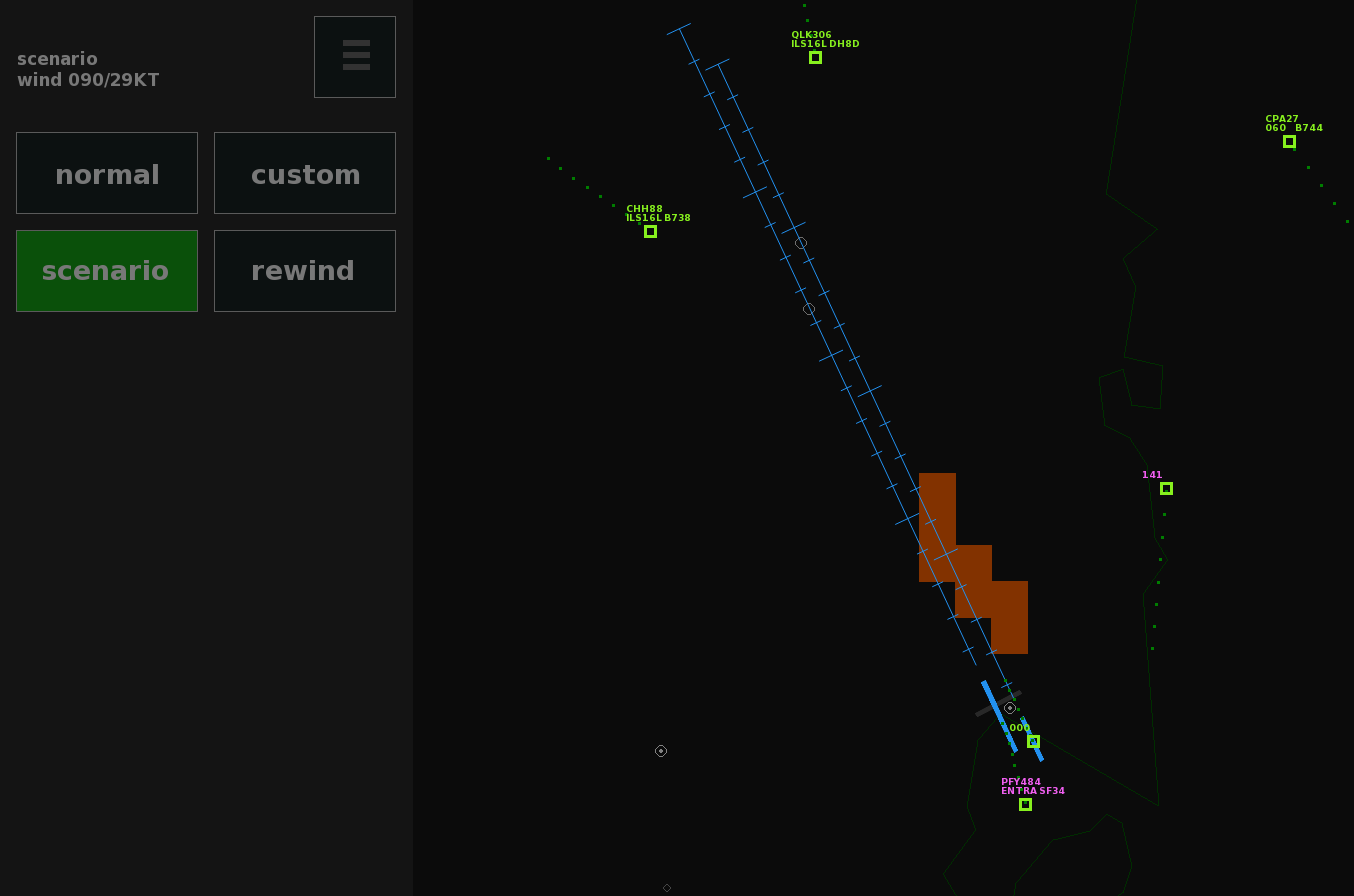
Added 9th scenario (Sydney). Every airport in the game now has a scenario; see the traffic menu at EHAM airport to start the first one. The 'goals' screen shows which scenario is unlocked and ready to play.
Added a rewind button to the scenario mode, allowing you to correct mistakes without having to start all over, therefore making it less hard (or time consuming) to reach the end of a scenario flawlessly. The rewind button is available exclusively in scenario mode, and lets you go back in time by about 5 minutes, using autosaves stored in memory.
A Steam Achievement is awarded for completing all 9 scenarios flawlessly.
Added runway style button to the display menu (4 new styles available), allowing you to choose a style that may match more closely to the looks of the different ATC facilities around the world.
To declutter the screen, experienced players may want to switch off all background text using the button in the display menu.
The sweep button now has the option for 1 second update intervals (instead of skipping from 0.5 to 2 seconds). Tip: for a smoother radar sweep, type SPEED01 to increase the update frequency of the sim. To precisely fine-tune the sweep interval, for example to set it at 3.5 seconds, type SWEEP035.
Planes give warnings when crosswinds are too strong, to avoid go-arounds.
Several minor adjustments/bug fixes.
For custom airports:
Corrected 'flow' property for the traffic rate to secondary airports.
Locilizer offset limit bumped to 30 degrees.
Improved timing of departures at secondary airports located directly below localizers.
Sydney scenario and 5-minute rewind button.
One of the new runway styles, and background text switched off.
If you want to try custom airports, take a look at the (ever growing) collection in this GitHub repository. Put the txt files into the locations folder of the game to make them appear in the airport menu.
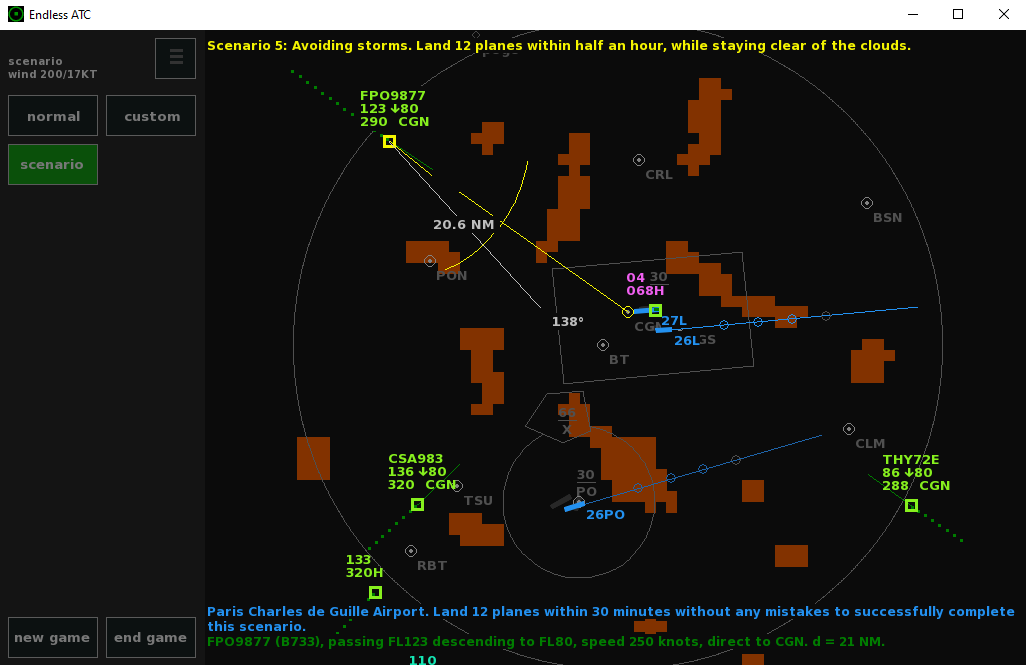
Added two more scenarios (Tokyo and Toronto), now totalling 8 challenges that require full focus and efficiency to complete without mistakes (and within the time limit). Note that successfully finishing the first scenario unlocks the second one, the second one unlocks the third one, and so on. The first scenario can be started via the traffic menu at EHAM airport.
Measuring tool (right click) now shows headings on both sides of the line.
Adjusted the initial altitudes of some planes in the KJFK scenario, to make the first few minutes less hectic.
Fixed incorrect random entrypoint selection in case there are duplicate points in the beaconlist.
Fixed incorrect rounding of metric altitudes at low altitudes.
Fix for cruisers getting delayed when crossing very large airspaces.
Increased the upper range of the 'descentaltitude' property.
Fix for approach route sometimes not working when a 'rev' route was added before a non-rev one.
Fix for ignored speed/alt restriction of the final waypoint for approach routes ending in a holding.
Fix for possible unneeded go-arounds at high elevation airports.
Disabled incident triggering for planes outside of a non-circular airspace boundary.
Over 50 detailed airport files have been created and shared by users of Endless ATC, see this github repository where lots of ready-to-play files can be found (just copy the txt files into the locations folder of the game) to try them out. For help with creating airport files yourself, you may want to visit this community discord.
Thanks for the feedback and enjoy controlling!
V4.8 Update: added two scenarios, various small improvements
Hotfix 4.8.1 (23 Nov): Increased time limits of scenario 3 and 4 to make them a bit easier to complete, and minor bug fixes.
What's new in version 4.8 (15 Nov):
General changelog:
Added scenarios to LFPG and KJFK. The game now features 6 scenarios in total. To start the first one, click the scenario button in the traffic menu at EHAM airport.
Lower occurrence of callsigns ending with alphabet characters, when playing at airports/locations where these kind of callsigns are less common, for example in America.
Adjustments to lower the departure rate in case the outbound traffic rate is exceeding the inbound rate.
Land/takeoff flow rate estimation in the side bar is now calculated for a window of 10 to 20 minutes ago (given there were at least 5 landings/takeoffs in that time window). This larger window of at least 10 minutes will average short traffic spikes over a longer time and should give a better estimation of traffic flow.
Reduced vertical speeds of expediting planes a bit, mainly in case the forward speed is changing at the same time.
Blue text line breaks off into 2 lines in case it doesn't fit on 1 line.
When swiping clouds from the clouds button onto the radar screen, the wind setting buttons will no longer trigger/change winds unexpectedly.
Added degree symbol to the heading indicator of the right-click measuring tool, to make it easier to dustinguish it from the distance indicator.
Adjustment to allow fast-forwarding by pressing and holding the menu button also on Windows touch devices.
Added hints to the side bar to show the available mouse button shortcuts (for toggling ILS, altitude changes, OK, etc). The hints will automatically disappear after some time.
Optional setting of alphabet character likelihood in callsigns of airlines; see the 'letters' property in the [airspace] section.
Added tower naming value to runways; the tower name (pronunciation) can be added after the tower frequency value, to customize handoff readbacks.
Added 'miles to go' to the subtext when a plane is on an approach route towards a runway.
Corrected delay timer and fuel calculation, which was incorrectly calculated at large maps.
Allow for more departures when another runway used for landings intersects a takeoff runway.
Further increased the limit of the number of secondary airports and airspace radius.
Removed limit of number of airspace boundary segments.
Fixed toggling between approach routes of different runways when custom approach names are used.
Fixed approach route lower altitude limit for runways at a higher elevation.
Fix for possible skipping of altitudes of approach route waypoints.
Fixed drawing of heading line at the end of approach routes that are ending on a heading.
Fixed departure SID selection for scenarios.
That's all for this update!
V4.7: Added scenarios, various adjustments.
Hey! Here's what's new in version 4.7:
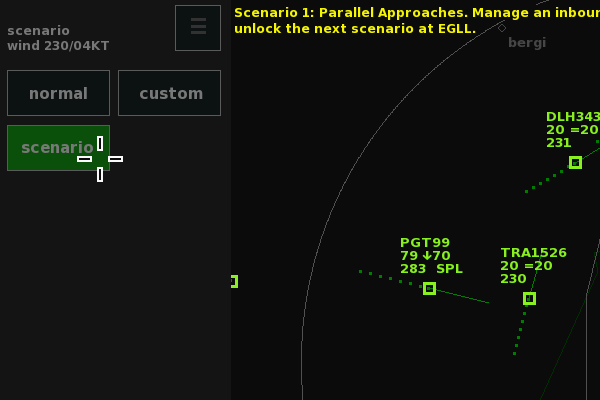
Added 4 scenarios. Scenarios are short (less than 30 minute) challenges which can be completed by landing a certain number of planes without any mistakes. Some scenarios also have a time limit, requiring efficient traffic management. See the traffic menu at EHAM to start the first scenario. The plan is to add more scenarios (with increasing difficulty) in a future update.
Allow the speed of planes on the localizer to be reduced in steps of 10 knots to the lowest value, instead of jumping down to final approach speed in one big step.
Improved wake turbulence detection on the localizer, so go-arounds may happen even after the preceding aircraft has touched down.
Performance improvements, for smoother zooming/panning of view.
Added optional name value to an approach route, which can be put at the first line of a route (see the example file).
For the airline weight factor 'amount', decimal values can now be used, to allow for more precisely defined occurrence of airlines/registrations.
Fixed incorrect triggering of incidents when planes were still at tower control at high elevation airports.
Various bug fixes to the [scenario] section.
Fix to avoid planes on an approach route to be handed off too far from the localizer.
Thanks for playing Endless ATC!
Update v4.6: Distance tool, custom flow rates, and more.
Hello!
Here's what's new in Endless ATC version 4.6, released on August 11th 2021:
Features
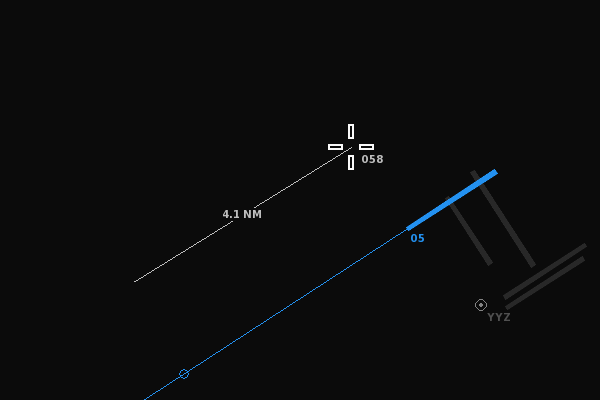
Added a distance tool to easily measure the distance between any two points on the radar screen. Click and release the right mouse button to start drawing a line from that point. Move the cursor to see the distance&heading between the point and the cursor position. Clicking the right mouse a second time locks the measurement tool onto the two points. The two points can also be anchored to planes.
New 'fixed flow' mode which lets you play with a fixed arrival and departure flow. The 'varying flow' mode is still available (for alternating traffic flow between min and max values) by toggling the flow button from fixed to variable. Note that the flow values apply to the main airport only.
While in the weather menu, pressing the Ctrl key places clouds at the cursor position, as an alternative to random clouds when pressing the clouds button. Clouds can also be created by clicking and dragging from the clouds button onto the radar screen. Clouds cannot be placed near the boundary, because that could block arrivals entering the airspace.
Added achievement for reaching a score of 10.0 or more at all of the 9 included airports.
Keyboard players can pan the view using Shift + Arrow keys.
Adjustments
Alt key doesn't unpause the game anymore, to allow for alt-tabbing from a paused game without unexpectedly unpausing.
Pressing escape key while in full screen pauses the game instead of directly switching to windowed mode. Also, when switching from windowed to fullscreen, the game does not automatically unpause.
Alt+F4 doesn't change the simulation speed anymore on before quiting.
Added lowest overall airport score to the 'goals' screen.
Minor performance improvements.
Changes and bug fixes regarding custom airports
Approach routes that end in a holding at a defined beacon now switch to DCT mode on the last leg of the route, allowing you to enable the APP button again if there's a new route available from the beacon.
Allow easier switching between approach routes if there are multiple routes defined for the APP beacon a plane is heading towards, by pressing the APP button multiple times.
Allow defining a custom diversion altitude; the altitude at which departures trigger a diversion penalty. By default, the 'diversionaltitude' property is equal to the 'ceiling' altitude, requiring departures to climb in time before reaching the boundary. For smaller airspaces or when there are runways close to the boundary, a lower diversionaltitude may come in handy to avoid unwanted penalties.
Allow for a higher rate of departures when departures routes are used at parallel runways, by having occasional simultaneous takeoffs taking place, in case the routes divert from each other shortly after takeoff.
Longpressing the SID button for planes on a route will make planes readback the name of the last waypoint, if the location of the last waypoint matches a defined VOR or SID beacon location.
Fix for custom planetypes unexpectedly overriding some default planetypes.
Fix crash when defining custom planetypes without manufacturer property.
Fix for departures being already in control by the user before takeoff in case the airport elevation is near the minimum airspace altitude.
Allow for unique registration callsign pronunciation.
Departure tag displays up to 7 characters of the SID name.
Mouse selection distance doesn't depend on the separation value anymore.
Fix crash when zooming out on a large map.
An easy way to add custom airports to the game is by downloading an airport txt file from this community maintained GitHub and copy the file to the /locations/ folder of the game. If you use Discord you may also want to join the community server (also created and maintained by the community!), where lots of airports files are being created and shared. To create an airport from scratch, read further here.
Happy controlling!
V4.5: Fly from VOR to VOR, and many new options for custom airports
Hello everyone!
Here's the changelog for version 4.5:
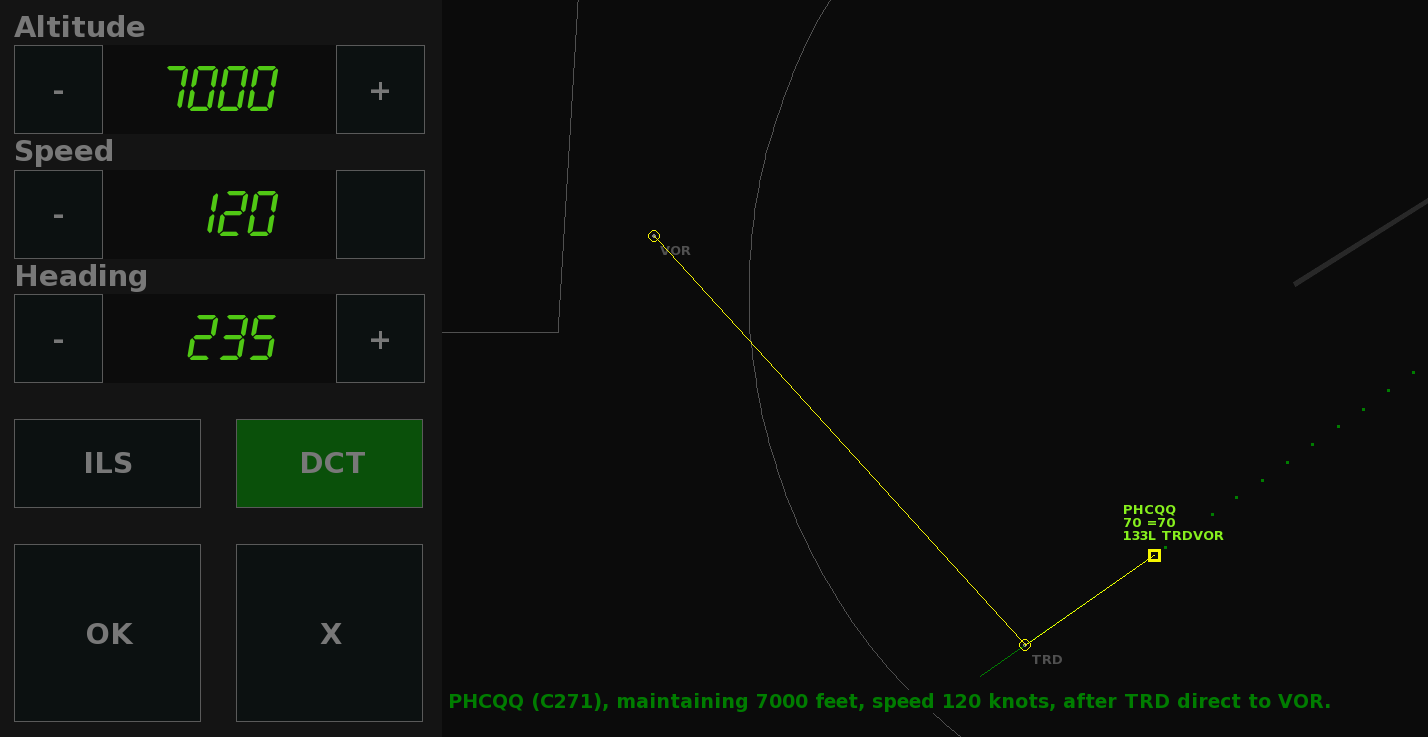
Planes can fly to a VOR and then direct to another VOR using a single instruction, similar to the current 'VOR then heading' function, by dragging the mouse from the selected VOR onto another one.
Less likely trigger the 'above the glide' message when intercepting the LOC slightly high.
Added a couple more hints to the help mode.
Fix for not triggering a diversion when a (handed off) departure leaves the airspace boundary while flying too low.
Fix for gameplay timer skipping two minutes ahead when starting a new game.
Changelog for the custom airports feature:
Optional custom altitude per entrypoint. This will override the general 'descendaltitude' value with a custom value for a specific entrypoint.
Departure routes can now include an initial climb altitude to override the general 'climbaltitude' value. This can be done by adding an altitude value to the first waypoint of a route.
Option to let approach routes end in a holding instead of continuation on a heading or ILS. This can be done by adding the words 'end, hold' to the last line of a route.
Better anticipated turn onto a heading in case of an approach route ending on a heading.
Option to make arrivals automatically select an approach route if the arriving plane enters the airspace flying inbound an APP beacon, by setting the automatic property.
Improved triggering of the expedite mode for planes on an approach route with altitudes, to avoid levelling off too early.
Arrivals will spawn at a fixed distance (about 10NM) from the boundary when using a polygon boundary, similar to when using a circular boundary. Before, the distance could be much larger depending on the shape of the boundary, which slows down the gameplay and could cause issues with fast planes catching up with slower planes.
Allow for more common lat/long coordinate formats, to avoid having to convert them.
Airspace radius extended to max 100NM. Smaller airspaces are recommended for gameplay reasons.
Arrivals inbound a beacon will check in at least 5 miles before reaching the beacon. This allows for convenient use of beacons at (or close to) the boundary, as arrivals won't enter the holding immediately.
Minimum selectable altitude ('floor') can now be up to 2500 feet above ground level.
Waypoints at the beginning of a route are not automatically skipped anymore when a plane is close to a waypoint.
Fix for the holding heading being ignored for APP beacons.
Delayed planes can now also select APP routes of alternate airports.
Fix game freeze when using certain custom callsigns.
Fix for incorrect cursor position when pressing Ctrl key if a magnetic variance is used.
'End game' now turns around all planes outside of the boundary.
Hotfix v4.5.2 (17 July 2021):
Fix for planes exiting a holding getting stuck if the plane's speed is increasing at the same time.
Planes on an APP route that ends into a holding will use the correct holding heading of the beacon (if it's specified), and the APP button will be available if the location of last waypoint matches the location of an APP beacon.
Fix for ignored custom climbaltitude for departure routes.
Fix for some planes being diverted even before entering the airspace.
Improved display of airspace features when longpressing the airport button.
Fix for skipping waypoint when changing from APP route.
Game can read INI files as an alternative to txt.
Fix for auto-handoff not happening for delayed planes.
Special thanks to the Discord community for their game suggestions and custom airport contributions. To add custom airports to the game, download them from the Discord server or from this GitHub repository, or try creating a file yourself: from scratch using the included example.txt or start with auto-generated files. Copy your airport file to the locations folder and you're ready play.
V4.4: More customization options, added play timer, and other improvements
v4.4.6 (29 May) has a couple more minor adjustments and bugfixes; the speed selector value won't automatically change anymore when the speed setting is already being changed by user.
v4.4.5 (18 May) contains several minor adjustments and bugfixes.
New in v4.4.4 (small update, 12 May 2021):
Increased the maximum speed for planes at or above FL100 from 250KT to 300KT. Below FL100, the speed automatically reduces to 250KT, unless a speed has been assigned manually, in which case the plane's speed is maintained until the intercepting the localizer. Departures will automatically increase their speed above FL100 unless a speed has been manually assigned.
For custom airports:
The FL100/250KT speed restriction can be adjusted (see 'speedrestriction' item in the example file).
Open-ended approach routes have their final heading drawn on screen.
Optionally, frequencies and atc names can be specified in the file, in order to get more realistic readbacks when handing off planes. See the newly added 'naming' and 'handoff' items in the [airspace] section, and also the extra runway property to add tower frequencies per runway.
Fixed issues with speed reduction on the ILS and level busts on approach routes.
Added reminder on startup if a timer is enabled.
New in version 4.4 of Endless ATC (30 March 2021):
Departures now have similar speed controls to arrivals.
The tutorial mode will no longer trigger after a high score of 7.5+ has been reached.
Added an end game button in the traffic menu. It simply allows you to close the airspace in one click; it switches to custom traffic with a skill of 0, and turns planes around that had not yet entered the controlled airspace. This also disables recording of high scores and goals until a new game is started, because it uses custom traffic mode.
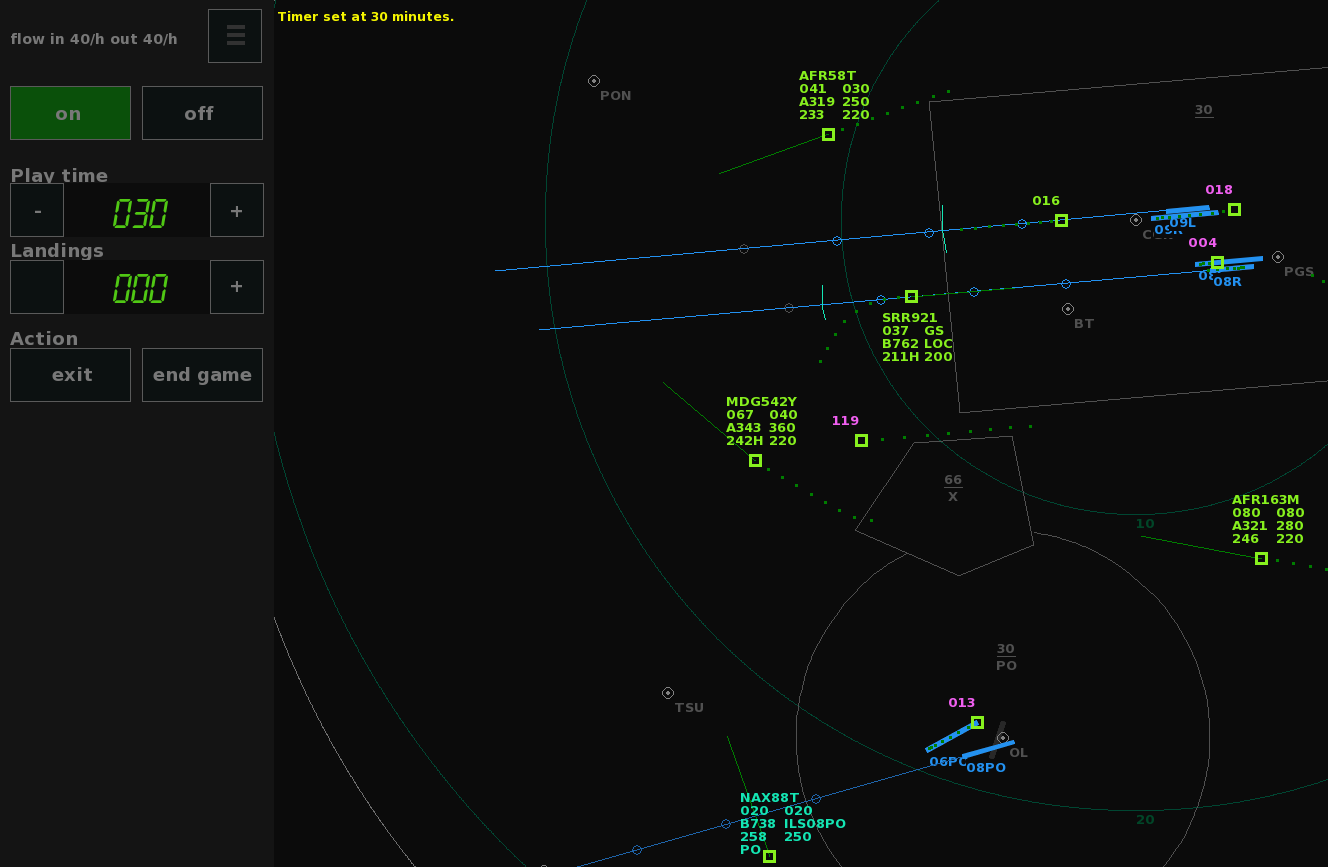
Added a timer option. This lets you determine in advance how long a play session should take. It solves the possible 'one more plane' problem that may occur due to the endlessly incoming new traffic (even though quiting is possible at any time because games are autosaved). In the new timer menu, you can set a certain amount of play time, and choose an action which will happen when the timer runs out. When no action is chosen, just a message will be displayed when the time is zero. But when the exit action is enabled, the game will simply save and exit automatically. The end game action closes the airspace, as described above, so you can land all remaining planes before you quit. Besides play time, the number of plane landings can also be used to trigger the action. Note that the timer remains enabled when switching airports/resetting traffic. When pausing, the play timer also pauses. Of course, the timer is only optional and disabled by default.
The fullscreen toggle button is moved to the display menu. Alt+Enter is the quickest way to go fullscreen.
Changes to custom airports (see the example.txt file for details):
Longpress the SID button to give a direct to the last point of the departure route.
Approach routes can be defined as open-ended instead of leading onto a localizer. When reaching the last waypoint, the plane continues on a heading, requiring vectors to the ILS.
Added option for custom airport pronunciation.
Added custom localizer speed property, to override the default 200KT restriction when intercepting the localizer.
v4.4.1 fixes an issue that could happen when changing airports.
And for more variation, more than 20 detailed, user-generated custom airports are ready to be downloaded thanks to the community on GitHub and Discord. ːsteamhappyː