Hello there my diamond-hands crypto enthusiasts, we finally implemented the most requested feature so far! Faerie non-fungible tokens! Now you can too spend a ton of money on a low res png and claim as yours!
You can use them as profile picture, or upscale, print and frame, show to your friends make them jealous! We have just minted this wonderful collection of 42069 Faeries, and any of them can be yours for just 15 Etherium each!
We know how much gamers love crypto and NFTs in gaming, this is for you our bullish friends, do not be like the paper-hands losers who hate on the future of gaming due to FUD, get in early and get rich as the Faeries will explode in value due to how amazingly popular and totally successful our game is even though we haven't sold 50 copies yet! This is not financial advice and we are not financial advisors.
To the moon! And happy april fools!
V0.31.0.1
Features: Added a button to the language pick that compares the currently applied language to English and copies all missing entries to the clipboard. This will replace listing new translation entries in the patchnotes
Changes: Changed how the main menu behaves when a critical error happens when loading mods Removed extra Cancel button on the settings screen Added "Active Mods" and "Inactive Mods" labels to the mod manager lists.
Bugfixes: Fixed language mods not affecting the main menu
V0.31.0.1 on nightly
Features: Added a button to the language pick that compares the currently applied language to English and copies all missing entries to the clipboard. This will replace listing new translation entries in the patchnotes
Changes: Changed how the main menu behaves when a critical error happens when loading mods, it will now only let you close the game, and will clear the active mod list when doing so. Removed extra Cancel button on the settings screen Added "Active Mods" and "Inactive Mods" labels to the mod manager lists.
Bugfixes: Fixed language mods not affecting the main menu
Workshop Update!
Our biggest update so far, first of many to come.
The game has now official mod support and easy mod creation with support to asset bundles and more advanced mods with scripting.
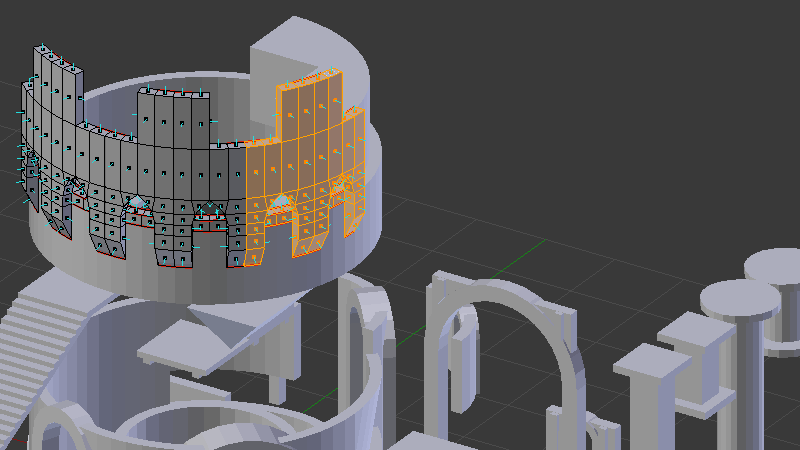
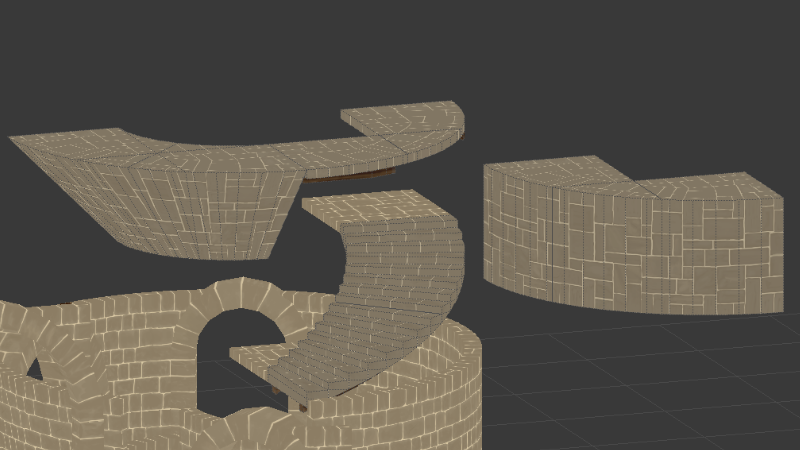
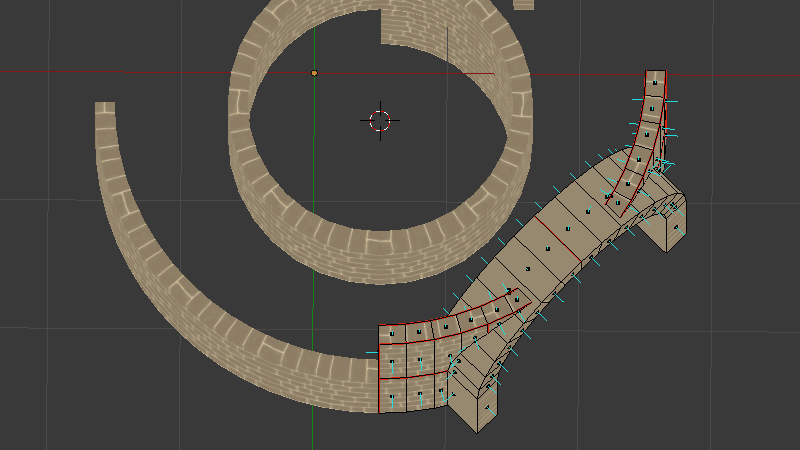
This update also includes a sneak peak to the next update, the Building Update with 50 new building pieces, a new building tier, official support to piece merging and improved piece connection points.
This update also comes with a mod sample in the Workshop and a Steam guide on how to make mods, more to come in the following days.
Features: Added official support for multiple building pieces on the same tile. In the future, when support mechanics are implemented, the building system will add the weight of all pieces but only the highest support will be provided. - You can place as many building pieces on the same tile as you want, so long they are different pieces or different rotation or different flip state. - Right clicking with the hammer used to destroy whatever piece was on the current type/slot you are hovering. Now it will only delete the same pieces you have selected and with the same flip/rotation. Ctrl+right click deletes everything in the selected tile. This works on both the hammer and the maul. Implemented the workshop popup when the user needs to accept the Steam's workshop user agreement. Added mods and a mod manager Added Steam Workshop integration Added 10 Achievements Added Automatic Steam Cloud save sync Added 20 Dark Wood building pieces Added 30 Stone building pieces
Changes: Small updates to the mod xml loader. Added a failsafe for removing buildings that do not exist anymore (removing a mod). Added a failsafe for removing items being cooked if the result does not exist anymore (removing a mod). Added a failsafe for removing ingredients being cooked that does not exist anymore (removing a mod). Only works with cooking operations started after this patch and requires GameplayData.RunFailsafesOnLoad to be enabled. Added a failsafe for removing items that do not exist anymore (removing a mod)requires GameplayData.RunFailsafesOnLoad to be enabled. Added a failsafe that hides cookbook recipes that uses or creates missing items. The mod manager window now automatically refreshes when adding/deleting a mod The mod manager now can create Simple Mods (Asset and XML mods) or Complex Mods (Code mods) presets. Added feedback when uploading mods, will automatically open the mod on the workshop on your browser unless you disable it in gameplay options. Added more feedback logs to figure out why a bug happens on some machines. The game don't automatically send exceptions on modded clients. Completely rewrote how building pieces work, currently saved structures will still load and look the same, but some of the new methods to delete individual pieces don't work on some of them. You can still destroy them with the maul if you need to modify old buildings. The game now saves to zip files. Any existing save that is not on the zip format will be overriden when making a new save with the same name. This means that the four Quicksave1 files will be deleted if you quicksave, the new quicksave being Quicksave1.zip Increased harvest penality on Wild Crop trait Added Disease Vulnerable trait to base tomato seeds Fixed some UI cooking issues.
Bugfixes: Fixed mods language files not loading Fixed XML and asset bundle mods loading even when disabled. Improved the error message when attempting to access a non existing skill (new recipe that uses a skill that was not added) Deleting a mod also deselects it. Fixed issues related to foundations not correctly deleting or detecting ground due to their new implementation (they are technically placed one tile below where you aim) Fixed Darkwood Support Piece support and offset Fixed rotation offsets when flipping pieces Fixed Yukari going through the ground consistently Fixed an issue with equipping the hammer too quickly after loading a save/starting a new game. Fixed an issue with the save screen loading the wrong file if it needs to scroll. Fixed issues with the building window miscounting items and/or showing the wrong requisites Fixed an issue with the cut grass state not loading from save files Fixed an issue with some systems not updating their Database Entity references, this caused buildables asking for the wrong materials if new items were added.
Known Issues: The stone gate meshes were inverted. This will not be automatically fixed on load, so you will need to destroy and build them again if you used them.
V0.30.0.4 ~ 24.03.2022 ~ Unity 2020.3.14f1 on nightly
Features: Added 8 new stone building pieces. The mod manager now can create Simple Mods (Asset and XML mods) or Complex Mods (Code mods) presets. Those are interchangeable and merely different starting points for making mods.
Changes: Added the current unity version to the game version. Small updates to the mod xml loader. Added a failsafe for removing buildings that do not exist anymore (removing a mod). Added a failsafe for removing items being cooked if the result does not exist anymore (removing a mod). Added a failsafe for removing ingredients being cooked that does not exist anymore (removing a mod). Only works with cooking operations started after this patch and requires GameplayData.RunFailsafesOnLoad to be enabled. Added a failsafe for removing items that do not exist anymore (removing a mod)requires GameplayData.RunFailsafesOnLoad to be enabled. Added a failsafe that hides cookbook recipes that uses or creates missing items. Added feedback when uploading mods, will automatically open the mod on the workshop on your browser unless you disable it in gameplay options.
Bugfixes: Fixed XML and asset bundle mods loading even when disabled. Improved the error message when attempting to access a non existing skill (new recipe that uses a skill that was not added) The mod manager window now automatically refreshes when adding/deleting a mod Deleting a mod also deselects it.
Translation: UINotificationDeletedByMods;$$0$$ entities were deleted due to missing definitions UIDoNotOpenWorkshopModPopup;Do not automatically open Workshop item update/upload popup
V0.30.0.3.hot1 ~ 18.03.2022 on Nightly
Bugfixes: Fixed issues related to foundations not correctly deleting or detecting ground due to their new implementation (they are technically placed one tile below where you aim) Fixed Darkwood Support Piece support and offset Fixed rotation offsets when flipping pieces Fixed Yukari going through the ground consistently
Friday Progress Report 250
We are going to release our biggest update yet on the 25th. Official mod support and a ton of new stone pieces.
There will be a Nightly update soon (tonight maybe) with the official multiple piece support and the new piece connection system, the horribly confusing and arbitrary system we had before has been replaced by a better one with more connection points.
Also a heads up, Large gate pieces were inverted, by fixing them any built gates will be now inverted, you will have to destroy and rebuild them, sorry. Other than this there shouldn't be any problems with old saves going to the new system... we hope.
We will also be adding sample mods very soon, building pieces, furniture, recipes and ingredients first.
V0.30.0.3 ~ 18.03.2022 on Nightly
Features: Added official support for multiple building pieces on the same tile. In the future, when support mechanics are implemented, the building system will add the weight of all pieces but only the highest support will be provided. - You can place as many building pieces on the same tile as you want, so long they are different pieces or different rotation or different flip state. - Right clicking with the hammer used to destroy whatever piece was on the current type/slot you are hovering. Now it will only delete the same pieces you have selected and with the same flip/rotation. Ctrl+right click deletes everything in the selected tile. This works on both the hammer and the maul. Implemented the workshop popup when the user needs to accept the Steam's workshop user agreement.
Bugfixes: Fixed an issue with equipping the hammer too quickly after loading a save/starting a new game.
Changes: The game don't automatically send exceptions on modded clients. Completely rewrote how building pieces work, currently saved structures will still load and look the same, but some of the new methods to delete individual pieces don't work on some of them. You can still destroy them with the maul if you need to modify old buildings.
Known Issues: The stone gate meshes were inverted. This will not be automatically fixed on load, so you will need to destroy and build them again if you used them.
Translation: UIDoNotOpenWorkshopPopup;Do not automatically open Workshop agreement popup
In case this patch have some big breaking bug, the previous version is available under the beta branch.
Friday Progress Report 249
The new pieces are almost ready, we will add them to the nightly build soon, we are working on a small overhaul of the building system so multiple pieces in the slot are supported natively, so while the fix is being worked on I will model some more pieces.
The medium tower pieces have a lot more variation than the small tower pieces as they have to match square parts and round parts from the small tower, they also have more gate pieces, large tower pieces will also need a ton of parts, so each expansion takes longer to make.
We are also close to finishing some of the first sample mods, one for Furniture pieces and one for Building pieces
Friday Progress Report 248
Our small break is over, time to get stuff done, I am back to modeling stone parts, medium tower parts are next (2 meter radius towers, small tower parts were 1 meter radius), I will later do ramps, stone diagonal support and castellations.
I also modified two furniture pieces with new textures, a table and a chair will be used as an official sample mod.
My brother has been hard at work to get the bug report tool working on our side, we have tons of reports pilled up, but they were in a very hard to read format, so we had to implement some UI to visualize the reports properly, this took longer than expected, but it is working now.
Sorry for the small report, we will have more next week.