You can now play the Open Beta of the multiplayer, to do this you need to switch to the multiplayer beta.
- go to you're steam libary.
- right click on "EXIT 2".
- click on the tab called "Betas".
- select the "multiplayer open beta".
after that the multiplayer should start download and after that you can launch and play it :D hope you enjoy.
NOTE: that the multiplayer is still under development so expect bugs, also I would really like to hear feedback from you so If you want you can tell you're opinion in the EXIT 2 | Community Discord.
Made some Adjustments to how UI stuff get's scaled now the most displays should be supported.
v1.1.0 | Performance Update.
First off, I heard that a tiny percentage of people had performance problems with the game, so I changed the compiler for the game from "VM" to "YYC" now, this boosts the performance for the story mode for example from 190 to 525 fps.
Update 1.0.9
The Main Menu should now be scaled properly on most displays regardless of resolutuion.
Update 1.0.8 Hotfix.
Fixed
custom map's not loading the first texture.
Update v1.0.8
Information
the "Custom Maps / Workshop Maps" are now enabled again, they had to be disabled cause of an collision bug with the player.
Modding Tool Update Version v2.1.2.
Added
Ability to change "depth" for some objects in the level editor.
"Elevator" object for multiplayer maps.
Fixed
Content folder in the workshop manager could not be deleted from within the game.
Audio not playing from the "Audio Event"
Modding Tool v2.1.0
Added
"Billboard", can be used to display text in an world.
buttons in the project browser that can be used to for example open the directory of an level.
ability to refresh skybox with "F5".
ability to draw on the grid from all directions.
Fixed
you could enter playmode by pressing "P" on the keyboard while typing in an input box.
v1.0.7 Update.
reworked the engine a bit to load assets better an use less RAM.
modding tool v2.0.8 added.
Modding Tool v2.0.0 Patch
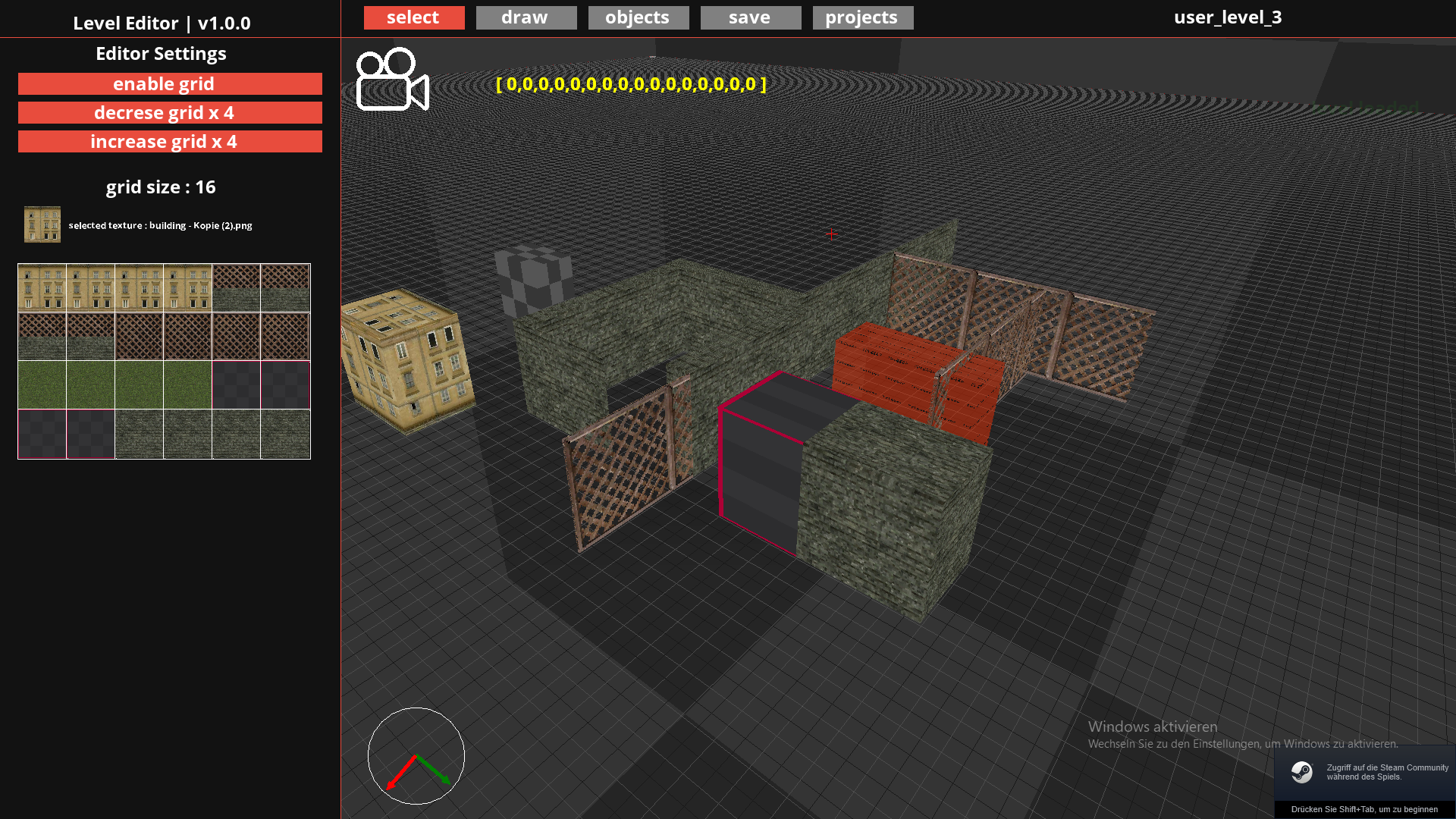
New UI.
Added
added the option to ( enable / disable ) the grid.
added the option to change the size of the grid.
added the texture selection menu.
Fixed
fixed grid snapping issues.
fixed ground render issuess
fixed game loading errors.
fixed UI not scaling correctly on some aspect ratio.
fixed an game crash that would appear when updating an mod.