It’s an exciting day for Flight Sim World as we launch Update 16, which features a number of avionic fixes, adjustments to the missions (based on your feedback), the introduction of two new variations of the Super Cub (who’s ready for an amphibious landing) and much more.
Update 16 is also the first update in the second stage of the development of Flight Sim World, igniting the spark that will bring about Phase 2. We’ve got some exciting announcements to make about our plans for Phase 2, but those are better handled by executive producer, Stephen Hood (and he has done so here). There are some exciting announcements which we know you’re all going to love (did someone say dynamic weather?), so make sure to check it out.
On with the notes for Update 16:
Aircraft
Added PA18 - SuperCub Amphibian to core aircraft
Added PA18 - SuperCub Tundra to core aircraft
All
Improved appearance and clarity of gauge glass surfaces
Improved appearance of windshield glass surfaces
Keypad ‘5’ now centralises all control surfaces, inclusive of elevators
Localised cockpit tooltips for English, French and German
Shift+L now restricted to toggling cockpit and panel lights
Magneto states are now saved across flights
Alternate air, carb heat and master device are now tied to engine device so that engines will no longer fail under cold weather conditions.
Cockpit panel lights are now automatically applied/disabled on day->night transitions
Reference speeds and contact points updated across the aircraft, with Accu-feel settings updated to match reference speeds.
DA40
Improved raindrop windshield mapping
Fix inconsistencies with mixture checks on Cold and Dark checklist.
Updated 'POH' reference speeds.
Prop animation corrected and appearance improved.
ASI reference aligned with G1000’s readings.
Player can now interact with Horizon Emergency Power switch
Prop feather functionality added.
Rear wheel contact points refined.
Improved appearance of AP lights and buttons. Improved AO mapping on cockpit’s lower panel.
DA42
Updated 'POH' reference data
Added Gauge helper tooltips
PA18
Improved LOD transitioning
KX155 COM/NAV unit made compatible with C&D.
Turn Indicator now compatible with failure feature.
Strobe lights are now disabled if battery is OFF.
Kohlsman operation corrected and calibrated.
Improved smaller registration appearance.
Click point added along lower door edge to aid with closing.
Corrected gap in the rear of the lower door.
PA28
Audio panel updated to allow keypresses.
Analogue clock now shows correct time.
Kollsman calibration improved for both InHG and MB scales.
Turn Indicator now compatible with failure feature.
Prevent GNS430 from being selected as a 2d panel.
KN62 display adjusted to improve appearance.
PA34
Audio panel updated to allow keypresses.
Vacuum annunciator trigger point and flap annunciator logic refined.
Contact points now allow for a gear up landing.
Tweaked interior dome light to reduce nose reflections
PA46
Alternator added to Cold and Dark checklist.
Pitch trim wheel animation reversed.
Updated 'POH' reference data.
Audio panel functionality improved to allow for keypresses.
DC Ammeter now shows correct value when hovered over.
HDG knob mouse-wheel functionality corrected
Fix autopilot needle oscillation when reaching target altitude.
Resolved issue with landing lights LOD
RV7
RV7A nose wheel steering restored.
Improved raindrop windshield mapping
AutoPilot - Heading and altitude hold now fully functional
Audio panel functionality improved to allow for key presses
Avionics
G1000
Flight Director indicator added to PFD.
NRST function now displays on first push of the NRST softkey.
G1000 FPL text legibility improved.
Annunciator box no longer expands height by itself.
Clock display improvements.
DA40 / DA42 - G1000 audio panel now functions.
GNS430
DTO popup legibility improved.
Map view restored.
FPL screen decluttered.
Proc and CDI buttons now consistent across 3d and 2d panels
PROC page made clearer.
PA34 - G500 and GNS530 CDI/ VLOC functions unified.
G500/GNS530
GNS530 - FPL screen decluttered.
GNS530 - DTO page cleaned up and 2D version now emulates 3D version.
G500 and GNS530 CDI/ VLOC functions unified.
GNS530 - PROC page made clearer.
Aircraft pointer vertical offset now corrected for ‘North-up’ view
M803 Chrono
OAT readings corrected.
KAP140/KFC225
If NAV signal is lost, AP regresses to HDG mode.
AP - VS and ALT modes functionality corrected. HDG no longer cancels other modes.
AP - HDG regress mode no longer forces NAV off when using GPS as nav source.
KX155
Electrical failures now disable the LCD display.
RDR2000
Now displays terrain and alert information (weather currently not supported)
SYS55X
AP - Value inputs aligned right so that they don't fall off the screen.
AP - ALT mode pitch trim indicator now works correctly.
Lessons/Missions
Eagle Pilot School
Lesson 2 - Emergency landing
Fixed repeating VO at end of lesson
Lesson 7 - Solo Cross-Country
String added and code reworked to give the player a heading range to help them re-intercept the 061 radial
Aligned altimeter to the lesson’s wind speeds. Tweaked realism settings to improve the playability of the landing conditions
Wings Flight Academy
Lesson 4 - Skills Test
Rebalanced the difficulty of successfully achieving the first climb
PPL 1
Prevented instructor claiming “fuel pump is on” while it’s actually off.
PPL 2
Plane now starts trimmed
LAPL2
Fixed instances of repeating VO dialogue
MEP01 DA42 Checkout
Fixed instances of AI plane spawning incorrectly
Prevents instructor repeating if the player leaves controls
MEP03
Fix for the rapidly alternating top bar text after a failure
Cross Controlled
Can no longer pass the mission when landing with landing gears up
Time Pressure
Aircraft now centred on runway at start
Additional scenery polish added across mission
Low and Slow
Added a couple of extra point of interest to break up long sections; added 3 pieces of airborne AI traffic as well as 3 pieces of static AI traffic parked at the destination airport to add some life to the mission
Short Hops
Additional scenery polish added across mission
UI
The arrow keys, the Insert, Delete, Start, End, Page Up, Page Down keys as well as the Alt Gr key now produce the correct results in the settings menu.
Loading screens updated
Compass waypoint marker now flashes when the compass is shown and when the waypoint marker changes.
Remove purple bar from Log window (but not ATC window)
Antialiasing drop down strings changed to OFF/MSAA
Engine
Reduced pixelation artefacts seen intermittently with the sun at cloud edges.
Resolved white and black ‘silhouetting’ seen intermittently with trees and mountains on the horizon
Resolved instances of aircraft tail corruption seen intermittently when returning from the settings menu.
Reduced aliasing on airport fences.
Increased scene object texture cache size to reduce scene object pop-in
Introduction of option to enable SSAO (defaults to ‘disabled’)
Introduction of ‘borderless window’ display setting: An alternative for full-screen mode, running the title as a window but with top and bottom borders cropped.
Default configs setup for Saitek Yoke and rudders, Mad Catz Cyborg v1.0 controllers
Default configs setup for X52 and X52 Pro.
Fix crash seen in “wobbly cam” caused by infinitely increasing camera values when FPS is low.
Resolved infrequent live lock seen when interacting with GDI panels
Pausing game during cold and dark no longer resets the checklist
Extended flight time system, to allow correct logging of flight times when loading saved flights
Various localisation fixes
Note:Existing owners experiencing issues with CH PRODUCTS YOKE, Saitek X-56 Rhino HOTAS controllers are advised to go into the controls menu and click "reset to defaults" on those controllers.
It's been an exciting year for the team working on Flight Sim World at Dovetail! We released into Early Access six months ago, which marked the moment we started developing FSW alongside the community. We'd been working behind the scenes for a lot longer, but it was different reading your feedback on the Forums on Steam and our social media profiles.
We kept plugging away at development, bug fixing, and working on larger updates. The Cold & Dark implementation in FSW is a great way to introduce people to simulation or a new aircraft; highlighting what needs to be done to start an aircraft through our interactive checklist. It's an intuitive system that highlights our commitment to welcoming new enthusiasts to the hobby, whilst not compromising on the complexity demanded by those of you with years of experience.
We introduced advanced weather, overhauling the skyline and introducing a number of new weather effects (there's no more fitting time to check out the "Heavy Snow" weather setting just FYI). Another highly significant visual upgrade saw the introduction of more sophisticated PBR lighting calculations to our engine. FSW aircraft and scenery are now rendered with more realism than ever before, and with a greater range of materials being accurately displayed.
Most recently we released the Flight Sim World SDK V1.0, which puts the same tools used internally and by our flight development partners into the hands of the community. As we further develop the core simulator, we'll also be developing the SDK, opening the doors for more complex creations.
We made a number of fixes based on your feedback, altering difficulty on some training missions, introducing Workshop support to allow mission creators to share their content and numerous other tweaks that have brought Flight Sim World to where it is today.
So, what's next for Flight Sim World?
A lot of the work done on Flight Sim World has been about laying foundations, foundations that we'll build upon as we keep developing the simulator. I've stressed before that we're a small but highly specialized team, working on a variety of different things.
With the release of SDK V1.0 we've moved onto our next big project, bringing the first jet into Flight Sim World. This involves laying new foundations, we'll need to implement full IFR functionality in order to bring this business jet into the simulator.
That's not the only thing we're working on! We outlined a few of these during our October developer update and are eager to bring further improvements into the sim. One of those we teased recently was a set of floats, marking us working on the first amphibious aircraft in the sim. Eventually, opening up new opportunities for those of you looking to take off and alight on water.
As we whittle down the number of bugs in Flight Sim World, you may have noticed that the time between updates has grown larger. As we move onto bigger projects, the time it takes to develop these increases. We're expecting longer gaps between updates, but more impactful updates for the community when they release. It also means we'll be sharing what we're working on when we can, to ensure you know the direction we're taking Flight Sim World.
Lastly, I'd like to take a moment to wish you all to hope you've had Happy Holiday's and wish you all a fantastic New Year.
See you in 2018!
- Stephen Hood
SDK V1.0 FAQ
It’s your turn to create! We’re releasing SDK V1.0 which provides the tools, documentation and reference material needed to create your own scenery objects, aircraft and tools for Flight Sim World.
SDK V1.0 was developed with the support of Turbulent Designs, BlueSky Flight Simulations, Just Flight and FS FlightControl, who’ve helped hone these tools whilst developing content for Flight Sim world. With access to the same set of tools, you’ll have the opportunity to create content that matches the incredibly high level of detail showcased by the PA-28R Arrow III, the P-40F Warhawk and more. We can’t wait to see what you come up with!
What is SDK V1.0
SDK V1.0 is the launch version of the Flight Sim World SDK, which will be developed alongside the core sim. It features the functionality to create scenery objects, aircraft and tools (using C++ to communicate with the sim). Mileage on the integration of more complex systems may vary as we implement this technology into the simulator and the SDK.
We’d appreciate any feedback or improvements you’d like to see made for this initial release.
Please note: In order to get the most value from the SDK, you’ll need access to a copy of 3DS Max.
How To Access The SDK
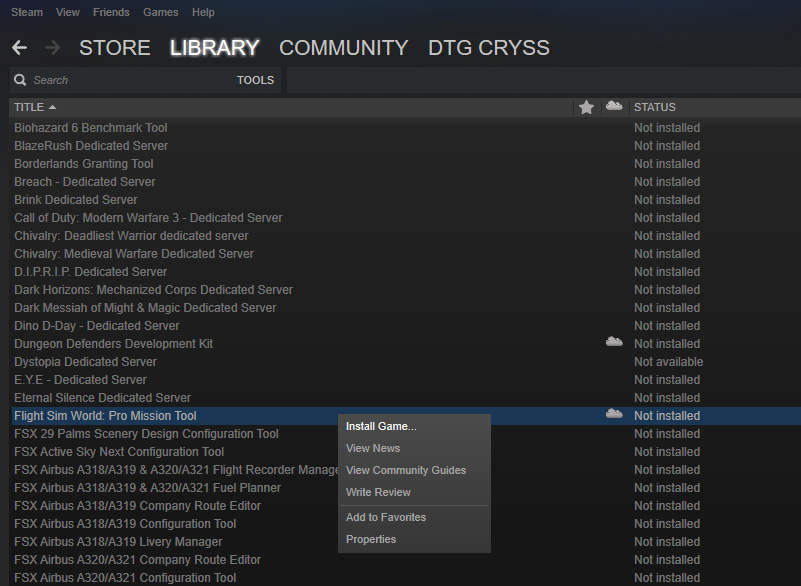
The SDK can be found in the ‘Tools’ menu of your Steam account for anyone who has purchased a copy of Flight Sim World. You can access the ‘Tools’ menu by mousing over your ‘Library’ on Steam.
The SDK is bundled with the Pro Mission Editor, if you have already installed the Pro Mission Editor, it should automatically update to include the SDK.
Please note: If you have completed something great and are interested in having your Flight Sim World content published on Steam can contact us via partners@dovetailgames.com
Getting Started
After downloading the SDK (see above), you’ll want to take a look at the documentation that outlines content creation for Flight Sim World.
If you’re not sure where to get started then head on over to the Dovetail SDK forums to discuss the tools with other creators.
Where do I share my creations?
SDK creations (with the exception of missions) are currently not supported in the Steam workshop, meaning they’ll need to be personally uploaded by their creations. We’ve created a forum for you to advertise content you’ve created.
Please Note: Please scan all downloads for viruses to ensure you protect your PC system.
Also Note: Installing lots of add-on content may affect your FSW installation.
Flight Sim World SDK V1.0 & P-40F Warhawk Available Now
Hello,
I wanted to share one of our big development milestones with you; the release of SDK v1.0, which will open the door for you to create content for Flight Sim World!
These are the same tools used by our flight developer partners, each of whom had specific requirements in order to bring the variety of add-on content released thus far to the platform. Whether that was building an aircraft, unique scenery objects or tools that interface with Flight Sim World, their feedback has been invaluable in solidifying a comprehensive set of tools, and ultimately more options for you as creators.
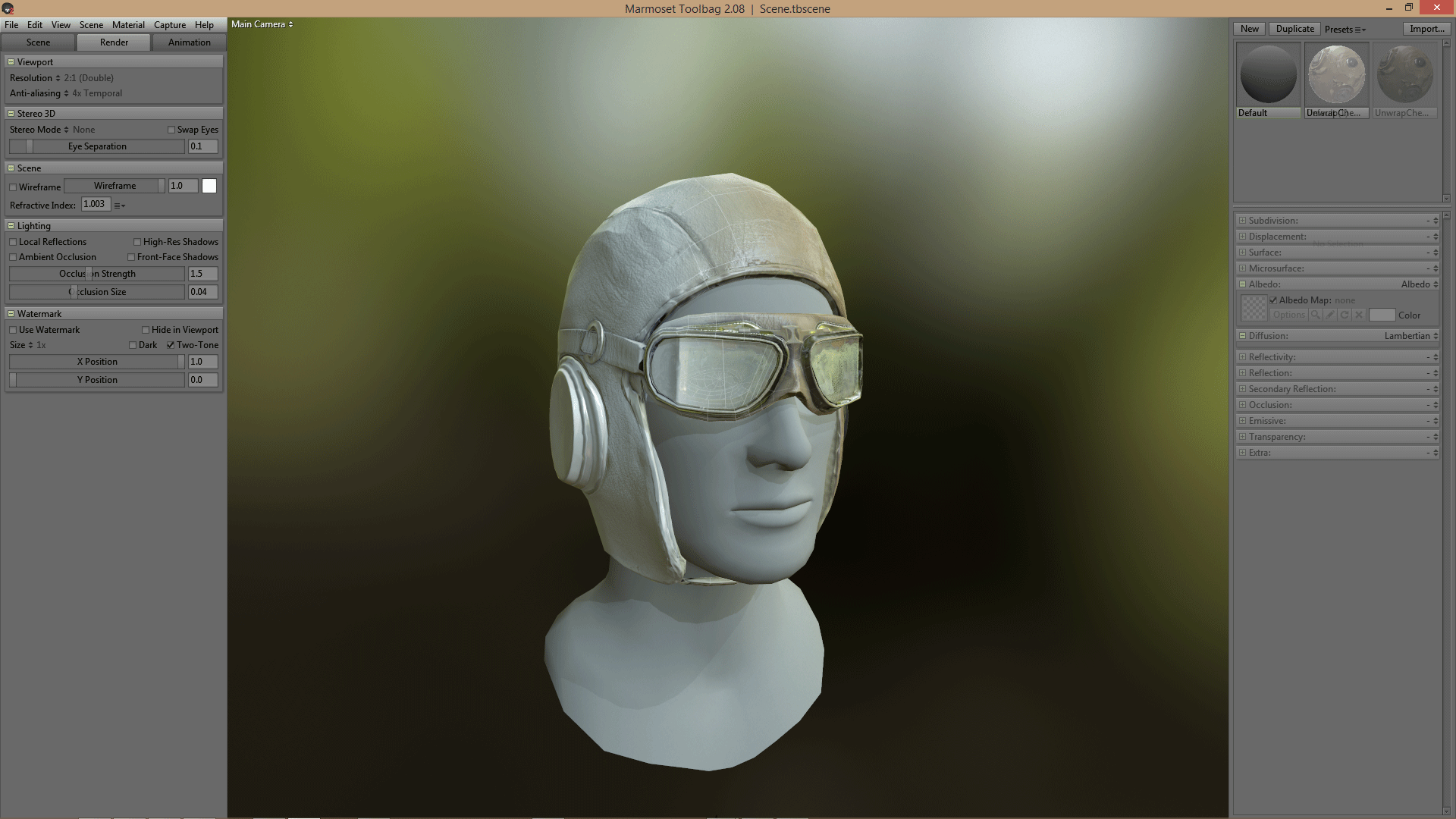
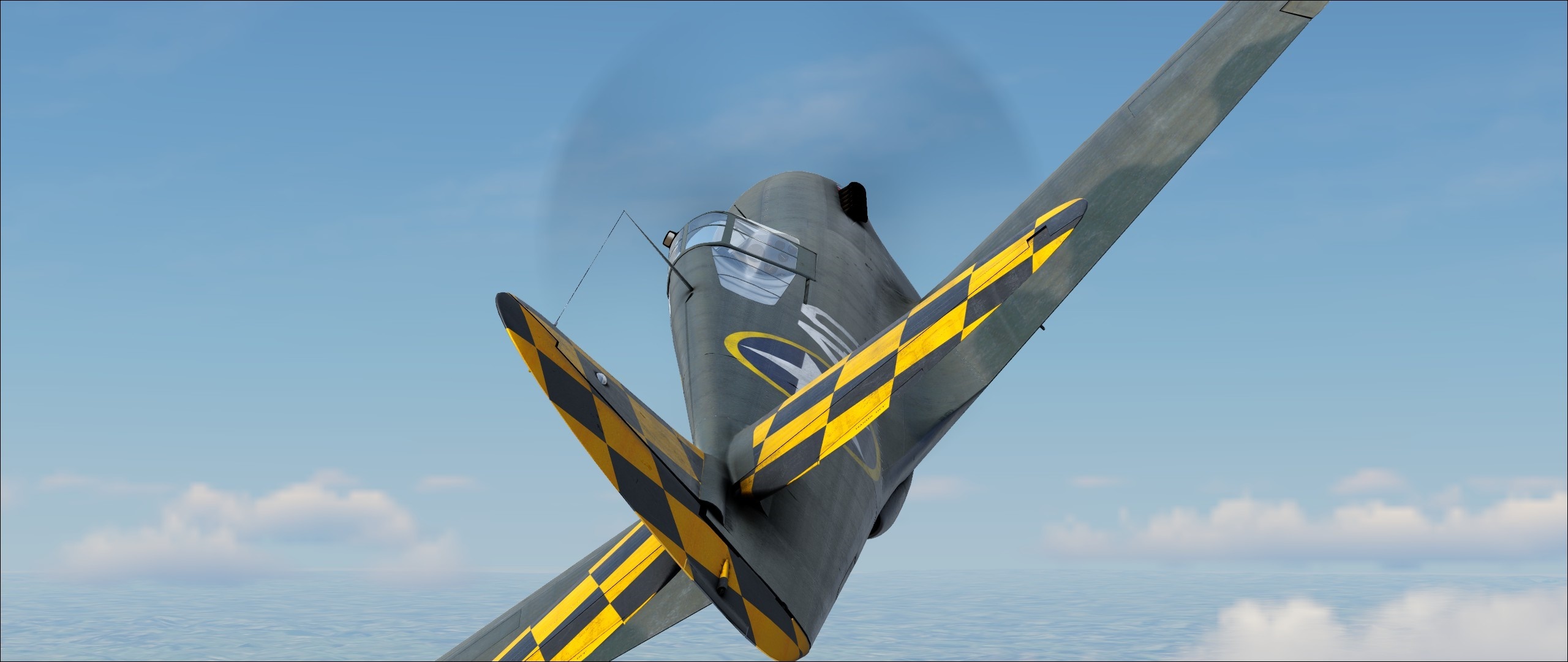
The Curtiss P-40F Warhawk, developed by BlueSky Flight Simulations is an incredibly detailed warbird, and a prime example of the flexibility offered by our SDK. To release this add-on, we worked with BlueSky to ensure Accu-Feel™ delivered the experience they required, created a new outfit for the pilot model, and made additional tweaks to the core to accommodate the development of military aircraft.
Here’s what Chris Ellis, CEO of BlueSky Flight Simulations, has to say:
“The FSW development team have the same passion, drive and excellence that we have in terms of giving the community the best aircraft and platform that we as simmers, would want to fly in. Dovetail have been instrumental in helping with this along with an excellent SDK and in-sim tools to allow for the advanced features required for the P-40F.”
The P-40F is a different breed of aircraft. Its high speed and ability to handle tight turns make it a pleasure to fly after you’ve gotten it off the ground. You can find out more about it (and the generous 30% early bird discount) on the Steam store page. It’s the first military aircraft in Flight Sim World and opens the door for more advanced military aircraft in the future.
Those advanced systems will be brought into future iterations of the SDK. Releasing SDK V1.0 has been a big development focus over the past few months, and we can’t wait to see the unique content that will be built by both seasoned developers and anyone new to the tools.
If you own Flight Sim World, SDK V1.0 can now be downloaded by looking in the ‘Tools’ section of your Steam account. SDK V1.0 is bundled with the Pro Mission Editor, so if you have that already installed it should automatically update. Detailed Documentation on how to use the SDK can be found HERE
Working with Just Flight, FS Flight Control, Turbulent Designs and BlueSky FS has helped us put the final touches on SDK V1.0, download it and let us all know what you get up to in the tools. We’ve got a full SDK FAQ HERE as well.
So what’s next?
We’ve been eager to expand the available stock aircraft in Flight Sim World for a while. We’re currently laying the foundations for IFR implementation, which will not only enhance your GA experience, but also allow us to bring the jet we’re working on into the core of Flight Sim World. We’ll have more to share on this in the near future!
Day in the Life of a Mission Designer - DTG Joeri
We're eager to give you all a closer insight into the development process here at Dovetail, where we'll be regularly updating you with dev blog posts and other updates about the sim.
In the mean time, we also wanted to take a moment to introduce the team members who make life a little brighter in the DT office. Starting with our aviation aficionado and well-known Boeing fan, Joeri, who has taken a moment to share a little insight into what it's like working on Flight Sim World as a mission designer.
"For me, the day starts with a cup of coffee and a quick chat with my friends in the office. After that, it's time to boot up the programs, check my tasks for today and grab the right documentation I'll need to do my tasks.
At 10:00, the entire Flight team gathers for the morning stand-up, where we discuss what we will be working on today and if there are any blockers or issues that prevent us from doing our job.
After that, I'll take care of my tasks until 12:00 because then it's time for the best part of the day, lunch! Around here there are a lot of fast food chains so it's always hard to resist the urge to go for a juicy burger or some fried chicken, and instead to pick something healthy.
At 13:00 lunch is over and it's time to get cracking again. Whether it’s creating a mission, writing a voice-over script, writing documentation or even just researching options for future missions, it's always important to keep a clear mindset and to stay focused on what you're doing. It's imperative to keep things organized, because with mission creation things can get very messy, very quickly. There are a lot of things you need to keep in mind while creating missions in order to keep them interesting, original and realistic. Finding the border between making a mission playable for beginners, but fun and skill intensive for advanced flight simmers is usually rather challenging.
After lunch, the day always seems to fly past. I'm so focused on making my missions, that it usually seems like a blur to me. I guess you could say it's the part of the day where I’m right in my zone.
Somewhere between 17:00 and 19:00 it's the end of the day, my eyes are square from the monitors and it's time to head home.
Mission creation is hard, especially on an engine that's constantly being developed. But I really love what I'm doing, and I don't think I'd rather be doing anything else. Unless it's actually flying of course."
Let us know what you think of these team introductions and whether you're a Boeing or Airbus fan in the comments below.
Extended Autumn Sale - Great Value on FSW & Add-ons
We're extending the sale on Flight Sim World and add-on content in our Autumn extension. You can grab these bargains until December 7th, meaning Christmas really has come early.
You named our latest mission pack, Kahului Air, but it was the effort of our mission design team, alongside input from the dev team that helped bring Kahului Air into the sim. We wanted to create something more story driven, that would test your knowledge of the aircraft systems. We sat down with the team to discuss what developing Kahului Air meant to them and the challenges they faced in creating the pack.
DTG Jack We planned Kahului Air after a brainstorming session. The aim was to take what we learned from Epic Approaches and make a more detailed experience for the invested simmer. You need a more in-depth understanding of the aircraft (the PA-34 Seneca and the PA-46 Malibu Mirage), it isn't something I'd consider easy to pick-up.
Hawaii makes for a fun and varied setting, as a designer there’s a lot to play with that is both realistic and adds to the experience. There are lots of small runways, and the weather can be wild at times. We planned potential flight plans on real-world data, so the routes you take and the approaches you perform are true to life. Working the things we loved about Hawaii into mission ideas. Sadly, but to be expected, some ideas were cut, but we incorporated as many of these into the other missions, ending up with 7 missions that are very memorable.
DTG Joeri After releasing "Epic Approaches" we took a look at the feedback we were getting and there was one comment we kept seeing a lot, "make the missions longer". We wanted to provide that with this pack, which meant we needed to craft more detailed scenarios. Despite the 20 to 40 minute length, I think we did a good job in keeping things interesting throughout.
Our other focus was realism, we wanted to capture the feeling of working for a small charter: having to do the checklists, communicating with ATC and taking care of passengers and cargo. I think with each mission pack we learn more about creating content and the capabilities of the engine. Lately, we've been discussing creating an ultra-realistic set of missions for people who want to replicate real life-processes, maybe that would be something you'd all be interested in?
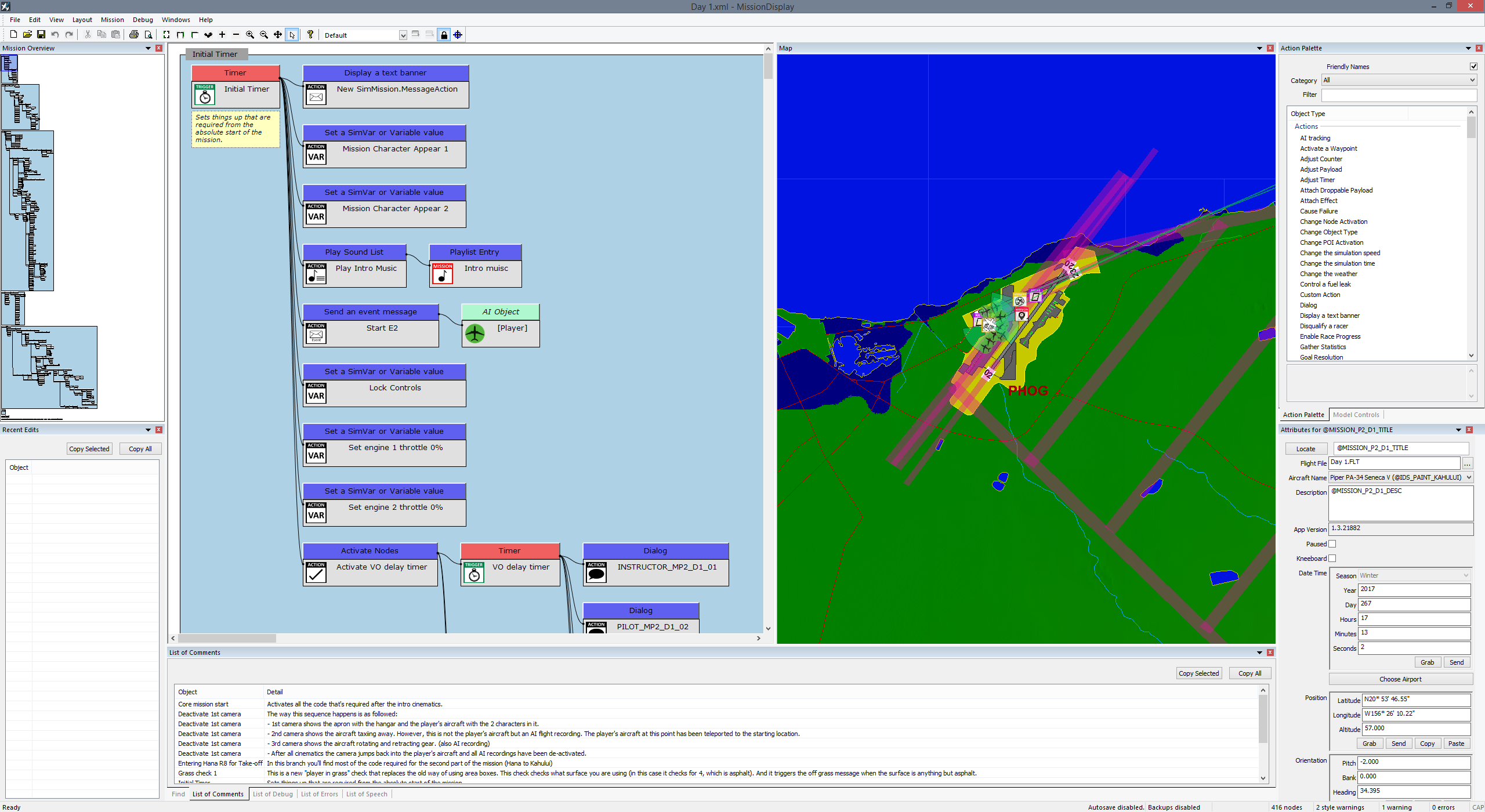
DTG Calum Kahului Air was the first project I worked on from start to finish as a Mission Designer, it was thoroughly enjoyable and a great learning experience. Turning an idea into a complete mission pack began with a week in the Chatham Office (I’m based in the Stirling) working closely with the other Mission Designers and the Senior members of the FSW team to construct and develop and plan for what we wanted this pack to be. Meetings were had, presentations were made, plans tweaked and improvements made.
By the end of the week, we had an ironclad plan in place for what we wanted, even if we didn’t have a name for Mission Pack 2. The next few weeks involved a lot of hard work to get all seven missions through various stages of scrutiny and testing. I was in charge of missions 4, 5 and 6, creating those missions using the Pro Mission Tool and writing voice over lines for all the characters, working with professional voice actors to bring them to life. The last couple of weeks involved a ton of back and forth with the QA Team, who worked hard to uncover bugs and issues, which we ironed out, leaving the mission pack you’re currently able to experience.
DTG Jason As Lead Technical Designer and the head of the mission design team, every day provides a different set of challenges. Kahului Air was no different. As we move through the process of creating a mission pack, taking an idea, prototyping + creating the base structure, we regularly need to take a step back and review the missions.
Part of my role is to critique the content and provide feedback on how the missions would work better for the user. Sometimes this is cosmetic such as changing a camera angle, and sometimes it's more core to the gameplay like amending the voice actor script or adding content to make it clear to the player what to do next. This can be time-consuming. especially if the content we are making takes a large amount of time to play through. Reviewing a single 25-minute mission may end up taking half or a full day, and this process must happen regularly when making lots of changes. Ultimately this benefits the final output of the missions as our users experience the content in the best possible light.
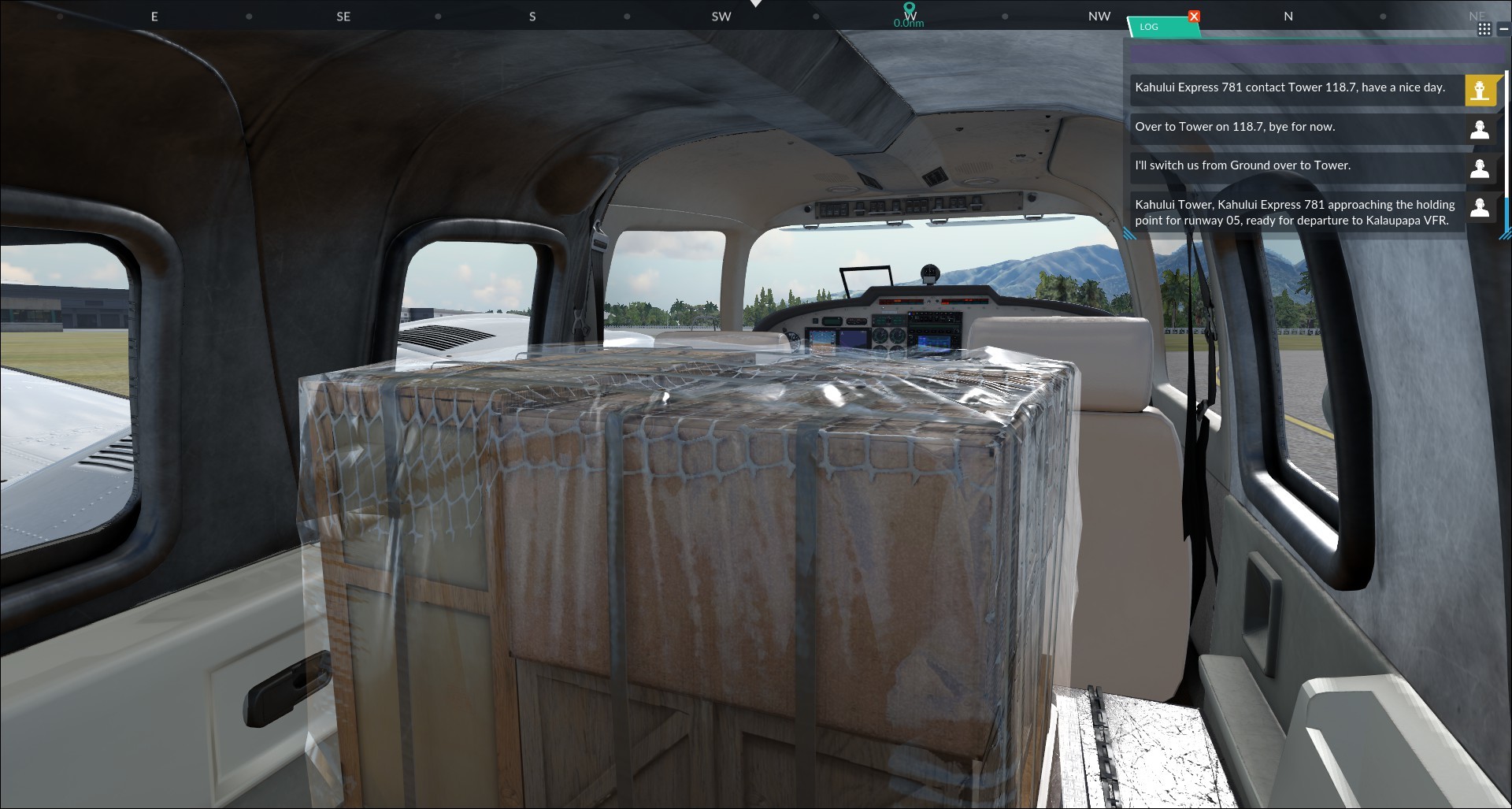
DTG Maxwell My main contribution to Kahului Air was transforming the PA34 into a cargo-carrier, this proved an interesting task as no other aircraft in FSW had received such treatment. The process was similar to how I imagine a real-world conversion would take place. First of all, I pitted the soon-to-be cargo hold of all seating and other unnecessary features. I created a new floor and applied a unique PBR texture-set to the cabin, representing a dull, bare metal and communicating a utilitarian aesthetic.
The cargo itself was built in two stages. First, I sculpted a high-fidelity version in ZBrush, which consisted of over 2 million polygons. The plastic wrap was made using a cloth simulation engine before it joined everything else in ZBrush and received a sculpt pass from me and my graphics tablet. Once all geometric and textural detail was complete in ZBrush, I retopologized the geometry into something more performant for FSW. Retopology, more simply, is just the process of creating a representation of some 3D geometry using fewer polygons. The two versions then shook digital hands, producing something with the detail of the high-fidelity version and the rendering efficiency of the low-fidelity version.
Kahului Air was an interesting project as the entire development team came together, each individual contributing to a unique facet of the final product. There is so much we can do to create interesting variants of FSW aircraft; this potential is something I look forward to exploring further.
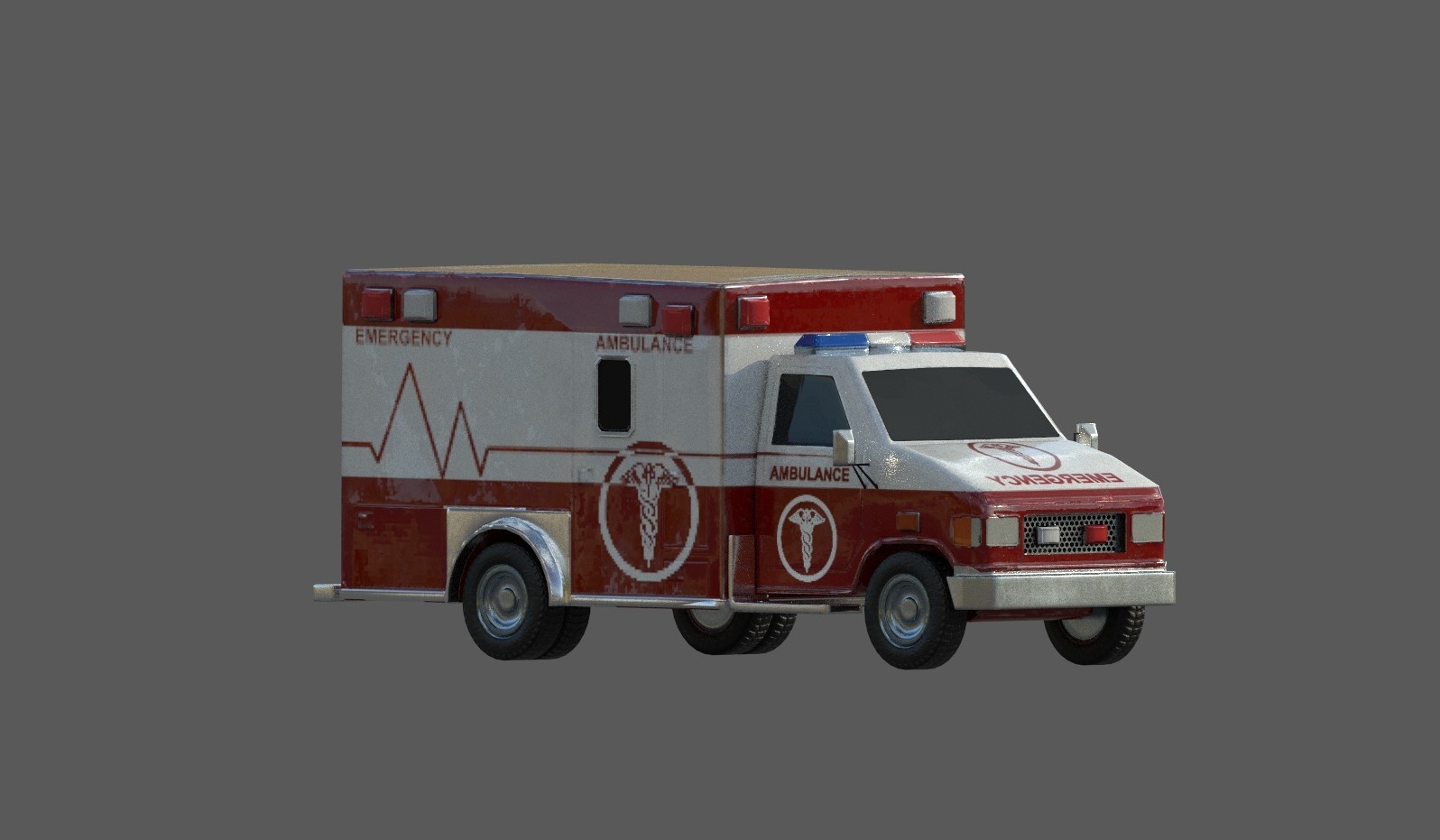
DTG Dan As Vehicle Artist on FSW, I'm usually found working on our collection of stunning aircraft. However, for Kahului Air, my talents were required for another vehicle, an ambulance! This rugged wagon of mercyrolls out in some of the more dramatic missions.
Working with programming and design, I made use of FSW's Cold & Dark codebase to highlight various avionics units throughout the missions. This allows for new pilots to learn procedure flows and cockpit layouts live in missions.
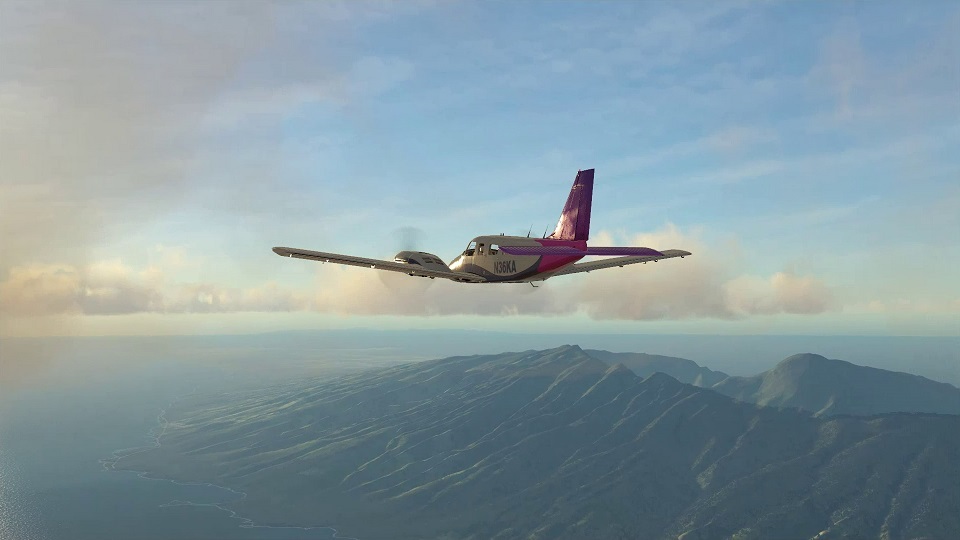
An enjoyable task involved creating the flamboyant Hawaiian liveries for the PA34 and PA46. I captured the essence of Hawaii in the livery design with dynamic, flowing lines and vibrant colours.
Given our humble team size, we're not averse to wearing multiple hats; for Kahului Air, I temporarily assumed the environment artist role whilst creating scenery assets to dress the backgrounds and better contextualise the mission stories. All of the assets utilise our PBR2 rendering tech and have multiple LOD (level of detail) models to ensure good performance in-sim.
Hopefully you enjoyed looking into the development process here at Dovetail, let us know what you'd like us to talk about in the future or any questions you'd want answered.
You can hop into Kahului Air now, it should have automatically downloaded to your copy of Flight Sim World.
FREE Mission Pack - Kahului Air Available Now
Aloha Adventurers,
Welcome to the sunny shores of Hawaii, where your first experience working for the local charter company, Kahului Air awaits. Over the course of a week, you'll be tasked with taking on pilot and co-pilot roles as you ferry passengers and goods around the Hawaiian Islands.
Brush up on your instrument knowledge for the PA-46 and the PA-34, since you'll need to know your way around the cockpit to get the most out of Kahului Air.
Features:
Seven story-led missions based around five tropical locations:
Pilot and co-pilot roles
Exclusive liveries for the Piper PA-46 Malibu Mirage and Piper PA-34 Seneca
Airport traffic featuring officially licensed AI airliners (only in the missions)
New Cargo model variant of the PA-34 Seneca
Kahului Air should automatically install to your copy of Flight Sim World, if you want more information about the pack then head to the link below.
Content, Development, and Direction - Note from Stephen Hood
Aloha everyone,
It feels like a while since I updated you here, and I want to take a moment to apologise for the lack of communication about what we’ve been working on for Flight Sim World. The response to the rate of progress within our simulator has not escaped the attention of the development team. We’d like to take a moment to address some of the things we've read.
When we first released in Early Access, we had a lot lined up, which contributed to a rapid update schedule. With the feedback you gave us; we outlined a hit list of bugs to squash, elements to adjust and features to plan for.
We also released some major updates, our Cold & Dark implementation emphasised our commitment to welcoming new simmers to the hobby, whilst not comprising the complexity demanded by those with years of experience - something that’s consistently been at the heart of our approach to development.
It also saw the implementation of a visual game changer, our Advanced Weather system utilizing trueSKY technology, a technology you cannot experience in any other civilian flight simulator.
Since then, it may feel like things have been quiet on our front. There were PBR improvements and other changes, but we’re aware it feels like there hasn’t been a meaty update to sink your teeth into for a while.
That’s in part, due to the nature of our studio. We’re a small but highly specialized team and each member has their part to play. It means things seem mismatched at times, you’re asking for one thing and we deliver something completely different. It doesn’t mean we’re not working on it, but that we don’t want to be sitting on content we can share with you in the meantime. We’re also none too aware of the need to further improve those new technologies we’ve brought to flight simulation – rest assured we’ll have news on those developments in the very near future.
Our next big update is our SDK, which will open development capabilities to experienced 3rd parties, freeware creators and anyone who wants to try their hand at bringing the experiences they crave to Flight Sim World. It’s an exciting prospect and one we couldn’t have achieved without the feedback of the 3rd party developers who’ve brought their content into FSW. Releasing the SDK will be one of the milestones for the continued development of Flight Sim World.
SDK 1.0 will be available before the end of the year, this initial release will provide the tools, documentation and reference material for aircraft, scenery object and mission content creation. In addition, it will provide the libraries required for C++ application/FSW interoperability, through the SimConnect interface.
We view the SDK as an ongoing project, one we will expand over time to encompass the needs for the creation of all FSW content. The 1.0 release will provide all the tools our inaugural 3rd party partners have utilised in their content and have helped shape over the last few months.
Of course, that doesn’t mean we’re no longer committed to developing the core sim. Far from it. There are no vital pieces of FSW which I foresee only ever being available as a 3rd party addon. That wouldn't be right. Nor does it match our repeated mission to improve the core simulator. Our vision has always been to create a platform for the future of flight simulation and we couldn’t do that without your support. You’ve gone above and beyond to help us, but I recognise that our communication hasn’t been as two-way as you (or we) would like.
As Flight Sim World evolves, developing some of our more ambitious ideas take longer than the two-week schedule we previously ran on. That said, we want to keep you more informed in what’s going on, with more regular communication from myself and the dev team about what we’re working on.
Without further ado, we’ll kick things off with a free piece of content that you’ll be able to jump into as soon as it has been signed off by quality control, Mission Pack 2.
As the “inspiring” title suggests, this is a mission pack that follows the first week in the life of a pilot for the fictitious Hawaiian passenger and cargo transport company, Kahului Air. You’ll be introduced to some of the different tasks expected of you by your new employer. This will be made freely available as soon as it’s signed off and named, and will automatically download to your copy of Flight Sim World once released.
We mentioned it previously, but we’re developing Flight Sim World with your support and we want YOU to help us name this new content. We have some names lined up, but we’re not sure which to opt for:
Name the free Mission Pack!
Cargo Carrier
Kahului Air
Hawaii Hopper
Pacific Paradise
Aloha Adventure
Let us know what you think of these suggestions, or if you’ve got something that is more fitting then post it below and leave your personalised mark on Flight Sim World.
This is just an example of some of the content that our team are bringing to Flight Sim World and we’re eager for you to get to know them better. We’re planning regular communications from the development team about what we’re working on, whether that’s a deeper look into the day of one specific developer or broader updates about the progress of the simulator in general.
Thank you so much for taking the time to read this.
- Stephen Hood, Executive Producer on Flight Sim World
3rd party content and FSW
Add-on content has been an essential part of PC flight simulation for over a decade, enabling simmers to customize their experience down to the finest detail. We are proud to carry that ethos to our new platform, Flight Sim World.
Releasing add-ons for FSW, even at this early stage, has greatly benefitted the sim as we are learning from the expertise of industry veterans such as Just Flight, Turbulent Designs and many more.
Some of you have expressed concern that add-on content is taking the focus away from the development of the core sim, however this is not the case. These add-ons are handled by our Third Party team, who are solely focused on bringing the best and brightest developers into the world of FSW. Meanwhile, most of our development team are hard at work developing the SDK, which we expect to release before the end of this year.