Fractal Space cover
Fractal Space screenshot
Linux PC Mac Android iOS Steam
Genre: Adventure, Indie

Fractal Space

Update 0.603 is LIVE!

DISCORD


Join us on the official Discord server to talk about the game and the bugs you find!

UPDATE


Hello, dear Fractal Space players!
New PC Pre-Alpha update 0.603 is available on Windows, Mac & Linux!

IMPORTANT: RESTART CURRENT CHAPTER

If you were playing before this update and do not wish to start a new game / reset your save, please restart current Chapter from the beginning to avoid bugs, prevent invalid softlocks, and ensure the new bugfixes are correctly applied.


If you encounter a major blocking bug that prevents you from finishing the game, please report in-game as MAJOR Bug with ALT+B.

Thank you for testing and reporting bugs!

CHAPTER | FIXES


  • Chapter 0: Objectives accomplished / new objectives were silent in CH0 intentionally, to not be too disturbing to the atmosphere. An additional change is now to only have 1 objective: “Investigate the Red Platform”, instead of first “Reach” then “Investigate”. This is to avoid disturbance too. Please let me know if you think it should be reverted or if it’s better like this ;)

  • Chapter 1: When coming from Chapter 0 to Chapter 1, some objects, like moving platforms, some doors, vents, and other objects, could be significantly darker than expected. A restart of Chapter 1 was required to fix it. It should now be fixed and be correct, even when coming from Chapter 0 to Chapter 1.

  • Chapter 1: Cannot use cables to skip the dual laser cages with 2 cubes anymore

  • Chapter 1: Added “Reinitialize Cube” button in the dual laser cages/cubes area, in order to prevent a potential softlock. This may be making this part too easy, so maybe it will be removed, if enough players suggest its removal. But maybe it will remain if we see it does indeed prevent the softlock, and doesn’t add any confusion. I prefer this rather than an auto-respawn in this case, as the auto-respawn might respawn the cube by mistake / when not necessarily desired.

  • Chapter 2: First room: Vertical moving platform above the space gap will now crush you if you stand in between the void and the ground. It will still not crush you if you have no ground below your feet (intended), but will do if you get squashed between the platform edge and the ground. There is still some tolerance, if you are far away enough from the gap’s edge, you will still be pushed back instead of crushed (intended)

  • Chapter 2: Fixed visual rendering bug with windows that caused a window to be rendered on top of another window.

  • Chapter 2: Fixed a bug that caused Power Core to indefinitely respawn in a loop showing Power Core Respawned, after reaching the first Zero-Gravity room.

  • Chapter 3: Fixed a bug that could cause infinite relocation just after the first Hyper-Speed blinking lasers.

  • Chapter 3: Fixed a visual bug at the very end, that could cause some “white lines” due to the blinking lights in the corridor, when looked at from outside / above.

  • Chapter 4: Fixed a rare bug that could cause the Secret Passage to be in an inverted state, blocking the player.

  • Chapter 4: Fixed Hyper-Speed Suppressor sometimes not showing the “red cross” above Healthbar, meant to show that Hyper-Speed is currently unavailable.

BUG | FIXES


  • Taser: Fixed an exploit that allowed you to control the direction of a pushed Cube by rotating the camera very fast just after a Hyper-Shot.

  • Cameras: Destroying them right as they detect you, will ensure the shield is disabled (to avoid camera football)

  • Moving Saws: Fixed a rare case in which Saws would rotate incorrectly sideways when not needed.

  • Moving Saws: Moving saws, which need to rotate sideways, could sometimes not be perfectly aligned with their moving direction. They should now always be aligned in a straight line with their moving direction.

  • Moving Lasers: Fixed remaining edge cases with Moving Lasers, which could become de-synced from their intended pattern. There should not be any remaining cases of Laser movement de-syncs anymore. To be tested, though, as this fix might have broken other specific cases of Moving Lasers.

  • Flashlight: When triggering a cutscene with Flashlight currently ON, the flashlight will no longer move along with the cutscene camera during the transition (it will remain where it is, as intended). In addition, some cutscenes will now force Flashlight state OFF during the cutscene, and restore it after the cutscene (intended). Please report as a visual bug, if you see cutscenes in which the flashlight should be forced-off to avoid various visual bugs or strange-looking situations.

  • Bug Reporting: Should no longer be possible to interact with objects or other actions while the Bug Reporting page is displayed.

  • Bug Reporting: Video URL field could sometimes be resized to be taller than intended. Shouldn’t happen anymore.

  • Jetpack Notifications: Low Fuel sound and text notification system have changed. It now is as follows:
  • - Low Fuel Sound: Played when going from "normal fuel" to "low fuel" state, with a minimum allowed interval of 3s. This prevents it being spammed when you are letting it recharge slightly, then using Jetpack again (avoids spamming the low fuel beep sound)
  • - Low Fuel Text Notification: "Low Fuel" text notification when going from "normal fuel" to "low fuel" state, is now shown only once per game session. This allows new players to see it the first time they use the Jetpack and reach Low Fuel. Then, only the sound plays. Every time you restart the game, you'll see it once, just as a reminder of associating the notification to the sound. Then, only the sound is played. This change is to avoid having "Low Fuel" notification appearing too often on the screen.

  • Encryption Keys: Approaching a Formatting Terminal, with a Power Core or Cube, would play the dialog and show Incompatible Device Notification, whereas this was meant to only happen when approaching them with an information Tablet. Also, it used to only appear once. It will now always appear if the player approaches a Formatting Terminal with an information Tablet instead of an Encryption Key.

  • Custom Resolution: The -allowCustomResolution argument to allow custom resolution, to use with -screen-width and -screen-height was working correctly for most PC configurations. However, it should now also work for more specific setups and Windows versions. If you still experience resolution resets, please try also by adding the new -noForcedRefreshRate (but only as last resort, as it should not be needed, in theory)

  • Leaderboards: Potential fix for Cycle leaderboard, which would always incorrectly round legitimate scores milliseconds to 0. It should now send the correct entire game duration value, with correct milliseconds. To be tested if properly fixed, though. To test this, make sure you never enable Debug Mode in your run.


ADDITIONAL HOTFIX 0.603


  • Game install size on disk increased, because of a test using a different type of compression
  • The change should significantly speed up loading times on older PCs
  • The change should not change anything for modern/powerful PCs - it should feel the same
  • Performance in general should be better on older PCs, same on modern PCs
  • Chances of crashes during loading times should be reduced on older PCs
  • This is a test, if too many players are affected negatively regarding level loading times / performance, let us know, it might be reverted
  • Screenshot Mode: Default shortcut changed from F3 to F11 to reduce chances of mistakenly activating it
Update 0.602 is LIVE!

DISCORD


Join us on the official Discord server to talk about the game and the bugs you find!

UPDATE


Hello, dear Fractal Space players!
New PC Pre-Alpha update 0.602 is available on Windows, Mac & Linux!

IMPORTANT: RESTART CURRENT CHAPTER

If you were playing before this update and do not wish to start a new game / reset your save, please restart current Chapter from the beginning to avoid bugs, prevent invalid softlocks, and ensure the new bugfixes are correctly applied.


If you encounter a major blocking bug that prevents you from finishing the game, please report in-game as MAJOR Bug with ALT+B.

Thank you for testing and reporting bugs!

CHAPTER | FIXES


  • Chapter 0: Objectives accomplished / new objectives were silent in CH0 intentionally, to not be too disturbing to the atmosphere. An additional change is now to only have 1 objective: “Investigate the Red Platform”, instead of first “Reach” then “Investigate”. This is to avoid disturbance too. Please let me know if you think it should be reverted or if it’s better like this ;)

  • Chapter 1: When coming from Chapter 0 to Chapter 1, some objects, like moving platforms, some doors, vents, and other objects, could be significantly darker than expected. A restart of Chapter 1 was required to fix it. It should now be fixed and be correct, even when coming from Chapter 0 to Chapter 1.

  • Chapter 1: Cannot use cables to skip the dual laser cages with 2 cubes anymore

  • Chapter 1: Added “Reinitialize Cube” button in the dual laser cages/cubes area, in order to prevent a potential softlock. This may be making this part too easy, so maybe it will be removed, if enough players suggest its removal. But maybe it will remain if we see it does indeed prevent the softlock, and doesn’t add any confusion. I prefer this rather than an auto-respawn in this case, as the auto-respawn might respawn the cube by mistake / when not necessarily desired.

  • Chapter 2: First room: Vertical moving platform above the space gap will now crush you if you stand in between the void and the ground. It will still not crush you if you have no ground below your feet (intended), but will do if you get squashed between the platform edge and the ground. There is still some tolerance, if you are far away enough from the gap’s edge, you will still be pushed back instead of crushed (intended)

  • Chapter 2: Fixed visual rendering bug with windows that caused a window to be rendered on top of another window.

  • Chapter 2: Fixed a bug that caused Power Core to indefinitely respawn in a loop showing Power Core Respawned, after reaching the first Zero-Gravity room.

  • Chapter 3: Fixed a bug that could cause infinite relocation just after the first Hyper-Speed blinking lasers.

  • Chapter 3: Fixed a visual bug at the very end, that could cause some “white lines” due to the blinking lights in the corridor, when looked at from outside / above.

  • Chapter 4: Fixed a rare bug that could cause the Secret Passage to be in an inverted state, blocking the player.

  • Chapter 4: Fixed Hyper-Speed Suppressor sometimes not showing the “red cross” above Healthbar, meant to show that Hyper-Speed is currently unavailable.

BUG | FIXES


  • Taser: Fixed an exploit that allowed you to control the direction of a pushed Cube by rotating the camera very fast just after a Hyper-Shot.

  • Cameras: Destroying them right as they detect you, will ensure the shield is disabled (to avoid camera football)

  • Moving Saws: Fixed a rare case in which Saws would rotate incorrectly sideways when not needed.

  • Moving Saws: Moving saws, which need to rotate sideways, could sometimes not be perfectly aligned with their moving direction. They should now always be aligned in a straight line with their moving direction.

  • Moving Lasers: Fixed remaining edge cases with Moving Lasers, which could become de-synced from their intended pattern. There should not be any remaining cases of Laser movement de-syncs anymore. To be tested, though, as this fix might have broken other specific cases of Moving Lasers.

  • Flashlight: When triggering a cutscene with Flashlight currently ON, the flashlight will no longer move along with the cutscene camera during the transition (it will remain where it is, as intended). In addition, some cutscenes will now force Flashlight state OFF during the cutscene, and restore it after the cutscene (intended). Please report as a visual bug, if you see cutscenes in which the flashlight should be forced-off to avoid various visual bugs or strange-looking situations.

  • Bug Reporting: Should no longer be possible to interact with objects or other actions while the Bug Reporting page is displayed.

  • Bug Reporting: Video URL field could sometimes be resized to be taller than intended. Shouldn’t happen anymore.

  • Jetpack Notifications: Low Fuel sound and text notification system have changed. It now is as follows:
  • - Low Fuel Sound: Played when going from "normal fuel" to "low fuel" state, with a minimum allowed interval of 3s. This prevents it being spammed when you are letting it recharge slightly, then using Jetpack again (avoids spamming the low fuel beep sound)
  • - Low Fuel Text Notification: "Low Fuel" text notification when going from "normal fuel" to "low fuel" state, is now shown only once per game session. This allows new players to see it the first time they use the Jetpack and reach Low Fuel. Then, only the sound plays. Every time you restart the game, you'll see it once, just as a reminder of associating the notification to the sound. Then, only the sound is played. This change is to avoid having "Low Fuel" notification appearing too often on the screen.

  • Encryption Keys: Approaching a Formatting Terminal, with a Power Core or Cube, would play the dialog and show Incompatible Device Notification, whereas this was meant to only happen when approaching them with an information Tablet. Also, it used to only appear once. It will now always appear if the player approaches a Formatting Terminal with an information Tablet instead of an Encryption Key.

  • Custom Resolution: The -allowCustomResolution argument to allow custom resolution, to use with -screen-width and -screen-height was working correctly for most PC configurations. However, it should now also work for more specific setups and Windows versions. If you still experience resolution resets, please try also by adding the new -noForcedRefreshRate (but only as last resort, as it should not be needed, in theory)

  • Leaderboards: Potential fix for Cycle leaderboard, which would always incorrectly round legitimate scores milliseconds to 0. It should now send the correct entire game duration value, with correct milliseconds. To be tested if properly fixed, though. To test this, make sure you never enable Debug Mode in your run.

Update 0.601 is LIVE!

DISCORD


Join us on the official Discord server to talk about the game and the bugs you find!

UPDATE


Hello, dear Fractal Space players!
New PC Pre-Alpha update 0.601 is available on Windows, Mac & Linux!

IMPORTANT: RESTART CURRENT CHAPTER

If you were playing before this update and do not wish to start a new game / reset your save, please restart current Chapter from the beginning to avoid bugs, prevent invalid softlocks, and ensure the new bugfixes are correctly applied.


If you encounter a major blocking bug that prevents you from finishing the game, please report in-game as MAJOR Bug with ALT+B.

Thank you for testing and reporting bugs!

BUG | FIXES


  • Audio: Hopefully, sometimes hearing electricity sounds in the background, should be solved. Maybe not yet fixed for 100% of cases and 100% of hardware combinations? To be tested.

  • Audio: Hopefully, sometimes hearing electricity sounds for 0.1-0.5s upon respawning, should be solved. Maybe not yet fixed for 100% of cases and 100% of hardware combinations? To be tested.

  • Taser: Could fire Hyper-Shot through walls, if a piece of broken glass or breakable window was the first object to be hit by the Hyper-Shot.

  • Taser Ammo: Fixed a bug which could cause you to have the wrong amount of maximum Taser Clip ammo after Upgrading Capacity. Starting from Chapters page should always start the Chapter with a full clip (at current max ammo value). Transitioning from a Chapter to another should continue to keep the amount of ammo of the previous Chapter.

  • Power Cores: Fixed a hard crash, if you were to quick load shortly after it entered “Unauthorized Object” state, and various other textures-related bugs along with it for this situation.

  • Power Cores: Fixed a bug that could cause Power Core to be invisible / inexistant, after a Quick Load performed just after it was “Unauthorized Object”.

  • Power Cores: Could remove Power Cores from Slots, from a specific angle that was undesired.

  • Power Cores: Should now be possible to insert through broken pieces of glass (could prevent it previously).

  • Cube / Tablet Surfing: Recent fixes to prevent Cube Surfing / Tablet Surfing was not working as intended for Tablets. Should now be harder to exploit Cube Surfing / Tablet Surfing, even with Hyper-Speed enabled. It’s still somewhat feasible, the idea is just to make it harder to break the game by making it not easy and less efficient.

  • Chapter 1: If you skip the door that closes in front of you using Hyper-Speed (red saws area just after the first lift), then enter with a Dodge from below to return back inside this room, the button to open the door will now be unavailable (intended). This makes it hard to come back out, but it’s also not intended that you re-do this from inside, once you have been past it already.

  • Chapter 1: First Cube ever area: Could somehow skip the door closure, get back outside, and climb the wall and skip many parts. Shouldn’t be possible anymore.

  • Chapter 2: Fixed illegal skip from roof of very first room using Hover.

  • Chapter 2: Fixed some visual bugs when backtracking just before meant to enter the Zero-G Room.

  • Chapter 2: Fixed being able to remain in-air during the trapped lift with saws.

  • Chapter 2: Fixed various gaps and visual bugs.

  • Chapter 3: It should be possible to use previous Power Cores to open the Crypto-Locator door - it used to Destroy them as you approached the Power Core Slot.

  • Chapter 3: Mysterious “saws rotated the wrong way”: Unsure if fixed, as I cannot reproduce it, but maybe it is fixed? To be tested.

  • Chapter 3: Fixed case where backtracking inside the newly re-designed room, after Crows cutscene, would cause it to re-save the checkpoint inside.

  • Chapter 3: Fixed incorrect default insertion position of Power Core protected by Camera (for the first Electrified Water area)

  • Chapter 3: Bonus Room accessible around the Sequencer Room area, could sometimes have the Cube misplaced, not on the desired button to keep the vent open, resulting in a closed vent. Should now be fixed.

  • Chapter 3: Various visual bug fixes, including some disappearing objects, etc.

  • Chapter 3: Fixed seeing noticeable missing switches when going through the Bonus Rooms and looking through the window towards the platform/cube puzzle before the electrified water.

  • Chapter 4: Train Ride: After passing the final saws, you
  • *cannot backtrack anymore**
  • (Imminent Termination)*.

  • Chapter 4: Train Ride: Prevented softlock if player goes on left, then right side of the laser fields

  • Mines: Mines explosion should be louder and heard better (they used to be mostly silent)

  • TAA: Enabled could cause some blurriness like “motion blur through walls”

  • Custom Resolution: More small changes were made, hopefully should help avoiding reset resolutions. However, having multiple monitors connected, might be the source of the issues experienced. I think it should work fine with a single monitor, maybe having a second one and rendering on a different monitor will cause issues? To be tested.

  • Error: Fixed a possible game error when very quickly requesting to restart the current Chapter, just as the game is currently auto-saving. To be tested.

Update 0.600 is LIVE!

Update 0.599 is LIVE!

Hello dear Fractal Space players!

It's been a while - we've been focusing quite a bit on Pocket Edition updates recently, and there were many bugs reported in latest 0.598, so it was a lot of work to get this 0.599 update ready!

The goal of this update is mainly to reach a stable point for Chapter 1 in order to update Steam Demo and Demo on other platforms, about a week after this update is live for the Pre-Alpha PC players.

Let's talk about the major new changes in this post!

If you encounter a major blocking bug that prevents you from finishing the game, please report in-game with ALT+B ;)

Thank you for testing and reporting bugs!

IMPORTANT: RESTART CURRENT CHAPTER: If you were playing before this update and do not wish to start a new game / reset your save, please restart current Chapter from the beginning to avoid bugs, prevent softlocks, and ensure the new bugfixes are correctly applied.


NEW


The major new changes are discussed here.

CHAPTER 3 | Re-Design


The first room of Chapter 3 has been completely re-designed and re-worked with new rooms:
  • You should no longer be able to skip past the first Crows cutscene.
  • There is now also new optional/secret area here, but we will let you find it for yourself :)

Update 0.598 is LIVE!

Hello, dear players!

The new update 0.598 is now LIVE on Steam for Pre-Alpha testers! It includes over 100 reported bug fixes, many gameplay and Quality of Life improvements, and a full Lighting & Static Reflections rework!

Once it has been tested for major issues in Chapter 1 New Game, we will update the Steam Demo.

If there are only minor bugs, or major bugs exclusive to New Game+, or later Chapters than Chapter 1, a hotfix update will be made in 1 or 2 weeks, but the Demo will still be updated before that (if these issues do not impact Chapter 1 New Game).

In this post, we'll talk about the major changes that were done for this 0.598 update!

The reason why players awaiting for Steam keys have still not yet received them, is because we have run out of Steam keys and have reached the authorized limit.

We will be migrating the game to the Steam Playtest system to override this limit. This will likely change the way you access the Pre-Alpha, even for existing Pre-Alpha testers.

We will keep you updated on when and how this migration will take place.


Once this update is stabilized for the first major bugs in Chapter 1 New Game, and the Demo is safely updated on Steam to 0.598, we will take some time to work on a maintenance update for the Pocket Edition. It will include many bug fixes and some first visual improvements.

We'll keep you posted on that, but you can expect a BETA very soon!


NEW


First, we'll highlight below the most important new elements from this update.

LIGHTING | Rework


One of the major changes for this update, that took a long time to implement, is a full rework of the lighting system.

The impact may not be noticeable to all players, but the decision to rework this came from the following reasons:
  • G.Round Playtest was very positive, but the most frequent complaint was that the "Flashlight was too bright and hurt the eyes"
  • Some areas had lights with too strong intensities, which could be a strain on the eyes as well

As a result, in general, the following changes can be noticed:
  • All shaders and textures of the game have been modified, in order to less exaggerate the "lighting highlights" from objects, and have a more neutral rendering. This was the main source of the issue, as having a light source next to an object or flashlight would result in very strong metallic highlights, that could be a strain on the eyes
  • Every single light in the game has been manually re-balanced to avoid being too bright
  • All textures and shaders are now slightly darker, which means that in general, the game feels darker in many areas (lighting highlights are no longer / much less exaggerated). Many more lights were added to counter-act this in some areas.
  • Extremely bright/white metallic highlights are greatly reduced to avoid strain on the eyes (door frames, cube frames, vent walls, etc.). They still remain, to give a metallic feel, but are less exaggerated.
  • Grounds and ceiling tiles are now slightly darker, which adds contrast, and reduces the over-bright lighting in many areas.
  • White pipes (ones attached to various fans) are now much less reflecting white/bright colors, meaning they will have less situations in which their lighting is "too bright” because of a nearby light. They also now feel more metallic with a real-time light source nearby.

Below are a few screenshots to illustrate these differences mentioned above


Door / Vent Frames | OLD:


0.597: Door and Vent frames were often very white when lit by any lights, especially the flashlight

Door / Vent Frames | NEW:


0.598: Door frame is now still metallic, but is no longer purely white even with flashlight. Bloom is less intense.

Cube Borders | OLD:


0.597: Cube borders / edges were reflecting extremely bright white light

Cube Borders | NEW:


0.598: Cube borders are still highlighted, but more realistically, less exaggeratedly white even with flashlight active

Inside Vents | OLD:


0.597: Vent walls were reflecting a lot of white lighting - could be blinding

Inside Vents | NEW:


0.598: Vent walls are reacting more realistically to reflected light, and less blinding. You can actually see the light source.

In addition to the lighting system rework, here are a few new changes worth noting related to it:
  • Shooting a dynamic light (not static lights) with Hyper-Shot will now completely turn it off forever. Later on, a light destruction effect will be added (not yet implemented). In addition, regular shots and Hyper-Shot will now also reduce the associated reflections to make the area significantly darker (as it should, because less light present means less visible reflections).
  • Bloom has been reworked to be less intense than before, to avoid overbright areas with some lights. In addition, many lights in all Chapters were changed to be less intense, in order to avoid overbright areas next to them.

Now that the game is less blinding, and more realistic, we will likely add a few more highlights in the future, but they will remain less intense and not on large surfaces.


WHITE REFLECTION CIRCLES


Another major improvement which the Lighting Rework allowed to achieve, is to significantly reduce the presence of the white reflection circles, that you may have noticed on the grounds and ceilings.

In reality, these need to be somewhat present, to be accurate and provide a metallic feel to surfaces.

However, before this update, they were extremely strong, very large, and present in every single area of the game, and on every object. This could be too disturbing and a strain on the eyes as well.

From this update, the white reflection circles are now:

Update 0.597 is LIVE!

Hello, dear Fractal Space players!

The latest update 0.597 is now ready for testing, and fixes many of the in-game reported bugs.

However, there were many reported bugs, so only around 40% of them are fixed. We will gradually work through them all and fix over the next few updates.

We focused mostly on the important major bugs for this update.

CHANGES


Here are a couple of changes in this update:
  • Power Cores: Interaction ranges to remove / insert Power Cores has been slightly reduced, as you could remove them from very far away.
  • Cutscenes: Black top/bottom cutscene bands now remain visible when the game is paused (but behind the menu)

BUG FIXES


Here's a short list of most important fixes in this update (many more in-game reported bug are will be mentioned on the Discord server):
  • Chapter 1: Fixed “Tablet Destroyed” in Chapter 1 after the “I’m not your shrink” lasers room.
  • Infinite Jump: Fixed a bug that could sometimes cause the Player to be able to indefinitely continue jumping from the air, after repeatedly jumping from Moving Platforms / Lift buttons surface. Thanks Latte, Chris & Aidan for the videos ;) The infinite flying / jetpack bug is separate than this though, so fixing this bug doesn’t mean the other cases are solved as well yet.
  • Power Cores: Latest update that improved Power Core physics collisions, also made it much harder to insert them into Power Core Slots while in Zero-Gravity. This has now been fixed, and it’s easier, as it was before 0.596
  • Object Respawns: Latest 0.596 update made many/all respawn systems areas for Power Cores / Cubes to be non-functional. This has been fixed, so respawn areas should be functional correctly again.
  • Pressure Plates: When multiple Cubes are placed on a pressed down Pressure Plate, removing 1 of them would deactivate and reactivate the Pressure Plate within 1s. Should now no longer react this way and remain pressed down, when another Cube is already actively pressing the Pressure Plate down, and the other second one is removed.
  • Pressure Plates: Fixed a new bug with Pressure Plates, introduced in 0.596, that could cause Cubes to be ejected / catapulted fast from Pressure Plates upon deactivation (return to unpressed red state). Should now behave normally, pushing them gently upwards instead of sending them off flying in the air.
  • Zero-G Boost: Fixed a bug that could cause being able to Zero-G boost indefinitely, after a Last Checkpoint load with Speedrun Mode disabled.
  • Crouching: Fixed a rare bug that could cause crouch/standing up transition to provoke the Player to die on some moving platforms / lifts.
  • Saving: Dying while reloading Taser, and while a save is happening, wouldn’t always save the Taser as full upon loading the save later on. Should now work as expected.
  • Reported Bugs: Hundreds more in-game reported bugs and suggestions implemented.

Thank you for testing! We'll continue working on the various remaining bugs, and re-update over the next few weeks for the next bugs ;)

Update 0.596 is LIVE!

Hello, dear Fractal Space players!

We have worked on a new 0.596 update for Fractal Space on Steam, in order to fix most of the remaining bugs reported by players in 0.595!

Now that this update is live, the Demos will be updated on both Steam & Xbox within the next 7 days, except if players find new major bugs in Chapter 0 or Chapter 1 in New Game. We'll also finally be sending more keys to players that were still waiting for them!

Various balancing changes and dangerous changes were made, so it's a good idea to re-test a few core mechanics that we'll discuss here.

If you encounter a major blocking bug that prevents you from finishing the game, please report in-game with ALT+B ;)

Thank you for testing and reporting bugs!

Since the Demos will be updated soon to 0.596, if you don't have much time to test, you may focus on New Game only, in Chapter 0 & Chapter 1, as the Demo content is limited to this.

NEW


Let's talk about a few new additions in this update.

ACHIEVEMENTS


This update now adds a few new Achievements for:
  • Death by electrified water
  • Destroy first Camera
  • Destroy 10 different Cameras
  • Stun first Camera
  • Stun 10 different Cameras
  • Enable Zero-Gravity the first time

Some of these new achievements are currently missing icons, but that’s OK for now ;)

CHAPTER 0


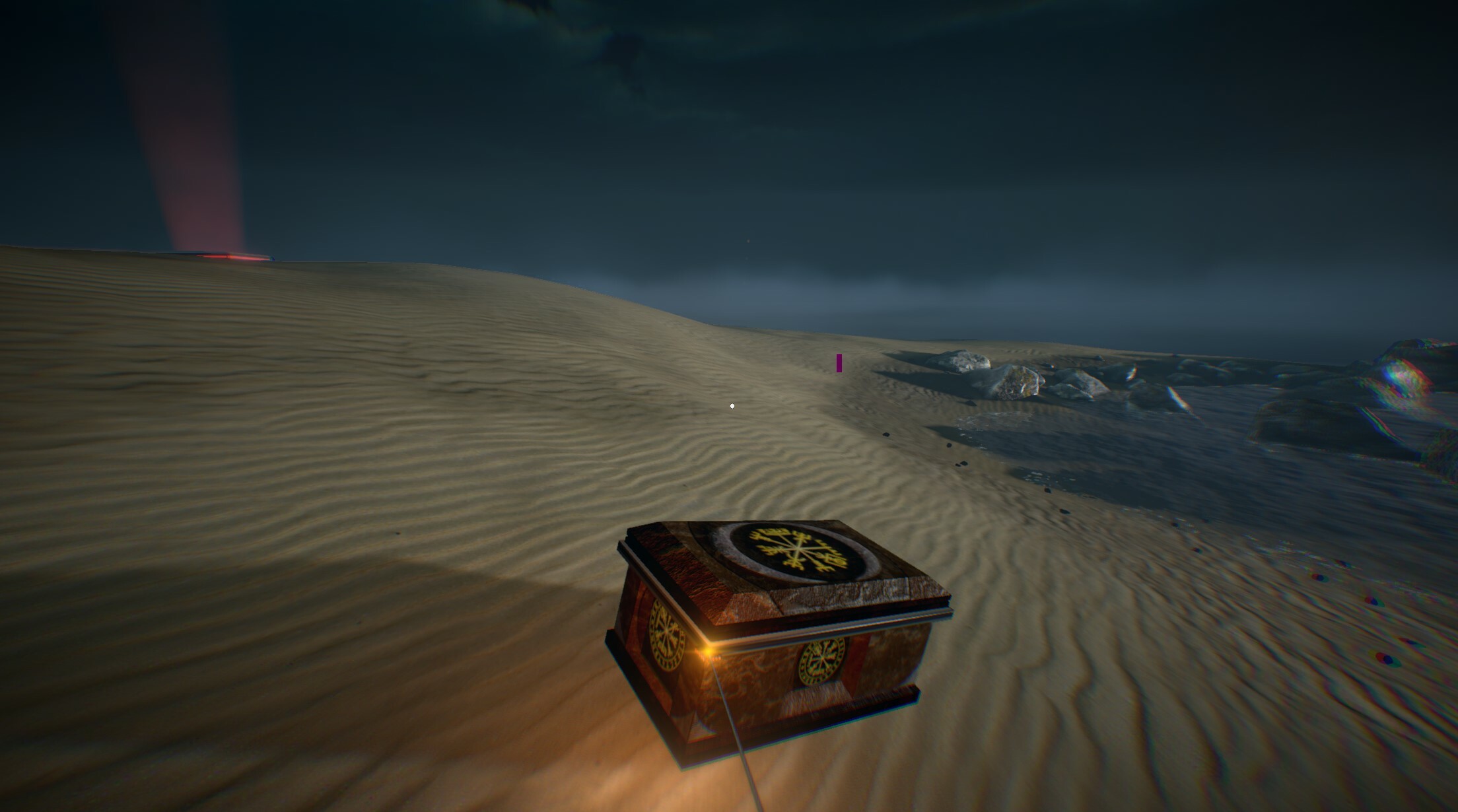
First, the Red Platform now uses an animated red volumetric light beam, and is now taller than before. It also now gradually disappears (intended) when the box is placed.

Here's an image of the new red volumetric light beam in Chapter 0:


Then, a few additional improvements:
  • The word "presents" is now more readable in the introduction sequence
  • Fixed some potential softlocks in which the player could get stuck in corners. Some might still remain.

PRESSURE | Plates


Pressure Plates have been reworked in order to make them more accurate:


  • The slightly higher edges are now taken into account in the Cube’s collisions, and they now need to be placed more to the center to be considered valid:
  • They remain tolerant, as to not be frustrating, but a small part on the corner, or too much on the outside, will no longer activate it:


This change, behind the scenes, is a big change: as a precaution, all pressure plates should be tested after this change.

JUMP | Improvements


The game already has many systems to ensure jumps are reactive and never ignored (height tolerances, jumps from ledges have tolerance, higher jumps when moving upwards on slopes, etc).

However, a new security system has been added that could be the root cause of some ignored jumps: When the player requests a jump up to 0.15s too early (while in air, just before touching the ground), the game will now still jump as soon as the character touches the ground.


This should fix all the remaining “why didn’t I jump when I asked for it?” situations - except, obviously, if you miscalculate your timing and request to jump too early (0.15s timing precision required from the player, instead of previously frame-perfect).

CUBE SURFING | Props Flying


Prop Flying & Cube Surfing: Still possible, but made much harder to achieve with Power Cores and Cubes.


You’ll be allowed to jump from an airborne Cube / Power Core only once in most cases, as it will be pushed downwards properly (this was added 0.594 but wasn’t always working as expected).

They can act as a single-use temporary platform instead of a chain-cube-surfing exploit. In addition, simply walking on Cubes in-air by repeatedly dropping and grabbing it should be much harder to exploit, as it should now try to prevent you from doing so.

CHANGES


This update includes quite a few notable changes that should be tested too:
  • Chapter 0: Show HUD no longer plays any sound (whether the first Objective will be shown or not). This is now intended.
  • Chapter 0: Current upgrades display on Pause Menu is now fully hidden in Chapter 0, even if you have started from Chapters page - they should remain hidden in that sequence. They will be restored when you reach Chapter 1.
  • Chapter 1: Added a new Checkpoint, when the first Taser Battery is retrieved in the Lockdown room. If you die before retrieving it, it is intended and normal that you see the “wall explosion” moment again. This new Checkpoint is to be tested!


  • Chapter 3: Musical hacking minigame is now too hard for some players, as new players are unable to get past it and report “bugs”. This puzzle is now reverted back to the previous logic, that fails upon any mistakes in the code.
    Later on, when the difficulty system will be implemented, the 0.595 logic for this puzzle (fail only on first mistake), will be used when Puzzles Difficulty is set to Hard.
  • Chapter 4: Flames corridor before Processing Center: Now damages significantly more, as it should not be survived in most cases of NG. You’ll now need at least 1 Healthpack in your Backpack + Sprint + Dodge + Speed Level 3 + Health Level 3 to survive it consistently. Missing any of the last 2 mentioned upgrades is still theoretically possible (especially at low framerate), but harder to do consistently (not recommended), and will still require you to Sprint + Dodge.
  • Power Cores: Fixed inaccurate collisions between Power Cores and pillars in the game. They should now be greatly improved, and collide properly with walls and pillars. This is a dangerous change, though - Power Cores functionality should be tested:


  • Switches: Reduced manual interaction range slightly, for all switches in the game. To be tested if any issues occur in specific cases.


  • Mines: It was possible to stand on Mines. It’s no longer possible - they will now explode.
  • Recordings: Listening to a Recording from the Recordings page will now pause the Menu or Chapter music, and resume it correctly when finished.

LEVEL FIXES

  • Chapter 2: Fixed visual black shadow bug on an Exit vent.
  • Chapter 4: Fixed Solar Panels distorted texture. These Solar Panels will be reworked in the future to look better. This is just a temporary fix.
  • Chapter 4: Fixed various Power Core related softlocks and issues with being able to pick them up from too far away

BUG FIXES


Most of the in-game reported bugs have been fixed, and some suggestions have been implemented:
  • Taser: Fixed a case that would result in reloading an invisible Taser, if you were to reload after / while using Scope.
  • Taser: Pausing the game while holding the Aim button, would remove the Taser, and quickly show it again upon resume.
  • Taser: Pausing the game while Hyper-Shot is currently charging, would continue the charging animation while paused.
  • Taser: Pausing the game while charging Hyper-Shot would reset the Hyper-Shot charging to zero.
  • Taser: Fixed a case that would cause Module Management to not work properly after using Scope.
  • Laser-Equipped Cameras: Depending on your framerate, many hits from the shooting cameras would not properly register. This has been significantly improved, and you should now be more accurately damaged when hit by the Camera’s shots.
  • Breakable Walls: Aiming exactly between small bricks of the wall, would not register the shot to destroy it. In addition, the screen will no longer show it’s a breakable wall, once it has been damaged at least once. In addition, remaining flying wall pieces should now happen much less frequently than before.
  • Zero-Gravity: Fixed a bug that could cause indefinitely keeping “upwards gravity”, if a Quick Load occurred to load a Zero-G state save, while the game was already transitioning from Normal Gravity to Zero-Gravity. To be tested if this doesn’t provoke new bugs with checkpoints in Zero-G, etc.
  • Quick Load: Fixed an exploit that could allow to spam Jump during Quick Load, and resulting in an additional (illegal) jump even while in the air. To be tested, and to verify if this doesn’t introduce new bugs with Quick Load in normal conditions.
  • Game Saves: Switching from a Chapter to another would sometimes keep previous run’s quick save and checkpoint autosaves. All these cases should be fixed, and saved data should be cleared properly, thus preventing various exploits.
  • Taser Batteries: Saving the game after picking up a Taser Battery, then exiting to main menu, and resuming again, would result in the Taser Battery being respawned and present instantly. It will now correctly not be present, and will only respawn after the intended delay.
  • Reported Bugs: Hundreds more in-game reported bugs and suggestions implemented.

Thank you for testing! We'll continue working on the various remaining bugs, and re-update over the next few weeks for the next bugs ;)

Update 0.595 is LIVE!

Hello dear Fractal Space players! The new 0.595 update is now ready to be tested, and focuses on stabilizing the new changes introduced by 0.594.

In the next few days, we will be sending Steam keys to the players waiting to access the Pre-Alpha up to Chapter 4.

We are still not showing / detailing much the newly added Chapter 0 introduction scene, as it was only limited to Pre-Alpha testers.

This 0.595 update will also be set live for the Steam Demo and Xbox One Demo, provided we do not receive major bug reports in fresh New Game runs in Chapter 1 (bugs in next Chapters, or in New Game+ only, do not impact the Demos).

All players will be able to see the new introduction in the Demo by the end of next week.

Let's take a look at the new changes & improvements of this update!

NEW


What's new in this latest update?

CHAPTER 0 | Improvements


A few improvements were made to Chapter 0. If you haven't seen it yet in 0.584, do not read this yet.

Update 0.594 is LIVE!

Hello, dear Fractal Space players!

After a large amount of work and time, the latest major update 0.594 for Fractal Space is now live on Steam!

This update brings a crazy amount of bugfixes, improvements and new changes, and a completely new introduction sequence to the game!

Currently, this update is only for Pre-Alpha players. The Public Demo on Steam and Xbox will only be updated in a couple of weeks - after the major issues have been fixed in the new changes and the new intro.

Players awaiting for a Steam Key: You will receive within 1 or 2 weeks, most likely after the next update is live, once major issues with this update are fixed.

Please click the !Reset Save! button in the Main Menu to reset your save and avoid various bugs with the new changes - At least, starting a New Game is strongly recommended.

CHAPTER 0 | Introduction


The new introduction for Fractal Space on PC is now finally ready!

Even though it feels like a short introduction, it was a significant amount of work to have this first functional version.

IMPORTANT | Notes


CHAPTER 1 | New Dialogs


This update contains many changes to Chapter 1's dialogs:

Next Chapters’ dialogs will come later, as they will all also be re-written and re-recorded.

NEW


Let's talk about the new features and options that were added in this update.

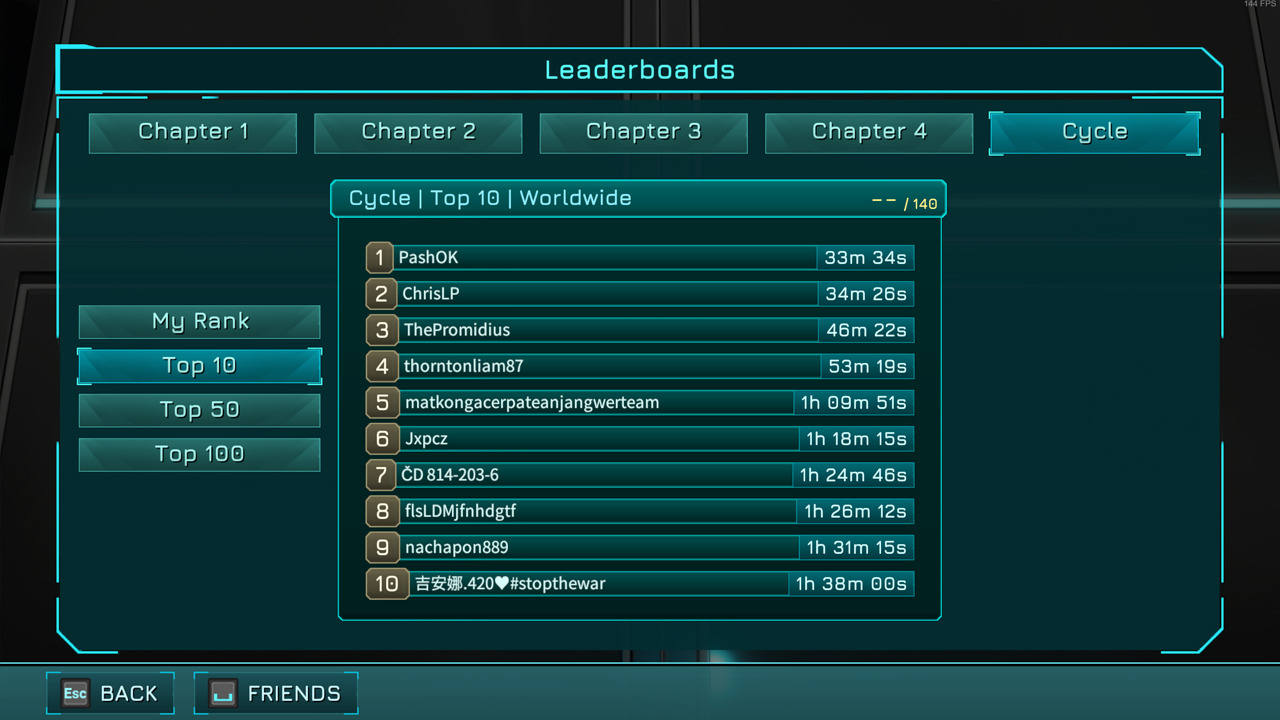
LEADERBOARDS | In-Game Page


Finally! The game now has full support for in-game Leaderboards page! You can now check your Rank, Top 10, Top 50 and Top 100 of each Chapter, and the entire Cycle!


In addition, gamepad navigation is fully supported on this new page.

When this new page has been tested and all potential bugs on this new system are fixed, there will be a Leaderboard reset for all Chapters, and anti-cheat systems to avoid uploading scores from older versions of the game, and more - but this isn't the priority for this update.

CHAPTER 1 | Recordings & Tablets


Picked-up Recordings for the first Chapter have been re-recorded for better quality and acting as well. There are now also 3 new Recordings to pick up in Chapter 1!

New Tablets were added in the first Chapter as well. We'll let you find them :)
Some Tablets now have a different text in New Game+, so it might be worth to revisit them!

CHAPTER 1 | Accessible Rooftop


The rooftop above the Taser Room is now meant to be fully accessible (only in New Game+), when going to pick up the Taser, and when returning back from it. No buggy / forced skips should be possible:


Future updates will add more challenge to reach the item up there.

CHAPTER 1 | Lockdown Area


After getting the Taser, the room where you get the first Taser Ammo Pack ever has changed slightly, when you return to it on your way back (the lockdown moment). You’ll see ;)


In addition, IG will now react to activating the button manually instead of shooting at it (it's intended to be possible, but not the main path)

WATER | Option & Optimization


A new Water Quality option has been added. Default is Maximum, which enables dynamic reflections on Water. Setting it to Low disables the water reflections and other effects:


This allows you to disable environment dynamic reflections by setting Reflections to Medium (Static reflections only) or “Disabled”, but keeping dynamic reflections on Water by keeping Water option to Maximum separately. Maximum setting is quite expensive, but much less expensive than general Dynamic environment Reflections settings (as there are less water areas regular reflective areas).

In addition, dynamic water reflections (Water setting at Maximum) have been significantly optimized compared to previous versions of the game. Various rendering artifacts causing objects to blink / disappear in water reflections were fixed as well.

240 FPS SUPPORT | Framerate Options


This update adds official support for 60+ Hz monitors, and a Framerate Option, which can allow to disable V-Sync.

240 Hz Screens


The game now supports all monitor refresh rates! If you have a 75, 144, 240 Hz monitor, and a gaming GPU that can run the game above 60 FPS, you should feel the difference:


Monitor maximum refresh rate is automatically detected and the monitor’s refresh rate is used when starting the game.
Note: It is recommended to keep Reflections to Medium, Decals at Low / Medium to reach higher framerates (Dynamic reflections is the most expensive setting)

Framerate Option & V-Sync


You can now cap your framerate to a lower value than your monitor refresh rate:

In which case would you do that? If you have an older PC, and rarely hit 60 FPS on a 60 Hz monitor, it might be a good idea to limit it to 50 FPS, for example.


This will avoid substantial changes in framerate, and will automatically disable Vsync, which will slightly increase performance - so it might help to try and keep this framerate. Since the framerate is capped to that selected value, you will not experience screen tearing even without Vsync.

Vsync is always enabled if you select your monitor’s refresh rate as a framerate cap (max value). Otherwise, you are bound to experience screen tearing if you ever reach 61 FPS, which is bad for everyone's experience.

Unlimited framerate is not an option, as it will not have any advantages to go higher than your monitor’s refresh rate for this game, and will only introduce screen tearing and various other issues, and could result in potential exploits.
If you wish to simply disable V-Sync while still targeting max framerate, simply select the second-to-last maximum framerate option - it will disable V-Sync and sure no screen tearing will happen (best of both worlds), as the game will remain 1 FPS below than your monitor's refresh rate.

DYNAMIC REFLECTIONS | Rework


The Dynamic option for environment Reflections has been completely reworked in order to improve their overall visual quality, reduce the blur and associated jittering:


They also are now greatly optimized compared to the previous versions. Even with these optimizations, it’s still the most expensive option in the game, and is built for dedicated gaming GPUs, so do not expect to play smoothly on an old PC, or non-gaming laptop with integrated graphics.

They still cannot be perfect in all situations and have some artifacts in some angles; but it’s much better than previous implementations ;)
Note: They are now meant not to be present on all surfaces. It is normal that you’ll find various areas where you cannot see any Dynamic Reflections (intended for either performance reasons, or because they have not been implemented in this room yet, and sometimes because they would simply be too distracting).

VENT FANS & DYNAMIC LIGHTS


ACHIEVEMENTS


A few new Achievements were added in this update:


LIGHTING | Improvements


Most “light band highlights” on walls and grounds (blue, red, etc), now emit a faint (non-dynamic) light to surrounding objects:


It remains mostly visible in dark areas and corners, and adds a bit to the atmosphere and feels more realistic:


CHANGES


This update contains various changes - we'll list the most important ones here.

LOCALIZATION | Update Shortcut

LEVEL | Changes


A non-exhaustive of various Chapters changes:

JETPACK | Balancing


The latest update introduced smoother jetpack movement.

However, it was a known issue that the first few seconds of jetpack rise were too powerful.

It has now been reduced, in order to both feel smoother and prevent exploiting to jetpack almost indefinitely (as the jetpack rise of the first few seconds was too powerful, you could chain the jetpack and fly for much longer than intended).

PROP FLYING


Tablet Surfing / Cube Surfing / Prop Flying exploit (not really a bug per-say) has been present for a while, as it’s a complex one to solve. Finally, it has now been drastically reduced.

The idea behind this change is that Cube Surfing / Prop Flying should no longer be easy to perform to skip mandatory puzzles / challenges in New Game for a new player.

A Cube below your feet will still slow down your fall (intended), but won’t allow you to jump higher from it anymore.

In addition, whenever you try to perform it (or successfully manage to), the Cube will now be properly pushed downwards (as it should, because you are in fact, “kicking it down”), thus preventing you from chaining it easily.

This change should prevent many illegitimate skips in New Game.
Note: You can still perform it ‘easily’ if the cube currently has an upwards vertical velocity (intended).

TUTORIALS

OTHER | Changes

BUG | Fixes


A large amount of bugs were fixed in this update - more than what will be listed here, but here's the list of the most important ones. Note that most in-game reported bugs should now be fixed as well.

LEVEL | Fixes


Here are the major bugs fixed in specific Chapters:

GAMEPLAY | Fixes


And now, here is the list of most important gameplay bug fixes:

KNOWN | Issues


A short list of the known bugs or issues that aren't 100% sure to be fully fixed:

THANKS | For Playing


Thank you again to all dear players for testing!

We'll continue working to fix the new reported major bugs from this update, in order to update the Steam and Xbox One Demo, over the next week or two ;)

When the Demos are updated within the next 1-2 weeks, we will send out new Steam Keys to players currently waiting.

Have a great day, and happy gaming!