Hello, dear Fractal Space players! The PC Pre-Alpha Version 0.593 is now available on Steam!
After recent update 0.592, we have been working on various bugfixes & improvements for 0.593, which are now ready to test!
We're hoping most major bugs are now fixed, but we'll see about that once our testers get their hands on it :)
Alright, let's take a look at the new changes and fixes!
NEW
Here's a list of a few new features that are worth mentioning first.
SWITCH PRO CONTROLLER
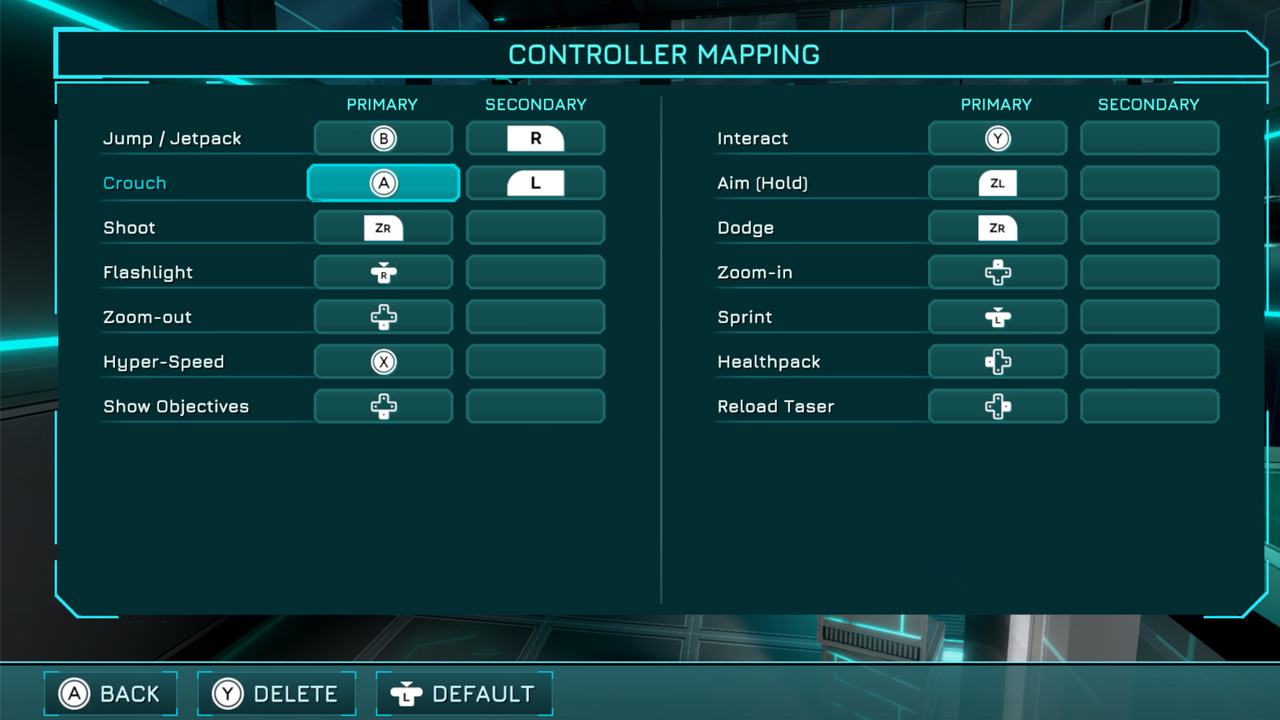
This update adds official support for Nintendo Switch ProController! It will now show the correct gamepad icons (was previously showing the Xbox One button icons):
Please note it will only work perfectly while connected wirelessly via Bluetooth. If you are playing with Nintendo Switch Controller via USB cable, please follow this guide.
USER INTERFACE | Improvements
This update includes a few user interface improvements:
CHAPTER 2
First of all, in the first room of Chapter 2, you will now be required to shoot a button for the Bridge 1 to deploy(similar to the Pocket Edition):
In addition, a button is now also required to deploy Bridge 2 to exit this room. This was added for the following reasons:
Moreover, more optimizations for triggers were done in Chapter 2, similarly to Chapter 1 (still work in progress).
LAST CHECKPOINT
The Checkpoint button now displays how much gameplay time has elapsed since it was saved:
The goal of this is to allow a player to estimate roughly how much gameplay time would be lost if he uses the Checkpoint button to restart from the last Checkpoint, or if he wants to exit the game.
Please note that:
In future updates, the Last Checkpoint and Exit confirmation popups will state this duration.
LOCALIZATION
Good news for translators!
From this update, when you are done making a pass of changes to the Localization Kit online sheet, and would like to test them, simply let us know at charles@haze-games.com and we will update the game's database(it's in a different dedicated sheet, for security reasons)
Then, you can automatically update the localization of your local versionof the game, without needing to wait for a next Steam update!
This runtime localization update can be performed by:
If after 15s, no notification appears, it means you already have the latest localization version. The next update will notify you that you are already up-to-date.
CHANGES
Below is the list of main changes in this update.
CHAPTER 1
CHAPTER 2
CHAPTER 3
CHAPTER 4
LEVEL FIXES
Here's a list of the various level-related bug fixes:
BUG FIXES
Finally, here's a list of the most important bug fixes for this update:
Thank you for testing! We'll continue working on the various remaining bugs.
Update 0.592 is LIVE!
Hello, dear Fractal Space players! A new update is now live on Steam! Version 0.592 is available!
This version includes hundreds more bug fixes, reported by our dearest fans, which we would like to thank before we continue :)
We will be sending hundreds of keys to the many players who requested them since previous 0.591 was live. Get ready!
Alright then, what's new?
NEW
We have a few new elements or major changes to discuss in this update.
JETPACK | Customization
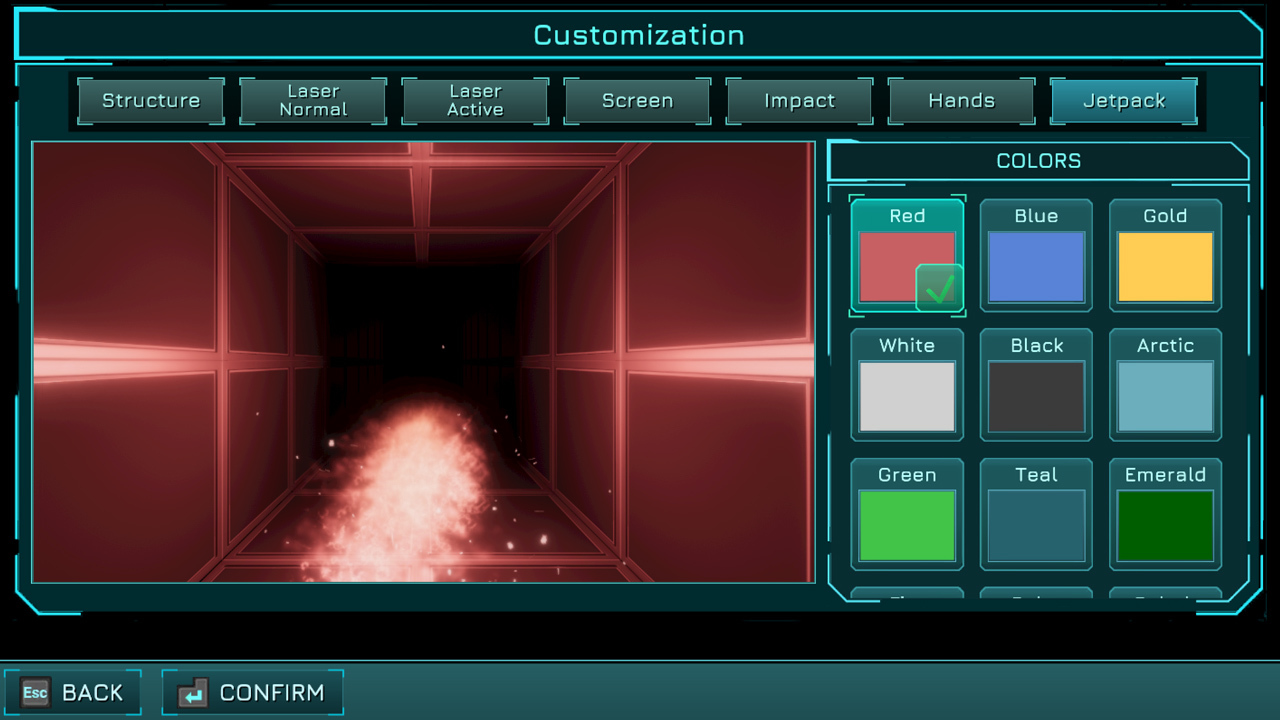
You can now customize your Jetpack Color in Taser Customization page! The Jetpack fuel bar will now adjust its colorbased on this custom color as well:
JETPACK | Physics Improvements
Jetpack physics have been improved to feel smoother. It might take you some time to get used to it. New bugs expected with this change as well.
The goals of this change are to:
HYPER-SHOT | Improvements
Many improvements were made to the newly introduced Hyper-Shot system:
FRAGILE | Windows
In most situations, Dodging while on the ground will never dodge downwards(but Dodging downwards works if you are in the air).
From this update, you can now directly Dodge vertically down(towards your feet) when standing on a breakable window to break through it!
VISUAL | Improvements
This update includes some visual improvements - let's take a look at a few of them!
Crates
Simple static crates that block the player(not interactable) have been visually improved. The older version is still used in some areas to vary:
Lights
Improved lights source visuals and texture.
Lights now have the center neon of the correct color instead of simply white. In addition, when the light color changes (green to red, for example), neon center and surrounding “light beam” around it also changes to the appropriate color. It’s good to check them out, because there might be some incorrect color selected by the system in some edge cases:
OTHER | New Additions
A short list of the most important new additions:
CHANGES
In addition, we have some changes that are worth noting here.
CHAPTER | Fixes
Here's a list of the most important bugfixes which are directly related to Chapters:
BUG | Fixes
Destructible Walls: Borders of destructible wall pieces no longer have the strange buggy colors before they are broken
Thank you for testing! We'll continue working on the various remaining bugs, and re-update over the next few weeks for next bugs ;)
Update 0.591 is LIVE!
Hello, dear Fractal Space players!
A new update is ready to be tested! As usual, many bugfixes & improvements were added, in addition to a a couple of new features & changes!
COLLISION BUG | FIXED
We mentioned in our previous update news, that a major collision bug was under investigation for months with the Unity team. It was investigated and solved, but we had to wait for it to be included in order to update Fractal Space with the fix.
We are glad to say the fix is now live, and included in this latest update! You should no longer randomly fall through any ground for no reason :)
TASER | HYPER-SHOT
The Taser-Gun shooting and input system has a significant change in this update:
This Hyper-Shot system was always intended, but required some rework of the Taser-Gun that we didn’t have time for. It was done for the following reasons:
Currently, a Hyper-Shot still only consumes 1 Ammo. It is possible in the future that it will consume 2 Ammo instead - but this is still under investigation. It might be like this soon as a test, and we’ll see how that goes ;)
Note: Later on, there will be a specific visual effect and sound effects that are different for Hyper-Shot(not yet implemented)
WATER | Dynamic Reflections
From this update, when Reflections are set to Dynamic, water areas now have much more precise realtime reflections. This is very expensive, and should only be enabled with dedicated mid/high-end graphics cards. If you are playing on Mac/Laptop/integrated graphics, it will most certainly result in lower FPS:
In the future, there will be a separate setting for Water Reflections quality VS Reflections, in case you have decent playable performance with Reflections set to Dynamic, but dynamic water reflections impact your FPS too much. Currently, they are both tied to the same Reflections option.
PERFORMANCE | MODE
Fractal Space is now well-optimized and should run smoothly on any modern computer with a dedicated GPU.
If you are playing with a low-end machine or laptop with an integrated graphics card (no dedicated GPU), you'll always need to reduce resolution to reach playable FPS in a game like Fractal Space, which has dynamic lighting and realtime shadows, along with post-processing effects.
In general, it is not recommended to enable any other post-processing effect than Bloom and remain around 1280x720 when you only have an integrated graphics card.
The game had an old Debug Tool was used by some players to improve performance: ALT + Backspace. This shortcut disabled all post-processing effects. However:
We have now completely reworked this system, to make a proper, officially supported Performance Mode!
The goals of the Performance Mode are to:
In general, the FPS boost provided by Performance Mode should be significantly higher than the previous ALT + Backspacedebug shortcut, and should no longer create any visual bugs!
Please note that changing any of the Graphics Options will automatically disengage Performance Mode when applying settings - this is intended, you will have to re-enable it when you are back in active gameplay.
CHAPTER 3 | NEW SKIP
Chapter 3 now has a new skip path!
It is meant to skip a part, only for New Game+. It’s next to the large vertical Tower area, around where you can find the very first (optional) Encryption Key of the game:
This path means that you can backtrack a bit more in this area(to return and get the Upgrade next to the Crusher if you missed it)
The level has been changed accordingly to avoid most bugs.
If you get Hyper-Shot Level 1 with the Upgrade Terminal just before it (inside), it means you can get out in New Game - which is intended, so you can go to the optional area on the roof in case you missed it, but can’t skip this area the first time. To be tested!
OBJECTIVES | Options
From this update, there are now 2 new Gameplay options:
NEW | IMPROVEMENTS
CHANGES
BUG FIXES
Thank you for testing! We'll continue working on the various remaining bugs, and re-update over the next few days for next bugs ;)
Update 0.590 is LIVE!
Hello, dear Fractal Space players! We’ve been working hard on this update, which includes many new improvements & changes; especially on the code / behind the scenes, and of course, hundreds of reported bugs are now fixed!
Some of the improvements, you might not even notice, but they were necessary to prepare the game for the next Chapters. We’ll present here an overview of the main changes that were made in this latest update!
Considering the major changes in the Save System of the game, we did our best to keep older saves compatible, but there is a chance you will need to RESTART the Current CHAPTER from Start after resuming from the new version, to avoid any level or save-related bugs!
HOTFIX | 0.588 -> 0.590
Additional changes made in this latest additional update 0.590 that improves over original 0.588.
CHANGES | In 0.590
Update 0.587 is LIVE!
Hello, dear players of Fractal Space!
We thank you again for the many bug reports, suggestions and more that we have received lately.
We've been delaying the hundreds of Steam key requests to access the Pre-Alpha, in order to solve these first before having new players report new bugs :)
The latest update 0.587 is now live on Steam! It solves many more bugs, and adds new improvements, various levels changes and more. We'll discuss the important ones here.
IMPORTANT:RESTART CURRENT CHAPTER: If you were playing before this update, please restart current Chapter from the beginning to avoid bugs, prevent softlocks, and ensure the new bugfixes are correctly applied.
DIALOGUES | REPETITION
Some players were complaining about hearing the same dialogues again after dying and respawning. We have changed the system to:
We hope this change will make dying feel less repetitive, and avoid hearing the same level dialogues over and over.
Respawn dialogues have not changed, and will still be different at each death, until there are no more available, in which case it will then be "sighs" instead of sentences.
CUTSCENES | HANDS
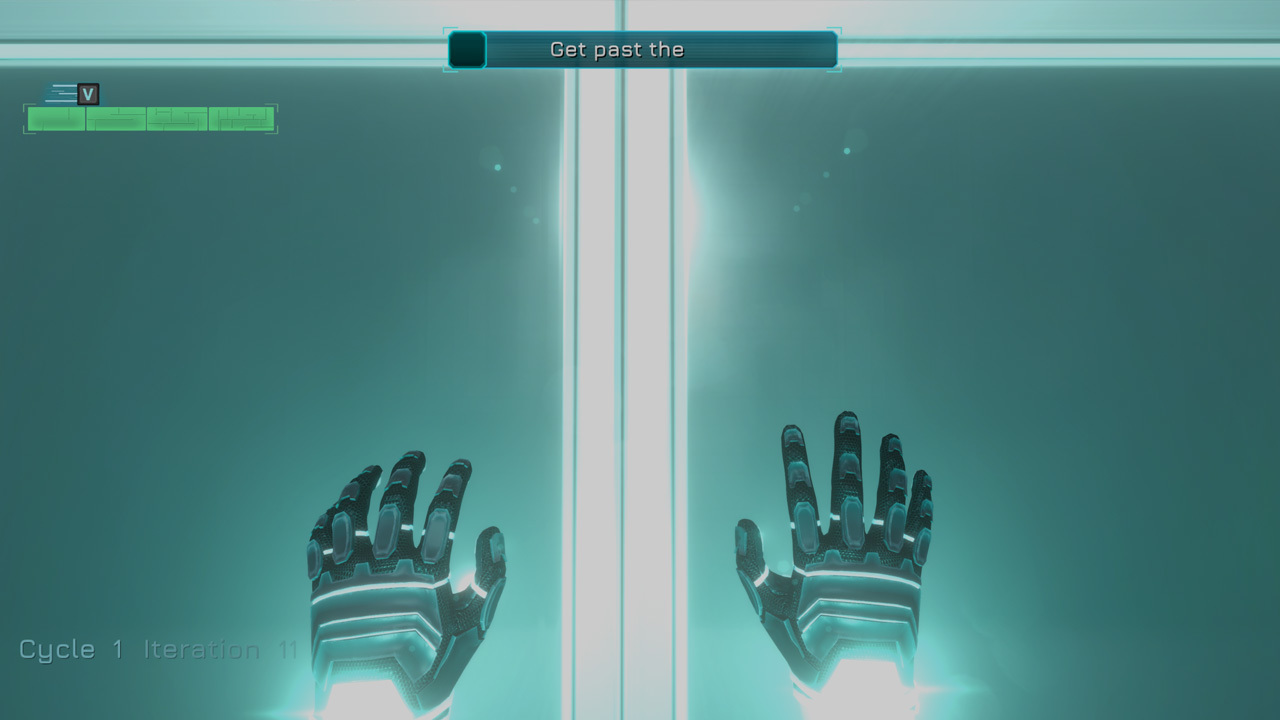
In this update, you can now see the player character's hands during the very first introduction of the game, and during Respawn cutscenes!
They should work correctly with any FoV setting - even though high FoV will always result in slight distortion of objects, which is normal. Ensuring animations work well with all FoV values isn't as easy as it sounds, so it has to be tested ;)
On some specific respawn points, you might see the hands go through objects or the ground; please report in-game when this happens, so it can be fixed in the next updates.
FRAGILE | WINDOWS
Fragile Windows have been reworked in order to solve multiple issues:
You can see the crack is much more noticeable than previously, and holes have been removed:
CHAPTER 1 | NEW AREA
Just after the first 2 pressure plates, in front of the Math door, you can now freely access the “white light hole” to your right.
There will be a recording here in the future:
It is meant to be accessible and completable in New Game. You can do this before or after getting the Taser. The roof above the math door will still relocate you for now, but in the future there will be a recording accessible only in New Game+ up there as well.
CHAPTER 1 | OPTIONAL RECORDING
The optional Recording to get around the first Smashers area (requiring Cube/Dodge to reach the Roof) is now protected to be inaccessible or by simply Dodging from below, or by using various other techniques to reach the ceiling:
CHAPTER 2 | LAST ROOM
The Power Core Storage button will no longer disable the lasers above the Power Core, and will only open the door. You will need to open the door, then enable Zero-G to get the Power Core that will be pushed out:
In addition, the optional Upgrade in this room will now require Zero-G to be accessed:
OTHER
Other new additions worth noting here:
CHANGES
Below is a list of various important changes in this update:
BUG FIXES
Below is a list of the most important bugfixes included this update:
Thank you for testing! We'll continue working on the various remaining bugs, and re-update over the next few days for next bugs ;)
Update 0.586 is LIVE!
Hi all, dear Fractal Space players! We wish you all a Happy New Year 2021! A new update 0.586 is now live for Windows, Mac & Linux!
Please restart Steam to ensure you get this update now
This update focuses on fixing the various major issues in levels, that could prevent you from completing the Pre-Alpha.
Some of these issues were added with 0.584 and 0.585 changes, and should now be solved.
In addition, there are various level changes to solve some gameplay issues, most important ones are listed below. There is a chance these new changes provoked new bugs - to be tested!
If you encounter a major blocking bug that prevents you from finishing the game, please report as usual, and also send an email to bug@haze.games ;)
IMPORTANT: RESTART CURRENT CHAPTER: If you were playing before this update, please restart current Chapter from the beginning to avoid bugs, prevent softlocks, and ensure the new bugfixes are correctly applied.
NEW
List of additions / new elements in this update:
CHANGES
List of changes to be aware of from this update:
BUG FIXES
List of major bug fixes in this update:
Update 0.584 is LIVE!
Hello, dear Fractal Space PC Pre-Alpha players! Latest update 0.584 of the PC Pre-Alpha is now live on Steam!
The update is also coming within a few hours for the Xbox One Demo.
There has been a massive amount of bugfixes from the recently reported bugs, and many changes and some new features!
IMPORTANT: RESTART CURRENT CHAPTER: If you were playing before this update, please restart current Chapter from the beginning to avoid bugs, prevent softlocks, and ensure the new bugfixes are correctly applied.
After updating, if at any time you are encounter a missing object in the level(Power Core Slot or other), please restart the current chapter from the beginning(not last checkpoint, full Chapter restart) and check if the issue is still happening. If it still missing, please report with ALT+B.
IMPORTANT: DEBUG MODE AND TERMINALS: Acquiring upgrades via Debug Mode will always likely result in bugs with Terminals upgrade list, Terminal usable states and such; if you are testing the Upgrades distribution and End Game, you should play the game normally and never acquire upgrades via Debug Mode. Any bug about Upgrades / Upgrades PC / End Game mode (all Terminals found once) are invalid if any upgrades are acquired with Debug Mode as it results in impossible situations.
If you encounter a major blocking bug that prevents you from finishing the game, please report as usual, and also send an email to bug@haze.games ;)
Thank you for testing and reporting bugs!
TASER | TOGGLE AIM
Fractal Space is meant to be played with the Taser-Gun hidden, and shown only when the player requests to aim. This will not change for regular and new players as a first experience with the game.
However, if you are an expert at the game and/or a speedrunner, you will enjoy having the ability to toggle the Taser-Gun to be always displayed - and we want this to work.
This will require you to change the default keys for Dodge, and use the new Modules Management system to enable / disable the Aim Stabilizer and Hover modules at your convenience.
The Toggle Taser is set by default on the T key. It has now been greatly improved to:
If you find cases where the Taser-Gun gets hidden and doesn't come back automatically when you indeed had toggled it ON, please report a bug.
The end goal is that if you Toggle the Taser-Gun ON in the first room of the game, you can complete the game without ever having to request it again. Except, of course, if you intentionally toggle it off yourself ;)
TASER | RELOADING
Added a first version of a new TaserReload animation! No longer instant reloading. Still, it’s very fast to make sure you don’t wait too long.
It is intentional that reloading now takes around 1s - and is not meant to be instant in Speedrun Mode either. You’ll need to take that time into account during speedruns and reload at the right moment (intended).
The following cases INTENTIONALLY result in an instant-reload to avoid waiting / frustration:
IMPACTS | IMPROVEMENTS
Many improvements to impacts were made:
MODULE | MANAGEMENT
[previewyoutube="WnZDKSzj1QY;full"] We've added a new Module Management system to allow you to:
However, in addition to this, you can now see which modules are currently active by holding the Show Statskey (TAB by default):
While playing on PC with keyboard/ mouse, this Module Management will mostly be cosmetic and to help you to learn the shortcuts by heart.
After a while, you won't need to use it, as you can use those shortcuts anytimewithout showing Module Management.
If you toggle any module ON / OFF while aiming, the Module Management will display for 3 seconds as feedback, without disturbing you current aiming state:
While playing with gamepad, the shortcuts to toggle Modules are set to A and Bbuttons, and are only active while Module Managementis displayed. This way, you can still jump and crouch using the alternative LB and RB buttons while this interface is displayed:
Please note that since gamepads have less input buttons, you will need to hold Show Stats button (Dpad Down by default) in order to toggle Modules ON/OFF if you are playing with a gamepad. This is to prevent disabling modules by mistake.
OPTIONS
Many improvements and bugfixes were made to the Options menu:
CHANGES
Summary of the major changes of this update.
AIM | STABILIZER
Improvements were made to the Aim Stabilizer:
GENERAL
BUG FIXES
This update includes hundreds of bugfixes; only important ones are mentioned here:
Thank you for testing! We'll continue working on the various remaining bugs, and re-update over the next few weeks for the next found major bugs ;)
Enjoy your wonderful holidays, and we wish you a Happy New Year in advance!
Charles & Amy from Haze Games
Update 0.583 is LIVE!
Hello, dear Fractal Space players! Update 0.583 is now LIVE on Steam for Windows, Mac & Linux!
This update focuses on fixing many reported bugs in 0.582. The game should now be more stable 🙂
IMPORTANT: RESTART CURRENT CHAPTER after updating to avoid bugs, softlocks and ensure new bugfixes are correctly applied!
After updating, if at any time you are encounter a missing object in the level (Power Core Slot or other), please restart the current chapter from the beginning (not last checkpoint, full Chapter restart) and check if the issue is still happening. If it still missing, please report with ALT+B.
As there were a huge amount of bug fixes and important changes, please expect new bugs to occur. If major blocking bugs occur, please report and there will be a quick patch within a few days to fix those first. Other bugs will wait for the next update.
If you have specific bug reports that require videos, please send them to bug@haze.games 😉
Thank you for testing and reporting bugs!
| NEW IN 0.583 |
Interaction: A bug made all interactions possible from further away than intended. Fixed, which might create new bugs or unsolvable situations. Picking cubes that are on platforms below you may now require you to crouch (intended and acceptable). Please report if you find blocking issues with performing interactions after this change. I’m aware speedrunners might dislike this change; I’m expecting complaints 🙂 You’ll need to get used to the smaller interaction range. If after a few runs you still can’t adapt to it and it is too annoying, I’ll increase it slightly again (but will remain smaller than it was before), and maybe only for Speedrun Mode. Please report as Suggestions what you think about the smaller interaction range (please not the first time you try – only after doing a few runs and being used to it).
Button Interaction: First version of button interaction animation; will be using the left-hand glove with an electrified short-range visual effect towards the button activated in the future. It’s meant to be very short and quick to avoid adding delays for interaction. Current delay is only 0.1s. Speedrun Mode completely removes this delay and keeps instant-interaction (the animation will be slightly out of sync, but it’s intended for Speedrun Mode). You can safely request interaction and move / look away and it will work (intended to avoid annoyance, and remain cosmetic). If you press it multiple times, it will correctly perform the interaction multiple times (might sometimes be out of sync visually with the animation, but that will be fixed later). Won’t be played if currently healing, but instant interaction will be performed (intended)
Achievements: Many existing Achievements now have new icons, 2 small ones were added. Many more to come, when I have time to add Achievements 🙂
Hyper-Speed: Auto-heal if the player has a health kit in his backpack when reaching the low health threshold for Hyper-Speed.
Chapter 1: Added softlock release in the first vertical corridor if no more Taser Ammo. You need to aim really badly to have it 🙂 It’s a silent dialogue for now.
| CHANGES |
Damage: Invincibility period after being hit by Lasers / Saws has been reduced
Dodge: Crosshair disabled will now still show Dodge cooldown gauge (washidden as well with the crosshair)
Chapter 1: Taser pickup dialogues and objects are now better tied to picking up the Taser, avoiding them to be triggered if you don’t pick it up directly.
Chapter 1: First button to shoot in the game, can no longer be accessed manually
Chapter 1: Skip through the breakable window in the room with the first Cube will no longer destroy the first cube – you can continue to Taser Room door with it. Previous vents won’t be automatically locked.
Chapter 1: Cannot go back into the lift “Maintenance” hatch of “Alternate Route” anymore after using the lift to go up to the first Power Core
Chapter 1: After dropping in the room below the vertical corridor with a button to shoot, the blinking laser will turn off after interacting with the first switch.
Chapter 2: Upon entering the last room in the Zero-Gravity part, the ground will be blocked to prevent you from returning down.
| BUG FIXES |
There were many more bugfixes than the list below; only noting here the most important ones:
Reported Bugs: Fixed many in-game reported bugs
Saving: In some cases, resuming the game from Main Menu could provoke some triggers to re-activate and checkpoints to re-save. This has been fixed.
Cutscenes: Disabling Cutscenes while a cutscenes was already playing could result in a black screen.
Cutscenes: Auto-Skipping a Cutscene with Hyper-Speed activated could freeze the player for around 1s if the player was static – or impede controls if already moving
Music: Could play “detected” soundtrack at the same time as level soundtrack, especially when there were multiple cameras involved in the room. Most cases should be fixed, please report steps to reproduce if you find additional cases of this happening. Thank you!
Music: Entering loading transition will now stop playing current chapter music until next chapter is loaded (intended).
Cameras: Will now switch to normal level music and show “Cleared” when no more cameras are searching for the player. The game would sometimes do this when there was still another different camera detecting / searching for the player.
Sequence Switches: Bugs were fixed with them sometimes remaining pressed down without actually moving to the next sequence step. Other bugs related to saving at specific moments of sequences have been fixed too – they should be more stable.
Room Control: Improved buttons to avoid them not always being activated when clicking outside of the center
Sound Volume / Music Volume: Various bugfixes were made to music / sound volumes: a bug was provoking music to return during level loading (should be silent for now between levels), and music volume could be changed to higher than desired. Should now be better, might provoke new sound-related issues.
Chapter 4: Power Beam switch was not playing its “Activation” animation.
Chapter 4: Secret stairs to secret passage could sometimes open / close instantly instead of playing the intended animation. This is quite a dangerous change, please test and report any bugs regarding stairs animation or other animations like this.
Thank you for testing! We’ll continue working on the various remaining bugs, and re-update over the next few days for next bugs 😉
Fractal Space | Demo
What are you really trying to escape?
[previewyoutube="9dda1sfVAGo;full"]
HELLO | DEAR SPACE TRAVELER!
We are Haze Games, an indie studio of 2 members. We have been working on Fractal Space for the past few years to bring our first-person adventure & puzzle game to life.
No violence here. You will need your precision and timing skills, though. Oh, and don't forget your brainpower!
Use Hyper-Speed to bend time around you and survive impossible traps
Find Upgrade Terminals to acquire new Abilities
Find lost Recordings to understand what lead you here and learn about yourself
New Game+ to keep Upgrades, access Bonus Rooms and secret passages!
Enable Speedrun Mode to skip cutscenes and accelerate parts of gameplay
If you enjoyed this Demo, the game is available in free closed Pre-Alpha testing up to Chapter 4. You can request a Steam key directly from the Main Menu of the Demo, or with the button below:
We would like to thank our great community of testers, who have been supporting us in the long journey to improve the game every month!
We sincerely hope you will enjoy this free Demo of the first Chapter of Fractal Space!
Charles & Amélie, Haze Games Haze Games
Update 0.58 is LIVE!
Hello dear Fractal Space players! Latest update 0.58 is now available on Windows, Mac and Linux! Please restart Steam to be sure you get the latest update as soon as possible.
This update focuses on a massive amount of bugfixes, that were introduced by previous update 0.57; as the previous version had many code / structural changes, it also brought in many new bugs.
Theoretically, most of them should now be fixed! We hope this 0.58update version is more stable than 0.57!
RESTART CURRENT CHAPTER: If you were playing before this update, please restart current Chapter from the beginning to avoid bugs.
After updating, if at any time you are encounter a missing object in the level (Power Core Slot or other), please restart the current chapter from the beginning (not last checkpoint, full Chapter restart) and check if the issue is still happening. If it still missing, please report with ALT+B.
If you have specific bug reports that require videos or cannot be sent via ALT+B, please send them to bug@haze.games ;)
Thank you for testing and reporting bugs!
In case you had missed our behind-the-scenes video about adding pipes in the past few updates, you can check it out now:
[previewyoutube="K8_2cIC18bM;full"]
NOTES | KNOWN ISSUES
Ghost Mode: Using Ghost Mode will result in bugs that you do not need to report. If you use Ghost Mode, please play the "normal way" and activate all the buttons / objects correctly in the right order, and "fly" through the normal path.
Otherwise, the level won't respond correctly and won't be initialized how it should. This is intended, as the game is highly optimized with all rooms being initialized as the player progresses.
If you skip them completely with Ghost Mode, they won't be initialized. This is not a bug and does not require to be fixed, because it's simply an impossible situation in normal play.
There will be an in-game warning about this in the future ;)
Random Clipping: It can sometimes happen that you may randomly clip through a wall or ground. This is a Unity engine bug with physics.
Unfortunately, we cannot do anything about it at this stage. The bug was reported years ago, and Unity is finally working on a fix. I will let you know when this issue is presumably fixed, from which point this issue shouldn't happen anymore.
Until then, you might still experience it once in a while. You may still report bugs about them for information purposes but it requires Unity to fix their physics bug :(
NEW | IN 0.58
CHANGES
BUG | FIXES
Thank you for testing! We'll continue working on the various remaining bugs, and re-update the game within 3 weeks ;)