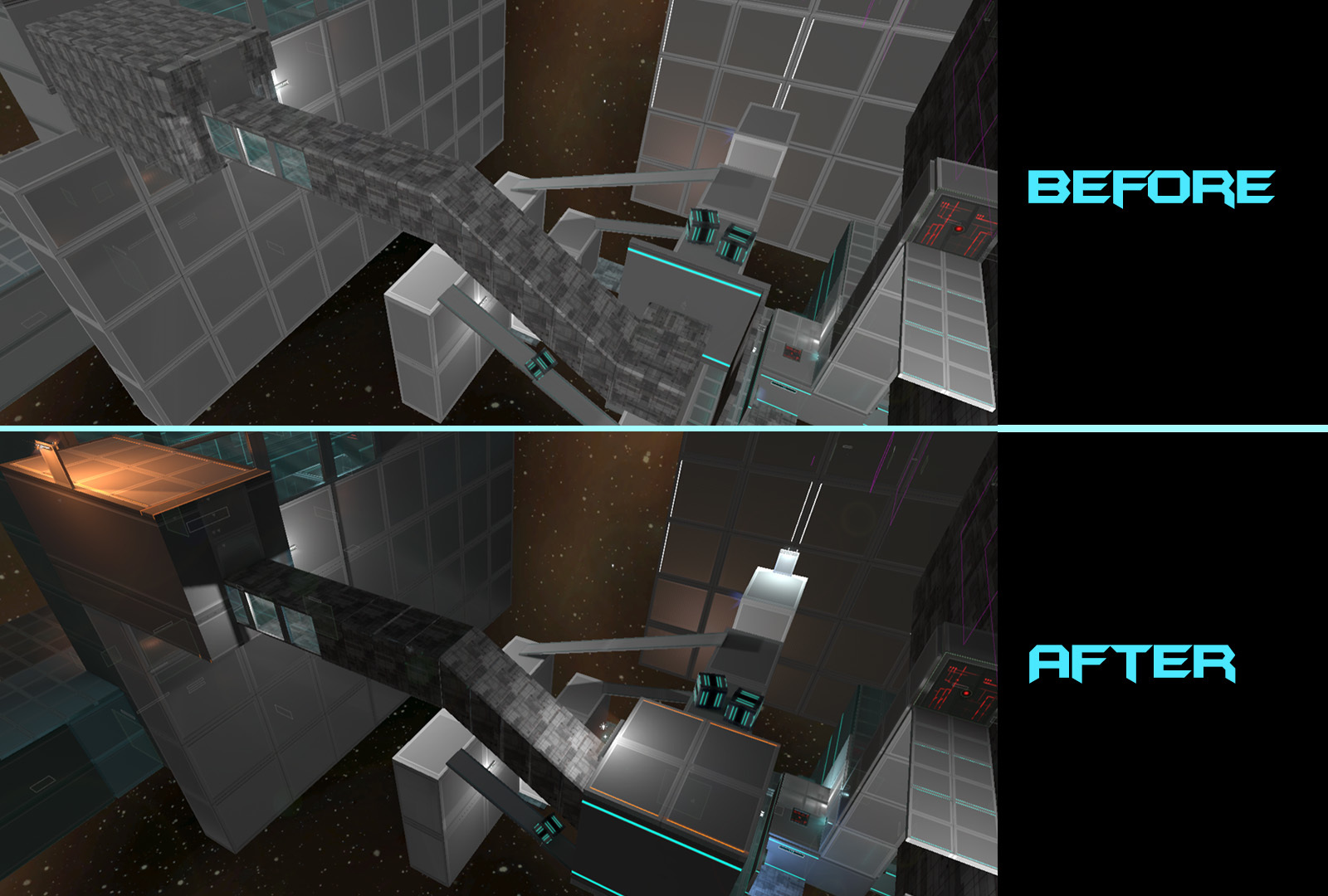
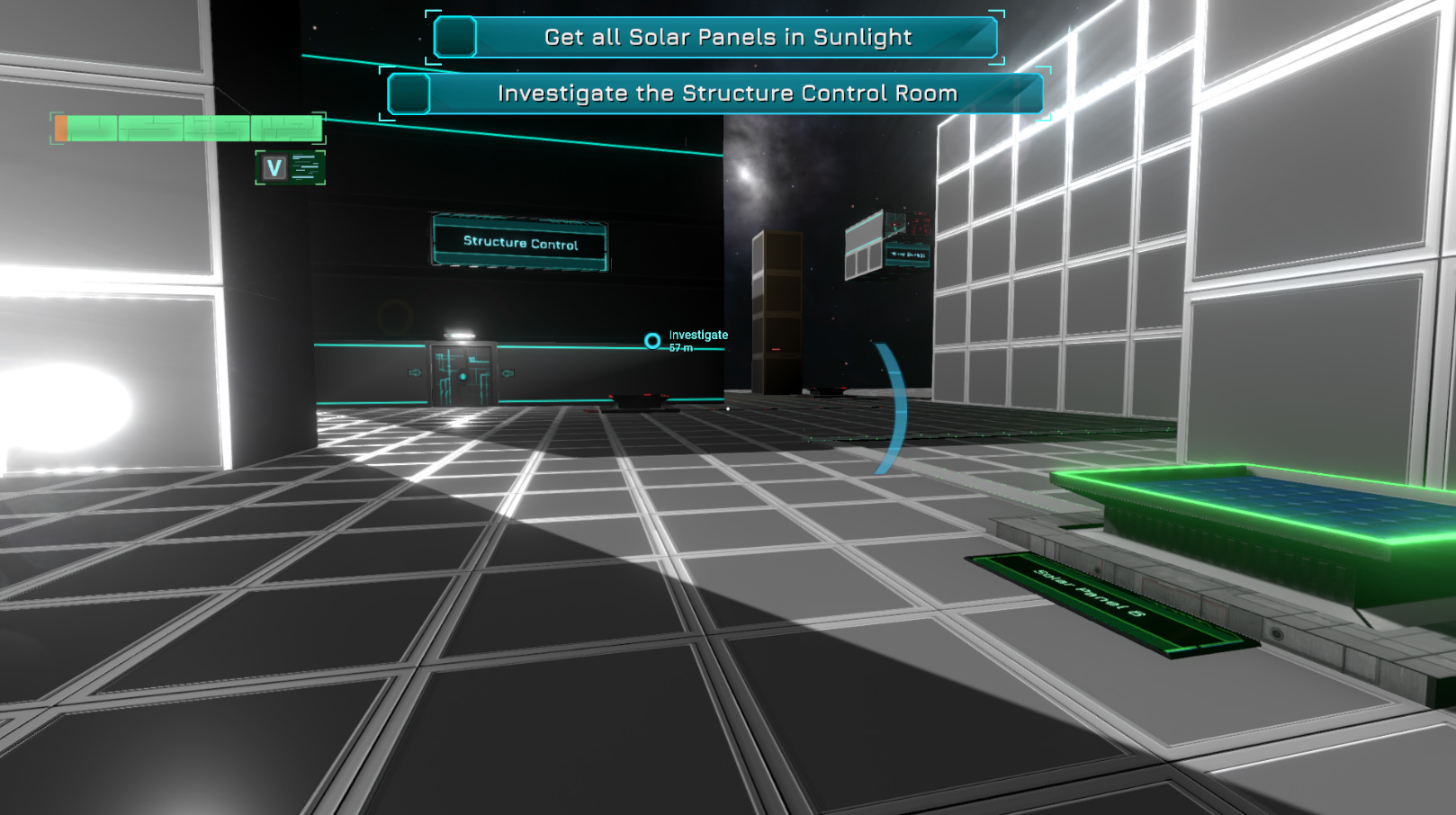
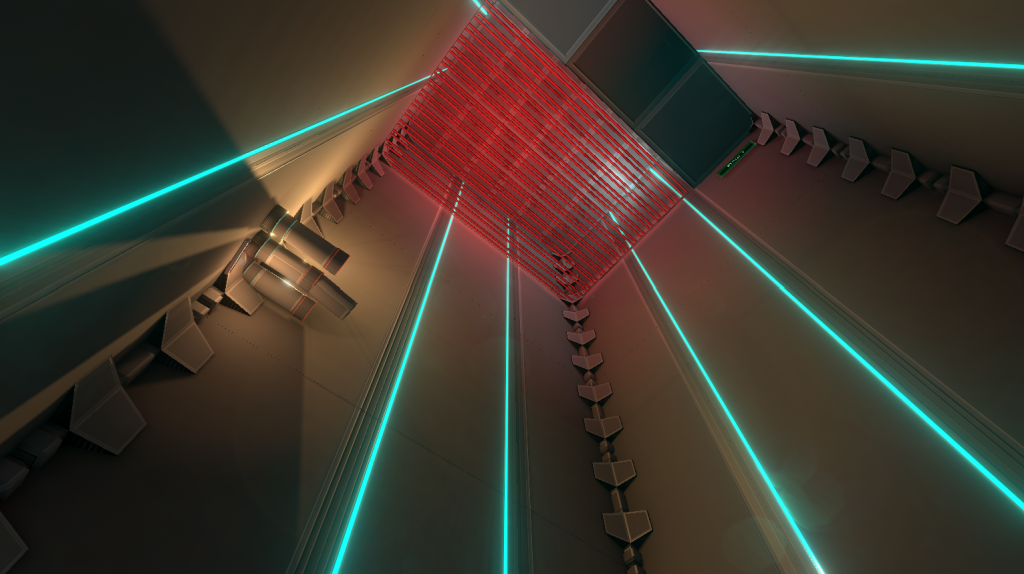
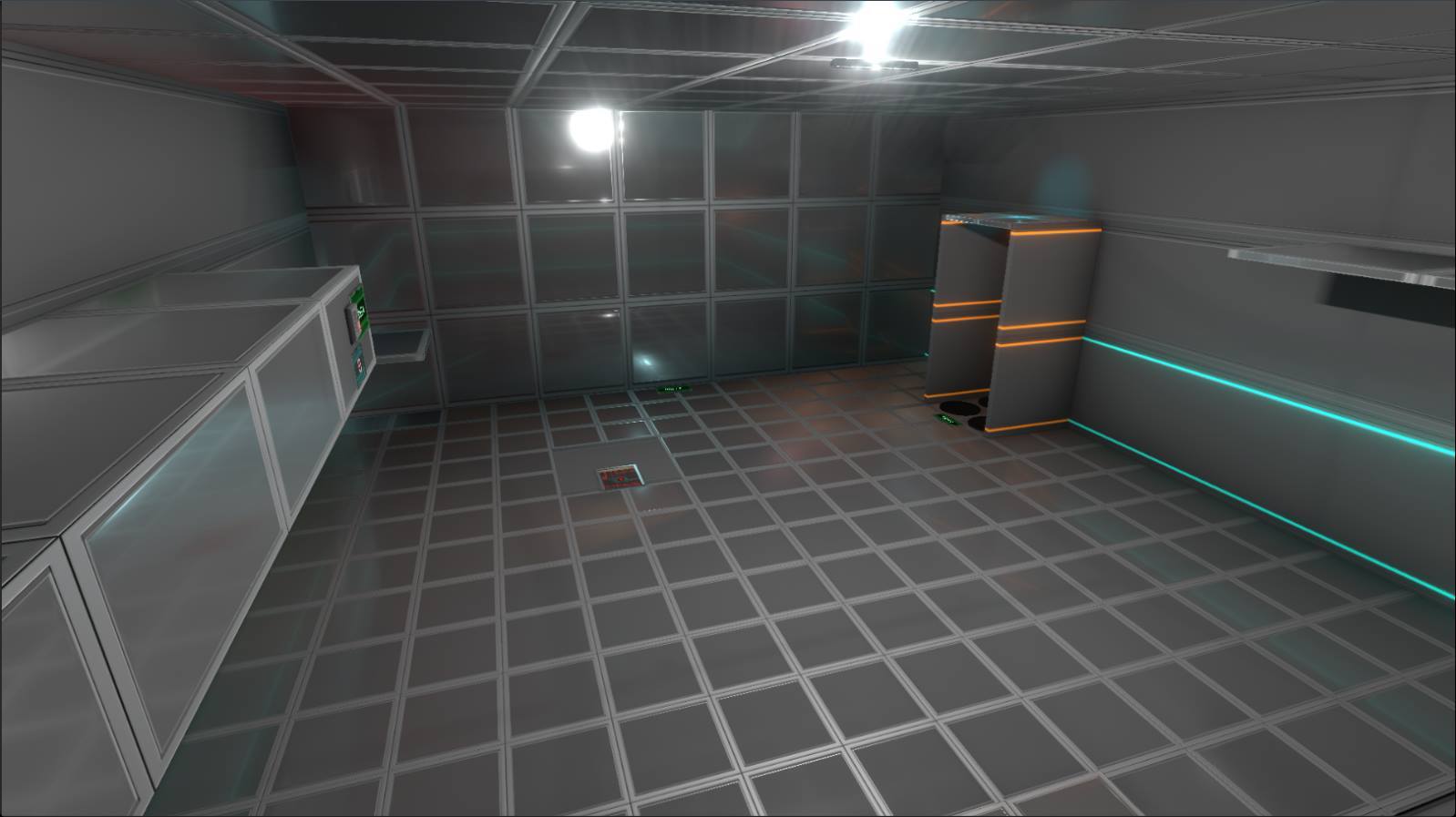
A new update 0.57 of Fractal Space Pre-Alpha is ready to be tested, and live on Windows, Mac and Linux!
Please restart Steamto be sure you get the latest update as soon as possible.
As mentioned below, this update is significant in terms of code changes and optimizations - I'm expecting new bugs to appear with lasers, in-game screens, and character movement.
RESTART CURRENT CHAPTER: If you were playing before this update, please restart current Chapter from the beginning to avoid bugs
Thank you for testing and reporting bugs!
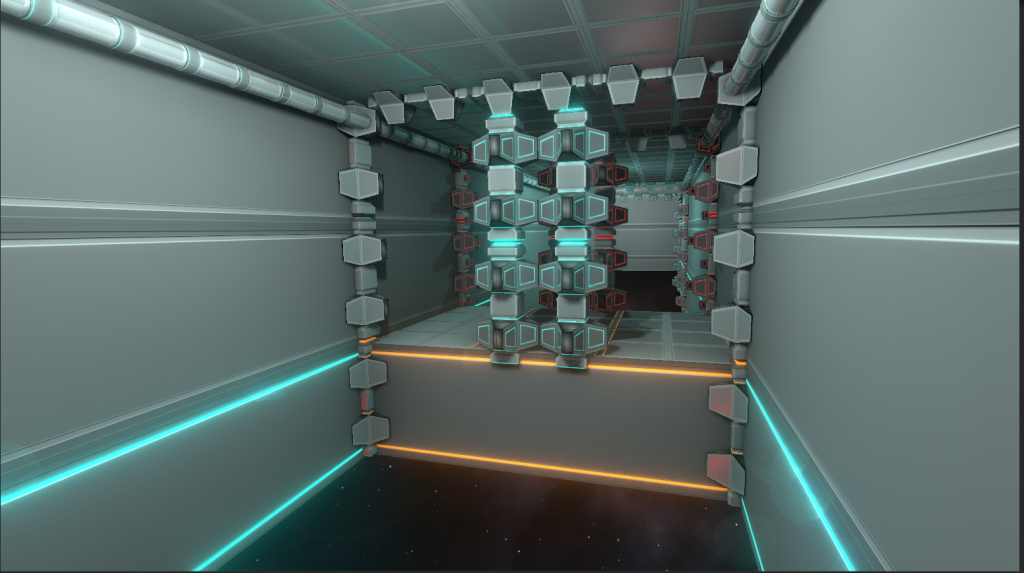
TIMELAPSE | Adding Pipes
In case you might have missed the video, we added new pipes in all levels in the last few updates. This updates adds a few more around the end of Chapter 3. Here's a timelapse of the addition of only a few of them: [previewyoutube="K8_2cIC18bM;full"]
CHAPTER 1 | Dialogues
From v0.57, most dialogues are no longer silent for Chapter 1!
As you might be used to the old dialogues from the mobile version, you might not like the new ones at first, and it will take some time for you to adjust to the change; but they are better for new players who do not know the mobile version.
NOTE: They are not all final in terms of quality and acting, and some will be improved over the next updates. Chapter 1 dialogues will soon be added to the Localization sheet.
CONTROLS | Rework
There has been a major rework of the controls / gravity / fall movement engine. This is a significant change in code, which came along with a pretty significant amount of headaches :)
You won'tsee the difference much at first glance - but this major rework was necessary in order to fix a few complicated bugs, that were annoying whenever they would happen, especially during speedruns.
The end result is smoother fall / landing on grounds, especially while running and on slopes, etc.
Here's an explanation of the fixes and desired behavior with the new changes:
NOTE: The rework does affect how gravity / ground collision / jetpack / hover / dodge is applied to the character - this means that even though the bugs above have been fixed in most cases, these changes may have introduced new bugs, especially if you test complicated combinations of hover / dodge / jetpack / jump / moving platforms.
NEW | From v0.57
Update 0.56 is LIVE!
Hi all! PC update 0.56 is available on Windows, Mac and Linux! Restart Steam to be sure you get the latest update as soon as possible.
This update is mostly about bugfixes after the 0.54 - 0.55 updates. You can view the previous full 0.54 update changelog on our post here: https://haze-games.com/update-0-54
There has been changes to Chapter 1 - Please read the changelog before testing, or else you might think these changes are not intended ;)
RESTART CURRENT CHAPTER: If you were playing before this update, please restart current Chapter from the beginning to avoid bugs
RESET SAVE: If you want the recordings counter fixed properly, you'll need to reset your save with the !Reset Save! button. As a precaution, it's good to reset your save if you are going to test the full game ;)
Thank you for testing and reporting bugs!
NOTES & KNOWN ISSUES
Reset Save:"Bonus rooms count doesn't reset by !reset save!" -> Was not able to reproduce; every time I reset save (either from Main Menu or Pause), everything is reset correctly, including Bonus Room count and states. Maybe there is a specific step to do in order for this bug to occur? However, I made a change to Reset Save that may help this, so it might be solved.
Jetpack & Cutscenes:"Sometimes, when cutscene start, and you starting to use jetpack, after cutscene, jetpack would start and hold Space until end of oil" -> Not able to reproduce: jetpack is always interrupted when a cutscene starts(intended) and request to use Jetpack is always ignored during cutscenes, until cutscenes end. At end of cutscene, jetpack reacts normally. If you find a way to reproduce this, please report again - it doesn't look systematic.
Text: Russian characters are supported by the main User Interface of the game - the Taser screen and hidden messages aren't displaying correctly with all languages yet - it's a known issue, I'll be working on this soon. It's different because text display in 3D uses a different system than UI texts - dynamic font switching support needs to be added for 3D texts (missing feature, will work on it for future update).
ALT+B Reporting: Not displayed correctly on super-low resolutions(like 640x480). Will be fixed in a future update.
NEW IN 0.56
Update 0.55
The first patch of version 0.54 is now live, as 0.55! Restart Steam to ensure you receive it as as soon as possible!
This update focuses on bugfixes from the first wave of reportsfrom the 0.54 update. We'll continue fixing more as they are reported during the week.
Thank you for testing and reporting bugs!
| NEW IN 0.55 |
Chapter 3: Added hint dialogs for Encryption Keys, improved info tablet text. Encryption Key on roof now easier to find. Information tablets will look different than Encryption Keys in the future.
Resolution: First launch of the game will now be in full resolution of screen. Windowed mode will now work correctly for subsequent launches, and will not return to full screen after ALT+Tab.
Sprint: It's intentional to see the Sprint icon even when not able to sprint, to ensure you are aware if sprint is Toggled ON or OFF (especially useful if using TOGGLE sprint type in options).
New Sprint request icon now visually different when sprint request is pending (not sprinting right now / cannot sprint now) or currently sprinting to make it more clear. This way, you clearly know if you are going to sprint ASAP or not.
Known Issue: Bug Reporting: Reporting a bug in the Main Menu with no level loaded, will result in an error; please only report bugs while a level is loaded in 0.55 - this will be fixed in next update ;)
| CHANGES |
Pre-Alpha Warning Popup: The popup explaining that most dialogs are not recorded yet, and it's not a bug that they are silent, was not being displayed on first launch. Should now be displayed again.
Sound Effects: I was not able to reproduce the bug with sound effects that stop working (music only) after character death. I tried many times with the same save as The Promidius, unsuccessfully. If you manage to find a way to reproduce this, please let me know the steps in a bug report. It may be linked to character death exactly while volume is being reduced for a dialog to be played, or something tricky like this ;) I made some changes to try and avoid this, but not sure if this is properly fixed yet.
| BUG FIXES |
Mines: Potential critical error in some cases of Exploding a Mine should be fixed
Discord: Username was no longer being added automatically to the in-game bug reports. Should now be functional again
Collisions: There can be times when the player would ignore some collisions randomly, like fall through a floor. This is very hard to solve everywhere - Theoretically, fixed a few that were reported in Chapter 1 by Ilya. If you encounter any others, please report them so I can investigate. Thanks!
Safe Landing: Potential critical error in some cases of Safe Landing detection should be fixed
Cubes: Picking up a cube that is below another cube, could result in the stacked cube to remain stuck in the air.
Chapter 1: Platforms disappeared on first try when opening the Bridge: They will now act as intended, and appear after activating the Bridge switch ;)
Chapter 1: Collision bug pushing the player in room with first Cube.
Chapter 1: Third laser in first Cube room couldn't harm you if moving towards the "vent access bloc"
Chapter 2: Various visual bugs reported in 0.54
Chapter 3: New area had a bug provoking a missing button for Platform 1
Chapter 3: Some disappearing objects when exploring the new Cube area on some angles
Chapter 4:Power Cores could be "sticking out" of Processing Center and the room just before
Chapter 4: Visual bugs with blinking walls on solar station roof
Lights: Lens flares ("stars") from lights are no longer "outside the light", but at the edge limit. They are intentionally not fully "inside".
Bug Report Error: If you are having a "invalid uri" game error when trying to upload a bug, it may simply be that your Firewall is blocking the game from uploading files externally. Please check your firewall settings to allow the game, or disable it while reporting bugs ;) Otherwise, it can also be that another user is uploading at the same time, the server has limits of concurrent users - simply try reporting your bug again a few seconds later.
Update 0.54 is LIVE!
After a lot of work, the major Update 0.54 of Fractal Space is now live and ready to be tested!
As Steam announcements do not properly support Spoilers for images, we have decided to keep the changelog on our on our official website for a few days - until most of you have had enough time to play the update.
Please click the link above to read more about the content of the new update without getting spoilers - we recommend reading the spoiler parts once you have tested the new update :)
Development Update #19
We have updated the game today to version 0.53 on Steam! This update brings hundreds of bugfixes reported by players since 0.52 last week!
Restart Steam to ensure the download is detected, then check top-right of the main menu that you are on the latest version.
We only going to detail here a few of the importantbugfixes and changes from this update.
More Steam keys are going to be sent now for a few new players.
Please remember: silent dialogues are normal as they are changing - not bugs If you are in Chapter 3: Restart CHAPTER required!
KNOWN | ISSUES
Here are listed the known bugs. You can avoid them, but please don't report these bugs again, unless you have found new information or a 100% reproducible situation to help solve them:
CHANGES
Below are listed the changes - not bug fixes of this update. Bugfixes are listed further down.
UPGRADE | SAFE LANDING
The behavior has changed for this upgrade:
There may be new bugs with this new behavior, like false-positives on GROUND detection. To be tested! Please note it will still show GROUND when normal lasers / saws are present. This is intended, as it's up to you to avoid small traps ;)
SEQUENCE | SWITCHES
Sequence switches were reacting to Cubesin addition to the player. They have been changed to only react to the Player. This is the intended behavior.
OTHER | CHANGES
Chapter 2: Changed the large button platform to require player presence to start. No longer possible to "stay behind"(safer relocation system).
BUG | FIXES
Chapter 3: You could place cubes through the small breakable windows, at the glass-window station area in zero-gravity. This was not intended, and not possible before:
List of some of the bugs that were solved in 0.53:
Thank you to all players who reported bugs from the game, and helped solving these!
Development Update #18
HELLO | DEAR PLAYERS
Hi there, Fractal Space players! New update 0.52 is finally live! This update includes many changes, improvements and bugfixes!
MAJOR CHANGES | RESET SAVE
This update contains many bugfixes and changes to make the game more stable, and fix various gameplay bugs & additions, and save system reworks.
IMPORTANT: These changes imply that a full RESET SAVE is required for the game to function properly. We strongly recommend you press the !Reset Save! button in the main menu after the update!
CHAPTER 1 | DIALOGUES
Chapter 1 had many old dialogues coming from the Pocket Edition, and most of the new PC-exclusive dialogues were simply not present.
We have added the missing dialogues in Chapter 1 for PC; they are silent – and this is not a bug.
As we are reworking them all in the game, please ignore the fact that the audio is not yet recorded, and read subtitles meanwhile.
Please note that new dialogues are not yet localized, and they should not yet be translated as they are liable to still change. Some lines are the same as on mobile – good chance these will change as well in the future. They will only be added to the Localization Sheet when they are considered to be final.
In addition to Chapter 1 dialogues, there are also many new dialogue events. Here are a few examples:
Dialogues for first Upgrade Terminal discovery
Dialogues after taking an upgrade
Dialogues for approaching already used Upgrade Terminals in New Game+
Dialogues which only exist in New Game+, or changed for New Game+
Dialogues for trying to get out of the level(relocation system)
SPEEDRUN | DIALOGUES
Speedrun Mode now disables many dialogues in Chapter 1(around 60% are disabled) to prevent having too much talking during Speedrun sessions. If you want to test the new dialogues (silent, only subtitles for now), please play without Speedrun Mode first. This will be applied to all Chapters in the future.
LEVEL | CHANGES
Many changes were made to various areas in most levels – sometimes these are small changes and fixes, and a few larger ones:
Chapter 1: Cutscene that shows the door closing in front of you in 1..2.. SLICE room has been removed, to allow skip using HyperSpeed without the need to disable cutscenes.
Presure Plates: Reworked in Chapter 1 before Taser Room in order to solve many bugs with their logic. They now enter lockdown for the second time you enter that room, after picking up Taser, preventing many possible bugs, and making them inactive (intentional).
Chapter 2: A room now has higher ceilings to avoid the feel of being “too constrained”.
Chapter 3: First breakable wall with Upgrade Terminal has changed into Bonus Room 6; now also contains a recording and has been rebuilt differently.
Chapter 3: The corridor with the breakable wall above now has higher ceiling
Chapter 3: The area in which you must destroy the Generator to disable the laser field, before the Sequence Room, has changed a bit
Chapter 3: The Bonus Room 7 next to the Sequence Room area has been built and should be functional
END GAME | NEW GAME+
The End Game was one of the main game systems that was not yet functional – and it is now! There might be bugs with this, but the main logic is implemented.
The End Game system is activated when the player has found all Upgrade Terminals in the game, and none are available to use:
Makes all terminals available for a second upgrade
These terminals will now provide you with missing upgrades
When the player acquires all upgrades in the game, all terminals become unavailable
Selecting New Game also resets all picked up Recordings and Color Packs(intended). Only New Game+ keeps upgrades and collectables. SelectingNew Game+ should never reset anything.
NEW UPGRADE
A new Upgrade has been added to the game!
SCANNER
This upgrade helps finding Recordings, Upgrades Terminals and Color Packs. It has 2 levels of upgrade:
Level 1: Be notified when an Upgrade Terminal is nearby
Level 2: Be notified when Recordings or Color Packs are nearby
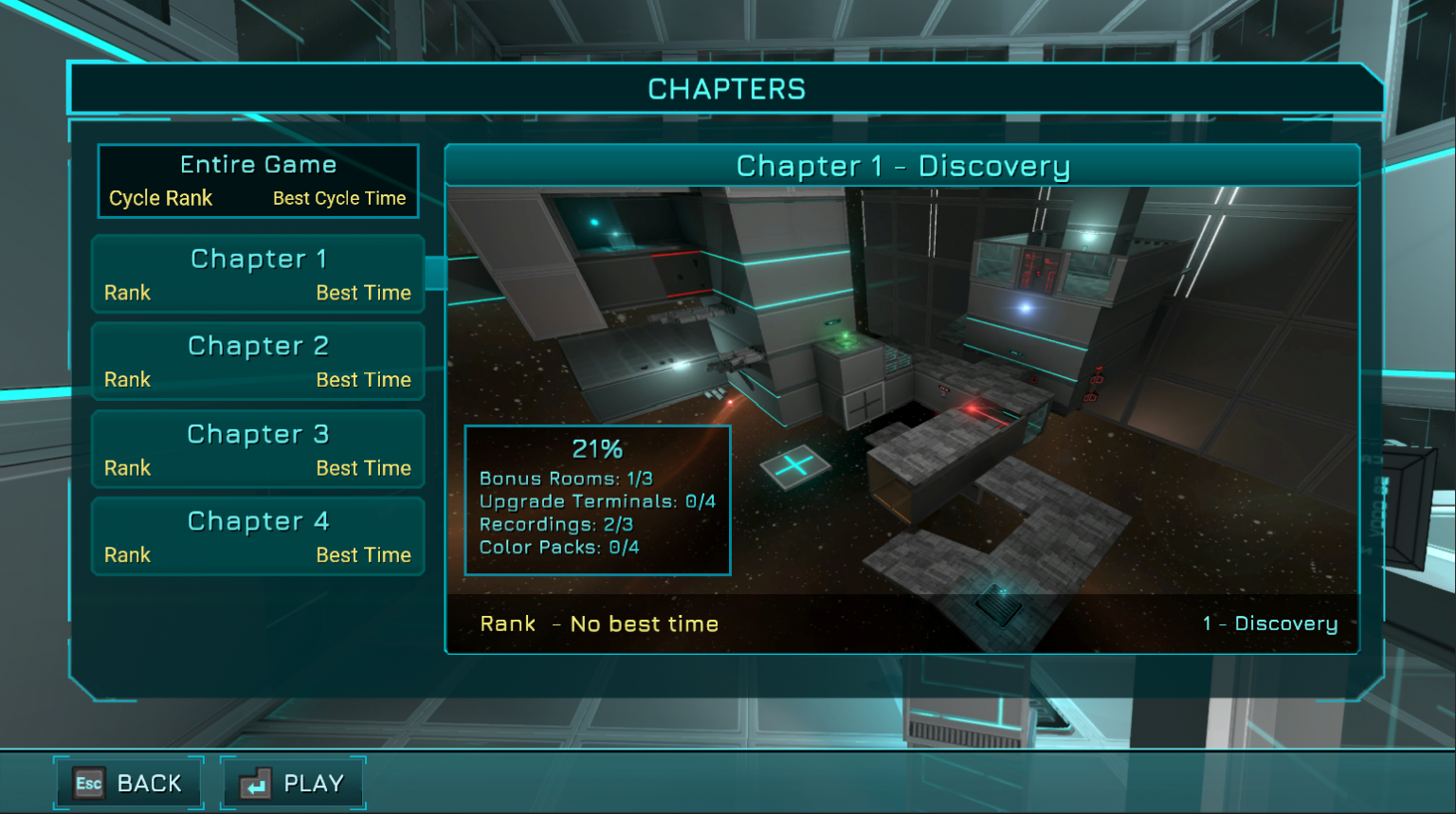
NEW | CHAPTERS PAGE
TheChapters page has been reworked to be more suitable to PC and gamepads. Each Chapter now has a specific image and loading image.
It now also displays new stats for each Chapter:
NEW | STATISTICS
This update introduces new statistics available in the Pause Menu. Later on, we’ll rework the interface display to be easier to read, but for now it’s important to check it regularly to see if it displays accurate information at all times:
Both stats of your current Upgrades (left) and the current Chapter are displayed (right)
IMPORTANT: It’s intended that Chapter Stats (right side) are NOT DISPLAYED on the first run of the game. Upgrade stats are displayed after acquiring your first Upgrade.
UPGRADES | CHANGES
Changes and fixes were made to various upgrades in the game, detailed below.
HOVER | FIXES
Level 3 Upgrade of Hover had a bug, and felt like walking freely in the air because of perfect air control. Changed to feel like hovering, while still having more air control than previous levels.
JETPACK | HYPER-SPEED
Jetpack light and gauge color now yellow to make it easier to distinguish between health / hover / hyper-speed and another element to be revealed in Chapter 5
Health Backpack and Hyper-Speed display improvements, now above health gauge
Health gauge now becomes blue while Hyper-Speed is active, and becomes red when not enough health to activate Hyper-Speed. The gauge and buttons now look like it has been “Toggled On”:
AIM | STABILIZER
Many improvements were made to the Aim Stabilizer upgrade mechanic:
Now shows “Stabilizing…” gauge when auto-aim is starting and waiting for you to stop moving the camera. Any camera movement will cancel stabilization. it will resume if you stop moving the camera again. This will allow you to still play normally with Aim Stabilizer, and only use it by not moving the camera and prefer to wait for Aim Stabilizer to perform.
Longer delay before auto-aim kicks in.
Will no longer instantly auto-lock while in air / hovering / using Jetpack, in order to avoid unintentional instant auto-lock. Instant auto lock now only works if you aim close to the target while on the ground.
Instant auto-lock when starting to aim close to a target to now exclusive to Aim Stabilizer Level 2.
CROUCH | SPRINT
Many bugfixes and improvements were made to Sprint and Crouch mechanics for this update:
Requesting to Crouch shortly after touching the ground wouldn’t be taken into account properly. It will now work and crouch as expected.
Holding the Sprint key would not always work if the character could not sprint at that moment (cannot stand up or other scenarios). Any Sprint request should now always be performed as soon as possible.
Crouch:TOGGLE mode is now the default mode.
Crouch: Various bugs fixed cause by alternating between crouch and sprint
CHAPTER 5 | PROGRESS
If you have played Chapter 4 on PC, the word “Progress” might ring a bell 😉
Chapter 5 is a lot of work, just like Chapter 4 on PC was. We’re gradually getting there, though. We’re getting more rooms functional. There’s a few new features that were added for this Chapter, and creating rooms, puzzles and traps that use them takes time.
We’re hoping to have a first playable of Chapter 5 in Experimental Builds in April. Thank you for your patience!
FUTURE | PC TASER
We have started to rework the Taser-Gun exclusive for the PC version. It will have the following major improvements over the current (mobile) version:
The Taser model have better visuals
All Taser–related Upgrades will have a visual impact on the Taser in-game: Batteries will be added, scope attachment, etc.
Ammo will be displayed more clearly as a number instead of gauge
Taser Customization will affect more parts of the Taser
Reloading system: Batteries will be ejected and replaced with a reloading animation
New animations
Taser Power Level 2 and 3 will be replaced by a “Charged Shot Level 1 and 2″ mechanic. A Charged Shot will consume more ammo, but will break walls (Level 1) and destroy cameras (Level 2) . This will allow you to still choose to only stun a camera, even after reaching max Taser Power level, by not charging the shot thus saving ammo. This change will also make Taser Capacity and Taser Backpack upgrades more meaningful.
The new Taser system requires a lot of work as well, in parallel of Chapter 5. The first playable version is planned to be tested at the same time as Chapter 5 PC. If it’s ready before CH5, it will be set live before 😉
BUG FIXES | IMPROVEMENTS
Here’s a list of the many other various bugfixes of this update – many more have been fixed, only listing the major ones here:
Crashes & Optimization: GPU memory load has been improved for all Chapters. Crashes on old graphics card should occur less often when loading next chapters. Chapter 4 might still have issues, thoughm as there is still work to do for this one. Let us know how it goes!
Subtitles: Could sometimes display slowly or with wrong timings with Hyper-Speed active – should now work fine in all cases
Jump: Low framerate would make it impossible to jump quite often, usually after interaction. Should now be at least reduced, or fixed – let me know if it still happens
Fast Moving Platforms / Smashers / Lifts: Reworked to ensure smooth movement while standing on them, and avoid going through them at low framerate. Please don’t jump while in accelerated lifts for now, still not perfect 😉
Water: Would only be rendered if Depth of Field was Enabled, or Reflections was set to Dynamic. Should now always be displayed, as intended.
Triggers / Events: A bug could provoke some triggers / events to be activated twice, when they should only work once. This could create many level bugs, like unexpected relocations.
Save System: After loading a save, some triggers or objects could be enabled when they shouldn’t be – would create unexpected random level bugs
Aim Stabilizer: Could continue trying to aim after stopped aiming Taser.
Jetpack: Starting using jetpack when a vertical moving platform just started to move upwards would provide massive boost to jetpack.
Jetpack: QuickSave / Quickload will keep Jetpack Fuel at time of save (avoid exploits). For Auto-Saves / Last Checkpoint, fuel will now be fully recharged
Exit Crash: Fixed crash that could occur upon game exit
Shadows / Reflections: Many reflections / shadows fixes that were reported
Thank you for reading, and see you next time! Charles from Haze Games
Development Update #17
Dynamic Reflections
The latest updates of the PC version now support a new Dynamic level of Reflectionsin the Graphics options: [previewyoutube="JyqThxyS1YA;full"] Static reflections are precomputed and greatly optimized, so it should be fine keep Reflections to Medium or Low even with an integrated graphics card. The main drawback is that as the environment changes(a door opens, a screen changes color, etc.), these new changes are not seen in the reflections. It is a performance VS realism compromise.
The new Dynamic reflections level uses Screen Space Reflections and solves the issue stated above. However, it is resource demanding, and should be used only if you already have a good framerate. It usually lowers the FPS significantly on integrated graphics cards.
If you are on integrated graphics instead and not a dedicated GPU, you should keep Reflections to Medium or Low level.
New Electrified Water
[previewyoutube="IiKRe5DlKoo;full"] The Electrified Grounds were only made of an electricity visual effect. We have improved them:
New Vent Doors
[previewyoutube="WAH0rzaQJSI;full"] Vent doors were using a small regular door visual. This was temporary. They now all have been replaced with the new visual! They have been improved to:
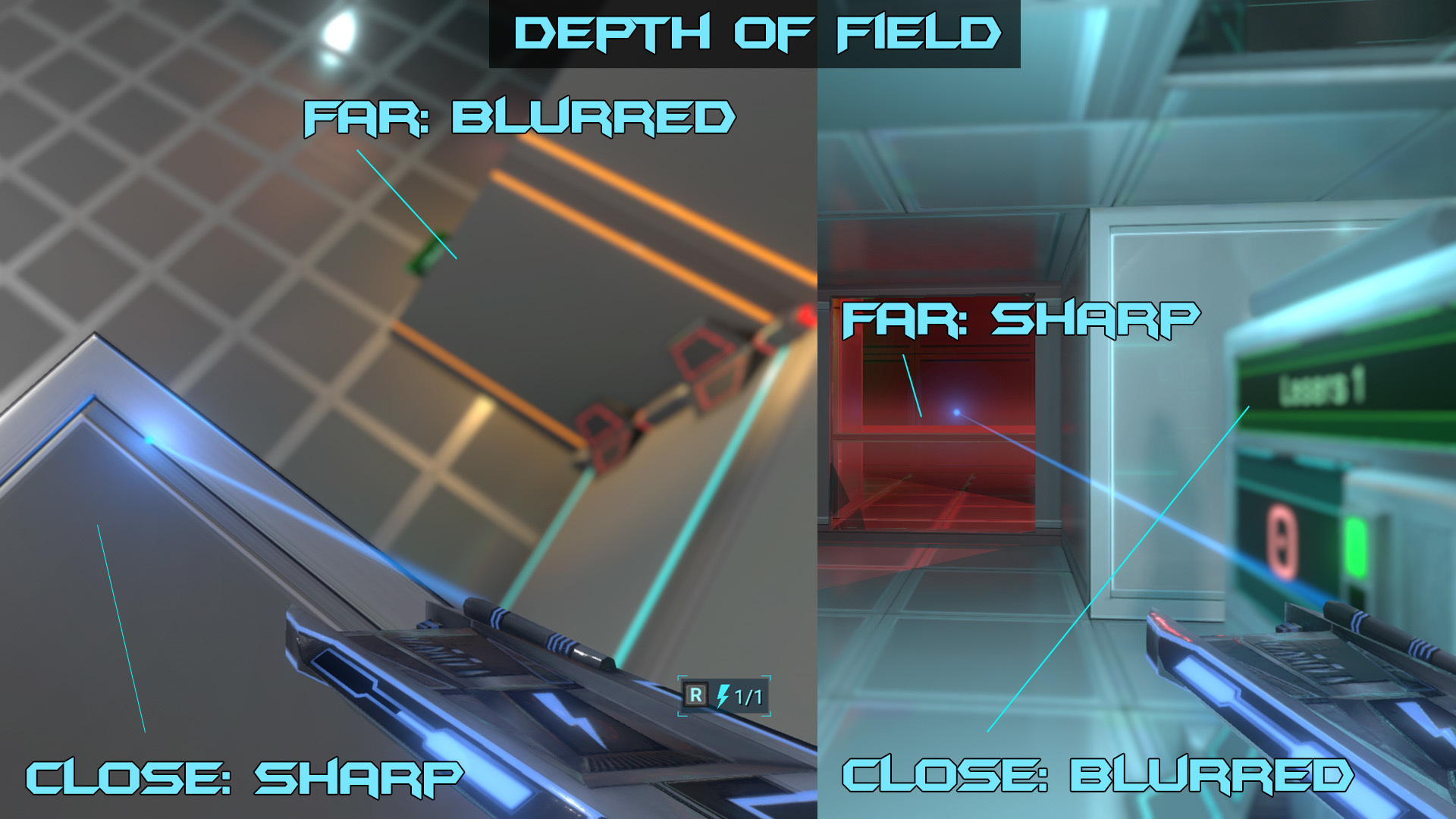
Aiming Depth of Field
[previewyoutube="NWl-iX7W6sQ;full"] The Depth of Field effect can simulate the blur that can be observed by a real-world camera, when it is focusing on close or distant objects. If this effect is enabled, it will be used in the following cases:
This effect is demanding; if you have an integrated graphics card and a low framerate, it's best to keep it disabled.
Reworked Taser Aiming
The aiming laser for the Taser -Gun has been reworked significantly to fix the following issues:
You can see the issue described above, in the following image:
With the newly reworked Taser aiming system:
Here's an image of the updated version of aiming, with these issues fixed:
Softlocks and Hyper-Speed
In the game, for quite a while, it was possible to get on the wrong side of some doors as they were closing; this would result in being softlocked, requiring to reload from last checkpoint.
New Door Type: Hyper-Door
[previewyoutube="GZyj2YzLk4w;full"] Since we have introduced Hyper-Speed in Chapter 3, there were 3 major design problems to solve:
In order to solve the issues above, we have introduced a new door type: the Hyper-Door:
With this new door type and other changes to the door closing system, it is now impossible to go backwards behind a closing door and remaining stuck. This means many softlocks were solved.
If you find any softlocks while playing, let us know!
New Upgrades
We have added 3 new upgrades to the game; the upgrades distribution has also been changed to reflect the new upgrades and a few new improvements were made:
Upgrade 1: Scope
Allows to zoom while aiming with the Taser. Simply use the scrollwheel or Directional Pad Up/Down while aiming to start using the Scope. The Aim Stabilizer is disabled while using Scope to allow precision shots.
It has 2 levels of upgrade:
Upgrade 2: Aim Stabilizer
Taser aim assistance module, which automatically locks aiming to the closest aimed at target. It has 2 levels:
As this upgrade makes the game much easier, it is only available from Chapter 2.
This system is hard to make comfortable in all situations. At the end of this post, we have some additional details on how it works ;)
You can see these 2 upgrades in action in the following video: [previewyoutube="-jO7PNcPzM0;full"]
Upgrade 3: Safe Landing
This upgrade informs the player if it's safe to land below him. It has 2 Levels of upgrade:
You can see this Hazard notification at the bottom of the screen: [previewyoutube="6j4dB1LIBCQ;full"]
Elevators
We have reworked and improved elevators in all Chapters of the game:
Chapter 1: New Elevator Skip
[previewyoutube="z03hqM4Egt4;full"] We have added a new Skip path in Chapter 1! It is located in the very first lift, and is only accessible after activating the elevator, using Dodge in New Game+.
The first time you try it, you might not be faster than the lift - however with a bit of training, high Speed upgrade level and Sprint ability, you will be able to get up much faster than the lift ;)
In addition, this new skip path contains a Bonus Room(currently empty), in which you can acquire an additional upgrade.
Chapter 4: New Bonus Room
A new Bonus Room has been added to Chapter 4, just before the Enhanced Camera. It allows you to acquire an additional upgrade.
This is one of the rare Bonus Rooms that will be accessible on the first run and not only in New Game+, as it doesn't require a specific ability, and is only protected by a Breakable Window.
Chapter 5
We have been working a lot on the PC version of Chapter 5 in parallel. Progress is slow, but steady. It's a complex Chapter, introducing quite a few new elements, similarly to Chapter 4 on PC.
We can't give you too many details as we don't want to spoil your first experience with this new Chapter when it's available to play. Here's what we can say:
Level Editor
In parallel, we have also worked on the Level Editor, but we are still currently focusing on Chapter 5 and mobile updates, so it's still not ready to be tested. Here's a bit of news on the status.
We have started to create a basic user interface (currently, all icons are the same) to add objects, and edit selected objects, in addition to a customizatble Quick Access hotbar:
Functional
Not Functional - Required
Here's a list of what we need to work on before a first version can actually be tested or shown:
When we will have the features above ready, we will either upload a video or livestream a demo of these basic functions before it can be tested by players ;)
Bugs & Crashes
We have fixed hundreds of bugs in the last few updates; one major victory was made on mysterious crashes some users were experiencing every time the game was trying to reload the latest checkpoint.
Fixed Crashes
The crashes upon last checkpoint reload were linked to some Graphics Cardsnot supporting some specific instructions.
After a lot of work and testing of special development builds from these users (thanks again for helping out!), they are finally fixed and these users can enjoy the game again without crashes!
Important Bugfixes
Aim Stabilizer Details
Here are a few additional details about the Aim Stabilizer system:
That's it! Thank you all for reading and see you next time! Happy gaming, Charles from Haze Games
Development Update #16
Hi there, dear Fractal Space players!
We’ve had quite a lot of new things added to the game recently, and many long-lasting issues were addressed in the latest updates.
We’ll discuss here the new and changed elements in Fractal Space.
We’re very happy to announce a new feature that was requested a lot over time by the community on both PC and the Pocket Edition of Fractal Space: The ability to customize your Taser!
https://youtu.be/QsX_JiNxozg
In the video above, you’ll see that you can separately select a color for:
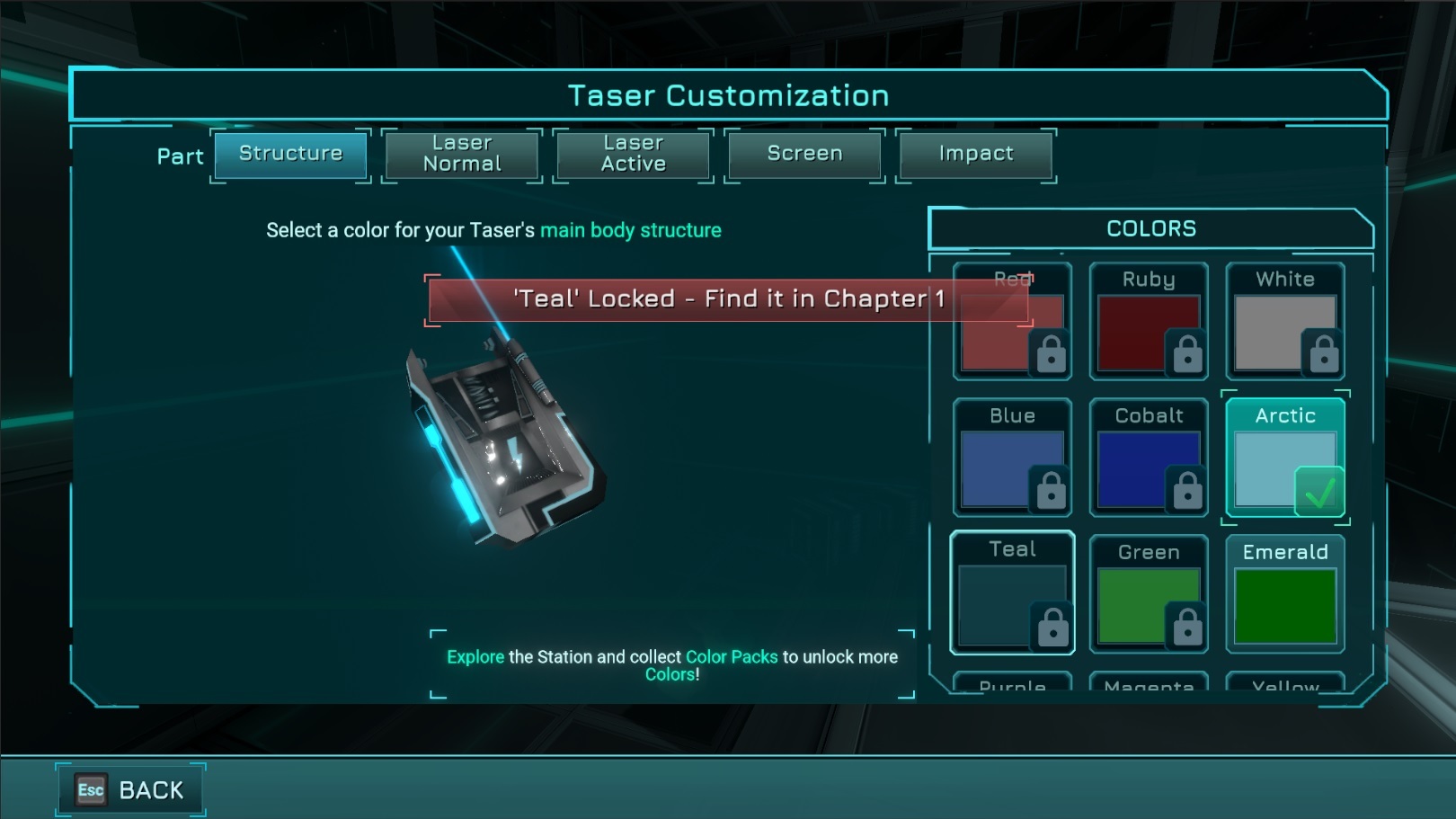
When you start the game, you have access to a 2 default unlocked color swatches:
There will be approximately 20 colorswatches in total. In order to unlock new colorswatches, you’ll have to find them by exploring all levels and picking up the Color Packs in the game:
If you try to activate a locked color, a hint will show you in which Chapter it can be found:
Some Color Packs can be found in the first run; rare Color Packs can only be accessed in New Game+ using Taser Power Level 2, Dodge and Hyper-Speed.
New Objectives System
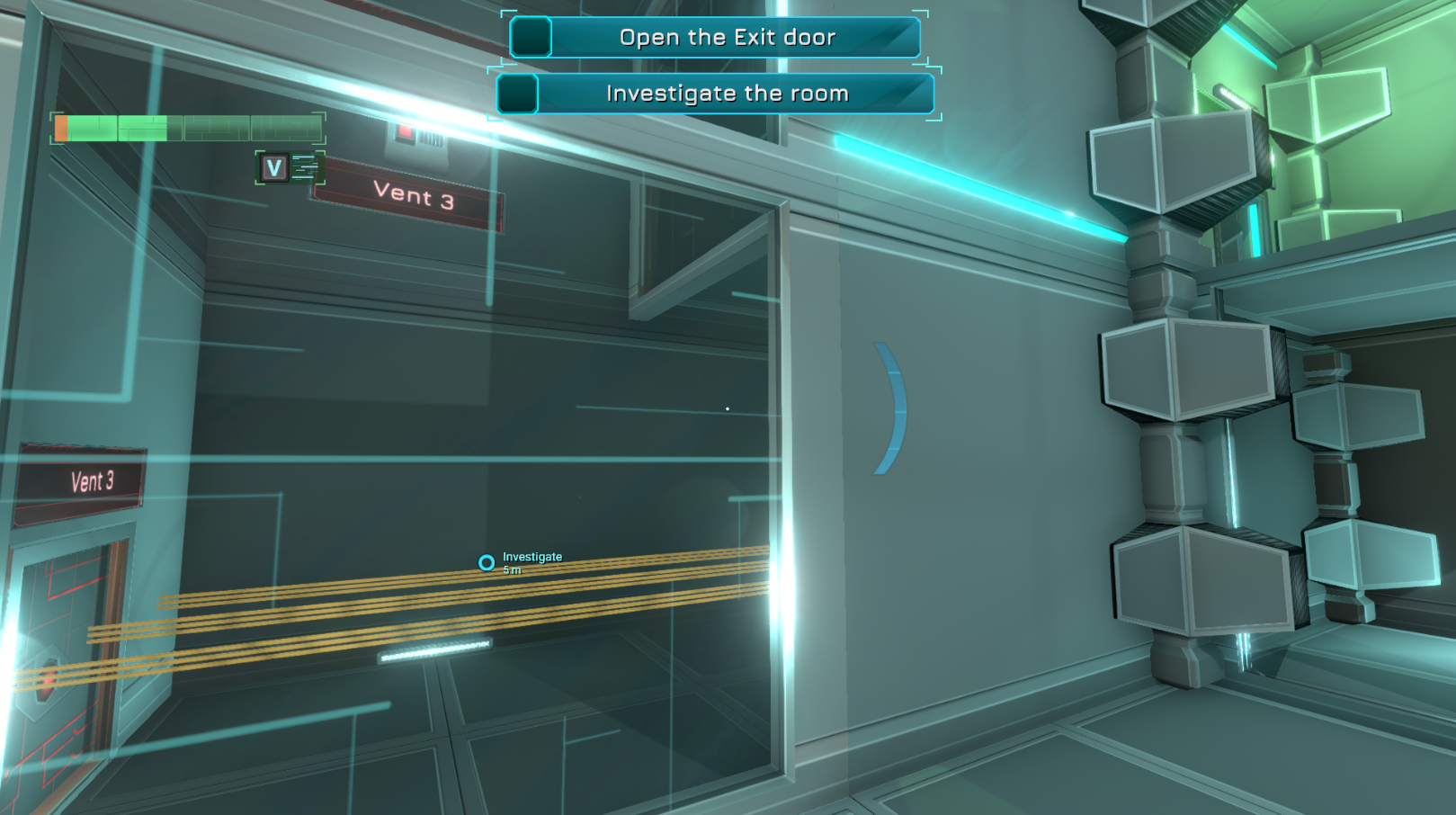
The game was missing a core element: objectives and objective markers. We have now added this to the game, and completely reworked the objectives system. You can see a demonstration of this new Objectives Systemin this video:
https://youtu.be/tcTrL-R96NU
As you can see in the video above:
We are keeping objectives as general goals like “Open the Door” or “Find an Exit”, and we rarely provide step-by-step help in order to avoid making the game too easy.
However, it’s now much harder to forget what you are supposed to do, by simply pressing Tab or Dpad Down to see your current objectives and their markers anytime.
Chapters 1, 2 and 3 have new, reworked objectives throughout the level; we will soon be adding them toChapter 4 too on the Experimental branch.
Controls Remapping
Controls Remapping has been improved, bugs have been fixed, which makes it more stable and all cases should work fine: https://youtu.be/AZFgbkXt0_I
Gameplay Changes
Many changes were done to the core gameplay of the game; some that are hard to notice if you don’t know about them, but they should prove to make the game more comfortable especially for newcomers.
New Area
We have added a new hidden area in Chapter 1 in which you can find a Bonus Recording(coming later) and a Color Pack:
https://youtu.be/uS2FfoLrePo
And below is a Time Lapseof how this area was created if you’re curious :)
https://youtu.be/ohMcypxl06Q
Multiple Paths
The game now supports multiple paths to reach the very first Taser Ammunition Pack in Chaper 1 on New Game+ demonstrated in the video below using the Dodge ability: https://youtu.be/Z45gvUuRpqo
New Skip
We have added a new skip path in Chapter 1 for New Game+ only, next to the very first crushers you encounter in the game:
https://youtu.be/JAT3AJylcnQ
Improved Area
In Chapter 1 on New Game+, you can walk on the vent next to the very first Power Core; this area looked visually buggy; it has been reworked to look more like an intended secondary path:
Interaction
Jump
In some cases, the character wouldn’t respond to jump requests; now this shouldn’t happen anymore and the player should always jump when requested, even while moving fast – considering there is a valid ground below.
Slopes
There were many issues when the player was moving fast on slopes. Now, moving fast up or down a slope will still ensure the character remains “sticked” to the ground all the way instead of “slowly flying down” the slope sometimes (that was preventing you from jumping while going fast down slopes).
Jetpack
Mine Beams
We have reworked the mine beams visual effect to be more distinguishable from normal lasers, and to look nicer:
https://youtu.be/gbTSm4CXR5k
In-Game Bug Reporting
We have reworked the in-game bug reporting system. It is now:
https://youtu.be/WFpqZqjnv9I
It is now the recommended way to report bugs: Please press ALT+B directly in-game.
A great addition thanks to these changes and The Promidius’ hard work on the Discord Server code, bugs are now fully linked to the server, and it will automatically post a new bug report on the #active-bugs channel!
New Sounds
Next Steps
From now on, we have the following main next steps that we are going to be actively working on.
Finishing Chapter 4
Chapter 4 on PC is currently only available in EXP builds. We will now make some final additions:
After these 3 steps are completed and testing is done, Chapter 4 will be available in the default branch!
Building Chapter 5
We have just started the work on Chapter 5 for PC; It will be a long journey of work, estimated to 2 months.
Chapter 5 will be a reworked version of Chapter 4 on mobile, with many new rooms and new PC-Exclusive content. The existing mobile content will be completely re-designed to look and play better with the PC gameplay mechanics.
When it will be ready to be tested, it will first only be playable on EXP builds.
Creating the Level Editor
We have started working on first tests for a Level Editor for Fractal Space a while back. However, it’s in a very early state, and cannot be tested currently.
We will now be spending some time every week working on the Level Editor in parallel, and we will now share screenshots and progress of how the Level Editor is coming up on social media, hopefully once a week!
Updating the Pocket Edition
https://youtu.be/1s2iQAbm29g
With our focus on progress for the PC version recently, we haven’t updated the mobile version for a while. We’ll now be working on the mobile version in parallel, in order to:
We’ll keep you updated as progress is made on the mobile version update; there will first be a Beta-Testing phase on both Android and iOS.
That's it for this month! Thank you for your support and for reading us!
Development Update #15
Experimental Chapter 4!
We hope you're all doing great since last time! We had quite a lot of updates of the PC version since the last article - I'll try to summarise them all up here!
It took a great amount of time to get this new, exclusive Chapter 4 ready for you to play and test to help improve and find bugs, but it's finally available in an early, experimental version! This new Chapter features quite a lot of new gameplay mechanics - we sincerely hope you'll enjoy them!
It's currently missing objectives and voice-over dialog; even if they are silent, subtitles are displayed to help you understand what to do as you play.
There was a very first release of Chapter 4 a few weeks ago, but it had various bugs and was missing some rooms, that have since then been added in the latest update v0.4.2c_EXP. In addition, the first version wasn't optimized; the latest should now run better on low-end computers.
Even if the ending of Chapter 4 is still missing the latest version, most of Chapter 4's playable content is now here. Chapter 4 will then be available on the main Default branch for all players only once the final ending of the Chapter is implemented. This is estimated to be for the end of May 2019.
I would like to thank all the early testers that have already tested the new Chapter through our official Discord Server!
I'm not going to provide more details of this new Chapter to avoid spoilers :) If you're interested in trying out the current Experimental version of Chapter 4, head to the Official Steam Guide for accessing Experimental Builds!
New Upgrades
New Upgrade available, with 3 upgrade levels! You can find it in all Chapters. This new upgrade is called Hover: It allows you to hover in-air for a short duration while you aim your taser, making it easier to shoot whileairborne. This upgrade is meant to be functional before picking up the Jetpack, which is why it's a separate system than the Jetpack. However, it does prevent the Jetpack from recharging while in use (intended).
Health Backpack and Taser Backpack upgrades are now considered Abilities until first unlock to Level 1. Then, can be upgraded to Level 2 and finally, Level 3. Until now, there were only 2 upgrade levels possible for these upgrades - we have now brought it up to 3 in order to carry up to 3of each item types (Healthpack or Taser Battery).
New Graphics Options
The game now has a new Display Type option in the Graphics tab: Select either Fullscreen, Borderless or Windowed mode.
We have added a new Depth of Fieldoption in Graphics tab: Enable or Disable the hit blur visual effects (high performance impact on low-end integrated graphics cards)
New Sounds!
We have started to rework the sounds of the game! Philip, a good friend of mine and sound designer, is working on his free time to replace gradually the sound effects of the game, and he will help with some new music sound tracks.
We already have quite a few new sounds implemented: taser shooting sounds, heal, healthpack / taser battery pickup, taser reload, ui notifications, and a few more.
More will come over time as he has time to work on them!
More Optimizations
In the previous major updates of the game, we had already made big optimization improvements, making the game more playable on low-end computers.
With this latest update, many of the rooms that were still a bit more demanding have now been adjusted, re-structured and optimized to be easier to render on integrated graphics cards.
Bug Fixes and Changes
Chapter 4: Ending
Now that most of Chapter 4's content is functional, we have the ending of the Chapter to create. This will be done in a future update, as it's going to require a lot of additional work. We will now be focusing on that.
Chapter 5
Once we have implemented the ending of Chapter 4, the chapter will be out of Experimental build for all players to test, and we'll start working on Chapter 5, which will be a longer, improved version of the mobile version's Chapter 4.
Mobile Updates
Currently, the mobile version's updates are on hold as we focus on the PC version. However, we're planning to fix a few additional bugs, and improve performance and quality even more within the next 1 or 2 months.
Level Editor
We are aware you all would love a Level Editor. We still haven't announced anything yet, as we are still researching the possibility of adding a Level Editor in the PC version of Fractal Space.
Yes, we are experimenting, in parallel of creating the ending of the game. However, we will only start focusing on a Level Editoronce we are closer to releasing the final version of the PC version.
Once experiments are concluded and if they are successful, we'll officially announce a Level Editor and start a beta-testing phase for the feature. However, at this stage, we still cannot confirmthere will be one, and when it will be released.
One thing is sure: if there will be a Level Editor, it will be completed and available to the public only after the story mode is completed, as we are too small a team to work on the game itself and a fully-fledged Level Editor.
Thank you all for playing, for your endless support and for reading! Talk to you soon,
Development Update #14
It's been a while since the last Development Update! We've been updating the game through Steam and posted news on ourDiscord Server, but not here.
We have been (and still in the process of) moving from France to Canada, so it has been very busy around here, and we didn't have much time recently, but here is a summary of the improvements that have been made the past two months!
VISUAL IMPROVEMENTS + OPTIMIZATIONS
The builds of the last two months were primarily focusing on many visual improvements and performance optimization; the game now runs much better than before, while looking better as well! These changes were in Experimental Builds for a while, they are now in the default, stable branch for all players.
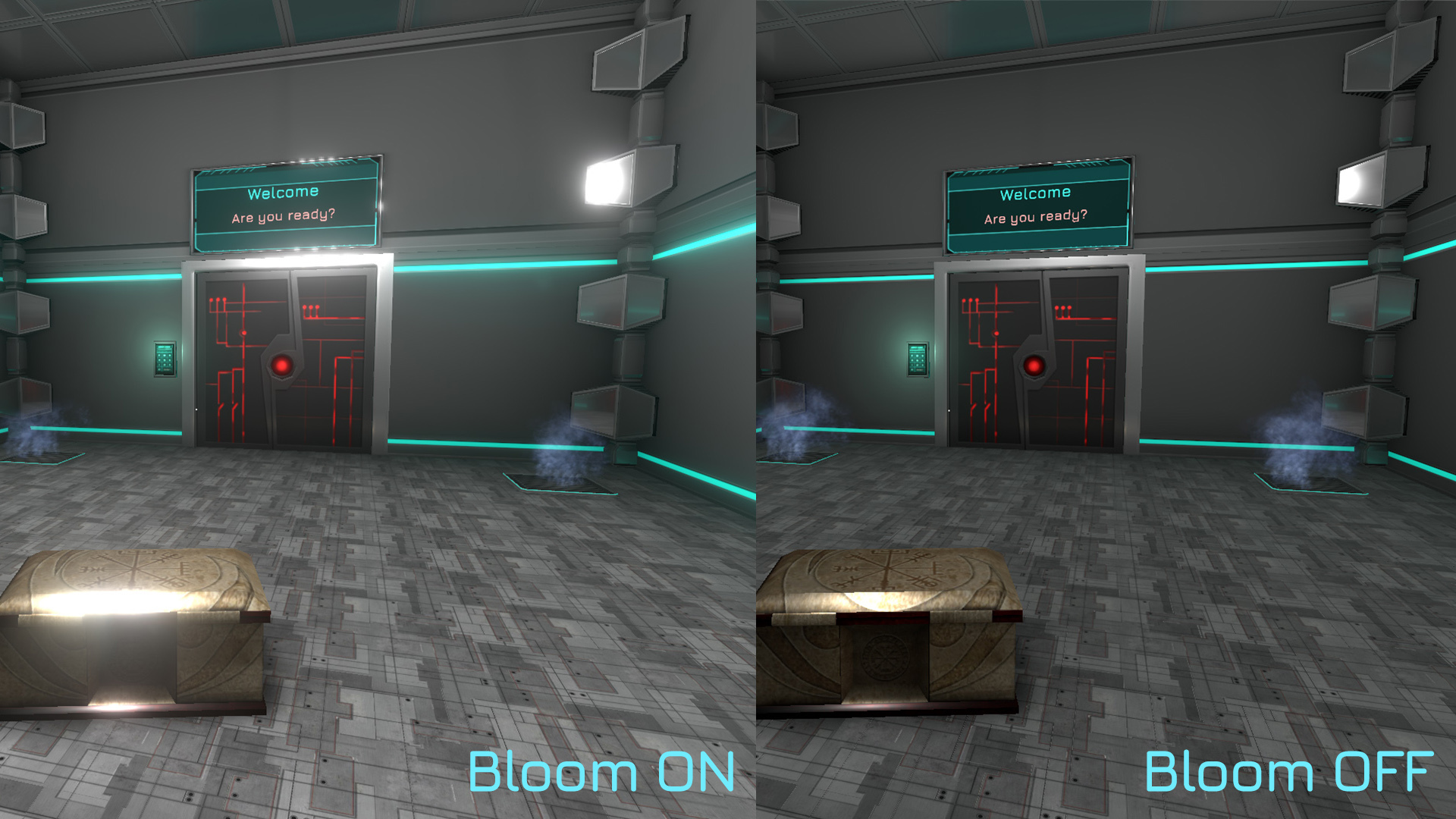
We've reworked most of the visual effects and post-process effects; Ambient Occlusion, Motion Blur, Antialiasing and Bloom are more realistic, and a lot of work was done on lighting to increase realism and performance, while making all scenes brighter.
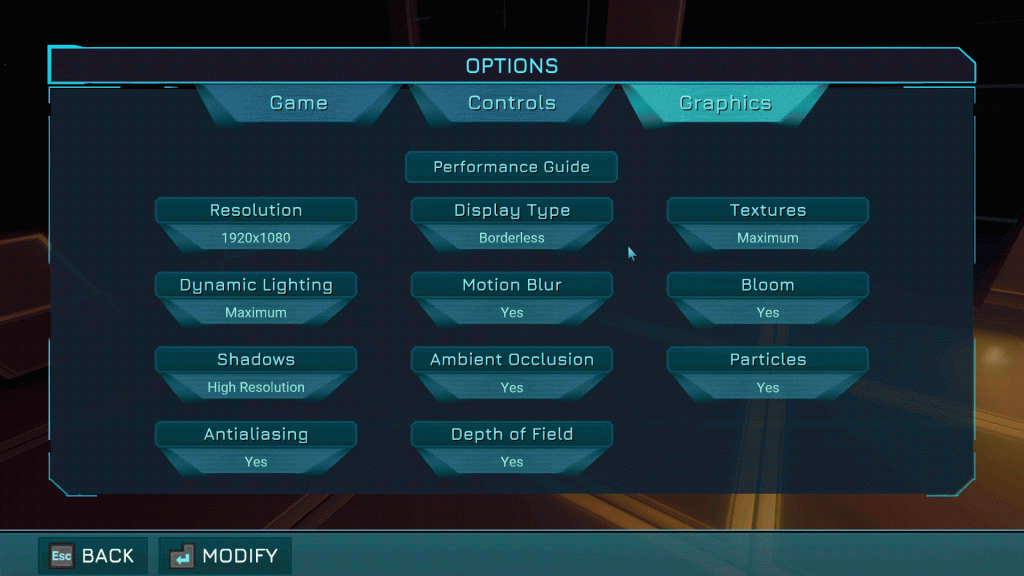
Finally, we've added a Performance Guide here to help tweak / customize the Graphics options available in the game's Options page:
NEW: IN-GAME BUG REPORTING
Good news for testers! If you encounter a bug or want to make a suggestion, you can now do it directly in-game: