Even though winter might be a cold season, get ready for the hottest sale on DLCs on Steam! You can enjoy up to an 80% discount on selected Steam DLCs.
Sale period: December 21, 2023 10:00 ~ January 04, 2024 10:00 (PST)
We have also made every package accessible. You may just click on the package below, and you will be redirected to the Steam store page of the package you're interested in checking.
Here comes the 2023 Winter Camp! Many tasks have been created for this summer camp. Through training, players will be able to earn useful rewards. To get the most out of this summer camp, be sure to keep track of your training progress.
2023/12/20 00:00 ~ 2024/01/16 23:59 (PST)
Upon joining the event, you will receive participation rewards.
We have prepared a table showcasing the participation rewards for the 2023 Winter Camp.
I. Training Schedule
Be active on your training! Login daily to earn significant rewards.
*Get Fx Freestyle Legend Wish Box on your 25th login
II. Practical Training
Track your training progress and daily attempts per drill. We also want to share the training guide for each drill so everyone will be guided accordingly. Please refer to the following images.
Shooting Training Guide
Agility Training Guide
Dribbling Training Guide
Strength Training Guide
III. Training Plans
Don't forget to check the training plans section. To get your preferred rewards, make sure to view all the tabs in this window.
*Receive additional x15 Freestyle Training Tickets upon finishing all the training missions.
IV. FS2 Lucky Instant Lottery
Get your desired items by exchanging lottery tickets here. It's also worth noting that there's a daily reset timer to restock, so check it from time to time.
It's important to be aware of the event mechanics of FS2 Lucky Instant Lottery. Kindly read the following information so you'll be guided accordingly.
Step 1. The quantity of items that can be obtained per day is limited. Step 2. Daily lottery tickets will be given upon completing regular matches. Step 3. If you win a lottery, you can exchange it for prizes at the Exchange Center.
-> You can obtain 1 lucky lottery ticket per BZ/Regular channel match. (Up to 5 tickets per day per account can be obtained.)
-> You cannot receive a lottery ticket if you surrender within 10 seconds after the match starts.
-> No lottery tickets will be given during the product restocking time (23:30-24:00).
-> The winning lottery tickets will be provided as exchange ticket, which can be exchanged for rewards on the Exchange Page.
Item exchange is only possible until 23:30 on the same day.
-> Unclaimed lottery tickets and unredeemed exchange vouchers will expire starting at 23:30 on the same day.
-> The prize list and exchange count will be reset daily at 00:00.
V. Comprehensive Evaluation
The Comprehensive Evaluation window contains the overall progress of your character. This is also the place where you can receive the training result reward as seen on the image above.
*Achieve "S" Grade in the Comprehensive Evaluation to obtain Unlimited +1 to all attributes reward.
Additional Information:
Please also read the important reminders for the 2023 Winter Camp listed below.
-> You can play once per day. (Resets daily at 00:00) -> Each training is considered 100% complete after successfully completing it 25 times. -> There is no limit to the number of attempts in the mini-game challenge until you succeed. -> Daily attempts do not carry over to the next day. -> Rewards will be delivered to your gift box.
Grade Rewards
~ FreeStyle 2 Team
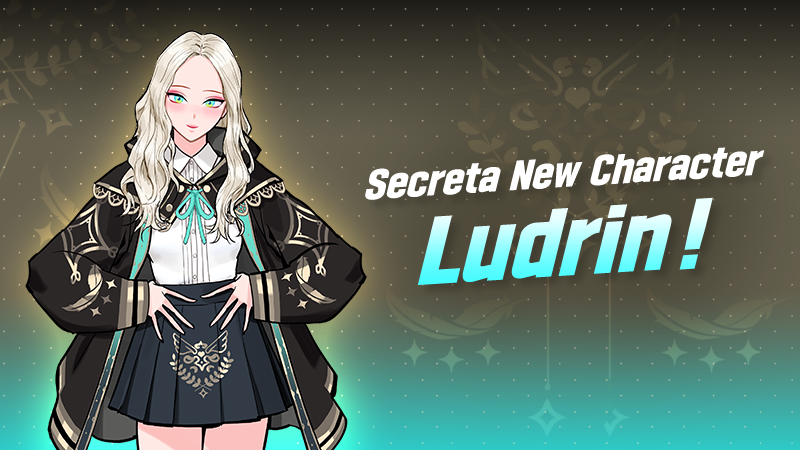
Secreta New Character: Ludrin!
Brace yourself for the arrival of Ludrin, the enigmatic Ice Wizard who brings an icy touch to the court.
Ludrin's presence is a breath of fresh, frigid air, as he deftly weaves the power of frost into his every move, leaving opponents shivering in awe.
Join her as she takes the center stage of Freestyle 2 community, bringing a chill to the competition and a touch of magic to every match!
Get ready to see what the wizard will do on the court!
[Ludrin Character Character Information Screen]
1) Position : ALL positions (C, PF, CT, SF, SG, PG, SW, DG)
2) Height : Can be set within 160 ~ 200
3) Ludrin Unique effect : - Intensive training points + 35 - SECRETA #Ludrin: Extended abilities +10 - Unbreakable Will: Buff function available (Wizard from Team Secreta can use Buff Attribute) - Ludrin's Ancient Grimoire: Motion selectable (Ludrin can choose Motions using a special spellbook)
Character Collection:
Abilities:
Buff Details: 1. Press Space during a match to obtain a buff. 2. Buff effect lasts for 20 seconds. 3. There are no limits to how many times you can use the buff. 4. Once the buff ends, the buff gauge will slowly fill up over 30 seconds. 5. Different buffs will be obtained depending on offense/defense turns. 6. The personal buff ability will be applied
How to set Buff Attributes: 1. You can check and change the buff attributes from the “Player Info > Character Buff Settings” tab. 2. 3 attributes can be selected for offense and defense each. 3. Same offense/defense attributes will not stack when buff effect is applied. * Buff attributes may be adjusted partially during balance updates.
Abilities per Position:
Skills:
Motion:
Motion Details:
* [11] Magic Points will be given when creating Ludrin character.
Ludrin's Ceremony
Diving Catch & Rebound
Baseball Pass & Block
Short & Long Layup
Short & Long Dunk Shot
Jump Shot
Long Range Layup & Close Range Layup
Long Range Dunk Shot & Close Range Dunk Shot
Breakthrough & Block
Jumpshot & Dribble 1
Dribble 2 & Long Distance Layup
Short Distance Layup & Long Range Dunk Shot
Close Range Dunk Shot & Jump Shot
- Characters from Team Secreta can select motions through their special gear. - Motions can be selected upon creating a character. - Check selected motions from the “Player Info > Character Buff Settings” menu.
Character Motion Selection: 1. You can use Magic Points to select motions. 2. Selected motions will be set as default motions for the character. 3. If you don't have enough Magic Points, you won't be able to select any more motions. 4. Selected motions can be changed anytime by using the "Secreta Motion Changer" item. (Go to Player Info > SPC Buff Settings)
*** Note: There will be a 1 time FREE character motion changer when you change your motion for the first time.
Illustrations:
- Freestyle 2 Team
Special Sale Event: Ludrin Release Celebration
It's now your chance to obtain more items at the Special Discount Event!
This is your chance to avail a significant discount while upgrading your character.
Don't miss out on this opportunity!
Event Period: 2023/12/20 ~ 2023/12/09 23:59 (PST)
Package Shop Mechanics: - Purchased products will be sent to your Gift Box. - Products on sale cannot be purchased with Event Gkash. - Each product has a purchase limit.
Package Details:
Thank you for your continued support!
- FreeStyle 2 Team
Classic Court Open!
Hello,
This is the Freestyle 2 Development Team.
A new Classic Court event has been opened from 12/13. The Classic Court event will showcase various balance changes in the future. We kindly ask for your feedback and ideas during the Classic Court event.
Play Classic Court (On/Off) 1. If there is a user among the 6 match participants who wants to play on Classic Court, there is a probability that it will be selected. 2. If all team members on one side do not want to play Classic Court, the chances of it being selected are 0%. 3. You can check the chances of Classic Court being selected by clicking the [Probability] button 4. While the users are in waiting room, they can turn on and play the Classic Court. Just hit the [Event] button from the upper left side of the screen
There are also indicators that the team members turned ON/OFF their Classic Court.
Preview:
How to participate in the Classic Trailer Shop Event! - Obtain tickets by playing in the Classic Court. - Receive two (2) tickets for winning and one (1) ticket for losing in the Classic Court. (Daily acquisition limit: 20 tickets) - Exchange the acquired Classic tickets for the outfit of your choice.
- Freestyle 2 Team
2023.12.13 Balance Patch
Hello Ballers,
This is the Freestyle 2 Development Team.
On 12/13/2023 (Server Time), the balance of all positions will be adjusted during the regular maintenance.
We are sending you advance notice so that you can check and prepare before the balance adjustment takes place.
Following maintenance, 5,000 points have been granted to all accounts, and the Mastery of the CT position have been reset. *Please verify if items have been received and Majesty have been applied before playing the game.
CT Position
DG Position
~ Freestyle 2 Team
Pretty Sister Giving Pocket Money
Greetings Ballers!
If you're one of our beloved ballers who's been waiting for an opportunity to get Event Gkash, Pretty Sister will give you an allowance!
You can get 500 Event Gkash per game, and this can be done up to 3 times each day.
Event Period: 2023/12/13 ~ 2023/12/20 23:59 PST
Note: Acquired Event Gkash can only be used on the same day, so make sure to immediately use your Event Gkash.
Here's a preview of Pretty Sister's lovely banner in-game.
Invite your friends to play with you, and we hope everyone will not miss this chance to obtain Event Gkash.
- FreeStyle2 Team
December Tournament Schedule Update
Welcome to our Freestyle 2 December 2023 Tournament Update!
Form a team and be the best by defeating many of the great teams on each server!
Tournament Information
- Quarterfinals or Round of 8 Format
- Participants can enter the tournament multiple times during the Normal Tournament Schedule and not limited to one entry.
- 2 normal tournaments will be open and running at the same time.
//Note: Due to the summertime update, please be aware that Tournament schedules may experience delays in some countries. Link to Notice: https://freestyle2.joycitygames.com/news/notice/18304
Normal Tournament Schedule (Part 1):
Normal Tournament Schedule (Part 2):
Normal Tournament Rewards:
Rules: 1. Coins will be obtained by characters. 2. The amount of the coins granted will be increased for bigger tournaments. 3. The displayed reward for playing and winning is the amount granted per match. 4. Amount of coins will be deducted accordingly in case of winning by default. 5. Obtained coins can be used to purchase various items at the Tournament Shop.
Tournament Schedule
Asia Super Tournament Schedule
Asia Crew Tournament Schedule
EU Super Tournament Schedule
EU Crew Tournament Schedule
NA Super Tournament Schedule
NA Crew Tournament Schedule
Super Tournament Mechanics - Players can participate in other servers (Asia, EU, NA) regardless of the server focus time.
Example: During Asia Server Focus Time Tournament - Players in the Asia Server that are participating in the event may earn the Special Rewards. - Players playing on the other servers (NA or EU) will not be able to earn the Special Rewards. - Coin Rewards will still be distributed regardless of server and tournament focus time. - The player's location or country does not matter, only where the player is currently logged in the server.
Participation Conditions - Bronze rank or above in the Ranked Game - The tournament consists of 16 rounds, and a total of 48 players can take part.
--Super Tournament Rewards--
1. Coin Rewards
The tournament will be open to ALL Server Regions and can earn Coin Rewards.
2. Special Rewards
Players who are participating in the Tournament during the FOCUS TIME of each server are eligible to be rewarded with Special Rewards.
*The personalized uniform reward for the winner will be distributed individually. *The character name will be engraved on the back of the uniform.
Outfit Preview:
Conqueror's Gown
Super Conqueror Frame
Winner’s Personalized Uniform (Lettering functions can be applied in this uniform.)
Exclusive Tournament Outfit
*Lettering Outfit and Magic Pen added to Super League Tournament Rewards*
Lettering Outfit Preview (M/F)
Additional Details about the Lettering Outfit
- You can obtain lettering outfits from the Tournament Shop - You can use the lettering function to write your own text and select colors! - When using the lettering function, You can make the first change for free. Afterward, lettering items will be required to make changes. - Lettering outfits are divided into tops and bottoms. - Outfits with a "Pencil" icon on the bottom left can be used as lettering outfits.
a) Top: Jersey
b) Bottom: Leggings Shorts, Regular Shorts
* Before using the lettering function, the basic settings are as follows: Text: FS2, Color: White, Stroke: Black * An error notice will pop up when clicking on the lettering function on unequippable outfits.
Lettering Items
- Use 1 Lettering Item to apply lettering one time. - Lettering Items are shared within the account, and you can have up to 999,999,999.
How to Apply Lettering
Step 1. Go to Locker and click on the lettering function of the Lettering Item. Step 2. Select a lettering outfit and change the lettering and color settings. Step 3. Click the “Apply” button to save settings. * An error notice will pop up when clicking on unequippable lettering outfits. * View options can be changed to show only the outfits without the character.
1. Lettering Settings - You can use English, Korean, and Chinese characters as well as numbers for lettering. - Special characters and spaces cannot be used. * You can enter up to 12 characters. * Banned words or names of the lettering outfits themselves cannot be used.
2. Color Settings - You can select one of the displayed colors.
3. Lettering Trial - Hover mouse over a lettering outfit to see the lettering trial button. - Press the button to try the lettering function.
Important Notes: - Rewards will be distributed after the event ends. The schedule will be provided separately.
- Duplicate participation will be not be considered for multiple rewards. If a player participates multiple times in the tournament, the player will be rewarded with only the highest rewards they achieved during the tournament.
- Character selection coupons will be sent after the winning team is determined, and participants can specify their desired characters through separate 1:1 inquiries.
- Choose 1 reward (Premium Sub Att x100 or Character Coupon x1) and contact our support team at steam_support@gamekiss.com
Premium Character Reward List:
- In case of match failure or disconnection due to PC/network issues, it will be considered as a loss.
- If a system error occurs during the finals, the match may be held again at a later time.
- Any other issues that arise will be addressed promptly, and any changes or updates will be communicated through notices.
--Crew Tournament Mechanics--
- Participation is limited to 3 individuals from the same crew. - A maximum of 2 teams can enter one Crew Tournament. - There is only one tournament open, consisting of 16 rounds.
1. The Button for [Crew Tournament Open] will be visible on the main screen of the Crew. 2. Upon opening the tournament, a room is generated automatically. - Throughout the event, a single round takes place in a room. 3. Recruit fellow players and assemble a team. - In the waiting area, all three members from the same crew team must be present, and only the room leader has the authority to apply for participation. 4. If all team members, except the room leader, consent to participating within 10 seconds, participation is confirmed in the order it was received. 5. All teams participating will compete simultaneously. 6. The games persist until the Crew Tournament concludes, iterating through game progress, game completion, and round completion.
- Leaving the crew, deleting a character, or dissolving a crew does not erase ranking record data. - Within the Ranking page, a Crew tab has been introduced in the Tournament section. - In the Crew Ranking page, a Tournament Ranking tab is now available. (Rankings are determined by aggregating the TP Points earned by each crew.)
On the lobby screen, you can view the details of the winning team from the Crew Tournament.
a) Requirement: After the conclusion of the Crew Tournament, the ranking is updated, and the insignia of the first-place crew is showcased. (In typical tournaments, the Crew Tournament airships are exhibited at random.)
Channel: FS Channel Details: The crew emblem and name are visible for viewing.
Rewards:
You can use the lettering feature to specify text and color. When setting lettering for the first time, it's free, but for subsequent lettering changes, you'll need to consume lettering items. Lettering outfits have unique marks for identification. You cannot set duplicate lettering for different lettering outfits (case-insensitive for alphabets). Magic Pens can be obtained from the Tournament Shop.
Lettering Items
- Use 1 Lettering Item to apply lettering one time. - Lettering Items are shared within the account, and you can have up to 999,999,999.
How to Apply Lettering Step 1. Go to Locker and click on the lettering function of the Lettering Item. Step 2. Select a lettering outfit and change the lettering and color settings. Step 3. Click the “Apply” button to save settings. * An error notice will pop up when clicking on unequippable lettering outfits. * View options can be changed to show only the outfits without the character.
1. Lettering Settings - You can use English, Korean, and Chinese characters as well as numbers for lettering. - Special characters and spaces cannot be used. * You can enter up to 12 characters. * Banned words or names of the lettering outfits themselves cannot be used.
2. Color Settings - You can select one of the displayed colors.
3. Lettering Trial - Hover mouse over a lettering outfit to see the lettering trial button. - Press the button to try the lettering function.
- Freestyle 2 Team
My Personalized Package
We are thrilled to introduce a fantastic opportunity for you to create your very own Custom Package, tailored to your preferences and desires!
This exclusive event will allow you to handpick five items from a curated selection and unlock amazing discounts!
1. Select the 5 items that you want! You have the power to choose the products that suit your needs and style.
2. The selected items will go My Personalized Package slots! Our catalog boasts a wide range of high-quality items, and the ones you select will be displayed in your Custom Package.
3. Activate the "Jackpot Chance": Once all 5 items have been added, the "Jackpot Chance" button will become active.
4. Try Your Luck with the "Jackpot Chance"! Click the "Jackpot Chance" button to take your chances.
*The minimum and maximum discount range is proportional to the total price of the selected items. *The discount rate is determined with equal probability in 1% increments.
5. Check and Confirm! Review the item quantity and discount rate. When you're satisfied, the purchase button will become active, allowing you to buy the package.
6. Resource Use for Reset! If you wish to try your luck again, you can use resources to reset the item quantity and discount rates for the "Jackpot Chance."
*Shop Mileage is earned from Jackpot Chance.
7. Item Removal! If you decide to remove an item that already has an applied quantity and discount rate, the item quantity and discount rate will be reset.
8. Purchase Limit! Each account can purchase up to 10 My Personalized Packages.
9. Purchased Item will be sent to Gift Box!
But wait, there's more! Here are the cool outfits that you can obtain!
Sailor Outfit Preview
Jianghshi & Exorcist Preview
Oriental & Tuxedo Swimsuit Preview
Cat Ninja Preview
Pajama Party Outfit Preview
Dance with Preview
Greece Outfit Preview
Sexy Black Swimsuit Preview
Blue Outfit Preview
Ninja Outfit Preview
Hair Accessory Collector ver.01 Preview
Hair Accessory Collector ver.02 Preview
Fx Meteor Jam 4:
Fx Like a Bird 4:
Don't miss out on this fantastic opportunity to create your dream package at a fraction of the cost.
Get ready to select, save, and savor the joy of your custom package!
- FreeStyle 2 Team
My Pick Event
Win prizes that are decided by none other than you!
Participate now in our My Pick Event.
Get to choose from a variety of prizes and pick those you truly desire.
2023/12/06 ~ 12/19 23:59 (PST)
1. From the "PICK! PICK!" on the right, pick your rewards. 2. Once you have selected the rewards you want, you can begin the gacha. 3. If you are having a hard time deciding what you want, click "Auto Select". 4. The selected rewards can be canceled and re-selected at any time. 5. The obtained items will be sent to your gift box.
*You cannot use the purchased currency when the event period ends.
** Reminder:
You won't be able to choose or unselect the Freestyle Ticket reward as it is meant to be included as a default prize (pinned in rewards).
The odds or chances of receiving a reward are individually set, and a portion of the selected probability is allocated as a Freestyle Ticket reward.
(The total chances for the selected rewards do not add up to 100%, and the remaining probability of 100% is allocated to the Freestyle Ticket.
Here's a guide on how to navigate to this event:
First, pick your desired items from the right. These are your choices, and please note that each ball type has a limited number of items. It's best to think carefully before placing these items.
Before you can play the Gacha Machine, you need to buy Pick Coins.
See the prices below:
There are two ways to place your desired items into the Gacha Machine:
Manual Selecting:
Auto Selecting: (Please note that you must wait for 5 seconds before clicking the auto-select button again.)
Rare Wish Box 3rd Preview:
Legend Wish Box 3rd Preview:
Luck will play a big role in this, so it's better to make every coin count.
Now that you have finished picking your items, whether you chose them manually or automatically.
It's time to play the Gacha Machine. Good luck, ballers!