Enlightened update coming to Gamecraft October 2nd!
Hello Gamecrafters,
The "Enlightened" update is coming on October 2nd and we've got a few more teasers that we've been sharing on our other social spaces over the weekend to show off the amazing new lights, blocks and some special new ball types that will be available at launch!
Please follow us on our social spaces and share your creations with us: Discord - https://discord.gg/gamecraft Twitter- https://twitter.com/Gamecraft_FJ Reddit - https://www.reddit.com/r/GamecraftGame/ Youtube - https://www.youtube.com/channel/UCkcRFCr9aQxszaYeXcWZjwA Facebook- https://www.facebook.com/GamecraftGame/
Thanks for reading!
The Gamecraft Team
Enlightened update coming to Gamecraft October 2nd!
Hello Gamecrafters, we have some really exciting teasers to share with you for our upcoming ‘Enlightened’ update. This update is currently in beta and will be live for everyone on October 2nd. We hope you are as excited for this update as we are!
We’d also like to point out that Gamecraft is currently 25% off between the 21st September and the 28th of September! So if this update has caught your attention, now would be a great time to pick it up! https://store.steampowered.com/app/1078000
Please follow us on our social spaces and share your creations with us: Discord - https://discord.gg/gamecraft Twitter- https://twitter.com/Gamecraft_FJ Reddit - https://www.reddit.com/r/GamecraftGame/ Youtube - https://www.youtube.com/channel/UCkcRFCr9aQxszaYeXcWZjwA Facebook- https://www.facebook.com/GamecraftGame/
We have just released a hotfix to address a couple of issues with the latest update.
Bug Fixes
Fixed a crash that could occur when returning from Time Running if specific config panels were previously opened
Fixed a multiplayer bug that prevented players from correctly interacting with controllers while seated
Fixed some issues with Universal Joints that allowed them to freely rotate
Fixed a bug that occasionally prevented wires from being attached to config panels that were fully expanded
Fixed a bug that prevented Leo from appearing in the screenshot taker when opened in 3rd person
The Gamecraft Team
MAJOR UPDATE: Destruction, Quantum Rifle & More - NOW LIVE
Hello Gamecrafters, The gigantic Destruction update is now live! We’ve got part damage, destruction, a new Quantum Rifle, multiplayer optimizations and loads of bug fixes for you. We’ll give you a quick rundown of these new features below but you can check out the full patch notes here: https://steamcommunity.com/games/1078000/announcements/detail/2751090656998559108
Damage & Destruction
Destruction is here! With this update you’ll be able to deal damage to parts in a variety of ways. Shooting alien mobs, smashing cars together in a Destruction Derby, Dropping cubes onto lava, whatever you can think of, you can make it happen Destruction Manager The Destruction Manager acts as the core of the damage and destruction system. This powerful little block lets you control the global destructibility of parts as well as balancing health and collision damage too.
Cluster & Chunk Health Modifiers These Modifiers give you even more control over your games balance. Making certain enemies weaker than others, creating weak points on your robot, you’ll find these parts offer a lot of fine tuning.
Visual & Audio Feedback Damage decals on impact, red flashes to highlight when things have taken damage and a pulsating red effect all help to let you know how close something is to being destroyed. All of this ties together nicely to give you clear feedback on the destruction system
Quantum Rifle & Ammo Pickups
The Quantum Rifle is a rapid fire assault rifle that can shoot plasma. Just load it up with ammo packs, aim and shoot!
Ammo for the Quantum Rifle are separate stacks in your Inventory (which is all currently hidden away) so as long as you have some ammo, you can start shooting and the ammo will feed right into it. To equip the Rifle and stock up on ammo, you’ll need pickups in your game. These handle little parts can be placed on other surfaces or directly in the air. When they are placed in the air, they’ll remain static rather than fall. When placed on other objects they’ll move with them.
Multiplayer Improvements
That’s right, we’re still working hard on improving the quality and stability of multiplayer. We’ve still got plenty of optimisation left to carry out, from making the joining process and the transition between Time Stopped and Time Running more robust and faster, to cleaning up more problem areas and simply squashing outstanding bugs but the changes we’ve made in this update should make the experience much, much more enjoyable already.
Bug Fixes and QoL Changes
That’s not all either! We’ve spent some time addressing a few of the bigger issues and complaints that have been around for a while now. You can get the full list of bug fixes and other changes and improvements over in yesterday’s patch notes.
That’s everything for this epic update so get crafting (and destroying)! We’re looking forward to seeing some explosive new games real soon.
The Gamecraft Team
MAJOR UPDATE: Destruction, Quantum Rifle & More - Patch Notes
Hello Gamecrafters,
The truly massive Destruction update goes live tomorrow! We’ll post another announcement with a shorter summary of the new features when the update is live but for those of you who want to sink their teeth into all the finer details early, read on!
Damage & Destruction
Destruction is here! With all of the recent additions that deal damage to Leo over the past few updates, we figured it was time to let Leo fight back. With this update you’ll be able to deal damage to parts in a variety of ways. From Hexnet lightsabers burning through cubes to giant mech robots smashing into each other you can create all kinds of destruction and mayhem. Let’s get into how this all works.
All non-static blocks, joints and other parts can take damage from the same sources as Leo. That includes; damage surfaces (Magma and Hexnet), collisions (including fall damage) and the Photon Cannon, as well as the new Quantum Rifle (which we’ll cover below)! The default setting for all new saves has all “Movable” objects flagged as destructible. This means that anything that isn’t static, or attached to something static, can take damage. A cube attached to the Grass, for example, will be counted as static and therefore invulnerable.
N.B: Existing saves will initially have no damage as we don’t want to break existing content. Saving over these files and reloading them (or adding a Destruction Manager) will enable damage. Don’t worry, if you don’t want your game to have damage, we’ll cover how to do that with the Manager in just a moment.
When these non-static objects collide with each other or other surfaces, they’ll take impact damage. This is similar to how Leo takes damage when falling from great heights, getting hit by a large cube or a fast spinning rod. Damage surfaces will slowly damage these objects over time and projectiles from the Photon Cannon will deal damage on impact (and the explosion radius) as well.
When damaging objects you’ll need to know a bit about Clusters and Chunks. A Cluster is an entire collection of objects. If we take a robot as an example, the whole thing is one Cluster, joints and legs included. A chunk in that case is any smaller segment that is split by a joint. The foot of this robot, from the base up until the ankle joint is a Chunk. The shin, up until the knee joint is another Chunk and so on. Damage will be dealt to each individual Chunk by default, so shooting at the foot will not cause the torso to take damage. If you want the Cluster to be damaged as one entity then you’ll be able to do so with Cluster Modifiers, but we’ll get to those soon!
When an object takes enough damage it will be destroyed with an explosion of fragments and dust! If a Chunk is destroyed it will take half of the joint with it, leaving the connected Chunk intact. Destroyed parts are completely removed and any wire-able parts that are removed will have their connections cut. This means that a Bit block connected to a Piston being removed would leave the Piston with a signal of 0 (as if the wire were still present but not receiving a signal).
The health of an object is primarily determined by its size and material, so glass will be weaker than other blocks but a giant glass block will be stronger than a tiny Aluminium cube. The health of parts can be balanced further by the gamecrafter with the use of Modifiers, giving you complete control over how your game feels!
Now that we’ve covered the broad mechanics of damage and destruction, we’ll move onto the new parts that come with it.
Destruction Manager The Destruction Manager acts as the core of the damage and destruction system. This powerful little block lets you control whether Global Damage is set to “Nothing” or “Movables”. As you can expect, with “Nothing” set, nothing will take damage. Movables covers any non-static Chunk or Cluster.
On top of that the Manager has a toggle to enable or disable “Cluster Self Damage”. With this set to “Off” collisions between Chunks in the same Cluster will not cause damage. In our robot example this would mean that the robot punching itself would deal no damage to either part, which may or may not make sense in the game you want to create. Turning it on would let collisions like this deal damage.
Finally, we have the Health and Collision Multiplier sliders. Health Multiplier lets you set the global health of all parts. If you want a game where everything explodes in a single shot then you’ll want to turn this down. But if you want things to be a bit more robust you can increase this instead.
The Collision Multiplier lets you tweak how much damage collisions cause. In an F1 race you could imagine this being set higher, so hitting a curb can cause some serious damage to your tyres.
You can only have one Destruction Manager per game though. Trying to place a second will trigger a popup.
Cluster & Chunk Health Modifiers Onto the Health Modifiers next. These parts give you even more control over your game’s balance.
The Cluster Health Modifier has two main functions. The first is the ability to essentially merge all Chunks of a Cluster into one destructible object. Putting a Cluster Modifier on any part of our robot example will cause any incoming damage to be dealt to the whole Cluster. Shooting the foot would then spread the damage out evenly across all Chunks. This also adds up the health of all the Chunks to finalize the Cluster’s health. As with the Destruction Manager, you can even tweak the Health and Collision Multiplier of the Cluster too. That way you can have a global health setting that is really low so that enemies can be destroyed in a single hit, but give the ship that the player controls much more health.
The Chunk Modifier works in a similar way, letting you tweak the stats of a specific Chunk. Making the tail of a helicopter weaker than the core for example.
On top of that, these Modifiers can be used to override static parts and make them destructible too! It won’t work on Grass but a house that is attached to the grass can be made destructible with one of these Modifiers.
Visual & Audio Feedback To help players know when things have taken damage and when they’re near to being destroyed we have a few bits of visual feedback. The first is damage decals. These appear at the point of impact where damage occurs. Hitting a large cube with a ball or gun for example will leave a decal right under it.
The second is a light red flash whenever an object takes damage. The entire Chunk or Cluster that is damaged will briefly flash red to really show that damage has happened.
Finally, when an object reaches low health it will start slowly pulsating red. As the health decreases further, this flashing will speed up until the object finally explodes!
The color and size of the Chunk or Cluster that explodes determines the appearance of the fragments. A small blue cube will spawn tiny blue fragments while a giant multi-colored building will spawn a rainbow of massive fragments. Each destroyed part will also come with some audio ranging from small to massive to really give you a sense of the destructive impact.
Quantum Rifle & Ammo Pickups
The next major feature is the Quantum Rifle! This comes with a few supporting features that we’ll cover together. The Quantum Rifle We’ll start with the Rifle itself. This is a rapid fire assault rifle that can shoot plasma. It doesn’t need to load ammo in the traditional sense and you’ll never have to manually reload it, just aim and shoot! The projectiles fired by the Quantum Rifle travel pretty quickly and have a long range so you’ll have little trouble hitting far away targets that are moving around. The Quantum Rifle can only be equipped through Pickups and doesn’t come with ammo. You’ll need to provide pickups for those in your games too.
With the Rifle equipped you’ll still be able to enter seats (Leo will just stow it away temporarily) and interact with buttons and other controllers.
Quantum Rifle Ammo Ammo for the Quantum Rifle are separate stacks in your Inventory (which is all currently hidden away) so as long as you have some ammo, the Rifle will just consume that rather than loading individual clips into it. Ammo can currently stack up to 999 per stack, with an inventory space of 100 stacks. In future you’ll be able to manage this inventory yourself, see and drop stacks.
Pickups So, to equip the Rifle and stock up on ammo, you’ll need pickups in your game. These handle little parts can be placed on other surfaces or directly in the air. When they are placed in the air, they’ll remain static rather than fall. When placed on other objects they’ll move with them. When time starts, if these pickups are not wired up they immediately spawn in and begin rotating. Walking over a pickup will despawn it and add it to your inventory, as long as you have the space for it.
The same pickup can be spawned and collected multiple times as well. They both have a “Spawn” and “Despawn” input, which will give you a new pickup or hide the current one. They also have a “Collected” output which can be used to spawn more pickups or trigger other behavior.
Multiplayer Improvements
That’s right, we’re still working hard to constantly improve the current state of multiplayer. We’ve still got quite a way to go before it’s in a “releasable” state with all the easy-to-use party UI, name tags and everything else you’d expect but we’re making huge steps towards that goal with this update. This time we’ve been focused on rewriting a lot of code that simply wasn’t working well. We’ll spare you the dreary details. All you really need to know is that the multiplayer experience is much, much more enjoyable for it! Larger scenes with lots of moving parts (we’re looking at you, tank builders) are still going to struggle a bit. To help with this we’ve also tweaked some of the under-the-hood settings (that are also accessible through the command overlay) to squeeze out a little more quality.
We’ve still got plenty of optimization left to carry out, from making the joining process and the transition between Time Stopped and Time Running more robust and faster, to cleaning up more problem areas and simply squashing outstanding bugs.
We’ll be working on these some more over the next few updates so you can expect to see more gradual improvements as we go.
Other Changes
That’s not all either! We’ve spent some time addressing a few of the bigger issues and complaints that have been around for a while now. We’ll cover those below.
Improvements to projectiles from the Photon Cannon on moving objects We’ve addressed one of the bigger issues with the Photon Cannon. Trying to shoot one while on a fast moving vehicle would often cause the projectiles to spawn and instantly collide with the vehicle. They now take the velocity of the vehicle into account and spawn with the correct offset and speed.
Fall damage reduced for players We’ve increased the minimum impulse force needed for Leo to take damage. This increases the fall distance by around 6 cubes. It also slightly affects objects hitting Leo as well. We’re still trying to address issues with random damage from smaller objects.
Max camera distance increased We’ve increased the distance you can zoom out when in the 3rd person by 50%. We’ve still got a range of cameras planned to let you make all kinds of gameplay perspectives and camera angles but this should help out until then.
Increased Picker and delete range The range at which you could use the ‘Picker’ (MMB) previously matched the distance of the current cube scale. This wasn’t really clear or intuitive so we’ve increased this to match the maximum cube scale by default. The same applies to deleting parts (RMB).
New popup when starting time in an empty scene To address an error that only occurs when there is absolutely nothing in the scene, we’ve added a small popup that prevents time from starting.
Changes to joint scraping audio We’ve heard a lot of complaints regarding the constant scraping and collision noises of joints that are trying to reach a certain point but can’t. We’ve made some changes that should stop this in most cases. We know that the audio feedback could be helpful in identifying problematic areas in your builds so we’ll try and find a cleaner way of giving you that feedback.
Part balancing We’ve made a couple of changes to the tweakable stats of some parts based on some feedback we’ve seen from the community. These are the changes:
Photon Cannon max velocity has been increased from 30 to 100
Motor S max top speed has been increased from 30 to 60
Motor S max torque has been increased from 75 to 150
Motor M max top speed has been increased from 60 to 120
Motor M max torque has been increased from 150 to 300
Mover max torque has been increased from 250 to 2500
Rotator max torque has been increased from 100 to 1000
Miscellaneous changes Finally, we have a couple of minor ones that are a bit more self explanatory:
Featured & Trending filters now use a 60 day average (instead of 7)
Tree trunk texture has been update
The UI for Lives has been tweaked slightly to be more readable
The camera will now briefly zoom to 3rd person on death for a bit more visual feedback
Pilot Seat config panel has been reduced to the correct size
Plasma Cannon renamed to Photon Cannon
Bug Fixes
Fixed an issue with the Triplanar shader not lining up correctly when parts were placed with Box Select
Fixed an issue with Trigger volumes that caused them to move incorrectly on moving objects
Fixed an error that could occur when a part is deleted in multiplayer whale another player is creating a wire from it
Fixed a bug that cause Command Computers that were copied with Box Selection to have the wrong content if one was previously picked
Changing the camera zoom while seated will no longer affect the “Scroll Wheel” signal
Fixed the Pilot Seat connection points to correctly use the front 9 points
Fixed an error that could occur when sending an infinitely increasing number to a Num2Txt block
Fixed a bug that prevented the Publish button from being active when you select the same category to republish it
Fixed a bug that allowed other blocks to intersect controllers
Quotes are now saved in Command Computer
Opening the ESC menu while in the Inventory will no longer prevent Q from closing it again
Fixed various black screen issues if the ESC menu was opened during a respawn
Fixed a bug that caused the Pilot Seat to be “occupied” on certain vehicles that were moving fast
Various corrections for names and descriptions in the Inventory
Grass landscaping blocks have been moved with the rest of the Grass blocks
Fixed some visual issues with wires and panels not vanishing correctly swapping mode or starting time
Fixed a bug that placed Leo in ‘walking’ mode after stopping time while in a seat if you started time while flying
The BGM and Music Block tracks should no longer be cut when lots of collisions or other sounds are happening at the same time
Price Change
Today is the last day you’ll be able to grab Gamecraft for the current low price of $9.99. Shortly after the update is live tomorrow we’ll be increasing the price to $14.99 so be sure to pick it up now and let your friends know too!
That’s everything for this epic update! The update will be going live early tomorrow and we can’t wait to see all of the amazing new games you’re going to create with these new features. Be sure to share your creations on our various social spaces and publish them in game too for a chance to get them featured and win a free T-Shirt!
The Gamecraft Team
Destruction coming to Gamecraft August 21st!
We have some really exciting new features coming on August 21st. We'd like to start by showing you some footage we captured of building a 4-Player FPS game and then playing it afterwards.
[previewyoutube="DDRUbm7X7h4;full"]
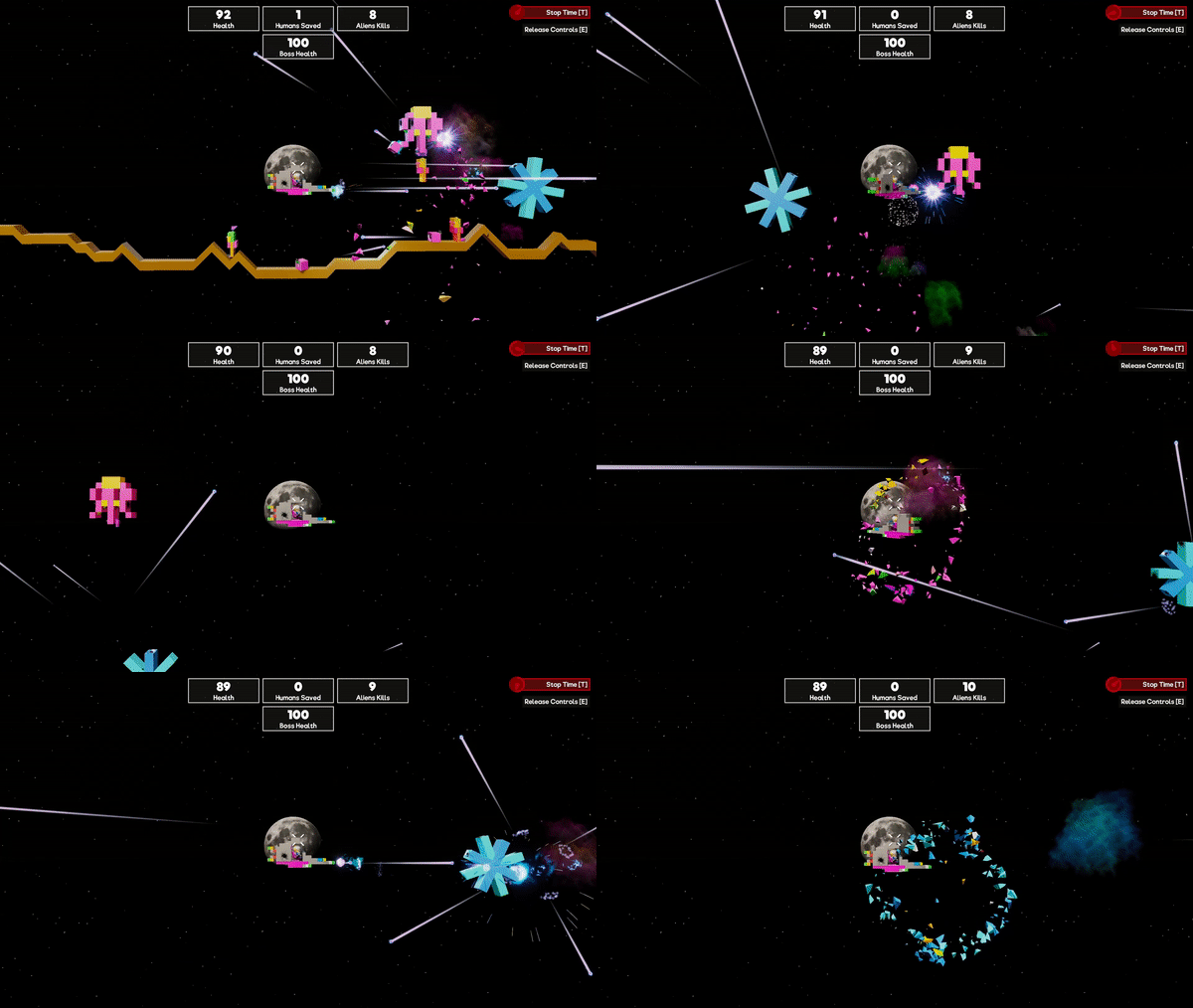
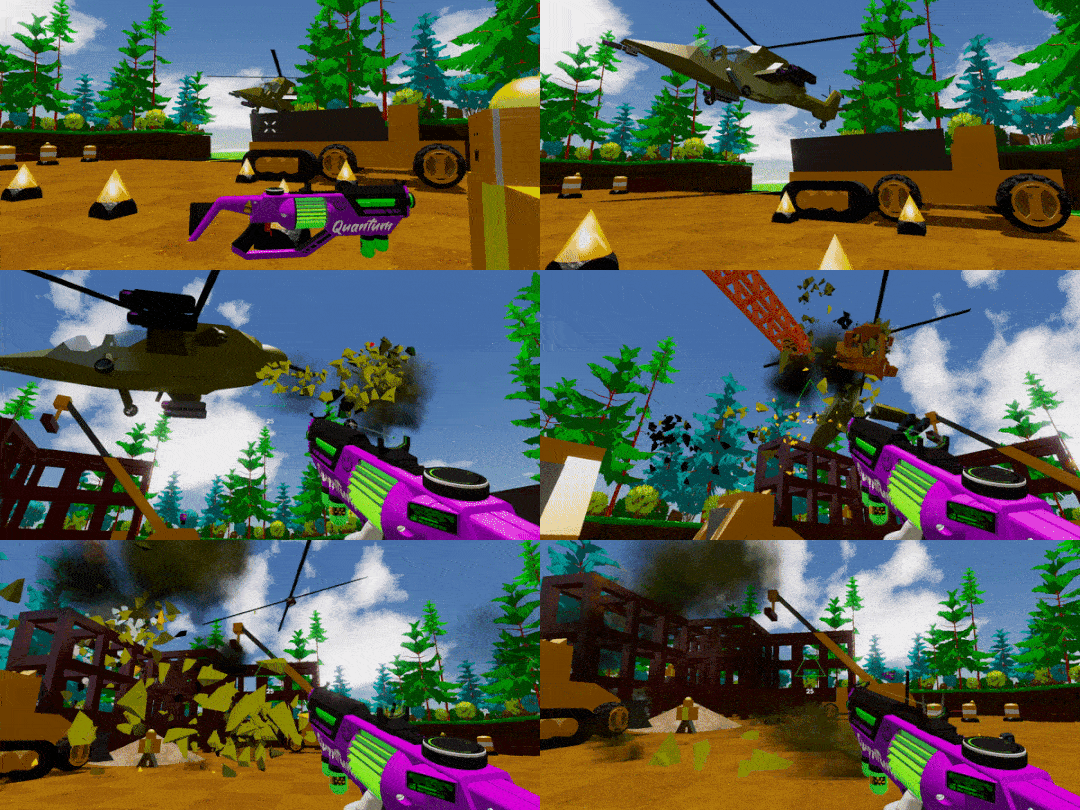
We'd also like to share with you some GIFs of the footage we shared on our social media pages earlier this week.
we'd like to remind you that we will be increasing the the price from $9.99 up to $14.99 on this date so get the game now whilst the price is low!
Please follow us on our social spaces and share your creations with us: Discord - https://discord.gg/gamecraft Twitter- https://twitter.com/Gamecraft_FJ Reddit - https://www.reddit.com/r/GamecraftGame/ Youtube - https://www.youtube.com/channel/UCkcRFCr9aQxszaYeXcWZjwA Facebook- https://www.facebook.com/GamecraftGame/
Thanks for reading!
The Gamecraft Team
Destruction coming August 21st in Gamecraft!
We have some really exciting new features coming on August 21st. Here are some teaser shots giving you a clue as to what they are.
We'd also like to note that we will be increasing the the price from $9.99 up to $14.99 on this date so get the game now whilst the price is low!
UX Improvements Step 2 - HOTFIX
Hello Gamecrafters, We have just released a hotfix to address a couple of issues with the latest update.
Bug Fixes
Fixed a bug that caused connections to be lost when cutting parts of a circuit in Box Select mode
Fixed a crash that could occur when restarting/stopping time while in a Pilot Seat
Fixed a bug where parts would not always update their color right away
Fixed a bug that caused the ghost block to remain in the wrong state when moving between valid/invalid placements
Fixed a multiplayer error that could occur when one player deletes a part while another player has a config panel open for that part
Fixed some performance issues related to the new wire hover/delete functionality
Other Changes
We’ve increased the maximum Force of Movers from 250 to 2500 and the maximum Force of Rotators from 100 to 1000 - These changes will not affect any existing builds
The Featured Game list is now sorted by highest rated