Hello Gamecrafters, The next stage of our planned UX improvements is here. After two weeks in the Preview branch collecting feedback and squashing bugs, we’re ready to put these changes live to make your building experience much, much better! Check out the full patch notes below.
UX Improvements Step 2
We’ve been working through a list of planned improvements aimed at making building, wiring and tweaking easier and more enjoyable. You can check out the full list of planned changes here: https://freejamgames.atlassian.net/wiki/spaces/GCEXT/pages/833978369/Planned+Improvements
Step 1 introduced “Modes” for each area of building, with a few “tools” being moved around and split into their own new mode. Step 2 focuses on Config Mode, with the aim of making wiring more efficient and clean.
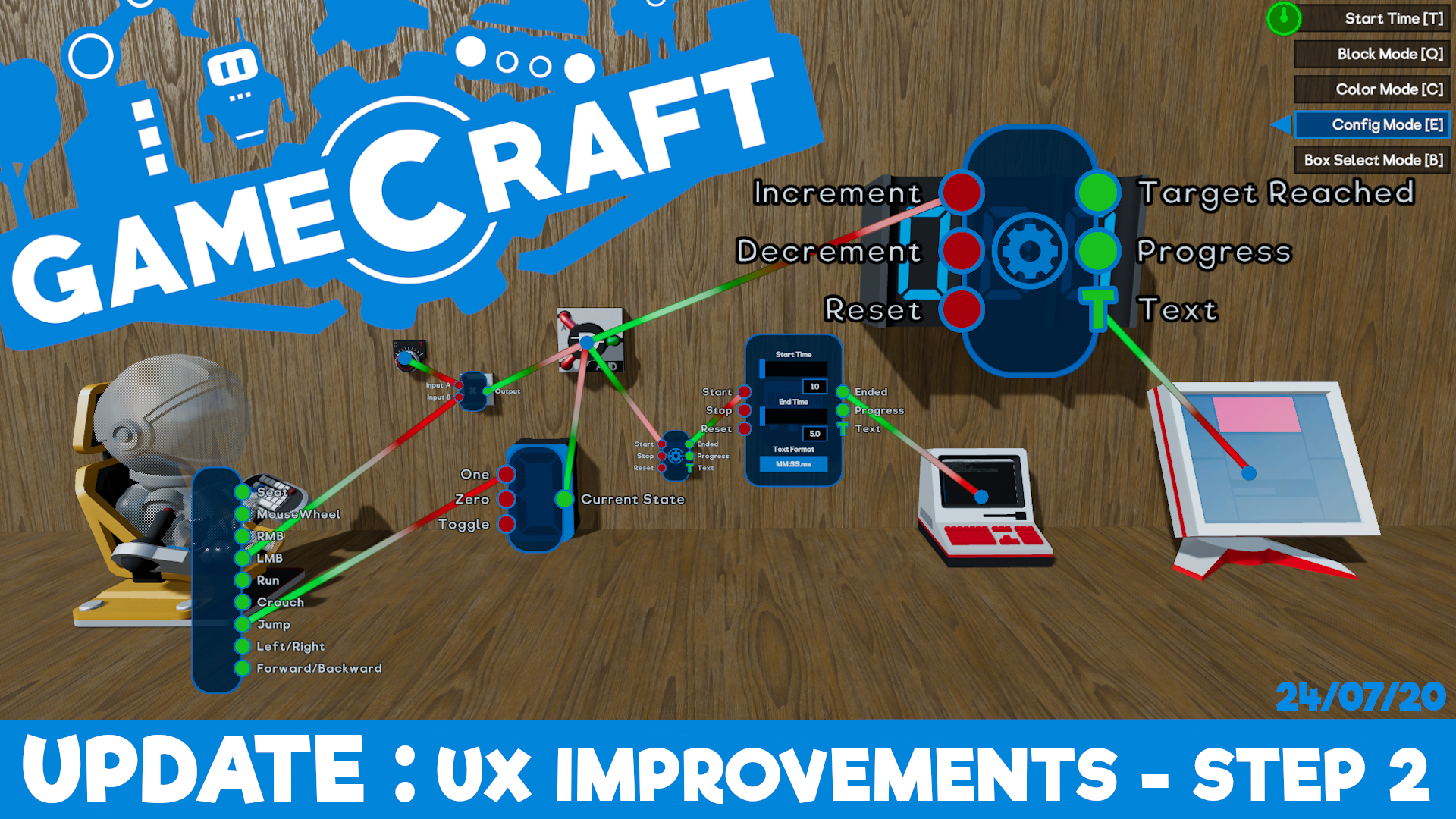
Config Panel Changes The headliner here is the ability to keep multiple config panels open, so we’ll start with that.
The core functionality of opening config panels hasn't changed. Clicking LMB over a target dot (the small blue circles that appear) will expand it to show input and output ports, with a cog visible on parts that can be tweaked. Clicking the cog inside of this panel will expand it to the full config state where you can tweak stats, just like you’re used to.
Instead of this panel automatically closing as soon as the cursor moves far enough away, it will now stay open until you manually minimize it! Clicking RMB will now minimize these panels, from config to port, then port to dot, letting you manage clutter and keep the important panels open when you need them.
N.B: Only one panel can be in the fully expanded state at a time. In a later step we’ll be moving the expanded panel into its own 2D panel, similar to the Command Computer so only one of these will be open at once at that stage.
If you are holding a wire and click RMB over an open panel, the wire will be cancelled and the panel will be unaffected. You can also minimize all currently open panels by pressing TAB, just in case you wanted to quickly clear everything out
With RMB minimizing config panels, you can delete all wires connected to a port by pressing DEL while aiming at the port. You can still delete individual wires by recreating the connection as well as interacting with the wire itself, but we’ll cover that in a moment.
N.B: TAB and DEL can be remapped if you’d prefer different keys, along with almost every other action via the Settings menu
The size of config panels will now scale with the size of the part, making it much easier to interact with.Parts that cannot be scaled, like the Pilot Seats and Spawn Points, will have their default panel size scaled up to make them more accessible and finally, parts that have no ports, but can be tweaked (like Movement Constrainers), will now open directly into the expanded config panel to save those extra clicks.
Persistence That’s not all, when you start and stop time or swap to another mode and back, any config panels that were previously open will automatically pop back up!
These changes should make testing and iterating your circuits much more efficient and enjoyable and have been positively received by our Beta Gamecrafter.
Deleting Individual Wires Deleting single wires will now be handled by interacting with the wires themselves, making it easier to manage. When you place your cursor over a wire, it will expand and highlight. Clicking RMB in this state will delete the highlighted wire. We’ve also given the wires a bit of a visual update to make them easier to see and distinguish.
Miscellaneous Block Mode will no longer be treated as the ‘default’ mode This means that clicking the key for the mode you are currently in will no longer take you back to Block Mode. For example, you can enter config mode with ‘E’ but pressing ‘E’ again will not return you to Block mode. Whichever mode you were in when time started is the mode you’ll be returned to now as well.
Other Changes
T-Shirt Feature Back in May we hosted a competition where getting your game featured would net you a free T-Shirt. We saw some amazing creations so we figured, why not make it a permanent reward. Anyone who creates a game that gets featured will be eligible for a free Gamecraft T-shirt. There are no specific rules for this. Simply make a fantastic game, get it featured and we’ll contact you with steps on how to get your shirt. Information and general guidelines have been added to the Main Menu as a button in the bottom right which will open an in-game popup when clicked.
Label Optimization We uncovered some performance issues caused by the fact that labels (used for Text Blocks, Counters etc.) were being processed every frame, when it was quite often the case that these would rarely actually need to be updated. This has all been cleaned up now so games that had lots of these parts should now perform much better. There’s still some more work to do though.
Wire Optimization With the new UX changes we’ve also taken the opportunity to revisit the wires themselves, optimizing the connections, ports and rendering so interacting with the config panels and wiring should feel a bit more responsive.
Optimized Meshes This one is just a small change to lower general RAM usage by a considerable amount. There should be no noticeable changes to anything in-game.
Static Blocks in Larger Saves There is still some more work to be done in this area but larger levels with hundreds of static blocks like Grass, Dirt and blocks that are static simply by being connected to them should run better already.
Lower Quality Setting Tweaks We’ve made a couple of small changes to the lower two quality settings to squeeze out as much performance as we can without sacrificing the visual quality too much.
Audio Changes We’ve replaced the Main Menu BGM. We know the old version was a bit too loud and in-your-face, so we’ve added something new.
We’ve also lowered the volume of the intro sound effect.
Bug Fixes
Fixed an issue with the Player Spawn Point casting a shadow
Fixed missing audio when creating a box select volume
Fixed some visual issues with Wires and Trigger volumes
That’s all for this update. We’re closing in on being able to share some of the incredible new features we’ve been working on for our next massive update and getting those into the Preview branch in the next couple of weeks. So be sure to keep an eye on our weekly Dev Blogs!
The Gamecraft Team
Gamecraft Blog 17/07/2020
Hello Gamecrafters! This week's Dev Blog is a round up of the new features and changes that are due to release at the end of next week! These are currently in the Preview branch, where we’ve been collecting your feedback, fixing a few bugs and getting it ready to launch.
UX Improvements - Step 2
The main feautre of this update is Step 2 of the UX Improvements, which focuses on Config mode. Here’s a quick rundown of the key changes.
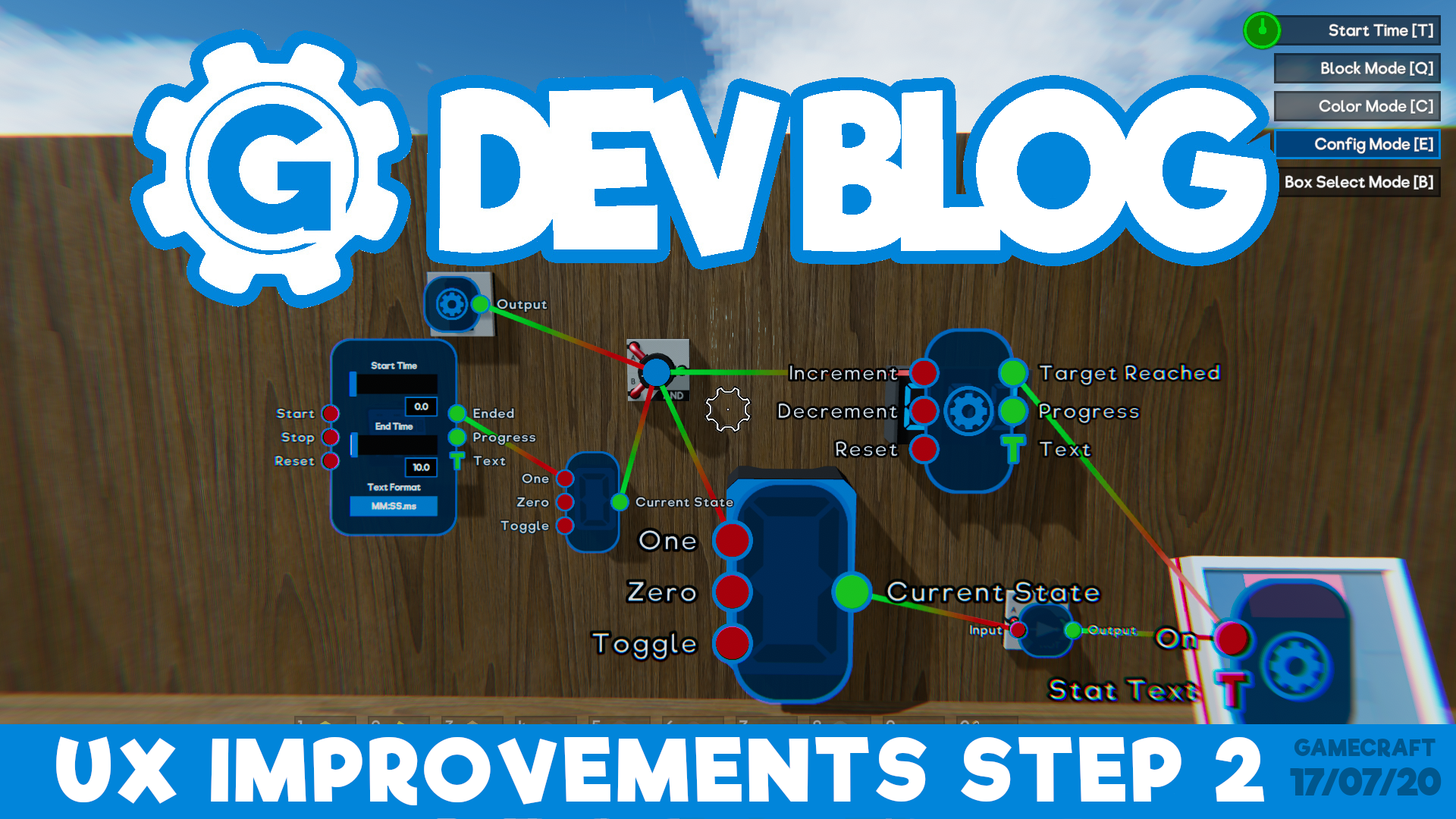
Config Panel States & Persistence The biggest change coming with step 2 is the ability to freely manage which config panels are open at any point. Panels will no longer close when you move your crosshair away.
Clicking LMB over a target dot will expand it to show input and output ports. Clicking the cog inside the panel will expand it to the full config state where you can tweak stats, just like you’re used to. Clicking RMB will now minimize these panels, from config to port, then port to dot, letting you manage clutter and keep the important panels open when you need them. N.B: Only one panel can be in the fully expanded state at a time. In a later step we’ll be moving the expanded panel into its own 2D panel, similar to the Command Computer so only one of these will be open at once at that stage.
That’s not all, when you start and stop time or swap to another mode and back, any config panels that were open will automatically pop back up!
These changes should make testing and iterating your circuits much more efficient and enjoyable and have been positively received by our Beta Gamecrafters so far.
Other Changes
On top of these, there are a few more QoL changes coming.
Deleting Wires With RMB now closing widgets, clicking RMB on a port will no longer delete connection wires. DEL will be used to delete all wires connected to a port instead.
Deleting single wires will now be handled by interacting with the wires themselves, making it easier to manage. When you place your cursor over a wire, it will expand and highlight. Clicking RMB in this state will delete the highlighted wire. Here’s an early WiP version that we’ll have ready and polished in time for the launch.
Changes to config panels The size of config panels will now scale with the size of the part, making it much easier to interact with. A standard Motor will remain the same size, while a massive one will look a little more like this. Parts that cannot be scaled, like the Pilot Seats and Spawn Points, will have their default panel size scaled up to make them more accessible.
Parts that have no ports, but can be tweaked (like Movement Constrainers), will now open directly into the expanded config panel.
Miscellaneous Block Mode will no longer be treated as the ‘default’ mode This means that clicking the key for the mode you are currently in will no longer take you back to Block Mode. For example, you can enter config mode with ‘E’ but pressing ‘E’ again will not return you to Block mode. Whichever mode you were in when time started is the mode you’ll be returned to as well.
We’re also changing the Main Menu music! The new track is a little quieter and more fitting.
‘Win a T-Shirt’ for getting your game featured will now be a permanent fixture. We’re adding a button to the Main Menu which will open a popup with the details.
We have some bug fixes as well but we’ll save those for the patch notes along with any more changes that go through the Preview.
Please follow us on our social spaces and share your creations with us: Discord - https://discord.gg/gamecraft Twitter- https://twitter.com/Gamecraft_FJ Reddit - https://www.reddit.com/r/GamecraftGame/ Youtube - https://www.youtube.com/channel/UCkcRFCr9aQxszaYeXcWZjwA Facebook- https://www.facebook.com/GamecraftGame/
Thanks for reading!
The Gamecraft Team
Gamecraft Blog 10/07/2020
Hello Gamecrafters! This week we wanted to share some details on some of the optimization work that has been going on behind the scenes recently, and where we’re focusing next while the latest update works its way through the Preview branch. We’ve also been hard at work improving multiplayer so we’ll share a little bit on the current state of that too!
Ongoing Optimization
The team has been working extremely hard over the past few months trying to optimize various areas of Gamecraft alongside developing new features. Here are a few of the latest changes that are going on in the Preview branch.
Label Optimization We uncovered some performance issues caused by the fact that labels (used for Text Blocks, Counters etc.) were being processed every frame, when it was quite often the case that these would rarely actually need to be updated. This has all been cleaned up now so games that had lots of these parts should now perform much better. There’s still some more work to do though.
Wire Optimization With the new UX changes we’ve also taken the opportunity to revisit the wires themselves, optimizing the connections, ports and rendering so interacting with the config panels and wiring should feel a bit more responsive.
Optimized Meshes This one is just a small change to lower general RAM usage by a considerable amount. There should be no noticeable changes to anything in-game.
Static Blocks in Larger Saves There is still some more work to be done in this area but larger levels with hundreds of static blocks like Grass, Dirt and blocks that are static simply by being connected to them should run better already.
Lower Quality Setting Tweaks We’ve made a couple of small changes to the lower two quality settings to squeeze out as much performance as we can without sacrificing the visual quality too much.
The next area of focus is getting Gamecraft to run consistently well on our minimum spec, which will also come with some nice performance gains for everyone. There are a number of big optimizations planned there, such as:
Implementing LODs on more parts
Lowering the clipping plane to avoid rendering excess parts
Splitting static and dynamic cubes properly to stop processing static cubes more than necessary
Optimizing our Post-Process effects, skybox and more
Re-enable “sleeping” on dynamic cubes that are no longer moving to cut down on unneeded processing
Implement sub-resolution settings
Progress on Multiplayer
Alongside the recent UX Improvements and other epic features we’ve been working on, we’ve been dedicating some more time to digging into the core problems with the current system and working out a solid plan to get multiplayer into a stable, enjoyable experience.
In doing so, we’ve uncovered a flaw in the original design which we have devised a solution to, but that uncovered further issues that are now being addressed.
It will be a while before this is ready to go live but we’re hoping to get the system in a much more stable and optimized state, which we’re really looking forward to getting this in your hands as soon as it is ready.
Featured Game
We have a new featured game! Story of the Brave by Gotou810. We’ll be releasing a Josh Plays video of this later on but be sure to check it out.
Preview Branch
As part of our new release process, the latest update has now entered the Preview Branch, where we plan on polishing and iterating on it for the next couple of weeks. If you’re interested in trying out an early version of this update to give us feedback and report issues then you can find more information in our official Discord server.
We’ll also be reworking the content of our dev blogs slightly over the next few weeks while we get into the new flow. We’ll continue to tease upcoming features but we’ll shift the timing slightly so that we only showcase features that are in the current preview, so you don’t have to wait as long between seeing epic new things and being able to actually play with them!
Please follow us on our social spaces and share your creations with us: Twitter- https://twitter.com/Gamecraft_FJ Youtube - https://www.youtube.com/channel/UCkcRFCr9aQxszaYeXcWZjwA Facebook- https://www.facebook.com/GamecraftGame/ Reddit - https://www.reddit.com/r/GamecraftGame/ Discord - https://discord.gg/gamecraft
Thanks for reading!
The Gamecraft Team
Gamecraft Blog 03/07/2020
Hello Gamecrafters!
This week we wanted to share something a little different. Last month we held a competition where anyone who got a game featured would win a free T-shirt. This was a resounding success and we saw some really fun and creative games being published. As a thank you to our early adopters for sticking with us and continuing to craft amazing games, we’ve decided to make this a permanent reward going forward!
Permanent ‘Win A T-Shirt’ Prize
That’s right, from the launch of our next update, anyone who creates a game that gets featured will be eligible for a free Gamecraft T-shirt. There are no specific rules for this. Simply make a fantastic game, get it featured and we’ll contact you with steps on how to get your shirt, or gift it to your nan if you’d prefer. So get crafting!
This update is currently planned to release into the Preview Branch next week, along with Step 2 of our ongoing UX Improvements, which you can read about here: https://store.steampowered.com/newshub/app/1078000/view/2523653800669183859
We’ve got some huge features in the works still, so we’re looking forward to sharing more info on those as they take shape in the coming weeks!
Featured Game Competition Winners
There were 3 winners in this competition, so be sure to check out these amazing games.
Trucking Sim: Short-Staffed by Markus McCloud [previewyoutube="GWi9WSRqXUc;full"]https://www.youtube.com/watch?v=GWi9WSRqXUc&feature=youtu.be[/previewyoutube]
Walk the World by Blank_2.0 [previewyoutube="27ZoySjU3cc;full"]https://www.youtube.com/watch?v=27ZoySjU3cc&t=181s[/previewyoutube]
Switch Way by Tonish [previewyoutube="DCbUeleMOFY;full"]https://www.youtube.com/watch?v=DCbUeleMOFY[/previewyoutube]
Please follow us on our social spaces and share your creations with us: Twitter- https://twitter.com/Gamecraft_FJ Youtube - https://www.youtube.com/channel/UCkcRFCr9aQxszaYeXcWZjwA Facebook- https://www.facebook.com/GamecraftGame/ Reddit - https://www.reddit.com/r/GamecraftGame/ Discord - https://discord.gg/gamecraft
Thanks for reading!
The Gamecraft Team
Gamecraft Blog 26/06/2020 UX improvements step 2
Hello Gamecrafters!
In this week’s dev blog we’re going to talk a bit more about our ongoing UX improvement as well as some changes to the way we plan on releasing updates going forward.
UX Improvements - Step 2
With Gamecraft’s latest update we introduced ‘Step 1’ of our UX overhaul which mainly focused on the idea of “Modes” for building. You can read more about those changes, and everything else in that huge update here: https://store.steampowered.com/newshub/app/1078000/view/2397551743439682802
Step 2 focuses on Config Mode, with some big changes to wiring and tweaking.
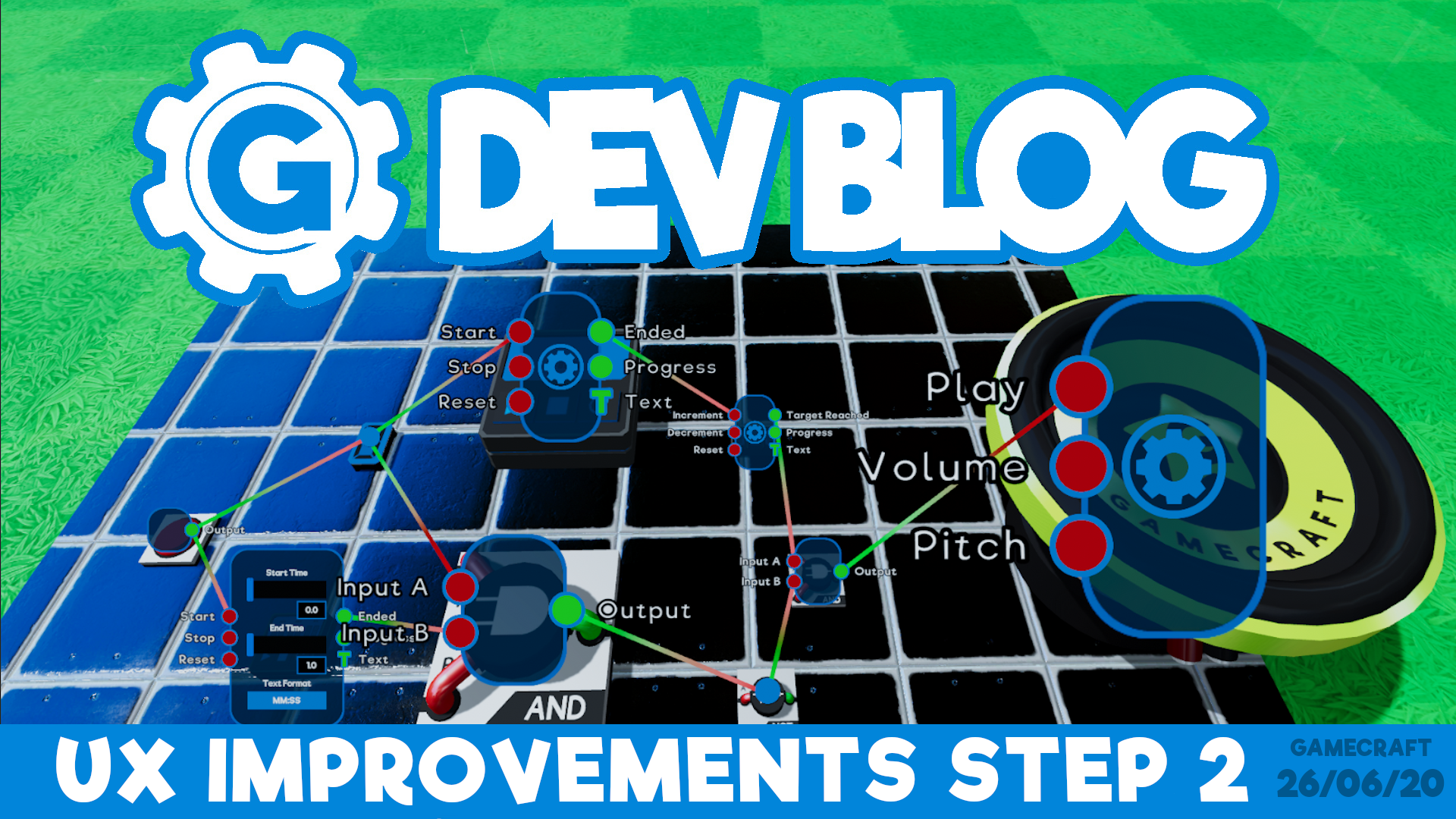
Wire Widget States & Persistence The first and arguably biggest improvement we’re making here is to allow countless widgets to be open at once, while also letting you minimise unwanted widgets!
Clicking LMB over a blue dot will still open the widget, and any directly connected to it, as you’re used to. Clicking RMB will now minimise expanded widgets or fully close them, leaving them in the smaller dot state.
Other Changes A few more additions and changes are coming too.
With RMB now closing widgets, clicking RMB on a port will no longer delete any wires that stem from it. DEL will be used instead. Deleting single wires will instead be handled by hovering over the wires themselves and clicking RMB, giving you finer control.
Switching back to Block Mode from any other mode will no longer be possible by pressing the current mode button again. For example, you can enter config mode with ‘E’ but pressing ‘E’ again will not return you to Block mode.
The size of widgets will now scale with the size of the part, making it much easier to interact with.
Parts that have no ports will open directly into the expanded widget. This felt like an unnecessary extra step on parts like the Movement Constrainer.
Beta Branch and Updates
We’ve had quite a lot of success with the Preview Branch of Gamecraft over the last year. We’ve been able to get valuable feedback on proposed changes from some of our most dedicated crafters, early previews of upcoming features and even spot some bugs early to make sure they’re squashed quickly.
With that in mind, we’re planning on shifting our update procedure around a little bit to make use of the Preview branch more often, giving you a chance to give early feedback while actually being able to try out the update for yourself, rather than just reading about it.
The current plan is to schedule the release date as normal, but instead of using this as a regular update day, we will instead put the update into the Preview branch first for a week or two. This gives you a chance to get hands on with all the new features and changes that we tease in the Dev Blogs leading up to each update in a complete, but slightly less polished state.
Our next update will be the first time we try this method. We’ll share more details when we’re closer to launching that.
Steam Summer Sale Discount
From the 25th June 2020 until 7th July 2020, Gamecraft will be at a 25% discount! If you haven’t picked up Gamecraft yet, or know some friends who are on the fence then now is a fantastic time to join us! https://store.steampowered.com/app/1078000/Gamecraft/
That’s all for this week, we’re working away on some monumental features that are coming in the next few updates. None of these are quite ready to share yet but we’re extremely excited to start showing them off as soon as possible so keep your eyes peeled!
Please follow us on our social spaces and share your creations with us: Twitter- https://twitter.com/Gamecraft_FJ Youtube - https://www.youtube.com/channel/UCkcRFCr9aQxszaYeXcWZjwA Facebook- https://www.facebook.com/GamecraftGame/ Reddit - https://www.reddit.com/r/GamecraftGame/ Discord - https://discord.gg/gamecraft
Thanks for reading!
The Gamecraft Team
Gamecraft 25% Off in the Steam Summer Sale
Starting today (25th June 2020 6:00pm GMT) until 7th July 2020, Gamecraft will be at a 25% discount! We’ve released some epic updates over the last few months, including Plasma Cannons and Player Damage with some more massive updates on the way. If you haven’t picked up Gamecraft yet, or know some friends who are on the fence then now is a fantastic time to join us!
We have just released a small hotfix to address a couple of issues.
Bug Fixes
Fixed a bug that allowed scaled parts to be placed illegally after swapping between modes
Fixed a bug that caused Leo to take an extra tick of damage when respawning after dying to Magma/HexNet blocks in certain setups
Fixed a bug that caused Leo to jitter around after coming to a stop while flying around with higher character run speed
Increased the default volume of the new Music BGM tracks
Tweaked a few max audio clip counts to handle overlapping sounds a little better
Replaced the feedback warning audio with something a bit quieter and cleaner
Fixed a couple of typos
The Gamecraft Team
Plasma Cannon, Magma, HexNet, Sound FX, Music, UX Improvements & More - LIVE NOW
Hello Gamecrafters,
We’re back with another huge Gamecraft update! With more ways of inflicting damage to Leo, sound effect and music blocks, optimisations, bug fixes and the first stage of our Building/Wiring user experience overhaul, there’s something sure to make everyone happy. Check out the full patch notes below.
Plasma Cannon, Magma Rock, HexNet & Seat Damage Changes
Our last update introduced Character Vulnerability, giving crafters the ability to add damage and life based gameplay. We’ve seen some fantastic games already and we’re sure to see even more with these latest additions. We have two new block types: the Plasma Cannon and the Magma Rock and HexNet Blocks. On top of that Leo can now take damage while seated in Pilot/Passenger Seats and Pilot Controls!
We’ll kick off with the new damage blocks first.
Plasma Cannon Block
The Plasma Cannon is our first weapon themed block. It can fire projectiles that travel in a straight line, at a fixed velocity, that either expire at a set range or explode on impact, depending on which comes first.
If the projectile hits Leo, he’ll take a set amount of damage based on the size of the projectile. If the projectile happens to explode nearby, either on some other blocks or another Leo, he’ll take less damage, depending on how much of the explosion hits him. Later on these will be able to cause damage to objects as well. Finally, if the projectile reaches its maximum range, which can be tweaked, it will simply disappear instead.
Let’s cover the tweakable stats and ports next. The projectiles fired by this block can be toggled between automatic and Semi-automatic. While ‘Automatic’, as long as the input is above +0.5 this block will fire a continuous stream of projectiles at a set fire rate. With ‘Semi-automatic’ this will fire a single projectile each time the input goes above +0.5. This setting works great with timers that send a ‘Completed’ output, then restart themselves or one click controls like Buttons or Pilot Seat outputs.
Fire Rate sets the frequency at which projectiles are shot, per second. This can limit how many projectiles the player can fire if they repeatedly click a Button. Range allows you to set a fixed distance the projectile is allowed to travel before vanishing (We don’t want to let them travel forever). Finally, Velocity defines how quickly the projectile moves once it’s been fired, so you can slow them right down to create dangerous minefield games or make them fast enough to replicate epic spaceship battles.
This block has a single input and output. The ‘Fire’ Input will spawn a stream of projectiles when triggered in Automatic mode and single projectile when triggered in Semi-Automatic. The output ‘Fired’ will send a short pulse each time a projectile is fired, which could be used for ammo counters.
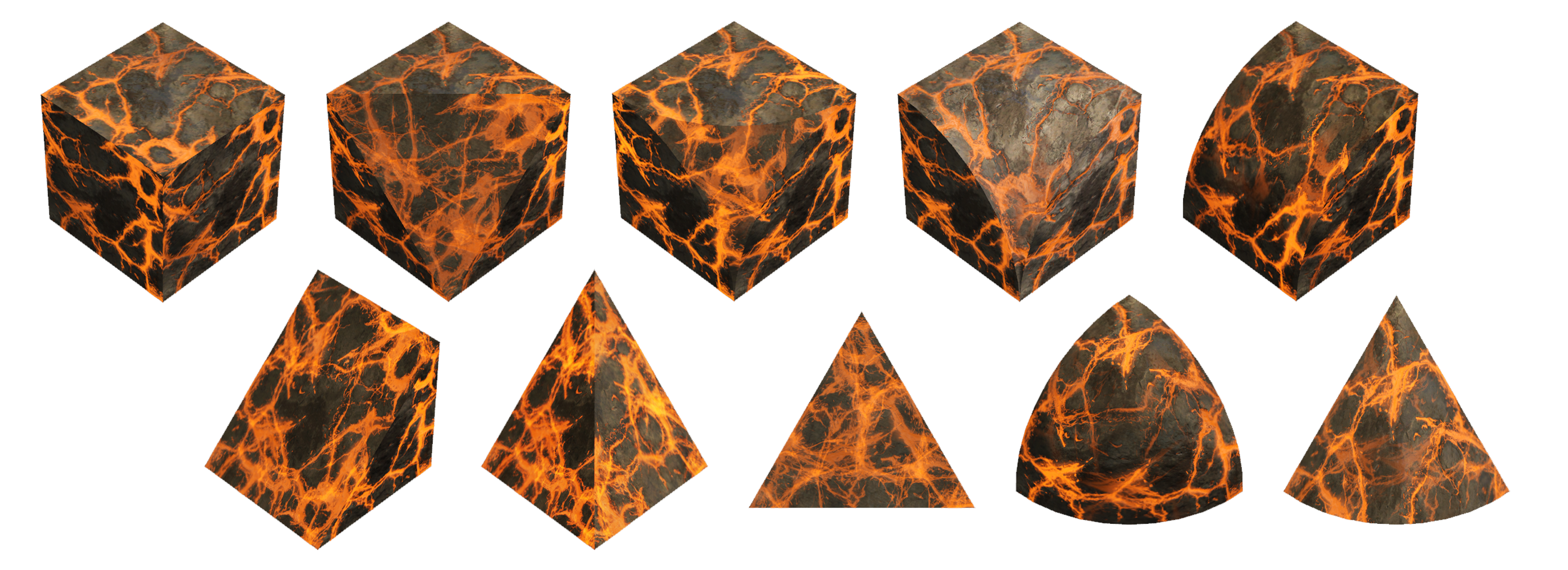
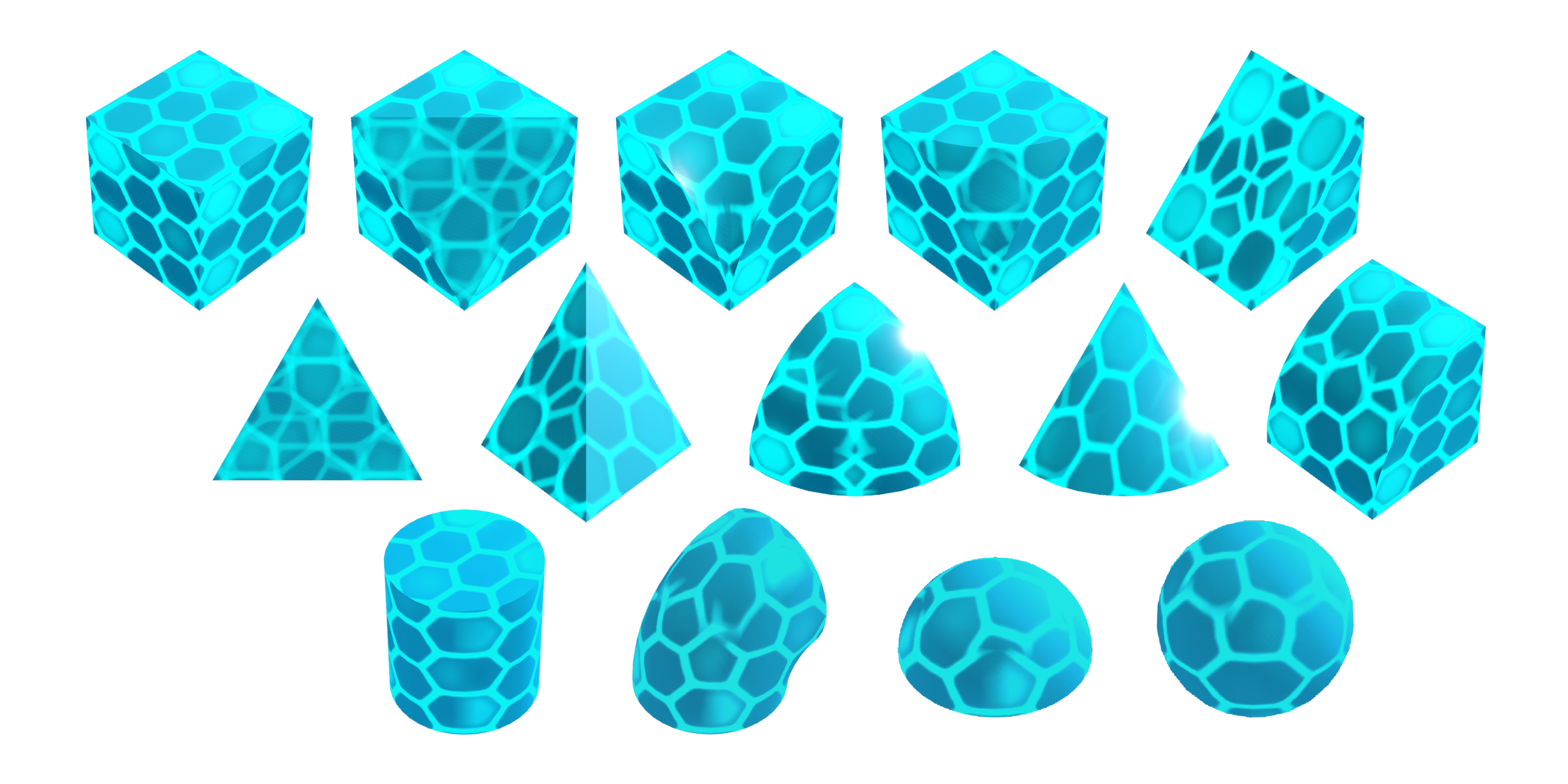
Magma Rock & HexNet Blocks
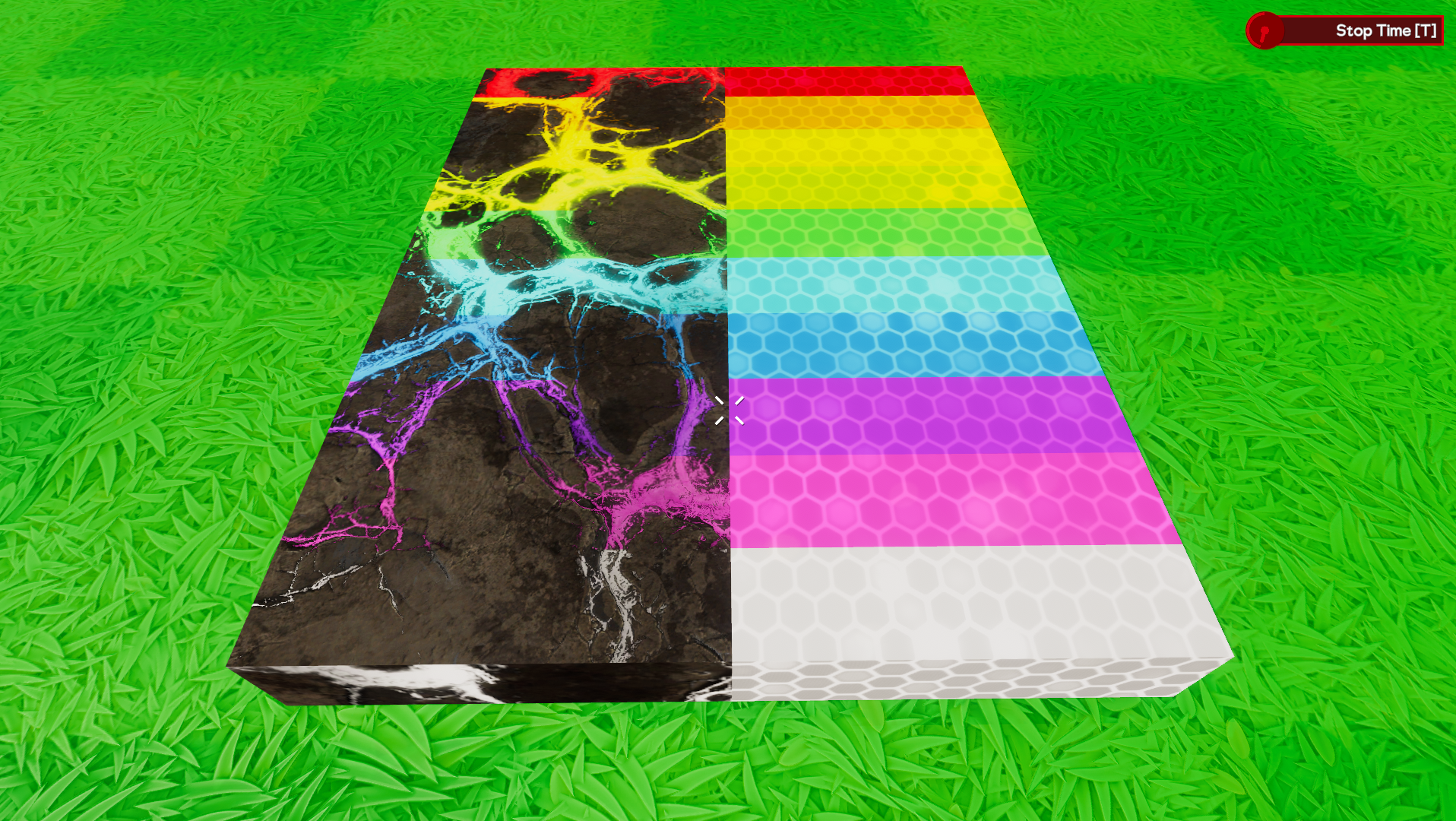
Next up we have not one, but two new blocks aimed at dealing damage to Leo when he touches them in this update! We’ll go over how the surfaces themselves work before covering the specifics of each type.
These blocks are in the “Shapes” category of the Inventory, so you’ll have a variety of shapes to place, scale and stretch to create all kinds of great looking hazardous surfaces in your games. Some of these blocks are going to be static, like Grass or Dirt, while others will be able to move.
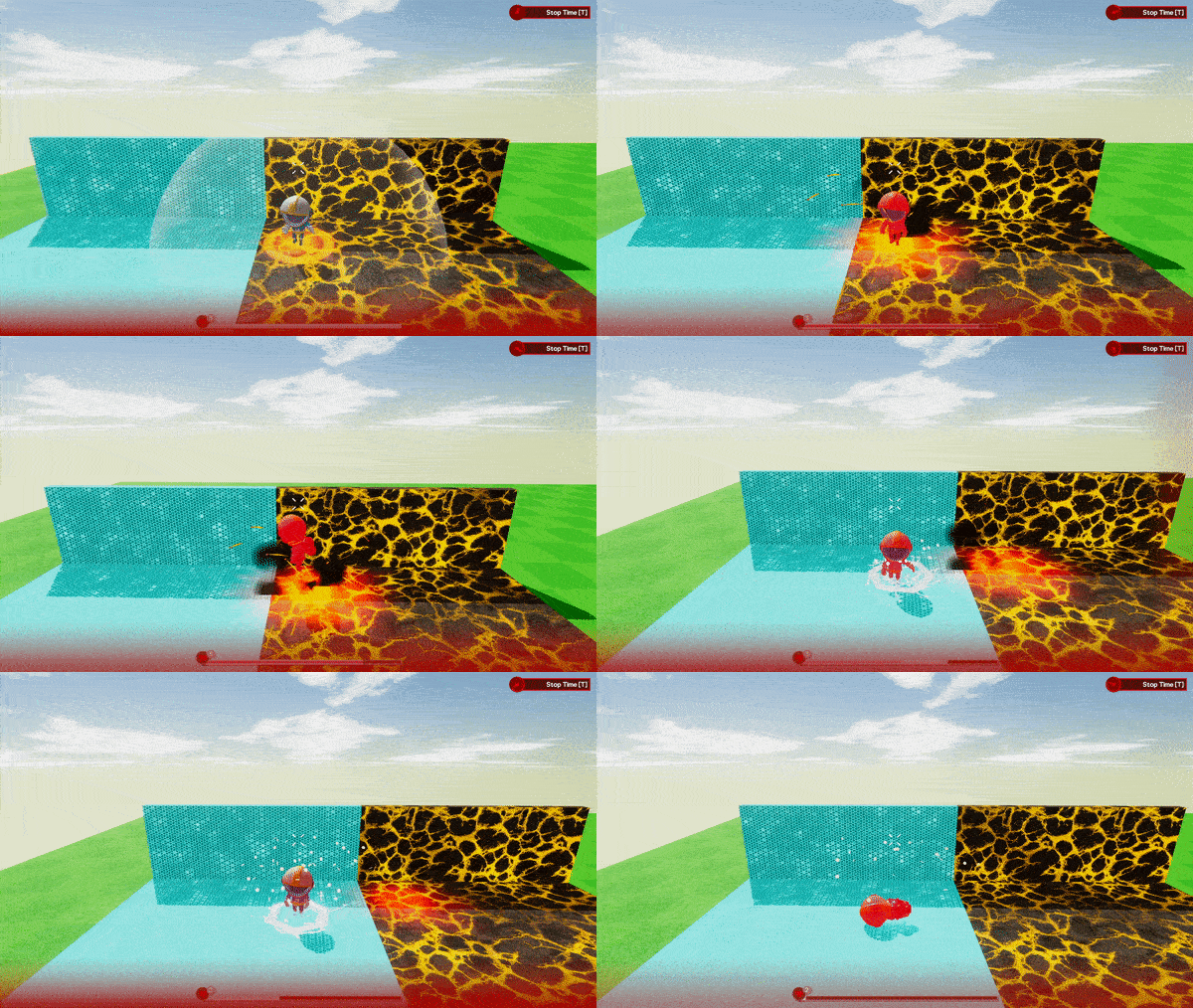
As soon as Leo comes into contact with one of these blocks, he’ll immediately take a hit of damage, defined by the type of block rather than it’s size. As long as he continues to remain in contact there will be a constant stream of incoming damage.
Magma Rock is the first of these new blocks. These are all static and deal a relatively small amount of damage. Great for hazardous terrain.
The second is HexNet. These blocks can be attached to moving objects (or placed freely on their own) and deal considerably more damage.
Damage in Seats
Lastly we’ll cover some changes that allow Leo to take damage while seated and how those changes affect seats in general.
To start with, we’ve changed the collision of the seats slightly to make them a bit less restricting. Instead of one large grid-like box around the seat you’ll notice a little holo-Leo! The collision of the seat now matches the space required to visually fit the seat, holo-Leo included.
As you can see, we’ve also cut the size of the footplates for the seats and the space required for the bulky part of the Pilot Controls. These are now down from 6x3 to 4x3. Any existing seats will be shifted forwards to have the front 4 rows remain where the old footplates were. Pilot Controls will be shifted towards the back as these had different connection points. Fundamentally most creations should behave the same but there will be a slight weight shift on smaller builds to consider.
The main reason for this change is so that we can now split Leo and the Seat out as separate objects, so things can now hit ‘the seat’ as well as Leo himself. If Leo is hit by a block, or if he has an unfortunate run in with a low platform, he’ll take damage. The amount of damage is the same as if you were walking around. If Leo runs out of health while in a seat, he’ll be neatly ejected before collapsing. With the footplates removed Leo will now exit a seat in a crouching state on top of it, roughly matching the size of holo-Leo.
Another notable change to the seats is that Leo will now have his weight taken into consideration while seated. Up until now Leo had virtually no weight while seated. He will now be treated as a separate body of the vehicle he’s sat in, similar to how blocks separated by joints work, which may affect some lighter builds slightly.
Sound and Music Blocks
Up next we have the SFX andMusic blocks. These wonderful little blocks allow you to add a host of hand picked sound effects and BGM tracks to your games. We have over 100 SFX and 11 music tracks to choose from already!
SFX Blocks
These are split into 6 separate categories: Gameplay, 8-Bit, Instrument, Sci-Fi, Loops and Vocal.
Other than the sounds in the Loops SFX Block, these are all fairly short clips that will play once per input, like clicking a button or entering a Trigger. Loops will continue to play as long as they receive a signal greater than +0.5 and come with a short start up and wind down clip.
All of these SFX blocks can be set to play in 2D or 3D space. 2D means you’ll hear it at the same volume no matter where you are in relation to the block. 3D will play the sound from the block itself,so it would sound like you were listening to sound coming from a speaker. You can also tweak the volume and pitch of these sounds too.
Music Block
The music block provides a set of background music tracks which will replace usual BGM that you’ve all grown to love. If a music block is present, the default BGM will not play at all while time is running. The Gamecrafter can control the volume and start/stop the music as needed. These will always play in “2D” but can be set to player per player or team with our Multi-channel wiring system. This applies to the SFX block too!
Here is a short video of a game with added sounds that we took a little earlier. [previewyoutube="dr5PqHj_XSI;full"]https://youtu.be/dr5PqHj_XSI[/previewyoutube]
Building UX Improvements - Step 1
Based on a lot of feedback that we gathered from the community regarding the biggest problem areas when it came to building, wiring and playing in general. We compiled a bullet point list of things to fix and came up with a plan to address all of the problems identified. This has been split up into more manageable chunks as there is a huge amount of work there. Step 1, which mainly focuses on the feel of building, iterating and testing, is now ready to go!
The biggest change here is that we’ve split some of the existing tools, like Box Selection and even wiring/configuring parts into their own “modes”, each with a specific focus and a new, unique crosshair!
Block Mode
This is the default mode and it works almost exactly the same as how you’re used to building. In this mode, you can swap between parts on the hotbar, place, delete and scale cubes. The key difference here is that you won't see the little blue dots for wirable parts at all, clearing up the screen to make “building” the focus here. While in this mode, pressing [Q] again will open the Inventory and you also won’t have an “Empty Hand” slot anymore or be able to access the clipboard.
Color Mode
This mode is exactly the same as selecting the old ‘color slot’ in the hotbar. In this mode you’ll only be able to paint parts that are present, no deleting or tweaking of parts.
Config Mode
This new mode specializes in wiring and tweaking parts. While in this mode, you won’t be able to place or delete cubes. If you aim near a part that can be wired or configured, you’ll see the little blue dot appear, much like you would with the Empty Hand previously. Everything else in this mode works as you would expect. You can tweak the stats of parts and create wires without fiddling around with the ghost cube.
Box Select Mode
The Box Selection tool wasn’t the most obvious being tucked away behind the Empty Hand. We’ve brought that tool into its own mode to make it easier to find and work with. In this mode, you won’t be able to place or delete regular parts, but you’ll be able to highlight a selection of parts, copy it and place the copy as normal.
Other Changes
Another bit of feedback was that having [E] to exit seats and start/stop time was a bit of a nuisance, especially when quite a few players are used to pressing [E] to use things. We’ve made a couple of changes there with the big two being [T] used as the default for Time Start/Stop and [E] now being to interact with Seats! These can be changed if you’d prefer other keys and other interaction with Buttons, switches etc. will resin on Left-Click.
We’ve also added some extra prompts under the crosshair to help message things like this. For example, aiming at a Motor while in Block Mode will show a little prompt “Press [E] to configure”. There are also prompts for the actions available when using Box Selection, deselecting the current clipboard and interacting with Pilot Seats.
Another handy change is that we’ve adjusted the interaction range for Color, Box Select and Config mode to be much further. These would force you to be quite close, which can be a bit annoying when you want to paint something far away or create a selection around something large.
This is just the first step towards addressing some of the issues raised. Wiring and tweakable stat improvements are still on the list for future updates.
Other Changes
Preview Changes Going Live
In the last update we also made some tweaks to the weights of joints and the power of Servo parts that we kept in a separate preview branch build. The feedback we receive on these was overwhelmingly in favor of keeping them so we’re putting those live with this update.
Please note that these were some quite big changes that had a noticeable impact on certain games and builds. Generally things should perform better but there are definitely a few cases where things will need to be tweaked.
Those changes are:
Joints are now around 80% lighter. A few larger builds will definitely behave differently with this change but we believe any issues can be resolved with a little tweaking and redistribution of weight.
Servos and Pistons that have been scaled should now be around 50% more powerful. We’ve increased their maximum force overall and made some tweaks to the power curve as the scale increases.
HUD Feedback Monitor
To help us out with identifying areas for ongoing optimisation we’ve added a bit more feedback to show you, and us, when things are starting to go wrong while playing.
At the top of the screen you’ll now occasionally (hopefully rarely) see a small amber/red warning pop up. This helps identify what area is struggling, whether that’s the CPU being overloaded or just too much data being lost over the network. When reporting issues it will help to know if any of these warnings are present.
Min Spec Check
In the last update we changed the minimum spec check that runs at the start to prevent CPU’s with less than 4 cores from playing. In hindsight this was a bit of a drastic change that affected some current players so we’ve instead reduced this dialogue to a warning. You’ll be able to play again but we’d expect more issues to affect anyone running below the min spec.
Low memory has also been downgraded to a warning but the rest of our checks remain in place as these are either required to work at all or are far more likely to cause critical issues if they are not met.
SetSkyColor Command
We know that having clouds floating around in space isn’t really ideal so we’ve made a small change here to darken the clouds to match the sky color. This gives the space skybox a nicer feel, while still letting you create dark, but not full on space atmospheres.
SetCharacterRunSpeed Command
We’ve made a small change to this command as it didn’t feel quite right when trying to navigate around as you build larger creations. This command now sets the acceleration/deceleration of Leo to match. We know a few games have been built around the idea of running around at insane speeds and these are going to behave a little differently now, but they should be easy to fix by lowering the speed to something a bit more reasonable.
Tire Audio
We’ve also made a few small tweaks to the way tires sound when driving around on various surfaces. Vehicles should no longer sound like they are constantly ‘bumping’ along the ground when driving on flat surfaces. Instead, you’ll hear some new audio that sounds more like tires driving along gravel or dirt.
Bug Fixes
Fixed an error when clicking both mouse buttons during wiring
Fixed a bug that caused the saved clipboard’s collision to be present when you take one into another save, blocking some valid placements
Fixed incorrect behaviour with parts that were set to “Player” or “Team” channels not having the same unwired default as the “All” channel
Fixed some inconsistent damage calculations where blocks made of individual parts would do less damage than a single scaled one of the same size
Fixed a bug that caused Leo to take unintended damage when walking into large objects causing them to move ever so slightly - We’re still investigating other cases of unintended damage so please do let us you if you run into any.
Fixed some errors/crashes that could occur when connecting to a server
Fixed some crashes that could occur if the host of a server is scaling cubes when another player connects
Fixed a bug where the host’s ghost cube would not reposition when uniformly scaled after a player connects
Fixed a bug that allowed players to respawn with the command overlay open, leading to a black screen
Fixed a bug with unpowered door audio not playing correctly at smaller scales
Fixed a bug with the number of lives sometimes overflowing on to a second line
Fixed various incorrect names, descriptions and other bits of text
There’s certainly a lot of new things to work with in this massive update so we can’t wait to see some amazing new games that make use of all of these powerful new parts.
The Gamecraft Team
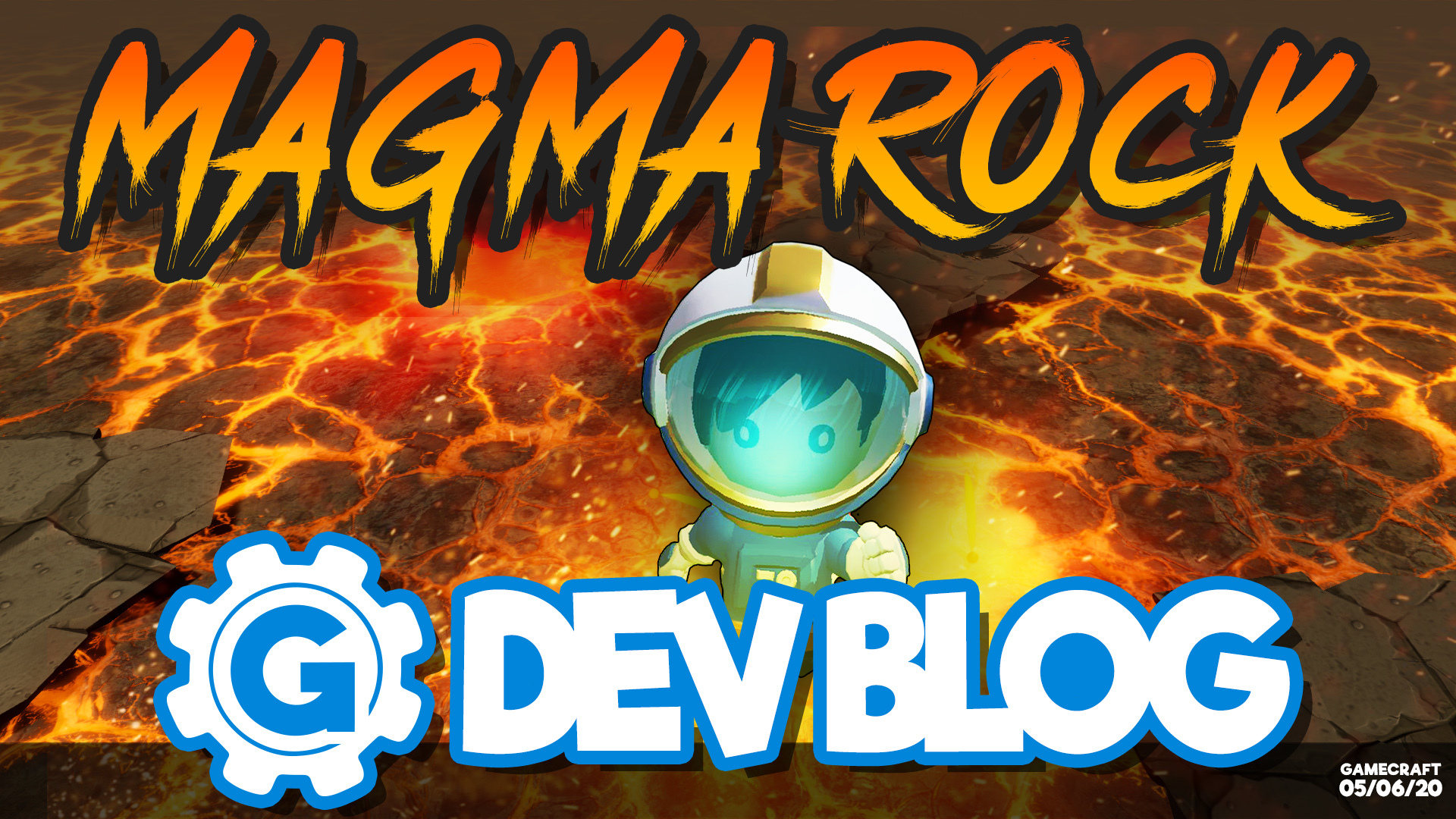
Dev Blog 05/06/2020 - Magma Rock
Hello Gamecrafters!
We have a few awesome new parts to show you in this week's Dev Blog. Including our first ever Damage Surface Block and Audio blocks!
Magma Rock Damage Block
The Magma Rock is one of our first “damage surface” blocks. These are a special type of block that cause damage over time as long as Leo is touching them.
These blocks fall into the same category as Grass or Aluminium, so you’ll have a variety of shapes to place, scale and stretch to create all kinds of great looking hazardous surfaces in your games. We’ve even given them a fantastic looking animated material!
As soon as Leo comes into contact with one of these blocks, he’ll immediately take one ‘tick’ of damage. As long as he continues to remain in contact there will be a constant tick of damage. The amount of damage will always be fixed, regardless of the size of the block to make things consistent.
We’ll be adding a few different types of damage surface blocks as well - with one more planned for this launch - to give more variety.
Audio Blocks
With the addition of these audio blocks, Gamecrafters will be able to add some audio design into their levels with our SFX blocks and Music Blocks.
SFX Blocks
We currently have over 100 individual sound effects, which are split into a variety of categories, each with their own part to make things a bit more manageable: Gameplay, 8-Bit, Instrument, Sci-Fi, Loops and Vocal.
All SFX blocks can be set to play in 2D space - which means you’ll hear it at the same volume no matter where you are in relation to the block - or in 3D, as if you were listening to sound coming from a speaker. You can also tweak the volume and pitch of these sounds too to give your games even more variety, theme and atmosphere.
Music Block
The music block provides a set of background music tracks which the user can use to replace the usual BGM in their level. If a music block is present, the default BGM will not play at all while time is running. The Gamecrafter can control the volume and start/stop the music as needed.
[previewyoutube="dr5PqHj_XSI;full"]
Of course, these parts also work with our Multi-channel wiring system, giving you the power to play specific audio to individual players or teams.
We’ll share some of the finer details of these parts, along with all of the other epic new features coming when this update goes live (which is currently planned for next week!), but we hope you enjoyed these previews in the meantime.
Featured Game Competition
We’d also like to remind you that we have a competition on-going. If you build a game and get it featured you can win your very own Gamecraft T-shirt! Be sure to check out the details about this here: https://store.steampowered.com/newshub/app/1078000/view/3759888198475939580
We had our first featured Gamecrafter from this competition earlier this week too. The game was Short-Staffed by Marcus McCloud, a trucking game where you deliver multiple cargo to different locations, at your own speed or in a time-trial situation.
Please follow us on our social spaces and share your creations with us: Twitter- https://twitter.com/Gamecraft_FJ
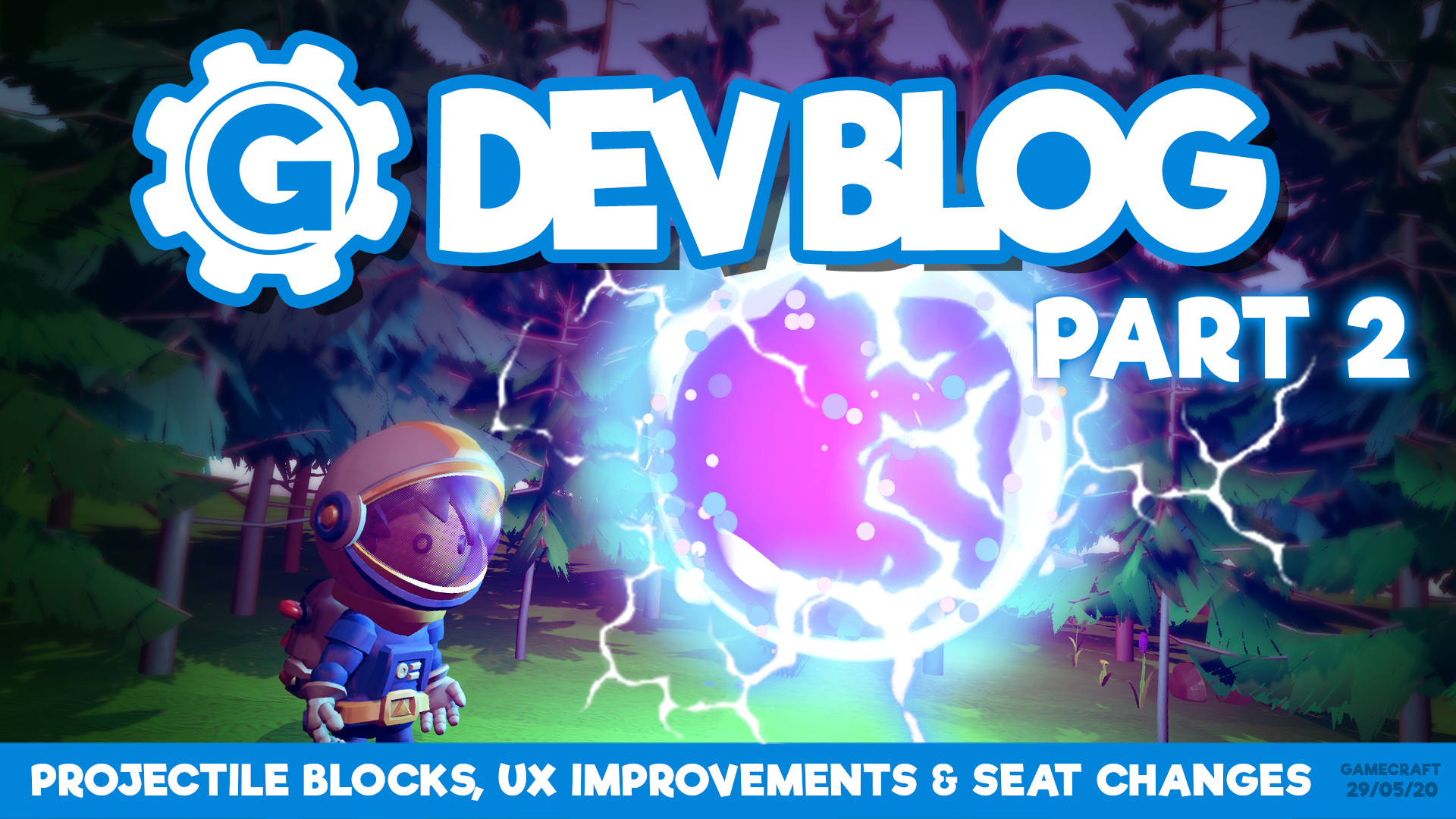
Dev Blog 29/05/20 - Projectile Blocks, UX Improvements & Seat Changes
Hello Gamecrafters!
We have a few more exciting new things to share with you this week, along with some more teasers for the Projectile Weapon Block! This week we’ll be covering some UX changes for building, along with some changes to Pilot Seat collisions.
Projectile Weapon Block
If you haven’t read last week’s blog, go do that now as that covers the basics of this block! https://store.steampowered.com/newshub/app/1078000/view/2200517356759248043
This week we’d like to show you a little bit more on the progress we’ve made. The model for this block has been implemented and we now have audio to accompany some fancy new effects. This is all still a Work in Progress so may change a bit but check out the video below:
There’s a lot of work there, so we’ve split it into a number of smaller steps, the first of which is going to be released with this upcoming update! Tentatively dubbed “UX Improvements: Step 1”, the changes we’ve got planned for this update are as follows: Modes The biggest change here is that we’ve split some of the existing tools, like Box Selection and even wiring/configuring parts into their own “modes”. One of the bigger complaints was having to fight between deleting, or even painting cubes and clicking on the little blue dot for wirable parts.
To address this, we’ve introduced 4 building modes. We’ll briefly cover them all here.
Block Mode This is the default mode and it works almost exactly the same as you’re used to. In this mode, you can swap between parts on the hotbar, place, delete and scale cubes. The key difference here is that you won't see the little blue dots for wirable parts at all, clearing up the screen to make “building” the focus here. While in this mode, pressing [Q] again will open the Inventory and you also won’t have an “Empty Hand” slot anymore.
Config Mode This new mode specializes in wiring and tweaking parts. While in this mode, you won’t be able to place or delete cubes. If you aim near a part that can be wired or configured, you’ll see the little blue dot appear, much like you would with the Empty Hand previously. Everything else in this mode works as you would expect. You can tweak the stats of parts and create wires.
Color Mode This mode is exactly the same as selecting the old ‘color slot’ in the hotbar. In this mode you’ll only be able to paint parts that are present.
Box Select Mode The Box Selection tool wasn’t the most obvious being tucked away behind the Empty Hand. We’ve brought that tool into its own mode to make it easier to find and work with. In this mode, you won’t be able to place or delete regular parts, but you’ll be able to highlight a selection of parts, copy it and place the copy as normal.
Other Changes Another bit of feedback was that having [E] to exit seats and start/stop time was a bit of a nuisance. We’ve made a couple of changes there with the big two being [T] for Time Start/Stop and [E] now being to interact with Seats! These can be changed if you’d prefer other keys.
We’ve also added some extra prompts under the crosshair to help message things like this. For example, aiming at a Motor while in Block Mode will show a little prompt “Press [E] to configure”. There are also prompts for using cut/copy and interacting with Pilot Seats.
This is just the first step towards addressing some of the issues raised. Wiring and tweakable stat improvements are still on the list for future updates.
Pilot Seat Collision/Damage Changes
When Character Vulnerability first launched, Leo could not take damage while seated. We’ve been working on resolving that and as of this next update, Leo will be able to take damage in seats!
As part of that work we’ve made some changes to the Seat’s collision. We’ve cut back the large box around the entire seat in favour of something less restricting.
Now, the only place you can’t build is directly where Leo would be sitting/standing. On top of that, parts can enter that space while you’re playing. If Leo is sitting there, he’ll take damage. If the seat becomes blocked by some parts, this will stop Leo from entering it.
Featured Game Competition
We’d also like to remind you that we have a competition on-going. If you build a game and get it featured you can win your very own Gamecraft T-shirt! Be sure to check out the details about this here: https://store.steampowered.com/newshub/app/1078000/view/3759888198475939580
Please follow us on our social spaces and share your creations with us: Twitter- https://twitter.com/Gamecraft_FJ Youtube - https://www.youtube.com/channel/UCkcRFCr9aQxszaYeXcWZjwA Facebook- https://www.facebook.com/GamecraftGame/ Reddit - https://www.reddit.com/r/GamecraftGame/ Discord - https://discord.gg/gamecraft