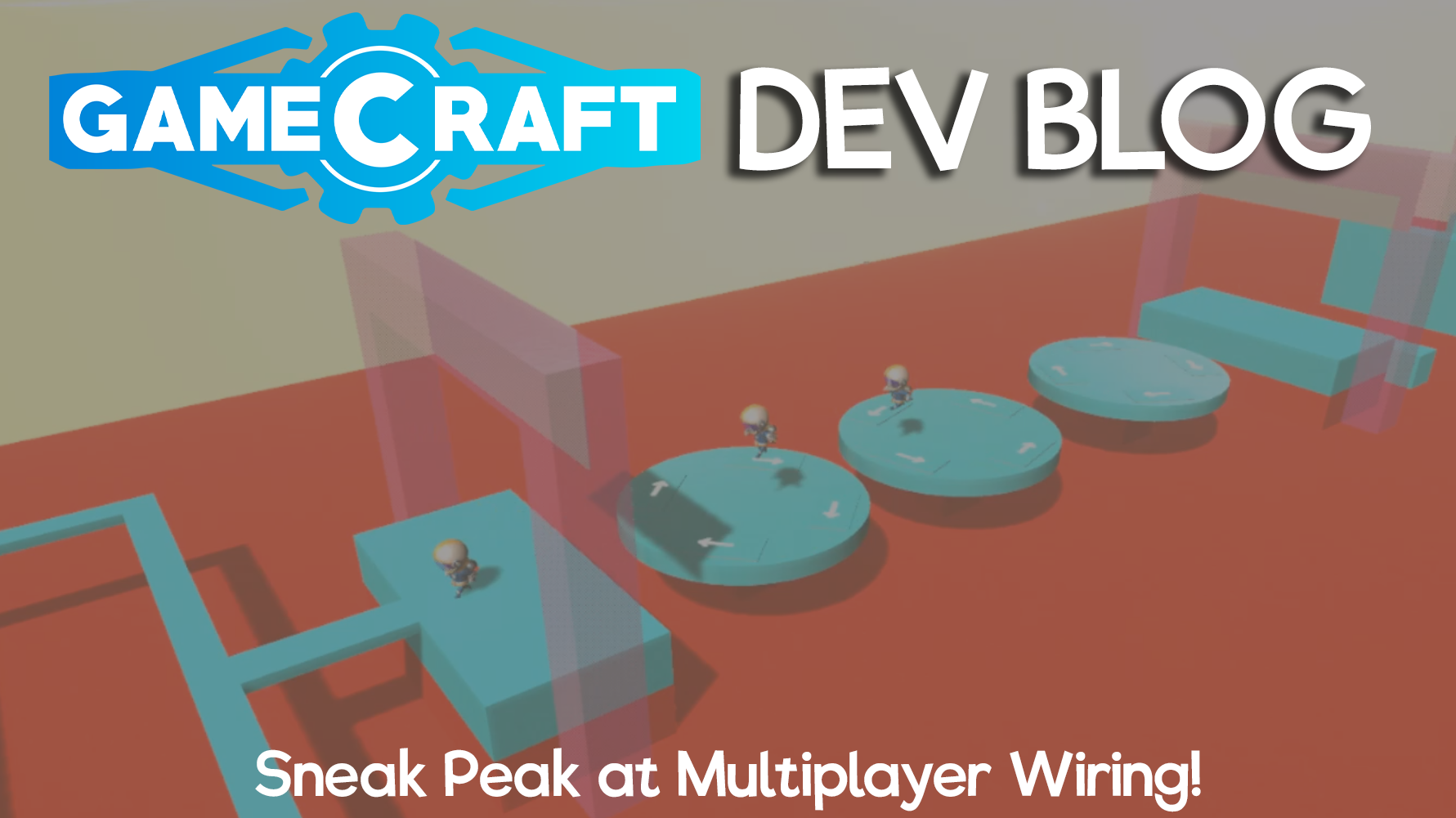
We’re working on some amazing features for the next major Gamecraft update and we’re going to talk about some of these features in each Dev Blog leading up to the release. This week we’ll be showcasing some of the work we’ve been doing to handle different players interacting with triggers and controllers in multiplayer games.
Multichannel Wiring - Handling interactions from multiple players
We’ve briefly teased this one on our Twitter but we’d like to dive into this feature a little bit more to explain how it works, how this opens up more multiplayer possibilities and how it links to other upcoming features.
Currently, teleport commands are disabled in multiplayer as we had no way of knowing who should be teleported, which would result in the host always being teleported. This is obviously not ideal if you have multiple players running through an obstacle course, getting teleported to the start point when they fall off.
To remedy this, we’ve been working towards “multichannel wiring”. In short, this system will now know which player stepped into the trigger, which player is sat in each Pilot Seat or which player pressed a button. With that knowledge, teleport commands will be able to move that specific player!
This is only the start and we’ve got lots left to do before we can fully support all kinds of multiplayer gameplay but this is already a big step in that direction. Upcoming Logic and Math blocks will also open up some more multiplayer gameplay. A couple of things on that we’ll be working on in future updates are:
Allowing other commands to be activated per player (such as flight mode toggle)
Object ID’s - To ‘tag’ certain objects (like a ball) so that triggers (like a goal) have the ability to react to only that object entering.
Spawn Point ID’s - To handle team based and player specific spawning for games.
More Logic and State blocks - To handle objective based gameplay, like scoring ‘x’ goals, or pushing the enemy team’s robots out of an arena.
Channel filters & transducers - To react to certain player or object ID’s separately, so that you could only teleport Player 1 when they enter a trigger, while ignoring any other players or teleport all of Team A when any player on that team enters a trigger.
We’re also looking into that pesky bug when teleporting a player while they are in a seat.
We hope you enjoy this small sneak peak into what we’re planning on releasing in our next update. Remember, we’ll be talking about more of the features that we are currently working on in each Dev Blog leading up to the next release. If you missed last week's blog, be sure to give it a read here: Gamecraft Blog 14/02/2020
Please follow us on our social spaces and share your creations with us: Twitter- https://twitter.com/Gamecraft_FJ Youtube - https://www.youtube.com/channel/UCkcRFCr9aQxszaYeXcWZjwA Facebook- https://www.facebook.com/GamecraftGame/ Reddit - https://www.reddit.com/r/GamecraftGame/ Discord - https://discord.gg/gamecraft
Thanks for reading! The Gamecraft Team
ANNOUNCEMENT - Legacy “Signal Averaging” Support Ending Soon
Hi Gamecrafters,
As we mentioned in our last major update post, the introduction of tweakable stats and the wiring system prompted us to switch our signal model from “averaged” to “summed”. All new games create since the Wires, Parameters, Wheels, Settings & More update are already on this new model, but we’ve supported the older “averaged” model in existing saves to avoid breaking them.
In preparation for the upcoming Logic and Math Blocks, we’re going to officially drop support for the legacy signal model with our next update, which is currently planned for early March. This means that all existing saves using the “averaged” model will be automatically converted when the update goes live.
We’re announcing this early to give crafters a chance to load up their published saves and make sure they work with the new model (or tweak them where necessary) in advance. You can check which model your save file uses by opening the advanced info tab (F3). From here, if you see “Signal model: Averaged”, you can convert to the new model by entering the “switchSignalsToSummed” console command (which you can open with ‘/’). After you save this file, it will remain on the new “summed” model.
We’ll give a short example of the key difference between the two models, so that everyone is aware of how the change will impact your creations.
With 2 Switches connected to a single piston:
Averaged signals would extend the piston by 50% when one Switch is on and 100% when both are on.
Summed signals would extend the piston by 100% when either Switch is on
We’ll post reminders in our weekly dev blogs leading up to the release.
The Gamecraft Team
Gamecraft Blog 14/02/2020
Hello Gamecrafters!
We’re working on some amazing features for the next major Gamecraft update and we’re going to talk about some of these features in each Dev Blog leading up to the release. This week we’re excited to share some details on an extremely powerful and handy feature that we’re sure will interest everyone.
Box Selection - Cut, Copy & Paste
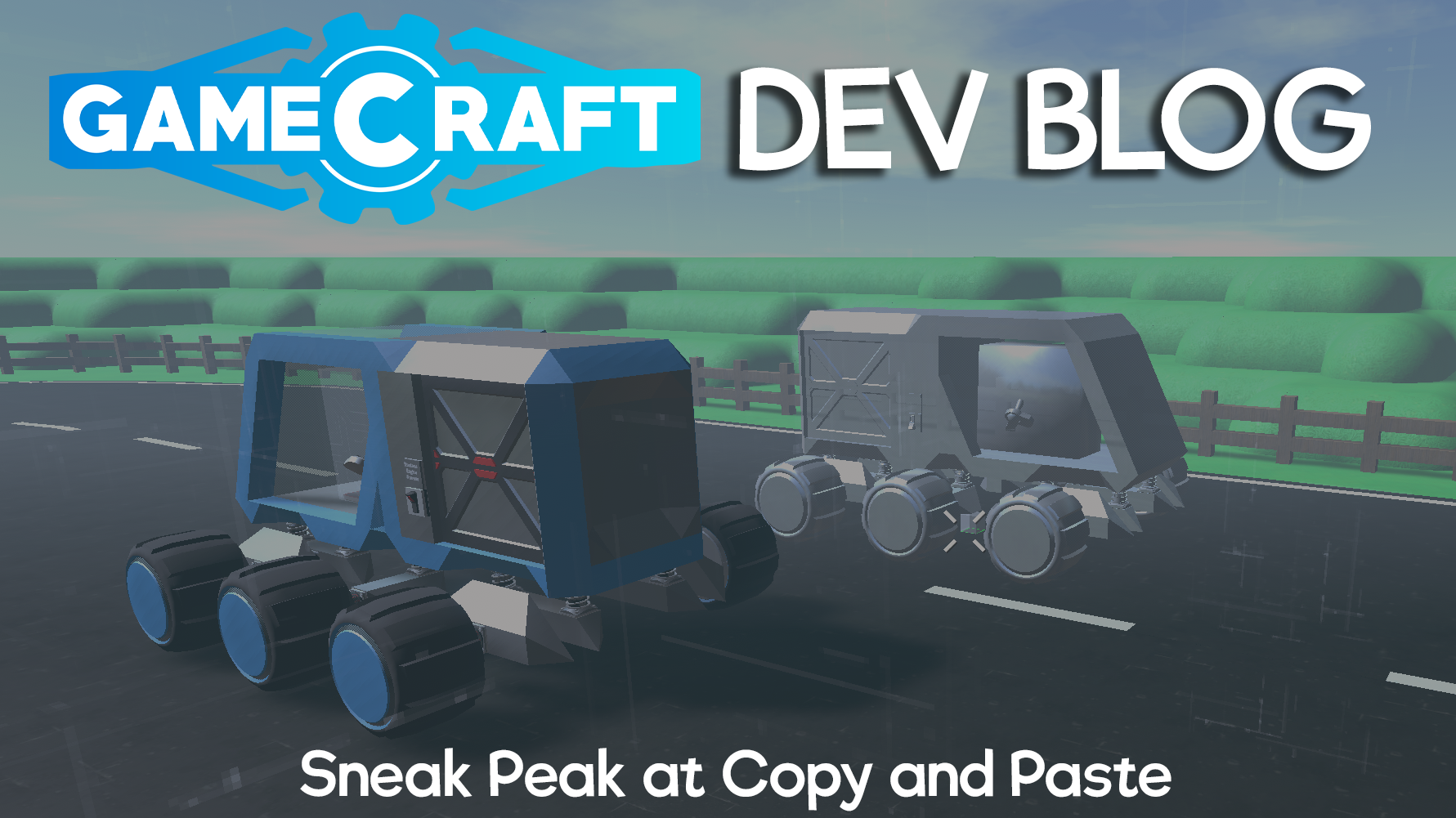
This is a massive addition that will make creating games so much easier. You’ll be able to highlight a section of your level, be it a vehicle, contraption or even a chunk of terrain, then delete, cut or copy it, and paste it anywhere else in your level, you can even open up another level and paste it there!
With this tool, stats and existing wires are copied too, so you can duplicate your existing vehicles and drive them around in a few simple actions. We’ve recorded a quick video to showcase this in action to show how quick and easy it is to copy multiple items in your level. Thanks to Paprika for the car used in this video.
Pro-tip: You can copy and paste from other crafters submissions in the Prefab Workshop. For example, you could build your own racetrack, then copy a car from the Workshop and paste it in your level. - Be sure to credit them in the description.
Pro-tip: In order to speed up the creation of levels. Make a set of prefabs to copy from. This could be in the same level or a different save. Here’s an example of what that might look like.
We hope you enjoy this small sneak peak into what we’re planning on releasing in our next update. Remember, we’ll be talking about more of the features that we are currently working on in each Dev Blog leading up to the next release. If you missed last week's blog, be sure to give it a read here: Gamecraft Blog 07/02/2020
Please follow us on our social spaces and share your creations with us: Twitter- https://twitter.com/Gamecraft_FJ Youtube - https://www.youtube.com/channel/UCkcRFCr9aQxszaYeXcWZjwA Facebook- https://www.facebook.com/GamecraftGame/ Reddit - https://www.reddit.com/r/GamecraftGame/ Discord - https://discord.gg/gamecraft
Thanks for reading! The Gamecraft Team
Gamecraft Blog 07/02/2020
Hello Gamecrafters!
We released a new major update this week which has some fantastic new features. We’ve added a few more settings screens, new tyres, tweakable part stats and a whole new way to wire things together! You can read about all the changes in our Update blog: MAJOR BUILD: Wires, Parameters, Wheels, Settings & More - LIVE NOW!
Here are just a few amazing creations our Gamecrafters have made in this update so far: Monster Truck School Bus by Mr.Rotor
Trophy Truck 2 by Bug
What are we working on next?
We are working on some great features for the next update. We’re going to talk about a couple features in each Dev Blog we release, leading up to the release. In this Dev Blog, we’re going to share a couple of the smaller Quality of Life features with you. Both of these features have been requested by the community and we totally agree that these would be a great addition and should make it quicker to create prefabs and games for you to share in Gamecraft.
Updated Inventory Screen
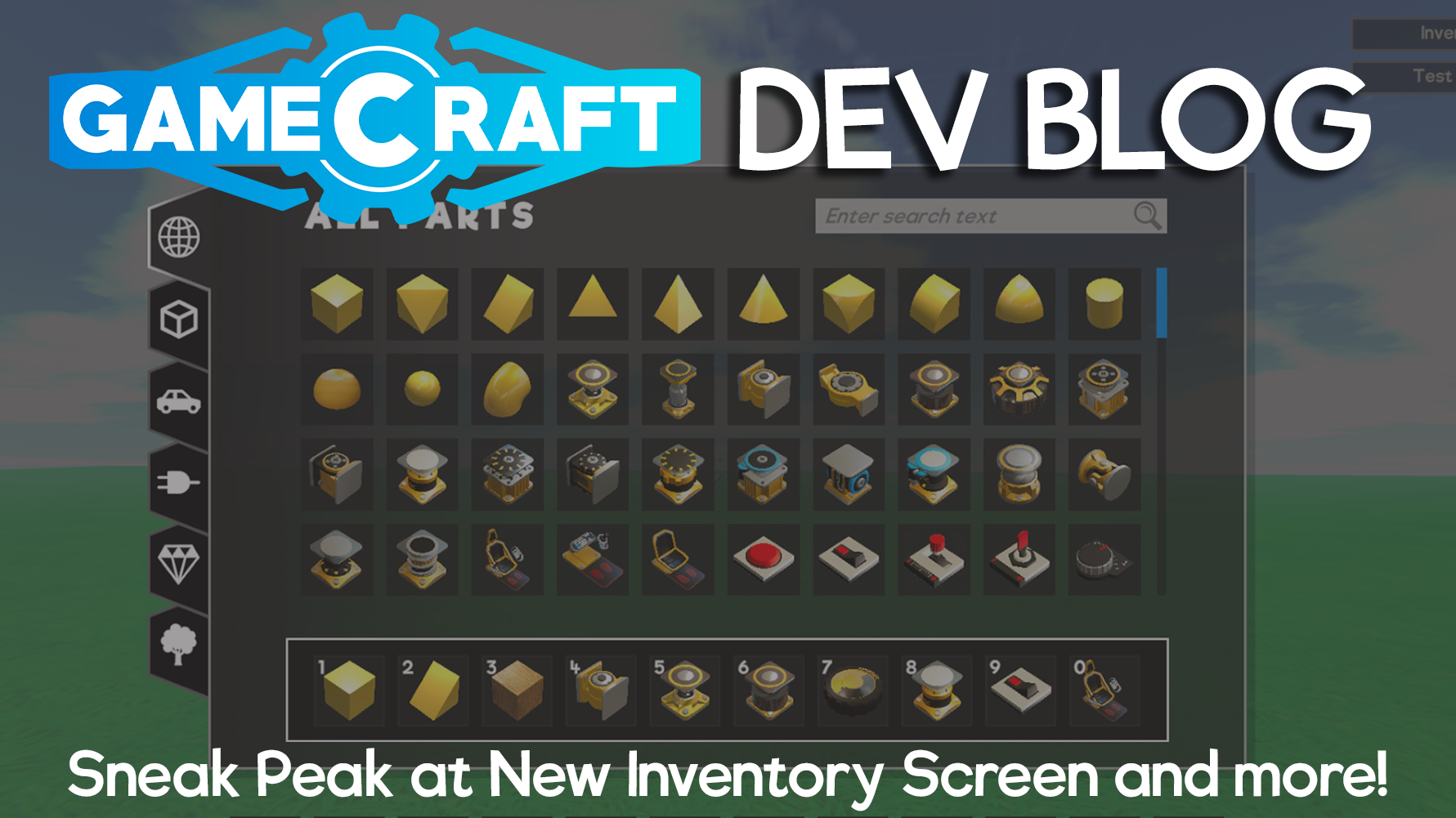
In this new inventory, you’ll be able to search for specific blocks using the search bar, so if you want to find a Piston, just type in Piston and all the different Piston types will appear.
We’ll also be separating parts into categories, such as Shapes, Logic and Cosmetic. Clicking on shapes will give you all the different primitives such as cubes, sphere or edge in all the different materials.
These changes aim to clean up the inventory as well as making finding parts easier as we continue to add more and more parts to Gamecraft.
Improved Part Picking
We’re making an improvement to the part picking feature (middle mouse button) which now copies existing connections and tweakable stats of the selected part. This should massively speed up the time it takes to make machines as you no longer need to rewire or edit each part you place to have the same stats.
We hope you enjoy our recent update and this small sneak peak into what we’re planning on releasing in our next update. Remember, we’re planning to talk about more of the features that we are working on in the Dev Blogs leading up to the next release. Please follow us on our social spaces and share your creations with us: Twitter- https://twitter.com/Gamecraft_FJ Youtube - https://www.youtube.com/channel/UCkcRFCr9aQxszaYeXcWZjwA Facebook- https://www.facebook.com/GamecraftGame/ Reddit - https://www.reddit.com/r/GamecraftGame/ Discord - https://discord.gg/gamecraft
Thanks for reading! The Gamecraft Team
MAJOR BUILD: Wires, Parameters, Wheels, Settings & More - LIVE NOW!
Hello Gamecrafters,
After a week in the Preview Branch, we’ve collected all of your feedback and made a couple of changes. We’re happy with the current state of the latest update, so we’re closing down the Preview and putting that build live for everyone to enjoy! We’ll give a brief summary of the new content in the Preview, but you can check out the full Preview patch notes here:
This method of connecting parts is an overhaul of what was previously used in Gamecraft and is designed to future proof all the functional blocks we hope to add in future (such as Logic Blocks and all the blocks you will need to make incredible multiplayer games). Along with future-proofing, the new system is designed to be more user-friendly and more powerful, allowing you to achieve builds not possible before.
The wiring system lets you connect parts in the same way as before, but with a lot of improvements and nice extras. Instead of assigning a “channel” to each of your motorised parts and controllers, you will now be connecting them through virtual wires.
Changes to Conductivity, Connectivity & Power
With the wiring system, we decided it would be the best time to remove the requirements for parts to always be connected through conductive materials that also have access to a power source. We felt that all of these constraints were a bit too limiting and often confusing to pick up.
Tweakable Stats
Parts like the Motor can have their “Max Speed”, “Torque” and even default direction (normal/reverse) altered. Other parts like Pistons can have their maximum extension tweaked. Levers and other controllers have their default position moved into this menu rather than dragging them like you do in simulation. Clicking on the blue “target button” that appears when looking at a part will give you access to the part’s stats.
Signal Changes
Since we now have Tweakable Stats to control the power and speed of things we have, we’ve also taken the opportunity to switch from an “averaged” combined signal to a “summed” one. This is another step towards Logic blocks. Old saves will still work with the old “average” system unless you convert them over using our new “switchSignalsToSummed” console command.
Existing Save conversion
Any existing save files will automatically be converted and wired based on their old signal channel when you load them. This means you shouldn’t have to lift a finger and almost all save files will continue to work the same way.
The only change that may affect your save games is the fact that some parts (like Motors) that would have spun on their own if you connected Power to them without connecting any controls (like Levers) will now spin on their own regardless (as there is no ‘Power’ requirement now.
Graphics & Sound Settings
Graphics and Audio settings screens are here too! These settings are available via the Main Menu, and in-game so that you can tweak as you play.
Tyre Changes & Variants
We’ve made some big changes to the way tyres work. We’ve also added 11 new variants!
We’ve split forwards and sideways friction of tyres, which should make cars feel much, much better to drive. We’ve also Set different friction and driving characteristics for different tyres on different materials. “Road” tyres used on Grass or Dirt will slide around and have less friction than Concrete, for example. Finally, we’ve tweaked the mass of all wheels. We’ve adjusted them to make them more relative to the size of the wheel and make sure the mass increases sensibly as they are scaled.
Other Changes
QuickSave
We’ve added in a Quicksave button (F5 by default), so that you don’t have to constantly open the pause menu to save every time. If you use this on your first save you’ll go through the usual screenshot/naming flow. Using quicksave after that will simply save.
Pilot Seat collider size
We’re always listening out for your feedback and this was a quick and simple change that we’ve seen requested. The Pilot Seat and Pilot Control parts now have the collision as the Passenger Seat to make compact builds a bit easier. The visuals still need to be updated to stop the controls slipping through other parts but we’ll clean that up with something a bit fancier later.
Updated Guides & Prefab Tutorials
The old 4 “Guides” available to new users have been removed and updated a new “Build Guide” aimed at teaching users about start/stop time and the various building tools available. New users will now only see this one Guide in their “Create Games” list.
We’ll be carrying on with the Tutorial series, hopefully getting Tutorial 02 ready in the coming months. On top of this, we’re also adding “Prefab Tutorials”. The new “Build Guide” will be added here, along with a host of new tutorials to help players pick up some of the less well-known features of Gamecraft.
Optimisations
We’ve been hard at work these past few weeks making Gamecraft run a lot smoother. Most of the changes this time around will have a bigger impact on newer CPU’s with more cores but we’re hoping everyone will see some improvements in general.
Motors spinning fast often snag on the world
An official fix for this is still in the works but we’ve tried our hands at a short term alternative. In short, we’ve changed the collisions on motors and axles while in simulation to make them smaller and spherical (similar to what we did with the wheels). This makes snagging much less frequent but does have the tradeoff of having a mismatched collider, which is more noticeable as you scale, so it won’t be a permanent solution.
We’re already diving right into the next update’s workload. We’ve got a lot of powerful tools coming that we’re really excited about! We’ll be able to share more details on these in a Dev Blog real soon. Once again we’d like to thank everyone who tried out the Preview and offered feedback.
The Gamecraft Team
Wires, Parameters, Wheels, Settings & More - Preview Hotfix
Hello Gamecrafters,
A big thanks to everyone who has been testing out the Preview. We’ve read through all of the feedback you’ve left and we’ve just released a small hotfix into the Preview Branch. We’ve fixed a couple of bugs, polished a few things off and made some fairly big changes to wheels so we’d like to hear your thoughts on these changes before they make it live. Below is the full list of the changes and fixes.
Changes
One recurring bit of feedback we’ve seen is that the mass of wheels felt wrong. We’ve adjusted them all in this Hotfix to make them more relative to the size of the wheel and make sure the mass increases sensibly as they are scaled.
NB: In order to make this work we have had to make the old small and medium tyres lighter.
Motors spinning fast often snag on the world Another major issue that has been causing problems, especially on faster vehicles, is the constant snagging against seams in the world. An official fix for this is still in the works but we’ve tried our hands at a short term alternative. In short, we’ve changed the collisions on motors and axles while in simulation to make them smaller and spherical (similar to what we did with the wheels). This makes snagging much less frequent but does have the tradeoff of having a mismatched collider, which is more noticeable as you scale, so it won’t be a permanent solution.
Wire UI now inversely scales at range This change makes the wire UI scales up slightly as you move away, to a certain distance. This should make it much easier to interact with the wiring system on larger builds.
Tutorial Prefab Filter We’ve added a new filter to the Prefab Workshop. This new “Tutorial” filter works in the same way as the “Community Games” version, allowing us to create and curate some of the Prefabs that help teach new players different aspects of Gamecraft.
The main goal here is to make sure players are aware of some of the less obvious features. The latest example of this is how the wiring system’s target buttons appear differently when you have a part selected and when you have the empty hand-selected. We’ll be making some of our own “official” tutorials but we’d love to feature some community Prefabs as well, so let us know if you’ve made something that teaches new players something cool about Gamecraft!
General Bug Fixes
Added a confirmation dialogue with a 10 second reset when switching to fullscreen, or when changing resolution in fullscreen mode
Chopper Bike Tyre now has a connection point on both sides
Capped the number of “open wire UI” sound effects that can play at the same time
Fixed a bug that allowed the camera to clip through objects in 3rd person Note: This is likely still going to happen but it should be much less obvious now
Fixed some inconsistent collisions with the Front & Back Bike Tyres
Fixed some inconsistent stats on the cars in the “Build Guide”
Fixed a typo in the “Build Guide”
We’ve got more feedback that we plan to act on over the next update and more that we’ve put on the back burner for now, but let us know what you think of these changes so far!
The Gamecraft Team
MAJOR PREVIEW BUILD: Wires, Parameters, Wheels, Settings & More - LIVE NOW!
STEAM BETA CODE = “zyZubXwRfDTK”
Hello Gamecrafters,
The first major update of 2020 is now available in the Preview Branch! We’ve got lots of new features and improvements to shout about. The reason we’re putting this in the Preview Branch first is to give you awesome Gamerafters the chance to help us test out all of these new features, catch anything we may have missed and share your thoughts with us, so that we can improve on it and polish it off before it reaches the live version. Read through the full patch notes below before you get started.
Wiring System
The brand new wiring system is ready to go! This method of connecting parts is an overhaul of what was in the game before and is designed to future proof all the functional blocks we hope to add in future (such as Logic Blocks and all the blocks you will need to make incredible multiplayer games). Along with future proofing the new system is designed to be more user friendly and more powerful, allowing you to achieve builds not possible before.
The wiring system lets you connect parts in the same way as before, but with a lot of improvements and nice extras. Instead of assigning a “channel” to each of your motorised parts and controllers, you will now be connecting them through virtual wires. After you’ve placed a part (we’ll use a Motor and a Switch in this example), simply hover over the Motor and you’ll see a small blue button. Put your crosshair over it and click LMB and you’ll see an “Input” button. From here you simply click on the little “port” and start dragging a wire between two parts. Drag this wire over the Switch and it will automatically expand the little blue circle and display an “Output” button. Click on this “port” to finish the connection and voila! These parts are now connected as if they were both set to “channel 01”.
Pro Tip: You can create a wire by holding down Left-Click and finishing the connection by releasing it over another port, or by Left-Clicking over both ports, if you’d prefer.
Some parts have more input/output ports than others, the best example of this is the Pilot Seat, which has 0 inputs and 9 outputs, compared to a Command Console, which has 1 input 0 outputs. A future example would be a logic gate like an AND gate which will have 2 inputs and 1 output (blocks like the AND would have been difficult with the old channel numbering system). Each of these ports can even have multiple wires connected from a number of sources! We’ve got a few bits of visual and audio feedback when you hover over ports, especially when you try to connect to inputs to help you out as you learn the basics of the new system.
To delete an existing wire you have two options. The first is to recreate the wire by “connecting” the two ports again. This would be the prefered method if you have lots of connections. The second option is to simply Right-Click a port. This will delete all wires connected to it.
We’ve got a few extra improvements on the way to make wiring lots of things quicker and easier, but we’ll share more on those a bit later.
Changes to Conductivity, Connectivity & Power
With the wiring system, we decided it would be the best time to remove the requirements for parts to always be connected through conductive materials that also have access to a power source. We felt that all of these constraints were a bit too limiting and often confusing to pick up.
Now, instead of having to connect a Motor to a Switch through a line of Aluminium blocks, with a Battery taking up space somewhere along that line, you can simply place a Switch on the Grass, a Motor in the air and simply wire them up and watch them go! You can now create all sorts of wireless contraptions with great ease.
We’ll be reintroducing “power” at a later date as we know game creators still want to have the option of limited resources in their games.
Tweakable Stats
In addition to wiring parts together, you’ll now be able to tweak some of the basic stats of motorised parts and controllers!
Certain parts will display a small “cog” button when you open the wiring panel. Clicking on this cog will display a new stats panel, with various sliders and buttons to play with. Parts like the Motor can have their “Max Speed”, “Torque” and even default direction (normal/reverse) altered. Other parts like Pistons can have their maximum extension tweaked. Levers and other controllers have their default position moved into this menu rather than dragging them, like you do in simulation. For consistency, the Text Block and Command Console UIs now appear when you click on the “cog” button on their respective parts.
Signal Changes
Since we now have Tweakable Stats to control the power and speed of things we have, we’ve also taken the opportunity to switch from an “averaged” combined signal to a “summed” one. Old saves will still work with the old “average” system unless you convert them over using our new “switchSignalsToSummed” console command.
New games will always be on the new “summed” signal system.
In future we will drop support for “average” signals as well as the older “Unity Physics” (in favour of Havok Physics). We’ll give you plenty of warning when we plan to do this.
Existing Save conversion
Any existing save files will automatically be converted and wired based on their old signal channel when you load them. This means you shouldn’t have to lift a finger and almost all save files will continue to work the same way.
The only change that may affect your save games is the fact that some parts (like Motors) that would have spun on their own if you connected Power to them without connecting any controls (like Levers) will now spin on their own regardless (as there is no ‘Power’ requirement now.
Graphics & Sound Settings
As we teased in our previous Dev Blogs, the Graphics and Audio settings screens are here too! These settings are available via the Main Menu, and in-game so that you can tweak as you play.
Graphics Settings
The graphics settings screen offers the following settings:
Resolution
Screen Mode (Fullscreen, Windowed or Fullscreen Windowed)
Graphics Quality (Fastest to Highest, with “Fastest” being the equivalent of the previous “Fast”
Max Framerate (30 to Unlimited)
Vsync (Off by default)
Sound Settings
We have 4 basic volume sliders in this screen:
Master Volume
Music Volume - Affects the music in menus and in-game
Sound Effects Volume - Affects all non-UI audio, such as placing cubes, painting and jumping
UI Sound Volume: - Affects any UI buttons, including the wiring system UI
Tyre Changes & Variants
We’ve made some big changes to the way tyres work. We’ve also added 11 new variants!
We’ll cover the changes first. The first major change is to split forwards and sideways friction of tyres. In short, this allows us to give each tyre more, or less, friction when the tyre isn’t facing directly forwards. More sideways friction gives more grip while you’re turning, which should make cars feel much, much better to drive.
The second major change is to set different friction and driving characteristics for different tyres on different materials. Until now all tyres performed the same across all materials (with Rubber and Oily being slight exceptions to the rule), so Aluminium and Grass offered essentially the same performance. We’ve now split these out into 5 categories:
Road - aka Concrete
Off Road - aka Grass and Dirt
Smooth - Aluminium, Iron, Wood, Brick, Glass
Rubber - special category
Oily - special category
All 13 of our tyres are set up to interact differently with these surfaces so make sure you try them out to find the perfect fit for your vehicles. They will have different friction characteristics in forwards and sideways depending on the tyre type and the surface you are on.
Pro Tip: If you’re wheel spinning and sliding all over the place try reducing the ‘torque’ on your Motors and the angle on your Steering with the new Tweakable Stats on Motors and Servos
New tyres best on road:
Car
Racing
Bicycle
Front Bike
Rear Bike
Chopper Bike
Cart
New tyres best off road:
Offroad
Tractor
Monster Truck
Motocross
NB: The previous Small and Medium tyres are average on both on and off road.
Other Changes
QuickSave
We’ve added in a Quicksave button (F5 by default), so that you don’t have to constantly open the pause menu to save every time. If you use this on your first save you’ll go through the usual screenshot/naming flow. Using quicksave after that will simply save.
Camera Zoom saved in Stasis
The camera distance you are using when you enter simulation will now be stored. When you exit simulation, it will switch back to this distance. We felt that this change would feel a bit nicer as we constantly found ourselves zooming out to test a vehicle, then having to zoom back in to first-person to edit it. If you enter simulation, then change your camera zoom, it will be reverted to the state you were building with.
Controller Part Updates
The 5 controllers (Button, Lever, Switch, 3-Way-Switch and Dial) have all been updated to be a bit easier to interact with. All parts that had “channel” Id panels have been updated but these parts are probably the most impacted by the change.
Pilot Seat collider size
We’re always listening out for your feedback and this was a quick and simple change that we’ve seen requested. The Pilot Seat and Pilot Control parts now have the collision as the Passenger Seat to make compact builds a bit easier. The visuals still need to be updated to stop the controls slipping through other parts but we’ll clean that up with something a bit fancier later.
Updated Guides/My Games default
The old 4 “Guides” available to new users have been removed and updated a new “Build Guide” aimed at teaching users about start/stop time and the various building tools available. We’ll share this on our Discord server for any existing players that want to check it out as well, but new users will now only see this one Guide in their “Create Games” list.
We’ve also removed the “My First Game” save as this seemed a bit redundant with the “New Save” button right there. We’ll also be carrying on with the Tutorial series, hopefully getting Tutorial 02 ready in the coming months.
Optimisations
We’ve been hard at work these past few weeks making Gamecraft run a lot smoother. Most of the changes this time around will have a bigger impact on newer CPU’s with more cores but we’re hoping everyone will see some improvements in general. We’d love to hear the impact these changes have had so do let us know! We’ll be continuing this work to clean up other areas as we go.
Bug Fixes
We’ve fixed a couple of issues with the limits of massive save files. These shouldn’t have too noticable of an impact but these saves may have had some underlying issues that would cause odd behaviour previously
Powered joints should now sync a bit better and act more consistently in multiplayer servers for non-host players
Fixed a bug that occasionally caused the camera to shake while in multiplayer
Fixed a bug that caused a part to be selected while in colour mode after opening various menus or UI’s
Fixed some backgrounds not stretching correctly on Ultra-widescreen resolutions
Fixed a bug that caused certain parts to appear black when viewed in the Screenshot Taker
Fixed a bug that caused the Ambient Light values to be incorrect the first time you load a save
Preview Access & Specifics
With all that out of the way, here’s how to get access to the Preview!
For those of you that took part in our previous previews, you’ll be a bit more familiar with these steps. For anyone who didn’t take part, we’ve got a simple step by step guide on getting into the preview below.
To access the Preview Build, follow these steps:
Open the Library tab on Steam
Right-Click on Gamecraft
Click on “Properties”
Click on the “Betas” tab
Enter the code “zyZubXwRfDTK” and click on the “Check Code” button
Click on the dropdown and select the “Preview” branch
Give this a minute to download
Make sure the game appears as “Gamecraft [preview]” in the Library
Click Play and get started
NB: We’ve disabled the Publish button in the preview. This is simply because any saves created or edited in this version will not be compatible with the current live build. You’ll be able to update your saves and manually carry them back over to the live version when the preview is concluded.
NB: Save files from the “live” version will still be safe in the usual directory. You can copy these over to the preview save folder if you want to try them out.
Once you’ve dived in and had some experience with the new Wiring system we’d love to hear your feedback. We have a few known issues that we’ll be working to resolve before the preview goes live as well as a few improvements that still need to be developed. We’re super excited to see all of the amazing things you’re going to create with these powerful new tools.
The Gamecraft Team
Gamecraft Blog 27/01/2020
Hello Gamecrafters!
We didn’t get around to posting our weekly dev blog last Friday as we were focused on working our way through some of the final issues with the next update, as well as some extra tweaks and polish, so this will be a bit of a short blog.
We’re not quite finished yet and we want to spend a bit more time testing and iterating to make sure it’s in great condition when it reaches you so we’re now aiming to release later this week. We’ll keep you posted when we’ve got a date in mind.
We’ve shared a couple more teasers of the work so far on our Discord server throughout the week which you can check out below!
That’s it for this devblog. We’ll also try to finish up the “Let’s Play” of the Christmas Competition and get those posted on our Youtube channel soon as well.
Please follow us on our social spaces and share your creations with us: Twitter- https://twitter.com/Gamecraft_FJ Youtube - https://www.youtube.com/c/GamecraftGame Facebook- https://www.facebook.com/GamecraftGame/ Reddit - https://www.reddit.com/r/GamecraftGame/ Discord - https://discord.gg/gamecraft
Thanks for reading! The Gamecraft Team
Gamecraft Blog 17/01/2020
Hello Gamecrafters!
We’re back and working hard on the next Gamecraft update. We’ve got another big one planned this time with some new major features, new parts, optimisations and a whole lot more!
This update is currently expected to land next week, although we might need a little bit longer to make sure it’s as great as it can be. We do plan on launching this update in the Preview branch again this time around. The main reason for this is to get a playable version of the wiring system in the talented hands of you crafters, so that we can get your valuable feedback.
Like some of our previous updates, the changes we’re introducing are massive and will affect existing saves. We don’t expect them to behave any differently (we’ll explain exactly why in the release patch notes) but there may be some unforeseen hiccups.
A few of the headlining features of this update will be:
Wiring system
We’ve been working on this for a while now and it’s almost ready to go! We’ve already shared a little teaser that you can view here: https://www.reddit.com/r/GamecraftGame/comments/eo65x5/hey_gamecrafters_were_back_from_the_holidays_and/
Our new wiring system will be familiar to those of you that have played a couple of different building games and we think our take on it will feel every bit as good and will definitely have a few nice additions. This system will completely replace the “signal channel” system we’ve been using up until now. We feel like we’ve reached the limits of what we can achieve with the signal channel system, and wiring opens up so many more possibilities that we’d just be silly not to switch.
We’re making sure that any existing save files are automatically converted to the new system, with all previous connections intact, so you won’t have to spend any time rewiring. With this, we’ll also be removing the conductivity and power systems as they’re no longer necessary and would often be limiting and cumbersome. We’ll also be changing the way multiple signals are calculated (e.g. having two levers control the same block). We’ll share more details on those when the update goes live
Tweakable Stats
A feature that has been heavily requested since the earlier experiments is coming with the wiring system as well! When you’re hooking up your buttons and motorised parts, you’ll be able to tweak a few of the stats of these parts. From the default “on/off” state of a switch to the maximum speed or default direction of a Motor; Tweakable Stats will give you much finer control over your creations.
Wheel Tweaks & New Wheels
It’s no surprise that loads of you have been creating a plethora of vehicles in a physics sandbox game. So we’ve taken a look at the current status of these and decided to make a couple of changes and additions that we’re sure you’ll all love.
The first change is a tweak to the friction settings of wheels. At the moment, wheels have a constant friction regardless of where your steering or what you’re doing. This makes it harder to create vehicles that can steer well, especially at higher speeds. To combat this, we’ve split forwards and sideways friction so that we can have finer control and offer more realistic wheels.
The second change is to have different friction based on the material the wheels interact with. For instance, if you’re driving on dirt, you would expect less grip on your wheels, when compared to concrete. We’ve broadly split these out into 5 categories; Road, Default, Offroad, Rubber and Oily. Each tyre will have different friction values for each surface so you can pick and choose the right tyre for the right surface.
With these changes we’re also adding a range of new tyre types. We’ll have 11 new tyres for you to play around with! From bicycle tyres and horse-carriage style tyres to massive monster truck tyres, we’re sure you’ll find the perfect one for each vehicle.
Graphics & Audio Settings
We know a lot of you have been asking for these for a while, and we’ve heard you. We added the Controls screen last update so we wanted to complete the set with Graphics and Audio settings. These are pretty straightforward so we won’t go into much detail here but you can also expect a few new “quality settings” to help find a sweet spot for each setup that offers a better balance between graphics and performance.
Performance optimisations
Seb’s been hard at work optimising our codebase, jobifying a massive amount and cleaning up some problem areas. These optimisations will be much more noticeable on CPU’s at the higher end but we’re hoping everyone should see some improvements across the board.
Quick Save
We know it’s easy to forget to save every do often, especially when you have to go through a couple of extra menus and buttons (we’ve all been there). We’re still planning out a better autosave system but that might be a while, so, we’re adding in a quicksave button in the meantime to take some of the pain away.
That’s it for this week’s devblog. We’ll aim to keep sharing some more teasers of the upcoming update next week while we iron out the issues and polish things up and hopefully get all of these amazing changes in your hands as soon as possible.
Please follow us on our social spaces and share your creations with us: Twitter- https://twitter.com/Gamecraft_FJ Youtube - https://www.youtube.com/c/GamecraftGame Facebook- https://www.facebook.com/GamecraftGame/ Reddit - https://www.reddit.com/r/GamecraftGame/ Discord - https://discord.gg/gamecraft
Thanks for reading! The Gamecraft Team
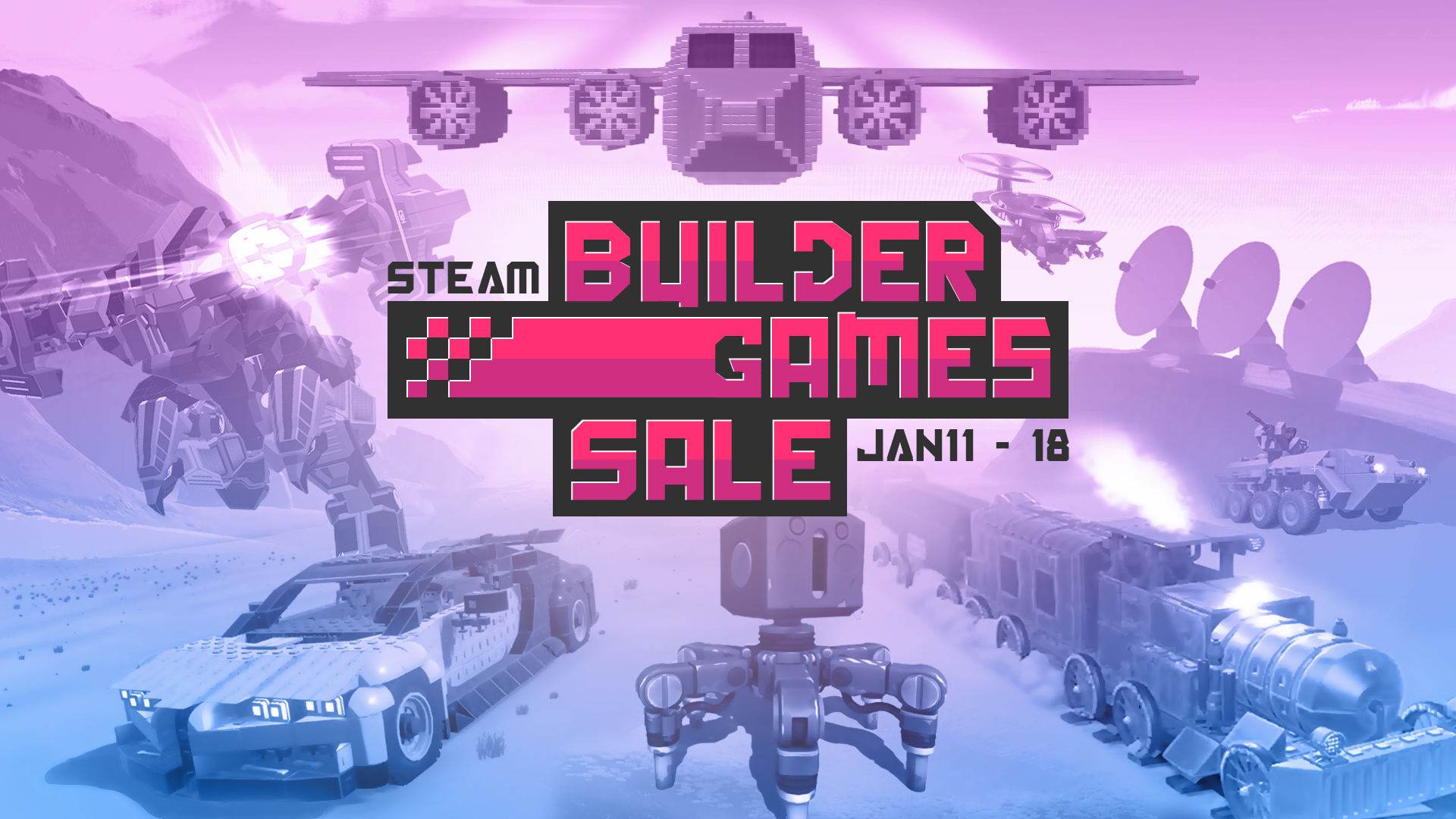
Steam Builder Games Sale - Including 50% Off Selected Freejam Titles!
We’ve teamed up with a bunch of fantastic, highly creative developers to bring you the “Steam Builder Games Sale”!
You’ll find massive discounts across a whole host of great games, all focused around building, that we’re sure you’ll love as much as we do. With a couple of our own titles included of course! The sale will run from January 11, 2020 @ 9:55am PST to January 18, 2020 @ 10:05am PST so be sure to check it out and pick up some amazing games to unleash your creativity.