This update brings added depth to crew quarters, significant performance optimizations, and substantial gameplay enhancements.
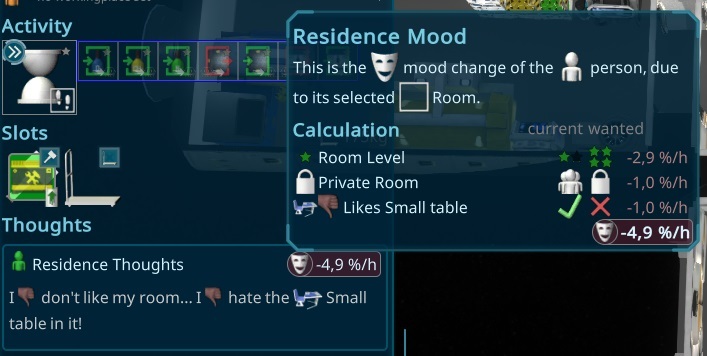
Residence Mood
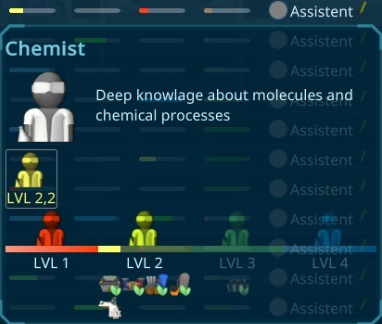
Crew members now have expectations regarding their accommodations, with room requirements based on skill levels. High-skilled workers need higher room levels, and their mood is influenced by the room's setup and the presence of liked or disliked items in their quarters.
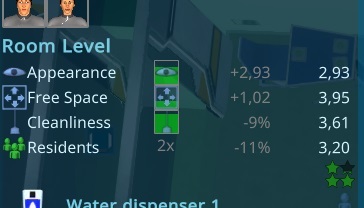
Room Level
Room levels now range from 1 to 5 stars, determined by the room’s appearance, available space, and the number of residents.
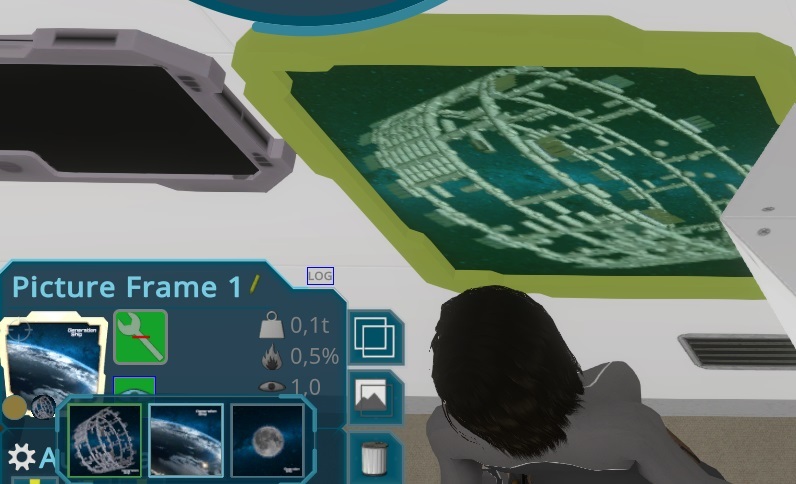
Appearance
A new "Appearance" value reflects the room’s aesthetic quality. Many items can positively or negatively impact this value, with some decor items designed solely for visual appeal. A new system lets textures and models be switched, paving the way for future additions.
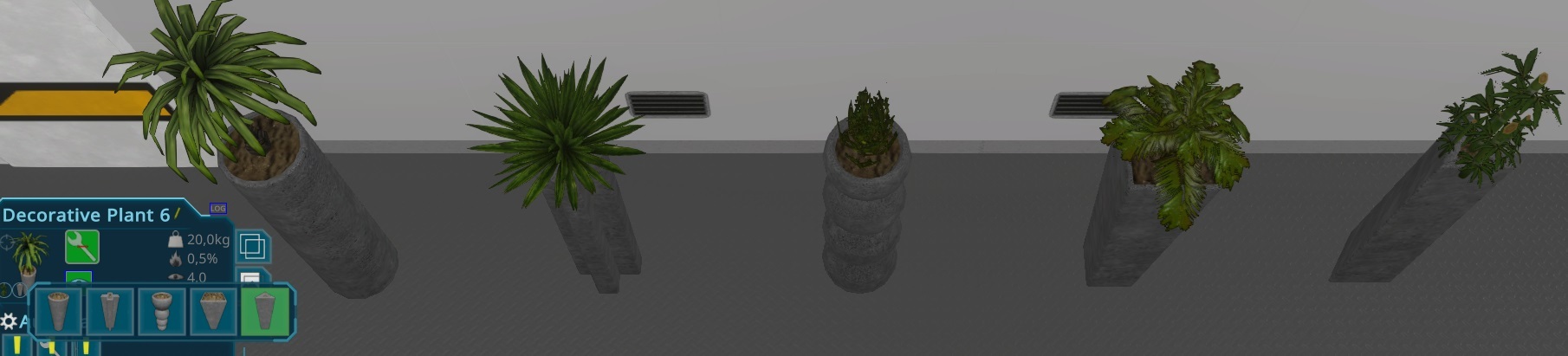
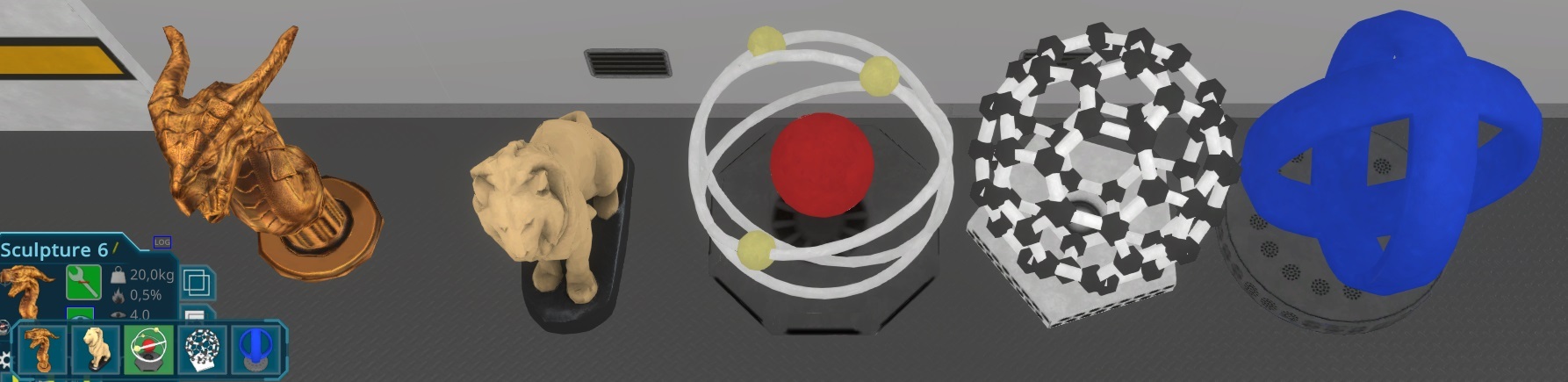
Sculptures and plants have also been introduced.
Cleanliness
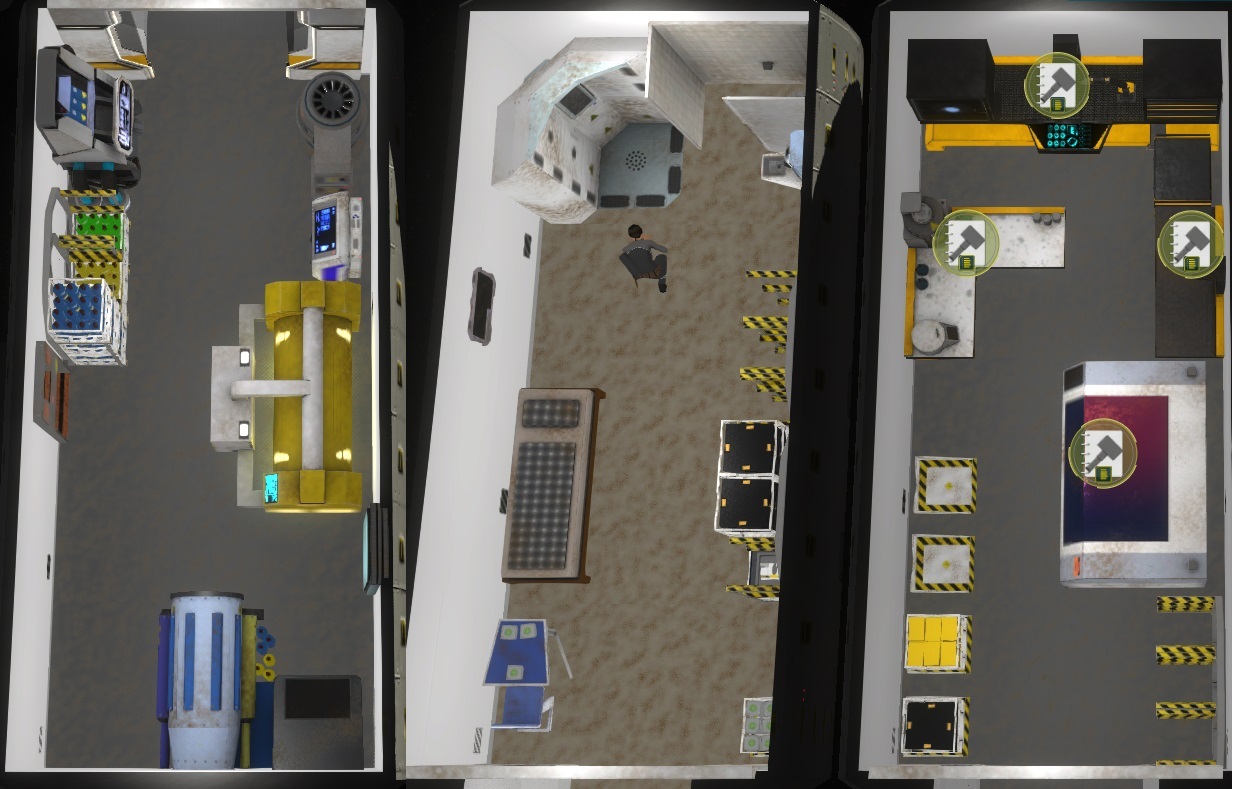
Room cleanliness now degrades with occupancy, impacted further by certain items or hazards like fire. This is visually represented by accumulating dirt in the room.
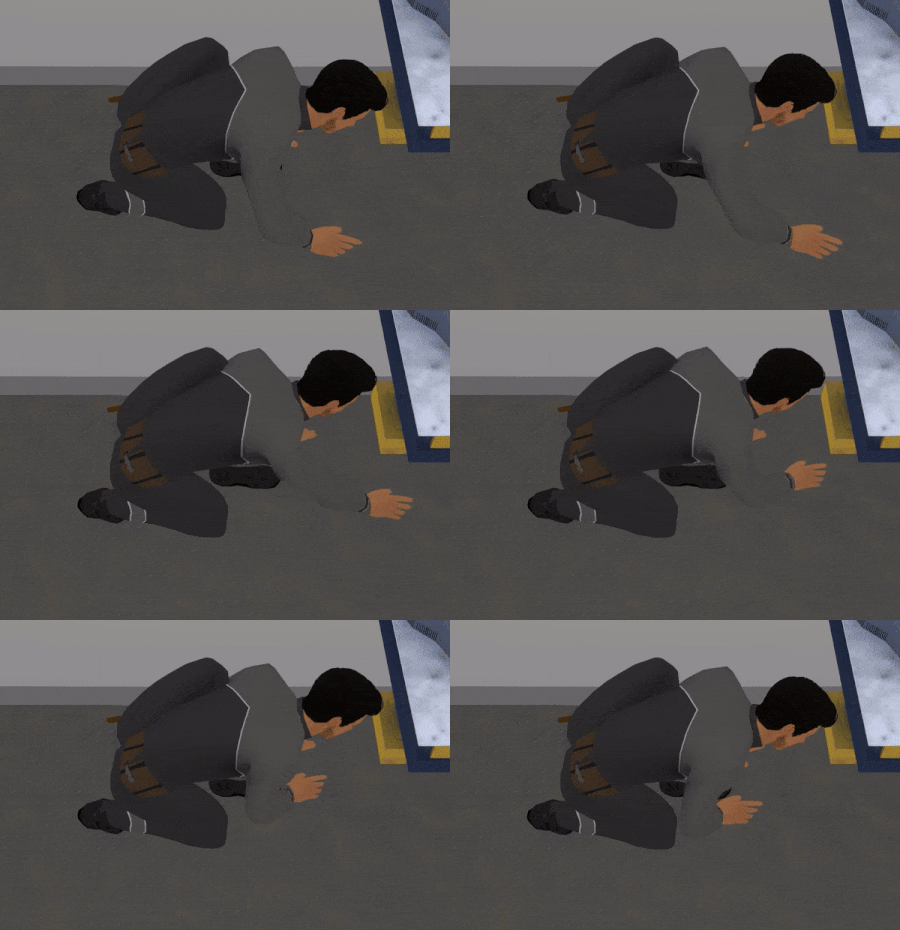
Everyone on board can now help clean, adding another task to the ship's duties.
Currently, cleanliness only affects visuals, but it will later impact the risk of illness, especially during eating or drinking.
Efficiency improvements
Crew members can now boost item efficiency as a new task. Each workable item has an efficiency value that can be improved based on skill requirements; for example, enhancing a greenhouse’s efficiency requires biology skills.
Thought Bubbles
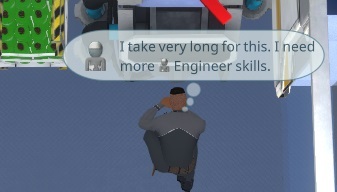
To help players understand work delays and crew issues, thought bubbles now appear briefly above crew members. These bubbles indicate why tasks are interrupted or why a crew member may be slow due to low mood or skills.
No more InteriorItemBoxes
A major change: interior item boxes are now removed. After positive playtest feedback, items are now constructed directly at their placement instead of at the workbench, reducing storage needs and simplifying gameplay.
Performance
Finally, performance received a major boost. With many new tasks added for cleaning and efficiency, task load on larger ships was high. By minimizing recalculations and introducing a more efficient pathfinding algorithm with pre-calculations, path checking is now faster and more precise. On larger ships, speed increased dramatically from around 3 minutes per second to nearly 3 hours per second.
Want to see more?
I also post the progress and more pictures to our Discord:
And don't forget to wishlist and follow us to keep up to date.
This update brings added depth to crew quarters, significant performance optimizations, and substantial gameplay enhancements.
Residence Mood
Crew members now have expectations regarding their accommodations, with room requirements based on skill levels. High-skilled workers need higher room levels, and their mood is influenced by the room's setup and the presence of liked or disliked items in their quarters.
Room Level
Room levels now range from 1 to 5 stars, determined by the room’s appearance, available space, and the number of residents.
Appearance
A new "Appearance" value reflects the room’s aesthetic quality. Many items can positively or negatively impact this value, with some decor items designed solely for visual appeal. A new system lets textures and models be switched, paving the way for future additions.
Sculptures and plants have also been introduced.
Cleanliness
Room cleanliness now degrades with occupancy, impacted further by certain items or hazards like fire. This is visually represented by accumulating dirt in the room.
Everyone on board can now help clean, adding another task to the ship's duties.
Currently, cleanliness only affects visuals, but it will later impact the risk of illness, especially during eating or drinking.
Efficiency improvements
Crew members can now boost item efficiency as a new task. Each workable item has an efficiency value that can be improved based on skill requirements; for example, enhancing a greenhouse’s efficiency requires biology skills.
Thought Bubbles
To help players understand work delays and crew issues, thought bubbles now appear briefly above crew members. These bubbles indicate why tasks are interrupted or why a crew member may be slow due to low mood or skills.
No more InteriorItemBoxes
A major change: interior item boxes are now removed. After positive playtest feedback, items are now constructed directly at their placement instead of at the workbench, reducing storage needs and simplifying gameplay.
Performance
Finally, performance received a major boost. With many new tasks added for cleaning and efficiency, task load on larger ships was high. By minimizing recalculations and introducing a more efficient pathfinding algorithm with pre-calculations, path checking is now faster and more precise. On larger ships, speed increased dramatically from around 3 minutes per second to nearly 3 hours per second.
Want to see more?
I also post the progress and more pictures to our Discord:
And don't forget to wishlist and follow us to keep up to date.
crafting: Fixed Crafting of one Plastic Recipe could not be chosen ¹
error: Fixed Eula-Check in special case cuasing an exception
exception: Fixed rare exception in simulation when updating special activity icons in special cases
json: Fixed how to deal with broken bool values
overlay: Fixed PathOverlay for construction storages
pimenu: Fixed Activities that are stopped because of low condition could be used by the player
simulation: Prevent all doors can be dismantled in special cases ¹
simulation: Persons could idle in not finished rooms in special cases
simulation: Fixed problem with wrong energy usage estimation in special cases with workers and not enough energy
simulation: Fixed Condition Problem was not shown in special situations
ui: Fixed private button was in the wrong state ²
ui: Fixed Like/Dislike Text was wrong in ResidenceMood Tooltip
ui: Fixed misscalculation of AirVolume with unbuild rooms
ui: Some Tasks had bad Headlines (resourcename was not needed)
ui: Only show resourceType of Activity if its a transport task (problem with increase efficiency)
ui: Prevent creating blueprints names having illegal fileextension special chars when storing it on the harddrive
Added
i18n: Support for Tags to show it as a Questionmark with tooltip, to add more infos without extra code.
interaction: Clicking on an already selected person will move the camera to it.
pimenu: Added Recipe Tooltips to Change erecipe in PiMenu
pimenu: Added current Assigned Person to PiMenu
pimenu: Added to increase efficiency to the efficiency item
ui: Added consumer/producers for Environment variables (like Appearance or noise)
ui: Added Switch to Dock for Supplyship menu
ui: Added Skill-Details also to the Skill Tooltip on persons, to see what they can do
ui: Added WantedRoomLevel to Supplyship Recrute Panel
ui: Added Task Description to the Task Tooltips
ui: Added hint for next person below the Supply Person Recrutement
Improved
changelog: Added Support for @ name for ChangeLogs to thank to community members ²
i18n: Named default Group different, to indicate that there are more groups
savegame: Only add the old Version warning when loading a game, when it might be a problem like for very old versions ²
simulation: Only count like and dislike items in the residence when its finished
timewarp: Make good estimation for Increase Efficiency Task Timewarps
tutorial: Mention Required Engineer skill to Tutorial
ui: Improved Environment Effect UI when dropping new InteriorItems
ui: Disable red highlight animation when a problem of persons in the PersonOverview appears
ui: Only show ResourceUsers that are really doing something
ui: Added Scrollbars when having too many supplyships
ui: Hide Education from group schedule
ui: Replaced Cost of a new Supplyship wtih general value elements
Balancing
fire: Fire also reduce Cleanliness of the room
humidity: Make Environment items less effected by high humidity
metric: Make Eating and Drinking more important than fun
Thanks to Szenario¹, Hanniah² for ideas, reports, suggestions or contribution.
Update 0.97 Crew Traits
This update adds more individuality to each crew member. They now have specific likes, dislikes, and unique traits.
General Traits
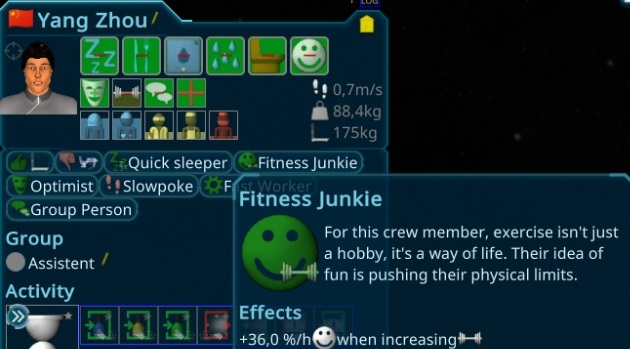
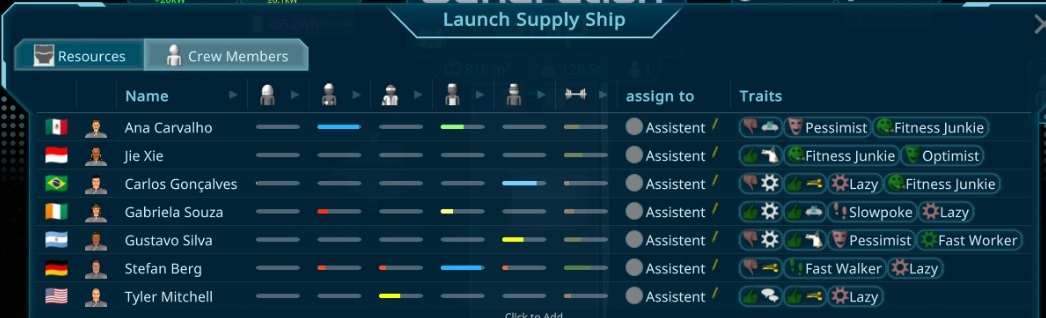
Crew members now have various traits that significantly impact their behavior. These traits fall into different categories such as General, Social, Free Time, and more. They influence aspects like work speed, movement speed, sleep needs, and much more.
Likes and Dislikes
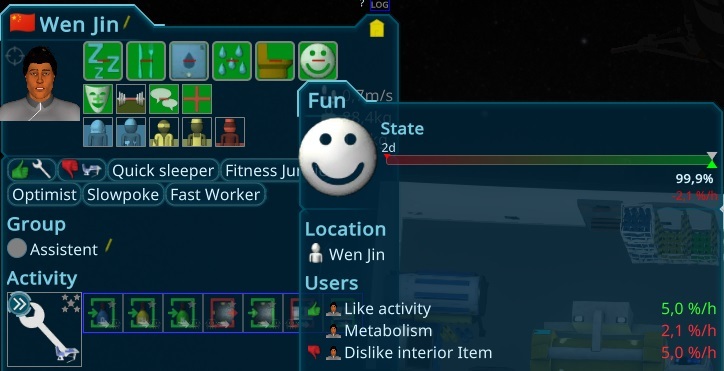
Crew members now have personal preferences for activities and interior items. Depending on whether they like or dislike something, their enjoyment will affect their satisfaction levels while interacting with those activities or items.
Recruit Crew Generator
The crew generator has been improved. It can now create new crew members with a specified rating and balance their traits, skills, and fitness levels, allowing you to select members that best fit the current needs of your ship.
Work Speed
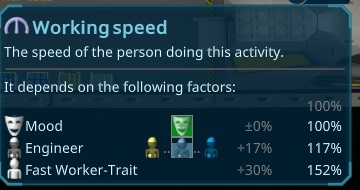
Crew work speed has been standardized with a unified calculation, now displayed in the UI. Various factors affect work speed, such as traits, mood, and skills. You can now easily track these factors.
Interior Item Efficiency
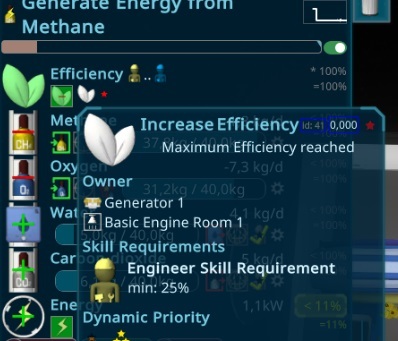
To keep your crew occupied, an efficiency system has been added to many interior items. This impacts productivity and can be improved by crew members with the right skills. For example, increasing greenhouse efficiency requires botany skills, while the engine demands astronaut skills.
Skill Requirements
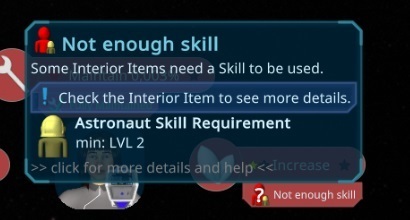
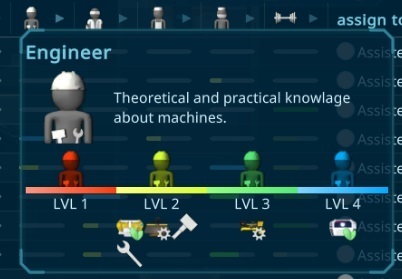
In addition to efficiency updates, skill requirements have been adjusted. They are now displayed alongside tasks wherever relevant. Construction and maintenance tasks now require at least level 2 in the appropriate skills, with higher levels improving task speed.
There is also a full overview of what can be achieved with each skill.
Fitness Schedule
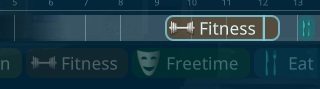
You can now schedule dedicated fitness time for crew members to prevent a drop in fitness levels, which can result in slower work performance.
Want to see more?
I also post the progress and more pictures to our Discord:
And don't forget to wishlist and follow us to keep up to date.
In this update, we’ve focused on enhancing the crew’s experience with new needs and interior items.
Fun Need
A new "Fun" need has been introduced for the crew, along with small and medium items to boost fun. In future updates, traits will be added, allowing crew members to enjoy their favorite activities even more.
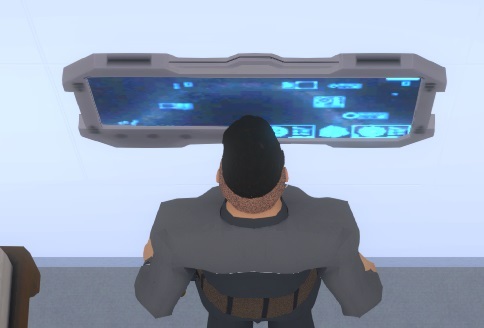
One of these fun items is the interactive starmap screen, where the crew can explore the galaxy. This screen will also enhance the room’s environment in upcoming iterations.
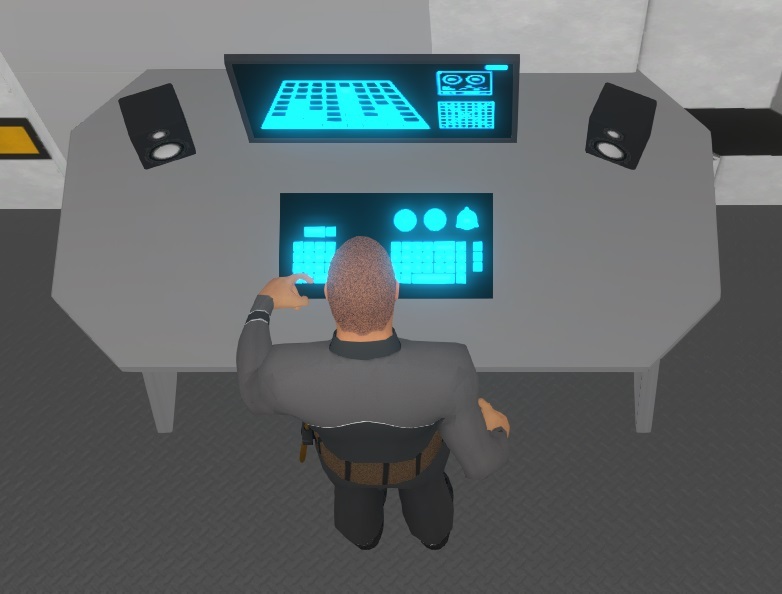
Another lager one is a home computer where the crew can play games.
Fitness Need
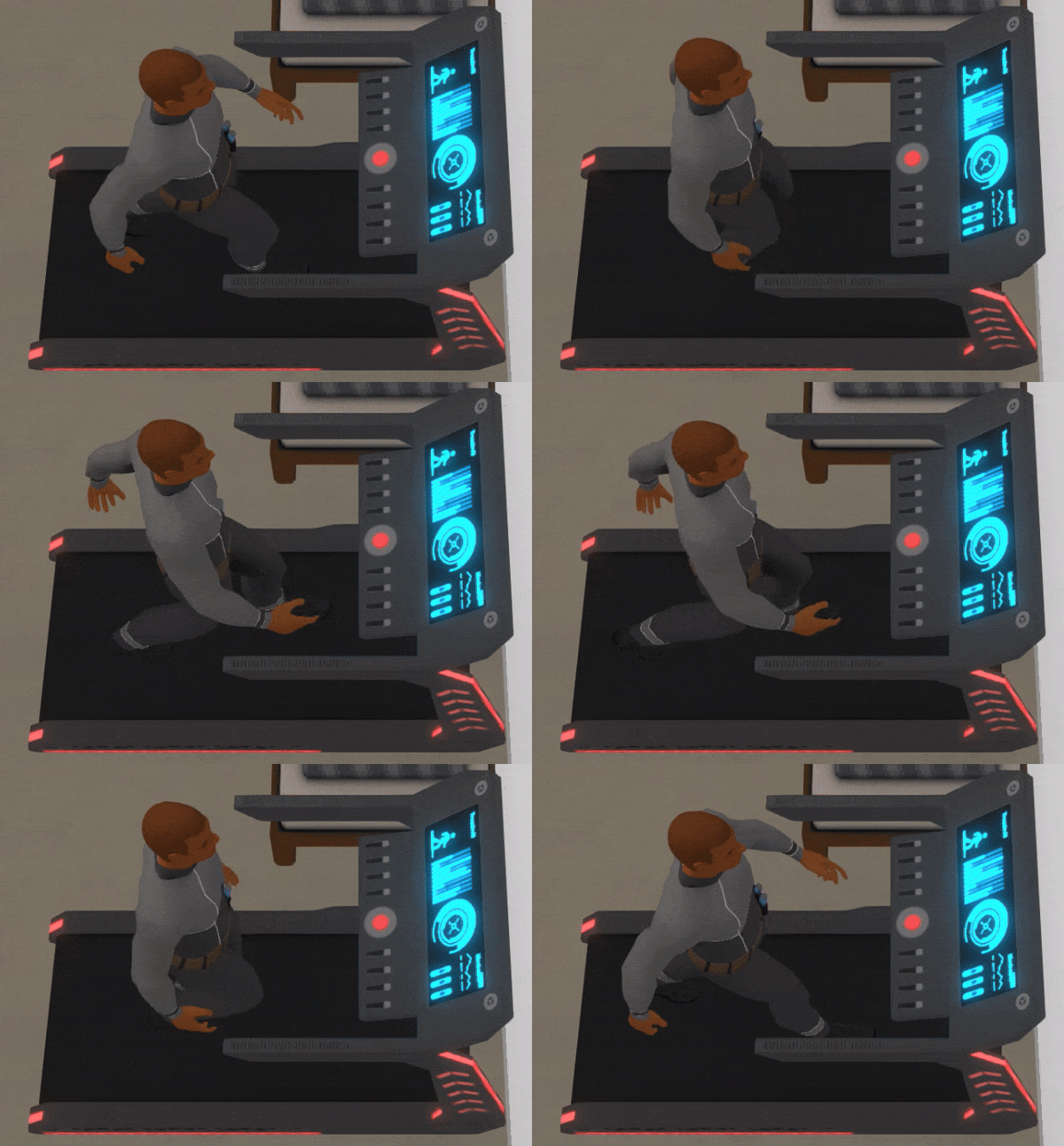
To further enhance the fun, we've added the Treadmill, which not only increases the fun value but also boosts the newly added "Fitness" stat for crew members.
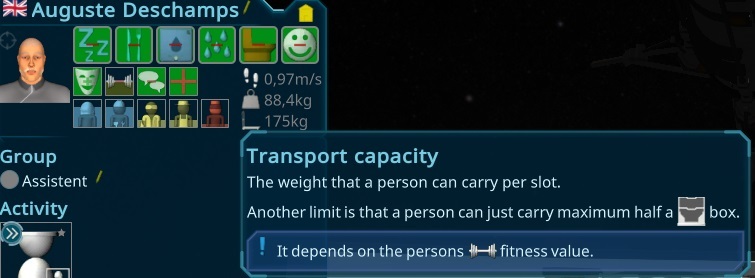
The fitness level impacts each person’s maximum carry capacity (ranging from 50kg to 300kg per slot) and their walking speed.
Walking Speed
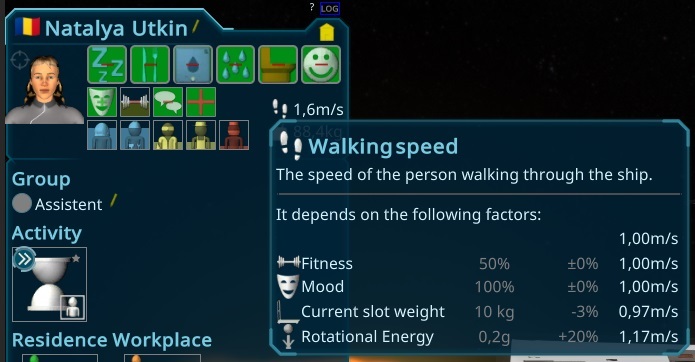
Crew members now have varied walking speeds on the ship. It's essential to assign tasks carefully, as speed is now influenced by factors like fitness, mood, gravity, and the items being carried. Heavy or large objects will significantly slow them down.
Social Need
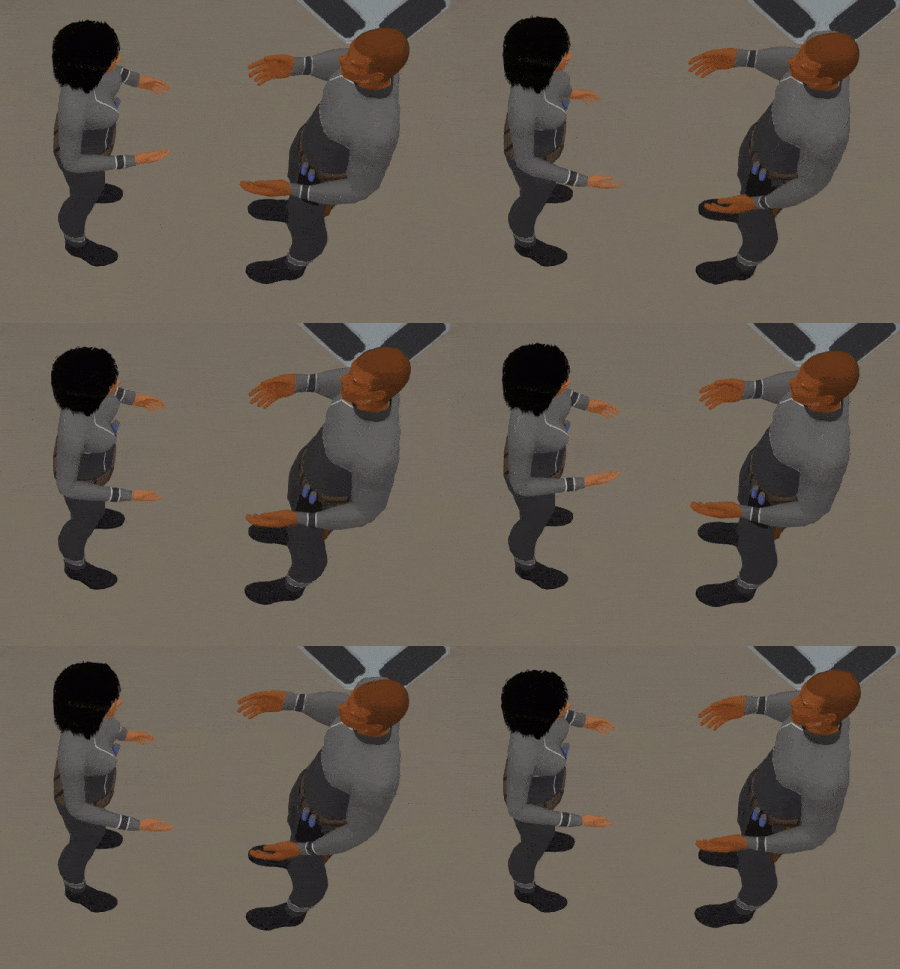
We’ve introduced a new social need for the crew. When this need decreases, crew members will actively seek out conversations. In future updates, relationships like friendships will develop through social interactions.
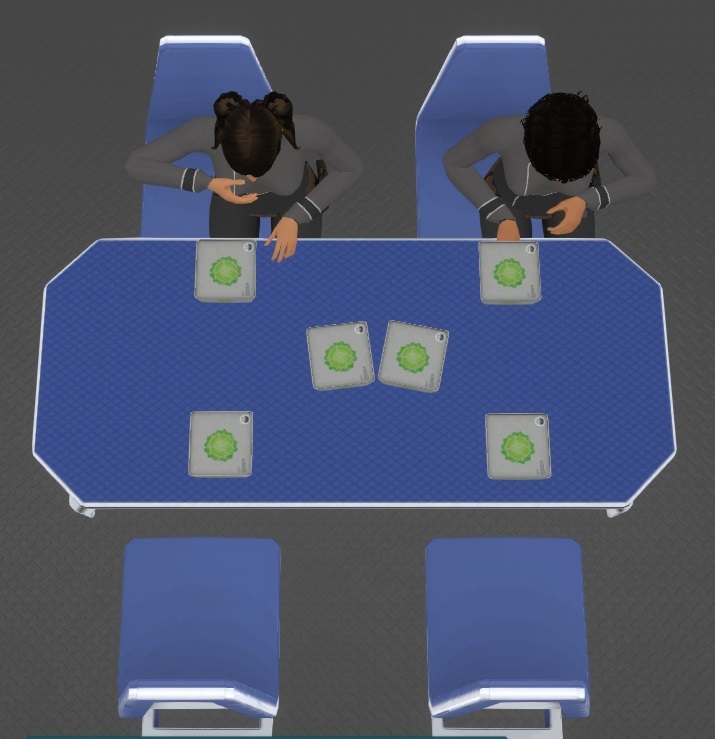
Another way to boost social interactions is by doing activities together. A medium-sized table that seats four people has been added, allowing crew members to eat and socialize. This ties into the day schedule from the last update, so now it's more effective to plan shared mealtimes.
Additionally, new animations were created, and many small animation logic issues were fixed in the process.
Other New Items
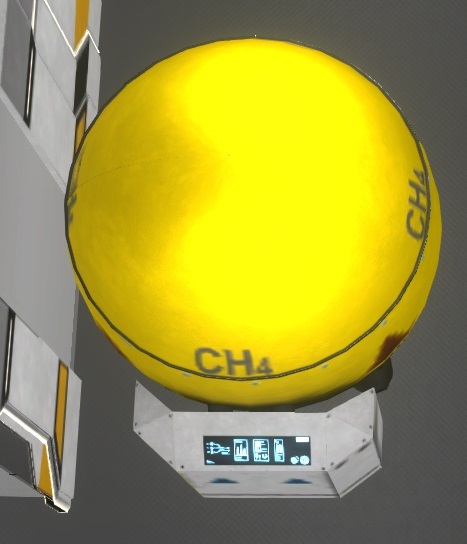
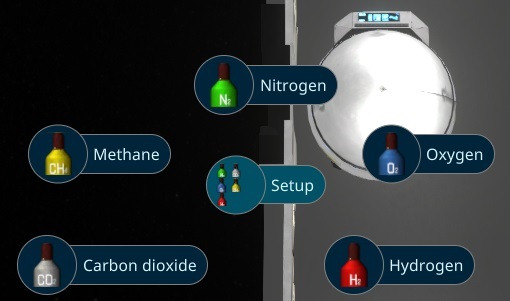
To support the large amounts of methane and other gases needed for long trips, we’ve added massive gas storage containers.
Once constructed, these containers can be assigned to different resource types.
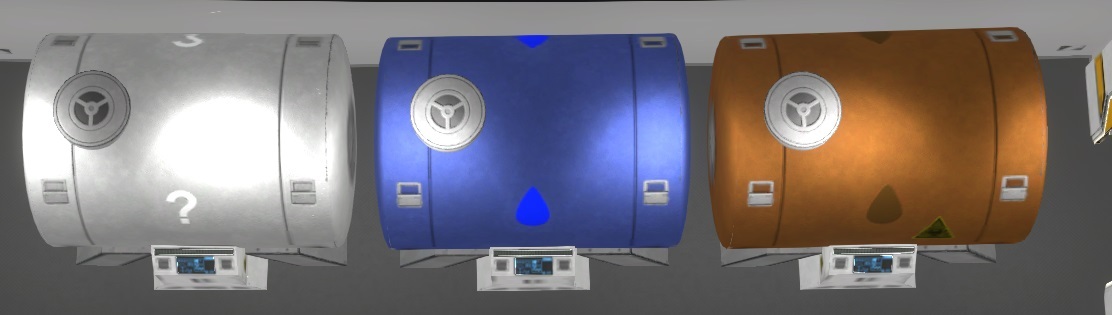
We’ve also introduced a new storage item for liquids, which currently stores water and waste water. This system is ready to handle new liquids that may be added in future updates.
Want to see more?
I also post the progress and more pictures to our Discord:
And don't forget to wishlist and follow us to keep up to date.
The main part of this iteration focuses on person groups, making it easier to manage large numbers of people and introducing new features to control their behavior.
Person Groups
Each person can now be assigned to a specific group, which you can define yourself. Group members share the same uniform color, which you can customize. You can also adjust the slots assigned to group members.
Configure groups using drag-and-drop in the group editor, the person selection panel, or when hiring them.
The Person Overview has been updated to display group statuses clearly.
Work Priorities
New work priorities allow you to prioritize specific tasks, such as maintenance or transport, within the ship.
Day Schedule
Groups now have customizable day schedules, letting you configure when they work, sleep, or eat. This will be more useful with upcoming social needs, allowing people to eat together and form friendships.
Create shifts for groups, ensuring continuous coverage for tasks like firefighting, maintenance, or crafting.
Day Night
The day-night cycle, which enhances visual appeal and gameplay, can be adjusted in the group setup.
Placement Improvements
In playtests, players often had trouble placing interior items that require walls. Now, these items automatically rotate toward the required walls and snap into the correct position. Additionally, the drag logic for items has been improved, making it easier to place larger objects.
There's also a new preview for doors when placing rooms, helping you see the requirements more clearly.
Configurable Resource Overview
The Resource Overview in the lower-left corner can be customized to meet user needs, with a useful preset available at the start.
Changeable Interior Item Colors
You can now change the colors of interior items like tables and beds. The bed color matches the uniform color for easy identification.
Smaller Changes
Other updates include a Steam login button for new players and improvements to the crafting and storage UI for better clarity and ease of use.
Want to see more?
I also post the progress and more pictures to our Discord:
And don't forget to wishlist and follow us to keep up to date.
The goal for this iteration was to make the game more stable, playtesting and improving the gameplay with that feedback. It also got a big performance increase in this iteration with three big changes in the simulation.
New Storage Behavior
The logic of storages have been changed, so you have even more possibilities to connect them together. The Problems have been also polished, so it should be more clear why they are not working.
New Pathfinding
Besides many playtests and bugfixes, there was a big performance increase this iteration. One part was to reorganize the pathfinding algorithm, to have more reusable caches and better paths through big ships.
Person automation
The other optimization was the person metrics, so what the persons will do automatically. This is now also shown in the UI, including a detailed calculation, so it should be easier to see why the crew is doing what they are doing.
Preconfigure
There was an internal change of the construction resources, which makes it now possible to preconfigure everything for interior items that are still in construction.
Priorities
The priorities got split up into several different ones. They are now separate for construction, maintenance, transport and work, to make it more clear and easier to prioritize them.
Crafting Drag and Drop
The crafting queue is now easier to change, I added a drag drop here including the possibility to replace the current one and throw it away.
Easy Mode
There is now also an easy game mode, without fire, less metabolism of the persons, cheaper and more things to buy from earth and other factors that makes it easier for the player.
New Tutorial
After some playtest i found that there is a new Tutorial concept needed. The In Game tutorial could not fulfill the requirements and players get lost. The new Tutorial is separate from the regular game now and contains different aspects of the game. This makes it also easier to redo parts of the tutorial later on when having problems.
Want to see more?
I also post the progress and more pictures to our Discord:
And don't forget to wishlist and follow us to keep up to date.
In this iteration, our primary goal was to inject fresh progression elements into the game while fine-tuning existing features. We've embarked on a journey to enhance resource transportation and overhaul our overlays for a smoother gameplay experience. However, this update took longer than anticipated, as we navigated through vacation time and grappled with various illnesses over the past months.
New Resource Types
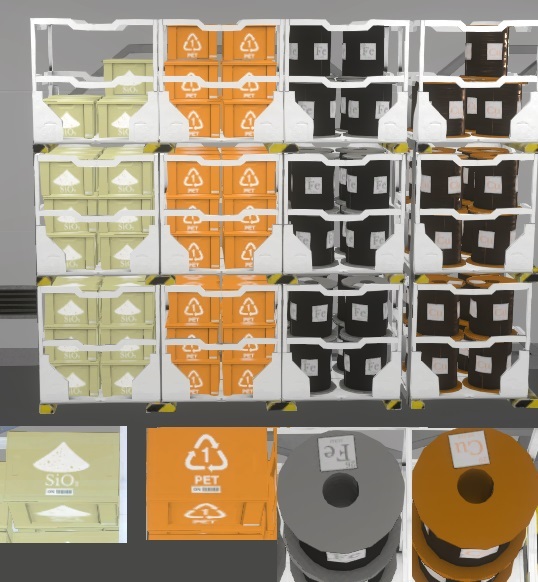
To enrich the gameplay experience, we've introduced a plethora of new resource types. From essential "Raw Materials" such as Iron, Copper, Silicon, Lithium, and Sand, to more advanced resources like Plastic, Mechanical Parts, and both simple and advanced circuits, there's now a diverse array of resources to discover and utilize on your cosmic journey.
Expanded Crafting Options
Crafting capabilities have received a significant boost with the addition of new resources and workbenches, offering players more flexibility and depth in their construction endeavors.
Basic Workbench
The trusty Basic Workbench remains a staple in your crafting arsenal, available from the outset of your journey. While it excels at producing fundamental interior items crucial for life support maintenance, its versatility extends to crafting tools and other essentials. However, its efficiency pales in comparison to more specialized counterparts.
Chemistry Workbench
Enter the Chemistry Workbench, a dedicated station for mastering chemical reactions and crafting materials like plastic. Acting as a simplified version of the purification plant, it requires a skilled chemist to operate and boasts a longer crafting time compared to more advanced alternatives.
Advanced Workbench
Evolved from the Construction Workbench, the Advanced Workbench reigns supreme as the pinnacle of crafting proficiency. With its comprehensive functionality, it remains capable of crafting all interior items, offering a glimpse of potential future advancements.
3D Printer
Harnessing the power of automation, the 3D Printer emerges as a vital addition to your crafting arsenal. Capable of autonomously crafting simple items and tools, it allows your crew to divert their attention to other pressing matters.
This diverse array of crafting options empowers players to navigate the complexities of resource management and construction with newfound creativity and efficiency.
Resource Type Details
To provide players with a clearer understanding of resource management, I've implemented several categories for different resource types. These categories outline where resources can be ordered, harvested, crafted, or consumed within the game's various interior items. This organizational feature aims to offer new players a step-by-step overview, facilitating smoother navigation through the intricacies of resource utilization.
Improved Transport Mechanism
In this update, I've also revamped the transport logic to enhance clarity and efficiency. Gone are the days of needing reserved boxes in storage units for automation. Instead, all automated tasks are now conveniently accessible through a configuration button located next to each resource type. From there, you can easily set up auto-pick targets with the simple click of a button.
Additionally, I've introduced the ability to adjust reserved amounts directly within this new automation popup or via quick drag-and-drop actions on the resource type itself.
Player Transport Tasks
Furthermore, a new feature allows for the seamless creation of paths between interior items. By simply right-clicking on a potential target, you can access the PiMenu to establish a connection between the selected items, streamlining player transport tasks like never before.
New Overlay
The overlays have received a significant polish too to enhance user experience. A new Overlay button or panel is now consistently visible in the lower right corner of the screen, providing easy access to the current overlay or the option to add a new overlay.
Furthermore, all overlays have undergone refinement:
The Resource Holders overlay has been enhanced to display more detailed and visually appealing information.
Similarly, the Container User overlay, which indicates entities utilizing resources such as the ship's energy or those emitting CO² into the atmosphere, has been redesigned. Additionally, these overlays now scale seamlessly with the UI for improved integration.
Moreover, the Path visualization feature, initially designed for transport tasks, has been expanded to include non-transport tasks such as maintenance. This enhancement allows for the visualization of paths taken by crew members when performing various actions within the game.
Full ChangeLog
Fixes
Preconfigured items have no broken Container Tooltip anymore
Fixed crafting the wrong amount in some special cases
Fixed error when canceling a room when its close to be inflated
Rare exception with Resource Container Tooltip
Fixed style for empty Value labels
Fixed Sound of Engines to loop nicer
Fixed missing click sound on some buttons
Fixed Shuttles were not removed when the shuttlebay was removed
Rooms were not shown in multi selections
Possible nullpointer in storage UI
Fixed Done Primary objective could be added to the ui
Added missing click sound when changing the choose buttons (like priority)
Image for Key 9 is now correct
Error when try to report something with 2 games open at the same time
Fixed wrong error message related to Hygiene
Fixed Display Problem with history when values get out of clamped values
Fixed memory leak in new rules engine
Reenable Burst mode for x10 performance
Fixed Mission have a fixed priority for their containers.
Having a connection from dock to a constructionsite, that is abort was not remove the connection
Removed wrong shown error related to an empty container
Fixed endless simulation loop in a special situation.
Fixed Help Tooltip was moving due to the animated button
Only show Overlays in the regular Camera (not e.g. in overview camera or free flight)
Fixed missing HighTemperature events
Fixed warning for Fire creation
Fixed some warnings when a fire has been extinguished
Fixed some Help Interactions
Fixed errors with empty containers in special situations
3D Printer was not working anymore
Default Quality is now on Ultra.
Fixed Crafting showing an empty bar without need
Canceling Workbench causing problems
Fixed some World Elements were flashing in the upper right in the first frame
Fixed bad performance for OverlayPanel in the sidemenu
Fixed Darkness Achievement firing at the start of the game in special cases
Fix Warnings when an interior item is finished
Fixed some Errors in Dismantle Interior Items
Fixed layout of ErrorWarning Panel
Fixed duplicate Low Condition markers for interior items with activities
Fixed some error loggings related to finishing constuctions in special cases
Person keep doing a canceled transport task even if he don't need to
Changing priority changes tasks that should not be changed for storages
Showing too many resourceTypes in Storage add reserve Tooltip
Resource Icons for PiMenu Groups were not shown correctly
Adding an interior to a private room now also makes that activity private
MainMenu Background not get blured when grahic is set to very low
Fixed Overview Camera wobble around when ship is spinning on high game speed
Interior Item Condition Problem was not shown for <20% condition.
Fixed tasks were not updated when changing accessability in a special case
Rare Exception when SupplyShip is empty
Fixed rare situation where some container events were not fired correctly
Serializion of Achievement Icons
Fixed rare race conditions in Achievement system
Mitigation of Empty-Container
Removed Warning when arriving at a waypoint
Delta Values for GaugeElements more resistent to low delta values
Fixed showing wrong Recipe in Pimenu selected when no recipe is set
Performance Improvement, due to not needed UI Check. Heavy impact on the Craft Queue Popup
Fixed emptying a shelf not let person drop it to the same shelf again.
Fixed Warning when a room got finished at updating the Thermal effect
Fixed warning for Quality related Input Resources in special cases
Fixed error when placing Shuttlebay in a not finished room
Added
Added new Chemistry Workbench, to do basic chemical things like creating plastic
Added Orderable with price and current to order boxes to the ResourceType
Added Help button to Storage Panel
Added CraftableAt and ingredients also to the interior item buildmenu
Added new basic Workbench to build tools and other basic interior items
Added a hint when the Lifesupport is not enough tor the new crew members
Added several new Resources
Update Mechanism for new Game Versions for user stored blueprints
Test for missing Images in Translations
Show also transport tasks located in other interior items with it as target
Possible Task Overlay when a Person is selected
Added Highlight Colors for Section overlays
Added Overlay for all ShipSections
Added new AddOverlay button with categories and search filters
Added Overlay Popup, organised in Tabs and search feature.
Click on GaugePanel (e.g. energy, or humidity) now sets the Main Overlay, so it keep showing when moving away with the mouse.
New Overlay Button and Panel in the lower right above the persons
Showing Person Path for other Task types like Maintenance
Added new Transport Tutorial including the new mechanisms.
Clone also clones the Players Task setup
Make Auto Tasks of other interior items toggleable
Target Icon to Task Elements
Added PiMenu for connecting 2 interior Items with transport tasks
Target Image to PiMenu Center Icon
Shortcut for enable Cheats sith ctrl+shift+alt+c
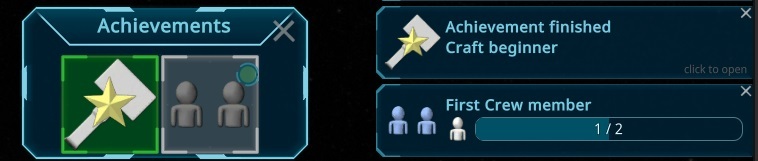
More Achievements: Bad AI, Firefighter
Achievement Popup in Mainmenu and store to see the reached Achievements
New Achievement System
Make Storage Configurable while in construction state
Interior Item Overlays for all Items
EmergencyCabinet that stores O2 and CO2 for o2mask and FireExtinguishers
Added Battery
Cheat resources with mousebuttons (where it works also with mousewheel)
Readded Auto-Focus TextBoxes after found a workaround for the unity bug
Added Environmental Effects and Factors to the Interior Item Preview
Improved
Better tooltip for Interior Item icon
ValueLabels can be highlight
Resource Tooltip now contains infos about ingredience usages and crafting durations
Added Escape Key to cancel Permanent Overlays.
Improved Special Event details, to show problems of energy producing elements on energy depleted
Improved many Special Event helps to make it more clear, give more hints and add icons
Small tutorial improvements
Use real Person Picture for the icon in containerUsers
Clicking on a Container User in an Overlay now shows the correct user
Updated Unity to fix an import bug for some audio files
Created new ContainingResources Settings and converted all interior items to it.
3D Printer uses new craft Settings. Tools will be created in bunches.
PiMenu is now able to show non auto assigned tasks also and pick what makes most sense
Moved overlay of Photovoltaic Panel and External Radiator above the inner box
Make Possible Actions Overlay UI elements clickthrough, so the pimenu is working easier.
Better logging for simulation problems
Set burst off when its not needed for better logging and still high performance
Overlay Buttons in AddOverlay Popup now showing a preview (thanks for Ichio)
Update Unity to newest version
Fixed Sorting of Resource Container Lists (e.g. storage and Dock)
Keep showing special connections in the DockingPort, so it's changable
Allow adding connections from both sides. Prefere than construction sides and interior items to add the task
Improved UI for items with many connections
Create Blueprint now shows the old BlueprintName instead of the room name if possible
Ship Section Overlay bars are centering the target in the center, so its easier to see problems
Section Overlay now got a better design and autoscales with the zoom level
Moved ShowOverlay on Selection to Options panel and used now an Overlay for that
Better overlay for Fire
Condition Overlay has as very high now transparent, so its better visible whats broken. Also mvoed legend to the new Overlay Panel
Cooling pipe saturaged got just an info instead of a warning now. High/Low Temperature Event is better described.
Layout of Container Users also aligned to the auto scale and new design
Improved Overlay for Resource Holders
Overlay for ResourceType now shows current connections too.
Store Player Task setup for Interior Items e.g. for Crafting
Visualize the autopick target mode (room or whole ship) in the task icon and in task tooltip
Reserved amount for storages moved to automate settings and to fill bar
Moved autopick tasks to separate automate popup
Delete Button in the Translate Popup not effecting the game
Rules System is able to work on better on multiple Threads
Balancing
Updated Missions to harvest raw materials instead of steel
3D printer can now craft also interior items and don't need a worker anymore
3D Printer don't need a worker anymore
High Priorities also starts at higher percentages, to prevent doing it too often
Rooms are not anymore automarkes as private when adding Residence to it. Now it can be changed in the room selection panel instead.
Setup some recipes to use duration instead of normal throughput.
We hope you enjoy these new features and improvements. As always, your feedback is invaluable in shaping the game's development. Stay tuned for more updates, and thank you for your continued support!
If you encounter any issues or have questions, please don't hesitate to reach out to us. Together, we'll make this game even better!
Want to see more?
I also post the progress and more pictures to our Discord:
Weekly Tester
We have started the weekly tester events. To attend, just join our Discord and get to #🔑-testers-bulletin-board.
And don't forget to wishlist and follow us to keep up to date.
In this iteration there was a focus on the achievements. Also two new interior items found their way in the game. Sadly i was sick most of the December, so not so much progress as usual.
Updated Achievements
We've given the achievements system a makeover! There are now 18 achievements for you to unlock, and we have more in the pipeline. Dive in and start earning those achievements!
Battery
In our latest update, we've revamped the power system. Introducing batteries, your reliable backup for storing energy in case of emergencies.
Emergency Cabinet
To have an easy access to the fireextinguisher and oxygen masks, i added an emergency cabinet interior item. It will be placed directly on walls, so it can be placed without much space usage.
Interior Item Overlay
For quick access to fire extinguishers and oxygen masks, we've introduced a new emergency cabinet interior item. Mount it directly on walls for easy placement without taking up much space. Safety first!
Full ChangeLog
Fixes
Mitigation of Empty-Container
Removed Warning when arriving at a waypoint
Delta Values for GaugeElements more resistent to low delta values
Fixed showing wrong Recipe in Pimenu selected when no recipe is set
Performance Improvement, due to not needed UI Check. Heavy impact on the Craft Queue Popup
Fixed emptying a shelf not let person drop it to the same shelf again.
Fixed Warning when a room got finished at updating the Thermal effect
Fixed warning for Quality related Input Resources in special cases
Fixed error when placing Shuttlebay in a not finished room
Delta Values in History could be wrong.
Fixed Blueprints shown multiple times in BuildMenu
Another special case where persons fill/empty in the same storage
Endless Simulation update in special cases
Exception when PluginManager used too early in MainMenu for License details
Chart Element of Activity Process was not updated correct
Prevent line break in efficiency calculation result
Person was not filling a construction site in a special situation
Fixed missing serialize of one enity, that might lead to errors on loading in special cases
Hide Developer some data for non developers in interior items
background for sendToDeveloper in Translate Element
Another endless simulation loop
Fixing rare history problem
Animation Position for Construction and maintain of Bed
Construction bar was not updating well
Fixed Deserializing when the new capacity is smaller
Rare bug on special timing when power is empty
Make time more precice to prevent endless loops
Fixed Warning when loading game with some special cases
Keep Special Event Popup closed
ResourceBox Position was not updated in special cases
Fixed warning with Timewarps in special cases
After placing doors the room was not updated
Update the Transport Tasks when the player change the reserved Items
Wrong Mood effects on persons after loading a game
Endless updates in special situation with person needs
Dismantle or abort Room
Exception in PersonOverview when a person died
Persons perfere now storages instead of close to empty interior items in special cases
Warnings for unfinished interior items in unfinished rooms
Layout of Special Event Panels were not set to problem or warning.
Player command not working anymore with person
Rare situation where person was stuck in an activity
Duplicate UnitSymbol for Skills in Tooltip of Supply Popup
First Person camera did not allow walking through doors
Slot items visible when person overview is hidden.
Updated Storage Values when they are changing live in UI
Wrong shown storage count in special cases
wrong no energy problem at hygieneArea
Problems for construction places were not readded when the resource got unavailable.
Fixed can't put resources to storage in special cases
Fixed PiMenu Sound for group selection
Fixed very long Crafting Duration timewarps were around 3s wrong
Fixed where Doors in interior p lacing were not moving on bad positions.
Prevent Doors could be droped over special interior items.
Layout of Task Icon at special case with problem and assigned person
Dismantle priority was dynamic when changing the priority while in dismantle mode
An exception at license the widget
Door update wrong when autoplacing doors
Some rooms got too the wrong state in some special cases
Icon of newly created Blueprints were not updated in BuildMenu when the async generating is finished
Wrong ProgressData was shown for constructions in waiting for resoruce state
Fixed Some I18nLabels were not linking to the correct TranslatorElement
Fixed some Lipsyncs were out of date
Translate Element: Not updated content when the list was filtered
ForceLive was not done in a special case
Timewarp not Stopped when unloading Dock
Some not wanted Transport Priorities are fixed
Showing Empty box in special cases where it should not be
Fixed situation when cheating it could happen that the person had unwanted empty resourcetype in a slot
Idle Persons not using not available area
Exceptions when deleting the last savegame
Fixed error on HistoryGraph without data
Fixed Bad sorting of resource recipes e.g. for generator
Markers of GaugePanels were not updated in the first rendered Frame when they are shown
Added
More Achievements: Bad AI, Firefighter
Achievement Popup in Mainmenu and store to see the reached Achievements
New Achievement System
Make Storage Configurable while in construction state
Interior Item Overlays for all Items
EmergencyCabinet that stores O2 and CO2 for o2mask and FireExtinguishers
Added Battery
Cheat resources with mousebuttons (where it works also with mousewheel)
Readded Auto-Focus TextBoxes after found a workaround for the unity bug
Added Environmental Effects and Factors to the Interior Item Preview
Delta History for all ResourceTypes
Rightclick on the PersonOverview zooms to the Person
Readded Recipes in the Interior Item Popup so its visible what they can do.
RightClick on a Report SaveGame now opens the json in a text editor for debugging)
Support for Images inside of Translated Text
Added Repeat Queues e.g. for Crafting
Added Change Recipe in PiMenu
Restriction of some Interior Items
WorldElement for Crafting interior Items showing the current crafting item and state
PiMenu for UnderConstruction for Rooms
Readded the Connections also for other interior items.
Added Overlay for Electric Energy
Priority changes on PiMenu
Added Tooltips for PiMenu
Change Door State via PiMenu
Added Customize to Person PiMenu, opening the dialoge for unitform change
Added Open Supply Popup to PiMenu of DockingPort
Added PlayerTask for PrimaryObjectives
More Direct Help in special events
Added Help for Fire and added it to the Nitrogen Help button
Click sound when hopening PrimaryObjective
Rightclick on the Recipe Queue priorize the item
Added Amount of Available Interior Items to the Interior item Build Menu.
Added first Difficulty setup to prepare for easy and hard mode
Primary Objective Popup
Make Intro and Tutorial skippable
New Game Dialoge
Focus a room is now related to the room size
Added Person Slot Icons to the Person Overview Element (lower right)
FullScreenMode Option is translated
Contextmenu for Interior Items, using the PiMenu
Added Double Confirm button for Pi Menu
Cheat for Instant destroy an Interior Item (Ctrl when clicking the button)
SupplyShip overview got a panel with the current Cargo for easier identify
Created custom search field and used it everywhere
Added Fancy Tooltips with headline separation
Cheating input resources with shift ctrl interior place
Changable Recipies for interior items
Scrollbars to blueprint list
Ask for automaticaly adding door, when a room is placed at another room without a door.
Improved
Rules System is able to work on better on multiple Threads
Added Help for Residence and Workplace and removed old choosing method.
Added Help for StorageManagement and added Images to other Help Texts
Move Consultant Picture towards the Target that is highlighted
More obvious highlighting for the help highlight elements
Improved UI to highlight the effective calculation steps.
Separated the HeatEnergy from the Temperature in the ship section, to make it more clear.
Using now a I18n Patch to update players translation changes much easier.
OptionsPanel is less transparent to read easier.
Checking assigned Person of containerTasks and fix it if needed.
Use TaskPriority also for Choosing what interior item should be enabled/disabled in case of power cut.
Rounding problems with very low values.
Prevent filling Storages with very little amount of resources of interior items
Only fire HighHumidity Special Event once the limit is hit
Old PrimaryObjective Playertasks are removed when done
Improved SpecialEvent HighHumidity adding more Details and how to solve it.
If a person idles after send to a place by the player, it will first stay on its position and not walking away.
License Overview in Options
Improved Under Construction UI
After Dropping a new Room, the InteriorItem Menu is opening
SideMenu auto closes in situations when its not needed anymore.
Improved SideMenu Overlay Panel
Aligned Camera Buttons to a single chooser button and added First person and Free Camera to it
Store last used Tutorial and intro settings of NewGame Setup
Updated and reduced the tutorial to a minimum. Interactive help will be added soon to cover the rest.
Sorting in Person Selection Panel is now aligned with the rest of the UI
Improved PiMenu interaction
Better Layout of Lists
Interior editing now shows blocker areas in space from other rooms
New Design for Bexed Value Label
SupplyPopup Resource Table now supports leftclick to add and rightclick to remove (including the modifiers)
Implemented Maximum amount Resupply with delta to Supply)
Make WorldUIElement for Interior Item preview Scalable to the camera distance.
Timewarp behavior switching between speed and timewarps
RecipeChooser now using Table layout with categories and filters
Changed Blocking Graphics to a nicer one
Show the location of existing blueprints and set this by default if choosen.
Translator updates now the language files for easier changing the file by hand
Add interior Items now can switch rooms to drop.
Balancing
Setup some recipes to use duration instead of normal throughput.
Efficiency on low mood is now 0.5-1
Fixed Crafting Duration of Shuttlebay way too fast
More Resources from Missions
Supply from Earth now can now be setup in difficulty level
Perons can now carry half a box per transport, independent from the weight
We hope you enjoy these new features and improvements. As always, your feedback is invaluable in shaping the game's development. Stay tuned for more updates, and thank you for your continued support!
If you encounter any issues or have questions, please don't hesitate to reach out to us. Together, we'll make this game even better!
Want to see more?
I also post the progress and more pictures to our Discord:
Weekly Tester
We also have another announcement to make. We start soon with a weekly tester events. To attend, just join our Discord and get the weekly-tester role to get notified when it starts.
And don't forget to wishlist and follow us to keep up to date.
In this iteration there was a focus on the achievements. Also two new interior items found their way in the game. Sadly i was sick most of the December, so not so much progress as usual.
Updated Achievements
We've given the achievements system a makeover! There are now 18 achievements for you to unlock, and we have more in the pipeline. Dive in and start earning those achievements!
Battery
In our latest update, we've revamped the power system. Introducing batteries, your reliable backup for storing energy in case of emergencies.
Emergency Cabinet
To have an easy access to the fireextinguisher and oxygen masks, i added an emergency cabinet interior item. It will be placed directly on walls, so it can be placed without much space usage.
Interior Item Overlay
For quick access to fire extinguishers and oxygen masks, we've introduced a new emergency cabinet interior item. Mount it directly on walls for easy placement without taking up much space. Safety first!
Full ChangeLog
Fixes
Mitigation of Empty-Container
Removed Warning when arriving at a waypoint
Delta Values for GaugeElements more resistent to low delta values
Fixed showing wrong Recipe in Pimenu selected when no recipe is set
Performance Improvement, due to not needed UI Check. Heavy impact on the Craft Queue Popup
Fixed emptying a shelf not let person drop it to the same shelf again.
Fixed Warning when a room got finished at updating the Thermal effect
Fixed warning for Quality related Input Resources in special cases
Fixed error when placing Shuttlebay in a not finished room
Delta Values in History could be wrong.
Fixed Blueprints shown multiple times in BuildMenu
Another special case where persons fill/empty in the same storage
Endless Simulation update in special cases
Exception when PluginManager used too early in MainMenu for License details
Chart Element of Activity Process was not updated correct
Prevent line break in efficiency calculation result
Person was not filling a construction site in a special situation
Fixed missing serialize of one enity, that might lead to errors on loading in special cases
Hide Developer some data for non developers in interior items
background for sendToDeveloper in Translate Element
Another endless simulation loop
Fixing rare history problem
Animation Position for Construction and maintain of Bed
Construction bar was not updating well
Fixed Deserializing when the new capacity is smaller
Rare bug on special timing when power is empty
Make time more precice to prevent endless loops
Fixed Warning when loading game with some special cases
Keep Special Event Popup closed
ResourceBox Position was not updated in special cases
Fixed warning with Timewarps in special cases
After placing doors the room was not updated
Update the Transport Tasks when the player change the reserved Items
Wrong Mood effects on persons after loading a game
Endless updates in special situation with person needs
Dismantle or abort Room
Exception in PersonOverview when a person died
Persons perfere now storages instead of close to empty interior items in special cases
Warnings for unfinished interior items in unfinished rooms
Layout of Special Event Panels were not set to problem or warning.
Player command not working anymore with person
Rare situation where person was stuck in an activity
Duplicate UnitSymbol for Skills in Tooltip of Supply Popup
First Person camera did not allow walking through doors
Slot items visible when person overview is hidden.
Updated Storage Values when they are changing live in UI
Wrong shown storage count in special cases
wrong no energy problem at hygieneArea
Problems for construction places were not readded when the resource got unavailable.
Fixed can't put resources to storage in special cases
Fixed PiMenu Sound for group selection
Fixed very long Crafting Duration timewarps were around 3s wrong
Fixed where Doors in interior p lacing were not moving on bad positions.
Prevent Doors could be droped over special interior items.
Layout of Task Icon at special case with problem and assigned person
Dismantle priority was dynamic when changing the priority while in dismantle mode
An exception at license the widget
Door update wrong when autoplacing doors
Some rooms got too the wrong state in some special cases
Icon of newly created Blueprints were not updated in BuildMenu when the async generating is finished
Wrong ProgressData was shown for constructions in waiting for resoruce state
Fixed Some I18nLabels were not linking to the correct TranslatorElement
Fixed some Lipsyncs were out of date
Translate Element: Not updated content when the list was filtered
ForceLive was not done in a special case
Timewarp not Stopped when unloading Dock
Some not wanted Transport Priorities are fixed
Showing Empty box in special cases where it should not be
Fixed situation when cheating it could happen that the person had unwanted empty resourcetype in a slot
Idle Persons not using not available area
Exceptions when deleting the last savegame
Fixed error on HistoryGraph without data
Fixed Bad sorting of resource recipes e.g. for generator
Markers of GaugePanels were not updated in the first rendered Frame when they are shown
Added
More Achievements: Bad AI, Firefighter
Achievement Popup in Mainmenu and store to see the reached Achievements
New Achievement System
Make Storage Configurable while in construction state
Interior Item Overlays for all Items
EmergencyCabinet that stores O2 and CO2 for o2mask and FireExtinguishers
Added Battery
Cheat resources with mousebuttons (where it works also with mousewheel)
Readded Auto-Focus TextBoxes after found a workaround for the unity bug
Added Environmental Effects and Factors to the Interior Item Preview
Delta History for all ResourceTypes
Rightclick on the PersonOverview zooms to the Person
Readded Recipes in the Interior Item Popup so its visible what they can do.
RightClick on a Report SaveGame now opens the json in a text editor for debugging)
Support for Images inside of Translated Text
Added Repeat Queues e.g. for Crafting
Added Change Recipe in PiMenu
Restriction of some Interior Items
WorldElement for Crafting interior Items showing the current crafting item and state
PiMenu for UnderConstruction for Rooms
Readded the Connections also for other interior items.
Added Overlay for Electric Energy
Priority changes on PiMenu
Added Tooltips for PiMenu
Change Door State via PiMenu
Added Customize to Person PiMenu, opening the dialoge for unitform change
Added Open Supply Popup to PiMenu of DockingPort
Added PlayerTask for PrimaryObjectives
More Direct Help in special events
Added Help for Fire and added it to the Nitrogen Help button
Click sound when hopening PrimaryObjective
Rightclick on the Recipe Queue priorize the item
Added Amount of Available Interior Items to the Interior item Build Menu.
Added first Difficulty setup to prepare for easy and hard mode
Primary Objective Popup
Make Intro and Tutorial skippable
New Game Dialoge
Focus a room is now related to the room size
Added Person Slot Icons to the Person Overview Element (lower right)
FullScreenMode Option is translated
Contextmenu for Interior Items, using the PiMenu
Added Double Confirm button for Pi Menu
Cheat for Instant destroy an Interior Item (Ctrl when clicking the button)
SupplyShip overview got a panel with the current Cargo for easier identify
Created custom search field and used it everywhere
Added Fancy Tooltips with headline separation
Cheating input resources with shift ctrl interior place
Changable Recipies for interior items
Scrollbars to blueprint list
Ask for automaticaly adding door, when a room is placed at another room without a door.
Improved
Rules System is able to work on better on multiple Threads
Added Help for Residence and Workplace and removed old choosing method.
Added Help for StorageManagement and added Images to other Help Texts
Move Consultant Picture towards the Target that is highlighted
More obvious highlighting for the help highlight elements
Improved UI to highlight the effective calculation steps.
Separated the HeatEnergy from the Temperature in the ship section, to make it more clear.
Using now a I18n Patch to update players translation changes much easier.
OptionsPanel is less transparent to read easier.
Checking assigned Person of containerTasks and fix it if needed.
Use TaskPriority also for Choosing what interior item should be enabled/disabled in case of power cut.
Rounding problems with very low values.
Prevent filling Storages with very little amount of resources of interior items
Only fire HighHumidity Special Event once the limit is hit
Old PrimaryObjective Playertasks are removed when done
Improved SpecialEvent HighHumidity adding more Details and how to solve it.
If a person idles after send to a place by the player, it will first stay on its position and not walking away.
License Overview in Options
Improved Under Construction UI
After Dropping a new Room, the InteriorItem Menu is opening
SideMenu auto closes in situations when its not needed anymore.
Improved SideMenu Overlay Panel
Aligned Camera Buttons to a single chooser button and added First person and Free Camera to it
Store last used Tutorial and intro settings of NewGame Setup
Updated and reduced the tutorial to a minimum. Interactive help will be added soon to cover the rest.
Sorting in Person Selection Panel is now aligned with the rest of the UI
Improved PiMenu interaction
Better Layout of Lists
Interior editing now shows blocker areas in space from other rooms
New Design for Bexed Value Label
SupplyPopup Resource Table now supports leftclick to add and rightclick to remove (including the modifiers)
Implemented Maximum amount Resupply with delta to Supply)
Make WorldUIElement for Interior Item preview Scalable to the camera distance.
Timewarp behavior switching between speed and timewarps
RecipeChooser now using Table layout with categories and filters
Changed Blocking Graphics to a nicer one
Show the location of existing blueprints and set this by default if choosen.
Translator updates now the language files for easier changing the file by hand
Add interior Items now can switch rooms to drop.
Balancing
Setup some recipes to use duration instead of normal throughput.
Efficiency on low mood is now 0.5-1
Fixed Crafting Duration of Shuttlebay way too fast
More Resources from Missions
Supply from Earth now can now be setup in difficulty level
Perons can now carry half a box per transport, independent from the weight
We hope you enjoy these new features and improvements. As always, your feedback is invaluable in shaping the game's development. Stay tuned for more updates, and thank you for your continued support!
If you encounter any issues or have questions, please don't hesitate to reach out to us. Together, we'll make this game even better!
Want to see more?
I also post the progress and more pictures to our Discord:
Weekly Tester
We also have another announcement to make. We start soon with a weekly tester events. To attend, just join our Discord and get the weekly-tester role to get notified when it starts.
And don't forget to wishlist and follow us to keep up to date.