Great Houses of Calderia is at the biggest 40% discount yet from today to July 11.
Discount—40%
Forge your dynasty, dominate other Houses, and ascend as the most powerful House in Calderia! Grow your fiefdom, engage in trade, foster diplomacy, and strategically manage this bountiful land. Begin your Mediterranean Renaissance journey with a 40% discount from today until July 11.
Player-driven development - Share your feedback!
We read and consider your suggestions. We always appreciate and value your constructive comments and insights to improve the game. Thank you for your contributions, they mean the world to us!
Characters not staying married after the wedding. They might still appear to be single for a brief period of time.
Known Issues
UI scaling might cause some buttons to go outside the screen on some resolutions. To fix this, adjust the UI scaling percentage in Video Settings.
Character customization images might fail to load occasionally. The UI still works, and reopening the menu sometimes fixes the issue.
Army movement with “intercept” command, might not work correctly all the time
Tooltips may not work properly on all zoom levels. Try zooming into the map to fix issues.
Characters show Military damage FX in Conflict
- Great Houses of Calderia Team -
House Traditions and winning paths
Oy, rulers!
Traditions are one of the cornerstones of your House in the game. In this devblog, we'll look at their depth and importance for your nobles and progression.
The Role of House Traditions
In Calderia, all Houses choose their Traditions, which are their core values that will influence the type of relationships with other Houses and their playstyle. Traditions influence politics and every interaction, this will require sacrifice and pondering your choices between choosing the best outcome of an event or staying true to your Traditions.
Traditions weigh on your decisions, whether you prefer to prioritize your family's benefits or your own goals on the short term. From the game's early concepts, Traditions have been central to your family and fiefdom by allowing you to unlock actions, units, bonuses, and even winning paths.
Tradition Tree
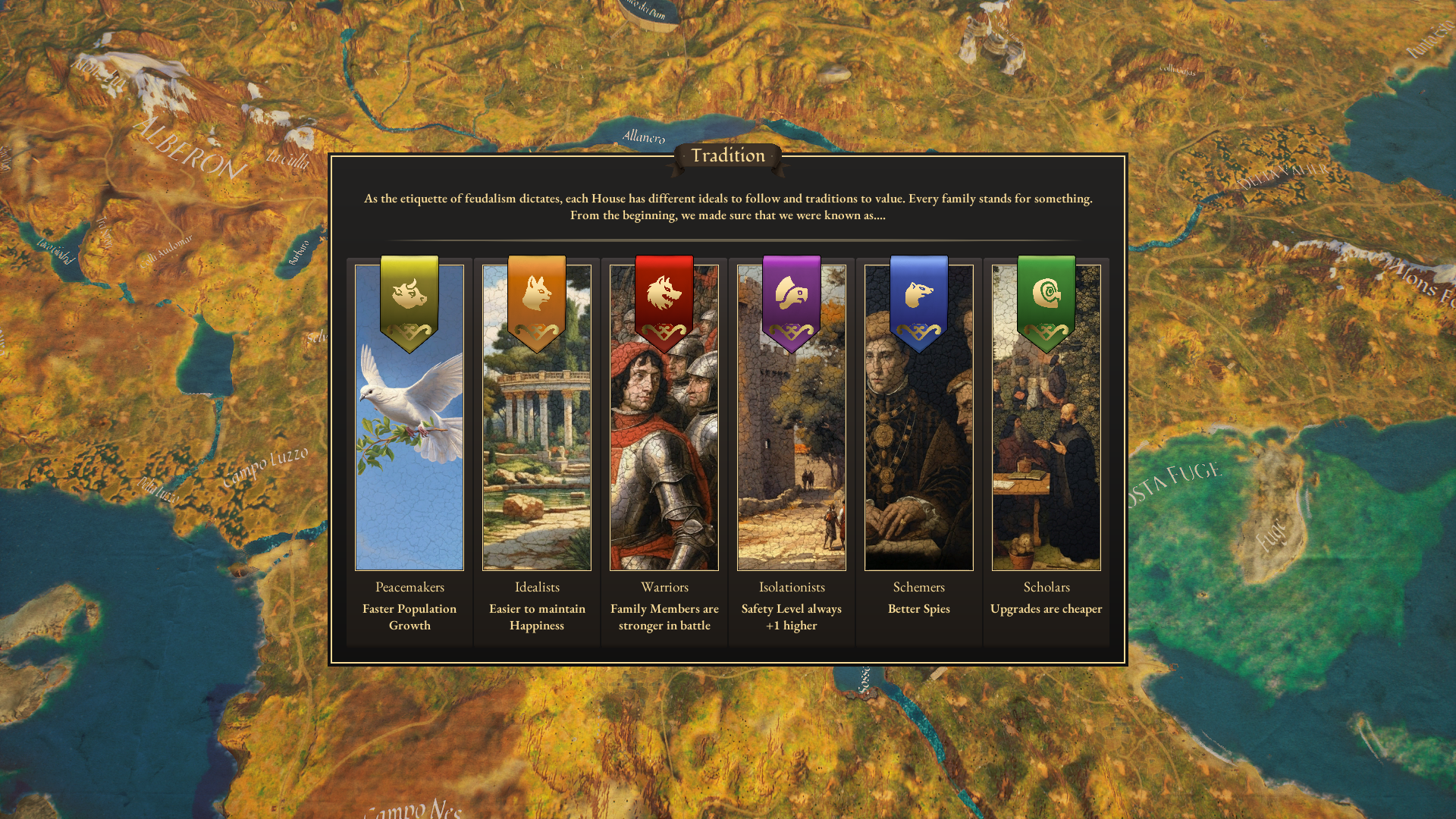
During playtests, we introduced the Tradition tree. Traditions can affect the way you play and win the game. For example, Peacemakers need worse relations before anyone can declare war on them, while Warriors excel in military conflicts.
Traditions are divided into six categories, paired to oppose each other: Warriors vs. Scholars, Idealists vs. Schemers, and Isolationists vs. Peacemakers. Advancing in one Tradition blocks the opposing tradition, so choose your Traditions wisely! Houses with opposing Traditions may naturally despise each other because of them. Starting near Warrior Houses differs from starting near Isolationist neighbors.
Earning Tradition Points
Events and conflicts award tradition points, which can be general or specific to your chosen tradition. Specific choices in events also earn tradition points. For instance, Schemers might pursue shady deals, while Idealists avoid them. Choices aligning with your traditions earn more points.
Going against your traditions is possible but comes with penalties, including losing Traditions points and, therefore, hurting your progress for the next Tradition node. Such decisions hinder your Tradition's development, making it harder to compete with other Houses.
Traditions & Winning Paths
During Early Access, we've added over 25 traditions and two winning paths:
Scholarly Path: A peaceful scheming option using Schemers and Scholars traditions. This playstyle focuses on diplomacy and building a network of schools across fiefdoms.
Isolationist Path: A war-focused path using Warriors and Isolationists traditions. This path is for those who prefer independence from the Empire and hermit-style gameplay.
Each path unlocks unique bonuses, delegations, actions, and new units or companions through tradition nodes in the Tradition Tree menu.
Thank you for reading, and we are extremely grateful for your support and contribution since the release in 1.0!
- Great Houses of Calderia Team -
Minor Update Patch Note — 1.0.1.1329 (b14705394)
A new minor update [1.0.1.1329 (b14705394)] is now live with the following changes:
Fixed
Crash when character has no current location
Crash related to war that is not valid
AI wedding notification not going away, characters will not get stuck this way again
Tooltip showed “/day” and overall trade resources in wrong way
Known Issues
UI scaling might cause some buttons to go outside the screen on some resolutions. To fix this, adjust the UI scaling percentage in Video Settings.
Character customization images might fail to load occasionally. The UI still works, and reopening the menu sometimes fixes the issue.
Army movement with “intercept” command, might not work correctly all the time
Tooltips may not work properly on all zoom levels. Try zooming into the map to fix issues.
Characters show Military damage FX in Conflict
- Great Houses of Calderia Team -
New demo!
Oy rulers!
Ship to the land of Calderia in our new demo!
Rise to power as the most influential House in this bountiful land, guiding your nobles through the feudal ranks to rule Calderia. Use diplomacy, trade, schemes, and warfare to achieve your goals and build a lasting legacy of power.
Learn more about the world of Calderia and the wide range of choices you can make in the demo!
You will be able to:
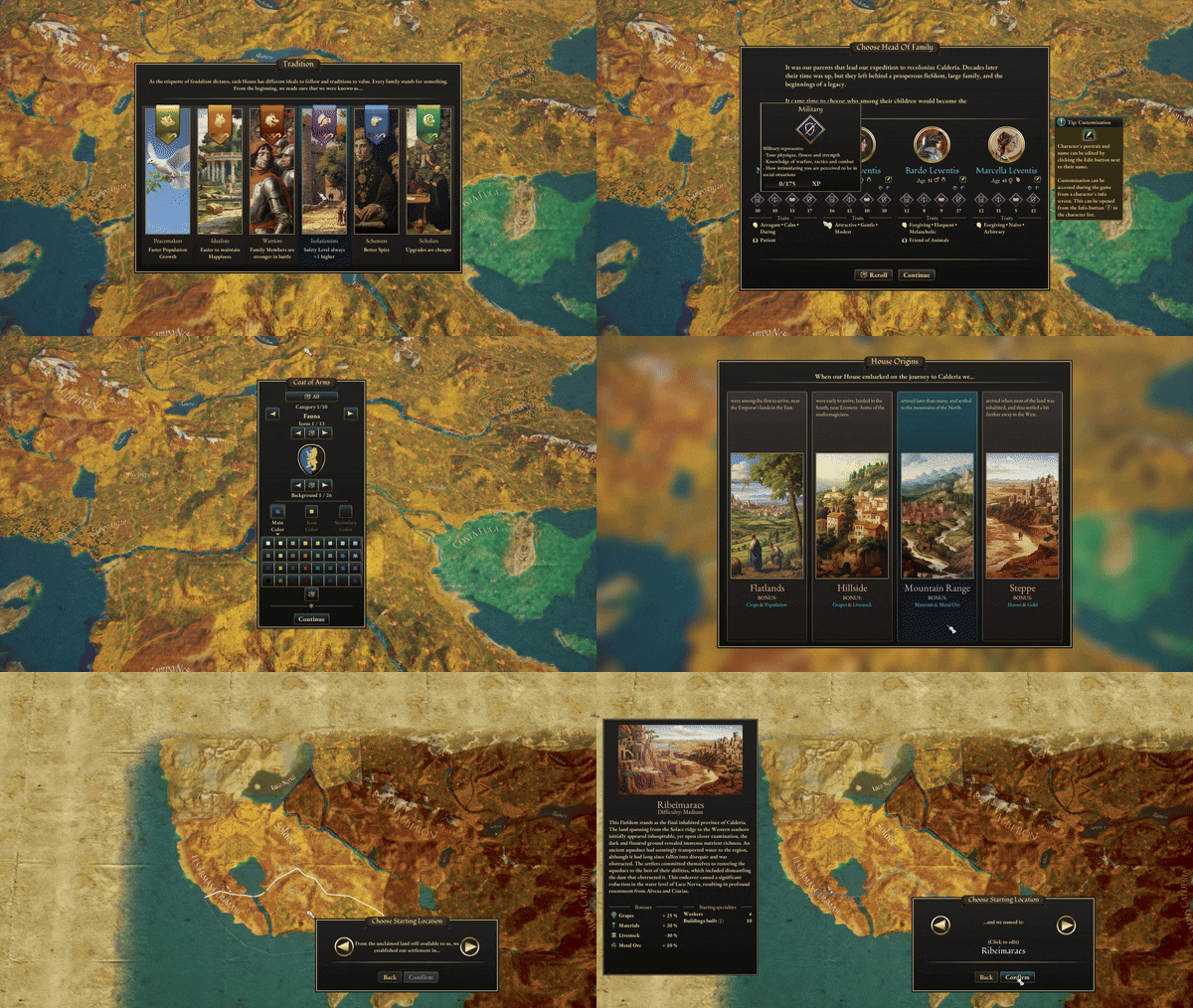
Create your noble House and family
Create your coat of arms
Choose your family traditions
Discover the world of Calderia
Play the first 2 years of your rule
Manage your fiefdom
Develop relations with the Houses
Trade, raise an army, declare war, arrange marriages and scheme against your Houses
The demo lasts about 30 minutes to 1 hour of gameplay, but you can replay it as many times as you want. Create new Houses with different character traits and House traditions, try various strategies, and unlock new companions and military units!
Ascend Calderia's ranks, create your noble family!
- Great Houses of Calderia Team -
Minor Update Patch Note — 1.0.1.1327 (b14660875)
A new minor update [1.0.1.1327 (b14660875)] is now live with the following changes:
Added
Steam Cloud saves
Updated
Population Growth and Population Shrink events now describe why you are gaining / losing population in situations other than just normal population growth
Known Issues
UI scaling might cause some buttons to go outside the screen on some resolutions. To fix this, adjust the UI scaling percentage in Video Settings.
Character customization images might fail to load occasionally. The UI still works, and reopening the menu sometimes fixes the issue.
Army movement with “intercept” command, might not work correctly all the time
Tooltips may not work properly on all zoom levels. Try zooming into the map to fix issues.
Characters show Military damage FX in Conflict
- Great Houses of Calderia Team -
Minor Update Patch Note — 1.0.1.1326 (b14624416)
A new minor update [1.0.1.1326 (b14624416)] is now live with the following changes:
Fixed
Fix for crash when resolving “Let's help the poor” delegation event
Known Issues
UI scaling might cause some buttons to go outside the screen on some resolutions. To fix this, adjust the UI scaling percentage in Video Settings.
Character customization images might fail to load occasionally. The UI still works, and reopening the menu sometimes fixes the issue.
Army movement with “intercept” command, might not work correctly all the time
Tooltips may not work properly on all zoom levels. Try zooming into the map to fix issues.
Characters show Military damage FX in Conflict
- Great Houses of Calderia Team -
Minor Update Patch Note — 1.0.1.1322 (b14557892)
A new minor update [1.0.1.1322 (b14557892)] is now live with the following changes:
Fixed
AI gets stuck in conflict resolution if player start node is only partially captured by player
Character info traits are fading in when hovering over event choice
“Can claim title” icon shows next to a fiefdom that is already your vassal
Known Issues
UI scaling might cause some buttons to go outside the screen on some resolutions. To fix this, adjust the UI scaling percentage in Video Settings.
Character customization images might fail to load occasionally. The UI still works, and reopening the menu sometimes fixes the issue.
Army movement with “intercept” command, might not work correctly all the time
Tooltips may not work properly on all zoom levels. Try zooming into the map to fix issues.
Characters show Military damage FX in Conflict
- Great Houses of Calderia Team -
Hotfix Patch Note — 1.0.1.1317 (b14506893)
A new hotfix [1.0.1.1317 (b14506893)] is now live with the following changes:
Fixed
Fixed a crash related to tooltips
Known Issues
UI scaling might cause some buttons to go outside the screen on some resolutions. To fix this, adjust the UI scaling percentage in Video Settings.
Character customization images might fail to load occasionally. The UI still works, and reopening the menu sometimes fixes the issue.
Army movement with “intercept” command, might not work correctly all the time
Tooltips may not work properly on all zoom levels. Try zooming into the map to fix issues.
Characters show Military damage FX in Conflict
- Great Houses of Calderia Team -
Minor Update Patch Note — 1.0.1.1315 (b14482656)
A new minor update [1.0.1.1315 (b14482656)] is now live with the following changes:
Added
Resource icons for the fiefdom info screen
Updated
Game Over screen texts from peace negotiation outcomes
Armies can now be disbanded anywhere on the map, but that army needs to travel home first to disband. This action is cancellable.
Conflict cards for units now tell if the unit doesn’t have any usable ability.
Fixed
Game Over screen after Civil War peace negotiations sometimes showed opposite results from the actual outcomes
Civil War peace negotiations in Calderian Total Win sometimes didn’t have any opponents
In some cases characters did not stay married after the wedding. This should now be fixed.
Stopped by Bandits event no longer shows trade delegation resources
Merge Armies can no longer create commander-only armies.
When two weddings were at the same location at the same time, characters got stuck in that location unless save was loaded. This is now fixed.
Potential fix for 4x speed crash that happens on lower end computers
Known Issues
UI scaling might cause some buttons to go outside the screen on some resolutions. To fix this, adjust the UI scaling percentage in Video Settings.
Character customization images might fail to load occasionally. The UI still works, and reopening the menu sometimes fixes the issue.
Army movement with “intercept” command, might not work correctly all the time
Tooltips may not work properly on all zoom levels. Try zooming into the map to fix issues.