Update #4 0.8.3.7 - New Location & Progress Update
Update #4 0.8.3.7 New Location & Progress Update
Hello fellow magnates! As promised, we are releasing an interim update with a new location to play in as well as some general fixes. This isn’t a huge update for most, but we hope it will keep everyone entertained until our next update which will be focused on utilities (water/power management).
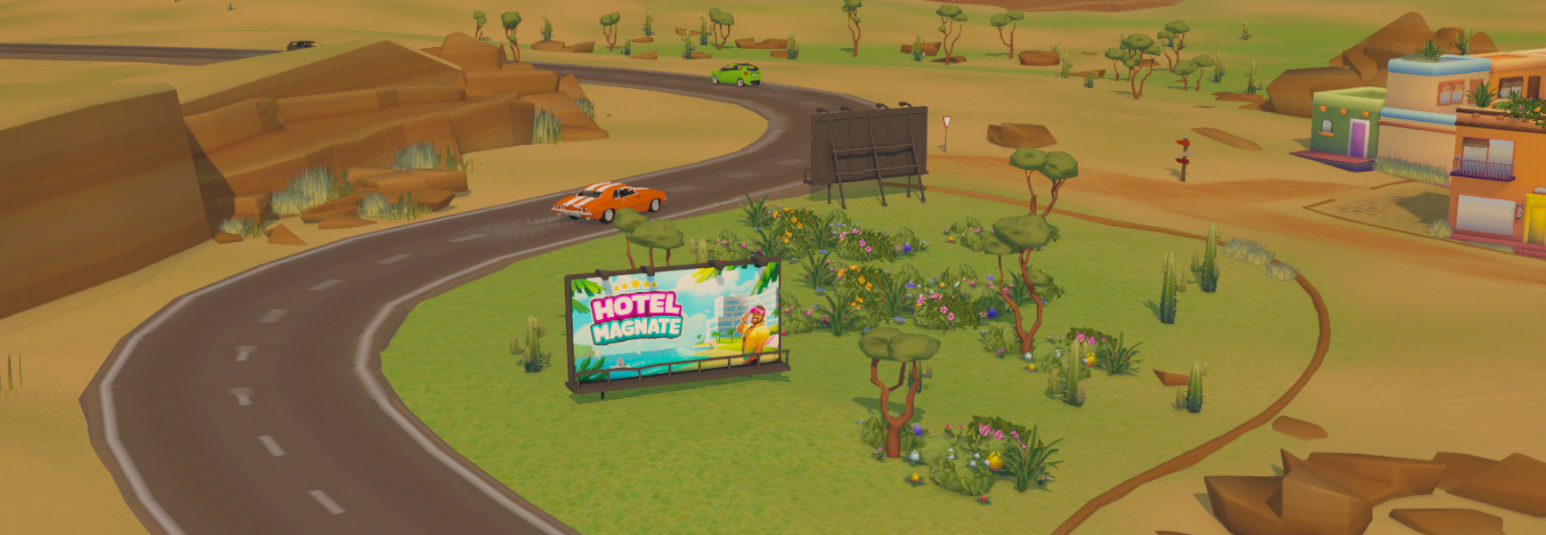
Desert Highway
We are excited to release our first new location: Desert Highway! It has taken a while to set up our workflow in order to create new locations, but it will now enable us to add new locations faster in future updates. We also had to do a lot of backend work with how these locations work so that we are able to set up different lighting, audio, guest types, etc. for each location.
We look forward to bringing you all many more locations in the future!
Upcoming Features
This month we thought we would include a little section detailing some of the upcoming features that are being worked on currently. Firstly we are very close to having a Mac version available, we are just going through the process of getting the application approved by Apple.
In our next feature update, we will be introducing the Utilities system. This is essentially the management of water and power to your hotel which will bring some interesting challenges and decisions to how you build and run your hotel.
We have also made significant progress in adding our new progression system which will reduce the importance of your hotel star rating and will allow you to take your hotel in different directions and choose which furniture/tools to unlock.
Don’t forget to check out our Feature Roadmap to see what is in store or join us on our Discord where you can discuss these features with other fans and the developers!
Community Updates
We will hopefully be bringing back more community feedback events (like the community feature vote) soon and hopefully in a better, more open-ended format. So stay tuned!
We would also love to announce and share a new partnership with one of our most dedicated fans Zizi who makes tutorials and guides for Hotel Magnate. Her creations are fantastic and you should definitely check out her Youtube and Twitch.
Changelog:
Changes:
Changed images on the start menu
Added option to choose the desert location
Made improvements to the car/guest pickup system
Fixes:
Fixed an issue where rooms would get the incorrect star level when saving/loading
General performance and stability fixes
Hotfix: v0.8.3.6
Hotfix: v0.8.3.6
Fix:
Fixed some issues with rooms showing incorrect star level.
Hotfix: v0.8.3.5
Hotfix: v0.8.3.5
Fixes:
Fixed issues where there was an FPS drop in certain hotels
Fixed some issues with staff that have been fired not leaving & staff randomly choosing the "Just Fired" activity
Hotfix: v0.8.3.4
Hotfix: v0.8.3.4
Fixes/Changes:
Fixed Guests from walking on water (pools)
Fixed an issue where objects wouldn't be cleaned after the activity to clean them was cancelled
Fixed an issue where you couldn't scroll all the way to the bottom of the list when linking a resaturant to a kitchen
Fixed some issues in the restaurant and ordering food
Fixed issues with the fireplace becoming inaccessible when it shouldn't
Fixed an issue with the car pickup system (guests not getting picked up)
Fixed an issue where the saving process would get stuck
Changed the default icon for ceiling lights in the furniture menu
We now calculate the navigation of rooms more frequently to help prevent rooms from being inaccessible when they shouldn't
General improvements and fixes to the restaurant system to make them run more smoothly
Hotfix: v0.8.3.3
Hotfix: v0.8.3.3
Fixes/Changes:
Fixed an issue where a room star level and room detail view wouldn't update after multiplacement
Improved saving speeds on larger hotels
Less people standing in walls or objects. Might result in some objects not being reachable anymore
Railing preview is now smaller (to match the size of the railing)
Dont allow rect select tool in some contexts (selecting ceiling etc.)
Fixed a broken floor bug
Guest wont inspect objects not currently on their level now
Room lighting info on room detail is now updated correctly when switching rooms
Fixed bath / shower effects from showing on non-visible levels
Fixed a Loading error caused by saving just after a guests/staff just got their activity cancelled
Hotfix: v0.8.3.2
Hotfix: v0.8.3.2
Fixes/Changes:
Made localisation fallback to English when there is a missing phrase for other languages (fallback only happens on that single phrase)
Fixed an issue where navigation calculations were taking too long when placing items
Fixed an issue where guests would try to check-in twice
Fixed a bug with removing furniture that attracts day guests/visitors
A room rate is now not displayed for day visitors on their detail menu
It has been a busy couple of months, but our biggest and most requested update yet is here! It has been quite a challenge with lots of technical and design hurdles to overcome, but we are very happy to give everyone the ability to now build vertically across multiple levels. As interior rooms are now more obscured, we’ve also decided to add in room lighting along with day visitors to fill up your facilities and help fund your new expansions!
Multi-Level Building
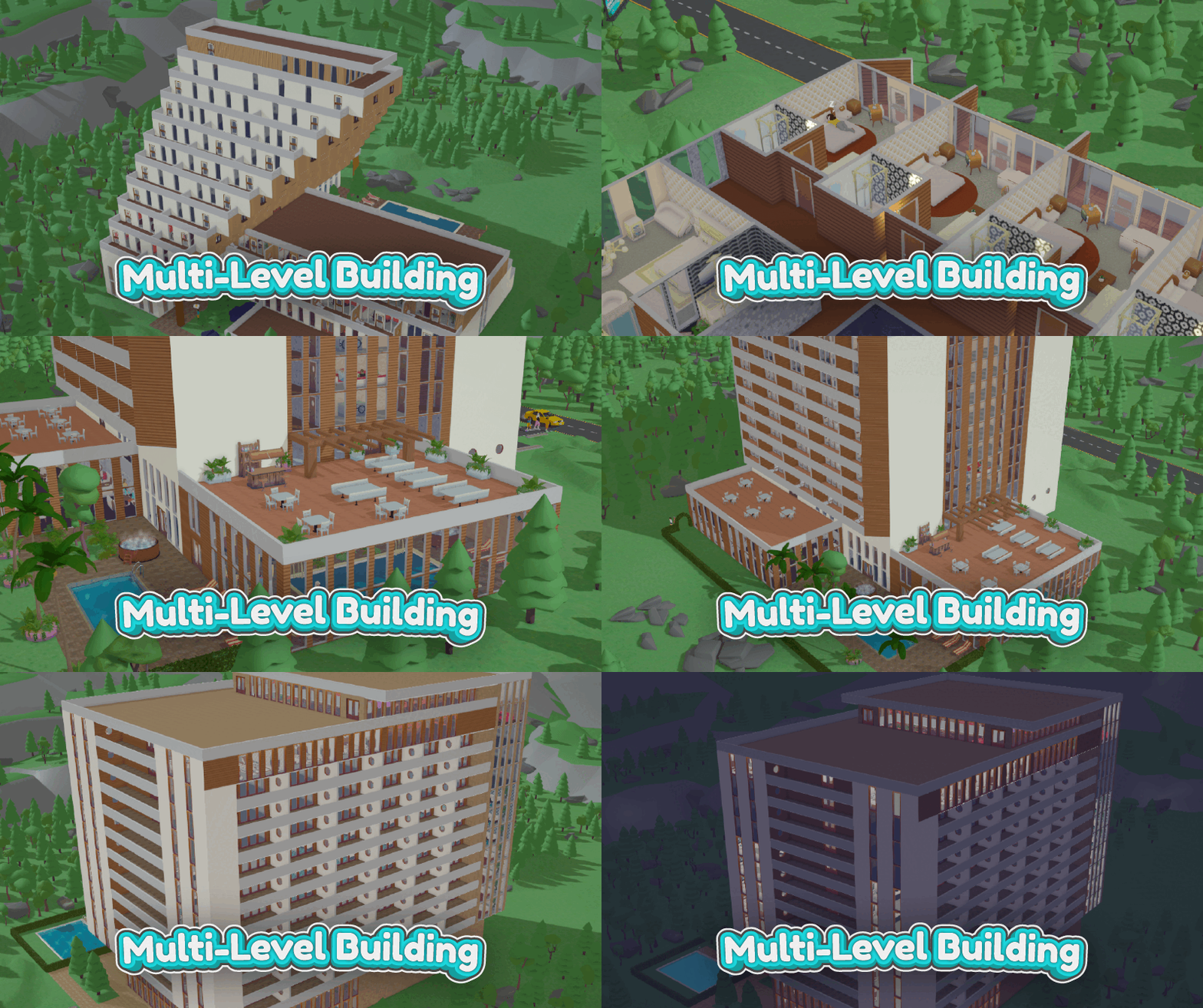
The biggest feature in this update is multi-level building! This latest addition will allow you to build your hotel upwards to a maximum of 16 floors. To give your guests some extra room, you are now also able to build a new type of wall: railings! You can now easily build balconies and outdoor areas using this new wall add-on.
With these additional features, there is now the concept of ceilings. When you build a room, a ceiling is created above it (which you can see when going up levels). These ceilings can be colorized but, of course, cannot be walked on or used by your staff or guests.
In order for these areas to be used by your staff or guests, it will need to be enclosed by a wall or railing.
Another tool that we have added is the ability to remove floors to create multi-level open spaces (you cannot remove a ceiling). As seen below, you can use this tool to create large lobbies or mezzanines. You can access this tool from the floor editing menu.
2: Remove Floor 3: Restore Floor
To get your guests and staff up to these levels, you can now add stairs! In the future, we will be adding elevators. Please keep in mind that stairs do not currently work well when used outside as they need to connect to a room above them.
We have been very excited getting this new feature ready for everyone and we can’t wait to see what everyone builds with it! Be sure to join us on our Discord or Steam discussion page to give any feedback, if you have it!
Lighting
To accompany the changes with multi-level building, we needed a better way to light rooms and the surrounding area. This led to us working on a way to lighten up rooms that was visually appealing but still very performant. You now have to place lights in rooms to make sure there is enough lighting for your guests.
You can view the lighting information for a room via the light info button on the room detail menu.
Windows also provide light for a room, but only during the day. This means you can use a combination of both windows and artificial lighting to illuminate certain rooms. We have also worked on the lighting for the outside and surrounding environments. This includes a more picturesque sunrise and sunset color palette.
Day Guests/Visitors
To help fill out everyone's new expansive hotels (and to help fund them), we have enabled day visitors! Essentially, people will now visit your hotel’s facilities without staying the night. So expect to see a lot more people dining in your restaurants and drinking at your bars. This system should bring plenty more guests to your hotel, making it easier to keep your restaurants, bars, and similar facilities profitable.
Don’t forget to leave a review for us on Steam if you haven’t already and join us on our Discord where you can chat with us and other fans!
Changelog:
Read our previous Hotfix changelogs to get more detail of what has changed since our last major update
Changes:
Improvements to performance
Fixed some instances of crashes
General bug fixing & maintenance
Improvements and fixes to wall building
Stopped staff from walking on the spot in certain circumstances
Fixed some bugs surrounding kitchens and kitchen staff
Known Issues:
Larger hotels might have performance issues on lower spec computers (we will be doing more optimisation soon). If you experience problems, you should try to reduce the size of your hotel and report the issue to us
Some rare issues with duplicating rooms in certain circumstances
Guests & Staff that spawn at night will have a darker 'mugshot'
When duplicating a room with windows that are on a curved wall, the windows wont duplicate
Some issues with wall textures dont being set when duplicating
Staff will sometimes stand inside furniture
"Casual Walk" and other similar guest/staff activities only occurs on the ground floor and might become buggy when there are high number of guests or staff. They should however fix themselves after some time
Hotfix: v0.8.2.14
Hotfix: v0.8.2.14
Fixes:
Fixed a bug where some walls wouldnt be able to be built from/too. This bug has been eluding us for sometime and it should solve a whole bunch of related wall building issues
Known issues
Staff members will sometimes stand inside objects (this is being worked on but shouldnt break your hotel)
Hotfix: v0.8.2.13
Hotfix: v0.8.2.13
Fixes:
Fixed issue where placing doors was sometimes causing characters to walk on the spot for a few seconds
Known issues
Staff members will sometimes stand inside objects (this is being worked on but shouldnt break your hotel)
Fixed some issues with staff walking on the spot and not teleporting or correcting themselves
Fixed an issue where a cook in the kitchen would sometimes get stuck and walk on the spot
Known issues
Staff members will sometimes stand inside objects (this is being worked on but shouldnt break your hotel)
In larger hotels, placing a door may make characters walk on the spot for a little. (waiting a few seconds and the issue should correct itself. This being worked on currently)